Tag: ios

  • Temporarly free premium apps and games for both Android and iOS

    Temporarly free premium apps and games for both Android and iOS

    Here, things operate differently because we carefully choose the programs. We chose these programs because they are temporarily free, rather than because we checked and tested everything. Regretfully, neither the Google Play Store nor the Apple App Store provide us with a summary of how long the deals are valid. It’s worthwhile to give them a try right away, but read the warnings about in-app purchases, advertising, and other subscription pitfalls.

    Even if you don’t require an app right away, install it if it piques your curiosity. It will be added to your app library and marked as “bought” as a result. When you need it, you can easily reinstall the app for free after removing it straight from your phone.

    Android apps and games

    Android apps for productivity and lifestyle

    • PhotoApp: AI Photo Editor, Art: One of the many photo apps that let you modify your pictures. For example, you can integrate your face into other photos.
    • Simple App Locker: Do you want to protect certain apps or games from being accessed by others? Then this app offers you the option of securing desired applications with a PIN code or fingerprint.
    • Touch Lock: This app does exactly what the name promises – you can temporarily deactivate the touchscreen. This can be useful if, for example, you are listening to music or watching videos and don’t want to tap the screen accidentally.
    • PowerAudio: Do you want to give an appealing-looking music player with a good rating (4.4 stars) another chance? Then please – go for it!
    • Smart Navigation Bar – navbar: This alternative navigation bar is rated rather average with 3.4 stars, but hey, this way you can at least give the bar a new look on a trial basis and for free.

    Android games

    • Defense Zone 3 Ultra HD: I’ve often recommended this game to tower defense fans. And I’m always happy to do so when it’s free again. Really great graphics and tough at times!
    • Cooking Quest: Do you have what it takes to make people happy with your street food cart? Then prove it in this game!
    • Sudoku Master Premium: I don’t have to explain Sudoku to anyone here, do I? In any case, this is a very nice implementation for puzzle fans.
    • Crossword Quest Premium: Fancy putting your gray matter to the test again? Then here’s something else for crossword puzzle fans.
    • WindWings: Fancy another spin-off of the Atari classic Galaxian? This one makes a really good impression and has a great rating. Have fun shooting!

    iOS apps and games

    Free iOS apps for productivity and lifestyle

    • Water Drinking Reminder: To be honest, this app, which reminds me to drink regularly, would be too expensive for six euros. But “for free,” you can get it without hesitation.
    • Scrap Paper: A very highly rated and intuitive note-taking app that wants to capture your ideas and thoughts without taking you out of your workflow.
    • Atten: Screen Time App Blocker: Do you often lose concentration and look at your phone more often than you should? Then this app will help you reduce your screen time.
    • abCursive: Do you still know how to write by hand? It’s almost a bit ironic that a cell phone app, of all things, wants to teach you how to write beautiful handwriting, isn’t it?
    • Pocketbooth Photo Booth: A photo tool that is modeled on the good old photo booth. I can imagine it being great fun for in-between times. And you?

    Free iPhone games

    • Solitaire: The game, the design, and even the title of the game are sensationally simple. Anyone who enjoys playing solitaire will find a simple and ad-free version here, completely without frills.
    • Blindfold Chess: An exciting idea for a chess game – you have to play virtually blind. In this way, you learn to visualize the board in your brain and thus develop a different understanding and therefore a different skill for playing chess.
    • Rotaeno: For this music game, you need a sense of rhythm and a solid basic trust in your iPhone’s gyroscope. You have to hit notes by rotating your cell phone accordingly.
    • Spider Solitaire: If you like playing solitaire, you’ll find a simple and ad-free version here, without any frills. Oops, I’ve just written that sentence before. So be it – you can tell us which of the two versions you like better.
    • Ninja Boy Adventures – Bomberman edition: Do you still remember the classic Bomberman game? Fans of Bomberman games will quickly feel at home here.

    I hope you’ve all found something appropriate. That’s all I have for today. If not, Saturday will be the next day to take advantage of app deals.
  • Temporarly free apps for Android and iOS

    Temporarly free apps for Android and iOS

    There are countless apps available in the Play Store and the App Store, the two app stores owned by Apple and Google. While some of these apps are free, some need a fee. However, many users are unaware that many paid apps can also be temporarily made free as part of a special deal. We have compiled a list of some of the most intriguing free apps accessible right now.

    free android and IOS apps

    Free apps for Android

    • Resume Builder – CV Maker ($5.99) – In this day and age, without a convincing CV, you’re often at a disadvantage. So it’s all the better that you can create a suitable design yourself in a short space of time. With the help of this app and a pinch of creativity, it’s easy to create a professional and appealing CV that leaves an impression.
    • Passport Photo: ID Photo Print ($5.99) – This app makes it easy to take high-quality passport photos from the comfort of your own home, without having to go to a photographer. In Germany, however, self-taken passport photos have only been accepted to a limited extent since May.
    • Stitch Photos: Long Screenshot ($3.49) – Anyone who has ever tried to take a screenshot of an entire website or chat history knows the problem: unwanted elements such as advertisements, menus, or the scrollbar are often included. This app provides a remedy by allowing you to effortlessly remove superfluous elements.
    • Business Card Maker: Logo Card ($5.99) – Whether used professionally or simply for pleasure, business cards are inexpensive to buy. The real challenge often lies in the design, especially for people without graphic talent. But this problem is a thing of the past with this app.

    Free premium apps for iOS

    • Minesweeper Classic ($4.99) – If you’re nostalgic and used to using a Windows PC, you’ll love this game. The game principle is clearly based on the well-known Windows classic: the aim is to correctly mark minefields and uncover all safe fields, just like in the old days. It’s just a shame that the app relies on in-app purchases.
    • Ninja Boy Adventures – Bomberman edition ($1.99) – This game is very similar to the arcade classic Bomberman, with a decisive twist: instead of a bomber, you take on the role of a ninja. The levels are also a little more cleverly designed. However, the gameplay is still entertaining.
    • Queen Rules ($2.99) – This puzzle game is the ideal way to pass the time. The aim is to position your soldiers so that they can defeat the evil witch’s soldiers. There are also interesting level designs and clay figures.
    • Dog Guide 2 PRO ($1.99) – Anyone who wants to find the ideal dog or expand their knowledge of these faithful four-legged friends should take a look at this app. It offers a large number of free pictures, clearly presented information, and a practical filter function – all in one application.

    At the time this post was published, all of the apps we are showcasing here were free to download. Regretfully, developers frequently fail to indicate the duration of these offers. Therefore, you should download an app as soon as possible if you enjoy it.

    However, you should always check the app page in the store before downloading a free program. Because there are occasionally unnoticed obstacles that you should be mindful of.

    Many apps gather user information and frequently sell it. Make sure you only give the program the rights it actually needs if you want to be safe. For instance, a flashlight shouldn’t be interested in your location information, and an alarm clock doesn’t require access to your contacts or cameras.

  • MiTag Duo – works with Android and iOS

    MiTag Duo – works with Android and iOS

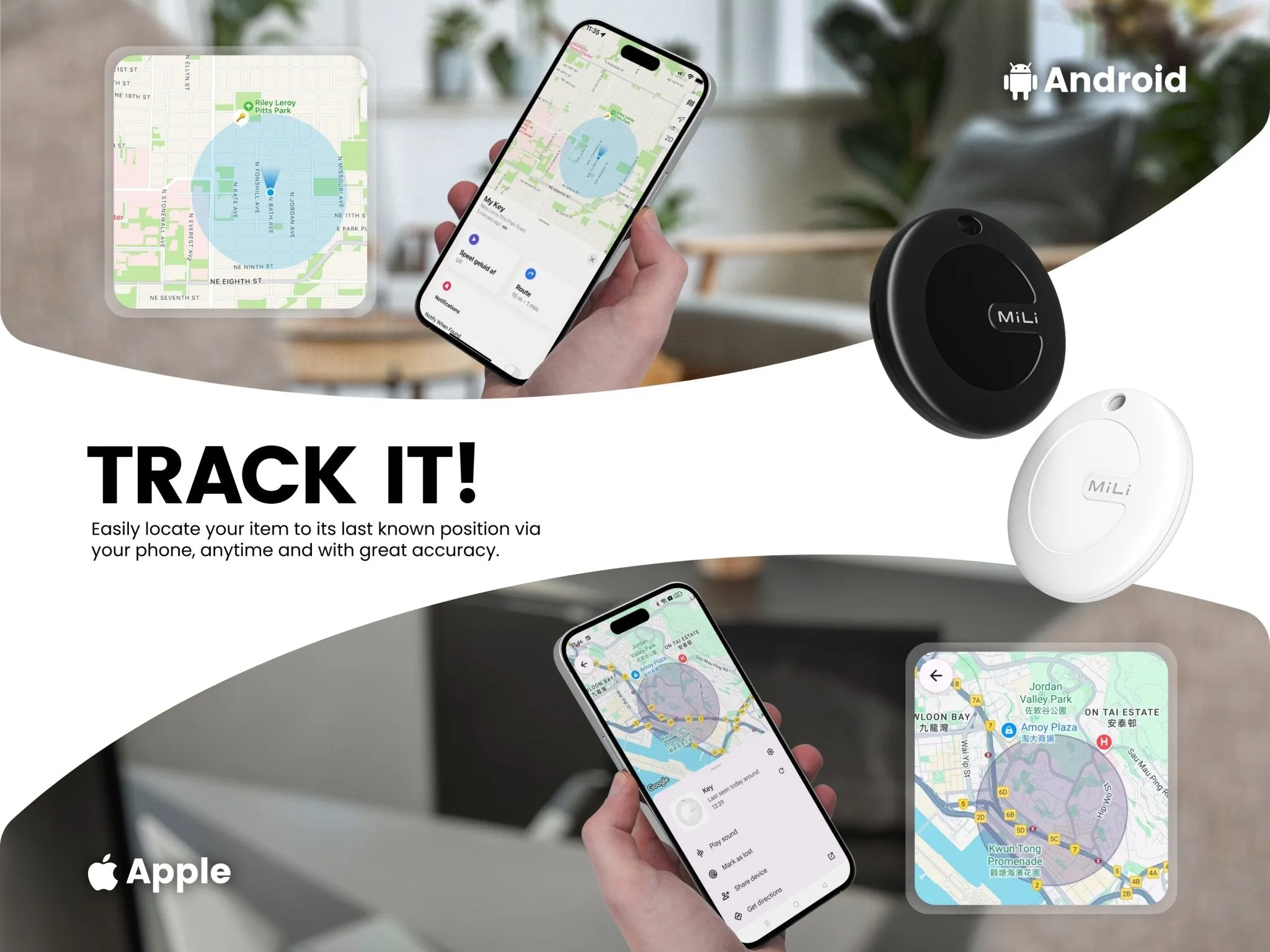
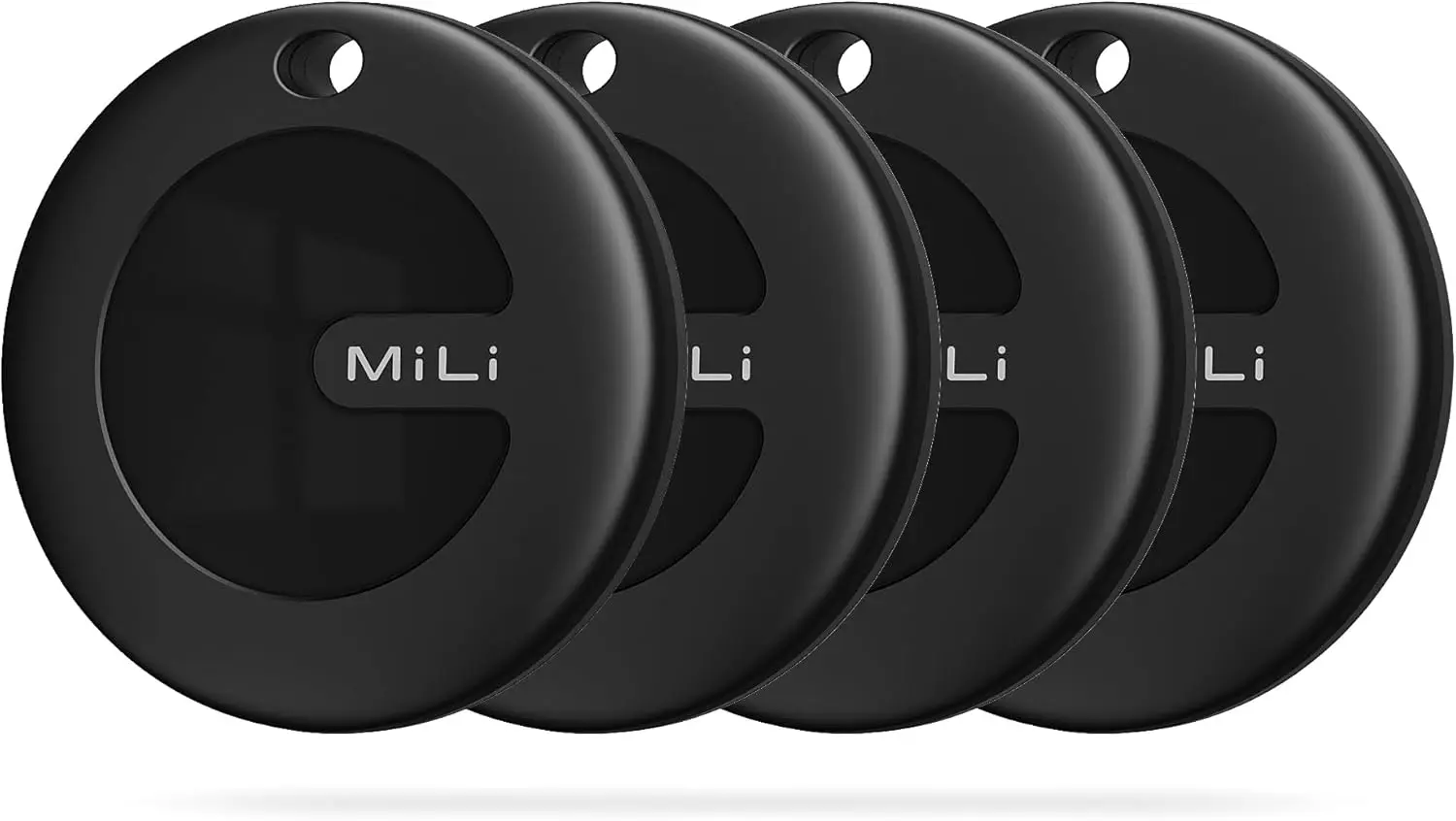
    Like the Chipolo Pop and Pebblebee’s universal trackers, MiLi’s MiTag Duo is a Bluetooth tracker that works with both Apple Find My and Google Find My devices. The new Bluetooth tracker is currently on sale and far less expensive than its competitors.

    The Chipolo Pop was released last month as a Bluetooth tracker that connects to Google’s Find My Device and Apple’s Find My networks. A comparable Bluetooth tracker that was compatible with both networks was announced by another company about a month before Chipolo’s. The device is known as the MiTag Duo, but sadly, the announcement was not widely publicized.

    mitag duo item finder ios or and

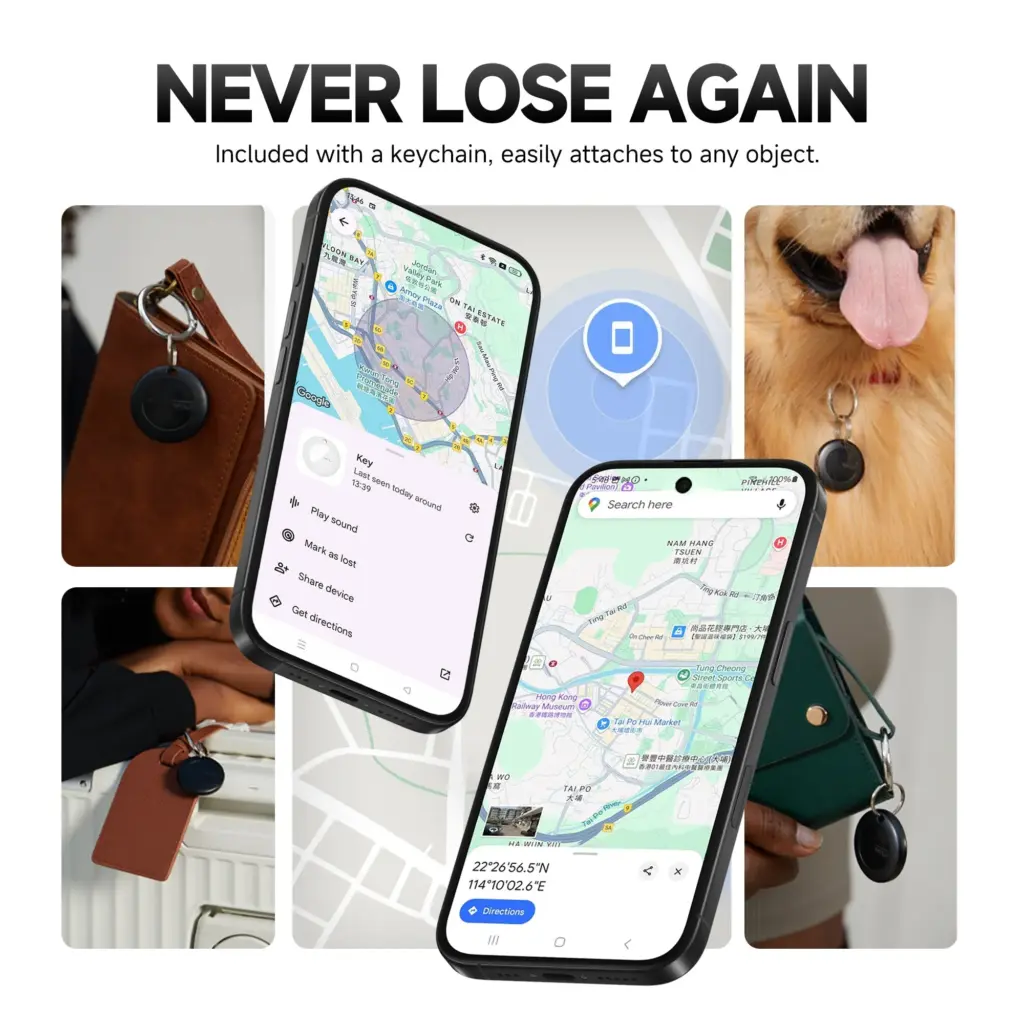
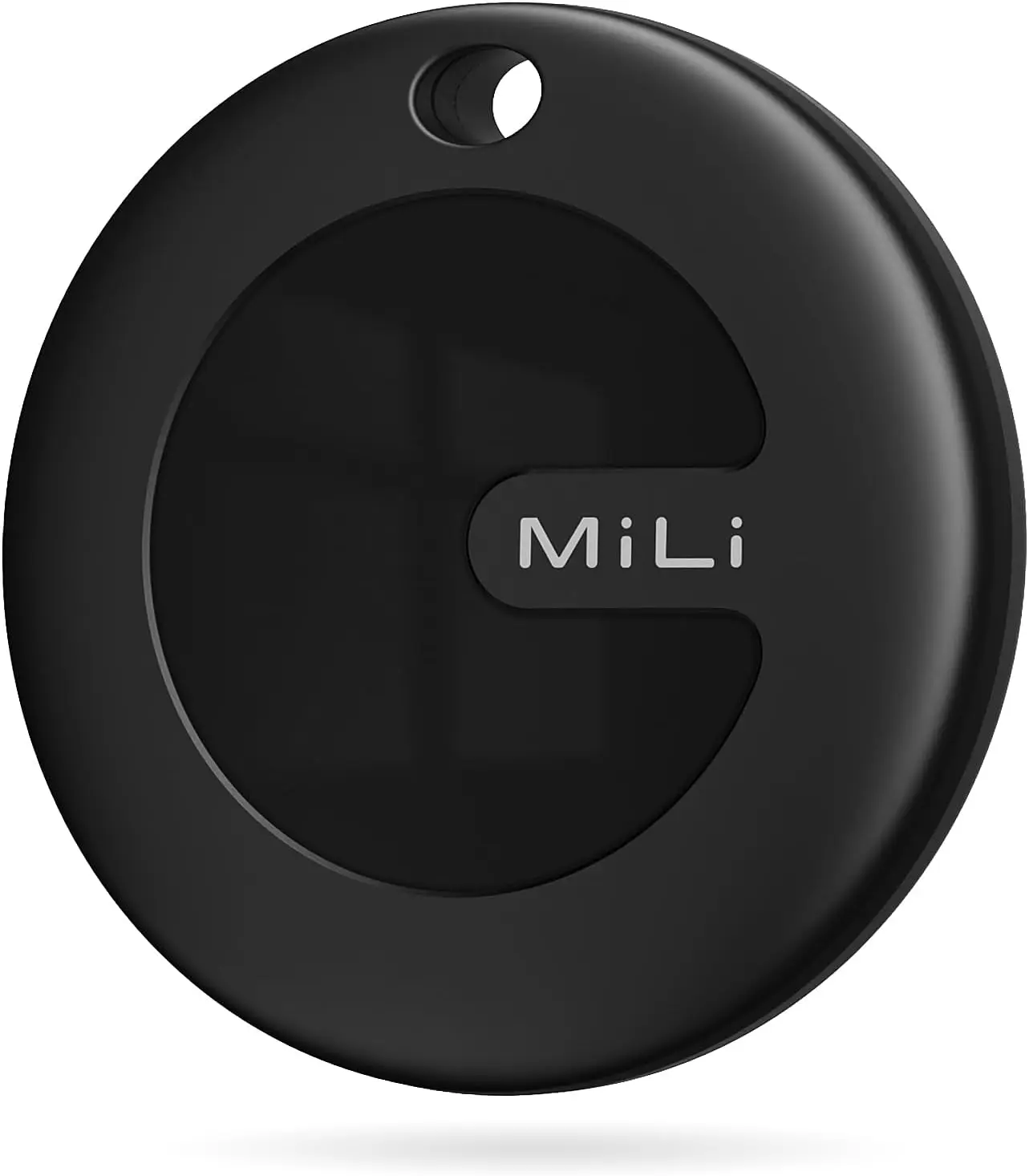
    The MiTag Duo, which is made by MiLi, is circular like the MiTag Go (which is now available on Amazon for $13.99) and only works with Google Find My. The tracker is easy to attach to possessions because it features a key ring hole and comes in black and white color variants. It can operate in temperatures ranging from -20°C to 60°C and has an IP67 dust and water resistance rating.

    mitag mili

    MiLi MiTag Bluetooth Tracker for Android and iOS

    The Android version MiTag is a Google Certified location tracker that works with “Find My” app on Android phones (Android 9 or higher, NOT for iOS devices). Attach this android tracker to the items you usually misplace and let it help you find your keys, bag, suitcase, toy, etc.

    $14.99$13.99Amazon

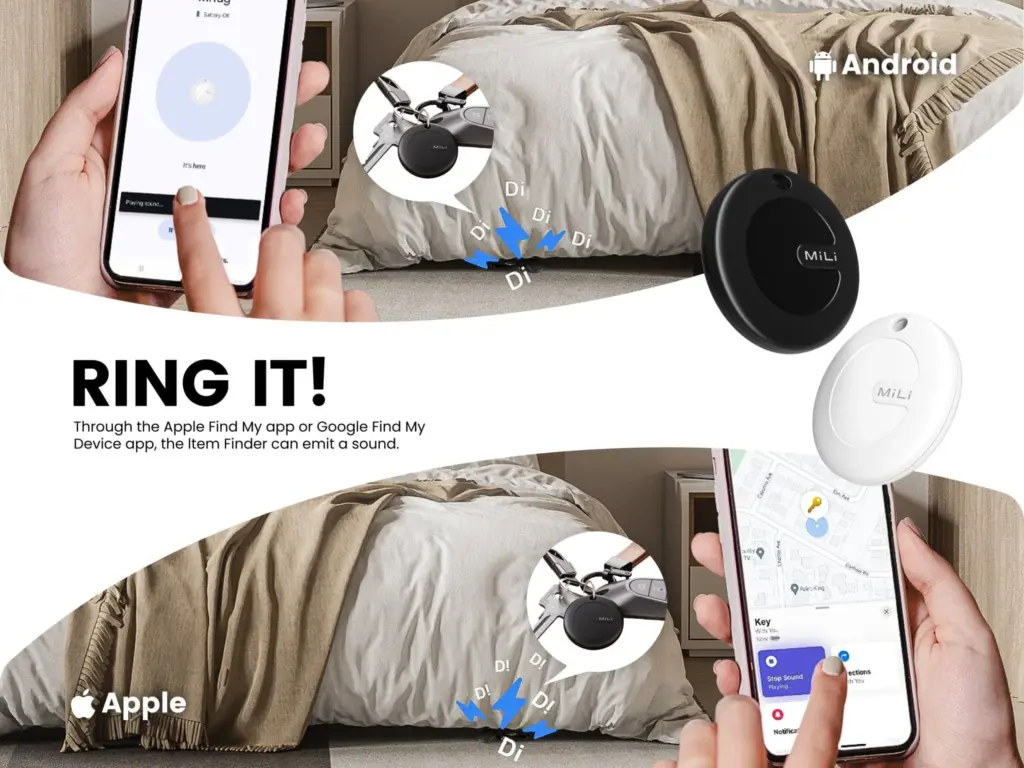
    Both Google and Apple have granted the tracker legal licenses, and it works flawlessly with Android and iPhone cellphones. It also supports sharing with other users and doesn’t require a partner app. You can track your possessions in real time with the MiTag Duo. When you ring it, you can hear it because it includes an integrated speaker. The CR2032 battery that powers the tracker should last for up to eight months before needing to be changed.

    mitag duo item finder ios or and 1

    The MiTag Duo is still available for pre-order even though it was only introduced in March, and shipping is set to start on May 19. The tracker has a price tag of $19.99 from MiLi, however the company’s web store claims that this is a discounted price because the original price was $39.29.

    61dFYi5qVL. AC SL1500

    MiLi MiTag bundle

    Within Bluetooth range (150 m/500ft), you can check the current location and easily find your item by activating sound via Google Find My app or voice commands. The tracking tag will ring loud enough to help you locate it.

    $52.99$47.99Amazon

    Additionally, you can save additional money by buying in bulk. For example, a pack of two pieces costs $35.99 instead of $78.58, a pack of four units costs $47.99 instead of $157.16, and a box of eight costs $127.94 instead of $314.32. When compared to the Chipolo Pop, which costs $29 per unit, $89 for a pack of four trackers, and $121 for a box of six, the MiTag Duo is now less expensive.

  • Temporarily free Android and iOS apps and games

    Temporarily free Android and iOS apps and games

    Do you want to get free, high-quality apps and games? You are lucky! Every week, developers offer time-limited, totally free promotions on some of their top-paid apps on the Google Play Store and Apple App Store. We have selected the most recent selection of temporarily free downloads for iOS and Android, regardless of your preference for action-packed games, creative tools, or productivity tools. These deals could end at any moment, so take advantage of them while they are still available!

    apps and games

    Android apps and games

    Apps

    • IPTV Smart Player Pro: You can currently save almost ten euros by installing this app. With this player you can bring your TV content from your cell phone to your TV.
    • Reminder Pro – Reminder: With this app, you can always keep an eye on your reminders. You can create new reminders in seconds and decide when you want to be reminded.
    • Equalizer & Bass Booster Pro: Do you want to tweak your music on your cell phone? Then try this app to get the most out of the sound and bass.
    • Countdown Widgets: Whether it’s a vacation, Christmas or the next party night – with this app you can always keep an eye on the next event as a countdown widget on your cell phone. After all, anticipation is the greatest joy.
    • Color wheel: Top tool for anyone who works with colors – regardless of whether you are a painter, graphic designer or just need to determine the colors of a photo from time to time.

    Games

    • Cytus 2: Rayark International Limited is known for offering exciting games with a focus on music. Cytus 2 is one of them and is currently free.
    • Cartoon Craft: Fancy a real-time strategy game with a cute cartoon look? Then install this little game here.
    • Water Color Sort – Premium: This game principle, in which you decant colors into different bottles, is terribly relaxing. It’s like the lava lamp of mobile games.
    • Mini Crossword: This game is for crossword fans who want to pass the time on their cell phone with this classic word puzzle game.
    • Crafterok – Lords of Survival: You want to fight for survival on a desert island, but you also want it to look colorful and cuddly? Here you go!

    iOS apps and games

    Apps

    • Scrollit 2X – Visual messenger: If you’re looking for a tool that lets you scroll text across the iPhone display in a nice big way, you’ll find it here.
    • Infinity List: There are many list apps. But if it is rated with 4.6 stars, it must be really good. So make sure you put this download on your to-do list!
    • Timer for Rehearsal: You’re giving your speech and want to keep an eye on the remaining time? No problem with this versatile timer.
    • iKnow Dogs 2 Pro: With this app you have virtually infinite dog knowledge on your iPhone. Handy if you’re looking for a four-legged addition to the family.
    • Inkwork: With this app, you can turn your photos into ink-look paintings and choose from over 90 styles.

    Games

    • Tiny Orchestra: This game is a fun way to teach your little ones about music. Put together your own little iPhone orchestra.
    • Block Dash Watch: In this game you have to avoid any collisions. The highlight: You can play the game on both the iPhone and the Apple Watch.
    • Aw Craps! This is a game where you can pass the time with classic casino games.
    • Bully – Anniversary Edition: With this game from the GTA makers at Rockstar Games, you can prove who’s top dog in the schoolyard.
    • Minesweeper: I can recommend this classic game to anyone who wants to play this game in the simplest possible guise.

    That concludes our compilation of the games and apps that are now free. Some specials only last a few hours, so make sure to download your favorites before they go away! To receive weekly updates on the newest freebies, bookmark this page or sign up for our email. Did you find anything amazing we missed? We will incorporate it into the upcoming version if you let us know in the comments.

  • 7 temporarly free apps for Android and iOS

    7 temporarly free apps for Android and iOS

    Right now, bargain seekers are receiving value for their money. Right now, you can get seven paid apps for free, including one that helps you remember everything you need to do.

    There are countless apps available in the Play Store and the App Store, the two app stores owned by Apple and Google. While some of these apps are free, some cost money. However, many users are unaware that many paid apps can also be temporarily made free as part of a special deal. We have compiled a list of some of the most intriguing free apps accessible right now.

    apps

    Free Pro apps (Android)

    • Reminder Pro – Reminder ($3.69) – With this app, you always have an overview of all your reminders. New reminders can be created in seconds, and you can also be reminded at a specific time.
    • Bubble Shooter Pop Puzzle Game ($4.89) – There’s also something for everyone who occasionally wants to play on their smartphone this week. This newly released bubble shooter regularly costs almost 5 euros and is completely free to start with.
    • Multiscreen Calculator Pro ($9.99) – The look of this calculator is debatable, but the tool offers a decisive advantage: “multiscreens”. If you want to start a new calculation without deleting the results of the old calculation, simply swipe to the left on the screen. A new window will then open. Users can open as many new windows as they want.

    Free premium apps (iOS)

    • Vythm JR – Music Visualization ($49.99) – With the app Vythm, you can visualize your music with a matching video. Countless effects such as Equalizer, Mandala, Shapes, Fluids, Psychedelic, Dreaming, and more are available. To get the app permanently free, you have to start it once after downloading and activate the “Pro version + lifetime updates” once.
    • Eat Me First ($2.99) – With this app, you can always keep an eye on the contents of your fridge. The app shows you the expiration dates for all your food and thus helps to reduce food waste.
    • Sky Master – pixel shooter ($0.99) – If you’re nostalgic, you’ll enjoy this game, at least for a short while. It’s not particularly good, but the pixel look gives the game an irresistible charm for older gamers.
    • Queen Rules ($2.99) – This puzzle game is the ideal way to pass the time. The aim is to position your soldiers in such a way that they are able to defeat the evil witch’s soldiers. There are also interesting level designs and clay figures

    The majority of free apps either provide in-app purchases or have advertisements. But some apps that cost money also accomplish this. These factors should be taken into consideration, particularly if the game is meant for young players.

    Many apps gather user information and frequently sell it. As a result, only allow the rights that the program actually requires if you want to be secure. For instance, a flashlight should not be interested in your location information, and an alarm clock should not require access to your contacts or cameras.

    If you’re inspired by the quality of these apps and are thinking about creating your own, now might be the perfect time to explore professional development options. Whether you’re targeting Android, iOS, or both, investing in a reliable iOS mobile application development service can turn your app idea into a polished product that stands out in the App Store. Stay tuned for more updates on free apps, industry trends, and mobile development tips.

  • Limited-time free apps and games for Android and iOS

    Limited-time free apps and games for Android and iOS

    Users can try out premium experiences without spending a dollar thanks to the weekly rotating selection of paid applications and games that are made available for free for a brief period of time on app stores like Google Play and Apple’s App Store. These short-term offers can help you save a lot of money on a variety of digital tools and games, from puzzle games and immersive role-playing games to productivity tools and creative utilities. These free app deals are worth looking into whether you want to increase your productivity, take up new hobbies, or just have some good fun.

    free apps for ios and android

    But while the thrill of snagging a paid app for free is undeniable, it’s important to approach these deals with a bit of caution. Free or paid apps often request access to various parts of your device, from your contacts and photos to your location and microphone. Understanding what you’re granting and why is key to enjoying these offers safely.

    Android games and applications that are free for a limited period of time

    Free Android Apps

    • NT Calculator ($2.49): Here’s an app that allows you to perform all the calculations you ever wanted. 
    • Voice Calculator Pro ($9.99): Need a calculator that speaks the calculations? This might be the one for you.
    • One Swipe Notes ($0.99): A note-taking app that provides easy accessibility with a swipe.
    • Contact Widgets Speed Dial ($0.99): Is speed dialing back in fashion? Perhaps, with apps like these.
    • Bookmark Manager ($0.99): Manage all your bookmarks from this single app

    Free Android Games

    • Chicken Tournament ($1.49): A third-person shooter where you are a chicken, and out for blood!
    • Poosh XL ($1.99): An interesting game that requires some idea of physics and angles to progress.
    • Spelling Master Pro ($1.99): If your kid is going to remain glued to a smartphone all day long, why not make sure (s)he learns something?
    • Dungeon Corp ($0.99): An idle RPG that sees you, a corporate drone, take on monsters from another dimension.
    • Empire Warriors: Tower Defense ($0.99): A tower defense game set in a medieval setting with cute graphics and endless waves of enemies.

    iOS games and applications that are free for a limited period of time.

    Top Free iOS Apps for Productivity and Lifestyle

    • Weather+ ($0.99): Is it going to rain? Will it be sunny? Why leave things to chance when you have an app that provides you with weather updates?
    • Light Meter ($3.99): Don’t leave things to chance when it comes to taking photos by making sure the lighting is ideal for your composition.
    • mySymptoms Food Diary ($7.99): If you want to keep track of your food intake and possible allergens, having a food diary would help.
    • Resume Designer 3 ($3.99): Here’s an app for you to cobble a resume quickly while you are on the move.
    • The Wonder Weeks ($5.99): Just had a newborn? Keep track of all that happens, from the first steps to the first words with this app!

    Free Games for the iPhone and iPad

    • Pirate Drops 2 ($4.99): A match-3 game that requires fast thinking, with graphics that change with the tides to match the mood.
    • Catenaccio Football Manager ($2.99): A football managing game where you get to determine how your team performs against others through tactics and psychology.
    • My City: Doctor Hospital ($3.99): Maybe your little one might have interest in being a doctor, what about it?
    • Neo Monsters ($0.99): A game where you go around catching monsters, training them, and sending them out to fight.
    • Cuppy Ball ($0.99): Do you have what it takes to get the ball into the cup?

    Examine the permissions requested before downloading any new apps or games, especially those that are temporarily free. An app’s basic operation does not require all permissions, and giving it too much access could compromise your privacy.

    To limit what information each app can access, use the privacy settings on your device. You should also frequently verify which apps have access to sensitive data, such as your location, camera, or microphone. Remember, a great deal is only worthwhile if it doesn’t compromise your personal data. Stay vigilant, enjoy your new apps, and make privacy a priority every time you download.

  • #freebies time – temporarily free apps and games for Android and iOS

    #freebies time – temporarily free apps and games for Android and iOS

    Everyone enjoys a good bargain, particularly when it allows them to get high-quality Android games and apps without having to pay a thing. The Google Play Store occasionally offers highly regarded apps for free for a brief period of time, whether your goal is to increase productivity, try out new tools, or simply pass the time with an entertaining game.

    We have hand-picked the newest Android games and applications that are now available for free download in this roundup. But move quickly! These deals only last for a brief period of time, after which they are no longer available. Let us get started and discover what treasures are available this week!

    hyper os update system apps

    Android Apps and Games Available for Free–Limited Time Offer

    Free Android Apps

    Free Android Games

    • Orbit XL ($0.99): Try to remain in orbit without getting sucked into a void!
    • Empire Defender ($0.99): This is a tower defense game that will certainly keep you on your toes all the time.
    • Stickman Master Premium ($1.99): A side-scrolling action adventure game that sees you wade your way through waves of enemies.
    • WindWings ($0.49): A frantic shoot ’em up that requires fast reflexes and keen hand-eye coordination to survive.
    • Defense Zone 2 HD ($2.99): A tower defense game set in a futuristic setting with endless waves of enemies.

    iOS Apps and Games Available for Free–Limited Time Offer

    Free iOS Apps

    • Navigate to Photo ($0.99): This is an interesting app, letting you navigate to the place depicted in a photo using its location data.
    • English Alphabet: Letter ABC ($2.99): Want to learn English from scratch? Why not begin with the alphabet?
    • Roast Beef ($0.99): Music production will never be the same again with this special app for the musically inclined.
    • Barcode + QR Code Reader ($0.99): If you want another third-party app to scan QR codes, then this might be just the thing for you.

    Free Games for the iPhone and iPad

    • Bloom Sort ($14.99): A relaxing sorting merge puzzle game that won’t leave you tearing your hair out in frustration.
    • Thrones War ($0.99): A mini ancient strategy game that requires you to put on your thinking cap to obtain victory.
    • Bigfoot Quest ($2.99): A puzzle adventure game that is sure to keep your children engaged as they attempt to solve puzzles.
    • Puncha Not See ($0.99): Contrary to popular belief, you will be able to punch your way through different situations in life.

    A Quick Heads-Up Before You Download

    While these apps and games are temporarily free, it’s always smart to read the fine print. Some may include in-app purchases or ads that can affect your experience, especially in free versions. Others might only offer basic features for free while encouraging you to upgrade later. Be sure to check reviews and permissions before installing, and keep an eye on the original price — some “discounted” apps are free more often than not.

    Still, this is a great chance to explore new tools, games, and utilities without breaking the bank. Grab what interests you before the deals expire, and make the most of your Android experience!

  • Temporarily free Android and iOS apps

    Temporarily free Android and iOS apps

    Please note that we have not done our customary in-depth assessments of every app this time around as you get ready to explore our fantastic selections.

    Just a quick reminder that although some applications are free to download, they can have optional in-app purchases or ads. Have fun with what you find!

    Even if you do not immediately require an app, download it if you find one that interests you. If you do this, it will be marked as “purchased,” thus even if you take it off your smartphone shortly after, it will be in your app library forever.

    Android Apps and Games Available for Free–Limited Time Offer

    Top Free Android Apps for Productivity and Lifestyle

    • Volume Scheduler ($0.99): Want to silent your phone at different times? Why not let this app get the job done for you?
    • Bright LED Flashlight Pro ($2.99): Not happy with your default flashlight app? This should help you get sorted out.
    • Cartogram Map Live Wallpaper ($3.00): Here is a unique wallpaper app that shows your live location!
    • Touch Lock ($0.99): Disable your touchscreen while you are listening to music or watching videos.
    • Resume Builder CV Maker ($4.99): Create CVs on the fly wherever you are with this app.

    Free Android Games

    iOS Apps and Games Available for Free–Limited Time Offer

    Top Free iOS Apps for Productivity and Lifestyle

    • Step Out! Smart Alarm Clock ($1.99): Can’t find enough motivation to get out of bed even when the alarm rings? This app will irritate you enough to wake up.
    • Mavis Camera ($5.99): A camera app that offers more flexibility when it comes to shooting photos and recording videos.
    • Attendance ($9.99): Are you a stickler for attendance for all your classes? This app is perfect for you then.
    • Slow Eats for Weight Loss ($2.99): Lose weight by eating slowly Sign me up!

    Free Games for the iPhone and iPad

    • Warlords Classic Strategy ($4.99): The classic PC/Amiga game, now in your hands for all you strategy fans out there!
    • Thrones War ($0.99): A strategy game that involves ancient civilizations, requiring your strategic acumen to emerge victorious.
    • BoBo World: Princess Salon ($4.99): A beauty room game designed for budding beauticians!
    • Eyka ($0.99): A relaxing puzzle game that requires you to harmonize all colors.
    • Egyptian Senet ($2.99): See how life in the Egyptian afterlife will be in this game!

    As of the date of publication, the deals were active. Please share any expired deals you come across in the comments section below. We advise you to review the app’s details in the Play Store or App Store before downloading any of the aforementioned apps. This is crucial as some of these free apps can have unique features or drawbacks of their own.

  • How to customize your home screen: a step-by-step guide for Android and iOS

    How to customize your home screen: a step-by-step guide for Android and iOS

    The home screen of your smartphone serves as the entryway to your digital life, and you may personalize it to improve its usability, functionality, and aesthetic appeal. This article explains how to customize your home screen for a genuinely one-of-a-kind experience, from altering the background to adding widgets and arranging apps.

    Change wallpaper

    The aesthetic tone of your smartphone is established by your wallpaper. Changing your wallpaper is easy, regardless of your preference for abstract art, beautiful landscapes, or intimate portraits.

    On Android:

    1. Long-press an empty space on the home screen.
    2. Select Wallpaper or Wallpaper & style from the pop-up menu.
    3. Choose a pre-installed wallpaper or select an image from your gallery.
    4. Adjust the image as needed and tap Set wallpaper.
    5. Decide whether to apply it to the Home screenLock screen, or both
    customize your home screen android

    On iOS:

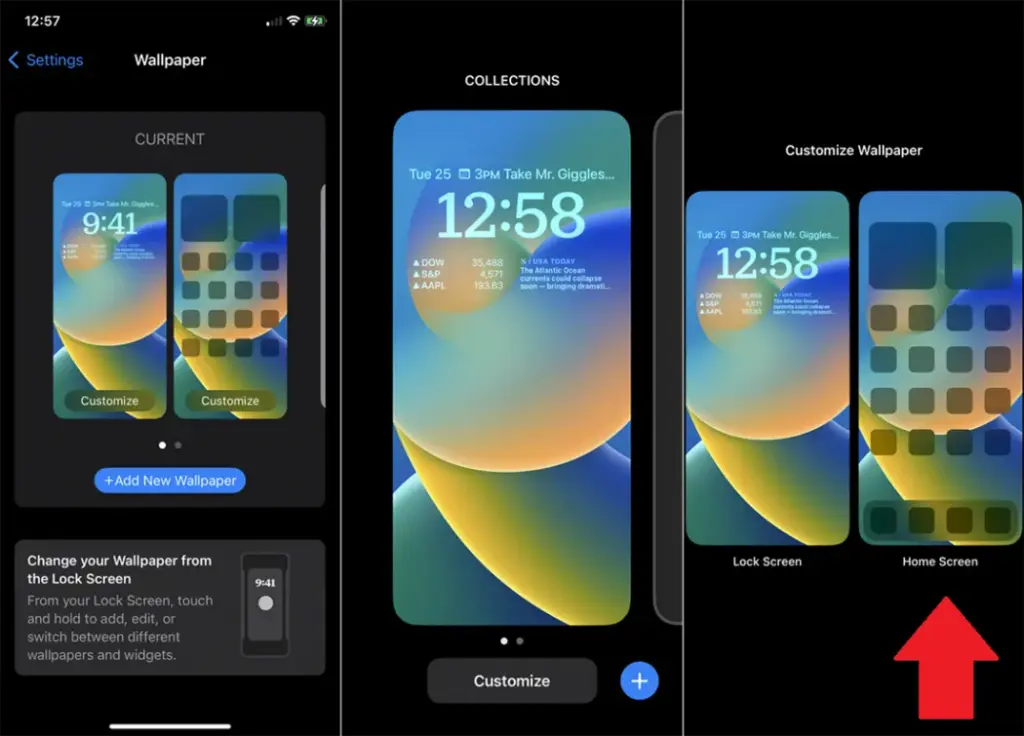
    1. Open Settings > Wallpaper > Choose a New Wallpaper.
    2. Select an image from Apple’s preloaded options or your photo library.
    3. Adjust and tap Set to apply it to the Home screen, Lock screen, or both9
    customize your home screen ios

    Add widgets for quick access

    Without opening apps, widgets offer functionality and information at a glance.

    On Android:

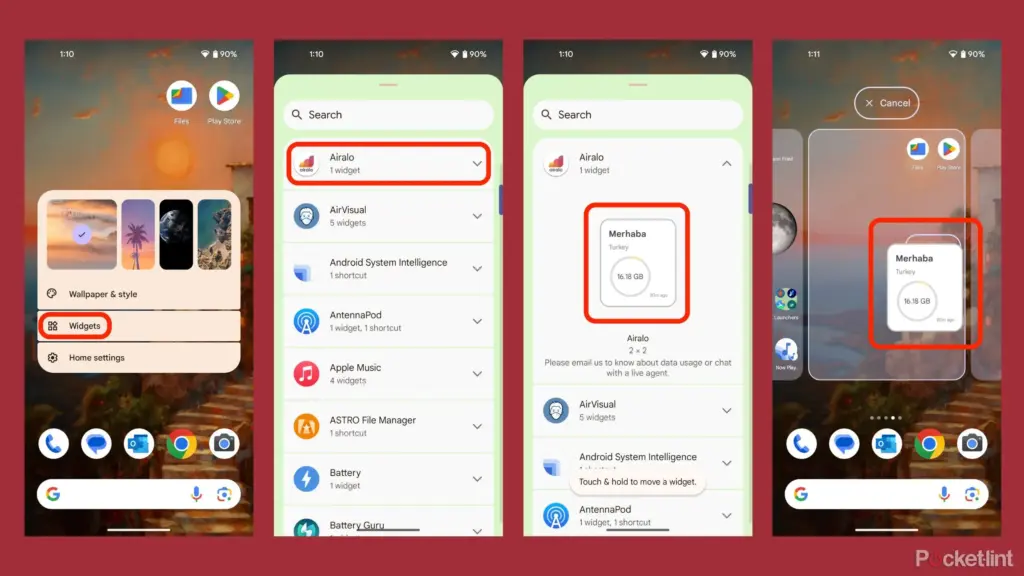
    1. Long-press an empty area on the home screen and tap Widgets.
    2. Browse through available widgets (e.g., clock, weather, calendar).
    3. Select a widget and drag it to your desired location on the screen.
    how to add widgets to your andro

    On iOS:

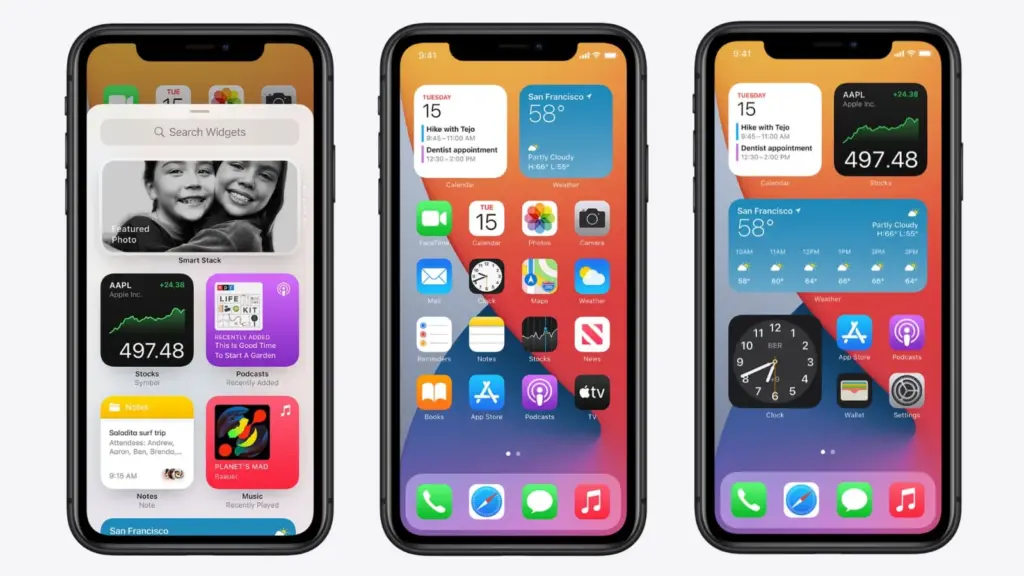
    1. Touch and hold the Home Screen background until apps jiggle.
    2. Tap the “+” icon in the upper-left corner.
    3. Choose a widget from the list and select its size (small, medium, large).
    4. Tap Add Widget, then drag it into place
    ios14 widgets guide

    Organize apps

    A clutter-free home screen improves usability and makes navigation faster.

    Create Folders:

    • Drag one app icon onto another to create a folder.
    • Add more apps by dragging them into the folder.
    • Rename folders by tapping on them and selecting the name field.

    Arrange Apps:

    • Move frequently used apps to the first page of your home screen for quick access.
    • Drag icons to different pages or positions by holding and moving them.

    Advanced Organization Tips:

    • Use themed rows (e.g., “Work,” “Social,” “Entertainment”).
    • Sort apps by frequency of use or color coding for visual appeal.

    Use customization apps

    Download specialized home screen customization programs like WidgetClub or Nova Launcher for more sophisticated customization choices including unique icons, fonts, and themes.

    Benefits:

    • Access all-in-one themes that include wallpapers, widgets, and icons.
    • Customize grid layouts for app placement flexibility

  • #deal alert – Beats Studio Buds + are 41% off!

    #deal alert – Beats Studio Buds + are 41% off!

    Early Easter discounts are already starting to appear now that the Spring sale is over. Numerous Beats products from Apple are on sale at Amazon and Best Buy, including the well-liked Beats Studio Buds +, which are now back at their lowest price ever of $99, a $70 (41%) reduction from their regular $169 price.

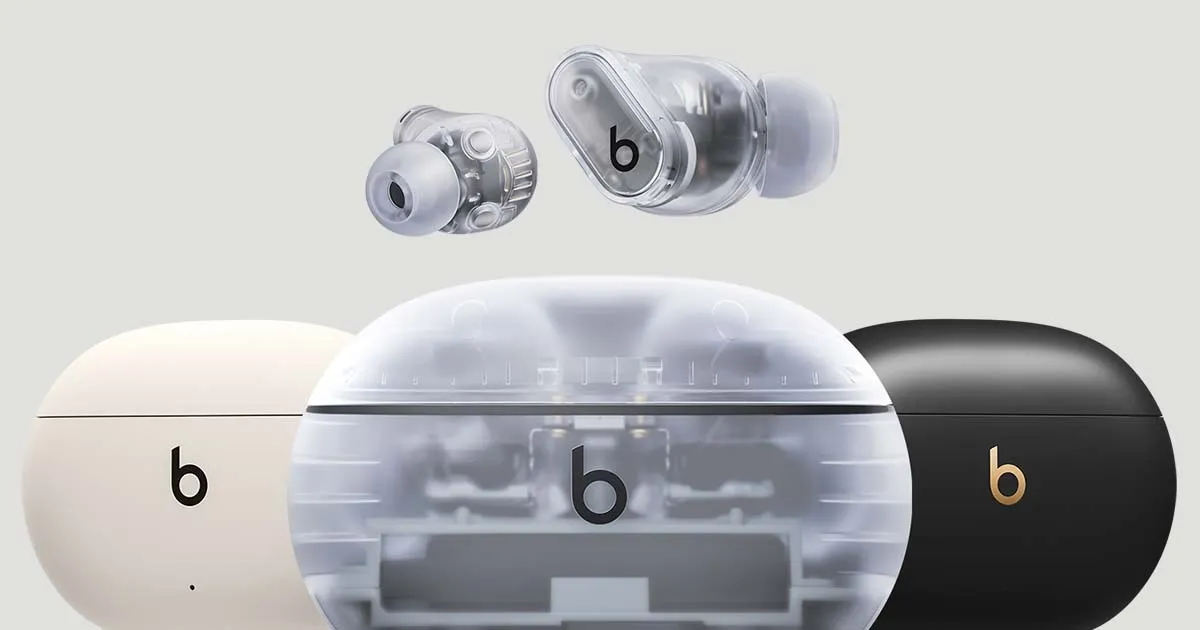
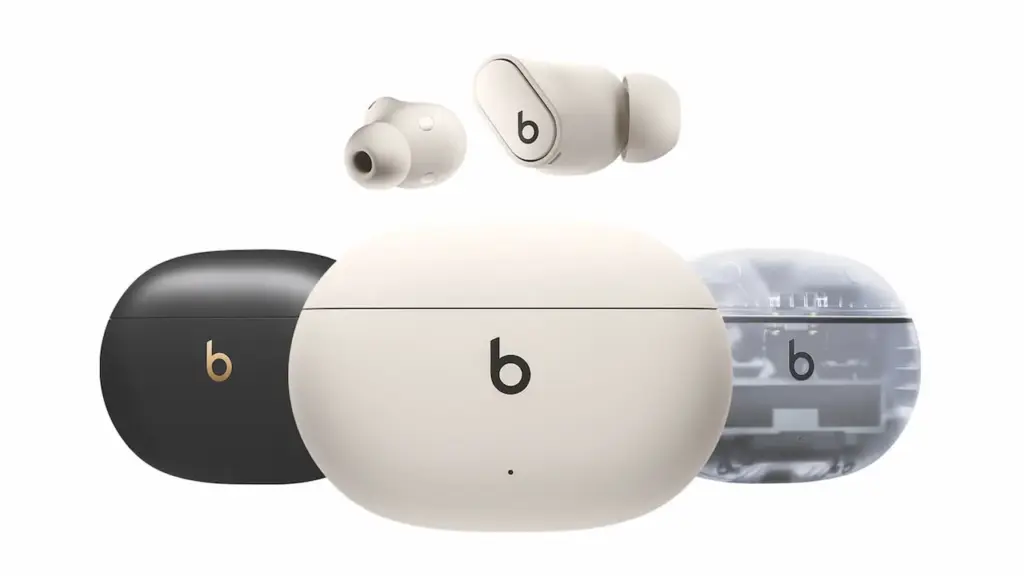
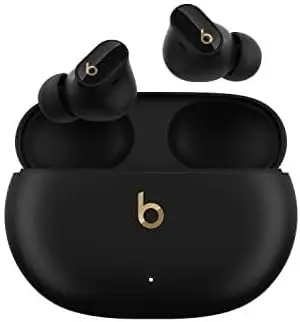
    The lower pricing is available on Amazon for all four color variations of the wireless ANC earphones, including Cosmic Silver and Transparent. In the meanwhile, Best Buy is selling transparent, ivory, and black/gold finishes at a discount.

    Beats Studio Buds +
    beats studio +

    Beats Studio Buds + | True Wireless Noise Cancelling Earbuds

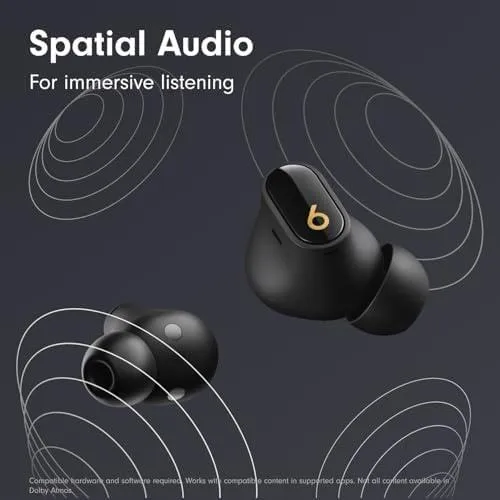
    BEATS’ CUSTOM ACOUSTIC PLATFORM delivers rich, immersive sound whether you’re listening to music or taking calls.

    Best pick
    $169.95$99.95Amazon

    Why eveyone should consider the Beats Studio Buds +

    The Beats Studio Buds + are an enhanced version of the standard Beats Studio Buds, yet they still have the same tiny in-ear design. Each earbud contains a multi-function button that is sensitive even when wet, thanks to IPX4 water resistance. Users may also control the earbuds using the Beats app, which provides a more intuitive experience.

    The Studio Buds + include revised acoustic vents to improve airflow, lowering ear pressure and boosting audio quality. Apple has also improved the sound profile, with more punchy bass and ultra-low frequencies for a crisper audio experience.

    beats studio deal

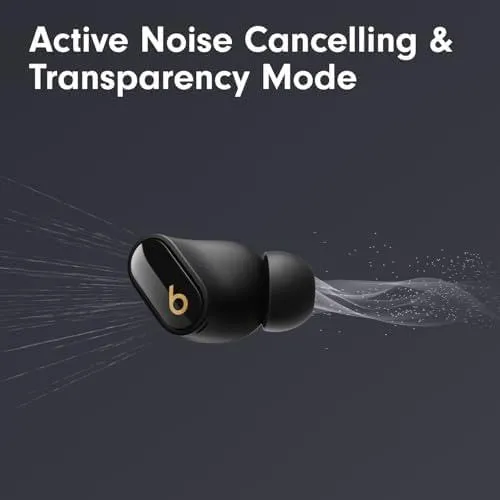
    Also, adaptive noise cancellation (ANC) and transparency mode have been greatly improved. The new ANC is said to be 1.6 times more effective than before, while the transparency mode blends in with ambient noise for a natural listening experience. Improved microphones also provide clearer voice calls.

    The Beats Studio Buds + have a 9-hour battery life on a single charge (with ANC and transparency mode turned off), which increases to 36 hours with the charging case. They also offer quick charging, allowing for an hour of playing after only 5 minutes of charging.

    beats studio sound

    One of the most notable features of the Beats Studio Buds + is their seamless connectivity with both iPhone (iOS) and Android devices. They also enable Google Fast Pair and Find My Device, giving them a versatile option independent of smartphone brand.

    With a $70 savings, better ANC, a long battery life, and universal compatibility, the Beats Studio Buds + are an excellent value for both Android and iOS users.