Tag: ios

  • This week’s Android and iOS temporarily free apps

    This week’s Android and iOS temporarily free apps

    Searching for the most amazing offers without breaking the bank? Each week, premium apps and games are available for free download for a brief period of time on both the Apple App Store and the Google Play Store. Whether you enjoy immersive games, lifestyle apps, or productivity tools, these short-lived sales are the ideal way to add to your collection without breaking the bank.

    The most recent free applications and games for iOS and Android are highlighted in this roundup. It’s a good idea to take advantage of these time-sensitive bargains before they revert back to their normal pricing. We’ll update the list frequently, so you won’t ever miss out on special offers for your preferred mobile devices.
    google play store apps

    Android apps and games

    Apps

    • English Verbs Pro ($3.99): If you want to up your verb game in English, this app will help nudge you forward.
    • Sharks 3D ($0.99): Want a live wallpaper without having to go to the aquarium? See sharks swimming around.
    • Color Wheel ($1.99): Any graphic designer or artist would definitely want to have this app at their disposal in selecting the most accurate color possible.
    • Rotation Control ($0.99): I guess this is useful for older devices that do not have built-in rotation controls.
    • 3D Anatomy ($2.99): This looks like a rather nifty app to help people get familiar with the human anatomy.

    Games

    • SPHAZE ($0.99): A sci-fi puzzle game that tickles your imagination while featuring great-looking graphics.
    • Empire Warriors: Tower Defense ($0.99): A tower defense game with cartoonish graphics that will surely keep you peeled.
    • Survival Island: Evolve Pro ($0.49): You’re marooned on an island and need to make sure you can do the necessary to remain alive.
    • Word Connect Crossword ($2.99): If you love words, then this crossword variant will keep you entertained. 

    iOS apps and games

    Apps

    • Haplo AI ($4.99): An offline chat AI that keeps your conversations private.
    • 3D Anatomy ($2.99): If you’re curious to get up close and personal with the human anatomy, then this app can help.
    • Sprite Pencil ($1.99): Come up with amazing pixel art using this app, although some patience is required. 
    • Magic Emoji ($1.99): You can call this an emoji kitchen, where various emojis can be merged to create a new one.

    Games

    • Peg Pals Pro ($1.99): A fast yet relaxing puzzle game that will keep your brain occupied during pockets of idle time.
    • Animal Math Games School Ed ($12.99): A game for the little ones who want to pick up math.
    • Cypher Vocab ($0.99): A GRE vocabulary game to help build up your word power. 
    • Fiete Choice ($2.99): Want to keep your little ones occupied? This game will garner their attention.

    The deals were active on the day of publication. Please leave a comment below if you come across an expired deal.

    Before downloading any of the aforementioned apps, we advise you to review the app’s details in the App Store or Play Store. Because some of these free programs might offer unique features or drawbacks of their own, this is crucial.

    Both free and paid apps should be avoided since they could have unnoticed in-app purchases and adverts. This is especially important while downloading kid-friendly games. In the rapidly evolving world of mobile apps, numerous companies use cunning tactics to obtain your personal information. But tech buffs, don’t worry! We’ve compiled some crucial advice to help you safeguard your important data. Being selective about the permissions you grant the apps you decide to install is an essential first step.

    Discover the wide range of free apps that are accessible on the iOS and Android operating systems, all while protecting your data.
  • Update Now! the fix for critical WhatsApp bug that allows hackers to spy on iPhones is live

    Update Now! the fix for critical WhatsApp bug that allows hackers to spy on iPhones is live

    You should be aware that not everyone using WhatsApp is safe. Meta has alerted users to a significant security vulnerability that hackers used to launch a sophisticated, focused malware campaign that compromised dozens of WhatsApp accounts. This is why it’s important and why you should upgrade the app right now.

    In order to fix a vulnerability that was exploited in conjunction with another weakness in Apple devices, WhatsApp declared on Friday that it has released an emergency patch for its messaging program on iOS and Mac. According to reports, a week before WhatsApp’s upgrade, Apple resolved the security flaw in its devices.

    whatsapp bug fix

    Why is this so dangerous?

    Hackers reportedly used a well-known zero-click attack—a technique that compromises a device without requiring user interaction—to successfully exploit both vulnerabilities. In certain situations, a victim might get a link or image from an attacker, who might then take control of the device and run malicious code to spy on or steal private data without the victim having to click.

    Meta acknowledged notifying dozens of people it thought were the campaign’s target. A copy of the alert message, which detailed the reason for the warning and the next steps, was posted on X by the head of the security company Amnesty Tech. The notification suggested that victims reset their device to factory defaults.

    We’ve made changes to prevent this specific attack from occurring through WhatsApp. However, your device’s operating system could remain compromised by the malware or targeted in other ways.
    To best protect yourself, we recommend a full device factory reset. We also strongly urge you to keep your devices updated to the latest version of the operating system, and ensure that your WhatsApp app is up to date.

    Meta

    These kinds of advertisements have already targeted WhatsApp users. Similar zero-day exploits have been connected in the past to monitoring operations targeting prominent people, such as journalists and politicians.

    What should you do to be safe?

    Even though only a small percentage of WhatsApp users were impacted, others should still be concerned about this attack. Installing the most recent security update for your Apple device and updating WhatsApp on your Mac and iPhone are highly advised.

    Even while Android users aren’t being targeted by this operation, they could still be at risk due to the same WhatsApp flaws. They should also install the most recent Android security patch and update to the most recent version of WhatsApp. Users who believe they may be in danger can manually activate new features like Advanced Device Protection, which provide an additional layer of security.

  • Temporarly free apps for Android and iOS – get them while they are free

    Temporarly free apps for Android and iOS – get them while they are free

    We offer you a variety of iPhone and Android apps that are typically paid for but are temporarily free. Take advantage of these savings on games and apps to add some diversity to your phone’s app store, but don’t wait!

    We only chose these applications since they are free right now! We are unable to guarantee that these limited-time offers will remain available on the Google Play Store or Apple App Store for very long, though. As a result, downloading them as soon as possible is advised. Just watch out for any possible subscription traps, in-app purchases, and advertisements.

    Even if you don’t require an app right away, install it if it piques your curiosity. It will be added to your app library and marked as “bought” as a result. After that, you may uninstall the app straight from your phone and get it back for free anytime you need it.

    Android

    Free apps

    • Sound Meter & Noise Detector ($3.29): The name says it all. Register sound levels wherever you are, with recordings, graphs, and statistics.
    • Bubble Level Pro ($2.79): Planning on hanging a new frame on the wall? Check if it is properly leveled.
    • Passport Photo: ID Photo Print ($5.99): Make photos appropriate for documents, remove backgrounds, choose the right dimensions, and more!
    • Fake Call Screen ($0.69): Create realistic call screens on your phone to get out of awkward situations.

    Free games

    • Grow Heroes VIP ($1.79): Evolve your fighters in this Idle RPG with charming retro graphics.
    • Epic Heroes War ($0.19): Hack and slash your way through the enemy hordes in this strategy-action-RPG.
    • Sudoku Master 2023 ($2.29): Challenge your brain in more than 5000 levels of puzzles.
    • ExtremeJobsKnight’sManager VIP ($0.79): Another Idle RPG. This time, collect and craft equipment in over-the-top battles.

    iOS

    Free apps

    • Videdit ($0.99): Edit your videos, apply effects, mix and match recordings for your next social media post.
    • Fotospot Road Trip ($3.99): Planning a road trip in the USA? Check this curated list of over 11,000 places across the country.
    • Magic Emoji: Merge two emojis ($1.99): Mix emojis like the Google keyboard to create funny stickers.
    • Medieval Madness Stickers ($0.99): Wanna try a different set of stickers? How about this collection of zany illustrations inspired by the Middle Ages.

    Free games

    • Pro Wrestling Manager ($3.99): Create and manage your professional wrestling association, with storylines, rivalries, and everything that made the “sport” popular in the past.
    • Kid Tarzan Bubble POP Shooter ($0.99): Save the baby animals in the jungle by popping balloons in this classic puzzle game.
    • ABC Star ($4.99): Instead of feeding your kid endless videos on YouTube, teach them the alphabet!

    As of the date of publication, the deals were active. Please share any expired deals you come across in the comments section below.

    We advise you to review the app’s details in the Play Store or App Store before downloading any of the aforementioned apps. This is crucial as some of these free apps can offer unique features or drawbacks of their own.

    Both free and paid apps should be avoided since they could have unnoticed in-app purchases and adverts. This is especially important while downloading kid-friendly games.

    In the rapidly evolving world of mobile apps, numerous companies use cunning tactics to obtain your personal information. But tech buffs, don’t worry! We’ve compiled some crucial advice to help you safeguard your important data. Being selective about the permissions you grant the apps you decide to install is an essential first step.

    Discover the wide range of free apps that are accessible on the iOS and Android operating systems, all while protecting your data.
  • Temporarily free apps and games for both iOS and Android – check them now!

    Temporarily free apps and games for both iOS and Android – check them now!

    Why not look through our carefully selected list to find any hidden gems that could be the ideal complement to your library of apps? Keep in mind that these deals are only available for a short time, so act quickly!

    We cannot guarantee that these deals will be available on the Google Play Store or the Apple App Store for an extended period of time, so please be aware that they are time-sensitive. Downloading and installing them as soon as you can is advised. Additionally, watch out for potential subscription traps, in-app purchases, and adverts.

    Even if you don’t require an app right away, install it if it piques your curiosity. It will be added to your app library and marked as “bought” as a result. After that, you may uninstall the app straight from your phone and get it back for free anytime you need it.

    Android Apps and Games

    Apps

    • Warwil Pink Icon Pack ($0.99): Love Barbie and everything pink? This icon pack will get you started.
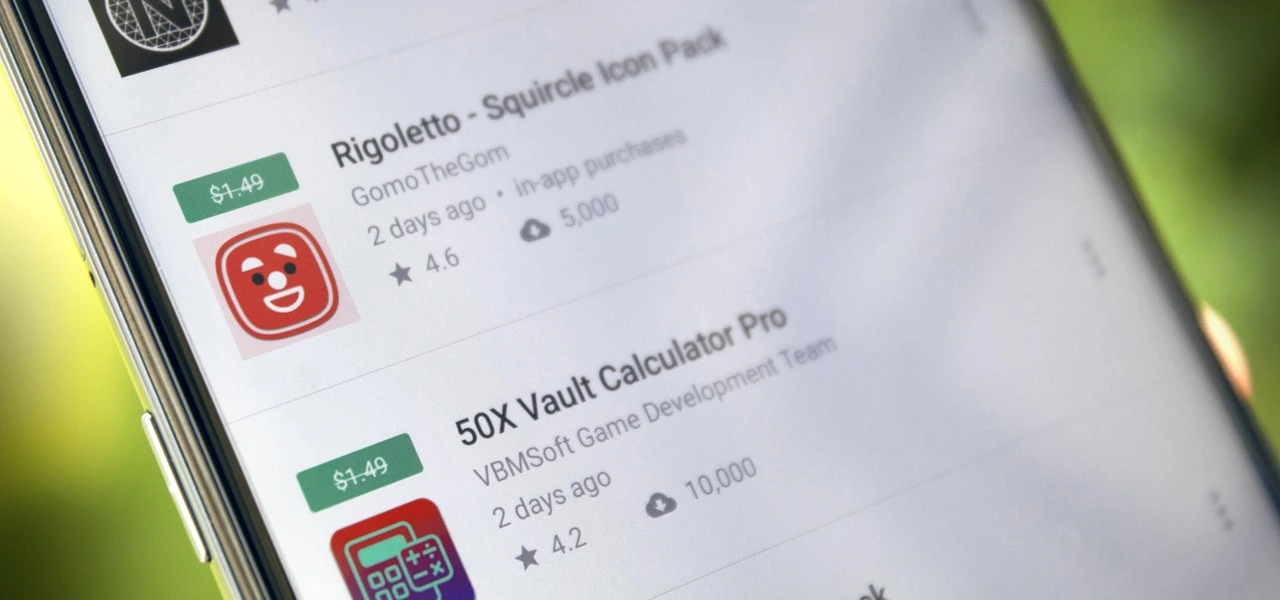
    • Rigoletto Squircle Icon Pack ($1.49): Want to get your icons looking not much like a circle and neither is it a square? This icon pack has got you covered.
    • Clear Wave – Water Eject Jet ($2.49): Want to remove water from your phone’s speakers? This app will play your speakers as loudly as possible.

    Games

    • Cooking Quest ($0.99): Running a food business is never easy, and can get quite stressful at times. Do you have what it takes? 
    • Warriors Market Mayhem ($0.99): Send a party of heroes to get rid of horrible monsters that are plaguing the city. 
    • Heroes Legend ($0.99): Assemble a team of heroes to overcome various enemies standing in your way.
    • Spelling Pro! ($1.49): Train both spelling and language skills, in addition to your memory in an entertaining manner.
    • Grow Zombie ($1.99): Want to create your own zombies? Merge different types and see what kind of results you get!

    iOS Apps and Games

    Apps

    • Pin Points Distance Calculator ($0.99): Want to know the distance between two points? This app will get you up to speed in no time at all.
    • Instant Noodles: Original ($4.99): Do you tend to create quotes or make notes on the fly? This app adds an artistic flair to it.
    • Chain Timer ($0.99): Boost your productivity with this app by having focused sessions, making it useful for work, studying, and staying on track. 
    • Compound Interest Calculator ($1.99): If you work at a bank or deal with mortgages and loans, having a compound interest calculator is always handy.
    • Rasa Music Visualizer ($1.99): Enjoy music while having beautiful visuals to accompany it.

    Games

    • Starry Night Interactive ($0.99): Here’s your chance to interact with this historical artwork without destroying it. 
    • Cut the Buttons ($1.99): This is a classic game that continues to entertain new fans. Get it now for free!
    • Ace Academy Visual Novel ($9.99): Here’s a visual novel that really tickles your imagination as you progress deeper into the story.
    • Axion Run ($0.99): It is up to you to assist the brave axion to break gravity and get away from his evil twin, with the hope of achieving the highest score.
    • The Bug Butcher ($0.99): An intense side-scrolling action shooter that requires lightning-fast reflexes to navigate tricky levels.

    As of the date of publication, the deals were active. In the comments section below, please let us know if you find a bargain that has expired.

    We advise reviewing the app’s details in the Play Store or App Store before to downloading any of the aforementioned apps. This is crucial as some of these free apps can offer unique features or drawbacks of their own.

  • Honor Phone Clone app now compatible with Android, iOS and HarmonyOS

    Honor Phone Clone app now compatible with Android, iOS and HarmonyOS

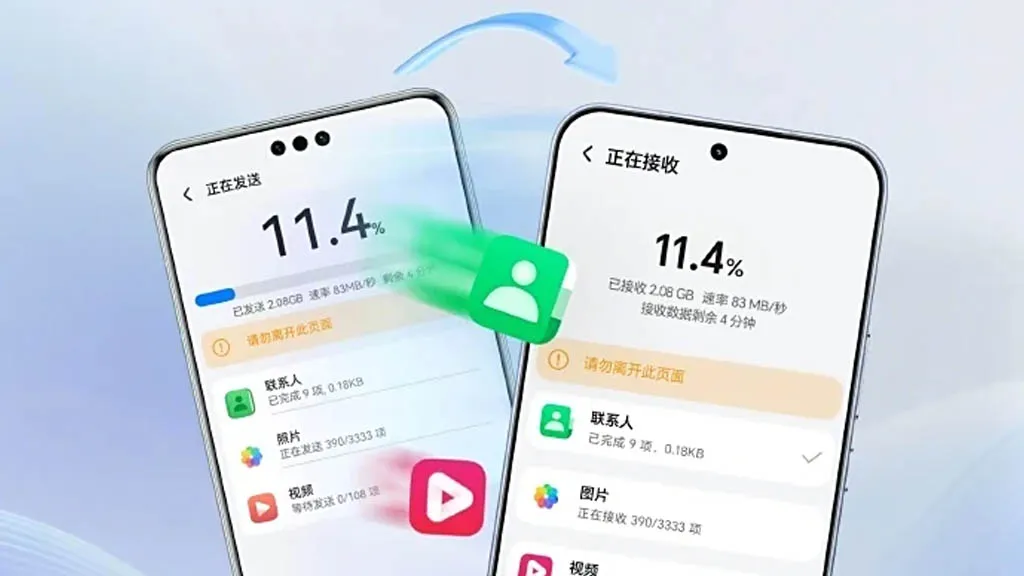
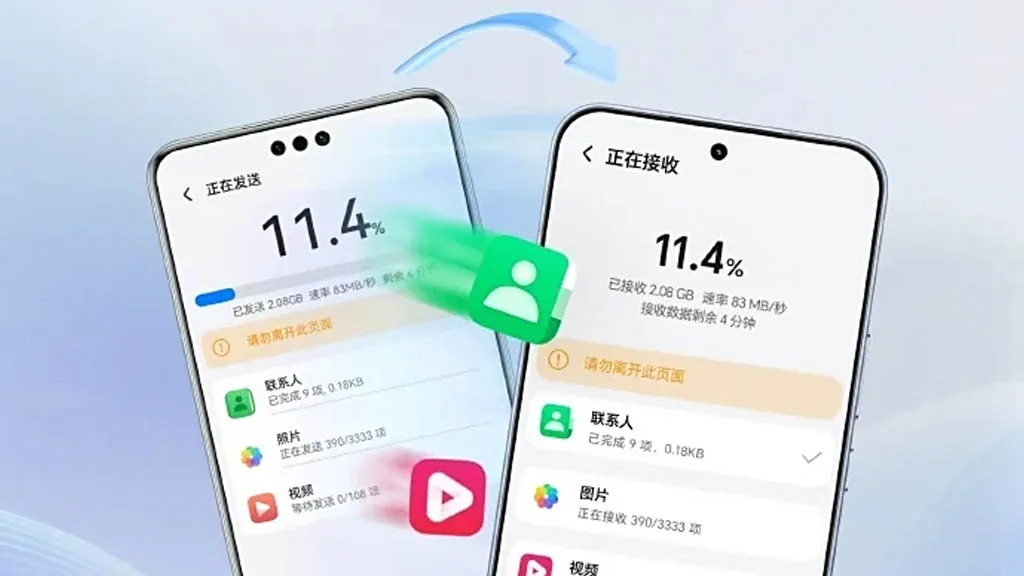
    A few months ago, Honor unveiled AI Connect, a technology that allows wireless file sharing between Honor and iOS devices from Apple. The company has now developed a new device cloning capability that is compatible with Huawei’s HarmonyOS Next, iOS, and Android.

    To enable device cloning with devices running the three smartphone operating systems listed above, Honor has updated its Device Clone software. Through cloning, users will be able to effortlessly move data between devices without the need for extra gear or attachments.

    Device Clone 1

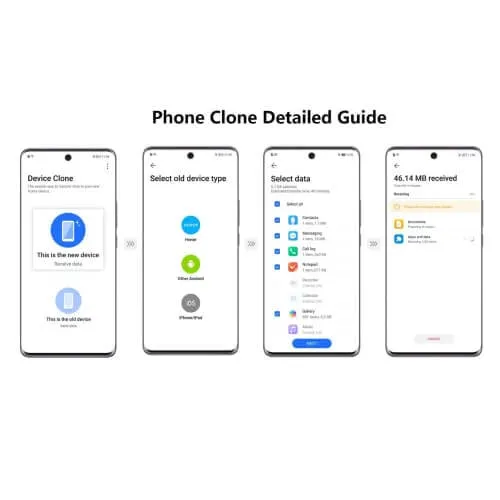
    Honor is the first brand to offer HarmonyOS Next data transmission as a result of this advancement. Users of Honor smartphones can download and install the “Device Clone” app from the official app store on both new and old devices in order to clone an old device.

    Next, open the Settings menu on the new smartphone and select Device Clone. Select Updates & System > Select Device Clone. Select the “This is a new device” option. Choose the “HarmonyOS” device type.

    blog mb

    On the old device, repeat the previous steps, but choose “This is an old device” rather than “This is a new device.” Next, link the two devices by scanning the QR code on the new device with the old one. Next, choose the data that needs to be moved to the new device and click “Next.”

  • How to locate and remove “Stalkerware” from your device

    How to locate and remove “Stalkerware” from your device

    Even though your mobile device has many built-in safeguards to preserve your privacy and keep your data safe, it could still be subject to snooping if someone you know gains access to your accounts or installs hidden programs, or stalkerware, that follow you about. These malicious apps may spy on you by taking use of permissions and built-in capabilities on your Android or iPhone. Here’s how to find stalkerware on your smartphone and get rid of it.

    What is a stalkerware?

    Stalkerware is a type of malware that tracks and monitors your device’s activities, including messages, images, and location in real time, without your permission. Most frequently, stalkerware is an app that is downloaded straight to your device. It can be hidden from your home screen or masqueraded as something normal to make it harder for you to spot anything fishy. TechCrunch points out that Cocospy, Spyic, and TheTruthSpy are examples of popular stalkerware applications. Stalkerware can be installed or side-loaded from unapproved sources other than the Apple and Google Play stores.

    Large data usage on your device, a warmer or slower-than-normal phone, a faster-than-normal battery drain, an increase in screen time, and odd alerts are some potential indicators of stalkerware (and other dangerous programs). But stalkerware can exist without any of these problems. The Coalition Against Stalkerware claims that a typical indicator of monitoring isn’t really related to your phone’s technological features: Instead, it’s the stalker’s altered conduct or awareness of your actions.

    Keep in mind that although stalkerware apps are one way for someone to secretly monitor you, other phone settings, such backups, location sharing, and Google and Apple accounts that are controlled or accessible by someone else, can also be misused.

    If you think your phone may be compromised, you should consult Cornell University’s Clinic to End Tech Abuse (CETA), which offers comprehensive resources for detecting and eliminating stalkerware as well as other security measures to protect your device from eavesdropping.

    Create a safety plan first

    You must have a safety plan in place before trying to remove stalkerware from your device or alter shared access to your accounts and apps. The danger of abuse or harassment may rise if monitoring applications are removed or permissions are updated, alerting the person who installed them. A list of organizations and services for survivor aid in various nations may be found on the Coalition Against Stalkerware.

    Eliminating stalkerware also has the potential to destroy any evidence you might need to provide to law police if you intend to report the occurrence. You might want to record your experiences in a journal.

    stalkerware

    Check for unrecognized apps

    Even without an icon on the home screen, you can still access installed apps in your device’s settings. This can be found in the settings app on both iOS and Android, under the Apps or App management option. (On iOS, you have to scroll all the way to the bottom of the list to see hidden apps.) Keep an eye out for anything unfamiliar.

    You should look for any apps listed under this section of your settings because stalkerware on Android may exploit the access granted by your device’s accessibility mode. You can have a harmful program installed if you don’t use accessibility features or don’t identify an app. Device admin settings may potentially be exploited by stalkerware. Go to Device Admin App under Settings > Security. Nothing should be included here for the majority of personal devices.

    Review app permissions and settings

    Because stalkerware may misuse access to your device’s data, permissions are another approach to spot questionable programs. In your settings, you can view permissions for each individual app, including location, camera, microphone, and keyboard access. TechCrunch advises carefully examining which third-party apps on Android have access to your notifications, as this permits monitoring of your messages and alerts (check your device settings for Special app access).

    To control permissions and sharing with people and apps, utilize Apple’s Safety Check feature (Settings > Privacy & Security > Safety Check) if you’re running iOS 16 or later. Among other settings, you can update your passcode, reset system privacy permissions, switch devices linked to your Apple account, and verify who you are sharing information with. There is a Quick Exit button in case you need to exit with a single push, as well as an Emergency Reset option that will instantly stop transmitting all data from your device.

    Use this CETA guide to iOS safety if you don’t have Safety Check installed on your device or if you want to look into specific phone settings that might be sharing your data with someone else, such Family Sharing or text message forwarding.

    How to remove stalkerware from your device

    Getting a new phone, which you can and should lock down with a new PIN to stop someone with physical access to your device from installing dangerous apps, is the most drastic action you can take to avoid stalkerware.

    A factory reset is an additional choice that will remove all data and programs from your smartphone. This may be found in the Settings app on Android and Settings > General > Transfer or Reset iPhone on iOS (you can find the exact path on your device manufacturer’s support website). Keep in mind that any data that isn’t backed up, such contacts, messages, and pictures, will be lost. Even if you’re not positive whether your phone has a stalkerware program installed, a factory reset can be helpful. However, it could not resolve the problem if the spy still has access to the Google account or Apple ID linked to your device.

    Additionally, you can manually remove or uninstall programs from your device and utilize an antivirus app from a reliable provider to check for hidden and harmful apps (Google Play Protect can also do this on Android).

    After deleting stalkerware, make sure your device has a new lock screen passcode that is difficult for someone with physical access to figure out. You should also take precautions to secure your email and other accounts by using two-factor authentication and using strong, one-of-a-kind passwords.

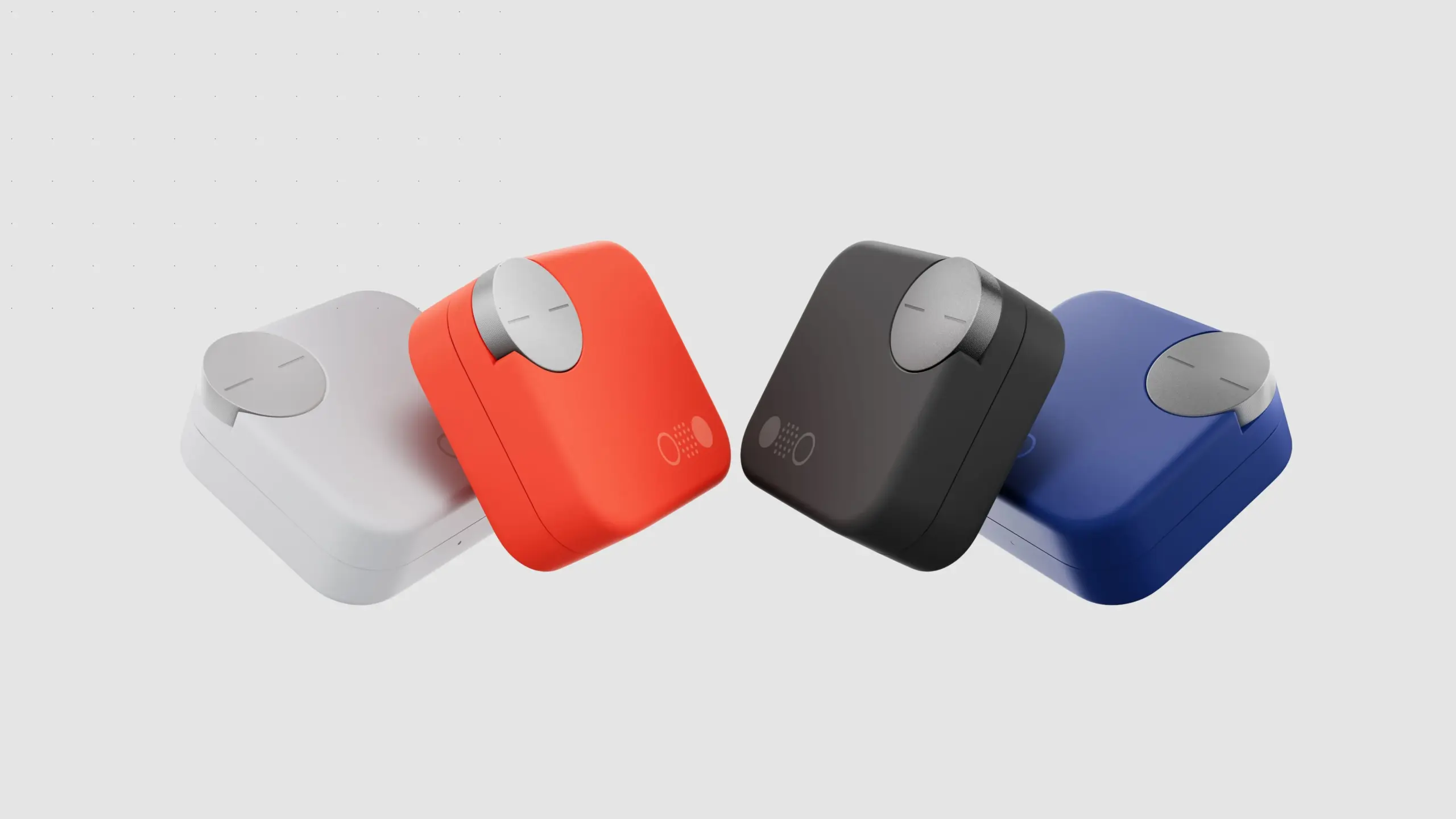
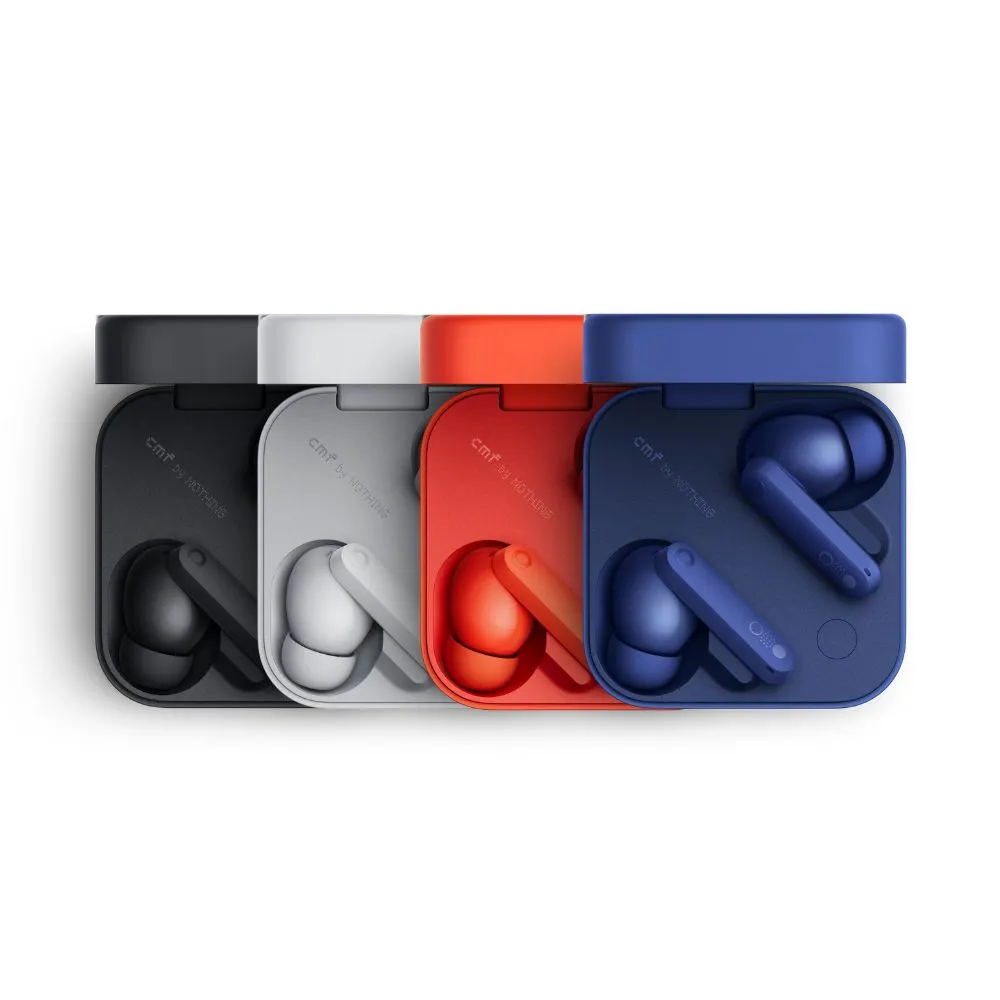
  • Nothing CMF Buds Pro 2

    Nothing CMF Buds Pro 2

    One of my recent faves is Nothing, a new tech company from the UK that produces devices including phones, smartwatches, and headphones. Its products have distinctive designs and features, and they are reasonably priced. Price-tracking tools show that Nothing’s CMF Buds Pro 2 earbuds are currently the lowest priced item ever, at just $47 (originally $69). For those seeking affordable earphones that deliver on quality, this is a fantastic choice.

    Nothing CMF Buds Pro 2

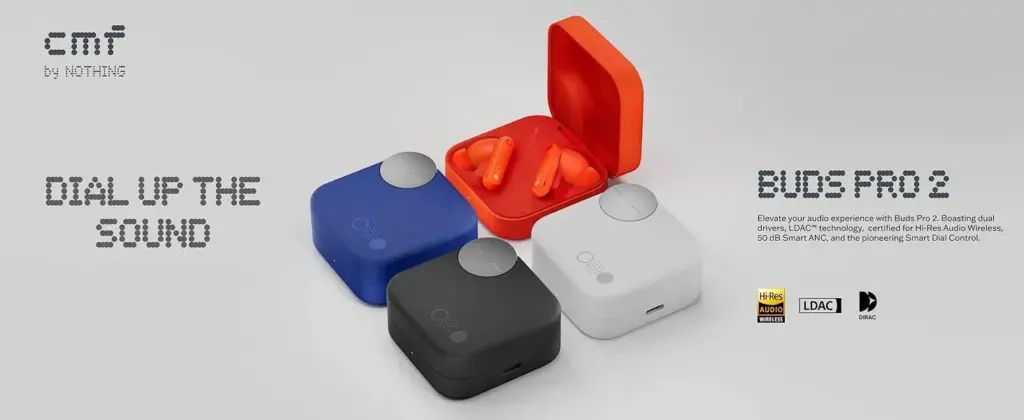
    Nothing’s earbuds, which retail for less than $50, provide superior features and audio quality compared to its more expensive rivals. To begin, you can control the earbuds using the “Smart Dial” on the charging case. I’ve never been a fan of the touch controls on the earphones, and it appears that the folks from Nothing aren’t either. You can adjust the volume, pause or play, skip music, and more by turning the dial. The dial is yours to utilize whatever you see fit.

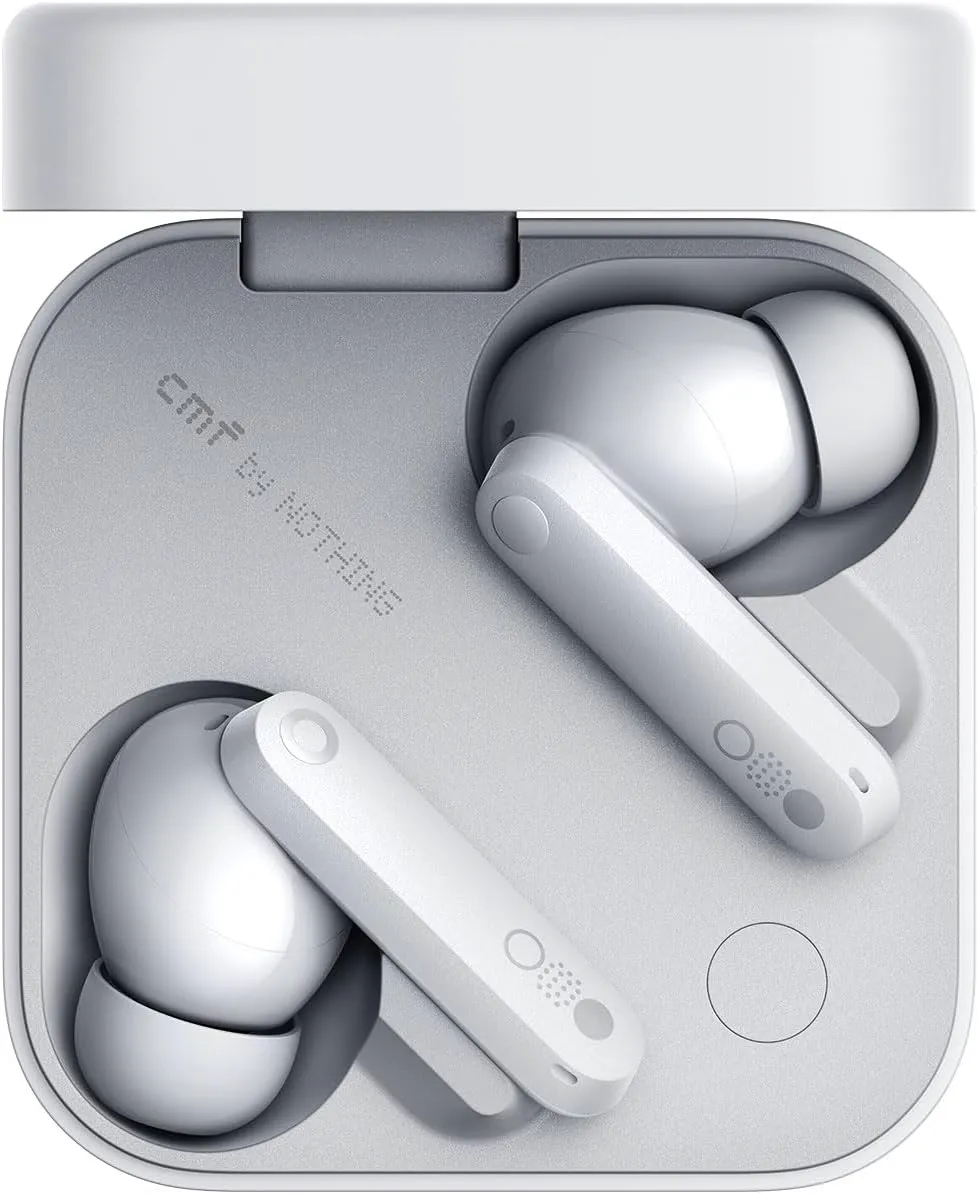
    CMF Nothing Buds Pro 2 white

    Nothing CMF Buds Pro 2

    Enjoy pristine audio clarity and uninterrupted focus with advanced Hybrid Active Noise Cancellation of up to 50 dB and an expansive frequency range of up to 5000 Hz.

    $69.00$47.00Amazon

    ChatGPT’s AI support straight from your earbuds is another unexpected feature that other Nothing products have. For the price of these earbuds, you get good active noise cancellation (ANC), which is unexpected. You may wear them to the gym and they will hold up even if you are caught in the rain because they are also P54 rated for dust and splash protection. In-ear recognition, which automatically pauses your music when you take out an earbud and resumes when you put it back in, is another awesome function that most high-end earbuds include. Well done.

    Triband EQ, Ultra Bass mode, and dial and touch control customisation are just a few of the helpful features of the Nothing app, which is compatible with both iOS and Android.

    CM BUDS PRO 2 NEW TMT

  • Limited-time free apps for Android and iPhone – don’t miss out!

    Limited-time free apps for Android and iPhone – don’t miss out!

    Searching for fantastic apps that don’t cost a dime? Every day, a number of high-end iOS and Android apps are made available for free for a brief period of time, either as part of a platform-wide offer or a developer promotion. Since these deals don’t last long, it’s the ideal chance to test out premium programs that you would otherwise need to purchase.

    We’ve put together a new list of mobile apps that are now available for free download, ranging from games and utilities to productivity tools and photo editors. Take quick action because these offers could end within a few hours!

    Android Apps and Games Available for Free–Limited Time Offer

    Top Free Android Apps for Productivity and Lifestyle

    • Countdown Widget: Granted, every self-respecting smartphone today has a countdown timer, but still, if you want a dedicated app…
    • Number to Word Convert: This app is useful for anyone learning English, as it converts numbers to words.
    • Contacts Widget: If you’re still making calls instead of messaging, having a quick dial widget on hand can be useful.
    • Video Cutter Pro: Here’s an app that lets you edit videos on the fly to come up with something entirely new.
    • Dreamscape Wallpapers: Looking to have interesting and beautiful wallpapers adorn your smartphone’s screen? This fits the bill perfectly.

    Free Android Games

    • Burning Sky VIP: It is up to you once again to save the world against an invading alien force by shooting them down from the skies.
    • Food Fever Restaurant: Running a restaurant is no mean task, and this game pushes you to the edge with each passing moment.
    • ECO Inc.: A game that has the fate of the world in your hands, ecologically speaking. Each action has a direct consequence.
    • Crafterok: Lords of Survival: Craft your life into existence on an island as you survive both day and night dangers.
    • FASTAR VIP: A rhythm-based game that tests your sense of timing. If you’re not musically inclined like me, you’ll find it to be a challenge.

    iOS Apps and Games Available for Free–Limited Time Offer

    Top Free iOS Apps for Productivity and Lifestyle

    • DC Metro Board: This app is more localized for the Washington area, concerning public transportation.
    • AI Poster Maker & Ad Creator: Want to create posters or even an ad on the fly? This app gets the job done.
    • Fame: YT Thumbnail Maker: Sometimes, a good thumbnail for your video can make all the difference between a click and missing out on one.
    • My Battery Health: This app is designed for EV and hybrid car owners who want to monitor their vehicle’s battery health levels. 
    • Darbuka Beats: Want some authentic Middle Eastern beats at the tip of your fingers? Try this app out!

    Free iPhone games

    • Cypher Vocab: Strengthen your vocabulary as you prepare for the verbal section of the GRE in this cool game.
    • Wind Wings: A space shooter set in a bullet hell environment that requires plenty of skill and reflexes.
    • Axion Run: Do you have what it takes to break gravity in a contest against friends? Let’s see how fast your reflexes are.
    • Space Clutter: A game with simple sprites that requires timing and reflexes, set in space.
    • Eyka: A relaxing puzzle game where there is no stress in a race against time, leaving you to harmonize colors at your own pace.

    Even if you don’t need every app right away, downloading them while they’re free means you can keep them in your library for future use — without paying a cent. Once claimed, most apps will remain available in your account even after the promotion ends, so it’s a smart way to build your app collection over time.

    However, keep in mind that not all free apps are created equal. Always check reviews, permissions, and developer reputation before installing — especially when it comes to apps that request access to sensitive data. Free or not, your privacy is always worth protecting.

    Take advantage of these temporary deals, but stay informed, stay secure — and enjoy exploring your new apps!

  • Temporarily free apps and games for Android and iOS

    Temporarily free apps and games for Android and iOS

    We are unable to guarantee how long they will be available on the Apple App Store or Google Play Store. As a result, downloading them as soon as possible is advised. Just watch out for any possible subscription traps, in-app purchases, and advertisements.

    Even if you don’t need an app right away, install it if it piques your curiosity. It will be added to your app library and marked as “bought” as a result. After that, you may uninstall the app straight from your phone and get it back for free anytime you need it.

    Android Apps and Games

    Free Android Apps

    • Sound Meter & Noise Detector: The name says it all. Register sound levels wherever you are, with recordings, graphs, and statistics.
    • Simple App Locker: Protect apps from prying eyes by hiding them behind a pin code or biometric authentication.
    • Reminder Pro: Already featured in other editions, set reminders quickly that are easily reachable with a widget, with lots of controls for frequency, alerts, and more!
    • Smart Navigation Bar: Still using the classic navbar? Customize it with a background theme, animations, and even text messages.

    Free Android Games

    • Avalar: Shadow War: An action RPG with a strong Diablo influence. Fight the monsters and boost your abilities to (guess what) save the world!
    • Space Survivor: Mars RPG: Collect resources and boost your defenses to survive on Mars after being stranded on the red planet.
    • Shadow Knight: Ninja Fighting): Hack and slash your way through the darkness, defeating monsters with increasingly powerful attacks filled with special effects.
    • Summoners Era: If you are still into the idle RPG trend, try this pixel-art alternative 

    iOS Apps and Games

    Free iOS Apps

    • Touch Notation: Write music on your iPhone or iPad, with this award-winning app for creating and editing musical notations.
    • Doodle Lens: Bring life to your doodles with the power of augmented reality. Create short videos and share them.
    • Merge Voice Memos: Just as the title says. Mix and match different sound recordings on your device 
    • Weather: It is Nice Outside: Get a second opinion on the weather forecast, with data on humidity, wind, visibility, pressure, and more. 

    Free iPhone games

    • Wheels of Aurelia: A road trip through Italy, what is not to like? However, not everything is “dolce vita” in the 1970’s, and you must uncover the secrets of Lella’s past.
    • btw- puzzle maze: Pick all the circles on the board by switching the colors in this minimalistic puzzle game.
    • Chess: The classic board game with ELO-simulated computer players, and without the drama and controversies of today’s grandmasters.
    • Castle Ramble: A roguelike platformer with charming pixel art graphics in which you battle the pig invaders to recover your castle. 

    As of the date of publication, the deals were active. Please share any expired deals you come across in the comments section below. We advise you to review the app’s details in the Play Store or App Store before downloading any of the aforementioned apps. This is crucial since some of these free apps can have unique features or drawbacks of their own.

    Follow us on X @droid_tools, like our page on Facebook, check out our updates on Instagram, and follow us on Google News for real-time news, device tips, and mobile tech insights.

  • Temporary free apps for Android and iOS – get them now!

    Temporary free apps for Android and iOS – get them now!

    There are already a number of interesting and helpful apps available for free. However, as the offer is only valid for a short period of time, you need act quickly if you don’t want to spend any money on them.

    There are countless apps available in both Google’s and Apple’s app stores, the Play Store and the App Store. While some of these apps are free, some need a fee. However, many users are unaware that many paid apps can also be temporarily made free as part of a special deal. We have compiled a list of some of the most intriguing free apps accessible right now.

    Free Pro apps (Android)

    • Unit converter ($0.79) – With the right app at the right time, the smartphone can bring a lot of added value. Especially when it comes to units and their conversion, there is hardly a better tool than this one. Whether temperature, length, volume, energy, fuel or density – all of these can be converted effortlessly 
    • Fake call screen – Prank call ($0,69) – Have you ever found yourself in an awkward conversation with no hope of escape? With this app, you can take your fate into your own hands and create a distraction with a fake call. Unfortunately, the application no longer works fully on newer Android versions 
    • Color wheel ($2.09) – A very special app that is very popular with its target group. It allows you to precisely determine any color using a color wheel, color palettes, and the smartphone camera, and make fine adjustments at the same time. 
    • Scan Text From Image English ($0,89) – With this app, you can automatically extract any English text from images. Numbers and units are also reliably recognized. The minimalist and user-friendly design of the application is particularly practical 

    Free premium apps (iOS)

    • Space Clutter ($0.99) – This game is a minimalist arcade game from 2012 that takes place in outer space. It is now also available for iOS. Anyone who develops nostalgic feelings when they hear the word “arcade” should definitely give this retro-inspired game a chance 
    • Music Quiz: Know Your Library? ($0.99) – This game is a quiz based on your own music library. Anyone who thinks they know their favorite songs inside out can put their knowledge to the test here. The graphic design of the game adapts to the song currently playing 
    • Blindfold Chess ($7.99) – This chess app takes an unusual approach, as the actual game almost takes a back seat here. Instead, the focus is on training for blindfold chess – in other words, playing chess without eye contact with the board. Anyone who learns this skill is guaranteed to be greeted with amazement at their next match 
    • Dog Guide 2 PRO ($1.99) – If you want to find the ideal dog or expand your knowledge of these faithful four-legged friends, you should take a look at this app. It offers a large number of free pictures, clearly presented information, and a practical filter function – all in one application.

    At the time this post was published, all of the apps we are showcasing here were free to download. Regretfully, developers frequently fail to indicate the duration of these offers. Don’t hesitate to download an app if you enjoy it.

    However, you should always check the app page in the store before downloading a free program. Because there are occasionally unnoticed obstacles that you should be mindful of.

    Apps permissions

    Many apps gather user information and frequently sell it. Make sure you only give the program the rights it actually needs if you want to be safe. For instance, a flashlight shouldn’t be interested in your location information, and an alarm clock doesn’t require access to your contacts or cameras.