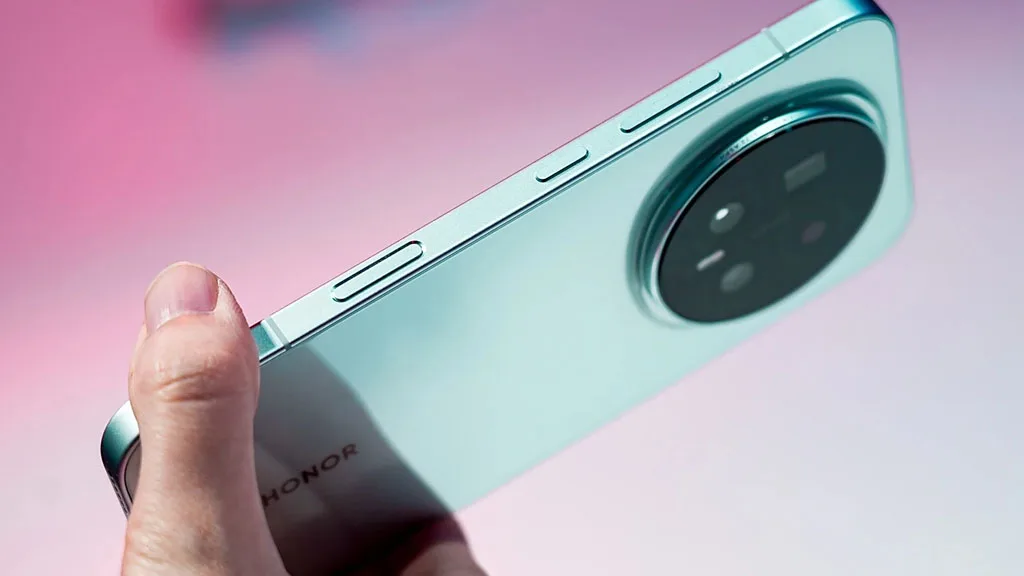
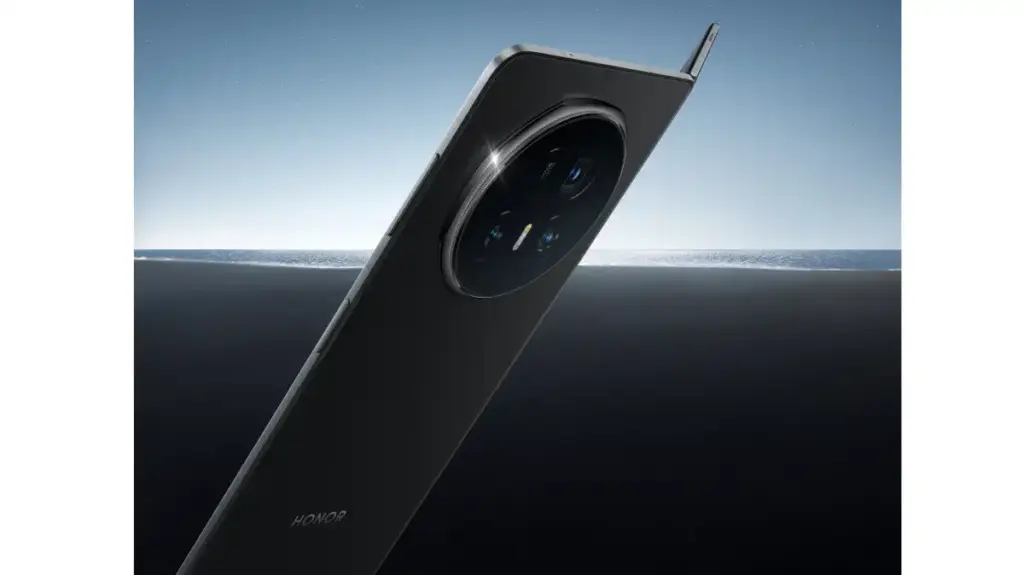
The Honor Magic 8 smartphone with the best performance rating has been seen on AnTuTu. Thanks to the latest Qualcomm Snapdragon 8 Elite Gen 5 chipset, which is said to have increased efficiency in addition to improving the device’s functionality.
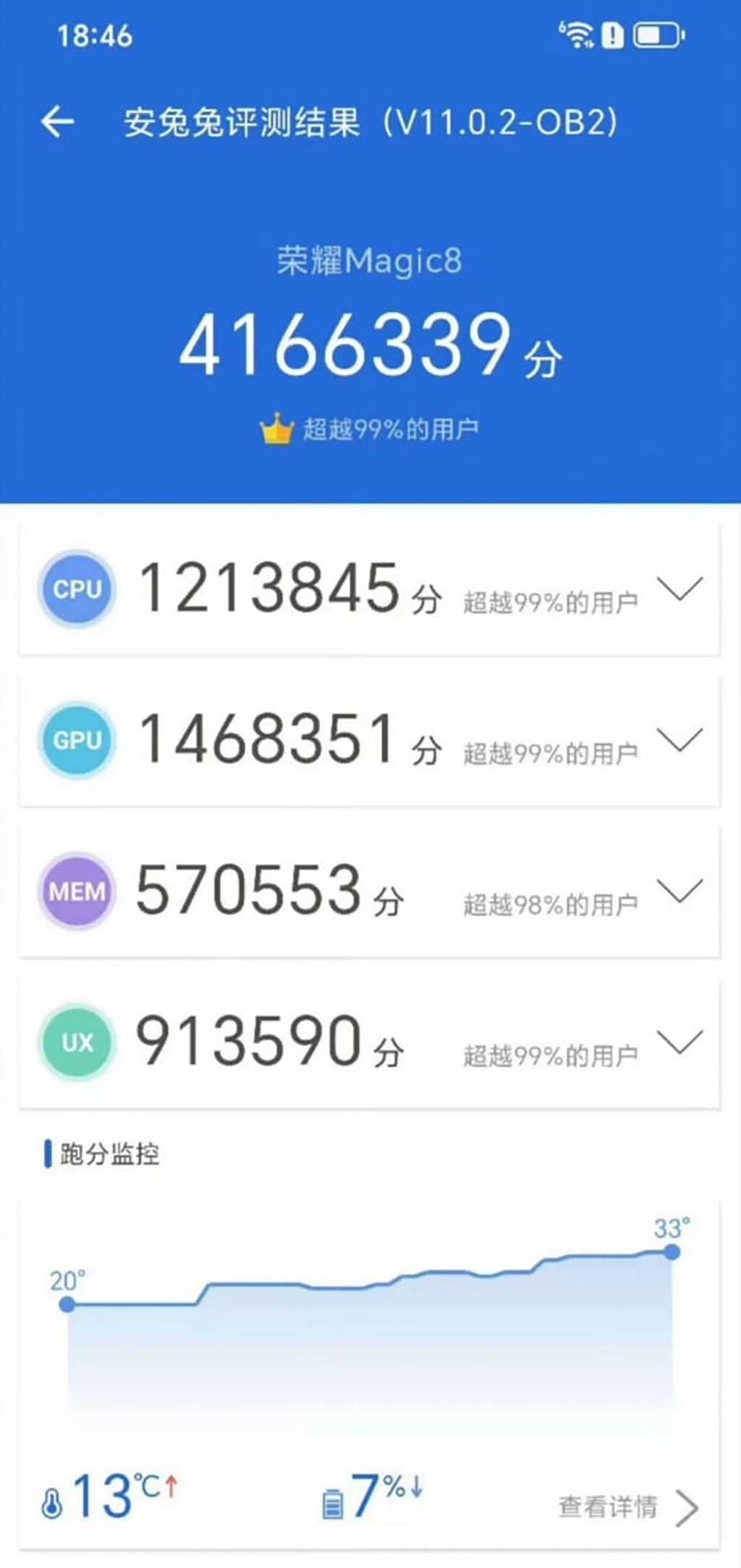
Today, a number of Weibo tipsters revealed the Honor Magic 8 phone’s AnTuTu score. At room temperature, the device’s real operating points are 4.16 million.
To surpass the performance score on AnTuTu by more than 4 million is a significant accomplishment for the flagship model. It implies that the Magic 8 series will provide users with reliable and smooth operation in every way.
The CPU, GPU, MEM, and UX scores are highlighted while looking at the AnTuTu listing. All of these scores are available for review below, along with the key points.
Honor Magic 8: AnTuTu Score
Total Points: 4166339
CPU: 1213845
GPU: 1468351
MEM: 570553
UX: 913590
The 5th generation Snapdragon 8 Elite chip will be available in Honor’s devices. It has a full-core architecture with two Oryon v2 super cores operating at 4.6GHz and six performance cores operating at 3.62GHz, and it is based on the TSMC 3nm technology.
One of the company’s execs even asserted that, in comparison to competitors like Xiaomi, the Honor Magic 8 series will provide the finest Snapdragon chipset experience.
“What do you think of Xiaomi’s first LOFIC technology? The next Honor Magic 8 series is coming, and it is also equipped with the same chip. Honor has always been very powerful in Snapdragon optimization. Will this Honor optimization achieve any better results?” – said Honor Li Kun.
Leaks of the Magic 8 smartphones have started to reveal additional features and technological possibilities. It’s possible that the business is prepared to launch its premier lineup by mid-October.
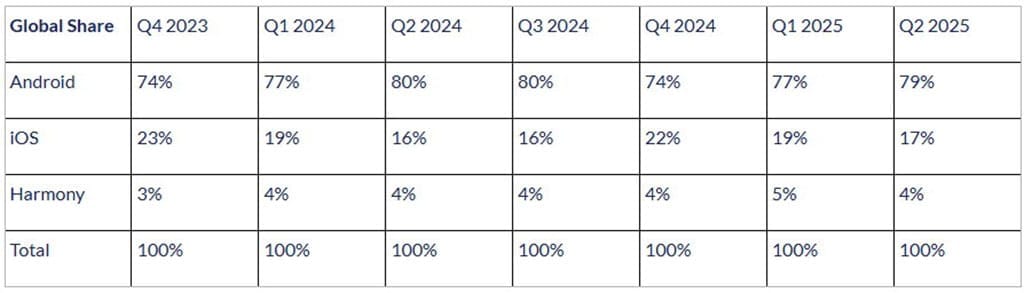
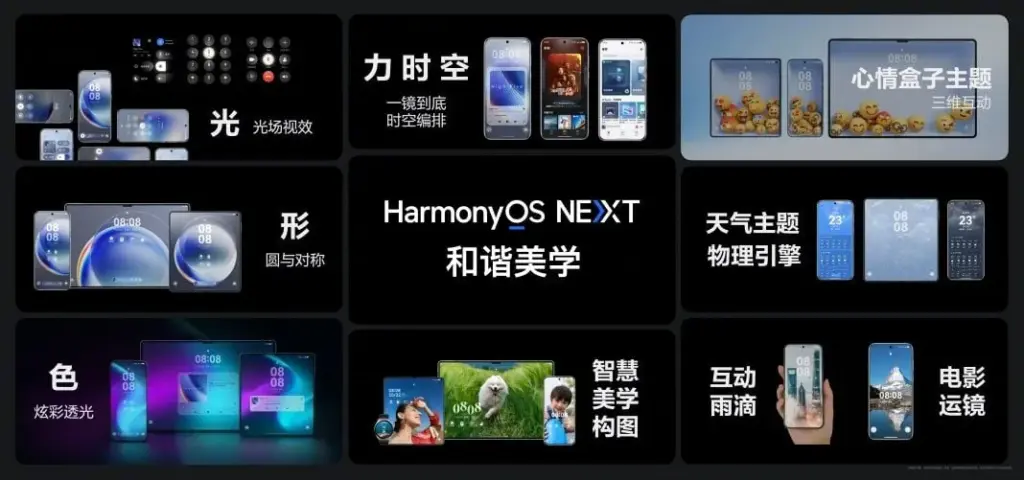
With its proprietary HarmonyOS, Huawei is gaining ground in the mobile operating system market and has overtaken iOS in China for the sixth consecutive quarter. It now seeks to displace Android as the market leader for mobile operating systems.
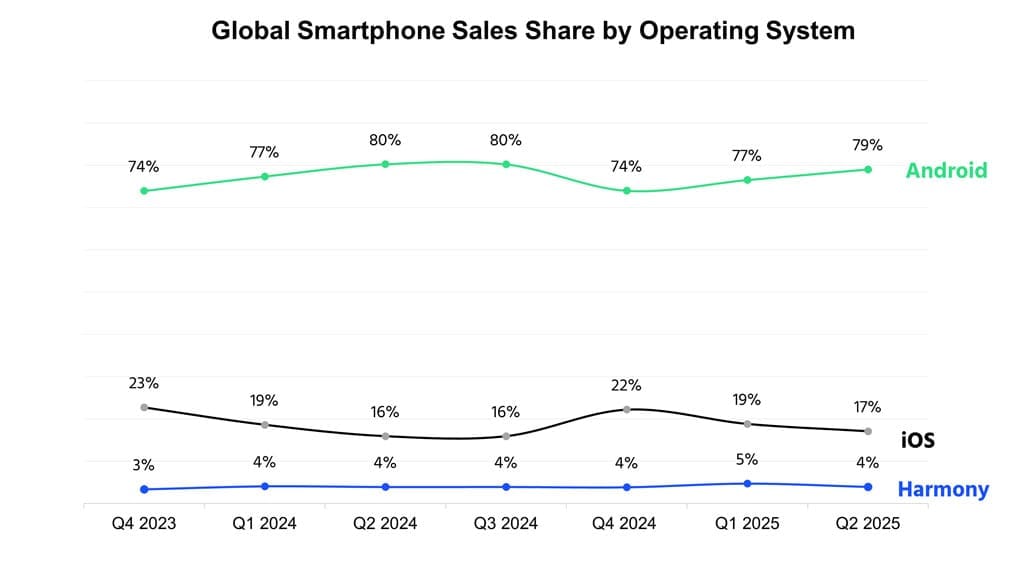
At the moment, Android dominates the worldwide smartphone operating system market. Globally, it holds 79% of the shares. Huawei, however, intends to outperform this US-based competitor with its “NEXT” offering.
According to the operating system report for Q2 2025, Counterpoint holds a share of the worldwide smartphone sales market. Despite gaining a sizable portion of the market, Android is losing ground in China as a result of HarmonyOS‘s quick ascent there.
According to the research organization, Android is mostly restricted in China because of the escalating rivalry, and in India because of premiumization. However, the OS has been supported by companies like Vivo, Samsung, Motorola, and Honor during the quarter.
For the 6th quarter, Huawei HarmonyOS stays ahead
However, iOS also saw a 1% growth in its market share worldwide. It has performed admirably in a number of markets, including Brazil, the Middle East, and India.
Because of the affordable iPhones and the recently released iOS 26 build version, iOS has also had the highest upgrade rate in the second quarter of this year.
However, for the sixth straight quarter, Huawei’s HarmonyOS has pushed iOS further back in China. The legendary Pura X foldable and the latest Nova 14 versions deserve a lot of praise. Both models have attracted a lot of interest.
The first device to release the stable HarmonyOS NEXT was the Pura X. Eye-tracking and a super Celia AI assistant were among the intriguing technologies it brought in.
In order to provide a more dependable user experience, the Nova 14 series was the first conventional phone device to be pre-installed with the stable HarmonyOS 5.0.
“HarmonyOS continues to grow in China and remains the second largest smartphone OS in the country for the sixth consecutive quarter. Huawei’s Nova series smartphones contributed heavily, and the foldable Pura X was also received well, keeping the brand competitive.” – said Counterpoint.
Following this, Huawei plans to provide HarmonyOS 5.0 to the global market, initially with wearables and then with tablets. It would be interesting to observe when the operating system would overtake Android as the dominant player in the global smartphone market.
Almost every year, the same story is told. The Huawei Pura 80 Ultra, a Huawei flagship that is technically unique on the smartphone market because to its unusual dual-lens telephoto construction, leads the DxOMark rankings in 2025. Charges of corruption in DxOMark’s purportedly impartial scoring methodology and criticism of Huawei’s continuously dominant position are frequent. This year is no different, with criticism and misunderstanding predominating in the comments section of an official social media post.
In the most recent Huawei Pura 80 Ultra camera test, the Chinese manufacturer set a new record with a total score of 175 points. The Oppo Find X8 Ultra and the Vivo X200 Ultra came in second and third, respectively, a considerable distance behind. In the portrait, low light, indoor, and outdoor photography categories, the Huawei Pura 80 Ultra scores highly. Given the Pura 80 Ultra’s advanced telephoto solution, the Vivo X200 Ultra’s one-point victory in the newly released DxOMark test report was just in the zoom category.
Huawei Pura 80 Ultra camera has now drawbacks
The testers’ criticisms of Huawei’s flagship model are remarkably limited. Only sporadic exposure and color fidelity instability, somewhat odd texturing in challenging lighting conditions, and certain image distortions like ghosting in video mode are listed as drawbacks. The current Pura flagship’s camera performs admirably in every other situation. Its strong dynamic range and, according to the test report, its superb color reproduction in challenging scenes—which is reportedly noticeably better than that of its competitors—are praised.
Additionally, specifically listed as benefits are skin tones, detail, focusing, video stabilization, and the ultra-wide-angle camera. The test result states that there is very minimal noise in the images taken in low light. Many comparison images are included in the whole test report so that interested readers may determine whether the significant ranking difference between Xiaomi, Vivo, Oppo, and other companies is truly warranted.
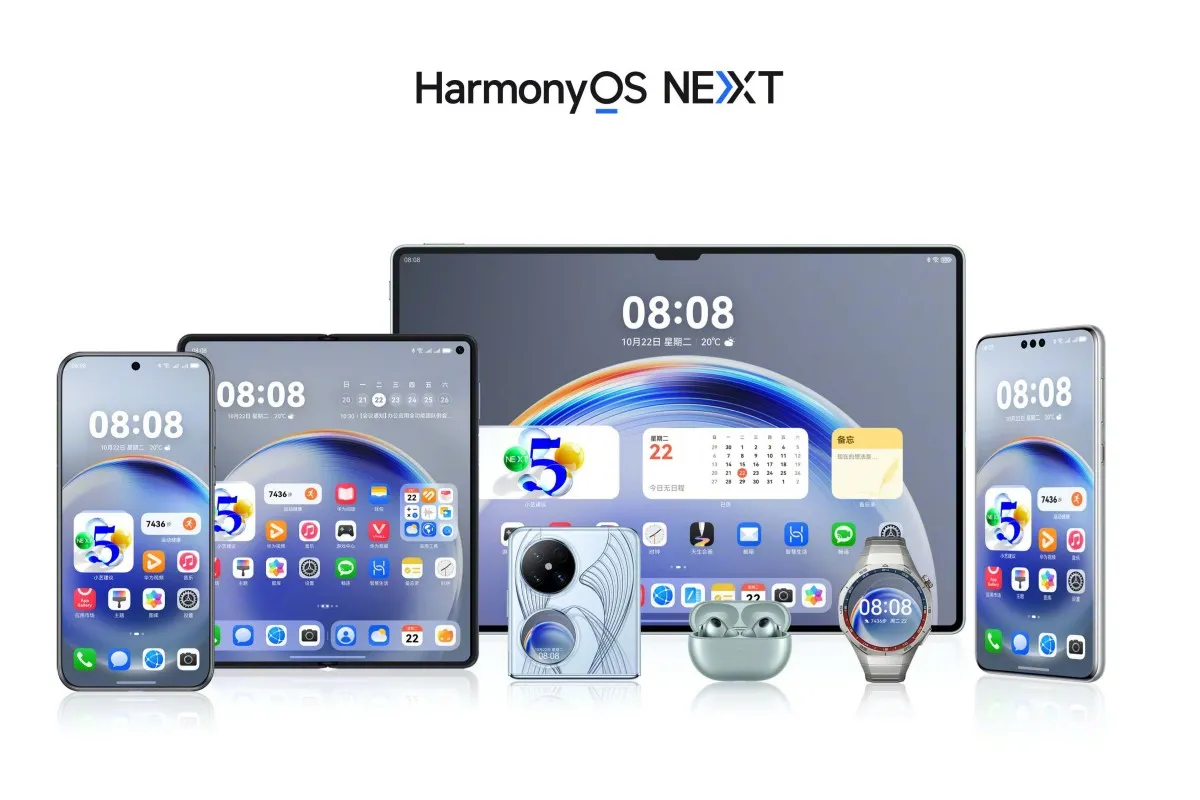
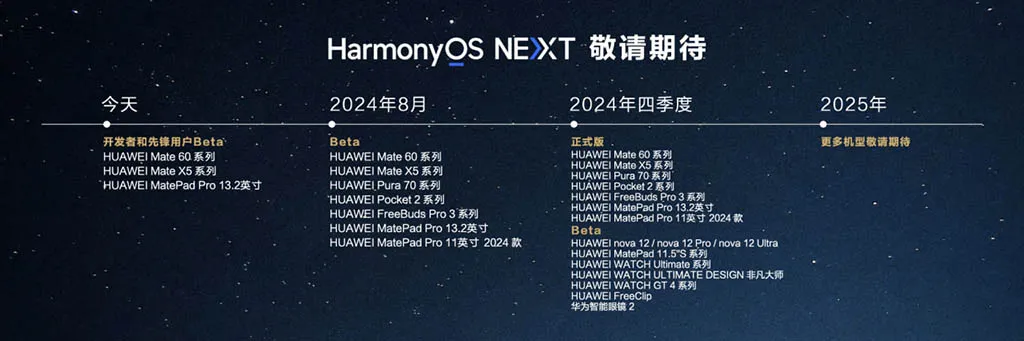
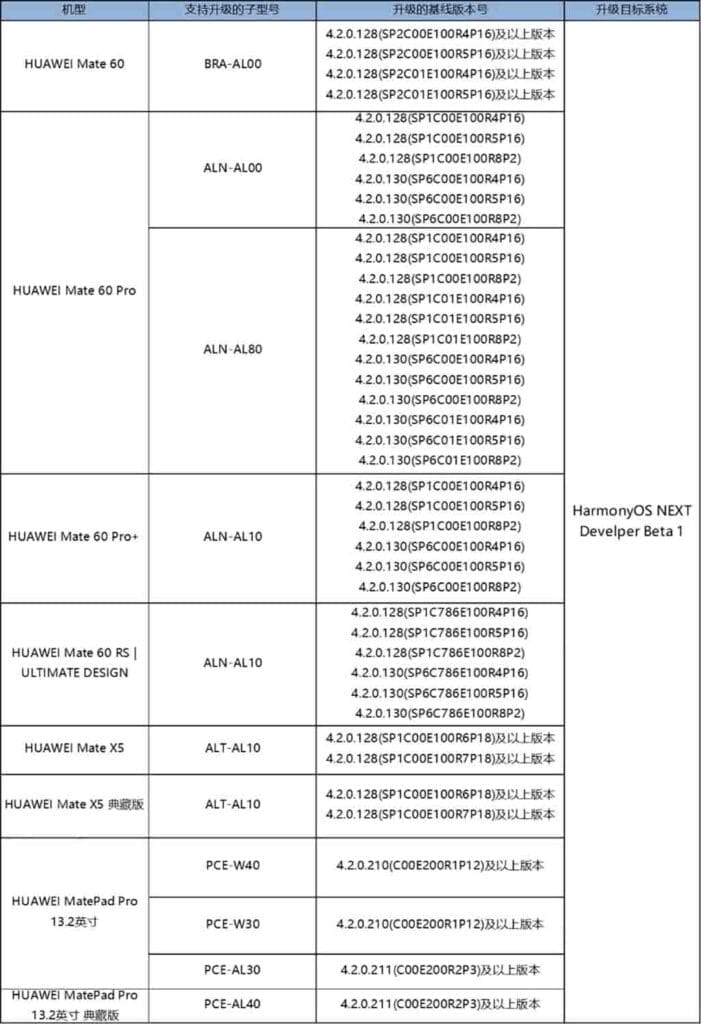
Along with the distribution date, Huawei has revealed the official HarmonyOS NEXT update plan for its devices. Developers and pioneer users with flagship devices can now get the latest beta version. However, it will soon be available on additional devices.
The HarmonyOS NEXT upgrade information were given by Yu Chengdong. He mentioned that the corporation has started beta testing the top models with developers. In Q4 2024, the tech manufacturer plans to deploy a stable HarmonyOS NEXT update and gradually cover devices.
Currently, the Chinese OEM is hiring 3000 pioneer users and developers. After this, the business will start a consumer beta program using high-end phones.
HarmonyOS NEXT Upgrade Plan: Devices
Developer Beta Testing: June 21
Huawei Mate 60 Series
Huawei Mate X5 Series
Huawei MatePad Pro 13.2 tablet
August 2024 (Beta)
Huawei Mate 60 series
Huawei Mate X5 series
Huawei Pura 70 series
Huawei Pocket 2 series
Huawei FreeBuds Pro 3
Huawei MatePad Pro 13.2
Huawei MatePad Pro 11 2024
Q4 2024 (Stable)
Huawei Mate 60 series
Huawei Mate X5 series
Huawei Pura 70 series
Huawei Pocket 2 series
Huawei FreeBuds Pro 3
Huawei MatePad Pro 13.2
Huawei MatePad Pro 11 2024
Q4 2024 (Beta)
Huawei Nova 12 series
Huawei MatePad 11.5-inch S series
Huawei Watch Ultimate
Huawei Watch Ultimate Design Edition
Huawei Watch GT 4 series
Huawei FreeClip
Huawei Smart Glasses 2
2025
Stay tuned for more models.
From June 21 to June 28, developers and Pioneer users can register for the ongoing beta activity. Based on the log and nolog builds, the organization will evaluate the applications that were submitted between June 24 and July 09 and modify the users.
Please take note that this activity will give preference to developers whose apps are currently available in the AppGallery. Following the selection, Huawei will send out an official email or SMS to developers and pioneer users.
To prevent any loss, those taking part in the developer beta version should make a backup of their data in advance. Additionally, by going to Settings > System > Developer Mode > System Rollback, one can revert to the most recent version.
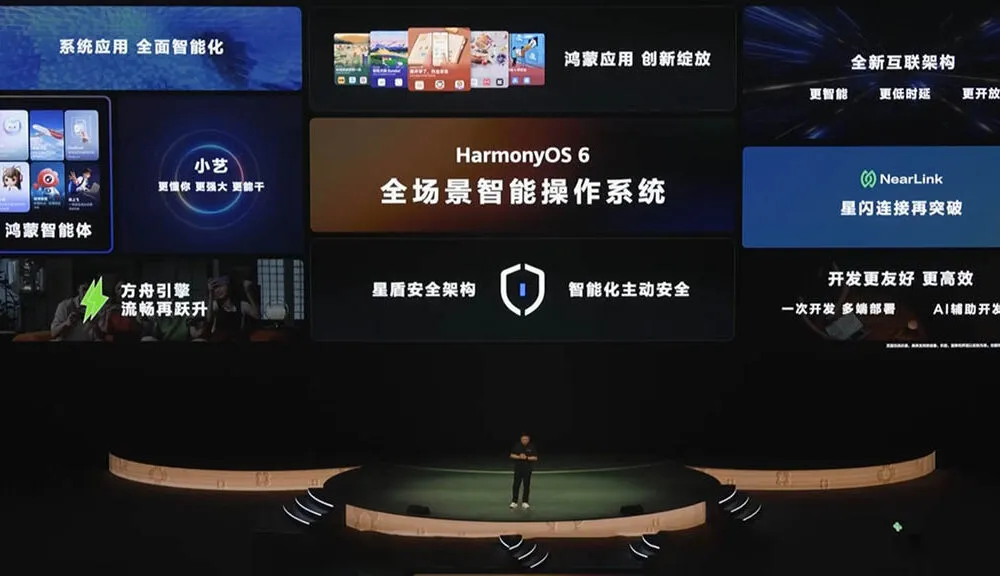
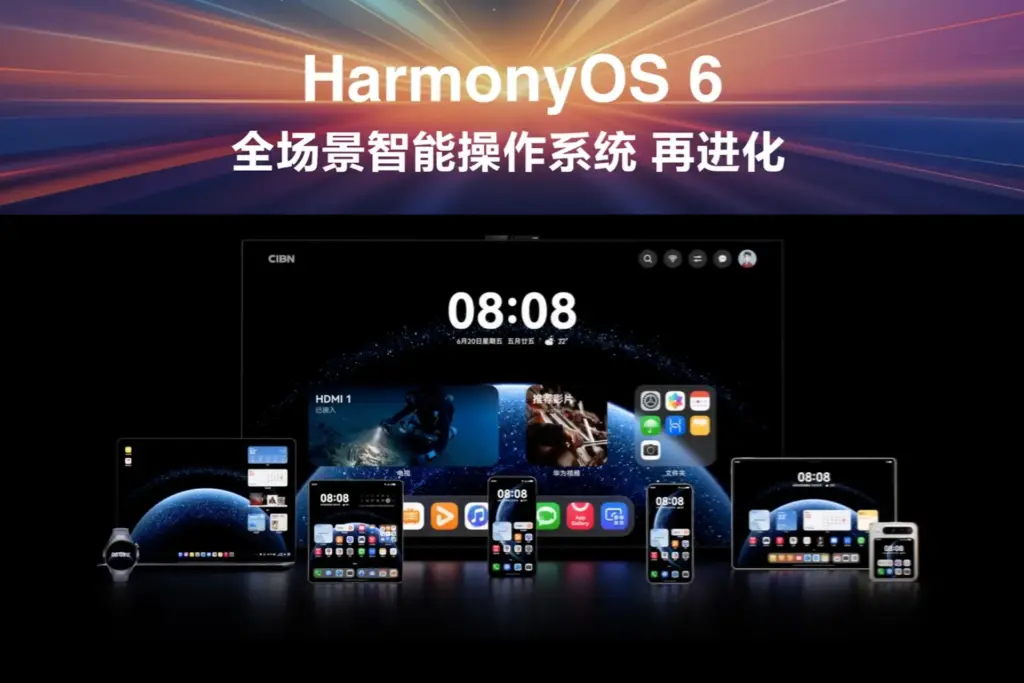
Phase 2 of Huawei’s HarmonyOS 6 developer beta was launched on July 30. According to official information, the corporation has given developers access to new features and functionalities that will improve app development and increase software utilization efficiency.
The HarmonyOS 6.0 Developer Preview was revealed by Huawei at the June HDC25 event. Simultaneously, it released the first developer beta only for developers.
For the first phase, the corporation only opened a certain amount of devices. However, Huawei is now including three more models in the HarmonyOS 6 development beta phase 2 eligibility list.
According to the information, developers have until today, August 10, to register for the second phase. From August 1 to August 25, the business will begin going over the paperwork that were turned in. When developers sign up for the first time, they must meet these requirements:
Real-name authentication with Huawei Developer Alliance
Have at least one of the eligible models given below
Answer a few questions related to the beta phase
One can further register by clicking on the Avatar icon in the upper right corner of the page and completing the on-screen procedure. If your form passes the review, you will receive confirmation through email or SMS.
Keep in mind that developers can only use the application to test their apps. HarmonyOS 6.0 Developer Preview, which may remove old data from your device, will be sent to you after you pass the review. Therefore, make a backup before continuing.
How to register for HarmonyOS 6 beta?
Developers can complete the on-screen instructions by logging into their account. To participate in the beta activity, tap the Sign Up button and provide your application details.
If developers are experiencing problems with app development, they can use the HarmonyOS 6 Application Development Issue Feedback portal to provide feedback.
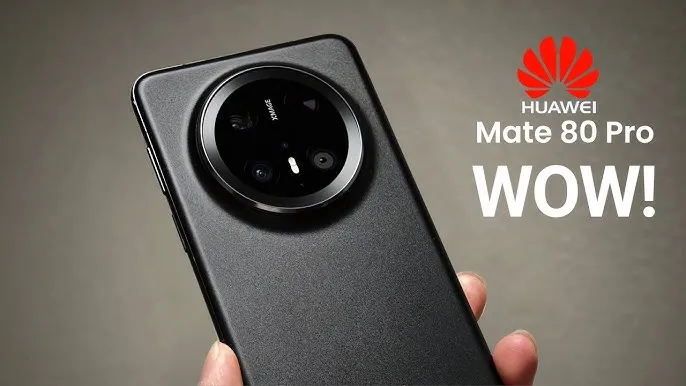
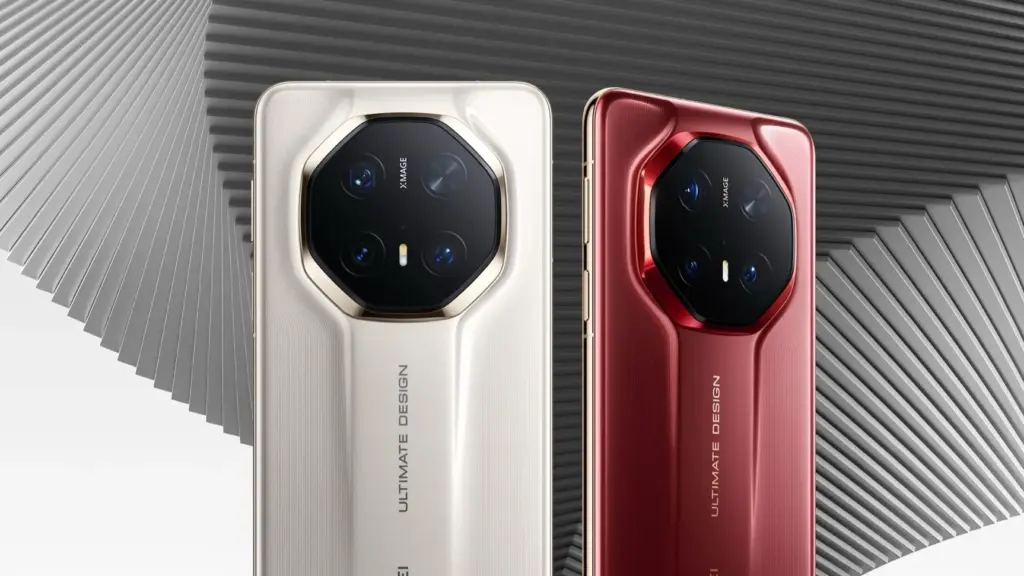
In the next Mate 80 RS Ultimate Design, Huawei is introducing a new cooling chip in an effort to address overheating issues. To improve the performance of the next-generation Mate, the business is investigating novel heat dissipation methods.
Huawei may employ a tech-pack cooling chip for its high-end Mate 80 series smartphones (RS Ultimate and Pro+), according to news from a reliable source.
The Mate 80 RS Ultimate may be the only device with this connection, according to the leak. Nonetheless, some internet users think that the Pro+ version of this chipset might also make its appearance.
It will be a micro pump driver chip, the informant said. It is claimed that a cooling system based on a micro pump uses one-tenth of the piezo drivers. It has the ability to aggressively disperse heat from the hot spots of the phone, which could cause freezing, latency, or shutdown.
An integrated circuit is used by these micropump drivers to precisely control signals and facilitate pump operation. It even provides haptic feedback and aids in cooling. The driver assures dependable and effective performance in the interim.
A tipster previously disclosed the new cooling enhancements that the Mate 80 Pro+ and RS Ultimate models will include. In addition to the novel fan technology, the devices might make use of a micro pump housing and an improved graphene + copper foil sheet.
However, the business might also use a specialized chip in this market to prevent overheating in every way. Only the RS Ultimate received Huawei’s dual-layer OLED screen last year; other models used a different display technology.
As a result, it is likely that this chip technology will only be available in the Mate 80 RS Ultimate Design.
It appears that Huawei is incorporating cutting-edge technology into its expensive Mate 80 phones. However, it hasn’t yet verified these details or disclosed any important information on the next flagship. Therefore, we must wait to verify the accuracy of these inputs.
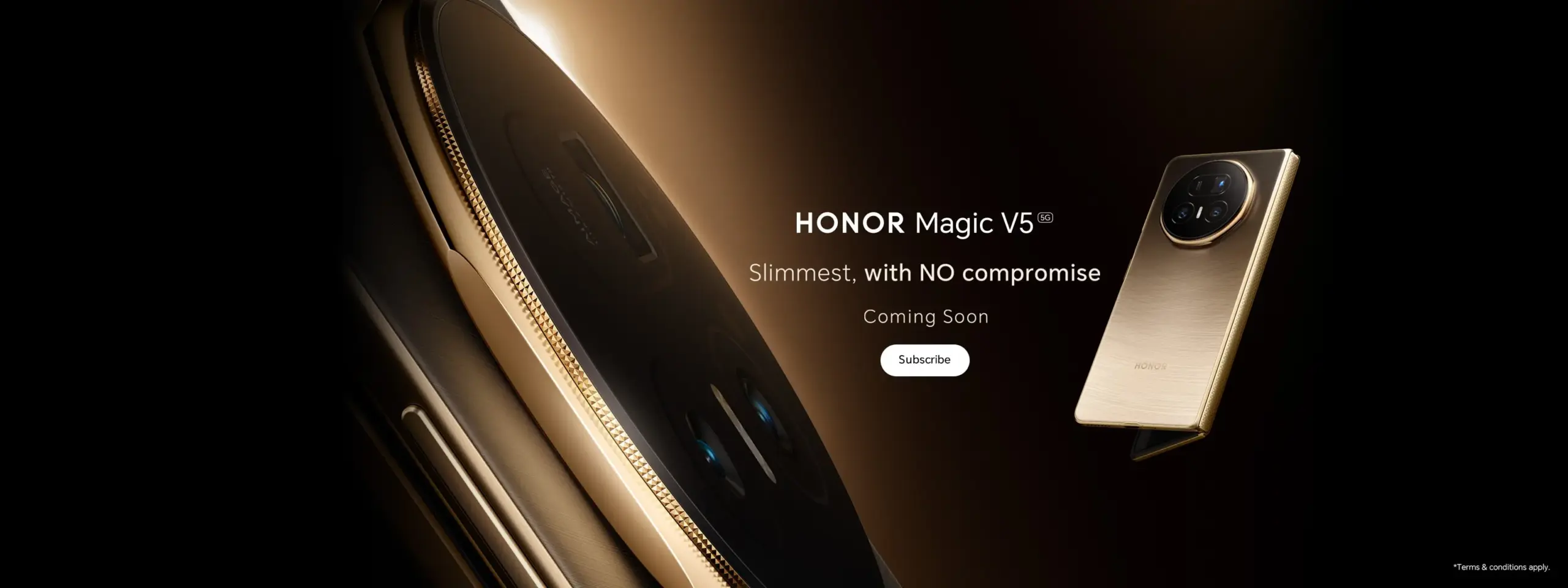
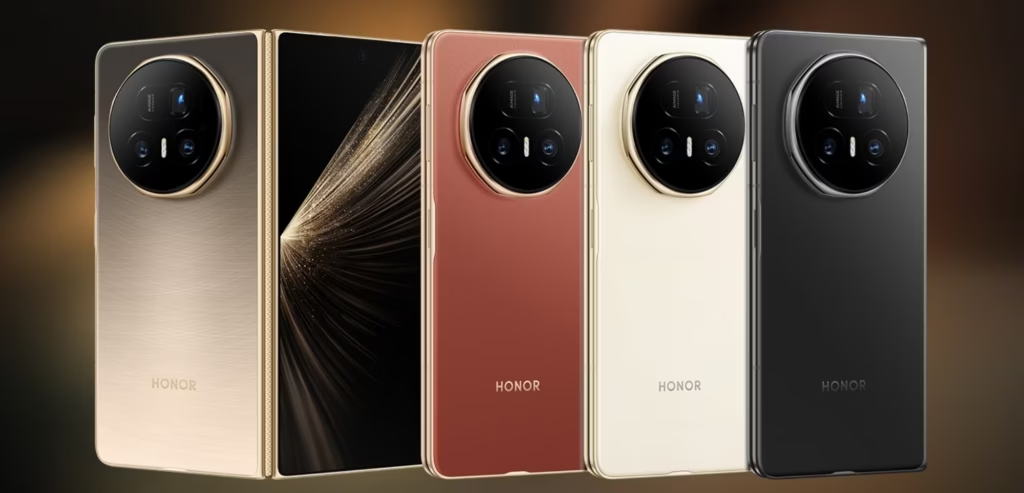
Honor has now officially unveiled the Honor Magic V5, a foldable phone that, at least on paper, makes headlines as the thinnest of its kind. When the increased camera hump and material variations among its color options are taken into account, the company’s claim that it is the thinnest foldable in the world is a touch stretching the truth.
Honor Magic V5 specs:
When folded, the Honor Magic V5 measures 8.8mm (as opposed to 8.9 on the Oppo Find N5), giving it a 0.1mm edge over its competitor. However, due to its unique fiber finish, the white version alone meets this criterion. Measuring roughly 9mm, the other color is made of substitute materials like vegan leather. Still elegant, but by no means a record-breaking all-rounder.
In terms of features, the Magic V5 is excellent. This boasts a huge 5,820mAh battery, up to 16GB of RAM, and the Qualcomm Snapdragon 8 Elite CPU. Both displays have IP58 and IP59 resistance and are 120Hz LTPO OLED screens. It is a good all-around package because it also supports wireless charging.
Camera
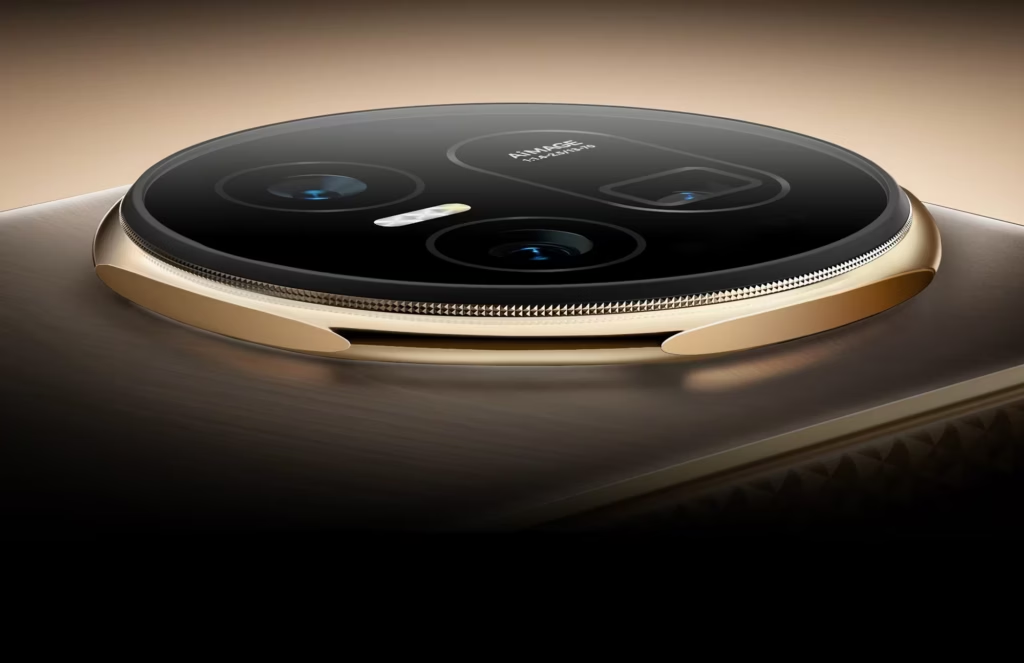
But thickness is more than just a numerical value. Despite having a thin overall design, the V5 feels chunkier due to the back camera module protruding significantly more than the Oppo one. Honor responds to it with a well-designed camera that has higher megapixels and a slower shutter speed, which is a compromise that many consumers will find acceptable.
With an opening thickness of only 4.1 mm, the Magic V5 narrowly outperforms its rival’s 4.2 mm frame. The Huawei trifold Mate XT, on the other hand, continues to hold the record for the thinnest open design, measuring only 3.6mm, but it does so by giving up the USB-C connection in one of the hinge locations.
Even though Magic V5 may be nearing the end of its design possibilities, it shows that Honor is still pushing the envelope, although slightly.
Stay connected with the latest from Droid Tools—follow us on X @droid_tools, like our page on Facebook, check out our updates on Instagram, and follow us on Google News for real-time news, device tips, and mobile tech insights.
The president is back in the White House after limiting Huawei’s access to American-made technology. This is most likely the reason why other top Chinese businesses have chosen to work together on a new operating system. I believe this is a positive step, even though it might only be a preventative measure and it might be some time before the efforts pay off.
Huawei is prepared to abandon Android entirely, six years after the US government first imposed limitations on the Chinese corporation. Huawei will now help OnePlus, Vivo, OPPO, and Xiaomi develop an Android substitute that doesn’t use Google. The market for smartphones needs this shock.
Smartphones aren’t as thrilling anymore. Each firm used to have a distinct advantage, but these days they all make phones with essentially the same design.
Operating systems for smartphones have been copying one another for so long that they hardly distinguish one another. Apple’s iOS imitated Android features last year, and Samsung debuted a new One UI 7 version this year that draws inspiration from iOS.
That isn’t always a terrible thing. For example, I’m happy to see Android get its own version of Dynamic Island as I use both iOS and Android phones.
Additionally, I miss the days when smartphone makers were free to try new things and different devices didn’t all have the same user experience.
Microsoft makes sporadic attempts to add some spice, but it never succeeds. Although Google’s Fuchsia OS offered some promise, it appears that smart gadgets would never be able to use this operating system.
Xiaomi and OnePlus’s rumored operating system may make smartphones exciting again.
Being self-sufficient is always beneficial.
Every business is on its own as nationalism grows. Chinese businesses must become more independent than ever before because of the ongoing hostility between the US and China. Chinese businesses need to prepare their operating system in case they run afoul of the US government as a precaution.
This has nothing to do with supporting a certain nation or business. Every business, including Samsung, should create its own operating system, in my opinion.
As of right now, though, Android is the only option available to businesses looking to sell phones.
When it comes to purchasing a smartphone, the options are already limited. The majority of consumers will no longer want to purchase phones from Xiaomi and BBK-owned OnePlus, Vivo, and OPPO if they are unable to access Android.
This has already happened with Huawei. However, Huawei has made a resurgence in China as its HarmonyOS matures. The wise course of action is to begin developing a new operating system if Chinese Android manufacturers don’t want to be taken by surprise.
No more Samsung and Apple monopoly
Apple and Samsung stand to gain the most from any possible rift between the US government and Chinese smartphone manufacturers. Google stands to benefit greatly as well because, although producing some of the greatest phones available today, its market share is quite small.
Xiaomi reportedly began developing an in-house microprocessor after learning about potential sanctions. Therefore, even if there hasn’t been any sign that the US wishes to restrict its access to Android, it is still possible.
In the worst case scenario, Apple and Samsung will see exponential growth, potentially leading to a duopolistic market. For this reason, we are in greater need than ever of a third mobile ecosystem.
This will not be a simple undertaking. For example, even after years of development and investment, Huawei’s operating system is still not a full substitute for iOS and Android. There are still not many well-known apps in the company’s app store.
Xiaomi and BBK-owned companies risk alienating customers in international markets if they cease selling Android-powered phones. A redesigned Android skin with cutting-edge functionality and distinctive aesthetic improvements would be a smart place to start.
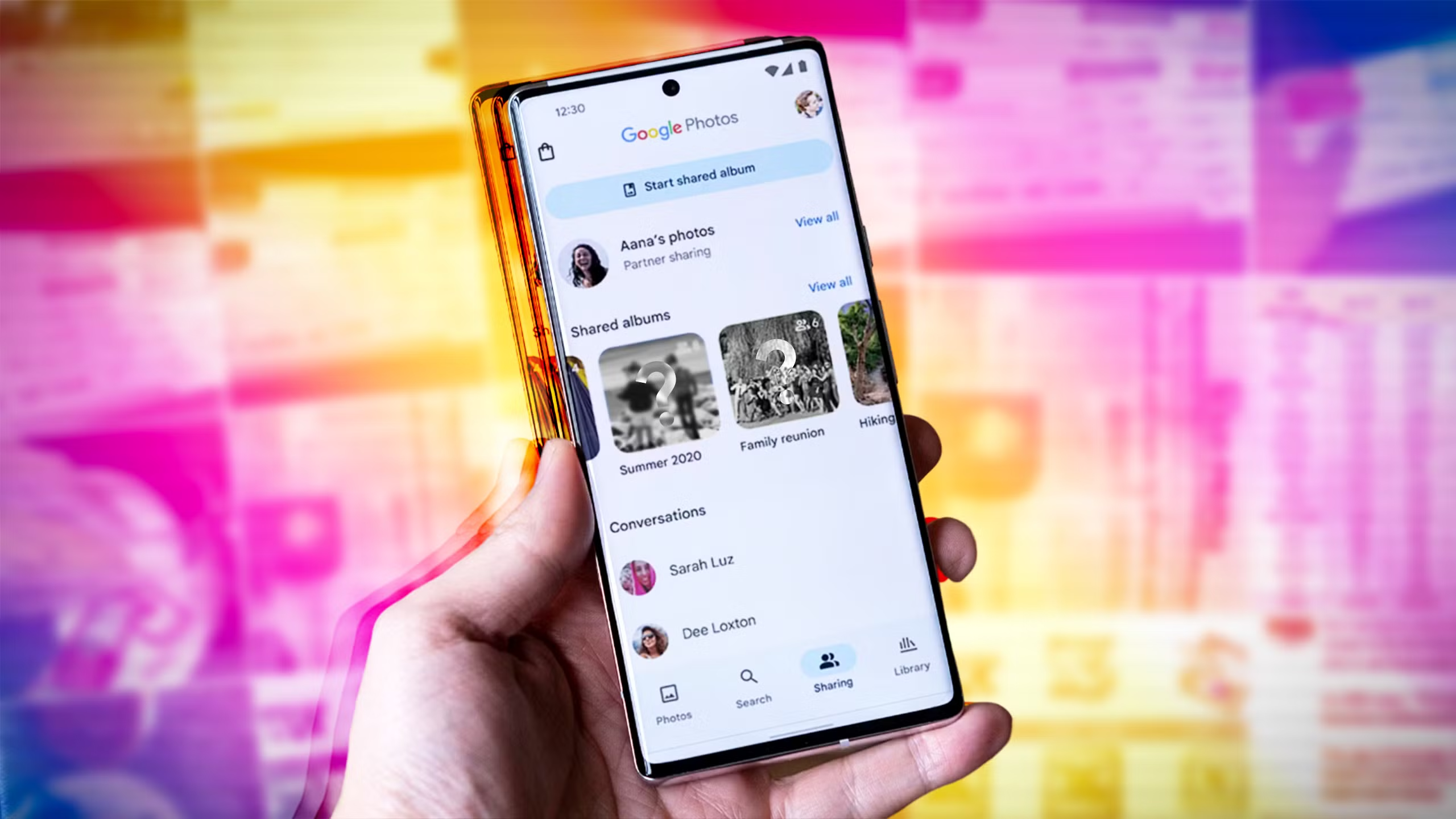
Do you want to protect specific images and videos without downloading additional apps? Android offers you multiple options to conceal your media, whether it be private memories, sensitive work material, or sensitive information – no dangerous tools or third-party apps are needed.
Using built-in capabilities like Google Photos, File Manager, and brand-specific tools like Samsung‘s Secure Folder or Xiaomi’s Hidden Album, you will discover various ways to conceal images and videos on Android in this guide.
Why hide media on your device?
Privacy isn’t just about hiding things from others – it’s also about peace of mind. You might want to hide photos or videos that are:
Sensitive work screenshots or files
Personal or intimate photos
Copies of IDs, passwords, or financial info
Photos you don’t want others to see when scrolling through your gallery
And the good news? You don’t need to install any shady apps to protect your content.
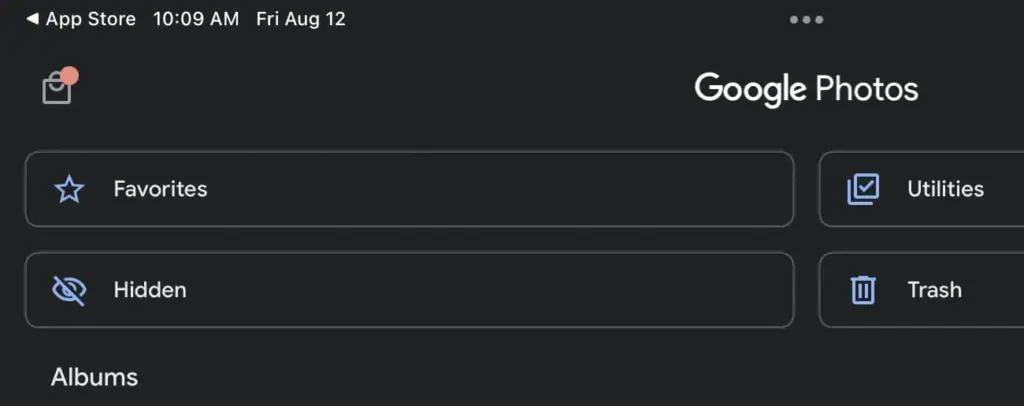
Method 1: Hide Photos Using Google Photos Archive
If you’re using Google Photos (which is pre-installed on most Android devices), archiving is the quickest and safest way to hide images from your main gallery view – all without deleting them or moving files around manually.
Step-by-Step Instructions:
Open the Google Photos app
Select the image(s) or video(s) you want to hide
Tap the three-dot menu in the top right
Select “Move to Archive”
These files will now disappear from your main timeline but stay safely stored in the “Archive” section.
Where to find archived photos later:
Go to Library > Archive in the bottom navigation of the Google Photos app
Why it’s useful:
Doesn’t delete or move files — just removes them from the spotlight
Perfect for semi-private content you might need later
Works across devices if you’re syncing with Google Account
Note: Archived photos still appear in albums or search results unless you manually remove them from those albums.
📌 Best for: Casual privacy without breaking anything or hiding files completely.
Method 2: Use File Manager to Hide Files Manually
Regardless of brand or Android version, this is a universal solution that works with almost all Android phones. You will make a hidden folder that will be automatically ignored by the Android operating system and media scanning applications.
Step-by-Step:
Open the File Manager or My Files app on your phone
Navigate to Internal Storage
Create a new folder and name it with a dot (.) at the beginning, such as .HiddenMedia or .SecretFolder
Move the photos and videos you want to hide into this folder
Why it works:
Android treats folders starting with a “.” as hidden directories
Media in these folders won’t appear in your gallery, Google Photos, or other media apps
Once done, your Gallery and Google Photos app will no longer detect those files — making them invisible unless you go looking.
To view them again: enable “Show hidden files” in your file manager’s settings
Best for: Total manual control over media hiding
Method 3: Rename File Extensions
This method only hides files so they will not open in photo or video apps; it does not actually hide them.
Step-by-Step:
Open your File Manager
Find the photo or video file you want to hide
Tap Rename and change the file extension (e.g., .jpg → .xyz)
At this point, the file will show up as an unopenable generic document. Just change the extension to its original format to get access again.
Caution: Make sure you remember the original extension (.jpg, .png, .mp4, etc.) so you can restore it!
Best for: Hiding media from gallery apps without deleting it
Method 4: Use Built-In Secure Folder (Samsung, Xiaomi, Huawei)
Nowadays, a lot of oems include built-in safe storage options that enable you to conceal documents, programs, and media using password or biometric security.
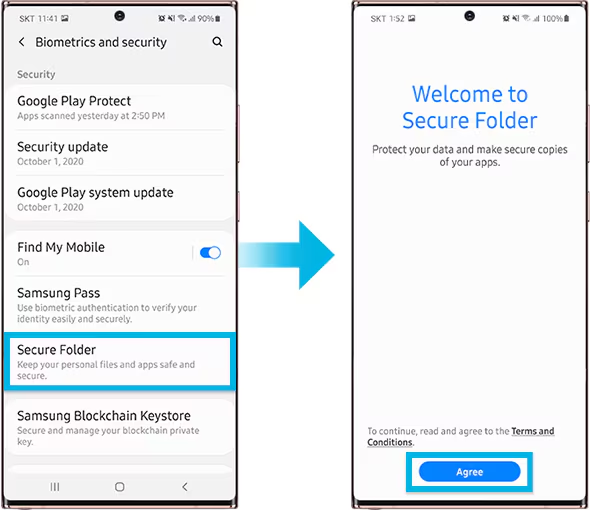
Samsung: Secure Folder
With Samsung’s Secure Folder, your phone has a private, encrypted area. It is secured by a distinct passcode or fingerprint, which is distinct from the lock on your phone.
To set it up:
Go to Settings > Biometrics & Security > Secure Folder
Sign in with your Samsung account
Create your Secure Folder with fingerprint, PIN, or pattern
Open the Secure Folder and import photos/videos from your gallery
Even the application’s access is limited without unlocking the folder, and these files are totally concealed from the main gallery and file manager.
Xiaomi/Redmi: Hidden Album
The Hidden Album function in Xiaomi’s Gallery app makes it quick and easy to conceal private material.
How to use:
Open the Gallery app
Go to Albums > Hidden Album
Set up the feature (may require Mi account login)
Move selected images/videos to this section
Content in the Hidden Album is protected and will not appear elsewhere unless explicitly restored.
For Huawei or OnePlus:
Use PrivateSpace (Huawei) or App Lock & Hidden Space (OnePlus). These offer similar levels of privacy and allow photos/videos to be locked with additional credentials.
Best for: Maximum privacy with encryption and authentication — perfect for work or highly sensitive media.
Method 5: Use Guest Mode or Multiple Users
Another sneaky method is to create a Guest account on your phone:
How to enable Guest Mode:
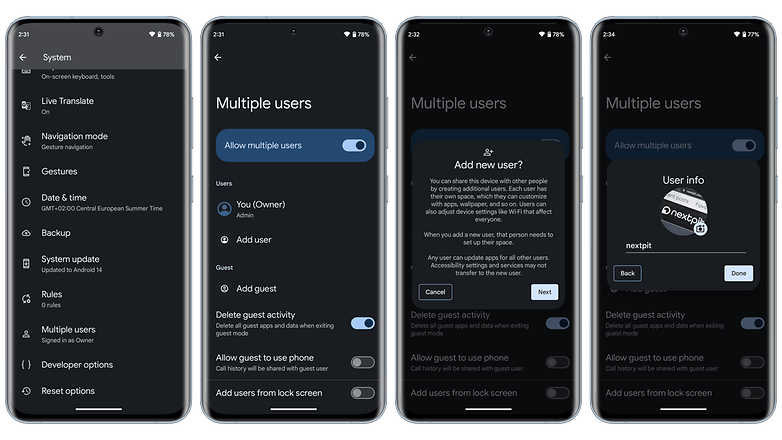
Like a computer, Android allows for many user profiles. You can set up a Guest Mode on your phone to keep other users from seeing your messages, apps, or pictures.
To activate Guest Mode:
Open Settings > System > Multiple Users
Enable Guest Mode or add a new User
Switch to the guest profile when someone else is using your phone
Switch to Guest mode when someone else wants to use your phone. This keeps all your media, apps, and settings hidden by default.
Bonus Tip: Some phones allow locking the switch between users with a password or fingerprint.
Best for: Sharing your phone without giving others access to your personal content.
What NOT to Do
While hiding media is easy, here are some common mistakes to avoid:
Don’t delete files unless you’re sure you have a backup
Don’t trust sketchy third-party apps from unknown developers—many are filled with ads, trackers, or even malware
Avoid cloud backups for sensitive files unless encrypted
Extra Privacy Tips
Use a Gallery app with built-in vault (e.g., Simple Gallery Pro)
Encrypt your phone under Settings > Security > Encryption
Back up sensitive images to a secure cloud (e.g., Proton Drive or a password-protected ZIP file on Google Drive)
Hide It the Smart Way
You don’t need to clutter your phone with apps just to hide a few private photos. Android gives you several easy, built-in ways to hide images and videos safely:
Archive them in Google Photos
Move them to a dot-folder via File Manager
Use Secure Folder or Guest Mode for stronger protection
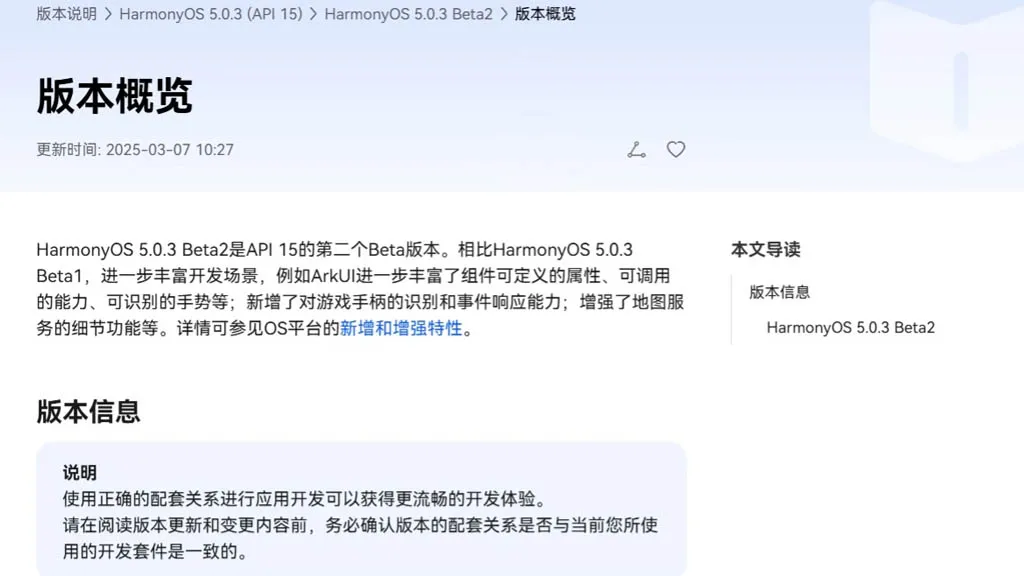
With an extensive list of new features and improvements, Huawei has made the HarmonyOS 5.0.3 beta 2 rollout available to developers. Numerous areas have been enhanced by the company, such as ArkData, ArkUI, AppGallery Kit, Camera Kit, Core File Kit, and more.
Also, it has expanded these segments’ capabilities to improve internal management and developers’ overall experience. The new HarmonyOS 5.0.3 Beta 2 was created by the Chinese phone manufacturer using API 15. In comparison to the previous edition, it significantly redesigns the development scenarios.
Mainly ArkUI improves the responsiveness, callable capabilities, and customizable attributes for map services and game controllers. Only because of its graphical repercussions for the development of HarmonyOS 5.0.3 have we brought up the ArkUI in the vast changelog. The complete changelog is available at the source link below.
HarmonyOS 5.0.3 Beta 2: ArkUI Changes
The basic component now supports the ability to insert text at a specified location in the edited text and delete the content in a specified area.
The focus axis event has been added to the general events to support responses to game controller axis events. The C API also supports obtaining the value of the operation type of the current axis event.
The pattern password lock component now supports setting whether unselected grid dots are automatically selected when the password path passes through them.
Window Management A new C API for window management is defined, which is mainly used to set and get the properties of a specified window, as well as to set the status bar style and navigation bar style of a specified window.
The Image component now supports color filling that can overwrite the original color. This feature is only available for image sources in SVG format.
The Image component now supports automatic transformation based on the image matrix, providing automatic transformation optimization when presenting grid-type thumbnails in scenes similar to galleries.
The Tabs component and Swiper component now support setting the mouse wheel page turning mode.
NavDestination adds support for callbacks when events return, which is used to pass parameters when events return.
The TextPicker component now supports configuring the text style of each selection item.
The Progress component adds a new C API to support the setting of the linear progress bar style.
The folding screen state enumeration in the screen property module adds multiple state definitions for the folding axis 2.
The Node attribute style of the C API adds the background blur effect attribute NODE_BACKDROP_BLUR.
FrameNode now supports cross-language capabilities.
FrameNode now supports the expansion mode of child nodes when traversing nodes.
Size settings now support setting width and height to adapt to the parent component layout.
Text components now support shortcut key tips (labelInfo) in TextMenuItem.
The three types of pop-up components now support setting the pop-up display level and related properties and effects (levelMode, levelUniqueId, immersiveMode).
BindSheet adds support for the radius property, which is used to set the radius of the semi-modal page corners, and adds support for the detentSelection property, which is used to set the non-gesture switching position.
Added a new navigation point component, providing two navigation point styles: dot navigation point and digital navigation point.
The Swiper and Tabs components now support animated transitions.
The Swiper component now supports sliding behavior interception events, which can determine whether sliding behavior is allowed. The C API controls this through a property named NODE_SWIPER_EVENT_ON_CONTENT_WILL_SCROLL.
Third-party platforms have added support for finding the previous or next focus (ARKUI_ACCESSIBILITY_NATIVE_ACTION_TYPE_NEXT_HTML_ITEM, ARKUI_ACCESSIBILITY_NATIVE_ACTION_TYPE_PREVIOUS_HTML_ITEM) when they are connected to the ArkUI accessibility framework.
The third-party platform is connected to the ArkUI accessibility framework to add support for multi-instance scenarios.
The NavDestination component information of the ohos.arkui.observer module adds the NavDestination type and uniqueId.
UIContext now supports getting screenshots of loaded components by unique Id.
UIContext now supports the ability to obtain the layout information of the meta-service menu bar relative to the window.
New C API for common events supports obtaining the ID of the current touch event trigger.
A new interface with the same name has been added to the window for 2-in-1 devices to set application window size limits.
A new interface of the same name is added to the window for specifying the position of the mouse within the window and moving the window.
The window adds an asynchronous callback for the window close event monitoring of 2-in-1 devices.
The window now supports enabling the monitoring of picture-in-picture window size change events.
The window now supports dynamically setting the title of the window title bar.
The window now supports setting the main window’s support modes (full screen, floating window, split screen, etc.).
NavDestination now supports setting whether to hide the back button in the title bar.
Added C API support for controlling focus and handling focus events.
Added C API to support forwarding of clone events.
The Popup component adds the keyboardAvoidMode property to set whether the Popup bubble avoids the soft keyboard.
The pop-up window now supports setting the distance to avoid the keyboard. The ArkTS API is provided as attributes. You can search for the keyword keyboardAvoidDistance in the table pointed to by the link.
The attribute string now supports the settings of ResourceStr type images.
The attributed string image object now supports obtaining the attributed string image color filter effect (colorFilter).
The drag capability now supports obtaining the drag data of the drag progress bar.
The component screenshot capability now supports defining component screenshot areas.
The Tabs component adds component parameters to support setting the tab position of the Tabs.
Text components now support triggering callbacks when the text content is about to change.
Added support for obtaining whether touch-related events come from the left or right hand, involving multiple modules: the event module added relevant C API, the gesture binding method added a hand attribute to the FingerInfo object, the touch event TouchObject object added a hand attribute, and the click event clickevent object added a hand attribute.
Added support for checking the number of fingers touching the screen, involving multiple modules: NDK added related C APIs, and components added the property isFingerCountLimited to set whether to check the number of fingers touching the screen. This property can be viewed in the reference page of each component.
Added support for setting the priority of key event processing and the ability to redistribute. Involved: NDK added a C API for setting the priority of key event processing, NDK added NODE_DISPATCH_KEY_EVENT to the ArkUI_NodeEventType enumeration, indicating the component key event redispatching event (C API), UIContext added an ArkTS API for setting the priority of key event processing, and UIContext added an ArkTS API for distributing key events to specified components.
The C API adds support for NODE_CHECKBOX_GROUP-related capabilities. You can search for this keyword in the API reference.