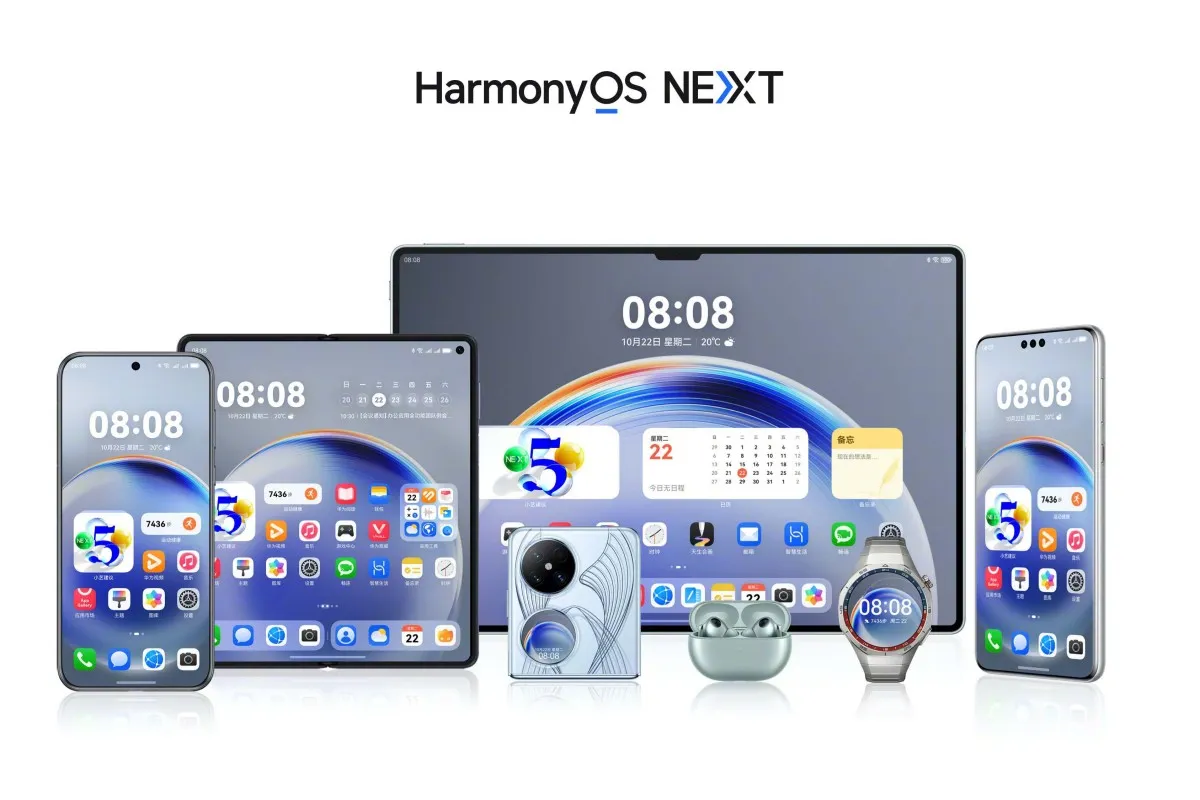
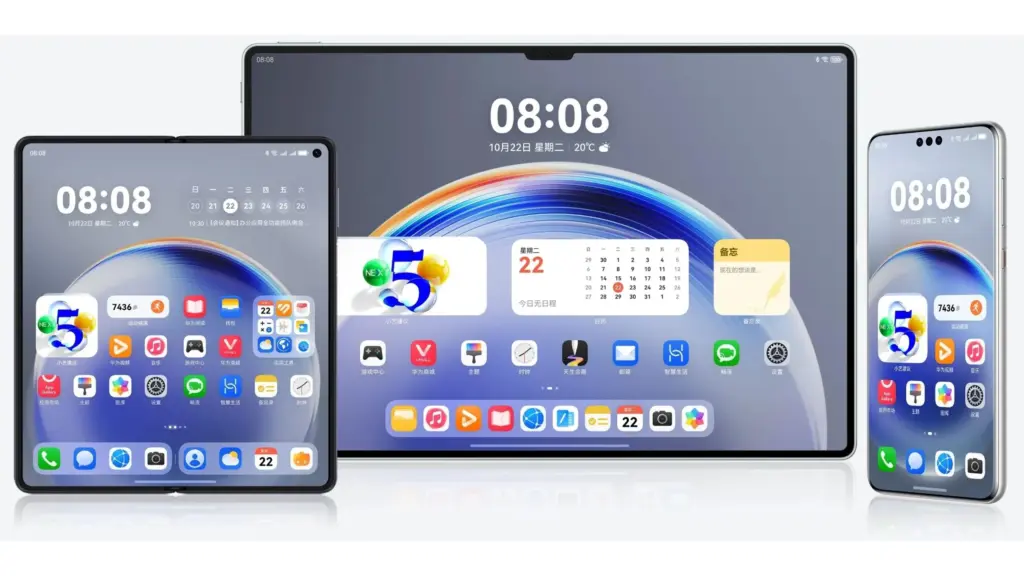
In March, Huawei is probably going to speed up the HarmonyOS NEXT public beta release. For a few mid-range phones and flagship tablets, the business is presently concentrating on closed beta testing. However, it might soon expedite software testing for the general public.
The HarmonyOS NEXT public beta program will begin operating on the fast track in March, according to FixedFocus. The new update will soon be available to users who have been waiting for it.
According to official information, the HarmonyOS NEXT closed beta second wave for the MatePad Pro 12.2, Nova 13 series, and Nova 12/Pro has begun. Next month, these models might go into public beta testing. Owners of the corresponding devices can get ready for installation and take advantage of certain stable software.
According to the tipster, NEXT will be pre-installed on the Pocket 3 foldable, which is anticipated to make its debut next month. In the meantime, work on the HarmonyOS PC version might also start in earnest in March.
The estimated weight of the public beta firmware is 2.0GB. The size of the software package may differ depending on the model. We advise having 8 to 10GB of storage available so that the update may be installed without any problems.
Since HarmonyOS NEXT has the ability to erase all data for improved optimization, make a backup of your device’s data in beforehand. For a smooth installation process, make sure you have a reliable internet or Wi-Fi connection. The battery needs to be charged, which you can do quickly!
Public beta journey for HarmonyOS NEXT
In October of last year, the business started the HarmonyOS NEXT public beta test. The Mate 60 series, Mate X5, and MatePad Pro 13.2 2024 tablet were among the flagship products for which it was first made available. It then made its way to Pocket 2 and Pura 70.
The HarmonyOS NEXT public beta pool now includes devices such as the MatePad Pro 11 2024 tablet and the Nova 12 Ultra/Star Edition. Compared to the closed beta versions, it provides a little more stable software experience. Huawei plans to expand this batch of smartphones in the near future.
On the third day of Huawei Connect 2024, the OEM showcased the revolutionary capabilities of the native HarmonyOS. In terms of the user experience, efficiency, and self-developed software system, it also shares a few other accomplishments.
According to Zhu Yonggang, President of Huawei Mobile Cloud, users will receive a fresh and inventive experience at their doorstep with the native HarmonyOS NEXT.
The newest system architecture serves as the foundation for the new HarmonyOS, which is powered by distributed soft buses, native intelligence, and Star Shield protection. Together with ensuring an amazing appearance, these parts also guarantee quicker, more seamless, and safer device operation.
HarmonyOS NEXT does away with all conventional foreign components. Compared to Linux, it is three times more efficient thanks to its pioneering microkernel. Because of its high level of security, this kernel has been certified at several higher industry levels.
The new self-developed OS’s intrinsic intelligence is another important component. To get the best and most complete intelligence for system apps, the company has reformed AI-centered intelligence. Celia is an excellent illustration of this element.
The Assistant
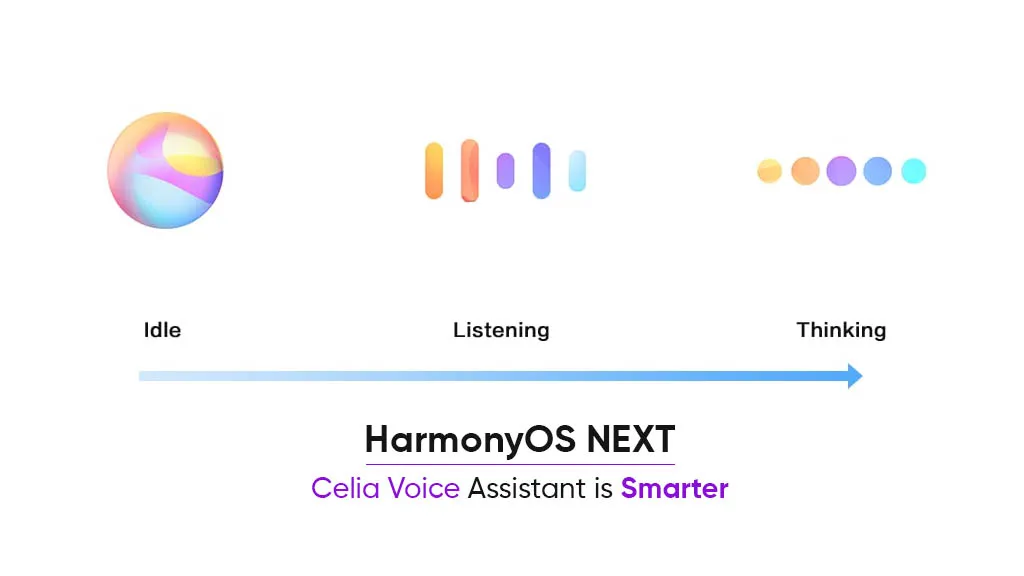
Celia has reached a higher level. It has a ton of useful services and intriguing features. It links third-party apps to the HarmonyOS native app ecosystem and empowers the expansive Pangu AI model to oversee them. A new and more intelligent virtual assistant developed by Huawei is also ready and is built on the high-level interaction of large models.
This helper is capable of thought, planning, artistic expression, and more organic user involvement. It provides a simple understanding so that users may more easily enjoy taking notes, asking inquiries, obtaining document intelligence, and recognizing dialogue on screen.
Easier multi-device collaboration
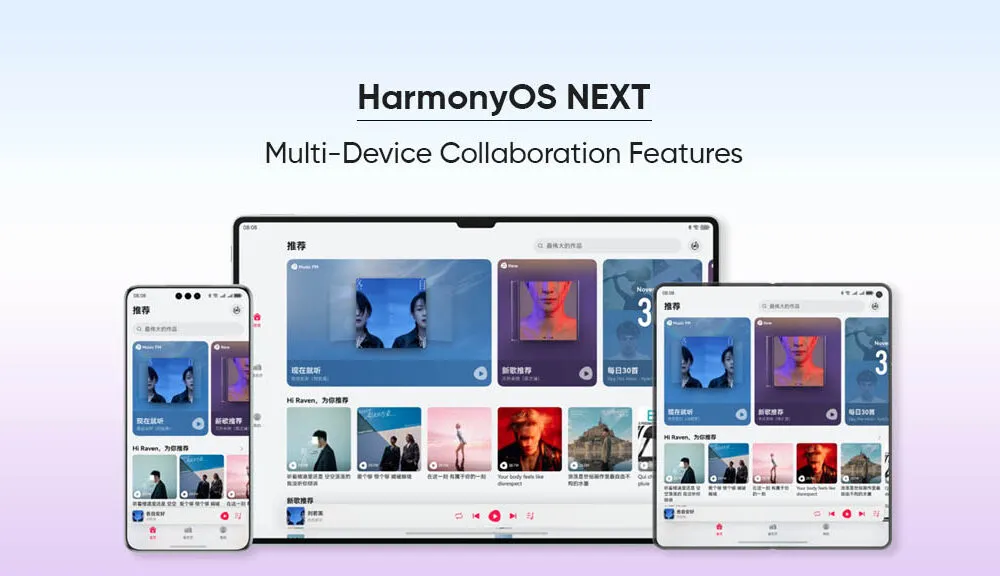
According to Zhu, the HarmonyOS NEXT provides a smooth service flow and sharing encounter. Additionally, app continuation is supported. To seamlessly carry out one device’s task on another, just bring the two devices close together and click the pop-up icon.
These gadgets might include laptops, smartphones, tablets, and even smart automobiles. Right now, the best instances of app continuation are Amap, DingTalk, and WPS. They even offer features like a copy-and-paste tool for the gallery that works across devices.
The President goes on to say that HarmonyOS NEXT’s new Star Shield Security architecture makes it the most potent OS to date in terms of security and privacy. It oversees full-process purity, system security, and kernel security.
The Huawei representative claims that HarmonyOS NEXT operates on a “one system, one ecosystem” basis. For this reason, it seeks to bring many objects and circumstances under the purview of interaction. The corporation makes an annual investment of about 6 billion yuan to support innovation inside the HarmonyOS ecosystem.
Following the release of the HarmonyOS NEXT beta, the company released more than six versions. Additionally, it got more than a million comments and ideas.
Perhaps the stable HarmonyOS NEXT version would be an extremely better software system for Huawei device owners.
Huawei is scheduled to release HarmonyOS NEXT on January 18, which represents a significant advancement in the company’s software goals. Unlike HarmonyOS 4, which was built on the Android Open Source Project (AOSP) as its foundation, HarmonyOS NEXT is entirely based on Huawei‘s proprietary Harmony kernel, which means that it does not support Android compatibility or the direct execution of existing Android apps (APKs).
HarmonyOS Next breaks free from Android
This bold move presents a unique opportunity for Chinese developers: since native apps are now the only language supported by HarmonyOS NEXT, there will be a huge demand for programmers who understand its architecture. As a result, more than 400 software companies from a variety of industries, including games, finance, travel, and navigation, have already jumped on board and developed applications specifically for HarmonyOS NEXT.
Furthermore, research firm TechInsights projects that by 2024, HarmonyOS will have overtaken iOS as the second most popular mobile operating system in China as a result of this calculated move, which could pose a serious threat to Android’s hegemony in the nation.
Though the potential is evident, there are still obstacles to overcome. Establishing an app ecosystem from the ground up is no easy task, and gaining widespread app adoption—especially from international players—will be essential to long-term success. That being said, NEXT marks a significant turning point in the company’s journey towards software independence and opens the door for a potentially competitive alternative in the mobile market.
HarmonyOS NEXT: future
Independence achieved: Huawei’s latest OS, HarmonyOS NEXT, ditches its Android roots and relies entirely on its own Harmony kernel.
No legacy baggage: Existing Android apps (APKs) won’t run on NEXT, demanding native app development.
Developer boom: 400+ Chinese companies are already building apps for this new platform, creating job opportunities.
Over the course of the holiday sales period, Huawei and Xiaomi handsets outsold Apple’s iPhones in the Chinese market. Local firms appear to have benefited the most from China’s Singles Day sale, which is held on November 11.
Huawei and Xiaomi register outperform Apple in China
The latest iPhone 15 lineup from the Cupertino-based company was surpassed in sales by the Chinese tech giants, according to a Counterpoint Research report. The report also noted that domestic brands’ smartphones saw higher sales during the 11.11 shopping period, while iPhone sales fell by 4 percent in the two weeks from October 30 to November 12.
However, Xiaomi also saw a notable 28 percent increase during this same period. Notably, the two domestic companies’ jump in sales also boosted the local market’s smartphone sales overall by 5 percent year on year during the Singles’ Day sales period. Huawei, on the other hand, saw a sizeable 66 percent year on year increase in its Singles’ Day sales, driven primarily by its latest flagship 5G series (the Mate 60 lineup).
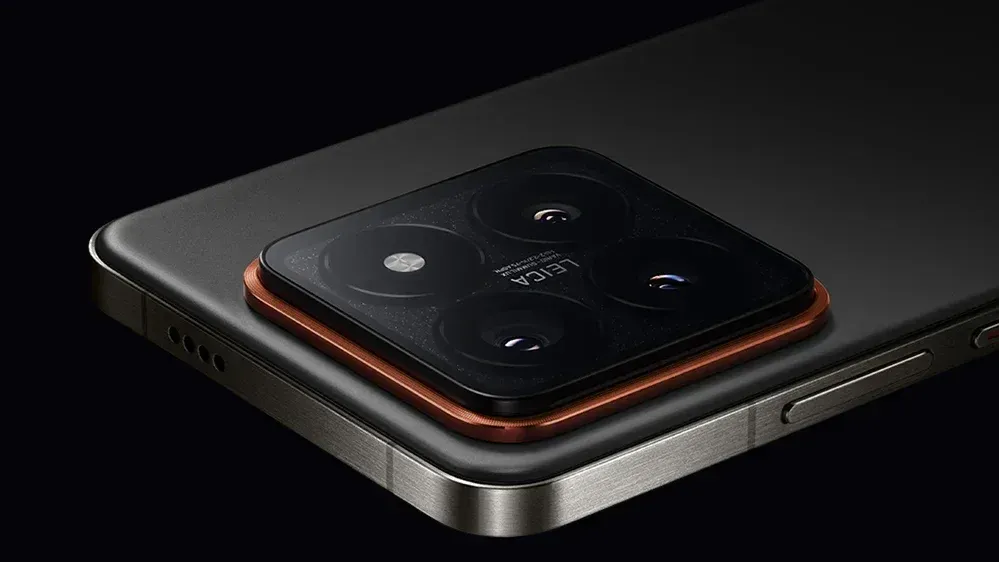
In terms of pricing, the Huawei Mate 60 series is priced at 5,499 Yuan, or approximately 775 US dollars, starting at 3,999 Yuan, or roughly 563 US dollars, while the Xiaomi 14 lineup is priced at 5,999 Yuan, or approximately 845 US dollars. Xiaomi even revealed sales figures from the shopping festival, stating that sales totaled over 22 billion Yuan, or approximately 3 billion US dollars.
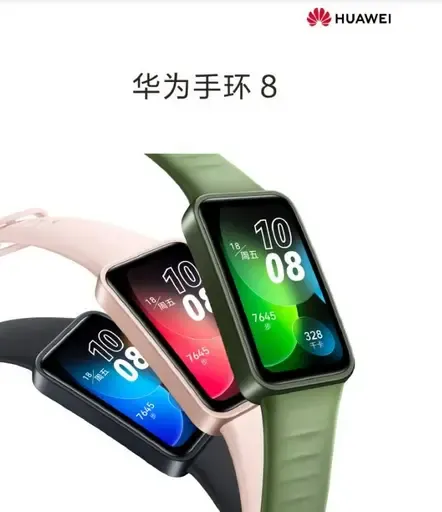
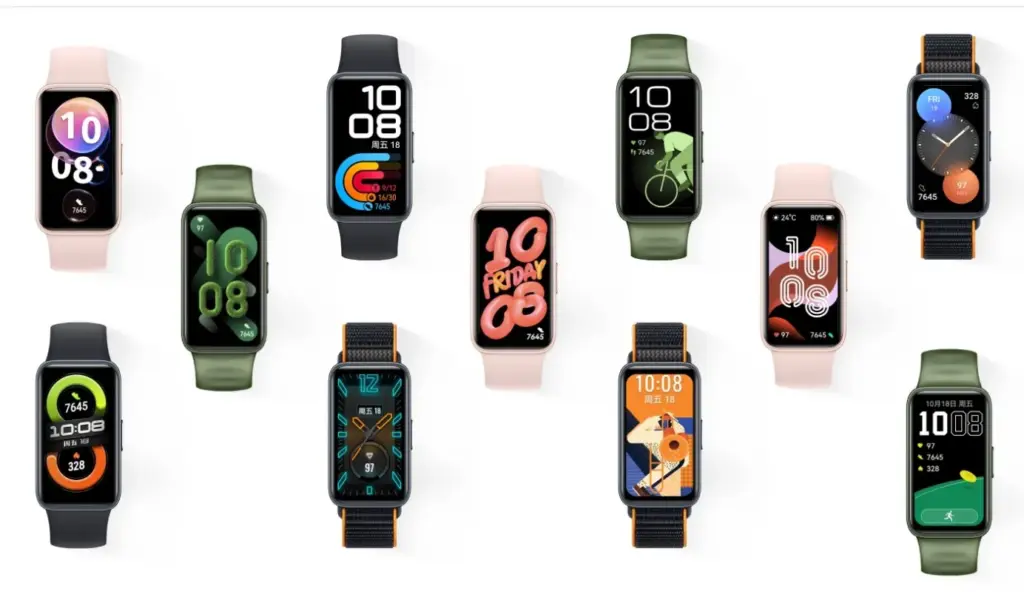
The Huawei Band 8 is the newest fitness tracker that Huawei has unveiled in China. The item was unveiled alongside the Huawei Enjoy X mid-range phone, the Nova 11 line of smartphones, and the Matebook D 14 and MateBook D 16 notebooks for 2023. Below are a complete list of the Band 8’s features, specifications, and cost.
Huawei Band 8 specifications and features
The company’s lightest and smallest large-screen fitness tracker is the Huawei Band 8. The device has an 8.99mm thickness and weighs only 14 grams, making it somewhat lighter than the previous model. Due to its small bezels, it has a 1.47-inch AMOLED screen with a 368 x 194-pixel resolution, a screen-to-body ratio of 65 percent, and a 2.5D high-quality curved glass screen that gives it a beautiful aesthetic. There are more than 10,000 different watch face designs for the Band 8 fitness tracker.
Fast charging is supported by the Huawei Band 8; a full charge takes 45 minutes and 5 minutes of charging gives 2 days’ worth of usage. Any worries about the Band 8’s battery life are put to rest by the fact that a fully charged battery can last up to 14 days. It is the first Huawei fitness band that have HarmonyOS 3.1 installed.
Huawei’s TruSleep 3.0 sleep tracking technology, which is included with the Band 8, has a 10% increase in accuracy over earlier versions. The enhanced algorithm offers users expert and credible sleep advice. In addition, the business has introduced the “Smart Sleep Improvement Plan” in partnership with the China Sleep Research Association to provide users with sleep issues with systematic and individualized sleep interpretation and improvement programs.
With HUAWEI TruSeen 5.0 heart rate monitoring technology, the Band 8 has also gotten an upgrade to its heart rate algorithm, increasing accuracy by 10%. It has a function called “7-day resting heart rate” that plots the user’s resting heart rate over the last seven days. In addition to supporting automatic blood oxygen detection, heart health research, women’s health management, and 24/7 stress monitoring, Band 8 has professional health management capabilities.
It is also the first fitness tracker made by Huawei to use a smart negative screen. Users can access smart scene information such as timetables, hotels, airlines, and trains by swiping the screen to the right, which brings up the negative screen. The gadget can quickly morph from a “smart travel secretary” and into an access control card, traffic card, and smart flash card.
Huawei Band 8 price and availability
The standard version of the Huawei Band 8 is priced at only 269 Yuan (~$39), and the NFC version is priced at 309 Yuan (~$45). It will be available for purchase starting April 26 on Huawei Mall, major e-commerce platforms, and authorized experience stores. It comes in four colours: Magic Night Black, Cherry Pink, Emerald Green, and Vibrant Orange.
The Huawei Nova 9 SE was released in March, and of course, the specifications of the device had to abide with the limitations imposed on Huawei by the US. This indicates that the 6nm Snapdragon 680 4G SoC powers the phone. You see, a current export regulation forbids foundries employing American technology from exporting chips to Huawei, even if those chips are created by the company itself, preventing Huawei from having its devices enable 5G.
In order to get around this, Huawei has filed a patent for parts that would be used by an ultra-violet lithography device (EUV). There is only one business in the world that makes this equipment, and that company, ASML, does not send EUV machines to China. This machine etches circuity patterns on a silicon wafer that are thinner than the width of a human hair. In order to cram billions of transistors into a chip, smaller designs are required. A chip becomes more powerful and energy-efficient as its transistor count increases.
Huawei might make a significant comeback in the smartphone industry if it can construct its own EUV machine, which is something that isn’t totally evident right now. Its ecosystem, app marketplace, and operating system are all unique. Huaweri only need cutting-edge chips, and if it develops its own EUV, it might be able to assist SMIC, China’s top foundry, in producing chips that are compatible with the silicon offered by TSMC and Samsung Foundry.
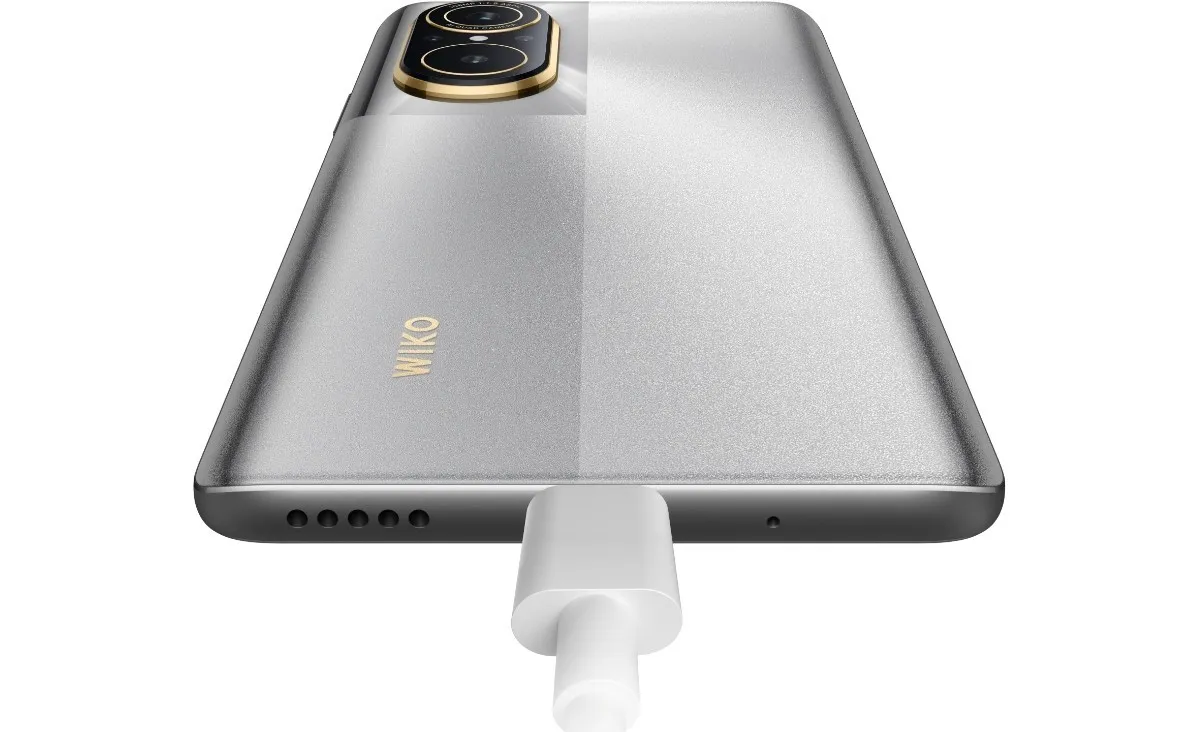
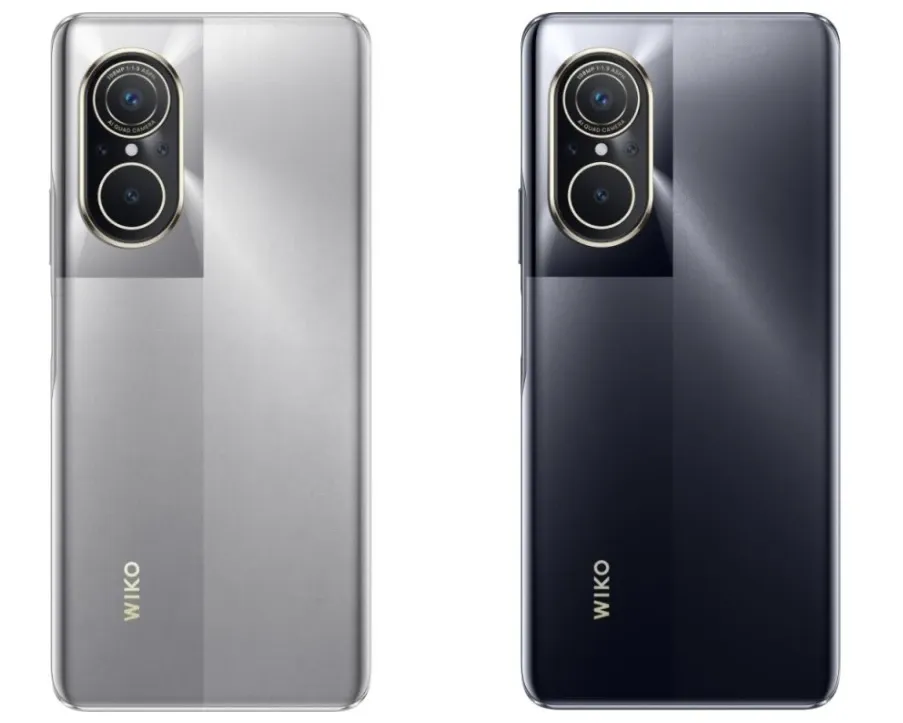
According to GSMArena, a French company using the Wiko brand name is trying to make a comeback in the marketplace by rebranding the Huawei Nova 9 SE as the Wiko 5G. The phone uses a chipset that Huawei doesn’t have access to, the Snapdragon 695 SoC which does feature 5G support. The Wiko 5G, like the Nova 9 SE, sports a 6.78-inch LCD display with an FHD+ resolution of 1080 x 2388 and a 120Hz refresh rate.
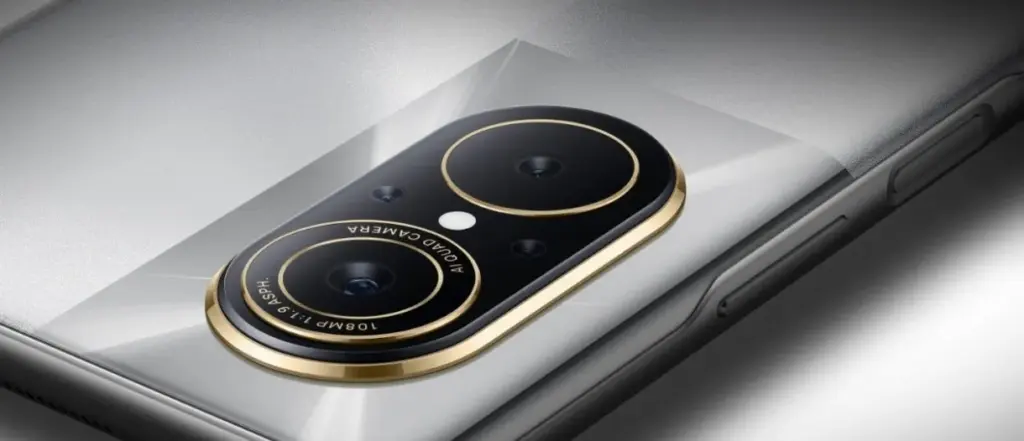
The Wiki 5G features 8GB of RAM along with either 128GB or 256GB of storage. Keeping the lights on is a 4000mAh battery with 66W wired charging. The rear camera array is intriguing as it comes with a 108MP Primary camera, an 8MP Ultra-wide camera, a 2MP Macro camera for extreme close-ups, and a 2MP depth sensor. The front-facing selfie snapper weighs in at 16MP. The handset is pre-installed with HarmonyOS which means that software updates for the device will be coming straight from Huawei.
The price for the Wiko 5G is 1,999 Chinese yuan ($287) for the model with 128GB. The model with 256GB of storage is priced at 2,199 Chinese Yuan ($315).
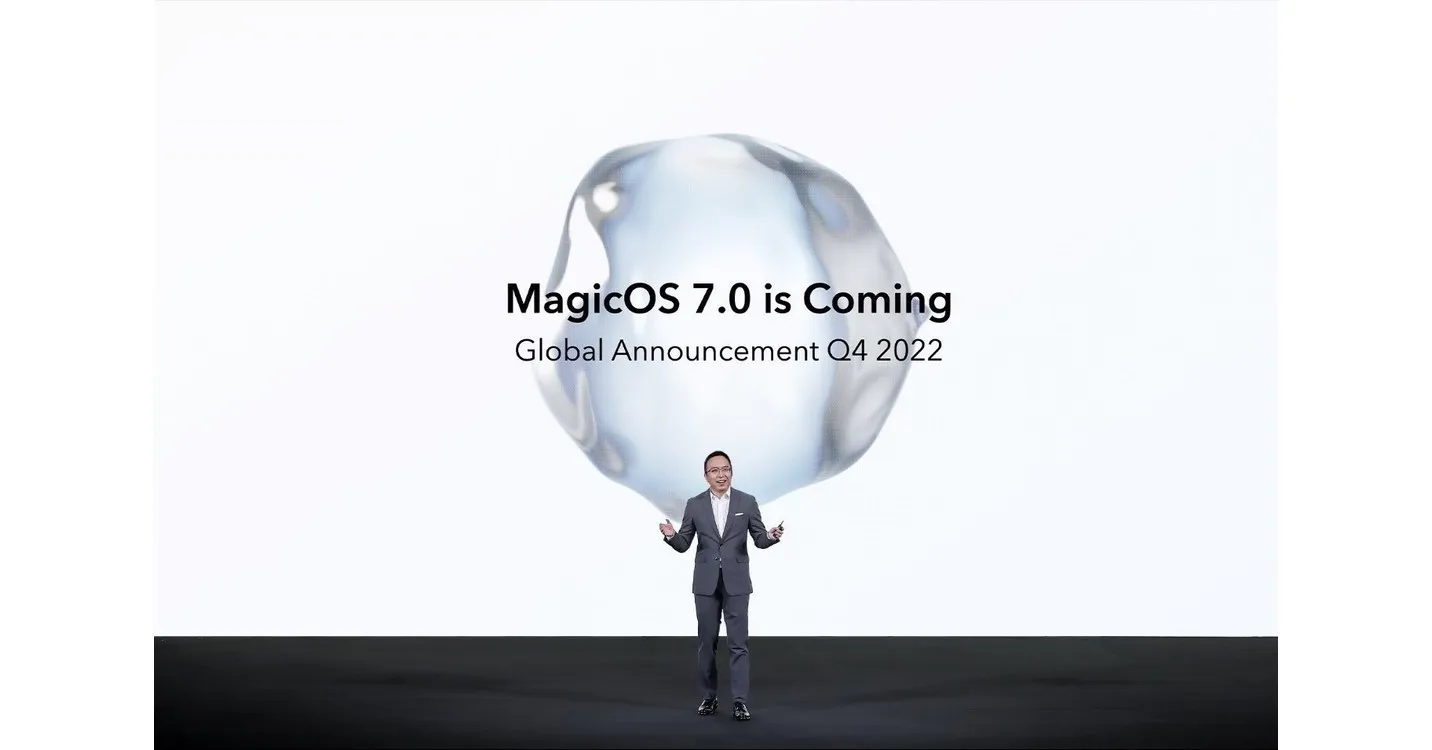
A day before the Honor 80 series and foldable Magic Vs were officially unveiled, Honor unveiled MagicOS 7.0, which is based on Android 13. The new version, which replaces Magic UI 6.2, will be available on all incoming Honor smartphones. MagicOS offers an aesthetic makeover along with a number of remarkable features.
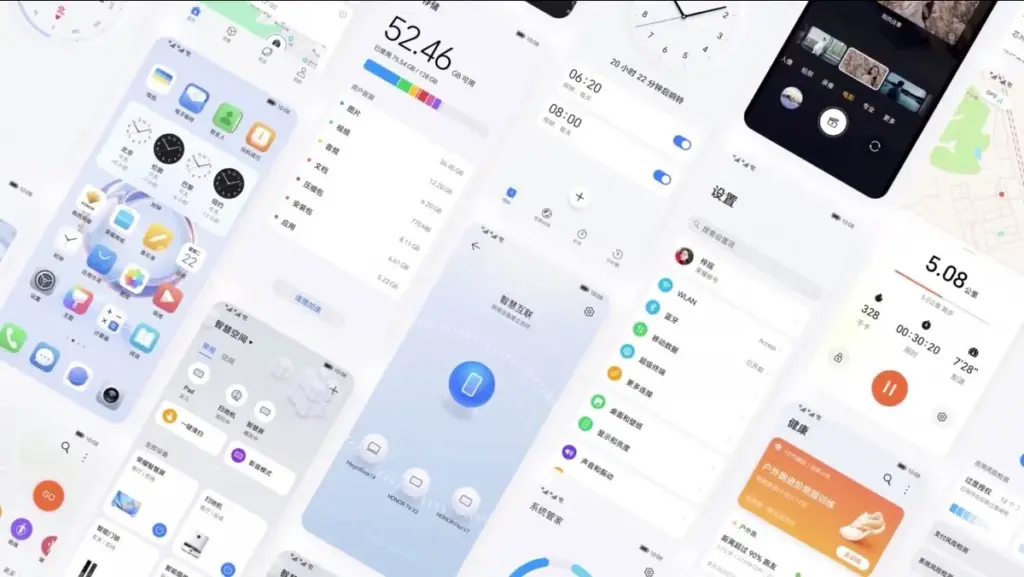
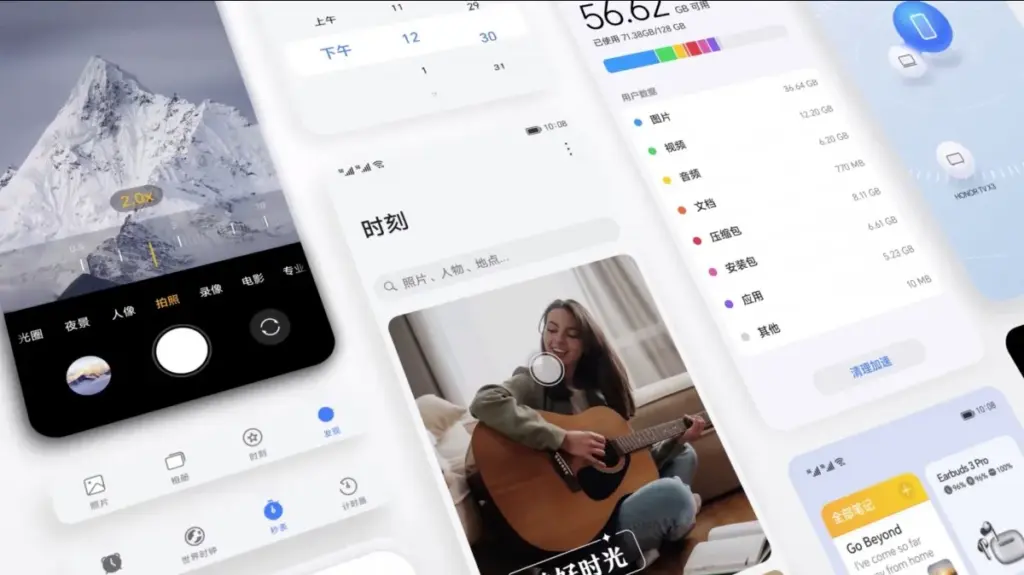
Flat icons, fluid animations, and the new Honor Sans font are all part of MagicOS 7.0’s more streamlined design. Larger, more accessible folders are now housed on the home screen. A more individualized experience is made possible by the new widgets. A new built-in video editor was also unveiled by Honor.
The smooth file transfers, smart clipboard, call management, and notification handling between MagicOS devices and other Honor laptops and tablets are now known as MagicRing, according to Honor. A split-screen keyboard, smart widgets, and task manager support are further advantages for foldables. Another novelty, Magic Text, lets users scan and save text to PDF while also identifying text in photos.
Faster app launches and improved system-level power consumption management are promised by Honor OS TurboX, while MagicGuard takes care of system, privacy, and financial security concerns as well as malware protection for devices.
A preliminary list of the devices that will get the MagicOS 7.0 update in China was also released by Honor. The China-specific device list will be shared in due course, along with the global rollout schedule and list.
Honor has been attempting to draw in prospective phone buyers ever since it broke relations with Huawei. It already sells some respectable mid-range smartphones and intends to compete with some of the best foldable devices available with its own model. However, Honor appears to desire a bigger piece of the flagship market because it plans to introduce a second high-end phone series for 2022 later this month.
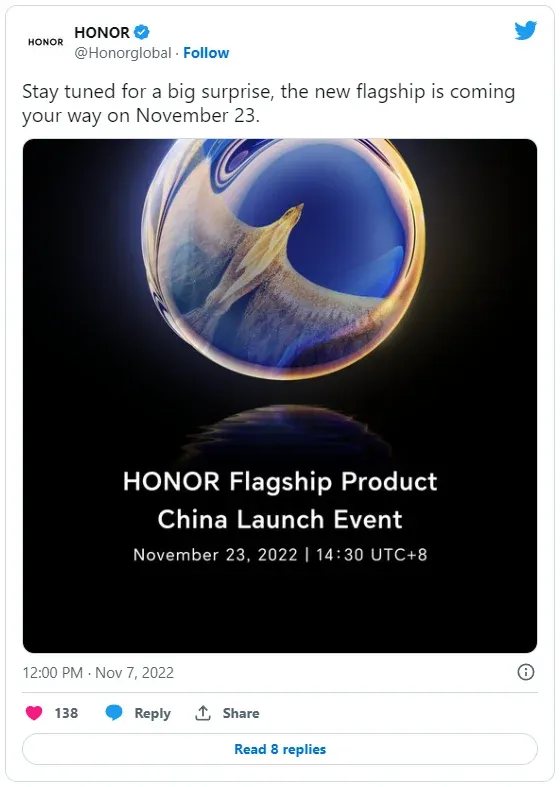
Honor claims that it intends to surprise us with its forthcoming flagship in a tweet. On November 23 at 2:30 PM local time, China will debut the unnamed mobile device (1:30 AM ET). You shouldn’t because this launch is only for the Chinese market.
Honor has so far kept the upcoming phone under wraps officially, but some rumors have already given away a few crucial things about it. A report from a Chinese source (via GSM Arena) says that the phone could end up being called Magic 5 and succeed the Honor Magic 4 that came out earlier this earlier. The same source also points out that the alleged Magic 5 could come powered by Qualcomm’s upcoming top-tier Snapdragon 8 Gen 2 processor. Given Qualcomm is hosting its annual Snapdragon Summit on November 15, that makes sense.
In addition, it is claimed that the phone uses a 6.8-inch PWM dimming, similar to the Magic 4 Pro, to lessen eye strain. On the rear, there might be a 50MP camera with an IP68 grade for water and dust protection. The phone’s amazing 100W wired and 50W wireless charging, however, may be its greatest feature.
But given our experience with the Magic 4 Pro running Honor’s unique Magic UI, the business need to put more emphasis on software this time. Honor might tone down its aggressive battery management, which unnecessarily terminates apps in the background, and generally simplify the interface. We would also value prolonged software support.
We don’t have any pricing details for the alleged Honor Magic 5 so far, but you can check this space after the official launch on November 23 to see if Honor has priced its new flagship aggressively or not.
Bloatware consumes storage on your smartphone. The worst part is that you can’t immediately uninstall them from your Huawei smartphone; they go by the name of tools. This bloatware typically comes preinstalled on your device. However, occasionally they do originate from different places, such as downloading dangerous links or third-party apps. Here is a simple tutorial on how to use ADB commands to debloat or remove bloatware from Huawei.
You must be sick and tired of the bloatware that comes pre-installed on your Huawei smartphones. And as you would have guessed, the majority of them serve no purpose other than to promote Huawei and occasionally steal your data.
Why You Should Remove Bloatware Apps
Bloatware is generally in your device to consume a lot of valuable resources, including battery juice. While it is running in the background of your device, it affects your device’s performance. It could fill your lock screen with Ads, or even your internet browser.
How To Debloat Or Remove Bloatware From Huawei Using ADB
Below mentioned steps are there to help you in removing the bloatware from the device. You need to follow these steps very thoroughly and successfully remove the bloatware from the device.
Step 1: Download and install Android SDK
The baby step toward this guide is to download the Android SDK tool from this link. This is the official tool provided by Google. The Android SDK tool is a software development kit used to develop Android applications.
Here is how you can install the Android SDK platform Packages and tool
Start the Android Studio
Select Configure>SDK Manager
In the default setting dialog box, click these tabs to install Android SDK platform packages.
Click apply and then click OK.
Or you can just download it directly from this link.
Step 2: Enable USB debugging
The next step is making your device readable by the ADB software to make changes in the ADB mode. Head on to the settings>about and enable developer mode by tapping on the build number seven times.
Your smartphone’s developer option will be turned on.
Now go to Settings > System > Advanced > Developer Option, scroll down and look for the USB debugging and turn it on.
Step 3: Make sure to establish the ADB shell Connection
The ADB command does a variety of device actions, such as installing and debugging an App and when you are about to debloat your smartphone from all the bloatware preset, Establishing an ADB shell connection is a must; here is how you can do it.
Advertisements
Connect your smartphone with the PC using the USB cable.
Now look for the platform tool folder in the Android Studio SDK manager, in the path android_sdk/platform-tools
In the platform tool folder, launch the Command Prompt, by typing the CMD in the address bar
Now type “adb devices” in the command window to verify the ADB connection.
You will get the device ID (If not, try again with correct spellings). Now type “adb shell” to establish the shell environment.
Your device codename will be listed, which means the shell connection is established.
Step 4: Type in the ADB commands to remove bloatware from Huawei phone
Now you can start removing bloatware apps from your device follow the below commands.
Type “pm list packages” in the command line. This will give the list of all the available packages and apps on your Huawei device.
Type “pm uninstall – –user 0 PackagenName” command for removing the bloatware from the Huawei device, the command is generic.
Advertisement
You can replace the PackageName with the actual package name. If you want to uninstall the Huawei stock app market, just type in “pm uninstall – –user 0 com.Huawei.appmarket” to uninstall the app market application.
List of Huawei Bloatware Packages
Below is the list of all the packages in your Huawei phone in the form of bloatware. You can remove all these applications and packages by just typing the package name.
Huawei Built in Application Package
com.huawei.android.tips | Huawei Tips/Tricks com.huawei.android.totemweather | Huawei Weather com.huawei.arengine.service | Augmented reality service com.huawei.browser | Huawei Browser com.huawei.contactscamcard | Business card reader com.huawei.compass | Huawei Compass com.huawei.desktop.explorer | Desktop Service com.huawei.fido.uafclient | Fast ID Online function com.huawei.gameassistant | Huawei Game Suite (HiGame) com.huawei.geofence | Geofence service com.baidu.input_huawei | Built in keyboard com.huawei.appmarket | Huawei Market com.huawei.android.chr | HwChrService com.huawei.android.FloatTasks | Floating dock com.huawei.android.hsf | Huawei own Services Framework com.huawei.android.hwpay | Huawei Payement app com.huawei.android.karaoke | karaoke entertainment app com.huawei.android.mirrorshare | MirrorShare from Huawei com.huawei.android.remotecontroller | Huawei Smart Controller com.huawei.search | HiSearch app com.huawei.stylus.floatmenu | Floating menu com.huawei.hdiw | Huawei ID app com.huawei.hifolder | Huawei Online Cloud folder service com.huawei.himovie.overseas | Huawei Videos App com.huawei.hitouch | Floating dock by Huawei com.huawei.hwdetectrepair | Huawei Smart diagnosis app com.huawei.iaware | Huawei info app com.huawei.livewallpaper.paradise | Live wallpaper service com.huawei.parentcontrol | Parental controls functions com.huawei.pcassistant | HiSuite service com.huawei.phoneservice | HiCare app com.huawei.mirror | Huawei Mirror app com.huawei.screenrecorder | Huawei Screen recorder feature com.huawei.vassistant | Huawei Voice Assistant com.huawei.videoeditor | Video editor function com.huawei.wallet | Huawei Wallet com.huawei.watch.sync | Huawei Watch sync function com.iflytek.speechsuite | Default voice input method
Bloatware Package List
com.android.bips | Print Service com.android.calculator2 | Calculator app com.android.calendar | Calendar app com.android.carrierconfig | Carrier-specific configuration com.android.cellbroadcastreceiver | Cell Broadcast com.android.dreams.basic | Screensaver mode com.android.dreams.phototable | Photo screensaver com.android.egg |Android build’s easter egg feature com.android.email | Stock email app com.android.emergency | Emergency Contacts com.android.exchange | Non-Gmail email support com.android.gallery3d | Gallery com.android.htmlviewer | In-built HTML viewer com.android.hotwordenrollment.okgoogle | OK Google detection service com.android.magicsmoke | Live wallpaper com.android.managedprovisioning | Managing App com.android.mediacenter | Huawei Music app com.android.mms | SMS app com.android.mms.service | MMS app com.android.noisefield | Live wallpaper com.android.phasebeam | Wallpaper com.android.printservice.reccomendation | Mobile Printing service com.android.pacprocessor | Proxy auto-configuration com.android.phone.recorder | Call recorder com.android.providers.blockednumber | Storage of blocked numbers com.android.providers.calendar | Calendar sync com.android.providers.partnerbookmarks | bookmarking service com.android.providers.userdictionary | Dictionary com.android.quicksearchbox | Quick Search box com.android.soundrecorder | Sound recorder com.android.stk | SIM Toolkit com.android.vending | Google Play Store com.android.voicedialer | Voice search com.android.vpndialogs | VPN system com.android.wallpaper.holospiral | Live wallpaper com.android.wallpaper.livepicker | Wallpaper picker com.android.wallpapercropper | Wallpaper cropper com.example.android.notepad | Notepad
Apps from Google in Huawei smartphone
com.google.android.apps.books | Google Books com.google.android.apps.cloudprint | Cloud print com.google.android.apps.currents | Currents com.google.android.apps.docs | Google Drive com.google.android.apps.fitness | Google Fit com.google.android.apps.mapps | Google Maps com.google.android.apps.photos | Google Photos com.google.android.apps.tachyon | Google Duo com.google.android.apps.wallpaper | Google Wallpapers com.google.android.apps.wellbeing | Digital Wellbeing com.google.android.feedback | Google Feedback com.google.android.googlequicksearchbox | Google Search com.google.android.gm | Gmail com.google.ar.core | Google ARCore com.google.marvin.talkback | Talkback com.google.android.play.games | Google Play Games com.google.android.street | Google Street View com.google.android.videos | Google Play Movies com.google.android.youtube | YouTube com.google.tango.measure | Google Measure
These days, bloatware is a common feature on Huawei devices, thus you should debloat or uninstall bloatware apps from your cellphone to free up space or simply to safeguard your privacy. You may quickly remove the bloatware from your Huawei smartphone if you complete all of these procedures and type all of the commands.
In Huawei’s app store, an interesting problem has been discovered. A glitch in the Huawei AppGallery allows users to free download paid Android apps.
According to the source’s information, this exploit allows users to “get a genuine APK download link for premium programs.” This might, of course, be used to pirate apps.
According to the source, Huawei has been informed of the flaw. The firm recognized the issue but did not specify when it would be resolved. However, we believe that will happen very soon.
If you’re a developer, you should consider protecting your apps. It is recommended that developers use DRM, such as the AppGallery’s DRM Service, to safeguard their apps.
Huawei’s AppGallery has been doing exceptionally well. Since the US embargo went into place, the corporation has put a lot of money into it. It now has a large number of apps, albeit it is still nothing near the Google Play Store.
Still, the sheer number of good apps in the AppGallery these days may surprise you. If you can’t find what you’re looking for in the AppGallery, Huawei also allows you to install programs from APK repositories.
It’s also worth mentioning that AppGallery isn’t exclusive to Huawei phones. It is not available on the Google Play Store, but it may be sideloaded into your smartphone. Why would you want to do something like that? If you require Huawei’s own apps, you may get them here.
The Health and AI Life apps are required if you’re using the company’s watches or earphones. The AppGallery has the most recent versions of those programs. Of course, that is only one example.