Tag: galaxy

  • 8 tips to increase your Samsung device battery life

    8 tips to increase your Samsung device battery life

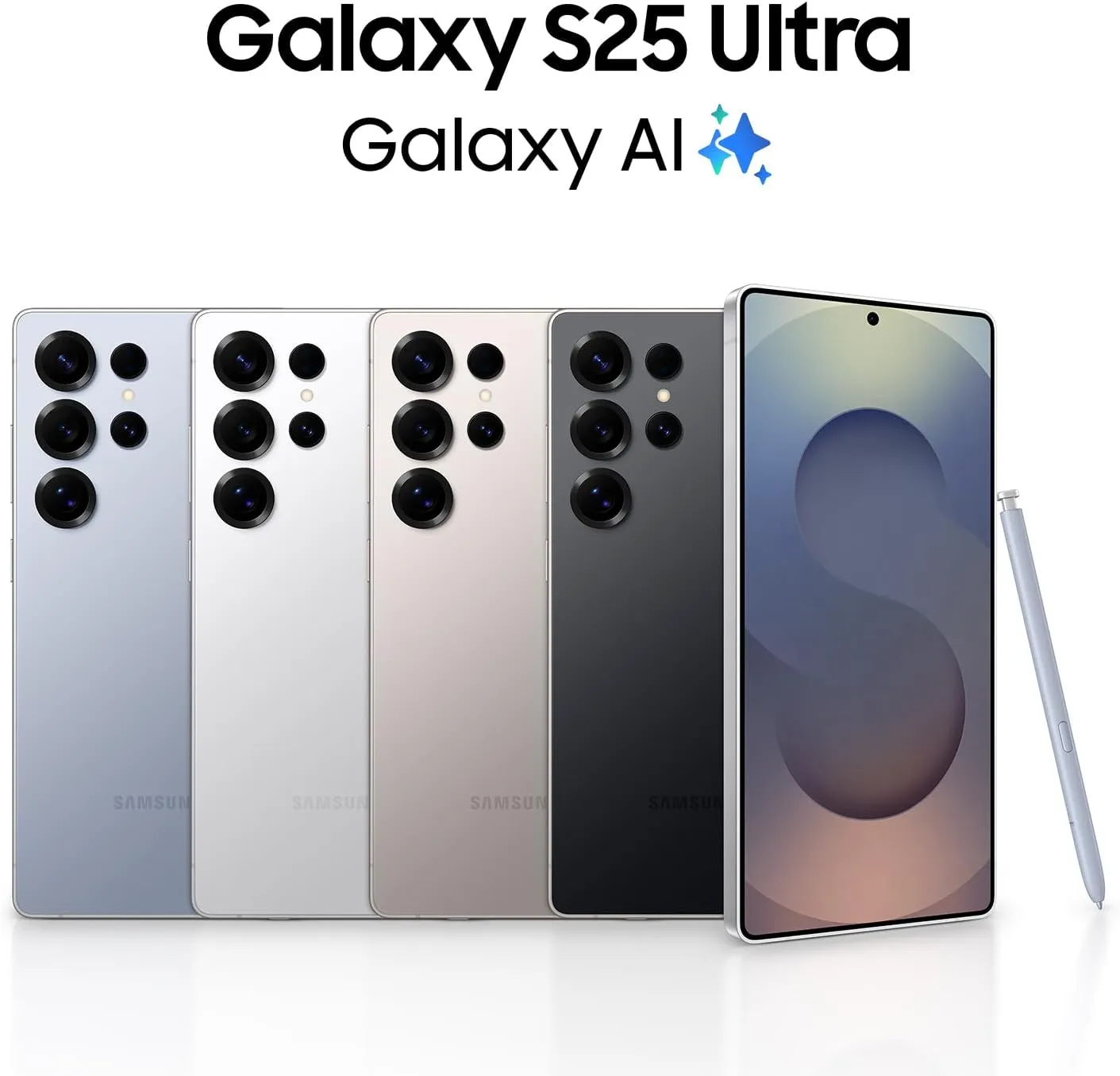
    Because of their feature-rich and responsive software, Samsung’s Galaxy smartphones are among the best Android phones on the market right now. However, the majority of Samsung phones, particularly premium models like the Galaxy S25 Ultra, Galaxy Z Fold 6, and Z Flip 6, include extravagant features that you might not utilize on a regular basis.

    There are ways to maximize what you have without degrading the user experience if your new Galaxy phone isn’t able to survive a full day between charges.

    Here are seven strategies to extend your Galaxy phone’s battery life. Don’t worry, I won’t be Captain Obvious and suggest that you use your phone at a lower refresh rate or lower the screen resolution. The suggestions on this list ought to enhance your quality of life while optimizing the functionality of your phone.

    Adaptive Brightness
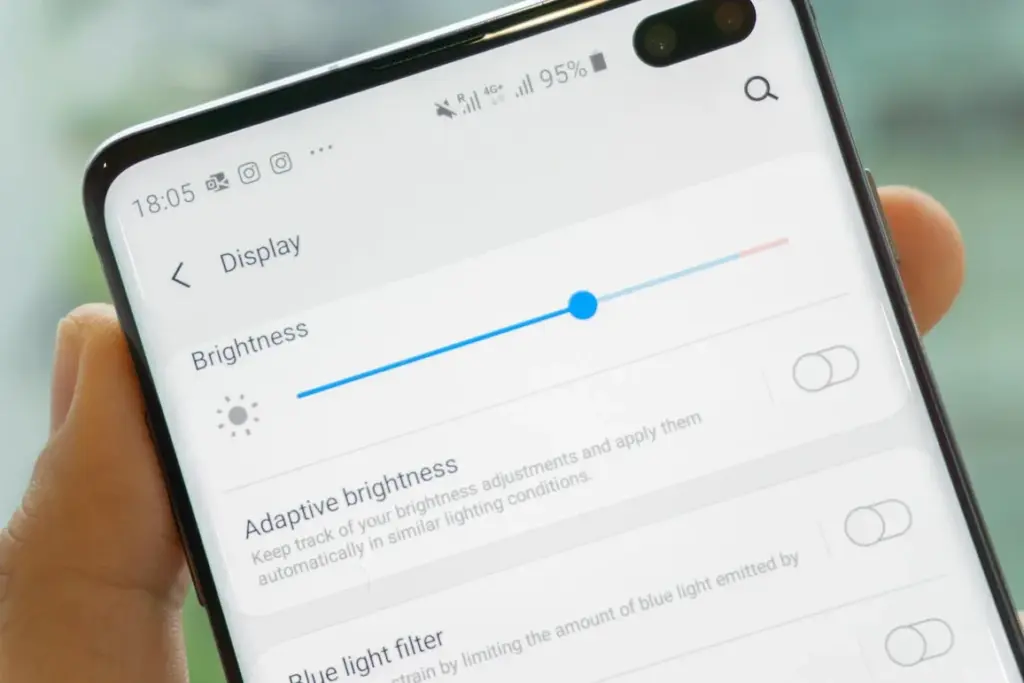
    samsung adaptive brightness

    Although this setting should ideally be turned on by default, some individuals disable it because it’s not always reliable. Nonetheless, the quality of Samsung’s ambient light sensor has increased over time. Your Galaxy phone is capable of accurately detecting ambient illumination and adjusting the screen brightness on its own. By doing this, you can make sure your display is more effective and not overly bright.

    Toggle Adaptive Brightness on by going to Settings > Display. Although it should function in most settings, you can use the Quick Settings panel to slide down to change the brightness if necessary.

    Scheduel Always-On Display

    samsung galaxy s22 ultra aod lan 1

    I adore my Galaxy S25 Ultra’s Always-On Display (AOD). For efficiency, its LTPO display lowers to 1Hz, which is useful for functions like AOD. Using AOD may not be as effective if your Galaxy phone is midrange and has a minimum refresh rate of 60 Hz. You can use it wisely, though, by planning AOD for when it’s required.

    For example, I’ve set it for 10 a.m. to 6 p.m. so I don’t miss any crucial messages and can quickly get the information I need.

    How to: Select Settings > AOD and Lock Screen > Select Always On Display > As scheduled under When to show. Additionally, disable the Show lock screen wallpaper in the AOD options while you’re at it.

    Enable Performance profile
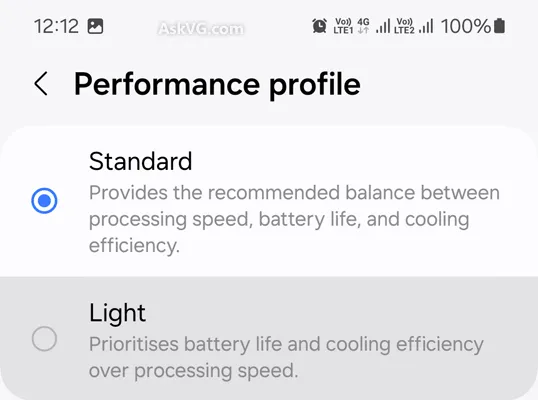
    Light Performance Mode Profile S

    Samsung lets you select a performance profile according on how you use it. The Light Performance profile is a better option than the Standard if you don’t play games and use your phone mostly for everyday activities like surfing and making calls. It will put cooling and battery life ahead of processing performance.

    Open the Settings app and go to Device care > Performance profile and select Light. This is ideal for average phone users.

    Use Dark Mode
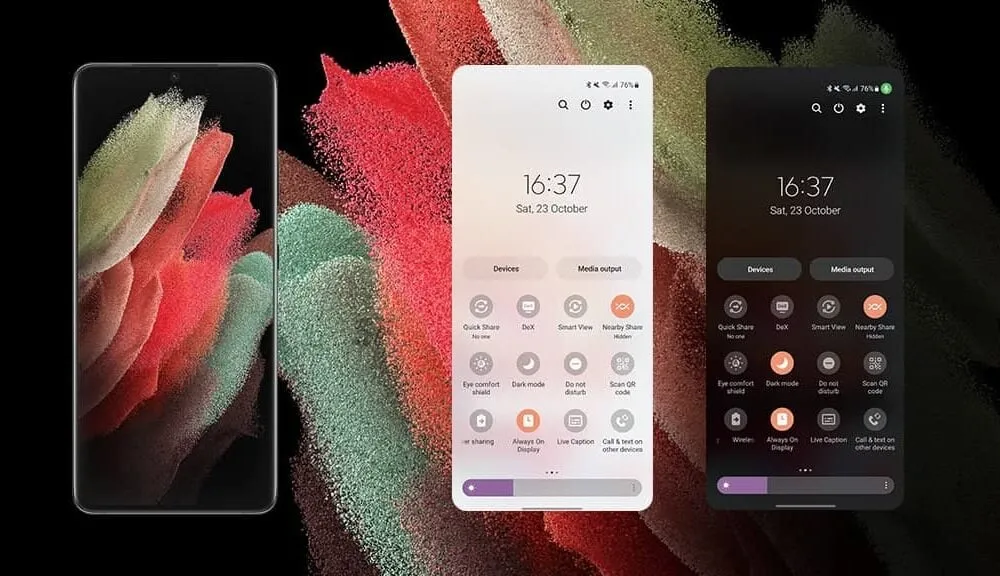
    Dark mode feature

    AMOLED screens, which can control individual pixels, are seen on the majority of Samsung phones. Therefore, the area of the screen that must remain black won’t activate those pixels when you choose a dark theme or dark wallpaper. As a result, your screen uses less power and your battery lasts a little longer.

    How to do it: Go to Settings > Display. Two cards for Light and Dark will be dealt to you. Press the Dark option. Changing the system wallpaper and sticking with the light theme is an alternative, but it won’t have the same impact on energy life as switching to dark mode.

    Use offline content when you can

    It’s a good idea to download such stuff offline if you listen to the same podcasts and playlists or travel the same path every day. Google Maps and the majority of streaming apps use a lot of battery power over 5G and LTE. It may also cause your phone to feel warm to the touch when you’re outside. With a little advance forethought, you can handle this: Before you leave the house, use Wi-Fi to download your favorite music or maps.

    How to: Go to the streaming apps you want to download content from and follow the in-app steps. For instance, YouTube has a download button on videos, and Spotify lets you download complete playlists.

    Force stop or uninstall power-draining apps
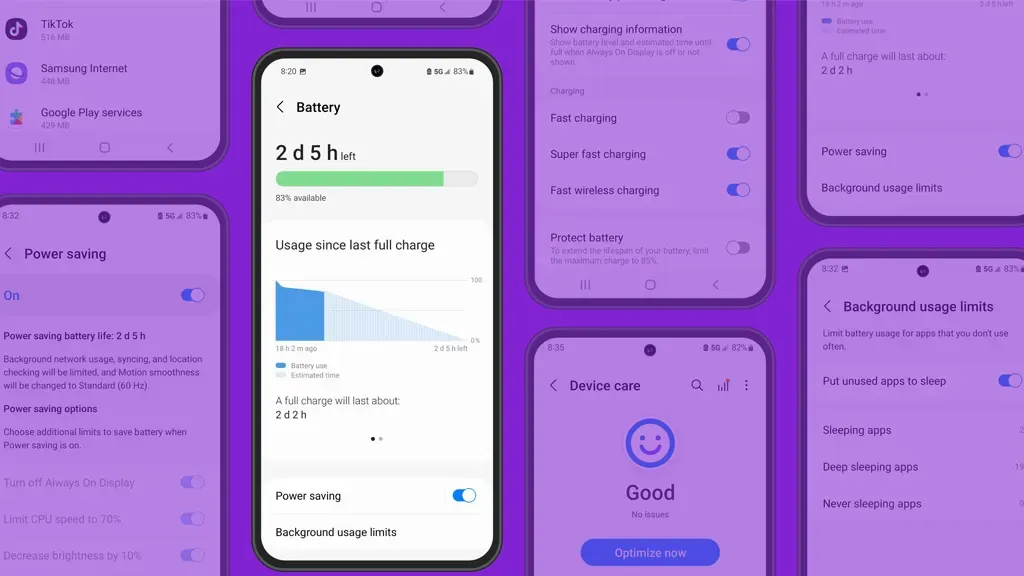
    Numerous programs, including Facebook, Microsoft 365, OneDrive, and numerous Samsung and Google apps, are pre-installed on Samsung phones. To stop them from running in the background, find the ones you don’t need and either remove them or force-disable them.

    For instance, not everyone requires OneDrive or the Samsung Smart TV app. I remove those two apps along with others like Facebook, Outlook, Microsoft 365, Tutor, and more when I set up a new Galaxy phone.

    To unistall an app tap and hold the app you want to uninstall. A pop-up menu will appear. Tap Uninstall. As a result, none of these non-required apps will use your battery.

    Check what apps are power-draining

    Depending on your location, 5G connectivity, and background usage, some apps need more power. To assist you reduce unnecessary battery usage, Samsung allows you to recognize certain power-hungry programs.

    How to: Go to Settings > Battery and device care > Battery > Background usage limitations on your Galaxy smartphone to find apps that use a lot of power. Then, choose the apps you wish to disable.

    What to do when you are low on battery?

    The top functions of your Galaxy phone will not be compromised by the seven settings mentioned above. But if your phone’s battery is low while you’re out, you should:

    • Turn on Power Saving
    • Toggle off data roaming
    • Turn off location services
    • Switch off AOD altogether

    When your phone’s battery is less than 20% and you’re still a few hours away from a charger, I advise activating these options. The Samsung settings listed above will also help you get the most out of your Galaxy phone’s battery.

    Stay connected with the latest from Droid Tools—follow us on X @droid_tools, like our page on Facebook, check out our updates on Instagram, and follow us on Google News for real-time news, device tips, and mobile tech insights.
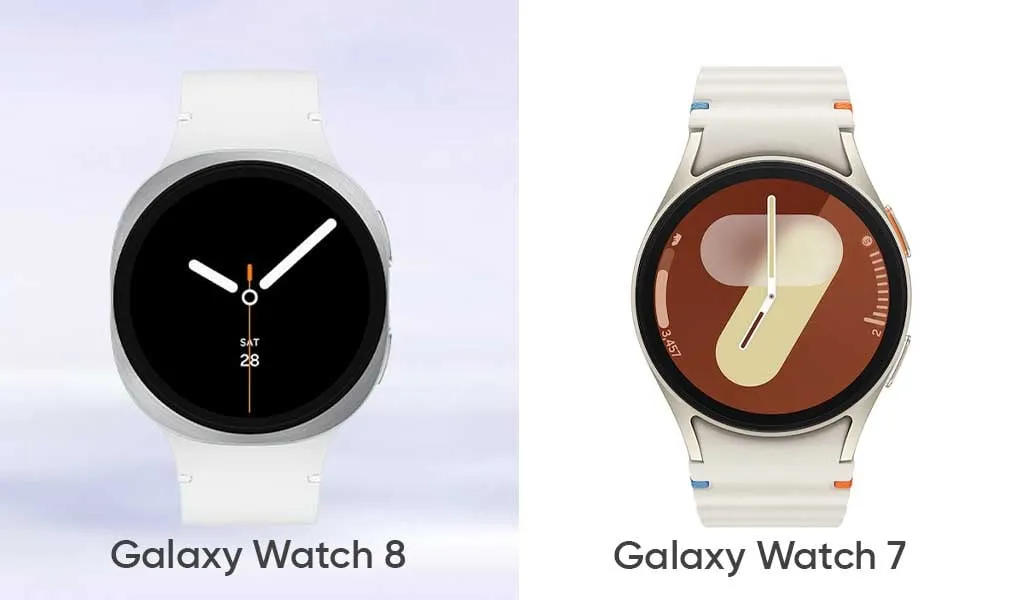
  • Samsung’s Galaxy Watch 7 vs Watch 8 – any significant differences?

    Samsung’s Galaxy Watch 7 vs Watch 8 – any significant differences?

    It should come as no surprise that Samsung releases a new generation of smartwatches every summer, generally in tandem with its most recent foldable phones. This year is no exception. Three smartwatches—the Galaxy Watch 8, the Galaxy Watch 8 Classic, and the Galaxy Watch Ultra 2—will be available to go along with the Galaxy Z Fold 7 and Galaxy Z Flip 7.

    All of them appear to be slightly different from their predecessors, but as is customary, we anticipate that the Galaxy Watch 8 will be the most affordable new Samsung wearable, and it may even become a bestseller.

    The Galaxy Watch 8 doesn’t appear to be anything that different from the Galaxy Watch 7 from the previous year, except from the somewhat updated design language. But is it just a new look, or is Samsung working on another exciting new feature?

    Design

    Similar to the Galaxy Watch Ultra from the last year, Samsung appears to be using a new squircle-like design language to all of its wearables this year. This entails a typical circular screen and an aluminum shell that is primarily squircle. This device only has the typical two buttons on the right side, not a rotating bezel.

    Samsung Galaxy Watch 8 all sides

    Unrestricted by the round shape of the prior watch covers, this modification would allow Samsung to fit a slightly larger battery inside. This is exactly what appears to be happening here, as a slightly larger battery is reportedly making the rounds. There doesn’t appear to be any other specific justification for the redesign itself aside from that, since none was required in the first place.

    The Galaxy Watch 7, which is a typical circular smartwatch like the majority of Samsung’s devices from previous years, stands in quite sharp contrast to that. The South Korean corporation was well aware that it was the most identifiable watch shape, which also worked well for the smartwatch spinoff.

    Like its predecessors, the Galaxy Watch 8 will undoubtedly be available in two sizes: 40 and 44 mm.

    We don’t anticipate any changes to the formula in terms of size, which could indicate that the Galaxy Watch 8 will be as thin and small as the Galaxy Watch 7. To refresh your memory, the latter was 9.7 mm thin and, depending on the model, either 40.4 or 44.4 mm in diameter. We don’t think the Galaxy Watch 8 will weigh significantly more than the Galaxy Watch 7, which weighed between 29 and 34 grams.

    Galaxy Watch 8 and Galaxy Watch

    Like the Watch 7, the Galaxy Watch 8 will undoubtedly include MIL-STD-810H shock resistance and IP68 water and dust protection.

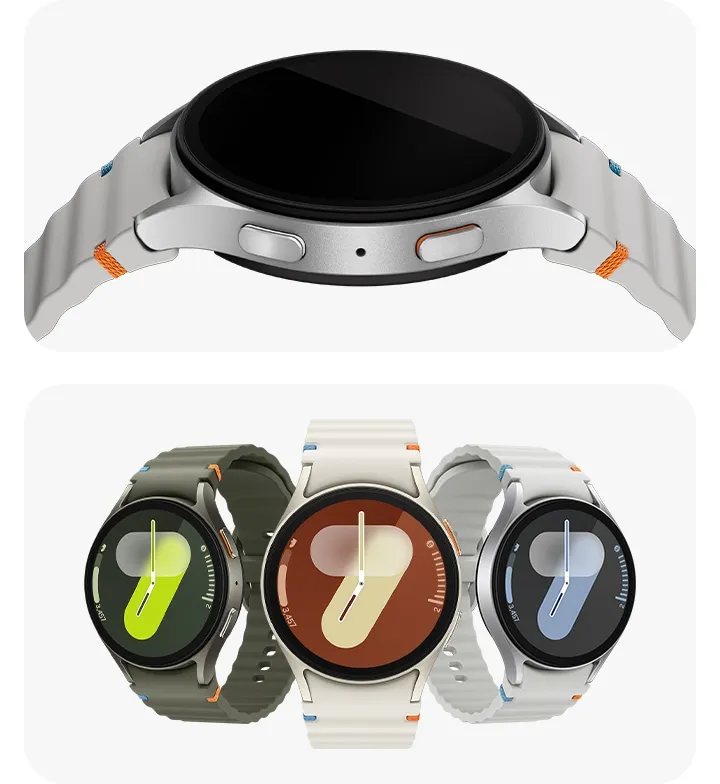
    Samsung debuted a new quick-release band connection system for its smartwatches with the Galaxy Watch 6. It rapidly separates the strap mechanism from the watch casing by pressing a button. Since the band attachment technique isn’t expected to change, the system is expected to function flawlessly on the Galaxy Watch 8 as it did on the Galaxy Watch 6 and 7 generations.

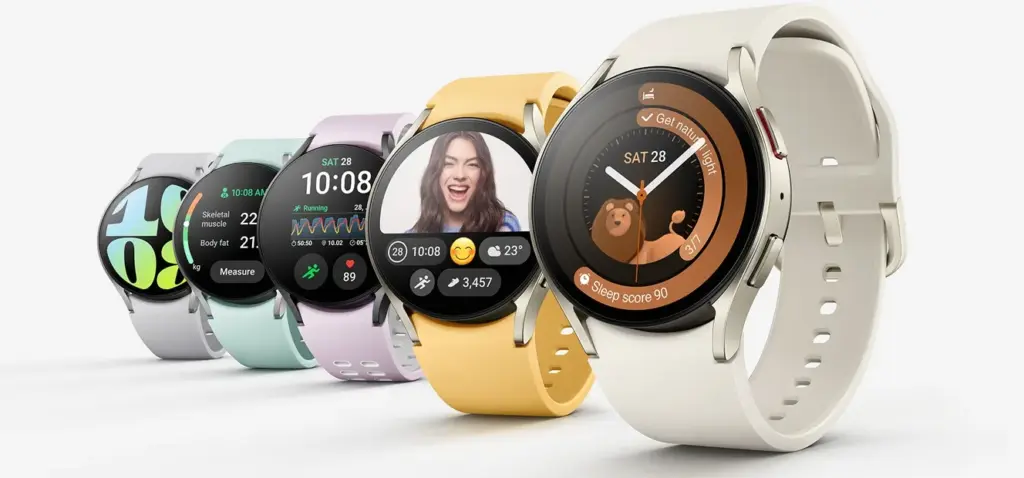
    galaxy watch 7

    Samsung Galaxy Watch 7

    Looking for a great way to bring out your personal best every day?

    $299.99$184.25Get It Now

    Having said that, Samsung submitted a patent application in December 2024 for a novel attachment system that combines multiple technologies to provide even quicker band interchangeability at a glance. But since it’s a patent, it’s impossible to predict whether or not it will come to pass.

    However, we anticipate that the Galaxy Watch 8 series will be accompanied by the announcement of a few new watch band styles.

    Software & Features

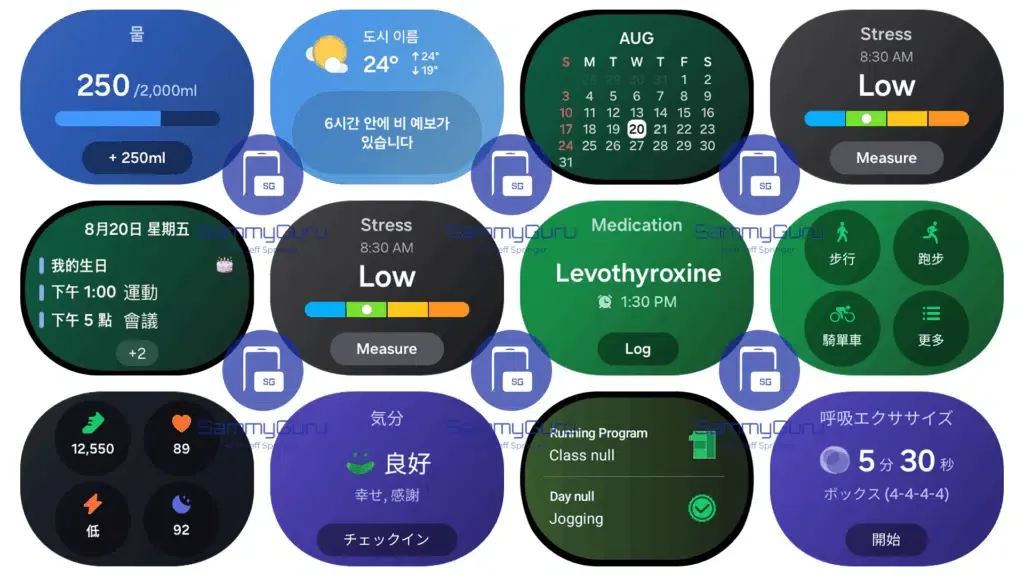
    Samsung’s One UI Watch 8 will run on top of Wear OS, which will serve as the foundation for the Galaxy Watch 8. From a usability and functionality standpoint, the combination of Google and Samsung’s software has historically produced a surprisingly good smartwatch experience, and there’s no reason to think the Galaxy Watch 8 UX would be any different.

    One UI Watch 8 full widgets 1024

    However, Google’s Wear OS is set to undergo a significant revamp with the next Material 3 Expressive design language, which will also undoubtedly alter the look of Android 16.

    Additionally, it is rumored that Samsung is expanding the capabilities of its Galaxy AI to include personalized recommendations driven by AI and other features on the company’s smartwatches.

    One potential new function is non-invasive blood glucose monitoring, which measures the minute variations in blood glucose using the BioActive sensor built into the device. Although we have some doubts that this feature will be included in the Galaxy Watch 8 series this year, there is always a chance.

    Battery

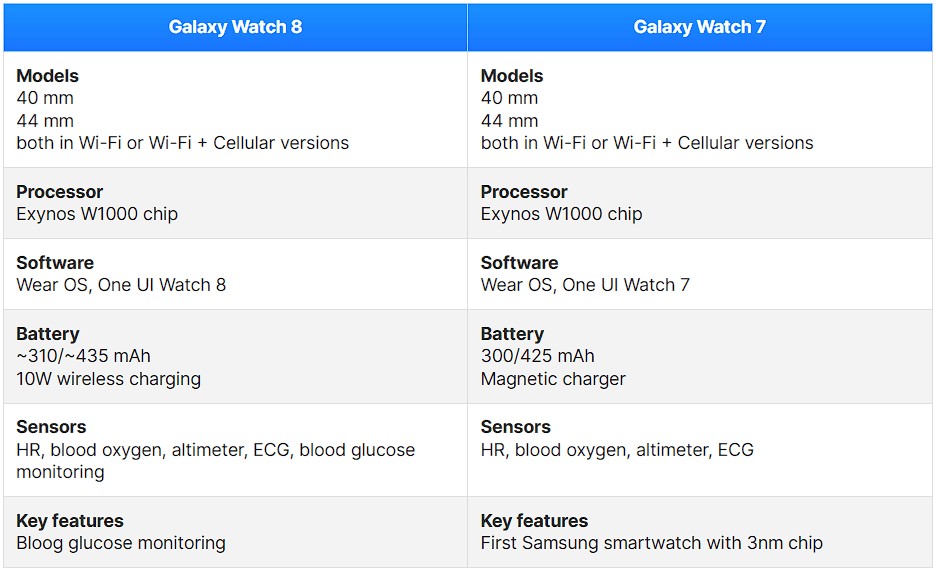
    The 40 mm model of last year’s Galaxy Watch 7 had a 300 mAh battery, but the larger 44 mm model has a 425 mAh battery.

    According to rumors, the Galaxy Watch 8 will likely have a somewhat bigger battery. What we’re getting here is a slight bump to 435 mAh on the 44 mm size and perhaps 310 mAh on the smaller choice.

    The Galaxy Watch 8 is anticipated to use the same 3nm Exynos W1000 chip, therefore a significant improvement in battery life seems unlikely. Therefore, the maximum battery life we are receiving may be around a day or a day and a half.

    It’s possible that the Galaxy Watch 8 will support the same 10W wireless charging.

    Specs

    The specs for the Galaxy Watch 8 vs. Galaxy Watch 7 are anticipated to be as follows:

    image 14
    galaxy watch 7

    Samsung Galaxy Watch 7

    Looking for a great way to bring out your personal best every day?

    $299.99$184.25Get It Now

    Final thought

    Compared to the Galaxy Watch 7, the Galaxy Watch 8 appears to be just a design update, a slow and sensible development.

    The glucose monitoring feature, which may prove to be extremely helpful for many diabetics, is perhaps the most exciting new feature. The icing on the cake is that it will be non-invasive.

    Is it time to replace your Galaxy Watch 7? Considering that the two smartwatches’ basic specifications and functionalities are essentially the identical, users of the Galaxy Watch 7 shouldn’t feel pressured to upgrade, despite the rumors that are currently circulating.

  • Android 16: complete list of Samsung, Xiaomi, and other eligible devices

    Android 16: complete list of Samsung, Xiaomi, and other eligible devices

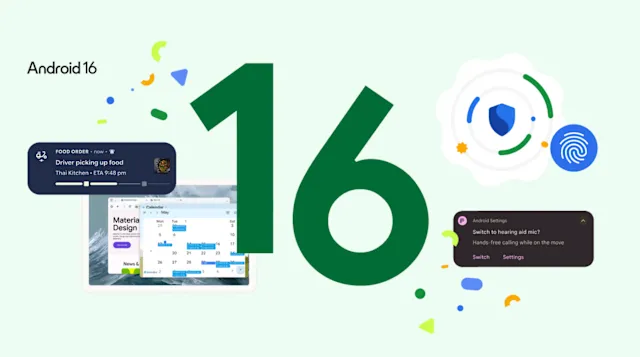
    The formal rollout of Android 16’s stable version has started, with Google’s Pixel smartphones leading the way. Other significant Android manufacturers are getting ready to release their own unique skins and upgrade schedules in tandem with the latest OS version. The most important question for users anxiously anticipating the update is: will my device get the update? This is the list of devices that are compatible with Android 16.

    We have put up a thorough list of smartphones and tablets from well-known manufacturers, like Samsung, Xiaomi, Motorola, and Oppo, that should be compatible with the Android 16 update in order to assist in answering this question.

    Google Pixel Android 16 Eligible devices

    As always, Pixel devices are first in line and the rollout is already underway for these models.

    Device SeriesEligible Models
    Pixel 9 Series9, 9 Pro, 9 Pro XL, 9 Pro Fold, 9a
    Pixel 8 Series8, 8 Pro, 8a
    Pixel 7 Series7, 7 Pro, 7a
    Pixel 6 Series6, 6 Pro, 6a
    Pixel FoldablesPixel Fold
    Pixel TabletPixel Tablet

    Samsung Galaxy Android 16 Eligible devices

    Samsung offers one of the most extensive portfolios, and a large number of its devices are expected to receive the update.

    SeriesEligible Devices
    Galaxy SS25, S24, S23, S22 series & S21 FE
    Galaxy ZZ Fold/Flip 6, Z Fold/Flip 5, Z Fold/Flip 4, Z Fold SE
    Galaxy TabTab S10, S9, S8 series, Tab S6 Lite (2024)
    Galaxy AA73, A5x, A3x, A2x, A1x, A0x series (from A_3 to A_6 generations)
    Galaxy MM5x, M3x, M1x, M0x series (from M_3 to M_6 generations)
    Galaxy FF5x, F34, F1x, F0x series (from F_4 to F_6 generations)
    OtherGalaxy C55, XCover 7, Tab Active 5

    Xiaomi, Redmi, and Poco Android 16 Eligible devices

    Xiaomi’s multi-brand strategy means a wide array of devices are in line for the HyperOS skin based on Android 16.

    Brand / SeriesEligible Devices
    Xiaomi15, 14, 13 series (including T, Pro, Ultra models)
    Xiaomi CiviCivi 5 Pro, Civi 4 Pro, Civi 3
    Xiaomi PadPad 7 series, Pad 6 series (Pro, Max, S Pro)
    Redmi NoteNote 14 series, Note 13 series
    Redmi KK80 series, K70 series, K60 series
    Redmi14 series, 13 series, A4 series
    Redmi PadPad 2, Pad Pro, Pad SE
    PocoF7, F6, X7, X6, M7, M6, C7x series

    Motorola

    Motorola is expected to update its recent flagship and mid-range devices.

    SeriesEligible Devices
    RazrRazr 2025 series, Razr+ 2024, Razr 60/50 series
    EdgeEdge 2025, Edge 60/50 series, Edge 40 Pro
    Moto GG Power/Stylus 2025, G86/85, G75, G56/55
    ThinkPhoneThinkPhone 25

    Oppo

    Oppo will likely bring Android 16 to its premium Find series and popular Reno line.

    SeriesEligible Devices
    Find NFind N5, N3, N2 series
    Find XFind X8, X7, X6 series
    RenoReno 14, 13, 12, 11 series
    F SeriesF29, F27, F25 Pro
    K SeriesK13, K12 series
    Pad SeriesPad 4 Pro, Pad 3 series, Pad SE

    Other Major Brands (Expected)

    BrandEligible Devices (Summary)
    OnePlus13, 12, 11 series, Nord 4/3, Nord CE 4, Open, Pad series
    VivoX200, X100, X90 series, V50/40/30 series, T4/3 series, recent Y series, Pad 5/3
    iQOO13, 12, 11 series, Z10/9 series, Neo 10/9 series, Pad series
    NothingPhone (2), (2a), (2a)+, Phone (3a) series, CMF Phone 1/2 Pro

    Other manufacturers may need a few weeks to incorporate Android 16 with their own user interfaces, such as One UI, HyperOS, and ColorOS, while Google Pixel phones are currently getting the upgrade. The majority of brands are anticipated to start releasing stable versions in July 2025, with widespread beta testing set to commence shortly.

    Stay connected with the latest from Droid Tools—follow us on X @droid_tools, like our page on Facebook, check out our updates on Instagram, and follow us on Google News for real-time news, device tips, and mobile tech insights.
  • New #leak with Galaxy Watch 8 and Galaxy Watch Ultra design and colors

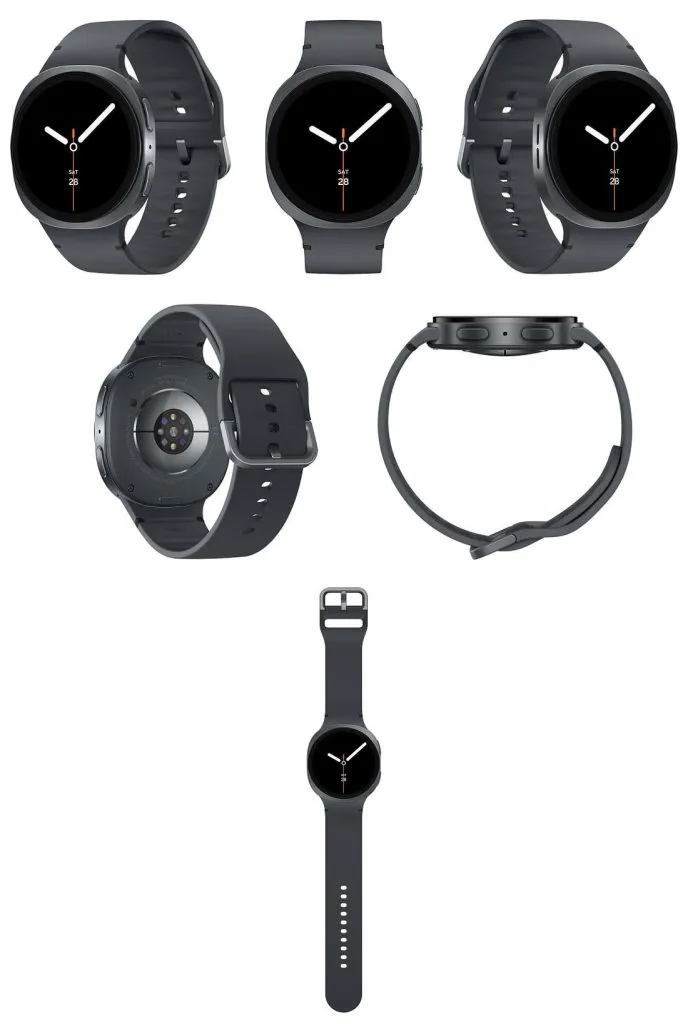
    New #leak with Galaxy Watch 8 and Galaxy Watch Ultra design and colors

    Next month, Samsung will be launching new smartwatches at its Unpacked presentation. We already know that the business will release a new version of the Galaxy Watch Ultra, the Galaxy Watch 8, and the Galaxy Watch 8 Classic.

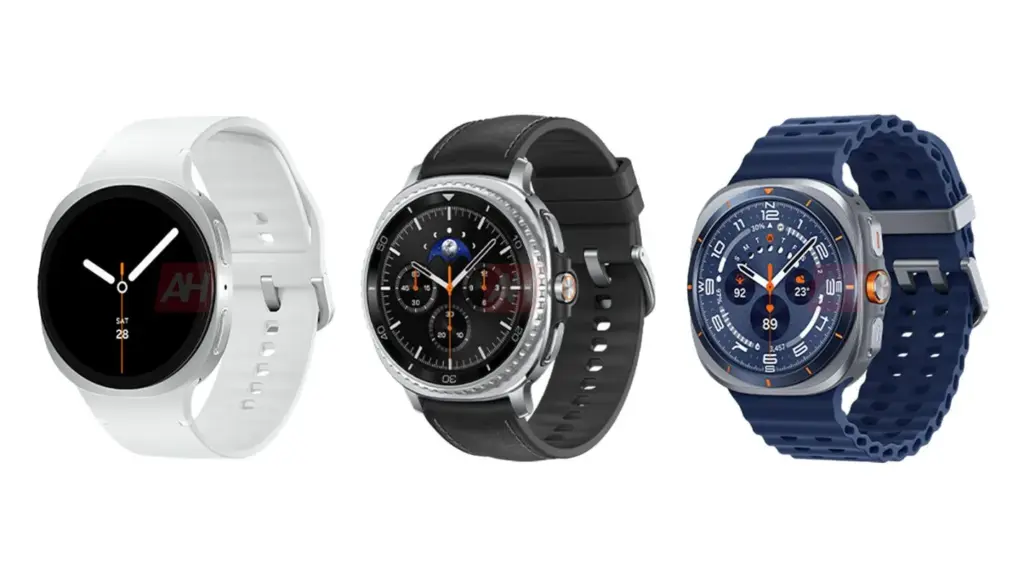
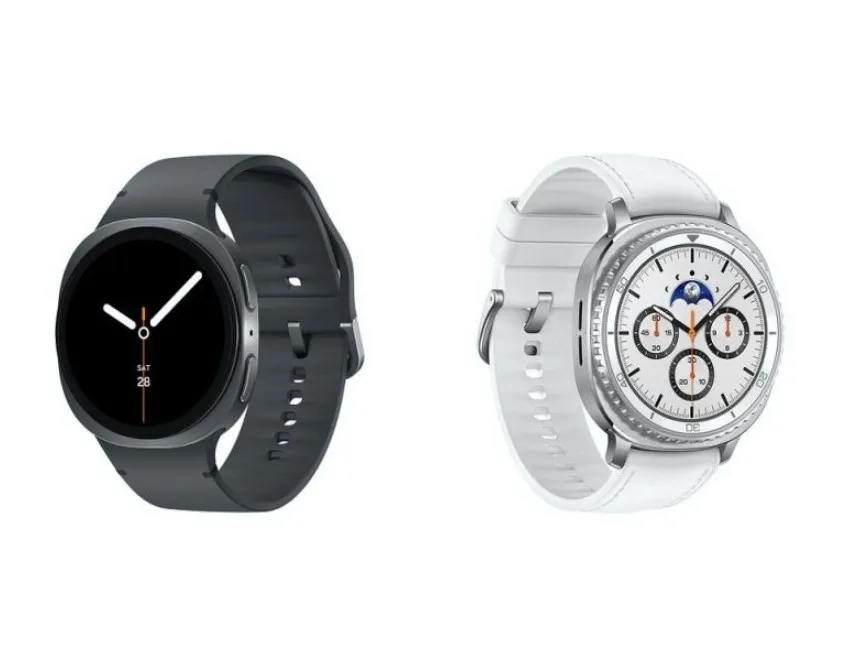
    The design of these smartwatches and the new color options that the firm will provide are revealed in new renders that were posted online today by Android Headlines. In 2025, Samsung has decided to use a squircle design for their complete portfolio.

    Samsung’s new high-end goods feature blue as their hero color.

    galaxy watch 8 2025 leak design

    The next Samsung Galaxy Watch models won’t be completely square or round like earlier models, as we’ve seen in other leaks as well. The term “squircle” refers to the design’s intermediate position between a circle and a square.

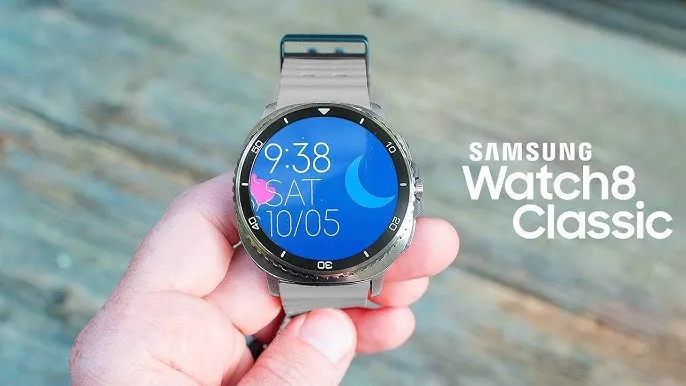
    Additionally, it is believed that this year will see the reintroduction of the Classic model, which features a distinctive physical bezel. Neither the new Galaxy Watch Ultra nor the standard Galaxy Watch 8 will have a physical bezel. The Quick button will also be available on the Galaxy Watch 8 Classic, according to these renders.

    The new blue color option for the 2025 Galaxy Watch Ultra is an intriguing development. Previously available exclusively in orange and dark gray, the Galaxy Watch Ultra is a colorful new addition. Given that the next Galaxy Z Fold 7 will also be offered in a striking shade of blue, blue is probably Samsung’s hero color for new devices.

    Although Samsung has not officially confirmed any information regarding the upcoming devices, we should anticipate more leaks in the days ahead. With the new products arriving on store shelves before the end of the month, the event itself is probably scheduled for mid-July.

    galaxy watch 7

    Samsung Galaxy Watch 7

    Looking for a great way to bring out your personal best every day? Challenge yourself to excel on your next run or bike ride using tracking with Galaxy AI that lets you compare your current performance to your last one

    $299.99$199.99Amazon
  • Samsung Galaxy S25 Ultra at its lower price on Amazon

    Samsung Galaxy S25 Ultra at its lower price on Amazon

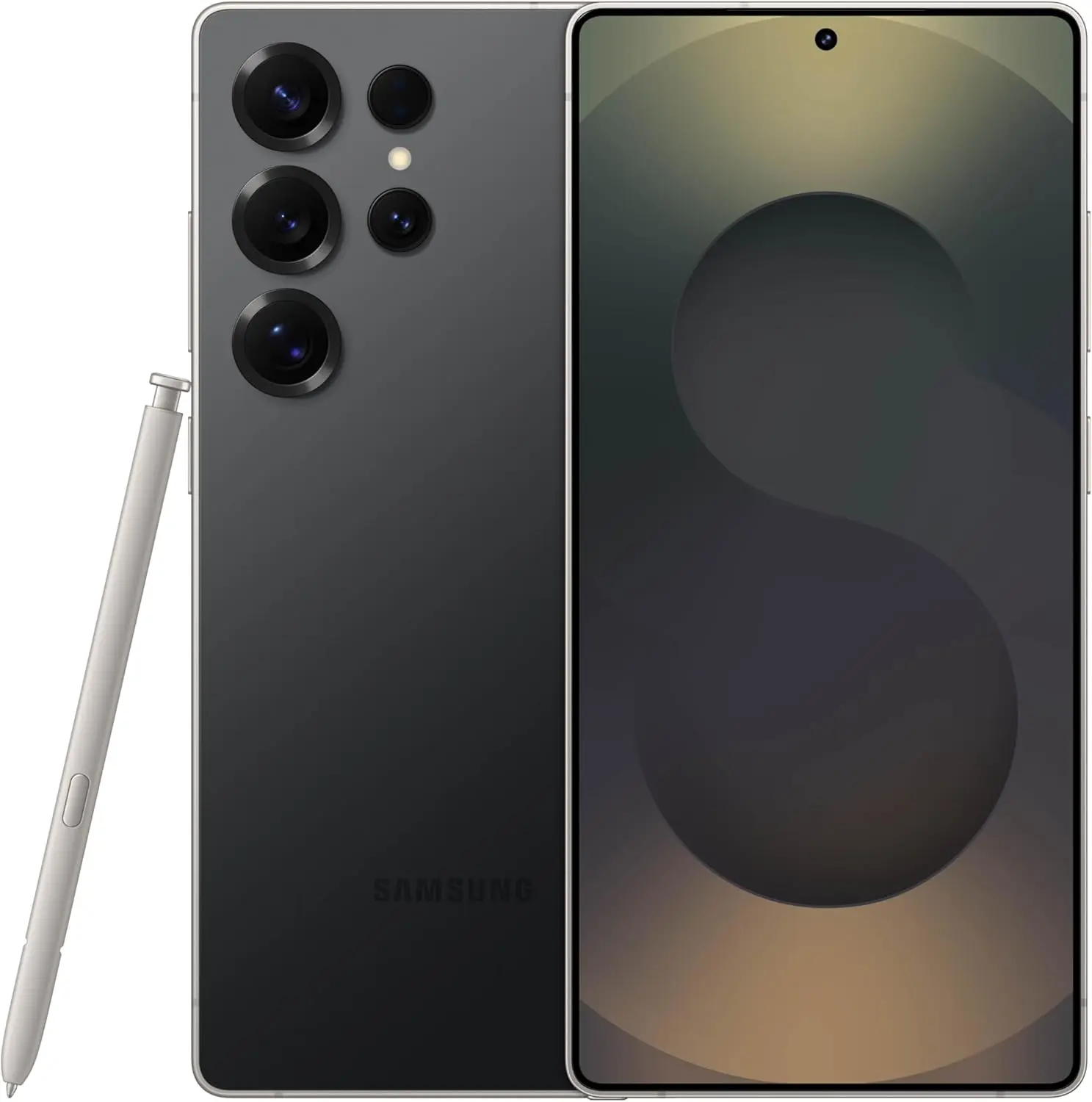
    The Galaxy S25 Ultra is currently the best-selling phone on Amazon. Since its release in January 2025, it has been regarded by many as the greatest Android phone, surpassing even the iPhone 16 Pro. Amazon is selling it for $1,049, a record low price and $250 less than its original $1,299 price. Although it can sell out quickly, it’s also significantly less expensive here than at the official Samsung store.

    samsung galaxy s25 ultra

    Samsung Galaxy S25 Ultra

    Streamline your day with an assistant that gets you. Ask it to Google search for a pet-friendly vegan restaurant nearby and text it to your friend— your Galaxy S25 Ultra handles multiple tasks with a single ask.

    $1,299.99$1,049.99Amazon

    Samsung Galaxy S25 Ultra – best phone in 2025

    Experts believe that the Galaxy S25 Ultra is the greatest phone on the market right now since Samsung has advanced both software and hardware by incorporating artificial intelligence at every stage to provide a flawless user experience. The newest Snapdragon 8 Gen 4 processor, which powers the phone, provides blazing-fast performance for lag-free media playback and multitasking. Everything is a joy thanks to the enormous 6.8-inch Dynamic AMOLED 2X display’s brilliant colors and crisp graphics, whether you’re working or playing games.

    61uLkjXsHlL. AC SL1500

    It is perfect for businesspeople, influencers, and other individuals who use their phones constantly because of its long battery life, which allows you to use them heavily for an entire day (and possibly even longer) without worrying about running out of power.

    Also, you will love its AI-powered camera system: With a 200MP primary sensor, a 50MP periscope telephoto lens with 5x optical zoom, a 12MP ultra-wide lens, and an additional telephoto lens for versatile shooting, the Galaxy S25 Ultra has a top-tier quad-camera configuration. The Audio Eraser camera removes background noise and produces beautiful footage in difficult low-light conditions. in order to revisit your most treasured memories with increased clarity and reduced distraction. Each picture appears polished and fashionable thanks to the portrait features, which are designed to enhance skin tones while maintaining natural texture.

    Samsung Galaxy S25 Ultra ai functions

    The Galaxy S25 Ultra‘s extensive use of AI makes it an expert at simplifying your day in addition to photography: You may simplify your day by using features like “Multiple chores With One Ask,” which allows you to give your phone instructions to complete multiple chores simultaneously with a single request. For instance, you can instruct it to look for a vegan restaurant that accepts pets in your area and SMS a buddy the findings all at once. The Galaxy S25 Ultra is an appealing option for individuals looking for the highest level of performance and innovation since it combines smart AI capabilities with high-end technology, such as the Snapdragon 8 Gen 4 chipset and multipurpose camera array.

    The Galaxy S25 Ultra is a fantastic choice at its lowest price ever if you’re searching for a high-end AI smartphone that simplifies your life.

    samsung galaxy s25 ultra

    Samsung Galaxy S25 Ultra

    Streamline your day with an assistant that gets you. Ask it to Google search for a pet-friendly vegan restaurant nearby and text it to your friend— your Galaxy S25 Ultra handles multiple tasks with a single ask.

    $1,299.99$1,049.99Amazon
  • #dealalert – Samsung Galaxy Watch 7 is $100 off on Amazon

    #dealalert – Samsung Galaxy Watch 7 is $100 off on Amazon

    Price trackers report that the Samsung Galaxy Watch 7 (44mm Bluetooth) is now available for $229.99, the lowest price to date. It was previously available for $329.99.

    Its seamless performance and health tracking are the main reasons for PCMag’s Excellent rating. This offer is worth taking into consideration if you’re already an Android user and want a wristwatch that prioritizes fitness and looks good on your wrist. Be aware up front that daily charging is a standard procedure for many smartwatches.

    SAMSUNG Galaxy Watch 7

    Samsung Galaxy Watch 7 44mm Bluetooth

    Looking for a great way to bring out your personal best every day? Challenge yourself to excel on your next run or bike ride using tracking with Galaxy AI that lets you compare your current performance to your last one

    $329.99$229.99Amazon

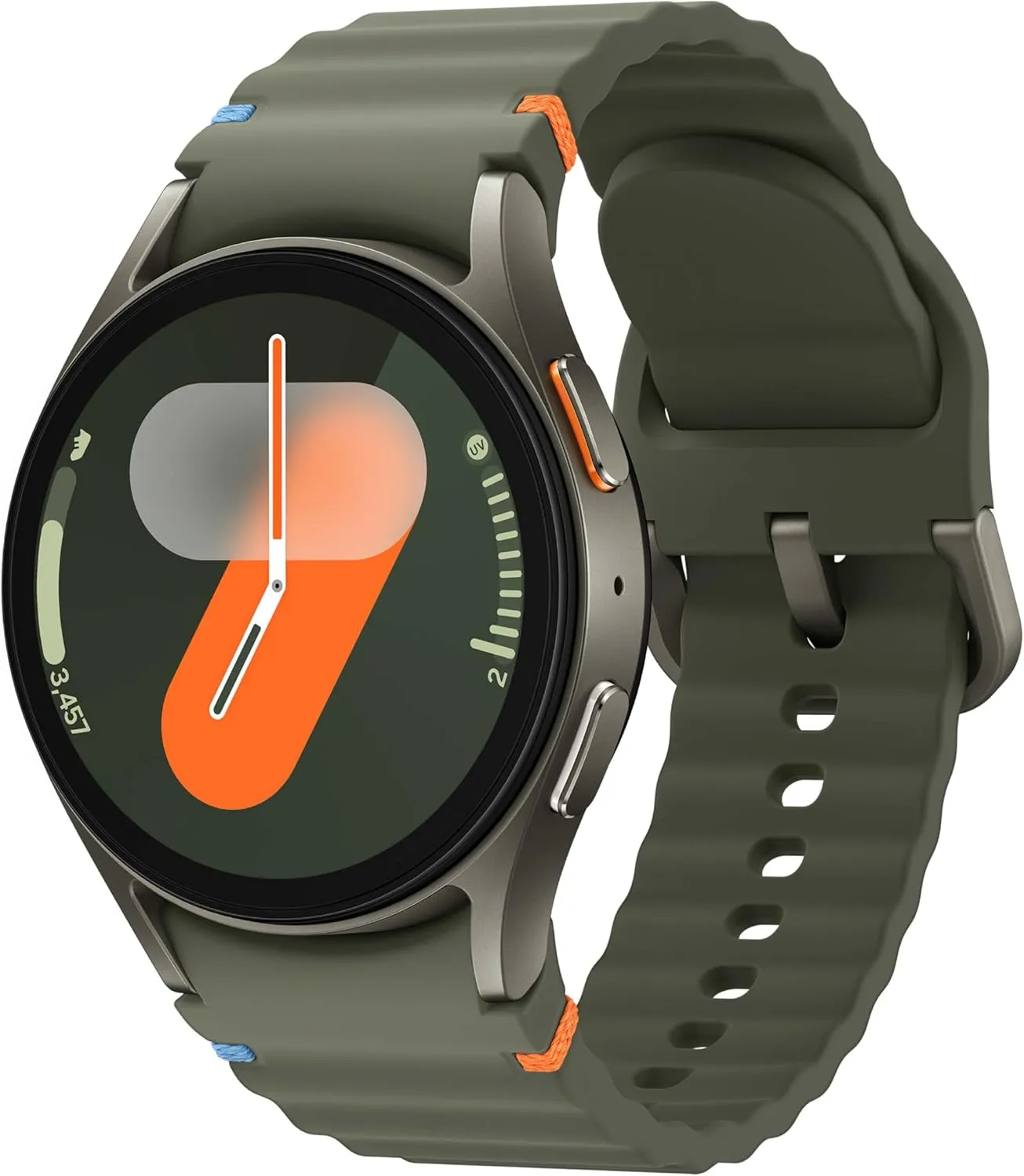
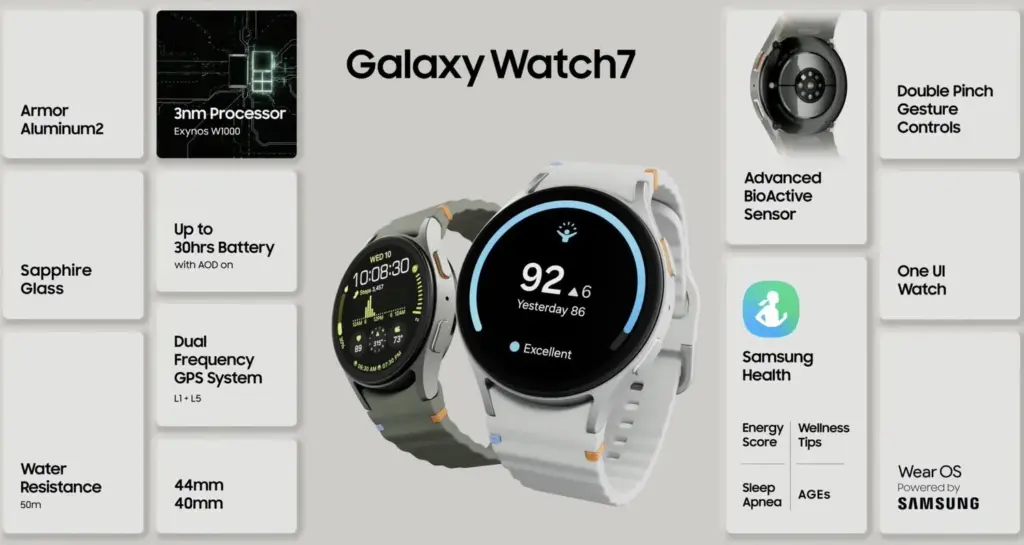
    The Watch 7 is designed to withstand more than just everyday use. It is 5ATM water-resistant, has an IP68 rating, and has undergone durability testing in accordance with military specifications. Outside, the 1.5-inch Super AMOLED screen is clear and easy to read. Samsung promised improved performance and efficiency over the previous generation with the Exynos W1000 processor update. With Samsung’s One UI 6 preinstalled on top of Wear OS 5, it offers minor enhancements including improved photo editing and widget controls. Along with 32GB of storage and 2GB of RAM, it has a dual-frequency GPS that maintains a strong signal even in urban areas and beneath trees.

    samsung galaxy watch 7 health tracking

    Health tracking is where it truly makes an effort to differentiate itself. Body composition analysis, FDA-approved sleep apnea diagnosis, and a new Galaxy AI Energy Score that condenses all of your exercise and sleep data into a single, convenient figure are all available. Standard features like blood oxygen monitoring, heart rate monitoring, ECG, and automated workout detection are still available. However, you’ll need a Samsung phone close by if you want the entire experience, including snoring detection and some of the AI wellness insights.

    Here, battery life is the primary trade-off. Depending on settings, moderate use will take between 22 and 27 hours, thus overnight charging will be an option. The Galaxy Watch 7 offers a plethora of fitness and health functions in a stylish, long-lasting design, especially at this new low price, if you can live with that and already own an Android mobile (preferably a Samsung).

    SAMSUNG Galaxy Watch 7

    Samsung Galaxy Watch 7 44mm Bluetooth

    Looking for a great way to bring out your personal best every day? Challenge yourself to excel on your next run or bike ride using tracking with Galaxy AI that lets you compare your current performance to your last one

    $329.99$229.99Amazon
  • Samsung pushes an new update for the latest Galaxy watches models

    Samsung pushes an new update for the latest Galaxy watches models

    A new software update is coming out for some Galaxy Watch models, so you might want to check your settings if you use one.

    Samsung usually only releases a few upgrades for the Galaxy Watch annually, but at least one significant one. One of the company’s less significant updates is currently being released for a few Galaxy Watch models.

    galaxy watch 7

    The May 2025 security update is being released by the firm for the most recent models of the Galaxy Watch 7 and Galaxy Watch Ultra. This covers Verizon variants as well, although we’re seeing a very short changelog for basic phones that displays the March 2025 security patch:

    • The usability of device operations has been improved.

    In the meantime, the March 2025 security patch is being applied to the Galaxy Watch 5 and Galaxy Watch 5 Pro. However, this most recent upgrade is the first one for these devices to be made generally available in 2025. A few weeks ago, some customers received an April update, but it omitted many regions and variants.

    Samsung Galaxy Watch 7 40mm
    $299.99$199.99Amazon
    Samsung Galaxy Watch Ultra
    $399.00$346.99Amazon

    Stay connected with the latest from Droid Tools—follow us on X @droid_tools, like our page on Facebook, check out our updates on Instagram, and follow us on Google News for real-time news, device tips, and mobile tech insights.
  • Samsung offers great deals today.

    Samsung offers great deals today.

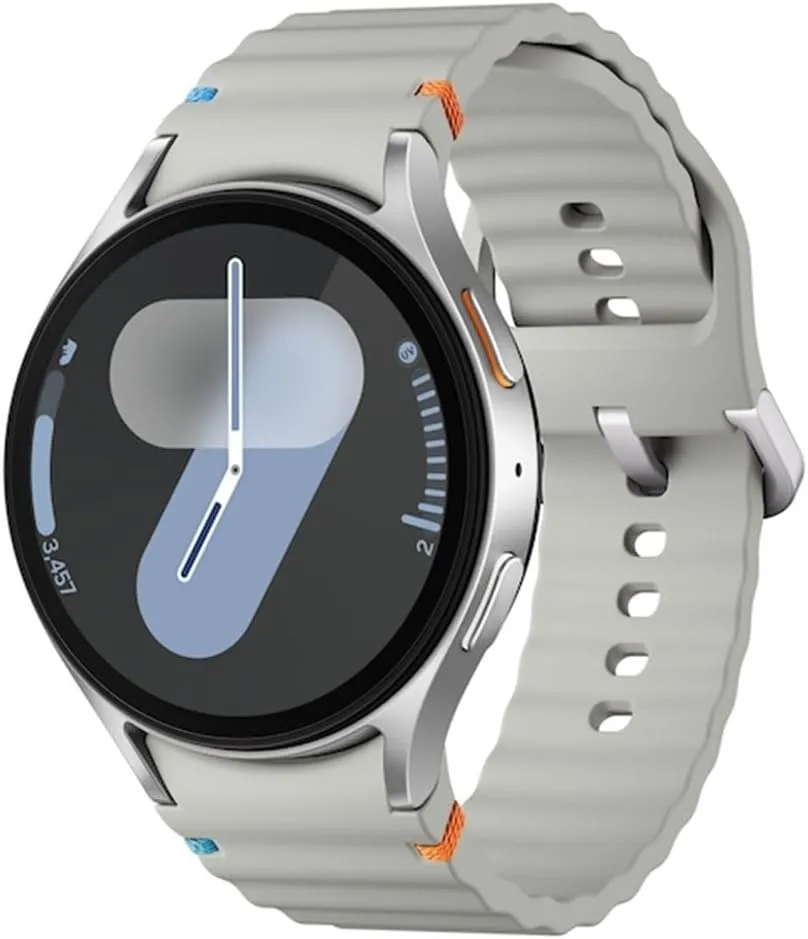
    Is a Samsung watch required during their Discover sale? They are giving you a discount on all of their remaining Galaxy Watch models, whether or not you have a trade-in. While the Galaxy Watch Ultra is up to 50% off, even the previous Galaxy Watch 6 Classic, which features a rotating bezel, is up to $225 off.

    galaxy watch6 kv pc

    Great deals for all Galaxy watches

    Samsung didn’t go all out for this Discover week, but they still have good offers on almost everything, including the Galaxy Watch. With the right trade-in, a Galaxy Watch Ultra is almost 50% off, making it $325—a fantastic deal. However, you may just simply cut $200 off without making any trades. The Galaxy Watch 7 is also discounted by $175 with trades or $100 without. I was unaware that Samsung was still offering the Galaxy Watch 6 Classic, but it’s available for as little as $279 if you don’t trade in anything.

    • Galaxy Watch Ultra: $200 off with no trades, $325 off with | Buy
    • Galaxy Watch 7: $100 off with no trades, $175 off with | Buy
    • Galaxy Watch 6 Classic: $120 off with no trades, $225 off with | Buy
    • Galaxy Watch FE: $50 off with no trades, $50 off with | Buy

    With incredible discounts on their 75-inch Neo QLED 4K TV (nearly $2,000 off), their Bespoke Jet Bot Combo Robot Mop (here) for $550 off, and their incredibly cool Odyssey OLED G9 curved monitor (here) for $900 off, Samsung’s Discover sale is still going strong.

    Stay connected with the latest from Droid Tools—follow us on X @droid_tools, like our page on Facebook, check out our updates on Instagram, and follow us on Google News for real-time news, device tips, and mobile tech insights.
  • Lists of supported devices and countries eligible for One UI 8 beta testing

    Lists of supported devices and countries eligible for One UI 8 beta testing

    Owners of the Galaxy S25 series had already been testing the initial beta build in a few chosen regions when Samsung shocked its Galaxy audience by launching the most recent One UI 8 beta program. At the moment, the beta is accessible in four nations, with additional countries to follow afterwards.

    Regarding previous deployments, Samsung has set aside seven nations—China, the US, the UK, South Korea, Germany, India, and Poland—to test the most recent One UI beta version for years.

    Samsung eventually separated the beta distribution into two stages with One UI 7. The first batch of One UI beta was released in four regions—South Korea, Germany, the US, and the UK—with the exception of China. The two remaining regions—India and Poland—will be saved for the second phase of the One UI beta deployment.

    one ui 8 beta testers

    Samsung is following the same approach for the One UI 8 beta rollout.

    • Phase 1: Initial beta release is limited to:
      • Devices:
        • Galaxy S25
        • Galaxy S25+
        • Galaxy S25 Ultra
      • Countries:
        • South Korea
        • Germany
        • The United States (US)
        • The United Kingdom (UK)
    • Phase 1 is exclusively reserved for the listed countries.
    • Only owners of the Galaxy S25 series in these regions currently qualify.

    Interested Galaxy S25 owners can now register and test the most recent beta release thanks to Samsung’s recent improvements to the One UI 8 beta enrollment and participation process. The beta program is now available for the S25 family, but it will eventually expand to include more qualified devices.

    Stay connected with the latest from Droid Tools—follow us on X @droid_tools, like our page on Facebook, check out our updates on Instagram, and follow us on Google News for real-time news, device tips, and mobile tech insights.
  • One UI 8 Watch update will bring new features

    One UI 8 Watch update will bring new features

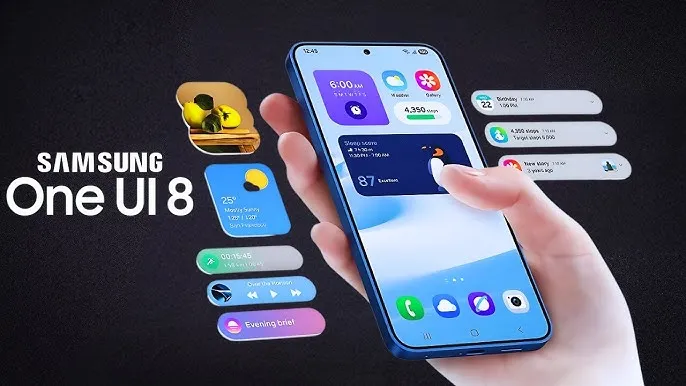
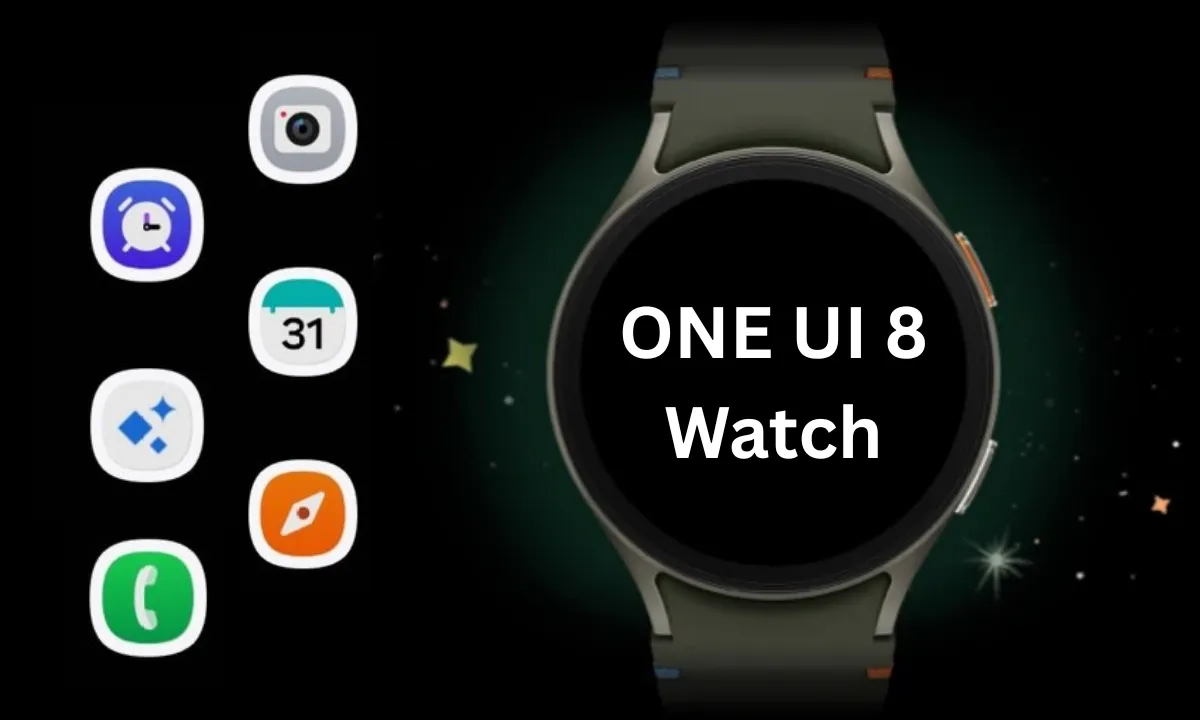
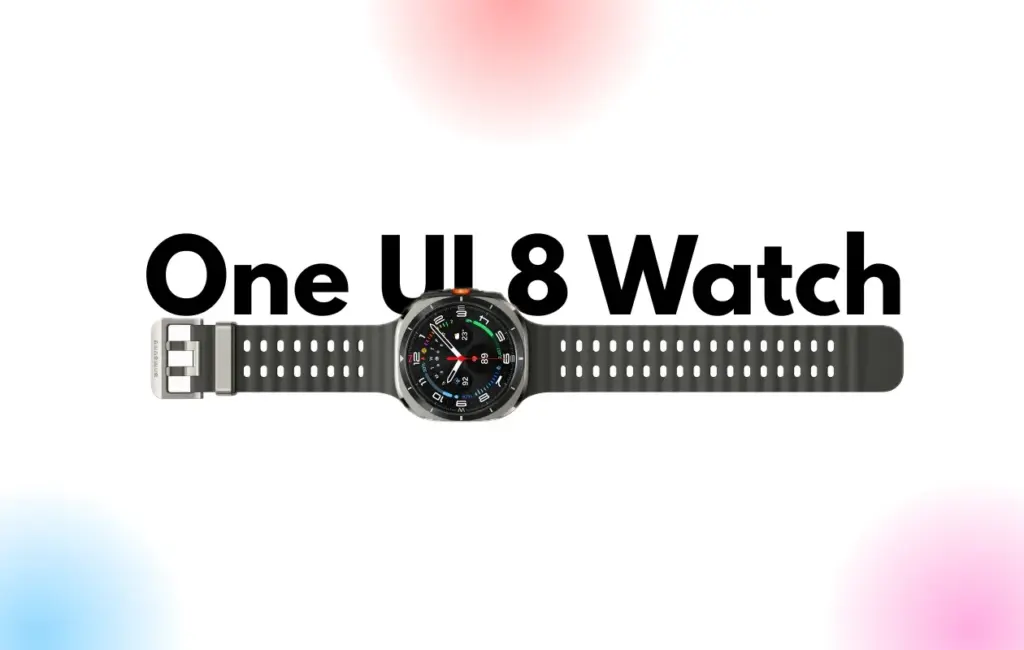
    Samsung Galaxy Watches will get a substantial overhaul with the release of One UI 8 Watch, which might arrive as early as June or July and is expected to incorporate Google Gemini, a Shortcuts app, and Samsung’s Now Bar.

    Following claims that Samsung will bypass One UI 7 Watch in favor of One UI 8 Watch, a move that will unify the branding of Samsung’s watch software with its top Samsung phones— One UI 8 APKs have leaked, revealing the new features coming to Galaxy wearables.

    According to Android Authority, Gemini AI will be available on both Samsung watches and its own Pixel portfolio, along with some interesting new capabilities. The findings indicate that new ‘Gemini Actions’ will bring many of the same fantastic Gemini capabilities for Android phones to your wrist, with code strings hinting at numerous intriguing actions.

    References include Gemini Actions, which can relocate meetings, summarize emails, and tell you the weather, as well as an input that allows you to rapidly mute Gemini AI with a single press of your screen.

    One UI 8 Watch update
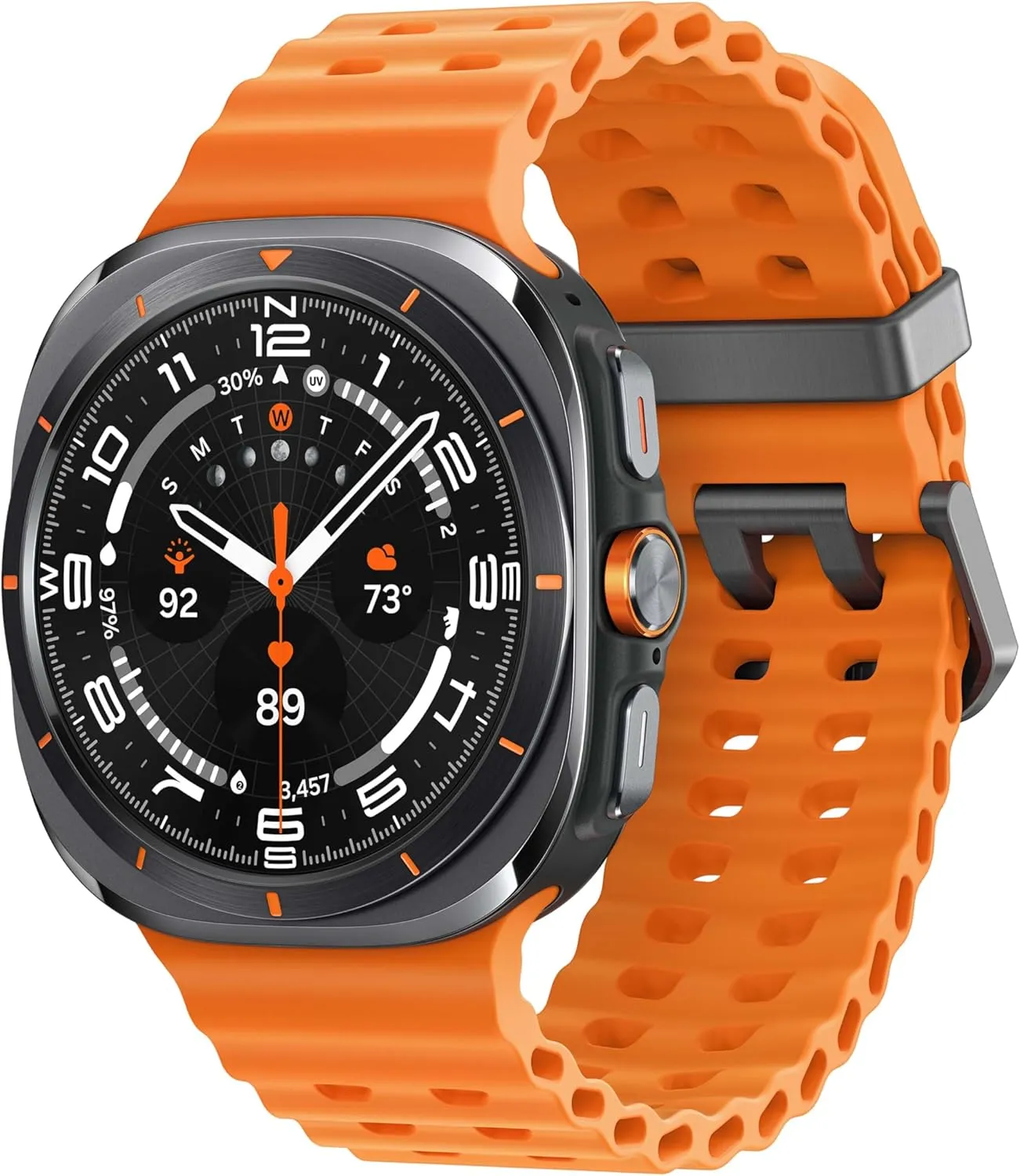
    galaxy watch ultra

    Samsung Galaxy Watch Ultra 47mm LTE

    Climb the highest peak; Bike the long way home; The durable titanium design is our toughest yet, able to stand up to the rigors of your workout, including rainy or dusty conditions — even ocean swimming

    Best choice
    $649.99$399.00Amazon

    One UI 8 Watch – other features

    As mentioned in a separate article, AA has also discovered a new Watch app called Shortcuts, which allows you to add apps to your Galaxy Watch home screen as either 2 x 1 or 2 x 2 tiles, making them considerably more accessible.

    Finally, the publication reports that Samsung will add One UI 7’s Now Bar and Now Brief to the Galaxy Watch. The Samsung Now Bar appears on the home screen of your Galaxy smartphone, displaying information such as live notifications, music, and more. According to AA, users will be able to select between a simple icon and a larger display that includes both an icon and text.

    Users will also reportedly be able to double-pinch to open the Now Bar, and enable other actions if there’s no content in the bar.

    “Essentially, the Now Bar on Galaxy Watches will serve as a widget system, surfacing contextually relevant data without needing to navigate away from the watch face,” the report explains, specifically noting contextual suggestions, maps, media controls, Now Brief, tips, and Sports on Google (live sports scores).

    There are undoubtedly other significant features hiding beneath the surface that will be revealed when One UI 8 Watch approaches its formal release. Customers should expect a significant software upgrade for devices such as the Galaxy Watch Ultra and Samsung Galaxy Watch 7.

    Naturally, these modifications will be incorporated into the upcoming Galaxy Watch 8, which is slated to be released later this year.

    Grab a Samsung Galaxy Watch Ultra with 40% off – limited time deal

    galaxy watch ultra

    Samsung Galaxy Watch Ultra 47mm LTE

    Climb the highest peak; Bike the long way home; The durable titanium design is our toughest yet, able to stand up to the rigors of your workout, including rainy or dusty conditions — even ocean swimming

    Best choice
    $649.99$399.00Amazon