Being a Pixel owner outside the United States has always come with a catch: a long list of AI features that simply aren’t available in your region. Google has gradually extended some of these to international markets, but the majority remain US-only. That gap may be getting a little smaller, as the company appears to be preparing another Pixel feature for a broader global rollout.
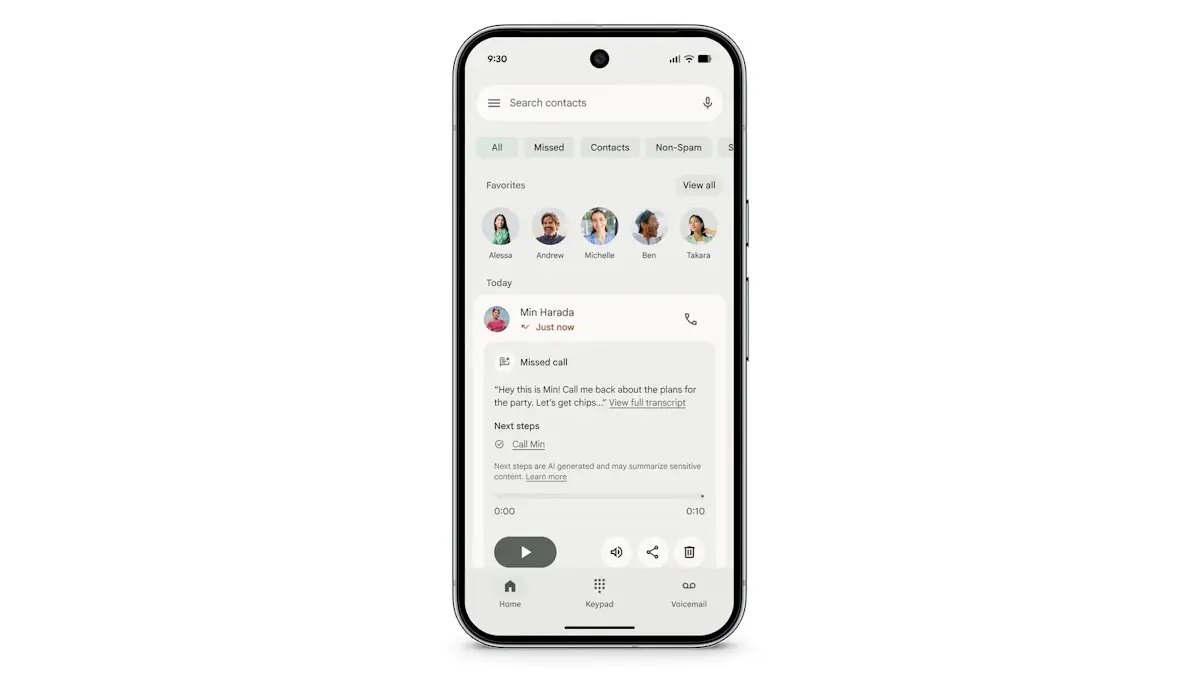
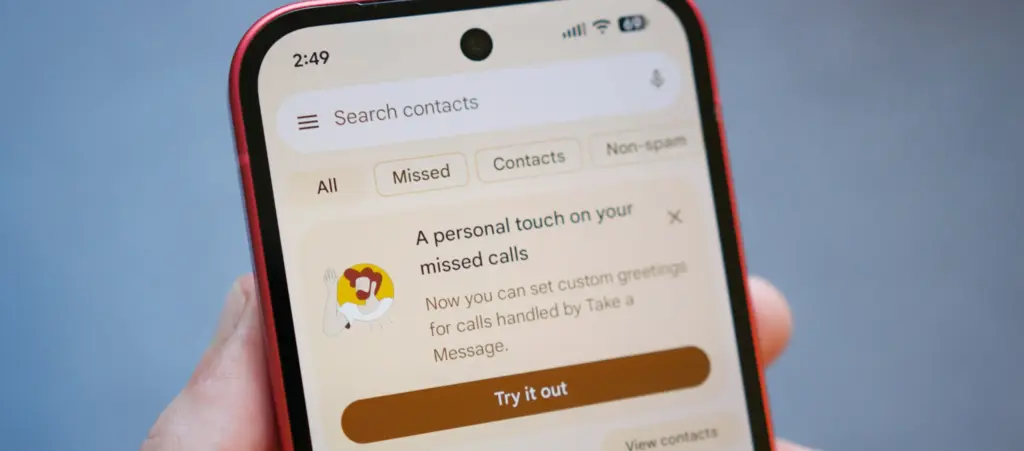
Introduced alongside the Pixel 10 series in 2025, “Take a Message” functions like a smarter take on traditional voicemail. When someone calls and the user can’t pick up, the feature answers on their behalf, takes a message, and displays a real-time transcription as it happens. It’s supported on all eligible Pixels from the Pixel 6 through to the Pixel 10, but availability has been restricted to the US, Australia, Canada, Ireland, and the UK. According to Android Authority, that’s about to change.
Code found in the latest Phone app beta suggests Google is working on a significantly wider rollout. Take a Message could reach a range of Asian and European markets including Austria, Belgium, Finland, Malaysia, Hungary, Latvia, the Netherlands, Norway, Poland, Singapore, Sweden, and Taiwan. Germany, Spain, France, Italy, and Japan may receive the feature with transcription support included. India also appears to be in scope, with country-specific code strings discovered in the same beta build.
Beyond geographic expansion, the report indicates Google is also planning to bring Take a Message to non-Pixel devices – though seemingly without transcription support in that case.
A useful feature that deserves wider reach
Take a Message doesn’t get as much attention as Call Screening or some of Google’s more prominent AI calling tools, but it’s a genuinely practical addition. One of its stronger selling points is that all transcription happens on-device, which makes it a privacy-conscious alternative to cloud-based voicemail systems. For anyone who finds their carrier’s default voicemail setup clunky or impersonal, it offers a noticeably cleaner experience directly from the phone.
The expansion follows a pattern Google has already started exploring. Earlier this year, the company brought Scam Detection – previously a Pixel-exclusive feature – to the Samsung Galaxy S26 series, marking one of the first times a major Pixel AI calling feature landed on a competing Android flagship. A similar rollout strategy seems likely for Take a Message, potentially starting with non-Pixel flagships before spreading to a wider device pool.
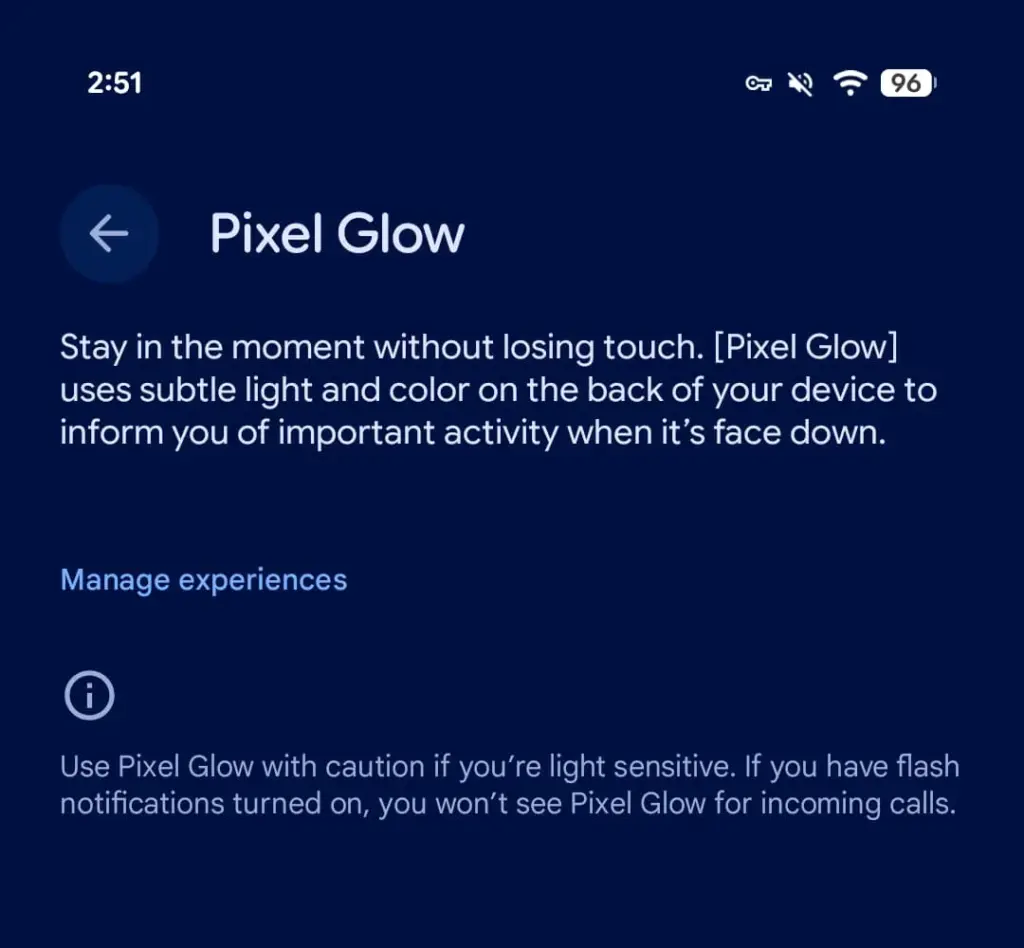
Android 17 Beta 4, released today, contains explicit references to a new hardware feature called Pixel Glow. The description is straightforward: subtle light and color on the back panel of the device, designed to notify users of important activity when the phone is face down.
This isn’t a software animation or an always-on display trick. Pixel Glow appears to be dedicated hardware — which strongly suggests it’s headed to at least some Pixel 11 models later this year.
More Than Just a Notification Light
Google isn’t positioning this as a simple LED revival. According to a description spotted by 9to5Google, Pixel Glow is being developed as part of the Digital Wellbeing suite, with a specific goal: helping users “stay in the moment without losing touch.”
In practice, that means:
Incoming calls from favorite contacts will trigger the light — but only if flash notifications are turned off
Gemini integration — the lights will activate during AI interactions and may enable hands-free, visual-feedback-driven conversations
Individual controls — each use case can be enabled or disabled separately from Settings
Where Would the Light Actually Go?
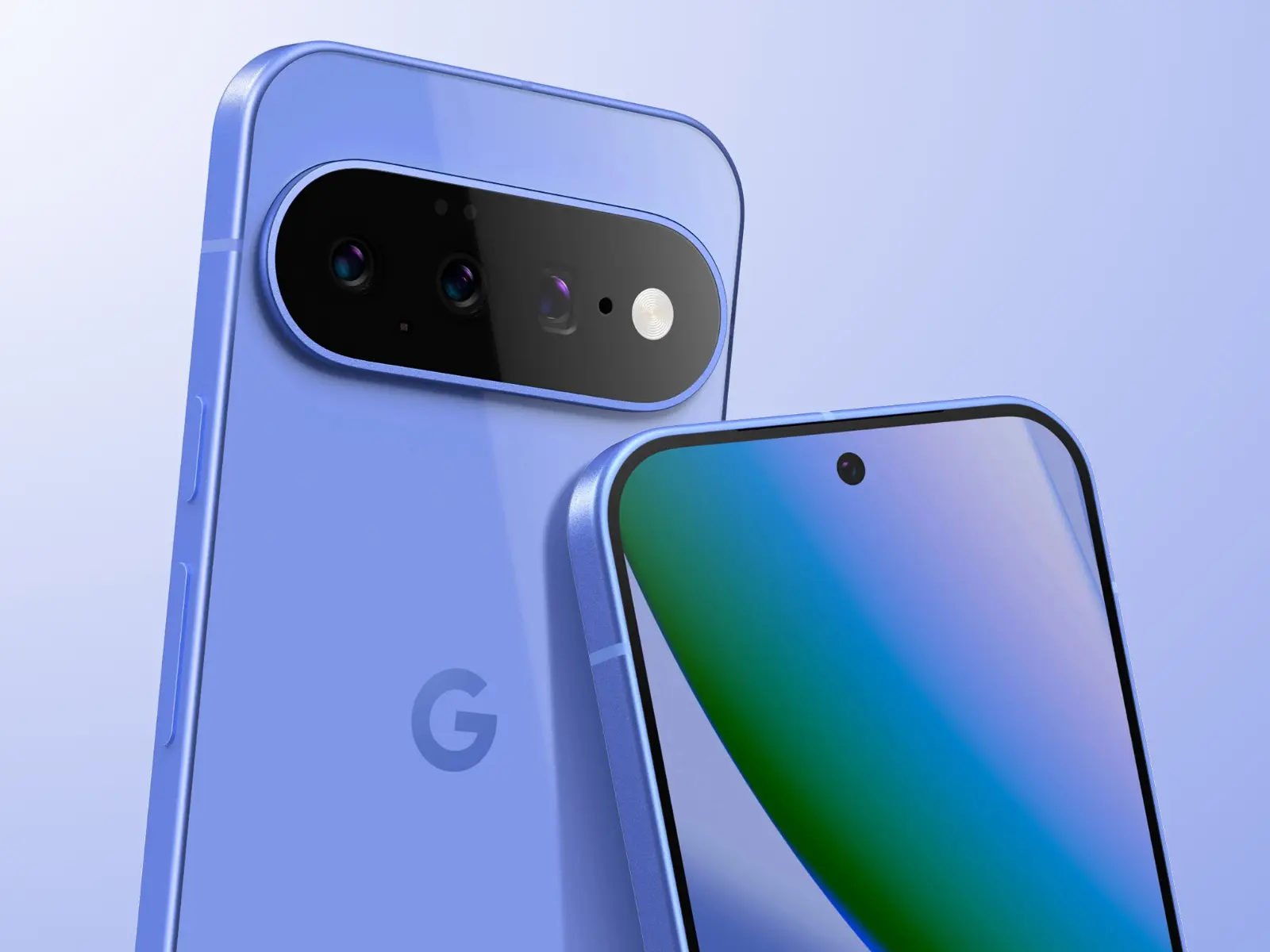
Here’s the interesting part: the leaked renders of the Pixel 11 lineup don’t show any obvious cutout or housing for Pixel Glow. That leaves two realistic options.
The first is the Camera Bar — the redesigned horizontal strip on the back. A Pixel 11 Camera Bar with built-in ambient lighting would make Google’s signature design element genuinely functional, not just aesthetic.
The second option is the Google logo on the back panel. A glowing “G” would immediately draw comparisons to the iconic backlit Apple logo on older MacBooks — which, depending on who you ask, is either a great or a terrible thing.
The Notification LED Is Back — Sort Of
Let’s call this what it is. Around 2019, the industry-wide race to ultra-thin bezels killed off the notification LED — a small, power-efficient light that millions of Android users relied on daily to check notifications without touching their phones. Manufacturers quietly dropped it, and nobody really asked for that.
Pixel Glow looks like Google’s answer to the void that’s been there ever since. It’s smarter, more context-aware, and integrated with AI — but the core idea is the same: a light on your phone that tells you something important is happening, without demanding your full attention.
Always-on displays have never fully replaced that. For many users, Pixel Glow could.
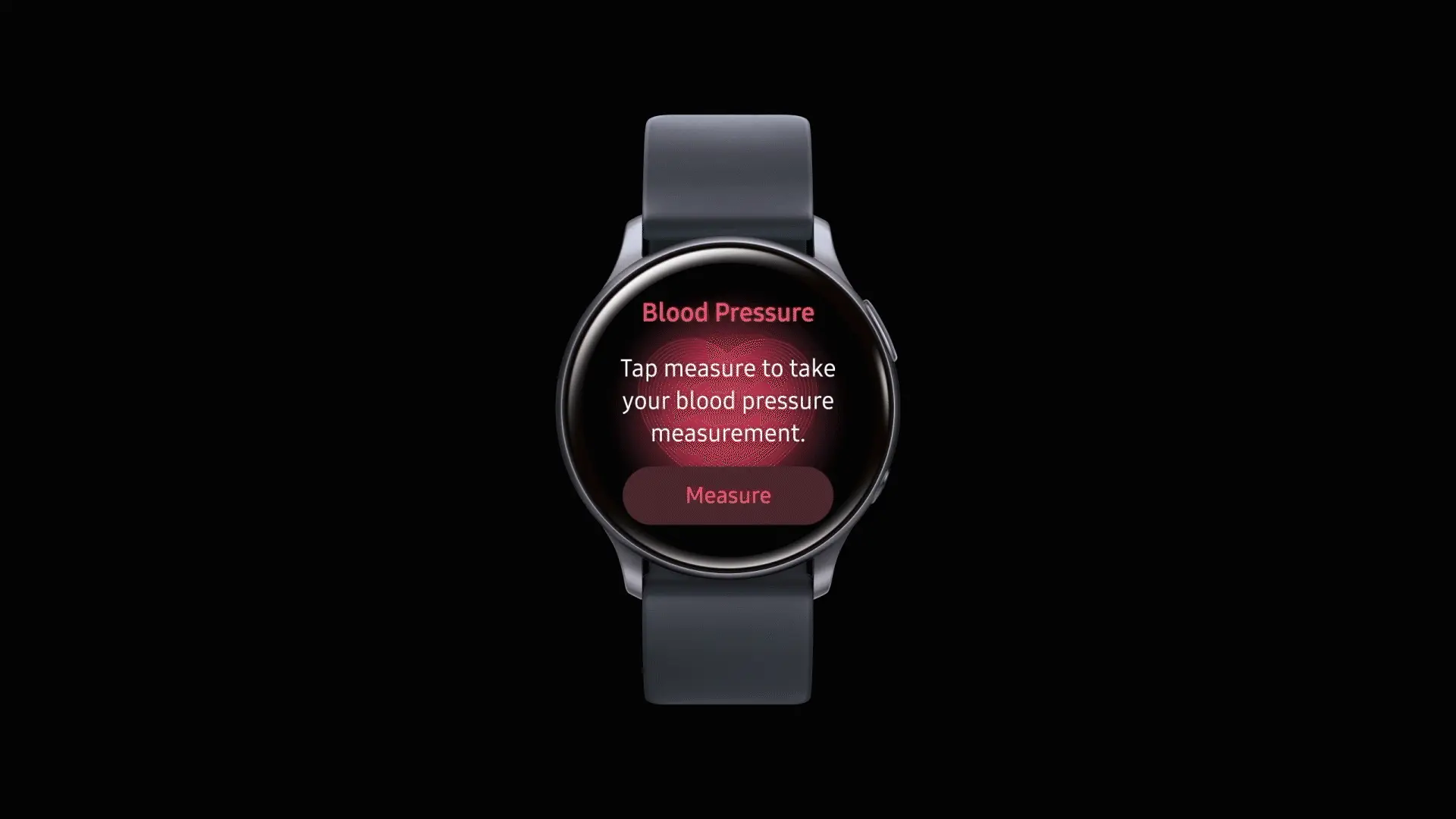
After being regionally limited for years, blood pressure tracking will now be available to Galaxy Watch users in the United States. Users in the US will be able to get blood pressure monitoring, but it requires a Galaxy phone to function.
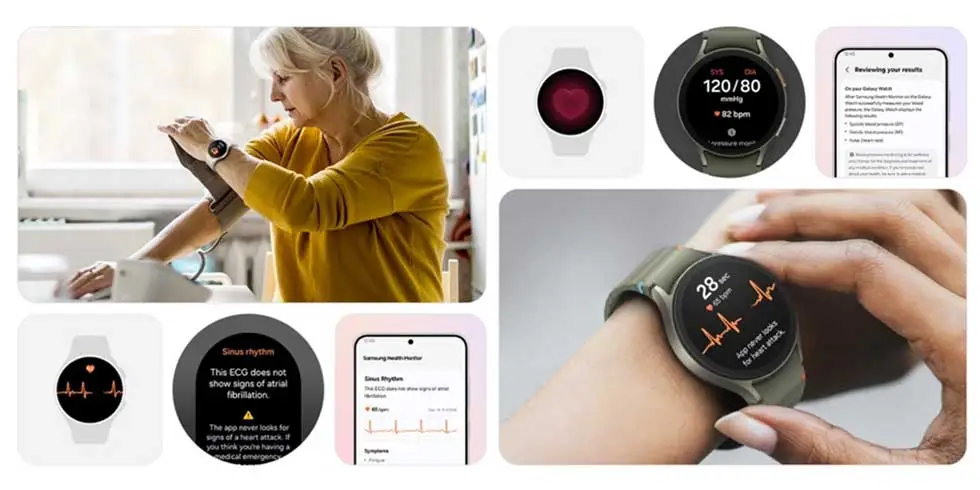
As with ECG readings, customers in the US will have access to blood pressure monitoring via the Samsung Health Monitor app. This is a gain for the Galaxy Watch 4 and later, all the way up to the Galaxy Watch 8, as the rollout won’t be restricted to any particular Galaxy Watch model.
According to Samsung, blood pressure data should be used to supplement general health metrics rather than to prevent or diagnose excessive blood pressure. Similar to an ECG exam, wearers of Galaxy Watches must start a reading. Once finished, the watch will display blood pressure and heart rate readings, which will be saved in the companion app.
Official use will be restricted to watches coupled with Galaxy phones due to the tool’s reliance on the Samsung Health Monitor app. Additionally, it appears that the feature requires calibration with a conventional upper arm cuff. Calibration will be required every 28 days, according to the press release.
To ensure accuracy, users are required to calibrate their Galaxy watch using an upper arm cuff (sold separately) every 28 days. Compatible Galaxy Watches measure systolic and diastolic blood pressure along with your heart rate using the internal heart rate monitoring sensors.
Since its debut on the Galaxy Watch Active 2 in 2020, blood pressure monitoring has notably been excluded from the Galaxy Watch’s feature set in the United States, whereas other regions have benefited from both the feature and a more comprehensive set of health monitoring capabilities. With this information, it appears that US restrictions have changed, allowing Samsung to start releasing previously restricted tools.
Galaxy Watch users should start seeing availability with the linked Samsung Health Monitor app as an update starts to roll out today.
Over the past few years, Android has been in a very good spot thanks to Google’s delivery of an experience that felt really polished and refined with Android 15 and a few minor tweaks and modifications with Android 16.
Naturally, the company has many chances to make improvements with frequent updates, and with Pixel Feature Drops, it can even implement more significant changes. We won’t have to wait long for Google’s next feature drop if the rumors are accurate.
New features are coming
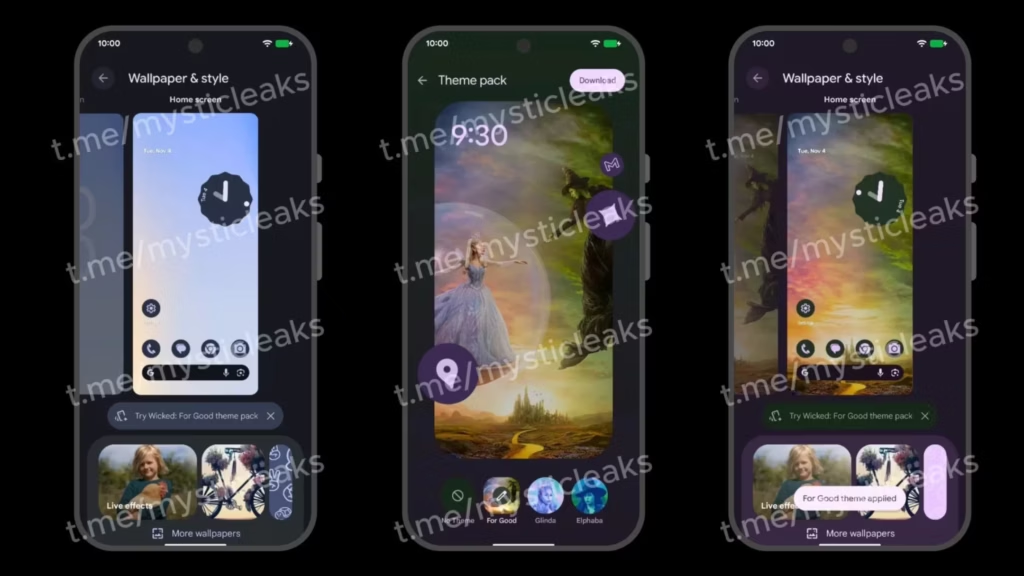
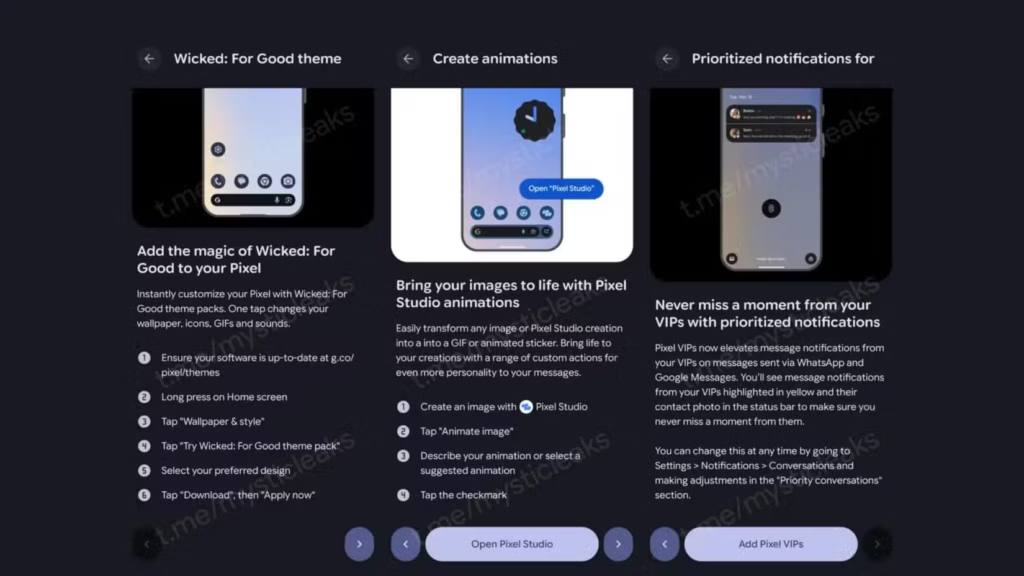
According to leaks posted on Telegram by Mystic Leaks, the next significant Pixel update is scheduled for November 4 (via 9to5Google). Of course, this is only what the screenshots that were leaked show, and it might arrive at a different time. However, for the time being, we must believe that the update will be released soon.
New theme packs, which will let you alter the phone’s entire appearance and feel with a single button tap, will be one of the update’s main features. This feature includes custom noises and GIFs in addition to the obvious background and icon modifications.
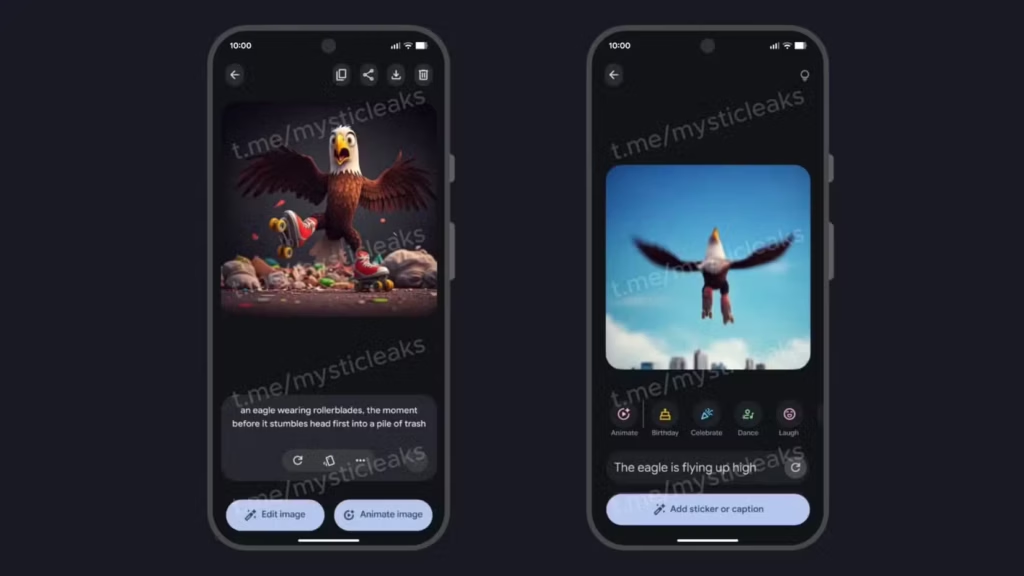
According to the screenshots, there may also be promotional tie-ins with films and other events, which might make theming a little more enjoyable if you like a completely different style based on current trends. In addition to the aforementioned, it appears that the Pixel Studio software will soon be able to create GIFs.
In the past, AI might be used to produce still photographs. You may now enhance these photos even more with the Feature Drop. Additionally, Pixel VIP is receiving a minor update that highlights incoming messages from the people you care about the most.
There aren’t any significant changes here, but in order to keep you better informed, it will highlight your VIPs in yellow and provide a contact image. Overall, it’s a good set of upgrades to anticipate.
Although this sounds fantastic, 9to5Google is still dubious about the update, pointing out that there are mistakes in the pictures and that the timing seems off given that Android 16 QPR2 is almost here. Fortunately, we won’t have to wait long to discover the truth.
Budget phones in 2025 are more powerful, stylish, and feature-packed than ever before. No longer just basic devices for calls and texts, today’s affordable smartphones offer high-refresh-rate displays, capable cameras, long-lasting batteries, and 5G connectivity—all at a fraction of flagship prices. Whether you’re looking for a reliable daily driver or a backup device that doesn’t break the bank, the 2025 budget phone market delivers impressive options that punch well above their price point.
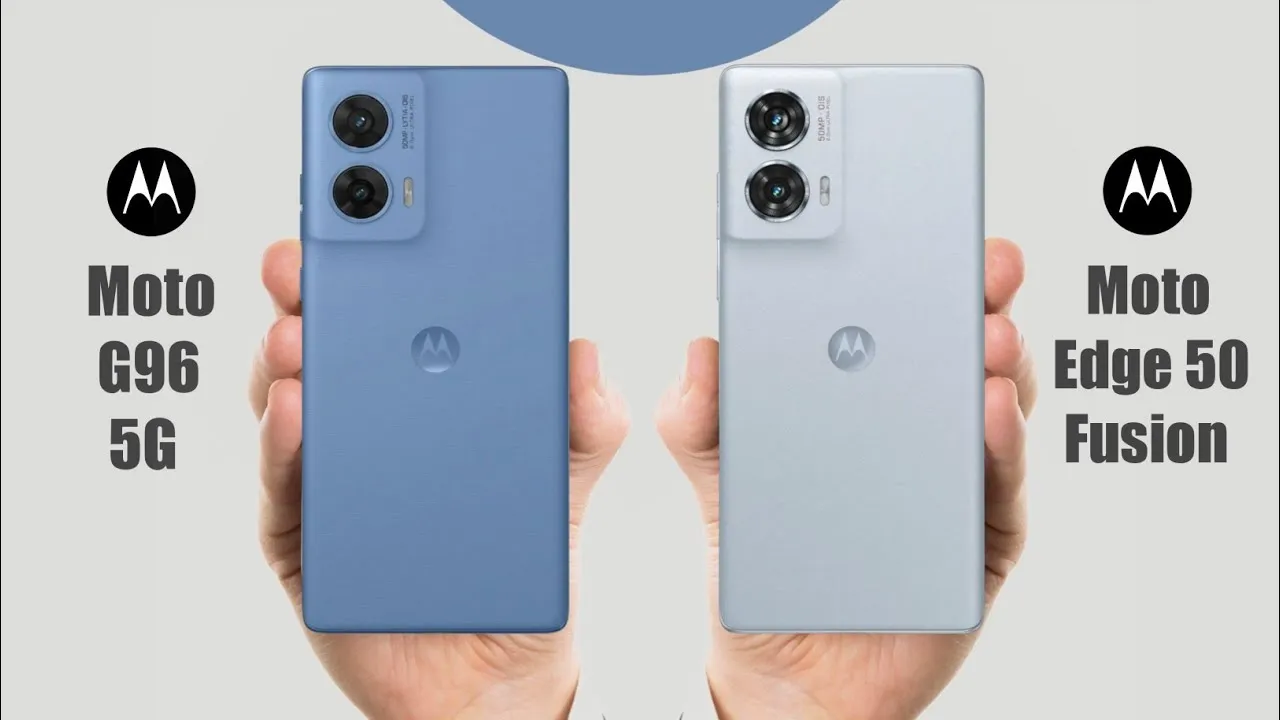
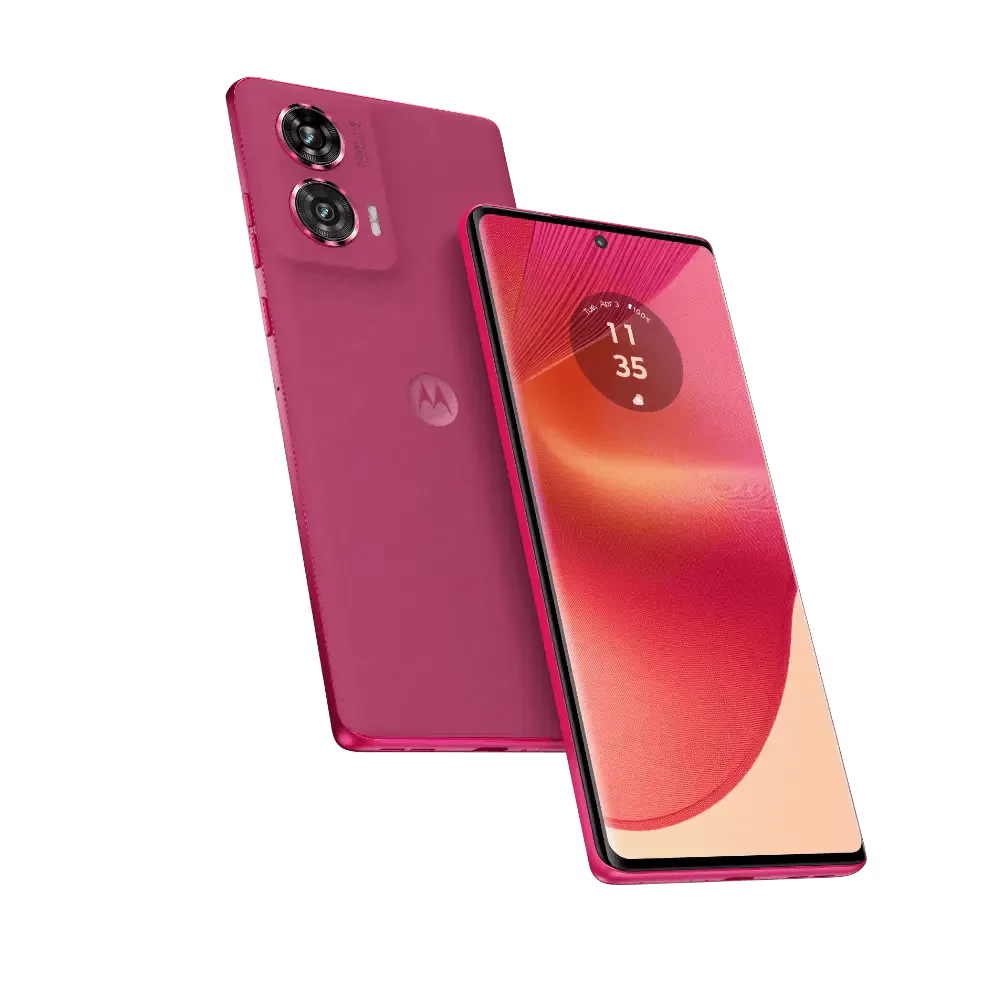
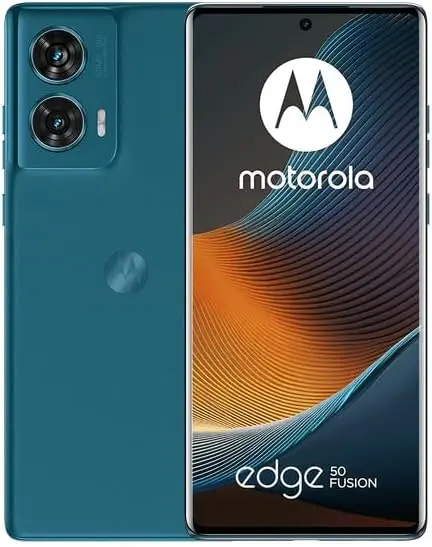
Motorola is renowned for producing high-quality, reasonably priced, mid-range phones with a ton of features. The Motorola Moto G96 and Moto Edge 50 Fusion are two of its most well-liked competitors in 2025. For consumers searching for affordable options, both phones are great options. Let’s see which one really sticks out in 2025 in this blog.
Specs
Before delving into the features of the Motorola Moto G96 and Moto Edge 50 Fusion, let’s take a quick glance at the specifications:
Specs
Moto G96
Moto Edge 50 Fusion
Display
6.67-inch Full HD+ Display
6.7-inch Full HD+ Display
Processor
Snapdragon 7s Gen 2
Snapdragon 7s Gen 2
Battery
5500mAh
5000mAh
Storage Variants
8GB/ 128GB; 8GB/ 256GB
8GB/ 128GB; 12GB/ 256GB
Rear Camera
50MP + 8MP
50MP + 13MP
Front Camera
32MP
32MP
Starting Price
around $210
around $220
Design
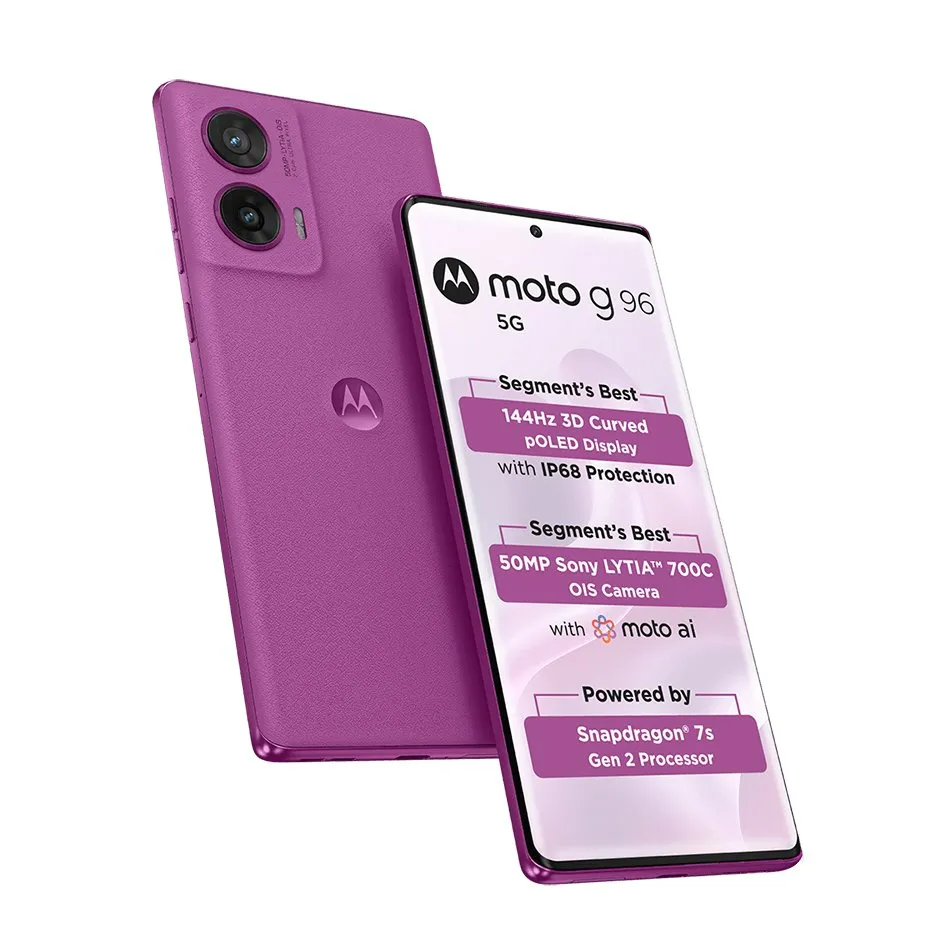
With their sleek shapes, curved screens, and bright OLED panels, the Motorola Moto G96 and Moto Edge 50 Fusion both have high-end finishes and looks. A 6.67-inch Full HD+ curved pOLED screen with a refresh rate of 144 Hz and HDR10+ for vibrant images is a feature of the Motorola Moto G96. A slightly larger 6.7-inch Full HD+ pOLED screen with a refresh rate of 144 Hz is featured on the Moto Edge 50 Fusion. Both are vibrant, sharp, and perfect for streaming or gaming. The Moto G96 has a minor advantage if you like a somewhat more contemporary, curved design.
Performance
Regarding the processor, the Snapdragon 7s Gen 2 is found in both the Motorola Moto G96 and the Moto Edge 50 Fusion. However, the Moto Edge 50 Fusion comes with Android 14, while the Moto G96 comes with Android 15.
With the newest Android and extended software support, the Moto G96 has the advantage of being more recent. Both are adept at handling everyday chores, gaming, and multitasking.
The Moto G96 has a huge 5500mAh battery that supports 68W rapid charging. Despite having a somewhat lower 5000mAh battery, the Moto Edge 50 Fusion has a 68W rapid charging capability.
Therefore, choose the Moto G96 if you want the longest battery life.
Camera
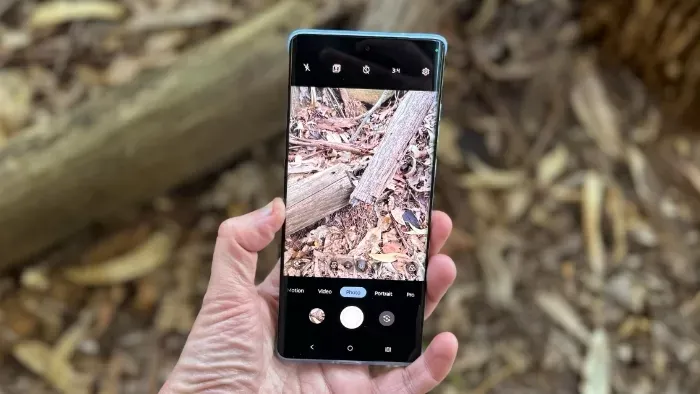
The 50-megapixel rear camera with OIS on the Motorola Moto G96 and Moto Edge 50 Fusion ensures steady and sharp images. Speaking of another lens, the Moto Edge 50 Fusion has a somewhat superior 13-megapixel camera than the G96, which has an 8-megapixel one. Both phones include a 32-megapixel camera on the front. The Edge 50 Fusion is superior for people who value wide-angle photography and a little more versatility.
Price
The Moto G96 and Moto Edge 50 Fusion are priced at $210 and $220, respectively, at launch. In terms of specifications, the Edge 50 Fusion has slightly more RAM and better cameras, while the G96 has a little superior battery and software at a lesser cost.
Which one should I buy?
That concludes the comparison of the Motorola Moto G96 and Moto Edge 50 Fusion. Both phones are fantastic, reasonably priced devices with good features. In any case, you’re getting a wonderful low-cost phone in 2025 that offers excellent value and performance. However, the Moto G96 is a better choice when looking at total features.
Feature
Best Pick
Design & Display
Moto G96 (for curved look)
Performance & Software
Moto G96 (newer Android)
Battery & Charging
Moto G96 (bigger battery)
Cameras
Edge 50 Fusion
Value for Money
Moto G96
Stay connected with the latest from Droid Tools—follow us on X @droid_tools, like our page on Facebook, check out our updates on Instagram, and follow us on Google News for real-time news, device tips, and mobile tech insights.
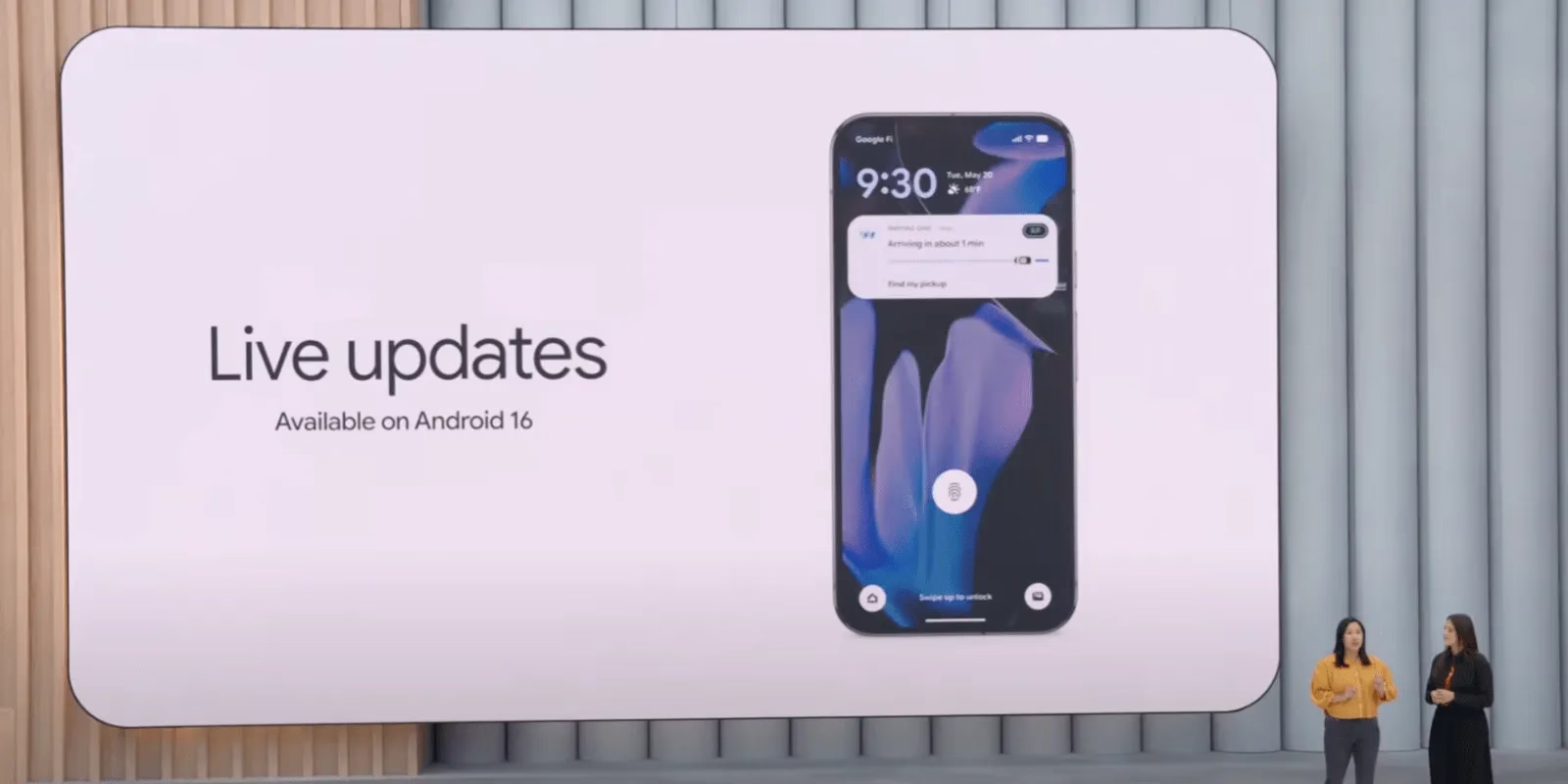
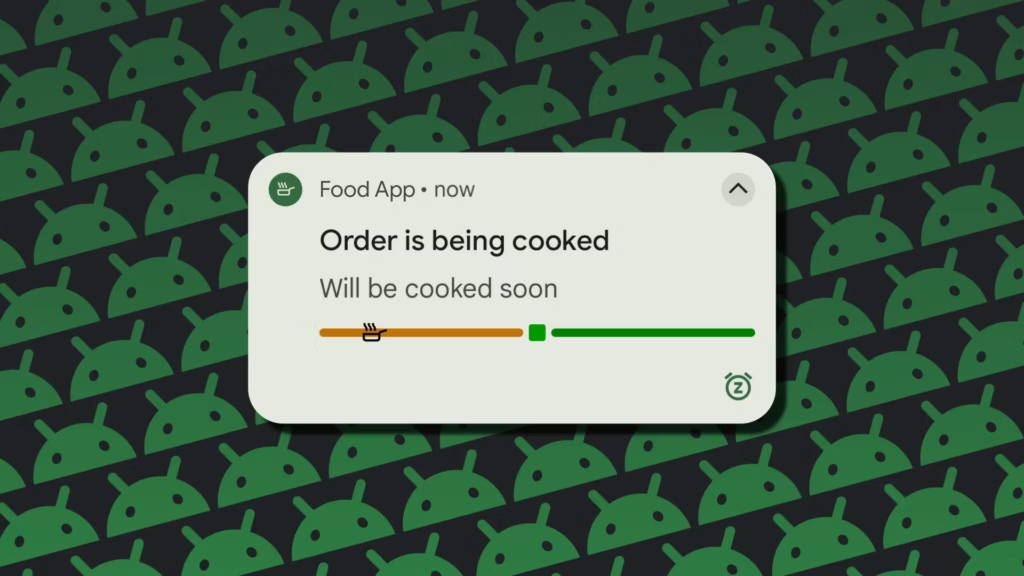
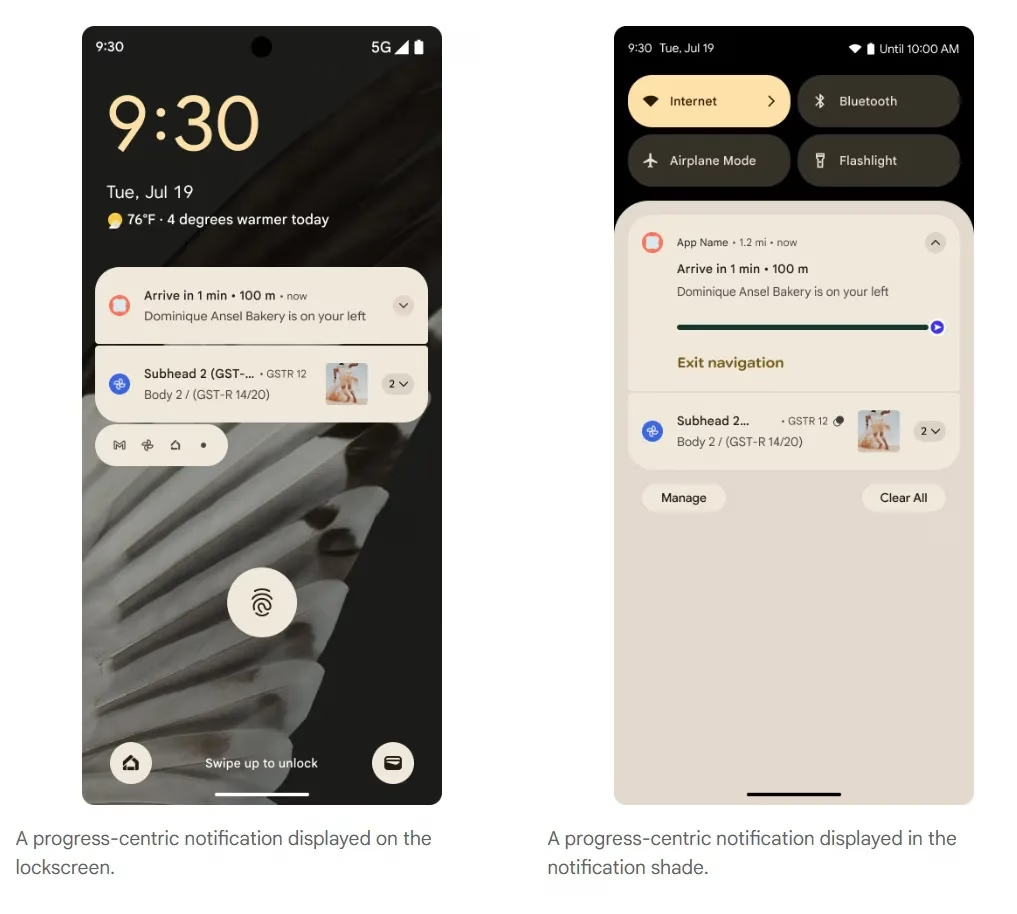
Last month, Google unveiled the first stable version of Android 16, which included a number of new features. One of these is Live Updates, which shows real-time activity notifications on the lock screen of an Android phone. More details concerning this feature have now been released by the tech giant. In Android 16, live updates can be added to apps that provide services like food delivery, ride sharing, and phone calls, but not for marketing or promotions.
Live Updates in Android 16
Live Updates is modeled after the iPhone’s Live Activities feature. It gives notifications for an activity that has a clear start and end time and is currently underway. Google clarified on its developer page that the feature’s primary goal is to provide time-sensitive notifications rather than historical events.
Active navigation, continuous phone calls, tracking food deliveries, and tracking ride-sharing via their corresponding Android apps are a few of its use cases. These alerts, which provide information like tracking or ETA (estimated time of arrival), will appear on the lock screen of the Android handset.
According to the tech giant, it does away with the necessity of unlocking the phone in order to check the status. For instance, Google Maps will display directions in the home screen’s status chip when navigation is active, while Live Update on the lock screen will provide the trip’s current status and additional directions.
However, developers need to make sure that Live Updates only show actions that the user has deliberately triggered and should only show up if the activity requires the user’s attention for the duration of the update.
The company also described the Live Updates feature’s improper usage cases. Ads, promotions, chat messages, future calendar events, and alerts are all incompatible with it. Developers can leverage other OS components, like conventional notifications, for these. If they want to give users faster access to their app’s features, they can use the Quick Settings tile and app widgets.
However, there are several exceptions. Live updates may be triggered if a user signs up for an activity that has a time limit or buys concert or airplane tickets in advance, but only when the scheduled event is about to happen.
Stay connected with the latest from Droid Tools—follow us on X @droid_tools, like our page on Facebook, check out our updates on Instagram, and follow us on Google News for real-time news, device tips, and mobile tech insights.
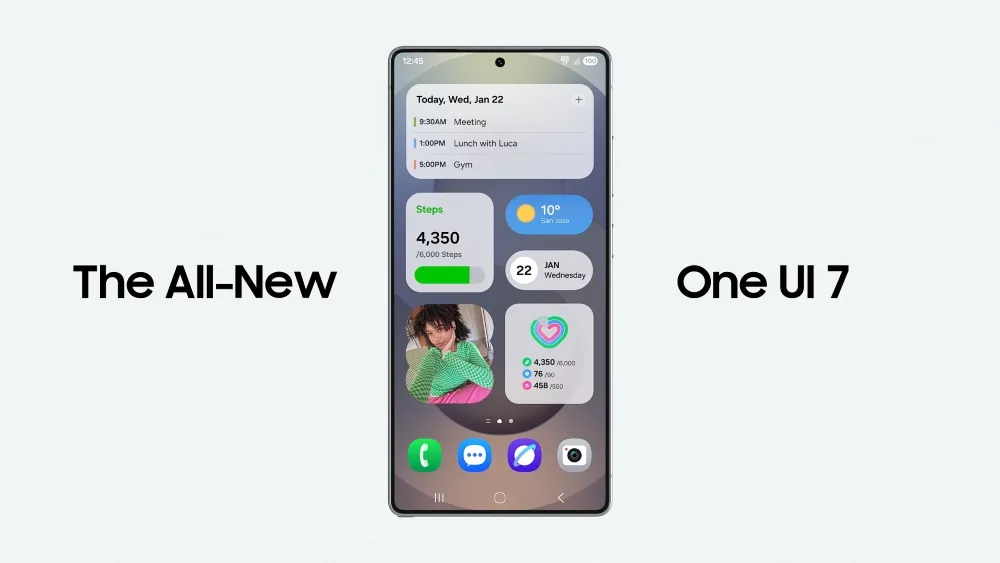
There is no sugarcoating it. Samsung botched the deployment of One UI 7 on the top Galaxy phones. Still, it is one of the most significant redesigns in One UI history, adding an unmatched level of polish to the company’s appearance. You have surely heard about the Now Bar and the huge Galaxy AI improvements in One UI 7, but here are several tiny, underappreciated updates you might have overlooked.
Double-tap playback controls in AOD
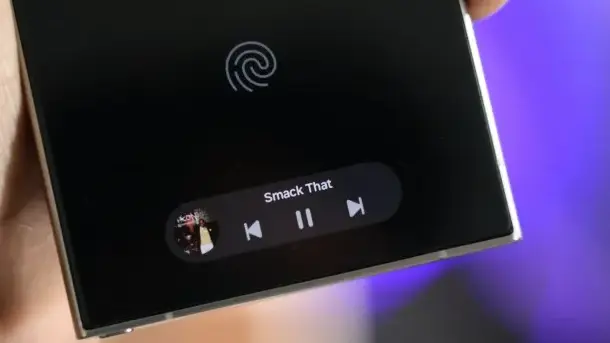
Now Bar is one of the significant new features in One UI 7, promising to provide relevant information at the right time. It also works with Always-on Display, displaying softly at the bottom. This is not the only way Samsung enhanced the Always-on Display with One UI 7. You may now control media playback via the Always On Display (AOD).
If you lock your Galaxy phone running One UI 7 while media is playing, the playback controls show at the bottom of the Now Bar. A single tap does nothing, but double tapping the playback controls will play, pause, or skip the current song or movie.
When you double-tap the album art, an expanded view of the media player appears, complete with larger controls and the ability to adjust media output.
Vertical app drawer
One UI 7 introduces a vertical app drawer to the One UI launcher. The option was included in One UI 5 and earlier releases, however it was deleted with Samsung’s Android 14-based One UI 5 update. The business promised to bring back the vertical app drawer with One UI 6.1.1, however this never happened.
If you have hundreds of apps installed on your Galaxy phone, a vertical app drawer will help you to easily swipe through them. In true Samsung form, there is an anomaly in how the feature was implemented.
Samsung does not specifically refer to it as a vertical app drawer. Instead, open the app drawer, hit the overflow menu button in the lower-left corner of the search bar, and choose Sort, then Alphabetical order. This converts the app drawer to a vertical style and organizes apps by name. You cannot move apps in this view, but you may position them within folders. Folders are located at the top, followed by applications and games.
A useful feature of the vertical app drawer is the addition of a fast-scroll bar on the right, which allows you to swiftly skim through and jump to any portion of your app list. The Home Up Good Lock module, which was updated with One UI 7, allows for more customisation of the home screen and app drawer.
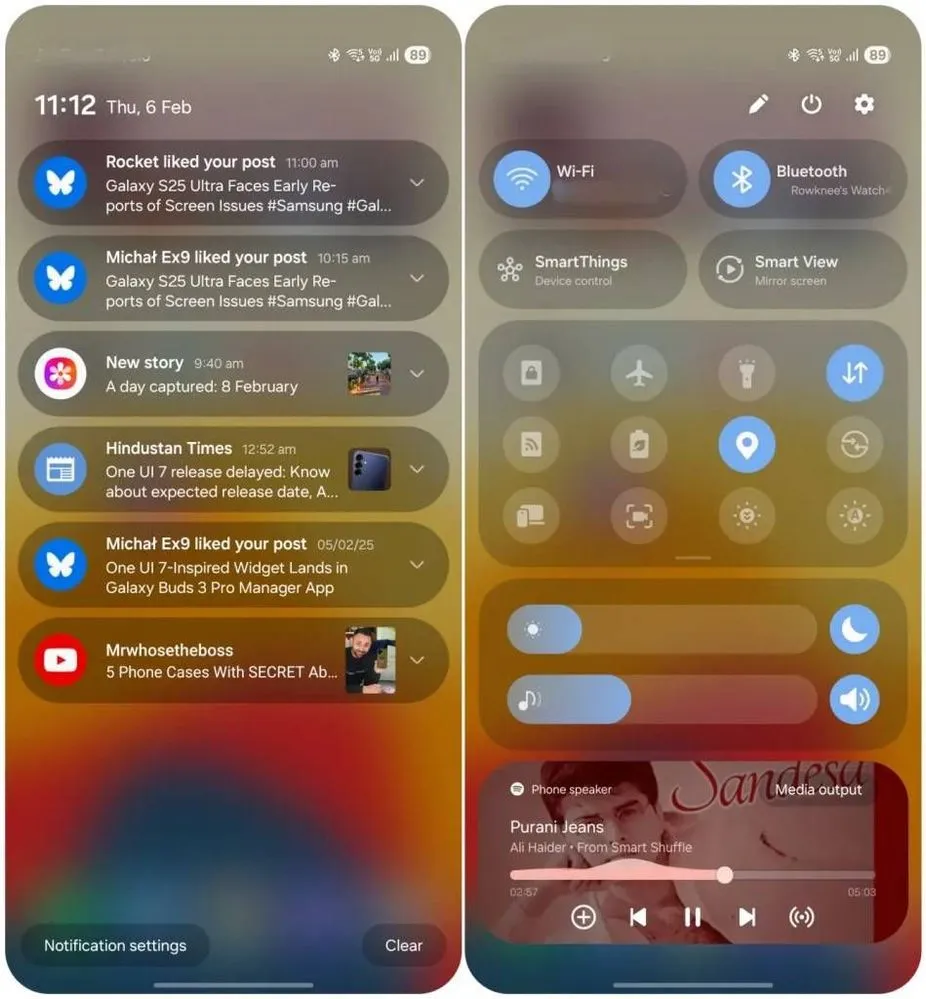
Quick switch between the notification panel and Quick Settings
Samsung used an iOS-like approach with One UI 7, separating the notification panel and Quick Settings into two sections. You can return to the former One UI 6-like layout, but sample this adjustment for a few days before making a decision.
Compared to Apple’s distinct Quick Settings and notification panel design, Samsung’s method has one significant advantage. Swiping between the Quick Settings panel and the notification shade allows you to rapidly move between them. The same is true for phones from Xiaomi, Oppo, and OnePlus, all of which have long used separate Quick Settings and notification panels.
Although Samsung was not the first to market with the idea, it made care to include a helpful change in One UI 7.
Minimized pop-up apps group together
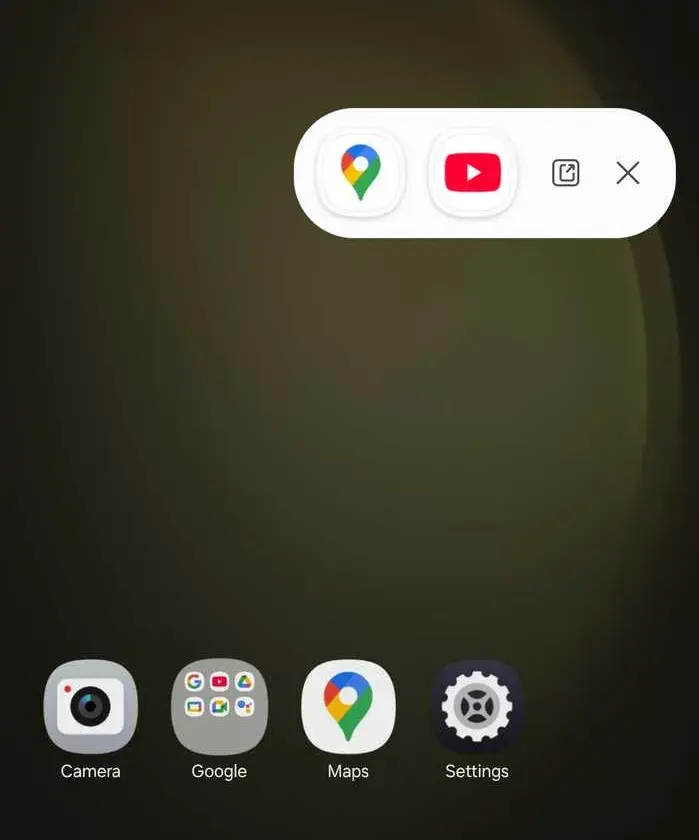
Samsung’s Android skin includes a variety of useful multitasking capabilities, including the option to run programs in a pop-up view. This allows you to run many programs simultaneously and minimize them into a floating shortcut. When you minimize numerous apps in pop-up mode, your Galaxy phone’s display may appear cluttered.
One UI 7 solves this problem by grouping the floating shortcuts of all minimized programs. Even better, there is a shortcut for launching all minimized apps at once. If you do not frequently utilize pop-up view multitasking on your Galaxy phone, you may disregard this as a minor modification. If you rely significantly on it, you will benefit from this modification.
New charging animation
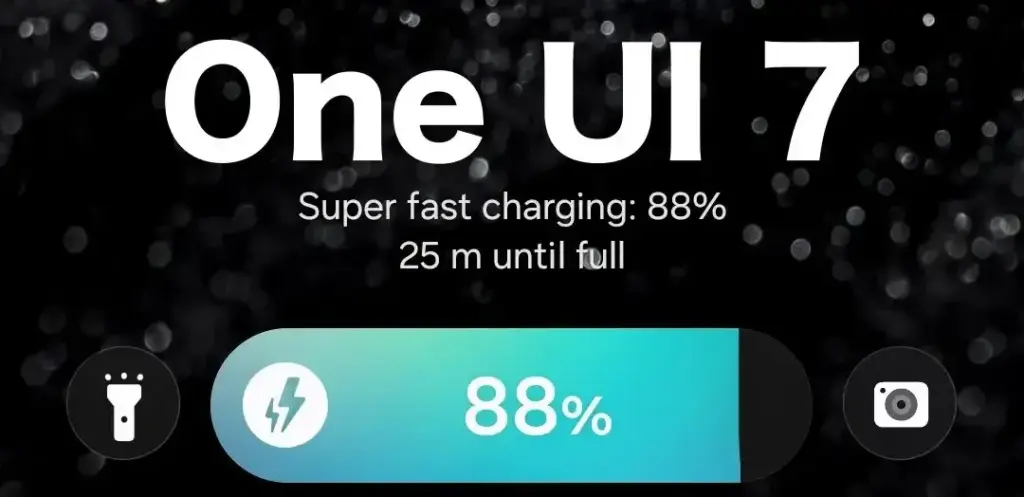
Samsung’s work with One UI 7 is evident, from the smooth system animations to the general fluidity. The experience rivals iOS in polish and feels substantially better than other Android skins. You will not encounter sporadic lags or stutters. The new charging animation demonstrates Samsung’s attention to detail in One UI 7.
If you put in your Galaxy phone to charge when the display is turned off, a charging pill with a slick animation appears at the bottom, where the Now Bar resides. It does not appear in extreme brightness, but rather in a dimmed state. When you are in a dark room, the phone automatically adjusts the brightness to make it even darker. The charging information can be displayed even when the screen is turned off.
One UI 7 is really improved
Samsung’s Android skin offers a feature-rich experience, including useful multitasking options. Still, it felt like One UI lacked the polish and attention to detail that Pixel UI and iOS possessed.
With One UI 7, Samsung steps up, demonstrating that when it wants to, it can create a professional and well-rounded Android experience while correcting some of its long-standing faults. So it is sad that the focus on One UI 7 is primarily on its rollout delays, rather than the polish and enhancements it delivers.