Tag: bug

  • Garmin Venu 4 Beta 17.25 Update Fixes Recovery Mode Bug and Improves Battery Estimates

    Garmin Venu 4 Beta 17.25 Update Fixes Recovery Mode Bug and Improves Battery Estimates

    Garmin has rolled out another beta update for the Venu 4, delivering over a dozen fixes and refinements to the mid-range smartwatch. Beta 17.25 is available globally through Garmin’s Beta Program and tackles a notable bug that could cause the watch to enter recovery mode during a software update, among several other improvements.

    The update arrives a day after Garmin pushed comparable beta builds to the Venu X1, Vivoactive 6, Forerunner 570, and Forerunner 970. The Venu 4 (currently $499 on Amazon) now gets its own update in the form of Beta 17.25, which Garmin says brings 13 changes to the device, including updated translations. The release also coincides with Garmin Connect Mobile picking up additional translations through its own v3.90 update.
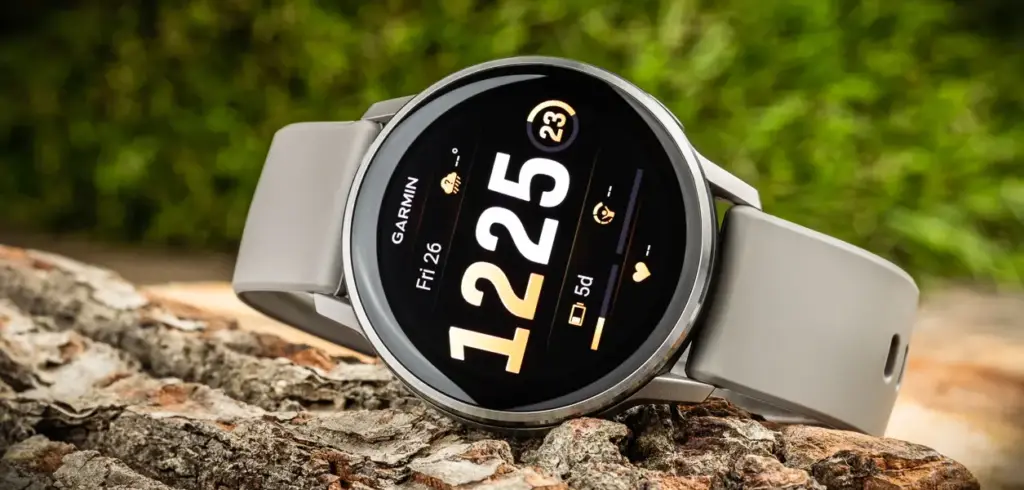
    garmin venu 4 45mm silver silver gray silicone band

    There are no new features in this build – the focus is squarely on stability and accuracy. Beyond the recovery mode fix, Beta 17.25 resolves two separate issues that were causing device resets on earlier builds, and it also addresses a problem with battery estimate accuracy when switching power modes during activities. A few other quality-of-life fixes round out the changelog.

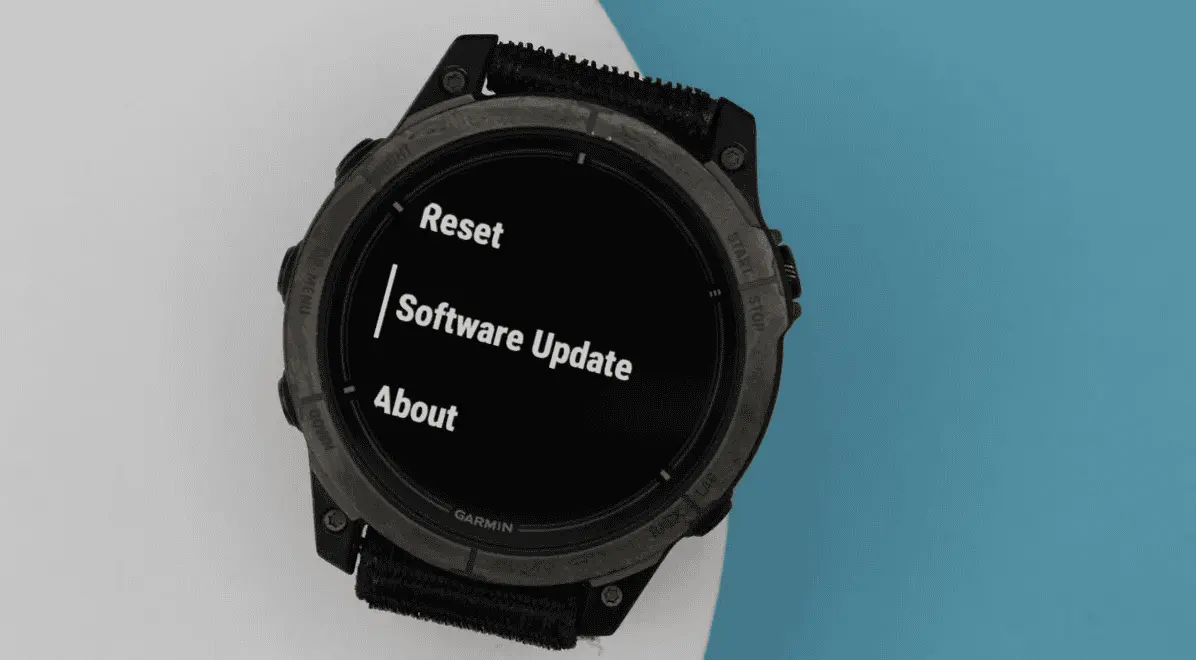
    To install Beta 17.25, users enrolled in Garmin’s Beta Program need to trigger the update manually. The path is: Main Menu → Settings → System → Software Update → Check for Updates.

    The full changelog from Beta 17.19 to Beta 17.25 is as follows:

    • Fixes a possible crash when routing back to start.
    • Fixes an issue that could cause the device to enter recovery mode during a software update.
    • Fixes an issue that could cause the device to reset when adding apps via Garmin Connect Mobile.
    • Fixes an issue that could cause the device to reset when viewing the evening report.
    • Fixes an issue that could result in counting reps incorrectly during strength training activities.
    • Fixes an issue that could result in the post-activity summary map being centered incorrectly for multisport activities.
    • Fixes an issue where the duration could be missing from the workout card in the morning report.
    • Fixes battery estimates when switching power modes for activities.
    • Fixes other minor bugs.
    • Fixes various other issues that could cause the device to reset.
    • Fixes weather app not updating when you enter the app.
    • GCM Translations – 3.90
    • Updates translations.
  • Garmin Beta 17.19 Update Rolls Out to Venu 4 and Vivoactive 6 with Bug Fixes and New Features

    Garmin Beta 17.19 Update Rolls Out to Venu 4 and Vivoactive 6 with Bug Fixes and New Features

    Garmin has pushed out another beta update for two of its recent mid-range smartwatches. Beta 17.19 is the second update the company has issued to the Venu 4 and Vivoactive 6 during the current v17.xx development cycle, building on the two dozen or so changes that arrived with the first release in this round. Based on how Garmin has handled previous beta cycles, at least another two to three updates are likely before the company promotes v17.xx to its stable software branch.

    Beta 17.19 brings eight changes shared across both the Venu 4 and Vivoactive 6 (currently $249 on Amazon). Among the fixes, Garmin has resolved an issue where the turn arrow would disappear during course navigation — a fairly disruptive bug for anyone relying on the watch for outdoor routing. The update also improves UI responsiveness when starting a timer, which should make the experience feel snappier during workouts.

    The Venu 4 gets three additional changes on top of the shared fixes. A bug that prevented the watch from accepting incoming calls has been squashed, as has another that caused the back and down keys to stop functioning during bouldering and indoor climb activities. Garmin has also adjusted how the mute setting behaves — it will now only stay active for the duration of the current phone call rather than persisting indefinitely afterward.

    The full changelogs for both devices are below.

    Venu 4 & Vivoactive 6 changelog

    • Adds support for Approach CT1 club sensors.
    • Allows LiveTrack to be enabled automatically on a per activity type basis.
    • Fixes an issue that could cause the turn arrow to be missing when navigating a course.
    • Fixes other minor bugs.
    • Fixes send off time not vibrating during swim workouts.
    • Fixes various issues that could cause the device to reset.
    • GCM Translations – 3.80
    • Improves responsiveness when starting the timer.
    • Prevents automatic track detection during trail run activities.

    Venu 4 specific changelog

    • Updates mute setting to only persist for the current phone call.
    • Fixes a possible issue where the back and down key would not work for indoor climb and bouldering activities.
    • Fixes an issue that could result in not being able to accept an incoming call on the watch.
  • Xiaomi HyperOS 3 update solves major bugs for smoother performance

    Xiaomi HyperOS 3 update solves major bugs for smoother performance

    For those who have been having a few small problems, Xiaomi’s recent official progress update for HyperOS 3 is great news. In an effort to provide a dependable and seamless customer experience, the firm is addressing a variety of defects and performance issues. Fans are reassured that their opinions are valued and taken into consideration by this weekly announcement, which is posted on the Xiaomi Community and provides an inside peek at the continuous enhancements.

    The update describes how the business is methodically resolving a list of issues that have been reported, ranging from little visual bugs to more serious issues that impact the usability and performance of the app. Additional details regarding these updates are available on websites such as our own HyperOSUpdates.com and the official Xiaomi.cn community page.

    xiaomi hyperos 3 update with bugfix

    HyperOS 3: whaty has been fixed?

    The most recent announcement states that Xiaomi has been working diligently to address a number of significant problems that users have voiced with the HyperOS 3 beta version. Future updates are anticipated to incorporate these changes, guaranteeing a significantly enhanced experience. Among the most noteworthy problems that have been fixed are:

    • TikTok Volume Abnormalities: On the REDMI K70, a bug causing abnormal volume levels in TikTok has been fixed.
    • Wallpaper and Search Glitches: Issues with the desktop wallpaper turning black and the global search function jumping erratically have been addressed.
    • WeChat and App Behavior: Multiple problems related to the popular messaging app WeChat have been resolved, including display issues and a bug where the app’s background keep-alive function was failing.
    • Security and Display Bugs: Fixes have been implemented for security concerns, such as a hidden app’s preview image being displayed in recent tasks, and for visual glitches like the “Xiaomi Super Island” not disappearing after face authentication.

    The release details numerous improvements, these being only a handful. Xiaomi is demonstrating its commitment to its user base and fostering confidence by proactively announcing these fixes.

    HyperOS 3 features revealed — here’s what’s new and coming soon

    HyperOS 3 is introducing some exciting new features that will transform how you use your Xiaomi device in addition to bug fixes. Prepare yourself for intelligent functioning and an entirely new degree of customisation.

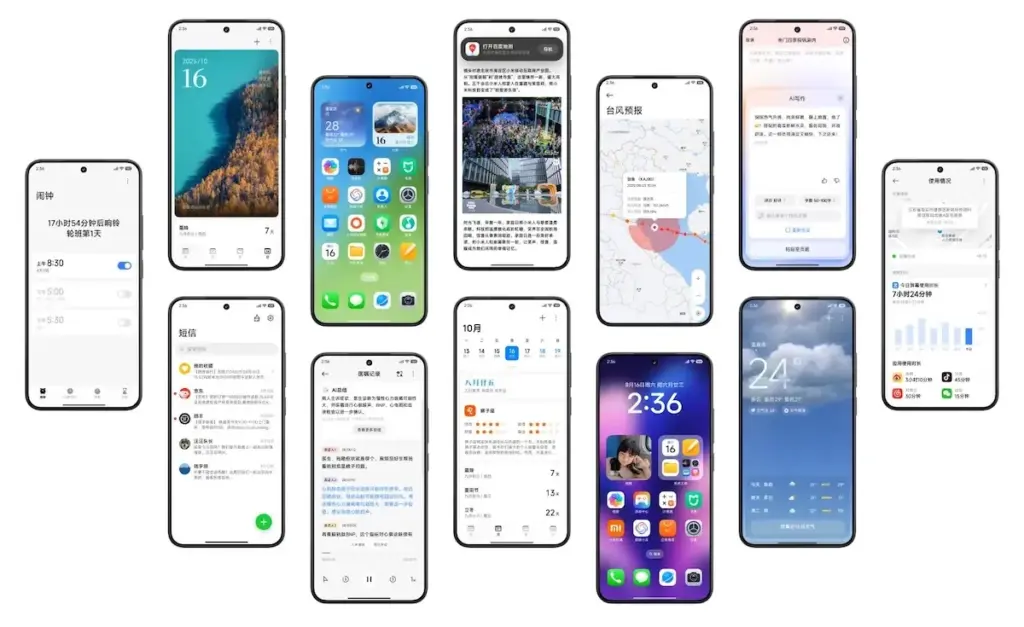
    • Refreshed Look and Feel: You’ll notice new icons, as well as updated battery and signal symbols. These small but impactful changes give the interface a fresh, modern look.
    • Enhanced Interconnectivity: Inspired by the seamless flow of other ecosystems, Xiaomi is introducing new features that allow for easy file sharing between devices by simply bringing them close together, similar to what you might know as Airdrop.
    • AI-Powered Features: HyperOS 3 is packed with artificial intelligence enhancements. AI features include note-writing, describing images, voice translation, and noise reduction for voice recordings. You can also look forward to an AI search feature and AI-powered photo searching within the Gallery app.
    • Dynamic Wallpapers: The popular AI Dynamic Wallpapers feature, which turns your photos into videos, is now available globally, allowing more users to enjoy this creative tool.
    • Performance Boost: The new update boasts a 30% improvement in performance optimization, meaning your favorite Xiaomi phone will feel faster and more responsive than ever before.

    This update demonstrates Xiaomi’s dedication to expanding the capabilities of mobile operating systems in addition to paying attention to customer comments on issues.

  • Update Now! the fix for critical WhatsApp bug that allows hackers to spy on iPhones is live

    Update Now! the fix for critical WhatsApp bug that allows hackers to spy on iPhones is live

    You should be aware that not everyone using WhatsApp is safe. Meta has alerted users to a significant security vulnerability that hackers used to launch a sophisticated, focused malware campaign that compromised dozens of WhatsApp accounts. This is why it’s important and why you should upgrade the app right now.

    In order to fix a vulnerability that was exploited in conjunction with another weakness in Apple devices, WhatsApp declared on Friday that it has released an emergency patch for its messaging program on iOS and Mac. According to reports, a week before WhatsApp’s upgrade, Apple resolved the security flaw in its devices.

    whatsapp bug fix

    Why is this so dangerous?

    Hackers reportedly used a well-known zero-click attack—a technique that compromises a device without requiring user interaction—to successfully exploit both vulnerabilities. In certain situations, a victim might get a link or image from an attacker, who might then take control of the device and run malicious code to spy on or steal private data without the victim having to click.

    Meta acknowledged notifying dozens of people it thought were the campaign’s target. A copy of the alert message, which detailed the reason for the warning and the next steps, was posted on X by the head of the security company Amnesty Tech. The notification suggested that victims reset their device to factory defaults.

    We’ve made changes to prevent this specific attack from occurring through WhatsApp. However, your device’s operating system could remain compromised by the malware or targeted in other ways.
    To best protect yourself, we recommend a full device factory reset. We also strongly urge you to keep your devices updated to the latest version of the operating system, and ensure that your WhatsApp app is up to date.

    Meta

    These kinds of advertisements have already targeted WhatsApp users. Similar zero-day exploits have been connected in the past to monitoring operations targeting prominent people, such as journalists and politicians.

    What should you do to be safe?

    Even though only a small percentage of WhatsApp users were impacted, others should still be concerned about this attack. Installing the most recent security update for your Apple device and updating WhatsApp on your Mac and iPhone are highly advised.

    Even while Android users aren’t being targeted by this operation, they could still be at risk due to the same WhatsApp flaws. They should also install the most recent Android security patch and update to the most recent version of WhatsApp. Users who believe they may be in danger can manually activate new features like Advanced Device Protection, which provide an additional layer of security.

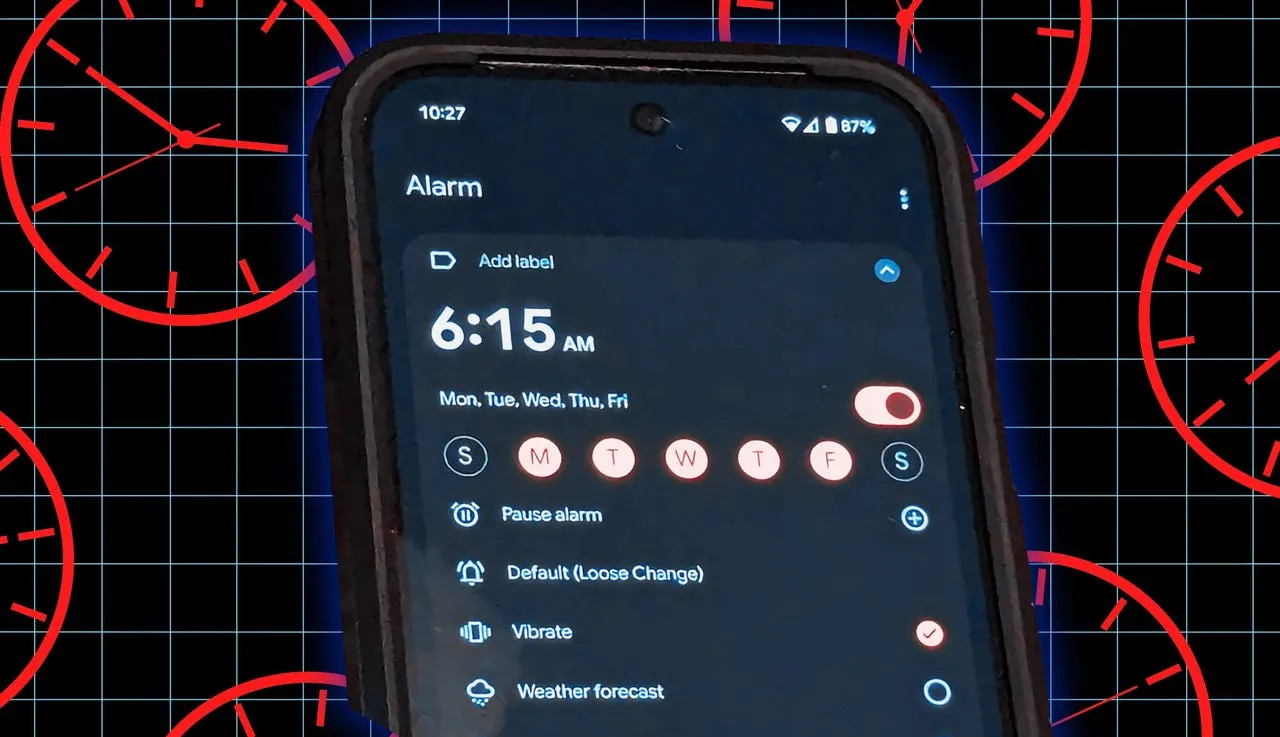
  • The Pixel alarm bug has returned, and it may be considerably worse this time.

    The Pixel alarm bug has returned, and it may be considerably worse this time.

    With the Pixel 9 series and new Android upgrades, the notoriously bug-ridden Google Pixel devices have begun to improve. Nevertheless, people continue to report new flaws in Pixel phones, and this time it appears to be related to the alarm clock, which is one of the most crucial features of the device.

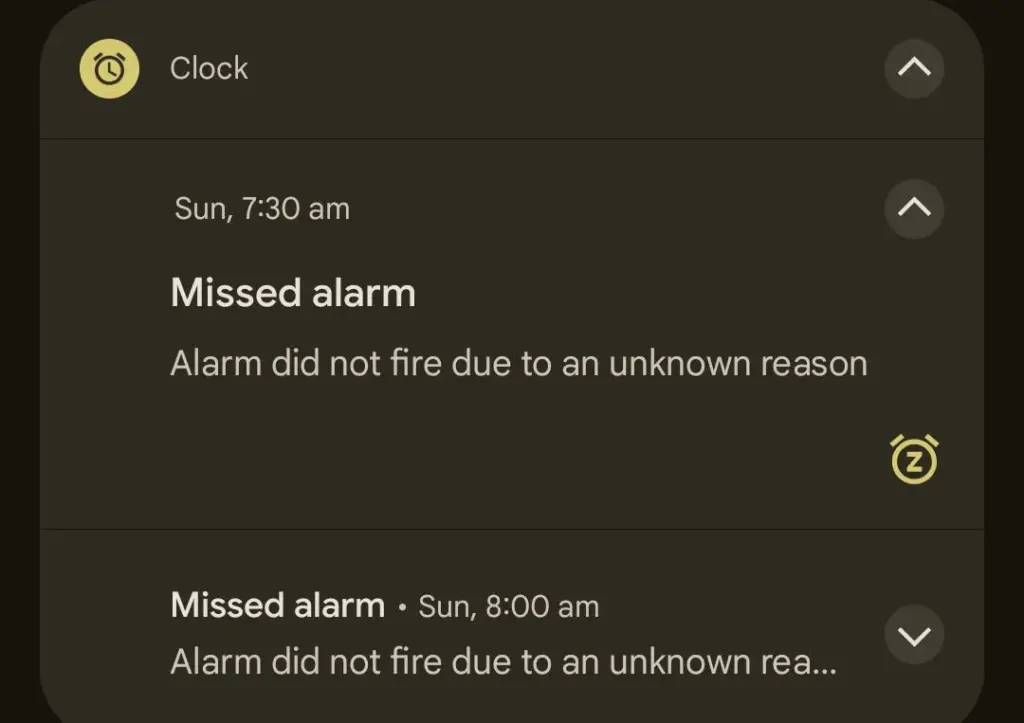
    Angry Pixel users have taken to Reddit to complain that their devices’ alarms are not sounding as planned. After the time their alarm was intended to sound, users are complaining that their Pixel displays a “Missed alarm” warning, stating that the “Alarm didn’t fire owing to an unexplained reason.”

    If you have a Pixel, you might not want to trust your morning alarm – alarm bug returned

    Although the problem doesn’t appear to be widespread yet, other users in the Reddit post reported that it happened to them, with some saying it happened “a few times,” indicating that it’s not an isolated incident.

    pixel alarm bug july 2025

    A Redditor claims that Google has not been able to reproduce the problem and “is not looking for a remedy” at this time, despite some customers contacting Google support. Perhaps because it’s not common, but Google might investigate if enough reports surface. The majority of people who encountered this problem were using the stable version of Android rather than the Android Beta program.

    However, alarm-related complaints from Google Pixel owners are not new. In March 2025, a similar issue with alarms turning off on their own was reported by Pixel 9 customers. But this time, it appears that a system malfunction is keeping the alert from going off at all.

    Although I haven’t yet encountered the alarm bug on my Pixel 9 (which is on the most recent Android 16 QPR1 beta), there are enough reports to indicate that many users are likely affected. There isn’t a solution as of now, but as a precaution, you could want to set backup alarms on other gadgets, such as smartwatches or smart home hubs.

    Stay connected with the latest from Droid Tools—follow us on X @droid_tools, like our page on Facebook, check out our updates on Instagram, and follow us on Google News for real-time news, device tips, and mobile tech insights.

  • Did Samsung fixed battery drain bug with June 2025 patch?

    Did Samsung fixed battery drain bug with June 2025 patch?

    Many Samsung Galaxy users reported that their phones’ batteries began to drain more quickly than normal after updating to One UI 7. This problem primarily impacted premium phones such as the Galaxy Z Fold 5 and S24 series. According to recent data, the most recent security patch has resolved the One UI 7 devices’ battery depletion problem.

    Despite One UI 7’s improved appearance and additional functions, some phones’ batteries died significantly more quickly than they used to. It appears that Samsung may have quietly resolved this issue with the June 2025 security patch.

    Users of the Z Fold 5 and Galaxy S24 have reported that installing the June 2025 security update significantly improved their battery life. One user even claimed that the battery life of his Galaxy Z Fold 5 had increased by “400%.” Users of the Galaxy S24 and S24+ also reported gains, albeit they weren’t that significant.

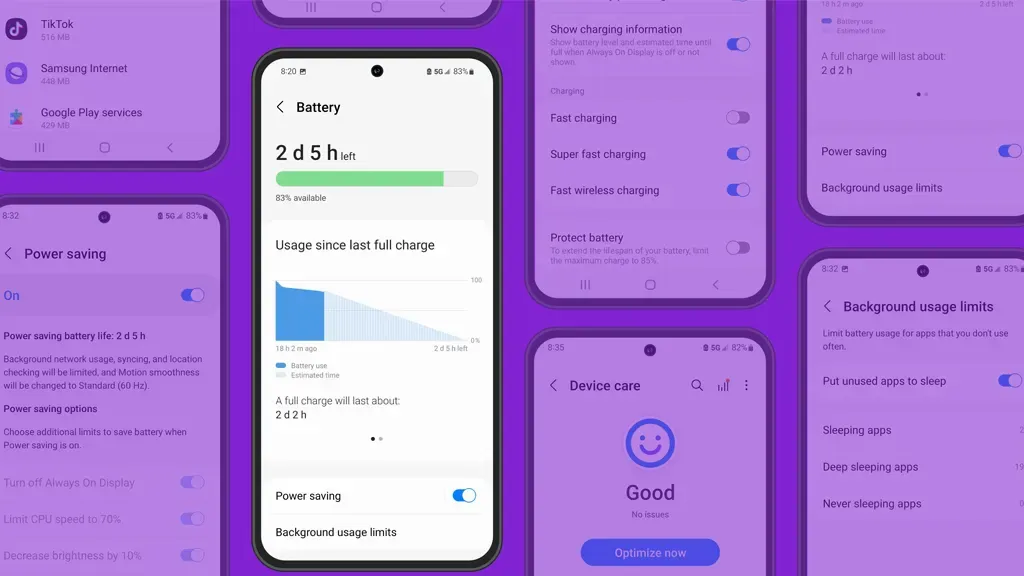
    samsung battery drain fix

    Earlier this month, the June update for the Galaxy Z Fold 5 and S24 series models began to trickle out. With this update, consumers are now seeing longer battery life.

    Security updates are typically created to address vulnerabilities and issues. However, occasionally they also aid in enhancing the phone’s functionality, such as battery life. In order to include new features, bug repairs, and upgrades, it also updates a number of apps to the most recent version.

    Although Samsung has not formally addressed the battery problem, several customers think the update was helpful. You might wish to see if the June update is available for your phone if the battery has been rapidly depleting after the One UI 7 update. Better battery life is already being noticed by certain users.

    Has your phone improved with the upgrade, or are you still having battery problems? Share your experience with us by leaving a comment on our social media platforms.

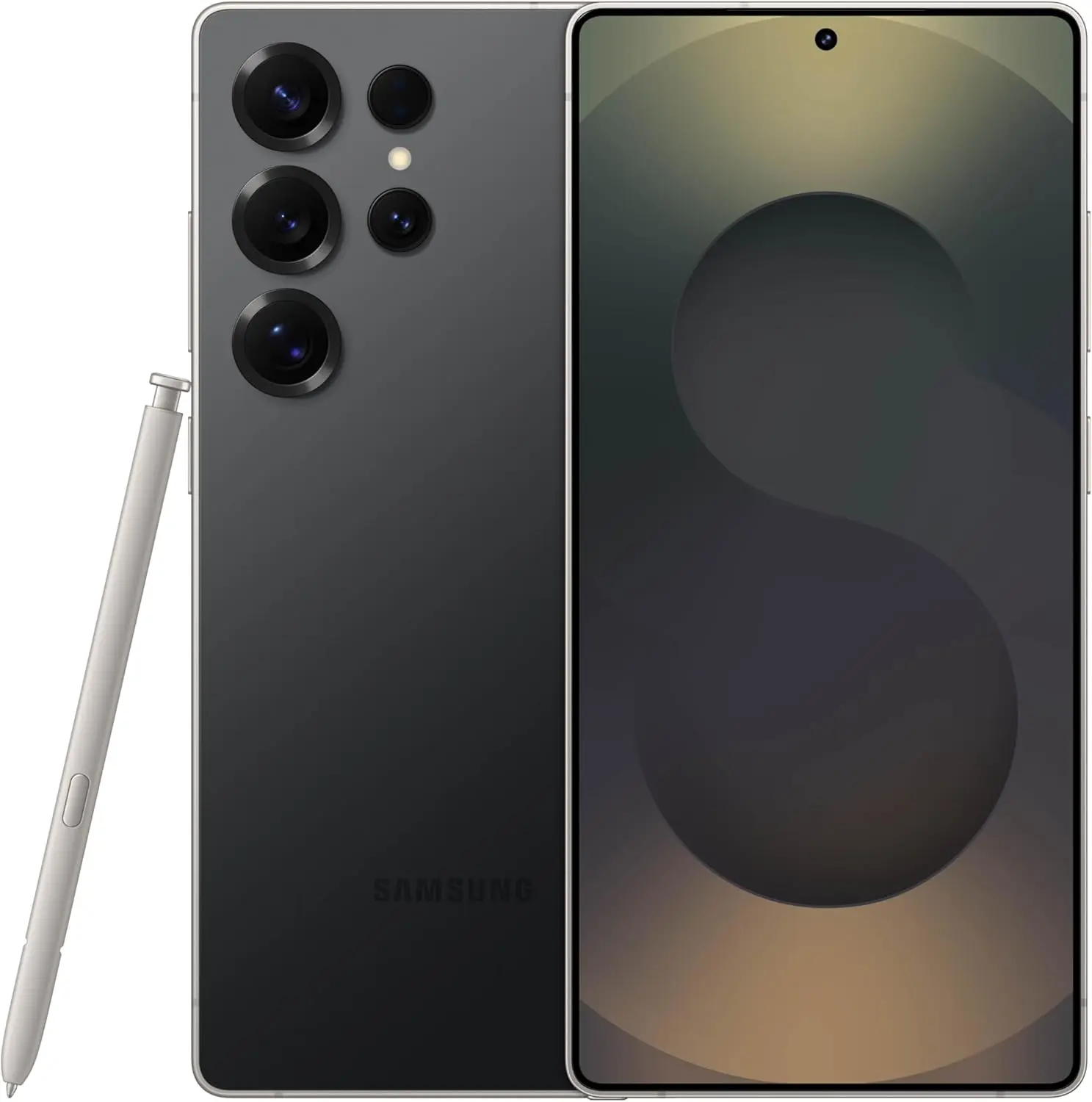
    samsung galaxy s25 ultra

    Samsung Galaxy ​S25 Ultra

    This phone is Unlocked for GSM Carriers in USA like T-Mobile (Excluding Verizon, Sprint, and US Cellular) and not compatible with any CDMA Network Carriers. Dual-SIM (2x Nano-SIM + or Nano-SIM + eSIM or Dual eSIM)

    $1,033.00Get It Now

    Stay connected with the latest from Droid Tools—follow us on X @droid_tools, like our page on Facebook, check out our updates on Instagram, and follow us on Google News for real-time news, device tips, and mobile tech insights.

  • Xiaomi fixes 9 critical issues with an update

    Xiaomi fixes 9 critical issues with an update

    In its most recent bug report, Xiaomi describes how nine major vulnerabilities affecting flagship and mid-range smartphones have been fixed. This continuous openness strengthens trust in Xiaomi’s technical procedures and quality control by highlighting the company’s dedication to software stability and proactive customer assistance.

    Addressing Critical Device Stability

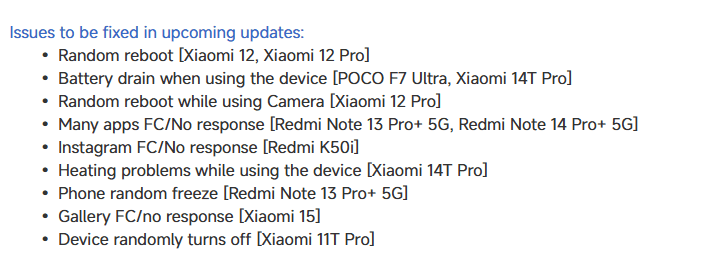
    Engineering teams are prioritizing random device reboots, especially on the Xiaomi 12 and 12 Pro. In order to guarantee a flawless shooting experience, the Xiaomi 12 Pro’s camera application crashes are also being actively reviewed.

    Xiaomi hyperos bug fix update

    Battery and performance

    Additionally, they are releasing updates to address battery depletion that affects users of the 14T Pro and POCO F7 Ultra. Additionally, enhancements to thermal management and power efficiency measures are being implemented to solve the 14T Pro’s overheating problems.

    Multiple application-specific problems are in the process of being resolved:

    • Redmi Note 13 Pro+ 5G / Redmi Note 14 Pro+ 5G: Intermittent app crashes
    • Redmi K50i: Instagram force close issues
    • Xiaomi 15: Gallery app responsiveness concerns
    • Redmi Note 13 Pro+ 5G: Occasional system freezing
    • Xiaomi 11T Pro: Unexpected shutdown incidents

    These updates cover the whole ecosystem, guaranteeing consistent software optimization for premium and low-cost models alike. The company’s strategy ensures that users in every sector get the same level of assistance and attention.

    Stay connected with the latest from Droid Tools—follow us on X @droid_tools, like our page on Facebook, check out our updates on Instagram, and follow us on Google News for real-time news, device tips, and mobile tech insights.

  • Bug fixes – Android 13 Octomber update comes with some

    android 13

    The Android 13 October update is releasing now and contains nine fixes in front of upcoming Pixel phones.

    This second update boasts nine enhancements across Audio, Connectivity, User Interface, and Wi-Fi after only five changes were made last month.

    The Android 13 UI is the focus of this month’s updates, which also address empty Quick Settings tiles and widget compatibility issues. As well as fixing a device crash when playing audio from local storage, there is a fix for several programs that don’t display an icon in the media player.

    Use the following device key to interpret the Android 13 Pixel changelog:

    *[1] Included on Pixel 4, Pixel 4 XL, Pixel 4a, Pixel 4a (5G), Pixel 5 and Pixel 5a (5G)

    (This only applies to the first issue under Audio, with everything else in the October update benefiting all Android 13 Pixel devices.)


    Audio

    • Fix for issue occasionally causing audible humming or noise artifacts during calls while using wired headsets *[1]
    • Fix for issue preventing device volume controls in media player notification to work under certain conditions 

    Connectivity

    • Fix for issue causing launcher crash when connecting to VPN in certain conditions

    User Interface

    • Fix for issue causing compatibility issues with certain app widgets in Android 13
    • Fix for issue causing media player to display default icon for certain media apps
    • Fix for issue occasionally causing device crash when playing audio from local storage
    • Fix for issue occasionally causing empty Quick Settings tiles to display in notification shade
    • Fix for issue occasionally causing Work Profile toggle button to appear truncated in app drawer

    Wi-Fi

    • Fix for issue occasionally preventing available Wi-Fi networks from displaying in network selection menu in certain apps
  • AppGallery from Huawei bug allows paid apps to be downloaded for free

    AppGallery from Huawei bug allows paid apps to be downloaded for free

    In Huawei’s app store, an interesting problem has been discovered. A glitch in the Huawei AppGallery allows users to free download paid Android apps.

    According to the source’s information, this exploit allows users to “get a genuine APK download link for premium programs.” This might, of course, be used to pirate apps.

    According to the source, Huawei has been informed of the flaw. The firm recognized the issue but did not specify when it would be resolved. However, we believe that will happen very soon.

    If you’re a developer, you should consider protecting your apps. It is recommended that developers use DRM, such as the AppGallery’s DRM Service, to safeguard their apps.

    Huawei’s AppGallery has been doing exceptionally well. Since the US embargo went into place, the corporation has put a lot of money into it. It now has a large number of apps, albeit it is still nothing near the Google Play Store.

    Still, the sheer number of good apps in the AppGallery these days may surprise you. If you can’t find what you’re looking for in the AppGallery, Huawei also allows you to install programs from APK repositories.

    It’s also worth mentioning that AppGallery isn’t exclusive to Huawei phones. It is not available on the Google Play Store, but it may be sideloaded into your smartphone. Why would you want to do something like that? If you require Huawei’s own apps, you may get them here.

    The Health and AI Life apps are required if you’re using the company’s watches or earphones. The AppGallery has the most recent versions of those programs. Of course, that is only one example.

  • Fix Android 12 app crashing issue

    Fix Android 12 app crashing issue

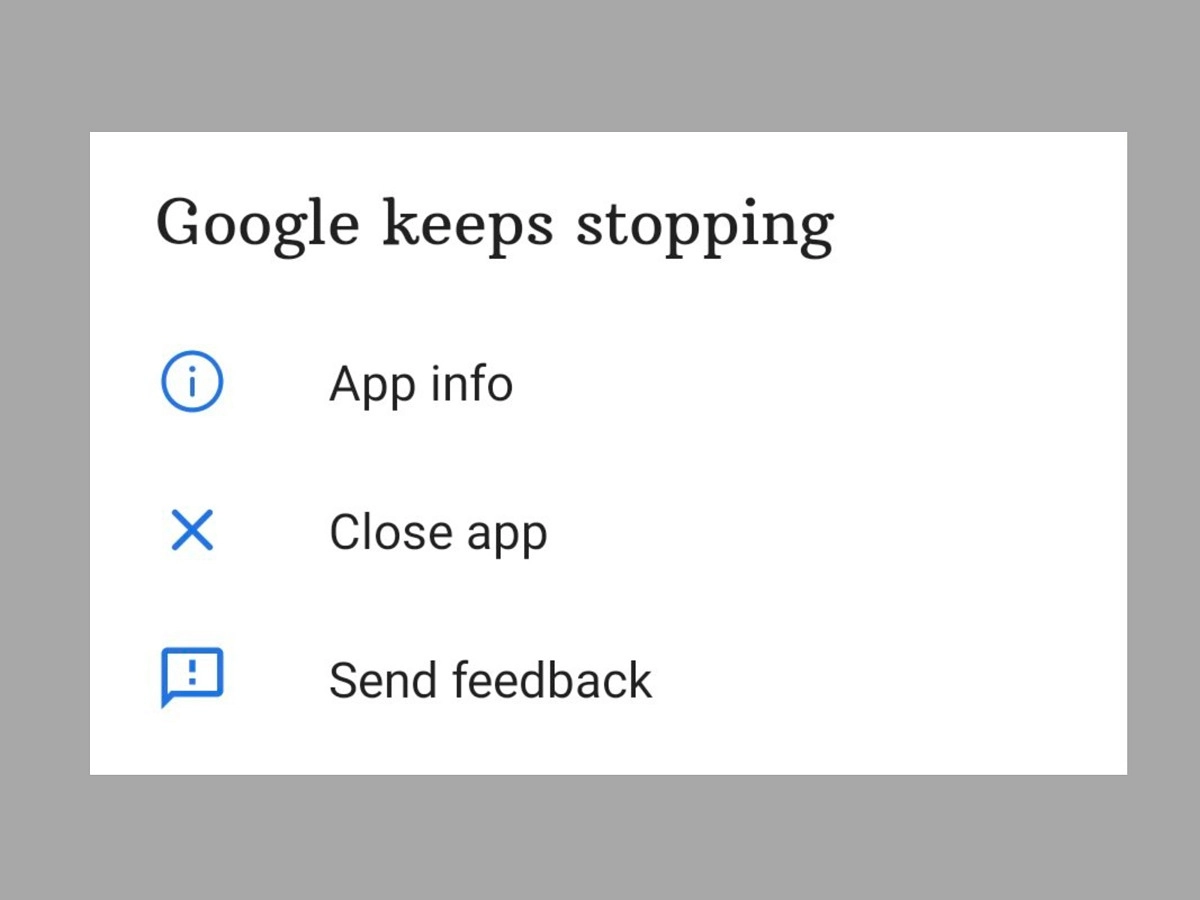
    We’ll teach you how to fix the Android 12 app crashing issue in this post. Android 12 is currently accessible in the market, albeit it is not available to all users. Pixel users have had the opportunity to test Android 12 in both developer preview and public beta versions.

    However, even after the stable build for the new Android iteration was released, there were several reports of glitches, freezing, lagging, and crashing.

    The new features and improvements may be significant, but the Android 12 app crashing issue is now more prominent and has become an issue that many users are facing.

    This tutorial is for individuals who are experiencing the same problem on their Android 12 phone and want to know how to repair the Android 12 app crashing issue. In this article, we’ll go through some troubleshooting options for this problem.

    A Pixel device has the advantage of allowing users to try out development builds and public betas for the latest Android releases. However, because these builds are fresh, they are not without flaws and have a number of issues. This is the reason why users have so many problems and bugs. This includes regular app crashes as well.


    Another issue that arose was that the Android WebView application was not working properly. For those who do not know, Android WebView is a tool that allows applications such as Gmail to display content from web pages through Chrome without having to leave the app’s own interface. But fortunately, the solution to this problem is now available on Google Issue Tracker.

    android 12 app crashing

    If you also face frequent app crashes on Android 12 and want to know how to fix Android 12 App crashing issue, then try one of the two methods given below:

    Tip1: Re-Enable Android System WebView

    1. First of all, head over to the Settings app on your device and then go to the Apps section.
    2. Then go to All Apps and then tap on Android System WebView
    3. Now tap on Disable, confirm when the pop-up asks you to.
    4. Now reset it by tapping on Enable.

    This was the first method to fix Android 12 App crashing issue. If the issue is still not resolved, then you should try the above steps a few more times. If you still keep facing the issue, then try the second method below.

    Tip 2: Uninstall Android System WebView

    1. First up, open up the Settings app on your device.
    2. After that, head over to the Apps section and then tap on All apps.
    3. Find Android System WebView and tap on it.
    4. Find the link to the App store page there.
    5. Now tap on uninstall and after that, tap on Enable.

    After that, your issue should be resolved. If you’re still having problems, your only choice is to wait until the developers address the problem with a new update.

    So that was our take on how to resolve the Android 12 app crashing issue. We hope you find this information to be useful. Leave your thoughts in the comments section below.