A new version of some of Garmin’s more expensive smartwatches has been introduced. Beta Version 23.16, which is being distributed globally through its Beta Program, comes ahead of a far more significant stable software update that seems to be imminent.
After revealing the August 2025 Feature Update a little more than a week ago, Garmin has just upgraded a number of its devices. In summary, since releasing its most recent Feature Update, the business has released new stable upgrades for the Fenix 8, Forerunner 970, Instinct 2, Instinct 3, and related smartwatches. Additionally, it has produced significant modifications for its cycle computers, such as the Edge 1050 from the previous year.
Through a new beta update for the Enduro 2, Epix 2, Fenix 7, Marq Gen 2, and Quatix 7, Garmin has now resorted to its more expensive, older smartwatches. In June, Garmin published System Software 22.06, the most recent stable update for these smartwatches. As it prepares to release a new stable build at some point, the corporation has released a number of beta updates in the interim.
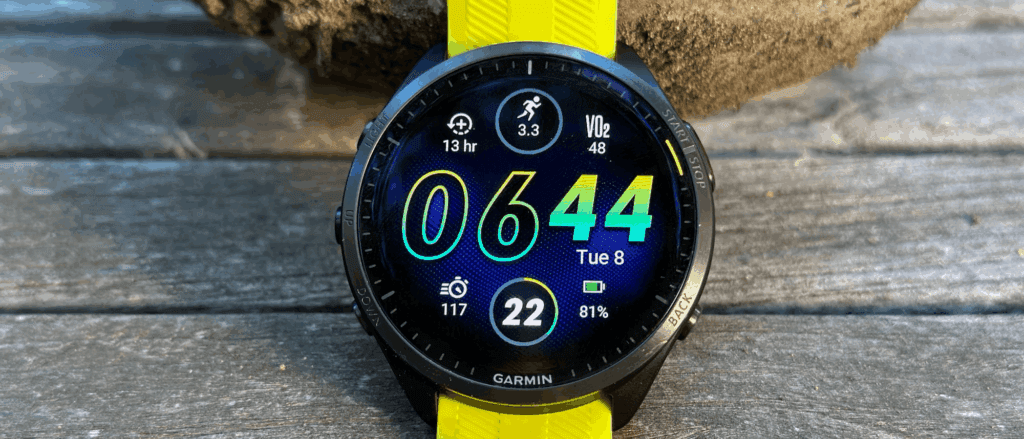
Following a wait of more than three weeks, Garmin has begun releasing a new beta version, known as Beta Version 23.16. According to reports, Beta Version 23.16, the fourth v23.xx update to date, fixes two major problems that can lead to problems with CT10 sensor pairing and Hunt activity navigation. When Garmin will complete v23.xx development is still unknown. But given its recent modifications, the shift from v23.08 to v23.16 indicates the corporation may be on the verge of releasing a stable build.
This week, Google is distributing the September security patch to all Pixel devices that support it, starting with the Pixel 6 series. Numerous updates are included, and fortunately, Google offers a comprehensive list of all the new features.
The most recent Pixel 10 devices will have BD3A.250721.001.B7, the Pixel Tablet will have BP3A.250905.014.A1, and most Pixel owners will want to see build version BP3A.250905.014 to make sure they’re running the most recent version.
Among the highlights are fixes for Pixel Launcher crashes, call audio quality issues, camera stability issues, “overall improvements for network connection stability,” and enhanced Bluetooth stability for a variety of phones. The whole list and the devices it applies to are shown below. However, we’re pleased with the list overall.
Changelog:
The September 2025 update includes bug fixes and improvements for Pixel users – see below for details
Audio
Fix for issue Call Audio quality in certain conditions*[2]
Fix for issue causing occasional system instability and performance slowdowns in certain conditions*[2]
General improvements for system stability and performance in certain conditions*[1]
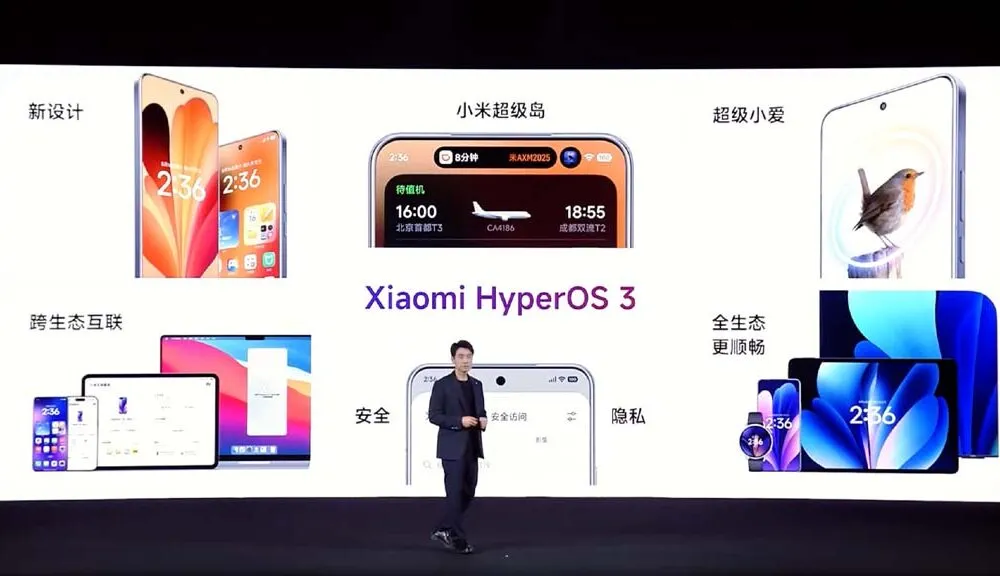
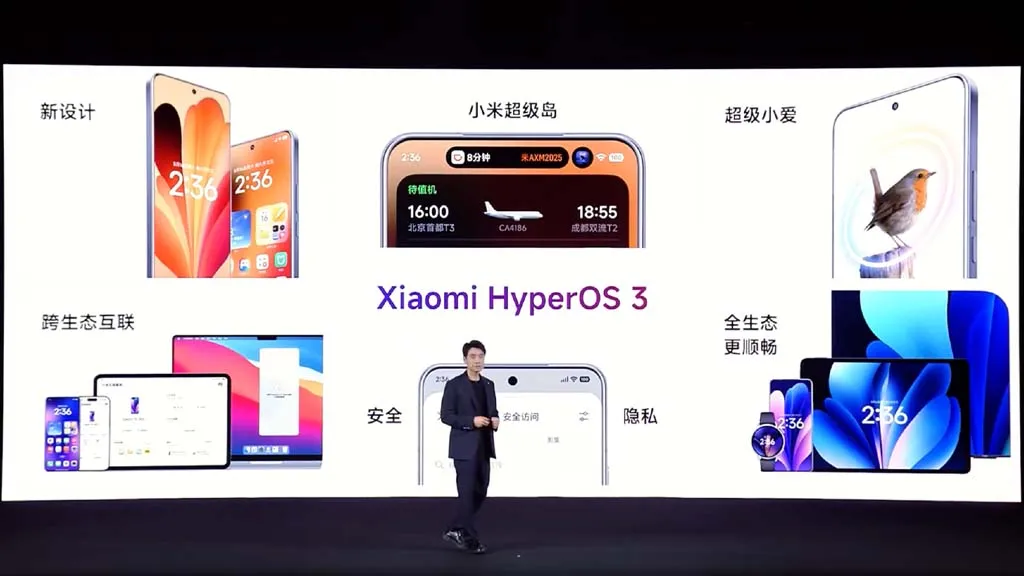
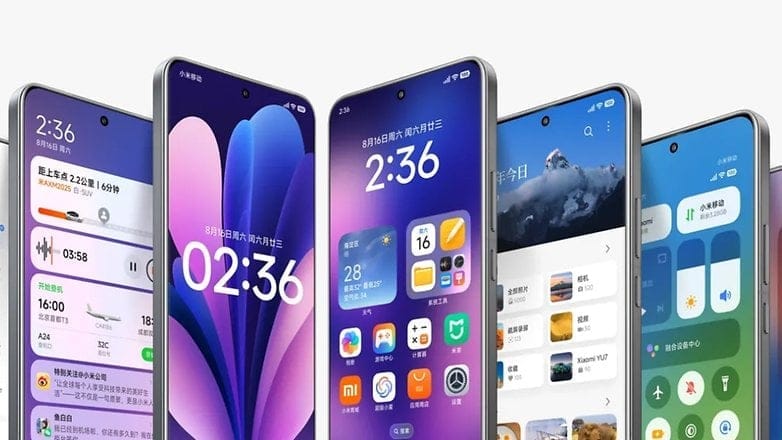
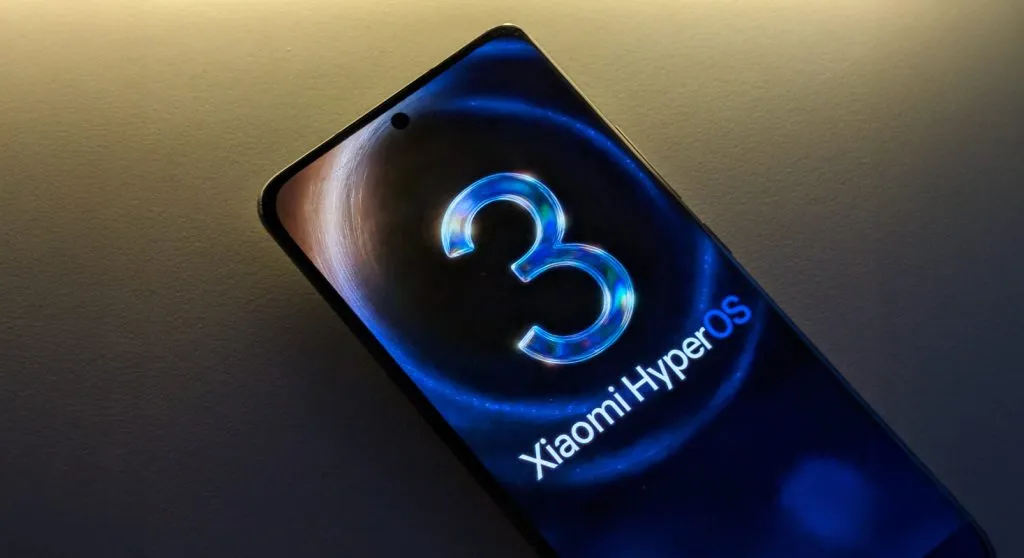
Based on Android 16, Xiaomi has shown HyperOS 3, its upcoming significant software update. Along with a list of compatible devices, the brand has revealed new features and enhancements, and the rollout is soon to start. All of the HyperOS 3 features that will be available for Xiaomi, Redmi, and Poco devices are listed here.
Design update
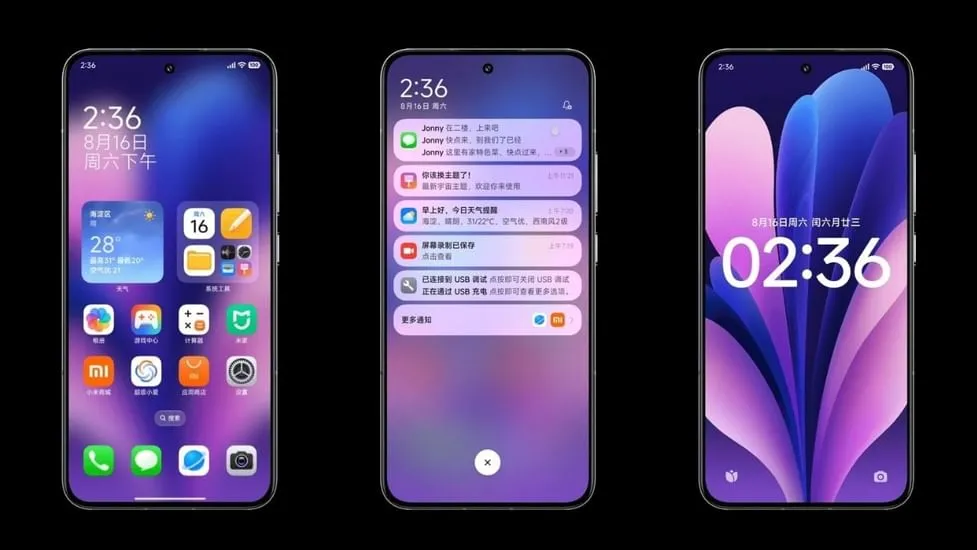
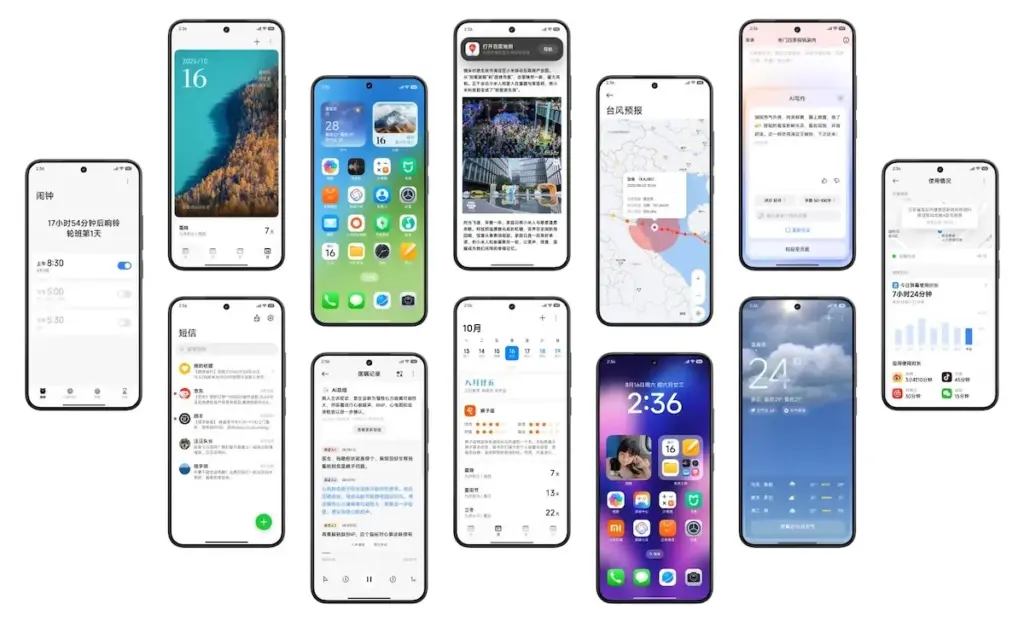
Starting with the home screen, HyperOS 3 icons have a slightly increased contrast and a more 3D appearance. Clearer and more readable icons have also been added to the bottom bar. The improvement won’t be that noticeable to regular users.
Additionally, Xiaomi finally changed the HyperOS 3 status bar icons. With slightly more dispersed pieces and the battery % inside the battery indicator, the company’s strategy is comparable to Material 3 Expressive in stock Android.
In order to provide HyperOS 3 a more unified and professional appearance, the home screen layout has been somewhat altered to be more uniform with tighter gaps between the widgets.
Lockscreen customisations
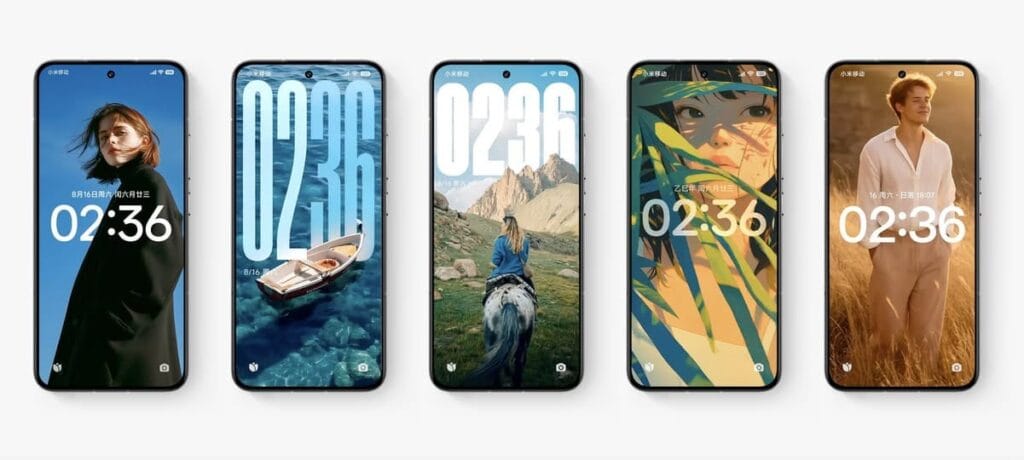
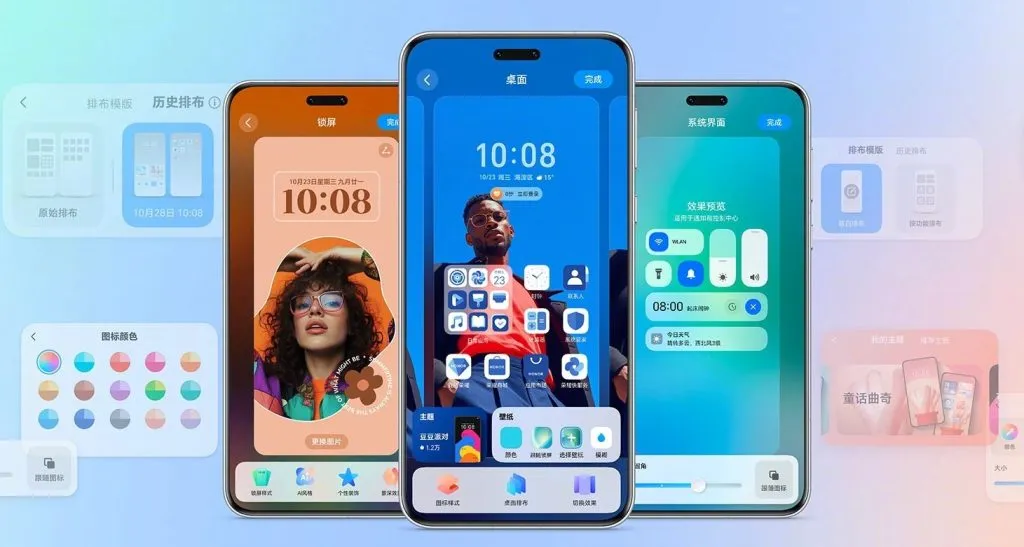
HyperOS 3 introduces new lockscreen customizations and effects, as well as smoother unlock animations, in keeping with the immersive lockscreen user interface trend. Motion can be added to still images, and then the lock screen clock can be given Cinematic Depth. This is comparable to iOS 26’s new Spatial Scene feature, which gives lock screen backgrounds a 3D appearance.
This feature is known by Xiaomi as “Movie lock screen,” according to our translation from Chinese to English. This function will assist in applying AI styles to images, enabling you to Ghibli-fy, dreamscape-fy, or Disney-fy your photos. Additionally, there is a library of community-made and shared custom lock screens available if you don’t want to invest the time in such artistic endeavors.
Finally, users can now relocate the lock screen to the center in HyperOS 3. This is on top of the plethora of clock typefaces that can all be customized to fit the themes of your wallpapers. Users will find these settings in a single menu under the Wallpaper customization section, similar to OxygenOS or iOS.
Super Island
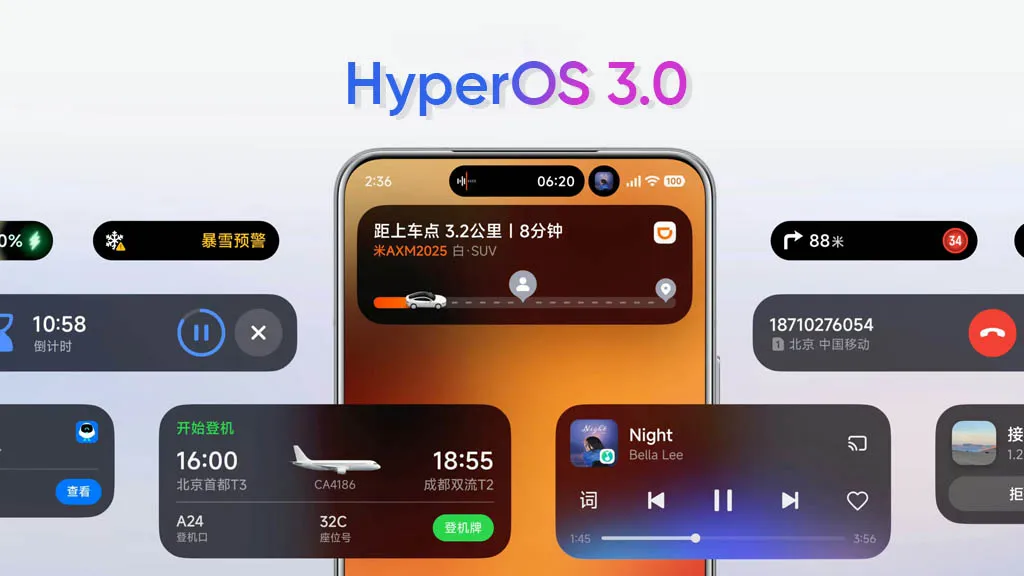
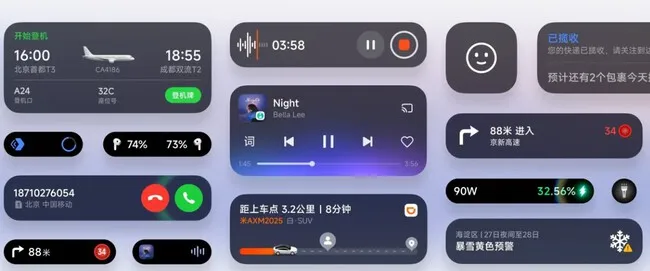
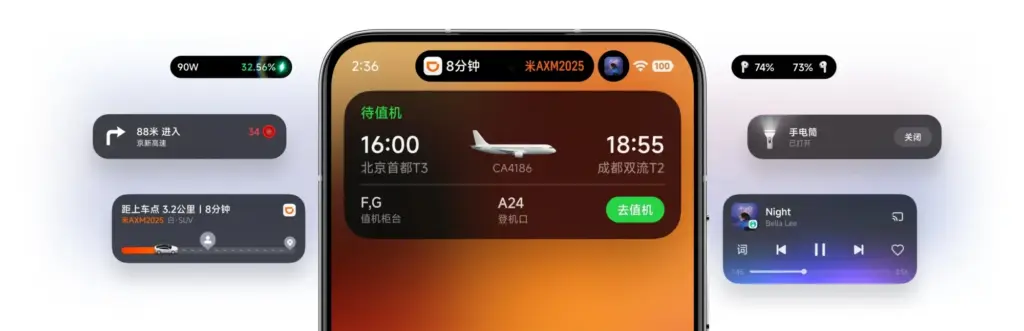
Xiaomi is utilizing Xiaomi Super Island in HyperOS 3 to leverage live upgrades, one of the greatest aspects of Android 16. The functionality can display up to three live events simultaneously, and its implementation is eerily similar to Dynamic Island on iPhones.
Around the selfie camera, you’ll notice a Super Island. After that, you can open a floating window for the current activity by swiping down on the pill to activate the feature. Two additional activities are displayed beside the floating window, one as a pill and the other as a circular icon. You can easily switch between these, and you may open the app by dragging them to the center of the screen.
By dragging and dropping material straight from the Super Island to an app, HyperOS 3 will also make sharing simple. More than 70 apps are presently supported, according to Xiaomi, and support for more well-known apps will be added soon.
NameDrop
Similar to NameDrop, HyperOS 3 allows for the easy exchange of Wi-Fi passwords as well as images and videos. According to the firm, media may be moved quickly and without loss. It bridges the ecosystem divide by supporting both iPhones and Xiaomi devices.
It’s important to note that the feature was briefly shown on stage and using HyperOS 3’s default Gallery app, which receives a number of enhancements of its own (more on that later). Even though Xiaomi didn’t go into detail, we can guess that it connects using NFC.
Updated system apps and features
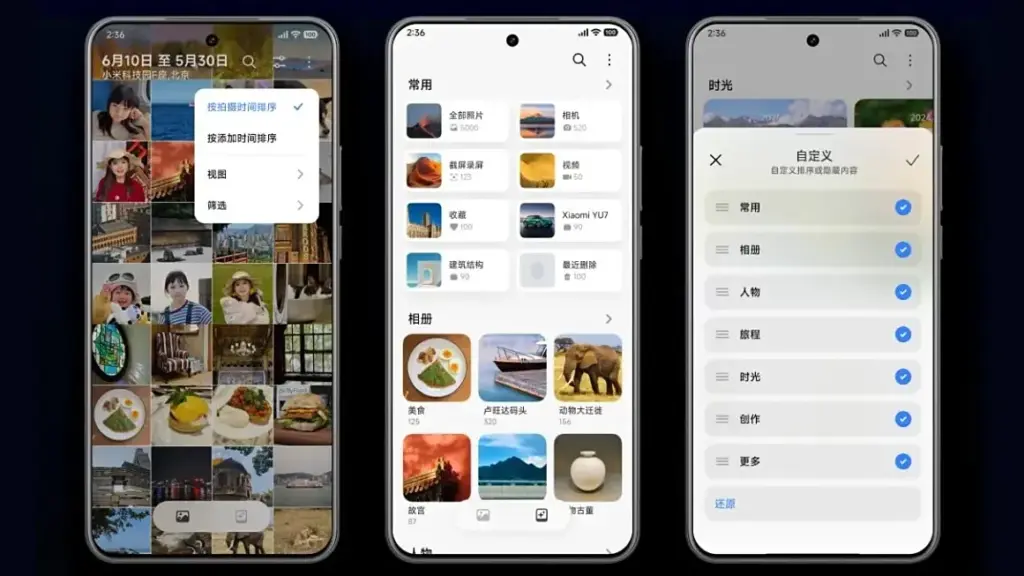
Xiaomi is enhancing the HyperOS 3 app experience for a number of system programs, but its Gallery app is getting the most love. To begin with, users will now be able to quickly locate photographs according to their search preferences. In order to transition between layouts organized by date and continuous tiling, it offers photo view and photo sorting.
AI advancements are enhancing the image search capabilities. For faster search results, the app’s image search has been optimized for over 30,000 keywords and 10 categories.
Additionally, Xiaomi has included an algorithm that facilitates pet photo searches. The brand aggregates its photographs using pet body traits, just like it does with facial recognition.
In addition, HyperOS 3 offers design enhancements for a number of its China-only apps, including the calendar, Xiaomi Shelf, voice recorder, weather, clock, and others.
More AI features
Xiaomi is also improving its in-house Xiaoai with HyperOS 3 to provide suggestions more quickly and effectively. Google’s Circle to Search is comparable to the new Circle Screen functionality, which is driven by Xiao AI. This function allows you to circle a portion of the screen to obtain information about it.
The agentic AI integration in HyperOS 3, which employs LLMs to carry out a number of activities for users, is by far the most fascinating innovation. For instance, it can initiate navigation to a location you wish to visit or place food orders from restaurants. By the end of September 2025, Xiaomi says its new AI agent-like capability will work with more than 80 apps.
Xiaomi Watches will also get a number of new features with HyperOS 3. Similar to the Smart Boost option that shows your heart rate on a HyperOS-powered automobile, supported watches will allow you to transmit real-time workout data to your phone. Along with syncing music to smart speakers while working out, the watch and automobile will also sync navigation instructions.
HyperOS 3 enhances split-screen multitasking, latency, and other aspects of tablets. Additionally, it has an enhanced PC-like browser and better app layouts for wide screens.
HyperOS 3 supported devices and rollout calendar
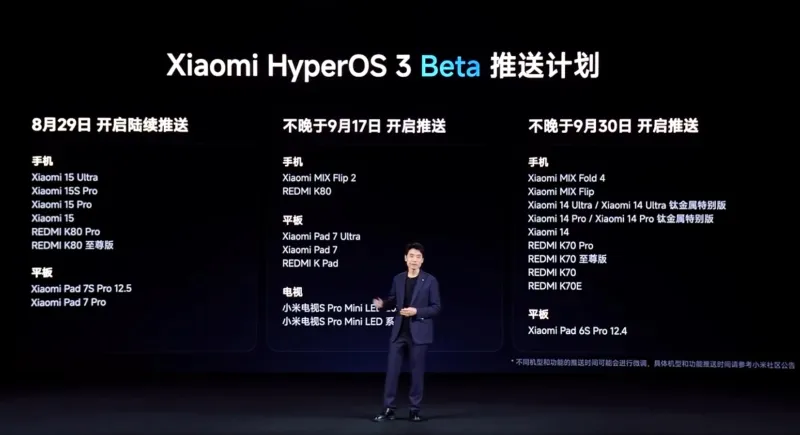
Xiaomi has confirmed that a limited number of devices in China will begin receiving the HyperOS 3 Beta on August 29, 2025. Although the distribution is now limited to China, we have compiled a lengthy list of HyperOS 3 devices that are eligible for the upgrade in India and around the world.
When Xiaomi releases a comprehensive list of devices that will receive the HyperOS 3 stable update, we will update the list and timeline of rollouts. By the end of 2025, we anticipate the stable update.
The Xiaomi 15 and Redmi K80 series will be the first to receive the HyperOS 3 Beta. On September 17, 2025, the Mi Mix Flip 2 will take its place. On September 30, 2025, the Redmi K70 series, Xiaomi 14 series, and Mi Mix Fold 4 will be available for beta testing.
All of those are the new HyperOS 3 features that Xiaomi has disclosed. The layout of the home screen and lock screen in particular has been optimized in this release. Xiaomi adds that games should benefit from 1% lower frame rates and lower battery usage, and that latency has been lowered by 21%.
For Indian lovers of Xiaomi, Redmi, and Poco, this is an all-around great update. To find out more about the HyperOS 3 upgrade rollout in India and around the world, keep checking back and bookmarking this site.
Xiaomi disproved our assumption that the Android announcements for the month were over. With the release of HyperOS 3.0, the company’s most recent version based on Android 16, its mobile devices now include notable functional and visual improvements. The selected models will soon start beta testing, and in Q4, a broader public rollout is anticipated.
What’s New in HyperOS 3.0
HyperOS 3.0 is based on Android 16 and incorporates key enhancements from Google’s most recent Android release. Xiaomi, however, is doing more than just skinning Android; it is also incorporating its own significant features and design modifications into smartphones and tablets.
New icons, super island, and a cleaner layout
Simplified app icons that mirror iOS and have square shapes with rounded sides give the UI a new look. A flatter, simpler look is also used for the quick settings and status bar. The dialer app is completely redesigned in China. Whether this will eventually be shipped to the global ROM is unknown.
Super Island, Xiaomi’s version of Google’s Live Updates and Apple’s Dynamic Island, is one notable feature. It displays dynamic overlays for media, notifications, and app activity on the front-facing punch-hole region. For more interaction, Super Island allows dragging and expanding, unlike its competitors.
New lockscreen designs, like as animated effects that give still images movement, are powered by AI advancements. Additionally, there are more customizable choices for the home screen.
New Gallery app and upgrades for tables
All content, including albums and folders, now have a cleaner look and better search capabilities in the gallery app. Your furry pals’ pictures and videos are automatically arranged with a new pet album feature.
Xiaomi adds adaptive window scaling and improved split-screen management to tablets. Enhancements in ultra-low latency and pressure sensitivity will be advantageous to stylus users.
Significant performance and battery improvements
HyperOS 3.0 offers significant performance improvements in addition to aesthetics. With over 100 new and improved animation effects, Xiaomi promises up to 21% less app latency and smoother system animations.
According to reports, in-game frame rendering uses 9% less energy, video playback requires 10% less power, and gaming performance is 15% faster.
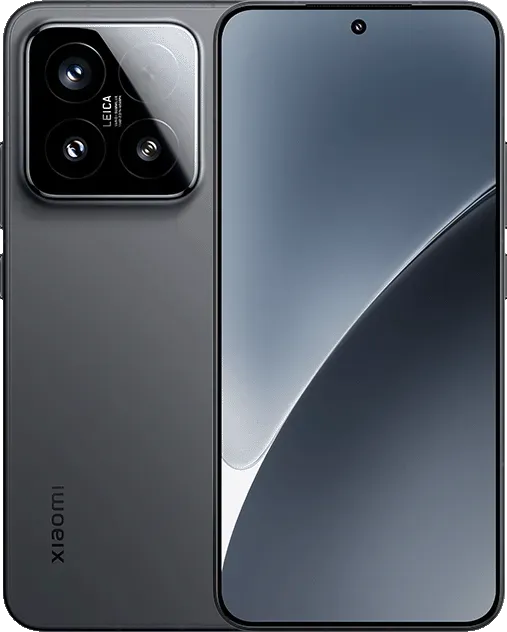
Xiaomi 15 5G
The Xiaomi 15 features a 6.36-inch OLED display with a 1.5K resolution, a 120 Hz refresh rate, and a peak brightness of 3200 nits. The phone is built with an aviation-grade aluminum frame and has a compact design measuring 152.3 × 71.2 × 8.08 mm, weighing 181 g.
Xiaomi has stated that a few smartphones, tablets, and TVs will be available for the public beta, though it hasn’t yet disclosed the complete list of compatible devices. Please be aware that the gadgets on the list are Chinese versions; a different rollout timetable for models that are available worldwide will be revealed later.
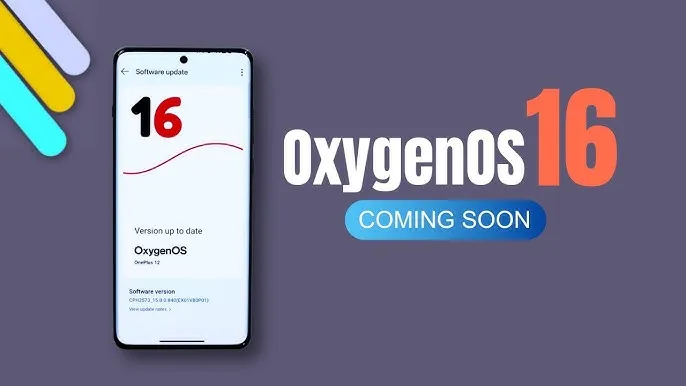
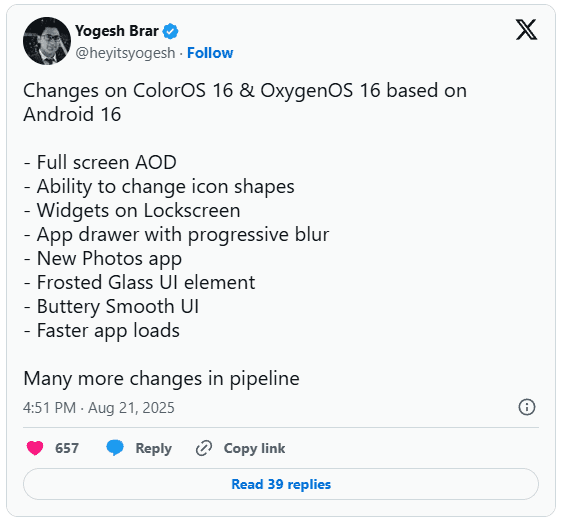
You may soon notice some significant changes if you’re using an Oppo or OnePlus phone. In the upcoming Android 16-based updates from OnePlus and Oppo, OxygenOS 16 and ColorOS 16, tipster Yogesh Brar has leaked to some of the most significant changes.
New AOD (always on display)
A full-screen always-on display is one of the notable features predicted for OxygenOS 16 and ColorOS 16. This version might display the complete screen instead of the condensed AOD we’re accustomed to, providing you with more quick access to information without waking the phone.
There is more to the outward makeover. A new “Liquid Glass” type UI has been noticed, and yes, it looks a little like Apple’s design language. Anticipate a more fluid interface, gentler transitions, and features that resemble frosted glass. Brar also pointed out a revamped Photos app, new customization choices including changing the shape of the icons, and a more seamless user interface overall.
Lockscreen widgets are back
Lockscreen widgets are an additional useful element. We’ve seen variants of this on Android before, which explains why it sounds familiar. Both Oppo and OnePlus are reintroducing it this time in a more streamlined manner. You could use lockscreen widgets to read reminders, manage music, and check the weather without unlocking your phone.
Huge performance improvements
Only when a new user interface functions properly does it matter, and OnePlus and Oppo appear to be working on that. The anticipated speedier app launches and smoother animations in OxygenOS 16 and ColorOS 16 should improve responsiveness for everyday use. Until you go back to an older build and see how clumsy it feels, small improvements like this are sometimes overlooked.
Still in beta testing
For the OnePlus 13 and 13s, OxygenOS 16 is presently undergoing closed beta testing. After the opportunity to apply for the beta emerged in its update area with the August 2025 patch, another tipster, Abhishek Yadav, recently noticed that the Nord 4 would shortly join the program. These closed betas are, as usual, restricted to a select few users and typically contain flaws.
The Find X8 series marks the beginning of ColorOS 16 testing for Oppo users. Oppo released Android 16 betas for a few models earlier this year, and this latest listing indicates a wider release is imminent.
When can we expect the OxygenOS release?
Although neither business has formally disclosed a release date, past performance provides us with a ballpark estimate. OnePlus typically releases a stable version in November after launching an open beta in October. Oppo typically takes a similar approach, launching premium devices first and then moving on to mid-range versions.
Motorola is adding more and more phones to the Android 16 beta testing program over time. The Moto G Stylus 5G (2025) and the Moto Edge 50 Ultra are the latest additions to the company’s beta program, after the addition of five additional phones to its MFN program.
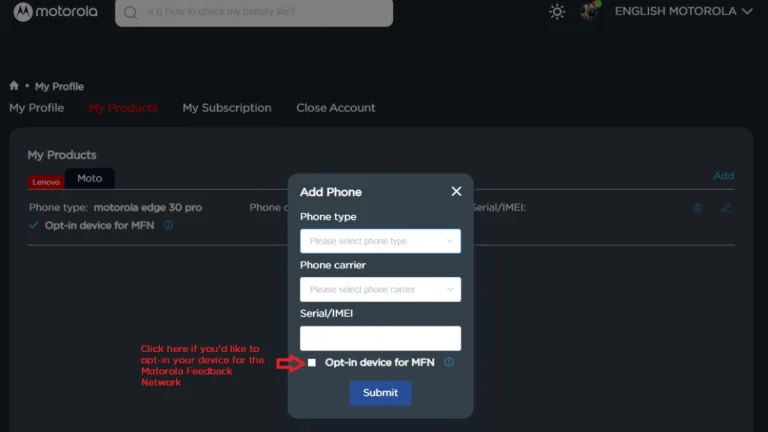
To test out the new software update before anybody else does, you may sign up for the Motorola Feedback Network if you possess one of these two phones. In case you are not aware, Motorola Feedback Network, or MFN, is the name of the beta program for Motorola handsets. Speaking of availability, the Moto G Stylus 2025 beta is currently available in the USA, while the Edge 50 Ultra beta program is presently active in Brazil and India.
Speaking of the features that the Android 16 update will include, these include: HDR screenshots, Advanced Protection Mode, APV codec support, Material 3 Expressive redesign, New Emojis, Embedded Photo Picker, Live updates, Desktop Window, Group notifications, and more.
Join Motorola MFN beta testing
At first, you need to register on the Motorola community website.
Make sure your profile page is updated with your current IMEI or SN of your device.
Opt-in your device for the MFN on your Motorola community profile.
Keep your phone updated to the latest version.
Now, visit the registration link that you will find on the current testing opportunity page. Make sure to visit the page for your device and region.
Fill required details and submit the form.
Participants will receive additional information from Motorola via email, so be sure to check your inbox, including the spam folder. You can also frequently check settings for new software upgrades.
Based on Android 16, Xiaomi is getting ready to release HyperOS 3, a new firmware update that promises enhanced performance and a revamped look for the company’s whole ecosystem. Although the release date is set for September 2025, the smartphone models that will get this upgrade first are already known.
To guarantee quick and easy device use, the update will integrate Xiaomi’s exclusive innovations with the new capabilities of Android 16. In the fall of 2025, HyperOS 3.0 is anticipated to be released, first for flagship models and then for other devices. Compatibility checks will be possible via the MemeOS Enhancer app in the Play Store or the website HyperOSUpdates.com.
It’s also important to remember that Android 16 has already been formally unveiled, and updates for compatible models will be released shortly. Convenience, security, and user privacy are the areas where the new version is improved. In September, Samsung also intends to release a stable version of One UI 8, which is based on Android 16 and will include significant updates for Galaxy customers.
Honor gives major software updates for its handsets first priority, and with MagicOS 10 beta testing, it appears the company may soon advance this strategy. According to a leak, the Chinese OEM may take this action in the days ahead.
According to DigitalChatStation, two well-known companies, Honor MagicOS 10 and OPPO ColorOS 16, will begin beta testing their Android 16 skins this month. The precise timeframe for this operation was not disclosed by the tipster, but it might start before the end of August.
In addition to OPPO/Honor, Xiaomi and Vivo can begin testing their Android 16 software version for qualified devices and search for new features.
Honor MagicOS 10 already seen
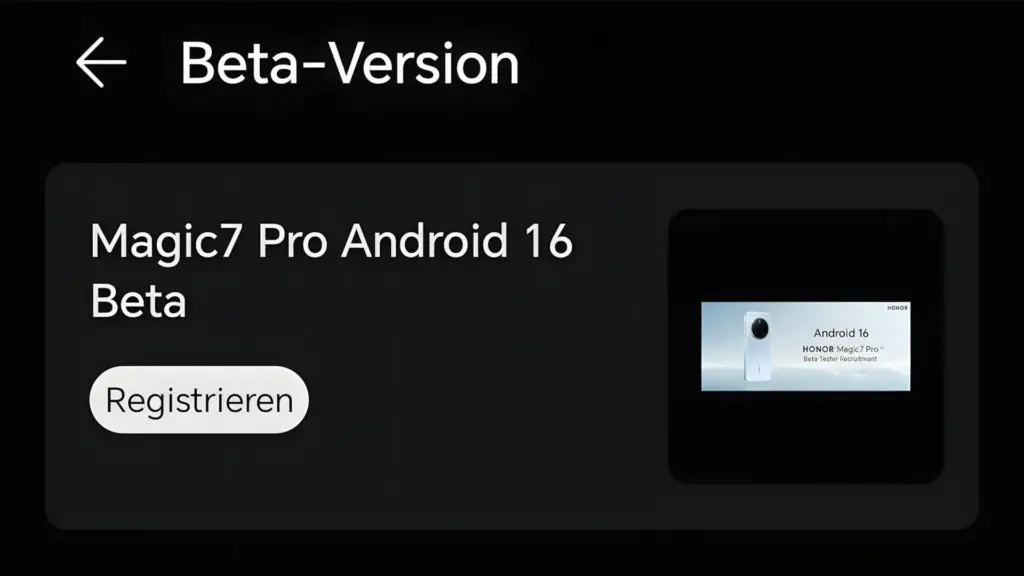
In April, Honor revealed the Magic 7 Pro’s initial Android 16 developer preview. Only developers with certain features and enhancements have access to it.
The MagicOS version test for the Magic 7 Pro phone, which is based on the Android 16 Beta, was introduced by the firm in May. Again, this beta activity was limited to developers.
However, Honor may expand this software exploration pool with additional devices through the MagicOS 10 beta testing. Users may be able to preview the new features and improvements of the next MagicOS version thanks to this procedure.
Additionally, users of Honor smartphones will have the opportunity to comment on the software experience, report bugs and problems, and recommend any additional features or adjustments for the MagicOS 10 operating system, which is based on Android 16.
It’s unknown what gadgets will be included in this process and how the company will begin. However, as the month draws to a close, we might learn more information on this topic. Keep an eye out.
Are users of Xiaomi smartphones getting the August 2025 update? If not, it might be because Xiaomi is still getting ready for HyperOS 3.0. According to a new input, the corporation has purposefully stopped the latest security patch release.
Following the HyperOS 3 preparations, the Chinese phone manufacturer has ceased releasing the August 2025 update to Xiaomi, Redmi, and POCO handsets, as first reported by XiaomiTime.
The company has suspended the distribution of HyperOS 2, 2.1, and 2.2 software versions in addition to the security fixes. However, the explanation is sound.
This halt may have gone unnoticed by you thus far. However, this hint indicates that the business is attempting to concentrate on the significant improvements. Xiaomi released 250 upgrades in the first 10 days last month; this month, that number is 40.
This decrease implies that the OEM is focusing entirely on creating HyperOS 3. It appears to be getting ready to provide updated animations that will make each segment’s transitions more seamless and engaging.
Xiaomi is giving the user interface a dynamic facelift by improving visual feedback and implementing AI-driven adjustments. The company has halted security rollouts because it is focused on developing a more sophisticated and engaging software platform.
However, Xiaomi will soon resume its normal security patch deployment schedule, so don’t panic. You can attempt to manually check your device’s update section to see if there is a new version available for download in the interim.
We advise keeping your device updated and making sure you have enough capacity on your phone so you can install the next big software updates without any problems.
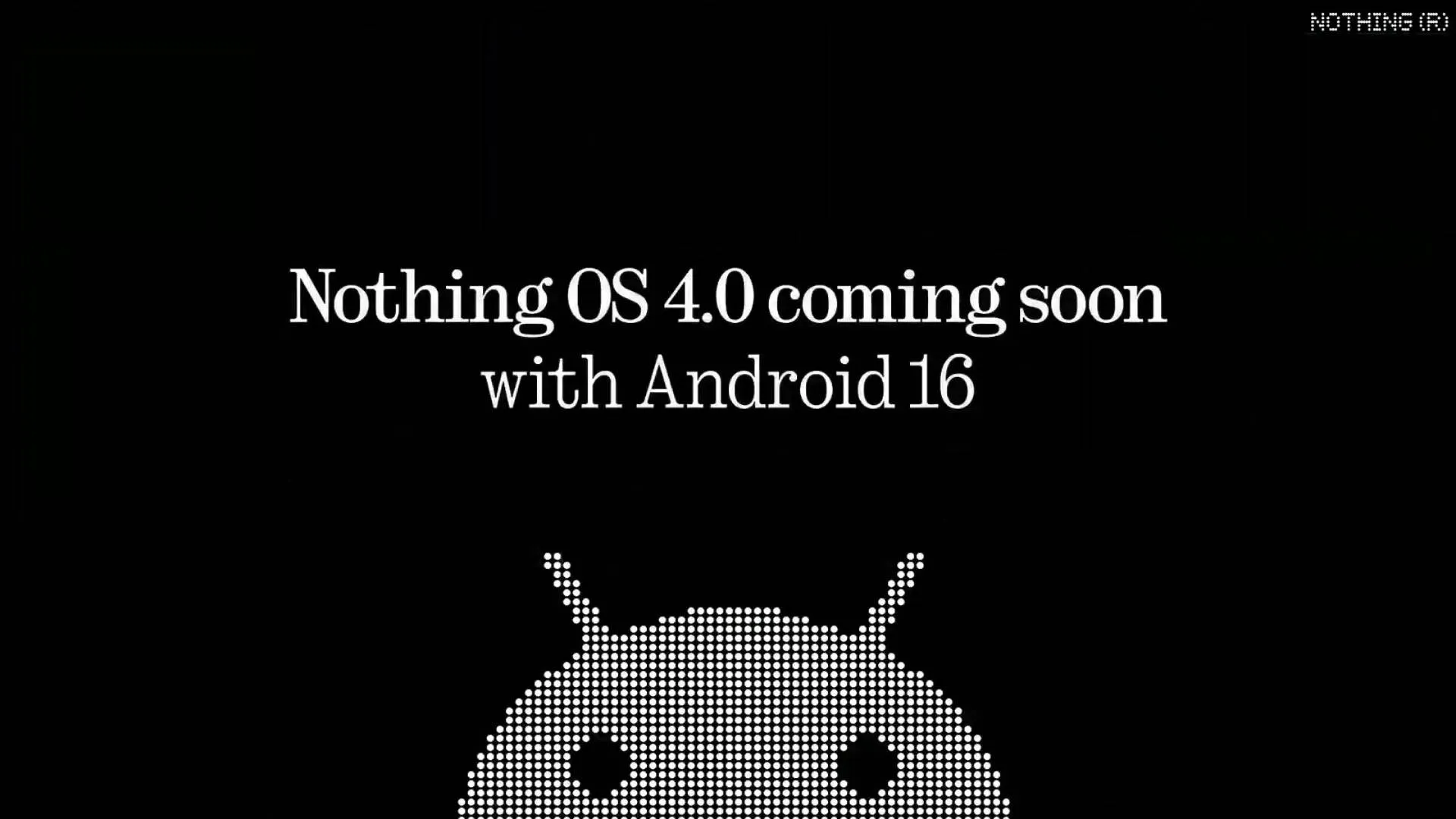
Nothing is a name that people eagerly anticipate when it comes to an operating system that may provide you with a clean Android experience! It was Carl Pei who founded the Nothing brand. The Nothing OS 4.0 is about to be released. Android 16 serves as its foundation. When the Nothing Phone (3) was released in July 2025, the Nothing 4.0 update was first shown off.
Like its predecessor, Nothing OS 4.0 will have a basic and clean design. New features and enhanced performance are to be expected. The release date and new features of Nothing 4.0 will be discussed in this post. You’ll also be aware that phones will receive the update.
Release date and rollout
The Nothing OS 4.0 update will be available from September 2025 to November 2025. This was disclosed by Carl Pei at the Nothing Phone 3’s debut. The precise date is still unknown. The Nothing OS 4.0 beta version will be released first. Early September 2025 is when this beta deployment will begin. The whole version should be available in a few weeks. The first phone to receive this will be the Nothing Phone 3.
Android 16 arrived sooner than expected. It appears that nothing is doing much to keep current.
Nothing 4.0 eligible devices
Nothing has stated that many of its phones will be able to run Nothing OS 4.0. However, this update will not be available for the Nothing Phone 1. This is due to the fact that three significant Android updates have already been applied to the original phone. Android 12 has been replaced with Android 15.
The following phones will receive Nothing OS 4.0:
Device
Update Information
Nothing Phone (3)
First phone to get the beta and full update of Nothing OS 4.0
Nothing Phone (3a) and (3a) Pro
Will get the update soon after Phone (3)
CMF Phone 2 Pro
Will get the update after the Phone (3a) phones
Nothing Phone (2a) and (2a) Plus
These will get update based on when they came out
Nothing Phone (2)
Will get Nothing OS 4.0 as the last big update. It will get security updates for a few more years
CMF Phone 1
Will get Nothing OS 4.0 as the last big update. Security updates will continue
Nothing OS 4.0 features
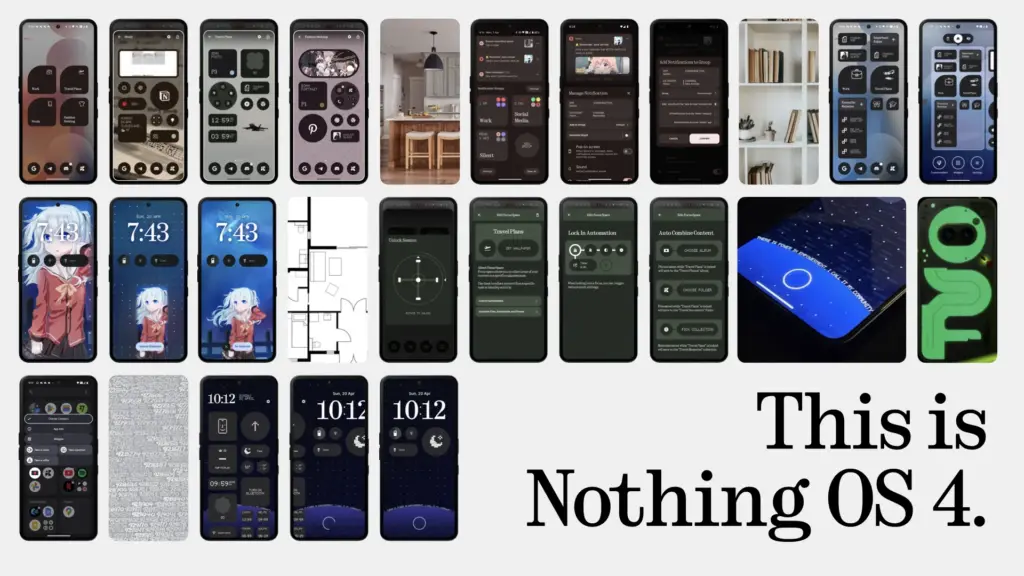
Not all of Nothing OS 4.0’s features have been shared by Nothing. However, we can get a good indication from various Android 16 leaks and news. The latest upgrade will combine the sleek appearance of Nothing with the new functionality of Android 16.
People are anticipating the following key features:
Better Notifications
Android 16 makes it easier to manage notifications. If you get many messages from the same app, they’ll be grouped. This way, your screen won’t get messy. You won’t get too many alerts all at once. Nothing OS 4.0 will likely use these features with dot-matrix-style animations.
Improved Built-In Apps
With Nothing OS 4.0, the main apps that come with the phone are getting upgrades! This includes the Gallery, Weather app, and Camera app.
The Nothing Gallery already opens 25 per cent faster than Google Photos. In OS 4.0, it might get even smarter with AI.
The Weather app could also get fun updates. You can see dot-matrix-style animations that show live weather.
Live Delivery & Ride Updates
With the Nothing OS 4.0 update, you’ll be able to see live updates. These updates like food delivery or ride status. You will see them right on your lock screen or notification panel. It means you don’t have to open the app every time to check the order status.
New Look with Material 3
Android 16 brings a new design called Material 3 Expressive. It has smoother animations and lets you change how things look on your screen. Nothing OS 4.0 is expected to use some of the animations. But it will still keep its simple black-and-white style.
Better AI Tools
Nothing has been testing AI features like Essential Space and Essential Search in older versions. In OS 4.0, they might bring in even smarter tools. There will be suggestions based on how you use your phone. We can also expect better app organisation. It may also work with Google’s Gemini AI to help you search easily.
Better Security With Android Protection
There will be a new system called Android Protection. It will keep your phone safe from bad apps, scam calls, and suspicious websites. Nothing OS 4.0 will likely include this too. This will be done with its own special privacy settings.
Glyph Matrix Upgrades
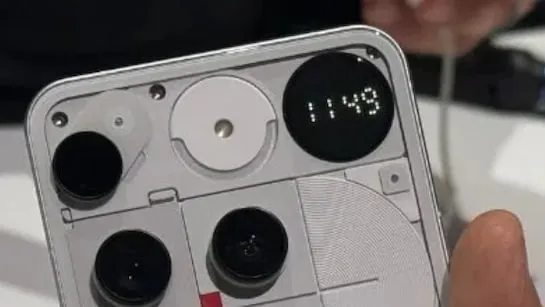
The Glyph Matrix is a special feature on the Nothing Phone (3). It’s an advanced version of the older Glyph Interface.
With Nothing OS 4.0, the Glyph Matrix is getting even better! There will be a new tool called the Glyph Matrix API. This will let developers create fun mini-games, useful widgets, and cool notifications.
The Glyph Matrix might work with Android 16 live alerts. You will see delivery progress or incoming calls with lights. You can see what’s happening without looking at your screen.
This new feature is only for the Nothing Phone (3). But older phones with Glyph lights might still get some small updates.
Feature
What’s New
Lock Screen & Home Screen
– New widgets – cool clock styles – more space to add stuff – more control over app icons
Quick Settings Panel
– Smaller, better-looking buttons – smarter brightness slider – nice colour effects when playing music
Interactive Dot Animation
– More apps and widgets will use dot-style animations
Private Space Integration
– Lets you hide, lock, and even clone apps
Cross-Device Integration
– Easier and faster connection to Nothing headphones – Better control of Tesla features from your phone
Ultimately, I can say that your phone will see some awesome upgrades with Nothing OS 4.0. It will be straightforward and uncomplicated, yet efficient and effective. It will be even more intelligent with AI features. The transparent design, dot matrix animations, and black and white icon pack will all be included in this version. Please share your thoughts about this update in the space provided for comments below.