Category: OS

In‑depth coverage of any OS, new features, privacy tools and ecosystem changes to keep your devices current and secure.

  • ColorOS 13 will change how you use your smartphone

    ColorOS 13 will change how you use your smartphone

    Android 13 is here, and with it, OPPO has revamped ColorOS not only with Google’s latest update but a selection of new and better in-house features. ColorOS 13 has been updated for maximum efficiency and introduces cutting-edge smart capabilities to make the most of your apps and the technology in your phone, in addition to improved graphics and sophisticated customization tools.

    Here’s what you need to know about how OPPO’s latest technologies empower system performance and useful features in ColorOS 13.

    Dynamic Computing Engine

    High performance is now frequently taken for granted thanks to powerful processors and quick displays, but if recent chips are any indication, getting silky smooth performance still frequently comes at a cost to power consumption. The introduction of the Dynamic Computing Engine, an internal initiative to increase task scheduling effectiveness to boost performance and lower battery consumption, is one of OPPO’s key enhancements with ColorOS 13.

    More power

    Through what is referred to as OPPO’s computing power paradigm, the first half of the Dynamic Computing Engine strives to enhance common task scheduling. Three tiers of CPU cores seek peak performance, sustained performance, and low power consumption in today’s multi-core smartphone chipsets. Performance and power consumption of a phone are influenced by how apps and tasks are distributed around CPU cores.

    For example, running a background task on a large, powerful CPU would make it run more rapidly, but since it is a background process, you would only notice the increased power usage. So these kinds of operations should ideally be done on the lower power cores. To ensure responsiveness, it is best to use a strong CPU while starting a new app. The situation becomes trickier when balancing loads from multiple apps, all demanding CPU, GPU, and other resources at once.

    The developers at OPPO spent three years simulating millions of similar situations in an effort to remedy the situation. OPPO is able to precisely plan computational resources from hardware, such as CPU, GPU, and DDR, using a computing power model. To ensure snappy apps and all-day battery life, the resulting scheduling processing power model achieves the perfect combination of high performance and low power consumption.

    The proof is in the pudding: OPPO reports that its Find X5 Pro, equipped with this feature through ColorOS 13, can top an impressive 34 hours of battery life for doing everyday things. Their lab tests also showcase scenarios during which the Find X5 Pro can support up to 22 hours of video playback, 9 hours of continual gaming, and 8 hours of video calling.
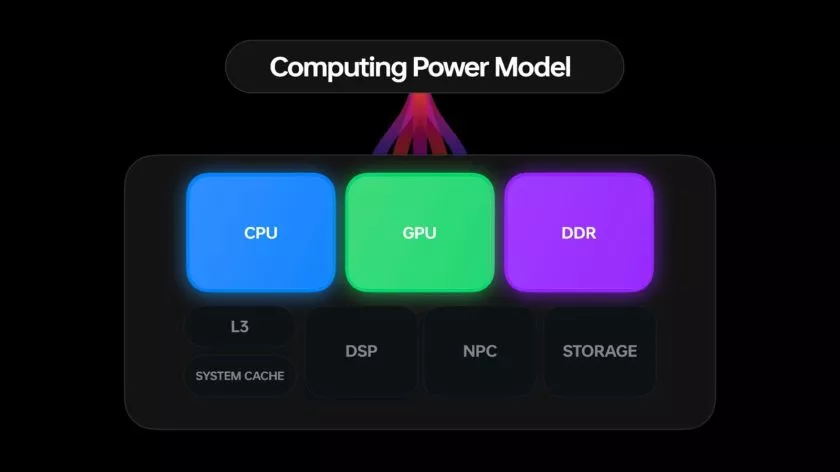
    ColorOS 13 computing engine

    More speed

    The second aspect of the issue is performance limitations caused by running many apps simultaneously. The parallel processing engine developed by OPPO attempts to eliminate lag and interruptions brought on by memory use disputes. Processes must wait until the memory is free to access because “memory contention,” also known as locks, happens when many CPU threads attempt to access the same block of memory at the same time. This is a particularly troublesome bottleneck in multithreaded workloads and when releasing and swapping huge blocks of data into and out of RAM, like when relocating an outdated app to a swap partition to free up memory.

    The Dynamic Computing Engine has two approaches to this. First, OPPO parallelizes operations, such memory allocation and reclaim, breaking huge locks into smaller locks and helping apps to recover from a stall more rapidly. Second, the engine delays shifting programs to swap storage for a longer period of time, which reduces the possibility of massive locks in the first place. Therefore, the smartphone can now maintain multiple programs in the background, and users can switch between apps without experiencing slowness or losing the status of an app.
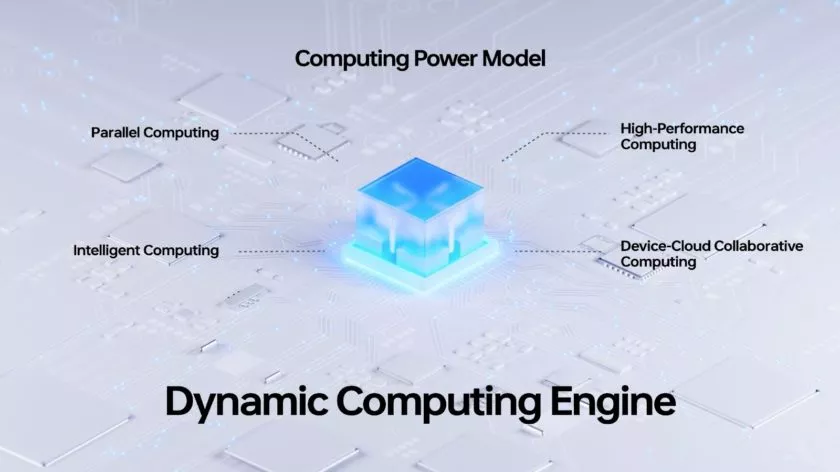
    Oppo ColorOs 13 Dynamic Computing Engine

    Additional computing technologies, such as Parallel Computing, High-Performance Computing, Intelligent Computing, and Device-Could Collaborative Computing, will be added to the Dynamic Computing Engine in upcoming versions. The Dynamic Computing Engine will continue to provide comprehensive enhancement to the fundamental experience in the upcoming years as a system-level technical solution.

    More Features

    It’s not just about making daily activities more fluid, effective, and battery-friendly with Color OS 13. It also makes use of these technological advancements to introduce some brand-new, sparkling features!

    Privacy is a priority

    Performance is excellent, of course, but a premium modern smartphone experience consists of much more than performance. Today, privacy is equally crucial, and ColorOS 13 offers some interesting new capabilities in this area as well.

    With ColorOS 13’s new Auto Pixelate feature, OPPO protects privacy with a self-created on-device AI system. Without access to the contents of your communications, Auto Pixelate can detect and automatically blur profile images and names in screenshots taken from Messenger and WhatsApp. Excellent if you want to share screenshots with contacts while maintaining user anonymity.
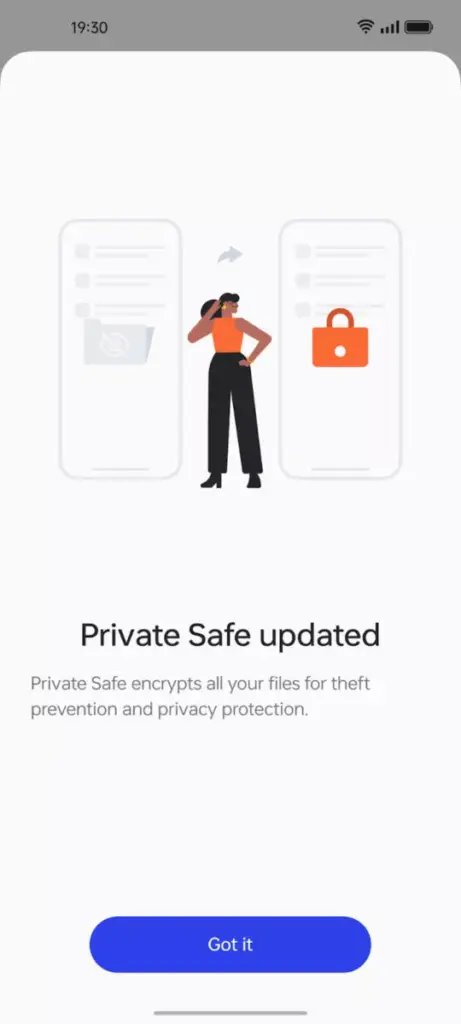
    ColorOS13 private files

    Likewise, OPPO’s Private Safe for keeping critical documents, images, and videos is more secure than ever. The industry-standard AES algorithm now protects Private Safe directories. ColorOS 13 is OPPO’s most secure operating system to date when combined with Android 13’s built-in auto-clearing clipboard, Wi-Fi location concealing, and other privacy features.

    Improved always-on display
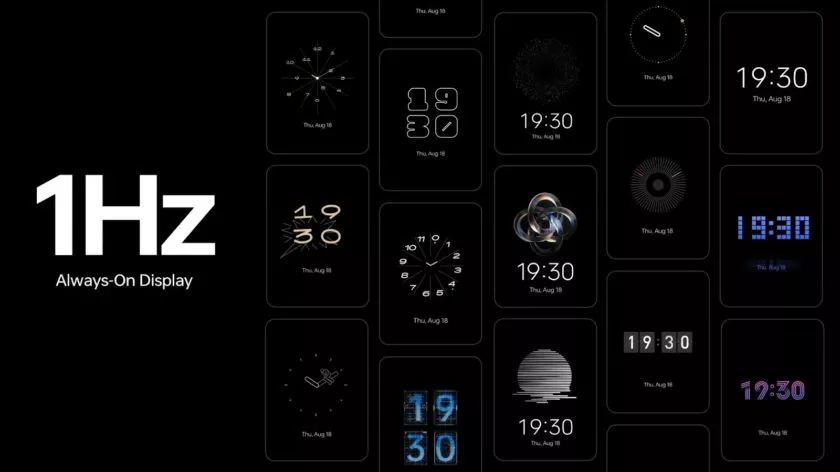
    oppo coloros 13 always on display

    If you think all of that is fairly clever, ColorOS 13 has a few other clever features in store that are intended to utilize the hardware and software of OPPO’s smartphone.

    The advantages of LTPO display technology have previously been demonstrated by OPPO’s premium smartphones, which can dynamically drop refresh rates to conserve performance while still offering silky smooth high refresh rates upon request. OPPO is utilizing LTPO2.0 with Always-On Display in ColorOS 13 to lower refresh rates to just 1Hz. Through Smart Always-On Display, you can still quickly check your notifications and use apps like Spotify without turning on your display. But in comparison to non-dynamic refresh rates, power consumption is further decreased by up to 30%.

    New UI
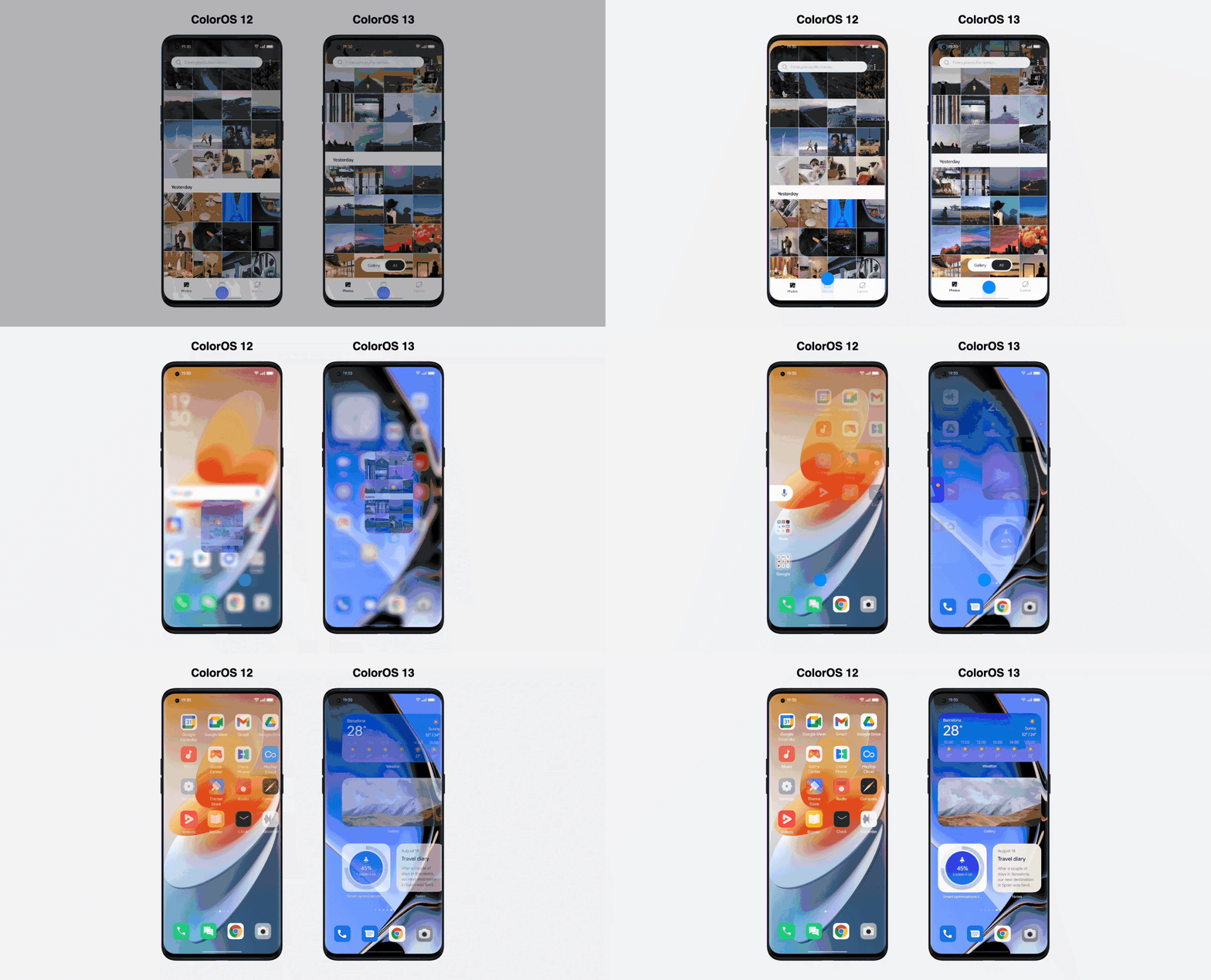
    Quantum Animation Engine

    ColorOS 13 also boasts improvements to OPPO’s Quantum Animation Engine. The introduction of behavioral gesture prediction allows ColorOS to anticipate multi-gesture operations, improving responsiveness for more complex interactions and ensuring a fluid and intuitive UI experience.

    New file transfer

    oppo coloros 13 tablet

    Additionally, OPPO Share has been improved to support a large number of additional file kinds without using up your data plan. Files can now be transferred between devices using OPPO Share as part of Multi-Screen Connect, regardless of their format or the hardware of smartphones. Users who use numerous devices might increase productivity by sharing their clipboards. Aside from supporting smooth communication between your smartphone and PC, Multi-Screen Connect also offers connectivity between your smartphone and the OPPO Pad Air.

    Overall, OPPO’s Dynamic Computing Engine promises to enhance not just the performance of individual apps but also crucial multitasking and power consumption characteristics.

    OPPO is rapidly establishing a distinctive personality for its Android handsets, as evidenced by ColorOS 13, which is much more than just an Android 13 upgrade. There is enough of innovation for consumers to get their teeth into with under-the-hood technological advancements and optimizations for peak performance and battery life, combined with user-facing improvements to multitasking, privacy, and the UI.
  • Galaxy S21 family gets One UI 5.0 beta based on Android 13

    Galaxy S21 family gets One UI 5.0 beta based on Android 13

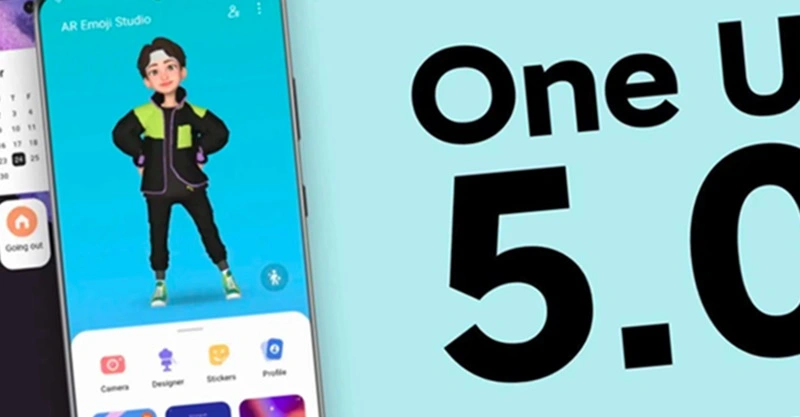
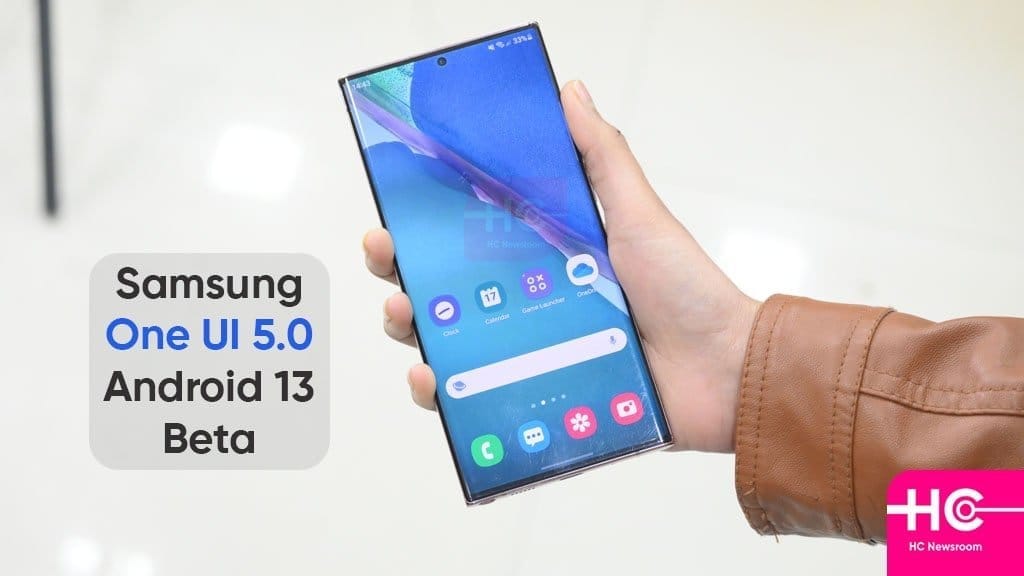
    Samsung launched the One UI 5 public beta earlier this month for the Galaxy S22 series, and as of right now, it is also available for the Galaxy S21 models. One UI 5 is based on Android 13. For these, it appears that the beta testing has already begun in Korea and the UK.

    One UI 5.0

    You must use the Samsung Members app to find the conspicuous One UI 5.0 beta program banner, tap it, and register your information and device to participate. Normally, you won’t have to wait more than a few minutes after that to receive an update message.

    The build number for the beta in question is G99xBXXU5ZVHE, where “x” varies depending on which member of the S21 trio you have. Please take note that the beta is only only accessible for SIM-free, unlocked devices if you’re in the UK and want to give it a shot. When it will appear in operator models is unknown.

    One UI 5.0 will undoubtedly see a ton more beta builds, and if you’re signed up for the testing program, you’ll get each one as soon as it’s available via an OTA update. One UI 5.0’s “stable” final release for the S22 family is anticipated for mid-October. The S21 models presumably won’t receive it at the same time, but it shouldn’t be delayed.

  • Nothing OS 1.1.3 update brings camera improvements

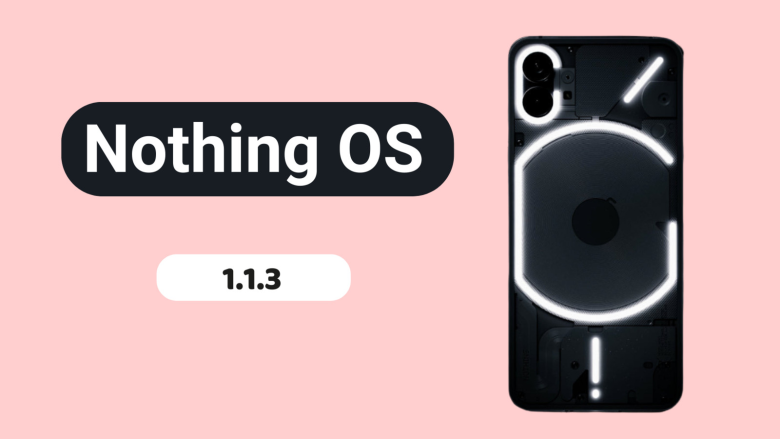
    Nothing OS 1.1.3 update brings camera improvements

    Nothing released Nothing OS 1.1.2 for the Nothing Phone (1) at the beginning of this month, and today, roughly two weeks later, we receive yet another upgrade.

    Nothing OS 1.1.3 is already being sent to Nothing Phone (1) devices all around the world, and it includes numerous bug fixes and camera enhancements.

    nothing os update

    When using the front camera, you can anticipate improved photo clarity, quicker Night Mode and HDR photo processing times, richer color saturation when using the ultrawide, less noise and more sharpness when zooming, and images will automatically be adjusted to “optimal color and brightness” when using Glyph lighting. A further reminder to clean the camera lenses is included.

    The Google Adaptive Battery may now be enabled to “intelligently optimize battery life,” and the fingerprint verification UI for third-party apps has been updated.

    Finally, a number of problems were resolved, including those that resulted in stuttering in apps like Twitter, Play Store, and others, ineffective mobile hotspot functionality, and lock screen crashes after pressing on a notification and attempting to unlock with a fingerprint. Minor UI aspects have also been improved.

    The rollout might be staged, as it usually is with such things, and it might take a few days to reach every Nothing Phone (1) out there. There will be a 64MB download when it does come. Our thorough, in-depth review of the Nothing Phone (1) is available for reading if you’re curious to learn more.

  • Supported Devices, Release Date, and Features for OxygenOS 13

    Supported Devices, Release Date, and Features for OxygenOS 13

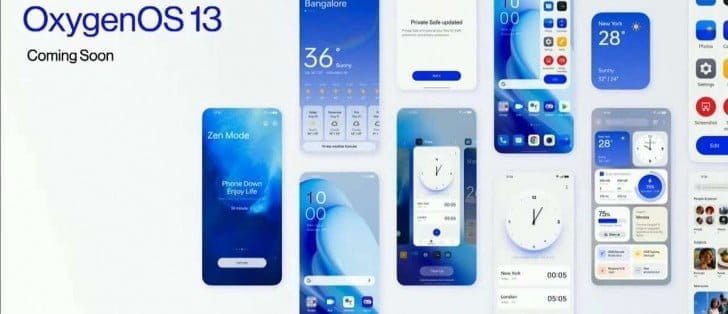
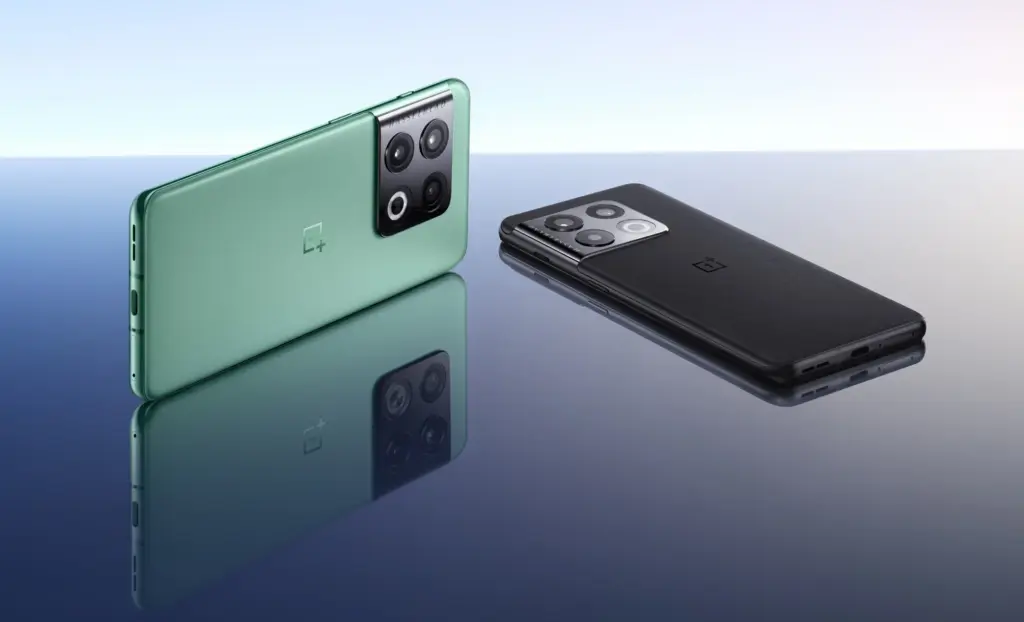
    The latest iteration of the custom OS is being released at this time by smartphone OEMs. And as Android 13 nears general availability, OEMs have already begun conducting internal testing for their new operating system. Speaking of OnePlus, their upcoming operating system will be OxygenOS 13, which is based on Android 13. And since OxygenOS 13 will soon be available, we already know a few things about it. You can learn more about the supported devices, the release date, and the features of OxygenOS 13 here.

    Everyone is familiar with OxygenOS for its UI that is quite similar to stock with some added functionality. However, OnePlus modified the UI and made it more akin to ColorOS from OxygenOS 11. In China, OnePlus even switched to ColorOS. And it got worse with OxygenOS 12. Instead of Warp Charging, even rapid charging on OnePlus is now referred to as Vooc.

    Can OnePlus, however, bring back the pleasure of OxygenOS with OxygenOS 13? Well, that depends on the additions and modifications that OxygenOS 13 will bring. And if you’re interested in learning more about the impending OxygenOS 13, you’ve come to the correct place. The release date will be discussed first.

    OxygenOS 13 release date

    The release of OxygenOS 13 is dependent on Android 13 because it will be based on that operating system. And since everyone is aware that Google recently released the last Android 13 beta, we may assume that the release of the Android 13 stable build is not far off.

    Contrarily, OnePlus is going to reveal OxygenOS 13, which will later be made accessible for beta testing. OxygenOS 13 will be available shortly, according to a tweet from OnePlus from a few days ago. Several reputable news sources claim that OxygenOS 10 and the OnePlus 10T will both be unveiled on August 3.

    According to the statement, OxygenOS 13 will be accessible for beta testing following the occasion. At the event, OnePlus will also introduce new features that will appear in OxygenOS 13. OxygenOS 13 will be accessible for beta testing on the OnePlus 10 Pro up until the stable release.

    We predict that OxygenOS 13 will be released in a stable state in late October or early November. And as was already reported, it will first be made accessible on the OnePlus 10 Pro before moving on to other qualified phones. If you didn’t previously know, OnePlus is testing the Android 13 developer preview on the OnePlus 10 Pro, which does not include OxygenOS 13.

    Features (Expected)

    Most of the users just want to get back the stock experience that OxygenOS was offering before. But there is only a little hope as everything OnePlus doing is the opposite. They even going to take away the alert slider soon.

    As of now, there is very little information available regarding the OxygenOS 13 which makes it hard to guess new features. Well, at least we can expect some of the basic features of Android 13 that includes changes in Privacy and Security, minor UI changes, etc.

    A few days back OnePlus shared a OxygenOS 13 teaser video in a Tweet. It reveals a couple of changes that are coming with ColorOS 13, oh sorry OxygenOS 13. So let’s find out the changes teased in the Tweet.

    New AOD Screen

    The teaser showcased a new AOD design with the Spotify widget and below it are some recommendations or might be the tracks in the Queue. Currently, in OxygenOS 12, it only shows the music icon in AOD. But looks like a big Music Widget can be seen in the OxygenOS 13 AOD. It can also be the Lock screen but as the background is black we are guessing it’s the AOD.

    Canvas AOD

    OxygenOS 13 canva aod

    Next in the Teaser video is the new Canvas AOD effect. In OxygenOS 13, the Canvas will not overlap with the AOD content like Clock and Date. The portion of the Canvas that is overlapping will automatically be cut. And it will look something as mentioned in the image.

    Insight AOD was also shown in the video but it doesn’t reflect any change in that video. Well, we don’t have to wait longer as OxygenOS 13 will be announced on August 3.

    Supported Devices

    All the changes will only be effective and exciting only if OxygenOS 13 is going to be available for your phone. One good thing about OnePlus is they are transparent about the update policy. Update policy includes how many major Android updates and security update a particular OnePlus phone will get since its launch. And so with the help of the update policy and update history, we can guess OxygenOS 13 Eligible Devices list. below you can check the full list.

    • OnePlus 10T
    • OnePlus 10R
    • OnePlus 10 Pro
    • OnePlus 9RT
    • OnePlus 9 Pro
    • OnePlus 9R
    • OnePlus 9
    • OnePlus 8T
    • OnePlus 8 Pro
    • OnePlus 8

    Nord Series:

    • OnePlus Nord 2T
    • OnePlus Nord CE 2 Lite 5G
    • OnePlus Nord CE 2 5G
    • OnePlus Nord 2 5G
    • OnePlus Nord CE 5G

    Other Series:

    • OnePlus Ace
    • OnePlus Ace Racing

    Any OnePlus phone that will release after July 2022 and is not on the list will also get the OxygenOS 13 update.

    So, this was the list of OnePlus devices that will get the OxygenOS 13 based Android 13 update along with the OxygenOS 13 features and its release timeline.

    A good web hosting allows our website to bring you all the news in Android world.

  • When will it launch? Android 13

    When will it launch? Android 13

    So far, Google has launched two developer previews and eight betas for Android 13, with the eighth beta landing on July 13. These were early versions of the operating system. However, the latest beta is a release candidate, which means it is very nearly complete.

    Given how far along the program has progressed, you could feel eager for the remainder of the Android 13 timetable and the release date of the stable version.

    We’ve put all the information we currently know about Android 13’s release timetable below.

    The approximate Android 13 schedule you see above was provided to us by Google. Overall, it’s a far quicker schedule than what we observed for Android 12 the previous year. Google has so far adhered closely to the plan, accomplishing each milestone. Therefore, unless there are any small point enhancements that might be released, this month’s beta should be the final.

    If there are no significant setbacks, Android 13’s stable release should occur around August 2022.

    Android 13 schedule

    The stable release of Android 12 took place on October 19, 2021, for comparison’s sake. But there was a big change from Android 11 to Android 12. Given that the transition from Android 12 to Android 13 doesn’t seem to be as severe, it’s extremely likely that Google will move.

    In the meantime, here are the significant Android 13 schedule milestones we’ve seen so far:

    • February 10, 2022
    • March 17, 2022 
    • April 26, 2022
    • May 11, 2022
    • May 26, 2022
    • June 8, 2022
    • June 10, 2022
    • June 16, 2022
    • June 27, 2022
    • July 13, 2022
  • Another Android 13 beta release with fixes for common issues on OnePlus 10 Pro

    Another Android 13 beta release with fixes for common issues on OnePlus 10 Pro

    To give early customers a chance to test the future software release before the stable deployment, OnePlus released the first Android 13 beta update for the OnePlus 10 Pro last month. The previous build, however, had a number of flaws, thus OnePlus is currently distributing a new Android 13 beta release for the OnePlus 10 Pro. Although OnePlus asserts that the new build is more stable than the previous one, we still don’t advise installing it if you use your OnePlus 10 Pro every day.

    The new Android 13 beta release is rolling out as part of OnePlus’ Android 13 Developer Preview Program. It gives developers and advanced users a chance to experience the upcoming version of OnePlus’ custom Android skin ahead of the stable rollout. If you wish to try it out on your OnePlus 10 Pro, check out the full changelog and known issues in the section below.

    oneplus 10 pro android 13

    Android 13 beta changelog:

    • System
      • [Fixed] the issue that Data usage cannot display
      • [Fixed] the issue of crash when turning off/on 5G network
      • [Fixed] the issue that unable to close all background programs
      • [Fixed] the issue that the lock screen password was required to enter the launcher after restoring factory settings
      • [Updated] Android security patch to 2022.05
    • Camera
      • [Optimized] the overall shooting effect of the camera, improved the user experience

    Known issues:

    • UI display sometimes might be abnormal
    • Music playing cannot be paused normally via wired headphones
    • Occasional abnormal response for gesture operation when the screen was off
    • No response when tapping the video call button
    • Auto brightness sometimes works abnormally
    • Crash issue when setting the Fingerprint animation in Personalizations
    • Lagging issue caused by switching screen refresh rate
    • Some applications might be lost after upgrading

    ownload: Android 13 beta build for the OnePlus 10 Pro

    You can download the region-specific update packages for the latest Android 13 beta build from the links provided below. Make sure you take a full backup of your data before flashing the build.

    To install the Android 13 beta release, follow the instructions provided in the official announcement post (linked below).

    Via OnePlus Forum

  • Update time! – Android 13 Beta 3

    Update time! – Android 13 Beta 3

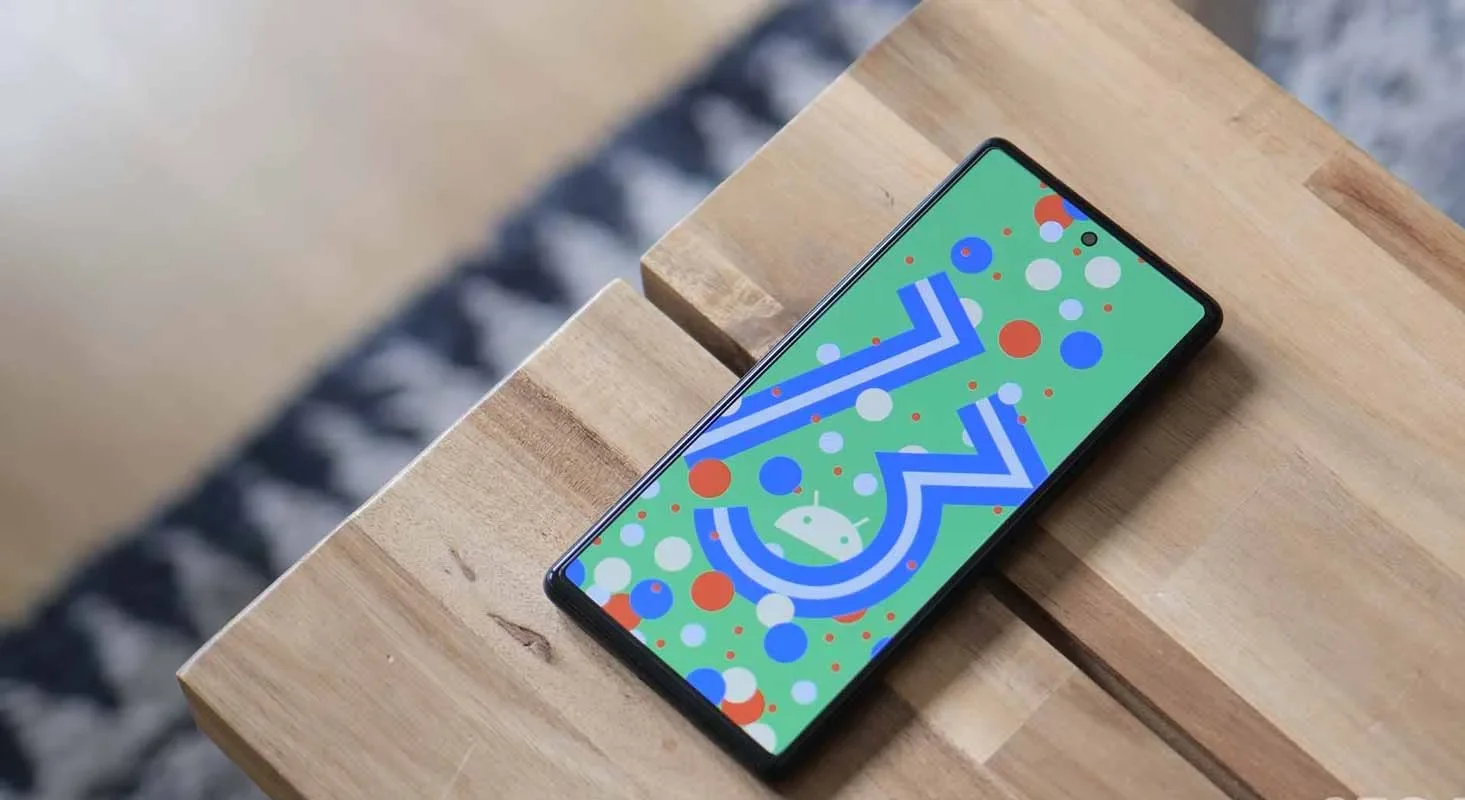
    For your Google Pixel phone with Android 13, today is a huge day: we’ve reached the platform stability stage of the development cycle. The third beta of Android 13 is now available, and things are looking fantastic.

    All app-facing behaviors and APIs are final in this Beta 3 build, which is available on the Pixel 4, Pixel 4a, Pixel 5, Pixel 5a, and Pixel 6 lines. For developers, this means creating apps ready for release while also knowing that nothing will change in the future. For you, the non-developer, this simply implies that we won’t see much changes in terms of features or UI in the future.

    Do you want to try out Android 13 Beta 3 on your phone or tablet? Let’s get started.

    android 13

    How to download Android 13 Beta 3 on your Pixel

    Android 13 Beta 3 is available on the following devices:

    • Pixel 4 and 4 XL
    • Pixel 4a and 4a (5G)
    • Pixel 5 and 5a
    • Pixel 6 and 6 Pro

    Easiest way: If you own one of those devices, the easiest way to get Android 13 Beta 3 on device is to sign-up for the Android Beta Program (here). You’ll simply click the “Opt In” button on that page to join and then sit back and wait for Google to push an update as Android 13 over-the-air.

    Once you have enrolled, you’ll head into Settings>System>Advanced>System update to check for it. Google may not push it immediately and could instead roll it out slowly throughout the day. Either way, feel free to check through there to tell Google you want it after enrolling in the program.

    • UPDATE 6/8 11:20AM: Google pulled all of the Beta 2 image and OTA files and replaced them with a message that reads, “Available soon.” We don’t know if soon means later today or in a couple of days. We’ll update this once the new files go live.
    • UPDATE 6/8 12:47PM: Google still hasn’t posted the files, but the build number for Beta 3 appears to be TPB3.220513.017.
    • UPDATE 6/8 12:56PM: All the files are now live!

    Manual way: Want to get updated faster or would rather flash a factory image or OTA file through adb to feel more techie and important and smart? That’s still an option! I’ll be going the OTA route, but factory images are available too. You’ll find Android 13 Beta 3 factory images here and the OTA files here. For instructions on how to flash a factory image, here you go. For instructions on how to flash an OTA .zip file, here you go.

    Already on an Android 13 Beta 2 build: If you are already on an Android 13 Beta build, Google says that you will receive the Beta 2 update over-the-air. Of course, you can manually flash a factory image or OTA file as well, since the over-the-air process often takes forever to process.

    What’s new in Android 13 Beta 3?

    Release date: June 8, 2022
    Build: TPB3.220513.017
    Emulator support: x86 (64-bit), ARM (v8-A)
    Security patch level: June 2022
    Google Play services: 22.18.19

    We’re diving in now to see what’s new, but Google describes new goodies as follows:

    “There’s a lot to explore in Android 13, from privacy features like the new notification permission and photo picker, to productivity features like themed app icons and per-app language support, as well as modern standards like HDR video, Bluetooth LE Audio, and MIDI 2.0 over USB.”

    Honest, there may not be much else new going forward. Once we hit Beta builds (and this is our third), Google doesn’t change much. It’s looking like Android 13 is a solid bug fixer from the big changes that were introduced in Android 12, and that’s completely fine. We love polish and stability. Let’s hope Android 13 gives that to us.

    Should we see enough stuff to highlight, we’ll work on a separate post. Stay tuned.

  • One UI 5 Smoother and Faster

    One UI 5 Smoother and Faster

    The launch of Samsung’s One UI in 2018 was undeniably a watershed moment for phone user interfaces. While the initial iPhone had shortcomings, it was clear that it had won the hearts and minds of the globe when everyone from OnePlus to Google copied much of its design. We’ve been fans since the beginning, but there’s one area where it’s always been difficult to look at, and that’s animations.

    Samsung’s One UI is a mix of openness and closeness. Things are continually speeding, flowing, expanding, and contracting to an extreme degree. In fact, the animation bloat was so awful that Samsung included a feature named “Reduce Animations” at one time, almost as if they realized it was excessive.

    samsung one ui 5.0

    It’s difficult to quantify how much that feature lowered everything, but we always advised you to enable it. Then Samsung took it down one day! If you wish to lessen animations, you must first activate developer options and alter the phone’s animation scales. That’s not tough, but we don’t like the fact that Samsung removed our earlier straightforward option.

    Anyway, SamMobile believes that Samsung is set to dramatically increase the UI speed in One UI 5.0, which is positive and relevant news. One of the primary issues on the One UI 5 agenda, according to their sources, will be to improve UI navigation speeds and animations so that they are smoother.

    We don’t have an official debut date for One UI 5, however Samsung usually releases new One UI updates alongside the latest Android version. For example, we were able to test One UI 4 with Android 12 before it was rolled out to all of Samsung’s finest phones by the end of 2021. If Samsung holds another developer conference in the fall, it could be a nice opportunity to preview the new One UI.

    Finally, while we have someone in Samsung’s orbit’s attention, can we get a vertical app drawer already? For us, Samsung, it’s long past time to make the switch.

  • Realme Q5 Pro, Q2, and V5 getting May security patch

    Realme Q5 Pro, Q2, and V5 getting May security patch

    Realme is still providing the security patch for its handful of smartphones, but it’s not the latest one. The May 2022 security patch is rolling out for Realme Q5 Pro, Realme Q2, and Realme V5 5G in China.

    The latest update for Realme Q5 Pro, Q2, and V5 seeding with build numbers C.07, C.17, and C.17, respectively. The update Optimizes system stability and improves user experience.

    However, the changelog of Realme Q5 Pro is large and mentions camera and changing improvements – Optimize the blurred effect of the front portrait, the green and blue effects of video imaging, the clarity of night scene imaging.

    Changelog:

    Realme Q5 Pro 5G

    • System
      • Optimize system stability and improve user experience
    • Camera
      • Optimize the blurred effect of the front portrait
      • Optimize camera performance in some scenarios
      • Optimize the green and blue effects of video imaging
      • Optimize the clarity of night scene imaging
    • Charging
      • Optimize charging protection and charging icon display logic for individual scenarios
    • Security

    Realme Q2 and Realme V5

    • [System]
      • Fix some known problems and improve system stability
    • [Security]
      • Update Android Security Patch (2022#5)
  • Multitasking improvements and more on the new update for OnePlus 9 series

    Multitasking improvements and more on the new update for OnePlus 9 series

    May 19, 2022: OnePlus has released a new system update for the OnePlus 9 series (via XDA Developers). It has version C.60 and is over 1.5GB in size.

    The most recent OTA update improves multitasking and adds some connection and gaming features. The May security patch, however, is still unavailable for the phones. The complete changelog is available below.

    oneplus 9 series

    Convenience & efficiency

    • You can now open up to 3 apps in floating windows at the same time in Split-screen mode and switch between Floating window and Split screen modes
    • You can now use the Clock app in Quick Return

    Connectivity

    • You can now open up to 3 phone windows on your PC

    Games

    • Adds the HyperBoost end-to-end frame rate stabilizer
    • Heterogenous graphics: Reduces gaming loads and power consumption (only for some games)

    As always, this OTA will be incremental. It will reach a small percentage of users initially. A broader rollout should start in a few days.

    To check if an update is available, head to Settings > System > System updates on your device.

    Previous OnePlus 9 and 9 Pro updates

    • April 18, 2022: OnePlus rolled out a new system update for the OnePlus 9 and 9 Pro. The update carried Oxygen OS 12 version C.48 and went out to the flagships in India, North America, and Europe. There were no new features added with the update. However, it brought the April 2022 security patch to the phones. The changelog also mentioned system stability improvements.
    • March 21, 2022: OnePlus pushed out the stable Oxygen OS 12 update to the OnePlus 9R. The update was rolled out to users who were previously running the open beta version of the software. The OnePlus 9 and 9 Pro also got the incremental OxygenOS 12 update C.47 in North America and Europe. It optimized the stability of communication, fixed issues causing the operator’s name to be displayed incorrectly, improved system stability and camera fluency, and brought the March 2022 security patch.
    • March 10, 2022: OnePlus pushed out the Oxygen OS 12 C.46 update to the OnePlus 9 and 9 Pro. The company noted that the build will not release in North America due to specific country-related limitations. The firmware brought a bunch of improvements. However, the major change was the addition of the February security patch.
    • January 21, 2022: OnePlus rolled out update LE2125_11.C.44_1440_202201182114 (or 115) to the OnePlus 9 and 9 Pro in January. This update brought plenty of fixes for performance, display issues, cameras, and more. It also included the January 2022 security patch.
    • December 30, 2021: The OnePlus 9 and 9 Pro received Oxygen OS 12 C.40, which initially rolled out to global and Indian variants. The update fixed a few issues that the second Oxygen OS 12 release missed.
    • December 6, 2021: After a months-long beta program, the OnePlus 9 and OnePlus 9 Pro started getting a stable version of Oxygen OS 12, based on Android 12. However, due to intensely negative feedback to the update’s many bugs, OnePlus pulled it. The update restarted a week later.
    • November 25, 2021: Oxygen OS 11.2.10.10 rolled out to the OnePlus 9 and OnePlus 9 Pro. The update brought the November security patch and a few bug fixes but no significant changes.
    • September 17, 2021: OnePlus is rolling out a new Oxygen OS update (11.2.9.9) to the OnePlus 9 and 9 Pro. The update adds the September 2021 security patch and also brings the brand new Hasselblad XPan camera mode. There is also a slew of camera-related tweaks and other miscellaneous bug fixes.
    • July 29, 2021: OnePlus is rolling out Oxygen OS 11.2.4.4 to the OnePlus 9R. The update adds the July security patch to the phone and also brings the Bitmoji AOD feature that lets users place an avatar on their always-on display screen which changes based on activity and other factors. Fixes for “known issues” are bundled in the update alongside the updated GMS package.
    • July 19, 2021: OnePlus rolled out Oxygen OS 11.2.8.8 to the OnePlus 9 and OnePlus 9 Pro. It added one big feature for Ambient Display users — Bitmoji AOD. This lets users place an avatar on their always-on display screen which changes based on activity and other factors. The update also Fixed some “known issues” and added the July 2021 Android security patch.
    • June 6, 2021: The OnePlus 9 and 9 Pro gained Oxygen OS 11.2.7.7 which brought power consumption improvements, and camera tweaks, including an HDR option for video recording on the OnePlus 9 Pro.