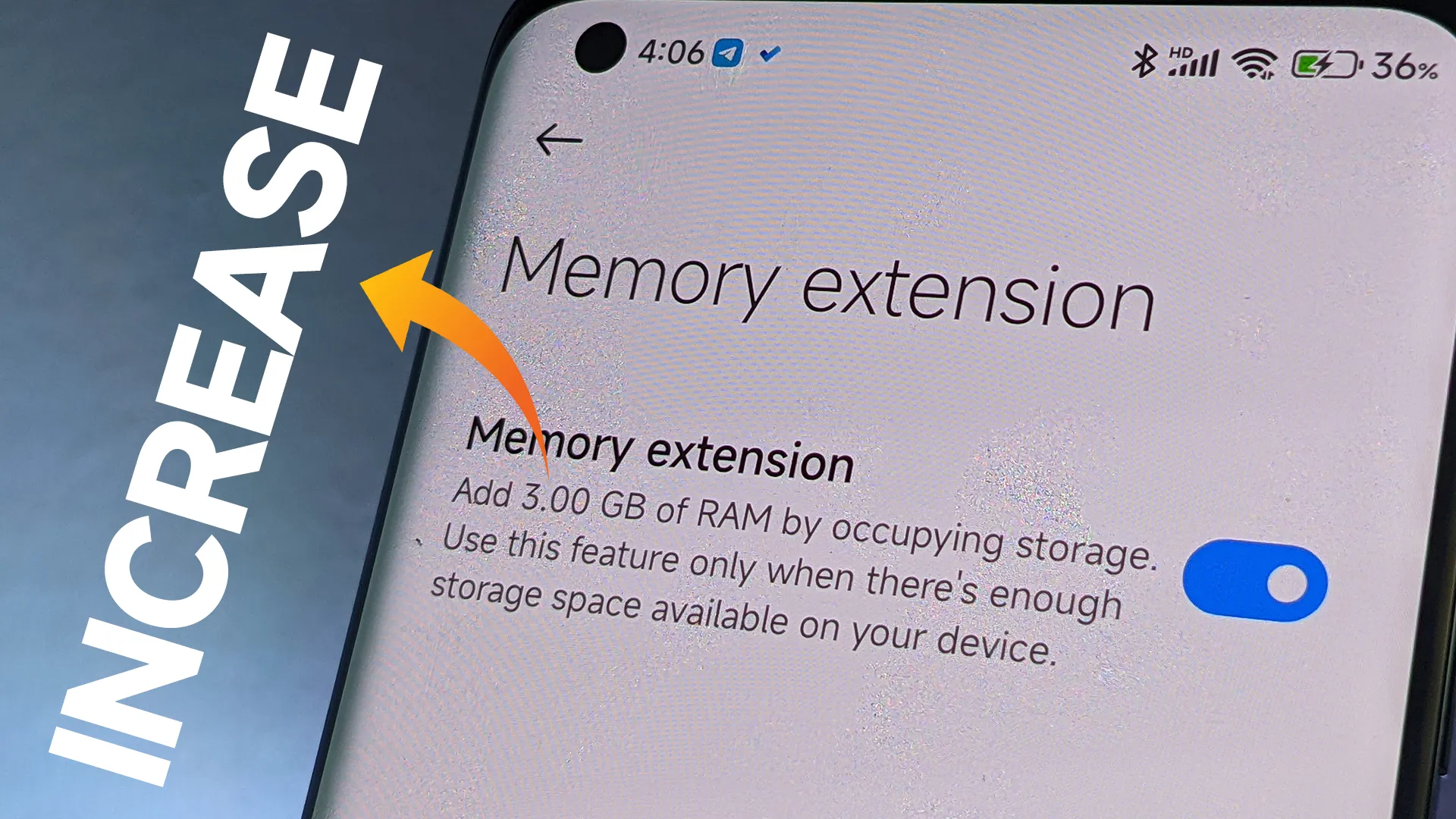
One of the most frequent complaints from smartphone users is slowdowns brought on by insufficient RAM, which Xiaomi has subtly added. By designating a piece of internal storage as virtual RAM, the Dynamic RAM Expansion function allows Xiaomi, Redmi, and POCO handsets running MIUI or HyperOS to augment their physical RAM. This method is especially cost-effective for both premium and budget-conscious customers since it enables users to improve device performance without spending money on expert services or hardware changes.
About RAM expansion
RAM serves as every smartphone’s working memory, facilitating seamless multitasking and quick access to open apps. The increasing sophistication of mobile operating systems and applications puts even more strain on limited memory. Users encounter slowness, slower app transitions, and occasionally even unplanned system restarts when a device’s RAM is low—all of which are unacceptable in a fast-paced work setting.
By setting aside a piece of internal storage and using it as virtual RAM, dynamic RAM expansion helps to overcome these limitations. For instance, a device having 8GB of physical RAM can be set up to add an additional 4GB from storage, giving users “8+4GB” as shown by system settings. This approach is especially beneficial for companies wishing to prolong the lives of their hardware assets because it doesn’t need any physical intervention or additional costs.
Throughout the Xiaomi ecosystem, this capability is generally accessible. Dynamic RAM Expansion is available to a wide spectrum of customers, from the top POCO models to affordable Redmi handsets, including mid-tier choices like the Redmi Note 13 Pro 5G. The individual device and available storage determine how much expandable RAM (4GB, 6GB, or 8GB) is needed, providing flexibility for a range of business requirements.
How to enable Ram expansion
Enabling the feature is designed to be user-friendly:
Open the Settings application
Navigate to “Additional Settings”
Locate and select “Memory Extension” (or “Memory Expansion”)
Choose the desired amount of expansion (4GB, 6GB, or 8GB)
Confirm and restart the device to activate
Users can experience quantifiable increases in device responsiveness in a matter of steps, which is advantageous in settings where productivity is a top priority.
Even though dynamic RAM expansion has several advantages, it needs enough free storage to work properly. To activate the feature, users might need to make room. It’s also crucial to remember that virtual RAM functions more slowly than real RAM, but for everyday business applications like email, productivity suites, and communication, the difference is usually noticeable.
Stay connected with the latest from Droid Tools—follow us on X @droid_tools, like our page on Facebook, check out our updates on Instagram, and follow us on Google News for real-time news, device tips, and mobile tech insights.
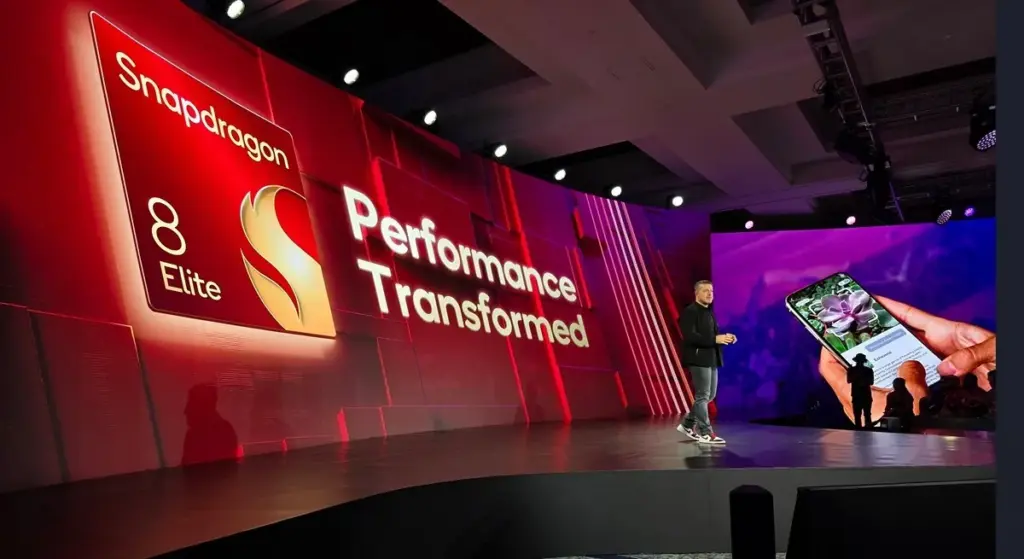
The 2025 Snapdragon Summit is scheduled by Qualcomm for September 23–26, 2025. The US-based chipmaker is probably going to reveal the Snapdragon 8 Elite 2, which will power the premium phones of the future. According to a recent Weibo post by trustworthy tipster Digital Chat Station, this next SoC will have significant improvements in processing and graphics capabilities.
According to the leak, Qualcomm’s second-generation Oryon CPU architecture would be available in the Snapdragon 8 Elite 2. According to reports, the chipset is aiming for single-core test scores of over 4,000 points and multi-core scores of up to 11,000 points on Geekbench 6. The new chip promises a considerable performance boost over the first-generation Snapdragon 8 Elite, which scored about 3,100 and 9,800, respectively.
Snapdragon 8 Elite 2: big upgrade in CPU and GPU performance
A 16MB GMEM cache and an updated Adreno 840 GPU are also anticipated to be included in the platform, which will enable it to easily handle demanding visuals and graphics-intensive applications. These improvements imply that future flagship smartphones will prioritize improved thermal management and performance efficiency.
Snapdragon 8 Elite 2 known specs
According to rumors, the Snapdragon 8 Elite 2 will offer notable upgrades over its predecessor with a 2+6 CPU structure and a potential clock speed of up to 5GHz. With a base frequency of 4.4GHz, which is marginally higher than the 4.32GHz of the previous iteration, the CPU is anticipated to be constructed using TSMC’s third-generation 3nm process.
Xiaomi is probably going to be the first company to release phones with this chipset, specifically the Xiaomi 16 and Xiaomi 16 Pro, based on past trends. The OnePlus 15, iQOO 15, 15 Pro, Honor Magic 8 series, Realme GT 8 Pro, Nubia Red Magic 11 series, and Redmi K90 series are possible more early adopters.
The new processor is anticipated to be included in the Vivo X300 Ultra and Oppo Find X9 Ultra, which are scheduled to launch next year. It’s unclear, meanwhile, if the Xiaomi 16 Ultra will use the company’s proprietary Xring SoC or the Snapdragon processor.
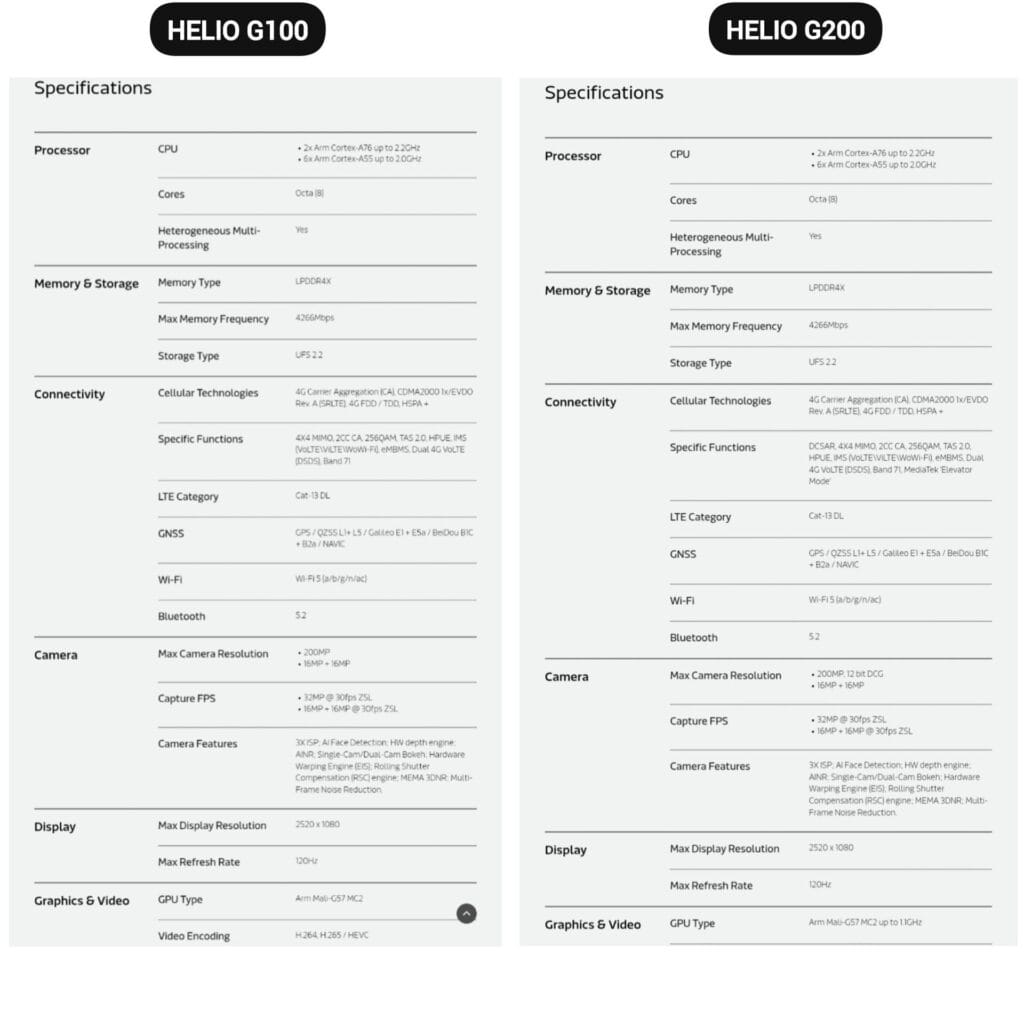
The Helio G200, MediaTek’s newest chipset, was formally announced. It significantly improves the low-cost phone lineup, which is dominated by Xiaomi phones. Utilizing the advancements of its predecessor, the Helio G100, which powered the well-liked Redmi Note 14 Pro 4G, this new chip delivers significant improvements to networking and camera management.
The G200 is a component of MediaTek’s continuous effort to offer premium features at reasonable costs, which is exactly in line with Xiaomi’s own strategy in the smartphone market.
Better Performance
The MediaTek Helio G200 features the same core architecture as the previous one but with several significant upgrades:
Octa-core CPU setup (6x Arm Cortex-A55 at 2.0GHz + 2x Arm Cortex-A76 at 2.2GHz)
Mali-G57 MC2 GPU now at 1.1GHz for enhanced gaming performance
Support for LPDDR4X memory with speeds of up to 4266Mbps
Compatibility with UFS 2.2 storage for quick data access
MediaTek’s HyperEngine technology, which adjusts the network connections, display settings, and touch input while gaming, further strengthens the processor’s gaming capabilities.
Improved camera capabilities
One of the greatest advancements in the G200 is in its imaging abilities:
Support for camera sensors with as much as 200MP with 12-bit DCG
Triple ISP architecture for quicker image processing
Advanced AI noise reduction technology
Hardware-accelerated depth engine for enhanced portrait shots
Both single and dual camera bokeh effects are supported
Because of these enhancements, the G200 is a desirable option for smartphone manufacturers looking to offer exceptional photography capabilities in mid-range devices.
Features
The Helio G200 features several new connectivity features not available in the G100:
Optimized signal reception through DCSAR technology
MEDIATEK introduces new “Elevator Mode” for preserving connectivity in difficult situations
We should expect Xiaomi’s upcoming mid-range smartphones to employ this new G200 chip, as the Redmi Note 14 Pro 4G uses the Helio G100. Better gaming performance, better photography, and more reliable connectivity would all be supported by the updated specifications without significantly increasing the devices‘ price.
You are not dreaming if your Android phone used to be blazing fast but suddenly feels slow. Android devices naturally slow down over time for a number of reasons, the majority of which are entirely resolvable without the need for third-party apps or technical know-how.
Why Android is getting slower?
📦 1. App Cache Buildup
An application, such as Instagram, YouTube, or your web browser, saves small amounts of temporary data (called cache) each time you use it so that it loads more quickly the following time. Although useful when used sparingly, this cache accumulates over time, depleting storage and occasionally making the program (or even your phone) slow.
Example: Chrome can build up hundreds of MBs in cache after a few weeks of browsing. Clearing it can noticeably improve speed.
⚙️ 2. Background Processes Piling Up
Applications do not simply launch when you use them. Multiple apps keep running in the background, syncing data, giving notifications, and even tracking position. This depletes the battery and RAM (your phone’s memory), which can affect speed.
Tip: Social media and messaging apps are the biggest offenders. If you’ve got 10+ apps running in the background, expect a performance dip.
📲 3. Unused or Pre-installed Apps
Bloatware is the term for the numerous apps that are pre-installed on your phone and frequently continue to run in the background even if you have never used them. You end up with a cluttered, overloaded system when you include the apps you downloaded, used once, and then forgot about.
You don’t have to delete everything, but disabling or uninstalling apps you don’t use makes a big difference.
🔁 4. Software Updates and Feature Overload
Software updates can be bulky, yet they are necessary for security and new functionality. Updates for apps and newer Android versions are gradually tailored for more modern hardware. This implies that all of the new features and animations may be too much for your outdated device to handle.
Ever noticed how a major Android update seems to slow your phone a bit? That’s usually why.
🗄️ 5. Low Internal Storage
For Android to function properly, it requires a buffer of free space. Your phone may begin to crawl if it is overloaded with pictures, movies, downloads, and residual program data for background processing.
Rule of thumb: Keep at least 4 GB free at all times. If you’re below that, expect slowdowns.
✅ The Good News?
You don’t need root access, expensive cleaner apps, or a trip to the repair shop. Most speed issues can be solved in just a few minutes using built-in settings.
📍 In the next section, we’ll walk through the exact steps you can take right now to get your Android device running like new again.
✅ 1. Restart Your Phone
Why it matters: Restarting your phone clears temporary files, ends frozen background processes, and resets system performance. It’s like giving your phone a fresh breath of air.
What to do:
Hold the Power button until the menu appears
Select Restart (or Power Off, then turn it back on)
📌 Do this at least once a week — it can fix lag, crashes, and battery issues instantly.
🧹 2. Clear App Cache (Not Data!)
Apps store cache to improve loading times, but too much of it can cause lag, glitches, or even crashes.
Here’s how to clear cache:
Go to Settings > Apps
Tap on an app like Chrome, TikTok, or Instagram
Tap Storage & Cache
Tap Clear Cache
⚠️ Important: Don’t tap Clear Storage/Data unless you want to log out or reset the app.
🧠 Pro Tip: Clear cache for your most-used apps once every 2–3 weeks.
📦 3. Uninstall or Disable Unused Apps
Apps you never use can:
Take up precious storage
Run silently in the background
Slow down boot times
To remove them:
Long-press the app icon > tap Uninstall
OR go to Settings > Apps > [App Name] > Uninstall
If an app can’t be uninstalled:
Tap Disable — it won’t run or consume resources anymore.
🔇 Example: Carrier apps, pre-installed games, or assistant tools you never asked for.
🛠️ 4. Reduce Animations (Developer Options)
Android’s transitions and animations may look sleek — but they can delay actions on older or budget phones.
Here’s how to disable or reduce animations:
Go to Settings > About Phone
Tap Build Number 7 times to unlock Developer Options
Go back to Settings > System > Developer Options
Scroll down to:
Window Animation Scale
Transition Animation Scale
Animator Duration Scale
Change all three to 0.5x or Animation Off
📈 Expect a noticeable speed boost — especially on devices with less RAM.
🗃️ 5. Free Up Storage Space
Storage nearing full = a major performance killer. Your phone needs free space to install updates, load files, and run background tasks.
Quick ways to free up space:
Open Files by Google > Clean to remove junk, large files, and duplicates
Go to Gallery > Albums > Downloads and delete old files
Offload videos/photos to Google Photos or an SD card
💾 Aim to keep 15–20% of your total storage free (e.g. at least 4–6 GB on a 32 GB phone).
🔋 6. Disable Background Sync & Battery Hogs
Many apps sync data constantly — even when you’re not using them.
To limit background activity:
Go to Settings > Battery > App usage
Tap on heavy apps (Facebook, Gmail, etc.)
Restrict background use or set to “Battery Optimized”
For syncing:
Go to Settings > Accounts > Auto-sync Data
Turn it off for accounts you rarely use
💡 This saves RAM and battery life — a win-win.
🔄 7. Update Android & Your Apps
Updates contain bug fixes and performance improvements. If you’re behind, you could be missing important optimizations.
Update system:
Settings > System > System Update > Check for updates
Update apps:
Open Google Play Store
Tap your profile icon > Manage apps & device
Tap Update All
🔄 Do this monthly, especially if you notice app crashes or slowness.
🧩 8. Use Lite Versions of Apps
Heavy apps = more RAM, more battery, more lag.
Try these alternatives:
Facebook Lite instead of Facebook (saves over 500 MB!)
Messenger Lite instead of Messenger
YouTube Go (lighter on data and resources)
Twitter Web via browser instead of the app
You’ll free up space and speed up daily use.
🖼️ 9. Use Static Wallpapers
Live wallpapers constantly run behind the scenes, draining battery and processing power.
Change it:
Long press on the home screen > Wallpaper & Style
Choose a static image from your gallery or system wallpapers
🌓 Tip: Dark wallpapers also save battery on AMOLED/OLED screens.
🧠 10. Try a Lightweight Launcher
Your phone’s default launcher (like Samsung’s One UI or Xiaomi’s MIUI) can be bloated and animation-heavy.
Better options:
Nova Launcher (fast, customizable)
Niagara Launcher (minimalist & smooth)
Smart Launcher 6 (lightweight & sleek)
Switching to one of these can reduce memory use and simplify your experience.
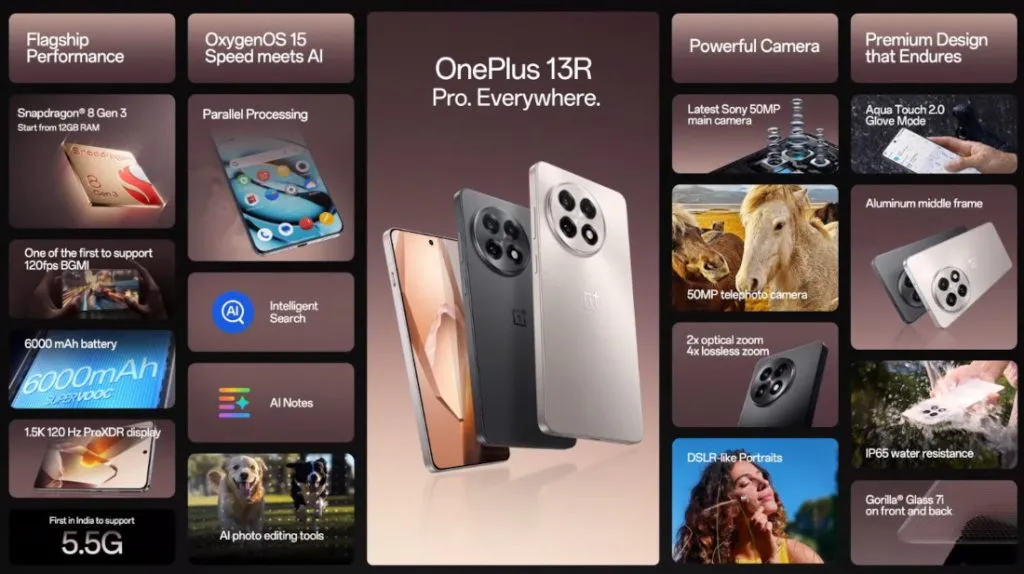
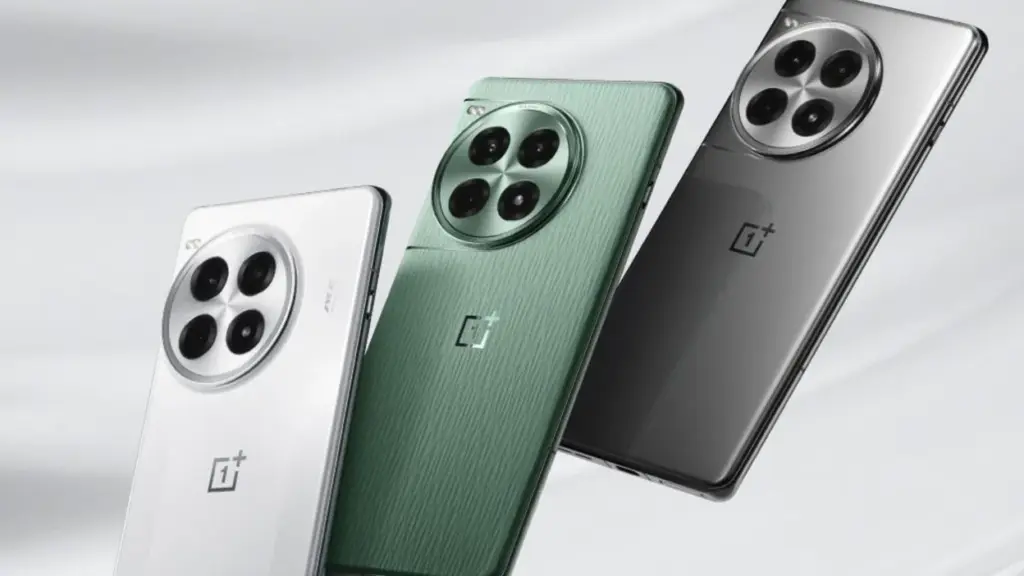
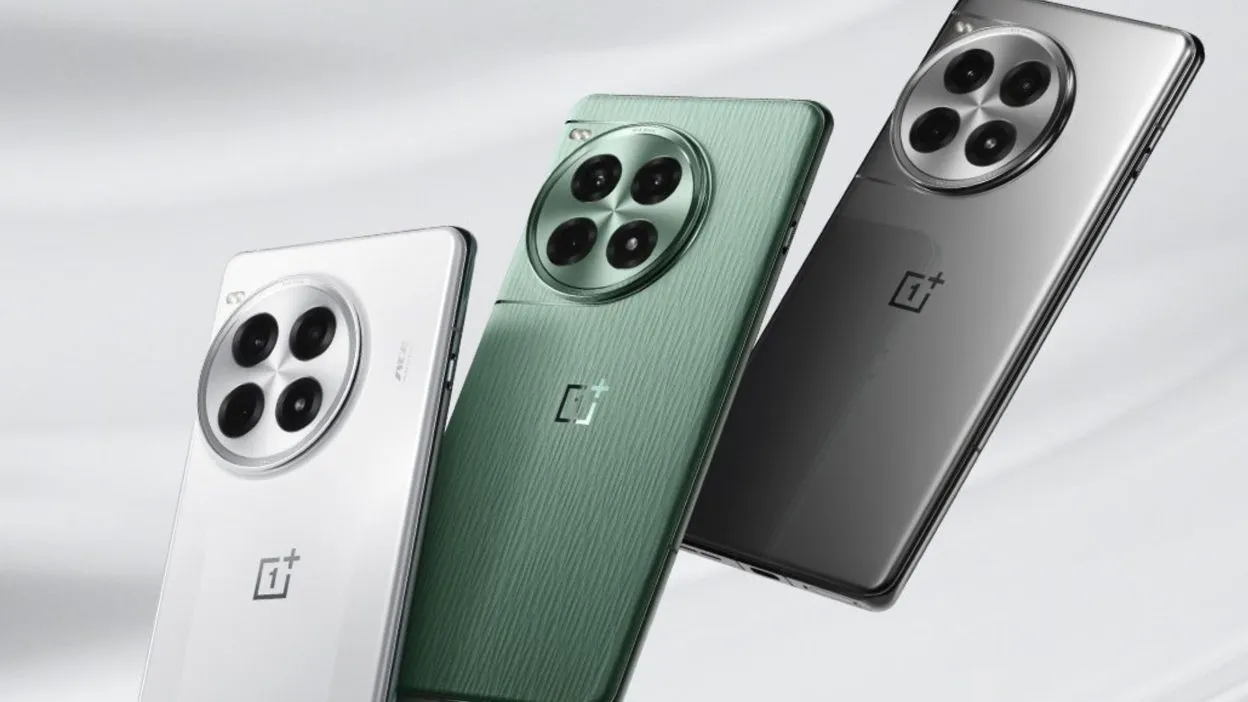
Building on the successful formula of its predecessor, the OnePlus 12R, the OnePlus 13R offers a long battery life, a stunning display, and a lot of power in a stylish, high-end package. The OnePlus 13R offers a lot of features at a price that is not as competitive as the brand’s original “flagship killers,” but if you are looking for a flagship phone without the incredibly high price tags that accompany them, this phone is a great choice.
The first “R” branded phones (of series 9, 10, and 11) did not make it to the coasts of Europe or North America, making this the second time an R-Series cellphone has been released abroad.
The OnePlus 13R is a less advanced, and therefore more cost-effective, variant of the flagship OnePlus 13, which was released concurrently. Consider this phone to be similar to Google’s “A” range of Pixel phones and Samsung’s “FE” versions of its high-end S series.
Even in direct sunshine, the 6.78-inch display is easy to use due to its color and brightness. The phone’s flat screen makes for a pleasant viewing experience because it is flush with the aluminum chassis.
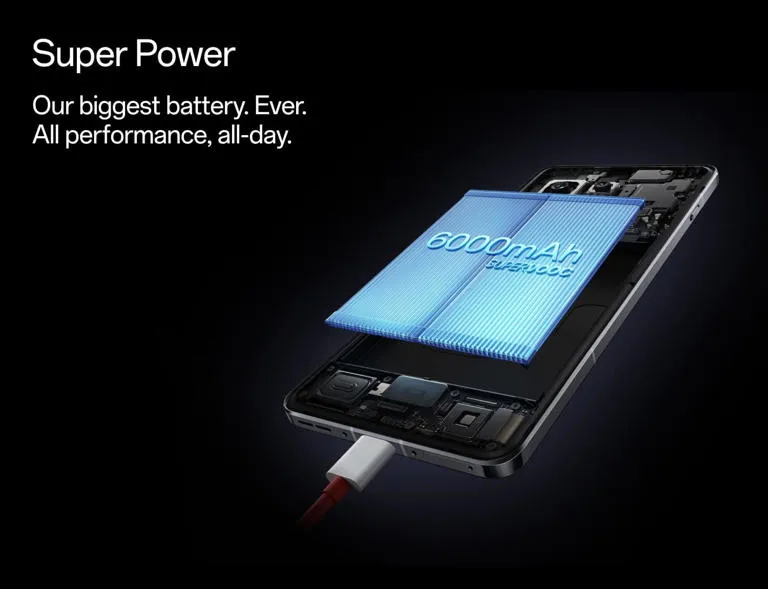
Even heavy users will get more than a day’s use out of the OnePlus 13R before reaching for the charging wire, thanks to its large 6,000mAh battery, which lasted me two days on a single charge. However, as there is not wireless charging, grab the cable.
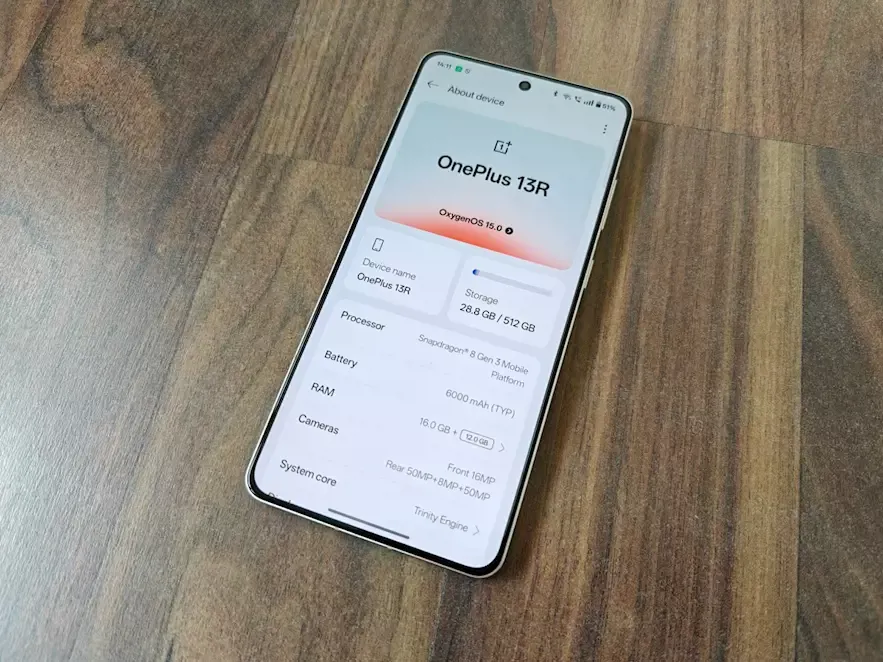
With 12GB of RAM skillfully supporting the previous flagship generation Snapdragon CPU at its heart, there is a ton of power beneath the hood. It implies that the 13R is capable of handling almost everything.
The three cameras on the back may not have the newest capabilities seen in flagships of the current generation, but they are still excellent point-and-shoot cameras that perform well in the majority of situations.
However, because the 13R is a large phone, it might be a little difficult for people with little hands to hold. Furthermore, as this phone is not waterproof, you should exercise caution when near water. It will be fine in the rain because it is only splash-proof.
While it retains many of the features of the brand’s previous flagship phone, the OnePlus 13R is a capable smartphone that is just out of reach of some of the newest technology that has been saved for its non-R, numbered twin.
Pricing & Availability
With only one storage option—256GB ROM + 12GB RAM—available in North America and Europe, the OnePlus 13R is a straightforward purchase. A more robust 512GB + 16GB extra combination is available for those living in India, which would make some Western markets jealous of Asia.
The pricing of the OnePlus 13R is $599/£679, which is the same as the OnePlus 12R’s debut price in the US but £30 higher in the UK.
The 13R is positioned well in the market, delivering a large screen, a large battery, and plenty of performance at a price point that undercuts Apple, and it was launched in the US at the same price as the 256GB OnePlus 12R from the previous year.
Although the £30 price rise is a little annoying for UK customers, OnePlus has made improvements to the 13R, which still provides a good all-around experience. The OnePlus 13R is priced at the upper end of the “affordable flagship” market, and unlike the OnePlus 12R, it only comes with 256GB of ROM and 12GB of RAM in the US. This time, there is not a less expensive model with 8GB or 128GB of RAM and storage.
This means that it costs more than Google’s own version of a cheap flagship, the smaller, more portable Pixel 8a, but it is around the same as the AI-enabled Samsung Galaxy S24 FE and the alternative Nothing Phone (2), albeit the latter is already a year and a half old. The OnePlus 13R’s exceptional battery life is one of its main selling points, but if you value battery life above all else in a large-screen phone, you might want to check out the Honor Magic 7 Lite. Although it is not accessible in North America and has a larger battery (6,600mAh), it is significantly less expensive.
Storage / RAM
US Price
UK Price
India price
256GB / 12GB
$599
£679
Rs TBC
512GB / 16GB
N/A
N/A
Rs TBC
OnePlus 13R specs
Three key specifications are included with the OnePlus 13R. It has a large, bright, and striking 6.78-inch screen with a maximum brightness of 4,500 nits, a massive 6,000mAh battery that lasts for two days, and smooth performance because it uses the same Snapdragon 8 Gen 3 CPU as the OnePlus 12, the brand’s flagship from the previous generation.
All but the most frequent power users will be satisfied with the 256GB of storage, three cameras around the back, and quick 80W wired charging.
Dimensions:
161.72 x 75.77 x 8.02mm
Weight:
206g
Display:
6.78-inch, 19.8:9 ProXDR Display with LTPO 4.1, Support 100% Display P3, 10-bit Color Depth
Resolution:
1264 x 2780, 450 ppi
Peak brightness:
4,500 nits
Chipset:
Snapdragon 8 Gen 3
RAM:
12GB LPDDR5X
Storage:
256GB
OS:
Android 15 w/ OxygenOS 15
Main camera:
50MP Sony LYT-700, 1/1.56”, f/1.8, 84-degree field of view, OIS, EIS
Telephoto camera:
50MP S5KJN5 with 2X optical zoom, 1/275”, f/2.0, EIS
Ultra-wide camera:
8MP, 1/4″, f/2,2, 112-degree field of view, EIS
Selfie Camera:
16MP, 1/3.09”, f/2.4, 82-degree field of view, EIS
Battery:
6,000mAh
Charging:
80W wired
Colors:
Astral Trail, Nebular Noir
OnePlus 13R
The OnePlus 13R builds on the winning formula of its predecessor, the OnePlus 12R, by delivering prolonged battery life, a dazzling display, and plenty of power in a slick, premium package.
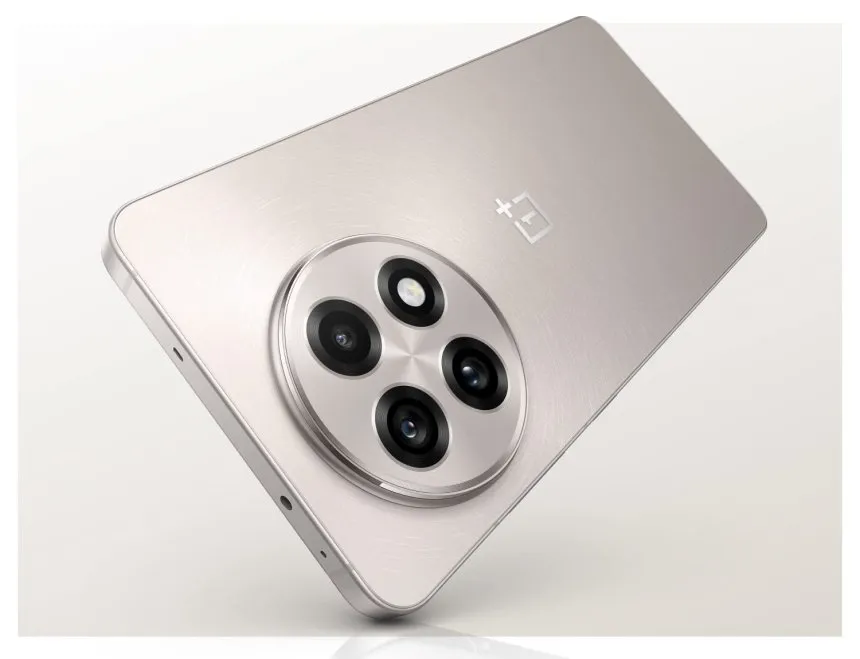
With a sleek aluminum frame encircling the phone and glass on either side, the OnePlus 13R is a stylish piece of hardware. Because both companies are owned by the same business, the flat sides are reminiscent of both the Oppo Find X8 range and Apple’s iPhone 15 Pro and 16 Pro series. The latter shares several design characteristics with the OnePlus 13 series.
Gorilla Glass 7i, the first OnePlus phone to use this new glass type, is used to cover the phone’s screen and back to complete the luxury package. According to manufacturer Corning, the glass is “particularly created to answer the demand for increased drop protection and scratch resistance.” This implies that the 13R should be resilient to the occasional drop and knock, but I did not actually test this out when I was reviewing the phone.
The OnePlus 13R has a high-end appearance and feel, is well-built, and performs better than its pricing suggests, even though its design is not totally original. I would have preferred the power and volume buttons on the right of the 13R to be positioned lower down, but those with smaller hands will find the gadget too large, especially for one-handed operation.
My thumb was strained by the volume rocker in particular, which made it difficult to turn up the volume without making awkward hand shuffles. The buttons would naturally fall beneath the thumb if OnePlus positioned these a few millimeters lower, making manipulation simpler.
The OnePlus 13R has OnePlus’ now-iconic alert slider, which makes it simple to choose between silent, vibration, and ring modes. However, it has the same placement problem as the volume and power buttons; it is positioned a bit too high up on the left side of the phone for my taste.
The speaker and SIM tray, which can hold two cards, are on either side of the USB-C connector, which is located in the middle of the phone’s bottom edge. Only the massive round camera housing on the back breaks the sleek, minimalistic finish of my Nebular Noir-colored smartphone.
The IP65 water resistant rating of the phone is one unsatisfactory feature. Although an IP68 rating (water resistance for submersion) is not unusual in this price range, it is an upgrade over the IP64 rating of its predecessor and offers protection against water jets.
Display
The good news is that the display on this phone, which OnePlus makes a huge deal out of, lives up to the hype. It is large, vivid, and multicolored. It is a massive device at 6.78 inches, slightly larger than the Samsung Galaxy S24 FE (6.7 inches) and much larger than the Pixel 8a’s 6.1-inch screen. It is also about the same size as the Honor Magic 7 Lite, another big-battery contender.
The resolution of 1264 x 2780 (1.5K), which provides a pixel density of 450 ppi, is standard. While OnePlus claims that the 13R can reach a maximum brightness of 4,500 nits, you will not be able to view that level of brightness in practical applications.
The OnePlus 13R’s screen did a great job in bright light during my time with it, both indoors and out. You can be sure you will be able to see what is on screen in direct sunlight if you are lucky enough to be in an area with lots of sunshine.
It is not surprising that interactions do take a bit more force than when not wearing gloves. Glove mode does not support gameplay, according to OnePlus, so if you want to play PlayerUnknown’s Battlegrounds (PUBG) while on vacation in Lapland, Finland, you might want to wait until you are indoors and gloveless before launching yourself into combat. But it is simple to open and close apps, navigate the interface, skim through social media, and tap out messages.
Software
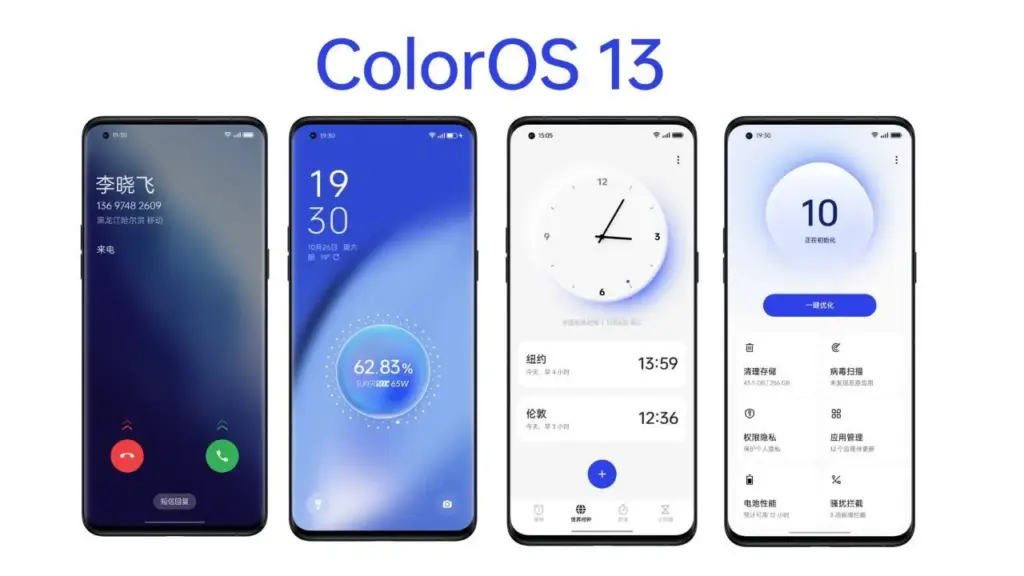
The software you see on the screen of the OnePlus 13R is powered by the most recent version of Google’s mobile operating system, which is Android 15. It is not entirely Android because OnePlus has layered its OxygenOS 15.0 interface over top, giving the phone a familiar appearance and feel for those who have used the company’s earlier models.
This offers the stock Android platform—found on Pixel phones—a slightly distinct appearance and feel. Other apps were pre-installed on my OnePlus 13R in addition to the standard system apps.
According to OnePlus, OxygenOS 15 has been made 40% smaller overall, providing more capacity for apps, games, pictures, movies, and other media by using less of the 256GB of internal storage.
With OnePlus promising to provide the smartphone with six years of security upgrades and four years of software updates, the OnePlus 13R is also future-proof. Although this product is decent, it is not the best in its field.
While Google and Samsung provide seven years of software and security updates on their most recent devices, Apple has long provided five years. And a 2025 smartphone would not be complete without mentioning artificial intelligence. You may use the AI Editor option, which has four tools, in the Photos app (the OnePlus version, not Google’s Photos app). See the camera section for more details.
The OnePlus 13R also has Google’s Gemini AI assistant pre-installed, which allows you to use tools like Magic Compose (which helps you write text messages) and Circle to Search.
Camera
The large, circular camera housing of the OnePlus 13R houses three cameras, the most prominent of which are a 50MP Sony LYT-700 primary sensor and a 50MP telephoto sensor that supports 2x zoom. An 8MP ultra-wide sensor with a 112-degree field of view completes the sensor array. An LED flash is also included to assist light up dim areas.
There is a 16MP selfie camera on the front, however it lacks a wide-angle lens to accommodate more faces. You will have to accept that some people might not be included in the picture or put your cheeks together.
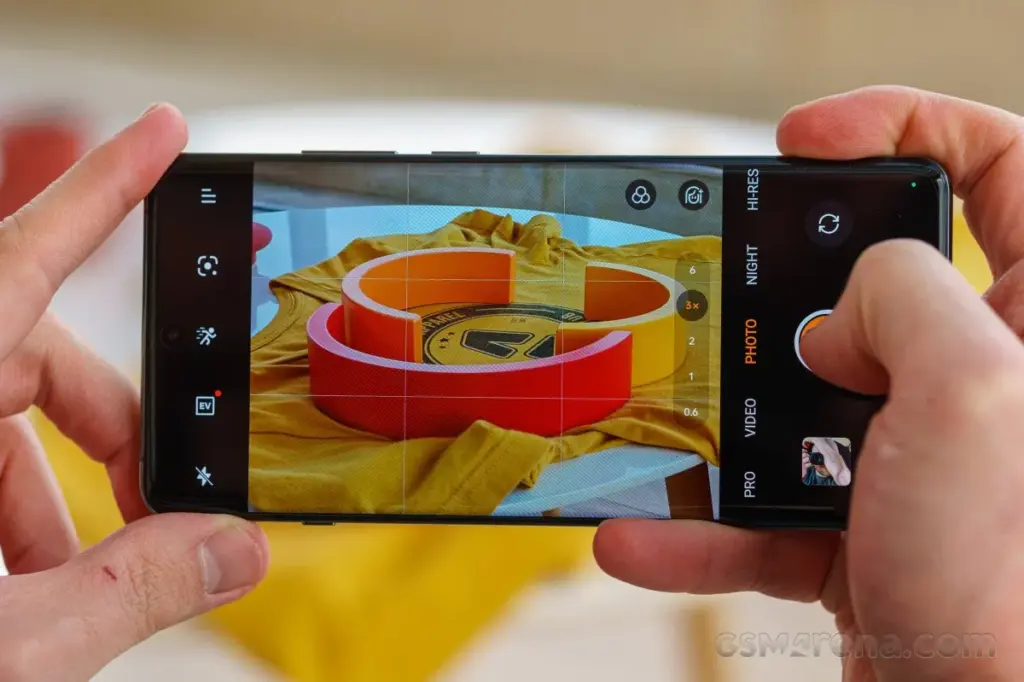
With easy access buttons for Google Lens, exposure, retouch (beautification mode), and filters, the OnePlus 13R camera software launches quickly and is jam-packed with features that will have you Instagram-ready in no time.
In addition to offering more precise options for ISO, shutter speed, exposure, focus, and white balance, the “Pro” mode allows users to shoot in RAW instead of JPG for more editing flexibility in applications like Photoshop.
In summary, the OnePlus 13R camera app offers a wide range of customization choices. However, for those who prefer not to tinker with settings, the good news is that it shoots fantastic pictures in the default configuration.
The 13R is a pretty good smartphone camera under most circumstances. Given that it is a tier below the genuine premium flagship offers, it is not on par with the greatest camera phones available, but that is to be anticipated.
Performance
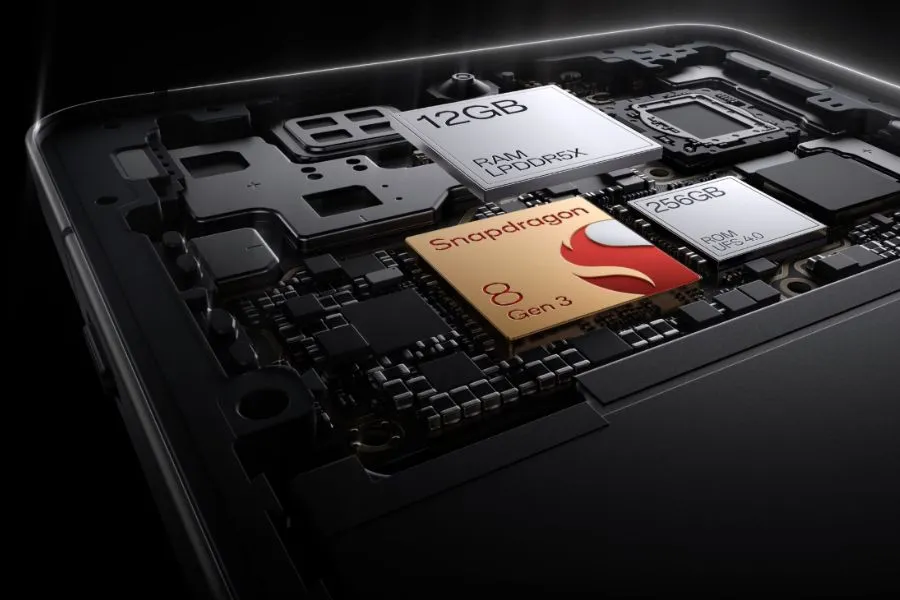
The Snapdragon 8 Gen 3 processor is the same flagship chipset used in the OnePlus 12, but it is not Qualcomm’s most recent top-tier Snapdragon 8 Elite offering. What this means is the 13R still packs a punch, backed up by a capable 12GB of RAM.
Social media scrolling is quick and fluid because to the performance and the 120Hz screens, and the interface works well. Although apps load swiftly, the OnePlus 13R does not feel as snappy as the real flagships on the market when it comes to more demanding games.
That is not really a problem, and I was more than satisfied with the performance I was getting for the price of this phone, whether I was using it for social media browsing, video streaming, email checking, work (including writing some of this review), or taking a well-earned break to play games.
Genshin Impact ran smoothly on the OnePlus 13R at 60 frames per second and at its maximum graphics setting of 30 frames per second.
Compared to flagship phones, load screens were a bit slower to complete, but this did not interfere with gameplay. The phone did warm up, but it never got to a point where it was unpleasant.
Moreover, it works well; we had no read errors when using the phone, and it was very responsive. Enabling face unlock is an additional option. Even from unusual angles, like surreptitiously glancing at your phone from behind a desk, the OnePlus 13R can quickly recognize your face and unlock it in the sunshine.
Battery
One of the greatest selling points for the OnePlus 13R is its massive 6,000mAh battery, offering the handset with excellent longevity and giving you the piece of mind of true all-day battery life without the need to even contemplate reaching for a charger.
We discovered that on days when we reduced our gaming and video watching, we could simply unplug at 7am and then plug in at 11pm with 50% of the power remaining. On days when we used the device heavily, we would still be going to bed at the end of the day with at least 20% of the battery remained.
To extend the lifespan of the massive power pack within, the company lowered the SUPERVOOC charging speed from 100W on the OnePlus 12R to 80W on the new OnePlus 13R.
The OnePlus 13R can go from 1% to 100% in as little as 52 minutes with the correct fast-charging plug converter (in the UK, you only receive a USB-C cable in the box), and the 80W charging still provides a respectable amount of power in a short period of time.
The OnePlus 13R charged from 15% to 31% after 15 minutes using a quick 60W charging block, and the battery returned to 48% after 30 minutes, a 33 percentage point increase in 30 minutes. Fair top-up times, particularly if you have to quickly add charge before leaving the house.
The OnePlus 13R’s lack of wireless charging is the only drawback to its battery life. You will want a wire to recharge the 13R because this feature is exclusive to its more expensive sister, the OnePlus 13.
OnePlus 13R
The OnePlus 13R builds on the winning formula of its predecessor, the OnePlus 12R, by delivering prolonged battery life, a dazzling display, and plenty of power in a slick, premium package.
In today’s mobile-driven world, delivering outstanding app experiences is crucial for business success. However, meeting soaring customer expectations and ensuring high performance can be challenging. Imagine seamlessly connecting with users across multiple channels, providing personalized support that fosters loyalty and engagement.
The powerful combination of advanced CRM and omnichannel call center technologies offers a game-changing solution. By integrating these systems, businesses gain a comprehensive view of each customer’s journey, enabling anticipation of needs, proactive issue resolution, and tailored recommendations.
Automation and predictive analytics streamline routine tasks, freeing up teams to focus on complex inquiries while driving continuous improvement. This potent duo empowers businesses to revolutionize customer support strategies, ensuring every interaction is tailored to individual preferences and delivered through the preferred channel.
In this article, we’ll explore how embracing advanced CRM and omnichannel call center technologies can unlock new levels of mobile app performance and create exceptional experiences that cultivate long-lasting customer loyalty.
What is crm call center?
A CRM call center combines traditional call center functions with Customer Relationship Management (CRM) technology to offer a more personalized and efficient customer service experience. By integrating call center operations with detailed customer data, agents can access a wealth of information about a caller’s history, preferences, and previous interactions with the company in real-time. This enables them to provide tailored assistance, resolve issues more quickly, and improve overall customer satisfaction.
The Omnichannel Call Center Revolution
Traditional call centers have long been a cornerstone of customer service, but the rise of digital channels has necessitated a shift towards an omnichannel approach. Customers now expect seamless interactions across various platforms, including mobile apps, social media, live chat, and more.
This demand for a cohesive experience has propelled the adoption of omnichannel customer support software. It enables businesses to manage and optimize customer interactions across multiple touchpoints.
According to a study, 88% of customers believe that the experience a company provides is as important as its products or services. This statistic underscores the pivotal role of omnichannel call center optimization in boosting mobile app performance by ensuring exceptional customer experiences.
Key Strategies for Enhancing Call Center Performance
To capitalize on the transformative power of omnichannel call center software, businesses must adopt strategic approaches that align with evolving customer expectations. Here are some key strategies to consider:
Seamless Omnichannel Integration: Integrating omnichannel call center software is crucial for enabling agents to seamlessly switch between communication channels during customer interactions. This ensures a consistent and personalized experience, regardless of the platform used.
Agent Training and Development: Providing comprehensive training programs tailored for agents in an omnichannel environment is essential. This ensures that agents are equipped with the skills and knowledge necessary to navigate multiple channels and provide consistent, high-quality customer service.
Leveraging Key Performance Indicators (KPIs): Establishing and monitoring relevant KPIs, such as first-call resolution rates, average handle times, and customer satisfaction scores, can help measure and enhance the effectiveness of omnichannel support.
A/B Testing: Utilizing A/B testing methodologies can help refine omnichannel communication strategies and processes, enabling businesses to identify and implement the most effective approaches for their customer base.
Automation and Streamlining: Implementing automation within omnichannel call centers can reduce manual tasks and streamline customer interactions, improving efficiency and enabling agents to focus on more complex inquiries.
Advanced CRM and Omnichannel Technologies
Maintaining high customer satisfaction and engagement levels requires more than just traditional methods. The seamless integration of customer interactions across various platforms is essential for creating a cohesive user experience. CRM call center, is a pivotal solution that bridges the gap between customer expectations and service delivery. By leveraging advanced CRM and omnichannel technologies, businesses can effectively streamline communication, ensuring that every customer interaction is personalized, efficient, and consistent. This approach not only enhances call center performance but also significantly boosts mobile app success, setting a new standard in customer service excellence.
Here are some key solutions to consider:
CRM Call Center vs. Traditional Call Center
Feature
CRM Call Center
Traditional Call Center
Data Integration
Integrates with CRM for real-time customer data access
Limited or no integration with customer data
Personalization
High personalization based on customer history and preferences
Generic interactions with limited personalization
Efficiency
Higher efficiency with access to customer data
Efficiency may be compromised due to lack of customer insights
Customer Satisfaction
Enhanced due to personalized and informed support
May be lower due to generic support
Technology Use
Utilizes advanced CRM technologies
Primarily relies on traditional telephony systems
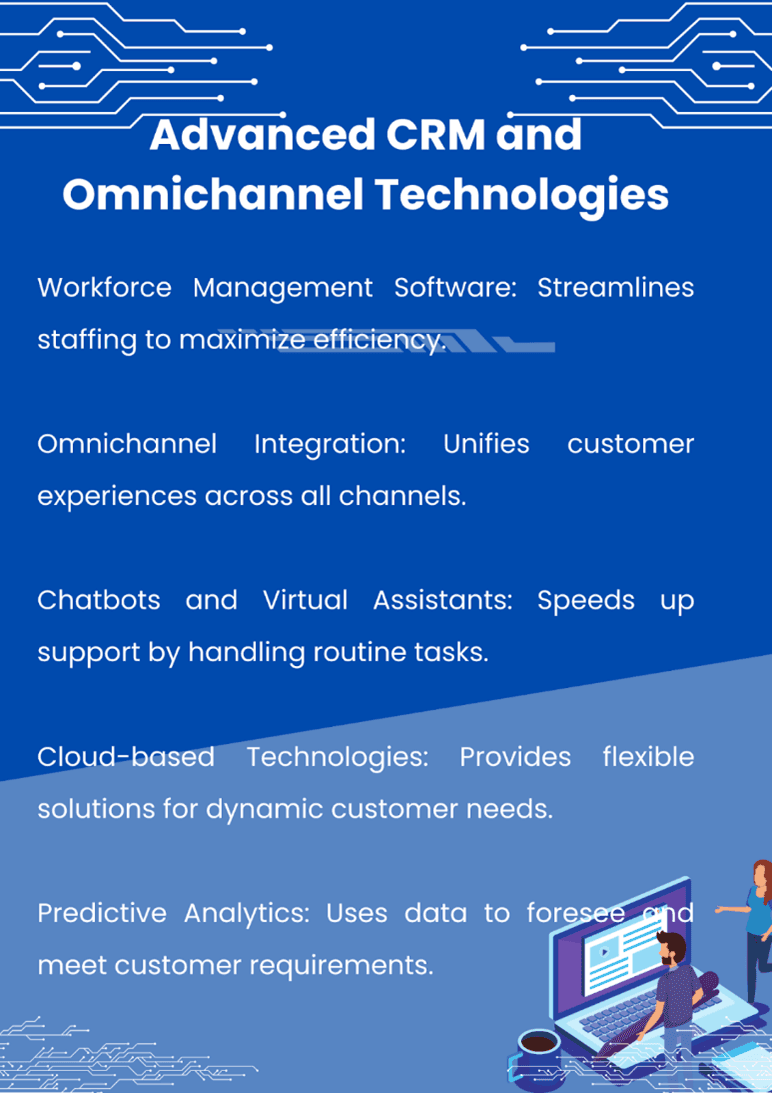
Workforce Management Software: Implementing workforce management software, alongside integrating clean-up software for Android devices, can significantly enhance operational efficiency within an omnichannel call center. This dual approach ensures not only optimal staffing and scheduling across all communication channels but also maximizes resource utilization by maintaining high-performance levels on Android platforms used by the staff.
By leveraging workforce management solutions, call centers can accurately forecast demand, allocate resources effectively, and adjust schedules in real-time to meet customer needs. Meanwhile, clean up software for Android helps in maintaining the devices used by the workforce, ensuring they run smoothly and reliably. This combination of tools supports a seamless customer service experience, reduces downtime, and promotes a more productive and satisfied workforce, ultimately contributing to the overall success of the call center operations.
Omnichannel Integration: Integrating omnichannel call center software with other systems, such as CRM platforms and mobile apps, is critical for providing a cohesive customer experience across all touchpoints.
Chatbots and Virtual Assistants: Enhancing efficiency with chatbots and virtual assistants within omnichannel platforms can help automate routine tasks and provide immediate support, reducing wait times and improving customer satisfaction.
Cloud-based Technologies: Embracing cloud-based technologies can offer scalable and cost-effective omnichannel call center operations, enabling businesses to rapidly adapt to changing customer demands and market conditions.
Predictive Analytics: Employing predictive analytics can help anticipate customer needs and optimize omnichannel support strategies, ensuring proactive engagement and personalized experiences.
The Impact on Mobile App Performance
The correlation between efficient omnichannel customer support and user satisfaction in mobile apps is undeniable. When customers can easily access support through their preferred channels and receive consistent, personalized experiences, their overall perception of the app is significantly enhanced.
Furthermore, efficient omnichannel support directly influences app retention rates and positive user feedback. According to a report, customers spend an average of 4.8 hours a day on their devices, frequently switching between apps. By meeting customers on their preferred platforms and providing seamless interactions, businesses can increase user engagement and loyalty, ultimately driving better app performance and success.
Optimizing Mobile App Performance with Advanced CRM
In today’s mobile-centric world, businesses must go beyond traditional customer support channels to deliver exceptional experiences. This is where integrating advanced CRM (Customer Relationship Management) systems with omnichannel call center software can significantly optimize mobile app performance.
CRM systems serve as a central repository for customer data, allowing businesses to gain valuable insights into customer preferences, behaviors, and interactions across multiple touchpoints, including mobile apps. By leveraging this comprehensive customer information, businesses can provide personalized and contextual support, enhancing user experiences and driving app engagement.
When integrated with omnichannel call center software, CRM systems enable agents to access a complete view of the customer’s journey, including their mobile app interactions, purchase history, and support tickets. This seamless data flow empowers agents to provide more informed and efficient support, reducing the need for customers to repeat information across different channels.
By seamlessly combining the power of advanced CRM systems with omnichannel call center software, businesses can unlock a wealth of opportunities to optimize mobile app performance. From providing personalized and contextual support to proactively addressing customer needs and automating routine tasks, this integration empowers businesses to deliver exceptional user experiences that drive app engagement, retention, and long-term success.
Wrapping Up
In the highly competitive mobile app market, optimizing performance and delivering exceptional customer experiences are paramount. By embracing the power of advanced CRM and omnichannel call center technologies, businesses can gain a significant competitive edge.
Through the strategic implementation of omnichannel customer support software, businesses can ensure seamless interactions across all platforms, improving customer satisfaction, app retention rates, and overall success. With the right solutions in place, companies can not only meet but exceed evolving customer expectations, positioning themselves as industry leaders in a rapidly evolving digital landscape.
So, take the leap and invest in omnichannel call center optimization. Empower your business with the tools and strategies necessary to deliver unparalleled mobile app performance and customer experiences that set you apart from the competition.
Elevate your mobile app’s success by partnering with a trusted omnichannel call center software provider. Request a consultation today and unlock the full potential of seamless customer interactions and optimized app performance.
FAQs:
What is CRM in customer service?
CRM (Customer Relationship Management) is a system that helps businesses manage interactions with customers. It stores customer data, tracks communication history, and provides tools to improve customer experience.
What is CRM full form?
CRM stands for Customer Relationship Management. It is a technology that helps businesses build strong relationships with their customers.
Are CRM and BPO the Same?
No, CRM and BPO (Business Process Outsourcing) are not the same. CRM is a technology tool, while BPO refers to outsourcing business processes to third-party service providers.
What Are the 3 Types of CRM?
The three main types of CRM are Operational CRM (sales, marketing, service), Analytical CRM (data analysis), and Collaborative CRM (interaction channels like social media).
Now more than ever, we depend on digital devices like smartphones and computers for work and entertainment.
Users want a smooth experience. However, there are times when our devices show signs of poor performance and other issues.
Let’s take a look at some of the most common problems and methods to minimize or eliminate these issues.
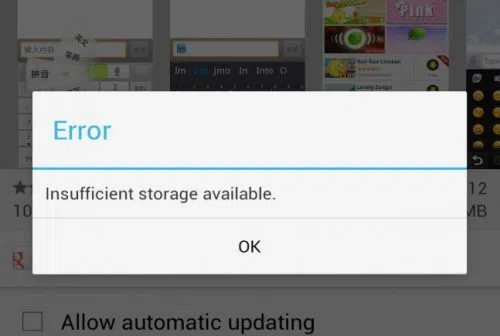
1. Insufficient Storage
You work with a finite amount of storage. Some devices boast of having terabytes of available space, so running out of available disk space is often not a problem.
On the other hand, some devices come with much less than that. It is crucial to keep an eye on what you download and store on the device. Get in the habit of deleting files you no longer need.
Remember that you do not need to store everything on the device. Cloud storage and external storage accessories (hard drives and USB flash sticks) offer a solid alternative.
2. Overheating
Overheating is one of those problems that you want to avoid as much as possible. The process works as an anxiety builder, making you aware that something is wrong. Ideally, your device should be lukewarm at most.
Having said that, it is not how digital devices work, particularly when you initiate resource-heavy processes, such as video games.
Certain devices have more flexibility to adjust temperatures. For instance, the MacBook kernel_task high CPUis one such indicator, and it’s a built-in feature.
Generally, overheating can be reduced by limiting background processes. Check background applications and close them. Moreover, if you have some time, clean the dust and other particles that are inside the device (provided you know what you are doing).
3. Sluggish Performance
A sluggish performance can be the result of different factors building up over time. More often than not, users don’t pay attention to basic maintenance routines, leaving their smartphones or computers to their own devices.
Doing so is bound to backfire. As a rule of thumb, there should be a maintenance routine that users follow, regardless of how big or small it is.
The goal is to ensure optimal device performance and increase its lifespan. At times, you may need to reinstall an operating system, ensure that the latest OS version is installed, and upgrade hardware when/if possible.
4. Malware
Cybersecurity threats are running rampant online, attacking unsuspecting users. It is no longer enough to have reliable antivirus software, though it remains a cornerstone of a good anti-malware strategy.
More and more people are looking to rely on virtual private networks to encrypt their surfing data and block devices from hackers. A VPN is helpful, particularly when you have to connect to public Wi-Fi, which is notorious for missing the necessary security protocols.
The awareness via various campaigns comes in handy, too. Organizations are trying their best to educate people about the dangers of the internet. It goes beyond protecting your devices. Personal and sensitive information is another thing malicious cybercriminals are after.
5. Poor Connectivity
As much as we rely on our devices, the same can be said for the internet. Having a poor connection is enough to ruin somebody’s day.
Naturally, some locations have a better internet connection. Certain ISPs are notorious for providing lackluster experience.
Still, one should not underestimate the impact on the user itself. You may have an outdated router or a third-party device jamming the signal. Not to mention that sometimes restarting the device or reconnecting to the network is enough to solve the problem.
6. Lackluster Battery Life
If you are on a desktop computer, battery lifespan problems are not something to worry about. Alternatively, smartphone and laptop users have to keep a close eye on the battery bar.
The likelihood of running out of battery life is not zero. The bar might go down without you realizing it. And if there are no means to quickly recharge the device, you will be in trouble.
Make sure to close background apps and other battery hogs. If the battery becomes outdated and struggles to recharge or maintain a decent battery life, you might have no other option but to get a replacement.
If you paid a lot of money for your Android phone, it can be really annoying when it lags or performs poorly.
There are three secret options on your device that you may adjust to improve performance if you are experiencing slow app loading times or a slow device overall.
Limit background processes
Numerous background-running apps are one of the main causes of slow phone performance. Even when you are not using them, these apps are continuously using resources, which can cause your phone to slow down. Fortunately, Android comes with a built-in feature to limit background activity.
You can experiment with different values to find the one that works best for your device.
By reducing background activity for apps that are not used frequently, you can free up resources for the apps that you do use, which will make your experience faster and smoother.
To test this feature, go to Settings and then select Developer Options. From there, tap on Background Process Limit and set a process limit between 0 and 4.
Remove old files
One of the best ways to make your device feel brand new is to remove all of your old apps and files.
These take up valuable space and no longer serve any purpose for you.
The easiest way to manage the storage on your phone is to use the Files app, which you can access by swiping up from the bottom of the screen to open the Android app drawer, then tap My Files (also known as File Manager).
From there, you can access your downloads, documents, images, audio, and other files.
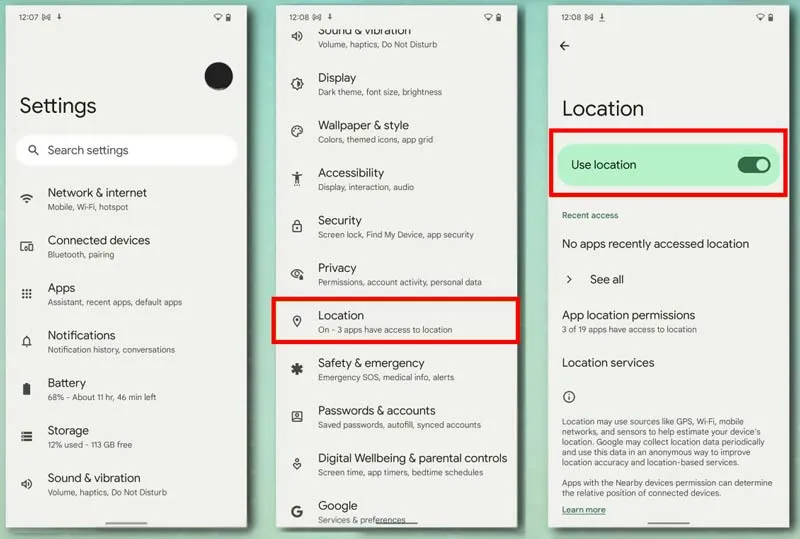
Disable location services for better performance.
You can see which apps are using location on your iPhone by going to Settings > Privacy > Location Services.
Many smartphone apps use your location to improve your experience while using them.
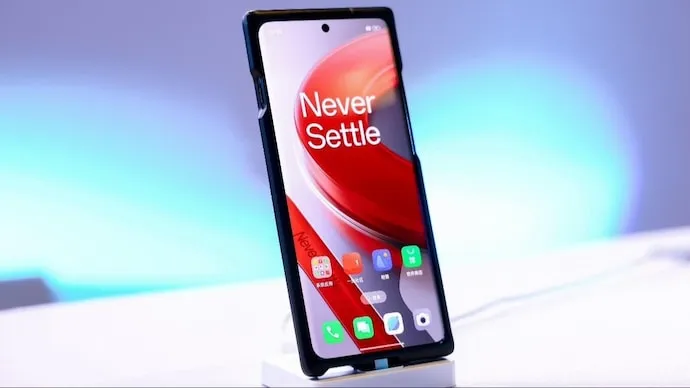
Set your calendars, OnePlus fans! The much awaited OnePlus 12 is scheduled to launch in China on December 4th, and the tech world is in a frenzy of anticipation. The official Weibo announcement has piqued the interest of smartphone enthusiasts who are eager to get their hands on the company’s newest flagship device. Let us take a look at what the OnePlus 12 has to offer.
Unleashed performance
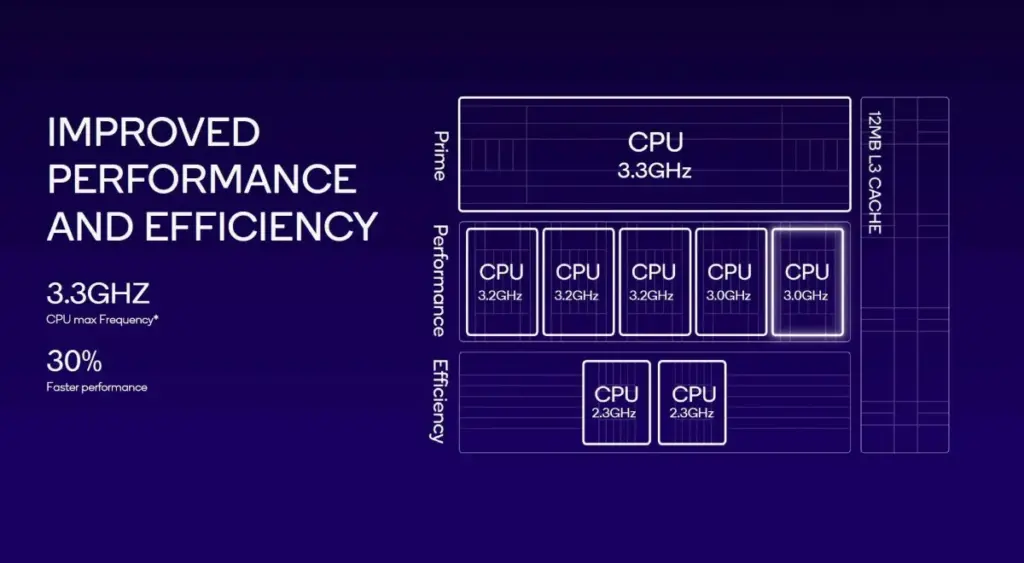
An Octa-core processor with impressive clock speeds (3.3 GHz Single Core, 3.2 GHz Penta Core, and 2.3 GHz Dual Core) powers the OnePlus 12, which is designed to handle demanding applications, gaming, and multitasking with unparalleled efficiency. With 8 GB of RAM and a Snapdragon 8 Gen 3 chipset, the OnePlus 12 is a powerhouse of performance.
Visual delight
With a 6.82-inch AMOLED display with a pixel density of 510 PPI, users can expect vibrant colors, deep contrasts, and an immersive visual experience. The 120 Hz refresh rate ensures silky-smooth transitions and responsiveness, making every swipe and tap feel natural and effortless. OnePlus has always been associated with stunning displays, and the OnePlus 12 is no exception.
Keeping memories detailed with Oneplus 12
With its impressive triple primary camera configuration—a 50 MP main sensor, a 48 MP ultra-wide lens, and a 64 MP telephoto lens—the OnePlus 12 promises to delight photography enthusiasts with the ability to capture every moment with breathtaking clarity and detail. Enhanced by an LED flash, low-light photography is expected to reach new heights, and the 32 MP front camera makes sure that your selfies are just as stunning as your main shots.
Endurance
The OnePlus 12 is powered by a powerful 5400 mAh battery, which means that users will not have to worry about running out of power during the day. Fast charging via the USB Type-C port adds convenience and makes it possible for users to quickly top off their battery so they can resume using their OnePlus 12 to the fullest.
The OnePlus 12 is ready to redefine what users can expect from a flagship device—a perfect blend of power, style, and innovation—and is getting ready to hit the shelves in China on December 4. With a focus on performance, a captivating display, advanced camera capabilities, and a battery to keep up with your lifestyle, the OnePlus 12 is poised to make waves in the competitive smartphone market. Stay tuned for the official launch, where OnePlus is expected to reveal more details about the global release and availability.
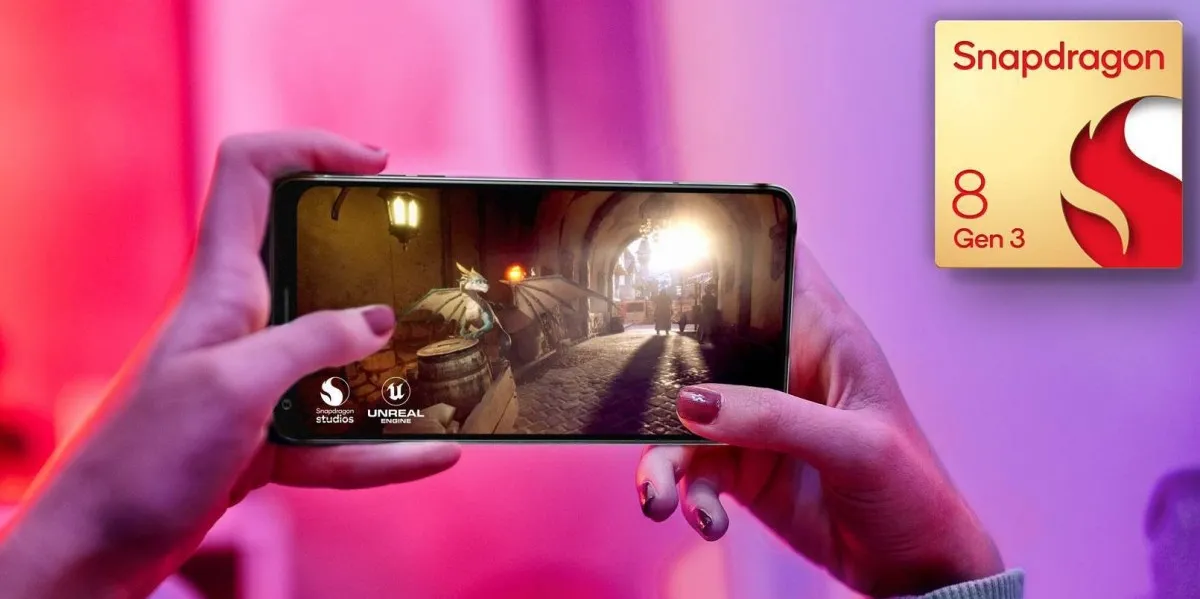
Recently, Qualcomm unveiled the Snapdragon 8 Gen chipset. The flagship platform, which uses the 4nm process, is primarily focused on advances in AI, gaming, audio, and cameras.
In terms of crucial percentages, Gen 3 outperforms Gen 2 by 20% and by 30% in terms of speed. One Cortex-X4 prime core with a maximum frequency of 3.3 GHz, five performance cores with a maximum frequency of 3.2 GHz, and two efficiency cores with a maximum frequency of 2.3 GHz highlight the eight-core CPU inside. Up to 24 GB of LPDDR5x memory can be supported at 4800 MHz. Supported Wi-Fi 7 frequencies up to 6 GHz are 802.11be, 802.11ax, 80211ac, and 80211a/bg/n. The chip has an X75 5G modem with mmWave and sub-6 GHz antennae.
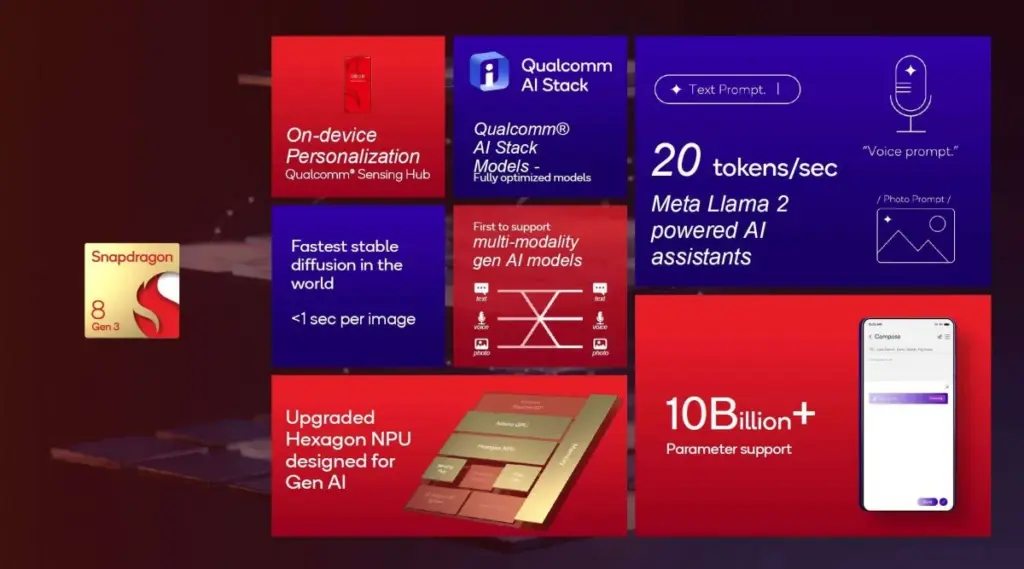
With the Snapdragon 8 Gen3, AI is the main feature. The AI Engine is the first component in the process; it can process up to 20 tokens per second to provide immediate AI assistant replies. It supports both popular big language models for speech recognition and multi-modal generative AI models. According to Qualcomm, the Snapdragon 8 Gen 3 has the quickest steady diffusion in the world, producing an image in a split second.
To improve AI assistant replies, Qualcomm’s Sensing Hug securely accesses personal data such as location, fitness state, and preferred activities.
AI also improves the capabilities of the camera. Real-time Semantic Segmentation can improve an image’s brightness and detail, while Night Vision video can light up a dimly lit area. Vlogger’s View, which records video from both your back and selfie cameras, has an object eraser for films that may be used to remove unpleasant individuals or things. In addition to automatically improving HDR, Picture Expansion can employ generative AI to stretch an image beyond the original acquired data.
On 240 Hz monitors, the Snapdragon 8 Gen 3 can produce “console-defying” gaming performance at 240 frames per second. Adreno Frame Motion Engine 2.0 supports Unreal Engine 5.2 and may produce frames for better playback.
The Snapdragon 8 Gen 3’s GPU offers 40% improved Ray Tracing along with 25% faster and 25% higher power efficiency.
The fact that the new chip can stream 24-bit, 96-kHz lossless music via Bluetooth will please audiophiles.
Qualcomm says devices powered by the new Snapdragon 8 Gen 3 will be available in the coming weeks. The chipmaker has partnered with Asus, Honor, iQOO, Meizu, Nio, Nubia, OnePlus, Oppo, realme, Redmi, RedMagic, Sony, vivo, Xiaomi, and ZTE.