Tag: oneplus

  • OnePlus 13s review – a compact powerhouse

    OnePlus 13s review – a compact powerhouse

    Ever since they upended the industry by releasing flagship phones that reduced the market share of the iPhone, I have been evaluating OnePlus smartphones. Somewhere, that crispness was lost as OnePlus grew over the years.

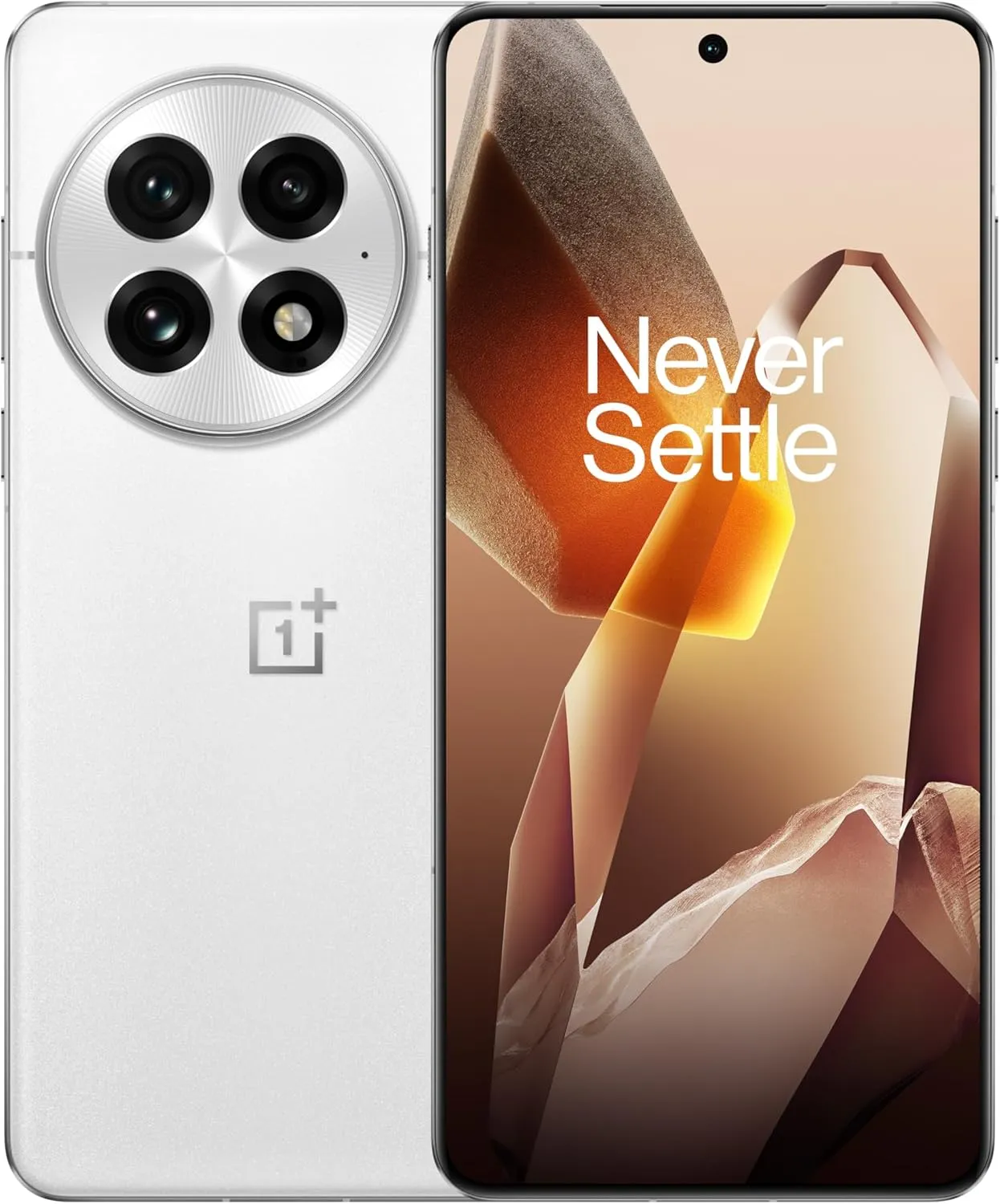
    However, the OnePlus 13s seems like a relaunch, a return to the original OnePlus: community-driven, focused, and straightforward. With its sleek, small design, the 13s makes a far bigger statement than the OnePlus 13 and 13R, which suggested a return.

    Design

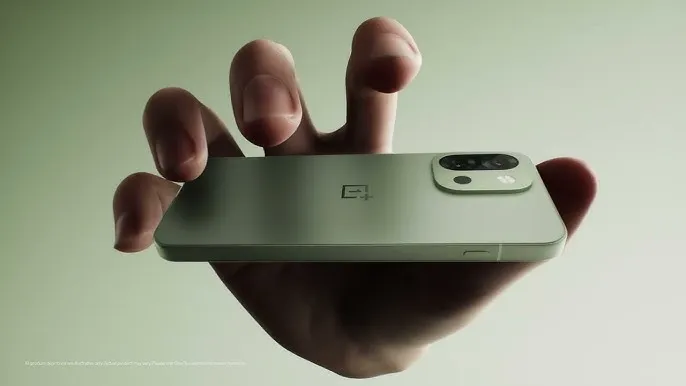
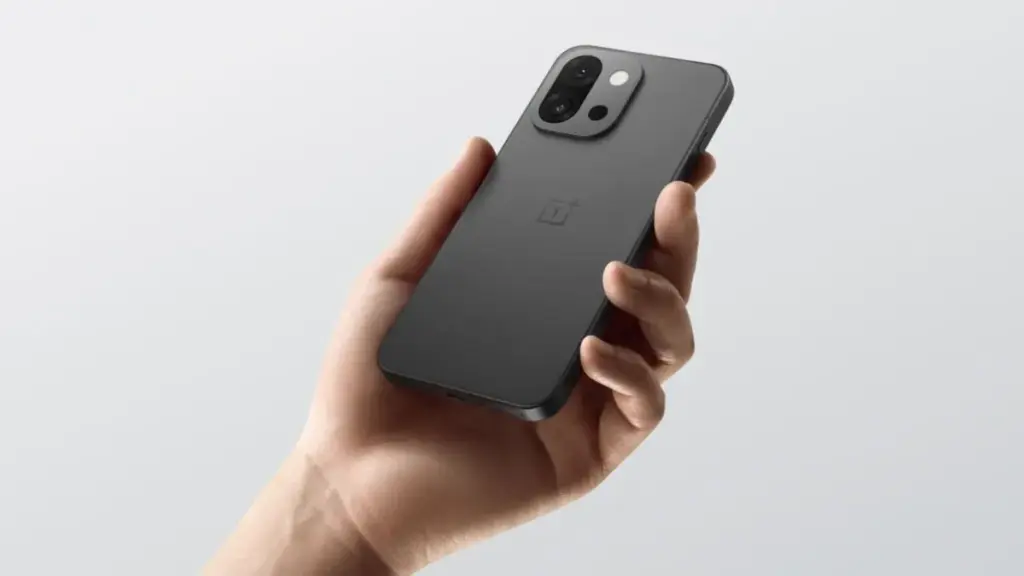
    The OnePlus 13s is elegant, solid and small, and it hits the mark right away when you hold it. Yes, the clean symmetry and flat frame make it resemble an iPhone, but it never comes across as a cheesy knockoff. In fact, it feels just as good in the hand as phones like the Galaxy S25 and iPhone 16 Pro.

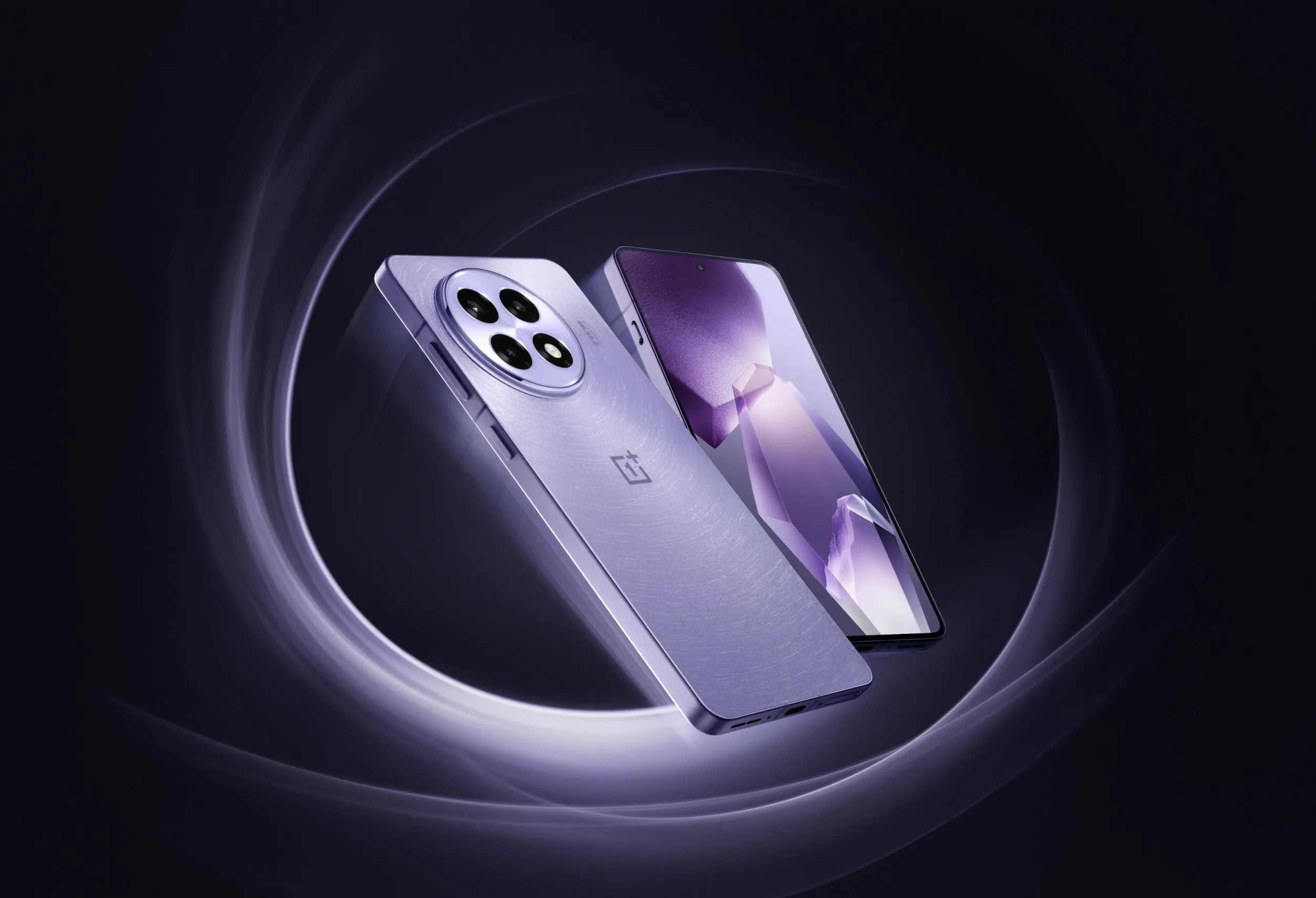
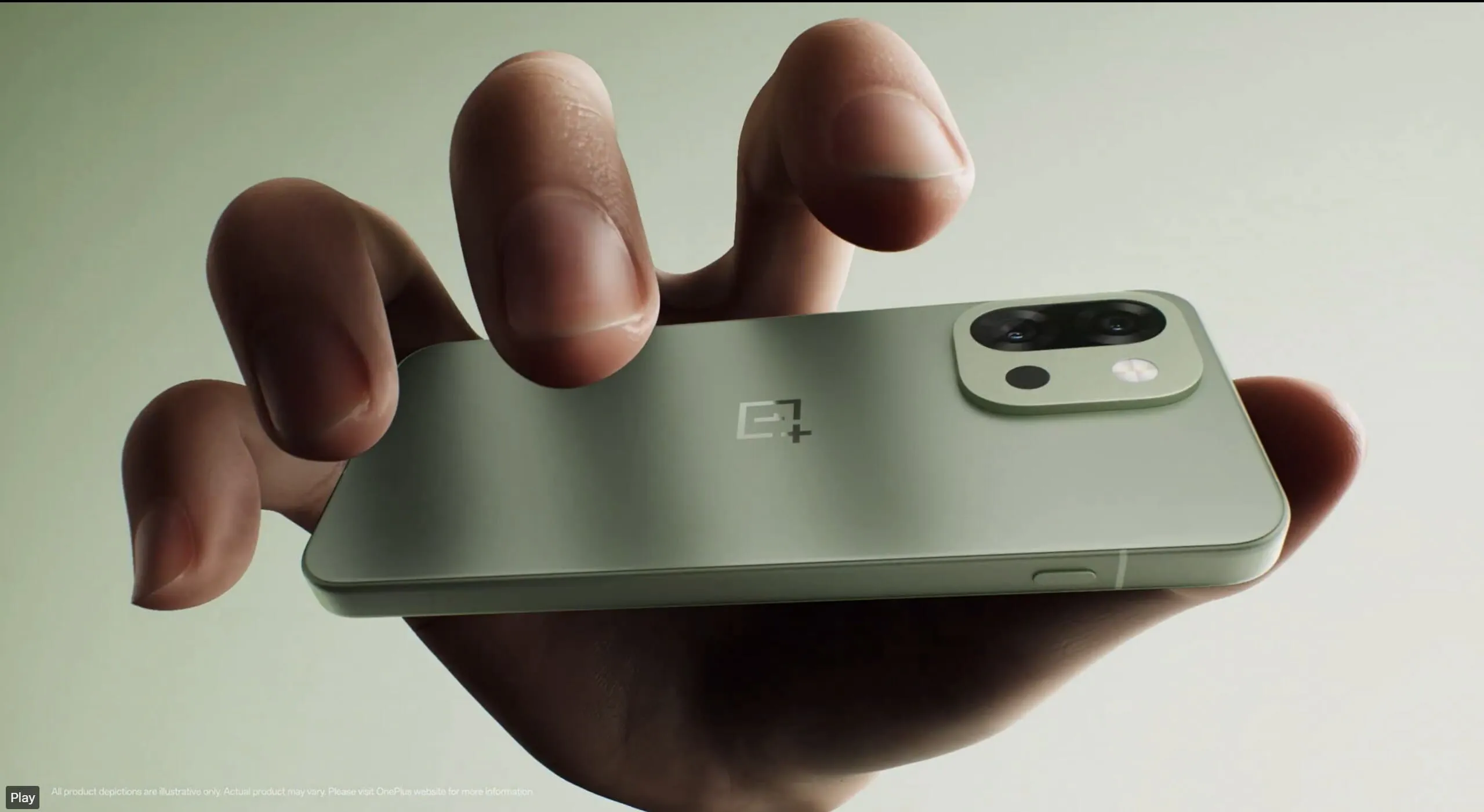
    In a time when smartphones weigh 220g, the 13s is surprisingly light at 8.15mm thin and 185g. A textured glass finish that feels smooth without being flashy or slick is used on the back. On flat surfaces, the flush camera module makes sure there is no wobbling. The Green Silk version, which feels as high-end as it looks, is a lovely addition that is exclusive to India.
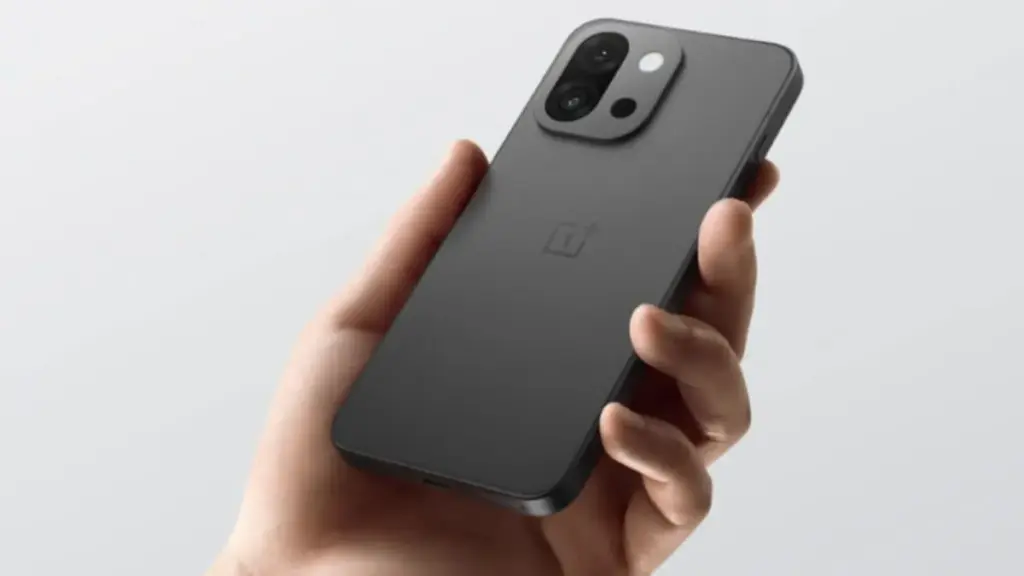
    oneplus 13s design

    Also, OnePlus’s well-known Alert Slider has been transformed into the Plus Key, a configurable button that can be mapped to start apps and even initiate AI activities. It can be long-pressed to switch between quiet, vibrating, and ringing modes. Sensible and realistic without being overly dramatic.

    An added plus is the phone’s IP65 designation, which allows it to withstand dust, rain, and unintentional splashes but falls short of complete waterproofing like the flagship models. That’s a victory for a little Android flagship.

    Display

    On paper, the 6.32-inch LTPO AMOLED may appear small, yet it excels in key areas. It is bright, sharp, and able to withstand the intense sunlight of Delhi thanks to its FHD+ or 1.5K resolution, 120Hz adaptive refresh rate, and maximum brightness of 1600 nits.

    The color calibration by OnePlus is also flawless; it’s rich without being overpowering. The viewing experience is visually pleasing whether you’re watching Instagram Reels or IPL highlights, and I didn’t miss the 4K that was missing from my Netflix series. To be honest, I don’t see why anyone would be upset about losing out on the extra nuances of 4K on a screen this small.

    Even wet hands—or sweaty ones during hot summers—won’t impair touch response thanks to Aqua Touch 2.0.

    For individuals who find the large 6.7-inch slabs of today awkward, the Oneplus 13s provide a wonderfully portable option without feeling claustrophobic.

    Performance
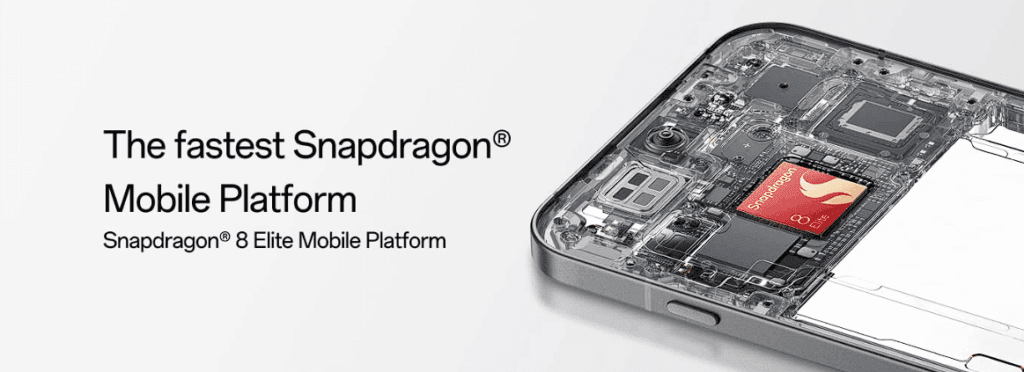
    oneplus 13s performance

    The Snapdragon 8 Elite processor, 12GB LPDDR5X RAM, and UFS 4.0 storage are installed under the hood. In summary, its performance is on par with flagship models.

    The Oneplus 13s doesn’t blink whether you’re balancing multiple tabs on Chrome, Instagram, WhatsApp, and BGMI. Because of the vapor chamber cooling mechanism, it maintains frame rates steadily even throughout extended gaming sessions. Even in hot 40°C summers, OnePlus has managed to keep thermals under control thanks to some serious engineering.

    You can easily reach a steady 120 frames per second on BGMI, and even after an hour of gaming, the phone remains warm – not hot. The 13s provides consistently regardless of whether you’re a casual user, gamer, or multitasker. Importantly, there are no sporadic lags or harsh throttling, even while multitasking for extended periods of time—something that even larger phones can have trouble with.

    Camera

    Here’s where things get interesting. The OnePlus 13s skips the trendy ultrawide lens and instead goes for a more focused setup: 50MP Sony LYT-700 primary sensor (f/1.8, OIS) 50MP 2x telephoto lens 32MP front camera with autofocus

    • 50MP Sony LYT-700 primary sensor (f/1.8, OIS)
    • 50MP 2x telephoto lens
    • 32MP front camera with autofocus

    Photos appear natural in daylight because of the great dynamic range and well-balanced colors. The 13s captures realistic images without the highly saturated processing we frequently see in typical Indian settings, such as bustling marketplaces, bright outdoor spaces, or verdant landscapes.
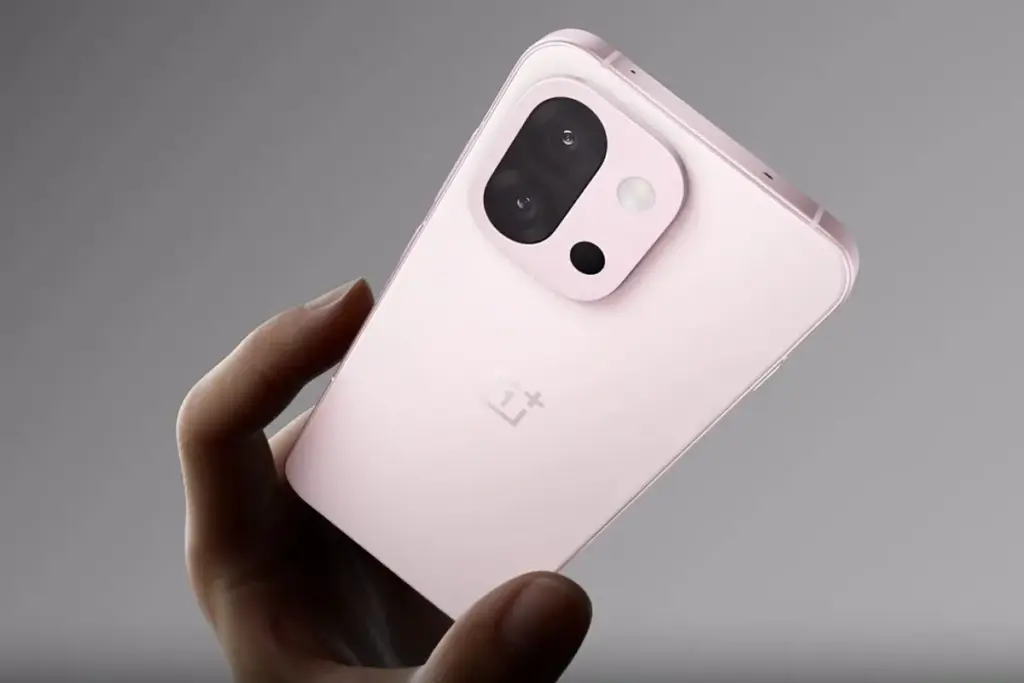
    oneplus 13s camera

    It also performs well in low light. Though not nearly as good as Google’s Pixel Night Sight or Xiaomi’s Leica-tuned cameras, nighttime street images are detailed with controlled noise. The 2x telephoto is excellent for portraits and tighter framing, but the absence of an ultrawide will be a pain if you enjoy taking landscapes or group shots.

    The 32MP selfie camera is a delight – crisp, sharp, and excellent for video calls even under average indoor lighting.

    With minimal tweaking, Oneplus 13s will produce Instagram-worthy photos for the majority of users. You might want to look elsewhere if you’re a purist photographer who longs for zoom versatility or ultrawide enchantment. However, the 13s is equally good for everyday recollections and social networking.

    Battery
    battery for oneplus 13s

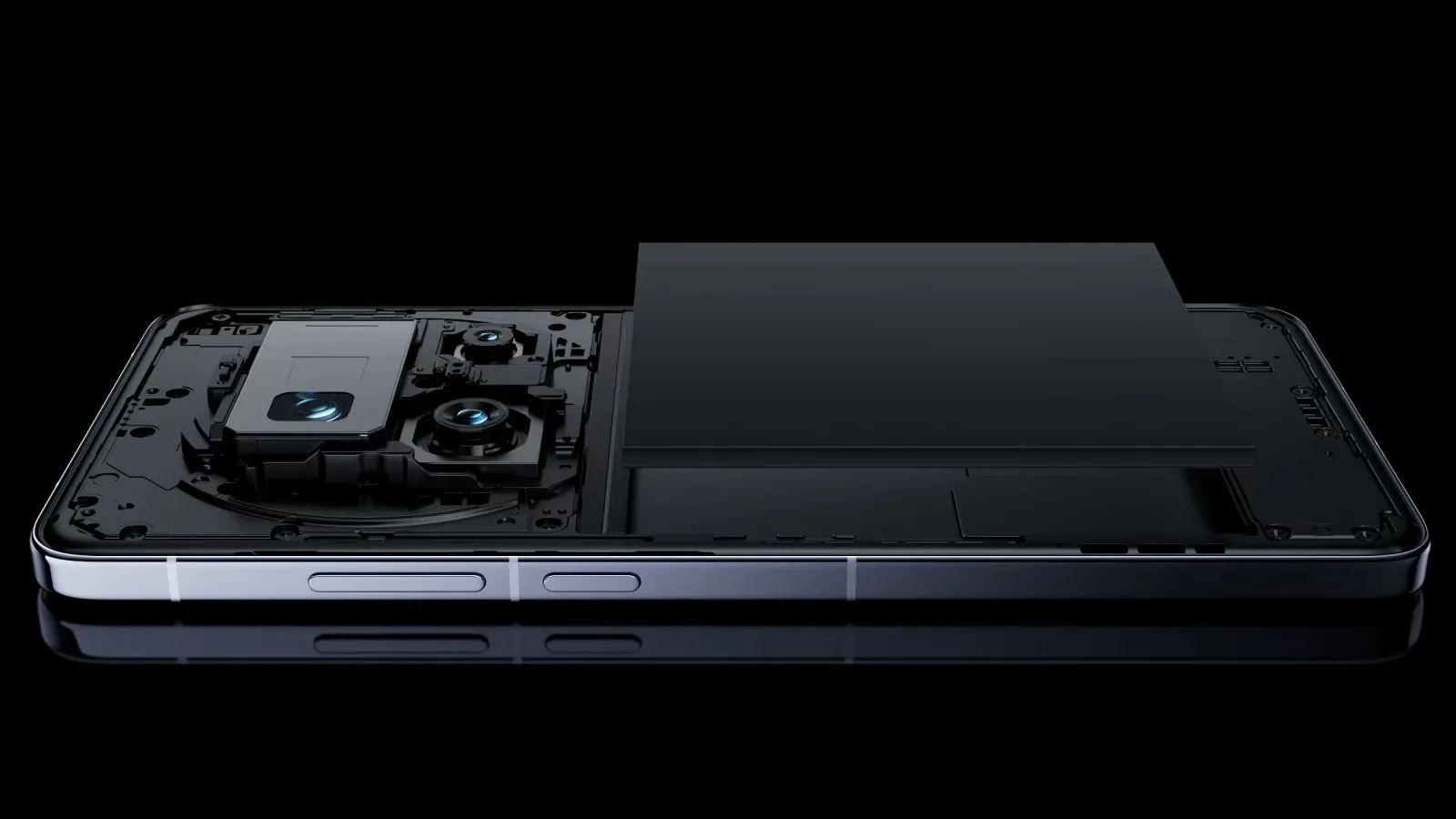
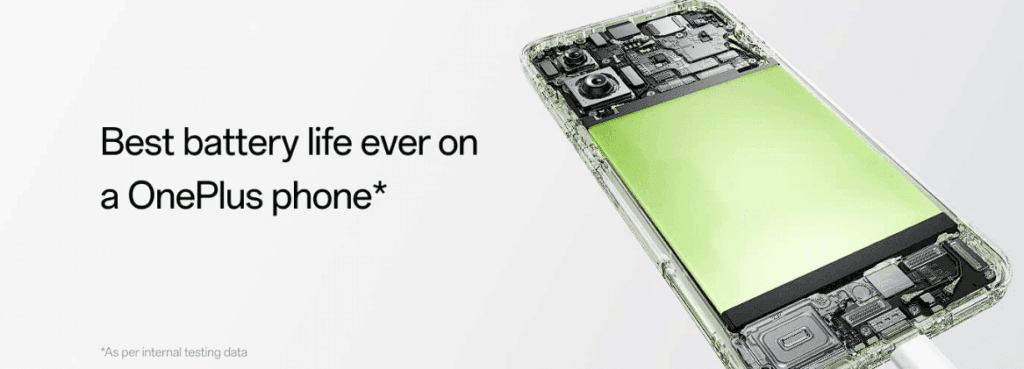
    OnePlus somehow managed to fit a 5,850mAh battery into this slim body – and it pays off massively. In daily use – think 5G on, social media, camera, gaming, video calls – the 13s comfortably lasts a full day and often stretches into the next morning. In fact, it’s easily one of the longest-lasting compact flagships around right now.

    Heavy BGMI gamers can pull around 7 hours of continuous play. Normal users will easily see 6-7 screen-on hours on a typical day, which is remarkable for a phone this size.

    Additionally, charging is quick—80W SuperVOOC will charge you from 0% to 100% in about 50 to 60 minutes. Although wireless charging isn’t included, it’s hardly a deal breaker at this price point in India, where conventional charging is still common.

    Another noteworthy feature is bypass charging, which minimizes battery wear and lowers heat by powering the phone directly during games rather than using the battery. Excellent for extended battery life and for gamers.

    Conectivity
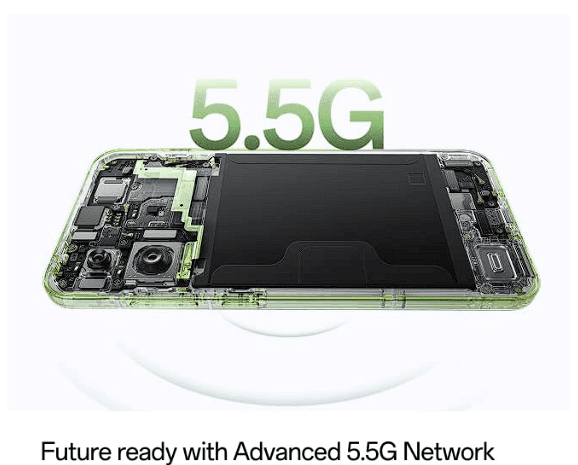
    image 6

    All of the well-known bands are supported by the OnePlus 13s’ extensive 5G band coverage. Even in challenging locations like metro stations and basements, it maintained robust 5G connectivity in real-world usage.

    Even in spotty locations, there are very few dropouts during voice and video calls, indicating great call quality. During commutes, the stereo speakers are ideal for streaming YouTube or Netflix because they are clear and loud.

    There’s dual SIM 5G standby, Wi-Fi 7 readiness for future-proofing, and even an IR blaster – a small but underrated feature for controlling your ACs, TVs and more. My personal favorite.

    OnePlus 13s OS

    On the Oneplus 13s, OxygenOS seems quick, clean, and bloat-free. Just like OnePlus enthusiasts would have hoped. With four years of Android OS upgrades and six years of security fixes, this phone is long-lasting and free of spam and advertisements.

    Additionally, OxygenOS 15 has been polished with small features that improve everyday usability, such as Open Canvas for multitasking and smooth Mac/Windows file transfers.

    Additionally, OnePlus guarantees Private Computing Cloud security for its AI capabilities, which means that your private information won’t be taken to the cloud without your permission.

    All specs

    CategoryOnePlus 13s
    Display6.32 -inch 120Hz LTPO AMOLED, 2640×1216, 1600 nits max
    OSOxygenOS 15 based on Android 15
    ChipsetQualcomm Snapdragon 8 Elite, Adreno 830, 3nm
    RAM12GB LPDDR5X
    Storage256GB/512GB UFS 4.0
    Rear camera 150MP Sony Lytia LYT-700, PDAF, OIS
    Rear camera 250MP Samsung JN5 tele, 2x optical zoom
    Front camera32MP GalaxyCore GC32, autofocus, 4K video
    Ingress protectionIP65 dust and water resistance
    ConnectivityWi-Fi 7, Bluetooth 6.0, limited 5G bands, NFC, dual-band GPS
    SecurityOptical in-screen sensor
    AudioUSB-C, stereo sound, AptX HD, LDAC, LHDC 5.0
    Battery5,850mAh battery, 80W charging
    Dimensions150.8 x 71.7 x 8.2mm, 185g
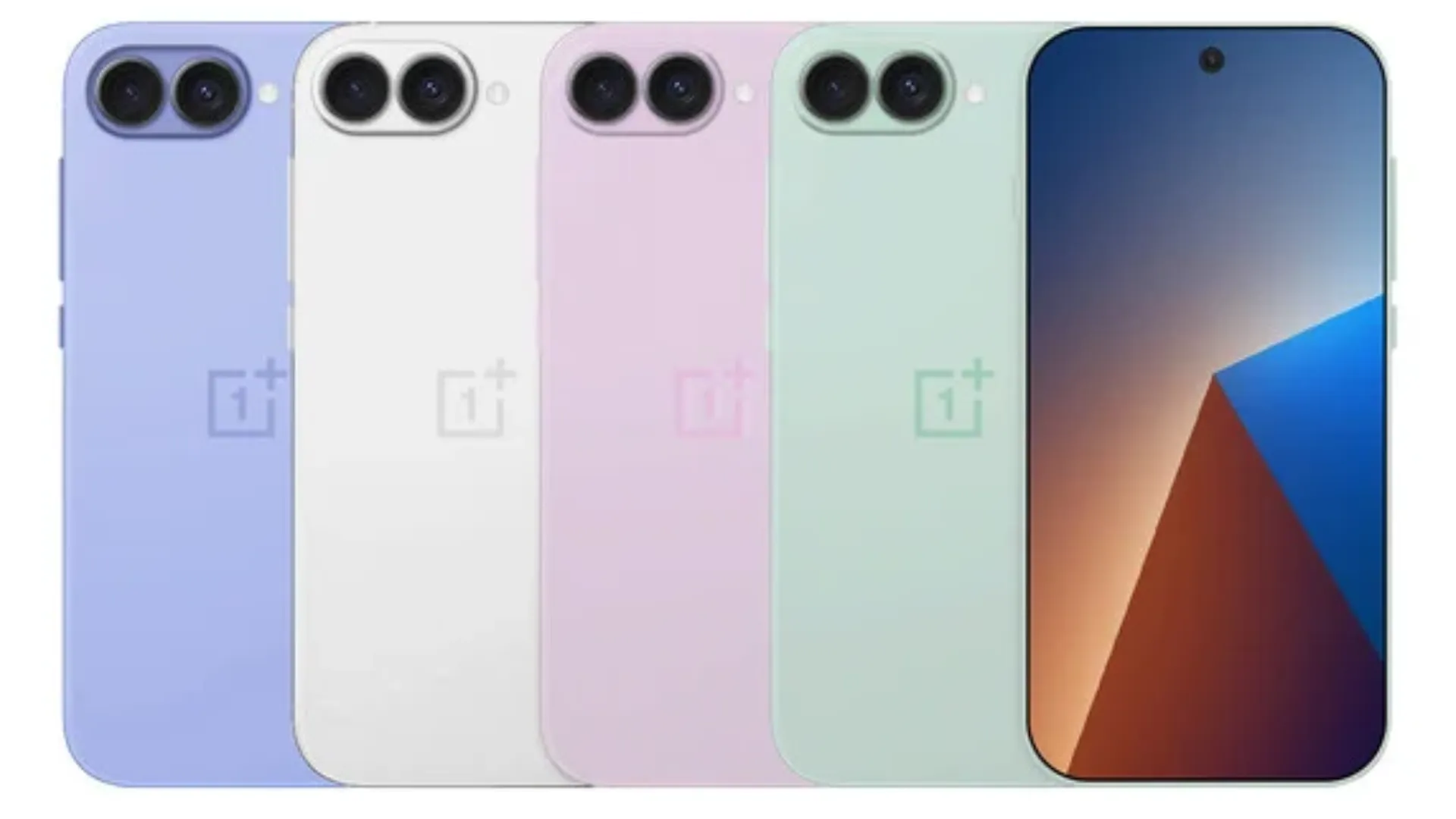
    ColorsGreen, Pink, Black

    Overall

    The OnePlus 13s distinguishes itself in a crowded market for large slab phones by subtly delivering the necessities. It’s smart without being overbearing, strong without draining your battery, and high-end without breaking the bank.

    The OnePlus 13s is difficult to overlook for anyone desiring a small flagship experience without sacrificing quality, be it professionals seeking power in a portable device, ardent Android users, or previous iPhone enthusiasts wishing to transfer. It’s not the most affordable flagship available.

    It isn’t the most dazzling. However, for mosts’s tech-savvy users that prioritizes functionality over flash, it might be the best option.

    Stay connected with the latest from Droid Tools—follow us on X @droid_tools, like our page on Facebook, check out our updates on Instagram, and follow us on Google News for real-time news, device tips, and mobile tech insights.
  • How to enable developer options and USB debugging

    How to enable developer options and USB debugging

    Enabling Developer Options and USB debugging is crucial if you want to test apps, get more control over your Android device, or connect your phone to a computer for development. This built-in Android function provides you with the ability to delve deeper, regardless of whether you’re a power user or simply attempting to troubleshoot a persistent issue.

    Without requiring root access, we’ll show you exactly how to activate USB debugging and Developer Options on any Android device in this tutorial. We’ll also go over the functions of each feature and when you might require them.

    What are Developer Options on Android?

    Android’s Developer Options is a secret menu with advanced settings designed mainly for developers. But regular users might also benefit from many of these choices. For instance, you can:

    • Speed up animations to make the phone feel faster
    • View CPU usage on screen
    • Simulate different display sizes
    • Force apps into split screen
    • Enable USB debugging for data transfers or app testing

    By default, Developer Options are hidden, but you can enable them with just a few taps.

    What is USB debugging and why use it?

    USB debugging allows your Android device to communicate with a computer using Android Debug Bridge (ADB). This is critical for:

    • Transferring files and installing apps manually
    • Using development tools like Android Studio
    • Running shell commands via ADB
    • Taking full device backups
    • Recovering devices stuck in boot loops or soft bricks

    Unless you’re developing apps or using advanced tools, USB debugging isn’t needed all the time. But turning it on gives you more flexibility when needed.

    How to enable Developer Options

    The Developer Options menu can be accessed by following these steps:

    1. Open the Settings app on your Android phone.
    2. Scroll down and tap “About phone.”
    3. Find the “Build number” entry (you may need to tap “Software information” first on some devices).
    4. Tap the Build number 7 times. You’ll be asked to confirm your device lock (PIN, pattern, or fingerprint).
    5. You’ll see a message saying “You are now a developer!”

    Once this is done, Developer Options will be available in your Settings.

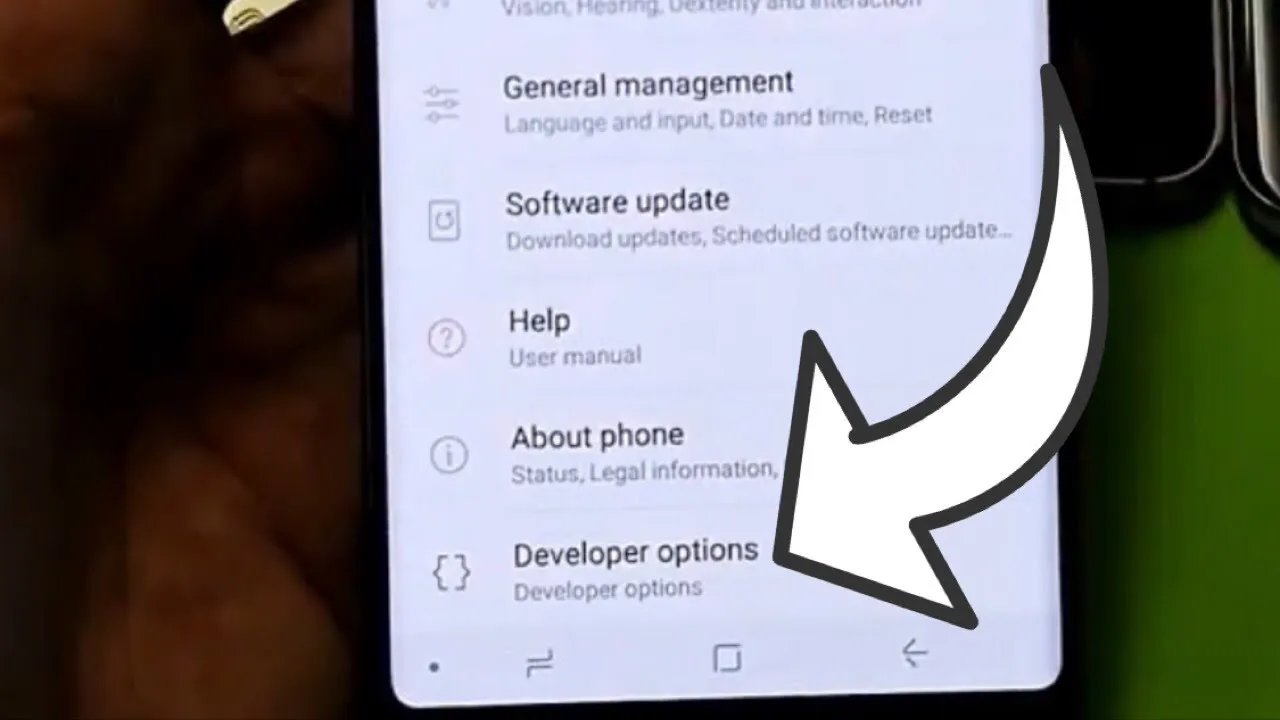
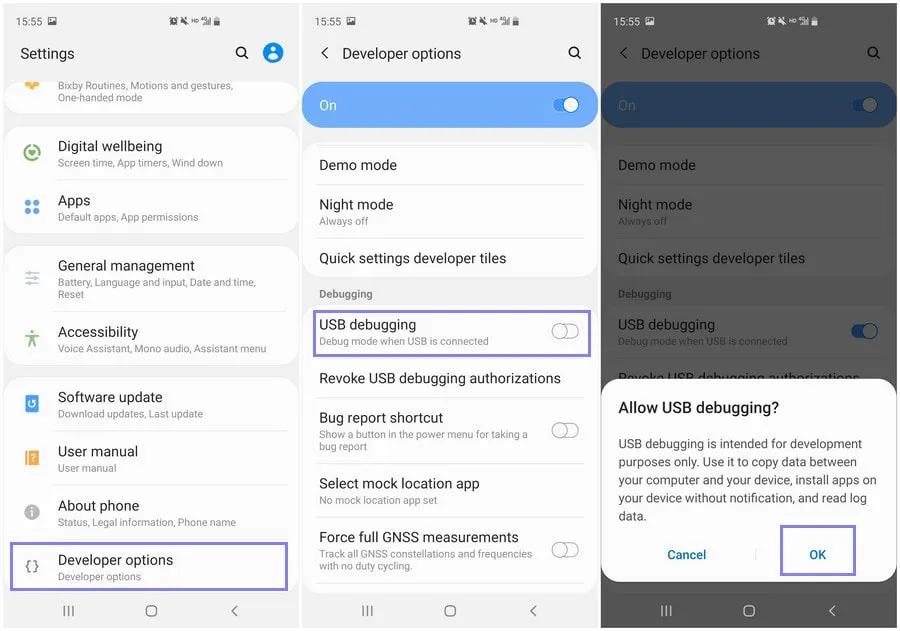
    developer option on Android Galaxy devices

    Location of Developer Options by brand:

    • Samsung: Settings → Developer options (at the bottom of the main settings menu)
    • Google Pixel: Settings → System → Developer options
    • Xiaomi: Settings → Additional settings → Developer options
    • OnePlus: Settings → System → Developer options
    • Motorola: Settings → System → Developer options
    enable developer options

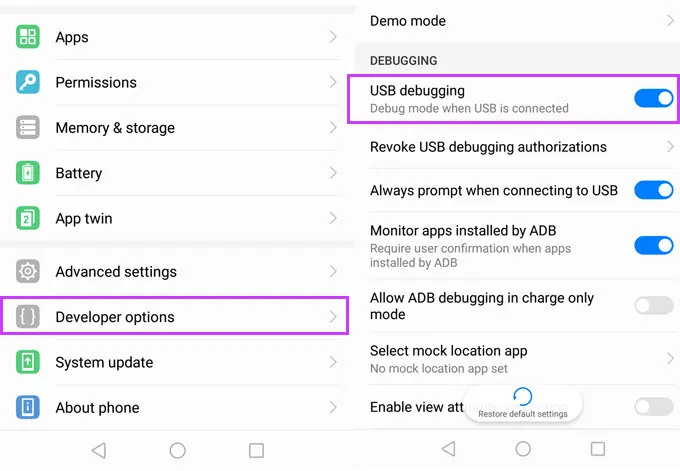
    How to enable USB debugging

    Now that Developer Options are turned on, you can enable USB debugging:

    1. Go to Settings → Developer Options
    2. Scroll down to the “Debugging” section
    3. Toggle on “USB debugging”
    4. Confirm the prompt asking if you’re sure

    That’s it! You can now use your phone with development tools or perform more advanced actions from your PC.

    When should you turn off USB debugging?

    If you’re not actively using USB debugging, it’s best to leave it off. Here’s why:

    • USB debugging can be a security risk if your device falls into the wrong hands while unlocked.
    • Some apps or company policies block access if USB debugging is enabled.

    To disable it, just return to Developer Options and toggle it off.

    Other useful Developer Options settings

    Besides USB debugging, some other features you may want to explore include:

    • Window animation scale / Transition animation scale: Set to 0.5x for faster UI response
    • Force activities to be resizable: Useful for multitasking and split screen
    • Stay awake while charging: Keeps the screen on during testing
    • Limit background processes: Improve performance by reducing multitasking
    • Show taps / Pointer location: Great for app demos or screen recording

    Be cautious while experimenting—many of these options affect system behavior.

    Troubleshooting Developer Options or USB debugging

    Developer Options not appearing?

    • Double-check that you tapped “Build number” exactly 7 times
    • Some devices require a reboot afterward

    USB debugging not working?

    • Try a different USB cable or port
    • Make sure “File Transfer” mode is selected via USB preferences
    • Check that your computer has proper ADB drivers installed

    You may access a robust collection of tools on your Android phone by turning on USB debugging and Developer Options. Although developers are their main target audience, tech-savvy consumers who desire greater control over their gadget might also benefit from them.

    These options can improve your Android experience, whether you’re using ADB to transfer files, debug apps, or simply wish to adjust animation speeds. Just use caution when navigating the options, since some settings may have unexpected consequences.

    Stay connected with the latest from Droid Tools—follow us on X @droid_tools, like our page on Facebook, check out our updates on Instagram, and follow us on Google News for real-time news, device tips, and mobile tech insights.
  • OnePlus 13s to be released for global market – small and powerful

    OnePlus 13s to be released for global market – small and powerful

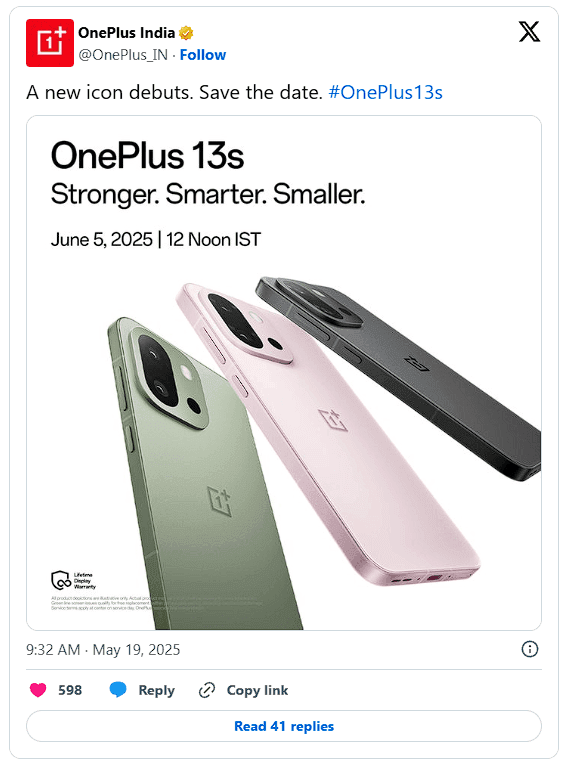
    OnePlus has officially set a launch date for its next little phone after weeks of speculation. Officially, the OnePlus 13s will launch on June 5 in India and perhaps other international regions as well.

    The specifications of this new handset should be fairly similar to those of the OnePlus 13T, which was released in China under a different name. However, certain changes are anticipated for buyers worldwide.

    OnePlus 13s global release announcement

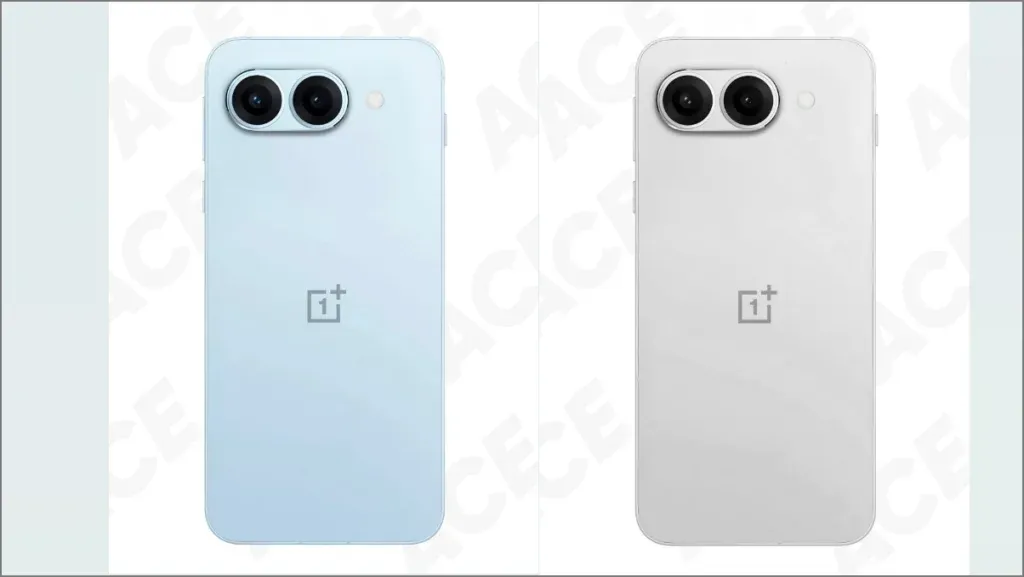
    The color choices, for instance, will differ slightly. The 13s may be available in Black, Pink, and Green for global markets, whereas the 13T was only available in China in Black, Pink, and Grey.

    OnePlus 13s specs

    But below, you’re looking at the Snapdragon 8 Elite, the same potent chip as was used in the OnePlus 13 and, in fact, in Samsung’s Galaxy S25 series. For a small phone at this price range, OnePlus may offer configurations with up to 16 GB of RAM and a whopping 1 TB of storage.

    Speaking of little, it has a 6.32-inch LTPO AMOLED screen with a resolution of 2640 x 1216 and a refresh rate of 120 Hz. With a massive 6,260mAh battery and support for 80W fast charging, the battery life should be outstanding despite its compact size. Regarding cameras, you will receive the following:

    • 50 MP main with OIS
    • 50 MP telephoto
    • 16 MP selfie
    OnePlus 13s

    However, it’s also important to note that a new button known as the Plus Key will be replacing the outdated Alert Slider. This new button, which resembles the Action Button on the iPhone, first appeared on the 13T. It’s much more customizable than just a mute switch these days; you can program it to open the camera, turn on the flashlight, activate silent mode, and more.

    Although the price is yet unknown, the OnePlus 13s should be priced aggressively, particularly in India, given that the 13T was released in China for about $466. This one is looking like a strong candidate for the title of best little Android phone of the year thanks to its premium hardware, stylish design, and reasonable price.

    oneplus 13

    OnePlus 13

    Lightning-Fast Snapdragon 8 Elite Processor: Powered by the latest Qualcomm Snapdragon 8 Elite chipset, enjoy exceptional speed, efficiency, and performance for gaming, multitasking, and productivity.

    $999.99$949.99Amazon

  • Xiaomi and BBK to develop an Android and iOS alternative

    Xiaomi and BBK to develop an Android and iOS alternative

    The president is back in the White House after limiting Huawei’s access to American-made technology. This is most likely the reason why other top Chinese businesses have chosen to work together on a new operating system. I believe this is a positive step, even though it might only be a preventative measure and it might be some time before the efforts pay off.

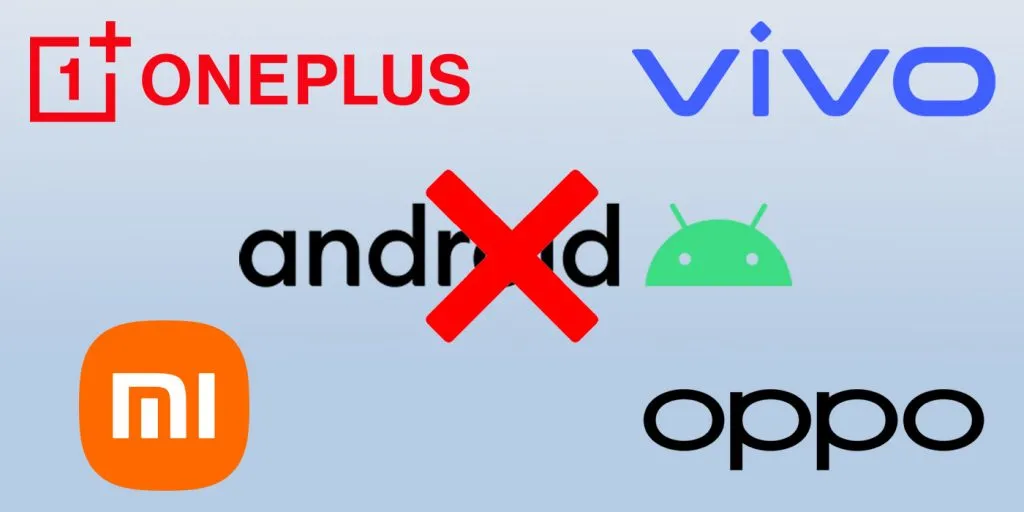
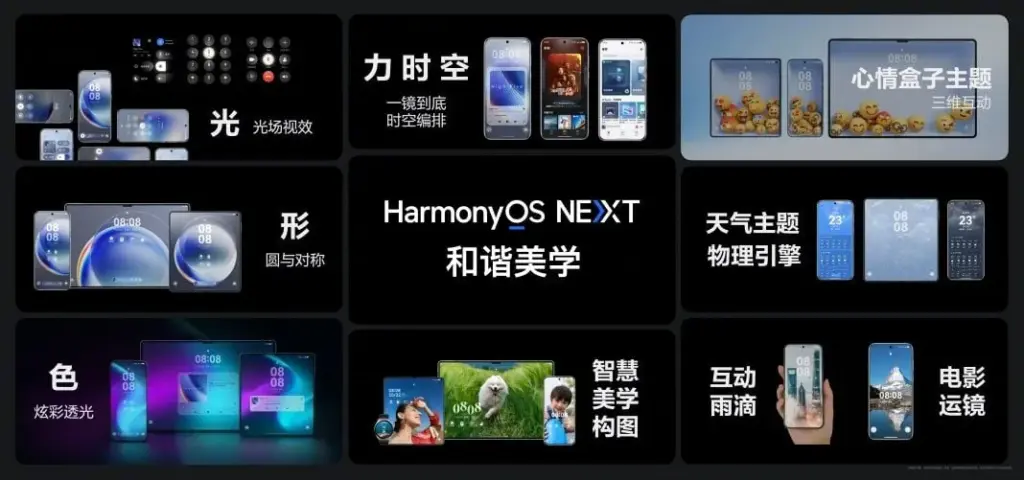
    Huawei is prepared to abandon Android entirely, six years after the US government first imposed limitations on the Chinese corporation. Huawei will now help OnePlus, Vivo, OPPO, and Xiaomi develop an Android substitute that doesn’t use Google. The market for smartphones needs this shock.

    huawei harmony os android alternative

    Smartphones aren’t as thrilling anymore. Each firm used to have a distinct advantage, but these days they all make phones with essentially the same design.

    Operating systems for smartphones have been copying one another for so long that they hardly distinguish one another. Apple’s iOS imitated Android features last year, and Samsung debuted a new One UI 7 version this year that draws inspiration from iOS.

    That isn’t always a terrible thing. For example, I’m happy to see Android get its own version of Dynamic Island as I use both iOS and Android phones.

    Additionally, I miss the days when smartphone makers were free to try new things and different devices didn’t all have the same user experience.

    Microsoft makes sporadic attempts to add some spice, but it never succeeds. Although Google’s Fuchsia OS offered some promise, it appears that smart gadgets would never be able to use this operating system.

    Xiaomi and OnePlus’s rumored operating system may make smartphones exciting again.

    Being self-sufficient is always beneficial.

    Every business is on its own as nationalism grows. Chinese businesses must become more independent than ever before because of the ongoing hostility between the US and China. Chinese businesses need to prepare their operating system in case they run afoul of the US government as a precaution.

    This has nothing to do with supporting a certain nation or business. Every business, including Samsung, should create its own operating system, in my opinion.

    As of right now, though, Android is the only option available to businesses looking to sell phones.

    When it comes to purchasing a smartphone, the options are already limited. The majority of consumers will no longer want to purchase phones from Xiaomi and BBK-owned OnePlus, Vivo, and OPPO if they are unable to access Android.

    This has already happened with Huawei. However, Huawei has made a resurgence in China as its HarmonyOS matures. The wise course of action is to begin developing a new operating system if Chinese Android manufacturers don’t want to be taken by surprise.

    No more Samsung and Apple monopoly

    Apple and Samsung stand to gain the most from any possible rift between the US government and Chinese smartphone manufacturers. Google stands to benefit greatly as well because, although producing some of the greatest phones available today, its market share is quite small.

    Xiaomi reportedly began developing an in-house microprocessor after learning about potential sanctions. Therefore, even if there hasn’t been any sign that the US wishes to restrict its access to Android, it is still possible.

    In the worst case scenario, Apple and Samsung will see exponential growth, potentially leading to a duopolistic market. For this reason, we are in greater need than ever of a third mobile ecosystem.

    This will not be a simple undertaking. For example, even after years of development and investment, Huawei’s operating system is still not a full substitute for iOS and Android. There are still not many well-known apps in the company’s app store.

    Xiaomi and BBK-owned companies risk alienating customers in international markets if they cease selling Android-powered phones. A redesigned Android skin with cutting-edge functionality and distinctive aesthetic improvements would be a smart place to start.

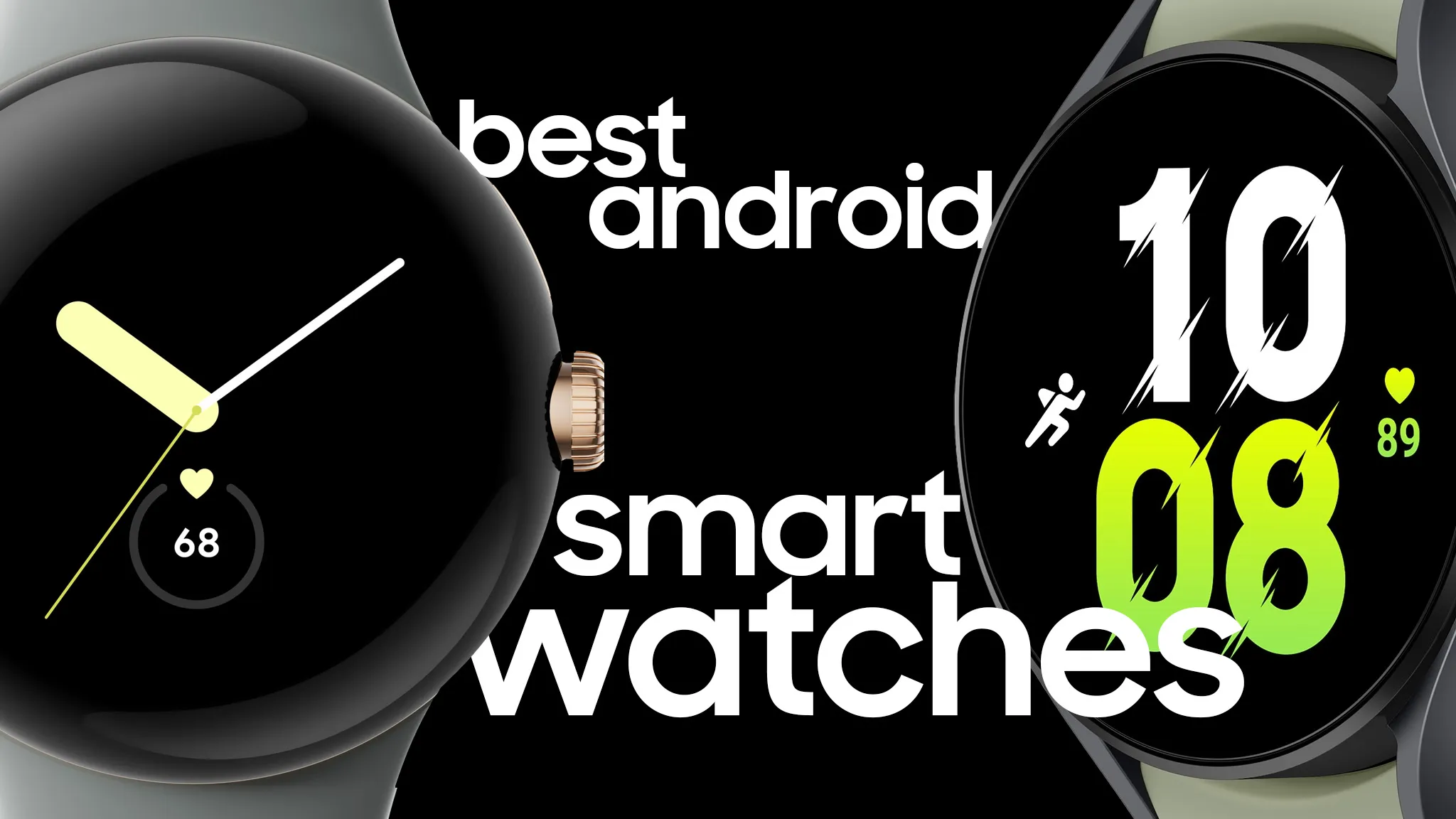
  • 4 best smartwatches for Android phones

    4 best smartwatches for Android phones

    Your phone allows you to answer calls, make and receive texts, and give commands to a voice-activated assistant. But sometimes it is more convenient to perform those things on your wrist, which is where a smartwatch comes in.

    The Apple Watch is the gold standard for smartwatches, but it is only compatible with Apple iPhones. If you own an Android phone, you have a lot more smartwatch alternatives, but there is also a lot more opportunity for misunderstanding. Most of the watches we have seen are too slow, cumbersome, or lacking in functionality to be worthwhile purchases. After testing hundreds of smartwatches for Android phones, including the most recent versions, we determined that the Samsung Galaxy Watch7 is the best option for the majority of Android phone users.

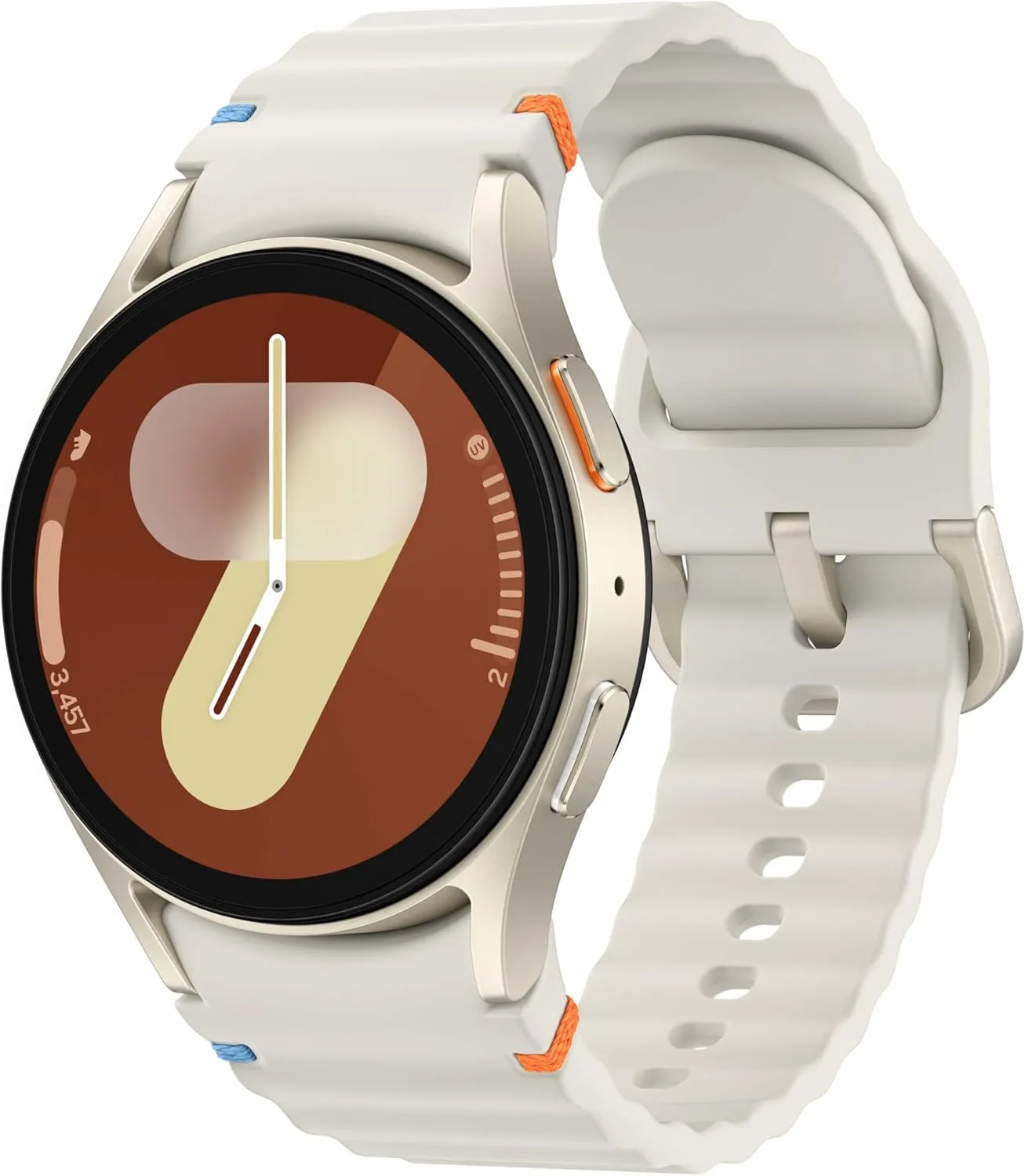
    SAMSUNG Galaxy Watch 7

    Samsung Galaxy Watch7

    Looking for a great way to bring out your personal best every day? Challenge yourself to excel on your next run or bike ride using tracking with Galaxy AI that lets you compare your current performance to your last one

    Best choice
    $299.99$209.99Amazon

    The Samsung Galaxy Watch7‘s robust shell comes in two sizes and is one of the most comfortable watches we have tested. The Watch7 runs the most recent Wear OS software and includes additional health and fitness capabilities such as sleep apnea detection, metabolic health monitoring, and an AI-based Energy Score that combines workout and sleep information. You can also use your fingers to engage with some watch features without touching the screen. Unfortunately, like its predecessor, the battery only lasts one day and requires hours to fully recharge.

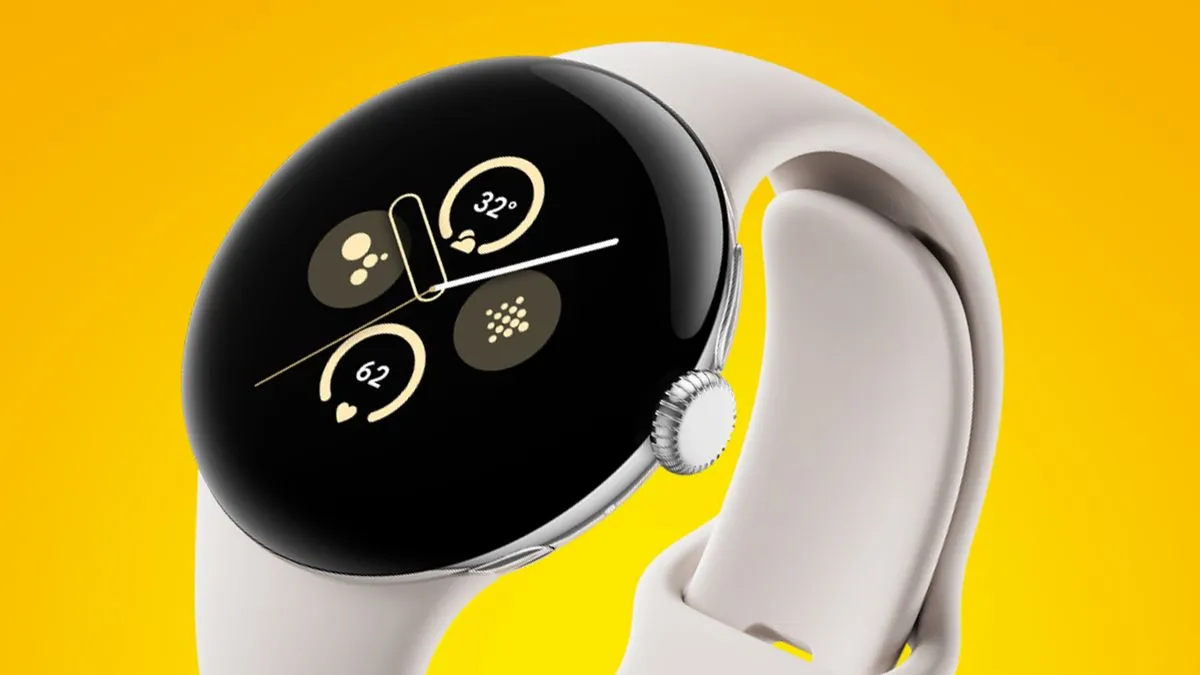
    pixel watch 3 closeup

    Google Pixel Watch 3

    The Google Pixel Watch 3 is designed for performance, with advanced fitness from Fitbit; the 45mm screen is twice as bright and 40% larger than before, making it easier to see your stats and info

    Very good choice
    $399.99$349.99Amazon

    The Google Pixel Watch 3 looks similar to the original Pixel Watch, but with slimmer bezels. The 41 mm and 44 mm variants have equal features, but the 44 mm watch has a longer-lasting battery. The Pixel Watch 3 has a new OLED display that can reach up to 2,000 nits of peak brightness. It also runs the most recent version of Google’s Wear OS 5, which includes additional health-related functions and improved connection with Google’s ecosystem. It retains the previous version’s unique band connector, which is only compatible with the bands provided by Google.

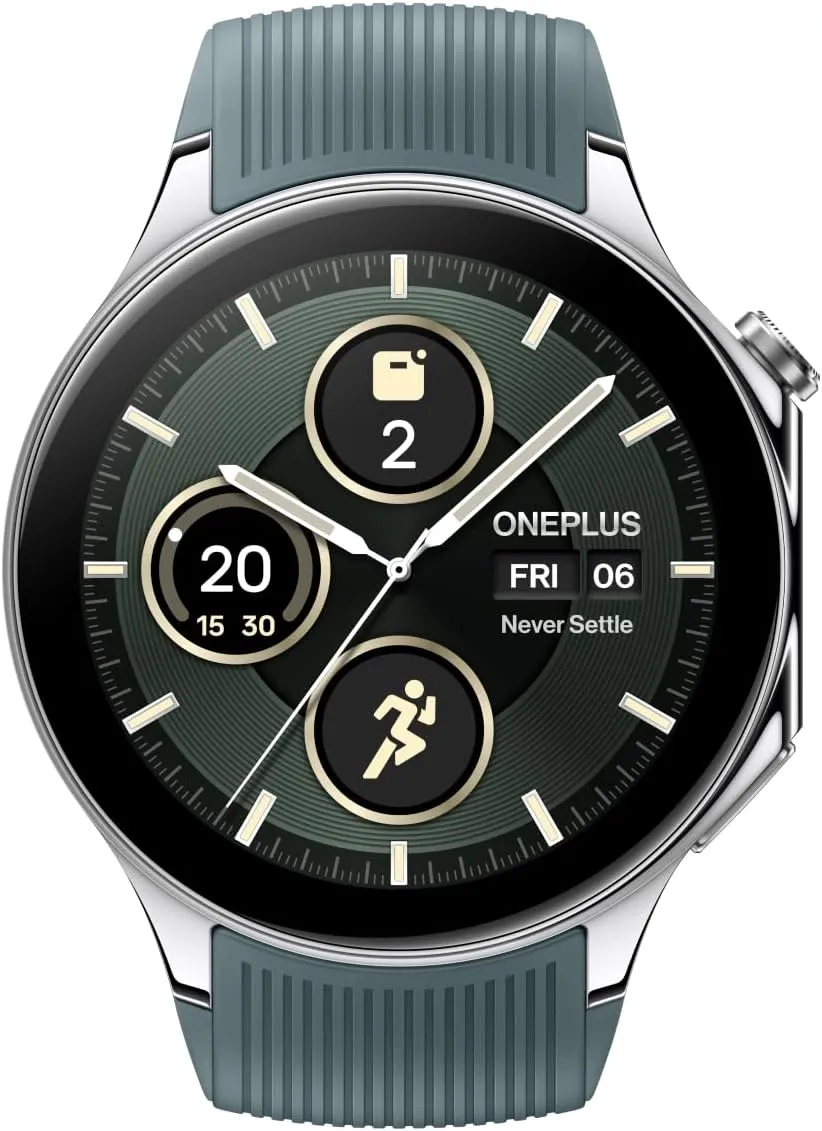
    oneplus 2

    OnePlus Watch 2R

    The OnePlus Watch 2 fuses a stainless-steel chassis with a robust 2.5D sapphire crystal face, delivering a sophisticated design that withstands daily wear and tear with a 5ATM and IP68 rating, and military-grade standard for durability.

    Good choice
    $299.99$209.99Amazon

    The OnePlus Watch 2R may last many days on a single charge while also providing important health tracking—all at an inexpensive price. Its 46 mm shell houses a big 1.43-inch OLED display with a maximum brightness of 1,000 nits, and it runs a hybrid system made up of two chips and two software setups, including Google’s Wear OS 4 and Google Assistant.

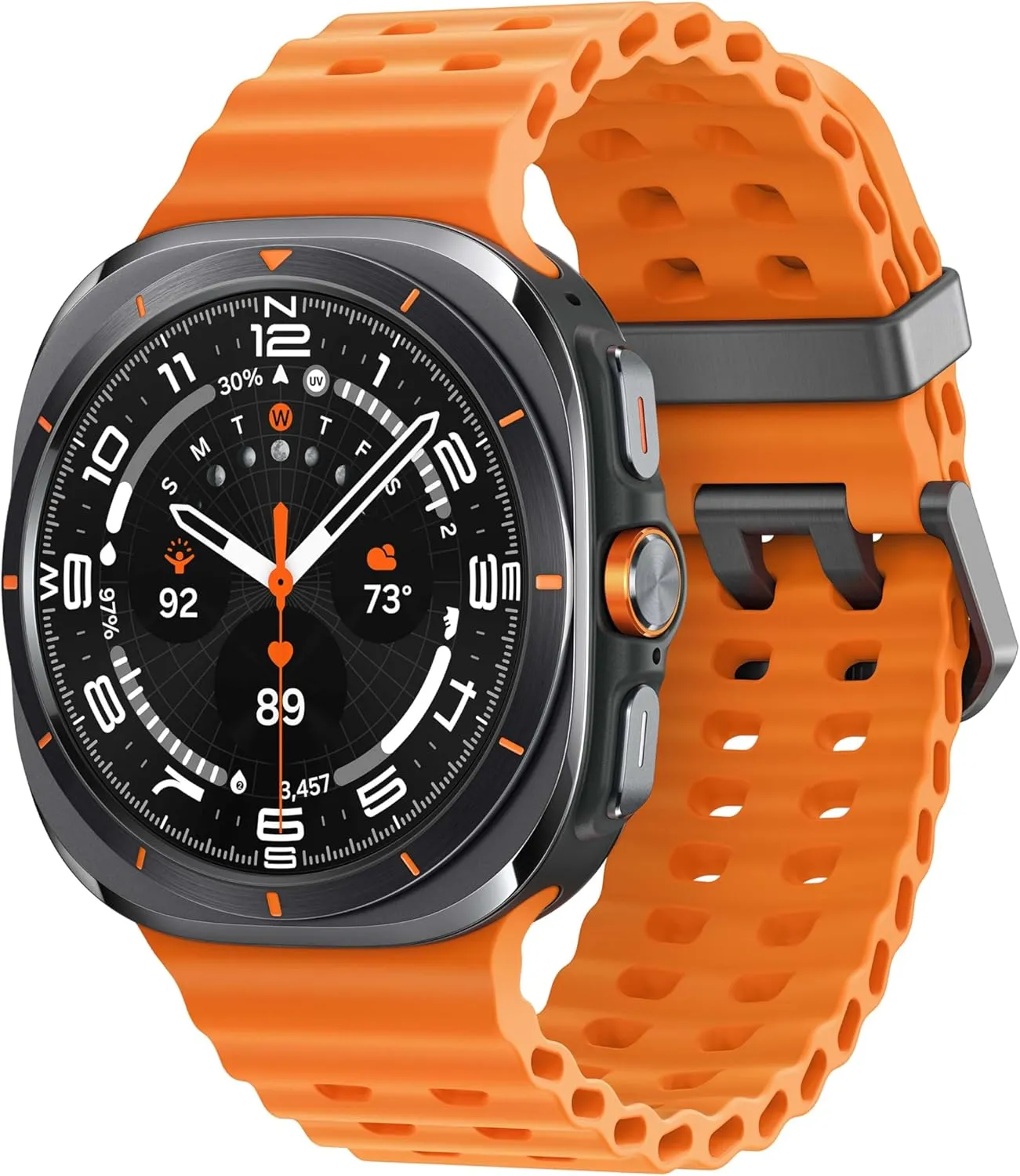
    galaxy watch ultra

    Samsung Galaxy Watch Ultra

    The Watch Ultra sports a huge 47 mm titanium body with a display that can reach up to 3,000 nits of peak brightness, making it easier to see your screen even in the darkest of nights and brightest of days.

    $390.00$291.00Amazon

    The Samsung Galaxy Watch Ultra incorporates a few extra capabilities than the Watch7 into a larger, more robust smartwatch. It offers fitness monitoring for triathletes, bikers, swimmers, and strong endurance users, with twice the battery life of the Watch 7. Many people are put off by its large size, heavy weight, and high price, but the features and battery life may be worth the premium.

  • How to check for Android updates manually – don’t miss crucial features & fixes

    How to check for Android updates manually – don’t miss crucial features & fixes

    Software updates are vital for keeping your Android smartphone secure, efficient, and compatible with the most recent apps. However, many users disable auto-updates, either to save data or to avoid unpleasant modifications. What is the good news? You can still manually check for and apply updates, rather than waiting for a system prompt.

    In this extensive article, we will teach you how to manually check for Android system updates across many brands and what to do if no update appears – even if you assume one is available.

    Why Android updates matter

    There are several good reasons to check for Android updates manually:

    1. Get Critical Security Patches Faster

    Waiting for the automatic update prompt could expose your phone to known exploits. Manually checking allows you to keep ahead of security issues by ensuring that your device always has the most recent patch.
    2. Access New Features Early

    Android upgrades frequently include new interface modifications, battery optimizations, and system features. Manual updates allow you to try the latest enhancements as soon as they are published.
    3. Fix Device Glitches or Bugs

    Some updates contain stability fixes for specific devices. If your phone has been behaving up, a system update may fix crashes, poor performance, or connectivity issues.

    4. Ensure App Compatibility

    Many apps now require the latest Android versions to function properly. Without regular upgrades, your favorite apps may cease to function or lose essential features.

    Check for updates via settings (standard Android)

    This is the most common way to check for updates on Android, regardless of the manufacturer.

    Steps:

    1. Open your device’s Settings.
    2. Scroll down and tap on System.
    3. Tap Software Update or System Update (name may vary).
    4. Tap Check for updates.
    5. If an update is available, follow the on-screen instructions to download and install.

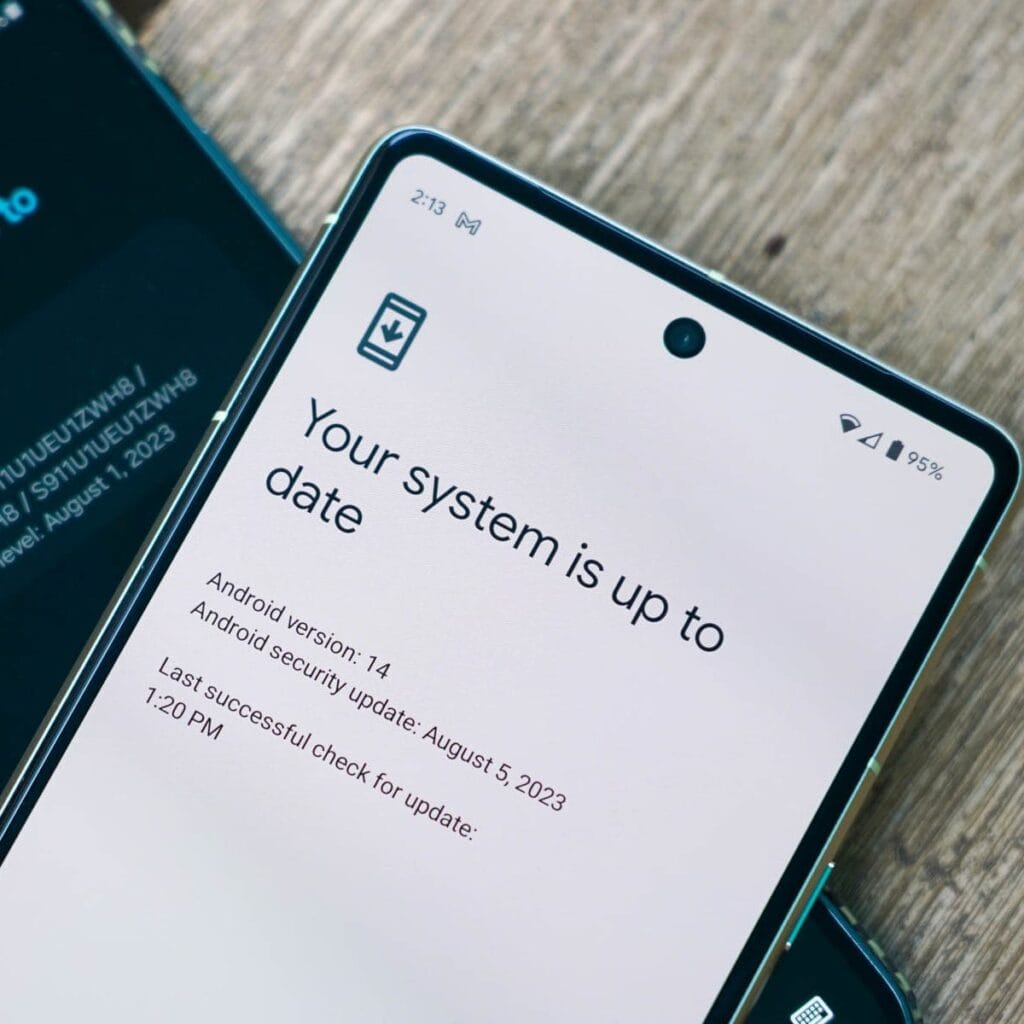
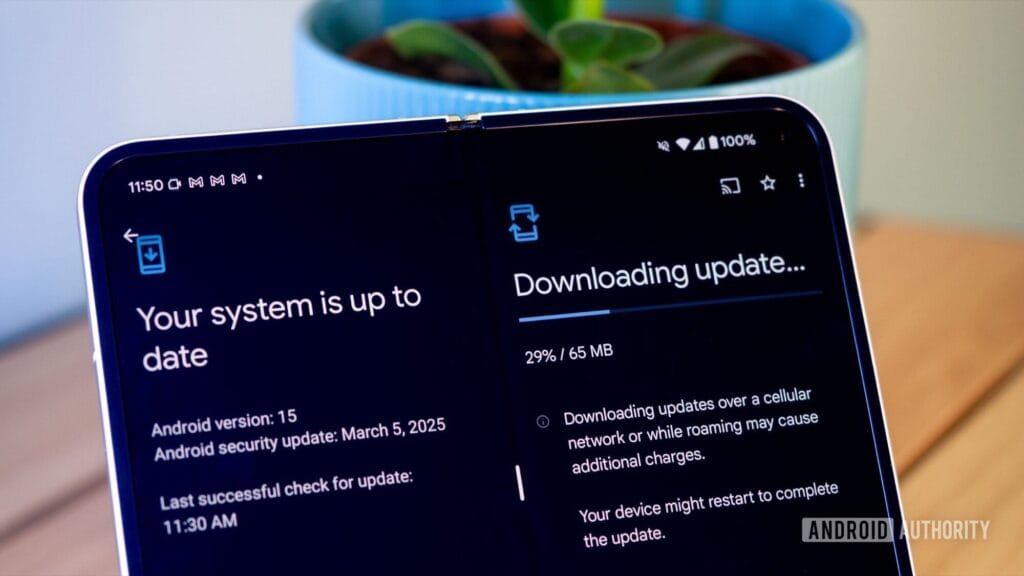
    What if it says “Your system is up to date”?

    Android updates system is up to date

    That alerting does not always indicate that there is no update; it could simply have not yet reached your region or device build. In that situation, consider the advanced methods listed below.

    How to check updates on specific Android oems

    Because manufacturers customize Android OS, the update settings may be in slightly different locations.

    Samsung Devices

    • Go to Settings > Software update > Download and install
    • Samsung pushes monthly security patches and One UI feature updates through this panel.

    Google Pixel

    • Go to Settings > System > System update
    • Pixel devices receive updates directly from Google — typically first among all brands.

    Xiaomi, Redmi, POCO (MIUI)

    • Go to Settings > About Phone > MIUI Version
    • Tap on Check for updates.
    • For advanced control, use the Updater app found in system apps.

    OnePlus (OxygenOS)

    • Go to Settings > About phone > OxygenOS version
    • Tap Check for updates
    • Alternatively, download the OnePlus Updater APK for sideloading updates.

    Oppo / Realme (ColorOS & Realme UI)

    • Go to Settings > Software update
    • Tap on Check for updates
    • Oppo also has an “Early Access” program for beta releases.

    Motorola

    • Go to Settings > System > Advanced > System Updates
    • Tap Check for updates

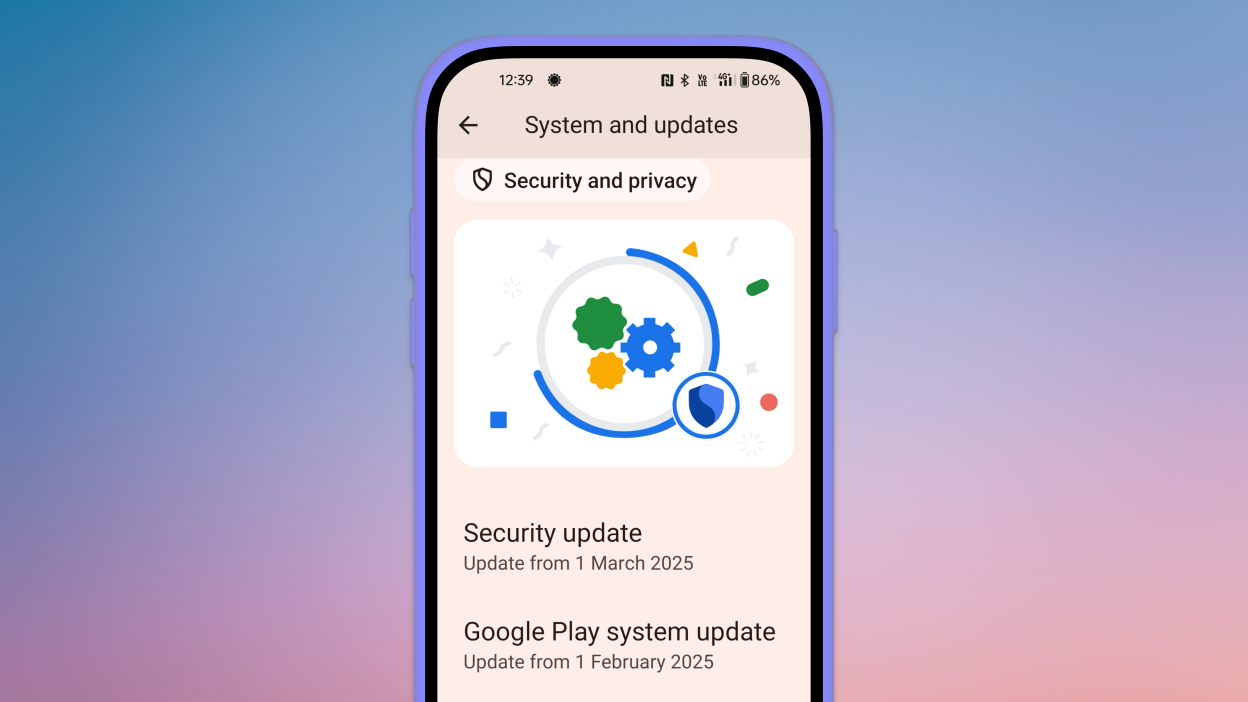
    Use Google Play system updates (separate from OS)

    android updates

    Since Android 10, Google has separated certain security and performance updates from full OS upgrades. These are delivered via Google Play system updates.

    How to check:

    1. Go to Settings > Security > Google Play system update
    2. Tap Check for update

    These are smaller updates that often improve background processes like biometric security, encryption modules, or system services.

    Force update with OTA Zip files (advanced users)

    If your manufacturer has released an official firmware update but it hasn’t reached your phone yet, you can manually install it using an OTA (Over-The-Air) zip file.

    Steps (for advanced users):

    1. Visit your manufacturer’s official website or trusted forums like XDA.
    2. Download the correct OTA update file for your model and region.
    3. Place the file in the root directory of your internal storage.
    4. Boot into Recovery Mode (usually via holding Power + Volume Up).
    5. Choose Apply update from SD card or Install update.zip.

    ⚠️ Caution: Flashing the wrong file or interrupting the process can brick your device. Always back up your data.

    What to Do If No Update Appears?

    If you’ve tried everything and your device still says it’s up to date, here are possible reasons:

    • Carrier Delay: Devices tied to mobile carriers often receive updates later than unlocked models.
    • Staged Rollouts: Updates are released in waves. Your device may be queued for later.
    • Region Restriction: Updates may reach some countries first. A VPN won’t help because updates are tied to device build numbers, not IP addresses.
    • Outdated Device: If your device is more than 2–3 years old, it may have reached its end of life for updates.

    Pro Tips to Get Updates Faster

    • Enroll in beta programs if your phone supports them (Pixel, Samsung One UI Beta, etc.)
    • Use the manufacturer’s official updater app (like the Xiaomi Updater).
    • Keep at least 3–5 GB of free storage so updates can install smoothly.
    • Fully charge your battery before downloading any major update.

    Final Thoughts

    Checking for Android updates manually is a good practice, especially if you value efficiency, security, or new features. While auto-updates may manage this silently in the background, taking control ensures that you are always using the most recent and safest version of Android.

    Whether you are using a Samsung, Pixel, Xiaomi, or Motorola, the steps are usually only a few taps away. Stay up to date and secure.

  • #leak, the battery of the smaller OnePlus 13T is larger than that of the larger OnePlus 13.

    #leak, the battery of the smaller OnePlus 13T is larger than that of the larger OnePlus 13.

    The OnePlus 13T, a smaller device, is OnePlus’s current focus. Similar to the Find X8S from sibling company Oppo, this will have a 6.3-inch screen. Because of its amazing battery capacity, especially considering its small size, the OnePlus 13T is once again the subject of rumors.

    A recent Chinese rumor claims that the 13T would be able to accommodate an enormous 6,200 mAh battery (with capability for 80W cable charging). This is quite an engineering achievement, considering that the much larger OnePlus 13 only has a 6,000 mAh battery.

    OnePlus 13T

    What will Oneplus 13T offer

    Apart from that, there has been conflicting speculation in the past on how many cameras this phone would feature; it has been suggested that it will have two or three. Either an 8 MP ultrawide or a 50 MP primary and a 50 MP telephoto with a 2x optical zoom.

    The Snapdragon 8 Elite chipset is said to power the OnePlus 13T, which also boasts a screen with “1.5K” resolution and an optical fingerprint reader built right in. It is anticipated that the phone would have a glass back and a metal frame. Sadly, it is yet unknown whether the OnePlus 13T will have a worldwide release when it officially launches in April.

  • Is a silicon-carbon battery device a good buy?

    Is a silicon-carbon battery device a good buy?

    We can never have enough battery life. The older generation still longs for the days when a single charge was sufficient to power your feature phone through a hectic week, even if the majority of smartphones from the last few years will easily last you a day or perhaps even two.

    Many of the top flagship smartphones of today come with innovative silicon-carbon batteries thanks to the efforts of battery engineers. Because of this, they may promise even greater battery capacities without having a larger or thicker chassis. What a huge victory.

    For instance, the OnePlus 13 has a 6,000mAh silicon-carbon battery, which is more than the 5,400mAh cell from the previous year. In China, the Xiaomi 15 Ultra has a massive 6,000mAh battery capacity, up from 5,400mAh the year before (and a still respectable 5,400mAh for worldwide markets, up from 5,000mAh). The smaller variants also enjoy comparable improvements. The vivo X200 series, OPPO Find X8, and Honor Magic 7 Pro are all brand-new flagship devices with silicon power cells. The technology has here in full force already.

    Unfortunately, silicon-carbon battery technology has not yet been included into the newest devices from Apple, Google, or Samsung. Maybe by 2026, we will see these brands go on board. However, is it better to remain with the more recognizable Lithium-ion models or to jump right in and purchase a phone with a silicon carbon battery?

    silicon-carbon battery has increased capacity

    The difference between silicon-carbon and Li-ion batteries

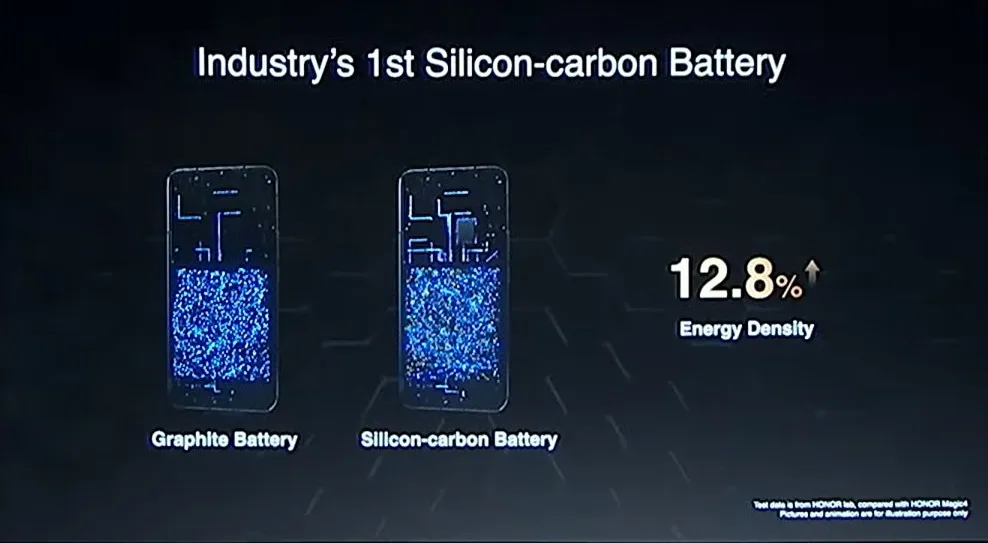
    Rather of being a completely novel idea, today’s silicon-carbon (Si/C) Li-Ion batteries are essentially an advancement of conventional lithium-ion technology. By adding silicon, which has a substantially higher energy storage capacity than graphite (372 mAh/g compared to about 4200 mAh/g for pure silicon), they alter the traditional graphite anode. Because of this, silicon has long been a promising material for increasing battery capacity.

    Pure silicon anodes, however, face many difficulties. Extreme expansion is the most troublesome; when fully charged, the structure can inflate by up to 300%. The battery experiences extreme mechanical stress as a result, shortening its lifespan and leading to structural breakdown.

    Over time, lithium loss and decreased capacity result from silicon’s strong reaction with the electrolyte, which breaks and reforms the Solid Electrolyte Interphase (SEI) layer with each cycle. The aggressive expansion exacerbates this. Another drawback for battery longevity is that silicon has lesser electrical conductivity than graphite, which can reduce charge and discharge rates and increase losses from internal resistance. This can lead to increased heat.

    To address these problems, a silicon-carbon (Si/C) composite is utilized rather than pure silicon. The SEI layer is stabilized and its expansion is lessened by the structural support that carbon offers. Depending on its silicon concentration, a well-designed Si/C battery may restrict swelling to just 10–20% during charge cycles, whereas conventional graphite anodes only increase by about 10%. Additionally, carbon increases electrical conductivity, which guarantees better lithium-ion flow and higher efficiency.

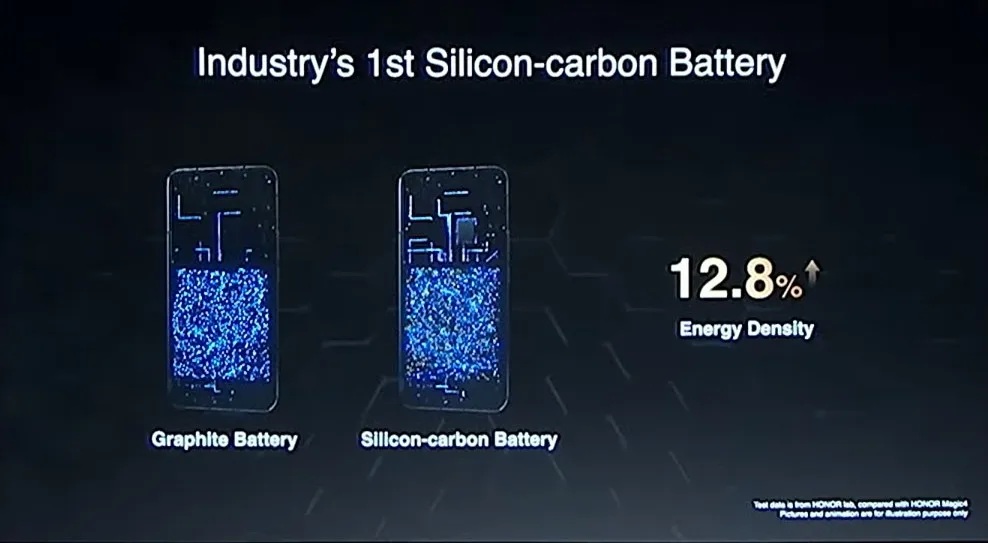
    The trade-off is that Si/C anodes are unable to fully realize the 10x capacity improvement of pure silicon. Rather, depending on the silicon percentage, they provide a very modest energy density increase of 10–20%. Si/C batteries are an engineering problem since higher Si content enhances capacity but also causes swelling and complicates manufacture. There are restrictions and trade-offs associated with Si/C batteries, but there is no such thing as a free lunch.

    The pros and cons for silicon carbon batteries

    silicon carbon battery

    Any increase in smartphone battery capacity is obviously beneficial, and Si/C batteries are a godsend for power users who want devices that can endure much longer than a single day of intensive usage. It should come as no surprise that so many of the most potent flagship phones available this year have the technology.

    After more than a month of everyday use, I can vouch for the OPPO Find X8 Pro’s 5,910mAh Si/C Li-ion battery’s exceptional longevity. I frequently get two days of moderate use out of a single charge, have enough of fuel left over after a day of chasing the kids, and in lighter weeks, I have occasionally gone well into 48 hours without needing a charger.

    On the other hand, Si/C is advantageous for thinner gadgets, such lightweight and foldable phones. Thin or small smartphones could surely benefit from this new battery type to maintain decent capacities in more constrained form factors, even though the Galaxy S25 Edge might not be Samsung’s first Si/C smartphone.

    The technology has already been used to fit a sizable 5,700mAh battery into a 5.2mm folding design in the Vivo X Fold 3 Pro. Despite being 5.6 mm thick, Samsung’s Z Fold 6 only contains a standard 4,400mA battery. This trend toward higher capacities has also been embraced by the latest Chinese clamshell phones.

    Whether silicon-carbon batteries will outlast their more conventional lithium equivalents is the main question that remains. It is evident from the foregoing trade-offs that Si/C will not outlast the most robust graphite-based Li-ion cells now available on the market. Lower silicon concentration can nonetheless provide batteries with a marginally larger capacity that have a comparable lifespan to conventional Li-ion cells. With only a slight but welcome increase in capacity to control the silicon content, this appears to be what we are seeing in today’s most advanced smartphones.

    Because Si/C batteries are pushing the limits of energy density and charge rates, smartphone manufacturers may also be becoming more cautious when it comes to fast-charging temperatures in an effort to prolong battery lifespans. In other words, manufacturers are merely attempting to make sure their phones can withstand the promised updates for the next five or more years. But because of its increased capacity, stronger diffusivity of lithium, and decreased chance of plating the anode, Si/C is actually a godsend for faster charging. Additionally, bigger capacities make it easier to follow the 80% charge guideline without worrying about running out of juice in the middle of the day. If you want to keep your phone for many years to come, silicon need not be a negative thing.

    Why a silicon-carbon battery device is a good choice?

    The newest smartphones will undoubtedly benefit from Si/C Li-ion batteries, which will also likely extend the battery life of your wearables, tablets, laptops, and even electric cars. The most cutting-edge phones of today already heavily rely on silicon cells, which allow for even greater capacities or slimmer form factors without sacrificing battery life.

    But at the moment, you will need to look around at Chinese companies to find one, like the OnePlus 13, which is very amazing. Apple, Google, and Samsung, three US giants, have not yet embraced this new battery technology. We may have to wait until their 2026 flagships or even later before they join the celebration, as they might not even get around to it this year.

    However, if you intend to retain your smartphone for more than five years, it might be wise to wait and see how the longevity issue develops. Any long-term purchase will eventually require battery replacements, but Si/C Li-ion cells may require more frequent replacements, particularly when fast charging is used. This can turn out to be an unwanted extra expense for early adopters because they are more costly to make. We will need to wait and find out.

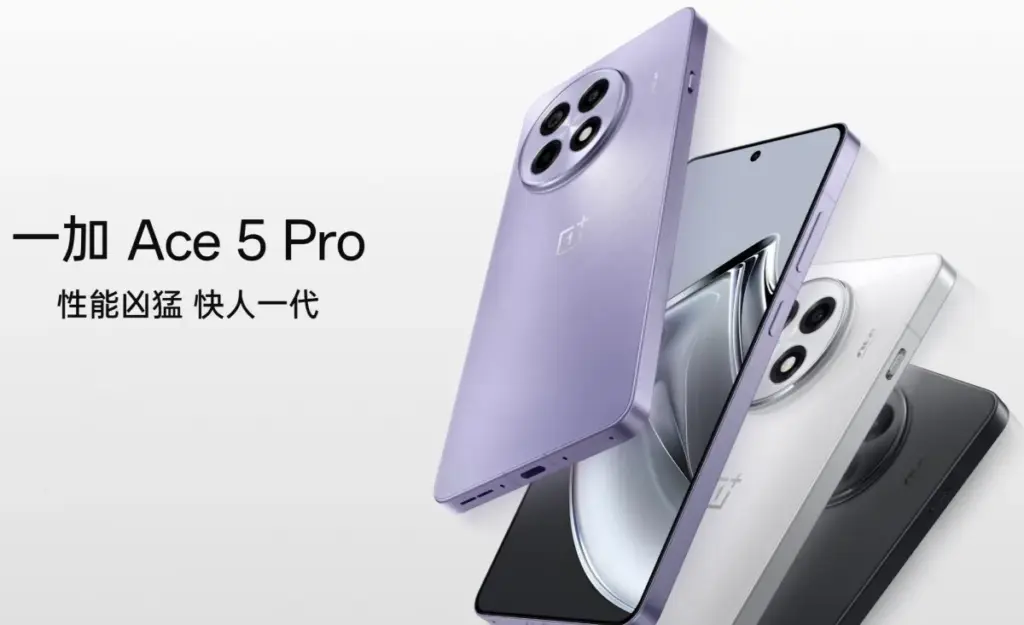
  • New OnePlus device coming, 6.83″ screen and Dimensity 9400+ chipset – OnePlus Ace 5V

    New OnePlus device coming, 6.83″ screen and Dimensity 9400+ chipset – OnePlus Ace 5V

    A new upper-midrange phone with a flagship chipset – a “flagship killer,” if you will – is presently under development by OnePlus. Although the exact name is yet unknown, OnePlus Ace 5V and Ace 5S appear to be the two possibilities. In any case, it will be the replacement for the Ace 3V, which was released in March of last year.

    The new gadget is expected to be powered by MediaTek’s forthcoming Dimensity 9400+ SoC and have a 6.83-inch “1.5K” LTPS OLED flat panel with a refresh rate of 120 Hz. It will sport a 50 MP primary camera instead of a telephoto on the rear.

    onplus ace5 pro photos OnePlus Ace 5v

    The device will come with OnePlus’ new button, which replaces the Alert Slider, and have a “simple design” on the back, whatever that means. The battery’s capacity has not yet been determined, although it may be 7,500 mAh when plugged at 80W or approximately 7,000 mAh when charging at 100W. OnePlus is presumably still undecided on whether to favor a larger battery or faster charging.

    Although the exact date of the phone’s official release is unknown, we believe it will not be more than a few weeks, especially considering that the predecessor is rapidly approaching its one-year anniversary.

  • Top 10 smartphones in 2025 that are using Silicon-Carbon batteries

    Top 10 smartphones in 2025 that are using Silicon-Carbon batteries

    Newest

    Silicon-carbon battery technology, which offers greater energy density, quicker charging times, and enhanced durability, is being quickly adopted by the smartphone industry. Silicon-carbon batteries, as opposed to conventional lithium-ion batteries, enable bigger capacities in smaller designs, guaranteeing longer battery life without adding bulk or weight to the phone.

    This cutting-edge battery technology, which was introduced in a number of premium smartphones in late 2024 and early 2025, significantly improves charge cycles, heat management, and power efficiency. The top ten most recent smartphones using silicon-carbon batteries are examined in detail, along with the features that set them apart.

    OnePlus 13

    OnePlus 13

    The OnePlus 13 boasts a 6000mAh dual-cell silicon-carbon battery with the highest dual-cell design energy density at 805Wh/L. This gives the phone more endurance while maintaining a small form factor. It supports 50W wireless flash charging, magnetic charging, and 100W SuperVOOC wired charging, which charges the phone from 0% to 100% in just 36 minutes.

    In addition to the battery, the OnePlus 13 has a 6.82-inch BOE X2 2K+ AMOLED screen with DisplayMate A++ certification and a maximum brightness of 4500 nits. The Snapdragon 8 Elite SoC, up to 24GB LPDDR5X RAM, and 1TB UFS 4.0 storage power it. The phone still has a 50MP Sony LYT-808 primary camera, a 50MP ultra-wide camera, and a 50MP 3X periscope telephoto lens. Additionally rated IP68 and IP69, it has a high level of water and dust resistance.

    OnePlus 13R series

    OnePlus 13

    OnePlus 13 has a 6.82-inch BOE X2 2K+ AMOLED screen with DisplayMate A++ certification

    iQOO 13

    iqoo1

    The third-generation silicon-carbon 6150mAh battery that powers the iQOO 13 can be charged with 120W wired fast charging in as little as 30 minutes. Its 44W UFCS and 100W PPS charging ensure a flexible and effective power management system, even though wireless charging is not an option. Additionally, a 360° surround antenna system is integrated within the phone to maximize network performance for mobile gaming.

    The gadget has a 6.82-inch BOE Q10 2K+ AMOLED screen with a refresh rate of 144 Hz and a maximum brightness of 4500 nits. It has a Snapdragon 8 Elite SoC, 1TB UFS 4.0 storage, and up to 16GB LPDDR5X RAM. It features a 50MP Sony IMX921 primary sensor, a 50MP ultra-wide camera, and a 50MP 2x telephoto lens on the front of the camera.

    Vivo X200 & X200 Pro

    66a9d8e5e9645

    The Vivo X200 Pro has a 6000mAh battery that supports both 30W wireless and 90W wired charging, while the Vivo X200 has a 5800mAh silicon-carbon battery with 90W wired fast charging.

    MediaTek’s Dimensity 9400 SoC powers both phones, which have up to 1TB of UFS 4.0 storage and up to 16GB LPDDR5X RAM. A 200MP Samsung HP9 periscope telephoto camera with Zeiss APO certification that offers 3.7x optical zoom and OIS is also included with the X200 Pro. The series is extremely durable due to its IP69+IP68 dust and water resistant ratings.

    Redmi K80 & K80 Pro

    Redmi K80 Pro lineup

    While the basic Redmi K80 has a 6550mAh battery with 90W fast charging but no wireless support, the Redmi K80 Pro has a 6000mAh silicon-carbon battery that supports 120W fast charging and 50W wireless charging. According to Xiaomi, the new silicon-carbon compound lowers heat generation during high-performance jobs and lengthens battery life.

    The Snapdragon 8 Elite SoC powers the K80 Pro, while the Snapdragon 8 Gen 3 powers the K80. Both devices come with up to 16GB LPDDR5X RAM and 1TB UFS 4.0 storage. While the ordinary K80 replaces the telephoto lens with an 8MP ultra-wide camera, the Pro edition has a 50MP Light Fusion 800 primary sensor with OIS, a 50MP 2.5x telephoto camera, and a 32MP ultra-wide camera. Both phones are rated for water and dust resistance with IP68 and IP69.

    Xiaomi 15 & 15 Pro

    xiaomi 15 pro

    In contrast to the Xiaomi 15 Pro, which has a 6100mAh capacity and supports 90W wired and 50W wireless charging, the Xiaomi 15 is powered by a 5400mAh silicon-carbon battery. An ultra-high energy density of 850Wh/L is another feature of the Pro model’s battery that guarantees a longer lifespan and greater efficiency.

    The Snapdragon 8 Elite SoC, up to 16GB LPDDR5X RAM, and up to 1TB UFS 4.0 storage are features of both devices. The Xiaomi 15 Pro has a 5X periscope telephoto lens, while the Xiaomi 15 has a 50MP Light Fusion 900 primary sensor, a 50MP ultra-wide lens, and a 50MP 2.6X telephoto camera. Both variants have IP68 water resistance and ultrasonic fingerprint scanners.

    413ZlEIhW0L. AC SL1080

    Xiaomi 15 5G

    International Model

    $959.50Amazon

    Realme GT 7 Pro

    realme gt7 pro 1

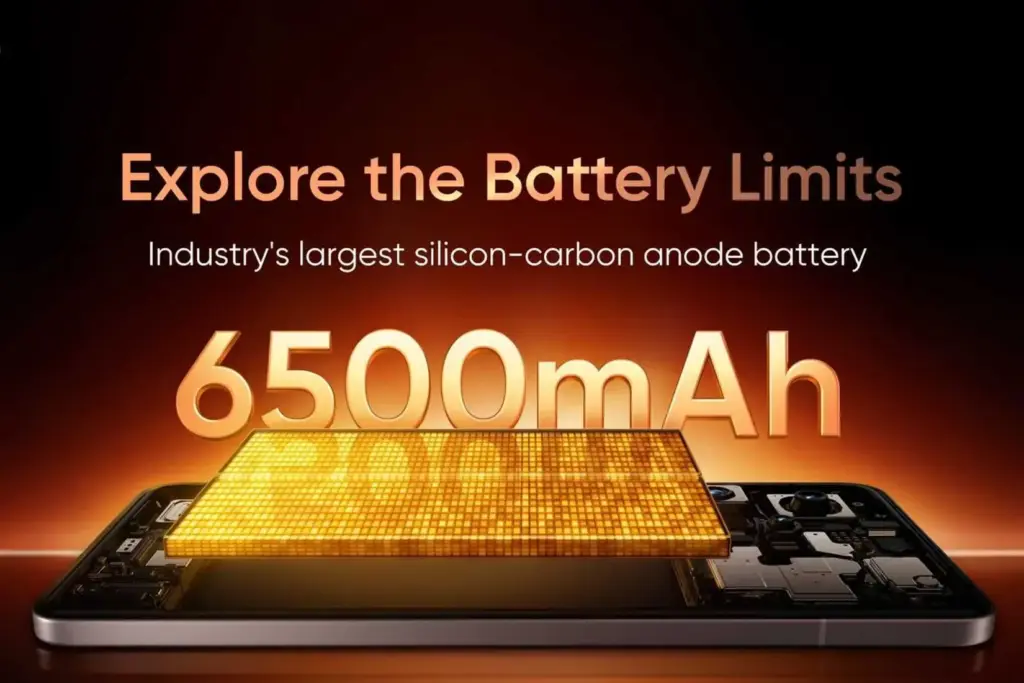
    With its 6500mAh silicon-carbon battery and 120W rapid charging, the Realme GT 7 Pro can reach 50% charge in just 14 minutes. With the maximum 10% silicon content in the industry, it can prolong battery life for up to four years. It only has a 5800mAh battery in India, though.

    The smartphone has a 6.78-inch 1.5K OLED display with a maximum brightness of 6000 nits and is powered by the Snapdragon 8 Elite SoC. It has a 50MP 3x periscope telephoto camera, an 8MP ultra-wide lens, and a 50MP primary camera.

    Redmi Note 14 Pro+

    Redmi Note 14 Pro+ silicon-carbon battery

    With a 6200mAh silicon-carbon battery that has an energy density of 814Wh/L and 6% silicon content, the Redmi Note 14 Pro+ has a small form factor and a long lifespan. It has Surge G1 and Surge P2 battery management chips for increased power efficiency and enables 90W wired rapid charging.

    The phone has 512GB of storage, up to 12GB of RAM, and a Snapdragon 7s Gen 3 processor. It has a 50MP primary camera, an 8MP ultra-wide sensor, a 50MP 2.5X telephoto lens, and a 6.67-inch 1.5K OLED screen. For increased durability, the device also has IP66, IP68, and IP69 classifications.

    redmi note 14 pro plus

    Xiaomi Redmi Note 14 Pro

    6.67″ CrystalRes AMOLED displayResolution: 2712 x 1220 (1.5K resolution)Refresh rate: Up to 120HzTouch sampling rate: Up to 480HzBrightness: 3000nits peak brightness

    Good choice

    Honor 300 & 300 Pro / Ultra

    honor 300

    With its 5300mAh silicon-carbon battery, the Honor 300 can facilitate 100W fast charging, reaching 59% in 15 minutes and 100% in 35 minutes. In addition to having 5300mAh silicon-carbon batteries, the Honor 300 Pro and Ultra models also have 80W wireless charging, which guarantees quick and effective power supply. Longer battery life and better power retention are made possible by the high-density silicon-carbon combination.

    Snapdragon 7 Gen 3 (Standard) and Snapdragon 8 Gen 3 (Pro and Ultra) power the Honor 300 series. For eye protection, the gadgets include 6.7-inch and 6.78-inch OLED screens with a maximum brightness of 4000 nits and 3840Hz PWM dimming. A 50MP front camera, a 12MP ultra-wide lens, and a 50MP primary sensor make up the camera configuration. The Pro and Ultra variants also come with a 50MP 3x or 3.8X periscope telephoto lens. Additionally, they are IP65 dust and splash resistant.

    Oppo Find X8 & X8 Pro

    oppo find x8 silicon-carbon battery

    A 5630mAh silicon-carbon battery powers the Oppo Find X8, while a larger 5910mAh silicon-carbon battery powers the Find X8 Pro. Both devices enable 80W SuperVOOC wired charging, 50W wireless charging, and 10W reverse wireless charging. The ultra-high silicon content of the Find X8 Pro’s battery ensures longer endurance and improved heat management during rapid charging.

    The MediaTek Dimensity 9400 SoC powers both devices, together with up to 16GB of LPDDR5X RAM and 1TB of UFS 4.0 storage. The Find X8 Pro has a 6.78-inch LTPO AMOLED screen with Dolby Vision support and a peak brightness of 4500 nits, while the Find X8 has a 6.59-inch AMOLED display. The X8 Pro adds a 50MP 6x periscope zoom lens to the camera system, which consists of a 50MP main sensor, a 50MP ultra-wide camera, and a 50MP 3x periscope telephoto lens. Both variants have water and dust resistance ratings of IP68 + IP69.

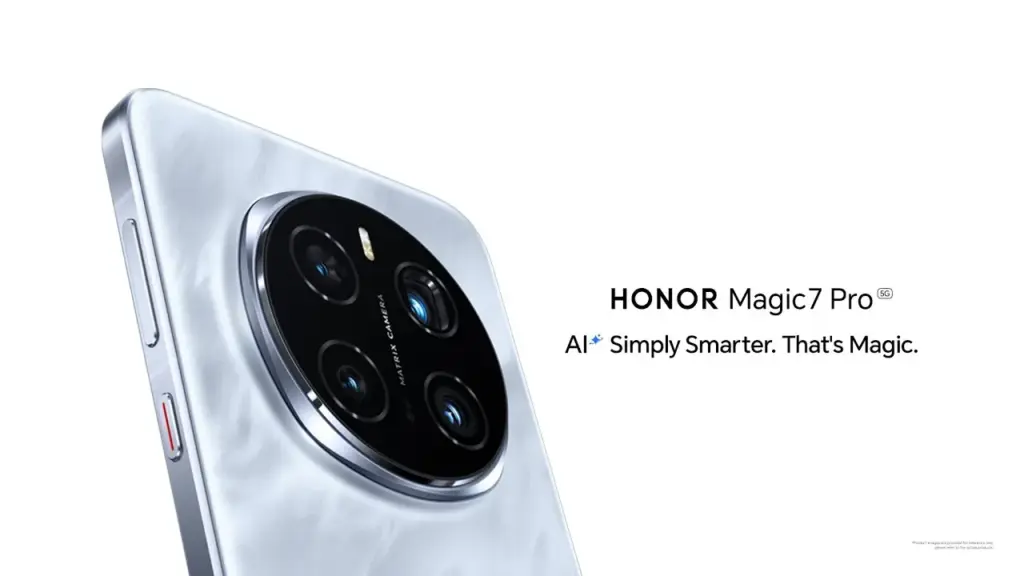
    Honor Magic 7 & Magic 7 Pro

    honor magic 7 pro

    A 5650mAh silicon-carbon battery powers the Honor Magic 7, and a 5850mAh silicon-carbon battery powers the Magic 7 Pro. Both devices support 80W wireless charging and 100W cable fast charging. Longer runtimes are made possible by the improved energy density provided by silicon-carbon technology, which also preserves elegant designs. Advanced cooling technologies, including as graphite sheets and stainless steel VC cooling, complement the increased battery efficiency and guarantee peak performance even under demanding conditions.

    The Snapdragon 8 Elite SoC powers both phones, together with up to 16GB of LPDDR5X RAM and 1TB of UFS 4.0 storage. The Magic 7 Pro sets itself apart with a 50MP primary sensor, an ultra-wide lens, and a 200MP periscope telephoto camera with 3x optical and 100x digital zoom. Although it lacks the sophisticated telephoto capabilities, the Magic 7 has a comparable camera arrangement. With its 1-120Hz LTPO OLED screens, IP68 and IP69 ratings, and Magic UI 9.0, the Honor Magic 7 Series combines state-of-the-art technology with exceptional endurance, securing its place as a flagship challenger in 2025.