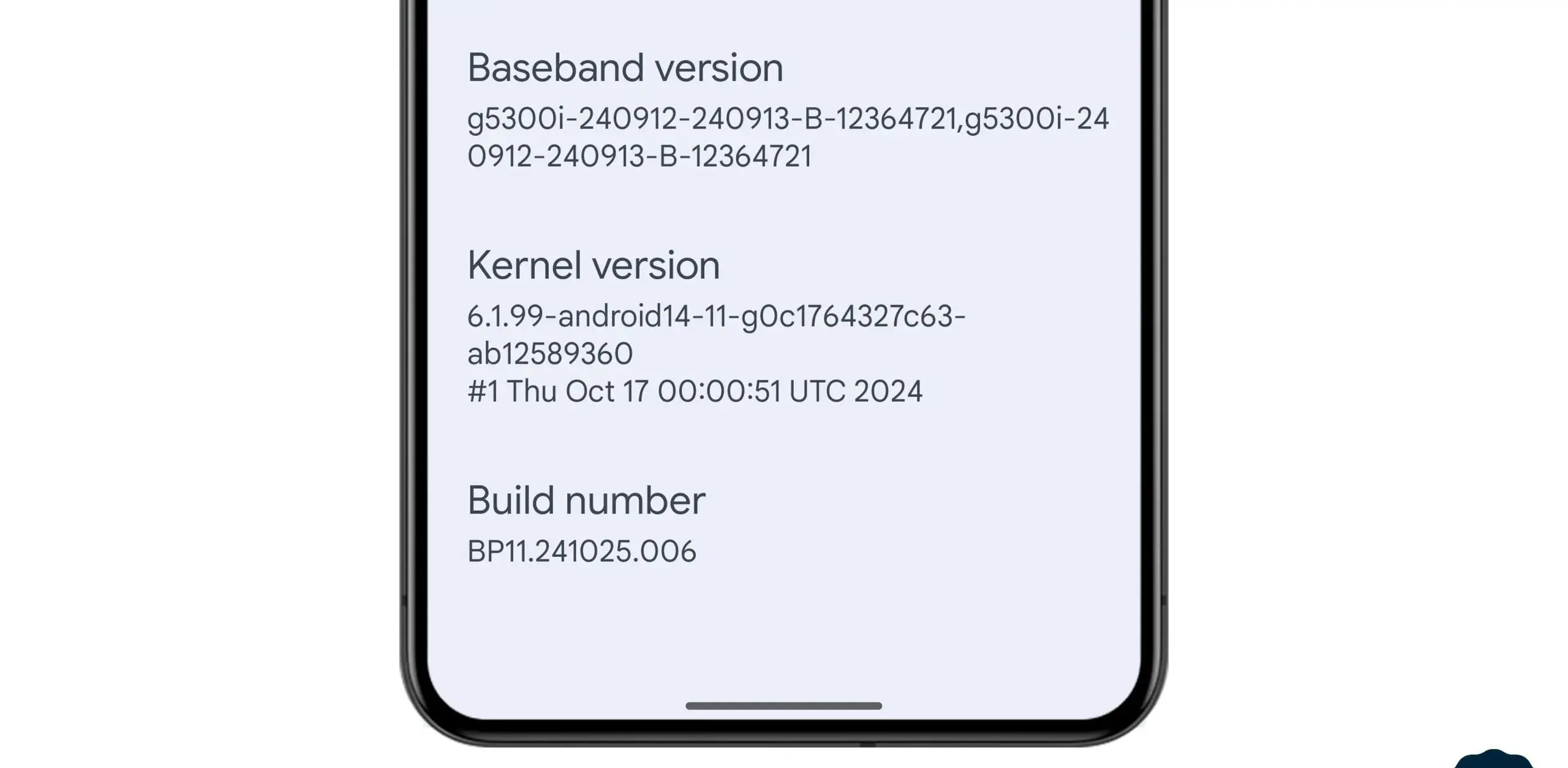
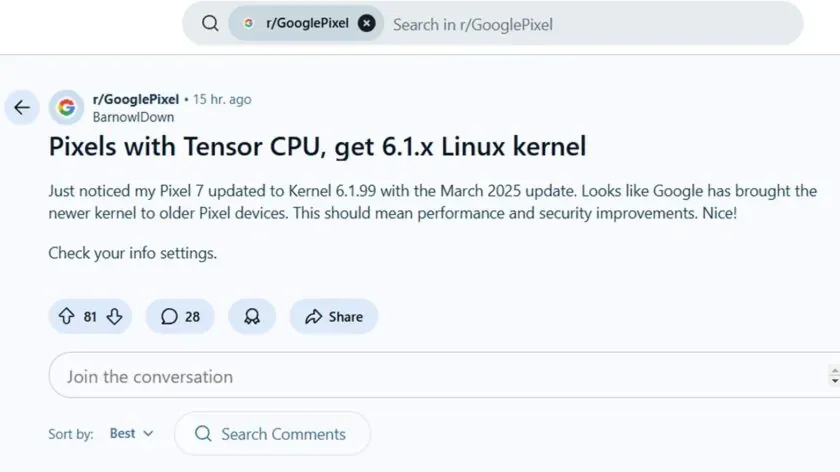
In the stable March 2025 update, Google formally released the Linux 6.1 kernel for Tensor-powered Pixel phones from the prior generation. This update brings the Pixel Tablet and Pixel Fold, as well as the Pixel 6, 7, and 8 series devices, up to the same kernel version as the Pixel 9 series. Performance and security will probably improve as a result, and some users are already experiencing the advantages.
In the QPR2 beta, where it was announced that Tensor-powered Pixels will be switching from older kernel versions to 6.1, we previously reported that Google was testing this update. The update is now available to all users with the March stable release.
News of the update was posted by a commenter on the GooglePixel subreddit, who said, “Just noticed my Pixel 7 updated to Kernel 6.1.99 with the March 2025 update.” While several Redditors in the topic commented on a perceived gain in battery life since the update, another Pixel 6a owner in the thread stated that their phone seems “extremely responsive compared to [the] pre-March update.” Although it is difficult to confirm that the new kernel is directly responsible for these developments, the indications are unquestionably encouraging.
This kernel upgrade is part of Google’s broader commitment to long-term software support. Google’s Longevity GRF program plays a crucial role in ensuring that Tensor-powered Pixels meet their update policies by implementing major kernel upgrades when necessary.
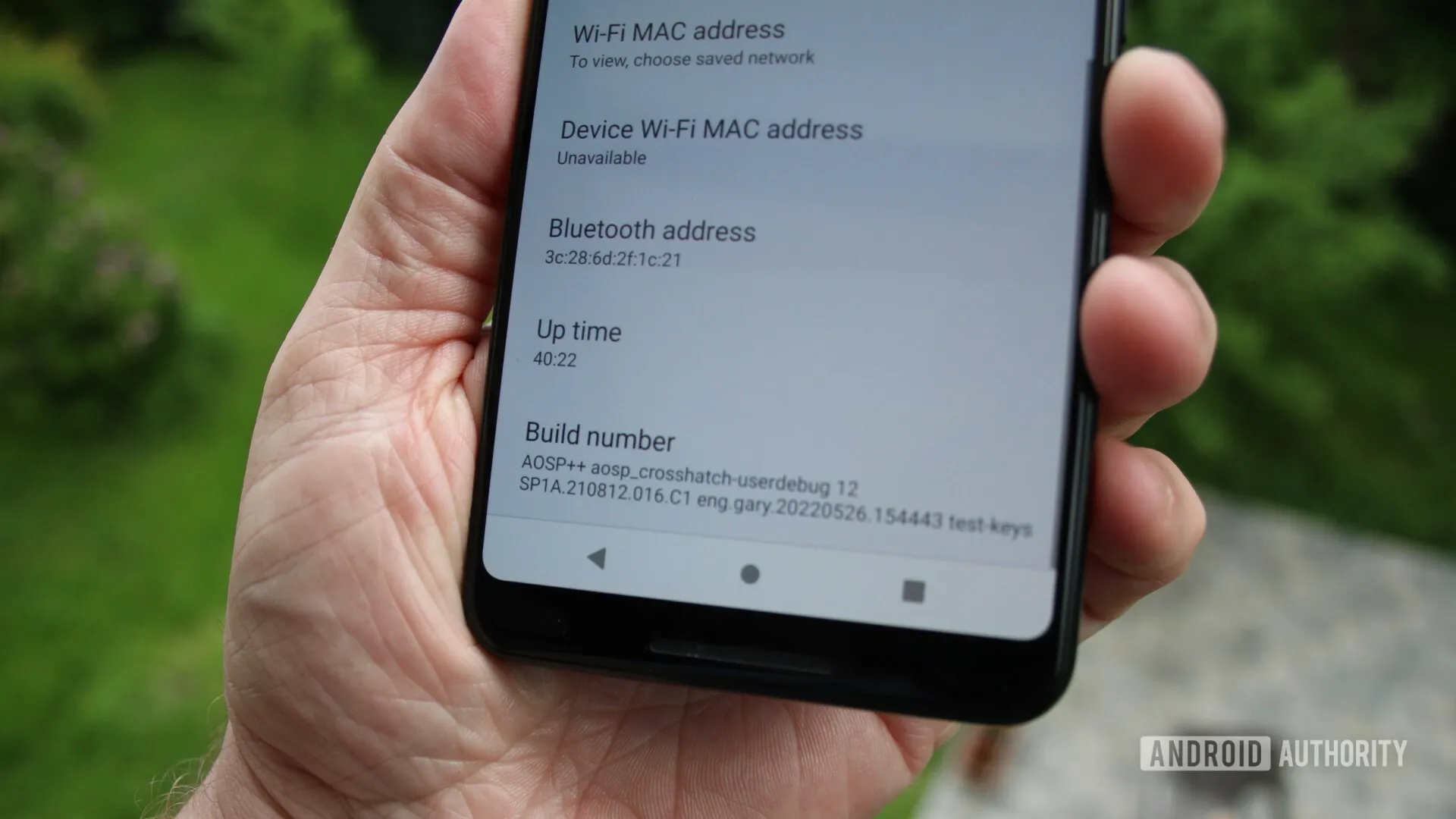
If you own a Pixel 6, 7, 8, or another Tensor-powered device, you can check your kernel version by heading to Settings — About phone — Android version and looking under Kernel version.
As noted by Mishaal Rahman on Twitter/X, Google appears to be working on updating the Linux kernel on all Tensor-powered Pixels. Specifically, the evidence presented suggests an update to version 6.1, which was released in December 2022 and is the second-to-newest version of the kernel, with 6.6 having been released in October 2023.
Release of new software updates on a regular basis is one of the biggest selling points of a Pixel device, and it appears that Tensor-powered Pixels are about to receive a rare software update that updates the kernel used in the background.
While there’s no word on what a kernel upgrade might change, this is notable for a couple of reasons.
One of the comments mentions that “some Pixel devices” will be released with version 5.15 on “Android V,” which is Android 15. That also suggests that the timeline at play here is not in the immediate future but rather sometime after Android 15’s release. The 5.10 kernel version will see its end-of-life date in December 2026, so it most likely will not be too long after. For starters, this update would put all Tensor-powered Pixels on the same kernel. Pixel 6 and forward all ran on version 5.10 until the launch of Pixel 8, with 8 and 8 Pro running version 5.15.
Updates to the kernel typically do not affect the user experience much, but they can have a significant impact on how your device functions. This includes performance and battery life. Custom kernels were a fairly common feature back when Android modding was more common.
Every profession or pastime creates its own own particular jargon for explaining complex concepts in an understandable manner, and the Android world is no exception.
This article is for you if you’ve googled a problem with your Android smartphone or tablet and came across terms like “rooting,” “flashing a custom ROM,” “unlocking the SIM,” or anything similar that you didn’t understand.
This article is a reference for the novice who wants to learn about all the terminology behind our Android nerdiness because Android experts presumably already know what these phrases represent.
What Is Rooting?
Getting access to the system files on your Android device is what it means to root your phone. No Android device comes pre-rooted by default. Therefore, it is probably not rooted if you recently purchased an Android device and did nothing to it.
Manufacturers take this action because allowing everyone root access would cause several issues. You can access files on your device that, if deleted or altered improperly, could damage it if you have root access.
But many people still decide to root their devices because it enables them to make a lot of pretty fascinating adjustments if they know what they’re doing. It should be noted that rooting an Android device would void the warranty.
How you root your device is different for every single model. For some devices, this can prove to be a difficult process involving circumventing the manufacturer’s safety precautions. For others, it can be as simple as plugging your phone into your computer and pressing a button. You can always check out the XDA forums for instructions for your specific device.
You won’t instantly notice any significant changes after your device has been rooted. The excitement is in what you can do with a rooted device. Then, you may utilize root-required apps, flash custom ROMs, modify specific features of your phone, and more—which we’ll go over in more detail later.
For instance, when unrooted, you can remove some bloatware, but rooting your device and using Titanium Backup or a root uninstaller are required to completely remove it.
What Is Unlocking?
Unlocking is a confusing term because there are different things you could unlock.
Unlocking the Network/SIM
A device that has been network/SIM locked was typically purchased through a carrier or for a certain carrier at a discounted price. That phone is then locked by the carrier so that you can only use it with them.
However, if you pay off the phone and decide to switch carriers, the carrier is obligated by law to provide you with the unlock code (at least in the US and the EU). To obtain the code, simply get in touch with your current carrier.
Sometimes, unlocking your device gets more complicated than that, so we have a guide to SIM unlocking. Other times, you buy your phone unsubsidized and unlocked, meaning you can already use it with any carrier.
Unlocking the Bootloader
The bootloader is a piece of software that runs every time you switch on your Android phone, and it is usually locked by the manufacturers. With a locked bootloader, you can’t root your device. Instructions for unlocking your bootloader are found within the instructions for rooting your device.
What Are Custom ROMs?
Read-Only Memory is referred to as ROM, however the term is somewhat misleading today because it has nothing to do with it. A ROM is essentially the software that runs on your device, at least in the Android universe.
Therefore, a Xiaomi smartphone looks and operates differently than a Samsung smartphone when you pick it up. This is so that Xiaomi and Samsung could each create their own ROMs by altering the original Android code. Even though they both run Android, Xiaomi’s ROM and Samsung’s ROM are distinct from one another.
A custom ROM, then, is a ROM that was built not by the manufacturer but by someone else. Sometimes it’s just a lone programmer with some time on their hands and a passion for making ROMs—other times, it’s a bigger group like LineageOS that has a team and intentionally makes a certain type of ROM.
Once you’re rooted, you can flash a custom ROM. Flash, in this case, basically means to load or install. Flashing a custom ROM means you are installing a new ROM on your device and completely wiping the old ROM.
When looking for custom ROMs for your device, there are some names you’re likely to run into:
Pixel Experience: As the name suggests, features a ROM similar to that of Google’s Pixel phones. This ROM is currently one of the most commonly used custom ROMs out there, and for good reasons.
LineageOS: LineageOS, formerly known as CyanogenMod, is one of the most popular custom ROMs you’ll come across. It offers a great feature set and has even featured as the stock ROM for some manufacturers in the past.
AOSP: Android Open Source Project is the version of Android that Google gives to the world, often called stock or stock Android. You might see people say that their ROMs are “AOSP-based” or “based on stock Android,” which just means they took the AOSP code and altered it to their liking.
AOSIP: Android Open Source Illusion Project integrates features from various popular custom ROMs into AOSP ROMs.
However, don’t be hesitant to try ROMs with different names from less well-known people. There are other reliable ones besides these. They’re simply the most well-known in general.
Other Android Terms
Custom recovery
If you enjoy playing around with your Android device, the recovery process could take a while. It’s where you can perform the necessary heavy lifting, create backups, and flash ROMs.
You need a custom recovery because the stock recovery on your device is unable to perform any of those tasks. For installing custom ROMs, TWRP is the preferred custom recovery. Team Win Recovery Project is referred to as TWRP.
Nandroid backup
There are, of course, ways to backup your Android device without rooting it, but a Nandroid backup is a complete backup. It essentially makes a full copy of everything on your device and saves it. That way, if you screw up anything (since you have root access and that is possible), you can always just flash your Nandroid backup and return to where you were.
The name is just NAND (a type of flash memory) and Android mashed together.
Kernel
The kernel is like the engine of your operating system—you don’t really see it, but it’s in the background doing all the hard work.
If you want, you can flash a custom kernel. Sometimes these kernels are optimized for performance or battery life—sometimes, they’re just necessary to get some feature to work right. Either way, you can be okay just sticking with your stock kernel unless you really want to change it.
Brick
Bricking your phone is essentially breaking it. If your phone isn’t working anymore, you’ve bricked it. This is generally not a phrase you’re going to be happy to run into.
A soft brick usually means it’s fixable. Maybe you’re stuck in a bootloop (your phone just continually reboots), or you boot it up, but it only displays half the screen properly. That’s generally something you can get out of quite easily.
A hard brick is when the device is toast. You messed with something at a system level that can’t be fixed, and your device is out of commission. Sorry. This is a rare thing to happen, but it can happen—and you’ll see warnings everywhere that no one but yourself is responsible for your device being bricked.
If Android were a car engine, and you popped the hood and poked around a bit, you’d find the label “Linux” etched on the engine block. The open-source operating system provides the starting point that Android’s built on top of, but sharing code also means sharing vulnerabilities. Now a newly discovered Linux kernel bug is raising concerns for the security of Android devices, as it leaves a door open for malware intrusion.
The glitch in question has been dubbed “Dirty Pipe” by software engineer Max Kellerman, who provides a detailed writeup about the bug’s discovery. He first spotted some mysteriously corrupted log files last year, and his analysis of the problem revealed a kernel-level flaw that’s existed since 2020. The vulnerability lets software overwrite the system page cache, even for files where apps shouldn’t otherwise have permission. He determined that in the wrong hands the issue had potential for exploitation and alerted the team behind Linux kernel security. Properly coded malware could use this method to obtain full control of a vulnerable system by overwriting files as vital as the system’s root password.
Kellerman was also able to reproduce the bug on a Pixel 6, and reached out to let Google know. The company similarly prepared a fix, and merged it into the Android kernel. Right now, it’s just a matter of OEMs needing to incorporate that fixed kernel in future device updates.
For what it’s worth, Google confirmed to Android Police that Dirty Pipe did not play a role in delaying the release of Android 12L for the Pixel 6. Linux users, meanwhile, need to install their distro’s most recent security updates ASAP.
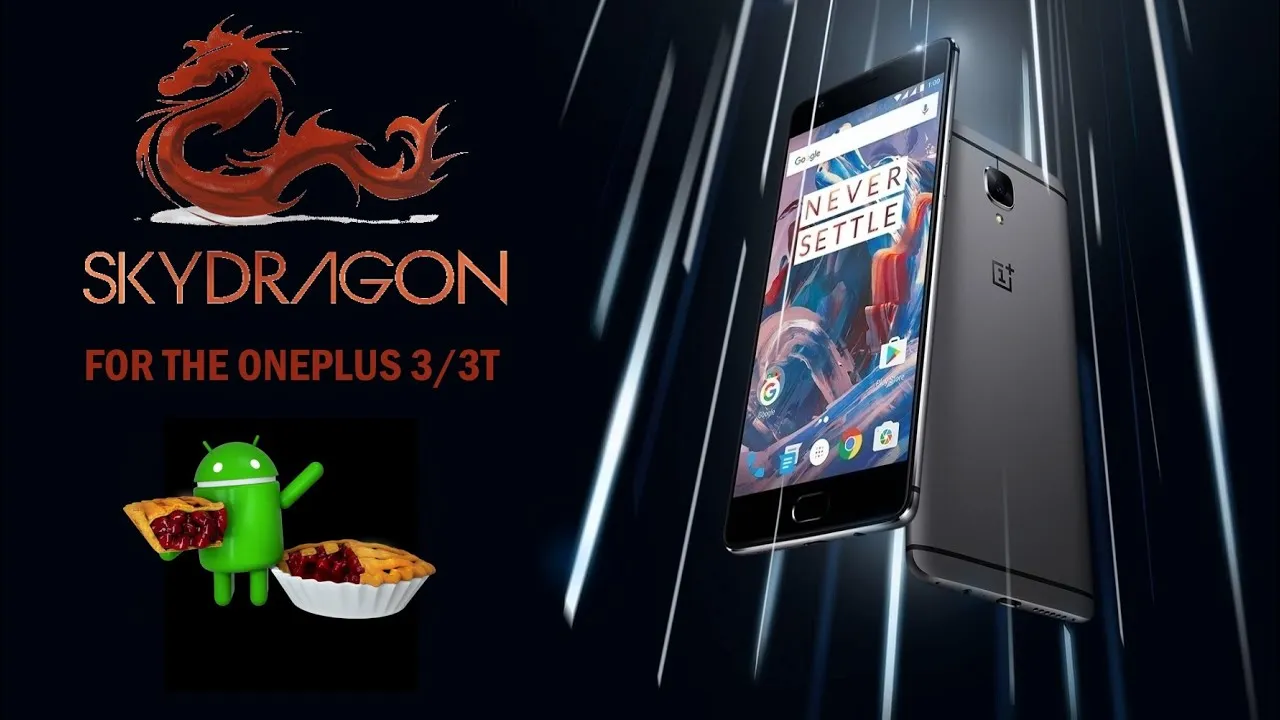
This ROM is based on AOSP source that optimized specifically for the Snapdragon 845.
Is paired it with an already optimized kernel.
About SkyDragon OS
Based on AOSP Android Version: 9.0 PQ3B.190605.006 Actually Optimized specifically for SDM845(SD845) LightningZap! Kernel Built-in Refer here SkyDragon Boot animation
SkyDragon OS Features:
Custom Theme Support
- Accents (Amber, Black, Cerulean, Crimson, Deep Purple, Emerald, Fuchsia, Green, Grey, Hot Pink, Light Blue, Lime, Maroon, Mexican Sunset, Pink, Pixel, Pumpkin, Teal, White, Yello)
- Primary/Base (Almost Black, Dark Blue, Pitch Black, White)
- Notification (Dark, Light, Match Primary)

Volume Rocker Customization
- Rocker Playback Control
- Rocker Wake Control
- Rocker Cursor Key Control
- Rocker Answer Key

Gestures
- Jump to camera on unlock (Double tap power button)
- Prevent ringing
- OP6 Navigation Gestures
- Screen-off power button Torch(long press power button)

Lock Screen Customization
- Change lockscreen bottom shortcuts
- Double tap to sleep anywhere on lockscreen
- Lockscreen charging info toggle
- Fingerprint authentication vibration toggle
- Fingerpint unlock on first boot toggle
- Lockscreen media cover art

Navigation Bar
- Navbar button layout customization (Normal, Compact, Left-leaning, Right-leaning)
- Extra left/right button customization
- Invert navbar layout
- Navbar burn-in protection toggle with shift configurable

Notifications
- Heads-up toggle
-- Heads-up time-out selectable (2/4/5/6/8/10 seconds)
-- Heads-up snooze timer selectable (Disabled/1/5/10/15/20 minutes)
-- Heads-up stoplist (block while in chosen apps)
-- Heads-up blacklist (black from apps)
- Notification light per-app configurable
- Battery charging light toggle
-- Battery light in DND mode toggle
-- Battery light blink when low toggle
-- Battery light colors
- Disable notifications while screen on toggle
- In-call vibrate on connect toggle
- In-call vibrate on call waiting toggle
- In-call vibrate on disconnect toggle

Power menu customization
- Disable on lockscreen toggle
- Menu options (Power/Restart/Advanced restart(Shortpress recovery/longpress bootloader)/Screenshot/Flashlight/Airplane/Settings/Lock Down/Users/Logout)

Quick Settings Customization
- Brightness slider toggle
- Brightness slider on bottom toggle
- QS Footer toggle
- Vibrate on qs tile touch
- Running Services Toggle
- Bluetooth battery status toggle

Recents Apps Customization
- Recents Apps Style (AOSP/PIE)
- Clear-all button toggle
- Clear-all location
- Memory Bar toggle

Status Bar Customization
- Status bar items configurable
- Double tap to sleep toggle
- Battery Icon choices (Portrait/Circle/Dotted Circle/Text/Hidden)
-- Battery percentage in icon
- Battery bar customization
-- Location (Status bar/top of navbar/bottom of navbar)
-- Battery bar style (Regular/Center-Mirrored/Reversed)
-- Battery bar thickness (1/2/3/4 dp)
-- Charging animation
-- Colors (Charging/low-high battery)
- Bluetooth battery status toggle
- Clock and Date toggle
-- Clock style (Left/Center/Right)
-- AM/PM style (Hidden/Small/Normal)
-- Show Seconds toggle
-- Date (Hidden/Small font/Normal font)
-- Date style (Normal/Lowercase/Uppercase)
-- Date format
- ADB Notification toggle
- Network Traffic toggle
-- Network traffic activity threshold configurable
- Disable VoLTE Icon
- Use oreo style mobile icons
- Use 4G instead of LTE toggle

Weather
- System service toggle
-- Update interval
-- Provider (OpenWeather Map)
-- Unit (F/C)
-- Custom Location
- Icon pack
- Statusbar Weather toggle (Hidden/Temp with image and scale/Temp with image/Temp with scale/Temp/Image)
- Lockscreen Weather toggle
- Show City Name on lockscreen
- Show Temperatue on lockscreen

Miscellaneous
- App Ops
- Sensor block per-package toggle
- System Wakelock blocker
- System alarm blocker
- Wake up on charger connected toggle
- Scrolling cache selection (Force enable/Default enable/Default disable/Force disable)
- Doze Settings configurable
-- Preset profiles (Aggressive/SkyDragon)
- Aggressive Battery Toggle

Device Features
- OP Off-screen gestures
-- Proximity check toggle
-- Tap to wake toggle
- Swap HW Keys toggle (Back/Recents)
- Vibration strength configurable
- HW Slider position customization
- Panel Modes (sRGB/Soft Color/Wide Color/HighBrightness Mode)
- Ambient Display configuration
-- Pickup toggle
-- Hand-wave toggle
-- Pocket toggle

Wifi and Network
- Sim cards toggle
- Auto hide unprovisioned sim slots

Apps & Notifications
- Show package version

Battery
- Auto reset battery stats at %99
- Reset battery stats toggle

Display
- Extra font sizes
- Extra display sizes
- Dashboard conditions toggle
- Dashboard summaries toggle

Security & Location
- Scramble Pin layout
- Quick unlock on correct pin/pass toggle

About Phone
- Viewable Changelog
- Phone Info button (*#*#4636#*#*)
With an incredible 13 million lines of code, the Linux kernel is one of the biggest open source projects in the world, possibly. Initially put together by Trovalds, the originally intended Linux kernel currently supports about 30 different architectures with no cross-platform intentions.
If you’re on XDA, you probably have heard about kernels before. The amazing custom kernel that offers a lot of features including but not limited to, more battery life, a smoother interface, maybe exFAT or OTG support, custom color controls, wake-up gestures etc. So, what exactly are custom kernels, and where did a kernel’s entire image get into Android?
Since the inception of computers and devices, there has been a three-tier interaction model.
As you can see, either way the kernel arrives at the second tier. That means that the kernel is the middle man if there is any contact between the operating system and the hardware (such as a volume increase trigger) or between the hardware and the operating system (such as an insertion of a USB device).
So, the next time you increase the volume on your Android device, what actually happens is that Android sends a request to the kernel indicating that the volume needs to be increased, and since the kernel manages the hardware, it raises the voltage for the speaker (which translates loosely into sending a request for a ‘ volume increase ‘ to the speaker); or the time you plug-in a USB device into your OTG-enab
The boot sequence for an Android device looks something like this:
BIOS->Bootloader->Kernel->Operating System.
Google wanted to go with the linux kernel when Android was brought up, a move that was rightly made. The’ mainline’ linux kernel is the kernel used in desktops that can be compiled and run from the linux branch of Trovalds, whereas the kernel of Android is a fork with (relatively) few additions off this mainline kernel. The key reason we can’t run the mainline kernel (the one running on desktops) is due to the lack of support for some of those elements that are required for Android.
The android binder, an Android-specific interprocess communication mechanism, and remote method invocation system. If android decides to write to the display, the OS and the GPU talk through the binder. That should fairly give the idea that *almost* all communications are made through binders.
ashmem/pmem/ion: memory allocators specifically designed for android
logger: to write various logs like kmsg, radio, events, etc.
wakelocks: ever wondered why you get that facebook message on your phone even though it seems to be turned off? voilà. wakelocks at work. (psst. the facebook for Android application holds a LOT of wakelocks, but that’s discussion for another day)
oom handling: OOM stands for Out Of Memory. Since Android devices run low on memory, this is a process killer, the Linux LMK (Low Memory Killer). This is what prevents the device from hanging up by clearing a few running background apps when you open too many of them.
support for YAFFS/JFFS/ file systems: If you’re running older devices, you are probably running a device with flash file systems. These are different from the conventional ext2/3 file systems, and need to be supported by the kernel.
There are various custom kernels to choose from, giving you a plethora of choices. You can either go for a high-performance, overclocked gaming kernel or a battery booster under-clocked, or go with a fair share of both. If you can’t decide, you can go ahead very well and build your own custom kernel with the features that you like since most OEMS release the kernel sources for their devices.
Why You Should Consider Using A Custom Android Kernel
Do you want your Android device to offer best performance? Or is it true that you want the best battery life? If you have already rooted your device, or even installed a custom ROM on it, checking out the domain of custom kernels might be a good idea.
The kernel is the piece of software that bridges the gap between the operating system (and applications installed) and the device’s hardware. The kernel is involved in everything that you do on your computer. Greater volume while playing a video? Android isn’t asking the speakers specifically to increase output. Alternatively, it tells the kernel it wants to increase the volume and the kernel is talking to the speaker to increase their performance.