Tag: apps

  • Restrict apps data network usage in Android

    Restrict apps data network usage in Android

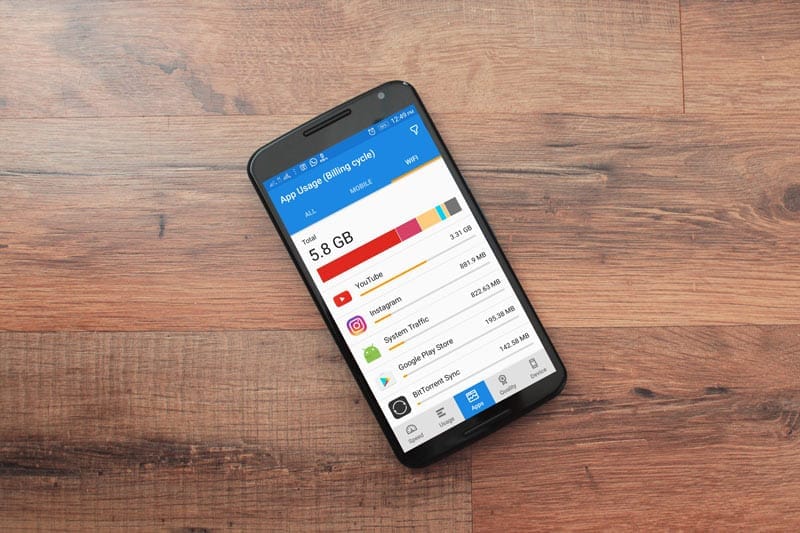
    Except for home Wi-Fi connections, all of our mobile data is limited. So, in order to avoid unnecessary consumption, we must adhere to restrictions, or we must opt for limited speed unlimited data. In the App settings, you can always limit the details. However, if you do not use the app with reduced data speed, you will need to use additional software to track and manage the app’s data speed consumption.

    You can also use this app when you have limited bandwidth and want to prioritize essential apps. However, in order to manage the software, most of the available apps need root access. However, in this article, we will show you How to Limit Apps Data Network Use in Android Without Root.

    Is network usage limit for apps needed?

    We all use our smartphones for various reasons, and not everyone has unlimited storage. Some people don’t mind keeping their mobile data linked all day, while others will need to switch on the mobile network only when necessary. Since the beginning of time, smart devices and computers have been programmed to run certain applications in the background. These apps run in the background for a variety of reasons, and they, of course, make use of network data connections. So, if you have a restricted data plan, you may want to prevent those apps from running in the background to avoid wasting data.

    This article explains the various possible ways to stop certain apps from using your mobile data or even connect to the internet (via WiFi) when you’re not using them. Interestingly, the methods explained in this article do not require you to root your device before they’d work.

    How to limit data usage

    You can restrict the bandwidth (network speed) of specific apps on your phone using certain mobile applications. If you have a restricted data plan or mobile network, this will help you save more data. It will also help to increase the internet speed; since there are only a few applications running, the speed will be significant and seamless.

    Regardless, on rooted Android devices, you can use DroidWall to set the apps that should use your data and apps that should not. DroidWall packs a bunch of features, and it only works for rooted devices. But if your Android device is not rooted, try these apps below to limit your apps’ network speed and data usage.

    Restrict background data

    Apparently, all Android smartphones support an option in its Settings page that allows you to stop background apps from using your data. This feature is placed in different sub-menus in different phones. However, the best way to find it out is using the “Search” function.

    restrict data usage

    In practice, most Android phones have a “Search Bar” in the settings page that allows you to quickly find a setting option. As a result, when you open the settings tab, tap on the search bar and type in “history info.” Select the appropriate settings option and switch on the function.

    Once enabled, no app on your smartphone can connect to the internet unless you start it. Simply put, when you minimize your Facebook or IM app, it stops using your data to sync and stops sending you new chat messages – before you open it again.

    This is the best option for many people, and it works pretty efficiently. You may not need to install a 3rd-party app anymore. Restricting background data works “device-wide,” which means it also stops background services from draining your capped mobile data. However, this feature may not be very effective; it is more effective when using the mobile network.

    NoRoot Firewall

    unnamed

    The name tells it all. This mobile application helps you build a firewall that restricts any app you select from using your network. It doesn’t require root access on the smartphone, and it is straightforward to use.

    This app has some intriguing features, such as hostname/domain name filtering, fine-grained access control, and no questionable permissions on the firewall app itself. However, one of the most significant drawbacks of this app is its inability to support LTE; it is designed to support IPv4 rather than IPv6.

    This app will function as a data privacy app, preventing such apps from sharing your personal data over the internet. It displays a warning on your smartphone whenever an app attempts to link to the internet; it is then up to you to ALLOW or DENY the app’s internet access.

    Furthermore, this app lets you create firewall filter rules based on IP address, hostname, or domain name. It is safe to use and does not pose any harm to your privacy. This app is compatible with many Android devices; the requirements vary from device to device.

    NetGuard

    unnamed 1

    This is yet another mobile app that allows you to control how your applications use your mobile data. It also does not need root access, and the interface is simple to use. The NetGuard mobile app is recommended for people who want to limit their mobile data use by only allowing those applications to connect to the internet. This act will also help to shield one’s personal data from being accessed by snoops and prying eyes on the internet.

    NetGuard is a sophisticated app that is available for free and is compatible with Android smartphones running Android 4.0 or later. Users can restrict access to the internet for specific apps through the home interface. Users can also prevent addresses from accessing WiFi or mobile network data. You will certainly handle your limited data with this app.

    Furthermore, background apps drain the battery faster, and by limiting them, you can save more data while also preventing your battery from draining faster. In general, this mobile app is simple to use, open source, and the developers guarantee that it does not monitor your data.

    Summing it up

    For certain people, the “Restrict Background Data” choice could be the better option. However, for more advanced settings, you will need a third-party program, such as the two mentioned above. Some people, however, dislike limiting background data – even though they are on a restricted plan – because they enjoy receiving real-time alerts. It all comes down to personal preference, so here’s a question for you: would you prefer limiting background data Network Use through Android settings or using a third-party app for more advanced settings?

  • Clean your phone – 6 best apps that really clean your Android device

    Clean your phone – 6 best apps that really clean your Android device

    Most people just consider cleaning up their phone when something goes wrong. While Android devices are intelligent enough that routine maintenance isn’t needed, it’s still a good idea to perform a digital tune-up every now and then. Don’t underestimate the power of keeping digitally organized—-it might just keep your phone running longer.

    The trick is to find phone cleaner applications that deliver on their promises. A bad cleaner app, at best, wastes storage space; at worst, it can infect you with malware and flood you with ads. However, not all Android cleaner apps are worthless, so we’ll help you find the ones that are.

    1. Files by Google

    files clean device

    Google’s official Android file manager includes simple tools, making it the first Android junk cleaner someone can try. To access these options, launch the app and navigate to the Clean tab at the bottom.

    Here you’ll see several areas that the app identifies as wasting space. These include Junk filesDuplicatesBacked up photos, and Unused apps. Select an option to look at what’s taking up the most space, check what you want to remove, and confirm to have the app take care of the rest.

    While you can also use the Browse tab to explore your phone’s storage manually, letting the app weed out the biggest space hogs is more efficient.

    As we’ll see, many of the apps on this list have useful cleaning features but also have RAM optimizers and other nonsense you don’t need. Files is a nice solution to these problems; it’s one of the easiest ways to clean up Android with an easy, free app that isn’t bloated with unnecessary extras.

    Download: Files by Google (Free)

    2. Droid Optimizer

    droid optimizer clean android apps

    Droid Optimizer is one of the best-known Android cleaner tools, with over a million downloads on the Google Play Store. It’s simple to use, especially for newbies, with an introduction screen that walks you through permissions and features.

    It includes a “rating scale” to encourage you to keep your device in good working order. Droid Optimizer is the perfect Android cleaner for you if you don’t mind making your own smartphone shame you into better habits.

    One tap is all you need to begin a phone cleanup. You’ll see your stats at the top of the screen; free space and RAM show next to your “rank” score, where you receive points for your cleanup actions.

    If you’d rather set it and forget it, Droid Optimizer lets you schedule routine, automatic cleaning. This auto-cleanup will clear your cache, disable background apps, and remove any unused files. It also includes a “good night scheduler” to save energy by automatically disabling features like Wi-Fi while not in use.

    Droid Optimizer can also mass-delete apps—useful if you’re looking to quickly make some space.

    It’s not the most attractive app, but it works. If you’re looking for the best Android phone cleaner app and don’t want to do much of the work yourself, Droid Optimizer should be on your shortlist.

    Download: Droid Optimizer (Free, in-app purchases available)

    3. CCleaner

    ccleaner android app

    The same well-known desktop app for reclaiming disk space is also available on Android. We’ve discussed why CCleaner isn’t an essential app for Windows anymore, as it’s gone downhill somewhat since Avast acquired the service. And while the Android app isn’t perfect either, it’s better than a lot of the other spammy cleaner apps for Android.

    Indeed, CCleaner on Android is a multifunctional app that does its best to analyze and clean up stray files taking up your precious space. The main function is the cleaner feature that can wipe cache data from apps, purge empty folders, and delete various histories.

    It also has an App Manager, which offers a simple interface that lets you pick multiple apps for uninstallation. Lastly, the System Info page monitors your phone’s resources (CPU, RAM, device details) so you can see what’s going on at a quick glance.

    There is no need for root, and it is completely free, but you can upgrade to the Pro subscription for a few extras. It may be lacking in functionality, but it does the job if all you need is a fast way to reclaim storage space on your devices.

    Download: CCleaner (Free, subscription available)

    4. All-in-One Toolbox

    All-in-One Toolbox android app

    Cleaning your phone of unwanted files is just one step in the process. What about keeping track of your battery, CPU temperature, or those annoying mobile ads? The All-In-One Toolbox, as the name suggests, will do it all.

    It will clean your Android device’s temporary files, wipe your cache, and delete empty folders and orphaned files. It only takes one tap to examine your system, followed by another to uninstall, and you’re done. It’s the same mechanism in other parts of the app.

    The Boost function cleans your system cache and closes background apps, again with two taps. You can set this automatically with the Boost+ function if you’d prefer, but doing so requires an in-app purchase. If you’re running out of juice, the Battery Saver section is another background task killer (see below for a warning on this), but it also provides your current battery statistics.

    If that wasn’t enough, there’s also a mass app deleter, advanced file cleaning tools, and Wi-Fi analysis. As its name promises, All-In-One Toolbox tries to do it all. Like Droid Optimizer, there’s also a ranking system to encourage regular use.

    Download: All-in-One Toolbox (Free, in-app purchases available) | All-In-One Toolbox Pro ($15.99)

    5. SD Maid

    sd maid android app

    SD Maid claims to be “at your service” as the digital cleaner for your Android phone. It keeps the experience simple—opening up the app gives you four quick action features you can use to “tidy up” your device.

    The first, CorpseFinder, searches for and erases any orphaned files or folders left over from deleting an app. SystemCleaner is another search-and-delete tool, this time looking for common files and folders that SD Maid believes it can safely delete.

    If this sounds appealing, AppCleaner does the same thing with your games. To use this feature, you must first upgrade SD Maid Pro. There’s even a Databases section to further simplify any app databases in use—-in our test, this cleared 40MB from Spotify.

    There are also tools for storage analysis (to help you find and delete big files) and mass app removal if you’re looking at a bigger phone tune-up.

    Download: SD Maid (Free, in-app purchases available) | SD Maid Pro ($4)

    6. Norton Clean

    norton cleaner android app 1

    Aside from CCleaner (owned by Avast), none of these cleaner apps come from top-tier security firms. The search for the best cleaning app for Android can’t conclude without mentioning Norton Clean, the Android little brother of the famous Norton Antivirus from Symantec.

    Norton says that it will “clear the clutter” from your Android computer. It will scan for and wipe your cache, delete any junk files, and assist you in quickly removing any unused applications you have installed, just like the other entries. The Manage Apps section lists all of your apps and allows you to group them by last use, installation date, or storage use.

    The software takes a straightforward approach. Norton Clean has one of the cleanest, strongest, and most modern-looking user interfaces as compared to the other entries. Anything you need is just a few taps away, so you don’t need to be an Android expert to find it out.

    It’s lacking in functionality, consisting only of a file cleaner and app remover, with popular advertisements for other Norton applications. If you’re concerned about space, Norton Clean is simple enough to use to help you reclaim it. There are no in-app purchases or subscriptions to think about.

    Download: Norton Clean (Free)

    Keeping Android Clean and Tidy

    Regular maintenance isn’t vital for most Android users, but it can help to keep your device running smoothly. Yes, it’s true—your device should keep running even if you don’t spend time clearing out junk. Most modern Android devices have plenty of RAM and device storage to cope with anything you have installed or saved. You shouldn’t need to spend your days clearing app cache, either.

    That said, if you notice there’s a problem with your Android device, an Android cleaner could perk it up a little. If that doesn’t work, you might need to try manual cleaning next.

  • Customize chat list gestures in Telegram

    Customize chat list gestures in Telegram

    They’re useful for triaging messages and reminders that you don’t want or need to focus on, whether they’re used for navigating the operating system as implemented in Android 10 or for quickly performing tasks in apps like Gmail or Twitter. Swipe gestures are also useful if you, like me, choose to use your phone with one hand. That’s why I was ecstatic when Telegram revealed that users could now customize the swipe gestures available on the messages home screen. If you want to see what choices are open to you and learn how to customize Telegram chat list swipe movements, keep reading!

    Customize chat list swipe gestures in Telegram

    1. Open the Telegram app.
    2. Tap on the settings menu in the top left corner (three lines).
    3. Tap on Settings.
    4. Tap on Chat Settings.
    5. Scroll down until you see the Chat list swipe gesture options.
    6. Scroll through the options including Archive, Mute, Delete, Pin, and Read.
    7. Tap to select your preference, and then go back to the app’s home screen.

    Now when you go back and swipe on a chat, the new swipe behavior should be reflected.

  • Free and on-sale apps and games for this Wednesday

    Free and on-sale apps and games for this Wednesday

    After a busy weekend, it looks like sales have slowed down for the middle of the week. Luckily we still have a few standout titles. As always, we’ve highlighted all of the interesting titles in bold green text in order to make discovery easier. So without further ado, here are 14 temporarily free and 19 on-sale apps and games for the middle of the week.

    Free

    Apps

    1. Dark screen filter – Blue light – Night mode $0.99 -> Free; Sale ends in 1 day
    2. HD voice recoder pro $2.99 -> Free; Sale ends in 5 days

    Games

    1. Dragon Raid (Hardcore – idle rpg) $2.99 -> Free; Sale ends in 6 days
    2. Galaxy Attack: Alien Shooter (Premium) $0.99 -> Free; Sale ends in 6 days
    3. Sword Knights : Idle RPG (Magic) $1.49 -> Free; Sale ends in 6 days
    4. Tap Town Premium (idle RPG) – Magic $0.99 -> Free; Sale ends in 6 days
    5. War 1944 VIP : World War II $2.99 -> Free; Sale ends in 6 days
    6. Warriors’ Market Mayhem VIP : Offline Retro RPG $0.99 -> Free; Sale ends in 6 days
    7. Buff Knight Advanced – Retro RPG Runner $1.99 -> Free; Sale ends in 7 days
    8. Defense Heroes Premium: Defender War Tower Defense $0.99 -> Free; Sale ends in 7 days
    9. Mystic Guardian PV: Old School Action RPG $3.49 -> Free; Sale ends in 7 days
    10. Theme Solitaire Tripeaks Tri Tower PV $3.49 -> Free; Sale ends in 7 days
    11. WindWings: Space shooter, Galaxy attack (Premium) $1.99 -> Free; Sale ends in 7 days

    Icon packs & customization

    1. GIN Icon Pack – Get It Now $0.99 -> Free; Sale ends in 4 days

    Sale

    Apps

    1. Smart Notify Unlocker $3.99 -> $2.49; Sale ends in 2 days
    2. Music Player Pro (Paid – No Ads) $4.49 -> $1.49; Sale ends in 5 days
    3. NoteLynX Pro Outliner Mindmap Wiki $2.99 -> $1.99; Sale ends in 6 days
    4. Password Manager Pro $4.49 -> $1.99; Sale ends in 6 days
    5. Scalar Pro — Most Advanced Scientific Calculator $2.49 -> $0.99; Sale ends in 6 days
    6. Bass Engineer $2.49 -> $0.99; Sale ends in 7 days

    Games

    1. Castles of Mad King Ludwig $7.99 -> $0.99; Sale ends in 11 hours
    2. Slaughter 3: The Rebels $5.00 -> $0.99; Sale ends in 6 days
    3. 7Days: Offline Mystery Puzzle Interactive Novel $3.99 -> $1.99; Sale ends in 7 days
    4. Buff Knight – Offline Idle RPG Runner $1.99 -> $0.99; Sale ends in 7 days
    5. Super8Pro (NE$/FC Emulator) $2.99 -> $1.99; Sale ends in 7 days
    6. Underworld Office: Offline Mystery Visual Novel $6.99 -> $2.99; Sale ends in 7 days
    7. Boom: Block Puzzle $5.00 -> $1.00; Sale ends in ?

    Icon packs & customization

    1. Flat Pie – Icon Pack $1.99 -> $0.99; Sale ends in 2 days
    2. AlineT Icon Pack – linear icons + transparent fill $1.99 -> $0.99; Sale ends in 4 days
    3. Pixly Vintage – Icon Pack $2.49 -> $0.99; Sale ends in 6 days
    4. X Launcher Pro $1.99 -> $0.99; Sale ends in 6 days
    5. MIU! 12 Circle Fluo – Icon Pack $2.49 -> $0.99; Sale ends in 7 days
    6. Pixly 3D – Icon Pack $2.49 -> $1.19; Sale ends in 7 days
  • Top 5 battery saver apps for Android

    Top 5 battery saver apps for Android

    In this tech-savvy era, we depend heavily on our phones even for the most mundane tasks. Our biggest challenge is making sure the battery lasts almost an entire day, however, it is immensely difficult to find an application that saves you battery since most battery saver measures are manual.

    The best way to conserve battery is to first understand what is causing the battery drainage and then take the appropriate measures such as decreasing the brightness on your screen, reducing the frequency that apps sync data, use dark mode, and more. In case you are looking for apps to fix your battery issue then keep reading! We have picked the most effective and reliable battery saver apps for Android.

    1.      Battery Guru

    battery saver battery guru

    Battery Guru is one of the most premium battery saver applications. It aids in battery conservation but not in the way you would think. It does not work like booster apps or service terminators. The app provides you with helpful information such as battery temperature limits and charging limits so you don’t wear out your battery sooner.

    Moreover, there are a few battery-saving modes that can help reduce battery drain so you won’t have to charge often. There is even a Doze Mode customization tool that makes the app more aggressive. The app has a free and paid version for $19.99.

    2.      Greenify

    greenify

    Greenify is one of the known battery saver applications. It identifies apps that wake up your phone more frequently and gives you the tools to prevent apps from doing this often. The app has some intuitive and interesting features including Android Nougat and beyond with Aggressive Doze and Doze modes.

    This particular application has two versions, the free version which has almost all the premium features, and a paid version for $2.99 for support development.

    3.      GSam Battery Monitor

    gsam battery mnonitor

    GSam Battery Monitor is another popular choice for battery saving. The app itself does not do much on its own to conserve battery but instead provides you with information about the apps draining your battery. Consequently, that information can be utilized to improve your own battery life. Its features providing information regarding wakelocks, wake time, and even CPU and sensor data.

    It is worth mentioning that the latest version caused minor issues. However, it still gets the job done. This application has a free version and a paid version for $2.49.

    4.      Servicely

    servicely battery saver

    Servicely is one of the top battery saver applications. It works by stopping services that run in the background. It helps prevent odd apps from going insane and keeps them from syncing all the time. This is ideal if you do not want your applications to sync all the time. There might be a delay in certain notifications from apps that have been prevented from syncing hence use it with caution.

    Additionally, this app works well with wakelock detectors as a potent one-two punch. It’s highly configurable with enough options to make it work how you want. You can opt for the free version of the paid one for $13.99.

    5.      Wakelock Detector

    Wakelock Detector is another top-notch battery saver app. The main function of this application is to aid in the detection of wakelocks. It can detect both partial and full wakelocks. You can also get a list of all the apps that are causing it. From there, you can take steps to uninstall the apps or find replacements.

    There is a free version available and a paid version for $1.99.

    Alternative methods to conserve battery:

    There are a lot of native features on Android that aid in battery conservation. By enabling Doze Mode your entire device goes into hibernation. Apps can only sync occasionally and in batches as dictated by the OS. Thus, it loads battery life. Whereas, App Standby restricts data usage by apps you don’t use very often for additional savings.

    These features are enabled by Android automatically hence there is almost no room for customization. Further methods include;

    •  Uninstall apps you don’t use
    • Lower your screen brightness
    •  Use black mode, wallpapers, etc on OLED screens
    • Avoid playing games
    • Avoid using Cellular Data
    • Get rid of duplicate photos/videos
    • Turn off connections you’re not using such as Bluetooth
    •  Use battery saving modes on your phone
    •  Don’t use vibration or haptic feedback
    • Don’t use booster apps
    • Turn off 5G if you can

    Summing Up

    All of the above-mentioned applications are ideal for battery conservation. The most preferable manner to save battery to uninstall unnecessary apps and get rid of duplicate functionality applications. Instead of downloading apps to conserve battery, try using Android’s native features such as limiting screen brightness, avoid using cellular data, use battery-saving mode as often as possible, and much more.

  • Free and on-sale apps for this Wednesday, 24.02

    Free and on-sale apps for this Wednesday, 24.02

    Free

    Apps

    1. Equalizer & Bass Booster Pro $1.99 -> Free; Sale ends in 2 days
    2. Equalizer – Bass Booster pro $1.99 -> Free; Sale ends in 2 days
    3. Equalizer – Bass Booster – Volume Booster Pro $1.99 -> Free; Sale ends in 2 days
    4. Equalizer FX Pro $1.99 -> Free; Sale ends in 2 days
    5. Global Equalizer & Bass Booster Pro $1.99 -> Free; Sale ends in 2 days
    6. Manual Camera : DSLR – Camera Professional $4.99 -> Free; Sale ends in 3 days
    7. Contacts Widget – Quick Dial Widget – Speed Dial $0.99 -> Free; Sale ends in 6 days
    8. Emazao Crop and Livestock $1.99 -> Free; Sale ends in 6 days
    9. Fast Video Splitter for Whatsapp status $0.99 -> Free; Sale ends in 7 days
    10. Greeting Photo Editor- Photo frame and Wishes app $3.99 -> Free; Sale ends in 7 days

    Games

    1. Druid $0.99 -> Free; Sale ends in 1 day
    2. The Choice of Life: Middle Ages $1.99 -> Free; Sale ends in 1 day
    3. Freelancer 2: Idle gamedev life simulator [VIP] $0.99 -> Free; Sale ends in 4 days
    4. Retro Pixel – Hardcore platformer $5.49 -> Free; Sale ends in 4 days
    5. Unwanted Gray $1.99 -> Free; Sale ends in 4 days
    6. Brain Card Game – Xbar10n $1.89 -> Free; Sale ends in 5 days
    7. Block Puzzle $3.99 -> Free; Sale ends in 6 days
    8. Bricks Breaker Pro : No Ads $3.99 -> Free; Sale ends in 6 days
    9. Classic Sudoku PRO(No Ads) $1.99 -> Free; Sale ends in 6 days
    10. Flippy Geometry 3D Puzzle meditation game $0.99 -> Free; Sale ends in 6 days
    11. League of Stickman 2-Sword Demon $0.99 -> Free; Sale ends in 6 days
    12. Mermaid Treasure Hunting(No ads) – Match3 puzzle $1.99 -> Free; Sale ends in 6 days
    13. Retro Pixel Classic $1.49 -> Free; Sale ends in 6 days
    14. WindWings: Space shooter, Galaxy attack (Premium) $1.99 -> Free; Sale ends in 6 days
    15. BattleTime: Ultimate $1.99 -> Free; Sale ends in 7 days
    16. Emoji Quiz – Combine emojis & guess words $0.99 -> Free; Sale ends in 7 days
    17. Legend Guardians: Epic Heroes Fighting Action RPG $0.99 -> Free; Sale ends in 7 days
    18. Riddle Me 2020 – A Game of Riddles $0.99 -> Free; Sale ends in 7 days

    Icon packs & customization

    1. Simple Photo Widget – Photo Widget – Gallery photo $0.99 -> Free; Sale ends in 2 days
    2. One UI Icon Pack – Samsung Icons & Wallpapers $0.99 -> Free; Sale ends in 3 days
    3. Lines Square – Neon icon Pack $0.99 -> Free; Sale ends in 7 days

    Sale

    Apps

    1. ShootAssist $10.99 -> $5.49; Sale ends in 7 hours
    2. Car Costs Complete: consumption- and cost-control $2.70 -> $0.99; Sale ends in 2 days
    3. Swiftly switch – Pro $4.99 -> $1.99; Sale ends in 2 days
    4. The three little pigs $1.99 -> $0.99; Sale ends in 4 days
    5. Rapid Notifications Blocker PRO $2.49 -> $0.99; Sale ends in 5 days
    6. Screen Repair and Calibrator Pro $5.49 -> $2.99; Sale ends in 5 days
    7. Call Notes Pro – check out who is calling $5.99 -> $1.99; Sale ends in 6 days
    8. Display Calibration Pro $5.49 -> $2.99; Sale ends in 6 days
    9. Flowdia Diagrams $9.99 -> $4.49; Sale ends in 6 days
    10. Joystick Mouse Adapter $5.99 -> $0.99; Sale ends in 6 days
    11. Copy Paste Any Text Instantly $3.99 -> $2.99; Sale ends in ?

    Games

    1. Angelo and Deemon: One Hell of a Quest (Full) $3.99 -> $2.49; Sale ends in 6 days
    2. Endurance: dead space (Premium) $2.49 -> $1.49; Sale ends in 6 days
    3. Mathematiqa – Math Brain Game Puzzles And Riddles $5.49 -> $2.99; Sale ends in 6 days
    4. Mega Adventure – Platform retro adventure $2.49 -> $0.99; Sale ends in 6 days
    5. Mega Maker $3.99 -> $0.99; Sale ends in 6 days
    6. Z.O.N.A Shadow of Lemansk Post-apocalyptic shooter $2.99 -> $0.99; Sale ends in 6 days
    7. When Silence Fell – A Dark Interactive Story $2.49 -> $1.69; Sale ends in 7 days

    Icon packs & customization

    1. Caelus Black Icon Pack – Black Linear Icons $1.99 -> $0.99; Sale ends in 2 days
    2. Caelus Icon Pack – Colorful Linear Icons $1.99 -> $0.99; Sale ends in 2 days
    3. Caelus White Icon Pack – White Linear Icons $1.99 -> $0.99; Sale ends in 2 days
    4. Sagon Circle Icon Pack: Dark UI $1.99 -> $0.99; Sale ends in 4 days
    5. Diamond – Icon Pack $1.99 -> $0.99; Sale ends in 7 days
    6. Olympia Sticker – Icon Pack $1.99 -> $0.99; Sale ends in 7 days
    7. Rubuk – Icon Pack $1.99 -> $0.99; Sale ends in 7 days
  • Bypass SafetyNet hardware attestation with an unlocked bootloader

    Bypass SafetyNet hardware attestation with an unlocked bootloader

    Over the last few years, the challenge of bypassing SafetyNet Attestation has evolved from a simple cat and mouse game between Google and the modding community to a burgeoning battle full of obscure barriers. Thanks to the rise of hardware-backed certification techniques, it is very difficult to bypass the boot image integrity verification routine and hide root access. Installing Magisk on its own would not be enough to circumvent the latest update to SafetyNet, especially on newer devices. This is where the Universal SafetyNet Fix Magisk module comes in.

    While legacy device owners, as well as custom ROM users, often use modules such as MagiskHide Props Config to spoof the CTS profile to pass basic certification, as long as the method in question relies on a valid combination of device and model names, fingerprint building, and security patch levels, there is no guarantee that the root hiding trick will remain useful in the future. This is due to the fact that Google Play Services is starting to use CTS profile validation hardware certification in many cases, even when a basic certificate is selected.

    In case you have an Android device that has an unlocked bootloader (or locked using custom verified boot keys) and thus doesn’t pass hardware attestation, then the Universal SafetyNet Fix Magisk module may fix that. Created by Danny Lin AKA XDA Senior Member kdrag0n, the module works by taking advantage of the opportunistic nature of the hardware attestation routine. Quoting the developer:

    … it (hardware attestation) falls back to basic attestation if key attestation fails to run — and prevent GMS from using key attestation at the framework level. This causes it to gracefully fall back to basic attestation and pass SafetyNet with an unlocked bootloader.

    The “not implemented” error code from Keymaster is used to simulate the most realistic failure condition to evade detection, i.e. an old device that lacks support for key attestation.

    The workaround is already available pre-integrated on the ProtonAOSP ROM from the same developer, which lets you pass SafetyNet without Magisk on fairly modern devices such as the Google Pixel 5. If you are a custom ROM maintainer and you wish to integrate this method with your build, you can do so by cherry-picking the necessary patches from this repository. On the other hand, the latest version of the ready-to-flash Magisk Module variant can be found here. Note that MagiskHide is still required if the target device is rooted.

    Universal SafetyNet Fix: XDA Thread ||| GitHub Repo

  • Free and on-sale apps and games on Google Play Store

    Free and on-sale apps and games on Google Play Store

    Welcome to Friday, everyone. Things may be slow, but I still have a few highlights to share with everyone. Both Doom & Destiny and Doom & Destiny Advanced are currently available at a discount. And if RPGs don’t float your boat, perhaps GoBlox Premium will scratch your puzzle itch. As always, I’ve highlighted all of the interesting titles in bold green text in order to make discovery easier. So without further ado, here are 19 temporarily free and 22 on-sale apps and games for the end of the week.

    Free

    Apps

    1. QR and Barcode Scanner PRO $1.99 -> Free; Sale ends in 6 days
    2. Shortcut Manager – Pin shortcuts @ home screen $0.99 -> Free; Sale ends in 6 days
    3. Flashcard Baby (No Ads) $2.99 -> Free; Sale ends in 7 days

    Games

    1. Assassin Lord : Idle RPG (BUFF) $1.99 -> Free; Sale ends in 6 days
    2. Dungeon Corporation P : (An auto-farming RPG game) $1.99 -> Free; Sale ends in 6 days
    3. FASTAR VIP – Shooting Star Rhythm Game $0.99 -> Free; Sale ends in 6 days
    4. GoBlox: Premium $0.99 -> Free; Sale ends in 6 days
    5. Kamikazee Dice Score Card $0.99 -> Free; Sale ends in 6 days
    6. Knife Club: Premium $2.99 -> Free; Sale ends in 6 days
    7. Sniper Battle – Call of Commando Shooting Games 3D $1.99 -> Free; Sale ends in 6 days
    8. Stickman Legends: Shadow War Offline Fighting Game $0.99 -> Free; Sale ends in 6 days
    9. Survival Derby 3D – car racing & running game $0.99 -> Free; Sale ends in 6 days
    10. Burning Fortress 2 $1.00 -> Free; Sale ends in 7 days

    Icon packs & customization

    1. Coral $0.99 -> Free; Sale ends in 5 days
    2. Minka Dark – Icon Pack $0.99 -> Free; Sale ends in 6 days
    3. Pixel Net White – Icon Pack $0.99 -> Free; Sale ends in 6 days
    4. Xperia Theme – Fujiyama Night $1.99 -> Free; Sale ends in 6 days
    5. Video Gallery – HD Video Live Wallpapers $1.49 -> Free; Sale ends in 7 days
    6. Wallpapers Gallery – HD Wallpapers & Backgrounds $1.49 -> Free; Sale ends in 7 days

    Sale

    Apps

    1. MongoLime – MongoDB client $3.99 -> $2.49; Sale ends in 6 days
    2. Pocket Note Pro – a new type of notebook $3.99 -> $1.99; Sale ends in 6 days
    3. Pencil Sketch HD $4.49 -> $2.49; Sale ends in 7 days
    4. Aubade Audio Studio $4.49 -> $2.49; Sale ends in ?
    5. DriveMate Fuel $1.37 -> $0.99; Sale ends in ?

    Games

    1. BotSumo: Battle Arena 2-player $1.49 -> $0.99; Sale ends in 5 days
    2. Devils & Demons – Arena Wars Premium $2.99 -> $0.99; Sale ends in 5 days
    3. Farm Invasion USA – Premium $2.99 -> $0.99; Sale ends in 5 days
    4. Pandemia: Virus Outbreak $3.49 -> $0.99; Sale ends in 6 days
    5. Doom & Destiny $4.99 -> $0.99; Sale ends in 7 days
    6. Doom & Destiny Advanced $4.99 -> $0.99; Sale ends in 7 days
    7. Green Project $5.99 -> $3.84; Sale ends in 7 days

    Icon packs & customization

    1. Bliss – Icon Pack $1.49 -> $0.99; Sale ends in 6 days
    2. Dock 3D – Icon Pack $1.99 -> $0.99; Sale ends in 6 days
    3. Dock Circle 3D – Icon Pack $1.99 -> $0.99; Sale ends in 6 days
    4. Garis Light – Lines Icon Pack $1.99 -> $0.99; Sale ends in 6 days
    5. Sunlight – Icon Pack $2.49 -> $0.99; Sale ends in 6 days
    6. Alexis Pie Icon Pack: Clean and Minimalistic $1.99 -> $0.99; Sale ends in 7 days
    7. Color OS – Icon Pack $1.99 -> $0.99; Sale ends in 7 days
    8. Emui – Icon Pack $1.99 -> $0.99; Sale ends in 7 days
    9. Painting – Icon Pack $1.99 -> $0.99; Sale ends in 7 days
    10. Verticons Icon Pack $1.79 -> $0.99; Sale ends in 7 days
  • 21 temporarily free and many on-sale apps and games

    21 temporarily free and many on-sale apps and games

    Free

    Apps

    1. Color Wheel $1.99 -> Free; Sale ends in 8 hours
    2. Football Pro: Soccer Scores, Football News, Videos $1.49 -> Free; Sale ends in 4 days
    3. Relaxing Sleep Sounds PRO $0.99 -> Free; Sale ends in 4 days
    4. Simpan – Note various needs $3.99 -> Free; Sale ends in 5 days
    5. BitProject $0.99 -> Free; Sale ends in 6 days
    6. Bookmark Manager – Website favorites manager $0.99 -> Free; Sale ends in 7 days
    7. MultiPro: GoPro ProTune Bluetooth Remote $1.49 -> Free; Sale ends in 7 days
    8. Forecaster – visual, accurate weather for the week $2.49 -> Free; Sale ends in ?

    Games

    1. Memory Game – Official $0.99 -> Free; Sale ends in 5 days
    2. New Math Puzzles for Geniuses 2021 $0.99 -> Free; Sale ends in 5 days
    3. Defense Warrior Premium: Castle Battle Offline $0.99 -> Free; Sale ends in 6 days
    4. Grow Zombie VIP – Merge Zombies $0.99 -> Free; Sale ends in 6 days
    5. Heroes Defender Fantasy – Epic Tower Defense Game $0.99 -> Free; Sale ends in 6 days
    6. Superhero Fruit Premium: Robot Wars Future Battles $0.99 -> Free; Sale ends in 6 days
    7. Sword Warriors Premium: Heroes Fight – Epic Action $0.99 -> Free; Sale ends in 6 days
    8. Tap Legend Premium: Hero Fight Offline $0.99 -> Free; Sale ends in 6 days
    9. Even and Odd Premium $0.99 -> Free; Sale ends in 7 days
    10. One Line Deluxe VIP – one touch drawing puzzle $1.99 -> Free; Sale ends in 7 days
    11. Sakura girls Pro: Anime love novel $0.99 -> Free; Sale ends in 7 days
    12. Shape Puzzle (Ads Free) $0.99 -> Free; Sale ends in 7 days
    13. truTV Impractical Jokers Wheel of Doom $3.99 -> Free; Sale ends in ?

    Sale

    Apps

    1. Math Studio $3.99 -> $1.99; Sale ends in 3 days
    2. Melody Engineer $4.49 -> $2.49; Sale ends in 4 days
    3. Money Manager – Expense Tracker, Personal Finance $3.49 -> $2.39; Sale ends in 5 days
    4. YoWindow Weather – Unlimited $9.99 -> $5.99; Sale ends in 5 days
    5. Ba Financial Calculator plus $5.99 -> $2.99; Sale ends in 6 days
    6. Classic eReader – book reader $2.99 -> $1.99; Sale ends in 6 days
    7. EvoWallet – Money Tracker [Premium] $1.49 -> $0.99; Sale ends in 6 days
    8. Logo Maker Graphic Design & Logo Templates Pro $19.99 -> $13.99; Sale ends in 6 days
    9. Prometheus News Feeds $2.99 -> $1.99; Sale ends in 6 days
    10. Gym Coach | Gym Trainer workout for Beginners Pro -> $1.99;

    Games

    1. Imperial Settlers: Roll & Write $3.99 -> $1.99; Sale ends in 8 hours
    2. Neuroshima Convoy card game $4.99 -> $1.99; Sale ends in 8 hours
    3. Tides of Time $5.49 -> $0.99; Sale ends in 8 hours
    4. Tunn – the smallest game in the world $1.99 -> $0.99; Sale ends in 4 days
    5. 112 Operator $7.99 -> $3.99; Sale ends in 5 days
    6. 911 Operator $6.49 -> $2.99; Sale ends in 5 days
    7. A Street Cat’s Tale : support edition $2.49 -> $0.99; Sale ends in 5 days
    8. BE-A Walker $4.99 -> $2.49; Sale ends in 5 days
    9. Dodge Blast $1.99 -> $0.99; Sale ends in 5 days
    10. Radio Commander $6.49 -> $2.99; Sale ends in 5 days
    11. Shattered Plane: Turn-Based Strategy Game $4.99 -> $0.99; Sale ends in 5 days
    12. Baldur’s Gate: Enhanced Edition $9.99 -> $4.49; Sale ends in 6 days
    13. Baldur’s Gate II $9.99 -> $4.49; Sale ends in 6 days
    14. Civilization Path $1.49 -> $0.99; Sale ends in 6 days
    15. Despotism 3k $3.49 -> $1.49; Sale ends in 6 days
    16. PowBall Renaissance $1.99 -> $0.99; Sale ends in 6 days
    17. Warhammer Quest $3.99 -> $0.99; Sale ends in 6 days
    18. End Space $10.99 -> $5.99; Sale ends in 7 days
    19. Hot Guns $1.99 -> $0.99; Sale ends in 7 days
    20. Lemegeton Master Edition $9.99 -> $0.99; Sale ends in 7 days
    21. Mindcell $5.00 -> $0.99; Sale ends in 7 days
    22. Super64Pro (N64 Emulator) $3.99 -> $2.49; Sale ends in 7 days

    Icon packs & customization

    1. STOKiE PRO: HD Stock Wallpapers & Backgrounds $2.49 -> $0.99; Sale ends in 8 hours
    2. Hera Dark Icon Pack – Circle Shaped Dark Icons $1.99 -> $0.99; Sale ends in 4 days
    3. Vera Outline Icon Pack – outline icons $1.99 -> $0.99; Sale ends in 4 days
    4. Madness Substratum [Q | ANDROID 10] $1.99 -> $1.29; Sale ends in 6 days
    5. Material Reborn Icon Pack $1.49 -> $0.99; Sale ends in 6 days
    6. Metal Redefined Icon Pack | Metallic Icons $1.49 -> $0.99; Sale ends in 6 days
    7. Pix Material Dark Icon Pack $1.49 -> $0.99; Sale ends in 6 days
    8. Pix Material Icon Pack $1.49 -> $0.99; Sale ends in 6 days
    9. Pix-Pie Icon Pack $1.99 -> $0.99; Sale ends in 6 days
    10. Joy Walls ツ – 4k Wallpapers App $1.99 -> $0.99; Sale ends in 7 days
  • 14+ must have apps on your Android smartphone

    14+ must have apps on your Android smartphone

    Have you just got a new Android smartphone for your holidays? It might be a little overwhelming if it’s your first one, so to get you started, here are some apps you should install or set up on a new Android device immediately.

    Alternatively, it might be time to give them a shot if you’re not already using these apps!

    Google Messages (RCS)

    google messages rcs apps

    Messaging has historically been a sore point among Android smartphones in the US at least. Fortunately, Google has been working hard to address that in recent months and now, as of this year, the solution known as RCS (Rich Communication Services) is open to every Android smartphone in the world.

    How can you get your computer with RCS and, more importantly, what’s the advantage? Firstly, the advantage is that RCS is much more capable than SMS/MMS. Better quality photos can be submitted, typing indications, and more all arrive with RCS. Team chats are now having a big update as well. RCS is like Apple’s iMessage, essentially, just for Android phones.

    All you need to do is update Google Messages to get RCS on your Android phone. The free app is an SMS app at its heart, but it can also allow RCS messaging on any carrier and any Android smartphone in select countries, including the US. Just download it, set it as your default SMS app, and wait until the RCS prompt is switched on.

    Telegram & Discord

    telegram and discors

    You should go beyond the standard RCS and SMS if you want an app for even better messaging. One of our favourite messaging apps is Telegram and it functions a lot like the super famous WhatsApp. However, unlike that app, Telegram runs easily on several smartphones or tablets at one time and instantly backs up all your messages. Plus, all is always end-to-end encrypted and you have available both voice and video calls.

    Another great networking option is Discord, which provides private messages and “servers” to host a few friends or hundreds, all with rooms and chat managers. It’s a fantastic experience, and one that’s excellent for gamers in particular.

    Google Duo

    googe duo

    2020 has been a wild year, but sadly, with a pandemic already going on, we are entering 2021. With that in mind, one of the easiest and safest ways to stay in contact with loved ones is still with video calling apps.

    Google Duo is one of the best Android video-calling applications. The totally free app allows starting video calls on Android phones and tablets as well as Chromebooks, laptops, and even iOS devices super fast. Think of it as Facetime for Apple, but not locked up to one ecosystem.

    The app works with your phone number or email address and on certain devices it features fun filters and even screen sharing. However, the best function might be just how well it operates on less-than-ideal connections.

    Zoom

    ne of the most popular video calling/conferencing tools during the pandemic so far has been Zoom. By its popularity alone, this is an app you should have installed. The service offers meetings that you can connect to with just a link or a password, easily connecting with loved ones, friends, or using it for business meetings. Many schools are also using Zoom for remote learning. It’s a powerful app, and one that’s not going to cost you anything unless you’re the one hosting.

    Meet, Skype, Facebook Messenger

    Other great apps for video calling going into 2021 include:

    • Google Meet, an app that works a lot like Zoom but is attached to your Google account and is very popular especially with schools.
    • Skype, one of the original video calling apps that still works great especially for friends and family.
    • Facebook Messenger, a service that lots of people in the US currently use and has an excellent video calling option alongside its messaging features.

    Google Photos

    download

    One of the first things you should install on a new Android smartphone – or an iPhone for that matter – is Google Photos. For the vast majority of Android users, the app will be pre-installed on your device, but you’ll still need to get things set up.

    To do that, simply open the app, sign in with your preferred Google account, and decide on backup options. Photos will automatically backup your pictures and videos in the background, but you’ll need to tell it if you want that done over Wi-Fi only or on cellular data as well.

    From there, you’ll just need to decide on quality. For the next several months, everything is backed up to Google Photos with no limits for “high-quality,” slightly compressed backups, but in June you’ll need a Google One subscription to store anything past 15GB of data.

    If you want to backup your photos outside of Google, one of the best options is Amazon Photos which provides no-frills backups and, for Prime customers, unlimited storage for photos.

    Gboard

    The keyboards pre-installed on a lot of Android smartphones that are most popular today are, well, not nice. In particular, we have particular qualms about LG, but in any case, you can get more features and improved functionality from a different keyboard in many cases.

    Our top selection? Gboard of Google’s own. This keyboard has a fantastic layout that supports features such as gesture/swipe typing, GIF search and input, and so much more, and is convenient for typers of all types. There are also special features, such as the recent inclusion of the “Emoji Kitchen” that can produce some wacky emoji stickers on the fly. You may also subject Gboard to the desire of your heart.

    Put simply, it’s an excellent keyboard that’s totally free and, if it wasn’t already on your phone, it’s one you should absolutely try.

    Find My Device

    Here’s another app that every new Android device should already be loaded on. “Find my device” is an app from Google designed to help you keep track of your smartphone if it is lost. If, for some reason, the app isn’t activated on your computer, it is available through the Play Store.

    When you open Find My Laptop, a Google account will prompt you to sign in and enter your password as well. You’ll be able to see your computer as well as any others connected to your account until that’s completed. Any computer on your account can then ring, lock, or scrub. The same goes for your new phone, some other Android device you own, an Android phone from a friend, or even just a web browser.

    As a side note, in Google Play Services, the key feature of actually locating your phone with this app is on by default, but you can get a little more access using the app as well as being able to locate your other Android devices via the app as well as helping friends find their phones.

    Google One

    google one

    If you do lose or break your phone, you don’t have to lose your data. That’s where Google One comes in handy. With any Google One storage plan (starting at just $2/month), you’ll get improved backups of your phone. By default, Android already backs up core data for free to your Google account, but the One app can back up SMS messages and MMS messages along with your photos and videos.

    ActionDash

    ActionDash provides strategies such as pausing applications to prevent you from using them to help curb your mobile use, restricting how long an app can be used each day and more.

    Everything is done on-device and isn’t uploaded to the cloud and, better yet, the app is free and won’t hurt your battery either. ActionDash is available on Google Play.

    Let’s finally talk about the habits of smartphones. For many, mobile addiction is a major concern, and there are ways to help curb digital well-being apps by moving through a new decade. On your computer, there may already be one enabled, but if not, ActionDash is a free Android smartphone Digital Wellness app that works on almost any device.

    The app monitors how you use your phone during the day, including which applications are used, how many times your smartphone has been activated, and also how many updates you receive.

    Check these waterproof box with actions dash.

    Google’s Digital Wellbeing experiments

    If you really have a smartphone addiction and you want to find a way to guilt yourself into stopping, Google’s collection of Digital Wellbeing experiments might be able to help. These include:

    • Screen Stopwatch, a wallpaper that constantly updates with the amount of time you’ve been using your phone that day.
    • Activity Bubbles, a wallpaper that shows how many times you unlock your phone in a day and how long each “session” lasts.
    • Unlock Clock, a wallpaper that counts how many times you’ve opened up your phone each day.

    Google Keep Notes

    google keep

    By using a note-taking app, keeping track of reminders, lists, and more can be made even easier. Personally, Google Keep Notes is my favorite note-taking app on Android and it’s something that just seems to keep getting better over time.

    Google Keep is totally free and allows you to store in the app notes, lists, and even drawings. These notes are also synced to your Google account, which means that on any other device, including computers, you can access them. You can even use Google Assistant speakers like the Nest Mini to handle a shopping list with a fast setup!

    Microsoft OneNote – Google Keep alternative

    If you want something that’s not from Google and has a few more advanced features, Microsoft OneNote is an excellent option. The app is completely free, though works better with other Microsoft apps using a Microsoft 365 subscription. You can back up notes, drawings, and insert pictures in the app and, like Google’s app, they’ll sync across devices with your Microsoft account.

    A few more …

    • Waze: While Google Maps will do the trick for many, Waze offers crowdsourced live traffic data and reports for speed traps and more.
    • Google News: Especially in these times, keeping up with the latest news is important, and using personalized data, Google News will bring you top stories in a slick app that’s really easy to use.
    • Feedly: Want to keep track of the news using personalized RSS feeds? Feedly is one of the best apps for the job, and it’s free!
    • LastPass: We all have a ton of passwords and online security is important. If you need help managing your passwords, LastPass is an easy, free, and most importantly secure option. 1Password is also an excellent app for this purpose, but it requires a fee.
    • Google Home/Amazon Alexa: Got some smart home speakers or displays? You’ll want to have the Google Home or Amazon Alexa apps installed depending on what devices you own.
    • Get a 3rd-party launcher: Installing a new launcher is a great way to fully customize the homescreen on your new Android phone. Nova Launcher and Action Launcher are great options for this.