Tag: android15

  • 7 things that Xiaomi needs to fix on HyperOS to make it better

    7 things that Xiaomi needs to fix on HyperOS to make it better

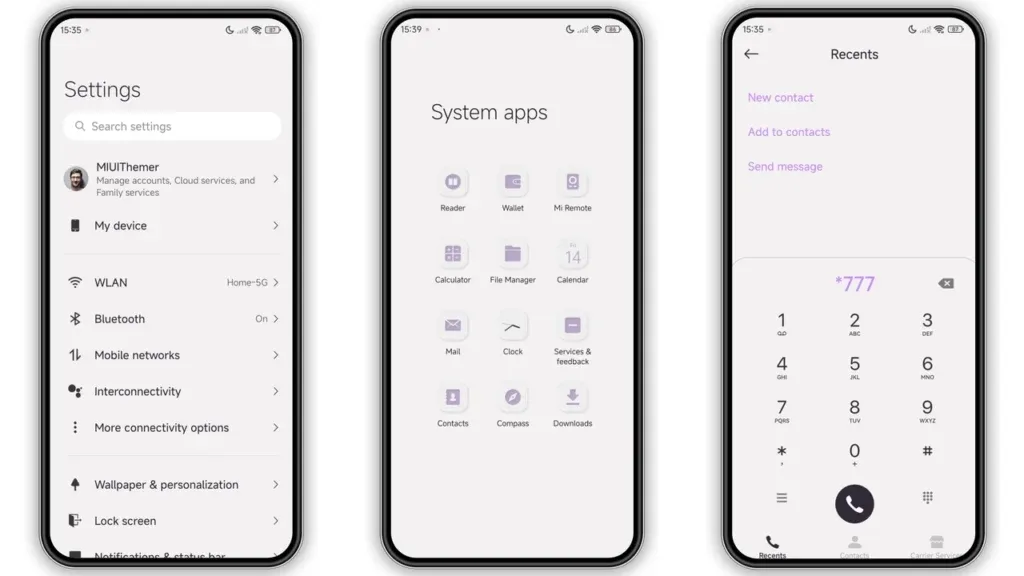
    In October 2023, Xiaomi unveiled their new Android-based operating system, or Android skin as some of you could refer to it. It was the successor of MIUI and is called HyperOS. Sincerely, HyperOS ended up looking a lot like MIUI, and although it did provide some nice modifications, it also brought about some unfavorable ones. HyperOS is undoubtedly a highly powerful piece of software, but there is still a lot of space for improvement. Although Xiaomi’s HyperOS has a lot of promise, a few things must alter if it is to advance.

    So far, I have been running HyperOS on several Xiaomi and Redmi devices. I have discovered a number of things that I would alter during my time with it. To be clear, you might not have an issue with some or all of these things. Nevertheless, I think HyperOS has a lot of promise and can reach that point with just a few smart actions from Xiaomi. Keep in mind that, as is typical with these kinds of pieces or editorials, personal opinion does come through. Views vary. So, let us examine HyperOS’ shortcomings, shall we? I will not do it in any specific order.

    Home screen customization
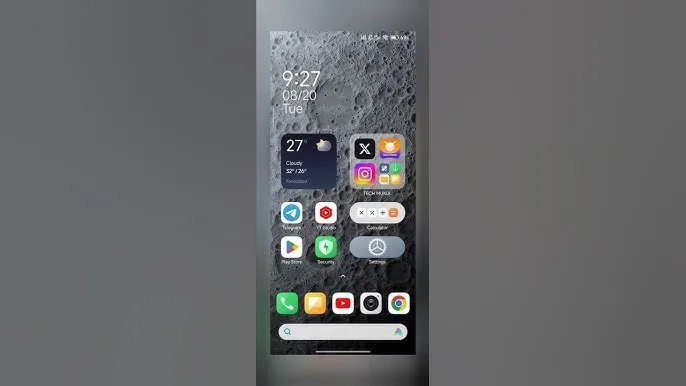
    HyperOS home screen

    There is a lot of flexibility available with HyperOS. Still, there is potential for improvement. I made the decision to pay close attention to the home screen. Why? Xiaomi can improve this in a number of ways that will help consumers. First and foremost, using icon packs from the Google Play Store would be great. Setting up icon packs is practically impossible since we are unable to use third-party launchers. Xiaomi has no reason not to implement this change in their stock launchers, as many other Android OEMs do.

    Plus, it would be fantastic to give customers additional grid size options. There are very few options available presently. However, there is a problem with nearly all other Android OEMs. The home screen’s app dock row comes next. It would be great if we could eliminate it completely and have a single, consistent canvas on the home screen because some users choose not to use it at all.

    Unblock third-party launchers
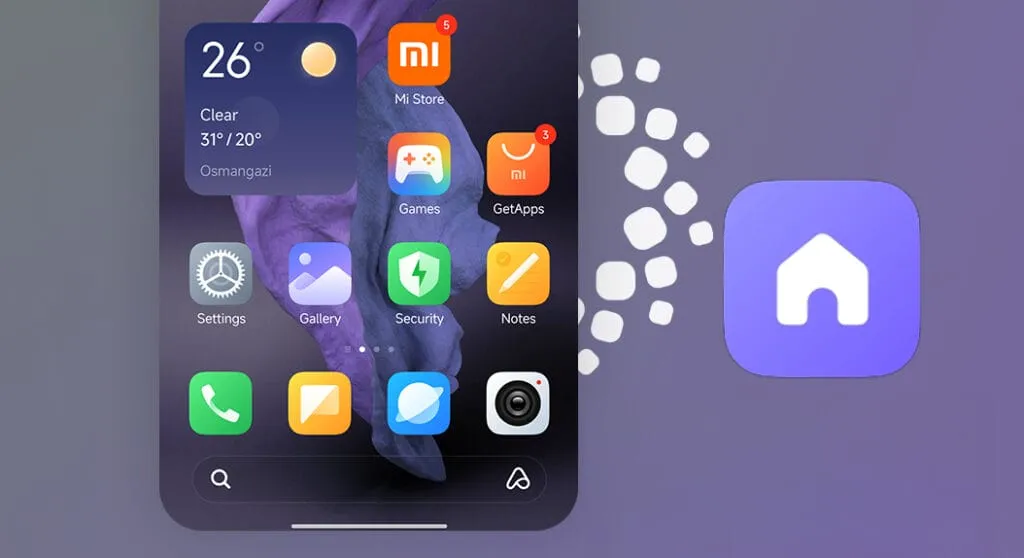
    HyperOS homescreen

    One of my main complaints with HyperOS is this. The only significant Android skin that totally prevents third-party launchers from working is this one. Although it is likely that you will have problems with gesture navigation, other OEMs let you set them. Actually, Google is to blame for this, as it restricts access to certain APIs for third-party developers. It has been a persistent problem. To change that, they even petitioned Google.

    However, for some reason, Xiaomi chose to restrict third-party launchers entirely. Actually, it was not the case with MIUI in the past. In actuality, third-party launchers performed best on Xiaomi smartphones in terms of animations and other features. It was a significant shift when Xiaomi blocked them. Since many fans use Xiaomi phones, it should be possible to enable third-party launchers and let them function properly.

    Toggles
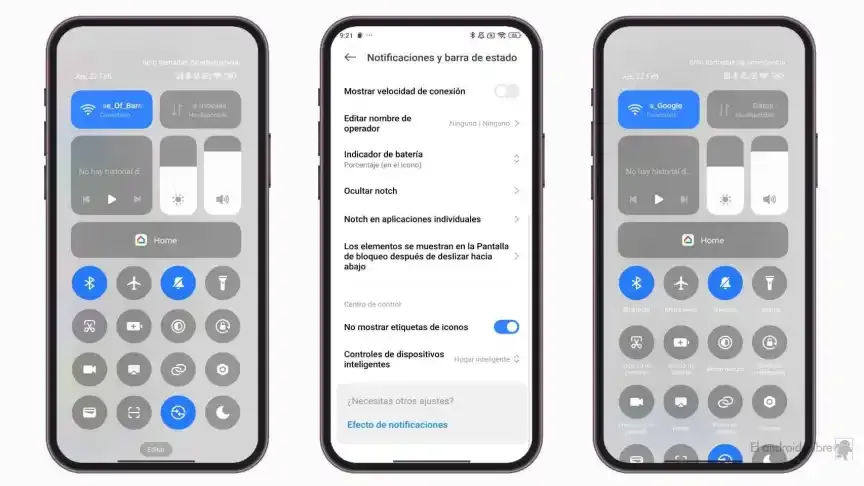
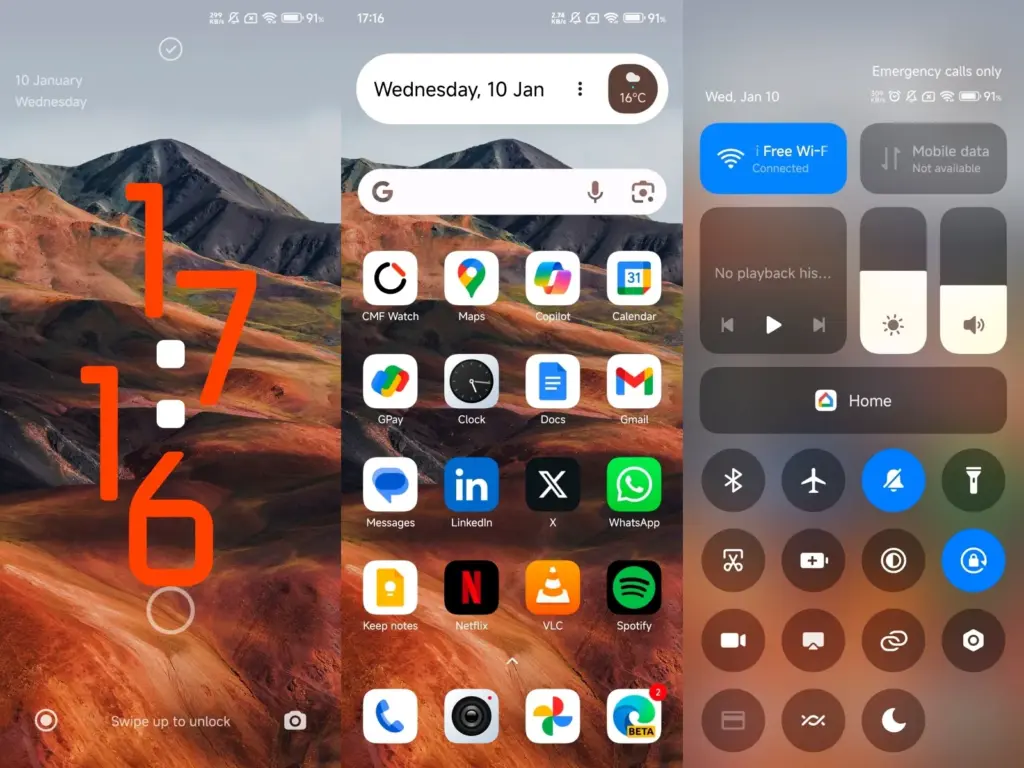
    The Quick Toggles screen might be enhanced by Xiaomi as well. Although it makes us think of iOS, it is not an issue in this case. This Android skin lacks a dedicated Settings toggle, in contrast to the majority of others. Although there is a toggle, it is a component of every other toggle. Although you can move it around and position it wherever you choose, it is not independent and lacks sufficient intuitiveness. It would be convenient if it were distinct because many users are accustomed to opening Settings from there.

    In addition, there are just two sizable toggles there, and regrettably, you are unable to alter that. The WiFi and mobile data toggles are the only sizable toggles you receive. For example, the Bluetooth toggle and the screen rotation toggle cannot be made huge. If Xiaomi made this possible and let users fully design the Quick Toggles interface, it would be great.

    Push notifications
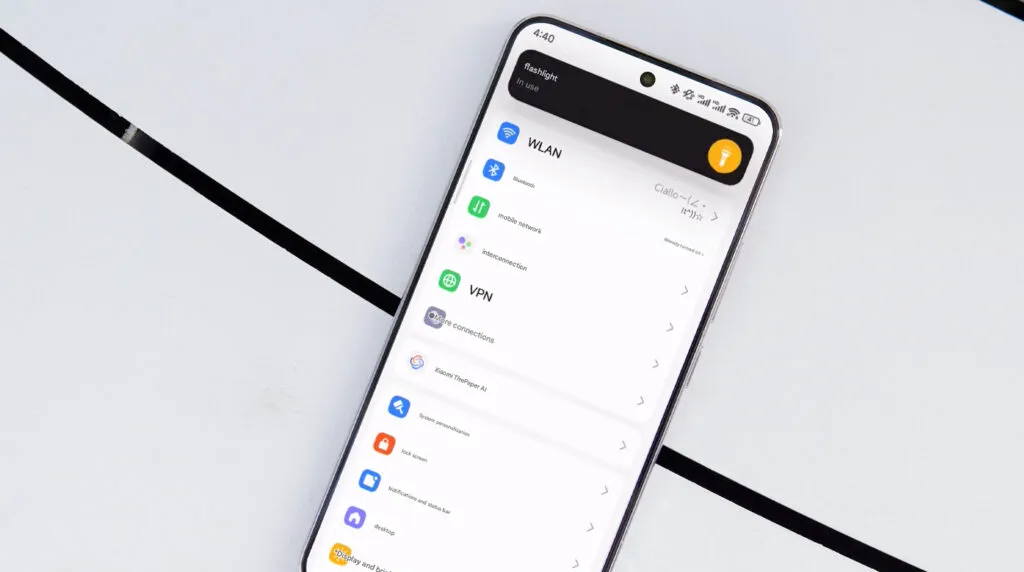
    HyperOS 2.1 Beta

    Unbelievably, HyperOS still has problems with push notifications. At least the way it is configured right out of the box. I have been experiencing problems with the majority of apps. By default, apps are set to “Battery Saver,” which is the suggested setting. You will not have these problems, though, if you unblock them from their limitations in the settings (each program independently). It will be possible for notifications to reach their destination on schedule.

    The problem is that ordinary consumers will not be aware of that. They will not consider changing that function by going into the settings. Of course, that is problematic. Many of them will find it annoying because they will not be receiving notifications right away. As a result, they become irritated with the business—in this example, Xiaomi—and develop a bad opinion of their goods. To be honest, Xiaomi should make changing this a high priority. Push alerts need to function normally right out of the box.

    The 10-second countdown

    Another noticeable issue when it comes to HyperOS has to do with the timeout Xiaomi is placing on its consumers. Essentially, a warning pop-up will appear each time you attempt to modify a more complex setting, such as an accessibility setting. That is typical, is not it? Yes, it is; all OEMs carry it out. The 10-second countdown, however, is unusual. You cannot approve or reject anything on Xiaomi until ten seconds have elapsed. This is most likely in place to allow you sufficient time to read the warning.

    You truly do not need to read it again after you have seen it for the first time. That countdown is incredibly annoying since you know exactly what you want to do. It makes sense if Xiaomi only did it once after you had configured your device. However, in HyperOS, you receive it each time a more complex configuration is altered.

    Notifications

    hyperos notification

    I wanted to draw attention to a few more notifications-related problems besides push notifications. For other people, lock screen notifications are an additional problem. They work similarly to what you get on iOS the way they are currently configured. It goes without saying that many individuals will find that offensive. What is wrong? You will notice your new notifications when you get to the lock screen. However, they will not be there the next time you get to the lock screen, even if you do not read or open them and then lock the device.

    Yes, they will still remain in the notification shade, however this is a problem if you use your lock screen a lot. That is not what the great majority of other Android OEMs do. Similar to the notification shade, notifications will remain on your lock screen unless you choose to dismiss or open them. This distinction between the lock screen and notification shade is completely superfluous, and I sincerely hope Xiaomi will eliminate it soon.

    Status bar icons
    hyperos status bar incons

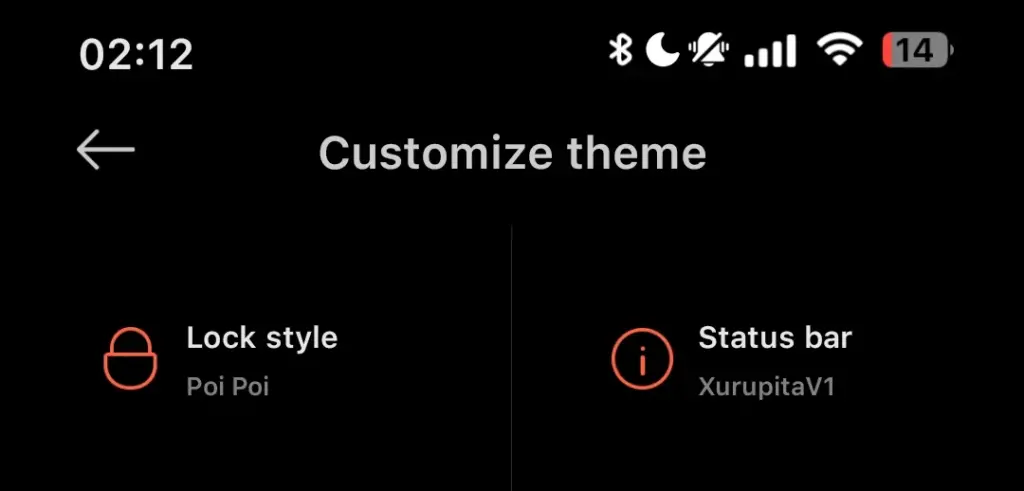
    Xiaomi can also make the HyperOS status bar better. When it comes to it, there are a number of various irritations. Notification icons are the subject of the first one. Xiaomi restricts you to a single app notification icon in the upper-left area by default. However, you have the option to enable up to three app notification icons to show. Only the three most recent alerts from various applications will show up if you have more than three.

    Almost all other Android OEMs permit as many app notification icons as they can fit on the screen. It does not restrict you in that manner, which is the proper approach. The fact that Xiaomi only allows one icon by default and that you are unable to enable more than three icons is not the only issue. Simply put, HyperOS introduced a totally needless modification that was not a problem on MIUI.

    Additionally, if HyperOS allowed users to remove some of the status bar icons, that would be great. For instance, it is superfluous that the Bluetooth indicator is always up there. Many individuals always have Bluetooth turned on for their headphones, smart watches, or other accessories. That icon does not really need to be up there all the time if it is always on. If we could take it off and forget about it, that would be great.
  • HyperOS 2.2 Beta changelog released by Xiaomi

    HyperOS 2.2 Beta changelog released by Xiaomi

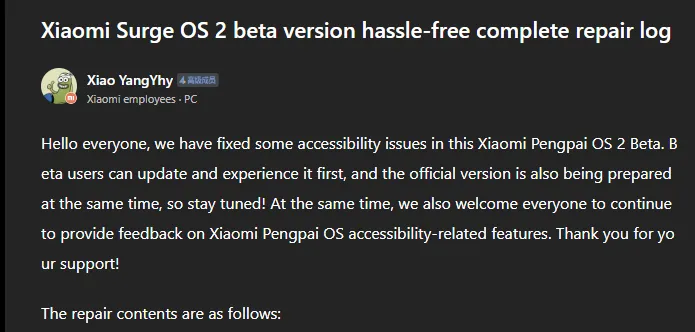
    Xiaomi has taken a huge step in making its devices more inclusive by releasing a comprehensive accessibility repair log for HyperOS 2.2 Beta. Xiaomi employee @小杨Yhy shared a complete update in the Xiaomi Community, addressing accessibility concerns across the system, including basic controls, SMS functioning, and TalkBack improvements. This massive accessibility upgrade underscores Xiaomi’s dedication to create a more inclusive user experience, ensuring that their devices are usable by people with a variety of disabilities.

    HyperOS 2.2 Beta change log

    Common control enhancements in HyperOS

    The accessibility update addresses a number of typical control issues that previously limited users with impairments. These improvements significantly improve the system’s overall user experience.

    Key enhancements to standard controls are:

    • Corrected password control choices in the input fields
    • Resolved index bar operation and selection issues
    • Corrected focus problems with bubbles showing up when entering pages
    • Corrected switch control focus redundancy
    • Corrected wrong reading of switches as checkboxes
    • Included proper labeling to jump buttons in lists
    • Fixed reading problems with search and input boxes
    • Fixed focus and labeling problems with back buttons
    • Enhanced notifications of selection status
    • Provided proper labels to progress bar buttons

    These fundamental upgrades will make the process more natural for users who rely on accessibility capabilities, particularly those who use screen readers or voice commands.

    Communication and messaging enhancements

    All users must be able to communicate, and the latest update significantly improves the SMS and phone accessibility capabilities. These changes make messaging and phoning more accessible to handicapped people.

    Notable SMS and phone accessibility fixes include:

    • Correct labeling of satellite map SMS broadcasts
    • Addressed incorrect messaging in SMS multi-select action
    • Fixed the checkbox selection issue in message feedback.
    • Removed unnecessary blank focus fields in message details
    • Resolved incoming call number labeling issues
    • Fixed the dial pad focus and selection problems.

    The new update also resolves several contact-related accessibility challenges to allow users greater control over their contact list and dialing irrespective of disability.

    Control Center and System Settings Accessibility

    System settings and the Control Center both benefit from extensive accessibility enhancements, making the management of the device more accessible to everyone.

    Key improvements are:

    • Resolved focus penetration problems in the Control Center
    • Fixed switch status reporting issues
    • Included proper labeling throughout the Control Center
    • Fixed-coordinate position reporting during icon ordering adjustment
    • Enhanced focus of notification center and labeling
    • Fixed switch reading problems in settings
    • Added proper control type announcements

    These enhancements guarantee that the users with disabilities can efficiently navigate and control their device settings without the presence of accessibility barriers.

    Specific accessibility features for apps

    The update also introduces several accessibility improvements to some of the Xiaomi apps, such as the CalculatorCalendarWeatherNotesRecorderFile Manager, Xiaomi Video, and Browser. These improvements work to achieve consistent accessibility within the entire Xiaomi ecosystem. TalkBack users stand to benefit most from the fixed volume adjustment problem and touch failure issues that previously hindered screen reader performance.

  • Android 15 Adaptive Vibration – how to setup guide

    Android 15 Adaptive Vibration – how to setup guide

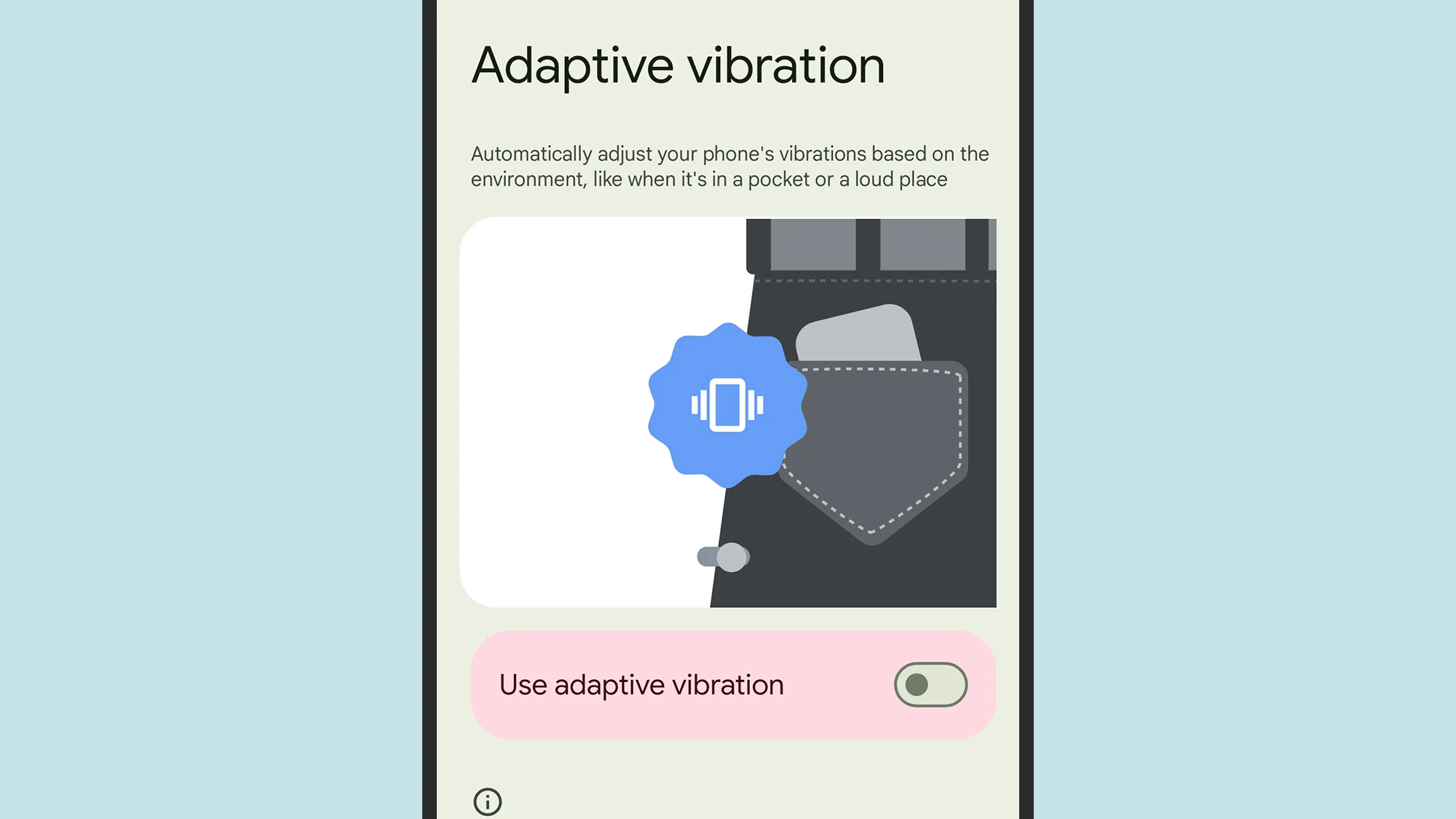
    When your phone is vibrating, do you miss any calls or messages? It is easy, and you are not alone. Google has an answer. The most recent Android 15 version for Google Pixel smartphones has an Adaptive Vibration feature to help you avoid missing notifications. This function determines the degree of movement, location, and environment the device is in using the microphones and sensors on your phone. It modifies the vibration motor’s strength based on the contextual information.

    You will notice when your phone buzzes thanks to Adaptive Vibration, even whether it is in your backpack, pocket, or lying away from you on your bed. It prevents loud vibrations when the gadget is put on a hard surface, such as a table. Adaptive Vibration takes only a few seconds to set up.

    How to turn on Adaptive Vibration

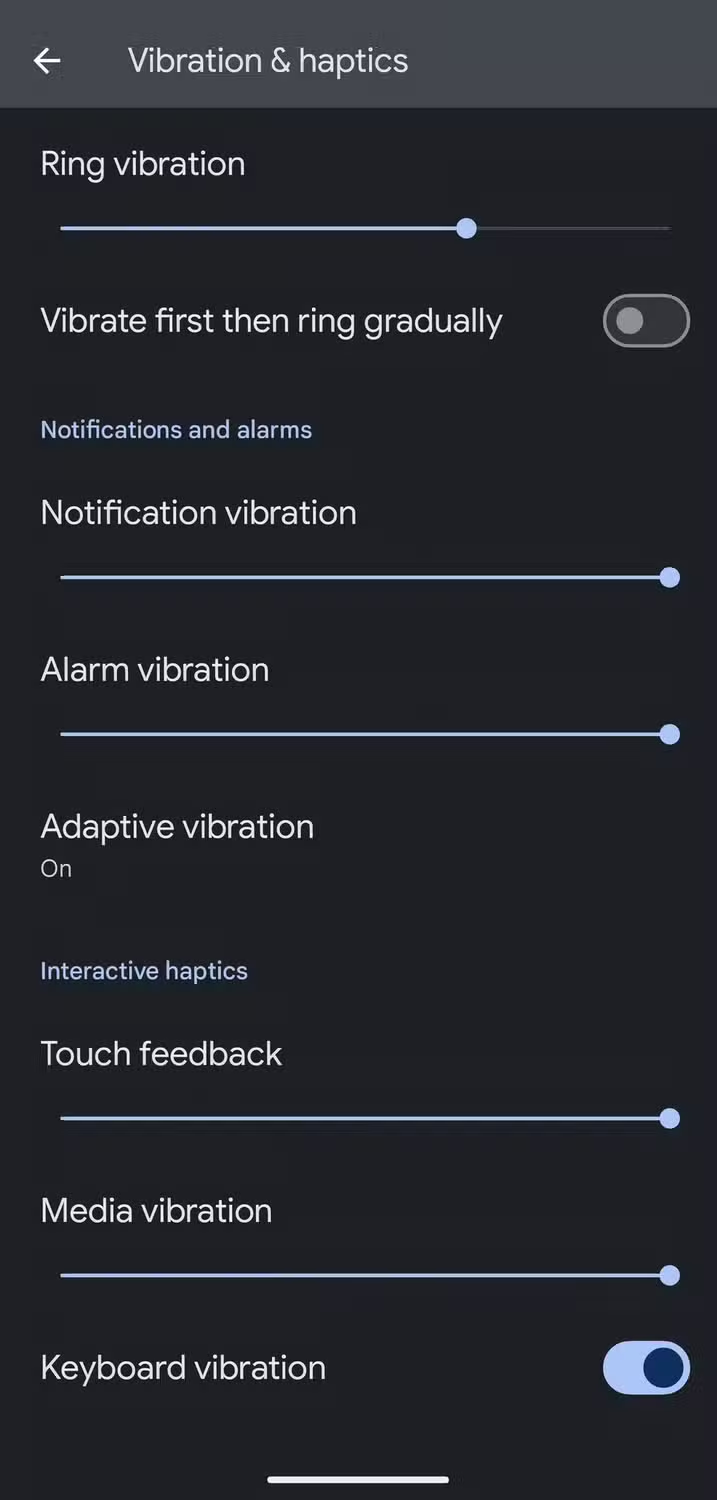
    To enable Android 15’s Adaptive Vibration function, launch the Pixel Settings app, navigate to the Sound & Vibration section, scroll down, and select Vibration & Haptics. Then select Adaptive Vibration and tap the toggle to enable it.

    android 15 vibration and haptics

    When turned on, it begins operating on incoming notifications like as calls and messages. The haptics of the keyboard are unaffected. Adaptive Vibration is useful in a variety of contexts, particularly in noisy surroundings where incoming notifications are difficult to detect. It also works the opposite way around, dampening the vibration in quiet environments where it could cause a stir, such as when resting the handset on a table in a library or at a movie theater.

    The feature is accessible on Google Pixel 7 phones and higher. You will need Android 15. If you have a compatible smartphone but can not discover the function, make sure it is up to date by accessing the device Settings, navigating to the System section, hitting Software Updates, and ensuring you are running Android 15.

    Other vibration features do Google Pixel phones

    Adaptive Vibration is the most recent vibration feature, however it is not the only one worth knowing about. For example, you can select several vibrating ringtones. Open the device’s Settings app, navigate to the Sound & Vibration section, and select an audible ringtone from the Phone Ringtone menu. When you flip between them, the vibration pattern adjusts to match the sound.

    The Vibration & Haptics option allows you to customize the strength of the vibration for each sort of alert, such as calls, notifications, and alarms. For phone calls, you can begin with a vibration before gradually turning on the out loud ring. On the same page, you may change the amount of haptic feedback you get when you touch the screen or keyboard, as well as when media plays.

    Another interesting way Pixel phones employ vibration is in the Weather app. If it is raining, the vibration motor simulates the sense of raindrops on the phone when you start the app, accompanied with an animation of rain falling. It is not the most useful feature, but it is a pleasant addition.

  • Xiaomi temporarily halts new HyperOS updates.

    Xiaomi temporarily halts new HyperOS updates.

    Millions of customers who depend on weekly beta upgrades have been impacted by Xiaomi’s unexpected break from their usual update schedule. The majority of tech businesses, including Xiaomi headquarters, take a short break around the Qingming Festival, a significant traditional Chinese holiday, to give their employees time to spend with their families. Users have been reassured by the corporation that all recent comments and recommendations would be taken into consideration and released as soon as the break is ended.

    Instead of keeping people waiting for upgrades that will not be accessible during the holiday season, Xiaomi’s development team decided to make the announcement ahead of time. Xiaomi’s continuous efforts to inform users are shown in the transparency.

    xiaomi hyperos ui

    What Does this Imply for Xiaomi Users

    To those of you installing beta updates on a regular basis, here is the lowdown:

    • There will be no beta this week
    • Regular update schedule will resume after the Qingming Festival
    • All of the user feedback is currently being processed
    • No user action is required during this period

    Tomb Sweeping Day, also known as the Qingming Festival, is a Chinese custom that usually takes place in the first part of April. In order to respect the cultural significance of the day, the majority of Chinese businesses operate with little to no workers at this period.

    Some beta testers may find the pause disappointing, but the development team has promised that it is being used to improve and incorporate user feedback. The upcoming update may provide even greater improvements as a result of the strategic pause.

    As a testament to the company’s cultural heritage and respect for tradition despite its status as a global technological behemoth, the Xiaomi team concluded their statement with Christmas pleasantries.

    After the Qingming Festival concludes, Xiaomi will restart regular updates with new enhancements based on community feedback. Stay tuned for that opportunity.

  • Samsung One UI 7 sneak peek – a beautiful new look

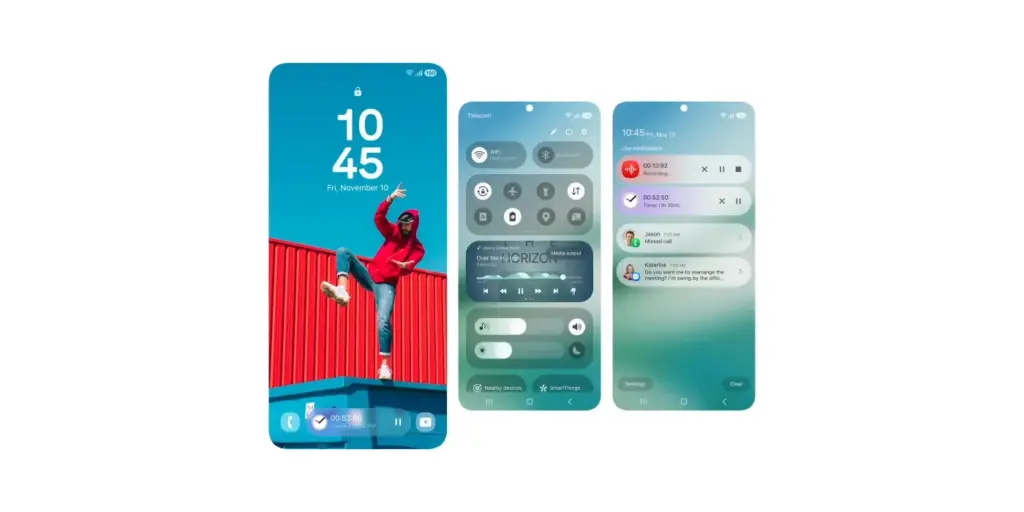
    Samsung One UI 7 sneak peek – a beautiful new look

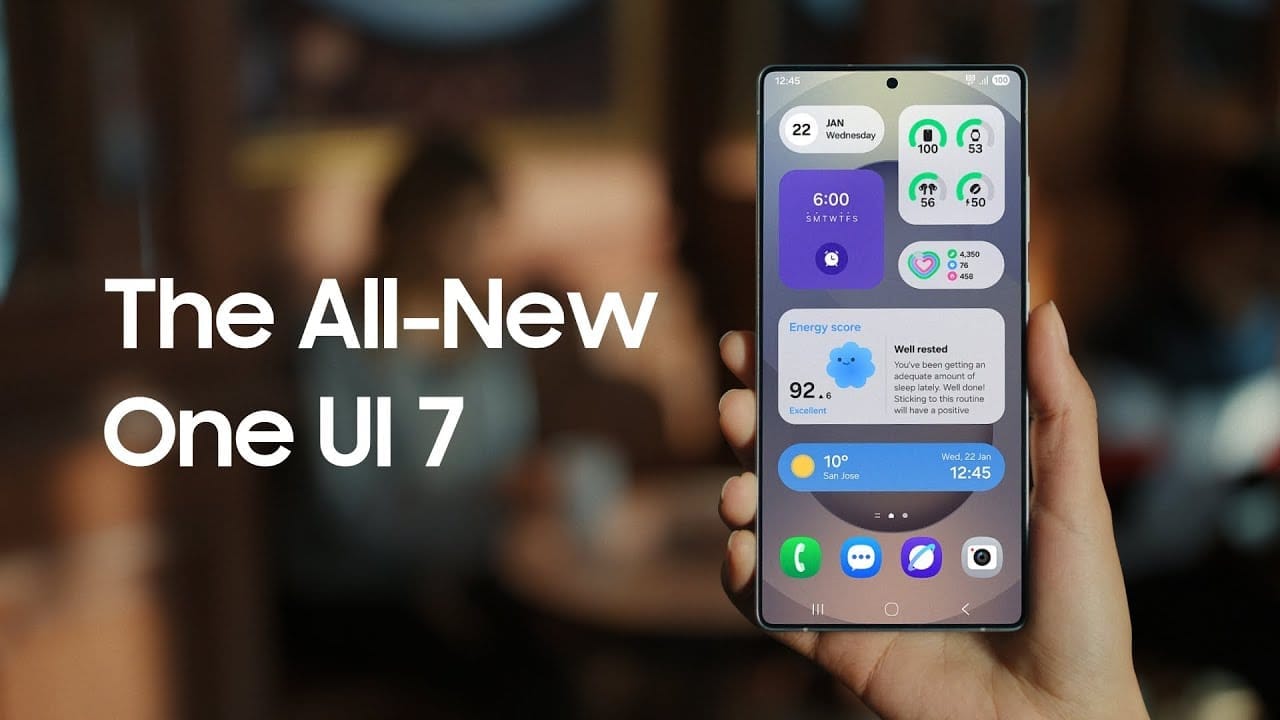
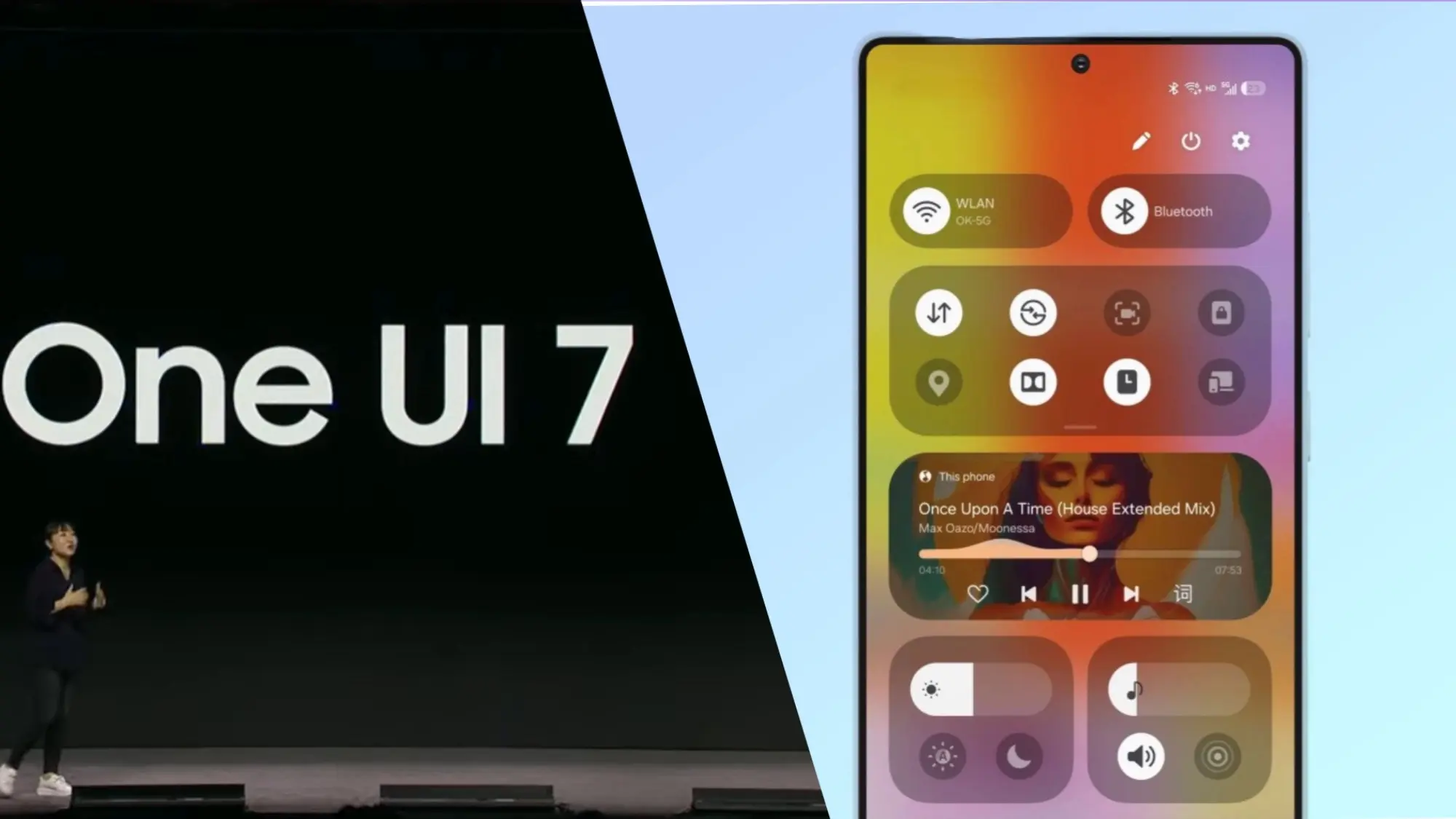
    Samsung basically teased their major One UI 7 update with a two-minute video that was just released. They are all getting ready and showcasing some of the exciting things that are on the horizon. In addition to letting us know that One UI 7 will soon be available for the Galaxy S24 and older phones, they are also using it to sort of encourage people to buy the new Galaxy S25. At last! Up until now, we had only seen it in beta.

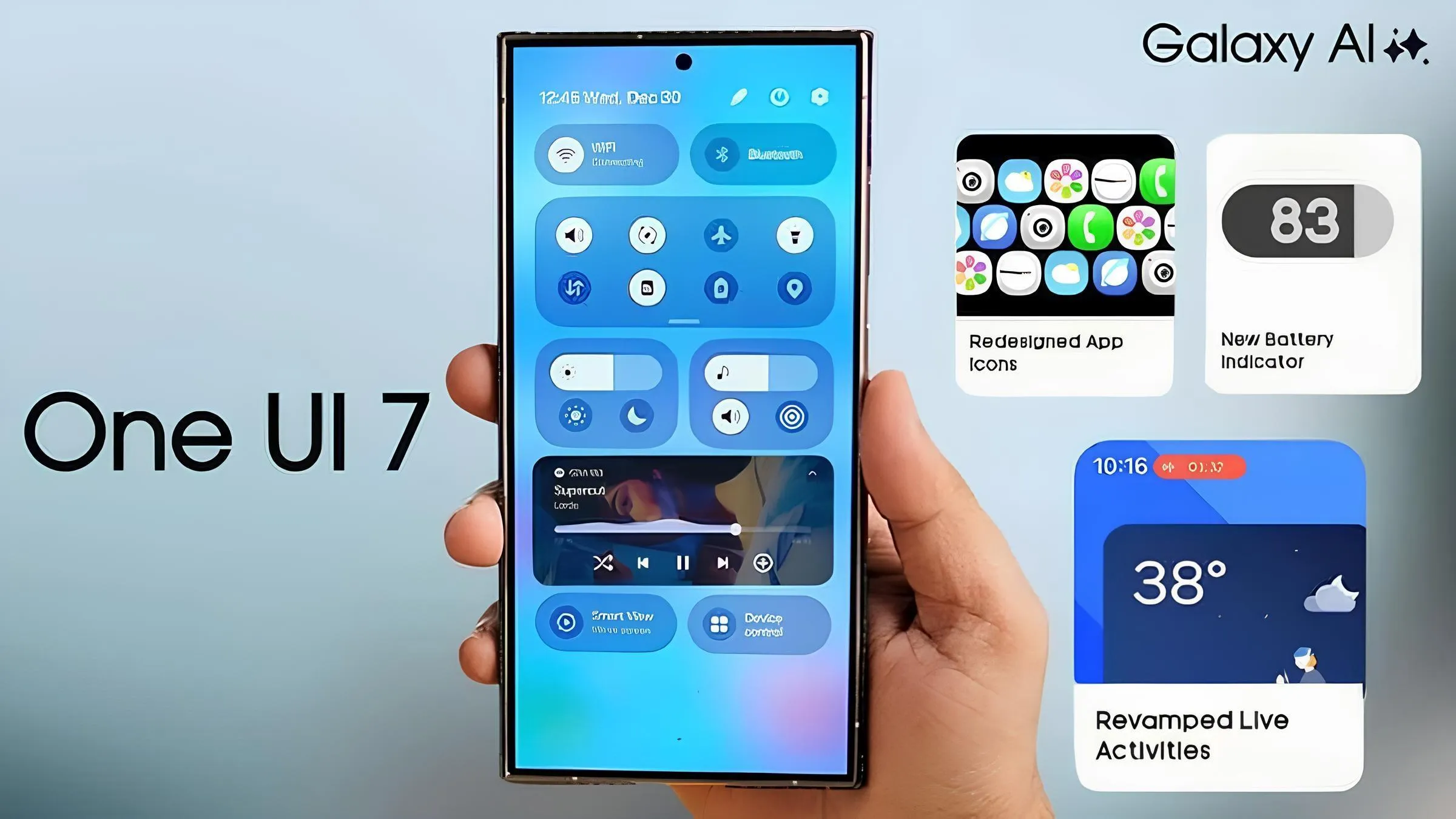
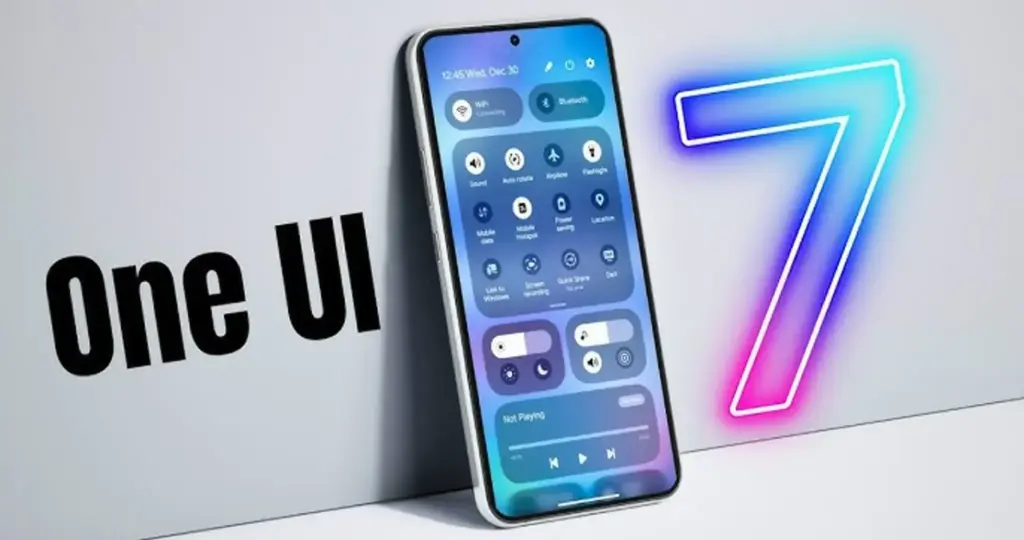
    According to Samsung, One UI 7 will be far more “you” than it has ever been. Like, more natural, more user-friendly, and more intimate. They are showcasing Google’s Gemini, “Now Brief,” “Now Bar,” “Sketch to Image,” and various AI-powered search tools.

    Samsung One UI 7 sneak peek -

    The teaser video from Samsung hints at a few UI 7 features.

    This video now? It is only a preview. We are not seeing everything. However, the timing is intriguing. It is obvious that they are preparing for a big release.The strange aspect is that last week, they announced that the S24, Z Flip 6, and Z Fold 6 updates would be available in certain locations beginning on April 7, 10, and 14. However, they later retracted the April 10th date for the US, which gave them a somewhat uncertain appearance.

    https://www.youtube.com/watch?v=P4AEIu3V6F4

    In essence, Samsung is building anticipation for One UI 7, but they are being a little reticent about when it will be released. The only thing we can do is wait and see when it lands. However, before that, you may see if your Samsung Galaxy phone is compatible with the company’s recently announced seamless updates function, which installs updates while you are still using your phone, saving you time waiting for it to restart.

    The business claims that if your Galaxy phone was released prior than 2025, it probably does not enable seamless updates. The Galaxy A55 is an odd outlier. But anything starting in 2025? It ought to have it.

  • Finally, new status bar customizations are available in Xiaomi HyperOS 2.2.

    Finally, new status bar customizations are available in Xiaomi HyperOS 2.2.

    Full status bar customisation is a groundbreaking feature that has been on wish lists for years, and Xiaomi has finally released the eagerly anticipated HyperOS 2.2. As demonstrated by our previous coverage of HyperOS features, customers now have total control over their notification system thanks to this much anticipated upgrade that was released overnight.

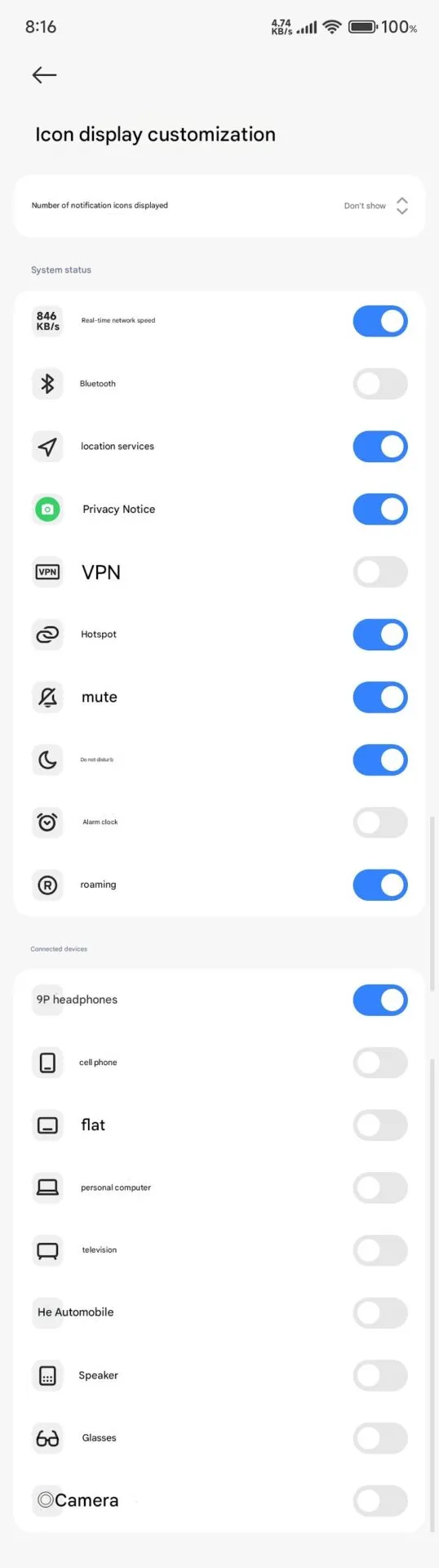
    The new “Status Bar Icon Display Customization” is a tip of the hat to customization options that debuted with AOSP Android 6, but with Xiaomi polish and attention to detail that we’ve come to expect with their software updates and UI improvements.

    Customization of status bar: what is new

    Xiaomi HyperOS 2.2 status bar customization

    The latest update brings unprecedented freedom to personalize your status bar on your device:

    • Control of Notification Icons: Select precisely how many notification icons are displayed
    • System Status Toggles: Toggle system status indicators on and off individually
    • Connected Device Display: Select which connected device icons are to be displayed
    • Cleaner Interface: Keep it clean by hiding unnecessary icons

    The downside is that it can’t be personalized and will be shown each time that you activate NFC.

    Additional improvements

    The customization of the status bar is not isolated in this update. HyperOS 2.2 OS2.0.200 Beta release includes a series of other enhancements:

    1. Enhanced System Animations: Smooth transition through the interface
    2. Blurred Wallpaper Enhancements: Improved visual quality for background objects
    3. Signal HD Icon Fix: HD icon no longer remains in the status bar

    Currently, Xiaomi 15 series phones running HyperOS 2.2 OS2.0.200 Beta support the feature. Although there are no set dates, more phones in their lineup will gain this feature in the upcoming weeks. Xiaomi’s ongoing dedication to enabling customers to customize their devices is reflected in this much-anticipated feature.

  • HyperOS 2.1 update rolled out to seven Xiaomi devices

    HyperOS 2.1 update rolled out to seven Xiaomi devices

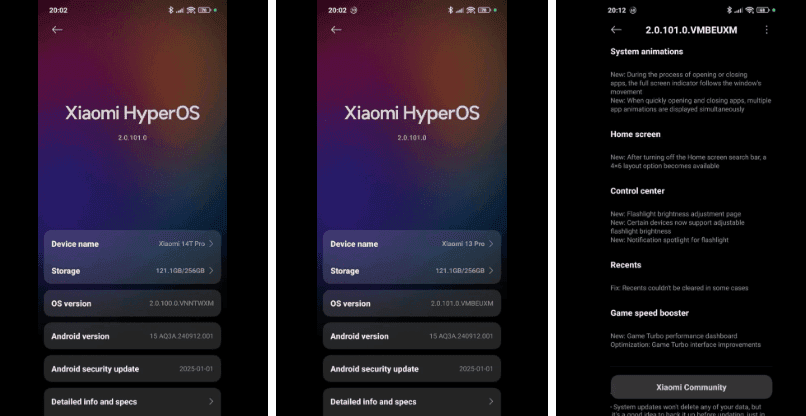
    Xiaomi keeps updating more of its devices to HyperOS 2.1 in an effort to reach a larger audience with the newest features and enhancements. The Chinese company just released an update for seven Xiaomi devices.

    The latest recipients of HyperOS 2.1 include some high-end Xiaomi phones, a Xiaomi tablet, and affordable Poco phones. Here’s the list:

    • Xiaomi 14 Ultra
    • Xiaomi 14T Pro
    • Xiaomi 13 Pro
    • Xiaomi Pad 6S Pro 12.4
    • POCO X6 Pro 5G
    • Poco F6
    • Xiaomi 13 Ultra

    You may be able to install the HyperOS 2.1 upgrade if you own any of these Xiaomi devices. Open the Settings app, select About Phone, and then hit the HyperOS logo to see whether there is a new update available. To find out if your device has an update available, click Check for updates.

    A number of internal improvements have been made in the latest HyperOS 2.1 software to enhance the user experience and animations. Voice chats without an internet connection are also possible with the new Networkless mode. In places with inadequate connectivity, this function enables users to converse efficiently.

    Xiaomi’s device connect prompts have been improved. Additionally, the file transfer function has been enhanced to provide a smooth experience. Better night vision is one of the camera enhancements brought about by the HyperOS 2.1 software. Additionally, the update enhances imaging performance in a range of lighting settings and snapshot capabilities.

    The update also brings a redesigned album layout and new album display columns. The search functions have also been improved. Xiaomi has also made improvements to the image recognition capabilities for the circle to search feature. The Gaming Toolbox now has a performance dashboard and offers an enhanced gaming experience.

  • 5 devices today receives HyperOS 2.1 global update

    5 devices today receives HyperOS 2.1 global update

    Xiaomi has widely distributed the HyperOS 2.1 worldwide update, which brings the newest features and enhancements to a wide variety of phones, including tablets, high-end flagships, and budget-friendly models. The update release is a significant step toward Xiaomi’s goal of offering consistent software updates across its range of devices worldwide.

    HyperOS 2.1 global update

    Devices receiving HyperOS 2.1 update

    The global update is now available on the following devices:

    Xiaomi’s worldwide software strategy has advanced significantly with this deployment, which offers the newest HyperOS capabilities across a range of device categories and pricing points. The inclusion of both high-end and mid-range devices in the rollout demonstrates Xiaomi’s dedication to maintaining software parity throughout its whole product line.

    Building on the basis established by the original HyperOS, this update 2.1 offers a number of enhancements on these products. Better UI elements, system animations, and enhanced system performance are in store for the users.

  • One UI 7 Beta 4 could be the final beta release

    One UI 7 Beta 4 could be the final beta release

    Samsung has not yet finished the Galaxy S24 beta phase, but it promised a stable One UI 7 update, based on Android 15, for qualified Galaxy S models by Q1. One UI 7 Beta 4 has now been made available; it is a more compact upgrade than earlier iterations, but it includes a crucial camera function from the Galaxy S25.

    Beta testers started posting on Reddit and other social media platforms that One UI 7 Beta 4 had begun to arrive on their devices a little more than a day ago. The United States, India, South Korea, and a few European nations are now implementing the update. The firmware is marginally smaller than earlier betas, with an average size of 1.4 GB, depending on the carrier and area.

    Log Video is available on Galaxy S24 on One UI 7 Beta 4

    Although the main focus of Beta 4 is bug repairs and speed enhancements, the Galaxy S24 trio now supports log (logarithmic) video recording, a capability that was formerly available with the Galaxy S25 and Galaxy S25 Ultra.

    Photographers and videographers can benefit from log video recording in a number of ways. It has a flat color profile, which gives post-production color grading and editing more freedom, and a higher dynamic range, which preserves more details in highlights and shadows.

    However, when compared to regular video recording, this format uses more storage space. Users must activate log video from the advanced video options in order to use it. Both pro mode and regular video mode are available for activation.

    getting one ui 7 beta 4 on my unlocked s24 ultra in us sc v0 12r9h8h0abke1

    One UI 7 Beta 4 Changes

    AI-powered camera filters are yet another noteworthy inclusion in Beta 4. These comprise pre-built filters like Shiver, Crystal, Breeze, Pulse, and Chill, to name a few. Additionally, users can use pre-existing photos to create custom filters.

    In addition to these enhancements, the firmware fixes a number of problems and improves performance. Notably, it improves performance in other areas while resolving some difficulties with the quick panel and home screen.

    Will this be final beta release?

    Whether One UI 7 Beta 4 is the last beta release or how many more Samsung intends to issue before the Galaxy S24 series’ stable release is still unknown. Samsung has reaffirmed its goal to provide the stable One UI 7 version by the first quarter of 2025. The distribution schedule is yet unknown for other devices, including as the Galaxy S23 series, Galaxy Z Fold 6, and Galaxy Z Flip 6. Whether these devices would go straight to the stable release or undergo a beta period has not been verified by the South Koreans.

    Some speculation suggests that One UI 7 could be skipped entirely, with Samsung instead opting to launch One UI 7.1 or even One UI 8.0 based on Android 16.

  • One UI 7 rollout – will your Galaxy device get Android 15?

    One UI 7 rollout – will your Galaxy device get Android 15?

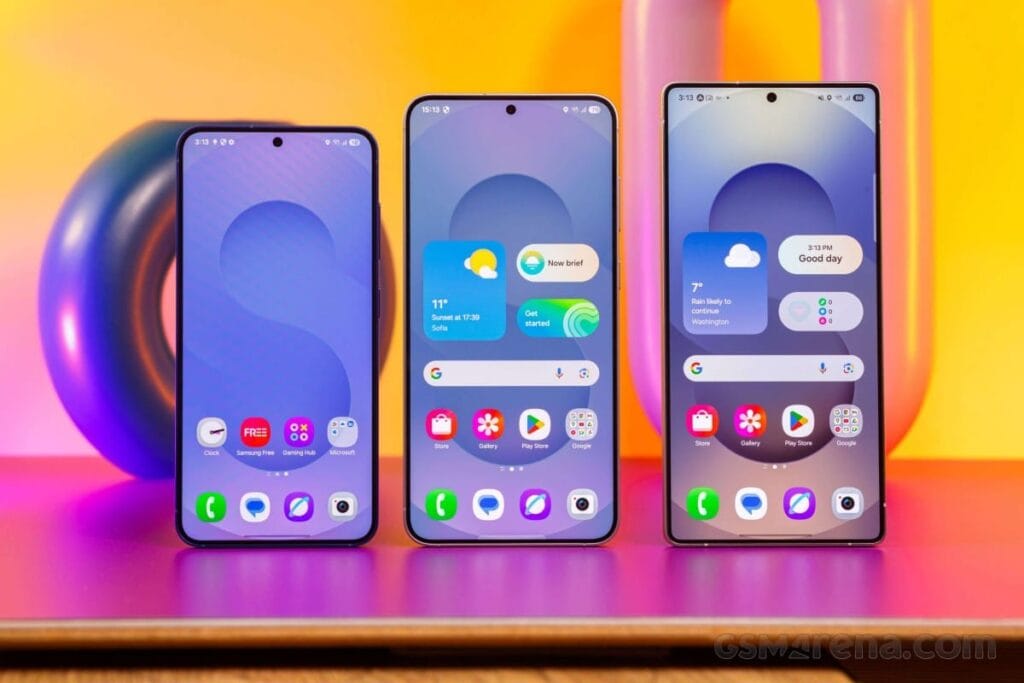
    Based on Android 15, Samsung’s One UI 7 represents a significant shift from their usual release timetable. The beta program ended after just one month, having been launched in December of last year. Samsung has now released further details about the One UI 7 rollout for Galaxy smartphones and tablets ahead of the release of the Galaxy S25. Find out which models will receive the update initially.

    One UI 7 will come to S series

    One Ui 7 1

    Samsung is trailing behind in the implementation of Android 15, which is bad for a company that generally sets the pace. Xiaomi and OnePlus have already released their updates, while Samsung appears to be taking its time. After launching last month, the One UI 7 beta ended last week, but what about the stable version?

    According to Samsung’s most recent press release, on January 22, 2025, the new Galaxy S models will receive the stable One UI 7 update. Translated, earlier flagships, such as the Galaxy S24, S23, S22, and S21, will have to wait their time, while the Galaxy S25 series is expected to come pre-installed with One UI 7. And those who own Galaxy S20s? I apologize, but Android 14 was the end of your life.

    Devices like as the Galaxy Z Fold 6, Galaxy Z Flip 6, and Galaxy Tab S10 Ultra are noticeably absent from the roadmap. With Samsung’s history, we will likely learn more after the Galaxy S25’s release, which is expected to come pre-installed with One UI 7. However, for the time being, there is a significant silence, which disappoints those who anticipate more frequent updates from Samsung.

    Other samsung Galaxy series?

    Although Samsung has not yet released an official list of Galaxy devices that will receive Android 15, we can speculate. Although the deployment for these smartphones is probably going to lag behind the flagship updates, One UI 7 should ultimately make its way to mid-range and budget models based on their software strategy.

    For now, we have put together a list of Galaxy tablets and smartphones that should get the upgrade, with an emphasis on models whose software support lasts until 2025 and beyond. Naturally, this list is merely conjectural and will be revised as soon as Samsung officially announces the lineup.

    Galaxy A series

    A Series 2024 Hero Image V02 e17

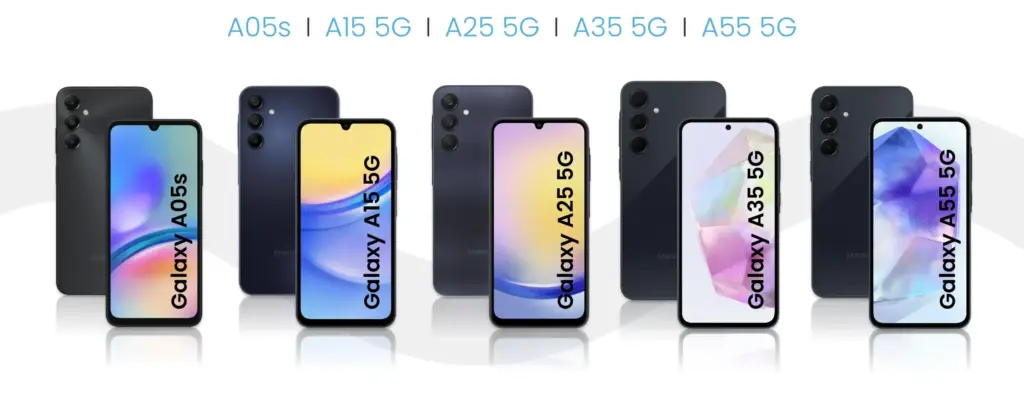
    With Android 15, Samsung’s versatile Galaxy A series is about to receive a major update that will bring the newest features to these well-liked mid-range phones. This significant update is anticipated for many recent A series models as Samsung continues to fortify its software support policy. From better photography capabilities to more effective battery management, the new Android version promises to improve the well-balanced blend of features that fans of the A series adore. Android 15 will deliver a new wave of enhancements to keep your Galaxy A handset feeling powerful and up to date when combined with Samsung’s One UI 7 interface.

    • Galaxy A05s
    • Galaxy A06
    • Galaxy A14 4G
    • Galaxy A14 5G
    • Galaxy A15 4G
    • Galaxy A15 5G
    • Galaxy A16
    • Galaxy A24
    • Galaxy A25
    • Galaxy A33
    • Galaxy A34
    • Galaxy A35
    • Galaxy A53
    • Galaxy A54
    • Galaxy A55
    • Galaxy A73

    Galaxy S series

    Samsung’s flagship Galaxy S series is set to take the lead in getting the much awaited Android 15 and One UI 7 upgrade, carrying on the company’s custom of giving priority to its high-end smartphone portfolio. Owners of newer Galaxy S models can anticipate using Samsung’s improved One UI interface in conjunction with the newest Android improvements. It is anticipated that this update would further enhance the premium experience of the Galaxy S series by introducing cutting-edge security measures, improved performance optimizations, and enhanced AI capabilities.

    • Galaxy S21
    • Galaxy S21+
    • Galaxy S21 FE
    • Galaxy S21 Ultra
    • Galaxy S22
    • Galaxy S22+
    • Galaxy S22 Ultra
    • Galaxy S23
    • Galaxy S23+
    • Galaxy S23 FE
    • Galaxy S23 Ultra
    • Galaxy S24 FE
    • Galaxy S24
    • Galaxy S24+
    • Galaxy S24 Ultra

    Galaxy Z series

    • Galaxy Z Flip 3
    • Galaxy Z Flip 4
    • Galaxy Z Flip 5
    • Galaxy Z Flip 6
    • Galaxy Z Fold 3
    • Galaxy Z Fold 4
    • Galaxy Z Fold 5
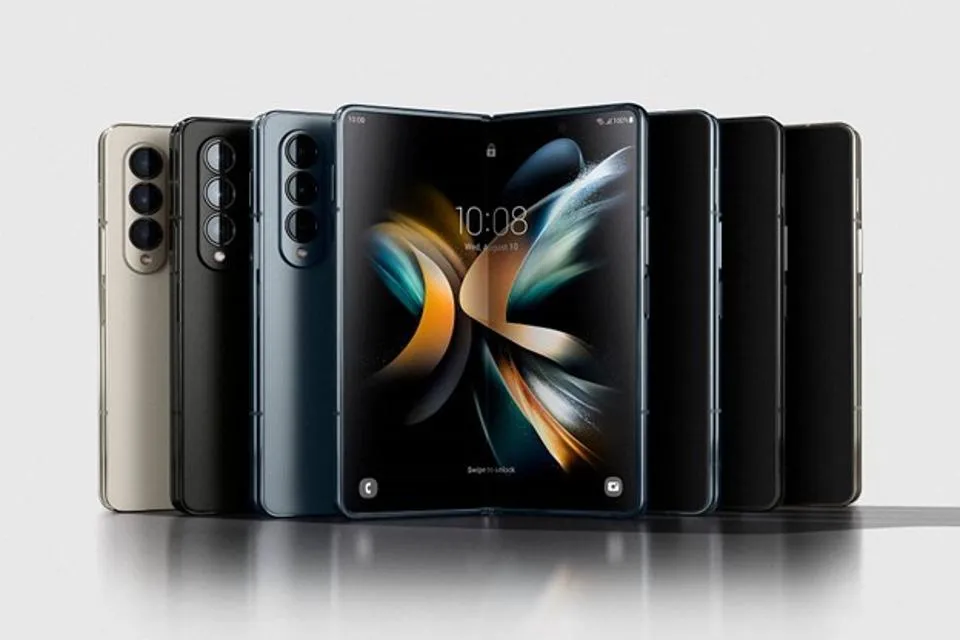
    • Galaxy Z Fold 6

    Galaxy M series

    With Android 15, Samsung’s well-liked mid-range Galaxy M series is expected to get a significant update that will provide new features and enhancements to these reasonably priced gadgets. Samsung has remained committed to offering prolonged software support for the M series family, even though the precise rollout schedule may differ depending on the model. With improved energy management, enhanced speed, and new customization choices, this update promises to improve the user experience and revitalize your Galaxy M device.

    • Galaxy M14 / F14
    • Galaxy M15 / F15
    • Galaxy M34 5G
    • Galaxy M35
    • Galaxy M54 / F54
    • Galaxy M55 / F55 / C55

    Galaxy XCover series

    • Galaxy XCover 6 Pro
    • Galaxy XCover 7

    Galaxy Tab series

    With the next Android 15 upgrade, Samsung’s Galaxy Tab portfolio is poised to embrace the next evolution of Android and promises to revolutionize the tablet experience for users across all Tab models. It is anticipated that this upgrade will include tablet-optimized features that will improve productivity tools and multitasking abilities as tablets continue to gain significance for both work and play. Many current Galaxy Tab models, ranging from the high-end S series tablets to the more reasonably priced A series tablets, will get this important update as part of Samsung’s dedication to expanding software support for its tablet lineup. The goal is to provide an even more sophisticated and powerful tablet experience by combining the improvements of Android 15 with Samsung’s tablet-focused One UI 7 enhancements.

    • Galaxy Tab A9 / A9+
    • Galaxy Tab Active 4 Pro
    • Galaxy Tab Active 5
    • Galaxy Tab S6 Lite 2024
    • Galaxy Tab S8
    • Galaxy Tab S8+
    • Galaxy Tab S8 Ultra
    • Galaxy Tab S9
    • Galaxy Tab S9+
    • Galaxy Tab S9 Ultra
    • Galaxy Tab S9 FE / S9 FE+
    • Galaxy Tab S10+
    • Galaxy Tab S10 Ultra
    samsung one ui7 feature leak 6

    Besides the models listed above, all models released throughout 2024 should also be eligible for the Android 15 upgrade. This includes the entry-level models announced in the first week of the year, such as the Galaxy A05s, A15, and A25, and the recently unveiled Galaxy A06 and Galaxy A16.

    As in the past few years, we expect to see Samsung confirm its list of Galaxy phones and tablets eligible for the Android 15 update as soon as it starts updating the first model. The list is traditionally shared on the Samsung Members app with the expected timeframe for the update on the phone’s market. When that happens, we will update this list to follow the rollout, so be sure to bookmark this page and follow us on social media.

    As in previous years, as soon as Samsung begins upgrading the first model, we anticipate seeing the confirmation of its list of Galaxy phones and tablets that are eligible for the Android 15 upgrade. Traditionally, the list is made available on the Samsung Members app along with the anticipated release date for the phone. Make sure you bookmark this page and follow us on social media as we will update this list to reflect the launch.