Category: Reviews

Unbiased Android reviews that cut through marketing hype and focus on how phones, apps, OS updates and wearables actually work in real‑life scenarios.

  • Garmin Instinct 3 Review: rugged, smart & built to conquer any adventure!

    Garmin Instinct 3 Review: rugged, smart & built to conquer any adventure!

    The Garmin Instinct 3, a tough and more reasonably priced version of the well-liked Fenix 8, is the latest in Garmin’s series of sports smartwatches to use AMOLED panels. In addition to the AMOLED screen, Garmin is using this chance to upgrade the new Instinct with its most recent multi-band GPS technology, increasing storage and strengthening the smartwatch’s capabilities.

    Instinct enthusiasts now have an outdoor watch that seems more like a smartwatch thanks to the addition of a color display to the Instinct 2, which was a good performer.

    Design

    Similar to Garmin’s Fenix line, the Instinct 3 has a display that can be charged using solar power or an AMOLED. It is the more costly of the two, but you do get the benefit of this year’s major improvement if you get it with an AMOLED screen.

    Also, the watch is available in a few different case sizes. There are two sizes for the Instinct 3 AMOLED and solar models: 45mm and 50mm. To make things even more confusing, there is also an Instinct E, which is the smallest and least expensive variant of Instinct that is available for purchase.
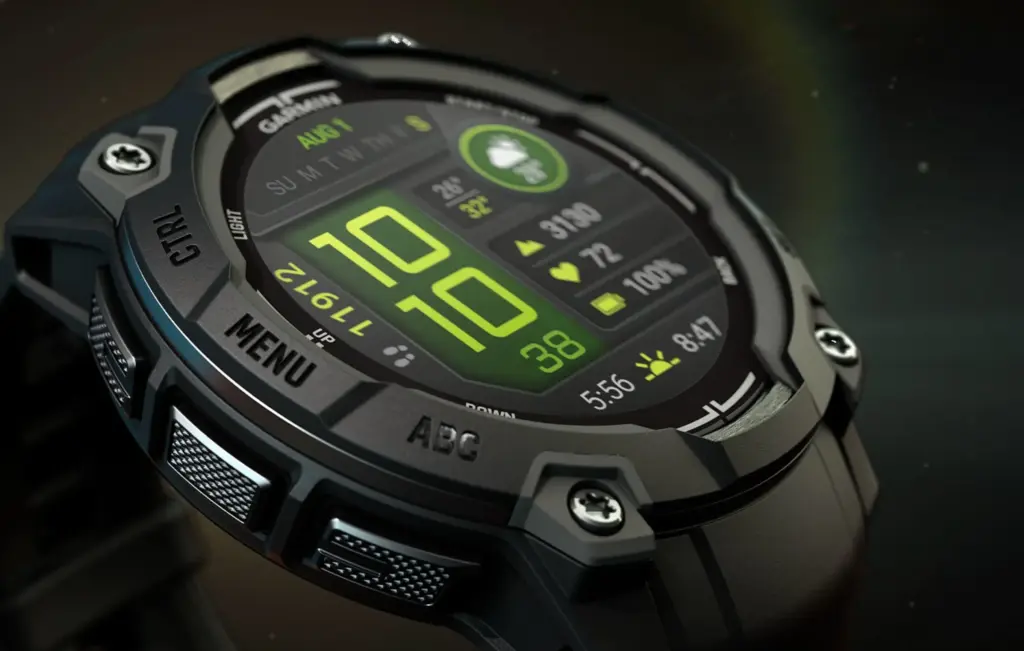
    Garmin Instinct 3 1

    The 45mm AMOLED Instinct 3 in its limited edition Neotropic colorway was strapped to my wrist, demonstrating Garmin’s willingness to experiment a little more with color schemes for its less expensive outdoor wristwatch. In keeping with that more whimsical motif, the linked 22mm strap makes use of one of Garmin’s more difficult-to-use mechanisms in the event that you wish to switch out your strap.

    The polymer and aluminum bezel that encircles its sizable 1.2-inch AMOLED screen with 390 x 390 resolution takes center stage.

    Even while it is not the biggest or most pixel-dense AMOLED panel on a Garmin watch, it is nevertheless bright, colorful, and sharp enough to look at. Instead of the more durable Gorilla or Sapphire glass used on more costly Garmin watches, that display is shielded by chemically toughened glass. Garmin has abandoned the sub-display from earlier generations in favor of a new display technology, while the solar version of the Instinct 3 still uses it. Rather, the redesigned user interface that evokes the familiarity of previous Instinct models preserves the sub-display.

    Surprisingly, the colorful display lacks touchscreen technology, thus there are five physical buttons scattered throughout the case to control the watch software. Even after a week of continuous use, the buttons are still a tad stiff.

    An LED flashlight that is both brilliant and embedded in the case’s top. Toggle it on or off by double-tapping the physical button on the top left or by activating it from the quick settings.

    When Garmin initially started adding features to its watches, I felt they were a bit of a gimmick, but today they are really helpful. When I am out at night and do not want to grab for my smartphone torch, it is perfect for navigating my room without turning on the lights.

    With a 10 ATM rating, it has the same underwater durability as the Instinct 2. This implies that you will receive a watch that is capable of surviving in water up to 100 meters deep. It is more than capable of handling pool and open water swimming, but you will not want to take it diving.

    Software and features

    Although the display may be different, Garmin has not significantly altered the Instinct 3’s smartwatch functionality.

    With Android users being able to view images in some notifications, this watch still makes it simple to receive notifications from an iPhone or Android phone.

    Garmin’s Glances allows you to prioritize the data you want to see on a regular basis, and the Morning Reports once again provide easily readable summaries of important statistics like sleep and training status.

    Garmin Pay is available for contactless payments, but you are sadly out of luck if you want a music player. Instead, you install apps, data fields, and watch faces from the Connect IQ Store using the 32GB of storage that is now available straight from the watch itself.

    In addition, Garmin decided not to incorporate its most recent voice-centric capabilities, such as a voice recorder and Bluetooth calling. Most people should be content with what the software section has to offer, therefore I do not think this will be a deal killer for them.

    Nevertheless, the software experience differs from that of the Fenix 8 AMOLED. It seems a little strange to me that Garmin kept the sub-display layout in the user interface even after discontinuing it with the AMOLED Instinct 3. In this form, it truly does not seem to bring any value.

    The Instinct 3 is easy to use and, at the very least, very Garmin. Even casual users can easily start a workout, receive a notice, check the weather, or view training insights, but power users can delve deeper to find optional settings and modes.

    Touchscreen functionality makes much more sense now that the sub-display is no longer an option, however this may be related to compatibility with the Instinct 3 solar model, which still makes use of the sub-display. In any case, using it on an AMOLED panel is a little strange.

    Battery

    Garmin claims that the Instinct 3 has a weeks-long battery life. Whether you decide to use the most precise GPS mode, keep the screen on always, or utilize all of the continuous wellbeing monitoring capabilities will determine how many weeks you can spend without it.

    According to Garmin, the 45mm Instinct 3 model may last up to 18 days in smartwatch mode—basically, without the need for any sophisticated tracking features. That decreases to seven days if the AMOLED screen is used continuously. Additionally, you might enjoy twenty-three hours to sixteen days if you are using that new multi-band GPS technology.

    The latter occurs during the use of its Expedition GPS mode, which sacrifices overall accuracy in order to guarantee that it can track expeditions lasting several days or even a week. I have been use it in a combination of always-on and raise-to-wake screen modes.

    It can readily survive a week between charges, even with the inclusion of an AMOLED screen, according to my experience mostly utilizing the most precise multiband GPS mode. That decreases dramatically when using the always-on display mode, and with consistent GPS and exercise tracking, it was closer to five days than the seven days that were promised.
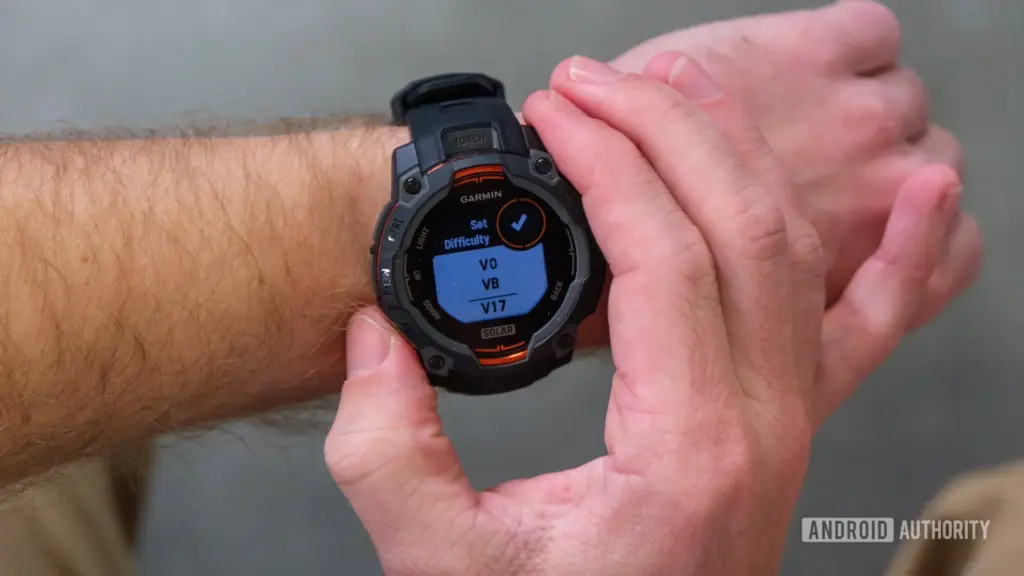
    Garmin Instinct 3 Solar climbing

    Fitness tracking features

    Garmin adheres to the outdoor-focused origins of the Instinct. Running, cycling, swimming (in pools and open water), and golf are its main sports modes. The watch has glanceable widgets that show more adventure-focused statistics, such as tides and sun and moon activity, for individuals who enjoy the great outdoors.

    Regarding headline changes, Garmin has strengthened its indoor training and sleep tracking features and introduced its newest multi-band GPS technology. Multi-band compatibility is a plus, and like other Garmin watches I have used, it provides a pleasant improvement in GPS accuracy.

    Heart rate monitoring is handled by Garmin’s older Gen 4 Elevate sensor, but you will not be able to use the ECG feature that is available with Garmin’s Gen 5 sensor arrangement.

    Overall, the heart rate sensor did a good job of tracking heart rate during the day and night and during exercise. Unsurprisingly, accuracy decreases with increasing effort, thus if you want to get the most precise exercise HR data, I would consider pairing an external heart rate monitor.

    The absence of complete maps is a disheartening omission, particularly considering that this is an outdoor watch with an AMOLED screen. Garmin continues to provide the same, more straightforward breadcrumb navigation, allowing users to import and upload routes to the watch through the Garmin Connect app.

    You can find your way back home or in the correct direction with the help of that easier navigation. However, you can not help but ask if Garmin ought to have included full maps on the more expensive Instinct 3 when you take into account that less expensive outdoor watches, such as the Amazfit T-Rex 3, do.

    The enhanced support for workouts is the first. In essence, you will see animated cues to assist you in performing exercises correctly when you download routines from the accompanying Connect app. By enabling you to view muscle maps in the Connect app, Garmin further enhanced strength training by providing a visual indicator of whether or not you have ignored your leg days.

    To better suit it for triathlons, a multisport mode has been added, which is another noteworthy new feature. For individuals who take their speed training more seriously, it also features Garmin’s more sophisticated interval training mode.

    Once more, it is a feature-rich outdoor watch with a strong core experience, but I can not help but feel that Garmin could have added one or two things that are only available on their more costly models.

    Thoughts

    With the addition of an AMOLED screen and multiband GPS, the Garmin Instinct 3, is now a superior smartwatch and outdoor watch. However, it is strange that capabilities like full map support and touchscreen compatibility are missing. As a result, it is not quite a Fenix Lite and lacks many outdoor capabilities that other smartwatches provide at lower prices.

  • Monster Open Ear AC210 headphones review: unleash superior comfort with advanced Bluetooth 5.4

    Monster Open Ear AC210 headphones review: unleash superior comfort with advanced Bluetooth 5.4

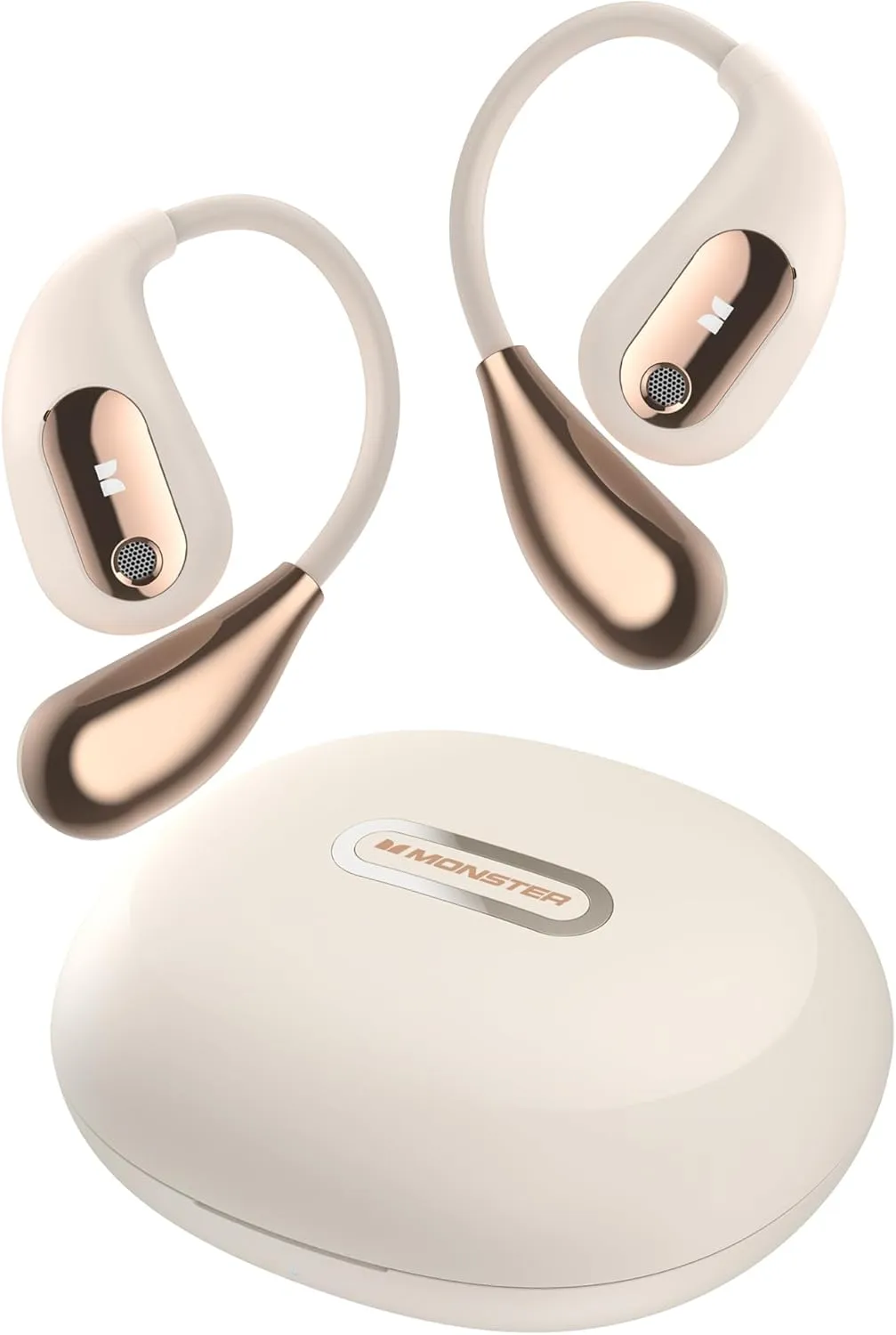
    A sleek and innovative addition to the ever-growing market for open-ear headphones is the Monster Open Ear AC210. These cutting-edge headphones not only incorporate the brand’s distinctive sound quality but also feature state-of-the-art Bluetooth 5.4 technology, ensuring a seamless audio experience.

    Top features

    Totally Open-Ear Design: The Monster AC210’s fully open-back design lets sound fill your ears without blocking your hearing, offering the utmost in comfort and a natural soundscape.

    Immersion Sound Quality: The Monster AC210 produces a three-dimensional and intricate audio experience thanks to its 30mW thrust DAC sound card, two strong 12mm dynamic drivers, and redesigned PI composite beryllium diaphragms.

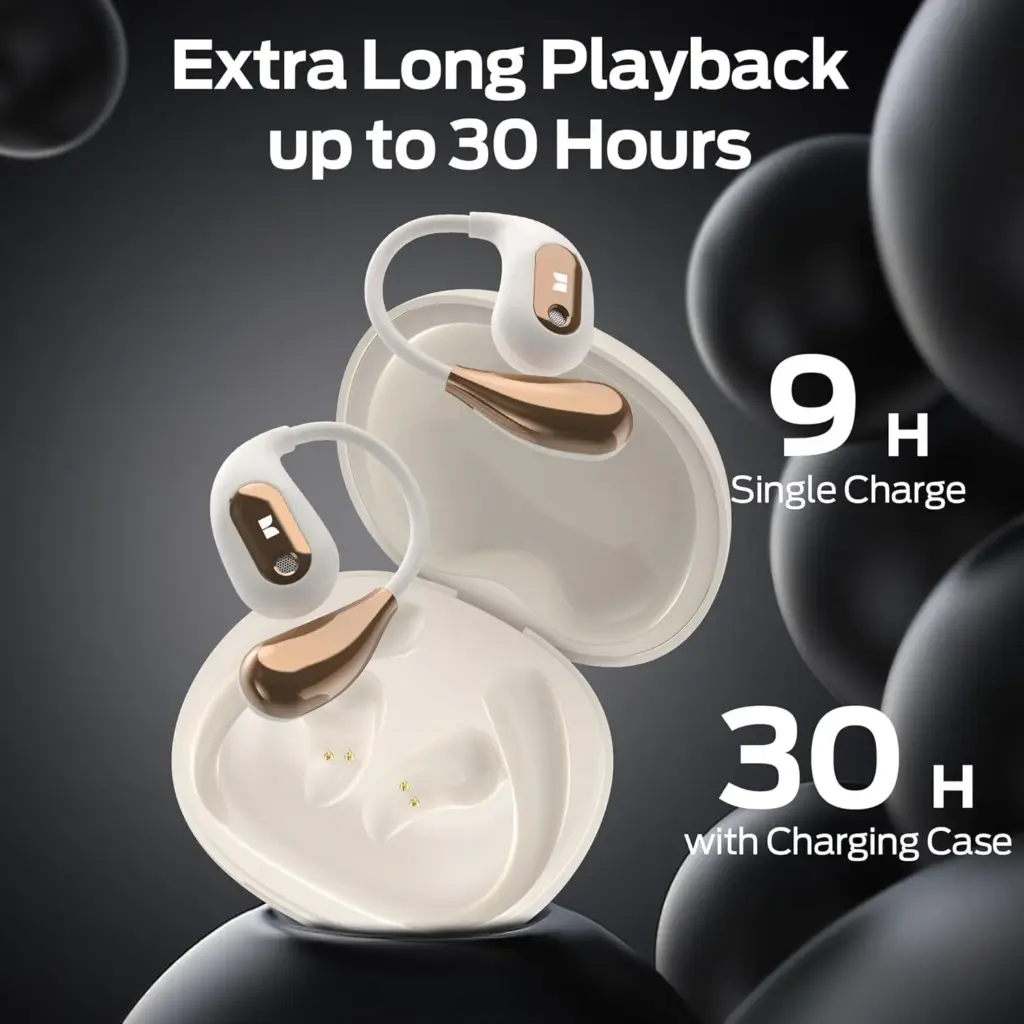
    Extended Battery Life: With up to 6 hours of continuous playback on a single charge and up to 30 hours when combined with the included charging case, you can enjoy your music or calls without frequent recharging.

    Design

    Because of its innovative open-ear design, the Monster AC210 is crafted to fit comfortably in your ears without obstructing the ear canal at all. This thoughtful design is particularly beneficial for commuters, outdoor enthusiasts, or anyone else who needs to enjoy their favorite music while remaining aware of their surroundings.

    The unique open-ear structure not only allows for an immersive sound experience but also enhances safety by keeping you alert to nearby sounds. Their ergonomic fit and lightweight design contribute significantly to long-term comfort, making them suitable for prolonged use without any discomfort. Furthermore, their understated and sleek style ensures that they do not look obtrusive or out of place, allowing you to wear them confidently in various settings, whether you’re at the gym, walking in the park, or navigating the bustling city streets.

    Sound Quality

    Monster’s open-ear headphones offer unexpectedly strong audio performance that may surprise even the most discerning listeners. The sound is not only clean and balanced but also well-rounded, featuring impressive bass for the design that enhances the listening experience. Clear vocals further elevate audio clarity, ensuring that dialogues and vocals remain crisp and vivid in various genres of music and media.

    However, it’s worth noting that while these headphones perform admirably in their category, they cannot quite compete with the deep, bass-heavy punch characteristic of over-ear models, which tend to provide a more immersive sound experience.

    Additionally, depending on your surroundings, the open-ear design may or may not present advantages; it does, after all, allow some outside noise to filter in, which could be beneficial in situations where you need to remain aware of your environment, but may also detract from your overall listening immersion. Thus, it’s important to consider how you plan to use these headphones before making a final decision.

    Bluetooth 5.4 Performance

    71MSN tzToL. AC SL1500

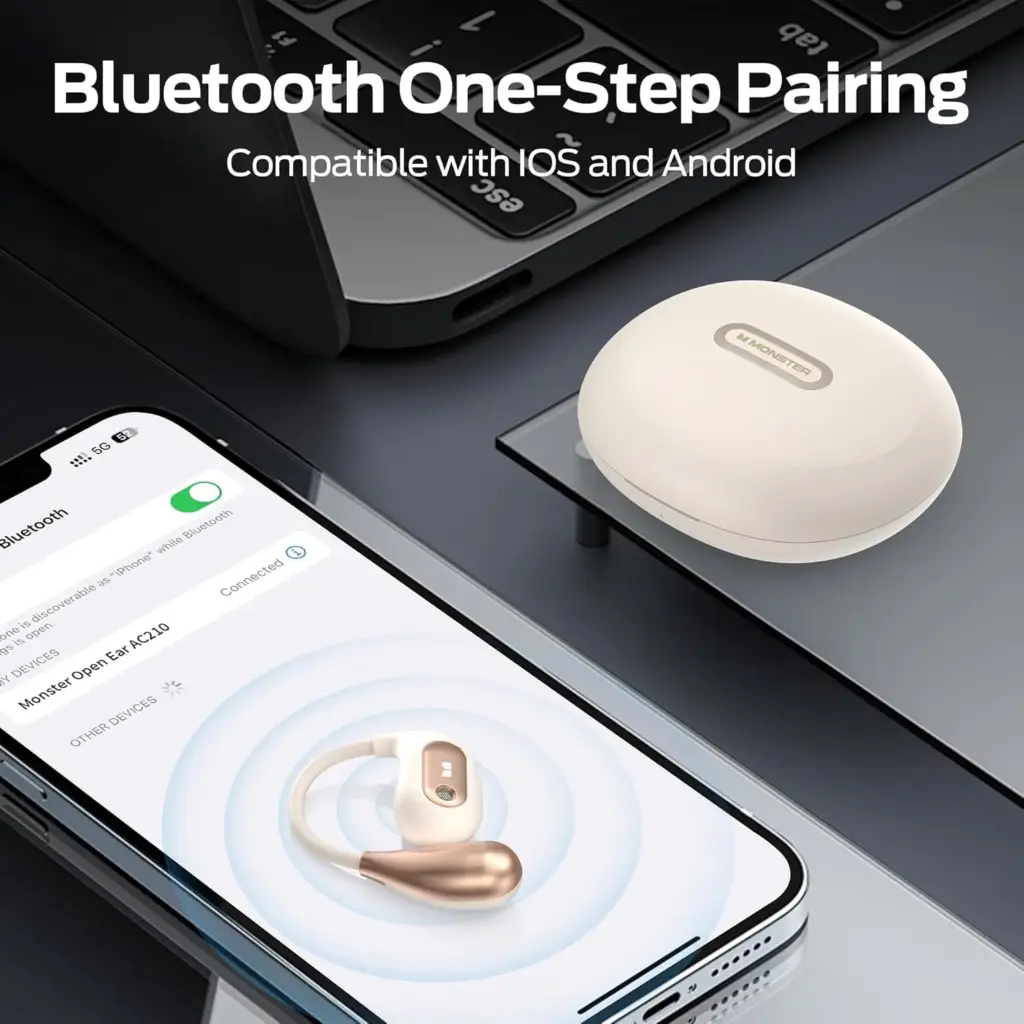
    The AC210 offers a smooth and reliable connection to devices thanks to its Bluetooth 5.4 capability. The long range allows you to roam freely without worrying about dropouts, and pairing is quick. They are also a good choice for video calls and light gaming because of the low latency connection.

    Battery Life

    Monster Open Ear AC210 battery life

    With a quick-charging option for added convenience, the AC210 can play for up to eight hours on a single charge. This guarantees a full day of sporadic use without requiring a recharge for casual users.

    Monster Open Ear AC210

    Monster Open Ear AC210

    Designed specifically for users who prioritize both comfort and situational awareness

    A very good choice

    Features worth mention

    • IPX5 Water Resistance: Perfect for workouts or light rain.
    • Built-in Microphone: Offers decent call quality, although noisy environments may impact clarity.
    • Touch Controls: Intuitive touch controls on the sides for easy playback and call management.
    71tAFETztIL. AC SL1500 e1737664211188

    Should you buy?

    For users who appreciate comfort, security, and reliable wireless performance, the Monster Open Ear AC210 headphones are a great option. These headphones offer dependable sound quality and practicality for daily tasks, even though audiophiles might long for a deeper bass experience.

    Whether you are working from home, riding a bike, or running, the AC210 is a multipurpose partner that combines fashion and functionality.

  • OnePlus 13R: dominate with performance, battery, and brilliance

    OnePlus 13R: dominate with performance, battery, and brilliance

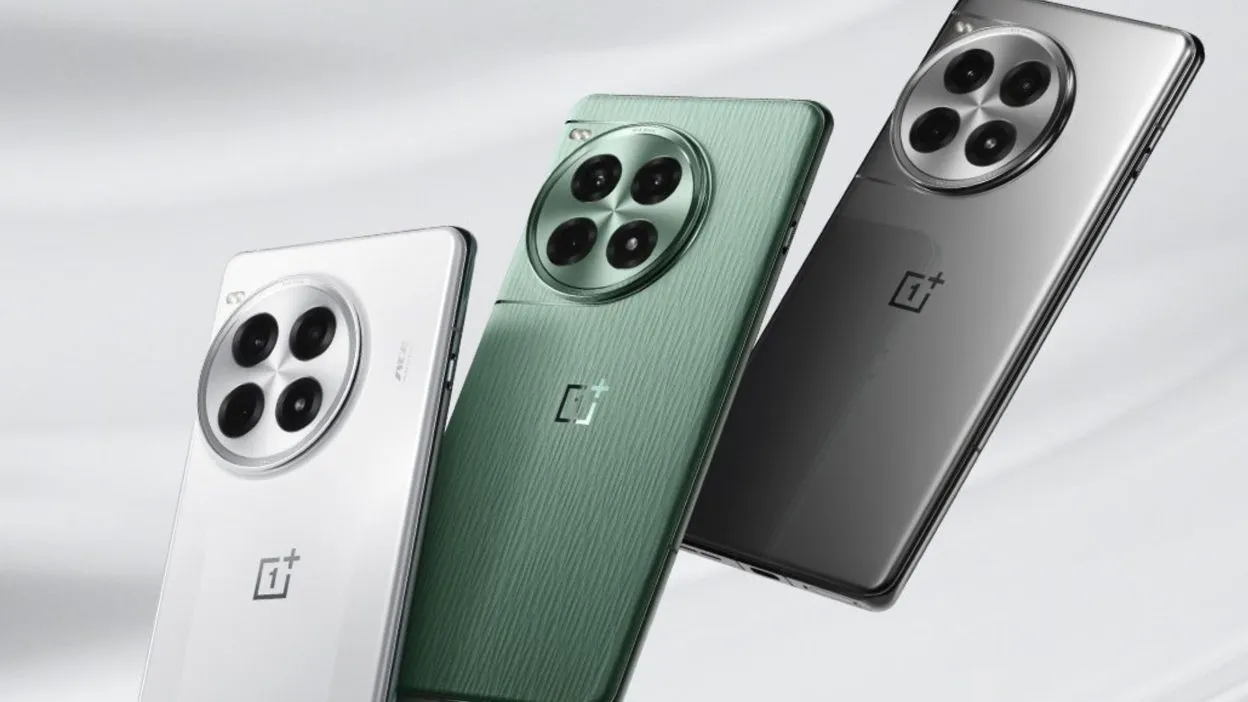
    Building on the successful formula of its predecessor, the OnePlus 12R, the OnePlus 13R offers a long battery life, a stunning display, and a lot of power in a stylish, high-end package. The OnePlus 13R offers a lot of features at a price that is not as competitive as the brand’s original “flagship killers,” but if you are looking for a flagship phone without the incredibly high price tags that accompany them, this phone is a great choice.

    The first “R” branded phones (of series 9, 10, and 11) did not make it to the coasts of Europe or North America, making this the second time an R-Series cellphone has been released abroad.

    The OnePlus 13R is a less advanced, and therefore more cost-effective, variant of the flagship OnePlus 13, which was released concurrently. Consider this phone to be similar to Google’s “A” range of Pixel phones and Samsung’s “FE” versions of its high-end S series.

    OnePlus 13R series

    Even in direct sunshine, the 6.78-inch display is easy to use due to its color and brightness. The phone’s flat screen makes for a pleasant viewing experience because it is flush with the aluminum chassis.

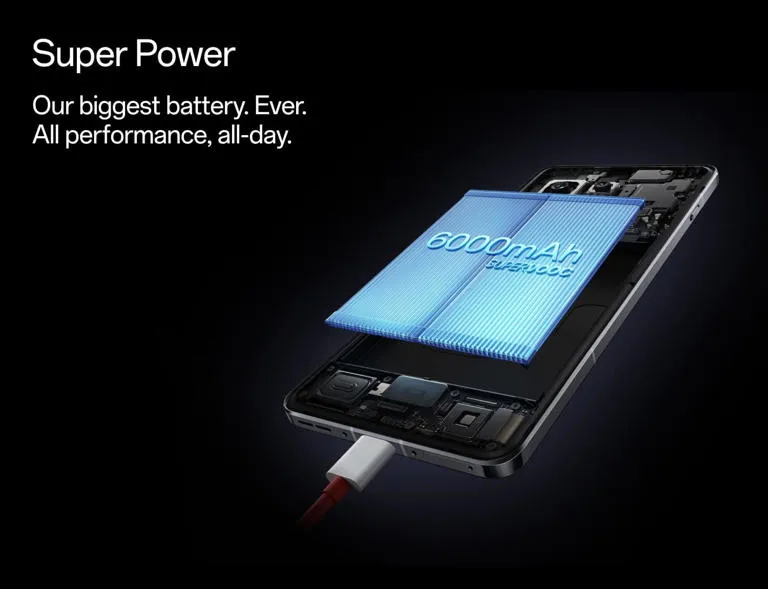
    Even heavy users will get more than a day’s use out of the OnePlus 13R before reaching for the charging wire, thanks to its large 6,000mAh battery, which lasted me two days on a single charge. However, as there is not wireless charging, grab the cable.

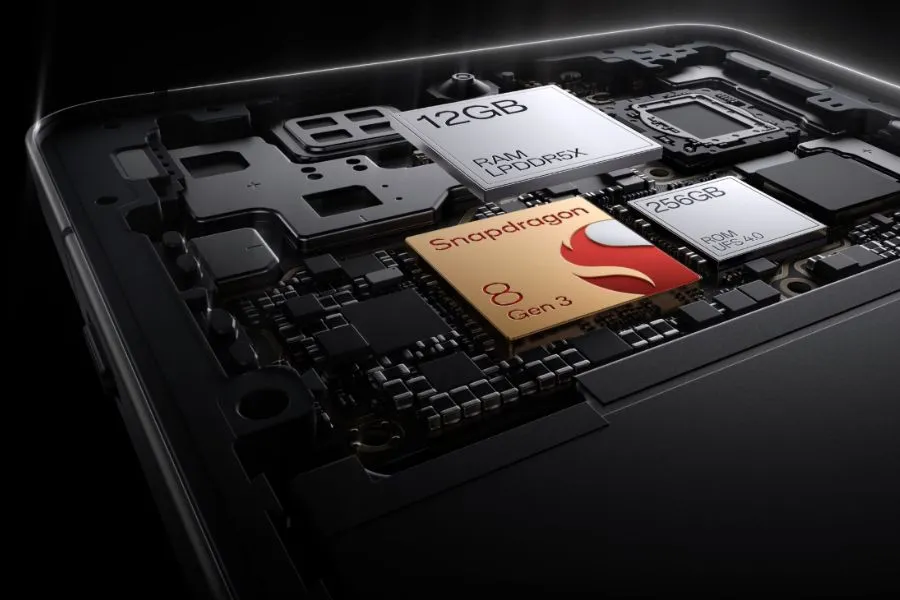
    With 12GB of RAM skillfully supporting the previous flagship generation Snapdragon CPU at its heart, there is a ton of power beneath the hood. It implies that the 13R is capable of handling almost everything.

    The three cameras on the back may not have the newest capabilities seen in flagships of the current generation, but they are still excellent point-and-shoot cameras that perform well in the majority of situations.

    However, because the 13R is a large phone, it might be a little difficult for people with little hands to hold. Furthermore, as this phone is not waterproof, you should exercise caution when near water. It will be fine in the rain because it is only splash-proof.

    While it retains many of the features of the brand’s previous flagship phone, the OnePlus 13R is a capable smartphone that is just out of reach of some of the newest technology that has been saved for its non-R, numbered twin.

    Pricing & Availability

    With only one storage option—256GB ROM + 12GB RAM—available in North America and Europe, the OnePlus 13R is a straightforward purchase. A more robust 512GB + 16GB extra combination is available for those living in India, which would make some Western markets jealous of Asia.

    The pricing of the OnePlus 13R is $599/£679, which is the same as the OnePlus 12R’s debut price in the US but £30 higher in the UK.

    The 13R is positioned well in the market, delivering a large screen, a large battery, and plenty of performance at a price point that undercuts Apple, and it was launched in the US at the same price as the 256GB OnePlus 12R from the previous year.

    Although the £30 price rise is a little annoying for UK customers, OnePlus has made improvements to the 13R, which still provides a good all-around experience. The OnePlus 13R is priced at the upper end of the “affordable flagship” market, and unlike the OnePlus 12R, it only comes with 256GB of ROM and 12GB of RAM in the US. This time, there is not a less expensive model with 8GB or 128GB of RAM and storage.

    This means that it costs more than Google’s own version of a cheap flagship, the smaller, more portable Pixel 8a, but it is around the same as the AI-enabled Samsung Galaxy S24 FE and the alternative Nothing Phone (2), albeit the latter is already a year and a half old. The OnePlus 13R’s exceptional battery life is one of its main selling points, but if you value battery life above all else in a large-screen phone, you might want to check out the Honor Magic 7 Lite. Although it is not accessible in North America and has a larger battery (6,600mAh), it is significantly less expensive.

    Storage / RAMUS PriceUK PriceIndia price
    256GB / 12GB$599£679Rs TBC
    512GB / 16GBN/AN/ARs TBC

    OnePlus 13R specs

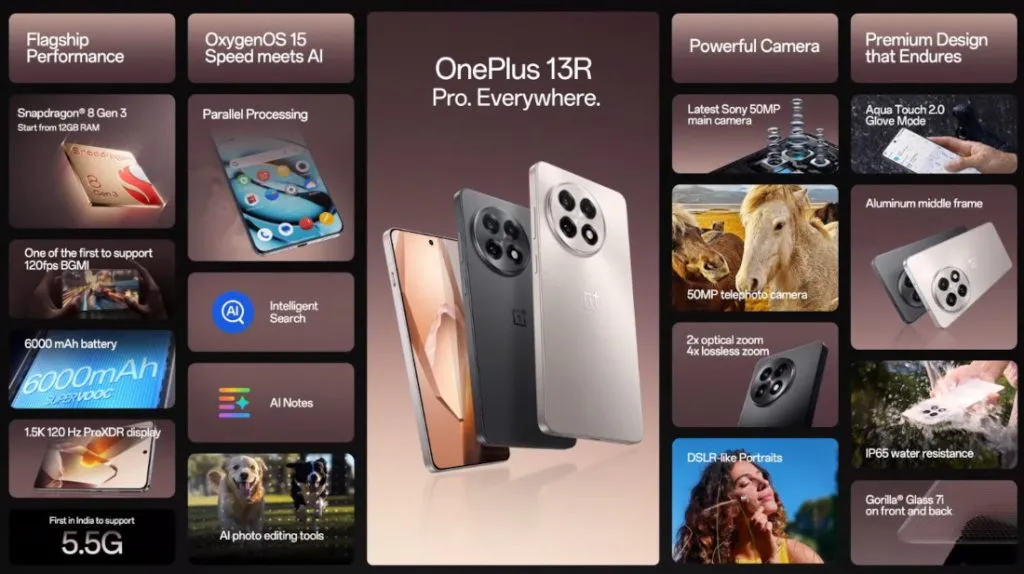
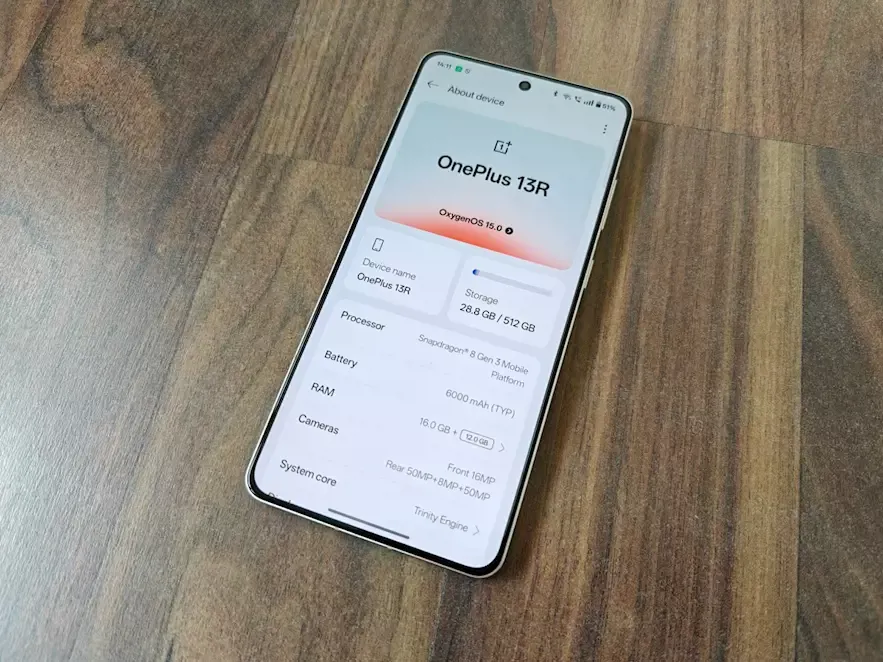
    Three key specifications are included with the OnePlus 13R. It has a large, bright, and striking 6.78-inch screen with a maximum brightness of 4,500 nits, a massive 6,000mAh battery that lasts for two days, and smooth performance because it uses the same Snapdragon 8 Gen 3 CPU as the OnePlus 12, the brand’s flagship from the previous generation.

    All but the most frequent power users will be satisfied with the 256GB of storage, three cameras around the back, and quick 80W wired charging.

    Dimensions:161.72 x 75.77 x 8.02mm
    Weight:206g
    Display:6.78-inch, 19.8:9 ProXDR Display with LTPO 4.1, Support 100% Display P3, 10-bit Color Depth
    Resolution:1264 x 2780, 450 ppi
    Peak brightness:4,500 nits
    Chipset:Snapdragon 8 Gen 3
    RAM:12GB LPDDR5X
    Storage:256GB
    OS:Android 15 w/ OxygenOS 15
    Main camera:50MP Sony LYT-700, 1/1.56”, f/1.8, 84-degree field of view, OIS, EIS
    Telephoto camera:50MP S5KJN5 with 2X optical zoom, 1/275”, f/2.0, EIS
    Ultra-wide camera:8MP, 1/4″, f/2,2, 112-degree field of view, EIS
    Selfie Camera:16MP, 1/3.09”, f/2.4, 82-degree field of view, EIS
    Battery:6,000mAh
    Charging:80W wired
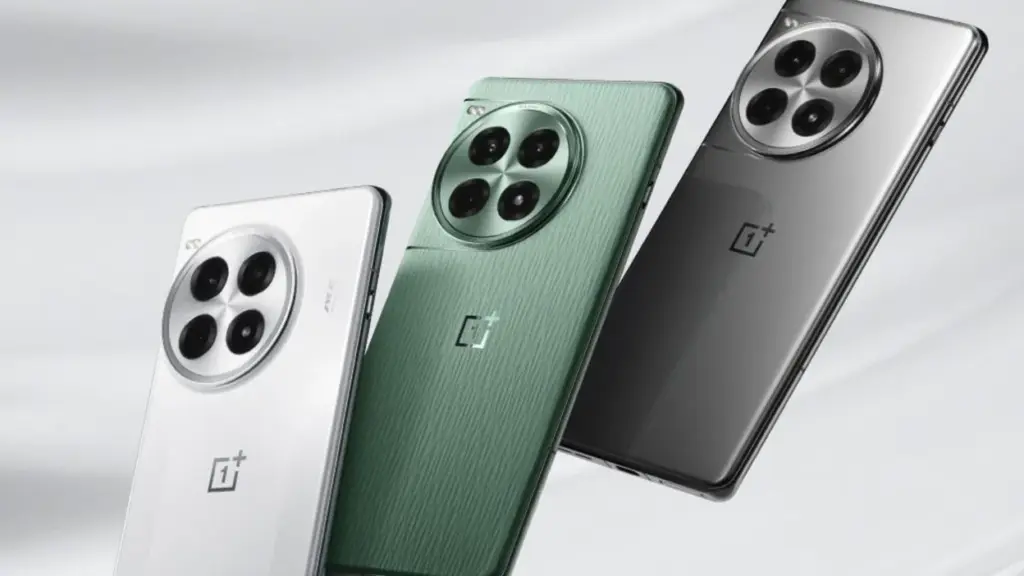
    Colors:Astral Trail, Nebular Noir
    OnePlus 13R series

    OnePlus 13R

    The OnePlus 13R builds on the winning formula of its predecessor, the OnePlus 12R, by delivering prolonged battery life, a dazzling display, and plenty of power in a slick, premium package.

    A good choice
    $599See It

    Design and build

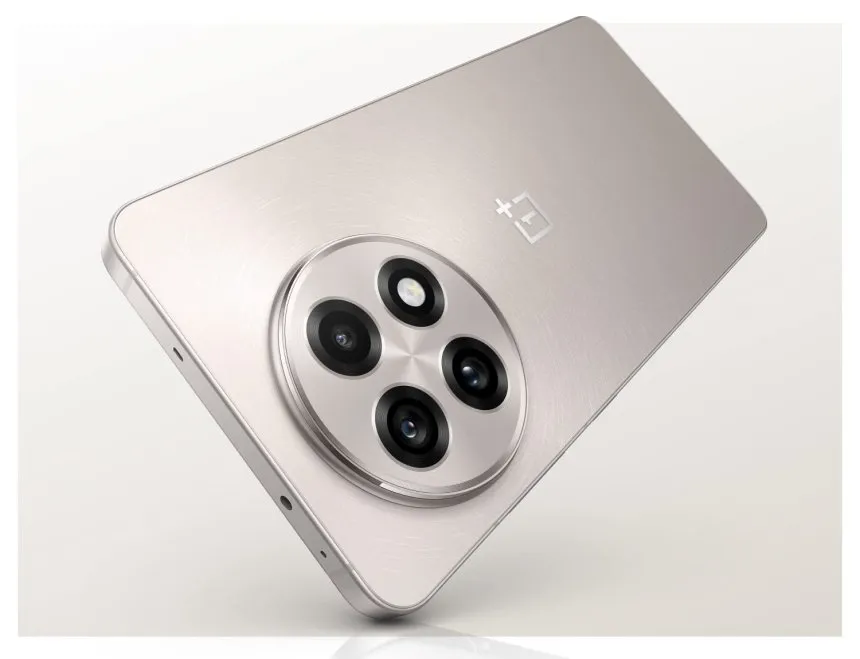
    With a sleek aluminum frame encircling the phone and glass on either side, the OnePlus 13R is a stylish piece of hardware. Because both companies are owned by the same business, the flat sides are reminiscent of both the Oppo Find X8 range and Apple’s iPhone 15 Pro and 16 Pro series. The latter shares several design characteristics with the OnePlus 13 series.

    Gorilla Glass 7i, the first OnePlus phone to use this new glass type, is used to cover the phone’s screen and back to complete the luxury package. According to manufacturer Corning, the glass is “particularly created to answer the demand for increased drop protection and scratch resistance.” This implies that the 13R should be resilient to the occasional drop and knock, but I did not actually test this out when I was reviewing the phone.

    OnePlus 13R 1

    The OnePlus 13R has a high-end appearance and feel, is well-built, and performs better than its pricing suggests, even though its design is not totally original. I would have preferred the power and volume buttons on the right of the 13R to be positioned lower down, but those with smaller hands will find the gadget too large, especially for one-handed operation.

    My thumb was strained by the volume rocker in particular, which made it difficult to turn up the volume without making awkward hand shuffles. The buttons would naturally fall beneath the thumb if OnePlus positioned these a few millimeters lower, making manipulation simpler.

    The OnePlus 13R has OnePlus’ now-iconic alert slider, which makes it simple to choose between silent, vibration, and ring modes. However, it has the same placement problem as the volume and power buttons; it is positioned a bit too high up on the left side of the phone for my taste.

    The speaker and SIM tray, which can hold two cards, are on either side of the USB-C connector, which is located in the middle of the phone’s bottom edge. Only the massive round camera housing on the back breaks the sleek, minimalistic finish of my Nebular Noir-colored smartphone.

    The IP65 water resistant rating of the phone is one unsatisfactory feature. Although an IP68 rating (water resistance for submersion) is not unusual in this price range, it is an upgrade over the IP64 rating of its predecessor and offers protection against water jets.

    Display

    The good news is that the display on this phone, which OnePlus makes a huge deal out of, lives up to the hype. It is large, vivid, and multicolored. It is a massive device at 6.78 inches, slightly larger than the Samsung Galaxy S24 FE (6.7 inches) and much larger than the Pixel 8a’s 6.1-inch screen. It is also about the same size as the Honor Magic 7 Lite, another big-battery contender.

    The resolution of 1264 x 2780 (1.5K), which provides a pixel density of 450 ppi, is standard. While OnePlus claims that the 13R can reach a maximum brightness of 4,500 nits, you will not be able to view that level of brightness in practical applications.

    The OnePlus 13R’s screen did a great job in bright light during my time with it, both indoors and out. You can be sure you will be able to see what is on screen in direct sunlight if you are lucky enough to be in an area with lots of sunshine.

    It is not surprising that interactions do take a bit more force than when not wearing gloves. Glove mode does not support gameplay, according to OnePlus, so if you want to play PlayerUnknown’s Battlegrounds (PUBG) while on vacation in Lapland, Finland, you might want to wait until you are indoors and gloveless before launching yourself into combat. But it is simple to open and close apps, navigate the interface, skim through social media, and tap out messages.

    Software

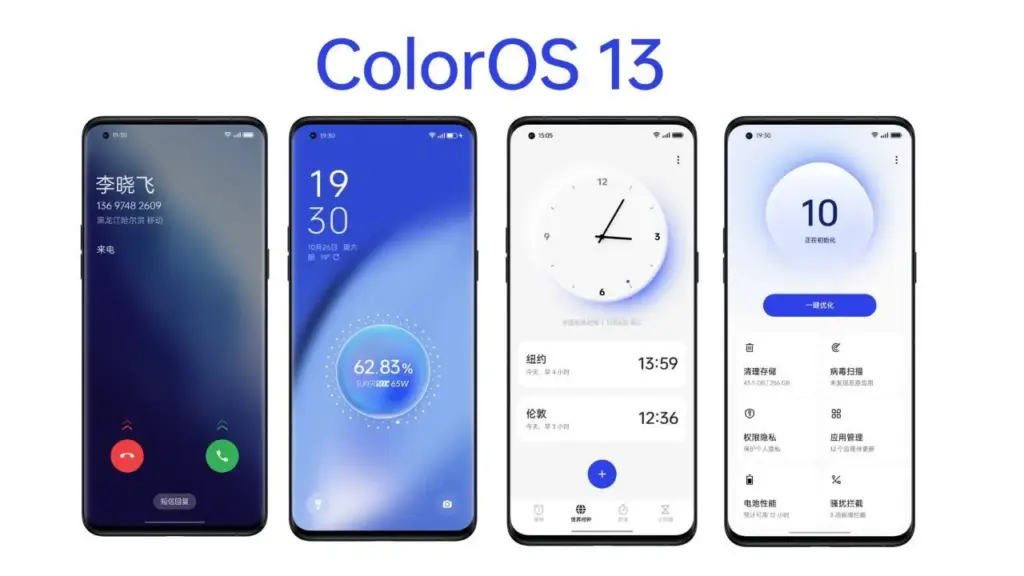
    The software you see on the screen of the OnePlus 13R is powered by the most recent version of Google’s mobile operating system, which is Android 15. It is not entirely Android because OnePlus has layered its OxygenOS 15.0 interface over top, giving the phone a familiar appearance and feel for those who have used the company’s earlier models.

    This offers the stock Android platform—found on Pixel phones—a slightly distinct appearance and feel. Other apps were pre-installed on my OnePlus 13R in addition to the standard system apps.

    According to OnePlus, OxygenOS 15 has been made 40% smaller overall, providing more capacity for apps, games, pictures, movies, and other media by using less of the 256GB of internal storage.

    OnePlus 13R colos os software

    With OnePlus promising to provide the smartphone with six years of security upgrades and four years of software updates, the OnePlus 13R is also future-proof. Although this product is decent, it is not the best in its field.

    While Google and Samsung provide seven years of software and security updates on their most recent devices, Apple has long provided five years. And a 2025 smartphone would not be complete without mentioning artificial intelligence. You may use the AI Editor option, which has four tools, in the Photos app (the OnePlus version, not Google’s Photos app). See the camera section for more details.

    The OnePlus 13R also has Google’s Gemini AI assistant pre-installed, which allows you to use tools like Magic Compose (which helps you write text messages) and Circle to Search.

    Camera

    The large, circular camera housing of the OnePlus 13R houses three cameras, the most prominent of which are a 50MP Sony LYT-700 primary sensor and a 50MP telephoto sensor that supports 2x zoom. An 8MP ultra-wide sensor with a 112-degree field of view completes the sensor array. An LED flash is also included to assist light up dim areas.

    OnePlus 13R camera

    There is a 16MP selfie camera on the front, however it lacks a wide-angle lens to accommodate more faces. You will have to accept that some people might not be included in the picture or put your cheeks together.

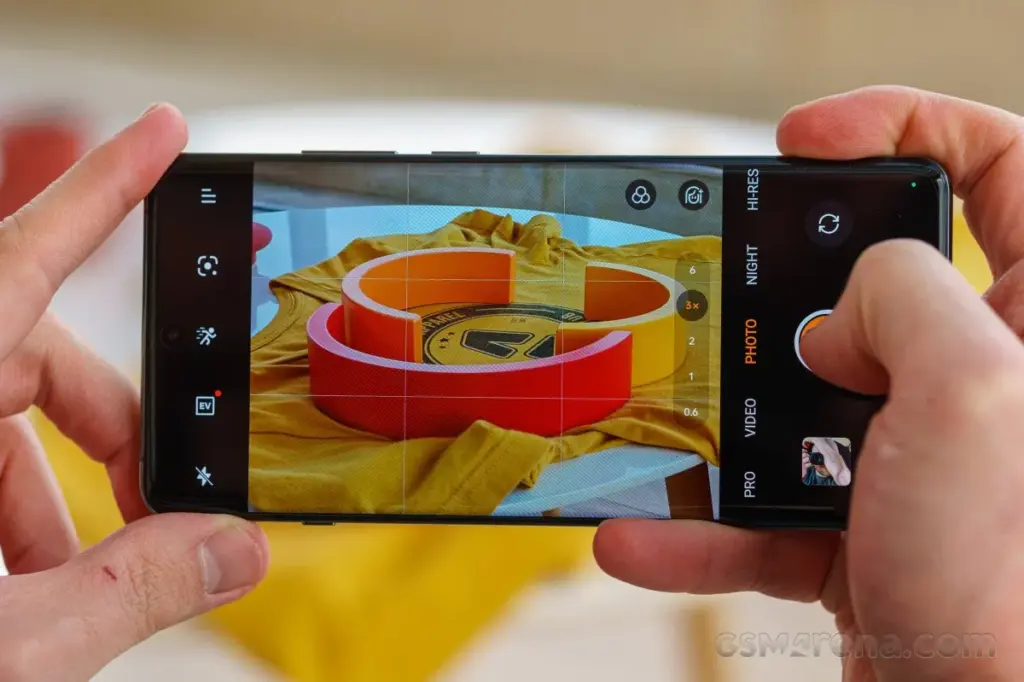
    With easy access buttons for Google Lens, exposure, retouch (beautification mode), and filters, the OnePlus 13R camera software launches quickly and is jam-packed with features that will have you Instagram-ready in no time.

    In addition to offering more precise options for ISO, shutter speed, exposure, focus, and white balance, the “Pro” mode allows users to shoot in RAW instead of JPG for more editing flexibility in applications like Photoshop.

    In summary, the OnePlus 13R camera app offers a wide range of customization choices. However, for those who prefer not to tinker with settings, the good news is that it shoots fantastic pictures in the default configuration.

    The 13R is a pretty good smartphone camera under most circumstances. Given that it is a tier below the genuine premium flagship offers, it is not on par with the greatest camera phones available, but that is to be anticipated.

    Performance

    The Snapdragon 8 Gen 3 processor is the same flagship chipset used in the OnePlus 12, but it is not Qualcomm’s most recent top-tier Snapdragon 8 Elite offering. What this means is the 13R still packs a punch, backed up by a capable 12GB of RAM.

    OnePlus 13R performance snapdragon 8 gen 3

    Social media scrolling is quick and fluid because to the performance and the 120Hz screens, and the interface works well. Although apps load swiftly, the OnePlus 13R does not feel as snappy as the real flagships on the market when it comes to more demanding games.

    That is not really a problem, and I was more than satisfied with the performance I was getting for the price of this phone, whether I was using it for social media browsing, video streaming, email checking, work (including writing some of this review), or taking a well-earned break to play games.

    Genshin Impact ran smoothly on the OnePlus 13R at 60 frames per second and at its maximum graphics setting of 30 frames per second.

    Compared to flagship phones, load screens were a bit slower to complete, but this did not interfere with gameplay. The phone did warm up, but it never got to a point where it was unpleasant.

    Moreover, it works well; we had no read errors when using the phone, and it was very responsive. Enabling face unlock is an additional option. Even from unusual angles, like surreptitiously glancing at your phone from behind a desk, the OnePlus 13R can quickly recognize your face and unlock it in the sunshine.

    Battery

    One of the greatest selling points for the OnePlus 13R is its massive 6,000mAh battery, offering the handset with excellent longevity and giving you the piece of mind of true all-day battery life without the need to even contemplate reaching for a charger.

    OnePlus 13R battery capacity

    We discovered that on days when we reduced our gaming and video watching, we could simply unplug at 7am and then plug in at 11pm with 50% of the power remaining. On days when we used the device heavily, we would still be going to bed at the end of the day with at least 20% of the battery remained.

    To extend the lifespan of the massive power pack within, the company lowered the SUPERVOOC charging speed from 100W on the OnePlus 12R to 80W on the new OnePlus 13R.

    The OnePlus 13R can go from 1% to 100% in as little as 52 minutes with the correct fast-charging plug converter (in the UK, you only receive a USB-C cable in the box), and the 80W charging still provides a respectable amount of power in a short period of time.

    The OnePlus 13R charged from 15% to 31% after 15 minutes using a quick 60W charging block, and the battery returned to 48% after 30 minutes, a 33 percentage point increase in 30 minutes. Fair top-up times, particularly if you have to quickly add charge before leaving the house.

    The OnePlus 13R’s lack of wireless charging is the only drawback to its battery life. You will want a wire to recharge the 13R because this feature is exclusive to its more expensive sister, the OnePlus 13.

    OnePlus 13R series

    OnePlus 13R

    The OnePlus 13R builds on the winning formula of its predecessor, the OnePlus 12R, by delivering prolonged battery life, a dazzling display, and plenty of power in a slick, premium package.

    A good choice
    $599See It
  • Nothing Phone 2 – #Nothing

    Nothing Phone 2 – #Nothing

    The UK, Europe, Japan, and India all had access to Nothing’s initial phone, which was appropriately dubbed Nothing Phone 1. I felt envious as a tech nerd from the US. Beyond its distinctive style, Nothing’s first phone was universally praised as a good gadget at a fair price. Nevertheless, the competition in the Android market isn’t quite as diversified here as it is in the locations where you can readily buy the Phone 1. We felt as though we were being left out.

    I’m happy that the Nothing Phone 2, the company’s second phone, is now available in the US. It retains the general vibe of the Phone 1, but in a larger, more robust package. After using the phone for a few weeks, I’m a fan, but even at its $599 starting price, the Phone 2 won’t appeal to many Android aficionados due to its shaky 4G compatibility on Verizon and average camera quality.

    It was shipped in a high quality carboard box, known as cutie carton in some places.

    Network and availability

    On the business website, you may order the Nothing Phone 2 right now. The entry-level model with 8 GB of Memory and 128 GB of storage costs $599 in the US. For $699 or $799, you may increase to 12 gigabytes of Memory and 256 GB of storage. Although the $599 version with eight GB of Memory is only available in gray, it is available in either white or gray.

    The Phone 2 is approved for use on both AT&T and T-Mobile, however it is only currently offered directly from Nothing. It lacks network certification for Verizon. It’s still compatible with Verizon, and sub-6 5G connectivity will be great. Nevertheless, the LTE band 13 capability needed for Verizon’s 4G connectivity is absent from the Nothing Phone 2. The Nothing Phone 2 won’t likely function for you if you’re on Verizon (or an MVNO that uses its network) and rely on 4G connectivity.

    Nothing Phone design and display

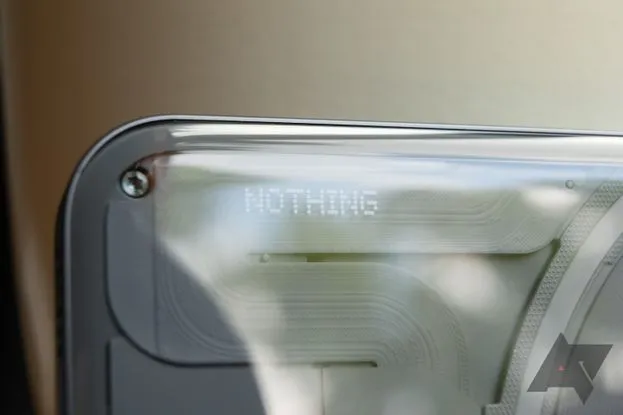
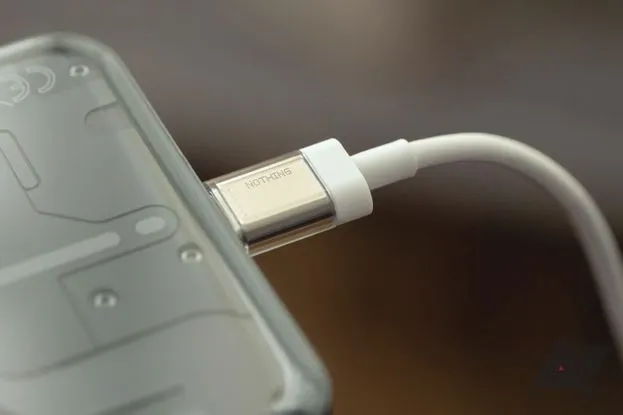
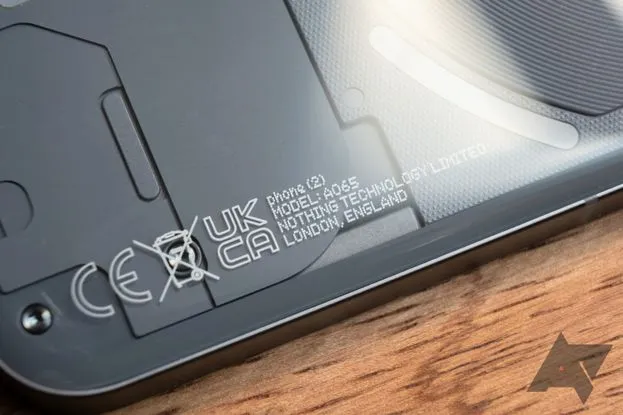
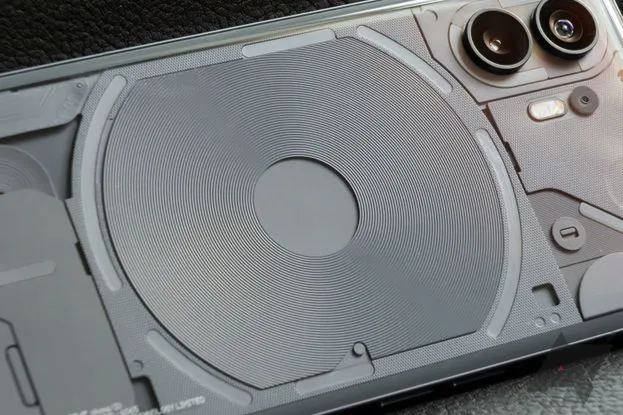
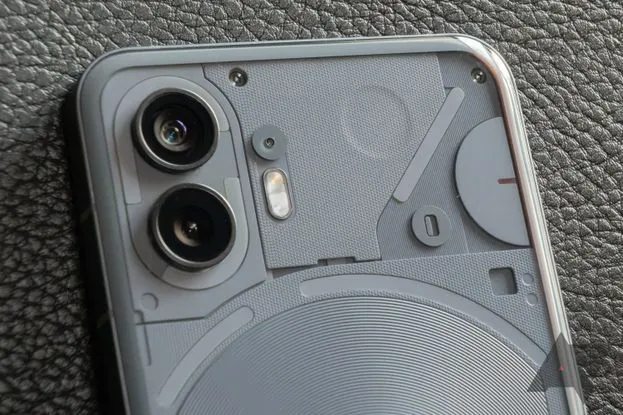
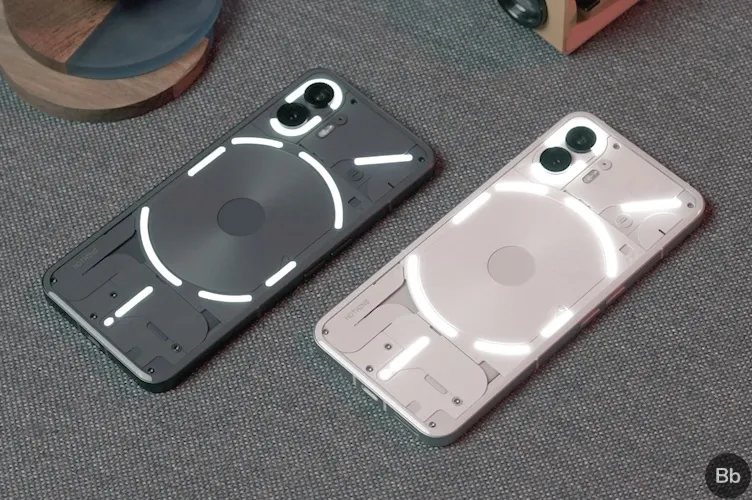
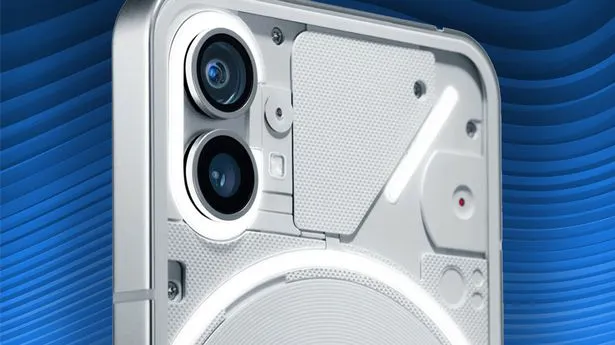
    The translucent rear of the Nothing Phone 2 mimics that of the Phone 1, revealing some swanky internals and Nothing’s distinctive Glyph user interface. The biggest variations between one version and the next are the size (the Phone 2 has a 6.7″ display, which is somewhat larger than the Phone 1’s 6.55″ panel) and color selections. The Phone 2 is available in white and the type of smokey gray you can see in the photographs, as opposed to the Phone 1, which was only available in white or black.

    The components inside the transparent back panel have more roughness than they did in the Phone 1, which makes the Phone 2 even more aesthetically pleasing. Light plays on the tiny bumps and ridges in intriguing ways, highlighting another new detail that is highlighted by the gray hue. The Phone 2’s rear panel curves slightly at the edges to meet the flat metal frame, in contrast to the Phone 1, which had flat glass on the back (nothing refers to it as “pillowed glass”). Personally, I believe the flat rear of the Phone 1 had a cleaner appearance.

    This time around, the Glyph lights on the phone’s back have a slightly modified layout and more independently configurable zones than the Nothing Phone 1 did. Even so, they still only emit one color of light; these are not tiny RGB strips.

    Except from those variations, this design is extremely similar to the Nothing Phone 1. Nothing suggests this was done on purpose; the business wants to establish a strong, recognisable visual identity that can be carried over to upcoming gadget generations. There, I am powerless to gripe. Nothing’s design language is still distinctive and eye-catching in comparison to the majority of other phones available today, even though it hasn’t changed significantly year over year.

    phone 2 pdp os header desktop

    The hardware feels quality, too: there’s no creaking or flexing, the buttons are clicky, and the haptics are nice and firm, if a little loud. The phone is IP54 rated, so it’s splashproof, but you still try not to submerge it in water.

    There’s an optical fingerprint sensor near the bottom of the screen. The scanner is just a touch lower in the display than I’d like, but it’s a good one: it’s faster and more reliable than the sensors in Google’s Pixel 7 phones, though not quite as quick as the ultrasonic scanners Samsung uses in its flagships.

    Software and performance

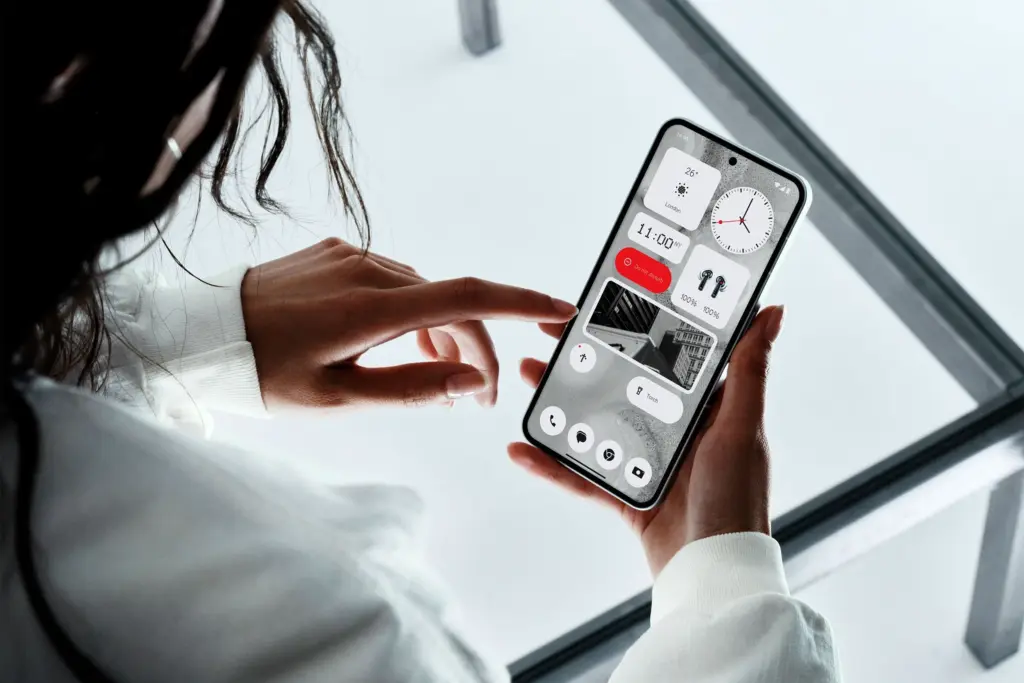
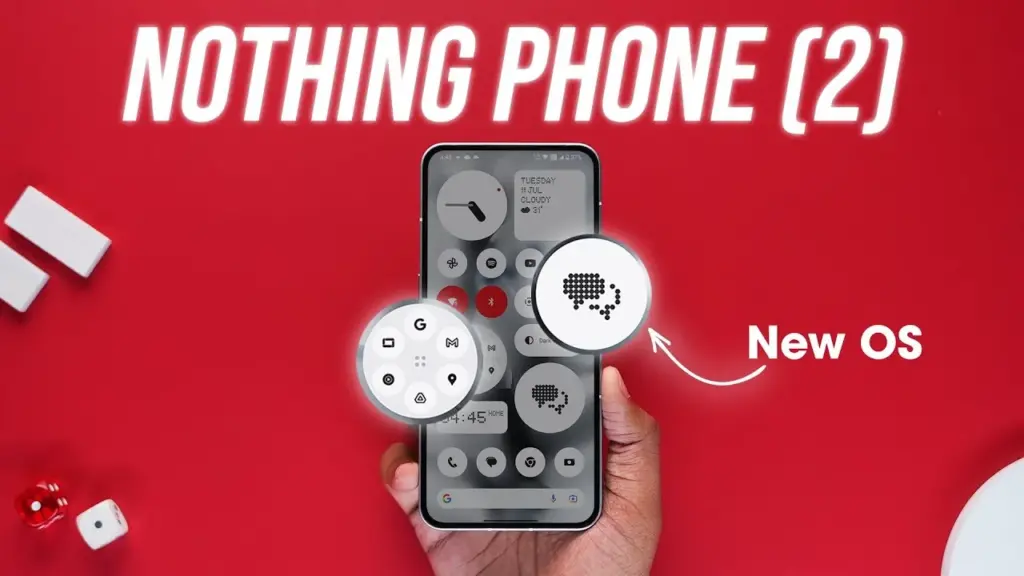
    In the Phone 2, nothing’s software basically looks the same as it did on the Phone 1. The UI here feels a lot like Google’s version of Android because the firm gave Android 13 the same light touch of customization that it gave Android 12. If you still find that to be too strange for you, you can initially set up the phone with stock Android rather than Nothing OS.

    maxresdefault 8

    Nonetheless, I enjoy Nothing OS since none of the modifications it makes are intrusive or feel forced. The Phone 2 primarily uses Google’s system apps, including Phone, Messaging, Calculator, Clock, and others, however there are a few widgets with the Nothing brand and a few apps with Nothing’s distinctive dot-matrix design. Thankfully, there is no bloat, such as pre-installed social networking or games, or programs that perform two functions at once (looking at you, Samsung).

    You have the choice to add Nothing’s widgets on your lock screen, but I’m not sure any of them are worthwhile enough to trade notification space for them. I also wish it wasn’t just limited to Nothing’s widgets. On your home screen, you can also choose to enlarge specific app and folder icons so that they take up four instead of one space. Moreover, Nothing’s launcher features a feature that can force all of your program icons to appear in monochrome, even if they don’t yet support dynamic themes. Standard icons, appropriate Material You theming, and unique icon packs from the Play Market are also options.

    Nothing guarantees four years of bimonthly security updates and three years of Android updates, which will cover the Phone 2 through Android 16. But, Nothing has only been a company since 2020, and just last year did it release its first phone, making it difficult to anticipate how long-term support will be. But, the Phone 1 hasn’t yet fallen behind in upgrades, so I’m optimistic Nothing will succeed.

    The Nothing Phone 2 is powered by a Snapdragon 8+ Gen 1 chipset and either eight or 12 gigs of RAM. The 8+ Gen 1 was Qualcomm’s 2022 flagship CPU, found in devices like the Samsung Galaxy Z Fold 4 and the OnePlus 10T. It’s not as powerful as this year’s Snapdragon 8 Gen 2, but the Phone 2 is still a remarkably snappy device. Apps don’t feel remotely slow to open, multitasking works great, and gaming performance is reliably smooth.

    My review unit is the $699 model that comes with 12 GB of RAM, but I don’t think most people would miss those four extra gigs. If you happen to need more than 128 gigabytes of storage, the added RAM is nice headroom to have, but otherwise, you should be safe with the $599 base model.

    Glyph interface

    The Phone 2 features the Glyph interface from Nothing. The fundamental idea is the same: LED strips are hidden beneath the clear rear glass. They glow when you receive a notice. With Nothing’s Glyph Composer function, you can assign various notifications different light patterns and make your own ringtone/Glyph combinations. When you place the Nothing Phone 2 face down, the Flip to Glyph function from the Phone 1 makes a comeback as well. Your notifications are hushed, allowing the Glyph lights to take over.

    nothing phone 2 glyph interface

    But, there are a few useful new additions. Any app’s notification channels can be set up as Essential Notifications, which causes one of the Glyph strips to illuminate and remain illuminated until you view or dismiss the notifications. The Glyph lights become far more practical for this reason alone; you can keep your phone face down and still determine, at a look, whether it requires your attention.

    There is a new Glyph Timer feature that, interestingly, only works with timers that are set from a specific widget or the phone’s settings and not through the Clock app. It uses one of the Glyph strips as a type of progress bar for timers. Moreover, Nothing has developed an experimental function for the Uber app that uses the Glyph interface to display the status of your ride. Although I haven’t had the opportunity to try it, I assume I would still be closely monitoring the screen of my phone if I were waiting for a ride.

    In all, the Glyph lights don’t add a ton of utility; a single notification LED on the back of the phone would more or less accomplish the same thing. But they look cool, and they don’t detract from any other aspect of the phone. It might be a gimmick, but at least it’s a harmless one.

    Cameras

    The Nothing Phone 2 has two 50-megapixel rear cameras: one primary at f/1.9 and one ultrawide at f/2.2. Photo performance is mixed.

    In good light, the Phone 2 typically takes good pictures. Colors look natural, detail is sharp, and shadows are refreshingly dark — while many smartphone cameras aggressively brighten darker areas in photos, the Phone 2 is content to let them fall to near-black a lot of the time. I appreciate that.

    0 nothing

    In increasingly difficult lighting situations, things become a little trickier. Nothing’s picture processing may use improvement, despite the Phone 2’s use of tried-and-true camera hardware (the primary shooter utilizes the same sensor as the OnePlus 11). It’s common to lose detail in both highlights and shadows in settings with strong contrast.

    In low-light conditions, the cameras also frequently employ unnecessarily lengthy exposures. The fact that a longer exposure results in a brighter image is sort of advantageous. But, I’ve seen single exposure shutter speeds as slow as 1/5. Even with optical image stabilization, it can be challenging to take a crisp handheld photo at such slow speeds.

    Another sporadic issue is shutter lag. The Phone 2 frequently takes a second or more to really capture a picture once you hit the shutter button, even in somewhat good light. Although it’s not often a problem, I have occasionally lost images of moving objects due to an unanticipated gap of half a second before the phone shot the picture.

    Battery and charging

    The 4,700mAh battery that powers the Nothing Phone 2 easily lasts me for at least a full day of use. I regularly get six or more hours of screen time over the course of 24 or more hours without a charger. This number holds true even when battery-intensive activities like gaming and Google Maps navigation are included. I wouldn’t be at all surprised if the Phone 2 could go for a full 48 hours between charges with moderate use.

    nothing phone 2 battery stats

    Nobody claims that the Phone 2’s 45-watt fast charging system can charge the battery from 0% to 100% in less than an hour. Nevertheless, to achieve that speed, a PPS charger must be able to produce power at 2.25 amps, which not all can. The maximum charging current at 5A is 15 watts. At 15 watts, a full charge takes roughly one hour and fifteen minutes. The Phone 2 also features reverse wireless charging at up to five watts and wireless charging up to 15 watts.

    Conclusion

    Given the Nothing Phone 2’s excellent performance, reasonable price, and generally respectable cameras, it’s simple to draw comparisons with the smartphones OnePlus produced during its “flagship killer” era, which was later led by Nothing founder Carl Pei. The same enthusiast customers who like OnePlus’s early phones will likely be attracted to this one, in my opinion: those looking for a reasonable, fascinating alternative to more mainstream options. I’m curious to see how the Phone 2’s general availability in the US will effect the upper-midrange market it is competing in because it will expose it to a larger group of these aficionados than the Nothing Phone 1 did.

    Like Nothing, you should always pack your parcels like a pro with quality boxes secured with tape or benzi adezive.