Category: OS

In‑depth coverage of any OS, new features, privacy tools and ecosystem changes to keep your devices current and secure.

  • 7 things that Xiaomi needs to fix on HyperOS to make it better

    7 things that Xiaomi needs to fix on HyperOS to make it better

    In October 2023, Xiaomi unveiled their new Android-based operating system, or Android skin as some of you could refer to it. It was the successor of MIUI and is called HyperOS. Sincerely, HyperOS ended up looking a lot like MIUI, and although it did provide some nice modifications, it also brought about some unfavorable ones. HyperOS is undoubtedly a highly powerful piece of software, but there is still a lot of space for improvement. Although Xiaomi’s HyperOS has a lot of promise, a few things must alter if it is to advance.

    So far, I have been running HyperOS on several Xiaomi and Redmi devices. I have discovered a number of things that I would alter during my time with it. To be clear, you might not have an issue with some or all of these things. Nevertheless, I think HyperOS has a lot of promise and can reach that point with just a few smart actions from Xiaomi. Keep in mind that, as is typical with these kinds of pieces or editorials, personal opinion does come through. Views vary. So, let us examine HyperOS’ shortcomings, shall we? I will not do it in any specific order.

    Home screen customization
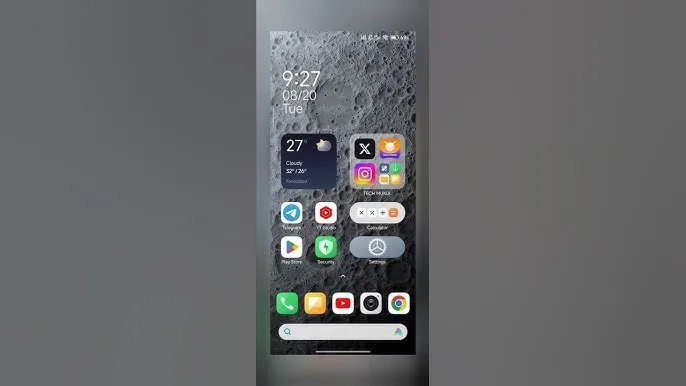
    HyperOS home screen

    There is a lot of flexibility available with HyperOS. Still, there is potential for improvement. I made the decision to pay close attention to the home screen. Why? Xiaomi can improve this in a number of ways that will help consumers. First and foremost, using icon packs from the Google Play Store would be great. Setting up icon packs is practically impossible since we are unable to use third-party launchers. Xiaomi has no reason not to implement this change in their stock launchers, as many other Android OEMs do.

    Plus, it would be fantastic to give customers additional grid size options. There are very few options available presently. However, there is a problem with nearly all other Android OEMs. The home screen’s app dock row comes next. It would be great if we could eliminate it completely and have a single, consistent canvas on the home screen because some users choose not to use it at all.

    Unblock third-party launchers
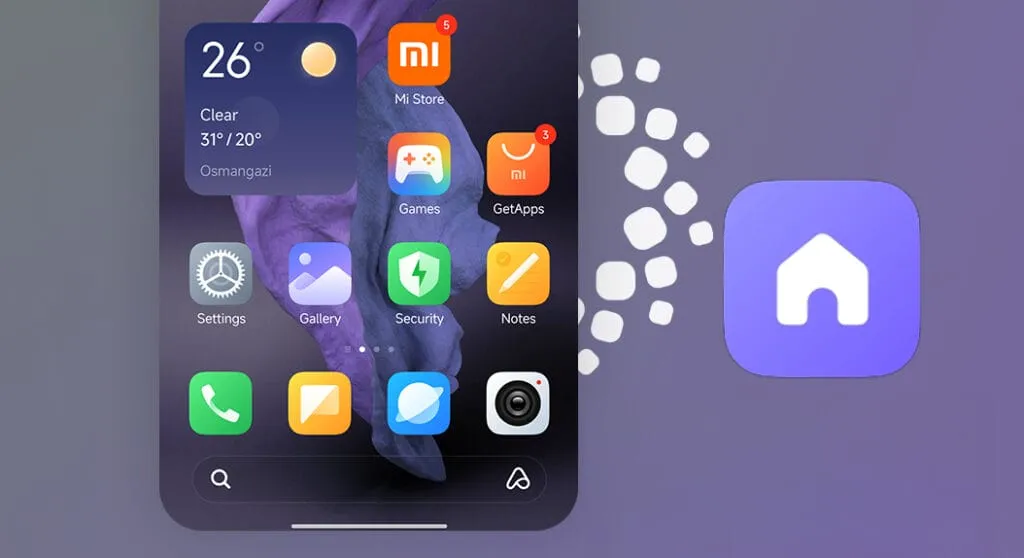
    HyperOS homescreen

    One of my main complaints with HyperOS is this. The only significant Android skin that totally prevents third-party launchers from working is this one. Although it is likely that you will have problems with gesture navigation, other OEMs let you set them. Actually, Google is to blame for this, as it restricts access to certain APIs for third-party developers. It has been a persistent problem. To change that, they even petitioned Google.

    However, for some reason, Xiaomi chose to restrict third-party launchers entirely. Actually, it was not the case with MIUI in the past. In actuality, third-party launchers performed best on Xiaomi smartphones in terms of animations and other features. It was a significant shift when Xiaomi blocked them. Since many fans use Xiaomi phones, it should be possible to enable third-party launchers and let them function properly.

    Toggles
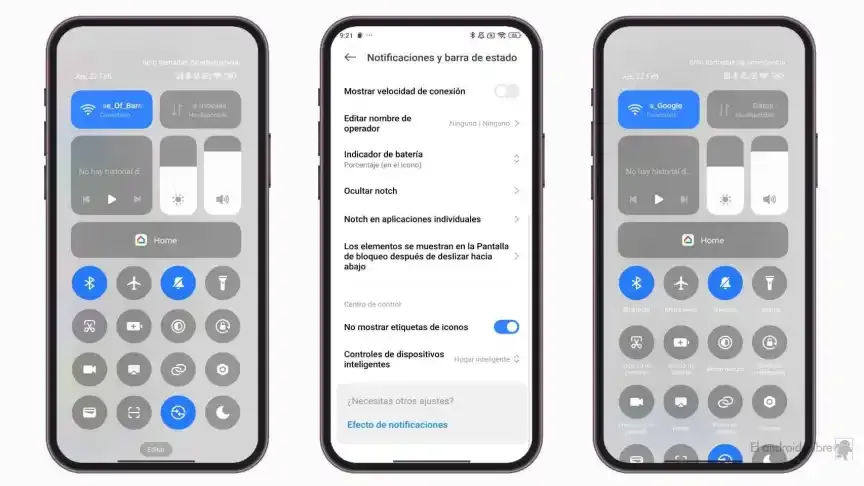
    The Quick Toggles screen might be enhanced by Xiaomi as well. Although it makes us think of iOS, it is not an issue in this case. This Android skin lacks a dedicated Settings toggle, in contrast to the majority of others. Although there is a toggle, it is a component of every other toggle. Although you can move it around and position it wherever you choose, it is not independent and lacks sufficient intuitiveness. It would be convenient if it were distinct because many users are accustomed to opening Settings from there.

    In addition, there are just two sizable toggles there, and regrettably, you are unable to alter that. The WiFi and mobile data toggles are the only sizable toggles you receive. For example, the Bluetooth toggle and the screen rotation toggle cannot be made huge. If Xiaomi made this possible and let users fully design the Quick Toggles interface, it would be great.

    Push notifications
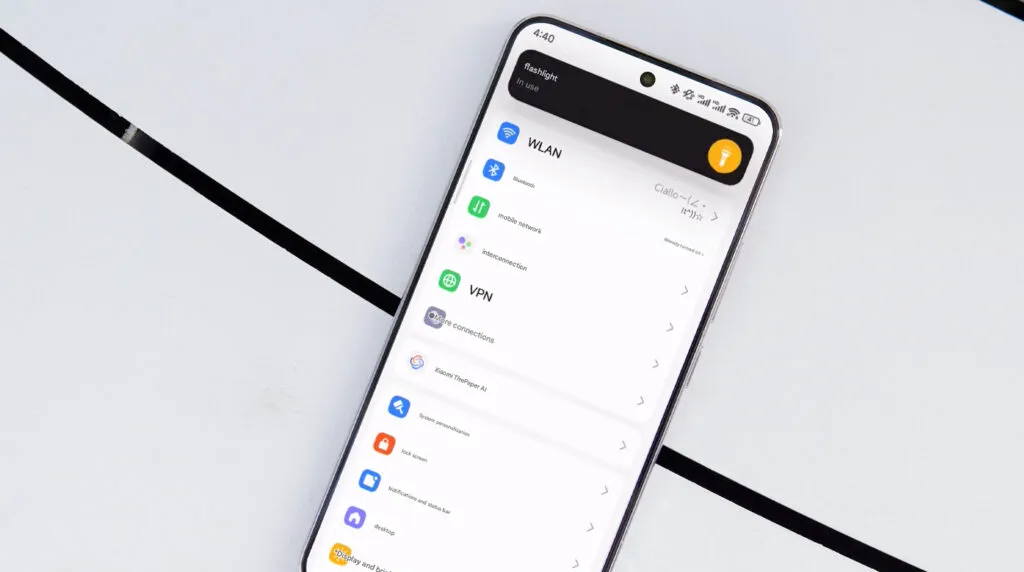
    HyperOS 2.1 Beta

    Unbelievably, HyperOS still has problems with push notifications. At least the way it is configured right out of the box. I have been experiencing problems with the majority of apps. By default, apps are set to “Battery Saver,” which is the suggested setting. You will not have these problems, though, if you unblock them from their limitations in the settings (each program independently). It will be possible for notifications to reach their destination on schedule.

    The problem is that ordinary consumers will not be aware of that. They will not consider changing that function by going into the settings. Of course, that is problematic. Many of them will find it annoying because they will not be receiving notifications right away. As a result, they become irritated with the business—in this example, Xiaomi—and develop a bad opinion of their goods. To be honest, Xiaomi should make changing this a high priority. Push alerts need to function normally right out of the box.

    The 10-second countdown

    Another noticeable issue when it comes to HyperOS has to do with the timeout Xiaomi is placing on its consumers. Essentially, a warning pop-up will appear each time you attempt to modify a more complex setting, such as an accessibility setting. That is typical, is not it? Yes, it is; all OEMs carry it out. The 10-second countdown, however, is unusual. You cannot approve or reject anything on Xiaomi until ten seconds have elapsed. This is most likely in place to allow you sufficient time to read the warning.

    You truly do not need to read it again after you have seen it for the first time. That countdown is incredibly annoying since you know exactly what you want to do. It makes sense if Xiaomi only did it once after you had configured your device. However, in HyperOS, you receive it each time a more complex configuration is altered.

    Notifications

    hyperos notification

    I wanted to draw attention to a few more notifications-related problems besides push notifications. For other people, lock screen notifications are an additional problem. They work similarly to what you get on iOS the way they are currently configured. It goes without saying that many individuals will find that offensive. What is wrong? You will notice your new notifications when you get to the lock screen. However, they will not be there the next time you get to the lock screen, even if you do not read or open them and then lock the device.

    Yes, they will still remain in the notification shade, however this is a problem if you use your lock screen a lot. That is not what the great majority of other Android OEMs do. Similar to the notification shade, notifications will remain on your lock screen unless you choose to dismiss or open them. This distinction between the lock screen and notification shade is completely superfluous, and I sincerely hope Xiaomi will eliminate it soon.

    Status bar icons
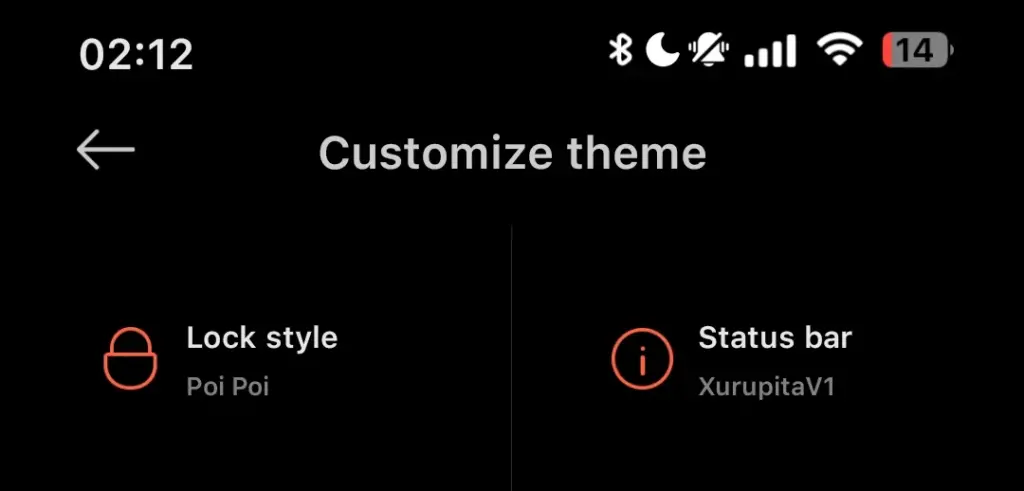
    hyperos status bar incons

    Xiaomi can also make the HyperOS status bar better. When it comes to it, there are a number of various irritations. Notification icons are the subject of the first one. Xiaomi restricts you to a single app notification icon in the upper-left area by default. However, you have the option to enable up to three app notification icons to show. Only the three most recent alerts from various applications will show up if you have more than three.

    Almost all other Android OEMs permit as many app notification icons as they can fit on the screen. It does not restrict you in that manner, which is the proper approach. The fact that Xiaomi only allows one icon by default and that you are unable to enable more than three icons is not the only issue. Simply put, HyperOS introduced a totally needless modification that was not a problem on MIUI.

    Additionally, if HyperOS allowed users to remove some of the status bar icons, that would be great. For instance, it is superfluous that the Bluetooth indicator is always up there. Many individuals always have Bluetooth turned on for their headphones, smart watches, or other accessories. That icon does not really need to be up there all the time if it is always on. If we could take it off and forget about it, that would be great.
  • Easily install Android 16 Beta on Xiaomi devices

    Easily install Android 16 Beta on Xiaomi devices

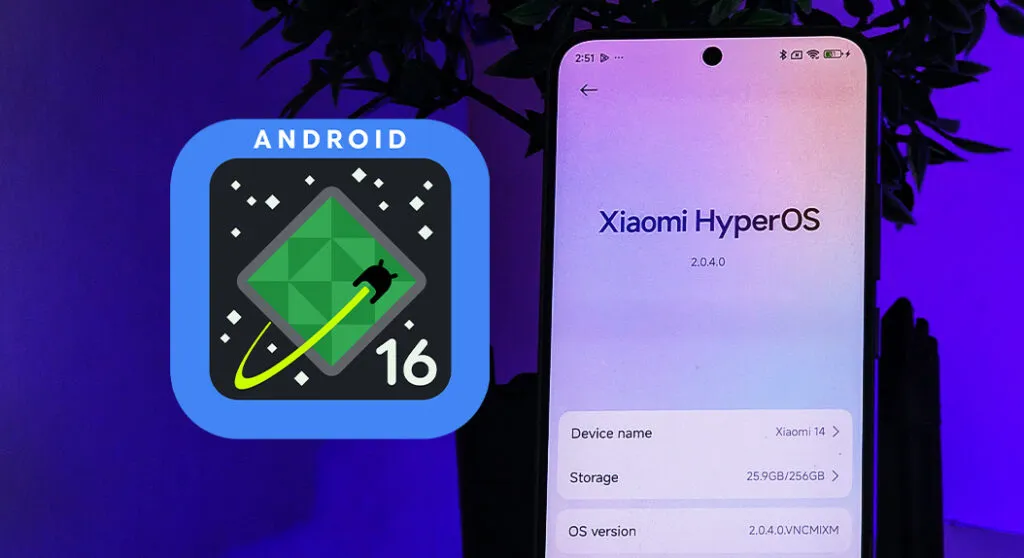
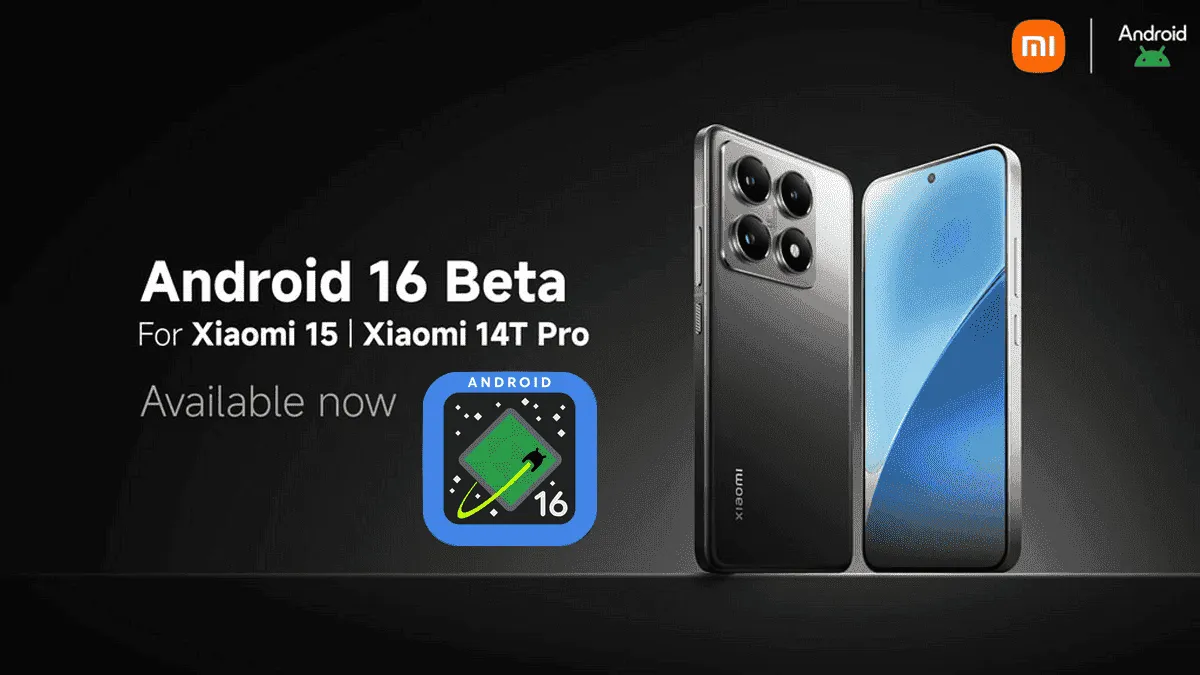
    After being first released in China, the exciting HyperOS 2 for some Xiaomi devices running Android 16 Beta 2 is now available globally. The most recent features and improvements are now available to consumers worldwide on the Xiaomi 15 and Xiaomi 14T Pro, which is the international version of China’s Redmi K70 Ultra.

    If you are eager to obtain Google’s most recent operating system and cannot wait for the final release, which is scheduled for June 2025, this comprehensive installation guide will walk you through the process.

    Supported Devices and Build Numbers

    Check your device compatibility before proceeding with the installation and record the correct build number:

    Method 1: Local Update

    This method is based on your device having at least the following software version:

    1. Check that your Xiaomi 15 is running OS2.0.109.0
    2. Make sure your Xiaomi 14T Pro is running on OS2.0.103.0
    3. Key steps to take Back up your data as you are about to erase the contents of your phone
    • Download the suitable Android 16 Beta build for your device
    • Copy the ROM package into your phone storage
    • Settings → About phone → Tap on “OS version” 10 times in order to enter developer mode
    • Go back to Settings → About phone → Tap on the system icon → Tap on the three-dots icon → Tap on “Choose update package”
    • Select the ROM package in order to initiate the upgrade
    android16 beta 4 on xiaomi devices
    HyperOS Manual Update 4

    Method 2: Fastboot Update

    For experts who are familiar with bootloader unlocks:

    1. Seek out and obtain bootloader unlock approval
    2. Back up your data
    3. Download the Android 16 beta build for your device
      1. Xiaomi 15
      2. Xiaomi 14T Pro
    4. Follow the tutorial for Fastboot Update

    Fastboot Recovery Option

    To restore using Fastboot mode:

    1. Turn off your device
    2. Press Volume-down + Power buttons simultaneously for 4-5 seconds
    3. Restore factory settings as indicated on-screen
    4. Keep in mind that beta software can have bugs as well as performance issues.
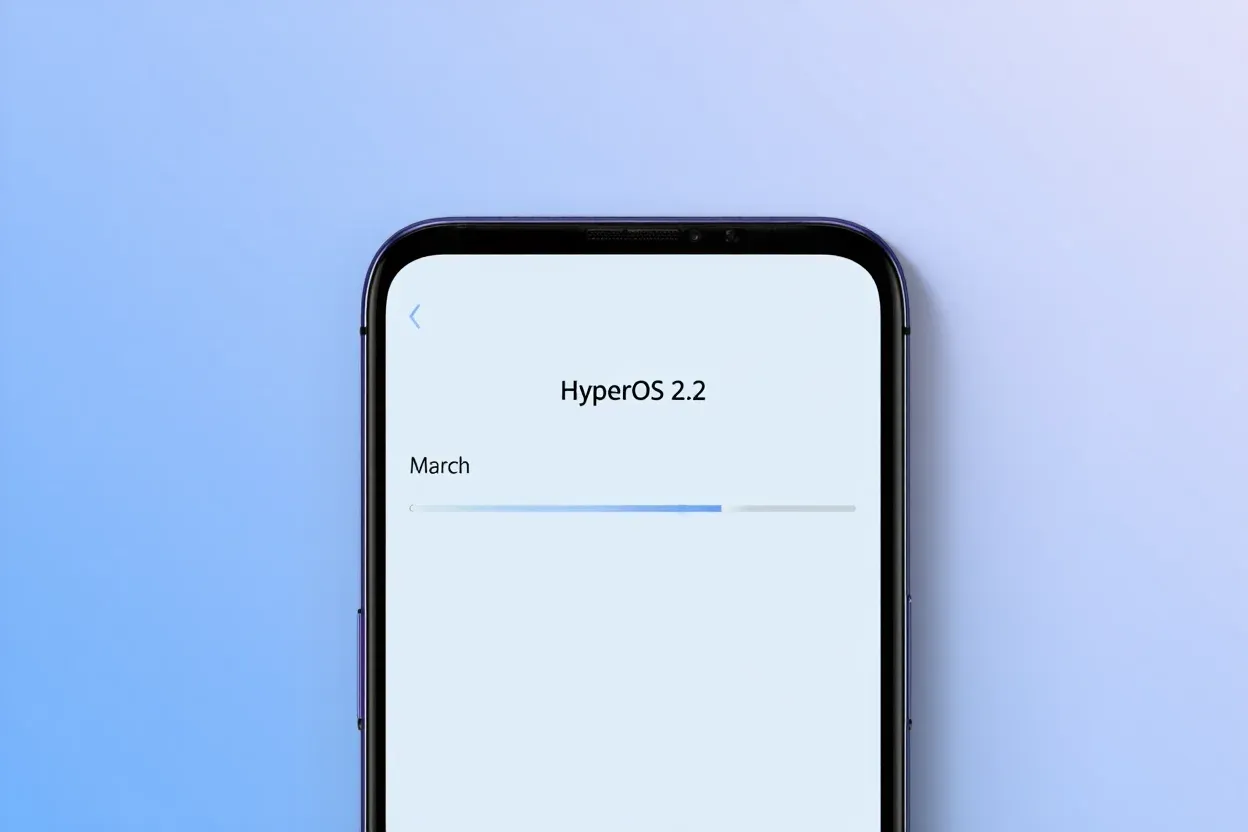
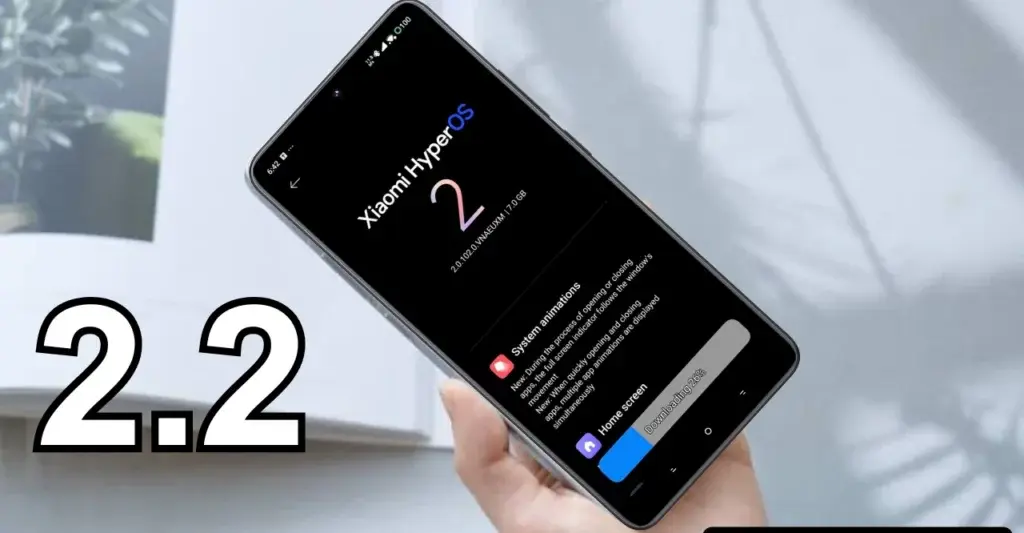
  • HyperOS 2.2 Beta changelog released by Xiaomi

    HyperOS 2.2 Beta changelog released by Xiaomi

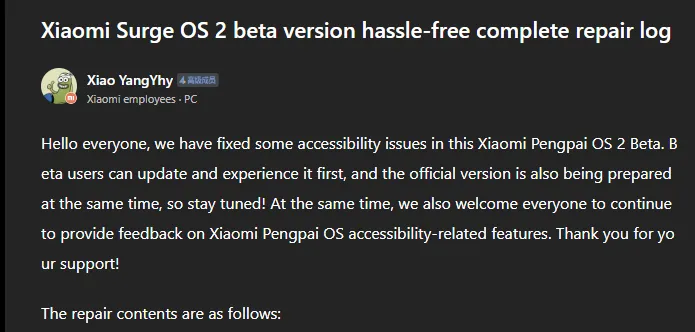
    Xiaomi has taken a huge step in making its devices more inclusive by releasing a comprehensive accessibility repair log for HyperOS 2.2 Beta. Xiaomi employee @小杨Yhy shared a complete update in the Xiaomi Community, addressing accessibility concerns across the system, including basic controls, SMS functioning, and TalkBack improvements. This massive accessibility upgrade underscores Xiaomi’s dedication to create a more inclusive user experience, ensuring that their devices are usable by people with a variety of disabilities.

    HyperOS 2.2 Beta change log

    Common control enhancements in HyperOS

    The accessibility update addresses a number of typical control issues that previously limited users with impairments. These improvements significantly improve the system’s overall user experience.

    Key enhancements to standard controls are:

    • Corrected password control choices in the input fields
    • Resolved index bar operation and selection issues
    • Corrected focus problems with bubbles showing up when entering pages
    • Corrected switch control focus redundancy
    • Corrected wrong reading of switches as checkboxes
    • Included proper labeling to jump buttons in lists
    • Fixed reading problems with search and input boxes
    • Fixed focus and labeling problems with back buttons
    • Enhanced notifications of selection status
    • Provided proper labels to progress bar buttons

    These fundamental upgrades will make the process more natural for users who rely on accessibility capabilities, particularly those who use screen readers or voice commands.

    Communication and messaging enhancements

    All users must be able to communicate, and the latest update significantly improves the SMS and phone accessibility capabilities. These changes make messaging and phoning more accessible to handicapped people.

    Notable SMS and phone accessibility fixes include:

    • Correct labeling of satellite map SMS broadcasts
    • Addressed incorrect messaging in SMS multi-select action
    • Fixed the checkbox selection issue in message feedback.
    • Removed unnecessary blank focus fields in message details
    • Resolved incoming call number labeling issues
    • Fixed the dial pad focus and selection problems.

    The new update also resolves several contact-related accessibility challenges to allow users greater control over their contact list and dialing irrespective of disability.

    Control Center and System Settings Accessibility

    System settings and the Control Center both benefit from extensive accessibility enhancements, making the management of the device more accessible to everyone.

    Key improvements are:

    • Resolved focus penetration problems in the Control Center
    • Fixed switch status reporting issues
    • Included proper labeling throughout the Control Center
    • Fixed-coordinate position reporting during icon ordering adjustment
    • Enhanced focus of notification center and labeling
    • Fixed switch reading problems in settings
    • Added proper control type announcements

    These enhancements guarantee that the users with disabilities can efficiently navigate and control their device settings without the presence of accessibility barriers.

    Specific accessibility features for apps

    The update also introduces several accessibility improvements to some of the Xiaomi apps, such as the CalculatorCalendarWeatherNotesRecorderFile Manager, Xiaomi Video, and Browser. These improvements work to achieve consistent accessibility within the entire Xiaomi ecosystem. TalkBack users stand to benefit most from the fixed volume adjustment problem and touch failure issues that previously hindered screen reader performance.

  • HyperOS 2.2 just got some exciting new features

    HyperOS 2.2 just got some exciting new features

    With a remarkable array of new features in HyperOS 2.2, Xiaomi is once again redefining smartphone innovation. These recent advancements further cement Xiaomi’s position as a mobile technology behemoth by spanning the domains of photography, artificial intelligence, and automotive connection. Explore the exciting new features that will completely transform your Xiaomi experience.

    Photo and video editing capabilities

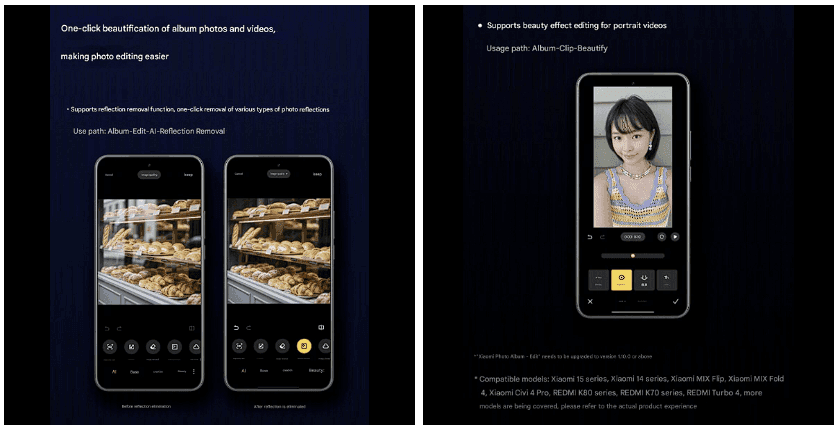
    With HyperOS 2.2, you may alter your visual memories in a whole new way. The new anti-glare feature, which can instantly remove reflections from your photos, is its main attraction. Getting those pictures in the window or in difficult lighting situations is now easier than ever thanks to this technology, which adjusts to various kinds of reflections.

    The update offers video enthusiasts beauty editing features specifically designed for altering portrait videos. With this tool, you can retouch your video recordings to the same level of personalization that was previously only possible with images. The Album app offers immediate access to these editing features through the Album-Clip-Beauty path for films and the Edit-AI-Anti-glare path for images.

    xiaomi hyperos photo and video editing

    These advanced editing capabilities will come to high-end Xiaomi models, including the Xiaomi 15 series, Xiaomi 14 series, Xiaomi MIX Flip, Xiaomi MIX Fold 4, Xiaomi Civi 4 Pro, REDMI K80 series, REDMI K70 series, and REDMI Turbo 4.

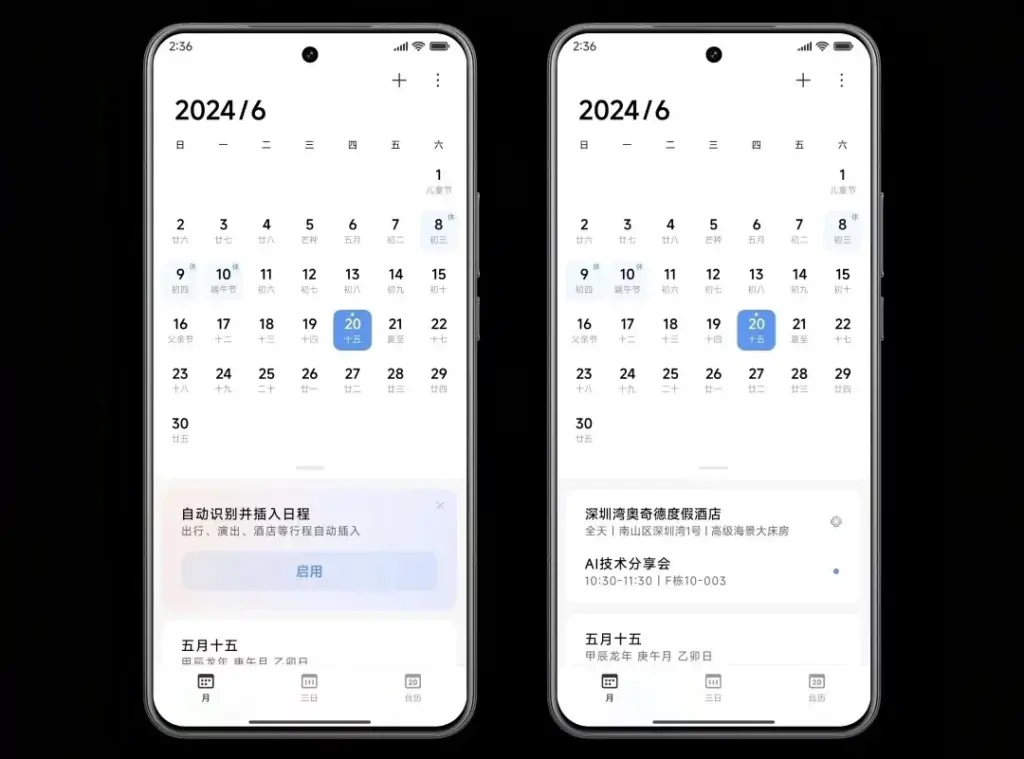
    AI-Powered schedule management

    The AI scheduling clever extraction tool is one of HyperOS 2.2’s most useful enhancements. Instead of requiring you to manually enter scheduling information, this function will identify and display it in your text messages.

    The system accommodates a variety of schedule types, including:

    • Train reservations
    • Flight information
    • Hotel booking
    • Restaurant reservations
    • Performance tickets
    • Movie tickets

    To turn on this handy functionality, simply go to Calendar-Settings and turn on “AI Schedule Extraction.” Be aware that the feature is only supported on Xiaomi HyperAI-enabled models.

    AI-Powered schedule management

    Enhanced CarWith functionality

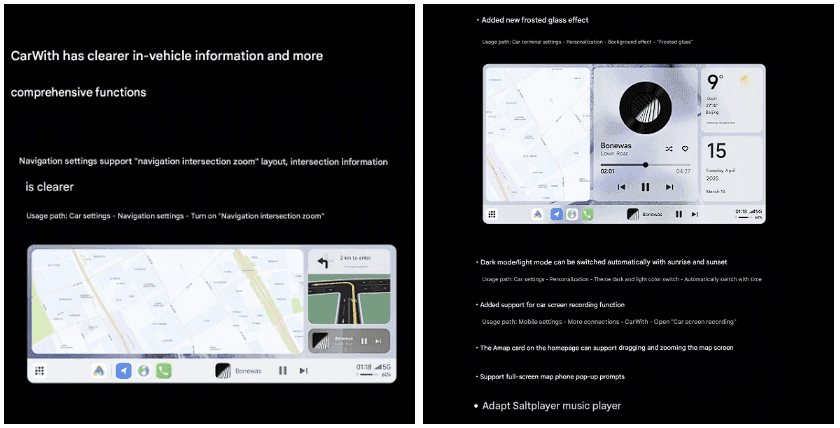
    HyperOS 2.2 significantly improves CarWith, transforming Xiaomi users’ in-car experiences. A new “Navigation intersection zoom” style improves navigation by making information at road intersections easier to read and making it simpler to understand turns and exits up ahead.

    A new frosted glass design further improves the visual experience, giving the car terminal a high-end aspect and feel. The dark mode/light mode can also switch automatically with dawn and sunset for added convenience, reducing eye strain both throughout the day and at night.

    Additional improvements to car connectivity are:

    • Car screen recording capability
    • Map dragging and zooming on the homepage card of Amap
    • Full screen map phone notifications Compatibility with the music player Saltplayer
    xiaomi CarWith

    System-Wide optimizations

    Beyond these major improvements, HyperOS 2.2 includes several quality-of-life enhancements throughout the system:

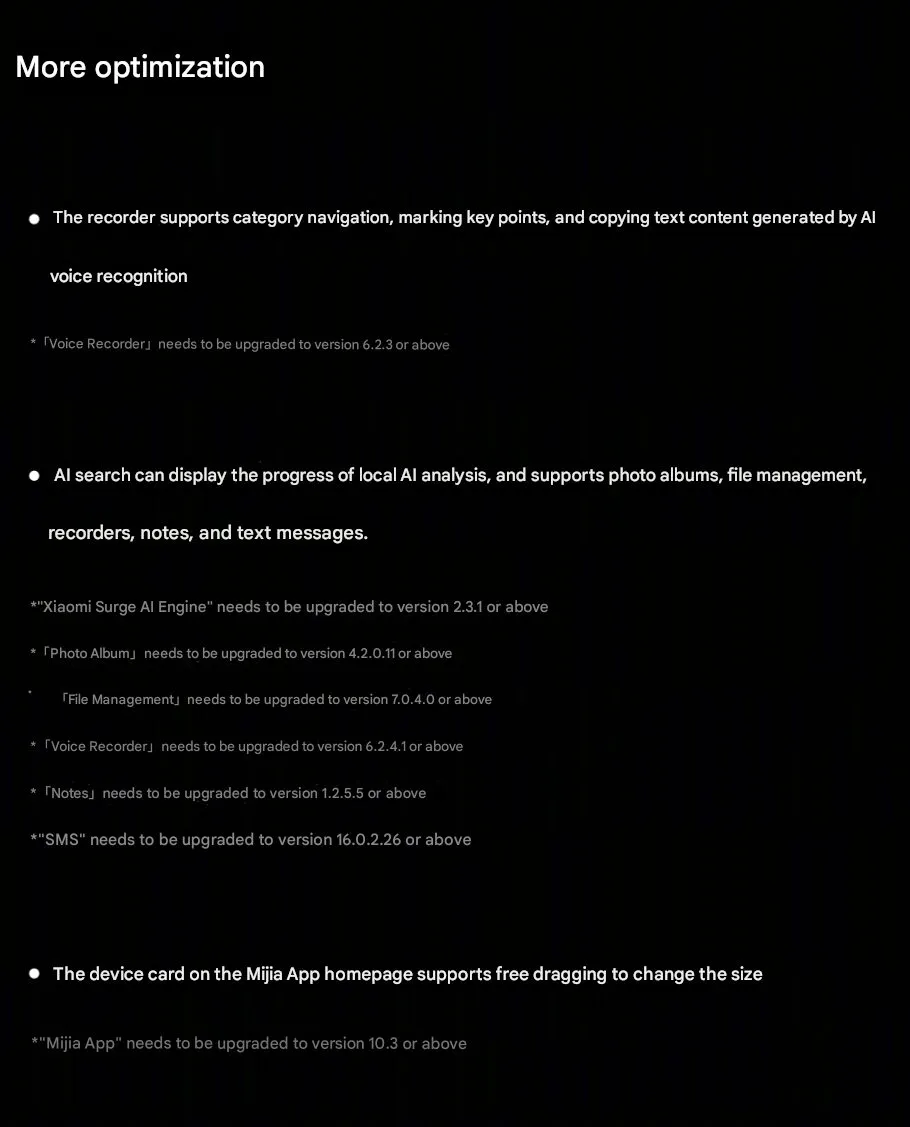
    • Recorder app includes support for category browsing, highlighting of key points, and copying of text created by AI voice recognition
    • AI search shows activity of local AI processing and provides support to photo albums, file management, recorders, notes, and texts
    • Mijia App homepage device cards are now free to drag and resize
    Hyperos 2.2 System-Wide optimizations

  • Samsung announced One UI 7 release schedule

    Samsung announced One UI 7 release schedule

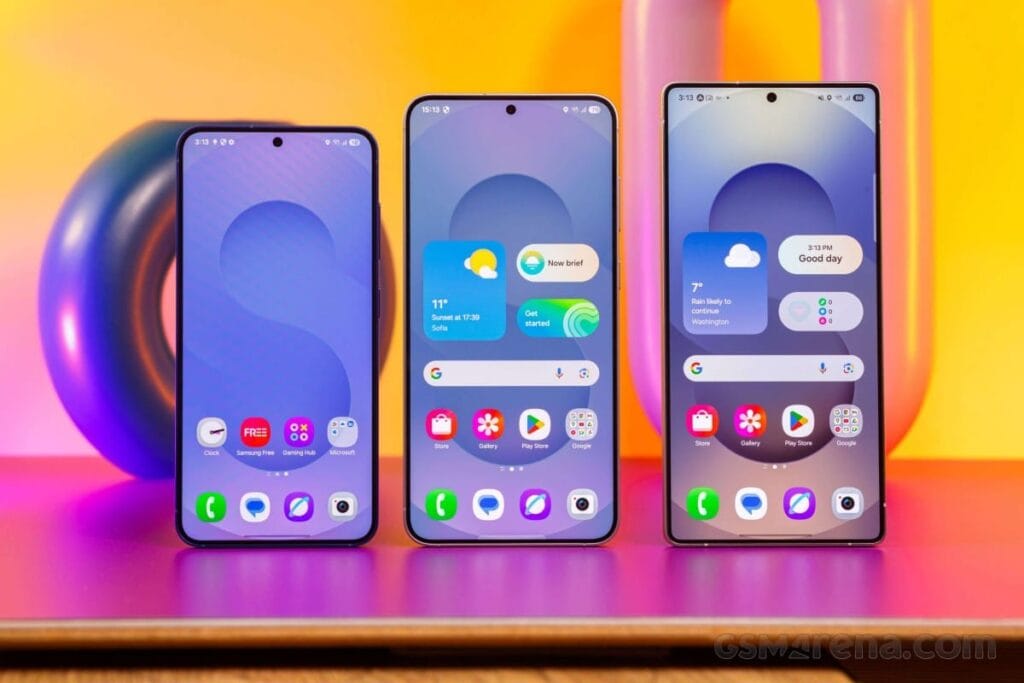
    Samsung released the release schedule (via Tarun) for numerous other devices that qualify for the upgrade shortly after beginning the deployment of the official One UI 7 update for the Galaxy S24 series, the Galaxy Z Fold 6, the Fold SE, and the Flip 6.

    Our dread has been realized: the April update will only be available for flagship devices released within the last two years. In May and June, the update will be released for other devices.

    samsung reveals one ui 7 release

    The complete list of devices and the month they will get the update is as follows:

    • April: Galaxy S24/S24+/S24 Ultra, Z Fold 6, Z Flip 6, Z Fold Special Edition, Galaxy Z Fold 5, Z Flip 5, Tab S10+/S10 Ultra, S23/S23+/S23 Ultra, S24 FE
    • May: Galaxy Z Fold 4, Z Flip 4, Tab S9/S9+/S9 Ultra, S23 FE, Z Fold 3, Z Flip 3, A34, A35, S22/S22+/S22 Ultra, Tab S8/S8+/S8 Ultra, S21/S21+/S21 Ultra, Galaxy A16, Galaxy Quantum 5, Galaxy Quantum 4
    • June: Galaxy Tab S9 FE/S9 FE+, Galaxy A53, A33, A25, A24, A15, Quantum 3, Jump 3, Jump 2, Buddy 3, Galaxy Tab A9/A9+, Tab Active 5, Tab Active 4 Pro, Wide 7

    Although the Korean market was the focus of this plan, most smartphones in other countries should receive the update at roughly the same time. Notably, some devices, such as the Galaxy S21 FE and the Galaxy A73, are not on the list because they were not released in Korea, and we are unable to predict when they will receive the update until Samsung releases the release timetable for other nations.

    Although we will have to wait and see if the firm can truly do that, we are crossing our fingers that Samsung will finish the rollout for all eligible devices by the end of June. Working on One UI 8, which will be preloaded on the Galaxy Z Fold 7 and Galaxy Z Flip 7, may be Samsung’s only option.

  • HyperOS 3 to chanllange iOS on the UI

    HyperOS 3 to chanllange iOS on the UI

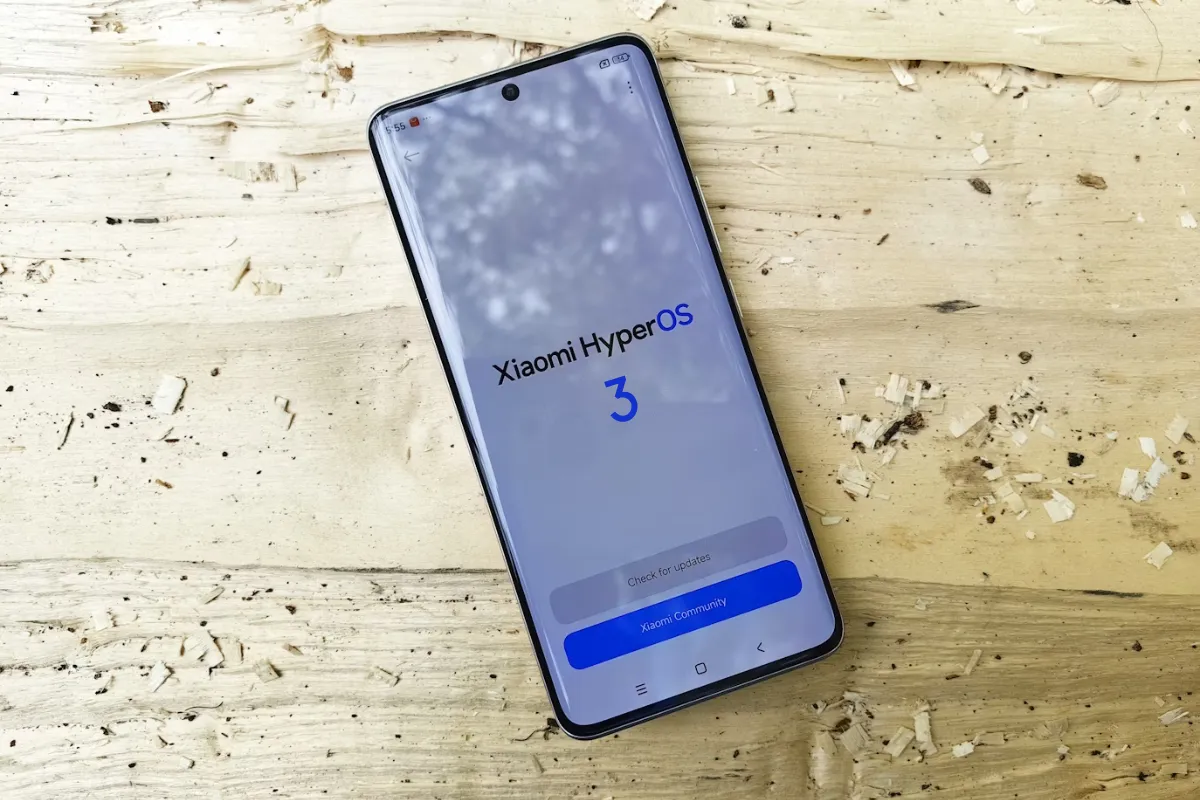
    Xiaomi’s impending HyperOS 3 could challenge Apple’s decade-long interface dominance, following extraordinary stability improvements in HyperOS 2 and subsequent updates. After addressing stability issues in MIUI and HyperOS 1, Xiaomi improved the user experience with HyperOS 2.1 and 2.2, paving the way for a significant competitive advantage with its next-generation interface.

    Android 16 foundation and release calendar

    Xiaomi devices list to receive t

    HyperOS 3 will primarily be based on Android 16, with select devices receiving an Android 15 version. By doing so, Xiaomi hopes to standardize the software experience across its wide portfolio of devices while ensuring that everyone receives the most recent UI innovations.

    According to industry sources, Android 16 is scheduled to be released in the second quarter of 2025, which coincides nicely with Xiaomi’s usual October software release timetable. The schedule would allow Xiaomi’s development team plenty of time to implement Android 16’s core features while also adding their own tweaks and improvements.

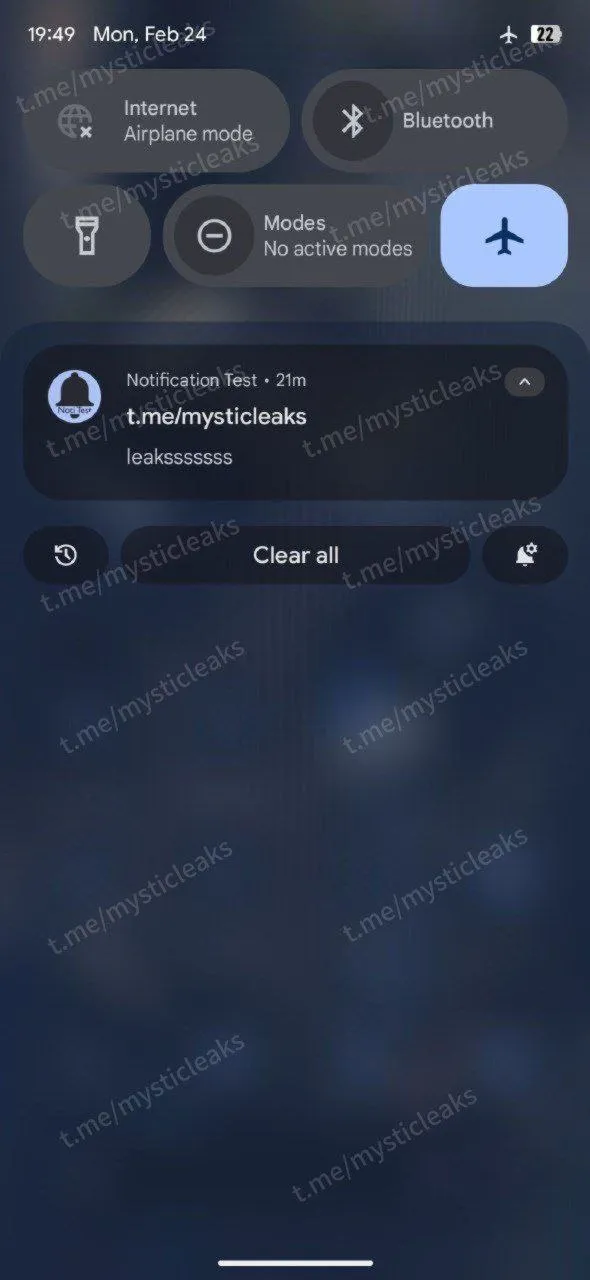
    What is particularly noteworthy about HyperOS 3 is how Google’s proposed design philosophy for Android 16 corresponds to visual signals traditionally associated with Apple’s iOS. Google is apparently working on a major interface makeover that will make extensive use of blur effects throughout the system UI – a visual approach that has been a hallmark of Apple’s design language for many generations.

    This convergence offers a unique opportunity for Xiaomi since HyperOS 3 can potentially offer:

    • Greater visual depth with sophisticated blur effects
    • Intuitive layering of interface elements more
    • Improved visual hierarchy that aids usability
    • Smoother animations that are more natural and responsive
    • Greater visual consistency across the entire system
    hyperos 3 leak

    The fact that HyperOS 3 is being released at a time when the iOS interface is quite stable presents a chance for Xiaomi to overcome the perception gap between Android-based devices and Apple’s ecosystem. By combining Google’s core interface enhancements with Xiaomi’s performance optimizations and design sensibilities, HyperOS 3 has the potential to become the new benchmark for Android interfaces.

    To Xiaomi users, this evolution represents the continuation of a favorable trend that began with HyperOS 2’s emphasis on stability and performance. The progressive modifications in successive releases have laid a firm foundation for HyperOS 3, allowing it to give both aesthetic polish and functionality advancements without sacrificing the stability to which customers have grown used.

  • HyperOS 2.2 receives one more update in March

    HyperOS 2.2 receives one more update in March

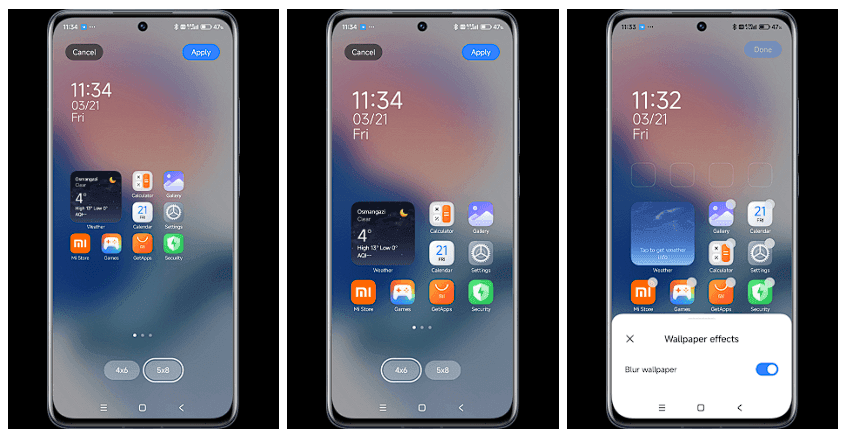
    The Xiaomi community is ecstatic with the latest HyperOS update, which offers users’ devices an abundance of customization options and AI-powered capabilities. With a number of notable enhancements that demonstrate Xiaomi’s focus on user experience and creative design, tech enthusiasts and fans are busy testing out the March update version RELEASE-5.39.40.10843-03212137. The upgrade demonstrates the company’s continuous attempts to combine the newest technology with functionality.

    Key updated:

    The March update brings with it some noteworthy enhancements that will delight Xiaomi users:

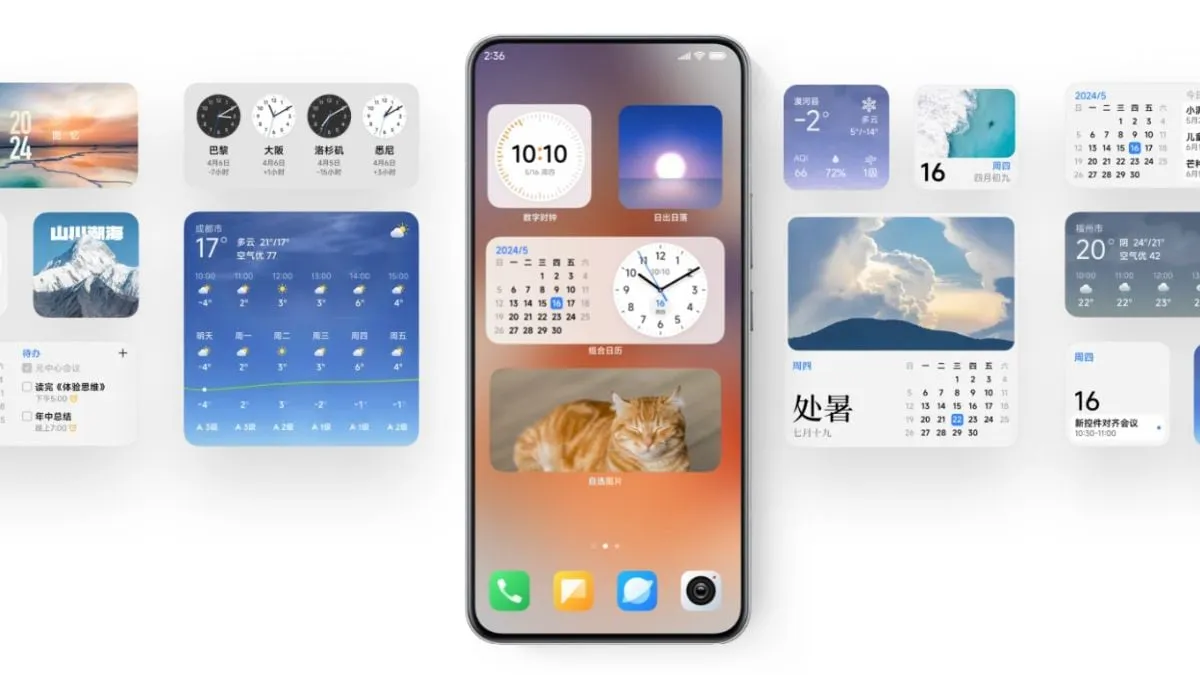
    Desktop Grid Options Resurrection

    Grid layout options have been restored, offering greater personalization to the users:

    • 4×6 grid pattern
    • 4×7 grid layout
    • 5×9 grid pattern

    A groundbreaking feature that elevates the search experience:

    • Smart responses right in search results
    • Interpreting search queries contextually
    • Enhanced app discovery (Note: May not be available globally)

    Wallpaper Customization

    A new level of aesthetics has been added to device personalization:

    • New blur effect for wallpapers has been added
    • Enhanced visual customization options
    image 3

    These updates give users more power and customization, which is consistent with Xiaomi‘s user-centric philosophy. While the AI-powered search is intended to make app discovery more straightforward and intuitive, the reinstated grid layouts allow for greater freedom in app arrangement.

  • Samsung One UI 7 sneak peek – a beautiful new look

    Samsung One UI 7 sneak peek – a beautiful new look

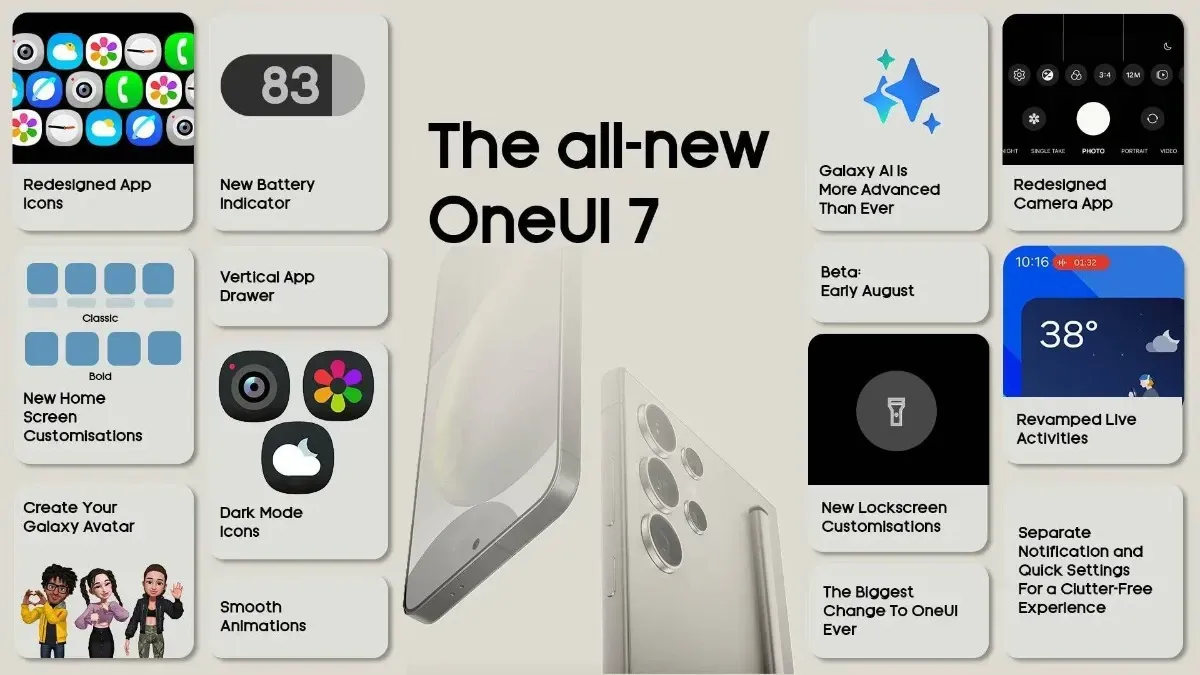
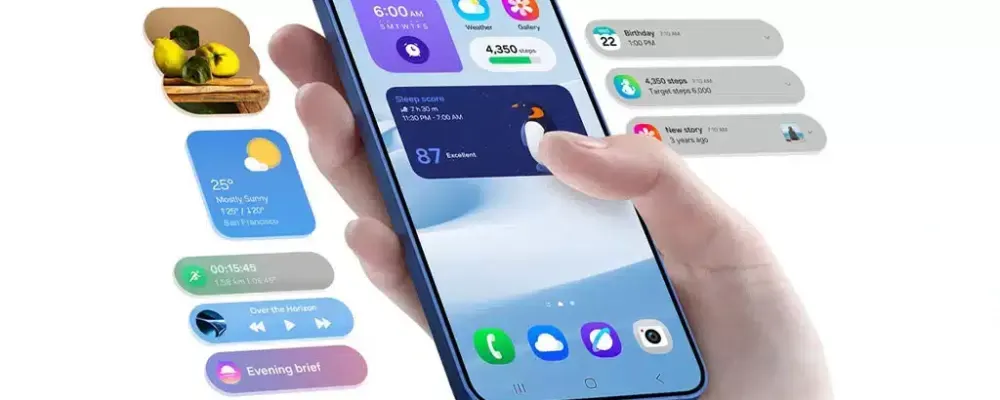
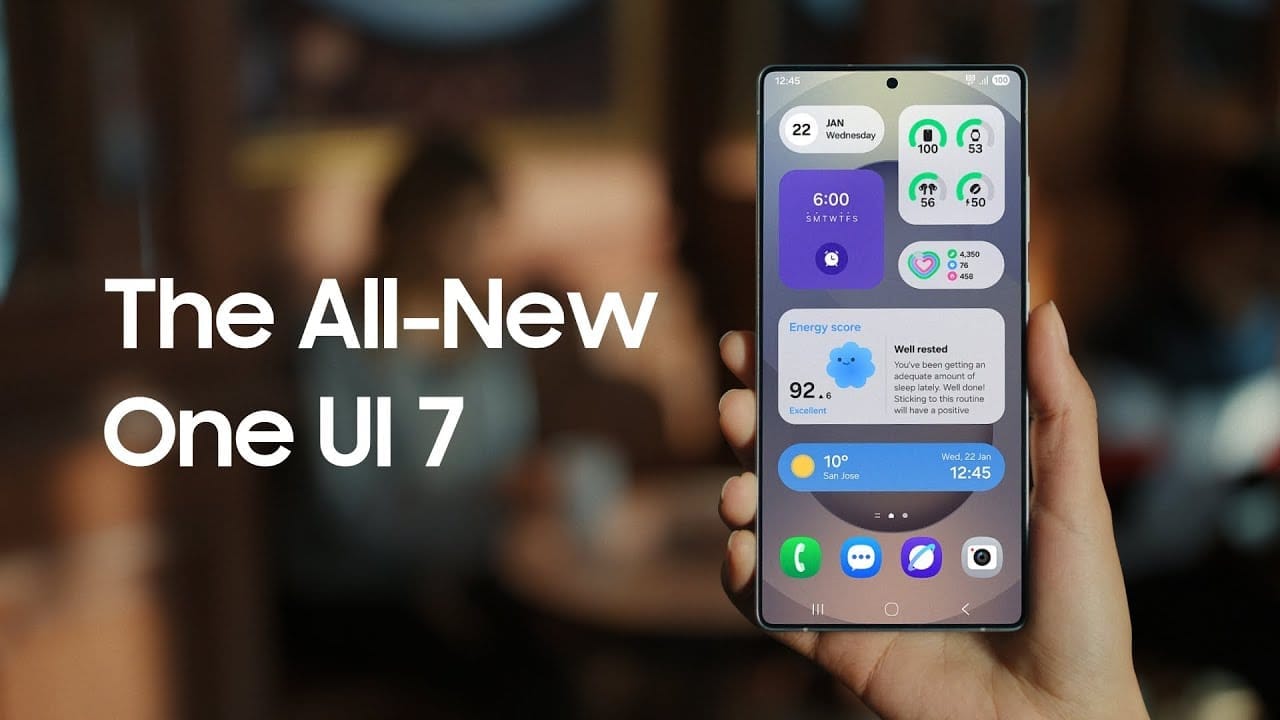
    Samsung basically teased their major One UI 7 update with a two-minute video that was just released. They are all getting ready and showcasing some of the exciting things that are on the horizon. In addition to letting us know that One UI 7 will soon be available for the Galaxy S24 and older phones, they are also using it to sort of encourage people to buy the new Galaxy S25. At last! Up until now, we had only seen it in beta.

    According to Samsung, One UI 7 will be far more “you” than it has ever been. Like, more natural, more user-friendly, and more intimate. They are showcasing Google’s Gemini, “Now Brief,” “Now Bar,” “Sketch to Image,” and various AI-powered search tools.

    Samsung One UI 7 sneak peek -

    The teaser video from Samsung hints at a few UI 7 features.

    This video now? It is only a preview. We are not seeing everything. However, the timing is intriguing. It is obvious that they are preparing for a big release.The strange aspect is that last week, they announced that the S24, Z Flip 6, and Z Fold 6 updates would be available in certain locations beginning on April 7, 10, and 14. However, they later retracted the April 10th date for the US, which gave them a somewhat uncertain appearance.

    https://www.youtube.com/watch?v=P4AEIu3V6F4

    In essence, Samsung is building anticipation for One UI 7, but they are being a little reticent about when it will be released. The only thing we can do is wait and see when it lands. However, before that, you may see if your Samsung Galaxy phone is compatible with the company’s recently announced seamless updates function, which installs updates while you are still using your phone, saving you time waiting for it to restart.

    The business claims that if your Galaxy phone was released prior than 2025, it probably does not enable seamless updates. The Galaxy A55 is an odd outlier. But anything starting in 2025? It ought to have it.

  • Xiaomi devices that could receive HyperOS 2.2 first

    Xiaomi devices that could receive HyperOS 2.2 first

    Internal testing of the HyperOS 2.2 software version for Xiaomi’s smartphones has begun. The company is working on another big update that could provide some more intriguing features to phone holders once the 2.1 build was released.

    November 2024 saw the launch of HyperOS 2.0. Numerous UI adjustments, new security features, enhanced privacy, and greater device performance are all provided by the AI-powered software.

    Later, the company released the HyperOS 2.1 os package, which included yet more unexpected capabilities. Its primary focus was on the user experience and camera section. Xiaomi launched to the flagship devices in international market.

    The Xiaomi HyperOS 2.2 software update is currently being developed by the tech giant, and these devices may be the first to receive it. The list includes flagship models that were just introduced in China and are already becoming well-known worldwide.

    HyperOS 2.2 installing

    Devices that will recieve HyperOS 2.2

    Xiaomi

    • Xiaomi 15
    • Xiaomi 15 Pro
    • Xiaomi 15 Ultra
    • Xiaomi 14
    • Xiaomi 14 Pro
    • Xiaomi 14 Ultra

    Redmi

    • Redmi K70 Ultra
    • Redmi K80
    • Redmi K80 Pro
    • Redmi Turbo 4
    • Redmi K70 Pro
    • Redmi K70

    Tablets and Foldable Phones

    • Xiaomi Pad 7
    • Xiaomi Pad 7 Pro
    • Xiaomi MIX Fold 4
    • Xiaomi MIX Fold 3
    • Xiaomi MIX Flip

    HyperOS 2.2 is currently in the testing phase but may roll out in late March or early April. The version will be based on Android 15, but will likely bring only a few enhancements as the company has already released two major builds.

  • Finally, new status bar customizations are available in Xiaomi HyperOS 2.2.

    Finally, new status bar customizations are available in Xiaomi HyperOS 2.2.

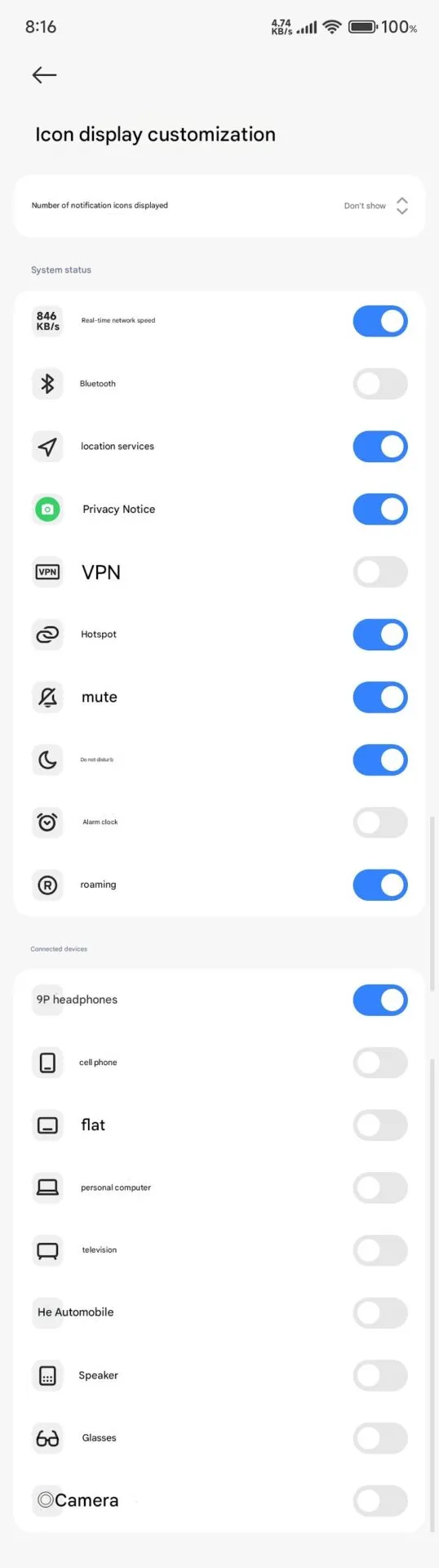
    Full status bar customisation is a groundbreaking feature that has been on wish lists for years, and Xiaomi has finally released the eagerly anticipated HyperOS 2.2. As demonstrated by our previous coverage of HyperOS features, customers now have total control over their notification system thanks to this much anticipated upgrade that was released overnight.

    The new “Status Bar Icon Display Customization” is a tip of the hat to customization options that debuted with AOSP Android 6, but with Xiaomi polish and attention to detail that we’ve come to expect with their software updates and UI improvements.

    Customization of status bar: what is new

    Xiaomi HyperOS 2.2 status bar customization

    The latest update brings unprecedented freedom to personalize your status bar on your device:

    • Control of Notification Icons: Select precisely how many notification icons are displayed
    • System Status Toggles: Toggle system status indicators on and off individually
    • Connected Device Display: Select which connected device icons are to be displayed
    • Cleaner Interface: Keep it clean by hiding unnecessary icons

    The downside is that it can’t be personalized and will be shown each time that you activate NFC.

    Additional improvements

    The customization of the status bar is not isolated in this update. HyperOS 2.2 OS2.0.200 Beta release includes a series of other enhancements:

    1. Enhanced System Animations: Smooth transition through the interface
    2. Blurred Wallpaper Enhancements: Improved visual quality for background objects
    3. Signal HD Icon Fix: HD icon no longer remains in the status bar

    Currently, Xiaomi 15 series phones running HyperOS 2.2 OS2.0.200 Beta support the feature. Although there are no set dates, more phones in their lineup will gain this feature in the upcoming weeks. Xiaomi’s ongoing dedication to enabling customers to customize their devices is reflected in this much-anticipated feature.