Category: News

Up‑to‑date Android news, smartphone launches, software updates and industry trends, written in a clean, editorial style for informed readers.

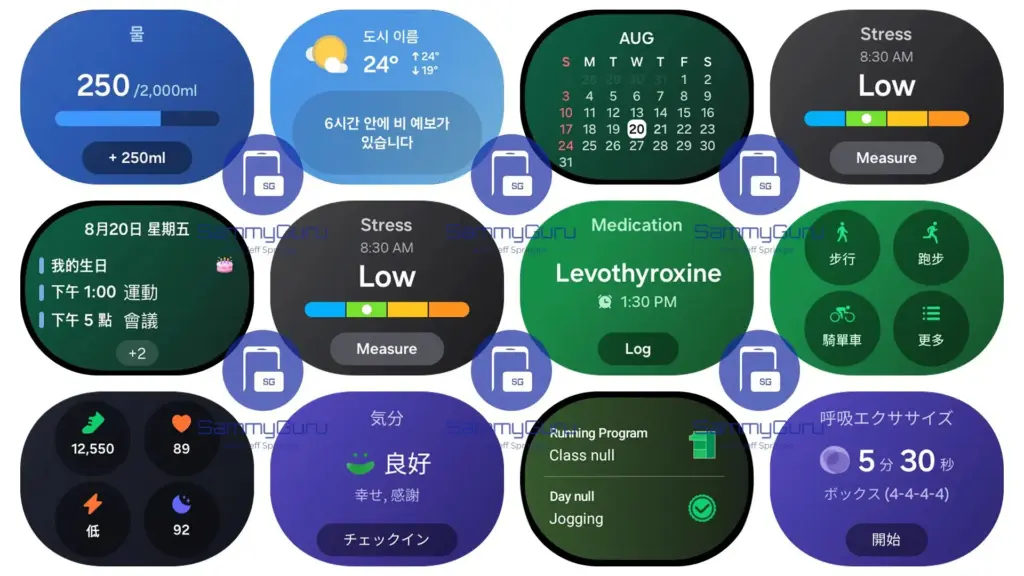
  • One UI 8 Watch update coming – eligible devices

    One UI 8 Watch update coming – eligible devices

    You’re in luck if you have an older Galaxy Watch and are wondering if Samsung would give it some love with the most recent One UI 8 Watch update. Earlier today, Samsung affirmed that older Galaxy Watch units will receive the eagerly awaited software upgrade before the year is over.

    We can verify which models are eligible for the One UI 8 Watch once it launches, even if the business did not provide a specific timeframe. Check out the list below.

    One UI 8 Watch is pre-installed on the Galaxy Watch 8, Watch 8 Classic, and 2025 Watch Ultra. The update was already available for the 2024 Watch Ultra in late July.

    One UI 8 Watch

    The following smartwatch models will follow:

    • Galaxy Watch 4.
    • Galaxy Watch 4 Classic.
    • Galaxy Watch FE.
    • Galaxy Watch 5.
    • Galaxy Watch 5 Pro.
    • Galaxy Watch 6.
    • Galaxy Watch 6 Classic.
    • Galaxy Watch 7.
    • 2024 Galaxy Watch Ultra (already updated).

    Obviously, One UI 8 Watch will be offered in every region in both Wi-Fi and LTE versions. Additionally, it will be accessible for limited-edition versions of the previously listed models, such as:

    • Galaxy Watch 4 Golf Edition.
    • Galaxy Watch 4 Classic Thom Browne Edition.
    • Galaxy Watch 5 Pro Golf Edition.
    • Galaxy Watch 6 Classic Golf Edition.
    • Galaxy Watch 6 Classic Astro Edition.
    • Galaxy Watch 6 Thom Browne Edition.

    The One UI 8 Watch upgrade will essentially be available for all Galaxy Watches running Wear OS, whether or not they are special edition models. No Tizen OS smartwatches will be updated, as you may have anticipated. They are no longer supported.

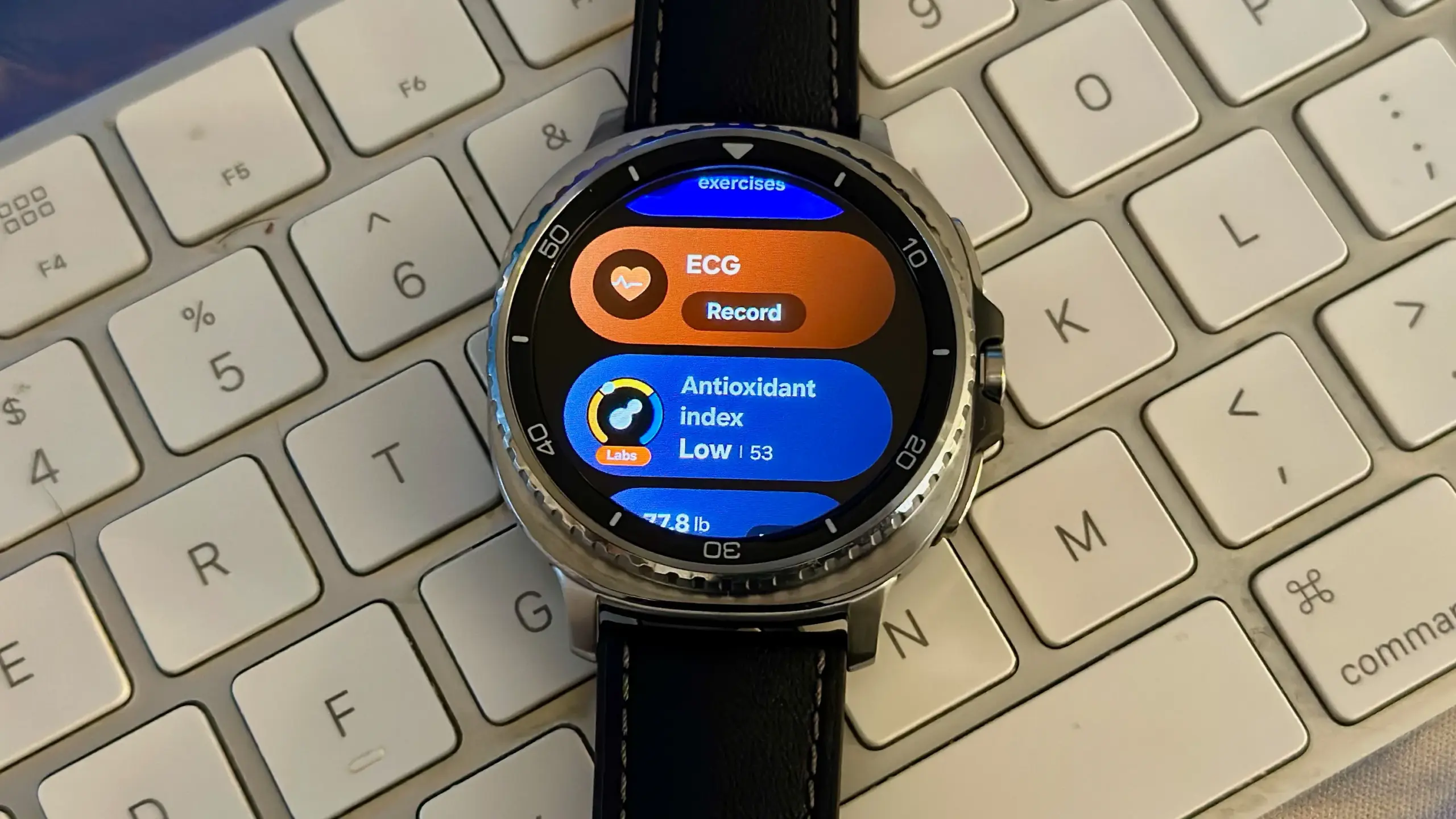
    Lastly, while One UI 8 Watch will be available for all of the previously mentioned Wear OS-based Samsung Galaxy Watches, older devices will not be able to access the newest features, like Antioxidant Index.

  • UX lessons from Android that apply to Web Design

    UX lessons from Android that apply to Web Design

    When someone lands on your website, their experience matters – more than most businesses realise. In fact, user experience (UX) can make or break whether a visitor turns into a customer.

    While UX might seem like a tech-heavy concept, it simply means this: how easy and enjoyable your website is to use. And one of the best sources of UX insight comes from a place you might not expect – Android, the world’s most widely used mobile operating system.

    With billions of users worldwide, Android has mastered the art of intuitive, user-friendly design. And many of the principles it follows can – and should – be applied to your business website. A professional web design agency can help translate these UX lessons into a high-performing website that attracts, engages, and converts your visitors.

    Let’s take a look at some of the most valuable UX lessons from Android that your website could benefit from – and why working with the right agency makes all the difference.

    1. Consistency Builds Trust

    Android keeps things familiar. Whether you open a messaging app or a banking app, core elements behave in ways users expect – same buttons, similar layouts, predictable actions.

    How this applies to your website:
    Your customers don’t want to relearn how to use your website on every page. Consistent navigation, button styles, fonts, and branding build trust and reduce frustration.

    A good web design agency ensures every part of your site feels cohesive, guiding users smoothly through your content and towards the actions you want them to take.

    2. Design Should Be Clear, Not Clever

    Android’s Material Design guidelines focus on simplicity, clarity, and depth. Visuals aren’t just attractive – they help users understand what to do next.

    For your business:

    Clever design may win awards, but clear design wins customers. A cluttered or confusing website drives people away.

    3. Your Website Must Work on Every Device

    Android powers phones, tablets, TVs, and more. Its designers had to master responsive layouts – ensuring everything works no matter the screen size.

    The takeaway:

    Your customers are on the go. If your website doesn’t work seamlessly on their phone, they’re not sticking around.

    4. Speed Matters More Than You Think

    On Android, slow apps get uninstalled. People simply don’t have time for delays – and the same is true for websites.

    What this means for your site:
    If your pages take more than a few seconds to load, you’re losing business.

    5. Users Expect Feedback

    On Android, every tap, swipe, and interaction provides some kind of response – a visual cue, animation, or message that says “yes, we’ve received your input.”

    Your website should do the same:
    When someone clicks a button or submits a form, they expect an immediate reaction. Without feedback, they may assume something’s gone wrong.

    6. Accessibility Isn’t Optional

    Android takes accessibility seriously, making sure users with different needs can still navigate, read, and interact with apps and devices.

    How this affects your business:
    Your website needs to work for everyone – including those with visual, hearing, or motor impairments. An experienced web design agency will follow accessibility standards (like WCAG) so your site is inclusive, legally compliant, and open to a wider audience.

    7. Whitespace Is Powerful

    Android’s design avoids clutter. It uses spacing strategically, letting important elements stand out and giving users a sense of calm and focus.

    What this means for your site:
    You don’t need to cram everything above the fold. Clean, spacious layouts are easier to read and more engaging.

    8. Start with the User – Not the Business

    Perhaps the most valuable lesson from Android is this: design everything around the user’s needs. Every screen, every button, every action is designed to make things easier for the person using it.

    That’s how your website should work, too.
    A professional web design agency will begin by understanding your customers – their goals, pain points, behaviours, and expectations. From there, they’ll create a site tailored to your audience, not just your internal preferences.

    Why Work With a Web Design Agency?

    It’s tempting to think that anyone can build a website using a drag-and-drop tool. But while DIY platforms can create something that “looks okay”, they rarely offer the performance, polish, and strategy that a professionally designed site delivers.

    Here’s how a web design agency helps you apply these UX lessons in a way that drives results:

    • Strategic Planning – They’ll start by understanding your business goals, ideal customers, and competitors.
    • Custom Design – No templates here. Your site will reflect your brand, tone, and market position.
    • Responsive & Accessible – Your site will look great and work flawlessly on any device, for any user.
    • Optimised for Speed & SEO – Every detail is considered to maximise performance and search visibility.
    • Ongoing Support – Post-launch updates, security, and advice keep your site evolving with your business.

    UX Isn’t Just for Tech Giants

    Android’s design success wasn’t accidental – it was built on years of refining how people interact with technology. Those same principles can transform your website into a tool that not only looks good but works hard for your business.

    Great UX isn’t just for apps. It’s for your business website, too – and the right agency can help you get there.
  • Exynos 2600 will be the market’s first 2nm chipset according to Samsung

    Exynos 2600 will be the market’s first 2nm chipset according to Samsung

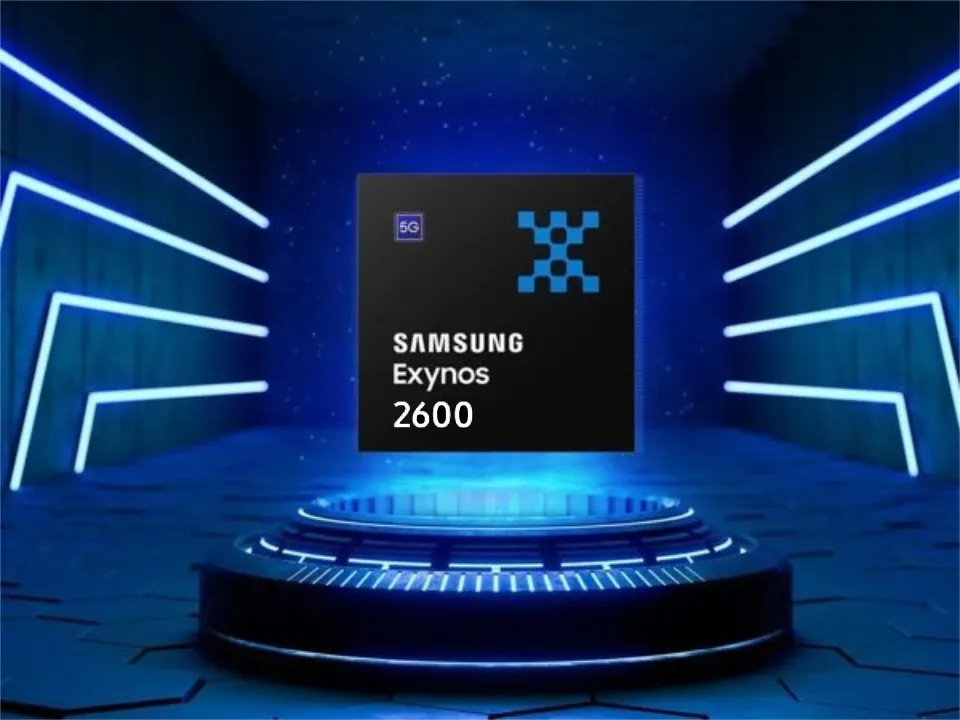
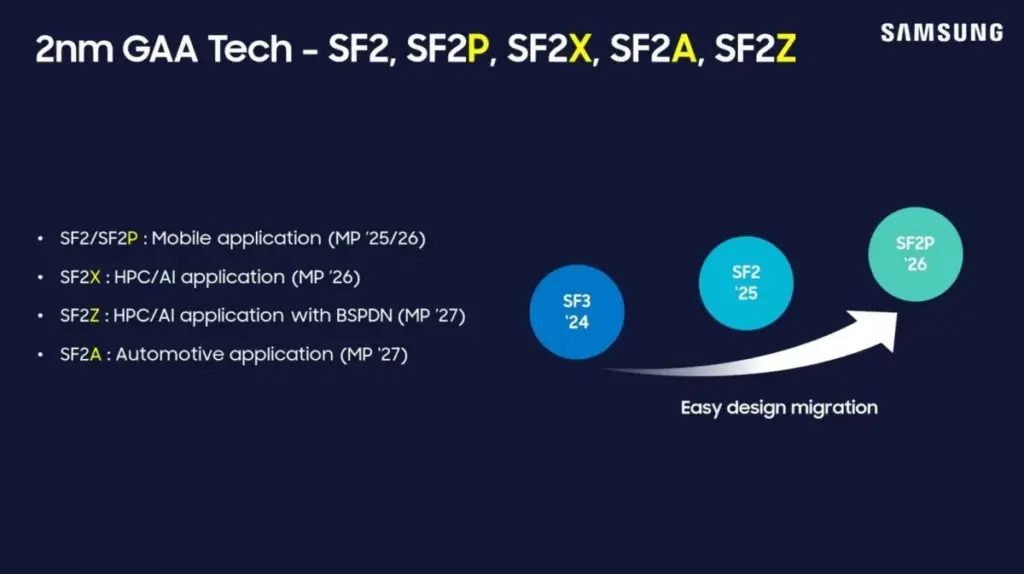
    Today, Samsung released its quarterly financial report, which showed that its semiconductor division suffered greatly, resulting in a more than 50% decline in total operating income. The company’s upcoming Exynos 2600 chip, which will be manufactured using Samsung Foundry’s 2nm Gate-All-Around (GAA) process, is a bright spot despite the poor financial results. When it launches alongside the Galaxy S26 series, it will be the first 2nm chipset on the market.

    Exynos 2600

    Exynos 2600 will be the first flagship chipset fabricated on the latest 2nm GAA process [via Samsung Foundry]… 2600 offers a significant improvement in NPU performance versus the prior version with enhanced support for on-device AI functionality.

    Also, Samsung announced that the 2nm Gate-All-Around (GAA) process will be used to fabricate its next Exynos 2600 chipset.

    A leaked Geekbench listing claims that the Exynos 2600 will have a ten-core CPU, similar to the Exynos 2500, but with a different core configuration.

    Exynos 2600 will have a 1+3+6 design, according to the listing, with a single prime core clocked at 3.55 GHz, three performance cores operating at 2.96 GHz, and six efficiency units operating at 2.46 GHz. The Xclipse 960 GPU, which will accompany the CPU, is anticipated to provide up to 15% more performance than the Adreno 830 found in Qualcomm’s Snapdragon 8 Elite.

    The Galaxy S26 Pro and S26 Edge are anticipated to sport the Exynos 2600, while the S26 Ultra is likely to continue with Qualcomm’s top Snapdragon 8 Elite 2.

  • How to locate and remove “Stalkerware” from your device

    How to locate and remove “Stalkerware” from your device

    Even though your mobile device has many built-in safeguards to preserve your privacy and keep your data safe, it could still be subject to snooping if someone you know gains access to your accounts or installs hidden programs, or stalkerware, that follow you about. These malicious apps may spy on you by taking use of permissions and built-in capabilities on your Android or iPhone. Here’s how to find stalkerware on your smartphone and get rid of it.

    What is a stalkerware?

    Stalkerware is a type of malware that tracks and monitors your device’s activities, including messages, images, and location in real time, without your permission. Most frequently, stalkerware is an app that is downloaded straight to your device. It can be hidden from your home screen or masqueraded as something normal to make it harder for you to spot anything fishy. TechCrunch points out that Cocospy, Spyic, and TheTruthSpy are examples of popular stalkerware applications. Stalkerware can be installed or side-loaded from unapproved sources other than the Apple and Google Play stores.

    Large data usage on your device, a warmer or slower-than-normal phone, a faster-than-normal battery drain, an increase in screen time, and odd alerts are some potential indicators of stalkerware (and other dangerous programs). But stalkerware can exist without any of these problems. The Coalition Against Stalkerware claims that a typical indicator of monitoring isn’t really related to your phone’s technological features: Instead, it’s the stalker’s altered conduct or awareness of your actions.

    Keep in mind that although stalkerware apps are one way for someone to secretly monitor you, other phone settings, such backups, location sharing, and Google and Apple accounts that are controlled or accessible by someone else, can also be misused.

    If you think your phone may be compromised, you should consult Cornell University’s Clinic to End Tech Abuse (CETA), which offers comprehensive resources for detecting and eliminating stalkerware as well as other security measures to protect your device from eavesdropping.

    Create a safety plan first

    You must have a safety plan in place before trying to remove stalkerware from your device or alter shared access to your accounts and apps. The danger of abuse or harassment may rise if monitoring applications are removed or permissions are updated, alerting the person who installed them. A list of organizations and services for survivor aid in various nations may be found on the Coalition Against Stalkerware.

    Eliminating stalkerware also has the potential to destroy any evidence you might need to provide to law police if you intend to report the occurrence. You might want to record your experiences in a journal.

    stalkerware

    Check for unrecognized apps

    Even without an icon on the home screen, you can still access installed apps in your device’s settings. This can be found in the settings app on both iOS and Android, under the Apps or App management option. (On iOS, you have to scroll all the way to the bottom of the list to see hidden apps.) Keep an eye out for anything unfamiliar.

    You should look for any apps listed under this section of your settings because stalkerware on Android may exploit the access granted by your device’s accessibility mode. You can have a harmful program installed if you don’t use accessibility features or don’t identify an app. Device admin settings may potentially be exploited by stalkerware. Go to Device Admin App under Settings > Security. Nothing should be included here for the majority of personal devices.

    Review app permissions and settings

    Because stalkerware may misuse access to your device’s data, permissions are another approach to spot questionable programs. In your settings, you can view permissions for each individual app, including location, camera, microphone, and keyboard access. TechCrunch advises carefully examining which third-party apps on Android have access to your notifications, as this permits monitoring of your messages and alerts (check your device settings for Special app access).

    To control permissions and sharing with people and apps, utilize Apple’s Safety Check feature (Settings > Privacy & Security > Safety Check) if you’re running iOS 16 or later. Among other settings, you can update your passcode, reset system privacy permissions, switch devices linked to your Apple account, and verify who you are sharing information with. There is a Quick Exit button in case you need to exit with a single push, as well as an Emergency Reset option that will instantly stop transmitting all data from your device.

    Use this CETA guide to iOS safety if you don’t have Safety Check installed on your device or if you want to look into specific phone settings that might be sharing your data with someone else, such Family Sharing or text message forwarding.

    How to remove stalkerware from your device

    Getting a new phone, which you can and should lock down with a new PIN to stop someone with physical access to your device from installing dangerous apps, is the most drastic action you can take to avoid stalkerware.

    A factory reset is an additional choice that will remove all data and programs from your smartphone. This may be found in the Settings app on Android and Settings > General > Transfer or Reset iPhone on iOS (you can find the exact path on your device manufacturer’s support website). Keep in mind that any data that isn’t backed up, such contacts, messages, and pictures, will be lost. Even if you’re not positive whether your phone has a stalkerware program installed, a factory reset can be helpful. However, it could not resolve the problem if the spy still has access to the Google account or Apple ID linked to your device.

    Additionally, you can manually remove or uninstall programs from your device and utilize an antivirus app from a reliable provider to check for hidden and harmful apps (Google Play Protect can also do this on Android).

    After deleting stalkerware, make sure your device has a new lock screen passcode that is difficult for someone with physical access to figure out. You should also take precautions to secure your email and other accounts by using two-factor authentication and using strong, one-of-a-kind passwords.

  • Get the #deal of the year – Pixel 8 Pro + Watch 2 + case for $599

    Get the #deal of the year – Pixel 8 Pro + Watch 2 + case for $599

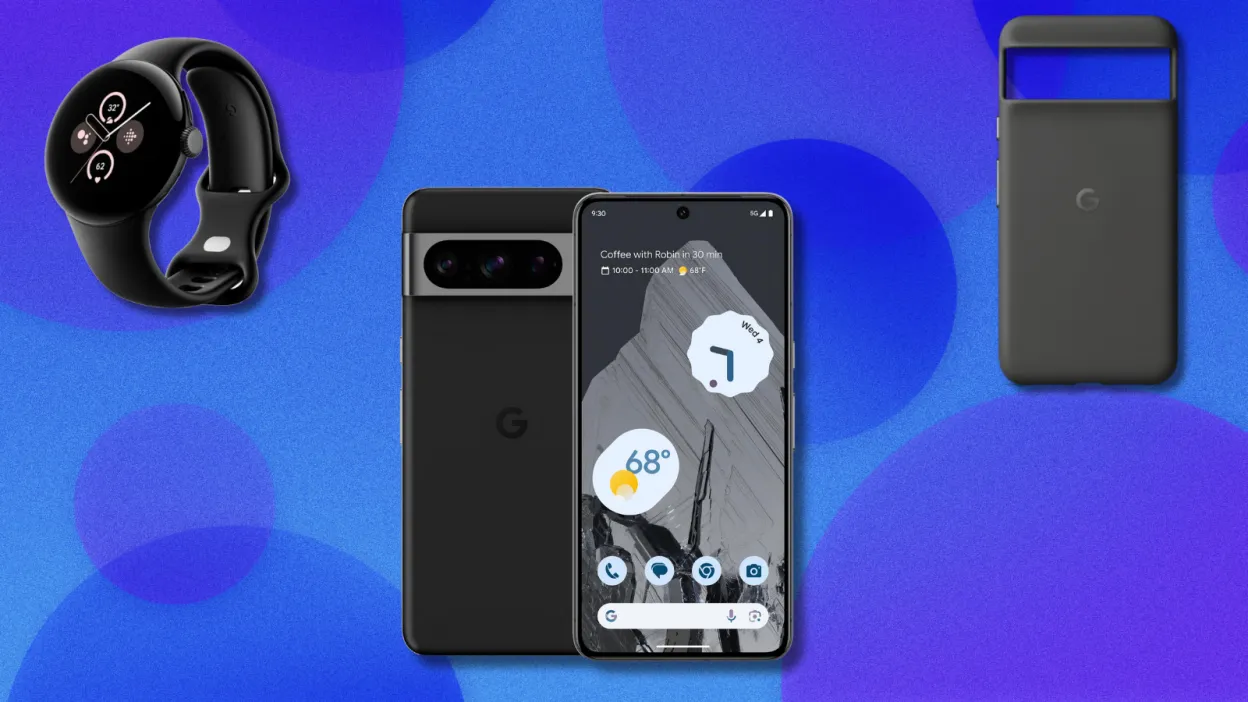
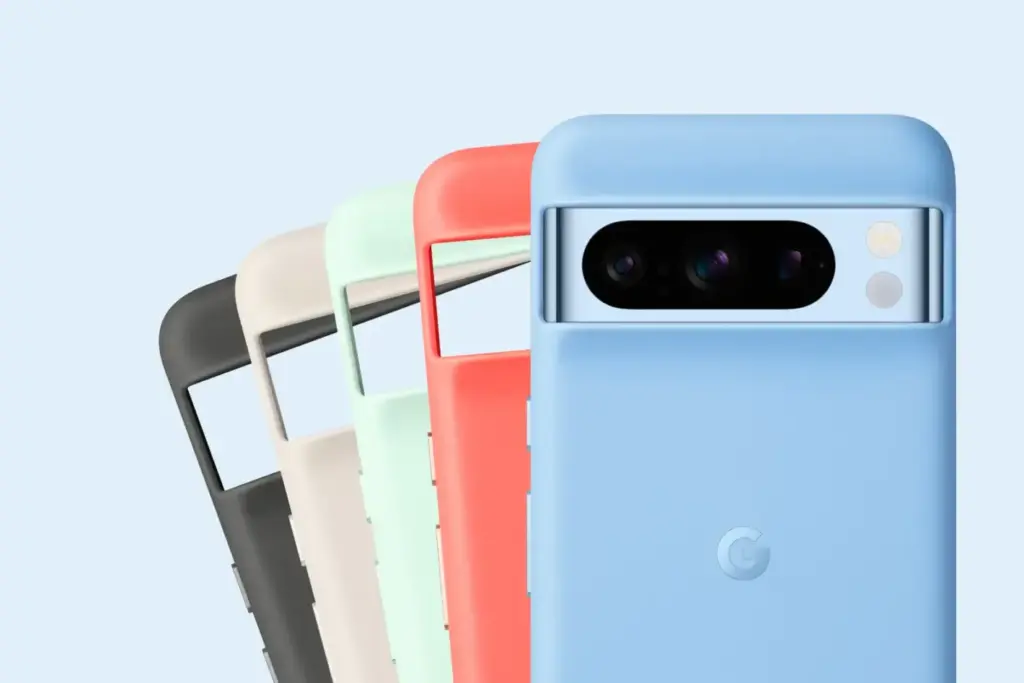
    It makes sense that Google is attempting to sell off their older models at a discount, as they have formally announced that the Google Pixel 10 range and the Pixel Watch 4 will be introduced in August. In addition to the Pixel Watch 2 (199.99) and the official Pixel 8 Pro case ($34.99), which are both free, they are currently selling the Pixel 8 Pro for $599.99 (originally $999.99). If you want to start your trip into the Google ecosystem or obtain a Pro phone on a budget, this is a good value.

    Pixel 8 Pro Cases 1420x947 1

    The Pixel 8 Pro has a 10.5MP front-facing camera, a 50MP, 48MP, and 48MP back camera, and a battery life of roughly nine hours. The 6.7-inch OLED panel has a refresh rate of 120 Hz and a resolution of 2,992 by 1,344 pixels. The brightness reaches 2,400 nits at its max.

    pixel 8 pro deal

    Google Pixel 8 Pro with free Pixel Watch 2 and case

    Get the deal!

    $599Google

    With support for a ton of AI features that keep the phone feeling new a year after it was released, the Pixel 8 Pro is still a fantastic phone in 2025. Since Google has been actively trying to address security flaws in its Pixel phones since the Pixel 6, software upgrades for the Pixel 8 Pro will be available for a considerable amount of time (up to seven years). Every few months, Google also releases new features for the Pixel, such as the “Audio Magic Eraser,” which eliminates annoying noises from films, and the “finest Take” function, which allows you to select the finest picture out of a collection.

    The Pixel Watch 2 has a vivid AMOLED screen, a Qualcomm 5100 CPU, 33 hours of battery life, and a host of other features like a temperature sensor, GPS, an accelerometer, and a blood oxygen monitor. You may submerge the smartwatch up to 164 feet underwater because it has an IP68 rating for water and dust protection. Our review goes into greater information about it.

  • Google’s “Magic Cue” AI will scan your screen and offer insightful recommendations.

    Google’s “Magic Cue” AI will scan your screen and offer insightful recommendations.

    In just over three weeks, the Google Pixel 10 series will arrive, but as is customary, a lot of information has already leaked about it. One of its most significant new features—a potent contextual AI assistant named Pixel Sense—was previously covered by us. Alleged screenshots of the assistant were published last month, suggesting that it may debut under a different name. Regardless of its name, it is evident that Google is developing a new AI assistant, and the most recent Android Canary build supports this.

    Pixel Sense is intended to use information from several Google services and apps, including Calendar, Chrome, Docs, Files, Gmail, Messages, Photos, and YouTube, to make pertinent, predictive recommendations, as we revealed earlier this year. The assistant might, for instance, recommend people, locations, or goods at the precise moment you need them. Additionally, it would understand your usage patterns to help you do jobs and routines more quickly and adjust to your interests by figuring out what matters to you. Pixel Sense would do all of this while protecting the privacy of your data by keeping it entirely on-device.

    According to purported screenshots of the assistant released by leakers last month, the function may initially be known as “Magic Cue.” More information was provided by the pictures, which mentioned that in order to provide tailored recommendations, the assistant gathers information on current screen activity, app usage, and specific Google app data. According to the app you’re using, it does this to “present you useful details and time-saving actions.” For instance, “Magic Cue can locate your flight number from your Gmail – saving you the hunt” if a friend asks for it in a conversation.

    google magic cue

    It was discovered additional code in the SystemUI app that supports these earlier leaks while examining the second Android Canary build that Google made public last week. An alert is added by the code to let the user know how to use the feature for the first time. “We use AI to proactively offer info and activities relevant to what you’re doing on screen,” says the explanation of the alert, which is named “Get useful suggestions.” To “see how ideas are generated,” you can “tap & hold” the alert, which probably takes you to the Magic Cue configuration page.

    We are unable to display the Magic Cue feature because it is not part of the SystemUI app. These threads that allude to it are all that we have.

    <string name="ambientcue_first_time_edu_title">Get helpful suggestions</string>
    <string name="ambientcue_first_time_edu_text">We use AI to proactively suggest info and actions relevant to what you’re doing on screen</string>
    <string name="ambientcue_long_press_edu_text">Touch &amp; hold to see how suggestions are generated</string>
    
    <string name="ambientcue_first_time_edu_text">We use AI to proactively suggest info and actions relevant to what you’re doing on screen</string>
    <string name="ambient_cue_icon_content_description">Ambient Suggestions Icon</string>

    Curiously, one of the strings describing the alert’s image (for accessibility reasons) refers to it as “Ambient Suggestions,” and the string resource names refer to the feature as “Ambient Cue” rather than “Magic Cue.” Since public-facing names are typically decided upon considerably closer to launch, Google’s code-names for features frequently differ from their code-names. We’ll have to wait a few weeks to find out, but it’s probable that the feature will still be branded “Magic Cue” when it launches.

    The Pixel 10 series will be introduced by Google on August 20th at its upcoming Made by Google event. To receive all the updates, be sure to visit our homepage or follow us on social media, as Android Authority will be covering the launch in great detail.

  • Fitbit Charge 6 update brings new faces and features

    Fitbit Charge 6 update brings new faces and features

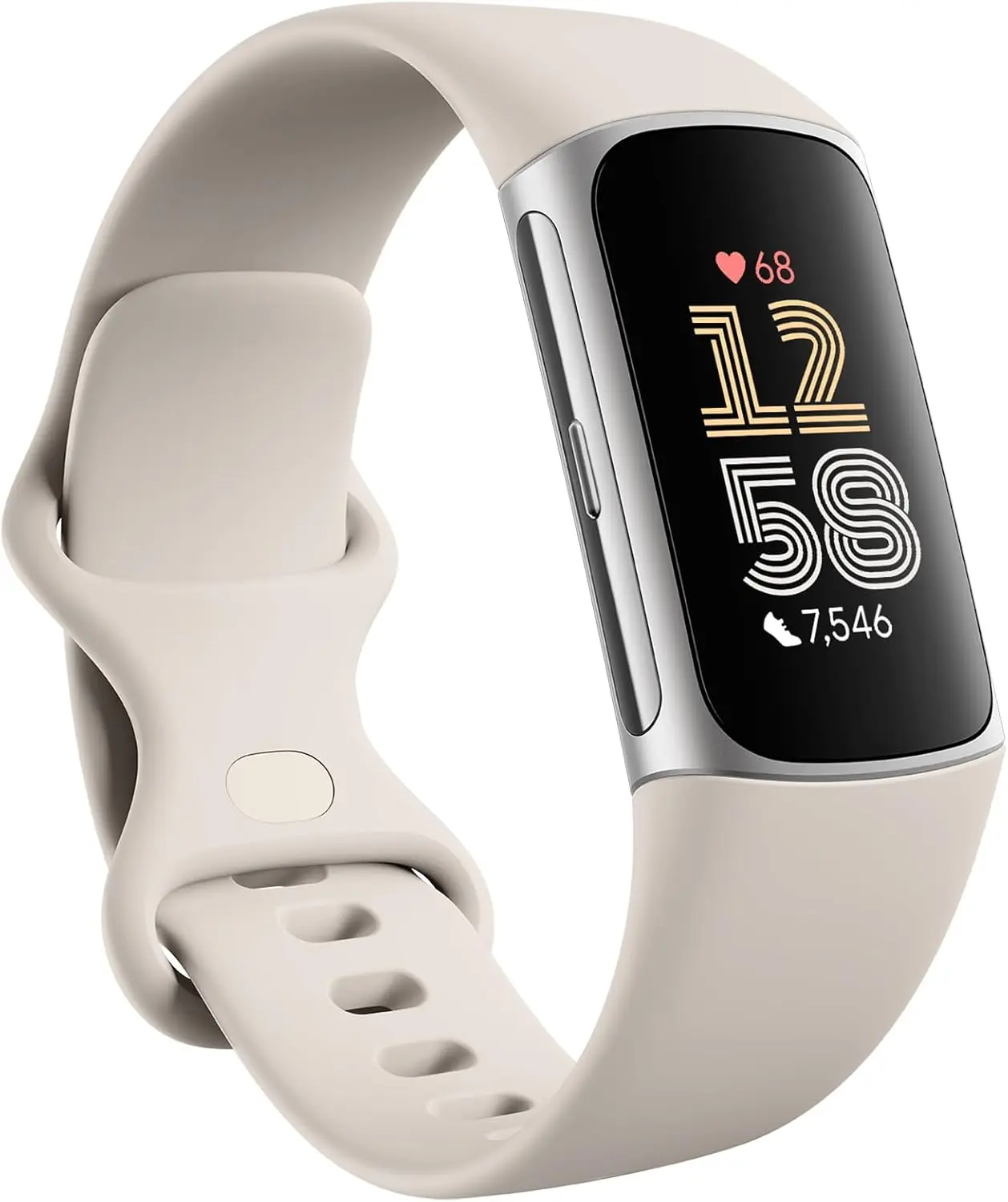
    Prepare yourself for a small surprise today if you possess a Fitbit Charge 6. An upcoming upgrade to the fitness tracker will increase compatibility and include new watch faces. The Inspire 3, Sense 2, and Versa 4 will also receive an update soon.

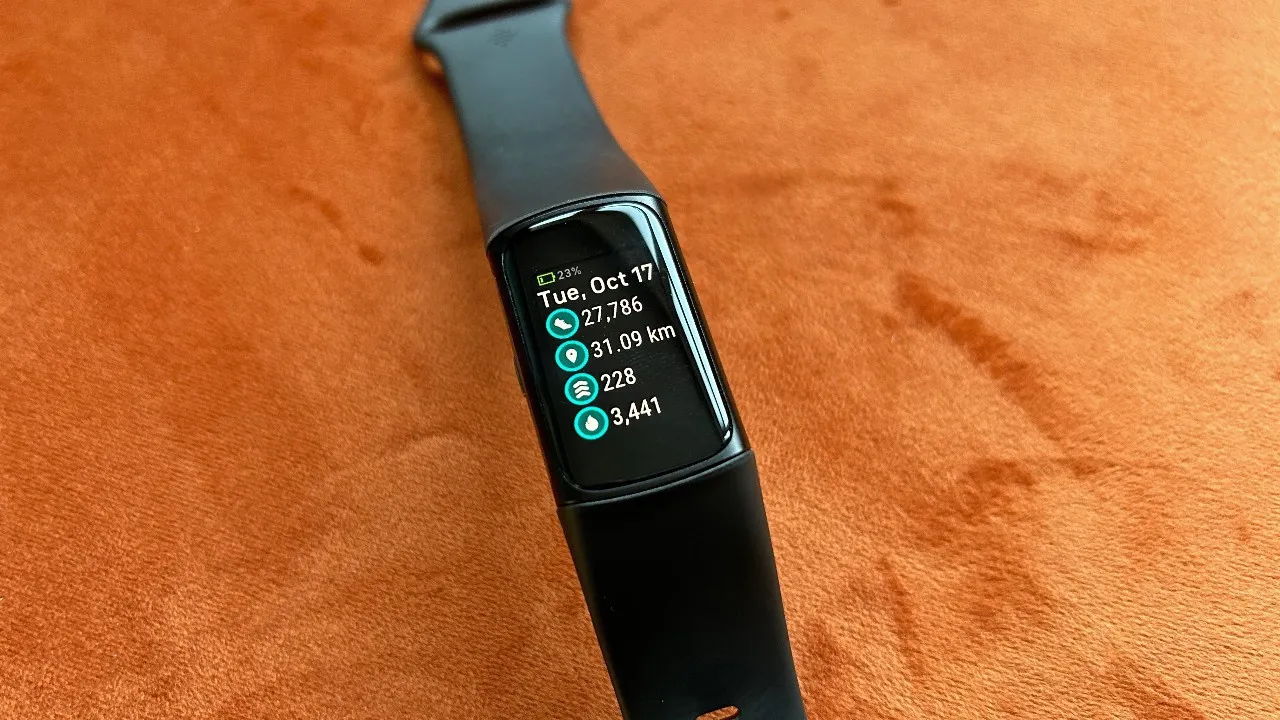
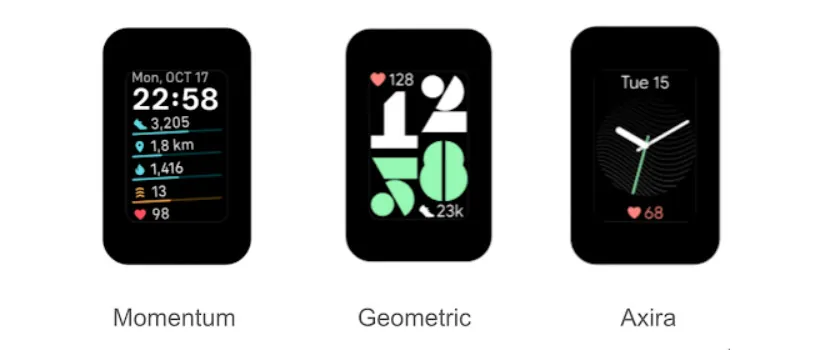
    The Fitbit team revealed three new watch faces for the Fitbit Charge 6 on its community blog. Axira, the first of the three, is an analog clock that displays your heart rate at the bottom and the date at the top. With your heart rate at the top and your step count at the bottom, Geometric is a two-line clock. Lastly, Momentum displays a number of statistics at a glance, such as your heart rate, distance traveled, and steps taken.

    Fitbit claims that the purpose of these watch faces was to make important exercise and health metrics easily accessible. This update will increase the Charge 6’s compatibility with fitness equipment in addition to adding new watch faces. “You can connect to a wider selection of equipment and view your real-time heart rate on display during your home or gym workouts,” according to the business, thanks to this increased compatibility.

    fitbit charge 6 extra watch faces

    The following devices and applications are listed as compatible with the Charge 6 in Google’s support document:

    • Peloton Bikes, Treads, and Rows
    • iFit (NordicTrack)
    • Concept 2
    • Tonal
    • Hydrow and Hydrow Wave
    • Spinning bikes and mobile app
    • Echelon
    • Strava

    Although “not all Bluetooth-compatible devices and apps will connect or act similarly,” Google cautions that additional computers and apps that aren’t on the list might function. Additionally, it notes that there is a known incompatibility between TechnoGym, Life Fitness, and Garmin.

    An upgrade is also planned for users of the Inspire 3, Sense 2, and Versa 4. However, only general bug fixes and enhancements will be included in the update.

    fitbit 6

    Fitbit Charge 6 Fitness Tracker

    Turn little habits into healthier routines with Fitbit Charge 6 and Google Pixel Buds Pro 2; get advanced health and fitness insights from Fitbit and power through your workouts with the most comfortable, secure earbuds

    $159.95 $139.79Amazon
  • Just before HyperOS 3 launch, Xiaomi adds  9 devices to EOL list

    Just before HyperOS 3 launch, Xiaomi adds 9 devices to EOL list

    As it prepares to release the HyperOS 3, Xiaomi is officially discontinuing a new generation of devices. The retailer has added a number of additional models to its end-of-life (EOL) list with its most recent internal update, which means that the company will no longer formally support these devices. Let’s have a look.

    These Xiaomi Phones That Won’t Get Future Updates

    The Chinese IT behemoth is anticipated to be focusing on HyperOS 3, its proprietary Android 16 skin, now that Google has begun releasing Android 16. For the worldwide versions of the Xiaomi 15 and Xiaomi 14T Pro, the company has already made the Android 16 update available with HyperOS 2.3. Xiaomi has updated its list of devices that are nearing their “end-of-line,” while other eligible models will receive the significant software update.

    xiaomi 11t pro launch 2

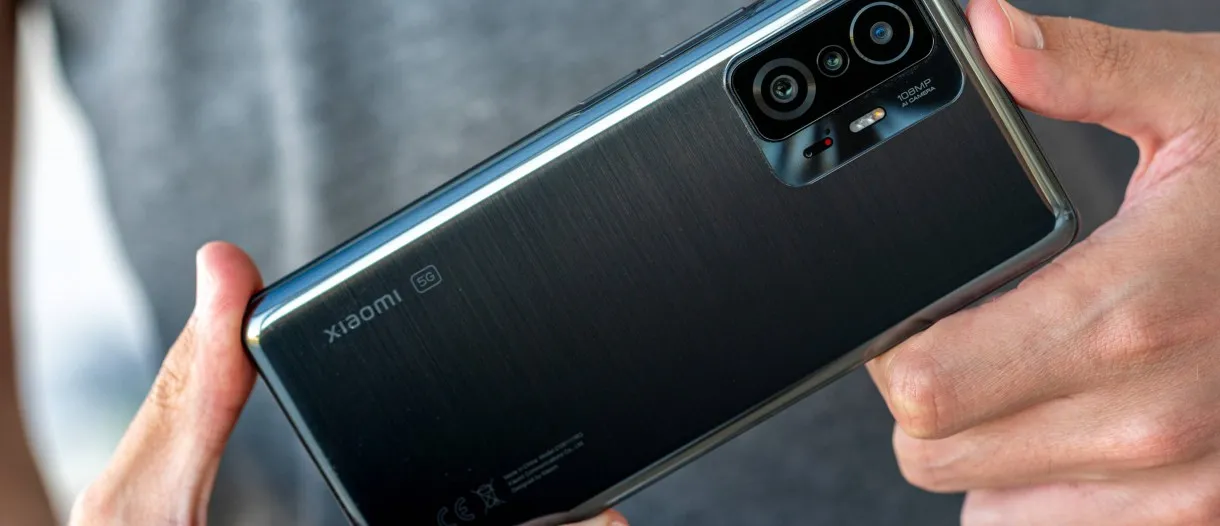
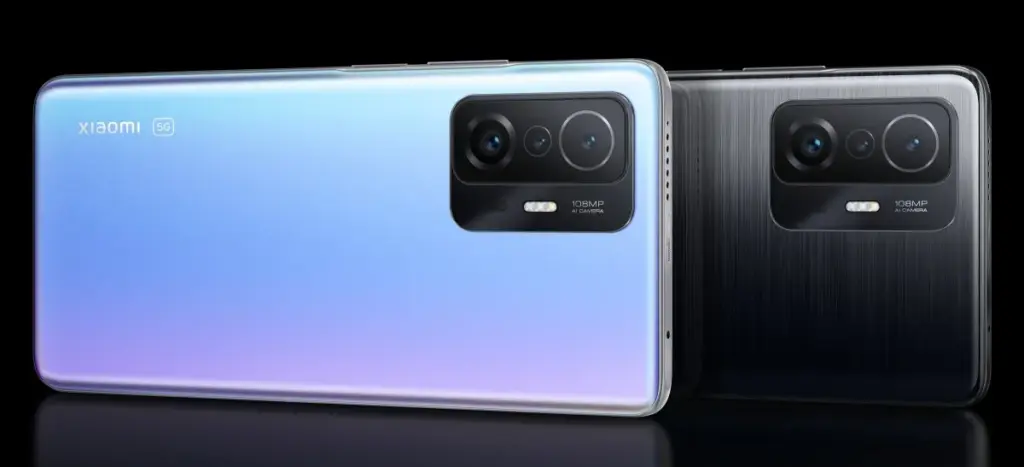
    This covers a variety of models, such as Redmi phones, Xiaomi-branded gadgets, and even POCO models. Here are all the phones for which official support is being discontinued:

    • Xiaomi 11T Pro
    • Xiaomi 11T
    • Xiaomi 11 Lite LE
    • Xiaomi 11 Lite 5G NE
    • Redmi 11 Prime 4G
    • Redmi A1+
    • Redmi A1
    • POCO M5
    • POCO C50

    It’s important to remember that security updates for these recently added devices will continue until September 2025. For these older phones, Xiaomi does not intend to release any official upgrades. Models that did not even receive the HyperOS 2 update are included in the list that was previously shared. Xiaomi is currently working on Android 16, but they have not yet released an official roadmap for the HyperOS 3 rollout. So stay tuned for more.

  • Google makes its whole Pixel 10 lineup public.

    Google makes its whole Pixel 10 lineup public.

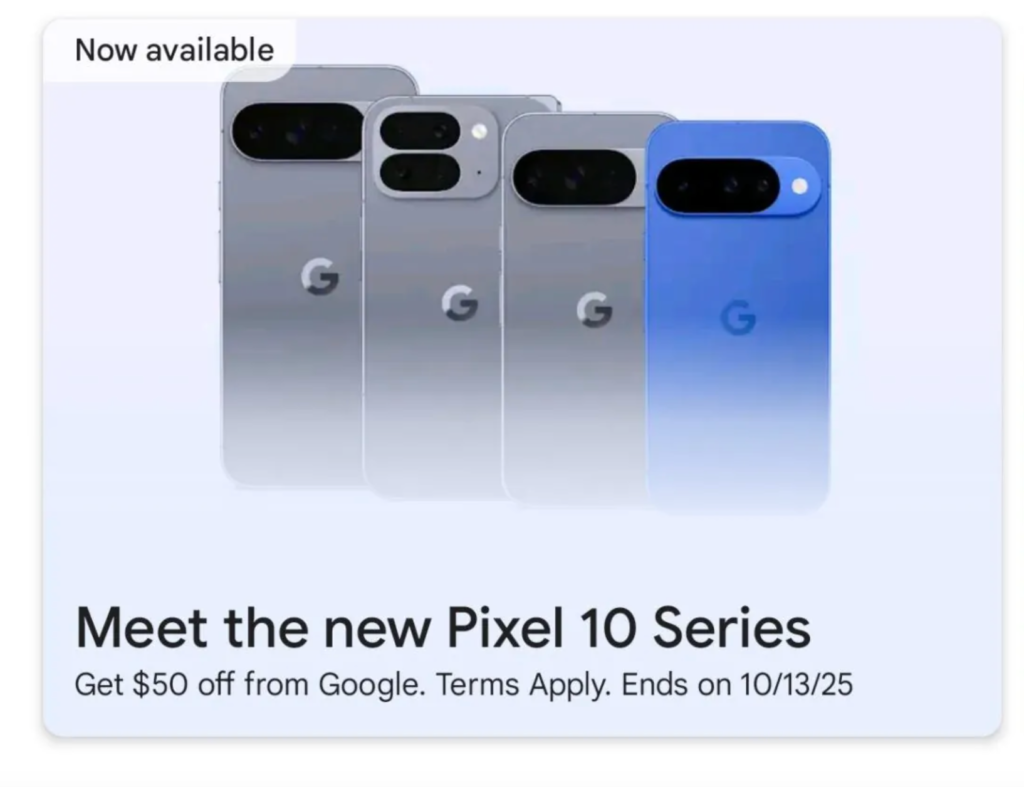
    Less than a month before the Pixel 10’s launch, Google appears to have unveiled the full lineup. While “poking around” on the Google Play Store on Android on Wednesday, Android Authority claimed to have discovered a banner showing the Pixel 10, 10 Pro, 10 Pro XL, and 10 Pro Fold. Since the banner isn’t now visible directly on the Play Store, Android Authority probably had to take further measures to make it available.

    Nevertheless, the words “Meet the new Pixel 10 Series” are displayed prominently alongside all four devices. The original Pixel 10 is displayed in brilliant blue, whereas the Pixel 10 Pro XL, 10 Pro Fold, and 10 Pro look to be in the silver-blue “Moonstone” hue.

    pixel 10 google play banner

    The devices featured in the banner’s shapes and colors complement the flurry of leaks that have surfaced in recent weeks, including the teaser that Google itself released. Additionally, the banner advertises a $50 discount deal on the smartphones that is valid through October 13.

    According to rumors, Google plans to improve the Pixel 10 series in a number of ways, like as dustproofing the Pixel 10 Pro Fold, adding a third camera to the regular Pixel 10, and increasing the specifications of the Pixel 10 Pro. On August 20, Google will unveil its Pixel 10 lineup at its Made by Google event.

    Stay connected with the latest from Droid Tools—follow us on X @droid_tools, like our page on Facebook, check out our updates on Instagram, and follow us on Google News for real-time news, device tips, and mobile tech insights.

  • Pixel 10 Pro will come with a new color: Moonstone

    Pixel 10 Pro will come with a new color: Moonstone

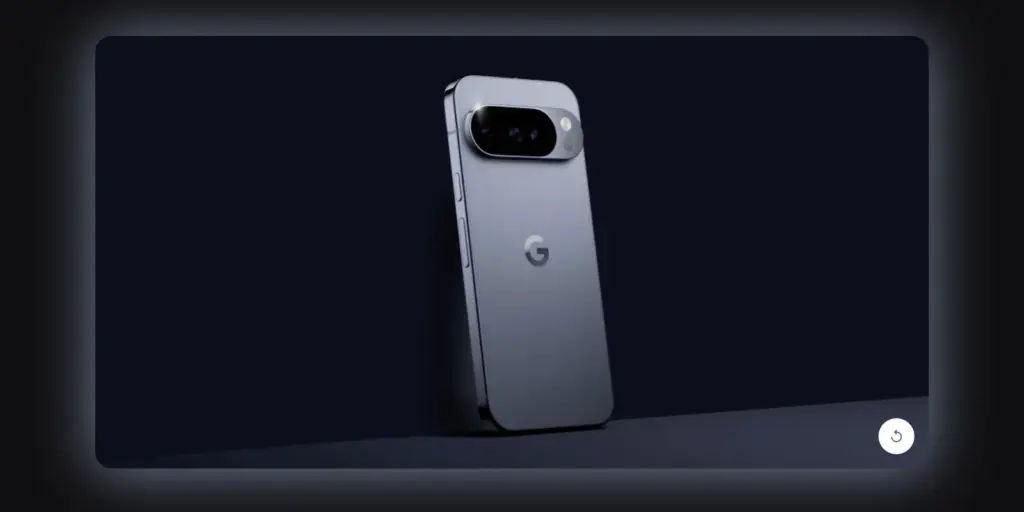
    Prior to its major August 20 launch, Google has provided us with our first official look at the new Pixel 10 Pro. On the Google Store website, a brief 13-second animation demonstrates how the number “10” transforms into the phone’s camera bar. With a temperature sensor beneath the flash, it is obvious that this is the Pixel 10 Pro.

    The phone’s new color, “Moonstone,” is revealed in the teaser. Compared to last year’s Hazel green, it appears to be a little more vibrant shade of blue-gray. Shiny side rails, which give the phone a high-end, polished appearance, are also seen in the video.

    pixel 10 pro

    Google Pixel 10 will be available on August 20

    Google is giving new email subscribers a bonus offer in addition to the teaser. You will receive a coupon code that you can use on the Google Store beginning August 20 if you register on the Pixel 10 page. Until September 4, 2025, or while supplies remain, the code is in effect.

    The promotion may only be used once per customer on a Pixel 10 device that qualifies, and it is only available to new customers. It is not possible to use the discount code on other Google services or products. Given that this deal is available everywhere, the Pixel 10 series may launch globally.

    Many people are excited to see if the Pixel 10 Pro can rival Samsung’s newest Galaxy devices as the launch approaches. We won’t know everything until the event on August 20.

    Stay connected with the latest from Droid Tools—follow us on X @droid_tools, like our page on Facebook, check out our updates on Instagram, and follow us on Google News for real-time news, device tips, and mobile tech insights.