Category: News

Up‑to‑date Android news, smartphone launches, software updates and industry trends, written in a clean, editorial style for informed readers.

  • How to install Android 16 QPR1 on the Pixel devices

    How to install Android 16 QPR1 on the Pixel devices

    The major update of Android 16 has finally arrived, and Google Pixel owners can now get the QPR1 update. This is how to set it up.

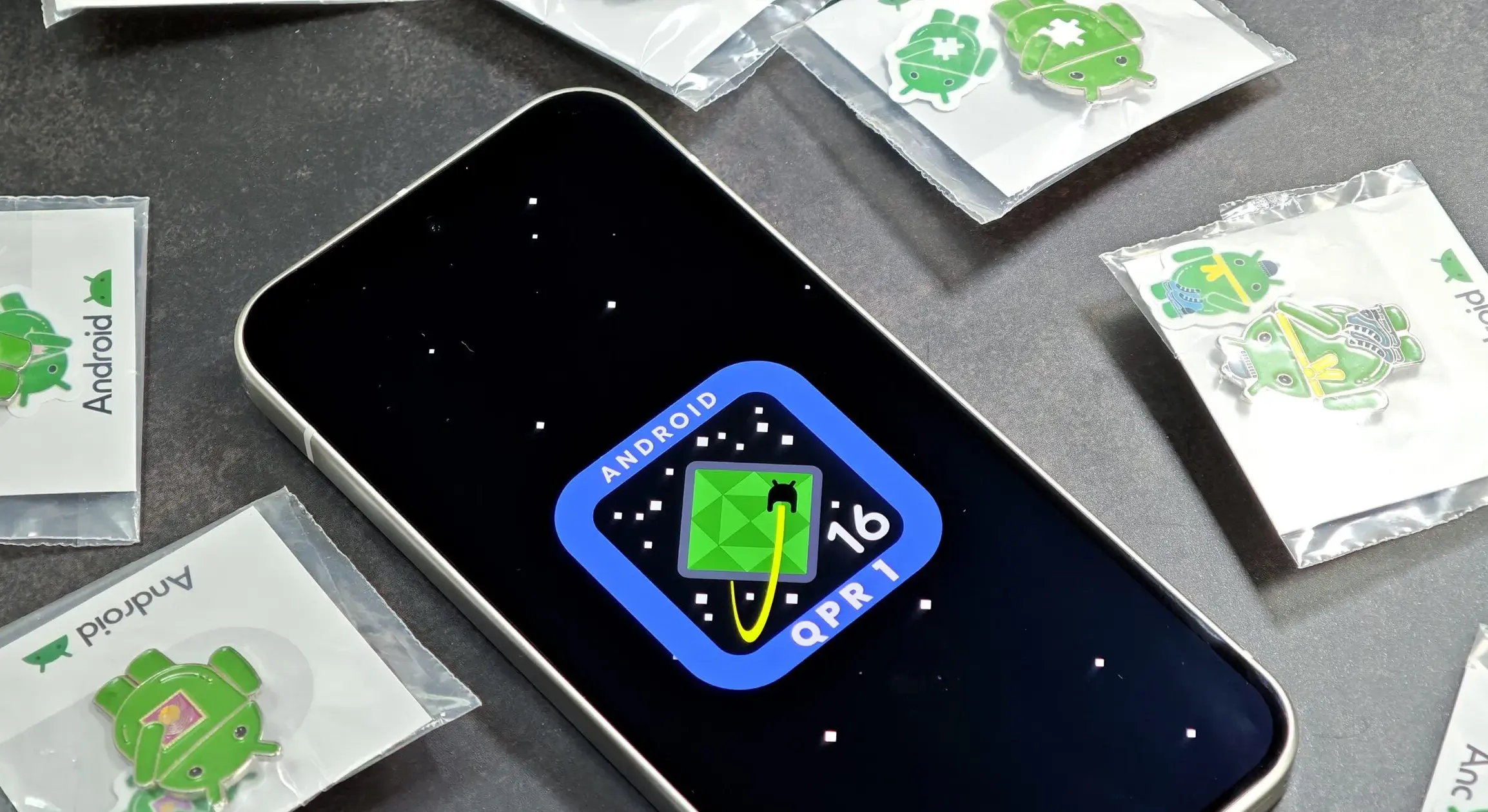
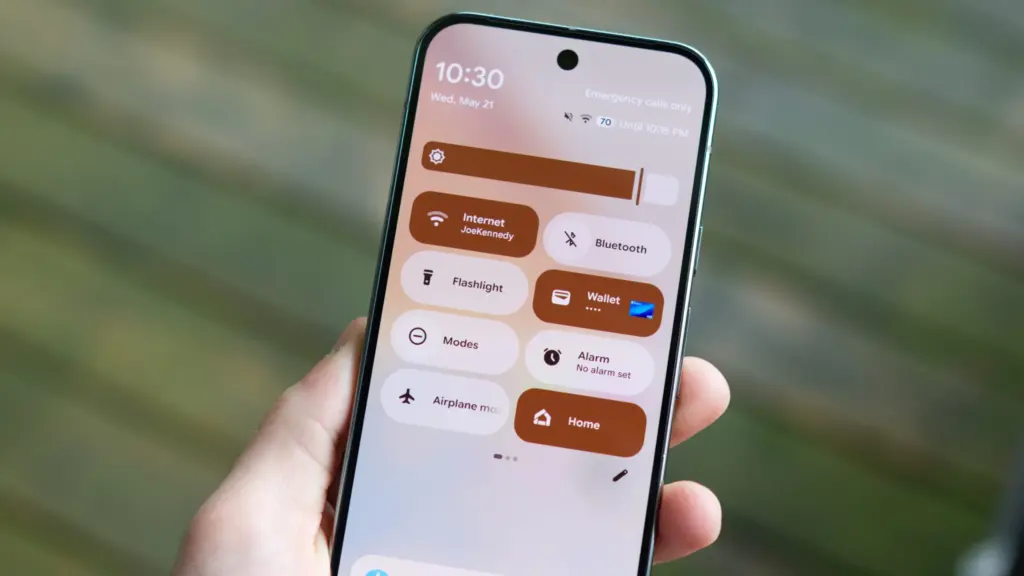
    The long-awaited Android 16 has finally come after a well-known initial release earlier this year. With the first stable release of Android 16 QPR1 currently accessible on Google Pixel devices, the massive Material 3 Expressive redesign is officially live.
    android 16 qpr1 on pixel devices

    Which Pixel models are capable to running Android 16 QPR1?

    Android 16 QPR1 is now available on more devices than ever before, thanks to Google’s extended software support schedule. Every Pixel published since 2021 is on the list:

    • Pixel 6
    • Pixel 6 Pro
    • Pixel 6a
    • Pixel 7
    • Pixel 7 Pro
    • Pixel 7a
    • Pixel Tablet
    • Pixel Fold
    • Pixel 8
    • Pixel 8 Pro
    • Pixel 8a
    • Pixel 9
    • Pixel 9 Pro
    • Pixel 9 Pro XL
    • Pixel 9 Pro Fold
    • Pixel 9a

    In the meanwhile, this update is pre-installed on the Pixel 10, Pixel 10 Pro, and Pixel 10 Pro XL.

    How to get Android 16 QPR1 on your Pixel device

    Downloading an OTA update is the primary method for installing Android 16 QPR1 on a Pixel phone. To accomplish this, select “Check for update” under Settings > System > Software updates. It could be able to pull the update a bit quicker than you’d receive a notification, but it might not function right away.

    As an alternative, you can manually sideload the update.

    Alternatively, you can sideload the update manually.

    To do this, follow the steps below:

    1. Download the needed files.
    2. Boot into Recovery mode.
    3. Navigate to ADB sideload.
    4. Connect the handset to a computer with ADB tools installed.
    5. Enter the sideload command.
    6. Reboot your phone.

    Before installing an OTA file, you need unlock your bootloader or, at the absolute least, enable OEM Unlock in developer options, even though this procedure is usually safe.

    Download Android 16 QPR1 files

    You must first download the necessary files in order to install Android 16 QPR1 on your Pixel.

    The OTA file is available for download on Google’s OTA Image hosting website. You must scroll down to make sure you are getting the file that is linked to your device because that website has OTA files for sideloading several updates, including Android 16 QPR1, on all Pixel and Nexus devices. OTA downloads are available HERE for Android 16 QPR1. Examine each device’s most recent build.

    Boot into Recovery mode

    Your Pixel will then need to boot into recovery mode. Turn off your phone completely to accomplish this. Next, press and hold the Power and Volume down buttons simultaneously until you reach the Bootloader screen. If you see an Android figure lying down on the screen, you know you’re in the proper area.

    To access Recovery mode, use your volume buttons to scroll down. Click the power button to select this. As an alternative, you can use the reboot recovery command if you’re already connected to a computer via ADB.

    A tiny Android with an exclamation point over it should now be visible to you. To fully enter Recovery mode, press the Power and Volume up buttons for approximately one second. You will enter Recovery after you release the Volume Up button.

    Go to ADB sideload

    Scroll down to Apply update via ADB using the volume buttons, then press the power button to choose it. This will start a largely blank screen with instructions on how to sideload an OTA toward the bottom.

    Connect your device to a computer with ADB tools installed

    Since there is no other means to move the downloaded OTA file to your phone, this step is crucial. ADB and Fastboot utilities must be kept close at hand. You can install Android Studio in its entirety or use the Command Line tools to obtain ADB tools from the Android Developers website. Additionally, you can utilize ClockWorkMod’s Universal ADB Drivers, which may facilitate the process for Windows devices.

    For a quick and simple installation process, I personally unload the tools from the Android Developers website and add a shortcut to “cmd.exe.” The downloaded software build must be placed in the same folder as the “cmd.exe” file in order to accomplish this.

    Sideload command

    Now that you have everything set up, you may sideload the OTA file. Make sure the ADB tools folder is in the Command Prompt on Windows, then enter adb sideload. If you’re using Linux or macOS, follow the identical steps in Terminal (make sure your Terminal is pointing to the correct folder by using the “cd” and “ls” commands; if you need assistance, Google it) but enter “./adb sideload.” Then, to begin the procedure, enter the file name of the.zip folder you obtained from Google and press Enter.

    Your computer and phone should display a dialog box that explains the sideload and installation procedure if everything is operating as it should.

    Reboot device

  • Update Now! the fix for critical WhatsApp bug that allows hackers to spy on iPhones is live

    Update Now! the fix for critical WhatsApp bug that allows hackers to spy on iPhones is live

    You should be aware that not everyone using WhatsApp is safe. Meta has alerted users to a significant security vulnerability that hackers used to launch a sophisticated, focused malware campaign that compromised dozens of WhatsApp accounts. This is why it’s important and why you should upgrade the app right now.

    In order to fix a vulnerability that was exploited in conjunction with another weakness in Apple devices, WhatsApp declared on Friday that it has released an emergency patch for its messaging program on iOS and Mac. According to reports, a week before WhatsApp’s upgrade, Apple resolved the security flaw in its devices.

    whatsapp bug fix

    Why is this so dangerous?

    Hackers reportedly used a well-known zero-click attack—a technique that compromises a device without requiring user interaction—to successfully exploit both vulnerabilities. In certain situations, a victim might get a link or image from an attacker, who might then take control of the device and run malicious code to spy on or steal private data without the victim having to click.

    Meta acknowledged notifying dozens of people it thought were the campaign’s target. A copy of the alert message, which detailed the reason for the warning and the next steps, was posted on X by the head of the security company Amnesty Tech. The notification suggested that victims reset their device to factory defaults.

    We’ve made changes to prevent this specific attack from occurring through WhatsApp. However, your device’s operating system could remain compromised by the malware or targeted in other ways.
    To best protect yourself, we recommend a full device factory reset. We also strongly urge you to keep your devices updated to the latest version of the operating system, and ensure that your WhatsApp app is up to date.

    Meta

    These kinds of advertisements have already targeted WhatsApp users. Similar zero-day exploits have been connected in the past to monitoring operations targeting prominent people, such as journalists and politicians.

    What should you do to be safe?

    Even though only a small percentage of WhatsApp users were impacted, others should still be concerned about this attack. Installing the most recent security update for your Apple device and updating WhatsApp on your Mac and iPhone are highly advised.

    Even while Android users aren’t being targeted by this operation, they could still be at risk due to the same WhatsApp flaws. They should also install the most recent Android security patch and update to the most recent version of WhatsApp. Users who believe they may be in danger can manually activate new features like Advanced Device Protection, which provide an additional layer of security.

  • HyperOS 3 launching tomorrow

    HyperOS 3 launching tomorrow

    On August 28, 2025, Xiaomi formally announced the release of its eagerly awaited HyperOS 3 update. The global Xiaomi community is very interested in the countdown that the business has started on its social media platforms. An August reveal was originally predicted by industry insiders, and Xiaomi’s most recent Weibo posts have confirmed those predictions.

    Xiaomi is aggressively interacting with its user base and building anticipation for this significant software milestone as the countdown to the event begins on Weibo and other sites. The formal launch date dispels earlier rumors and gives partners and users who are getting ready for the update unambiguous guidance.

    hyperos 3 launch

    HyperOS 3 visual and UX improvements

    HyperOS 3 is positioned as a substantial visual and functional upgrade. Key improvements include:

    • Enhanced system animations for a smoother user experience
    • Updated iconography reflecting current design standards
    • Consistent visual language across the entire interface
    • Refined feedback and interaction systems to improve usability

    These changes are designed to ensure a more cohesive and modern user experience across Xiaomi’s device portfolio.

    A thorough rundown of HyperOS 3‘s feature set, compatibility roadmap, and rollout schedule will be given during the next session. Users should anticipate notable improvements in system performance, interface design, and overall device operation because of Xiaomi’s well-established reputation for providing strong software support.

    In conclusion, the release of HyperOS 3 represents a turning point in Xiaomi’s software development. Users and stakeholders alike should get ready for what seems to be a historic update to the company’s product plan for 2025.

  • Android 16 will be the final major upgrade for these Realme devices

    Android 16 will be the final major upgrade for these Realme devices

    Google launched Android 16 more than two months ago, yet no Realme phone has received the upgrade as of yet. However, the company claims to be one of the first to roll out Android 16 on premium phones. The deployment of mid-range and low-cost phones should also happen sooner than normal as a result.

    Realme plans to update a number of phones in various pricing ranges to Android 16. However, it will mark the end of significant upgrades for several of them. In other words, no significant updates beyond Android 16 will be available for those devices, which will continue to run the same OS for the remainder of their lifetimes. We’ve put together a list of these gadgets. Check it out below to see if you’ll soon need to upgrade your smartphone.

    Android 16 – the final major upgrade

    • Realme GT 5
    • Realme GT 5 240W
    • Realme GT 3
    • Realme 14x
    • Realme 14 Pro Lite
    • Realme 13 (LTE/5G)
    • Realme 13+
    • Realme 13 Pro
    • Realme 13 Pro+
    • Realme 12 (LTE/5G)
    • Realme 12+
    • Realme 12 Pro
    • Realme 12 Pro+
    • Realme 12x
    • Realme 12 Lite
    • Realme Narzo 70
    • Realme Narzo 70 Pro
    • Realme Narzo 70x
    • Realme Narzo 70 Turbo
    • Realme Narzo N65
    • Realme C75 4G
    • Realme C67 4G
    • Realme C65
    • Realme C65 4G
    • Realme C63 5G
    • Realme C63
    • Realme C61
    • Realme P2 Pro
    • Realme P1
    • Realme P1 Pro
    • Realme P1 Speed
    • Realme Note 60
    • Realme Note 60x

    The list was created using the update policy and previous rollouts as a guide. Even while it ought to be largely correct, I still advise verifying with the official announcement for the last word.

    realme devices

    When will the Android 16 update be released by Realme?

    A release date for Android 16 has not yet been disclosed by Realme. But the company has previously stated that the Realme GT 7 Pro will be the phone running Android 16’s Realme UI 7.0 update. Soon after, the GT 7 and GT 7T will join the celebration.

    Starting with the GT 6 and GT 6T, the company will introduce the stable Realme UI 7.0 to the GT 6 series after the Realme GT 7 series. Other Realme devices that qualify will thereafter progressively receive the update.

    The company has not commented on the Android 16 release, but given that competitors like Oppo, OnePlus, and Samsung are also doing so for their own Android skins, it must be getting ready for a Realme UI 7.0 beta release shortly. Realme is anticipated to begin hiring beta testers for Realme UI 7.0 in a few days, with the stable rollout probably starting in September.

  • 7 reasons why Google Messages offers the best texting experience on Android devices

    7 reasons why Google Messages offers the best texting experience on Android devices

    Like nearly every other technological advancement, texting has improved over time. Although there are many tools that provide you more control over your messaging, the basic premise remains the same.

    The most important thing is to identify the features that can have the biggest impact, even though the amount of functions can vary depending on the text messaging app you use.

    Although Android offers many excellent texting apps, the Google Messages app stands out above the others, mostly because of its many robust features that make texting on Google’s operating system a breeze.

    9AZOTXU CpreTFAXUPAmJNkm8VGCb1C9

    Google Messages

    Safety starts with understanding how developers collect and share your data. Data privacy and security practices may vary based on your use, region, and age. The developer provided this information and may update it over time.

    OTP auto delete

    otp auto delete

    Because everyone has various objectives, different people have varied ideas on the traits they believe to be the best. But generally speaking, features that execute tasks rapidly and with little user effort are the best.

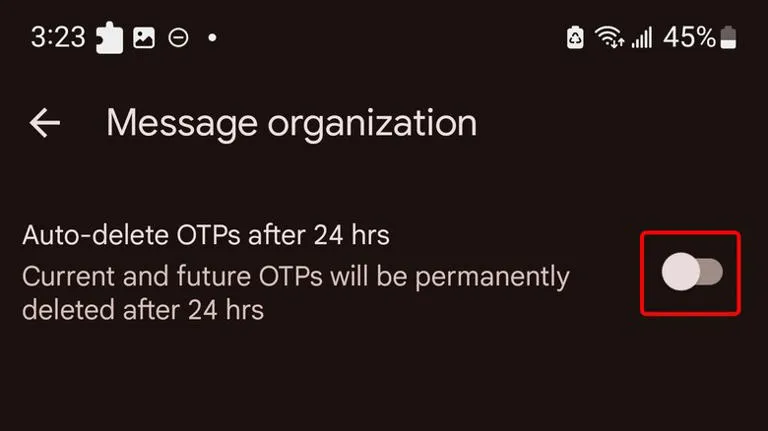
    An excellent illustration of this is the “Auto-delete messages” option. Once you give permission, it will automatically remove all of your one-time passwords and security codes from businesses after a 24-hour period. You may enable this from the Settings.

    Toggle the Auto-delete messages after 24 hours option under Settings > Message organization to activate this feature. You won’t need to manually clean up those OTPs once this is enabled.

    Personalized alert sounds for various contacts

    Businesses, friends and family, and organizations are some of the sources of text texts. As a result, not all of them are equally significant and do not merit your precious time.

    However, the ones that come from those closest to you are the ones you wouldn’t want to miss.

    Setting up a personalized notification sound for your most critical contacts is one of the simplest methods to accomplish this. In this manner, the notification’s sound will instantly identify the sender of the message.

    You can customize a notification sound for persons whose messages you need to respond to promptly, in addition to your loved ones. They could be your coworkers or even your employer. The answer is Google Messages.

    RCS

    messages

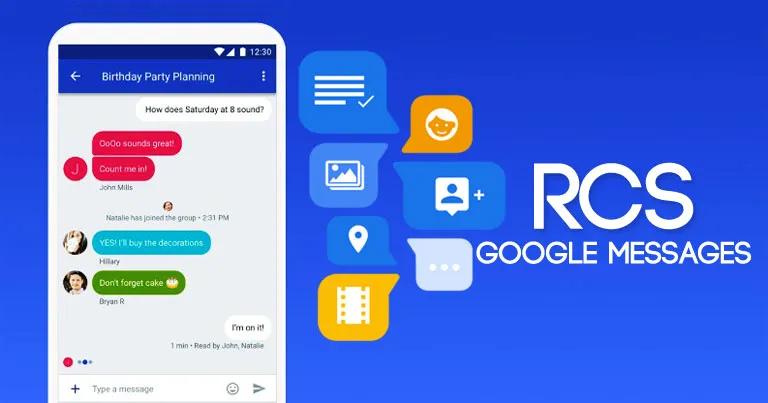
    Perhaps the most significant aspect of the Messages app is its support for RCS (Rich Communication Services), which is the sole reason why many people utilize it.

    With capabilities like the ability to send high-quality photos and videos, type indicators, read receipts, end-to-end encryption, reply to a specific message, and many more, RCS transforms the outdated SMS messaging system into a more contemporary one.

    RCS isn’t accessible by default, though. To begin using these features, you need to activate it from the Chat features setting. Additionally, the other person’s phone number must have RCS enabled.

    Because cross-platform RCS communication still lacks several crucial capabilities, such as end-to-end encryption, you receive the best RCS experience on Google Messages when both senders and recipients are using Android phones.

    Scheduled send

    Google Messages Scheduling Featu

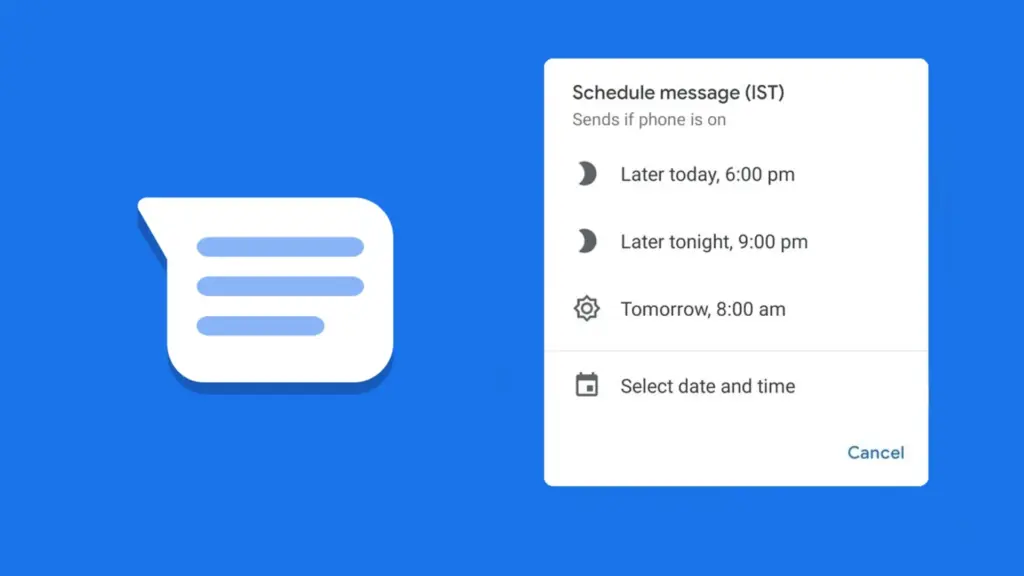
    Google Messages lets users create a message and select a time and date, after which the app will automatically deliver it to the recipient.

    Despite how easy it seems, some of the most frequently used messaging programs, such as WhatsApp, still do not support this. Although scheduling a message in Google Messages is simple, the choice isn’t immediately apparent when you begin typing.

    After entering the message, you must long-press the send symbol to bring up Google Messages’ “Schedule send” feature. After that, you may select the day and time you would like that precise message to be delivered to that individual.

    You can alter the date and time or cancel the planned send if you decide to change your mind later.

    Spam protection

    Google Messages Spam Protection

    Text messaging is one of the many ways that spam can happen. Depending on the platform, there are a number of strategies to prevent becoming a victim of spam.

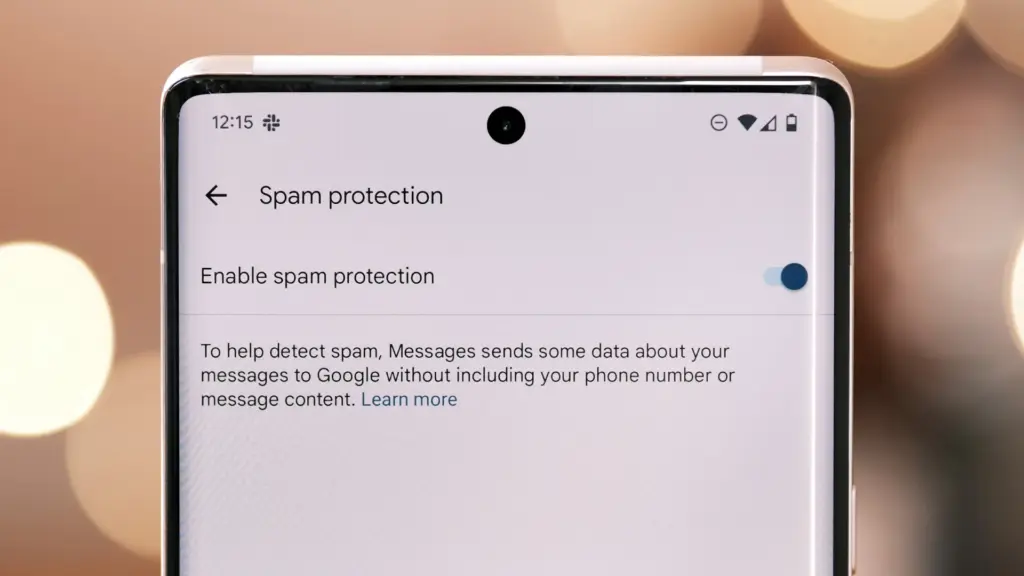
    With its spam prevention function, Google Messages provides one of the simplest means of safeguarding oneself against such malicious individuals. From the Messages Settings, you may activate this option.

    When enabled, Google Messages will screen messages that contain such harmful links to phony websites and place them in the Spam and Blocked folders on your phone.

    The program removes the possibility that you would unintentionally click on one of those links and provide your personal information to bad actors because those dangerous text messages aren’t accessible within the app.

    Pair with the web app

    web messages

    When an app is available on several platforms, it becomes more helpful. Google Messages features a clever approach dubbed “Device pairing” to compensate for its inaccessibility outside of its ecosystem.

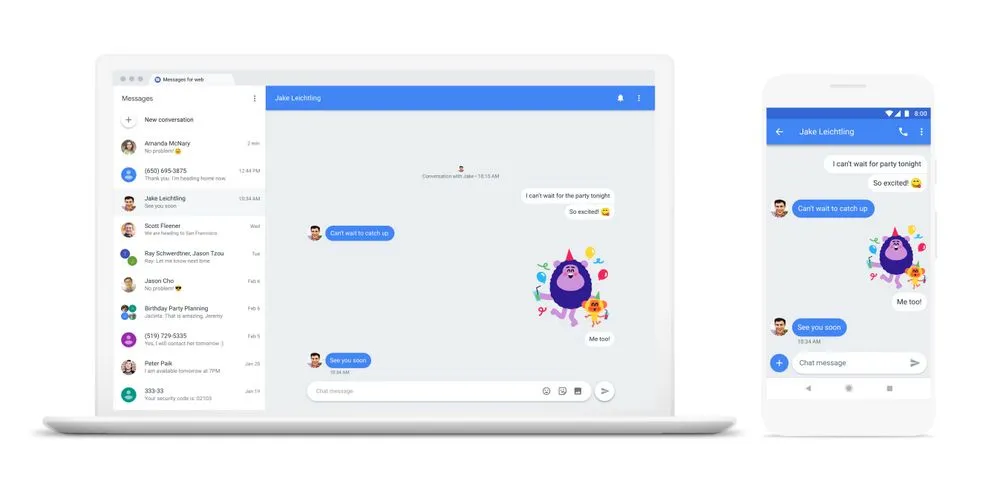
    It enables Google Messages to be paired with any computer that has a screen and an internet connection.

    You are using the same Google Messages app on your phone, but it is now operating on a different device via mirroring. You must connect your phone to the internet because your second device isn’t operating this natively.

    This can be paired with your Mac or PC, or even with another phone. Tap the profile symbol in the top-right corner, select Device pairing, and then adhere to the on-screen directions to pair.

    You can unpair Google Messages from each device if you are no longer using it on those devices. Additionally, it offers the ability to unlink a certain device.

    Pinned conversation

    Google Messaged Pinned Conversat

    You must locate the contact you wish to send a message to before scheduling it. Although you can type the contact’s name into the search bar, this isn’t the most effective method, particularly if they are significant individuals.

    You can pin or unpin messages using the pinning feature in the Google Messages app. In this manner, communications from certain people show up first when you launch the app. Therefore, you may locate those messages without using the search function or scrolling to the bottom.

    One of Google Messages’ user-friendly features is message pinning. You simply hit the pin symbol at the top after choosing the message from the list. The Messages app allows you to pin more than one message.

    Until you unpin them, those pinned messages always stay at the top. You must pick the pinned message and then tap the unpin symbol that shows at the top in order to unpin it.

    Google Messages offers the best texting experience for Android devices

    Like anything else, the Google Messages app has flaws. Its peculiarities might not be to everyone’s taste, and some people might find its UI a little cluttered.

    But Google Messages’ robust features function so effectively that you won’t even notice how quickly the program becomes essential.

    On the majority of recent Android phones, Google Messages is the default texting app. Therefore, it eliminates the need to search for a better texting app after the initial boot. It’s ready for you to start messaging your loved ones right now.

    There are a lot of useful features in Google Messages, and when the app is updated, more are added. Additionally, it is among the Google apps that receive the most updates.

  • Honor MagicOS 10 eligible devices

    Honor MagicOS 10 eligible devices

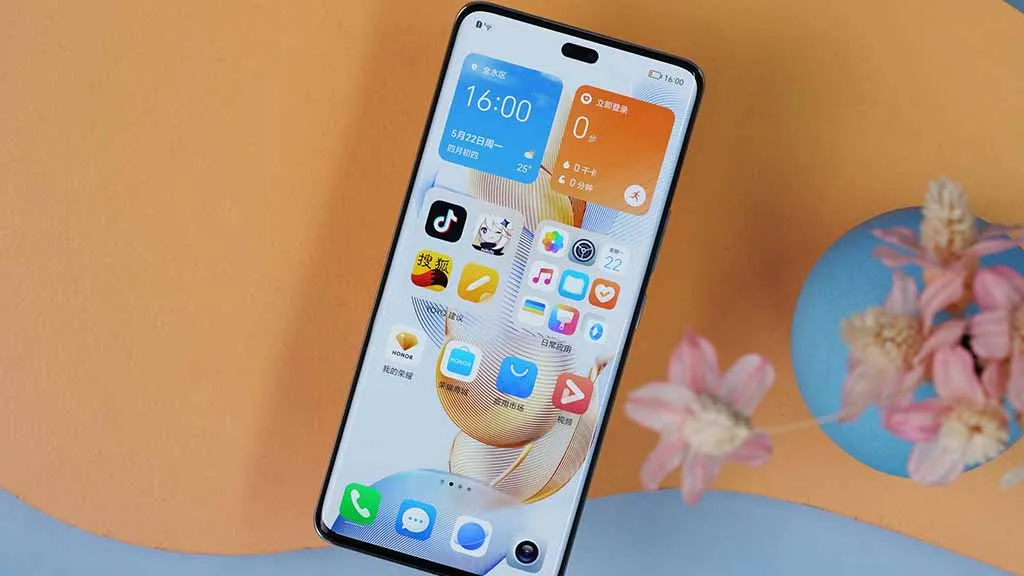
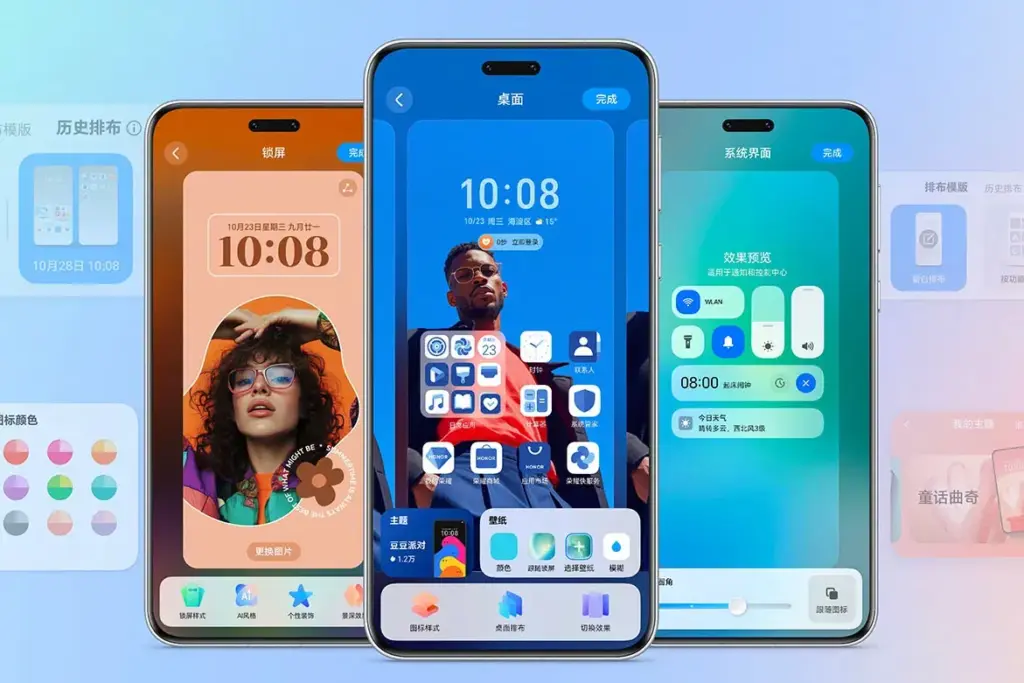
    It appears like Honor has begun working on the MagicOS 10 software update for its compatible devices. In order to determine what features and technological capabilities customers actually desire in their Honor phone, it has also started to gather input from its consumers.

    Like the previous iteration, MagicOS 10 is probably going to launch alongside the Honor Magic 8 series. Rumors and leaks suggest that the flagship lineup may be officially unveiled in October. At such moment, the corporation might introduce the updated version.

    The business plans to make some intriguing adjustments to the user experience. In order to make the device’s user interface (UI) more realistic while maintaining its minimalism and dynamic nature, it might also introduce more AI functions and customization tools.

    honor magicos 10 preview

    According to an early leak, Honor is looking into adding new capabilities to the Smart Capsule. The Magic Capsule will get additional services, increasing its usefulness in all areas.

    Here is a list of anticipated Honor devices that may receive the upcoming MagicOS 10 update, which is based on Android 16. These compatible models are listed below.

    Flagship Magic Series

    • Honor Magic 7
    • Honor Magic 7 Pro
    • Honor Magic 7 Lite
    • Honor Magic 7 RSR Porsche Edition
    • Honor Magic 6
    • Honor Magic 6 Pro
    • Honor Magic 6 Lite
    • Honor Magic 6 Ultimate
    • Honor Magic 6 RSR Porsche Edition
    • Honor Magic 5 Pro
    • Honor Magic 5
    • Honor Magic V5
    • Honor Magic V3
    • Honor Magic Vs3
    • Honor Magic V2 RSR Porsche Edition
    • Honor Magic V2
    • Honor Magic Vs2
    • Honor Magic V Flip

    Digital Series

    • Honor 400
    • Honor 400 Pro
    • Honor 400 Lite
    • Honor 300
    • Honor 300 Pro
    • Honor 300 Ultra
    • Honor 200
    • Honor 200 Pro
    • Honor 200 Smart
    • Honor 200 Lite
    • Honor 100
    • Honor 100 Pro

    X and GT Series

    • Honor GT
    • Honor GT Pro
    • Honor X70
    • Honor X70i
    • Honor X60GT
    • Honor X60 Pro
    • Honor X60
    • Honor X50 Pro
    • Honor Power
    • Honor X8c
    • Honor X9c Smart
    • Honor X9c

    Tablets

    • Honor Pad GT 2 Pro
    • Honor Pad GT
    • Honor MagicPad 3
    • Honor Pad 10
    • Honor Pad V9
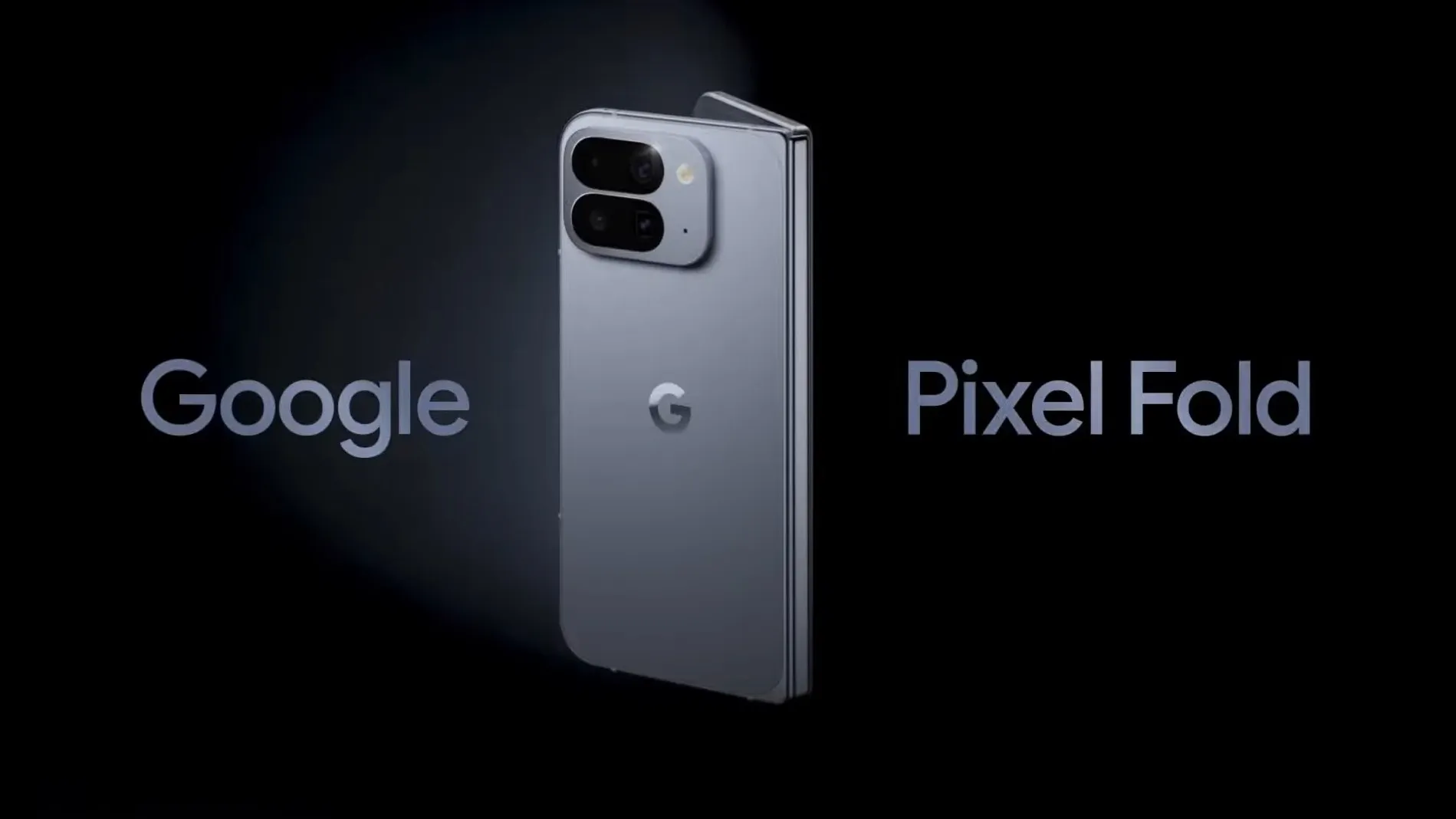
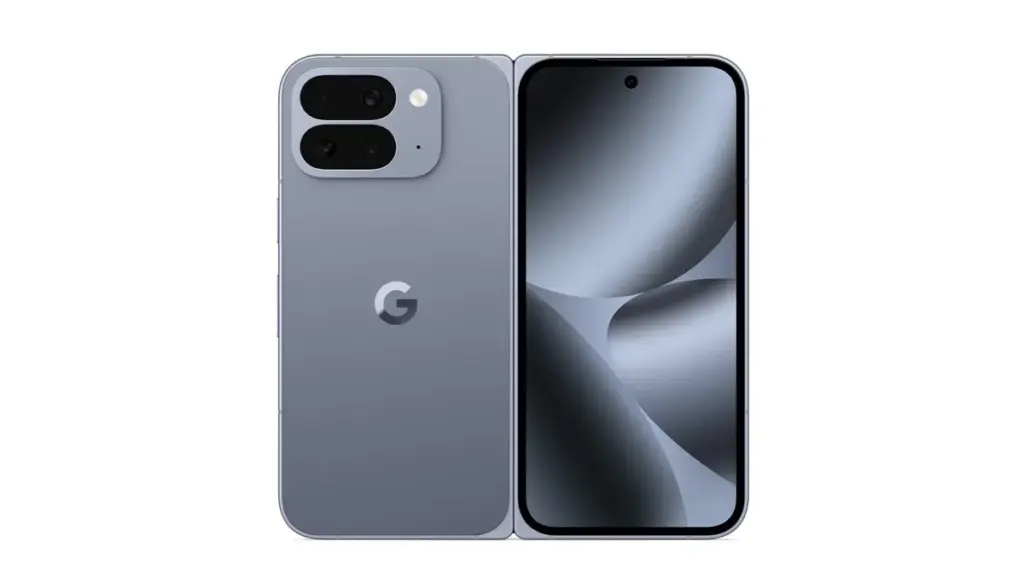
  • Pixel 10 Fold specs #leak before launch

    Pixel 10 Fold specs #leak before launch

    Every single specification for the Google Pixel 10 Fold has been made public online, just when we thought the leaks would stop.

    This comes shortly after the tech giant teased the phone in an official trailer, and just days before the major Made by Google event on August 20.

    The whole spec sheet for the Pixel 10 Pro Fold, including all of its new features and enhancements, has been obtained by Winfuture.

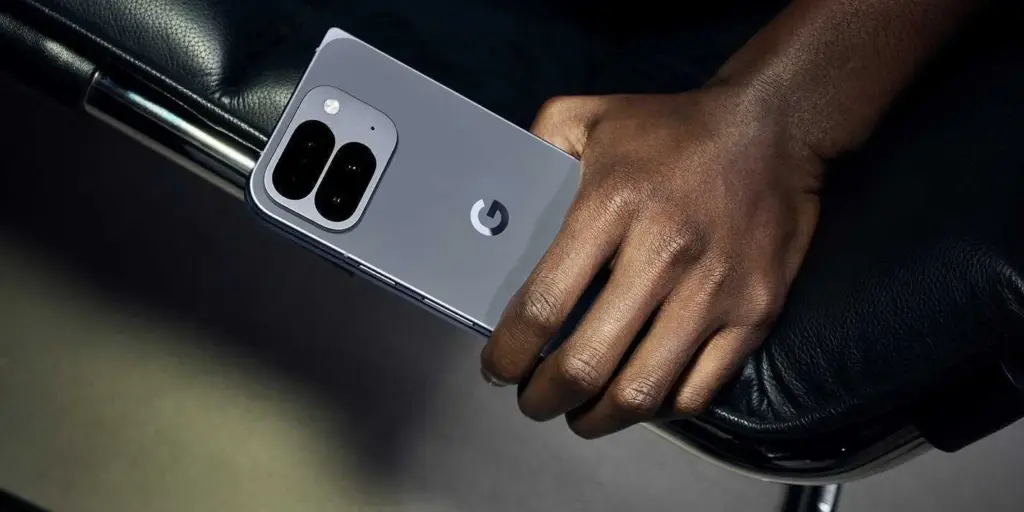
    Pixel 10 Pro Fold closed leak

    First of all, the phone’s IP68 dust and water resistant classification seems to imply that it will be the first foldable phone to be sold. For a phone with a tablet-sized display that folds in the middle, that is incredibly astounding.

    Additionally, it indicates that the panels would be 3000 nits brighter than they were previously and that the external display will enlarge to 6.4 inches.

    It was unclear whether the design of the Pixel 10 Pro Fold would prevent it from receiving MagSafe-style charging via Qi2, even though it is widely rumored (and in fact confirmed) that the Pixel 10 series will. Nonetheless, Qi2 wireless charging at 15W is listed on the specification sheet.

    pixel 10 fold specs leaked

    In addition, the telephoto camera appears to have a 10x optical zoom, and the battery is stated at 5015mAh, which is greater than both its predecessor and the Samsung Galaxy Z Fold 7.

    Although the website confirms earlier rumors that the Pixel 10 Pro Fold won’t go on sale until October, you can view the complete specs below and check to see if they are accurate.

    According to reports, the 256GB model will retail for €1,899 in Germany when it launches. For additional information in the meanwhile, see our coverage of the Pixel 10.

    • External display: 6.4-inch OLED Actua, 1080 × 2364 px, 408 ppi, 60-120 Hz, HDR up to 2000 nits, maximum brightness 3000 nits
    • Internal display: 8.0-inch OLED Super Actua Flex, 2076 × 2152 px, 373 ppi, 1-120 Hz, HDR up to 1800 nits, maximum brightness 3000 nits
    • Processor: Google Tensor G5 + security chip Titan M2
    • RAM: 16 GB LPDDR5X
    • Storage: 256GB/512GB/1TB UFS 4.0
    • Main cameras: 48 MP wide-angle (ƒ/1.7, 82°), 10.5 MP ultra-wide-angle (ƒ/2.2, 127°), 10.8 MP telephoto (ƒ/3.1, 23°, 5x optical zoom)
    • Front camera 10 MP (ƒ/2.2, 87° field of view)
    • Inner Camera 10 MP (ƒ/2.2, 87° field of view)
    • Zoom Optical: 0.5x / 1x / 5x / 10x, Digital: up to 20x
    • Image stabilization Optical: (OIS) + Electronic (EIS)
    • Video recording: 4K at 24/30/60 FPS, 1080p at 24/30/60 FPS, slow motion up to 240 FPS, time lapse, HDR10+, Video Boost, Audio Magic Eraser
    • Battery: 5015 mAh (minimum: 4919 mAh), over 24 hours of battery life, up to 72 hours with extreme power saving mode
    • Fast charging: 50% in 30 minutes with 30W USB-C PPS charger
    • Wireless charging: Up to 15W Qi2 certified
    • Operating system: Android 16
    • Security updates: 7 years of Android updates , security updates and feature drops
    • Materials: Foldable glass, aviation-grade aluminum, IP68 certified, ultra-thin glass inside
    • Dimensions: (folded) 155.2 × 76.3 × 10.8 mm
    • Dimensions: (unfolded) 155.2 × 150.4 × 5.2 mm
    • Weight: 258 g
    • Colours: Moonstone, Jade
    • SIM: Dual SIM (Nano-SIM + eSIM)
    • Connectivity: Wi-Fi 7, Bluetooth v6, NFC, Google Cast, UWB, Thread, GPS GNSS dual band
    • Audio: Stereo speakers, 3 microphones, surround sound, wind noise cancellation
    • Sensors: Accelerometer, gyroscope, magnetometer, barometer, proximity sensor, ambient light sensor, Hall effect sensor
    • Authentication: Fingerprint sensor, face recognition, pattern, PIN, password
    • AI functions: Gemini Nano, Gemini Live , Circle to Search, Call Assist
    • Sustainability: 100% recycled aluminum, recycled cobalt, gold, copper, tin, rare earths, 70% recycled plastic
    • Packaging: Plastic-free
    • Guarantee: 2-year manufacturer’s warranty
    • In the box: Pixel 10 Pro Fold, USB-C to USB-C cable (1 m), SIM tool
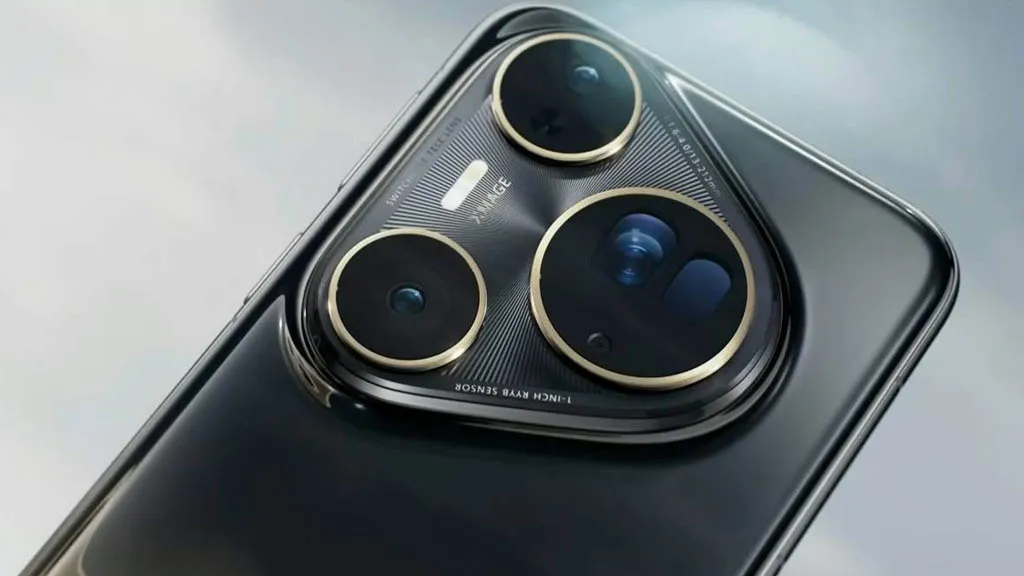
  • Huawei Pura 80 Ultra – the new top DxOMark champion

    Huawei Pura 80 Ultra – the new top DxOMark champion

    Almost every year, the same story is told. The Huawei Pura 80 Ultra, a Huawei flagship that is technically unique on the smartphone market because to its unusual dual-lens telephoto construction, leads the DxOMark rankings in 2025. Charges of corruption in DxOMark’s purportedly impartial scoring methodology and criticism of Huawei’s continuously dominant position are frequent. This year is no different, with criticism and misunderstanding predominating in the comments section of an official social media post.

    In the most recent Huawei Pura 80 Ultra camera test, the Chinese manufacturer set a new record with a total score of 175 points. The Oppo Find X8 Ultra and the Vivo X200 Ultra came in second and third, respectively, a considerable distance behind. In the portrait, low light, indoor, and outdoor photography categories, the Huawei Pura 80 Ultra scores highly. Given the Pura 80 Ultra’s advanced telephoto solution, the Vivo X200 Ultra’s one-point victory in the newly released DxOMark test report was just in the zoom category.

    Huawei Pura 80 Ultra - the new top DxOMark champion

    Huawei Pura 80 Ultra camera has now drawbacks

    The testers’ criticisms of Huawei’s flagship model are remarkably limited. Only sporadic exposure and color fidelity instability, somewhat odd texturing in challenging lighting conditions, and certain image distortions like ghosting in video mode are listed as drawbacks. The current Pura flagship’s camera performs admirably in every other situation. Its strong dynamic range and, according to the test report, its superb color reproduction in challenging scenes—which is reportedly noticeably better than that of its competitors—are praised.

    Additionally, specifically listed as benefits are skin tones, detail, focusing, video stabilization, and the ultra-wide-angle camera. The test result states that there is very minimal noise in the images taken in low light. Many comparison images are included in the whole test report so that interested readers may determine whether the significant ranking difference between Xiaomi, Vivo, Oppo, and other companies is truly warranted.

  • Made by Google 2025 – how to watch and what to expect

    Made by Google 2025 – how to watch and what to expect

    For Google, the Pixel 9 series marked a significant turning point. With a fresh design, robust software support, and an extensive array of practical AI functions, it signaled the company’s transition into a reputable flagship smartphone manufacturer.

    But the Pixel 9 has been out for about a year now. The Pixel 10 series is now ready to take center stage.

    The Pixel 10 series is anticipated to be introduced at Google’s Made by Google event on August 20, 2025, which Google formally confirmed on Wednesday, July 16, 2025.

    Here’s how to watch the Pixel 10 launch event live, along with the precise time, date, location, and announcements to anticipate.

    When and how to watch the Google Pixel 10 launch event

    On August 20, 2025, Google’s Pixel 10 series launch event will begin at 1 PM ET (10 AM PT).

    Google used to release Pixel smartphones in September, following Apple’s iPhone event. Nevertheless, the firm shifted its calendar to August with the Pixel 9, and the Pixel 10 is now operating on the same timetable.

    For those of us who can’t make it, Google will broadcast the unveiling, even though it will take place in person.

    Here is a list of global time zones so you know exactly when to tune in, even though the event starts at 1 PM ET in New York:

    Time zoneStart timeDate
    New York (ET)1:00 PMAugust 20, 2025
    Los Angeles (PT)10:00 AMAugust 20, 2025
    London (BST)6:00 PMAugust 20, 2025
    Central Europe (CEST)7:00 PMAugust 20, 2025
    India (IST)10:30 PMAugust 20, 2025
    China (CST)1:00 AMAugust 21, 2025
    Japan (JST)2:00 AMAugust 21, 2025
    Sydney (AEST)3:00 AMAugust 21, 2025

    You may watch the event on any of your devices, including laptops, gaming consoles, cellphones, and smart TVs, since Google will be livestreaming it on YouTube as usual.

    You can either tap the Notify me button to receive a reminder or save the keynote to your Watch Later playlist when the YouTube page goes live. A few minutes prior to the commencement of the event, you will receive a notification from the YouTube app.

    Your local time for the event will also be displayed in the stream listing. When the official keynote video is live, we’ll embed it above, so be sure to return.

    What we can anticipate from the Made by Google this year

    made by google 2024 products

    The new Pixel 10 series will undoubtedly be the main attraction.

    The Pixel 10, Pixel 10 Pro, Pixel 10 Pro XL, and Google’s third-generation foldable smartphone, the Pixel 10 Pro Fold, are all anticipated to be part of the same range as the Pixel 9.

    The Pixel 10 lineup isn’t anticipated to receive a significant visual makeover, as Google has already updated the Pixel’s design language with the Pixel 9 series. Instead, the phones’ designs will probably stay similar to those of the previous year.

    But some significant improvements are anticipated.

    Most importantly, it has been speculated that the base Pixel 10 would (finally) include a telephoto zoom lens, something that Pixel owners have long wanted.

    This implies that a triple-camera configuration – possibly comprising a 50MP primary sensor, a 12MP ultra-wide, and a 10.8MP telephoto lens – will probably be included in the base model.

    A larger 4,970 mAh battery (up from 4,700 mAh on the Pixel 9) and somewhat quicker cable charging at 29W (a tiny increase from 27W on the previous generation) are other anticipated features of the Pixel 10.

    Speaking of batteries, it is anticipated that the Pixel 10 Pro and Pixel 10 Pro XL would come with bigger cells than previous models. It has been reported that the Pixel 10 Pro XL will have the largest battery in a Pixel phone, with a capacity of 5,200 mAh.

    The Pro models might start at greater base storage tiers this time around, even if the camera systems are anticipated to mostly stay the same as the previous generation.

    The Pixel 10 Pro XL may cost $100 more than its predecessor, according to certain speculations.

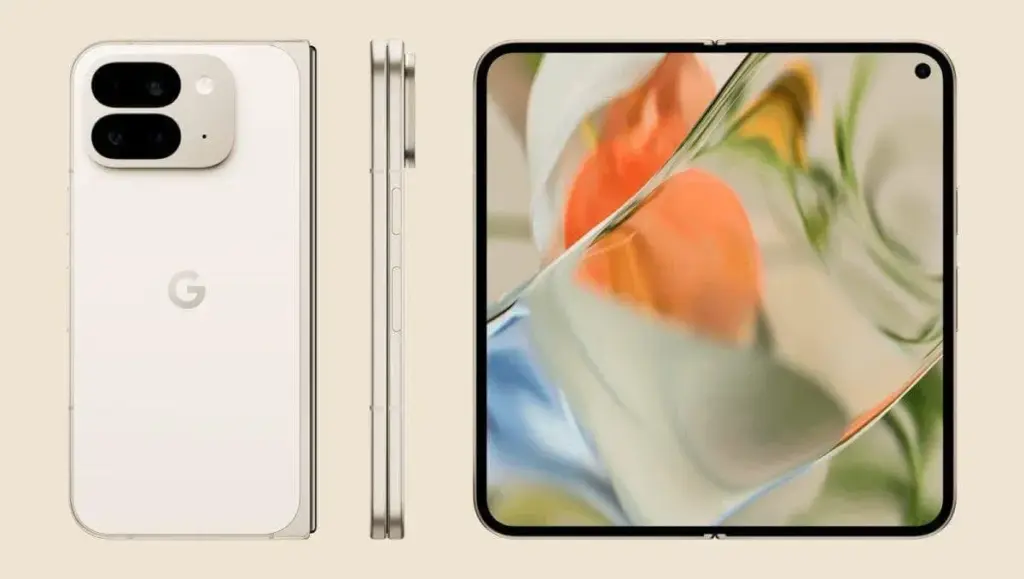
    It looks like Google is working on some significant improvements for the Pixel 10 Pro Fold.

    Although there are rumors that it may have a larger 6.4-inch cover display, the smartphone will feel exactly as small in the hand because of a better hinge.

    Additionally, a larger battery and an IP68 rating are anticipated for the foldable. However, the Tensor G5 processor will probably be the most significant improvement throughout the whole Pixel 10 family.

    Pixel 10 Pro Fold official rende

    According to reports, Google and TSMC have teamed up to produce the Tensor G5 for the Pixel 10 series.

    According to reports, the chipset is based on the 3nm technology, which should increase efficiency over Samsung’s Tensor G4.

    This might seem like a small change, but it could have a big impact on sustained performance and power efficiency.

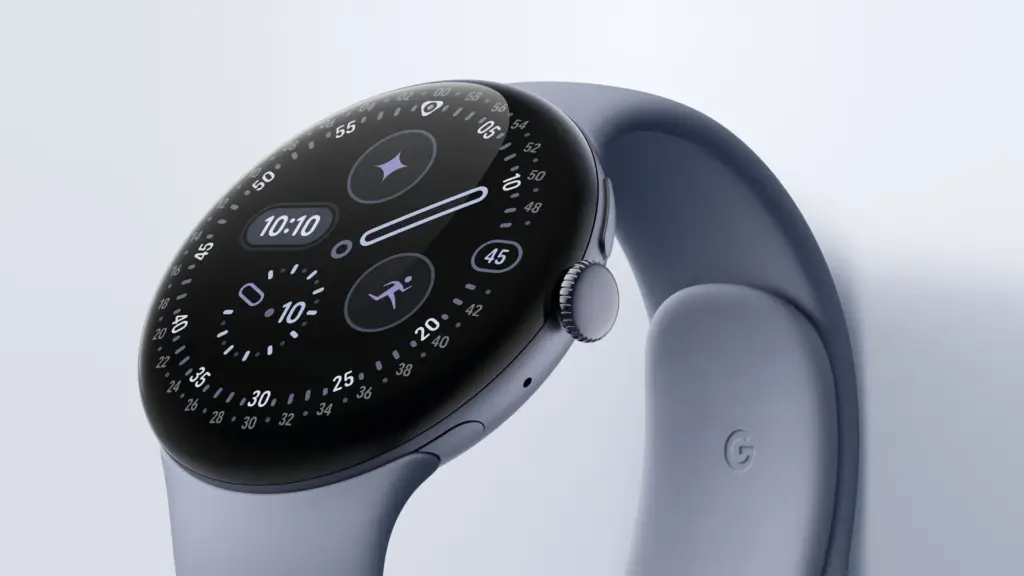
    At the Made by Google event, Google is anticipated to reveal the Pixel Watch 4 in addition to the Pixel 10 series.

    According to reports, the Pixel Watch 4 will have new buttons and even smaller bezels than the Pixel Watch 3, while yet maintaining the same spherical appearance.

    More significantly, the Pixel Watch 4 series is expected to provide a much-needed advance in strength training, complete with Workout Builder and real-time workout coaching.

    pixel watch 4 Made by Google event

    This would at last establish the Pixel Watch as a viable choice for athletes seeking a specialized health-tracking gadget.

    There are reports that Google may release the Pixel Buds 2a to complete the product lineup.

    The first Pixel Buds A were released more than four years ago, and it appears that Google is now prepared to update its reasonably priced earbuds.

    Better ANC, longer battery life, and four color options are possible features of the Pixel Buds 2a.

    Overall, it looks like Google will have a crowded event for the second year in a row.

    Expect news on Gemini and Android 16 features, like as the upgrade that makes Material 3 Expressive available on all devices, as is customary with Google keynotes.
    ,

  • Redmi’s new phone packs a massive 8500mAh battery — what it means for users

    Redmi’s new phone packs a massive 8500mAh battery — what it means for users

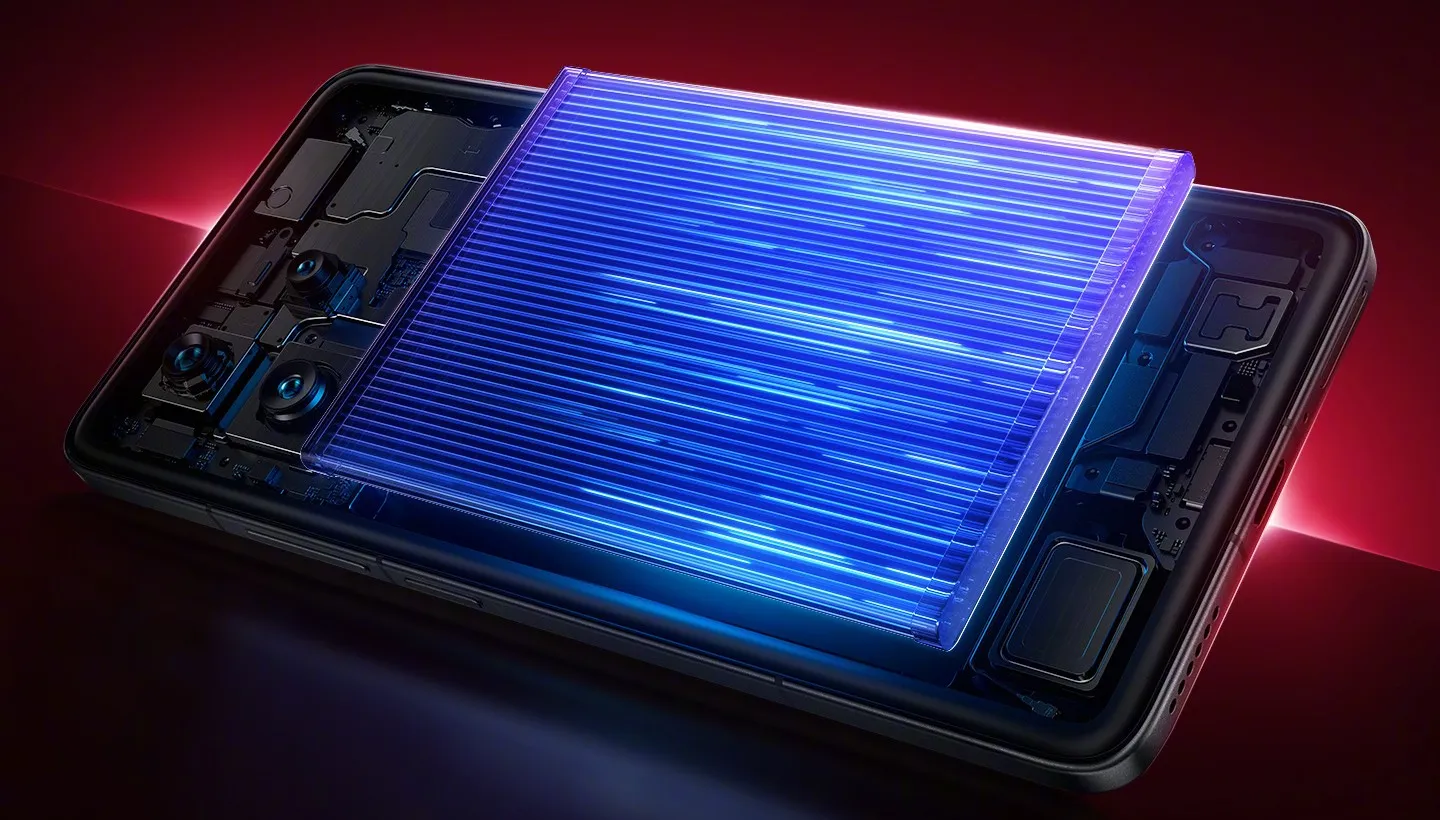
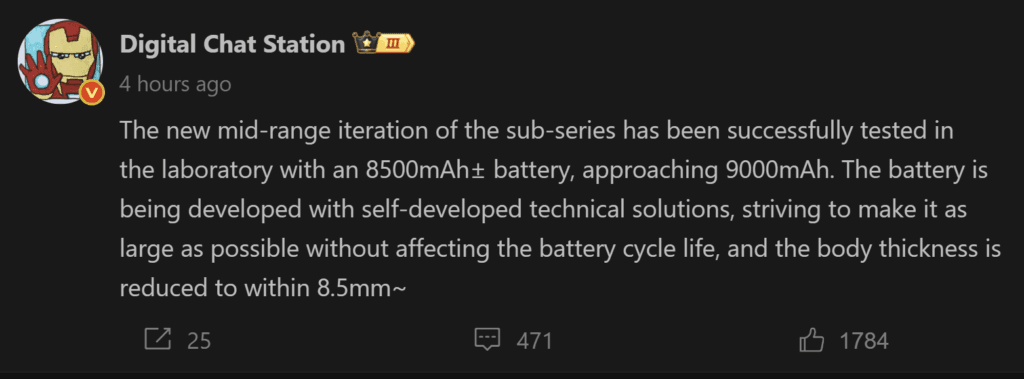
    Industry insiders are paying attention to Redmi’s aggressive strides in the smartphone battery market. The business is secretly testing a new phone with an 8500mAh battery, which is a big improvement that might establish a new benchmark for mid-range phones. According to preliminary lab data, they may even be pushing the boundaries of 9000mAh. In terms of power capacity, this will place Redmi far ahead of the competition if it is successful.

    Redmi’s engineers are accomplishing these figures without sacrificing design, which is astounding. The goal is to create a device that is less than 8.5 mm thick while keeping a thin profile and guaranteeing long-term battery life. For professionals and business users, that means spending more time being productive and less time worrying about charging.

    Ekran goruntusu 2025 08 07 123336
    Ekran goruntusu 2025 08 07 123306

    Bringing first high capacity battery to a smartphone

    Technically, Redmi’s R&D team has successfully developed an 8500mAh single-cell battery, and they have 9000mAh in the works. Today’s flagship phones often have 5000–6000mAh, thus this innovation gives them a big competitive edge.

    The emphasis is not solely on higher numbers. To ensure long-term dependability, the patented technology strikes a balance between power density, device form factor, and cycle longevity. In other words, companies can anticipate improved device lifespans, less downtime, and longer operational intervals between charges.

    How this shapes the smartphone market?

    Consider the Redmi Turbo 4 Pro. It is already a powerful device thanks to its 7550mAh battery, quick 90W wired charging, and thin 7.98mm aluminum frame. Nevertheless, the 8500mAh battery of the upcoming generation would revolutionize the market by surpassing existing leaders like the K80 (with its 6550mAh battery) and establishing a new standard.

    According to leaks, the next Redmi Turbo 5 may have an OLED screen, a battery that is more than 7000mAh, and a Dimensity 8500 processor. These anticipations would be exceeded with the release of the 8500mAh model, providing Redmi with a significant competitive advantage over high-end rivals while preserving affordability, which is essential for enterprise adoption.

    Redmi is still dedicated to making cutting-edge technology affordable while maintaining high-end features. This development is worth keeping a careful eye on for anyone in need of dependable, all-day power, including managers of mobile workforces.