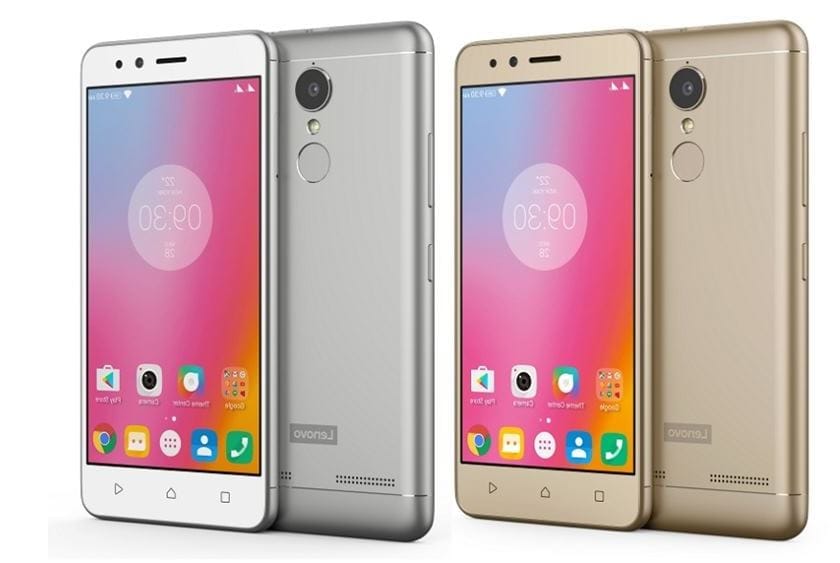
Lenovo K6/K6 Power features a 5” 1080P IPS LCD display, giving a pixel density of ~441 PPI. Under the hood sits a Qualcomm Snapdragon 430 SoC, which utilises a 1.4 GHz octa-core CPU, an Adreno 505 GPU and 2 or 3 GB of RAM.
The 16 GB internal storage version packs 2 GB of system RAM, the 32 GB, has 3 GB. The primary camera is capable of capturing images at 13 MP, the secondary at 8 MP. The whole 145g package is powered by a non-removable 4000mAh battery.
*Your Warranty will be void after unlocking bootloader*
Many are asking about to update/upgrade to MIUI 12 ROM from MIUI 11 or want to downgrade ROM from MIUI 12 to MIUI 11, but will have issue with unlocking the bootloader.
After you unlock the device, it will become less secure. Your personal data might be leaked or lost. So we do not advise and encourage you to Unlock your device. So please proceed at your own risk, and you are held responsible for your own device.
Go to Setting > About Phone > All Specs and tap on MIUI Version 7 times
Enable Enable USB Debugging and Enable OEM Unlocking. Go to Setting > Additional Setting > Developer Options > Enable USB Debugging and Enable OEM Unlocking.
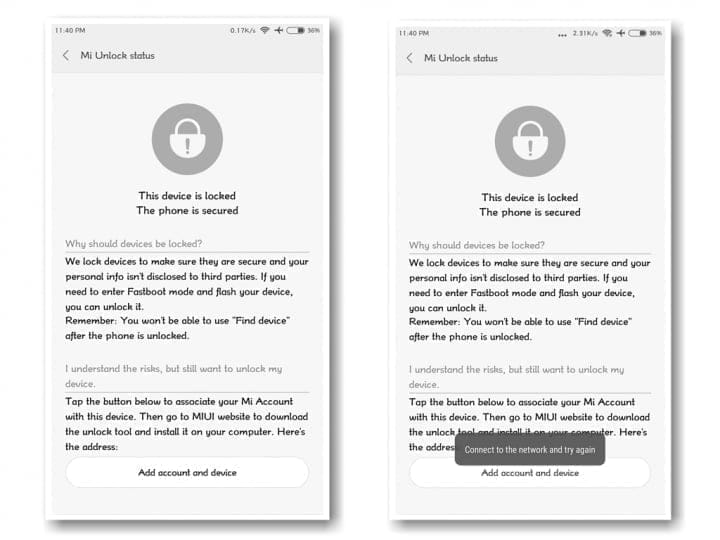
Now from Developer Option add your account to “Mi Unlock status”. Disable Wi-Fi connection and bind your account.
After, reboot your device into fastboot , for this just restart your device and keep push volume down ( – ) button. Then connect the device to the Windows PC/laptop via a micro USB cable.
Launch Mi Unlock Tool via run as administrator.
Follow the steps from the app and unlock your bootloader.
Sales are going pretty slow thanks to the current events, but fortunately I still have some worthwhile titles to highlight today. First and foremost, the popular indie roguelike Dead Cells arrived last night on Android, and it’s now available at 10 percent off the regular retail price.
– Always be safe, make a NAND backup – Be decrypted, else you need to format your data partition. ( an Internal Storage backup is recommended if you are encrypted!!) – Orange Fox Latest/SHRP/TWRP
Installation \~ Clean Flash
– Wipe all except internal, vendor, and OTG – Flash latest Vendor of your region – never crossflash!
– Flash ROM – Flash DFE with or without Magisk – Reboot to system – Be patient during first boot ~ skip DFE if you want encryption (NOT recommended)
Vendors Given Vendor-Firmware files needs to be downloaded and flashed according to your specific region.
First and foremost, Team 17’s entire catalog is on sale for the next six days. On top of that, Reckless Racing 3, Space Marshals, and Despotism 3k are quality pickups worthwhile of an extended gaming session this weekend. As always, I’ve highlighted all of the interesting titles in bold to make discovery easier. So without further ado, here are 40 temporarily free and 42 on-sale apps and games for the end of the week.
Unlocking your Android phone’s bootloader is the first step to rooting and flashing custom ROMs. And, contrary to popular belief, it’s actually fully supported on many phones. Here’s how to unlock your bootloader the official way.
GravityBox main concept is to make most of the preference changes to be done on the fly without need to reboot a device to achieve custom-ROM like experience. This means it is not possible to “completely deactivate” particular feature if it causes trouble on your device or if you installed GB because you want to use only one particular feature you can’t find elsewhere. This results in issues on ROMs/devices that have parts that are diverting from default Android implementation too much, or are running heavily modified custom ROMs.
GB is a complex module and is not suitable for 1 purpose scenario. This means, if you are running custom ROM built from source, and you are missing a certain feature, your best option is to go ask creators of those ROMs to implement those additional features. Supplementing missing features on well-known custom ROMs built from source by installing xposed modules (especially complex ones) is definitely not a good way to go and can cause more trouble than good. GB being a complex module, it shouldn’t be combined with other complex modules often racing for the same goal. They can conflict/fight on the same playground and there’s no way you can deterministically say which one’s going to win. They can even lose both.
If you experience weird issues after installing GB, even if you didn’t activate a particular feature, it is not because of GB is broken, it is because it is not compatible with your ROM. It is very similar to a situation when you installed ROM built from source for Nexus to some Xperia device – it won’t work.
GravityBox [Q] has been tested on – OnePlus 7 Pro running OxygenOS 10 – Nexus 5X running Pixel Experience 10
The app utilizes Riru and EdXposed Magisk module which uses original Xposed Framework API created by rovo89.
This module utilizes EdXposed Framework which is still in early development stage and may contain bugs or might not be fully compatible with system of your Android device. I take no responsibility for any issues arising from using GravityBox with EdXposed and strongly recommend creating a full backup of your device before activating the module.
This procedure assumes you have working Magisk installation. 1) Install Riru and EdXposed modules using Magisk Manager 2) Install EdXposed Manager app 3) Reboot and open EdXposed Manager app to check if EdXposed works and is active 4) Install GravityBox and enable it in EdXposed Manager 5) Reboot
Because of the scheduling problems resulting from the engineering team working from home, Chrome V82 was completely skipped but releases are starting to return to normal. Chrome 83 entered beta last month, and has now graduated from stable channel with a number of tow improvements.
Cookie blocking in Incognito Mode
One of the new changes relating to privacy that Google announced a few days ago was a new feature for Incognito Mode. When you open a new Incognito tab a setting to block third-party cookies appears at the bottom. In default it is switched on.
This specific feature is part of a server-side rollout, so if you’re already on Chrome 83 and you don’t have it, paste chrome://flags/#improved-cookie-controls into your address bar and click ‘Enabled’ on the highlighted dropdown menu.
Improved form controls
Microsoft has already merged a few improvements back to mainline Chrome from its Chromium-based Edge browser, and Chrome 83 includes a further change: updated form controls. Don’t just get all excited at once!
Design-wise, Chrome’s form controls (buttons, text fields, etc.) are everywhere. Some of them came from Safari / WebKit, some of them had gradients, some didn’t have gradients, etc. Microsoft and Google have collaborated to standardize the presence of form elements across all operating systems and the result is Chrome 83 shipping.
Besides the appearance, some form elements have also been reworked for better usability on touch screens. For example, the time picker now has large dropdown menus for selecting the hour and minute, instead of relying solely on keyboard input.
However, it doesn’t appear that the updated controls have made their way to Chrome for Android. While the Android browser already has better controls in some areas (e.g. the time picker opens the same time picker you get in the Clock app), the general design improvements would be nice to see on mobile.
More features
The Security settings page has been redesigned, but only on desktop platforms.
Extension buttons in the toolbar are now located in the new extensions drop-down menu. If you don’t see this change, enable the flag chrome://flags/#extensions-toolbar-menu.
Android and its pre-installed apps come practically free, but Google still earns a pretty big penny thanks to targeted web-wide ads. Your phone is actually helping the company tailor marketing strategies to you. There are a few options to make Google less invasive on your smartphone by turning off any default monitoring settings, if you don’t like that and a move to iOS isn’t your jam. However, you need to be aware that this will break a couple of features.
Not all monitoring is poor per se, in my view, but we should also pause to consider what we’re really learning from it. For example, you may see little point in continuously sharing your location history with Google, but you might still be interested in being able to find and/or delete your device remotely if it’s stolen or misplaced — that’s why I ‘d recommend not turning off the Locate My Device feature of Google.
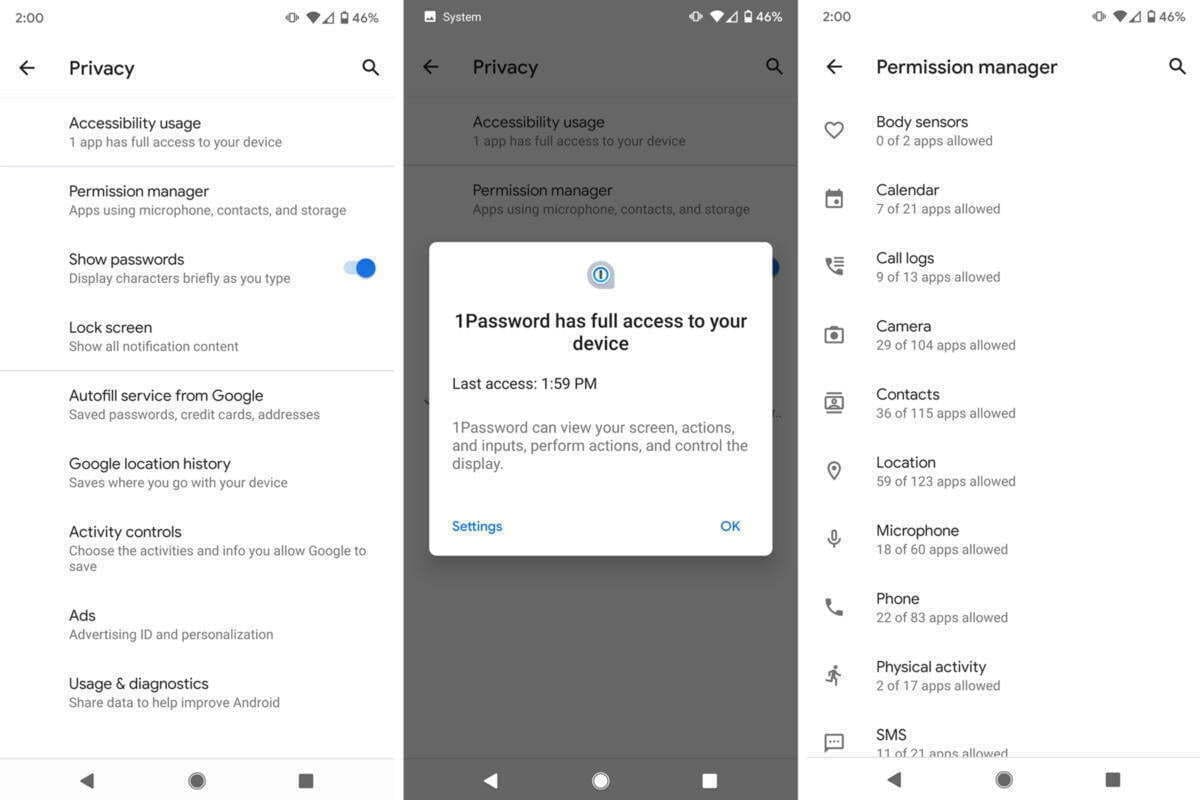
If you’re one of the fortunate few who have already received Android 10, head to Settings-> Privacy to tweak what personal details you ‘re sharing with Google. You will find in it everything this article discusses about your Google Account and Android settings. These solutions are spread around Android for everyone else, but don’t worry: we ‘re here to help you find them all and we’ll also share the benefits and drawbacks that come with changing them.
Location History and Tracking
You may know that Google stores a history of all the places you’ve visited by default, accessible via Google Maps -> Your Timeline. While Google says it protects this data and doesn’t share it with third parties, you might still be uncomfortable knowing the company has a complete track record of your every step (while carrying your phone). It’s possible to turn off this location tracking altogether, but to do so thoroughly, you need to flip quite a few switches. That’s why we’ve published a whole other article on the issue. Check it out here.
Keep in mind that turning off Location History comes with some minor disadvantages: Your timeline in Google Maps won’t update anymore, your Google Assistant will lose some capabilities, and your automatic commuting notifications will stop appearing.
Prevent apps from tracking your location in background
Android 10 improves some of Android’s notoriously bad privacy practices of old, as you can finally prevent both third-party and first-party apps from polling your location in the background, limiting their location access to only while in use.
Head to Settings -> apps & notifications -> Permissions manager -> Location. There, you’ll find a list of all apps installed on your phone. You can individually set limits for each by choosing a tier: Allowed all the time, allowed only while in use, or denied. I keep most of my apps on the medium setting, as many of them offer added benefits when they have access to my location, especially navigation apps.
On older versions of Android, you’ll need to choose between always allowing and always prohibiting access to the location. You should carefully evaluate which apps you trust, and check what you gain from sharing your location with an app. For example, in a hotel booking app, you probably won’t be searching for accommodation in your current vicinity, and probably won’t need to offer it access to your place. Other apps allow you to set your address manually, too, like weather apps or food delivery services. With the slight inconvenience of typing in your address they give the same features.
Opt out of Google’s personalizations
To hinder Google from following you around the web, head to your Google Account’s activity controls, accessible here and under Settings -> Google -> Manage your Google Account -> Manage your data & personalization.
In there, you can turn off Web & App Activity, but note that Google results might become less accurate when you do this. You’ll also stop Google from collecting data on your Google Assistant usage which severely limits its usefulness. For example, the Assistant won’t respond to personal queries like “What’s on my calendar?” or “Read my messages” on any device, including Home speakers — Google sure wants you to supply your data to continue using the Assistant. If you’re adamant about protecting your privacy, you should probably stop using Google Home speakers and the Assistant altogether anyway.
You can proceed by turning off YouTube History and, more importantly, Ad personalization. When you do that, Google will stop pushing personalized advertisements to you and will instead show you more generic, less relevant content. According to Google, it will solely be based on “general factors, like the subject of what you’re looking at, the time of day, or your general location.”
You’ll also need to head to myactivity.google.com to delete previously stored information. On that website, open the hamburger menu by tapping the three bars in the top left corner and choose “Delete activity by.” Then you can select which activity you’d like to remove.
On Android 10, all of these settings have been moved to one location, easily accessible in Settings -> Privacy. While you’re there, be sure to turn off the following, too:
Turn off Autofill service from Google.
Turn off Usage & Diagnostics.
Turn off backups
To turn off backups to Google’s servers, head to Settings -> System -> Backup. There, you can toggle off Back up to Google Drive.
Keep in mind that none of your precious data will be automatically restored when you lose or break your phone when you do this. You’ll have to back up your contacts or ask friends and family for their phone numbers, you’ll need to manually sign back into apps you’ve used on your old phone, you’ll lose custom device settings including Wi-Fi passwords, and your photos and videos won’t be backed up. Assess carefully whether having some peace of mind regarding this data is worth a privacy tradeoff or not.
Also consider switching to a privately hosted server using ownCloud or similar open source solutions to sync your files and backup your data.
Third-party software if is possible
If you don’t want to get Google tracked, consider using third-party software over pre-installed Google apps. There are plenty of email providers, cloud storage tools, note-taking applications, and navigation systems out there that don’t rely on Google software like Microsoft Outlook, Dropbox, Bundled or Evernote, and Here Maps. If you want to go all in on privacy, you should even consider open-source substitutions. That’s no guarantee that your data is secure, but code is mostly peer-controlled and often not in a single company’s hands. My colleague Corbin has created a series of articles that highlight alternatives to rising Google apps.
Some Google apps can even be safely deactivated by tapping and holding their icons in the app drawer or homescreen, tapping the i button, and choosing disable. Be careful with this, though, as some apps like Google Search are necessary to keep your phone up and running. Something like Play Music or YouTube should be safe to disable, though.
Other browser
If you’re concerned about Google Chrome’s tracking mechanisms, consider switching to another browser that keeps your privacy intact. I’d argue Firefox (especially the all-new preview version) and Firefox Focus are the best choices since they rely on a browser engine not created by Google. Many other third-party browsers use Google Chrome’s rendering engine, which is not good for the health of the web. If you’re not satisfied with Firefox, you might still want to try Microsoft Edge, Samsung Internet, or Vivaldi.
You can make any of these your default browser by choosing “Always open with this app” when you tap a link in another application. If you use the Google app, you’ll notice that it still opens links in a custom Chrome tab. To make the search engine use your preferred third-party browser, head to the More bottom tab -> Settings -> Generaland turn off Open web pages in the app.
Make Chrome less hungry for your data, head to the browser’s settings (three-dot menu -> Settings -> Search engine) and change the search engine to another provider — among the ones listed, DuckDuckGo.com is your best option concerning privacy. Its results often aren’t as spot on as Google’s, though — there’s a reason why the company is still king of search.
Incognito mode?
Contrary to popular belief, any browser’s incognito or private mode only goes so far when you want to stay low-profile online. Your ISP and public Wi-Fi providers might still be able to see which websites you visit. The same is true for some ad trackers that rely on a unique combination of your hardware, software, and IP address rather than cookies to track you across both incognito and regular mode. If you truly want to stay anonymous, consider trying the Firefox-based Tor Browser. It routes your queries through a bunch of servers to obscure your online movements.
Custom ROMs
One surefire way to avoid being tracked by Google altogether is installing a custom ROM without any Google apps on it. Many apps rely on Google Play Services, which provide essentials like push notifications and location data. What you can do is use a ROM with microG, an open-source replacement for many functions provided by Play Services.
However, just because custom ROMs are open source doesn’t mean that someone went looking for malicious code in the source. You should stay away from obscure forks and you should absolutely preface any custom ROM installation with a ton of research. Google promises not to sell your data to third parties and would face severe consequences if it did because so many people, businesses, and governments rely on its services. An individual ROM developer distributing free software to a few people would be much harder to keep in check.
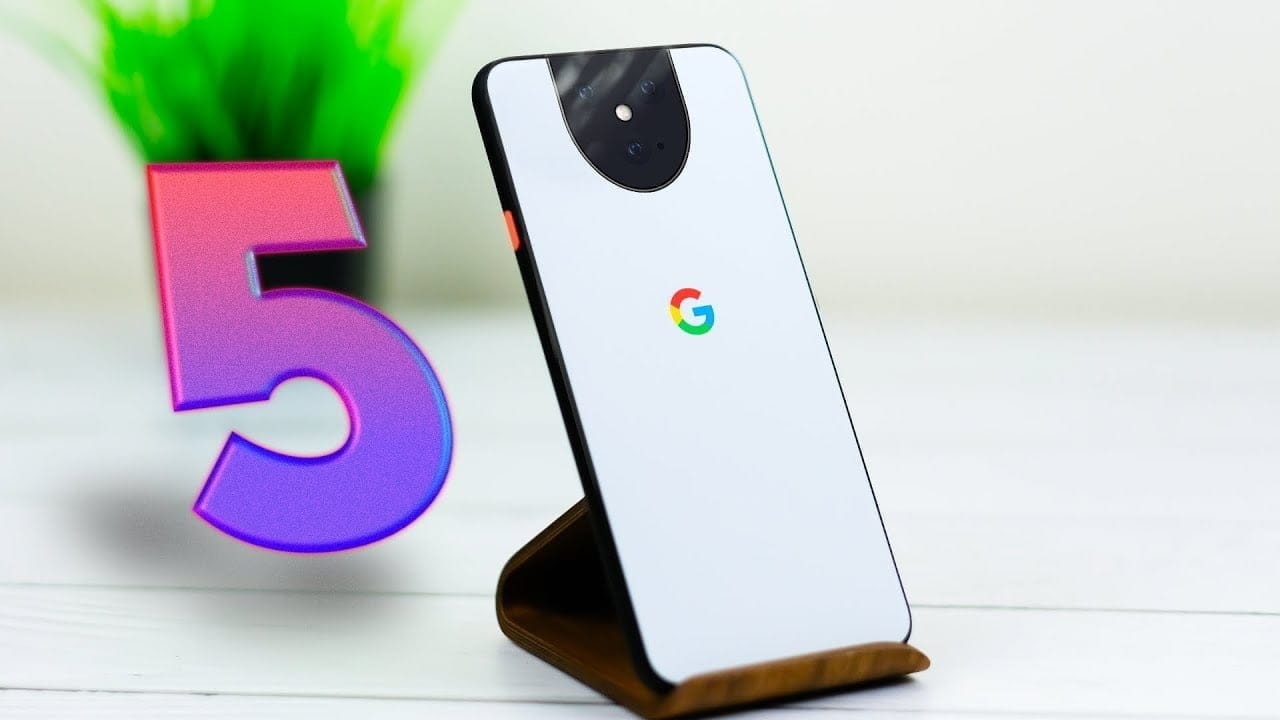
Back in March, we discovered a report indicating that the forthcoming Google Pixel 5 might not deliver the typical flagship experience we’ve become used to.
Specifically , the report indicated that the phone would not have a Qualcomm 800-series Snapdragon chipset and would have a mid-range processor instead. Now, we’ve got even more proof to support the argument that XDA Developers. While it’s not 100 percent clear which processor the Google Pixel 5 will use, it’s increasingly likely that the processor won’t be the flagship this year, the Qualcomm Snapdragon 865.
Since we recently found a rumor suggesting the Pixel 5 entry price could be as low as $699, all signs point to the new Pixel stepping out of the traditional premium territory and entering something more like “premium midranger” territory.
Maybe the SD765?
Through some complicated code-sleuthing, XDA has been able to determine that it is very unlikely that the Snapdragon 865 will be in the Google Pixel 5. It was not, however, able to decide exactly what processor would be in the phone instead, with some certainty. XDA ‘s guess based on the evidence available is that the new Pixel could include a Snapdragon 765. This would align very well with the telephone’s expected price and also allow the 5G-capable Pixel 5, which Google would need to remain competitive with.
However, the SD765 also has two different processors: the Snapdragon 765 G and the Snapdragon 768G. The former is the processor’s gaming-centered version, while the latter is a slightly improved variant of that. Because all three are using the same sockets and software, Google could (theoretically) offer any of them in the Google Pixel 5 without having to alter much in software and hardware matters.
It can not be stressed enough that, at the moment, this is all rumor and speculation. All we know for certain at this point is that there is plenty of evidence to suggest that there will be no SD865 in the Google Pixel 5 and the likely replacement would be an SD765/765G/768 for that.