Author: Robert Haba

  • 16 new devices get Lineage 18.1 ROMs

    16 new devices get Lineage 18.1 ROMs

    lineage os rom

    Lineage OS is the premier custom Android ROM, and one of its best features is that it is constantly evolving. The distributed team has added sixteen new phones and tablets from a few vendors in the last few weeks.

    Here are the phones that have been added to the list, or jumped from Lineage 17.1 to 18.1, based on Android 11. Some :

    To install Lineage, you’ll need to unlock the bootloader on your phone, install a custom recovery like TWRP, then load up the custom ROM file. Most users will also want to flash Gapps at the same time to get access to the Play Store and other Google services. Take note, while Lineage is great and its interface is fast and smooth, almost all builds are classified as “nightlies,” so a few bugs are to be expected.

  • Top 5 best Android Apps to Backup Mobile Data

    Top 5 best Android Apps to Backup Mobile Data

    One of our worst fears is losing all of our precious files and irreplaceable data from our Android devices. Hence always make a backup of your files. It’s one of the most crucial things a person can do with their gadgets. You never know when things will go wrong, and you certainly don’t want to lose any of your belongings if this happens. Fortunately, there are numerous options for backing up your files and apps on Android.

    The following is a compilation of apps that we believe will get the job done efficiently and securely.

    Titanium Backup

    titanium backup

    For root users, Titanium Backup is a must-have tool. It’s been around for a long time, gets regular upgrades, and has a ton of features. Titanium Backup, unlike many other backup programs, is almost entirely for root users, with few capabilities for non-rooted devices. Bloatware may be frozen and uninstalled; apps (along with app data) can be backed up to cloud storage, and much more.

    The Pro edition which is for $5.99 includes significantly more capabilities, such as 1-click batch restoration, cloud storage syncing, and much more. This is the king of backup programs for root users in the past and present, and everyone knows it.

    Buggy Backup Pro

    buggy backup

    Buggy Backup Pro is truly a good application backup app. It can copy APK files to your local storage or the cloud as needed. Those are the real APKs, and they work properly. At the very least, they installed without a hitch throughout our testing. You may also share APKs and look up information like the package name, software version, and date installed.

    Aside from that, there’s an uninstall option, Material Design, and an auto-backup tool if you want to be lazy. This isn’t nearly as strong as backup apps that require root access, such as Titanium Backup. Non-root users, on the other hand, will find this to be about as excellent as it gets. Please make sure to follow the app’s instructions, as some people have lost all of their data as a result of not doing so.

    G Cloud Backup

    google cloud backup

    G Cloud is a cloud storage service that specializes in device backups. It can backup your SMS messages, contacts, photographs, movies, music, documents, call logs, and other items automatically or manually. In some circumstances, it can even back up your settings. You may set up automatic backups for convenient times, such as when your device is charging and connected to WiFi.

    The program provides you with 1GB of free storage, and you can earn more by playing various games on the app. It also has a $3.99 unlimited storage option. This isn’t Google Drive, OneDrive, or any other similar service. It’s a cloud storage service designed exclusively for phone backups, which is quite cool. G Cloud is not affiliated with Google in any way.

    Google Photos

    google cloud backup

    Google Photos can be considered cloud storage in several ways. It backs up and restores your photos to Google Drive automatically. It does require actual Google Drive space (beginning June 2021), but it’s a quick, hands-free, and automated way to do so.

    The software also offers a few extra capabilities, such as seeing images on your device, removing images from your device if they’ve previously been backed up, and automatically sorting things into albums.

    Backup Your Mobile

    Backup Your Mobile is a simple backup option for folks who don’t want a lot of functionality. Apps, system settings, SMS, MMS, call logs, and more can all be backed up with it. The user interface is straightforward, and backing up your files should just take a few minutes of exploration. Although it appears to be outdated, you are unlikely to use this app more than a few times. Easily restore your data without any worries.

    Bottom Line

    Any one of the apps mentioned above will do a fair job and back up your data in no time. Check these apps and let us know which one works best for you.

  • Download Magisk v23.0 And Magisk Manager

    Download Magisk v23.0 And Magisk Manager

    nexus2cee Magisk Generic Hero

    Magisk v23.0

    Magisk is a fantastic tool for advanced Android users. It is a one-of-a-kind systemless interface designed by XDA Senior Recognized Developer topjohnwu that can be used for much more than simply rooting your devices. The interface allows users to tinker with system settings without actually changing the system files.

    Another reason for Magisk’s popularity is the possibility of circumventing Google’s SafetyNet, which prevents certain apps from running on rooted devices. The most recent Magisk update is Magisk version 23.0, which includes several bug fixes for root access.

    The developer announced the new update on Twitter today, saying the focus is primarily on stability improvements. In case you’re using the Magisk app solely for SafetyNet attestation checking and you’ve found the functionality broken during the last few weeks, then you’ll be happy to know that this release addresses the issue as well.

    Full changelog for Magisk v23.0:

    • [App] Update snet extension. This fixes SafetyNet API errors.
    • [App] Fix a bug in the stub app that causes APK installation to fail
    • [App] Hide annoying errors in logs when hidden as stub
    • [App] Fix issues when patching ODIN tar files when the app is hidden
    • [General] Remove all pre Android 5.0 support
    • [General] Update BusyBox to use proper libc
    • [General] Fix C++ undefined behaviors
    • [General] Several sepolicy.rule copy/installation fixes
    • [MagiskPolicy] Remove unnecessary sepolicy rules
    • [MagiskHide] Update package and process name validation logic
    • [MagiskHide] Some changes that prevents zygote deadlock

    One important thing to note that with this release, Magisk has finally stopped supporting Android versions older than Android 5.0 Lollipop. If you still have a device running Android KitKat or Jelly Bean and want to root it using Magisk, you have to stick with the legacy builds.

  • PayPal will let you transfer cryptocurrencies to third-party wallets

    PayPal will let you transfer cryptocurrencies to third-party wallets

    Since the end of 2020, PayPal has allowed users in the United States to buy and sell Bitcoin and other cryptocurrencies. The payment service even added the “Checkout With Crypto” option, so that users can pay with cryptocurrencies.

    And now, the platform wants to provide more tools for managing these virtual currencies, so it promises that Bitcoin and other cryptocurrencies will soon be transferable to third-party digital wallets.

    The future novelty was announced by PayPal’s vice president and general manager of Blockchain, Crypto, and Digital Currencies, Jose Fernandez da Ponte.

    paypal crypto

    During CoinDesk’s Consensus 2021 conference, Ponte told event moderator Jeff John Roberts that the cryptocurrency withdrawal function is in progress — which will also be available on PayPal and Venmo, a subsidiary of PayPal. Anyway, the details about the implementation are still scarce.

    We want to make it as open as possible, and we want to give a choice to our consumers, something that will let them pay in any way they want to pay. They want to bring their crypto to us so they can use it in commerce, and we want them to be able to take the crypto they acquired with us and take it to the destination of their choice,” said Ponte.

    PayPal understands that cryptocurrencies are much more useful when they can be moved, according to the executive. So the company is exploring how it could allow people to transfer cryptocurrencies to their wallets. He also pointed out that the company sends new developments every two months, on average. However, he did not specify when the function would be made available to users.

    He also gave no further details on how PayPal intends to handle the blockchain transactions that will be created when users send and receive cryptocurrencies.

  • Temporarily free and on-sale apps and games on Google Play Store

    Temporarily free and on-sale apps and games on Google Play Store

    We’ve had a busy week, so make sure to check out Wednesday’s sales since the list contains every Dragon Quest title on the Play Store, and they are still on sale. I also have some solid sales to share today, as well as some great standouts. First up is Crashlands, a great survival game that sports a wicked sense of humor. Next up is Lock’s Quest, a fantastic action RPG that made its way from the Nintendo DS to the Play Store. Last up is 9th Dawn III RPG, a deep and rewarding game that offers hundreds of hours of fun. As always, I’ve highlighted all of the interesting titles in bold green text in order to make discovery easier. So without further ado, here are 18 temporarily free and 42 on-sale apps and games for the end of the week.

    Free

    Apps

    1. CPUz Pro $5.49 -> Free; Sale ends in 6 days
    2. Learn Korean Language: Word Quiz Pro for Beginner $2.99 -> Free; Sale ends in 6 days
    3. Ray Financial Calculator Pro $2.49 -> Free; Sale ends in 6 days
    4. Sleep Faster, Meditation Pro: High-Quality Sounds $2.99 -> Free; Sale ends in 6 days
    5. Relaxing Sleep Sounds PRO $0.99 -> Free; Sale ends in 7 days
    6. Snipback – Lifehacker smart voice recorder PRO HD $2.99 -> Free; Sale ends in 7 days

    Games

    1. Hot Guns $1.99 -> Free; Sale ends in 1 day
    2. Spaxe | Procedural Survival Space Alien Shooter $0.99 -> Free; Sale ends in 1 day
    3. Warhammer Quest $3.99 -> Free; Sale ends in 1 day
    4. Empire Warriors Premium: Tower Defense Games $0.99 -> Free; Sale ends in 6 days
    5. Final Castle Defence : Idle RPG $0.99 -> Free; Sale ends in 6 days
    6. Hero Knights (idle RPG) $1.49 -> Free; Sale ends in 6 days
    7. Legend of the cartoon $2.49 -> Free; Sale ends in 6 days
    8. Fire and Water – Platformer Game $3.99 -> Free; Sale ends in 7 days
    9. Healing Matching Puzzle $0.99 -> Free; Sale ends in 7 days
    10. Hills Legend: Action-horror $0.99 -> Free; Sale ends in 7 days
    11. Infinite Puzzle $4.49 -> Free; Sale ends in 7 days
    12. Space Shooter: Alien vs Galaxy Attack (Premium) $0.99 -> Free; Sale ends in 7 days

    Sale

    Apps

    1. LayerPaint HD $6.99 -> $2.99; Sale ends in 10 hours
    2. Secure Clips – Secure & private clipboard manager $1.99 -> $0.99; Sale ends in 2 days
    3. KReader PRO: kindle read all formats (no Ads) $3.49 -> $1.49; Sale ends in 6 days
    4. Mushrooming $2.49 -> $0.99; Sale ends in 6 days
    5. Rapid Notifications Blocker PRO $2.49 -> $1.49; Sale ends in 6 days
    6. RE Equalizer Music Player $2.75 -> $0.99; Sale ends in 6 days
    7. Kids Music Classes: 10+ Music Instruments $3.49 -> $0.99; Sale ends in 7 days
    8. Sunnytrack – Sun Position, Shadows, Golden Hour $5.20 -> $0.99; Sale ends in 7 days
    9. Tinnitus Therapy Pro $6.99 -> $3.99; Sale ends in 7 days

    Games

    1. A Street Cat’s Tale : support edition $2.49 -> $0.99; Sale ends in 10 hours
    2. Despotism 3k $3.49 -> $1.49; Sale ends in 10 hours
    3. Unit 404 $2.99 -> $1.99; Sale ends in 10 hours
    4. Hue: Alter the color world $4.99 -> $2.49; Sale ends in 2 days
    5. The Lonely Hacker $3.00 -> $0.99; Sale ends in 2 days
    6. B.D.R.S : Biological Disaster Response System $3.99 -> $1.49; Sale ends in 3 days
    7. Crash Dive $3.99 -> $1.99; Sale ends in 3 days
    8. Crashlands: Story-driven Crafting ARPG $6.99 -> $4.75; Sale ends in 3 days
    9. Crash Dive 2: The Silent Service $9.99 -> $5.49; Sale ends in 3 days
    10. Earthlings Beware! $1.99 -> $0.99; Sale ends in 5 days
    11. Lock’s Quest $7.99 -> $3.99; Sale ends in 5 days
    12. Through the Darkest of Times $7.99 -> $3.99; Sale ends in 5 days
    13. 9th Dawn III RPG $9.99 -> $5.49; Sale ends in 6 days
    14. Mindcell $5.00 -> $0.99; Sale ends in 6 days
    15. My PlayHome Hospital $3.49 -> $0.99; Sale ends in 6 days
    16. My PlayHome : Play Home Doll House $3.49 -> $0.99; Sale ends in 6 days
    17. My PlayHome School $3.49 -> $0.99; Sale ends in 6 days
    18. My PlayHome Stores $3.49 -> $0.99; Sale ends in 6 days
    19. Pandemia: Virus Outbreak $3.49 -> $0.99; Sale ends in 6 days
    20. Flockers $1.99 -> $0.99; Sale ends in 7 days
    21. Hangman Premium $2.99 -> $0.99; Sale ends in 7 days
    22. Pocket Rogues: Ultimate $3.99 -> $2.49; Sale ends in 7 days
    23. The Angry Banana $1.99 -> $0.99; Sale ends in 7 days
    24. The Escapists: Prison Escape $6.49 -> $1.49; Sale ends in 7 days
    25. The Escapists 2: Pocket Breakout $6.99 -> $1.99; Sale ends in 7 days
    26. Word Search Premium $2.99 -> $0.99; Sale ends in 7 days
    27. Worms 2: Armageddon $5.49 -> $0.99; Sale ends in 7 days
    28. Muse Dash $2.99 -> $1.49; Sale ends in ?
    29. VERSUS: The Elite Trials $3.99 -> $2.99; Sale ends in ?
    30. VERSUS: The Lost Ones $3.99 -> $2.99; Sale ends in ?

    Icon packs & customization

    1. Vera Outline Black – Black linear icons $1.99 -> $0.99; Sale ends in 3 days
    2. Vera Outline White – White linear icons $1.99 -> $0.99; Sale ends in 3 days
    3. Kaorin – Icon Pack $1.99 -> $0.99; Sale ends in 7 days
  • Get your 4 exclusive rewards when you pre-register for PUBG in India

    Get your 4 exclusive rewards when you pre-register for PUBG in India

    PUBG Mobile was banned in India back in 2020 during a spree of Chinese app bans in the country. While it seemed clear the game would return as an Indian variant devoid of the Tencent server issue that caused the game to get banned in the first place, today, Krafton has confirmed the game is returning to the country as Battlegrounds Mobile India.

    Youtube video

    The first trailer for Battlegrounds Mobile India can be seen above, but it is only a teaser, so no gameplay is shown. I’m not sure why developers keep announcing games with nothing to show. Still, it stands to reason that Battlegrounds Mobile India will operate in the same manner as the original PUBG. However, it’s clear that the game will have its own eSports ecosystem separate from the main title. This also means that in-game events will differ between the two titles, and that the player base will soon be divided between two versions (the Lite version was recently retired), with a third game called PUBG New State arriving later this year. That is a lot of PUBG, possibly too much.

    pubg india

    So far, Krafton is tight-lipped on what to expect from Battlegrounds Mobile India, though a website is available, not that it details anything important. As most would assume, the game will be limited to India, it will be free-to-play, and a period for pre-registration will take place at a later date that’s yet to be revealed. Luckily TechCrunch has a few more details, and so we know the game will offer a number of restrictions to limit spending and game time for minors, and it will require a phone number of a parent or guardian to play if underage.

    Of course, as development moves forward, I’m sure we’ll hear more about Battlegrounds Mobile India, its planned pre-registration period, and eventually its release date. So stay tuned, as this story is far from over.

  • Top 6 Android Apps to improve your Mobile Utility

    Top 6 Android Apps to improve your Mobile Utility

    apps

    There are numerous apps released every week and it becomes hard to keep track of all of them. To make sure you don’t miss out on all the amazing apps, we have compiled this week’s best releases for you!

    One Swipe Notes

    One Swipe Notes is a promising utility app. It was free at the time of its release but is now for $0.99, which is quite reasonable. It is an intuitive note-taking app and easy to use with premium features.  The app enables users to swiftly take notes by opening a floating window with a single-window, taking quick notes, and exiting. However quick note mode, r, it is worth mentioning that in quick note mode, there is a limit to the information you can put in but users can always open the app and fill in the details afterward. Overall, it is an efficient note-taking app with a smart design and plenty of features.

    Princess Tale

    Princess Tale is a hybrid between gacha and an idle game. As of now, it is free for all to play. Once installed, players can obtain multiple characters and as the game progresses, the characters level up even if you don’t play often. The game itself, it quite impressive even though quite generic for its genre. There is a storyline user can follow along. The game does have a few kinks that the developers need to figure out but since it’s the game’s girt week, hopefully, the bug fixes are done over time.

    Cultivate

    ezgif.com gif maker 27 1

    Cultivate may seem like a gardening app at first but it is much more than that. It is a free motivational app that helps users complete tasks with the aid of digital plants. Users create plants and name them with certain actions. After acting, tap the plant and it will keep growing. As you continue performing the task, the plant will grow but if you don’t perform the respective task often, the plan with wither and die. It’s quite simple to use but an innovative idea to motivate people to be consistent with their activities. The activities can range from journaling to reading, basically anything you want to be more consistent with.

    Leap Trigger

    Leap Trigger is another interesting game. It is a free and a shooter game. The thing that sets it apart from most shooter games is that it heavily relies on AR much like Pokemon Go. Users can use the camera viewfinder to find their opponents and then shoot them with the on-screen controls. Players can avoid bullets. The game includes options such as multiplayer with its single-player mode.

    BYJU’S Learning App featuring Disney

    BYJU’S Learning App featuring Disney has three subscription packages ranging from free, $9.99 per month, and $99.99. To ensure maximum engagement from children the app uses Disney characters to enhance the learning experience. There are over 1,000 educational activities that kids can choose from. The app is kidSAFE and COPPA certified for child safety. Furthermore, as kids play games they are given incentives to keep playing in the form of stickers and rewards. The app is still under development hence a few bugs are expected. To gain full access it is better to opt for the paid version.

    Smart Transfer

    Smart Transfer is another innovative utility app. It is a free content transfer app with premium features that enables users to swiftly transfer all their data from one device to another. The app has multiple connectivity options such as Wi-Fi and Hotspot. This app is ideal for all data management needs and makes the cross-platform transfer much easier.

    Summing Up

    The aforementioned applications are quite impressive and worth try! Be sure to check them out and let us know if they worked for you.

  • How to connect to Google Home over Bluetooth

    How to connect to Google Home over Bluetooth

    Back at Google I/O, Google revealed that Bluetooth pairing for Google Home was on the way, paving the way for more flexible music control. Rather than relying on Google’s built-in Chromecast support or waiting for your favorite apps to catch up, you could simply connect your phone to Home via Bluetooth and play like you would with any other Bluetooth unit. It’s a feature that should have been available from the start. Aside from that debate, Bluetooth pairing is now available on Google Home.

    (adsbygoogle = window.adsbygoogle || []).push({});

    We figured we’d guide you through the very boring method of setting up Bluetooth connections because it’s not the easiest thing to do right now (we can’t find a voice command to get this going). It entails using the app to locate a semi-hidden setting, pairing your Home, and connecting through your phone’s Bluetooth settings.

    google home

    Instructions

    1. Open the Google Home app (install it if you don’t have it).

    2. Tap the Devices button in the top right corner of the app’s main screen.

    3. Find the Google Home you want to pair over Bluetooth.

    4. Tap its menu button and choose “Settings.”

    5. Under “Device info” choose “Paired Bluetooth devices.”

    6. Tap “Enable Pairing Mode” in the bottom right corner.

    7. After that, you’ll go into your phone’s Bluetooth settings and look for your Google Home device. It should be there available as a Bluetooth connection option.

    8. Tap on it to connect and allow whichever permissions it asks that you are comfortable with.

    9. And that’s it! You are connected over Bluetooth.

    10. To remove a connected device, you’ll head back into Google Home “Paired Bluetooth devices” and tap the “X” next to devices you want unpaired.

    11. Going forward, as you disconnect and want to reconnect, just look for your Google Home in your Bluetooth settings. It should always be there for connection once you have previously connected.

    (adsbygoogle = window.adsbygoogle || []).push({});
  • MIUI 13 update – features, device list, release date and everything else we know so far

    MIUI 13 update – features, device list, release date and everything else we know so far

    If you own a Xiaomi phone, you likely use MIUI – it’s the company’s Android overlay that changes the software’s appearance and adds a few new features. MIUI 13 is the next version, and rumors abound that it’s coming pretty soon.

    Currently, the company’s newest phones like the Xiaomi Mi 11 and Mi 11 Ultra use MIUI 12; launched in May 2020, its new features included an app drawer, improved dark mode and an Ultra Battery Saver Mode, amongst other things, so it was a fairly big improvement.

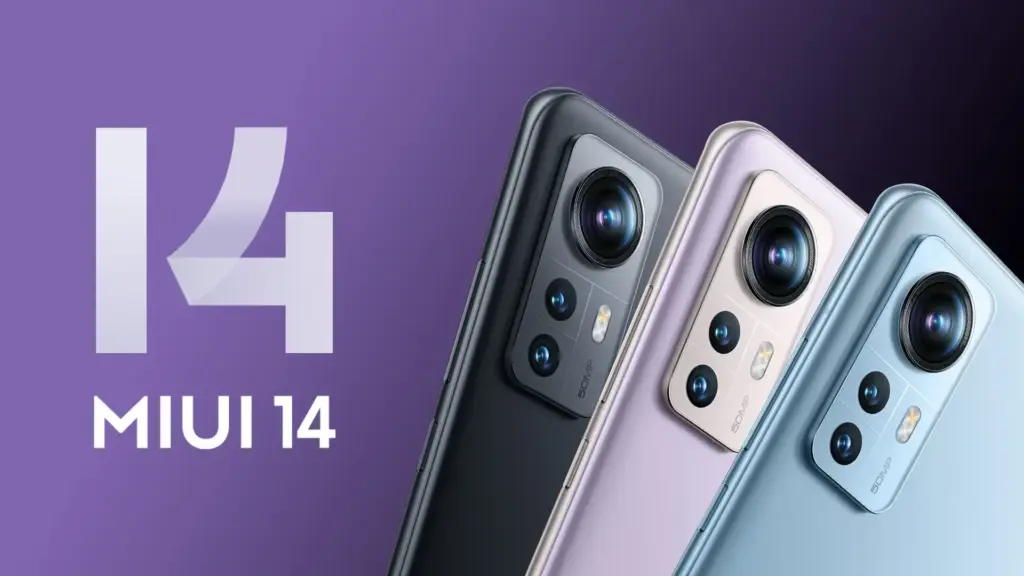
    Xiaomi 12 MIUI 14

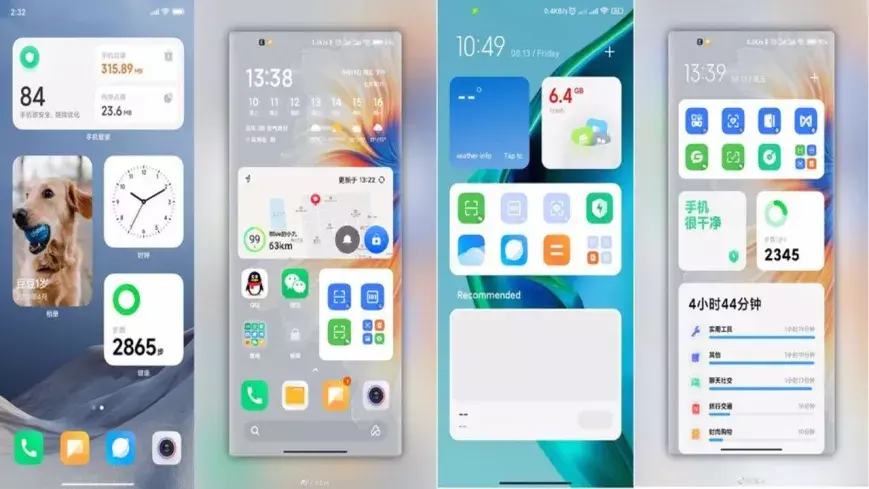
    Even though MIUI 12.5 is still being pushed to Xiaomi smartphones, the MIUI 13 features, release date, download, and qualifying devices list have begun to circulate the internet. The upcoming custom Android skin, which will replace last year’s MIUI 12.5, is currently in the works. The Xiaomi MIUI 13 update is scheduled to be released in the second quarter, as have previous versions, and will be compatible with phones manufactured in 2019 or later. In terms of MIUI 13 functionality, it is expected to include optimized animations, new themes, wallpapers, and a slew of security enhancements, among other items.

    HIGHLIGHTS

    • Release date is tipped to be June 25th
    • The new custom skin is expected to come with a handful of improvements over last year’s MIUI 12.5
    • Features may include optimised animations, new themes, wallpapers, and plenty of security improvements 

    MIUI 13 release date

    The MIUI 13 release date is apparently set for June 25th, according to reports. The update is likely to be announced in China first, followed by other regions including India. There is no word on MIUI 13 release date in India yet, obviously. However, looking at Xiaomi’s past track record, the update could take around 2-3 months to reach India. MIUI 12, to recall, was originally announced in May but was only made available in the country in August.

    MIUI 13 update and download

    The MIUI 13 update will be released in stages, as is customary. The brand will initially distribute the beta version of the update to a small number of consumers, followed by the stable version for all compatible devices. The timetable for the MIUI 13 update release is currently unknown.

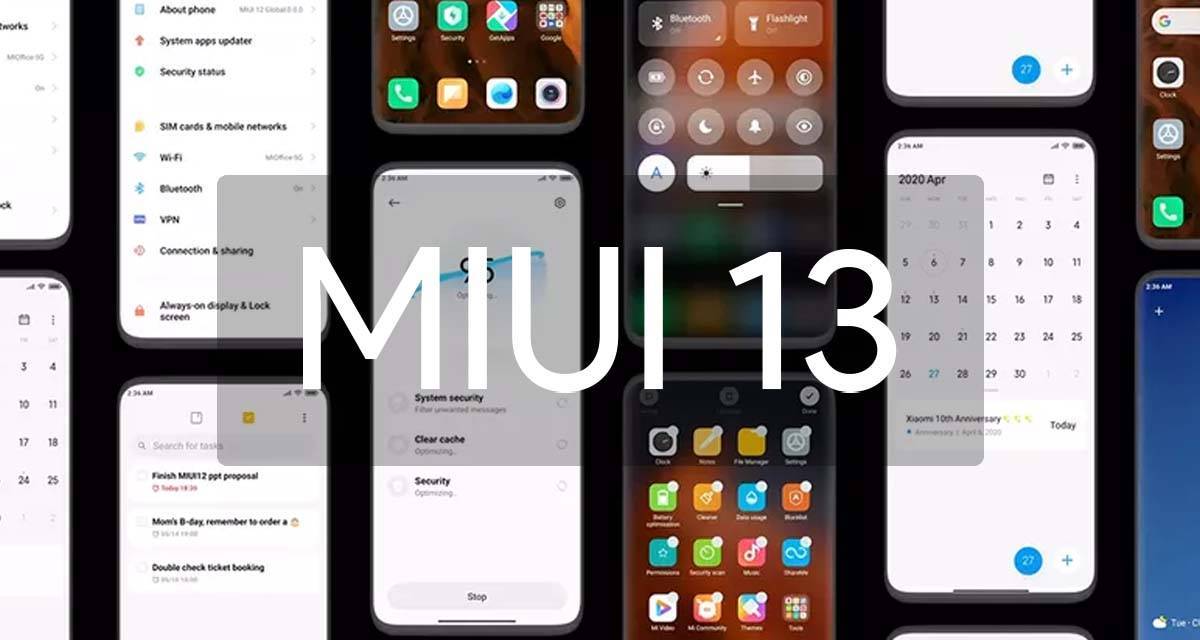
    miui 13

    Features

    Features list is too short at the moment to tell whether the update be a major upgrade or just an iterative of last year’s custom skin. Among the few that are rumoured so far include optimised animations to improve the overall experience of the new custom Android skin from Xiaomi. The update is also expected to come with design changes, enhanced touch sensitivity, advanced privacy options, native screen recording support, improved battery performance, new gestures, and enhanced notifications panel, among other things.

    MIUI 13 features (rumoured)

    • Improved in User Interface
    • Optimised Animations
    • Enhanced Touch sensitivity
    • Improved Scrolling screenshot
    • Native screen recording support
    • New Theme designs and improved gestures
    • Enhanced Always on Display
    • Scheduling option for Airplane mode 
    • Improved Notification panel for Social media apps for faster Reply and enhanced experience
    • More flexible storage experience
    • Fast charging improvements
    • New power saving mode to improve battery performance
    • Enhanced Notification system for managing older and newer notifications

    MIUI 13 could also bring Android 12 features such as Media Transcoding, new unified API, and wallpaper-based theming, to compatible Xiaomi mobile phones. Click here to know about the upcoming Android 12 features.

    MIUI 13: eligible devices

    The rumoured MIUI 13 eligible device list so far includes:

    • Mi 11 series
    • Mi 10 series
    • Mi Fold
    • Redmi Note 10 series
    • Redmi Note 9 series
    • Mi MIX Alpha
    • Redmi K40 series
    • Redmi K30 series
    • Redmi K20 series
    • Redmi 9 series
    • Redmi 10X series
    • POCO X3 series
    • POCO X2
    • POCO M2 series
    • POCO X2 Pro/ POCO X2 Pro
    • Black Shark 3 series
    • Black Shark 2 series

    While Xiaomi is known to roll out a new software update to devices as old as four years, rumours are rife that it has decided to skip MIUI 13 for its 2019’s flagships Mi 9 and Mi MIX 3, as well as last year’s mid-rangers like the Redmi Note 8 series and the Redmi 8 lineup.

  • Restrict apps data network usage in Android

    Restrict apps data network usage in Android

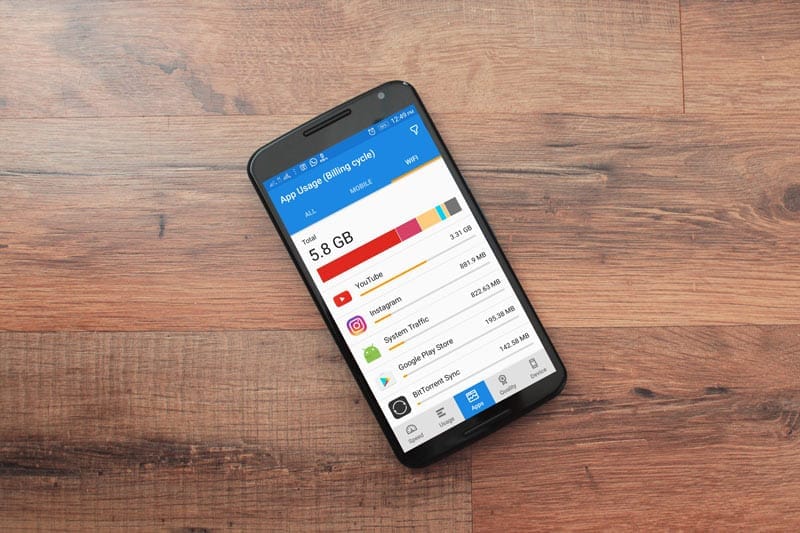
    Except for home Wi-Fi connections, all of our mobile data is limited. So, in order to avoid unnecessary consumption, we must adhere to restrictions, or we must opt for limited speed unlimited data. In the App settings, you can always limit the details. However, if you do not use the app with reduced data speed, you will need to use additional software to track and manage the app’s data speed consumption.

    You can also use this app when you have limited bandwidth and want to prioritize essential apps. However, in order to manage the software, most of the available apps need root access. However, in this article, we will show you How to Limit Apps Data Network Use in Android Without Root.

    Is network usage limit for apps needed?

    We all use our smartphones for various reasons, and not everyone has unlimited storage. Some people don’t mind keeping their mobile data linked all day, while others will need to switch on the mobile network only when necessary. Since the beginning of time, smart devices and computers have been programmed to run certain applications in the background. These apps run in the background for a variety of reasons, and they, of course, make use of network data connections. So, if you have a restricted data plan, you may want to prevent those apps from running in the background to avoid wasting data.

    This article explains the various possible ways to stop certain apps from using your mobile data or even connect to the internet (via WiFi) when you’re not using them. Interestingly, the methods explained in this article do not require you to root your device before they’d work.

    How to limit data usage

    You can restrict the bandwidth (network speed) of specific apps on your phone using certain mobile applications. If you have a restricted data plan or mobile network, this will help you save more data. It will also help to increase the internet speed; since there are only a few applications running, the speed will be significant and seamless.

    Regardless, on rooted Android devices, you can use DroidWall to set the apps that should use your data and apps that should not. DroidWall packs a bunch of features, and it only works for rooted devices. But if your Android device is not rooted, try these apps below to limit your apps’ network speed and data usage.

    Restrict background data

    Apparently, all Android smartphones support an option in its Settings page that allows you to stop background apps from using your data. This feature is placed in different sub-menus in different phones. However, the best way to find it out is using the “Search” function.

    restrict data usage

    In practice, most Android phones have a “Search Bar” in the settings page that allows you to quickly find a setting option. As a result, when you open the settings tab, tap on the search bar and type in “history info.” Select the appropriate settings option and switch on the function.

    Once enabled, no app on your smartphone can connect to the internet unless you start it. Simply put, when you minimize your Facebook or IM app, it stops using your data to sync and stops sending you new chat messages – before you open it again.

    This is the best option for many people, and it works pretty efficiently. You may not need to install a 3rd-party app anymore. Restricting background data works “device-wide,” which means it also stops background services from draining your capped mobile data. However, this feature may not be very effective; it is more effective when using the mobile network.

    NoRoot Firewall

    unnamed

    The name tells it all. This mobile application helps you build a firewall that restricts any app you select from using your network. It doesn’t require root access on the smartphone, and it is straightforward to use.

    This app has some intriguing features, such as hostname/domain name filtering, fine-grained access control, and no questionable permissions on the firewall app itself. However, one of the most significant drawbacks of this app is its inability to support LTE; it is designed to support IPv4 rather than IPv6.

    This app will function as a data privacy app, preventing such apps from sharing your personal data over the internet. It displays a warning on your smartphone whenever an app attempts to link to the internet; it is then up to you to ALLOW or DENY the app’s internet access.

    Furthermore, this app lets you create firewall filter rules based on IP address, hostname, or domain name. It is safe to use and does not pose any harm to your privacy. This app is compatible with many Android devices; the requirements vary from device to device.

    NetGuard

    unnamed 1

    This is yet another mobile app that allows you to control how your applications use your mobile data. It also does not need root access, and the interface is simple to use. The NetGuard mobile app is recommended for people who want to limit their mobile data use by only allowing those applications to connect to the internet. This act will also help to shield one’s personal data from being accessed by snoops and prying eyes on the internet.

    NetGuard is a sophisticated app that is available for free and is compatible with Android smartphones running Android 4.0 or later. Users can restrict access to the internet for specific apps through the home interface. Users can also prevent addresses from accessing WiFi or mobile network data. You will certainly handle your limited data with this app.

    Furthermore, background apps drain the battery faster, and by limiting them, you can save more data while also preventing your battery from draining faster. In general, this mobile app is simple to use, open source, and the developers guarantee that it does not monitor your data.

    Summing it up

    For certain people, the “Restrict Background Data” choice could be the better option. However, for more advanced settings, you will need a third-party program, such as the two mentioned above. Some people, however, dislike limiting background data – even though they are on a restricted plan – because they enjoy receiving real-time alerts. It all comes down to personal preference, so here’s a question for you: would you prefer limiting background data Network Use through Android settings or using a third-party app for more advanced settings?