Author: Robert Haba

  • Huawei Unlocks More Flexible NFC Payments on Newer Watch Models

    Huawei Unlocks More Flexible NFC Payments on Newer Watch Models

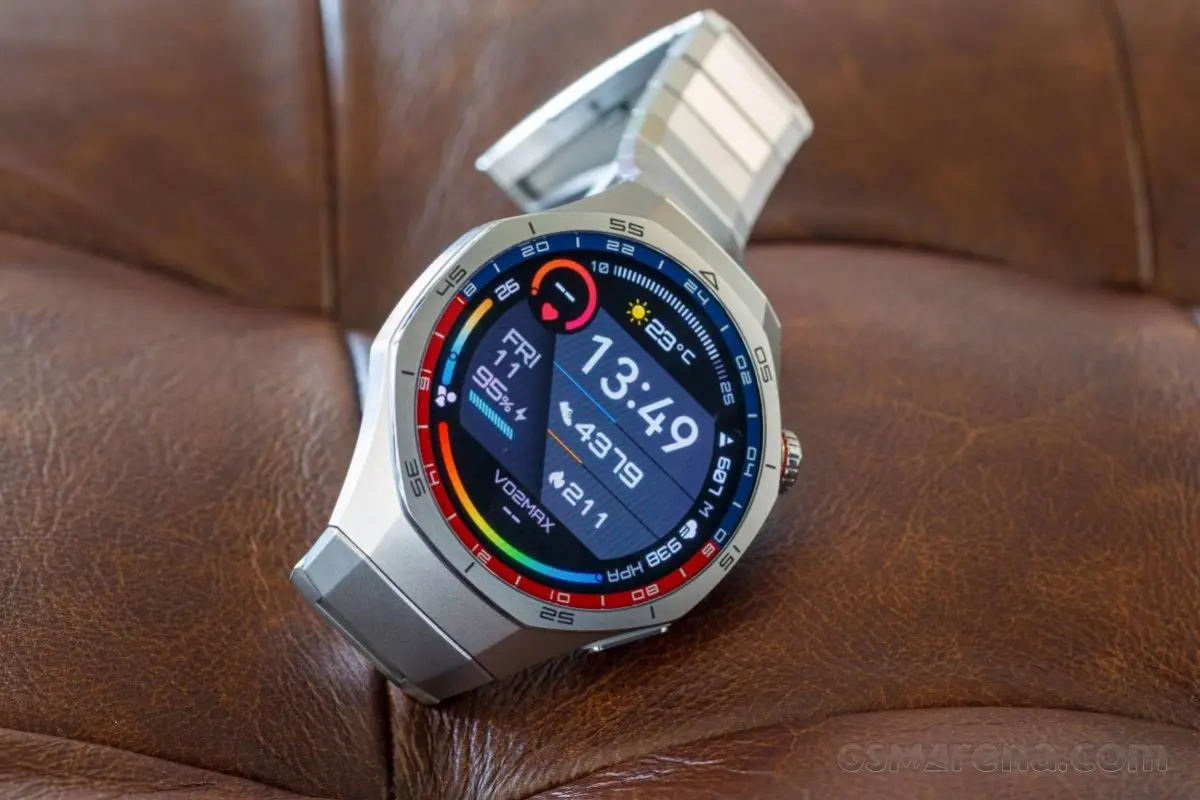
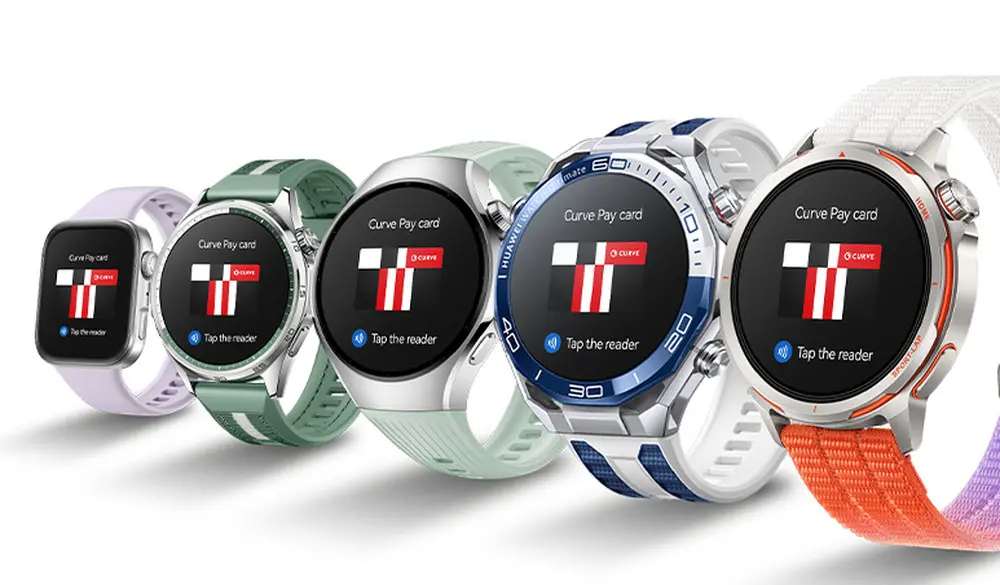
    Curve Pay is available in Europe for the Huawei Watch Ultimate 2, the Huawei Watch GT 6, and a number of other Huawei smartwatches, significantly enhancing the contactless payment experience.

    In the past, Quicko was the only contactless payment method available in Europe for smartwatches like the Huawei Watch GT 6. But as compared to Google Pay and Apple Pay, this approach has a lot of drawbacks. On the one hand, Quicko is not accepted in many retail chains, and credit needs to be topped up beforehand rather than just using a debit or credit card.
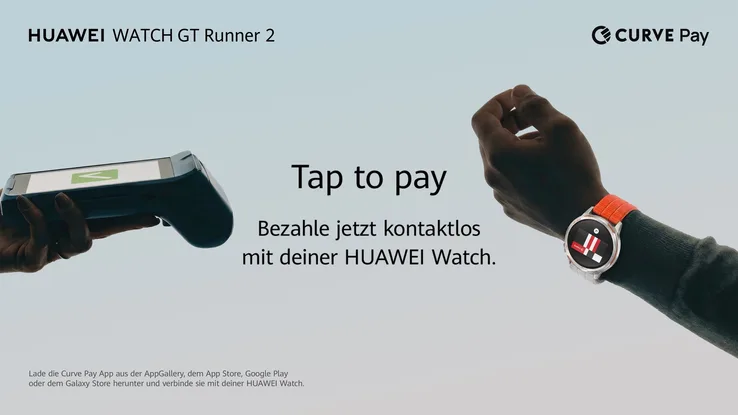
    huawei smartwatch with nfc payment

    With the introduction of Curve Pay to Huawei smartwatches, Huawei is finally making amends. Like Apple Pay, Curve Pay lets you store numerous cards and use the NFC chip in your timepiece to make contactless purchases with them. Curve Pay is compatible with any bank account and permits cash withdrawals at an ATM, according to the vendor. The following Huawei smartwatches are compatible with Curve Pay:

    • Huawei Watch GT Runner 2
    • Huawei Watch Ultimate 2
    • Huawei Watch GT 6
    • Huawei Watch GT 5
    • Huawei Watch 5
    • Huawei Watch Fit 4

    The Curve Pay app must be downloaded from Google Play, the Apple App Store, or the Huawei AppGallery in order to utilize the service. Instead of constantly switching to the smartphone app, stored payment methods can be chosen directly on the smartwatch via an integrated smart wallet once the app has been loaded, configured, and connected to the smartwatch. Curve Pay is free to use, but you may purchase different subscriptions if you want features like more cashback or bigger limits for free payments overseas.
  • HONOR 600 Series Teased — A Powerful AI Camera Phone at a Surprising Price

    HONOR 600 Series Teased — A Powerful AI Camera Phone at a Surprising Price

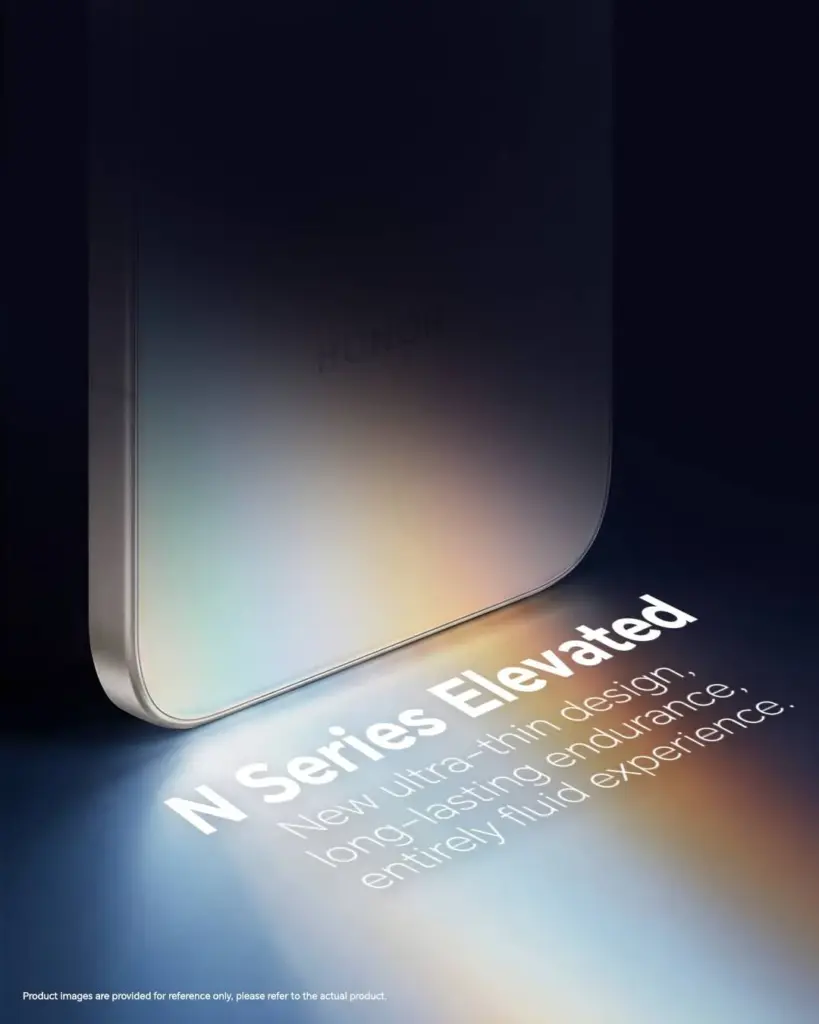
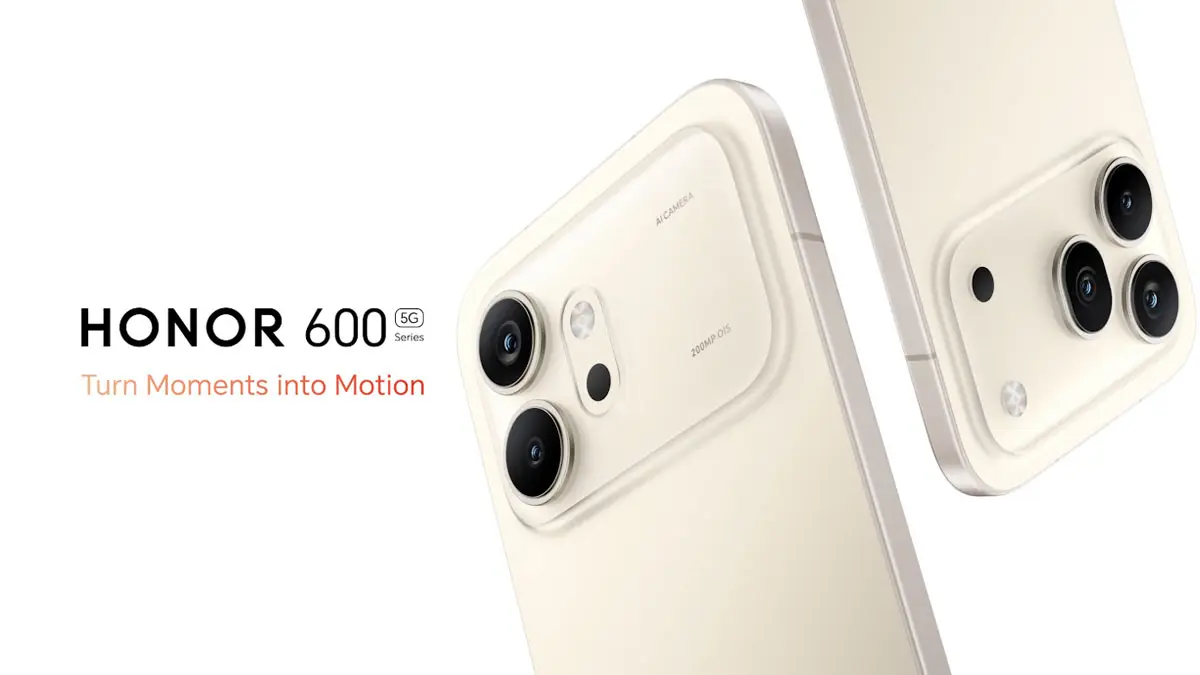
    The first batch of teasers for the Honor 600 Series was just released by HONOR, and the message is immediately apparent. The four pillars being emphasized ahead of the worldwide debut are ultra-thin design, long battery life, flagship processor, and AI-enhanced night photography.

    It’s difficult to overlook the timing of this next generation of the HONOR N Series, which coincides with a larger movement in the industry.

    honor 600 series

    Key Points

    • HONOR 600 Series teasers confirm four key features: ultra-thin build, endurance, night photography, and flagship-grade AI imaging
    • The series represents the next chapter of the HONOR N Series lineup, targeting the accessible flagship segment
    • Counterpoint Research highlights a growing industry shift toward AI-integrated accessible flagships following MWC Barcelona 2026
    • Rising smartphone prices are pushing consumers to demand clearer upgrade value — HONOR is positioning the 600 Series as that answer
    • Full specs, pricing, and global launch date have not been revealed alongside the teaser campaign

    One clear direction for the series

    The combination of ultra-thin and long battery life may seem straightforward, but it is actually very challenging to engineer. The cell will have less physical space if the chassis is thinner. Although the exact dimensions and capacity statistics will demonstrate that when the entire announcement happens, HONOR leading with both shows they’ve addressed that trade-off rather than merely claiming it.

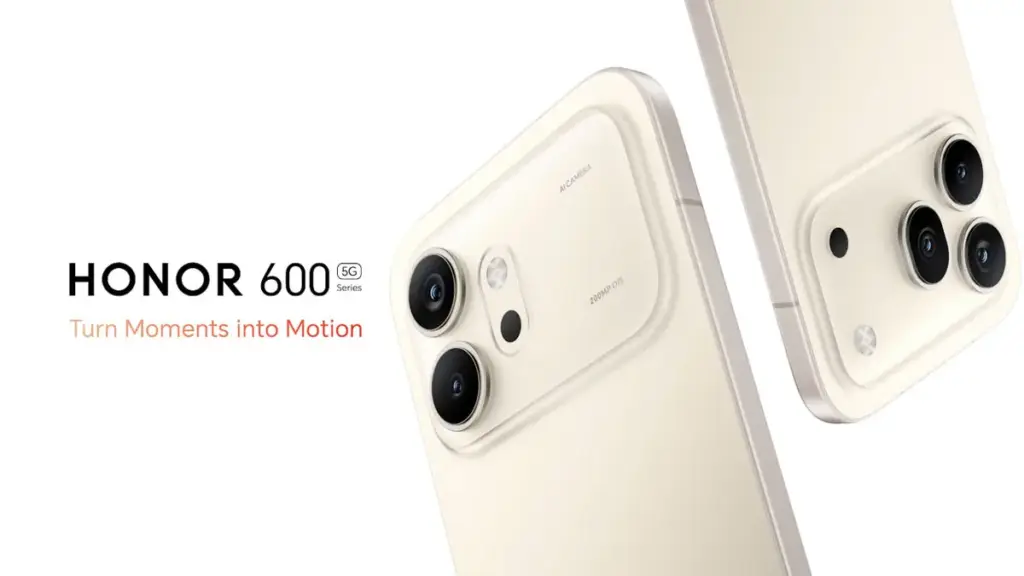
    honor 600 series teaser

    A significant investment in camera gear is indicated by the main feature of night photography. Furthermore, AI imaging skills suggest that computational photography will be able to do more than just apply a beauty filter. The flagship processor that powers everything ensures that there is no performance impact associated with AI processing.

    What consumers wants

    The phrasing of Counterpoint’s MWC 2026 study is worth considering. All smartphone manufacturers are raising their prices; in recent weeks, we have covered several of them. The “accessible flagship” market becomes more competitive and valuable at the same time when component costs drive up the mid-range and budget tiers.

    It’s no coincidence that HONOR placed the 600 Series at that precise spot. There are fewer reliable solutions available to consumers who desire next-generation chipsets and appropriate AI features but cannot afford ultra-premium flagship price. It’s obvious that the 600 Series is being developed to close that gap.

    honor 600 series launch design

    What’s missing

    Teasers provide information. Price, chipset name, display specifications, camera sensor specifics, and battery capacity are not disclosed. That’s all still to come. Additionally, the timing of the global rollout has not been guaranteed.

    HONOR is treating the 600 Series as a market statement rather than a subtle mid-range update, as the first round of posters confirms. That intention is reflected in the campaign’s enthusiasm.

  • Huawei Rolls Out New Optimization Update for Watch GT 5 Pro Global Units

    Huawei Rolls Out New Optimization Update for Watch GT 5 Pro Global Units

    Huawei is pushing out a fresh firmware update for global variants of the Watch GT 5 Pro, bringing a wave of under-the-hood improvements to one of the brand’s most premium wearables. This latest release builds on the momentum of the major HarmonyOS 6.0 upgrade the device received earlier this year, signaling that Huawei continues to invest in refining the smartwatch experience long after the headline update has landed.

    A strong foundation gets even better

    Roughly two months ago, the Huawei Watch GT 5 Pro global lineup made a significant leap forward with the arrival of HarmonyOS 6.0. That update was packed with exciting additions — stunning new watch faces, a revamped quick settings panel, and a host of other enhancements that brought the wearable’s software experience to a whole new level. Now, Huawei is doubling down on that foundation with targeted refinements aimed at making day-to-day usage even more seamless.

    Huawei Rolls Out New Optimization Update for Watch GT 5 Pro Global Units

    What’s in the new update for Huawei GT 5 Pro?

    The latest firmware for the Watch GT 5 Pro arrives under version HarmonyOS 6.0.0.23, weighing in at a modest 87.04 MB — small enough for a quick download, but packed with meaningful improvements. While Huawei hasn’t spotlighted any headline-grabbing new features in this release, the update focuses on what truly matters for a reliable daily driver:

    • Smoother overall performance — operations across the watch’s interface feel more fluid and responsive
    • Enhanced Bluetooth stability — the connection between your smartwatch and paired device is more consistent and less prone to interruptions
    • Bug fixes — various internal issues identified in the previous firmware version have been addressed and resolved
    • System stability improvements — the watch handles certain situational loads better, reducing the chances of unexpected behavior during app use

    If you’ve noticed any minor hiccups, freezes, or inconsistencies while navigating apps or using features on your Watch GT 5 Pro, this update is well worth installing.

    Staged rollout — patience required

    As is standard practice for Huawei, this firmware is being distributed in batches across global markets. This means not all eligible devices will receive the notification at the same time. If you haven’t seen the update prompt yet, there’s no cause for concern — it will make its way to your unit in due course. You can also manually check for updates through the Huawei Health app or directly in the watch’s settings menu.

    Before you update — a few important tips

    To ensure the installation goes smoothly and without any complications, keep the following in mind before initiating the upgrade:

    • Battery level: Make sure your Watch GT 5 Pro has at least 20% battery remaining before starting the update process. A low battery mid-installation could interrupt the process and potentially cause software issues.
    • Storage space: Confirm that the device has enough free storage to accommodate the new firmware package.
    • Stable connection: Ensure that the Bluetooth connection between your smartwatch and the paired smartphone is stable and uninterrupted throughout the update. A dropped connection during installation may result in an incomplete or failed upgrade, which could require additional troubleshooting steps to resolve.

    Once all conditions are met, the update should install quickly and smoothly, leaving you with a Watch GT 5 Pro that runs better than ever.

  • Google Rolls Out Android 16 April Patch With Key Pixel Fixes You’ll Notice Instantly

    Google Rolls Out Android 16 April Patch With Key Pixel Fixes You’ll Notice Instantly

    The Pixel 6, 6 Pro, 6a, 7, 7 Pro, 7a, Tablet, Fold, 8, 8 Pro, 8a, 9, 9 Pro, 9 Pro XL, 9 Pro Fold, 9a, Pixel 10, Pixel 10 Pro, Pixel 10 Pro XL, Pixel 10 Pro Fold, and Pixel 10a are all receiving the April 2026 security patch for Android 16 QPR3.

    The Android 16 April patch, dated 2026-04-01, fixes one security problem and four for 2026-04-05. Vulnerabilities might be classified as high or critical.

    Android 16

    There are no other security updates listed in the bulletin specifically for Google devices.

    Global

    • Pixel 6:                     CP1A.260405.005
    • Pixel 6 Pro:              CP1A.260405.005
    • Pixel 6a:                   CP1A.260405.005
    • Pixel 7:                     CP1A.260405.005
    • Pixel 7 Pro:              CP1A.260405.005
    • Pixel 7a:                   CP1A.260405.005
    • Pixel Tablet:            CP1A.260405.005
    • Pixel Fold:               CP1A.260405.005
    • Pixel 8:                    CP1A.260405.005
    • Pixel 8 Pro:             CP1A.260405.005
    • Pixel 8a:                  CP1A.260405.005
    • Pixel 9:                    CP1A.260405.005
    • Pixel 9 Pro:             CP1A.260405.005
    • Pixel 9 Pro XL:       CP1A.260405.005
    • Pixel 9 Pro Fold:    CP1A.260405.005
    • Pixel 9a:                  CP1A.260405.005
    • Pixel 10:                  CP1A.260405.005
    • Pixel 10 Pro:           CP1A.260405.005
    • Pixel 10 Pro XL:     CP1A.260405.005
    • Pixel 10 Pro Fold:  CP1A.260405.005
    • Pixel 10a:                CP1A.260405.005

    Australia

    • Pixel 6:                    CP1A.260405.003.A1
    • Pixel 6 Pro:             CP1A.260405.003.A1
    • Pixel 6a:                  CP1A.260405.003.A1

    Use the following device key to interpret the Pixel’s Android 16 April update changelog:

    *[1] Pixel 6, Pixel 6 Pro, Pixel 6a, Pixel 7, Pixel 7 Pro, Pixel 7a, Pixel 8, Pixel 8 Pro, Pixel 8a, Pixel Fold, Pixel Tablet, Pixel 9, Pixel 9 Pro, Pixel 9 Pro XL, Pixel 9 Pro Fold, Pixel 9a, Pixel 10, Pixel 10 Pro, Pixel 10 Pro XL, Pixel 10a

    *[2] Pixel 6, Pixel 6 Pro, Pixel 6a, Pixel 7, Pixel 7 Pro, Pixel 7a, Pixel 8, Pixel 8 Pro, Pixel 8a, Pixel Fold, Pixel Tablet

    *[3] Pixel 9, Pixel 9 Pro, Pixel 9 Pro XL, Pixel 9 Pro Fold

    *[4] Pixel 10, Pixel 10 Pro, Pixel 10 Pro XL, Pixel 10a

    Apps

    • Fix for an issue where the Backup menu was missing from System settings in certain conditions*[2]
    • Fix for an issue that causes certain banking and third-party apps to crash in certain conditions*[1]

    Display & Graphics

    • Fix for some games to crash in certain conditions*[4]

    User Interface

    • Fix for an issue where the quick search bar is sometimes missing from the home screen in certain conditions*[1]

    WiFi

    • Fix for Quick Share to crash during file transfers in certain conditions*[3]
  • HyperOS 3.1 Stable Goes Global: Surprising List of Xiaomi Devices Getting It Now

    HyperOS 3.1 Stable Goes Global: Surprising List of Xiaomi Devices Getting It Now

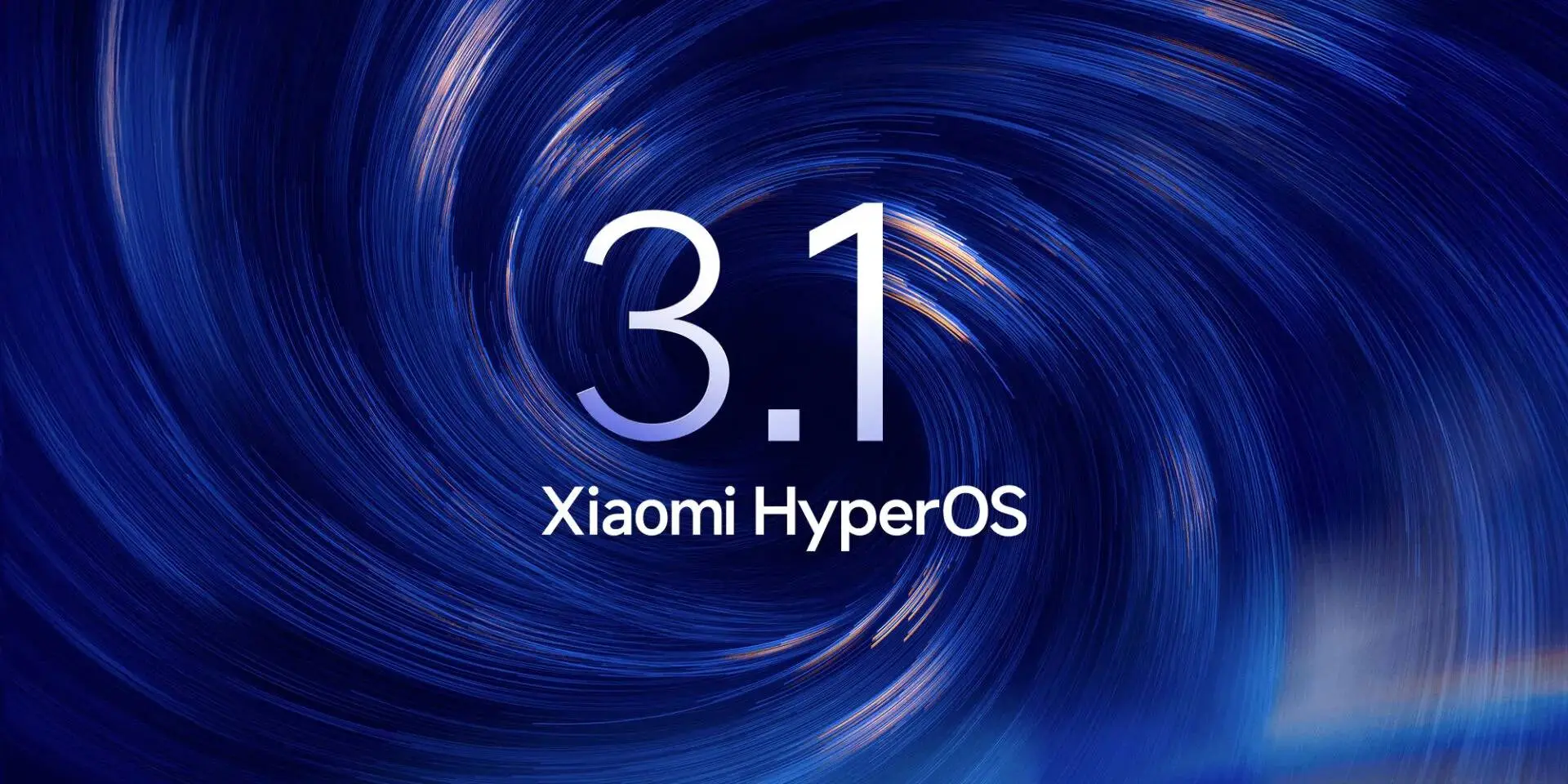
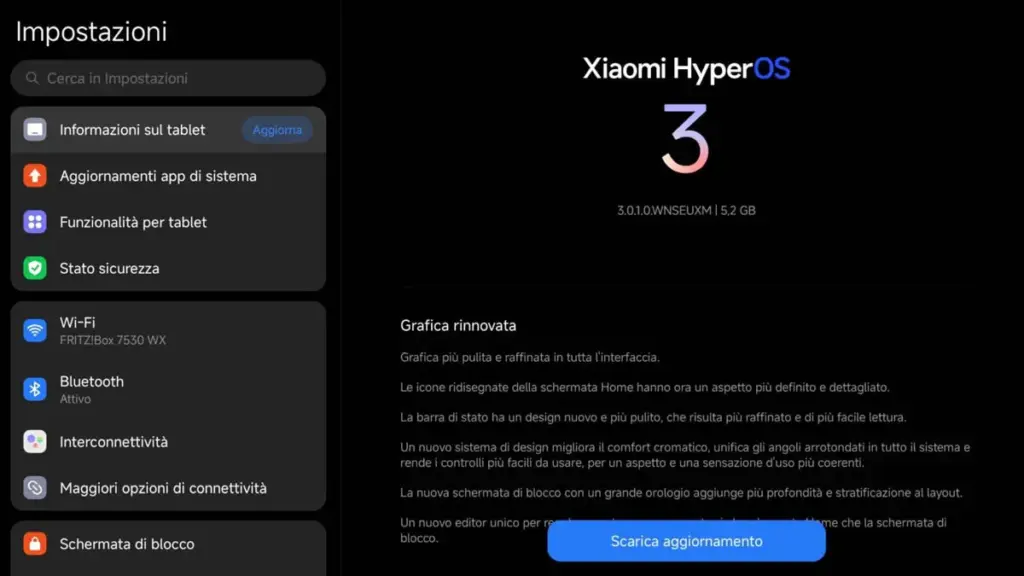
    The HyperOS 3.1 stable update has begun to roll out for devices worldwide, which is fantastic news for Xiaomi users. In the first phase, the company pushed the most recent version to the highest-end devices, but it will soon be extended to more compatible phones.

    Xiaomi HyperOS 3.1 is a little but important update. The new OS version, which is based on Android 16, offers improvements for multitasking and file sharing.

    With the improved HyperConnect, it enhances Apple Ecosystem integration, which is more environmentally friendly. As a result, transferring files between devices is made simpler and more seamless.

    hyperos 3.1 update

    Regarding the worldwide devices, the following models are compatible with the Xiaomi HyperOS 3.1 stable update (refer to the software version indicated next to the devices):

    • Xiaomi 17 – HyperOS 3.0.301.0
    • Xiaomi 17 Ultra – HyperOS 3.0.301.0
    • POCO Pad/Redmi Pad Pro – HyperOS 3.0.301.0

    The facts suggest that the HyperOS 3.1 stable update is currently available in Europe. The updated version will soon be available in more markets and phones from Xiaomi. Let’s see what new features HyperOS 3.1 offers consumers in the interim.

    1. Smart Island on tablets: For its tablets running HyperOS 3.1, Xiaomi has finally released Hyper Island. Large-screen users can now enjoy a rich and unfettered experience while monitoring the real-time activities of specific apps at the top of the display.

    2. Fluent System Apps: Many system apps were rewritten by Xiaomi using the most recent version of the Rust programming language. This technique makes multitasking loads more fluid and enhances memory security.

    3. iOS-inspired Recent Apps Menu: Users will now get an iOS-style Recent Apps Menu with a new card-swiping gesture.

    4. Enhanced Apple Ecosystem: Xiaomi HyperConnect enables users to bridge the gap between Xiaomi’s tablet lineup and the Apple Ecosystem. They get seamless cross-device file sharing and improved workflow continuity.

  • Samsung Is Shutting Down Its Messages App in July

    Samsung Is Shutting Down Its Messages App in July

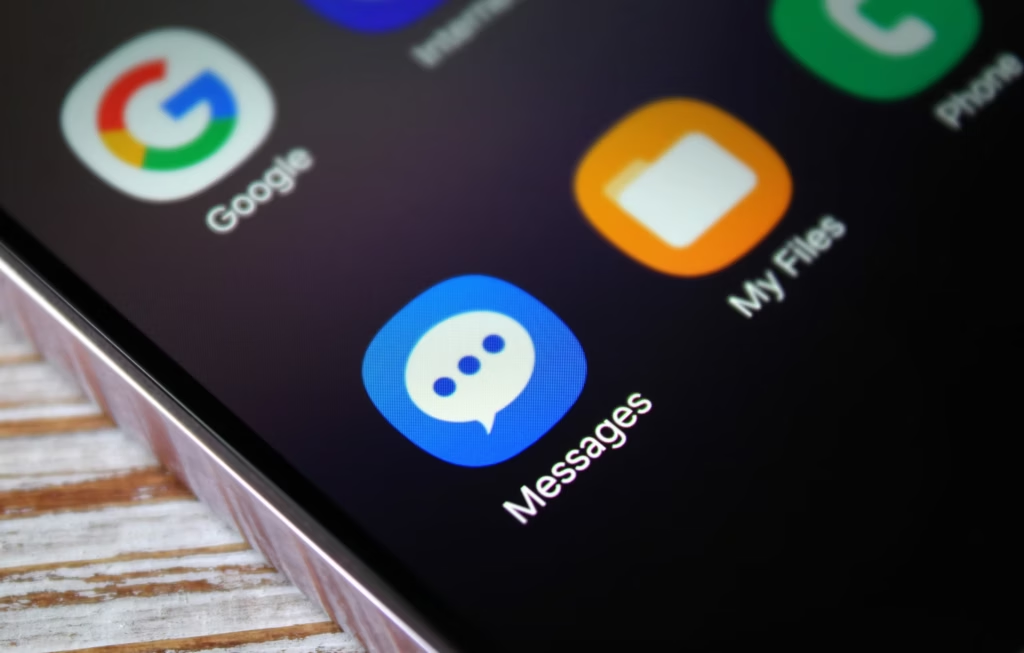
    Samsung has posted an official “End of Service” notice on its website confirming that its native Messages app will go dark sometime in July. The exact shutdown date hasn’t been pinned down yet — Samsung says it will be announced inside the app itself when the time comes. But the message is clear: the company wants its remaining Samsung Messages users to migrate to Google Messages, and it’s not leaving much room for hesitation.

    For longtime Samsung users, this might sting a little. Samsung Messages has been around for years, and for many Galaxy owners it’s just… the app they’ve always used. Familiar, reliable, good enough. But good enough doesn’t keep an app alive forever.

    samsung messages icon

    This has been coming for a while

    To be fair, Samsung has been telegraphing this move for some time. The company quietly stopped pre-loading Samsung Messages on new devices a couple of years ago, starting with the Galaxy Z Fold 6 and Flip 6, and then continuing with the S25 series — all of which shipped with Google Messages installed as the default instead. Samsung Messages remained available on the Galaxy Store for anyone who wanted it, but its days as a first-class citizen were already numbered. This official end-of-service announcement is less of a surprise and more of a formality.

    What you’re actually getting with Google Messages

    Here’s the thing — the switch isn’t a downgrade. For US users especially, Google Messages brings a meaningfully better messaging experience in several ways.

    The biggest upgrade is full RCS support. If you’re not familiar, RCS is essentially what SMS should have been all along — it supports higher-quality photo and video sharing, real-time typing indicators, read receipts, and proper group chats. Crucially, it works across platforms, so the experience doesn’t fall apart when you’re texting someone on an iPhone.

    Beyond that, Google Messages has Gemini built in, giving you access to AI tools directly inside your conversations — including the ability to remix and enhance photos before you send them. It’s a genuinely useful addition, not just a checkbox feature.

    And if you’re someone who bounces between devices throughout the day, Google Messages handles that well too. Your conversations stay in sync across your phone, tablet, and Galaxy Watch without any manual fiddling.

    You will lose a few of Samsung’s customization touches — some color themes, layout tweaks, that sort of thing. But for the vast majority of users, what Google Messages offers in return is a fair trade.

    Samsung Messages is technically still available on the Galaxy Store for now, so nobody is forcing your hand this second. But the clock is ticking, and switching on your own terms — before the deadline — beats scrambling when the app suddenly stops working. Get Google Messages set up now, import your contacts, and give yourself a few weeks to settle in. By the time July arrives, you won’t even notice the difference.

  • Google Officially Releases Wear OS 6.1, Built on Android 16 QPR2

    Google Officially Releases Wear OS 6.1, Built on Android 16 QPR2

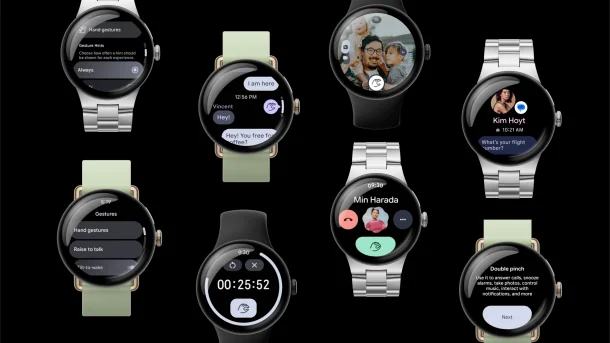
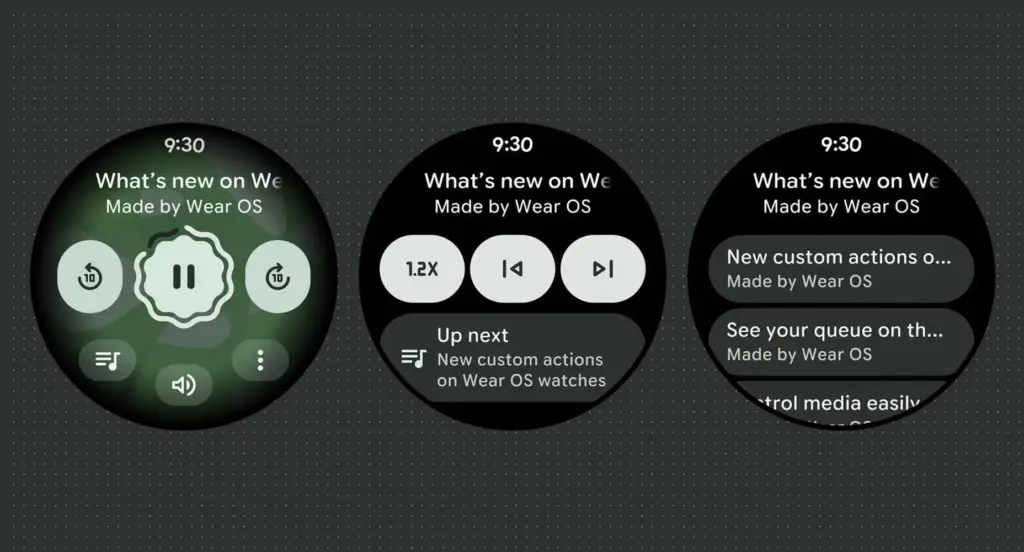
    Google has launched Wear OS 6.1, based on Android 16’s second Quarterly Platform Release (QPR2) — specifically API level 36.1 — which first dropped in December as a minor SDK update. The last comparable release was Wear OS 5.1 in November 2024, which brought a significant jump from Android 14 to 15.

    Google has confirmed that this update introduces no behavior changes for app developers, making it a relatively smooth transition on the development side.

    What’s new for users in the new Wear OS

    The headline addition is automatic time zone adjustment based on physical location. The feature keeps device time accurate as users move between regions, and it works even without a network connection. Users can manage the setting under Settings > Date & Time > Use Location (or on Pixel Watch: Settings > System > Date & Time > Use Location).

    Google Wear OS 6.1

    Improvements for kids and supervised accounts

    Wear OS 6.1 also brings a handful of refinements aimed at younger users and family setups:

    • Kids graduation: When a supervised user reaches the age of consent, they can transition their device to a standard Wear OS experience. This removes parental controls and unlocks full access to device settings — no factory reset required.
    • Improved reauthentication: If a user’s credentials are invalidated — say, after a password change — they can now re-verify their Google Account directly on the watch or via the companion app, again without needing a factory reset.

    Developer availability

    Build BP4A.250916.026.E2 is now available through the Android Studio emulator.

  • Google Pixel’s Now Playing app may restore a feature users missed

    Google Pixel’s Now Playing app may restore a feature users missed

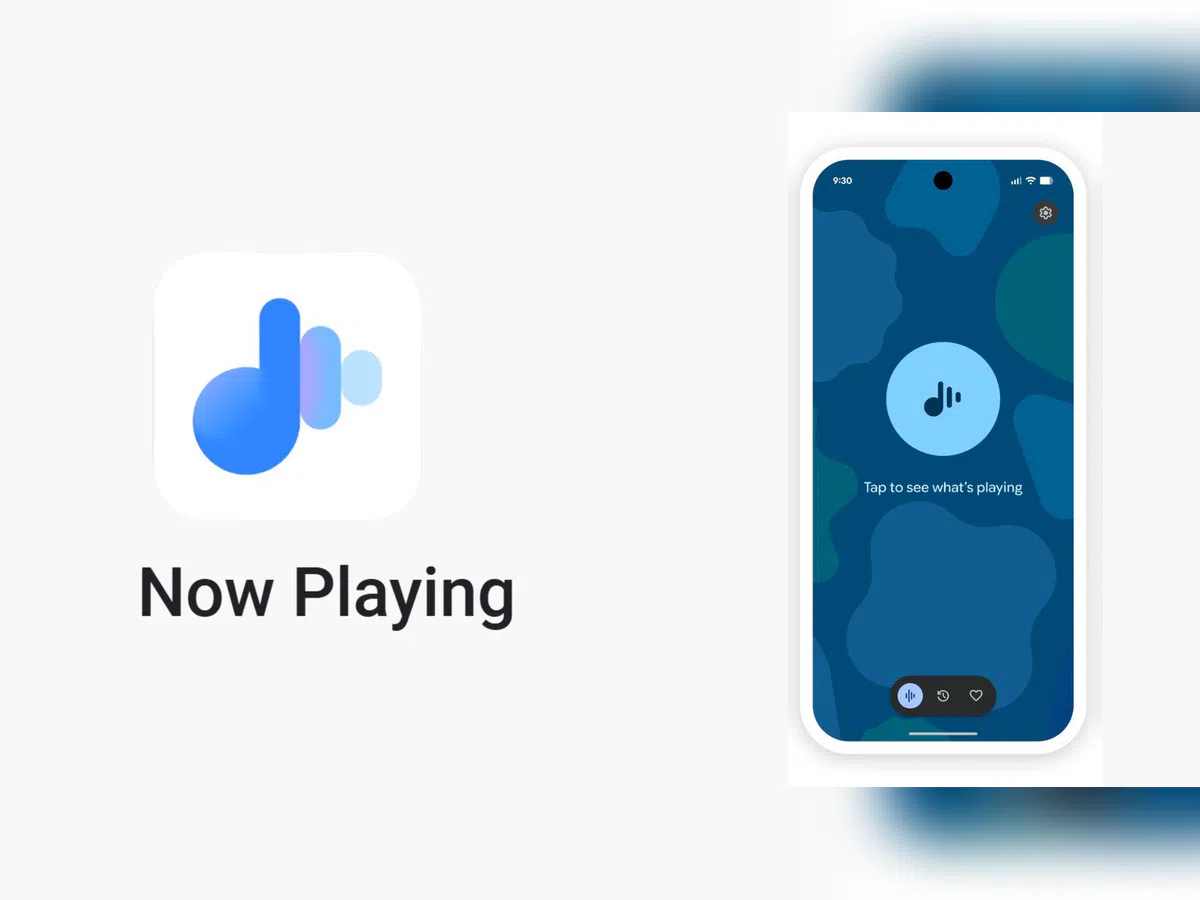
    Now Playing has never been the most talked-about Pixel exclusive, but it’s been making headlines lately. Last month, Google gave it a major upgrade by spinning it off into a standalone app — a move that had been telegraphed by leaks well before the official announcement.

    The app hasn’t stood still since launch. Shortly after release, it received a visual refresh on the lock screen, and now a fresh update has appeared on the Play Store. While it seems minor on the surface, it may be quietly bringing back something users didn’t realize they’d miss.

    A small update with potentially big implications

    According to 9to5Google, the Now Playing app was updated to version 2026.03.24.x late Friday, bumping out the previous 2026.03.02.x build. The rollout appears to be gradual — the Play Store still shows the older version as the latest for many users, and the update hadn’t reached all devices as of the report.
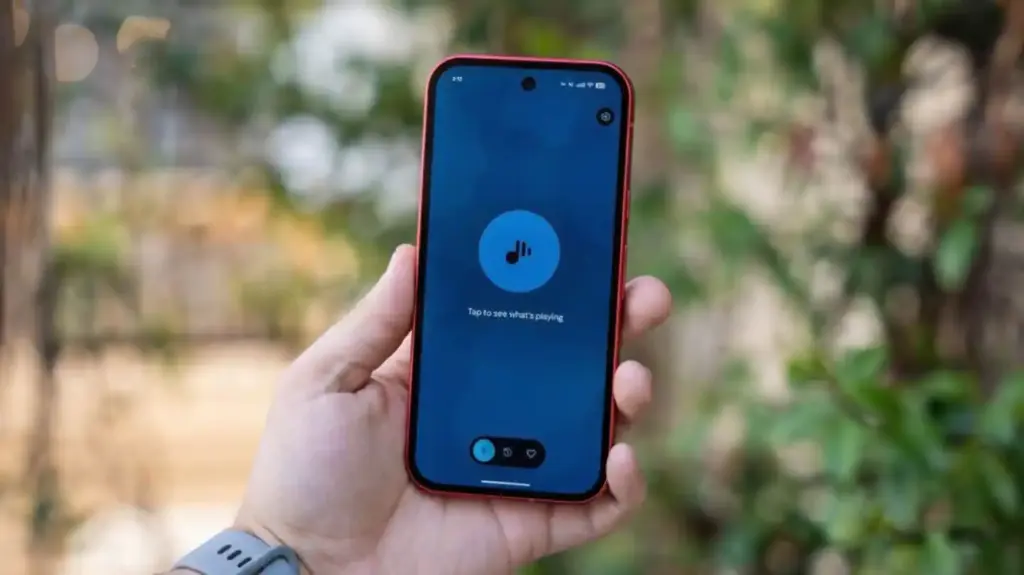
    No obvious new features were found in the update, pointing to mostly behind-the-scenes bug fixes. But a Reddit user claims something notable did return: the “Tap to see what’s playing” prompt on the lock screen.

    Google Pixel now playing

    The return of ‘Tap to see what’s playing’

    When Now Playing transitioned to a standalone app, most of its functionality came along for the ride — but not everything. One casualty was the “Tap to see what’s playing” prompt, a small but beloved lock screen feature that used to sit just below the fingerprint scanner. For many users, it was a core part of the

    Now Playing experience.

    According to the Reddit user, after receiving a notification about Now Playing’s new home, the lock screen feature reappeared. Whether this is directly tied to the v2026.03.24.x update isn’t confirmed, though the timing lines up.

    It’s also worth noting another change that came with the app transition: Now Playing no longer sends quiet background notifications when it identifies a track. That functionality has been replaced by a Quick Settings tile, which can show the song title and artist — but only when expanded to the larger 2×1 size.

  • Google strikes a smart compromise instead of removing Android sideloading

    Google strikes a smart compromise instead of removing Android sideloading

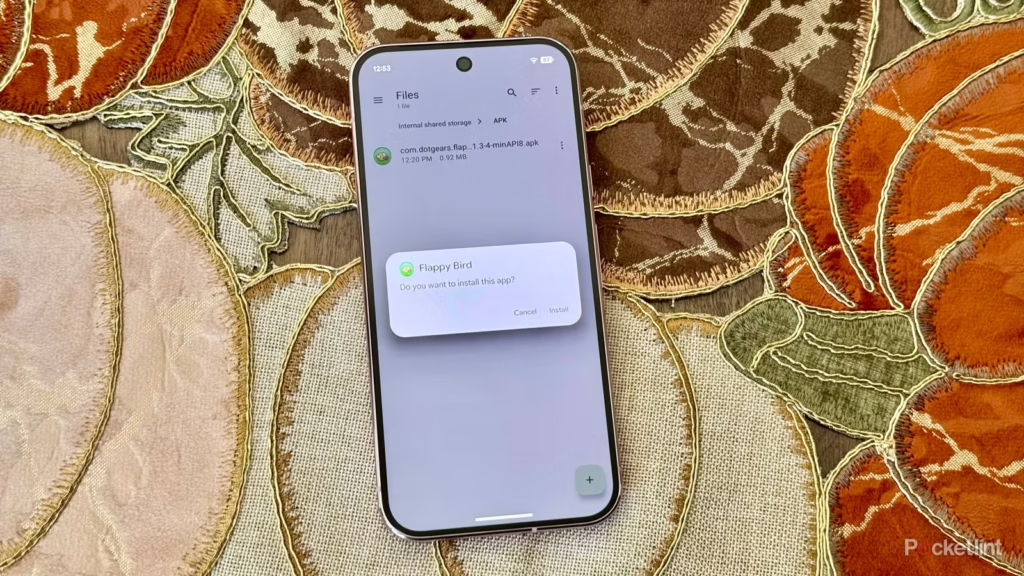
    Since its launch, sideloading has been a crucial component of Android, giving it a great deal of flexibility as well as a feeling of freedom and openness. The community (quite understandably) panicked when Google announced it would make significant changes to sideloading. However, since Google has now demonstrated how its new sideloading flow on Android will operate, I’m not only relieved that sideloading won’t completely disappear, but also that Google’s compromise is as close to ideal as I believe we can get.

    android sideloading an app

    Some have called “Android Developer Verification” the demise of Android’s open nature. The change, which would require developers to register with Google in order to permit their apps to be installed on Android devices, was introduced by Google last year as a restriction on app installation, including sideloading. At first, Google described this as verifying the “who” of an app, similar to an airport ID check.

    Combating scams, such as “convincing” bogus apps, and reducing malware and other harmful attacks—particularly those caused by sideloading from sources outside the Google Play Store—were always the main priorities here. Over the years, Google has been more aggressively combating Android frauds, with some degree of success. One way it has done this is by preventing sideloaded apps that are used in scams.

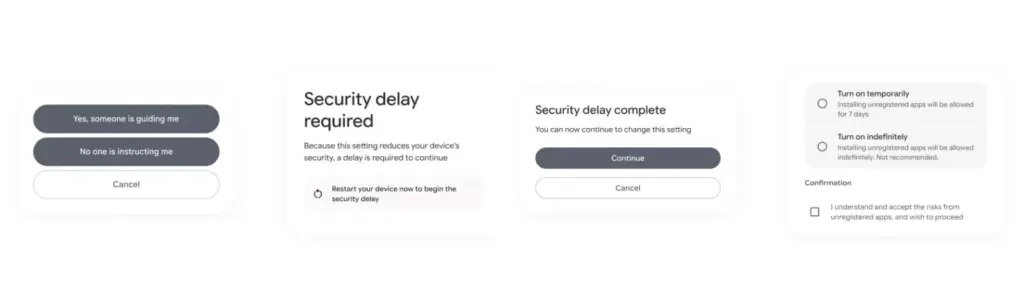
    Google officially unveiled the new “advanced flow” this week, which enables users (and developers) to sideload apps that aren’t created by registered developers.After asking the user to certify that “no one is directing me,” the four-step procedure begins a 24-hour delay. In order to initiate the timer, the user must restart their device. After admitting the risks once more, they can resume the sideloading procedure 24 hours later; if they choose to leave it on “indefinitely,” the delay just occurs once. In actuality, this is really a one-time obstacle. Developer options must be enabled, but you can later disable them, which is the largest “headache.”

    activate android apk sideloading

    Google has stated time and time again that a “crackdown” on sideloading is not about taking away freedom or functionality, but rather about protecting users and, most importantly, stopping scams that are common on Android in particular areas. Google doesn’t prevent developers or even consumers from accomplishing what they truly want to do by restricting sideloading as planned, but it puts a huge barrier in the way of con artists.

    Scammers frequently use timed pressure and a sense of urgency. A waiting period of twenty-four hours with a few additional warnings? That is a difficult barrier against those kinds of frauds. For people who are being duped by more prevalent scams, it’s also a major inconvenience. For instance, a few weeks ago, after purchasing a low-cost fitness tracker, a family member called me to inquire as to why their homescreen had changed. It turns out that the product needed them to sideload an unidentified software in place of their launcher. I guided them through the uninstall process, but a 24-hour wait and all these extra warning screens? The installation would never have taken place.

    It’s a careful method of striking a balance between functionality and user protection. Because developers and enthusiasts who need or want to sideload an app immediately may still utilize the standard ADB tools, whereas the “ordinary Joe” must wait for that 24-hour period to end. Those who truly can’t wait the 24-hour period (which, once again, only needs to be once) still have options, although that is a headache for “regular” users and even more so for fraudsters.

    Not to mention that you won’t often have to deal with this anyhow. After developers apply for Google’s developer verification program, sideloading is no longer a problem and there are no waiting times or other “in the way.”

    How do you feel about Google’s modifications to Android sideloading? There are undoubtedly still many people who disagree with this, but as previously stated, I don’t think there is a better solution.

  • Can Robot Vacuums Scratch Wood Floors?

    Can Robot Vacuums Scratch Wood Floors?

    Real Testing

    Maintaining wood floors is a top priority for homeowners across Canada, from cozy Montreal apartments to spacious Calgary houses. Hardwood and engineered wood floors are durable and stylish, but they can be vulnerable to scratches and dents. With robot vacuums becoming increasingly common, many Canadians wonder: can a robot vacuum damage wood floors? Let’s look at real-world testing, practical scenarios, and how the right vacuum can keep floors safe.

    Understanding the Risk

    Robot vacuums navigate your home autonomously, sweeping or mopping as they go. While convenient, wood floors are softer than tile or stone, and scratches can occur depending on several factors:

    • Brush Type – Hard bristles can sometimes scratch delicate floors. Soft or microfiber brushes are gentler.
    • Wheel Material – Rubberized wheels glide more smoothly than cheap plastic ones.
    • Weight and Pressure – Heavier robots may press down too hard, causing subtle abrasions over time.
    • Dirt and Debris – Small particles like sand or pet hair can act like sandpaper if dragged across the floor.

    Real-World Testing: What Canadian Homes Reveal

    Many Canadian households have put robot vacuums to the test on different types of wood floors, including maple, oak, and bamboo. Here’s what they found:

    • Daily Dust Cleaning – Robots with soft brushes can clean light dust without leaving marks.
    • Pet Hair Management – Homes with dogs like Golden Retrievers or Huskies need a vacuum that removes hair efficiently without aggressive brushing.
    • Furniture Navigation – Units with sensors that detect furniture and adjustable heights prevent accidental scratches on floor edges or furniture legs.
    • Seasonal Sensitivity – In winter, wood contracts slightly due to dry indoor air, so careful suction adjustment and smooth wheels help prevent damage.

    Features That Protect Wood Floors

    Modern robot vacuums have evolved to address these concerns. For Canadian homes, the following features are particularly important:

    • Soft Mop or Brush Options – Interchangeable mop pads designed for wood floors reduce friction and prevent scratches.
    • Dynamic Suction – Automatic suction adjustment ensures strong cleaning without over-pressuring delicate wood.
    • Smart Obstacle Handling – Retractable sensors and chassis lift mechanisms allow safe navigation around furniture and thresholds.
    • Hair and Dirt Removal Efficiency – High-suction, tangle-free systems prevent debris from dragging across the floor.

    Recommended Robot Vacuum: MOVA MOBIUS 60

    MOVA MOBIUS 60 Robot Vacuum Robot Vacuums

    Among Canadian homeowners, the MOVA MOBIUS 60 Robot Vacuum stands out for wood floor safety and effective cleaning. It offers features that directly address the concerns above:

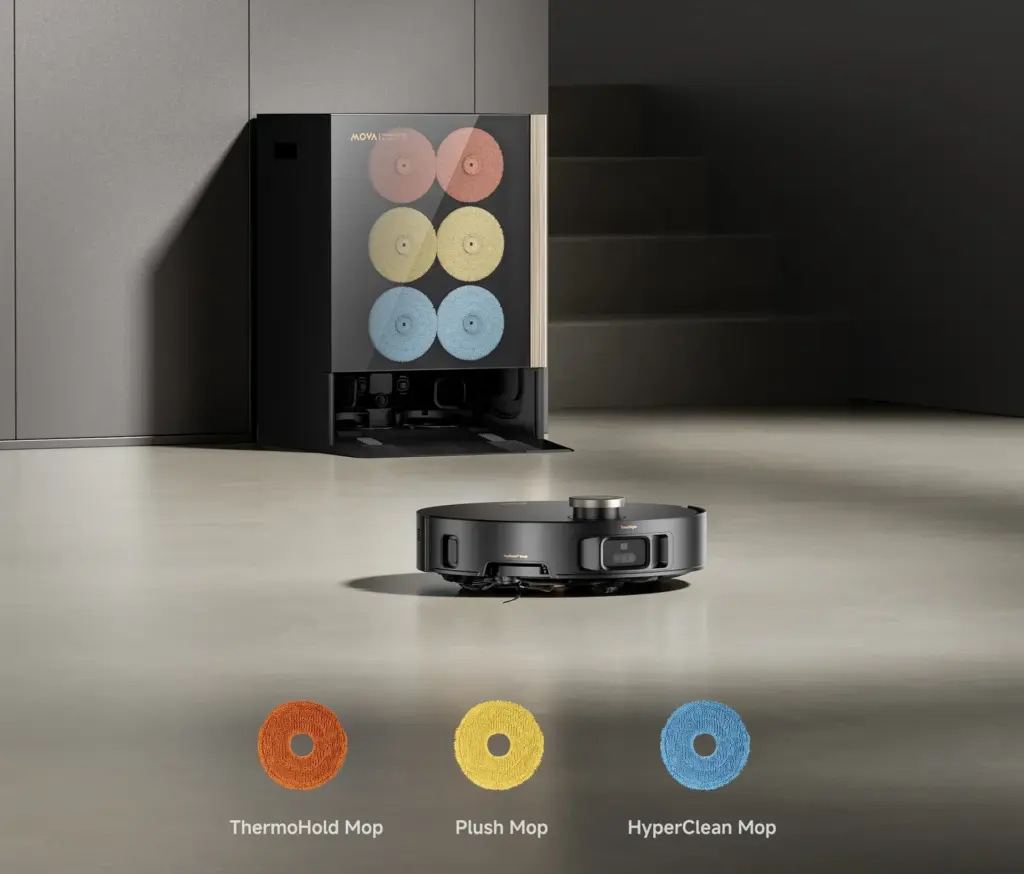
    • MopSwap System: Three interchangeable pads including Plush for wooden floors, ThermoHold for greasy kitchens, and HyperClean for general use.
    • Dynamic Suction Retention: Automatically increases suction power when encountering carpets, but gentle on hard floors, lifting dust and hair efficiently.
    • StepMaster 2.0: Retractable legs allow the vacuum to cross obstacles up to 3.14 inches without scraping the floor.
    • FlexScope Navigation: Retractable sensors adjust the height to reach under furniture and expand the field of view in open areas.
    • 99.99% Hair Removal: Powerful 30,000Pa suction removes hair, dirt, and debris without dragging or scratching.
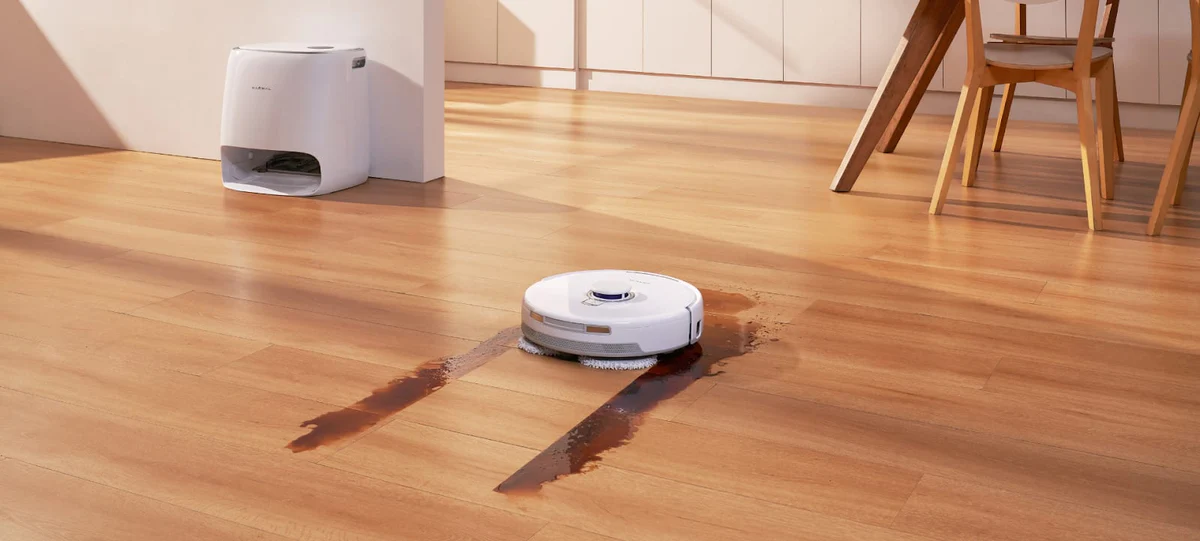
    • All-in-One Base: Automatically refills, empties, and washes mop pads with 212°F hot water, dissolving stains without harsh scrubbing.

    These features make it an ideal choice for Canadian homes with mixed flooring, pets, or high traffic areas. Users report minimal risk of scratches while enjoying thorough cleaning across rooms.

    Practical Tips for Scratch-Free Wood Floors

    Even with a safe robot vacuum, following some precautions ensures your floors stay flawless:

    • Pre-Clean High-Debris Areas – Remove stones, grit, or excessive dirt before running the vacuum.
    • Routine Maintenance – Clean brushes, wheels, and sensors regularly to prevent debris buildup.
    • Use Rugs or Runners in Key Areas – Protect high-traffic zones or delicate finishes.
    • Smart Scheduling – Run the robot during dry conditions, avoiding damp winter slush or wet spills.
    • Short Test Runs – Start with small areas to check for any friction marks before full-room cleaning.

    User Scenarios in Canadian Homes

    Canadian homes face specific challenges that a robot vacuum must handle carefully:

    • Pet-Friendly Homes – The MOVA MOBIUS 60 excels at removing pet hair from floors and carpets without tangling or dragging debris.
    • Winter Grit Management – Dynamic suction and floor-specific pads prevent snow or sand from scratching surfaces.
    • Apartment Living – Flexible navigation ensures the vacuum avoids baseboards, furniture, and edges while cleaning efficiently.
    • Multi-Room Cleaning – Interchangeable mop pads and adaptive suction allow seamless transition between wood floors, rugs, and tiles.

    Conclusion

    Robot vacuums can safely maintain wood floors when chosen carefully. The MOVA MOBIUS 60 offers soft, wood-specific mop pads, adaptive suction, and smart navigation to protect your floors while providing powerful cleaning. By combining the right technology with simple precautions, Canadian homeowners can enjoy the convenience of a robot vacuum without worrying about scratches.