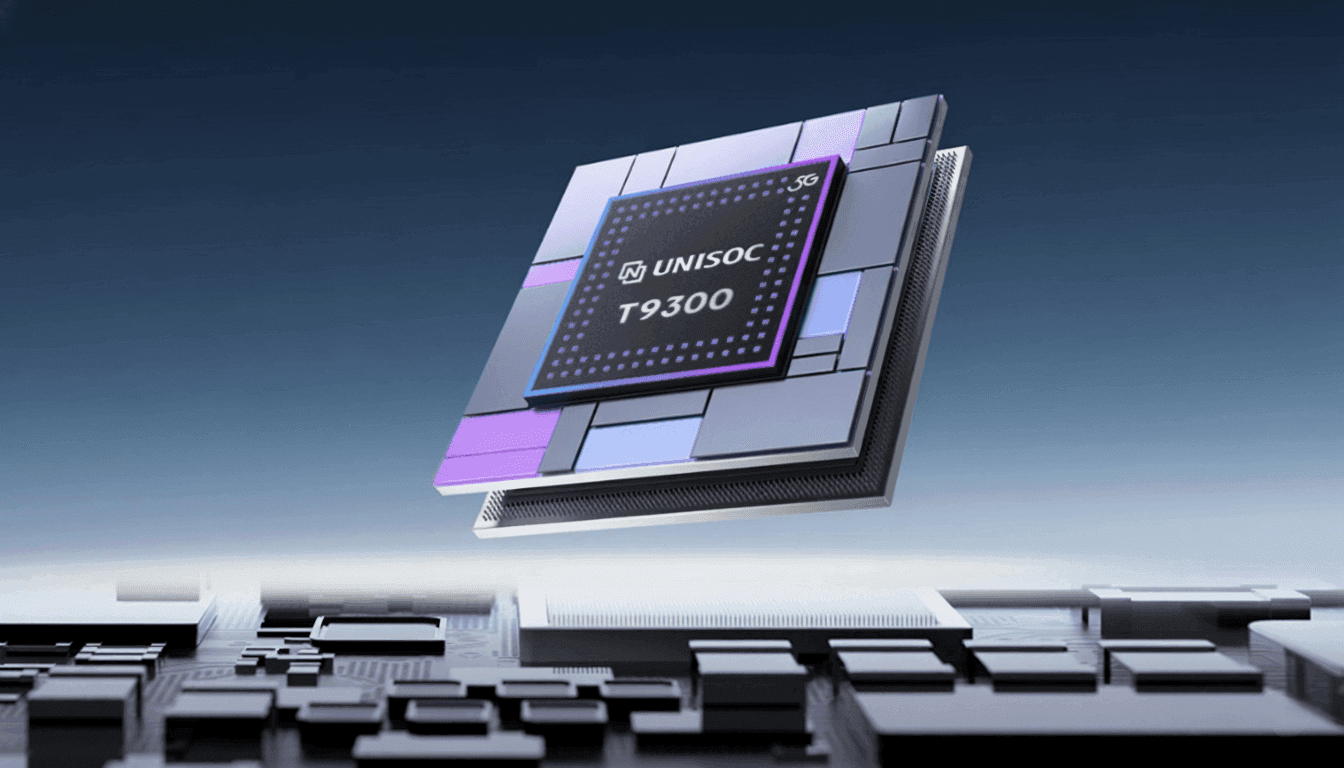
The new Unisoc T9300 5G mobile chipset for smartphones has been discreetly introduced. According to the business, the chip is a high-performance 5G SoC intended to provide improved gaming and video experiences. To find out more specific information about the new chipset, keep reading.
Unisoc T9300 specs
The high-performance 5G SoC Unisoc T9300 is intended to improve gaming and photography. It has an octa-core CPU with two Cortex A78 cores operating at 2.4GHz and six Cortex A55 cores operating at 2.2GHz, all built on a 6nm technology.
According to Unisoc, efficiency has increased by about 38% over the preceding generation. The Mali G57 dual-core GPU handles graphics, and UFS 2.2 flash and LPDDR4X RAM are supported for storage. According to reports, benchmark scores on AnTuTu V10 approach 550,000.
3GPP Release 17 support, the integration of 5G NR NTN satellite communication, and 5G MBS broadcast significantly improve connectivity. In typical 5G scenarios, the chipset has enhanced power efficiency and AI-driven network management. Dual VoNR, VoWiFi, SA and NSA modes, and full multi-band compatibility from 2G to 5G are all supported.
With a quad-core ISP, support for up to 200-megapixel sensors, 32-megapixel at 25 frames per second ZSL output, and 20-megapixel dual camera combinations, the T9300 unveils the seventh-generation Vivimagic imaging engine. Along with enhanced portrait segmentation and HDR photography, it also features enhanced multi-frame and time domain noise reduction, improved 3A algorithms, and AI-backed night mode.
Advanced noise reduction, improved echo control, improved stereo playback, and HiFi-grade output driven by a dedicated DSP are among the audio features. In addition to VRR and other eye protection settings, display support includes FHD+ at 144Hz, 1.5K at 90Hz, HDR10+, and Netflix certification.
The Unisoc Miracle Gaming engine, which emphasizes frame stability, network optimization, and improved visual processing with AI codec support for increased voice clarity in bad network conditions, enhances the gaming experience.
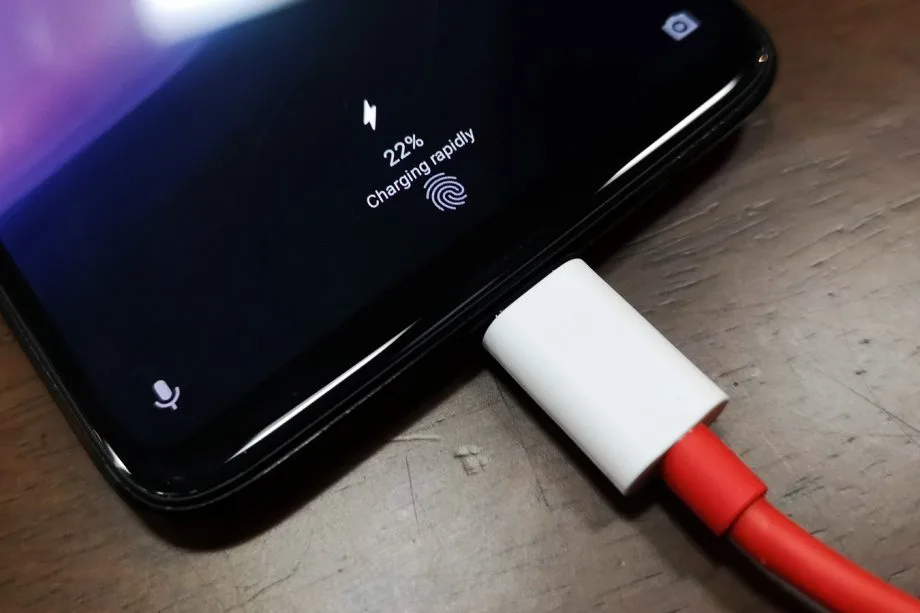
30 minutes to fully charge the battery? A growing number of cellphones can be fully charged in less than an hour. Does this rapid charging, however, harm the battery? This has been examined in an experiment, which yields an unexpected result.
30 minutes to fully charge the battery? A growing number of cellphones can be fully charged in less than an hour. Does this rapid charging, however, harm the battery? This has been examined in an experiment, which yields an unexpected result.
A Chinese do-it-yourself team called HTX Studio looked into this precise subject. After purchasing ten identical iPhones and ten Android devices, the do-it-yourselfers split them up into groups. A fast-charging power supply unit was used to charge one group, while a slow charger was used for the other. We finally have a response after 500 full charges and six months.
How did they do it?
Two groups of iPhones were created. Apple’s 40-watt power supply was used to charge three gadgets, while the outdated 5-watt power supply was used for the remaining three. To ascertain the typical aging of the battery over time, a second iPhone was left completely uncharged as a control group.
For the Android cellphones, the configuration was the same. The iQOO7, which is unavailable in this nation, was utilized twice: once with 18 watts and once with the maximum power of 120 watts.
The smartphones are fully charged by self-programmed software, which then uses up the battery once again until it is only five percent. After that, the charging procedure resumes. In this way, 500 charging cycles were carried out over a few months.
Is fast charging bad for your phone’s battery?
The enthusiasts looked at the batteries both before and after the experiment. This is due to the fact that not all smartphones have the same battery capacity when they are manufactured. There may be slight variations of less than one percent. The batteries were inspected once more after 500 cycles, and the amount of capacity they had lost was calculated:
iPhone (slow charge): 11.8%
iPhone (fast charge): 12.3%
Android (slow charge): 8.8%
Android (fast charge): 8.5%
The outcomes are unexpected. Faster charging caused the batteries in iPhones to lose 0.5 percent of their capacity, but the batteries in Android cellphones even lost 0.3 percent. Only in a lab can these variations be quantified. Therefore, the service life of your battery is essentially unaffected by fast charging.
How to take care of your battery
For the longest potential service life, batteries should be kept between 30 and 80 percent charged, according to another battery myth. For mobile cellphones, some manufacturers even include an 80 percent charge cap.
In order to test this notion, the Baster team charged another set of cellphones to 80% capacity before draining the battery to 30%. The experiment was repeated 1000 times because this was only half of a charging cycle.
iPhone (30-80 percent): 8.3%
Android (30-80 percent): 6.0%
Therefore, you are actually doing your smartphone’s battery a favor if you never charge it to more than 80%. However, the difference in day-to-day living is negligible even here. Therefore, the experiment demonstrates that you should just charge your smartphone whenever it is most convenient for you rather to spending a lot of time and effort doing so.
Is the speed of your old Xiaomi device decreasing? As software accumulates digital junk and apps become more resource-intensive, even powerful smartphones may become sluggish. Try these tried-and-true optimization strategies before considering upgrading, though, as they can greatly improve the performance of your Xiaomi device. You may restore the smooth responsiveness you experienced when your phone was brand-new by making a few easy adjustments to your device’s settings. These insider recommendations are applicable to all Xiaomi devices, including Redmi and POCO models, and work best on older devices running MIUI or HyperOS.
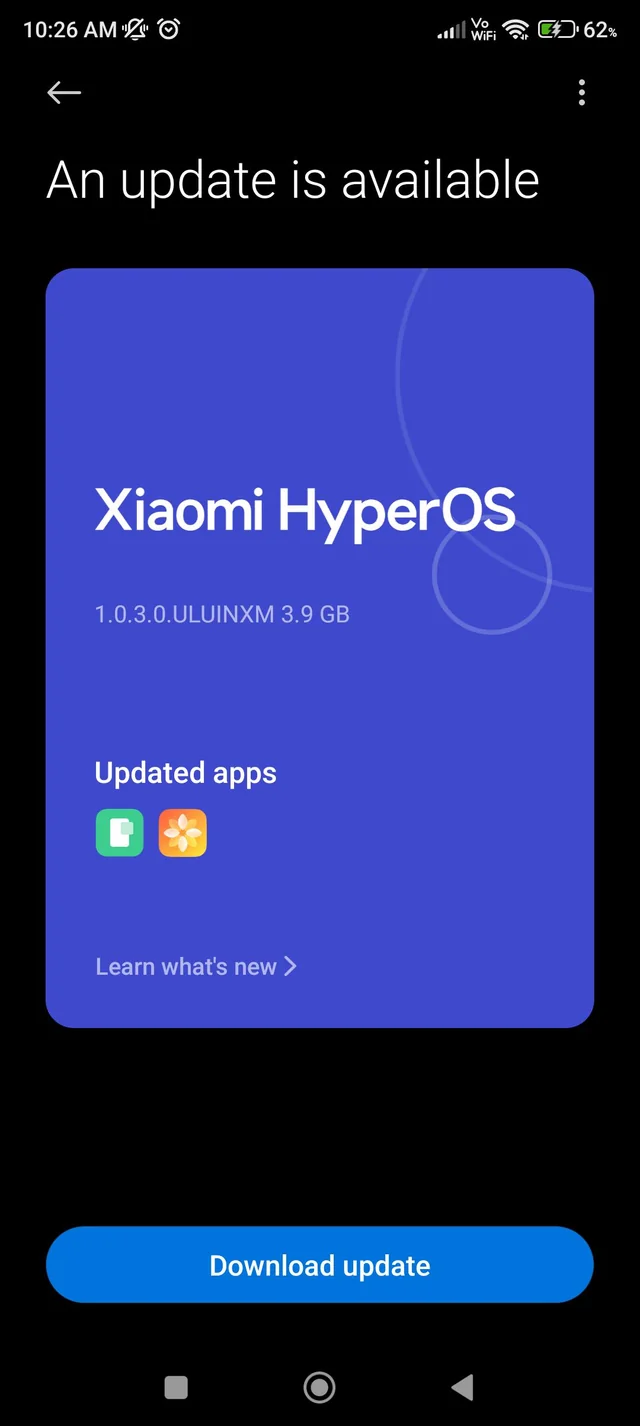
System update
For your device to perform at its peak, it is crucial to maintain it updated. Xiaomi often releases software updates that include security patches, bug fixes, and necessary performance improvements.
Updates can address existing performance issues and add new features designed to increase the effectiveness of your device. Go to Settings > About phone > System update > Check for updates to see if there are any updates available.
Reduce Animation
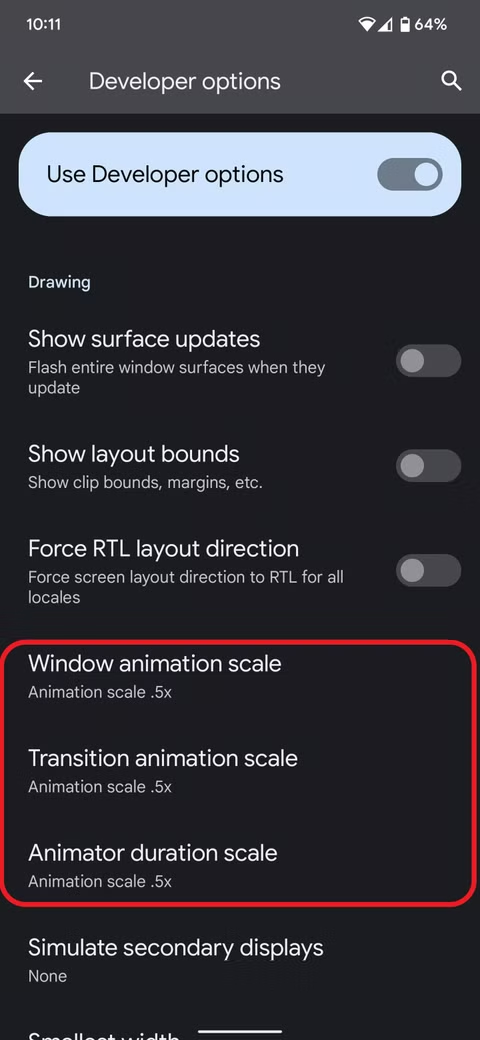
The fastest approach to make your Xiaomi phone feel faster is to adjust the animation scales. Although these graphical effects are visually appealing, they consume valuable processing resources.
Go to Settings > Additional settings > Developer Options to change the animation parameters. Locate the animator duration scale, window animation scale, and transition animation scale. To operate at peak efficiency, set all values to 0.5x or disable them. Tap Settings > About phone > HyperOS version seven times to activate Developer options if they aren’t already visible.
Disable ads and promotions
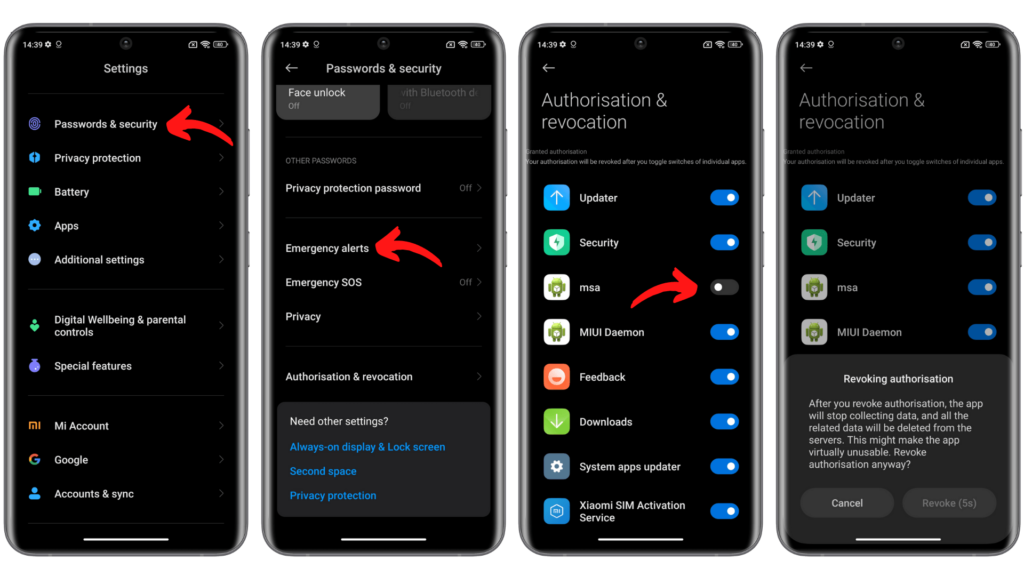
System ads on Xiaomi’s interface might occasionally cause performance to be slowed down. Disabling these advertisements improves the user experience overall and speeds up the operation of your device.
To turn off system advertisements: Navigate to Settings > Security & Passwords > Authorization & Revocation. Turn off MSA (MIUI System Ads). Give the modifications ten seconds or so to take effect.
Remove apps that you don’t use
In addition to taking up storage space, unused apps may have background activities using up system resources. The device’s performance can be significantly improved by uninstalling such programs.
Long press the app icon
Choose App info from the menu
Tap Uninstall and then confirm it.
Clear cache regularly
In order to load more quickly in the future, applications save temporary data in a cache. However, because built-up cache uses up valuable storage, it can eventually slow down your device.
To clear application caches: Go to Settings > Apps > Manage apps
Choose the application you want to clean Tap Clear data > Clear cache
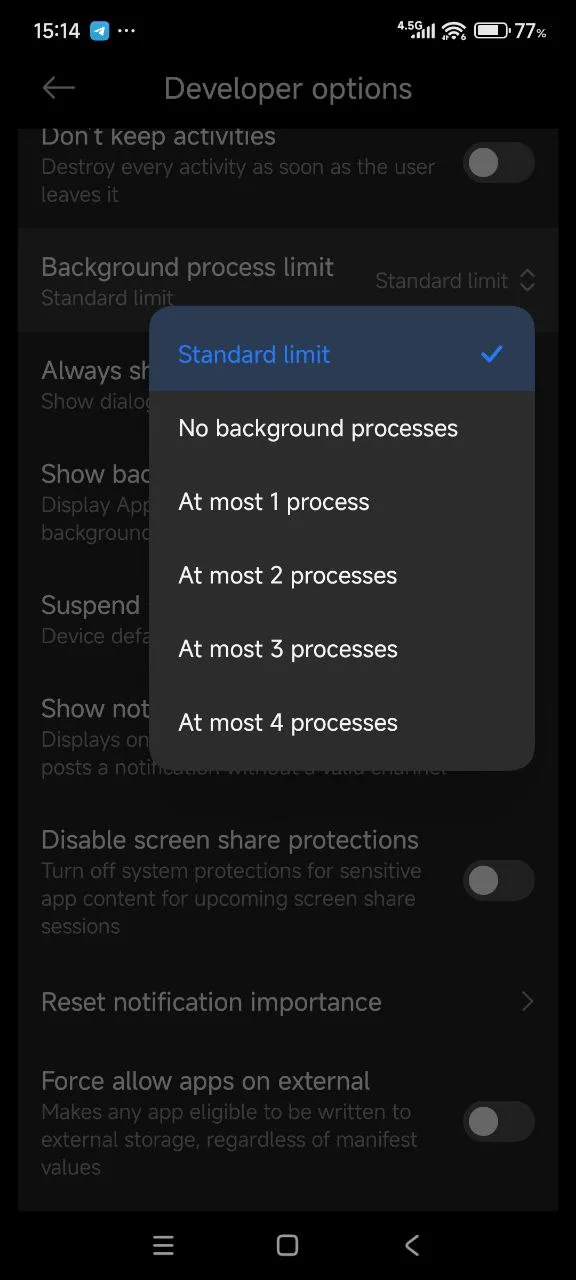
Limit background processes
Reducing the amount of background apps can greatly improve the system’s responsiveness.
To reduce background processes: Go to Settings > Additional Settings > Developer options
Retrieve background process limit
Set to “No background processes” or low number in accordance with your device’s RAM
Using “Lite” versions of apps
Installing “Lite” versions of well-known software is an option for older Xiaomi devices. These lightweight versions preserve essential functionality while utilizing fewer resources. RAM and processing power are reduced in popular lite versions of apps like YouTube Go, Twitter Lite, and Facebook Lite.
Factory reset
It could be necessary to do a factory reset if the performance issues persist despite trying the aforementioned fixes. This removes all user data and applications from your phone, returning it to its initial configuration.
Before factory reset:
Backup all essential files to cloud storage or an external drive
Record your account credentials for simple retrieval
Make certain your phone has enough battery or is plugged in
To do a factory reset: Settings > About phone > Factory reset > Erase all data
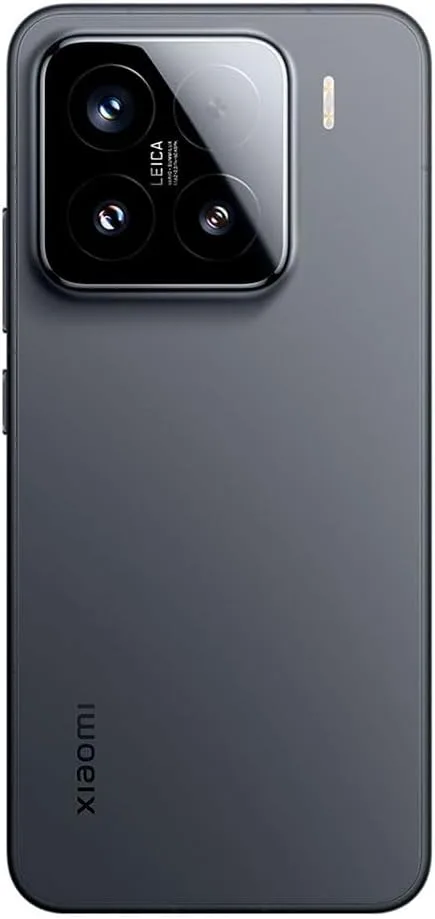
Xiaomi 15
International Model Dual SIM (nano SIM + nano SIM or nano SIM + eSIM, eSIM + eSIM)**Use of eSIM requires a wireless service plan. Leica Summilux optical lens – LEICA VARIO-SUMMILUX 6.36″ 3200 nits ultra-bright displayCrystalRes AMOLED Snapdragon 8 Elite Mobile Platform 3nm Ultrasonic in-screen fingerprint sensor 32MP in-display selfie camera
The integration of artificial intelligence into healthcare software has transformed patient care, administrative workflows, and diagnostic procedures. As medical institutions seek to leverage data-driven insights, AI-powered solutions offer unparalleled accuracy, efficiency, and personalization. From predictive risk assessment to automated imaging analysis, these technologies redefine the standards of modern healthcare delivery, bridging gaps between clinicians and patients while optimizing operational costs.
Enhancing Diagnostic Accuracy with AI Technologies
Advancements in deep learning algorithms and neural networks have significantly improved diagnostic precision across various medical fields. By analyzing vast datasets of patient histories, lab results, and imaging scans, AI systems can identify subtle patterns that may elude human observation. This diagnostic accuracy not only accelerates clinical decision-making but also reduces the likelihood of misdiagnosis and subsequent treatment delays.
Furthermore, real-time integration of AI tools into electronic health record (EHR) platforms enables clinicians to receive instant, data-backed recommendations. The synergy between human expertise and machine-led analysis fosters a collaborative approach, ensuring that critical conditions are detected early. As a result, medical teams gain confidence in their assessments, translating into better patient outcomes and enhanced trust in healthcare technology.
AI-Powered Patient Monitoring and Management
Continuous tracking of vital signs and patient behavior through wearables and in-hospital sensors exemplifies the power of remote patient monitoring. Such systems alert clinical staff to anomalies—ranging from heart rate fluctuations to irregular glucose levels—before they escalate. Businesses can partner with itcraftapps.com/healthcare/ for Healthcare Software Development to implement robust monitoring systems that adapt to individual patient needs, ensuring timely interventions and reducing hospital readmissions.
By aggregating and analyzing longitudinal data, AI platforms support the creation of continuous data-driven care plans. Automated alerts, medication reminders, and personalized health insights enhance patient engagement while reducing manual oversight. The result is a comprehensive management ecosystem that promotes adherence, minimizes complications, and empowers individuals to take an active role in their healthcare journey.
Streamlining Administrative Tasks in Healthcare
Implementing AI solutions in administrative domains relieves staff from repetitive and error-prone tasks. From patient intake to billing reconciliation, intelligent automation improves accuracy and turnaround time. Key areas of impact include:
Appointment scheduling optimization through predictive slot allocation
Medical billing verification with automated claim audits
Electronic health records management via natural language processing
Automation also enhances cost efficiency by reducing manual labor and administrative overhead. Real-time dashboards and reporting tools powered by AI streamline compliance tracking, ensuring that healthcare providers meet regulatory standards without sacrificing productivity. As a result, financial resources can be redirected toward core clinical activities, elevating the overall quality of care.
Personalized Treatment Plans Driven by AI
The era of precision medicine is fueled by AI-enabled analysis of genetic, lifestyle, and environmental data. By leveraging genomic data analysis, software platforms can recommend targeted therapies tailored to a patient’s unique profile. This level of personalization enhances treatment efficacy and minimizes adverse effects, marking a shift from one-size-fits-all protocols to individualized care pathways.
Advanced machine learning models continuously refine treatment recommendations based on patient responses and emerging research findings. Clinicians can adjust dosages, modify drug combinations, or explore novel interventions with confidence, knowing that AI insights are grounded in real-world evidence. Such dynamic care strategies pave the way for more resilient and adaptive healthcare systems.
Predictive Analytics for Disease Prevention
Predictive analytics harnesses historical and real-time data to forecast health trends and anticipate potential outbreaks. Utilizing risk prediction algorithms, healthcare organizations can stratify populations according to susceptibility, enabling focused preventive measures. Early identification of high-risk individuals leads to proactive screening and lifestyle interventions that halt disease progression.
Integrated population health platforms powered by AI support the development of preventive care programs that address chronic conditions such as diabetes, cardiovascular disease, and respiratory disorders. By correlating social determinants of health with clinical metrics, providers design community-centric initiatives that yield measurable improvements in public health outcomes.
Improving Medical Imaging through Artificial Intelligence
AI-driven solutions in radiology have revolutionized image interpretation through enhanced image segmentation and feature extraction. Convolutional neural networks excel at detecting anomalies—such as tumors or lesions—within X-rays, CT scans, and MRIs, often achieving accuracy rates comparable to expert radiologists. This augmented analysis accelerates diagnostic workflows and reduces the burden on imaging departments.
The fusion of AI and computer vision not only streamlines routine examinations but also uncovers subtle indicators of disease at earlier stages. Automated anomaly detection systems flag suspicious regions for further review, allowing radiologists to focus on high-impact cases. Consequently, healthcare institutions deliver faster, more reliable imaging services, strengthening both patient trust and clinical performance.
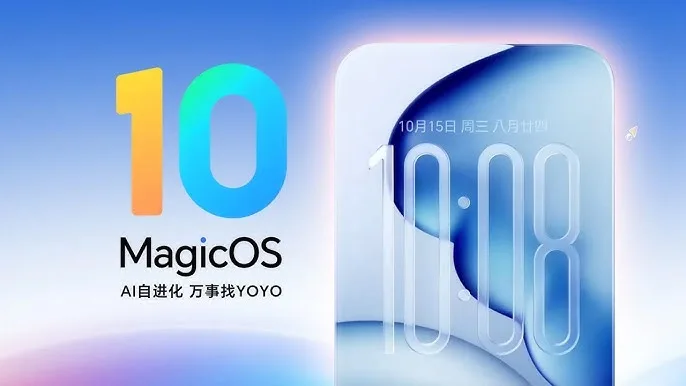
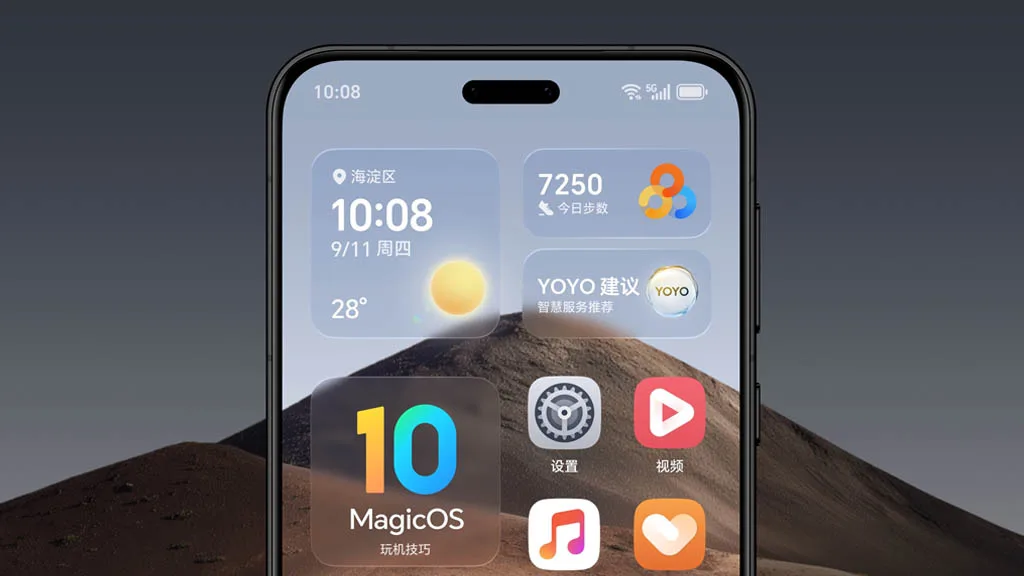
At the company’s first Global Developer Conference in Shenzhen, China, HONOR unveiled its most recent MagicOS 10 version, which is based on Android 16.
The business is integrating its enhanced HONOR AI Connect platform with its new 1x3xN ecosystem technology with the HONOR MagicOS 10.
This new framework will make their AI stack available to partners worldwide (the “1”), assist them with three enablement tasks (the “3”), and scale across various industry clusters (the “N”), such as office and education, wearables and audio, smart homes, toys, and pets.
The new MagicOS represents a “multi-dimensional jump from a conventional OS to a real AI OS,” according to HONOR.
The enhanced YOYO helper, which is driven by MagicLM 3.0 and can now “see, recall, and execute,” is a significant new feature.
With only one swipe, users will be able to ask YOYO to manage routine chores and workflows. Food ordering, shopping, ride-hailing, Magic Color color grading, and sophisticated command-based image editing are some of these casks.
Additionally, it will provide smooth pairing and transfers across HONOR devices, other Android phones, iOS, and Windows.
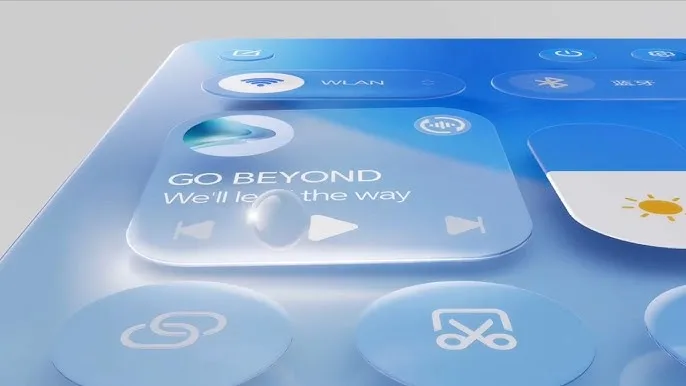
It will also feature a brand-new Zero Gravity Transparency Design. It will have translucent visual effects that strike a compromise between performance and aesthetics, just like the upcoming iOS 26.
These are the new MagicOS update’s primary features. Will your gadget receive it, though? The complete list of devices that qualify is provided below.
With yet another set of improvements, Huawei has released the HarmonyOS 6.0.1 (API 21) Beta Program for its developers. There aren’t much specifics about the latest software version on the description page. It does, however, include some helpful modifications for ArkUI.
It’s true that this program is in beta. The updated developer version has not yet been made available by the corporation. However, it illustrates the enhancements the build will provide to the chosen devices.
The latest Huawei HarmonyOS 6.0.1 (API 21) Beta will improve the ArkUI capabilities, according to the details. It will enhance the SVG parsing for the image section and introduce new attribute styles to C APIs.
Additionally, the release will improve the ArkWeb and Ability Kit components. It will make it possible for background jobs to facilitate the concurrent development of several long-running operations and greatly enhance map services.
A new edition of DevEco Studio with improved AI-assisted programming features is being introduced by Huawei. Developers will soon be able to access the primary 6.0.1 (21) Beta 1.
HarmonyOS 6.0.1 (API 21) Beta Program
The Mate 60 series, Mate 70 series, Pura X, Mate X5, Mate XT, MatePad Pro 13.2 2025, and MatePad Pro 11 2024 are among the devices that qualify for the latest edition. The updated beta version’s description is available below.
Further enhance the capabilities of ArkUI components by adding a batch of C APIs for attribute styles and improving the SVG parsing capabilities of the Image component.
Ability Kit enhances the processing of results when launching an application.
ArkWeb enhances WebView-related capabilities
Background tasks now support the parallel creation of multiple identical long-running tasks.
Map services have further enriched the scenarios in which they can be directly accessed, and so on.
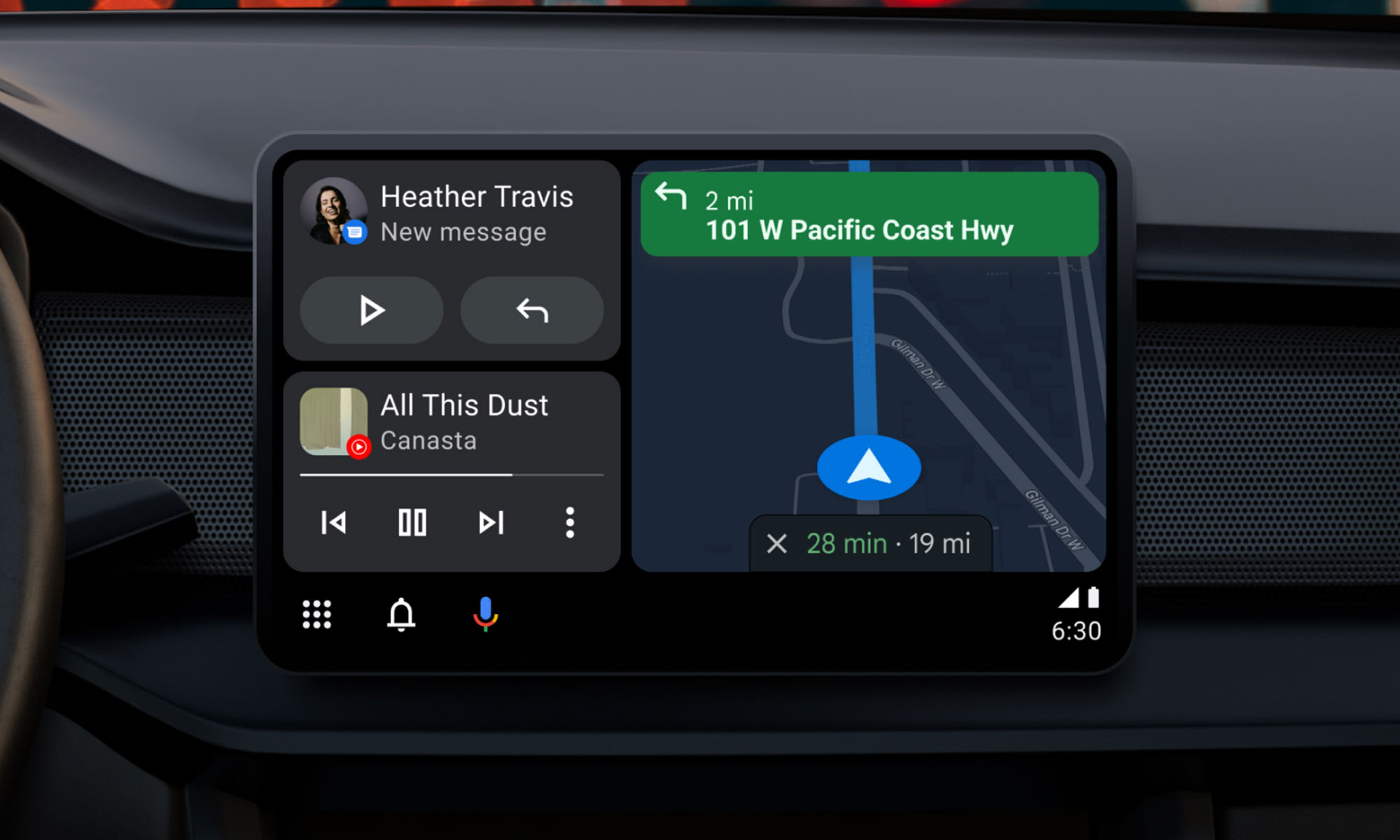
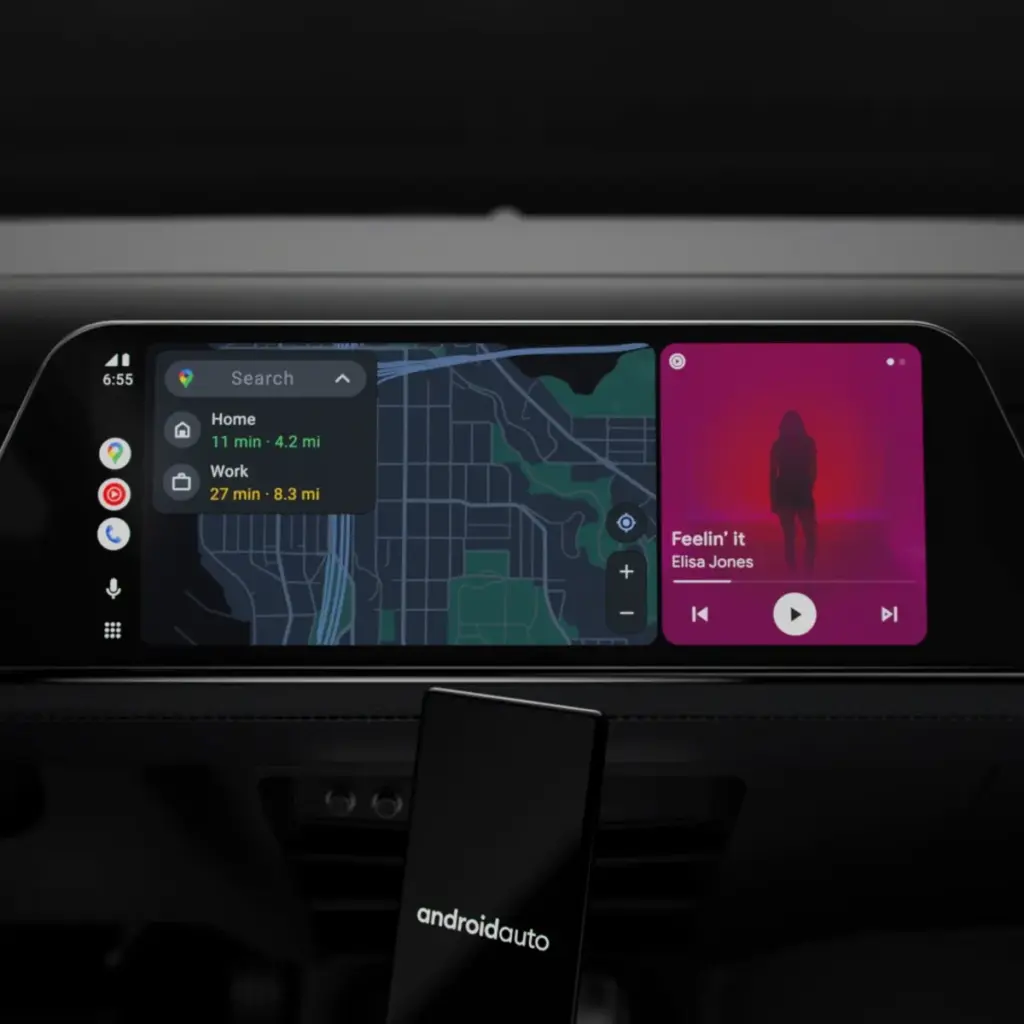
Google will bring the most recent Android Auto 15.4 update during November, although the company hasn’t spoken anything about it. The most recent version, which was discovered by autoevolution, stands out for remaining in beta for more than a week, which is unusual for Google. The new version is starting to roll out, and sideloading choices are available, but the corporation isn’t offering an explanation.
The addition of bug fixes that enable Google Pixel 10 devices to connect to Android Auto correctly is one of the most significant changes in 15.4, making this version helpful for people who did not previously have access. Additionally, it seems that this release is aiming toward more significant changes within Android Auto, such as the company’s AI assistant Gemini taking the place of Google Assistant. Following a recent Gemini update that brings some very significant AI features, Google has also been testing new features for Google Maps, including some new color options for users.
Users will still be awaiting the new Widgets feature, which borrows from Apple CarPlay by enabling users to install application widgets straight to their infotainment screen, even after the new version arrives. It’s also important to note that this update is released prior to Google preventing some Android phones from getting Android Auto updates.
What to expect in Android Auto 15.4
Android Auto 15.4 is currently gradually making its way to all Android users after launching in Google’s beta program in October. The APK is available to anyone who is prepared to upgrade manually, but the new update is coming in waves for those who can’t wait. On an Android device, just download the APK from APKMirror, choose the file, and then allow it to install.
By the end of November, Android Auto 15.4 will be available to individuals who are prepared to wait for the latest version. Unfortunately, Google no longer provides release notes for Android Auto, so we are left in the dark about what’s new. The removal of Google Assistant for the AI assistant Gemini—which is already taking place in some GM cars as the company discontinues CarPlay and Android Auto—as well as the addition of new call notes and a new call screen are among the changes anticipated to occur this year, according to autoevolution.
There are numerous bug improvements in Android Auto 15.4 for devices that are experiencing trouble connecting to Android Auto, particularly the Google Pixel 10. Additionally, the update enables users to apply the accent colors from their phone’s wallpaper on their infotainment screen. Google Maps allows users with smaller infotainment screens to report on traffic, something that was previously exclusive to users with larger panels. Users can report information about construction, traffic accidents, and speed traps, just like with the well-known Waze app.
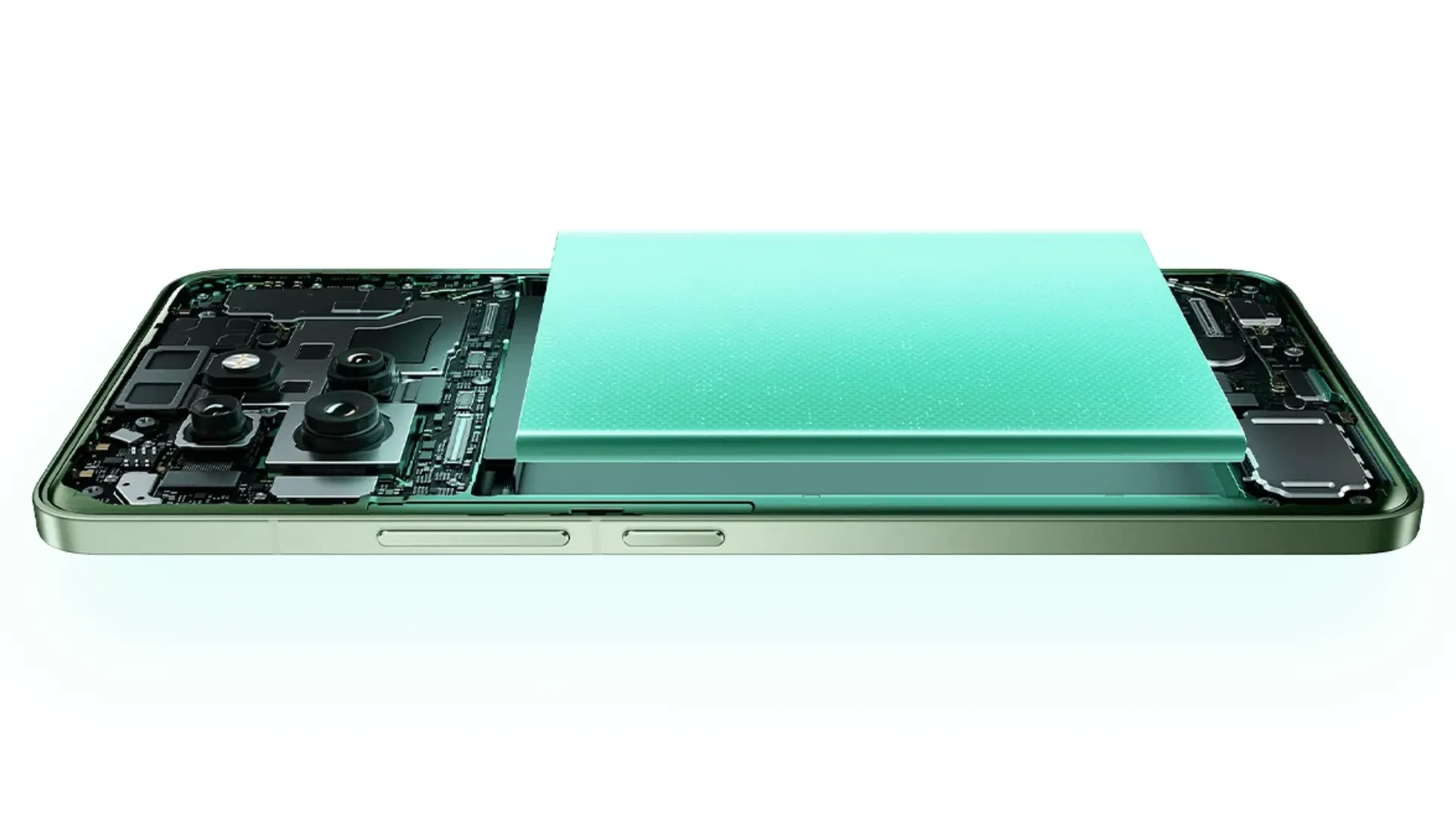
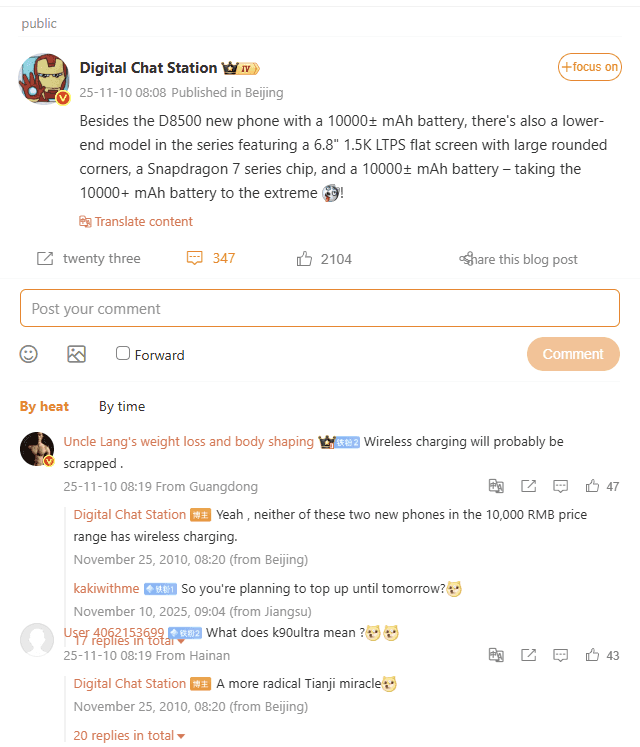
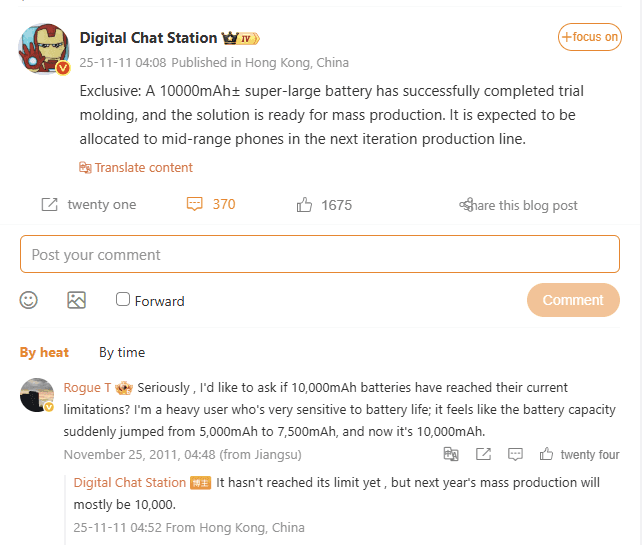
Xiaomi May Rethink Mid-Range Battery RegulationsChinese manufacturers are working to overcome the barrier beyond 7,000mAh and 8,000mAh batteries as smartphone battery technology continues to advance. According to reputable industry sources and well-known leakster @DigitalChatStation, the trial molding process has been completed, and the new 10,000mAh± battery is about to go into mass production. Xiaomi and Redmi are probably going to include this innovative battery into one of their upcoming mid-range phones.
In its products, Xiaomi has always placed a strong emphasis on battery life and energy efficiency. Therefore, the creation of a 10,000mAh-class battery is a significant step toward the realization of smartphones with longer battery lives, which is one feature that consumers are very excited to see improved in smartphones. It is expected that a Redmi device will use the technology.
Since fitting a battery with a 10,000mAh capacity is technically difficult in terms of weight and thermals, this development demonstrates Xiaomi’s determination to balance capacity and design usability.
Two smartphones will have 10,000mAh± batteries, according to DigitalChatStation. One of the devices has a Dimensity 8500 processor, while another has a 6.8-inch 1.5K LTPS flat display with a Snapdragon 7 series processor. Although these models have not yet been confirmed, it has been speculated that one may be from Xiaomi’s Redmi series because it may be intended to be a “Ultra Battery” variant.
A significant shift in the industry began with the release of smartphones with five-digit battery capacities. In the past, only rugged cellphones and power banks have such capabilities. With Xiaomi’s arrival into this market, battery capacity with such proportions may become more common, providing the business with yet another reason to rank among the top in terms of battery life. Xiaomi will undoubtedly have a significant advantage over its rivals because to this technology.
Additionally, users would be able to benefit from unparalleled standby times and all-day intensive use without recharging because to HyperOS’s optimization of background operations and hardware resources.
A new Android-based spyware that leverages NFC technology to make illegal ATM cash withdrawals and empty victims’ bank accounts was examined by the Polish Computer Emergency Response Team (CERT Polska).
Researchers discovered that the software, known as NGate, allows attackers to use banking information stolen from victims’ phones to withdraw money from ATMs (Automated Teller Machines, or cash machines) without actually taking the cards.
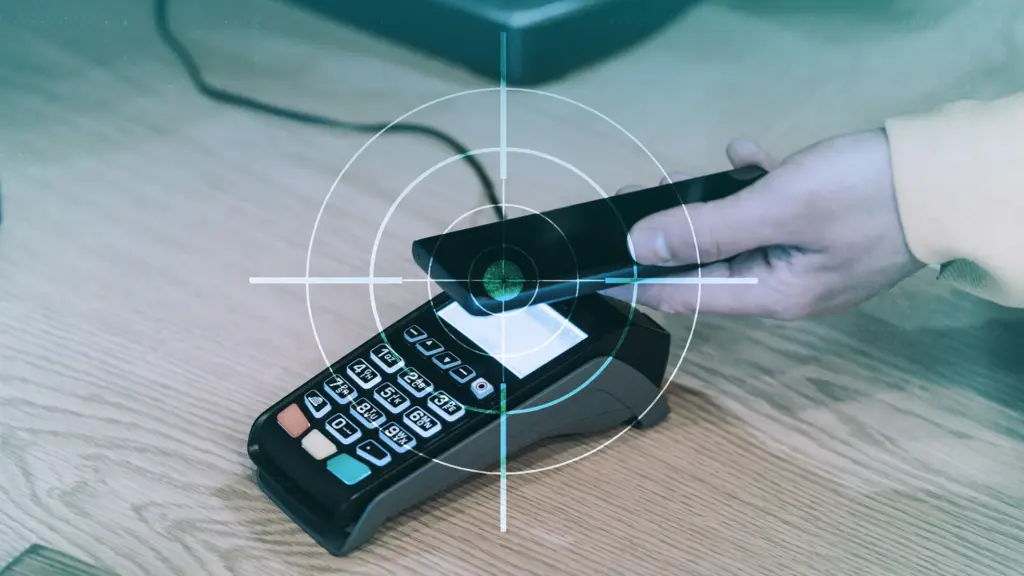
NFC is a wireless technology that enables close-quarters communication between gadgets like terminals, cellphones, and payment cards. Therefore, rather of stealing your bank card, the attackers use a mobile phone infected with the NGate virus to record NFC (Near Field Communication) activities and send that transaction data to ATM equipment. Instead of being relayed just via radio, the stolen data in NGate’s situation is transmitted over the network to the attackers’ servers.
There are several “flavors” of NFC. Some generate a static code, like the card that opens the door to my apartment complex. I can use a gadget like my “Flipper Zero” to open the door by just copying that type of signal. However, dynamic codes are used by sophisticated contactless payment cards, such as your Visa or Mastercard debit and credit cards. Your card’s chip creates a unique, one-time code (commonly referred to as a cryptogram or token) each time you use the NFC. This code is unique and cannot be reused.
That’s why the NGate malware is more advanced. It does more than just pick up a signal from your card. The victim must be duped into entering their PIN and completing a tap-to-pay or card-verification activity after the phone has been compromised. When that occurs, the app records every piece of information required for an NFC transaction, including the card number, new one-time codes, and other information created at that same moment.
All of the NFC data, including the PIN, is then immediately sent to the attacker’s handset via the virus. The attacker uses the codes right away to mimic your card at an ATM because they are newly produced and only valid for a brief period of time. The accomplice at the ATM displays the collected data using a card-emulating device, such as a phone, smartwatch, or bespoke hardware.
However, as you may guess, social engineering and preparation are necessary to be prepared at an ATM when the data arrives.
Attackers must first infect the victim’s device with malware. They usually send prospective victims phishing emails or SMS messages. They frequently try to create anxiety or urgency by claiming that there is a technical or security problem with their bank account. Occasionally, they make a follow-up call while posing as representatives of the bank. These calls or texts instruct victims to download a phony “banking” app from an unofficial source, like a direct link rather than Google Play.
After installation, the software requests permissions and guides users through fictitious “card verification” procedures. While an accomplice waits at an ATM to cash out, the objective is to persuade victims to act swiftly and trustingly.
Stay safe:
NGate only functions when your phone is compromised and you are duped into entering your PIN and starting a tap-to-pay action on the phony banking app. Therefore, the greatest defense against this infection is to protect your phone and be on the lookout for social engineering:
Stick to trusted sources. Download apps only from Google Play, Apple’s App Store, or the official provider. Your bank will never ask you to use another source.
Protect your devices. Use an up-to-date real-time anti-malware solution like Malwarebytes for Android, which already detects this malware.
Do not engage with unsolicited callers. If someone claims to be from your bank, tell them you’ll call them back at the number you have on file.
Ignore suspicious texts. Do not respond to or act upon unsolicited messages, no matter how harmless or urgent they seem.
Malwarebytes Mobile Security
Malwarebytes is an anti-malware software for Windows, macOS, ChromeOS, Android, and iOS that finds and removes malware.
Malwarebytes for Android detects these banking Trojans as Android/Trojan.Spy.NGate.C; Android/Trojan.Agent.SIB01022b454eH140; Android/Trojan.Agent.SIB01c84b1237H62; Android/Trojan.Spy.Generic.AUR9552b53bH2756 and Android/Trojan.Banker.AURf26adb59C19.
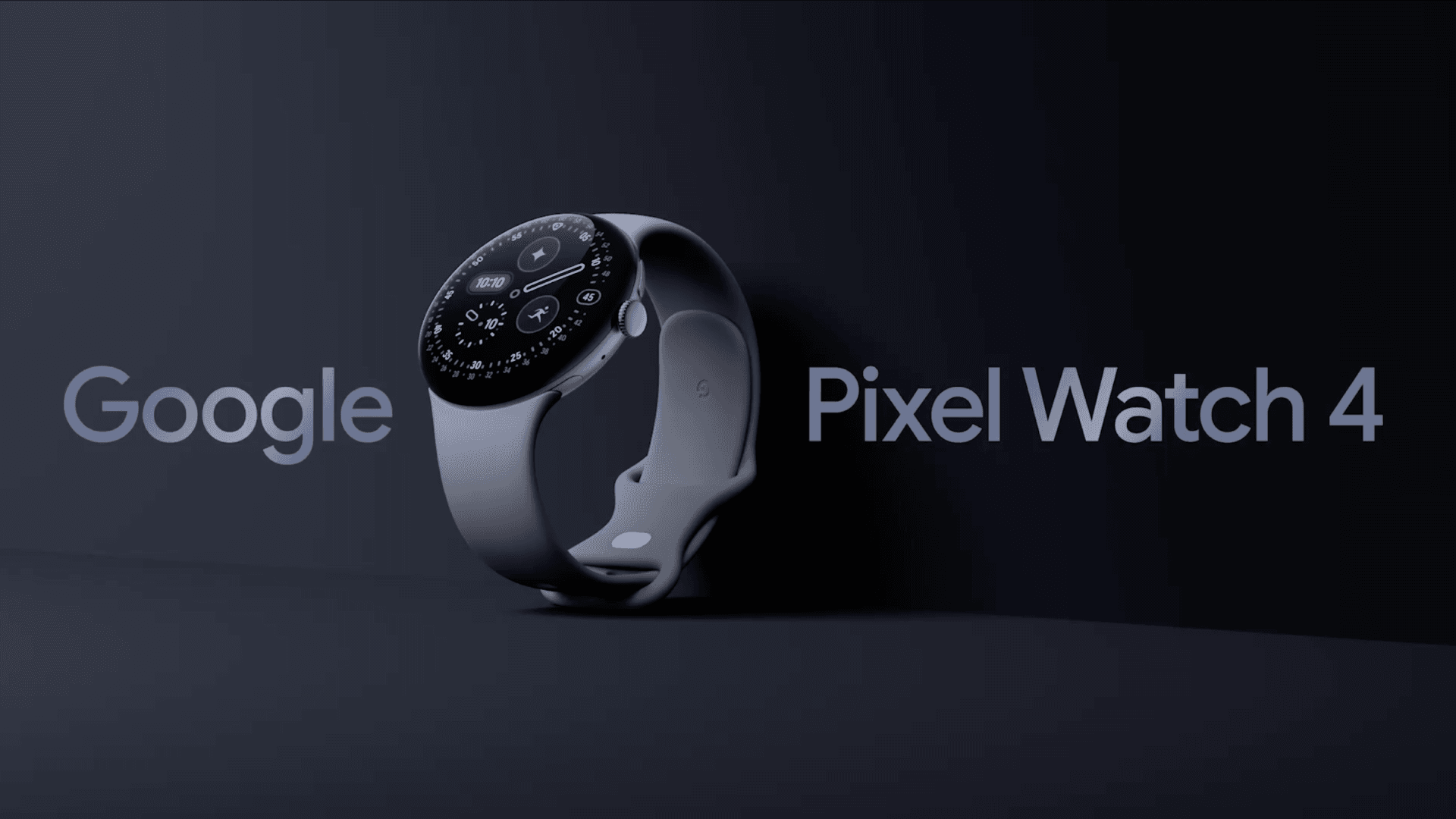
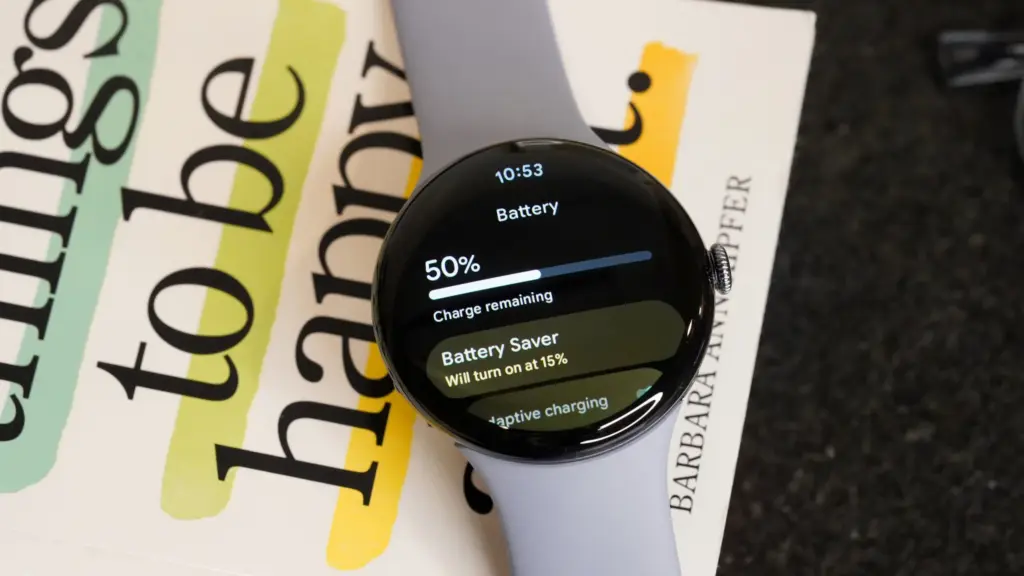
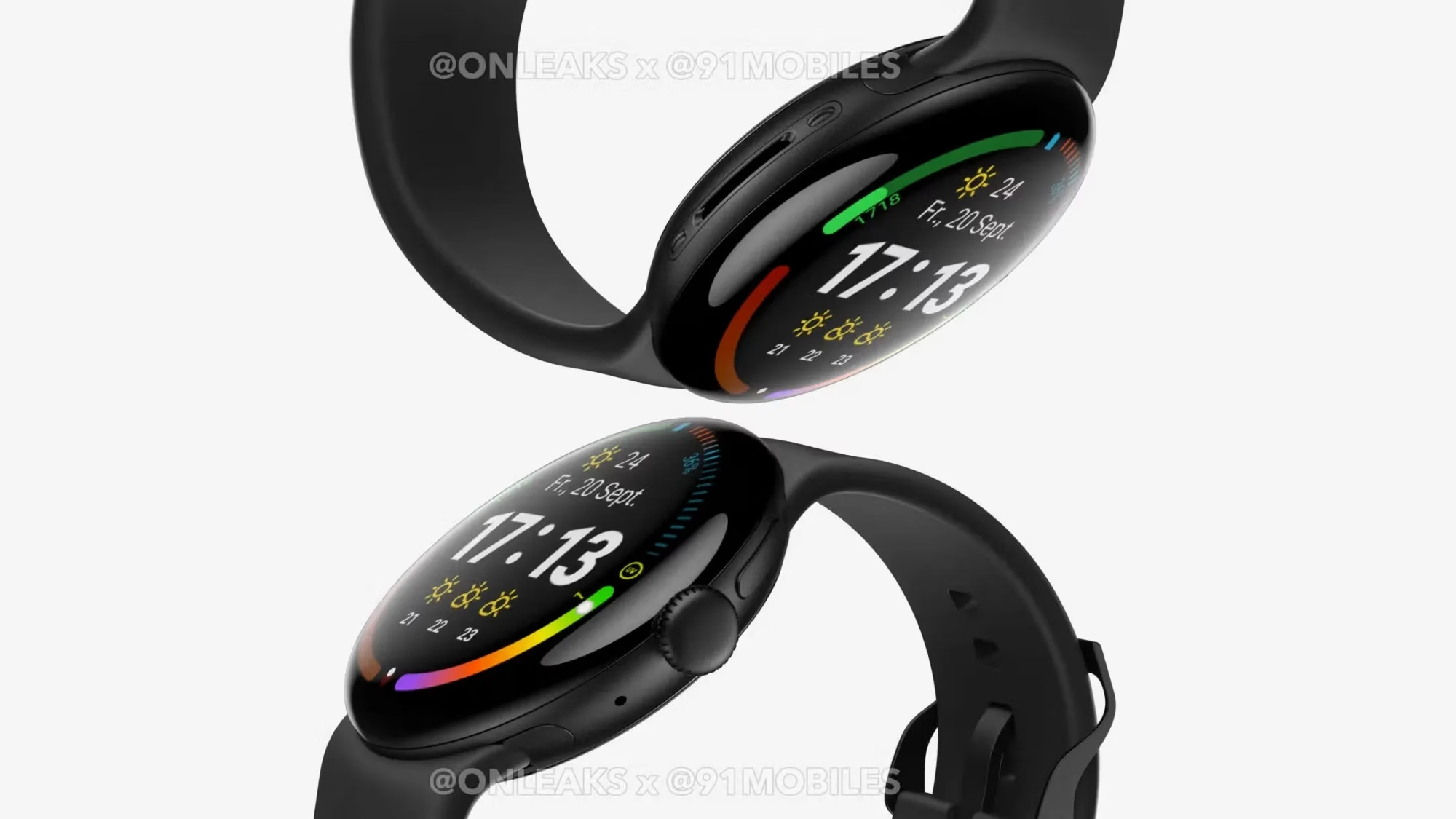
The battery life would be the main justification for purchasing a Pixel Watch 4. Yes, this device has many useful features, but since I reviewed it, the battery life has improved, and I’ve seen a lot of positive reviews for Google’s newest wristwatch.
Referring back to my evaluation from early October, I found that the Pixel Watch 4‘s battery life (on the 45mm variant) was as good as Google had promised, with some days being shockingly long. Thus, we’re talking about using the always-on display for around 40 hours and turning it off for about 48 hours. However, there were a few crazy days when I used the watch extensively—5.5 hours of exercise and complete sleep tracking—and it lasted more than 48 hours.
As I said in my review, the moment I switched on the “Raise to talk” feature, which activates Gemini, the battery life dropped from that high. I subsequently reduced the sensitivity significantly before turning it off entirely. Both of those have been beneficial. I’m not sure if I’m back to that degree of battery madness, but I’ve noticed that I think about battery life far less and that the watch is on the charger much less frequently each week.
Google Pixel Watch 4
The Google Pixel Watch 4 is a stunning display of precision craftsmanship, with Gemini, your built-in AI assistant, Google’s longest-lasting battery, and comprehensive tools for next-level health and fitness performance
I’m not by myself either. A user displayed a 76% battery left status in a Reddit discussion after 16 hours without a charger and with AOD activated. Some were dubious, but after looking at my own stats in the last few weeks, I think it’s true. In same discussion, another user attested to the fact that their usage was either comparable to or significantly less than that of the Pixel Watch 3.
One user described battery life as “amazing” in another discussion before praising the excellent charging conditions. I also discussed that in my review. Compared to earlier Pixel Watch versions, nearly all of which took more than an hour to fully charge, I was able to charge from 20% to 100% in about 40 minutes. According to a different Redditor, they tested the charger twice between 0 and 100% and essentially reached the 40-minute threshold. Additionally, the innovative magnetic charger transforms your tiny watch into a little desk or bedside clock and is incredibly easy to use.