Tag: tool

  • Google Wallet Just Became a Must-Have Travel Tool With This Smart New Feature

    Google Wallet Just Became a Must-Have Travel Tool With This Smart New Feature

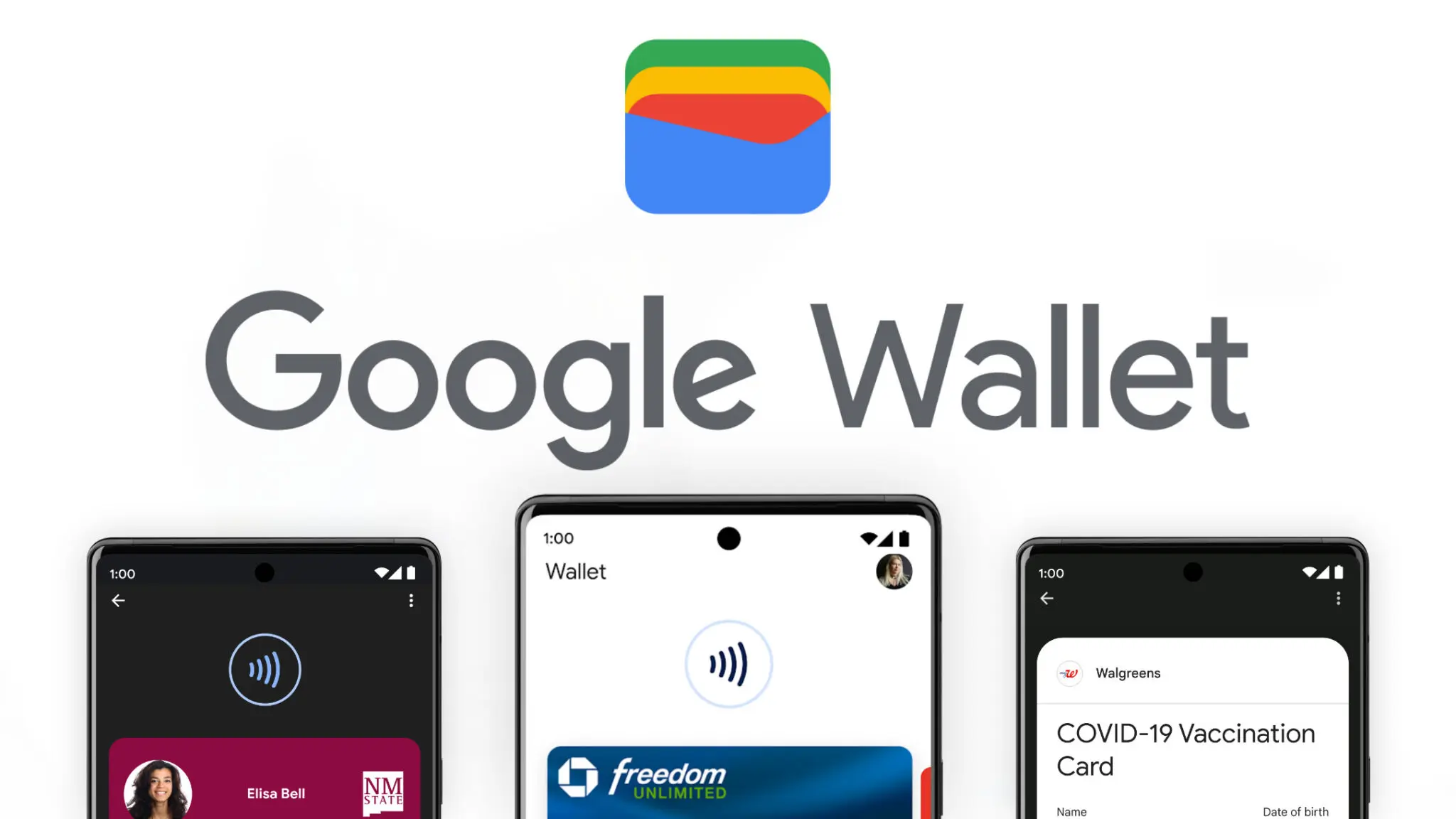
    Google Wallet has grown into one of the most versatile digital wallet solutions available. Beyond storing credit and debit cards, it handles state IDs, passports, event tickets, transit passes, digital car keys, and plenty more – effectively everything you’d normally carry in a physical wallet. Over time, Google has steadily expanded its capabilities, adding features that feel obvious in hindsight but weren’t on anyone’s radar beforehand. One of those is Live Updates, which surfaces real-time data for transit and events directly within the app.

    Live flight information, right on your lock screen

    For those unfamiliar with Live Updates, the feature delivers current information about your transit method or upcoming events without requiring you to open a separate app, dig through emails, or hunt down the information yourself. With the latest Google Wallet update, that same convenience now extends to flights, as noted by 9to5Google.

    Google Wallet live update on lockscreen

    From the moment a flight is booked, Wallet is ready to track it and display the latest status. It also generates an easily accessible QR code for scanning at the gate when the time comes. On devices running Android 16 or later, Wallet will display takeoff time, total flight duration, and an estimated arrival time. All of this appears on the lock screen or always-on display, if that feature is enabled.

    That kind of at-a-glance access becomes especially valuable on hectic travel days. The usual routine — checking in hours early, clearing security, settling in at the boarding gate – tends to go smoothly, but flights don’t always cooperate. Delays happen for all sorts of reasons, gates get reassigned, and cancellations aren’t unheard of. Rather than bouncing between airline apps, notification panels, and departure boards, having the key details visible the moment the screen lights up keeps things a lot simpler. It’s also easier to keep travel companions informed without constantly having to look things up.

    To get Live Updates for flights working, Android 16 users will need to update Google Wallet along with any associated services. The timing works out well, with the rollout landing just ahead of what’s typically one of the busiest travel periods of the year.

  • Honor Magic 7 Gets Powerful New YOYO AI Tools — Here’s What’s New

    Honor Magic 7 Gets Powerful New YOYO AI Tools — Here’s What’s New

    Honor is rolling out a new MagicOS 10 update to the Magic 7 series, introducing a range of YOYO AI features alongside broader system improvements. The April 2026 update is now being pushed to devices, with the Magic 7 lineup among the first to receive the firmware.

    This release focuses heavily on AI enhancements while also refining the Honor Connect app. Honor has made changes across multiple parts of the system, including the Magic Capsule, home screen, and lock screen. The update also improves overall system stability and strengthens device security.

    A key highlight is the expanded YOYO AI functionality. In the Magic Capsule, Honor has added a new “meal pickup code” tool that notifies users when it’s time to collect an order and displays the associated delivery code.

    The update also introduces an “Ask YOYO” option within the screenshot interface. Users can upload a screenshot and ask questions about its content, making it easier to extract information directly from images.

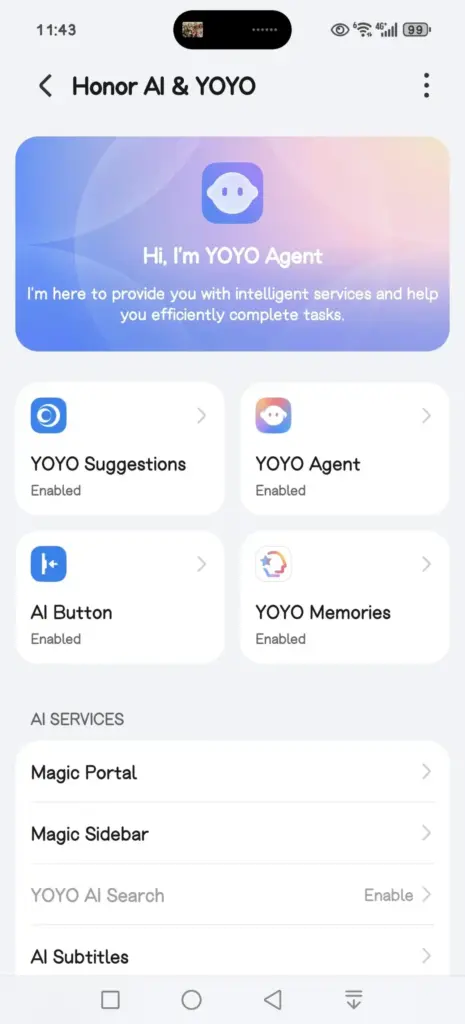
    honor yoyo ai

    Another addition allows users to convert images into documents in just a few steps, further extending the assistant’s practical capabilities.

    The update is arriving as MagicOS version 10.0.0.150 for the Honor Magic 7 series.

    YOYO AI Features

    • YOYO Suggestions & Smart Capsule now support meal pickup code reminders, providing users with a smart and convenient meal pickup experience.
    • Turn on Meal Pickup Code Reminder and Automatic Meal Pickup Code Recognition.
    • YOYO now features a new wake-up screen with a Q&A feature, supporting fingertip selection of screen content for Q&A, text selection for copying and translation, and AI image recognition and interpretation, enhancing your ease of use and usability.
    • The screenshot feature now includes an “Ask YOYO” feature, allowing users to wake up YOYO with a single click and upload a screenshot for easy content recognition, Q&A, and other operations.
    • Added YOYO’s photo-to-document feature, allowing users to convert images into editable Word, Excel, and PPT documents with a single click. It highly preserves the accuracy and structural integrity of the original text, achieving a “what you see is what you get” experience, making mobile office work more convenient and efficient.
    • Added YOYO Helper, supporting simultaneous audio and text recording during online/offline meetings. It can assist with Q&A and provide intelligent reminders during the meeting, and intelligently generate meeting minutes afterward.

    System smooth

    • Added a customizable app transition animation feature, offering three levels of smoothness: gentle, stable, and efficient, allowing you to customize the smooth experience to your liking.
    • Optimized the real-time blur effect when launching and exiting desktop applications, making your user experience smoother and more fluid.

    Home Screen

    • Added an auto-align icon feature for a neater layout. Access it via: Settings > Desktop & Personalization > Desktop Settings > Auto-align Icons
    • Added support for one-click folder creation across multiple applications; long-pressing a folder on the desktop allows for one-click unpacking, making folder organization more convenient.
    • Added support for batch removal and uninstallation of applications, making desktop management more efficient.

    Theme

    • Added a new status bar skinning feature, allowing you to freely change the status bar icon style and personalize your phone’s interface.

    Lock screen

    • Added support for customizable lock screen widgets, providing one-click access to frequently used functions for both convenience and personalization.
    • Added support for custom fingerprint styles, allowing you to freely combine the lock screen fingerprint icon and fingerprint animation to create your own personalized unlocking experience.
    • Several new AI services have been added, supporting features such as song recognition, AI subtitles, Honor Any Door, and YOYO Notes, making your daily operations more convenient and efficient.

    Honor Connect

    • Added cross-device file management for Mac, allowing you to easily browse, download, and manage pictures, videos, and other files from your phone on your Mac. Say goodbye to cumbersome transfers and enjoy efficiency and convenience.
    • Added a new iPhone hotspot feature. After connecting your Honor phone and iPhone, you can easily connect to your phone’s personal hotspot from your iPhone, eliminating cumbersome setup and making internet access more convenient.

    Enjoy the bass

    • Added support for multiple apps, including 29 apps such as Red Fruit Free Short Drama, CCTV News, and Valorant.

    Honor Smart Space

    • Added support for creating and managing multiple pet health records, and supports 24-hour AI-powered pet consultation, providing pet health reports and treatment suggestions to protect your pet’s health.

    Power consumption

    • Optimize power consumption in certain scenarios.

    Stability

    • Improved system stability and optimized some third-party app crashes and unresponsiveness issues, making your phone run more stably.

    Security Patch

    • Includes the Android March 2026 security patch to enhance system security.

  • Best ai 3d modeling tool 2026

    Best ai 3d modeling tool 2026

    The landscape of digital content creation has shifted dramatically in 2026, moving away from labor-intensive manual sculpting toward automated generative workflows. As demand for immersive content in gaming and spatial computing accelerates, the industry now prioritizes tools that deliver instant text-to-3D and image-to-3D capabilities without compromising topology. This analysis evaluates the current market leaders, specifically examining how Tripo AI positions itself against competitors like Meshy and Hyper. The focus lies on identifying the best AI 3D modeling tool capable of producing professional-grade assets with efficient geometry and high-fidelity textures.

    image 4 1

    Key Insights

    • Speed vs. Quality: Modern algorithms now generate standard “white mold” (geometry-only) models in under 20 seconds, a benchmark set by leading platforms.
    • Topology Control: Professional workflows require more than just a mesh; they demand clean topology and rigging readiness, features now integrated into browser-based studios.
    • Asset Scalability: The ability to upscale textures to 4K resolution is becoming a standard requirement for game development and cinematic rendering.
    • Market Leadership: Data indicates that platforms utilizing large-scale models (200 billion+ parameters) offer superior geometric accuracy compared to earlier generative iterations.

    The Evolution of the Best AI 3D Modeling Tool

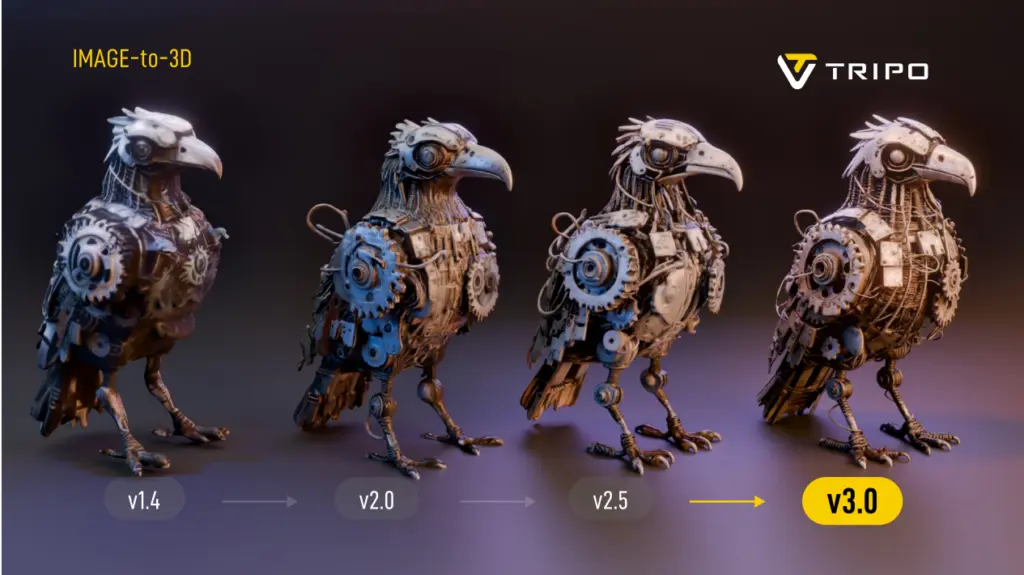
    image 1 1024x575 1

    The definitive AI 3D modeling tool in 2026 is defined by its ability to balance generative speed with the structural integrity required for professional pipelines, moving beyond simple prototyping to final asset delivery.

    The search for the best AI 3D modeling tool has historically been plagued by a trade-off between speed and usability. Early iterations of generative AI often produced “soup-like” meshes—models that looked acceptable from a distance but lacked the edge flow necessary for animation or game engine integration. However, recent advancements have introduced algorithms capable of instant generation with topologically sound structures.

    Tripo has emerged as a significant entity in this space, leveraging a massive 20 billion+ parameter AI model to address these geometry challenges. Unlike basic generators that rely solely on surface approximation, this approach ensures that the output is not just a visual representation but a functional 3D asset. For developers and designers seeking a robust AI 3D Model Generator, the distinction lies in this underlying architectural complexity.

    Instant Text-to-3D and Image-to-3D Generation Capabilities

    image 3 1024x613 1

    Efficiency in 2026 is measured by the “20-second rule,” where top-tier tools can transform a simple text prompt or single image into a fully realized spatial object without manual intervention.

    For game developers and rapid prototypers, time is the most critical resource. The industry standard has tightened significantly; waiting minutes for a cloud based generation is no longer competitive. Analysis of Tripo reveals a capability to generate standard models in approximately 20 seconds, supporting rapid iteration cycles. This speed is vital for Text to 3D Model workflows where designers must generate dozens of variations to find the perfect silhouette.

    Furthermore, the Image to 3D Model functionality has evolved to handle multi-view consistency. A major pain point in previous years was the “hallucination” of back-facing geometry—where the AI would guess incorrectly what the back of an object looked like. Current best-in-class solutions utilize multi-view consistency algorithms to ensure that an input image results in a coherent 360-degree model. This allows creators to bypass the modeling phase entirely for static props and background assets.

    Professional Workflows: Topology, Rigging, and Texturing

    image 2 1024x575 1

    The “best” tool must extend beyond generation into editing, offering features like auto-rigging, retopology, and PBR material synthesis to fit seamlessly into pipelines like Unity, Unreal Engine, or Blender.

    While generation speed attracts attention, retention in professional circles depends on the “Studio” experience. Digital creators require granular control over the mesh. Tools like Tripo Studio have introduced interactive editing capabilities that allow for fine-tuning of grids, topology control, and component completion. This shift marks the transition from “AI as a toy” to “AI as a workspace.”

    Texture quality is another differentiator. An AI 3D Editor must support high-resolution outputs. Tripo, for instance, supports upscaling models and textures to 4K resolution, ensuring that the visual fidelity holds up on large screens and high-definition renders. Additionally, the integration of Auto-Rigging features significantly reduces the technical barrier for animators, automating the skeletal binding process that traditionally takes hours.

    Comparative Analysis: Tripo vs. Meshy vs. Hyper

    image 1024x536 1

    In the competitive US market, selecting the right tool depends on specific project needs; Tripo excels in geometric precision and asset volume, while competitors have niche strengths.

    The following table breaks down the capabilities of the leading AI generators in 2026.

    Feature SetTripo AIMeshyHyper
    Core StrengthGeometric Precision & SpeedTexture/Material GenerationAvatar/Stylized Characters
    Generation Time~20 Seconds (Fastest)1-2 Minutes2-5 Minutes
    Model Size20 Billion+ ParametersUndisclosedUndisclosed
    WorkflowOnline 3D Studio (Full Edit)Web-based ViewerMobile-First/Web
    Max Resolution4K Textures2K Textures1080p equivalent
    Topology ControlHigh (Retopology supported)MediumLow (Fixed topology)
    Pricing ModelFlexible (Monthly/Yearly)Credit-basedSubscription

    Analysis: While Meshy provides strong competition in purely artistic texturing, Tripo demonstrates a distinct advantage in structural integrity and speed, driven by its larger parameter model. Hyper remains a viable choice for specific character niches but lacks the broad “generalist” capability required for comprehensive game development environments. The sheer volume of the Tripo asset library—numbering in the millions—also provides a significant head start for creators looking for reference assets.

    Conclusion

    As 2026 unfolds, the definition of the best AI 3D modeling tool has solidified around efficiency, compatibility, and quality. The era of manual vertex pushing for background assets is effectively over. Tools that offer a comprehensive suite—from Prompt to Mesh generation to high-res texturing and rigging—are capturing the market. Tripo’s strategic focus on a parameter model and a holistic studio environment positions it as a definitive solution for professionals seeking to leverage 3D Generative AI for tangible production gains.

    FAQ

    What makes Tripo the most efficient AI-powered 3D generator for game development?

    Tripo reduces the asset creation time to approximately 20 seconds for standard models and supports export to standard formats (GLB/USDZ), making it highly compatible with engines like Unity and Unreal.

    Can I use AI tools to convert 2D images into 3D models for printing?

    Yes, the Image to 3D Model feature is designed to interpret depth and volume from 2D inputs, creating watertight meshes suitable for 3D printing enthusiasts and professionals.

    Does the generated 3D model require manual cleanup?

    While older tools required significant cleanup, modern platforms like Tripo Studio offer built-in tools for topology control and component completion, minimizing the need for external software like Blender or Maya.

    How does the pricing of Tripo compare to other professional tools?

    Tripo offers a competitive pricing structure with a Professional annual plan averaging around $11.94 per month, which is generally more cost-effective than per-asset credit systems used by some competitors.

    Is it possible to generate animated 3D models ?

    Yes, advanced studios now include rigging and animation previews as part of the generation pipeline, allowing users to bind skeletons to their generated meshes automatically.

  • The simplified truth you need to know about AVIF to PNG

    The simplified truth you need to know about AVIF to PNG

    AVIF and PNG are the two most popular image formats, but both serve different functions. AVIF is developed primarily for excellent compression, which is superb for use on the Internet. PNG, on the other hand, is a conventional image format highly admired for its compatibility and transparency. 

    You may need to transform AVIF to PNG in specific cases, especially to gain support in old editing software. Transforming AVIF to PNG is also required to maintain transparency in applications that do not fully support it.    

    But how can you bridge the gap between the two? This is exactly what we will cover in this blog post. We will explore some of the best ways to convert AVIF to PNG using multiple tools and software. 

    Whether you need to convert your images one-by-one, or you need them in batch conversions, this blog will have you covered.

    The Whys of AVIF to PNG

    What makes AVIF stand out compared to other image formats is that it is a next-gen image format, offering superb compression and photo quality compared with PNGs. 

    But, there are other reasons why you need to change from AVIF to PNG. 

    • Compatibility: AVIF is like a cool new kid in the image neighbourhood, due to which many old browsers and applications do not fully support it.

    PNG, on the other hand, is also known as a universal image format that is recognized and supported in almost all devices and software.

    • Support for Transparency: The PNG image format is broadly used for its high transparency. 

    Although AVIF also supports transparency still some applications may not be able to render it properly.  

    • Editing Purposes: Many old image-editing tools do not have native support for AVIF. Therefore, you need to convert AVIF to PNG for editing purposes. 

    The Basics of AVIF and PNG Image Formats

    Both AVIF and PNG are highly popular image formats, but they differ in their purposes. 

    AVIF 

    In simple terms, AVIF stands for AV1 Image File Format, a new image format created for the Internet. This image format supports exceptionally high image quality at the lowest file sizes. It makes AVIF one of the most ideal for fast and data-efficient web pages. 

    AVIF also supports HDR and Wide Color Gamut, which gives images life-like visuals. These features give AVIF a perfect balance of compression, quality, and versatility.  

    PNG 

    PNG is a universally used lossless image format that is ideal for preserving image fidelity. The full form of PNG is Portable Network Graphics, which is the most efficient for compatibility. They are also great for making icons and logos with transparent backgrounds. 

    However, the biggest disadvantage of the PNG format is that they do not support advanced compression abilities. This makes a PNG image higher in file size. 

    Easy Ways to Convert AVIF to PNG

    There are multiple ways in which you can convert AVIF to PNG, ranging from online tools to editing software. In this section, we will take a closer look at some of the easiest ways to do so. 

    Online Image Converters

    If you want a fast and hassle-free way of converting AVIF to PNG, then online image converters are your best bet. You just need an active internet connection to work with these tools. 

    Some popular and efficient image converters are listed below. 

    1. RabbitLoader Image Converter: RabbitLoader’s image converter is a fast and easy-to-use tool for converting your AVIF images to PNG format. Visit the tool from your browser and follow the instructions to unlock hassle-free conversions in minutes. 

    2. Convertio: It is a great tool for fast and reliable image conversion from AVIF to PNG. This image converter boasts a highly user-friendly interface, which makes it easy to use. Convertio also offers a cloud space for easy storage of your images. 

    3. Zamzar: Zamzar is a highly popular online file converter admired for its efficiency and simplicity. The tool offers a quick and simple way to convert your AVIF images to PNG. All you need to do is visit the platform and select your output type, and initiate the conversion.  

    Software Tools

    Those who want more control over the image conversion process can opt for editing software tools. 

    Some of the most famous software tools for photo editing are summarized below. 

    1. GIMP: To save your image in PNG format from an AVIF file, you should first open the file in the GIMP software. Then, you need to navigate to “File” and “Save As” and then choose “Select File Type.” PNG must be the output format, and lastly, click on the “Export” button.   

    2. XnConvert: This software is a free and user-friendly batch image converter. It supports all other types of image formats, except AVIF and PNG. You can use this software for simple and advanced compression tasks. 

    Bulk Conversion of AVIF to PNG

    If you have many images in AVIF format and want them converted to PNGs, batch conversion is the most reliable and fastest way to do so. Instead of converting your images individually, batch conversion converts all your images at once. 

    The best way to batch convert your images from AVIF to PNG is by using RabbitLoader’s website optimization plugin. The plugin is primarily designed for WordPress websites, but site owners in WooCommerce and Shopify can also use RabbitLoader. 

    Installing RabbitLoader and connecting it with your website will leave you worry-free about handling hectic image conversions. RabbitLoader takes responsibility for converting your large-sized PNG or other conventional image formats to fast and efficient next-gen formats like AVIF and WebP. 

    The image optimization process in RabbitLoader is automatic. Apart from seamless image optimizations, RabbitLoader’s all-in-one optimization tool also offers advanced optimization techniques like lazy loading, minification, and caching to upgrade your website’s speed to a whole new level.

  • The Rise of AI Testing Tools & How They Are Revolutionizing Software Testing

    The Rise of AI Testing Tools & How They Are Revolutionizing Software Testing

    AI-driven testing software tools are now emerging as essential assets in the development process, offering solutions that traditional testing methods simply can’t match. But what exactly makes AI testing tools so powerful, and how are they reshaping the future of software testing? Let’s dive into the key advantages of these cutting-edge technologies and why they are quickly becoming the go-to choice for developers and testers alike.

    ai testing tools

    AI Testing Tools: A New Era of Efficiency

    1. Speed and Automation: Traditional testing can be time-consuming and repetitive. Manual testing, in particular, requires testers to run through a series of steps multiple times, often missing small bugs or inconsistencies. AI testing tools eliminate much of the time-consuming manual effort by automating test processes. AI tools are able to conduct tests at a faster rate, enabling more frequent testing cycles and freeing up time for developers to focus on other critical areas of the project.
    2. Smarter Testing: AI testing software isn’t just about automating tasks—it’s also about improving the intelligence of testing. AI-powered tools can learn from past tests and data patterns, enabling them to identify potential defects that might be missed by traditional testing methods. These tools can predict where bugs are most likely to appear, adapt testing approaches based on historical data, and even detect inconsistencies in user behavior that might lead to issues down the line.
    3. Enhanced Test Coverage: One of the biggest challenges in software testing is ensuring comprehensive test coverage. With the increased complexity of modern software, it’s easy for testers to overlook certain areas of the system. An AI-powered testing software tool can run thousands of tests across multiple scenarios in a fraction of the time it would take for human testers. This comprehensive coverage ensures that even the most intricate bugs are found and fixed before the software reaches users.
    4. Regression Testing Efficiency: One area where AI testing tools truly shine is in regression testing. When developers make updates to software, there’s always the risk of introducing new bugs in existing features. AI tools can continuously test the application after each update to ensure no new issues are introduced. Because AI tools learn over time, they can identify patterns and detect regressions with greater accuracy, preventing costly errors from slipping through the cracks.

    AI vs Traditional Testing Software Tools

    While traditional testing software tools have been the backbone of software development for decades, they face certain limitations when dealing with the increasing complexity of modern applications. Let’s take a look at how AI testing tools compare with traditional testing methods:

    1. Manual vs Automated: Traditional testing often relies on manual labor, where testers run scripts, check functionality, and identify bugs. While manual testing has its place, it’s prone to human error and limited by the tester’s capacity. AI testing tools, on the other hand, are automated and can run continuously without tiring or missing crucial details. These tools offer greater speed, efficiency, and accuracy—especially when dealing with large-scale applications.
    2. Adaptability: Traditional testing methods are often rigid, following predefined scripts and processes. This can be effective for smaller, simpler applications but can become cumbersome for complex or frequently updated software. AI testing tools, however, are highly adaptable. They can modify their testing strategies based on ongoing results and adapt to new features or changes in the software, making them much more agile in fast-moving development environments.
    3. Error Detection: Traditional testing relies heavily on predefined test cases, which means certain types of issues—especially edge cases—can go unnoticed. AI-driven testing tools can predict potential problem areas based on historical data, uncovering hidden issues that might not be caught using traditional methods. AI tools are capable of simulating real-world usage patterns, identifying inconsistencies, and spotting vulnerabilities that could have been overlooked in a static testing process.
    4. Cost-Effectiveness: While AI testing tools may require an initial investment in terms of setup and training, they can lead to significant savings over time. The speed and efficiency of AI testing tools allow development teams to complete more tests in less time, reducing the need for extensive manual work. This can cut down on the cost of software development by finding issues early and preventing bugs from escalating into expensive problems later on.

    The Future of Software Testing: AI and Beyond

    The integration of AI testing tools into the software development lifecycle is not just a passing trend—it’s a significant shift that is reshaping the industry. As machine learning and artificial intelligence continue to evolve, these tools will only become smarter, faster, and more capable of handling complex testing scenarios. In the future, AI-powered testing could even become fully autonomous, with the ability to independently monitor, test, and troubleshoot software without the need for human intervention.

    Moreover, AI is helping bridge the gap between developers and testers. AI-powered tools can provide real-time insights and analytics, enabling teams to make informed decisions faster. By incorporating AI testing into the development pipeline, organizations can ensure higher-quality products, faster releases, and improved user experiences.

    Choosing the Right Testing Tool

    As AI testing tools continue to gain traction, it’s important to choose the right testing tool for your specific needs. Here are a few things to keep in mind when evaluating testing tools for your project:

    1. Tool Integration: Ensure that the testing tool integrates smoothly with your existing development environment. The right tool should seamlessly fit into your workflows and collaborate with your development tools.
    2. Scalability: Choose testing software tools that can scale as your project grows. As software becomes more complex, your testing needs will likely evolve, and a scalable tool will save you time and hassle in the long run.
    3. Ease of Use: The best AI testing tools are intuitive and easy to set up. Choose a tool with clear documentation and strong customer support to ensure smooth implementation.
    4. Cost: While AI tools offer tremendous value, it’s important to balance cost against functionality. Make sure you are investing in tools that deliver a clear return on investment by improving speed, accuracy, and overall test coverage.

    AI testing tools are revolutionizing the software development landscape. By automating tests, improving test coverage, and adapting to changing needs, these tools offer unprecedented efficiency, accuracy, and reliability. While traditional testing methods still play a vital role, AI is quickly becoming an indispensable asset in the development process.

    As AI-driven tools continue to evolve, they’ll only enhance their ability to predict, detect, and resolve issues faster than ever before. For developers and testers looking to stay ahead of the curve, embracing AI testing tools is not just an option—it’s the future of software quality assurance.

  • Magic Eraser tool will receive audio support on Pixel 8

    Magic Eraser tool will receive audio support on Pixel 8

    Google’s artificial intelligence (AI)-powered Magic Eraser tool debuted on the Pixel 6 smartphone. Later, it was expanded to accommodate additional iPhones and Android phones. A new version that removes various forms of audio from video recordings looks to be in development by Google; it will probably launch on the Google Pixel 8 and Pixel 8 Pro.

    Google hasn’t yet acknowledged anything regarding the Pixel 8 smartphones, however over the weekend, an unidentified person purportedly uploaded some promotional content on X (formerly known as Twitter).

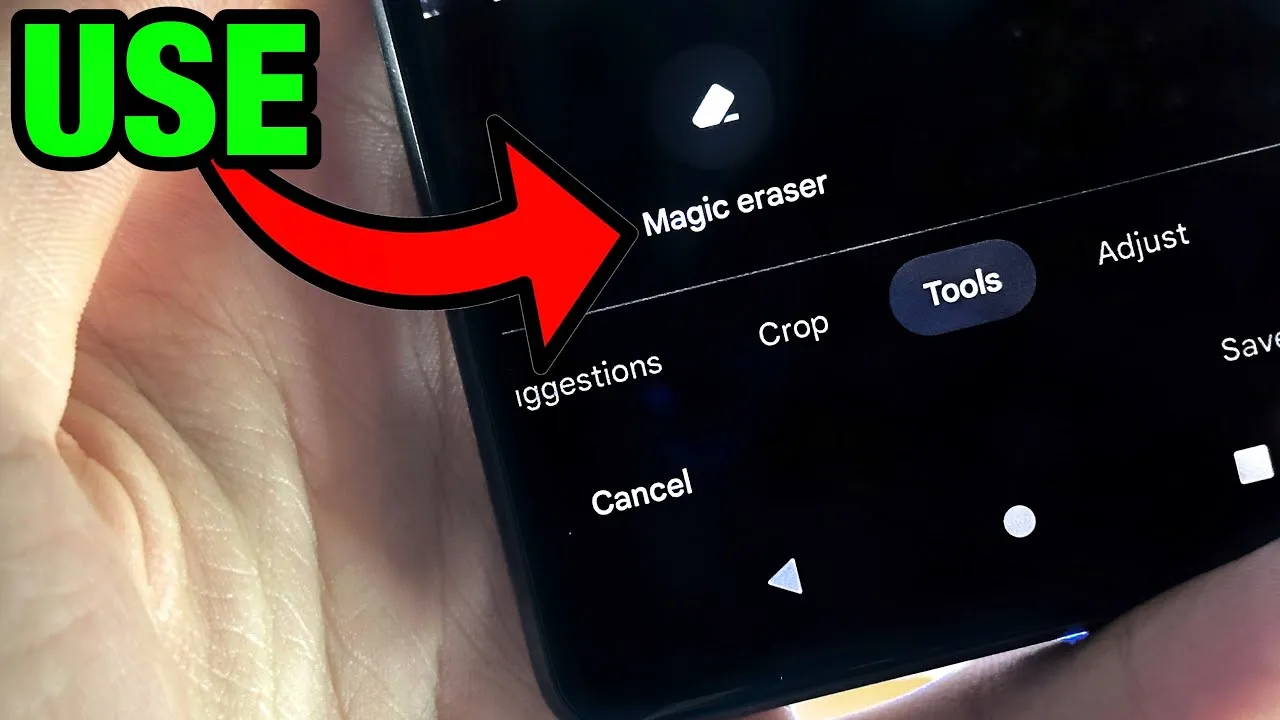
    Magic Eraser tool

    The unreleased Pixel 8 Pro was seen in the video clip sporting a brand-new feature called Audio Magic Eraser. The editing tool was identified as a video-specific version of Magic Eraser. It appears that the tool is able to recognize the important noises in videos and then gives the user the choice to decrease or delete the audio signature.

    As for the many kinds of noises in videos, it can distinguish between background noise, people, and music. We would not, however, rule out the potential of the presence of more categories in addition to the aforementioned three.

    The Pixel 8 Pro has a similar appearance to the early renders that were published, but it has a new temperature sensor under the camera bump. It would seem appropriate for the low-cost Google flagship Android device to be unveiled in a fresh shade of blue, as is most likely the case with the smaller Pixel 8.

    The Pixel 8 line will be powered by Android 14 and may ship in October, based on Google’s prior Pixel launches. At the same time, it’s anticipated that the speculated Pixel Watch 2 with its metal body and ultra-wideband connection would be unveiled.

    Source: X/u/ez8622647227573