The camera on the Pixel phones is one factor contributing to its success. Most phone cameras are unable to match the depth, clarity, and vivid/accurate colors.
With each new edition of the Pixel camera, Google aims to surpass itself. Google first debuted the P3 wide gamut capture feature with the Pixel 8, which was accompanied by the Ultra HDR format of Android 14. Photos truly come to life with color thanks to the Display P3’s wide gamut capture.
Display P3: What is it?
Display P3 is a color space that combines the following:
- DCI-P3 color gamut
- D65 white point
- sRGB gamma curve
Gamma is a nonlinear operation that is used to encode and decode brightness in images and videos, for those who were not present at the popular photography club table over lunch. Gamma is defined as the relationship between the luminance and the numerical value of a pixel, which is an even simpler description. Your photographs would not capture color as your eyes perceive it if gamma were not present.
A camera can prevent color and light tint by using white point, often known as white balance. Consider it in terms of the temperature of color. Are you recording in warm inside light or in the daylight? Your images may appear amber or blue if the white point is set incorrectly.
The range of colors in a color space that a device can replicate is known as the color gamut.
The Society of Motion Picture and Television Engineers and the Digital Cinema Initiatives developed Display P3, or DCI-P3, as a color space in an effort to standardize colors used in motion pictures. P3 focuses on what you see in movies. The coordinates of the red (x =.68, y =.332), green (x =.265, y =.69), blue (x =.15, y =.06), and white points (x =.134, y =.351) are even charted.
Anyone wishing to improve their smartphone photography skills should think about utilizing Display P3, as it gives a far wider variety of colors than sRGB. All of the phones in that range support P3, so if you own a Google Pixel 8 or 9, you are in luck.
How to enable P3 in the Pixel camera app
A Pixel 8 or 9 phone is all you will need for this. It may be XL, Pro, or ordinary.
- Open the Camera app – to begin, unlock your phone and open the camera app.
- Open Settings – Ttap the gear icon in the lower left corner of the window to open Settings.
- Open More Settings – From the Settings pop-up, tap “More settings.”
- Enable P3 – Move the On/Off slider for that entry until it’s in the On position. You can now back out of settings.
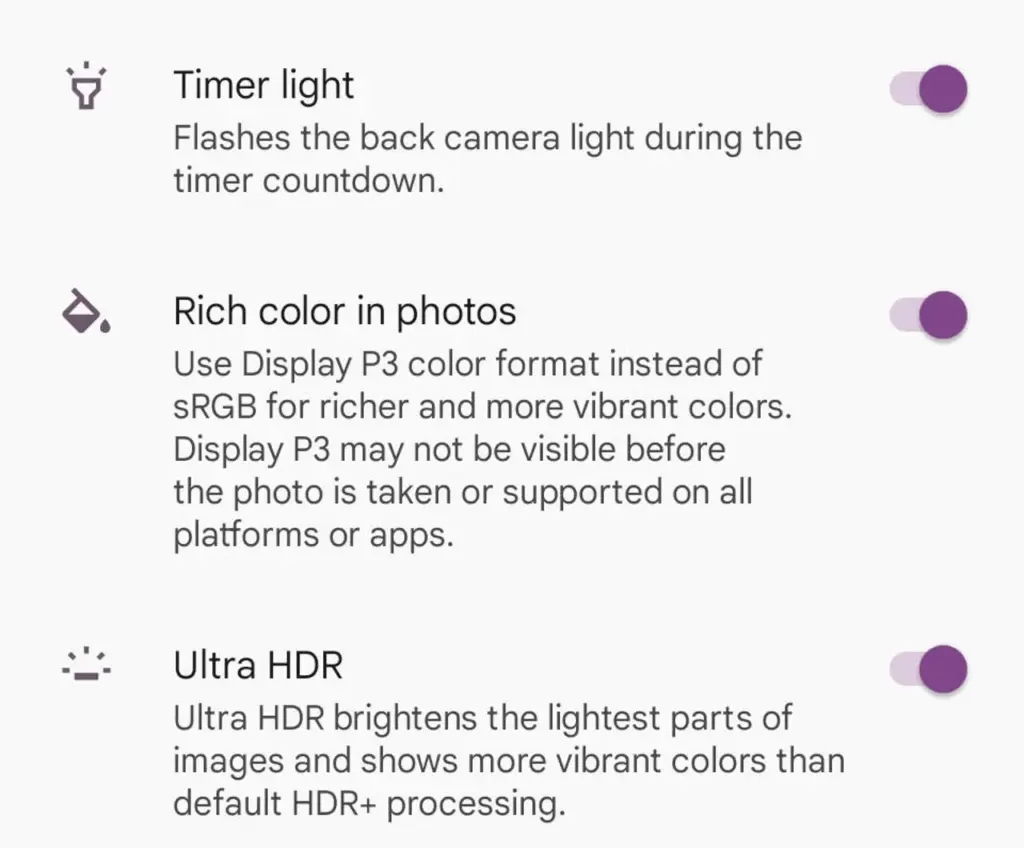
The color enhancement may appear mild on some devices and striking on others when you take pictures.
It should be noted that not all devices are compatible with P3. You may use the P3 gamut to snap a picture and then send it to someone whose device does not support it. The shot will not look nearly as good on their device as it does on yours.