Tag: rom

  • Custom ROMs for Samsung Galaxy S8, S8+, and Note 8

    Custom ROMs for Samsung Galaxy S8, S8+, and Note 8

    Samsung offers 2 years of software support for their smartphones, which includes two big Android OS updates. The Samsung Galaxy S8, S8 Plus, and Note 8 have been on the market for well over two years and will never see Android 10. The same is true for the Galaxy S9 and Note 9 series, which have received the latest Android 10 update. Although the devices will continue to receive security patch updates for another year, this is unjust to the most successful Samsung flagship to date. So, here are some of the best custom ROMs based on Android 10 for the Samsung Galaxy S8, S8+, and Note 8.

    We’ve compiled a list of the most recent and reliable custom ROMs for the Galaxy S8 and Note 8 series right now. Lineage OS 17.1 and other common ROMs such as Havoc OS, Pixel Experience, and Corvus OS 10 have just been made official with Android 10. However, because of the design of Samsung Galaxy phones, official support for custom ROMs is difficult to come by. As a result, some custom ROMs based on Android 10 for the Samsung Galaxy S8, S8+, and Note 8 are still unofficial beta ports.

    Furthermore, the majority of custom ROMs are only for Exynos models. This is due to the fact that the Snapdragon Galaxy S8, S8+, and Note 8 variants’ bootloaders cannot be unlocked. So you cant install TWRP recovery, and hence, can’t flash a custom ROM.

    1. Havoc OS

    Havoc OS is currently one of the most stable Android 10 custom ROMs for Samsung Galaxy smartphones. In comparison to the other choices, users of the Galaxy S8 and Note 8 series strongly suggest the Havoc OS custom ROM. Most notably, it has recently been updated to Havoc OS 3.7, which means that it is based on Android 10 and incorporates some Android 11 features such as Material design 2.0, Dark Theme Support for AOSP apps, Android R Style screen record dialog, Rounded UI, Face Unlock support, built-in Gapps, Font Customisation, Pixel Lockscreen weather, and many more.

    Moreover, it also supports Face Unlock, HD/VoLTE toggle, 4G/LTE Icon toggle, 90 Hz refresh rate toggle, Themes styles and wallpapers support from the Pixel 4, and much more. Checkout the images from below and also see the complete screenshot repository from below.

    Download Havoc OS for Galaxy S8, S8+, and Note 8

    Source and Support

    Here is a list of all the sources you can get support from for the Havoc OS for Samsung Galaxy S8, S8 Plus, and Note 8.

    2. Pixel Experience Plus

    When it comes to having stock Google experience on your Android phone, Pixel Experience is everyone’s choice. It includes all of the Pixel 4’s functionality, the most recent Google UI, the most recent Google Assistant app, Digital Wellbeing, and support for the most recent Google products and services. As a result, you can receive the most recent Pixel Launcher, themes and style apps, wallpapers app, ringtones, icons, and everything else that is currently available on the Google Pixel 4 (XL) with Android 10.

    Wifi, RIL, Mobile data, GPS, Camera, Flashlight, Camcorder, Bluetooth, Fingerprint reader, NFC, Lights, Sound / vibration all work with Pixel Experience. However, some features, such as Volte, cast, and, according to some sources, even the face unlock feature, may not work.

    Pixel Experience Plus is an AOSP based ROM, included with Google apps and all the Google Pixel goodies like launcher, wallpapers, icons, fonts, bootanimation.

    pixel experience plus Samsung rom

    Download Pixel Experience for Galaxy S8, S8+, and Note 8

    Source and Support

    Here is a list of all the sources you can get support for the Pixel Experience on Samsung Galaxy S8, S8 Plus, and Note 8.

    3. Corvus OS

    Corvus OS is getting very popular lately among custom ROM flashers. The developers have also been very active in the development and supporting a large number of Android devices. Many have recommended Corvus OS over the past months as it is quite stable for its initial release. Covrus OS also brings Android 10 to the plate for Galaxy S8 series and Note 8.

    Corvus OS is inspired by Dirty Unicorn ROM and has many of its features. The ROM is full of customization options and has a dedicated section for each section including Themes, Notifications, Display, Lock Screen, and more. Stability is great with this one. It also gives stock AOSP experience making it light weight and fast. The ROM also includes some Google features like latest Pixel Launcher, Accent picker, Theme backup, Theme styles, wallpapers app, ringtones, icons, and more.

    Screenshots

    Download Corvus OS for Galaxy S8, S8+, and Note 8

    Source and Support

    Here is a list of all the sources you can get support for the Corvus OS for Samsung Galaxy S8, S8 Plus, and Note 8.

    4. Lineage OS 17.1

    lineage os custom rom for Samsung galaxy S8

    Lineage OS is one of the most popular custom ROMS out there. It supports a wide range of Android devices. Right from the obsolete phones from years ago to the most recent flagships. Lineage OS 17.1 is based on Android 10 and now supports Samsung Galaxy S8, S8+, and Note 8 unofficially.

    Download Lineage OS 17.1 for Galaxy S8, S8+, and Note 8

    Source and Support

    Here is a list of all the sources you can get support for the Lineage OS 17.1 OS on Samsung Galaxy S8, S8 Plus, and Note 8.

    How to update Samsung Galaxy S8, S8+, and Note 8 to Android 10?

    That’s it enjoy Android 10 on your Samsung Galaxy S8, S8+, or Note 8.
  • Great custom ROMs in 2021

    Great custom ROMs in 2021

    So, you have an Android smartphone, and the same old UI has begun to bore you. So, it’s time to dive into the world of custom ROMs. Installing Custom ROMs is one of the easiest ways to deal with overdue OEM updates and introduce a plethora of new features to your Android smartphone. Let’s take a look at the best Android Custom ROMs for 2021 that you can try.

    Since Android OS is open-source, the overly enthusiastic community-at-large is constantly working on their own versions of the OS, which is why Android is so popular. However, flashing a custom ROM necessitates unlocking the bootloader and installing a custom recovery, so be sure to read our article on the topic.

    Custom ROMs:

    1. LineageOS 18.1 (LOS ROM)

    You’ll not find a custom ROM list on the internet that doesn’t include LineagOS. LineageOS is the new age successor of the CyanogenMod ROM. Following CyanogenMod discontinuation in 2016, LineageOS took center stage and has not looked back since. This most popular custom ROM for Android cements its reputation purely on the sheer number of users and downloads that it has gotten over the years.

    LineageOS 18.1 custom rom

    Above all, LineageOS is the base of most of the other custom ROMs in the community (Example: Resurrection Remix). Stability is a stronghold, with the UI presenting itself as akin to Google’s very own Stock Android.

    It doesn’t provide a lot of customization options but, in the Android community, personalization isn’t everything. Nevertheless, it does play a huge role when it comes to the Android Custom ROM world and still remains one of the best Android custom ROMs for 2021.Download LineageOS Custom ROM

    2. Paranoid Android (PA ROM)

    Paranoid Android ROM is one of everyone’s personal favorites when it comes to Custom Firmware. Being one of the oldest ROMs available, AOSPA has come a long way. While being one of the few ROMs based on CAF, PA packs a punch in terms of stability, security, and performance.

    paranoid android custom rom

    Additionally, Ambient Display first made an appearance as part of PA Custom ROM with a feature name called Peek and was later ported into an APK. Certainly, the fact that even tech giants have looked up to this project to inspire innovation speaks for itself. Download Paranoid Android Custom ROM

    3. crDroid

    Based on LineageOs, crDroid is one of the very few feature-rich yet stable custom ROMs that you’ll find today. The ROM gains new features with every update and the security patches and main updates are also rolled out pretty quick

    crDroid rom

    The latest crDroid release (7) is supported on more than 63 devices from 12 manufacturers. Out of all the OEMs, Xiaomi/Redmi and OnePlus devices are the most loved devices in the crDroid community. The last time I installed crDroid was on my OG OnePlus 3T and I quite liked the stability and customizations that it bought to the table. Download crDroid Custom ROM

    4. Havoc OS

    havoc os

    Havoc OS has been pretty popular since the release of Android Oreo. This custom ROM is known for its all-around performance but, one area where it stands out is in the battery performance. Havoc OS is no slouch when it comes to customization options. Unlike other OSes that compromise one thing for the other, Havoc OS is a no-compromise ROM best suited for everyday usage.

    Initially, the Havoc team concentrated on providing the best of all worlds, tailoring a pleasant experience for the user. Now, things are very much different as the Havoc OS project is bringing new features that are attracting other developers in the Custom ROM realm.Download Havoc OS Custom ROM

    5. Pixel Extended

    pixel extended

    As the name suggests, Pixel Extended ROM is a derivative of Pixel Experience ROM which you’ll read about later in the article. It aims at solving the lack of customizations in the Pixel Experience ROM and, it does that very well with fewer caveats/compromises in areas like stability.

    While it doesn’t offer a lot of customizations compared to other contenders on this list like MSM-Xtended, it does strike a great balance of providing Pixel-exclusive features and significant customizations than the stock Pixel Experience ROM.Download Pixel Extended Custom ROM

    6. Corvus OS

    corvus os 1

    Corvus is yet another AOSP-based custom ROM that takes heavy inspiration from the OG Dirty Unicorns ROM. It comes with a lot of customization options and is best suited for people who value customizations more than anything else. As of writing this article, more than 42 devices are officially supported. The ROM has been downloaded over 300000 times.

    It is also one of the best ROMs when it comes to performance. Hence, if you’re looking for a Custom ROM for gaming, flash CorvusOS without any second thoughts.

    7. ArrowOS

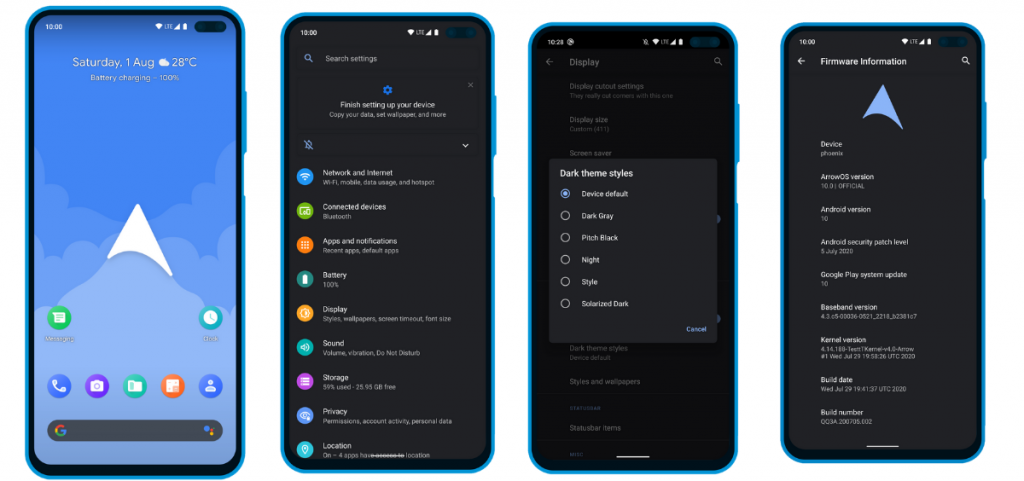
    In contrast to all the Custom ROMs mentioned in the list, Arrow OS provides less customization. As a result, this AOSP-based ROM is heavily oriented towards stability and battery life while offering a buttery smooth experience as a whole. Still, less doesn’t necessarily mean it’s bad. This ROM targets users that prefer better battery life and stability than overwhelming customization options.

    ArrowOS screenshots

    Apart from that, this ROM also gets timely security updates and OS updates. The device support is also pretty broad.Download ArrowOS Custom ROM

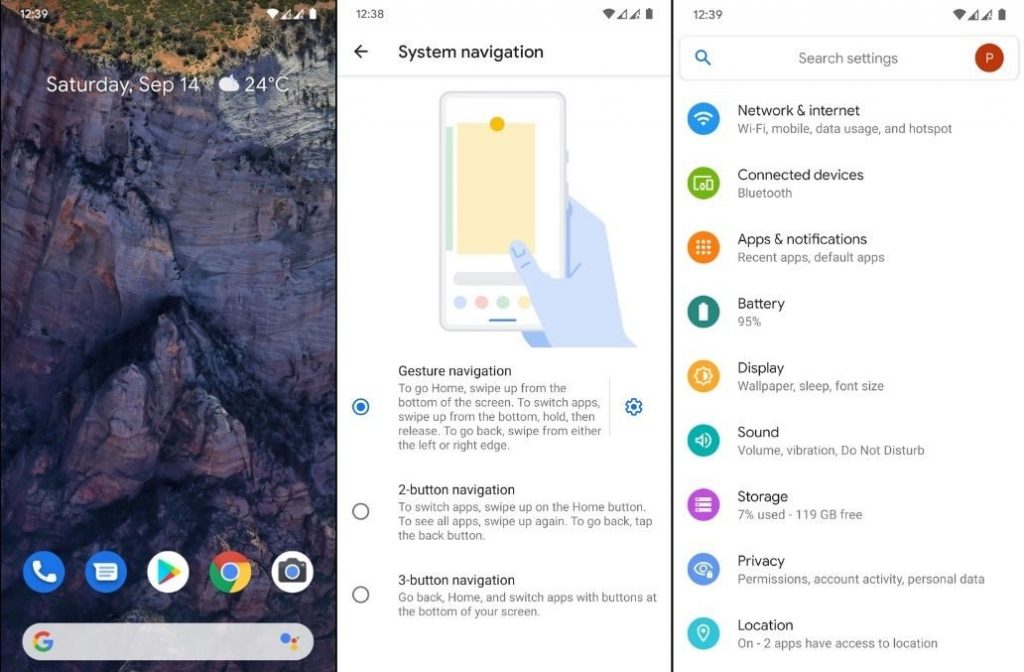
    8. Pixel Experience

    Say hello to one of the most simple and cleanest ROMs in the community, the Pixel Experience ROM. Derived from Google’s stock ROM on its Pixel devices, it delivers Pixel features right out of the box. Unlike the other ROMs in the list and precisely as the name suggests, the main purpose of the inception of this fantastic ROM is to provide a stable and secure Pixel-like experience rather than focusing on the area of customizability.

    pixel experience screenshots

    Although the Pixel Experience ROM holds some of the basic tweaks you would expect, tailoring every aspect of your device is not its goal. Another unique feature of the ROM is that it is CAF-based. For starters, a CAF-based ROM is an AOSP-based ROM that the chipset manufacturer Qualcomm uses to test their particular chipsets. CAF ROMs are tailored to offer incredible stability.Download POSP Custom ROM

    9. POSP (Potato Open Sauce Project)

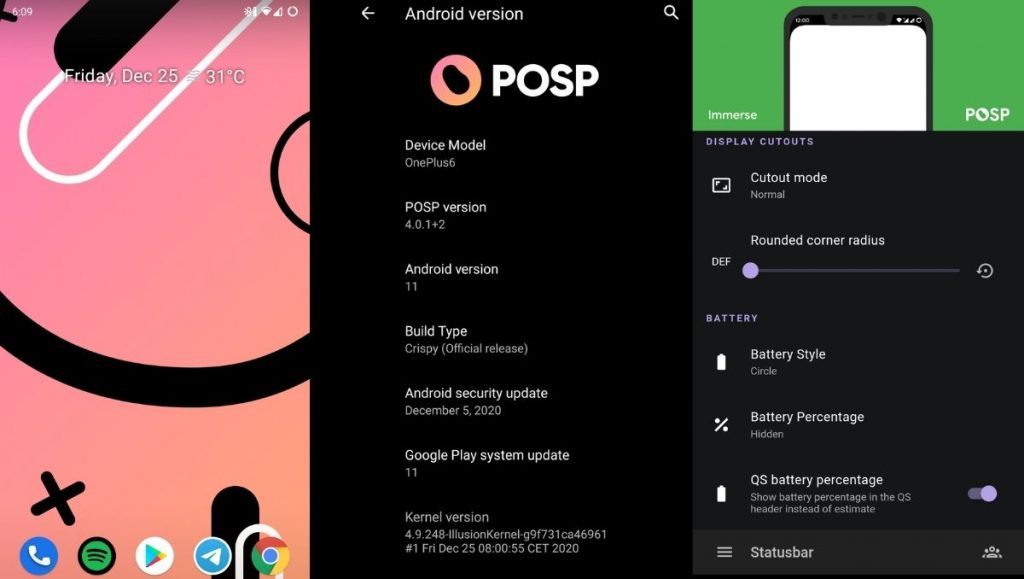
    Yup. You read that right. Certainly, Custom ROM developers can’t go wrong with crunchy names, right? Well, that holds true, at least in the case of POSP as many of the users might agree. Serving up a delicious-looking website with a cheerful undertone, this brilliant Custom Rom serves its purpose quite well.

    posp screenshots - best android custom ROMs for 2021

    This Popular Custom ROM provides ample choices for tweaking your device in the manner of your choice. Furthermore, the POSP Custom ROM now supports a wide variety of devices. Recently, the developers launched v4 adding several new features to the custom ROM. Finally, like it or hate it, these potatoes rock!Download POSP Custom ROM

    10. EvolutionX

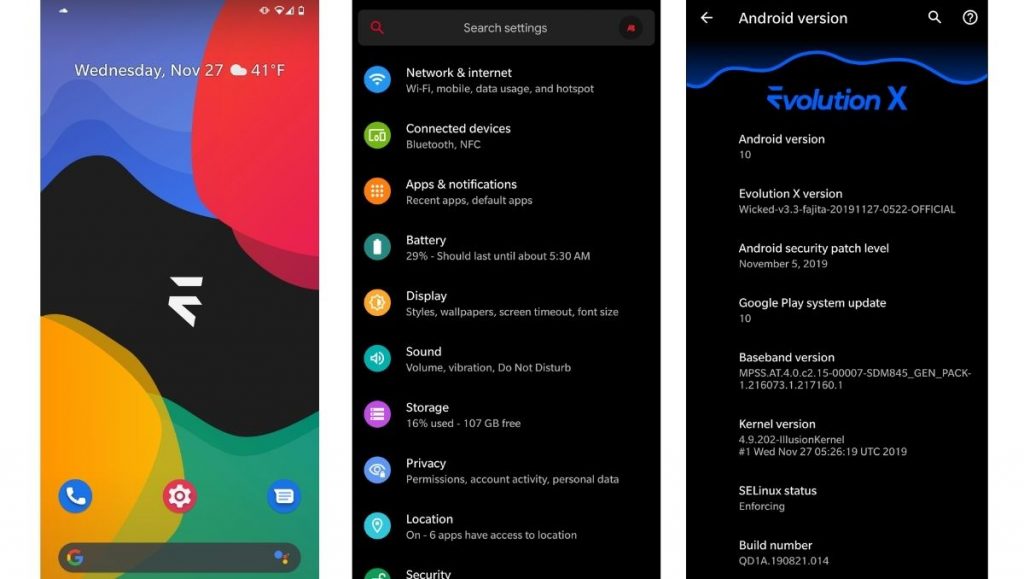
    EvolutionX is yet another custom ROM based on vanilla AOSP, similar to Pixel Experience. It is one of the most customizable custom ROMs in the Android community.

    evolutionx screenshots - best android custom ROMs for 2021

    Developers rolled out EvolutionX ROM based on Android 11 as soon as the official Android 11 came out. The custom ROM is especially popular due to its performance and stability and is preferred by users who don’t often hop custom ROMs. Be it CPU-intensive tasks or GPU-intensive, EvolutionX nails it in every aspect.

    Sure the customizations are less than other custom ROMs like HavocOS but, it strikes a perfect balance between performance and simplicity via stock Android experience.

    Download EvolutionX Custom ROMDownload EvolutionX Custom ROM

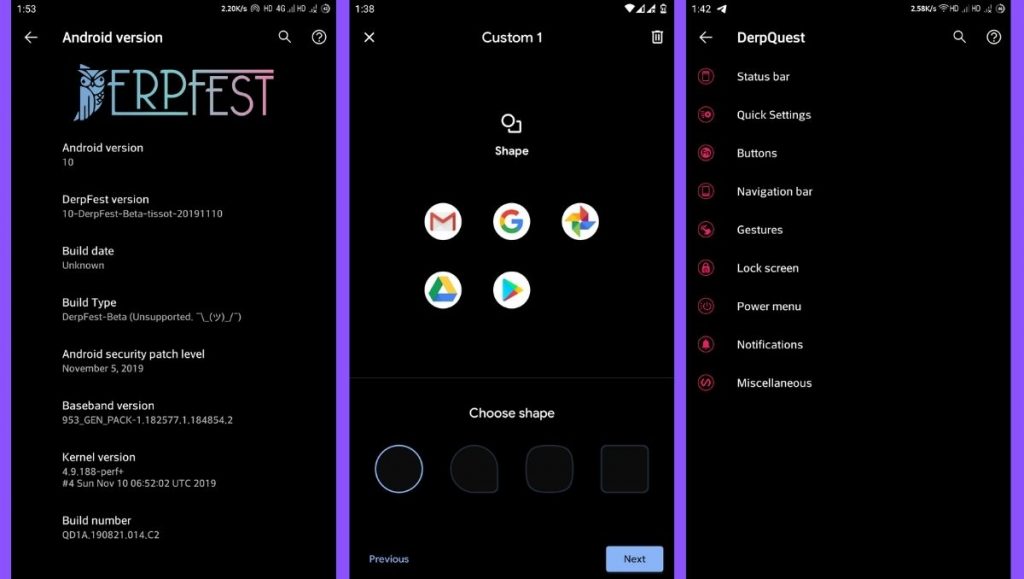
    11. AOSIP/Derpfest

    AOSIP (Android Open-Source Illusion Project) is hands down one of my favorite custom ROMs when it comes to delivering a Pixel-like experience and a lot of miscellaneous features. Based on AOSP with Pixel Experience as a base, it delivers a lot of features and, at the same time, keeps the experience simple.

    aosip screenshots - best custom roms for 2021

    Derpfest is an unofficial, community ROM based on AOSIP. Apart from a few added features here and there, there’s not much of a difference between the two. Everything from the monthly security patches to receiving new version updates is also quick on AOSIP.Download AOSIPDownload Derpfest Custom ROMs

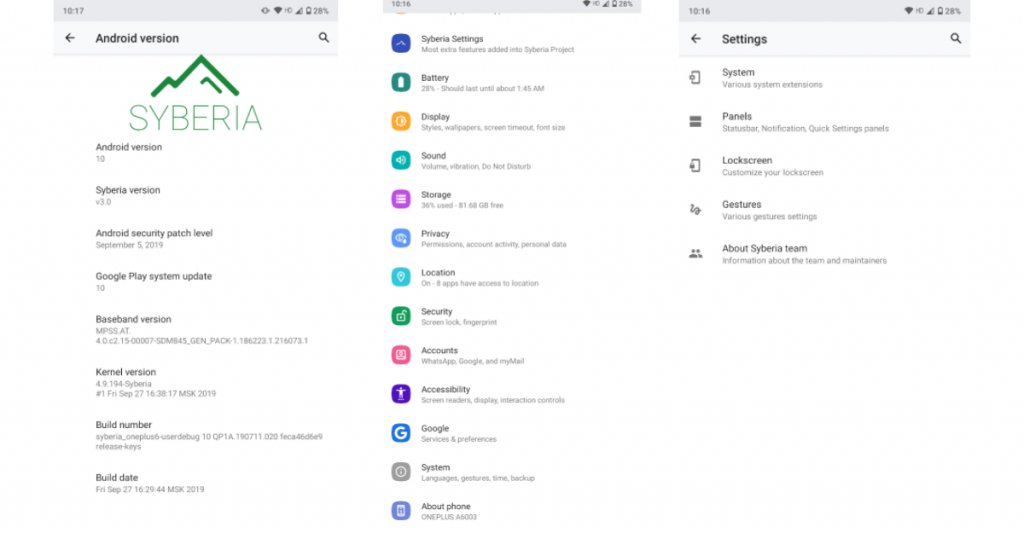
    12. Syberia Project

    Syberia ROM is yet another AOSP and CAF-based custom ROM known for its stability, customization features, and timely updates. A week that I spent with this ROM (Android 10.0) on my OnePlus 6, felt pretty great for daily usage.

    syberia os

    Apart from the Pixel experience and customization, what blew me away was how stable the ROM was. The Syberia OS community loves Xiaomi devices so, there’s a high chance that your Xiaomi device is/will be supported.Download Syberia Custom ROM

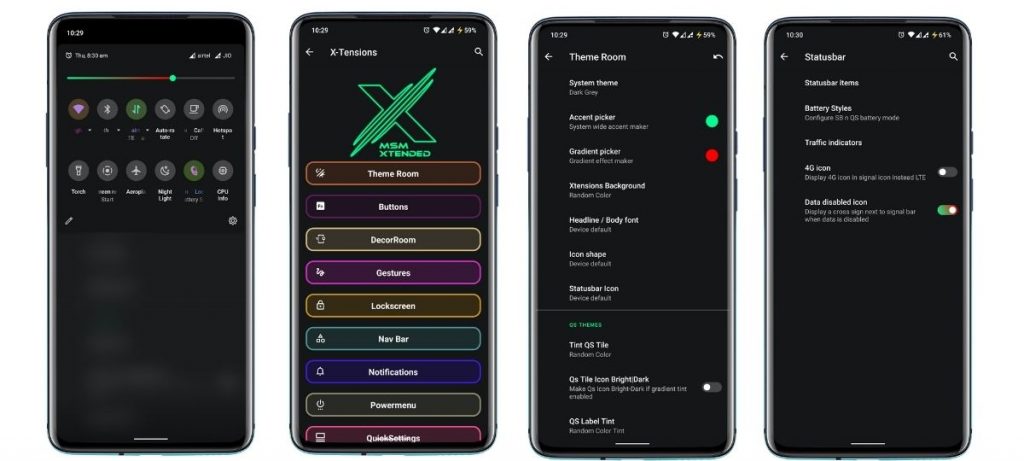
    13. MSM-Xtended

    Are you searching for a custom ROM that helps tweak every last bit of your Android experience? Meet MSM-Xtended – A highly customizable, yet another AOSP-based custom ROM whose tweaking abilities are off the charts.

    MSM-Xtended - best android custom roms for 2021

    I tried it on my older Xiaomi Mi A1 and honestly, I think the customizations are a serious overkill here. Nonetheless, I know there are a lot of people who want just that. Apart from that, it was pretty stable and always stayed up-to-date. Hence, it is one of the best android custom ROMs for 2021 for customizations.Download MSM-Xtended Custom ROM

    Wich one is the best?

    Before you start yelling at me for not having your favorite custom ROM on this list, please understand that this is a very subjective list. These custom ROMs are just the tip of the proverbial proverbial iceberg.

    Finally, it is strongly advised to peruse the XDA Forums to keep track of what works and user input. Certainly, the developers and maintainers of ROMs for your particular devices play a significant role. Get some fun blinking.

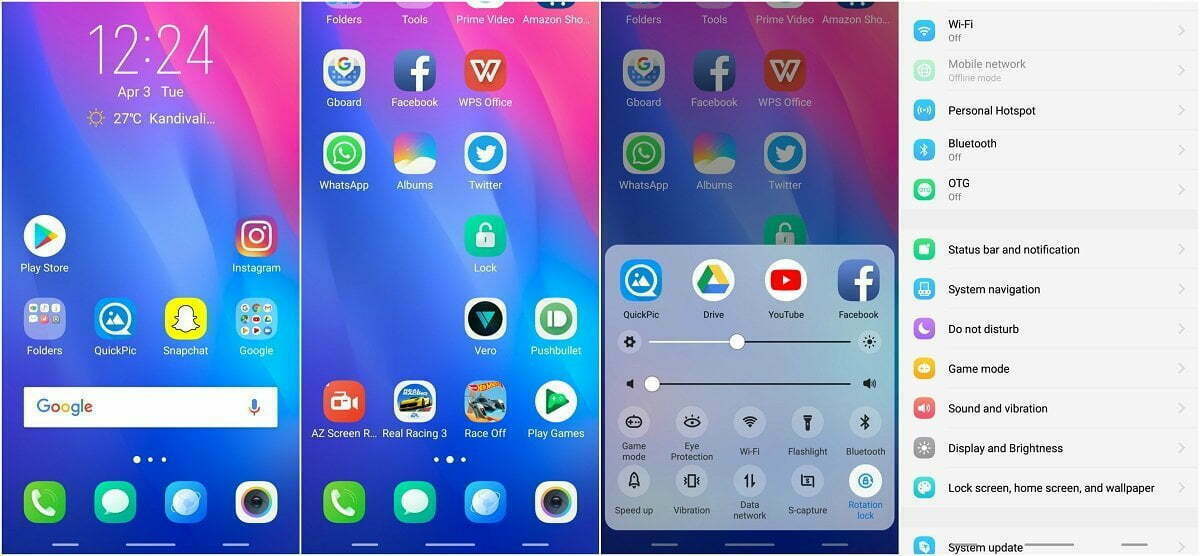
  • Funtouch OS based on Android 11 – when Vivo will roll out?

    Funtouch OS based on Android 11 – when Vivo will roll out?

    funtouch os android 11

    While Google’s latest Pixel devices are typically the first to be launched with Android’s latest flavor, Chinese OEM Vivo hit Google with its Vivo V20 last year. The device was the first new smartphone to launch Android 11 out of the box, hitting the new Pixel 5 and Pixel 4a 5G by just a few hours. Since then, Vivo has launched a few other devices running the latest Funtouch OS-based Android 11 flavor, but the company has yet to release updates to older devices.

    Although Vivo has previously released a Funtouch OS 11 beta for the Nex 3S 5G and the iQOO 3 4G/5G, the company hasn’t shared an update timeline for other devices in its portfolio. That changes today, as Vivo has now shared a Funtouch OS beta roll-out plan on Twitter. According to the tweet, Vivo has already started rolling out the Funtouch OS 11 beta to the X50 Pro last month. The Vivo V19 and X50 should start receiving their first beta releases by the end of this month.

    Older devices, like the Vivo V17, V17 Pro, V15 Pro, and S1, will start receiving the first Funtouch OS 11 beta by the end of March 2021. The Vivo S1 Pro, Z1x, and Z1 Pro will follow soon thereafter by the end of April 2021. And finally, the Vivo V15 will receive its first Android 11 beta by the end of June 2021. The beta releases for all the aforementioned devices will roll out in a staggered fashion, with users receiving the update in small batches. Once Vivo ensures that the beta release doesn’t have any critical bugs, the devices should receive the stable version of Funtouch OS 11 based on Android 11. As of now, the company hasn’t shared a release timeline for the stable update.

    It’s worth noting that Vivo has already launched a new Android skin called OriginOS, which is expected to replace Funtouch OS in the future. But, for the time being, the company hasn’t clarified exactly when the new Android skin will land on its devices. Currently, Vivo X60 and X60 Pro are the only devices in its portfolio to run OriginOS 1.0 based on Android 11.

  • Custom ROMs For Realme 1

    Custom ROMs For Realme 1

    Realme1 is a legendary device which disrupted the market with its performance to price ratio back in 2018. Today also this old gun can compete any budget device in terms of performance. Since the official support has ended months ago I wanted you guys to be aware of the Custom ROM developments going on. So below is a list some the custom ROMs designed for Realme 1. A huge thanks to all hardworking developers behind these ROMs .

    Installation process

    Please familiarize yourself with flashing and custom rom use before attempting to flash the rom. Please make sure you download the correct version of ROMs for your specific device. Make sure you have TWRP installed.

    ➼Download the latest Rom & the latest GApps package

    ➼Boot into recovery

    ➼Backup your current ROM (optional)

    ➼Perform a FULL factory wipe and wipe /system and dalvik cache as a precaution

    ➼Flash Custom ROM

    ➼Reboot recovery

    ➼Flash OpenGapps–NANO PACKAGE!!

    ➼*Flash magisk* optional (v21 recommended)

    ➼First boot may take up to 10 minutes. This is due to Gapps and root optimization.

    BlissRoms based on Android 10

    Bliss ROMs comes with a wide selection of customization options from around the Android community as well as unique options developed by our team. With so many options available, you’ll find it hard not to enjoy the Blissful experience.

    bliss rom
    bliss rom screen shots

    ????BUGS????

    ➼SELinux is permissive

    ➼VoLTE

    ➼Video codec issues in all Chromium-based browsers.

    XDA | Download

    Project Sakura 2.Q

    Project Sakura is a custom ROM built around Lineage OS 17.1, It tries to remain true to it while also providing some more functionality and UI changes.

    Project Sakura
    Project Sakura screenshots

    ????BUGS????

    ➼SELinux is permissive

    ➼VoLTE

    ➼Video codec issues in all Chromium-based browsers.

    XDA | Download [631 MB]

    Credits: CyberJalagam

    LineageOS

    LineageOS is a free and open-source operating system for set-top boxes, smartphones and tablet computers, based on the Android mobile platform. It is the successor to the custom ROM CyanogenMod.

    lineage os
    lineage os screenshots

    ????BUGS????

    ➼ Selinux is permissive.

    ➼ Video codec issues in all Chromium based browser.

    ➼ VoLTE

    XDA | Download

    Credits: Mmoreyrav + Team

    ShapeShiftOS

    ShapeShiftOS is a custom-rom based on ExtendedUI that aims to provide a different user interface and experience than any other ROM on the market.

    shapeshift os
    shapeshift os screenshots

    ????BUGS????

    ➼ Selinux Permissive

    ➼ VoLTE

    ➼ No Offline Charging Animation

    XDA | Download [978 MB]

    Credit: CyberJalagam

    AospExtended v7.3

    AOSP Extended is an AOSP based ROM which provides stock UI/UX experience with useful customizations. Being based on AOSP it provides a smooth experience. We have added useful customizations from various other open-source projects and have tried to keep our things simple. A ROM by a user, for a user. #BeExtended

    aosp extened
    aosp extened screenshots

    ????BUGS????

    ➼ Selinux is permissive.

    ➼ VoLTE.

    ➼ Video codec issues in all Chromium based browser.

    XDA | Download [816 MB]

    Credit:-ishubhamsingh(Owner/Dev/Designer)

  • Download and install Kali NetHunter on any Android device

    Download and install Kali NetHunter on any Android device

    Kali NetHunter Rom

    The Kali NetHunter is an Android ROM overlay that provides a robust Mobile Penetration Testing Framework. A custom kernel, a Kali Linux chroot, and an associated Android application are included in the overlay, making it easier to communicate with different security tools and attacks.

    • 802.11 Wireless Injection and AP mode support with multiple supported USB wifi cards.
    • Capable of running USB HID Keyboard attacks, much like the Teensy device is able to do.
    • Supports BadUSB MITM attacks. Plug in your Nethunter to a victim PC, and have your traffic relayed though it.
    • Contains a full Kali Linux toolset, with many tools available via a simple menu system.
    • USB Y-cable support in the Nethunter kernel – use your OTG cable while still charging your Nexus device!
    • Software Defined Radio support. Use Kali Nethunter with your HackRF to explore the wireless radio space.

    The power of NetHunter does not stop there, however. We’ve introduced some awesome features that are both powerful and special into the NetHunter OS. From pre-programmed HID Keyboard (Teensy) attacks to BadUSB Man In The Center attacks, to one-click configurations of MANA Evil Access Point, access to the Aggressive Protection Exploit Database … And yes, with a range of supported USB NICs, NetHunter natively supports wireless 802.11 frame injection.

    Kali NetHunter is a popular Android ROM penetration testing platform that is open source. The developers behind the ROM made it, along with older OnePlus phones and some older Samsung Galaxy phones, to work on Google’s older Nexus smartphones.

    Kali NetHunter

    Prepare your phone

    It must be rooted in a software like SuperSu before you download and install Kali NetHunter on your Android computer. You will need to have the BusyBox app from the Google Play Store enabled. You should also have plenty of usable free storage on your Android computer. Lastly, custom ROMs such as CM12. It is also a good thing to have CM12.1 and CM13 ready to go, but they are not completely important.

    Install Kali NetHunter

    Once your phone is prepared, go to the Offensive Security website and download the Kali NetHunter ROM version that corresponds to your Android version on your device.

    • DOWNLOAD KALI NETHUNTER
    • Once that’s done, you should extract the Zip file. Then go to /data/app and install the apps present in that folder one by one.
    • Then open up your preferred root explorer app, and go to /data/data/com.offsec.nethunter/files/scripts.
    • Copy all the files and paste into /system/bin (Note: If you don’t see the folder or content in files/scripts, open NetHunter app and then close it and check again)
    • Open the Nethunter App and Go to the Kali Chroot Manager and install the “Minimal Chroot”. You can also select “Full Chroot” but this is not recommended.
    • Open Terminal Emulator or nh-terminal and choose “KALI”. This will open up Kali shell. You may be prompted to allow root permission.
    • Run the following commands in the terminal one by one: apt-get update, apt-get upgrade, apt-get dist-upgrade, apt-get install kali-linux-nethunter

    How To Install

    -Download the ROM and GApps of your choice

    -Make a full wipe (system, data, cache, dalvik)

    -Flash Firmware -Flash Rom

    -Flash GAPPS package

    -And at last Reboot! Clean Flash is always recommended!

    NetHunter downloads

    List Of Kali Nethunter Zips By Device And Kernel

    MT6572 Downloads

    MT6797 Downloads

    MT6735 Downloads

    MT6577 Downloads

    MT6580 Downloads

    MT6582 Downloads

    MT6589 Downloads

    MT6592 Downloads

    MT6752 Downloads

    MT6753 Downloads

    MT6755 Downloads

    MT6795 Downloads

    MT6782 Downloads

    MT6737 Downloads

    Nougat (Safe One)

    Redmi note 4:-Download

    Gapps:-Download

    Oneplus & Nexus Phones:-Download

  • Corvus OS v9.0 – Android 10 custom rom

    Corvus OS v9.0 – Android 10 custom rom

    corvus OS

    Corvus OS is another Android custom ROM with many customization.

    First, it’s inspired by Dirty Unicorns, but developers picked many other features too. Their objectives are a stable and feature ROM that can be enjoyed by many devices.

    Developers won’t say that Corvus is better ROM than others, but we always try to give you the best.

    CorvusOS v9 changelog (2020.09.12)

    • Merged September Security Patch
    • Bumped to the EndGame 9.0
    • Added More QS Tile Styles (OOS, Divided & Cosmos)
    • Added toggle for carrier group visibility
    • Updated QS tile icons (Airplane Mode, Dark Mode, Data Saver, Flashlight & Mobile Data)
    • Added some new Headers (One-piece Anime pack, Hunter x Hunter, Shingeki no Kyojin, Kimetsu no Yaiba, My Hero Academia)
    • Added Mi 10 Ultra FOD animations
    • Beautify airplane & mobile data icons
    • Imported back arrow from OOS
    • Added Option to use linear scale in BrightnessController
    • Redesign some drawables in Settings
    • Fixed crash when uninstalling apps with fragile data
    • Fingerprint: fix client was canceled by service by mistake
    • TaskHelper: allowed to get foreground app label
    • Fixed QS tile layout w.r.t detail view expand button
    • Made QS security footer color consistent with the panel
    • Added policy-based firewall in the security tab
    • Fixed CDM.requestNotificationAccess() in profile
    • Fixed NPE on global actions dialog
    • Fixed status bar battery level padding
    • Updated Translations RU & PT-BR to Raven’s Lair
    • Removed NEON matrix procs
    • Improved backwards memmove performance
    • Benchmark unaligned memmove
    • Reverted bool to ignore icon space reserved in Settings
    • Many more underhood changes and fixes check on gerrit

    Corvus 9 features

    corvus os customizations

    Accents

    Backgrounds

    Fonts Statusbar

    Icons Quick

    Settings syles

    Theme Schedule

    Notification features

    corvus os notifications center
    • Heads up options
    • Charging animation
    • Edge Lighting
    • Blink Flashlight on Call

    Lockscreen features

    corvus os lockscreen
    • Show status bar on lockscreen
    • Disable QS when locked
    • Lockscreen charging info
    • Lockscreen album art filter
    • Media artwork blur level
    • Shortcuts
    • Charging animation
    • Lockscreen style
    • Fod Icon picker
    • Hide lock icon
    • DT2sleep
    • Lockscreen visualizer

    Statusbar features

    corvus os statusbar
    • Battery Customization
    • Charging LED
    • Battery Estimates Toggle
    • Battery Icon Style
    • Battery Percentage
    • Aggressive Battery
    • Battery Bar Customization
    • Custom Statusbar icons

    Display features

    corvus os display settings
    • Ambient Display
    • Always on
    • Custom Options
    • Batter level on bottom
    • Always on when charging
    • New notifications toggle
    • Lift to check phone
    • Hand wave pulse
    • Pocket notifications on removal
    • Brightness options on Ambient
    • Ambient music ticker
    • Ambient wake gestures
    • Night Light
    • Adaptive Brightness
    • Styles and wallpapers
    • Screen Attention
    • Display Colors
    • Screen Savers
    • Screen rotations
    • Wake on plug
    • Game driver preferences
    • DT2wake

    How to install Corvus OS on your device

    1. Wipe data, Cache & Dalvik , And system
    2. Flash rom
    3. Reboot
    4. Reboot to recovery
    4. Flash Gapps (for Google services)
    5. Flash Magisk (for root)
    6. Reboot to system.
    5. Reboot & enjoy!

    Officially supported devices

    ENCHILADA
    RAPHAEL
    BERYLLIUM
    DAVINCI
    RMX1801
    PHOENIX
    RMX199X
    MIDO
    KENZO
    BEGONIA
    SANDERS
    TISSOT
    CURTANA
    VINCE
    VIOLET
    WAYNE
    WHYRED
    X00TD
    JD2019
    GINKGO
    JASMINE_SPROUT

    Check this article to see why Corvus OS is the best gaming rom.

  • 7 best custom ROMs for Android

    7 best custom ROMs for Android

    Android 10 Custom Rom

    Everyone is aware of the fact that because of its customization feature, Android is one of the users’ most favored operating system, setting it apart from iOS and other operating systems. Android OS allows users to make a personalized version of Android depending on their taste and interests and that’s where personalized ROMs come in.

    custom rom

    A custom Rom is essentially a firmware based on the source code provided by the Google app. These custom roms give you the opportunity to explore exciting features and learn about the latest design you can use to customize your Android app to your needs. One positive thing about Android custom ROMs is that they are free of bloatware, while offering strong customizations at the same time.

    So, if you’re a guy who loves to customize and want to personalize your computer. So get ready to learn about some of the best Custom ROMs you can try right now and these ROMs can help you get the most out of your Android device.

    Pre-requisites:

    • Unlock Boot loader
    • TWRP Recovery

    Before installing a custom rom in your device make sure that you have an unlocked bootloader and a custom recovery like TWRP or CWM installed.

    DerpFest OS – custom ROM

    derpfest

    After initially booting the Rom. Unlike other Custom Roms that use Pixel ‘s stock Launcher, DerpFest uses a third-party launcher named Lawnchair, when you unlock the screen it will take you to the new launcher.

    This launcher is highly customizable and you can adjust any part of your user interface and home screen believe me. By using Icon Packs, Colors, Grid Styles & More, you can change the Gui feel.

    Now let’s think about the user interface improvements in the Center. This ROM creates a blur effect on the different UI components. If you look at the notification bar, you can see a beautiful blur effect on the background whenever you visit the Notification Center that differentiates how it looks from the stock edition.

    Pixel experience – custom ROM

    pixel experience

    If you’re a guy who loves Google phones and can’t afford to buy expensive smartphones then you can install Pixel Experience ROM in your device to get a pixel screen look to yourself. This custom ROM will turn your smartphone from icon to widget into a Google app with all of the scintillating functionality.

    When you get a pure look of Google computer through this ROM you don’t want more than that. It’s quite identical with the original Google Rom so it’s able to give you a large number of customizations with all the ingredients you need to customize your computer.

    Lineage OScustom ROM

    lineage os

    Many users face stability issues in custom ROMs but this problem is solved by lineage rom which is a successor of cyanogen mod rom. Lineage OS has become the most common rom among users after cyanogen discontinued.

    Lineage has been able to induce a large number of users to download their ROM which in a sense cemented the position of this rom in the market.

    This ROM was also the key source of development for all the other Roms, since most of the Roms out there follow the lineage rom ‘s footsteps. Lineage rom offers some better personalization than others. You may wonder why lineage rom has not been able to make it to top of the list of most custom roms after such a strong reputation in custom roms.

    In fact, lineage rom is not entirely based on customization, rather it gives due importance to all the factors required for a good custom rom such as reliability , performance, battery life, etc. and to cover this broad spectrum of user needs, these roms are doing their utmost and have managed to make their mark among the custom ROMs.

    Resurrection Remix

    Resurrection Remix

    In this list, Resurrection Remix grabbed third place. This rom is also an old market player, and started its development in the early days of Android 4.0. The key highlight about RR is its feature packed menu of settings loaded with attractive customization options which captured the users’ eye ball.

    Resurrection Remix ROM has managed to remain a step ahead of them in a cut throat market as all the Roms have been innovating by upgrading the rom with exciting features. In addition to architecture, looks and configuration, the RR ROM development team is continuing to incorporate fresh improvements in rom to make it an exciting experience for users.

    One limiting feature about RR is that it has jam packed stuff which can disturb the harmony of your device and you may face some stability problems.

    AospExtended

    aosp extended

    As mentioned earlier in the preconditions pages, after installing some of the roms, you’ll need to flash your computer, which may be a concern for some of you, but don’t worry we’ve got a solution to all of your problems. If you want to save your computer from any unnecessary problem when flashing your app, AOSP is one of the best custom Roms.

    I ‘m saying this because I’ve been flashing the custom roms of AospExtended for some time now, but I haven’t faced any kind of problem so far. From the rom ‘s name you can assume that it has lots of AOSP extensions.

    Statistics are an exciting aspect for this ROM, and since its release it has over 1.3 million downloads, and as the number suggests, this has been the users’ favorite choice.

    This rom is a combination of all the necessities of a custom rom, from navbar modifications to gestures, presentation designs combined with smooth buttery UI and exotic themes. Stability of this could bother you but overall it’s one of the best custom roms you’ve got to try.

    OmniROM

    omni

    Function plus reliability, you may be waiting for these items to be merged on the list so we’re with OmniROM here. It is one of the best custom roms that has managed to retain stability across all its updates.

    There are two thrilling omni highlights which are open delta and free turn. This rom was used as a model for several of the custom rom designs, too. Elegant wallpapers, simple user interface and flexible features makes this a go for the users.

    Paranoid Android

    paranoid android

    Paranoid android is one of the series that you might have seen all about once in your life. This rom is famous for its feature built in house, but after release of KitKat-based AOSPA.

    This has slowed down compared. This has continued to be the best Custom ROMs in the game for quite a long time now, given the slow down.

  • SkyDragon OS – OnePlus 6T custom ROM

    SkyDragon OS – OnePlus 6T custom ROM

    This ROM is based on AOSP source that optimized specifically for the Snapdragon 845.
    Is paired it with an already optimized kernel.

    About SkyDragon OS

    Based on AOSP
    Android Version: 9.0 PQ3B.190605.006
    Actually Optimized specifically for SDM845(SD845)
    LightningZap! Kernel Built-in Refer here
    SkyDragon Boot animation

    SkyDragon OS Features:

    Custom Theme Support
    - Accents (Amber, Black, Cerulean, Crimson, Deep Purple, Emerald, Fuchsia, Green, Grey, Hot Pink, Light Blue, Lime, Maroon, Mexican Sunset, Pink, Pixel, Pumpkin, Teal, White, Yello)
    - Primary/Base (Almost Black, Dark Blue, Pitch Black, White)
    - Notification (Dark, Light, Match Primary)
    
    Volume Rocker Customization
    - Rocker Playback Control
    - Rocker Wake Control
    - Rocker Cursor Key Control
    - Rocker Answer Key
    
    Gestures
    - Jump to camera on unlock (Double tap power button)
    - Prevent ringing
    - OP6 Navigation Gestures
    - Screen-off power button Torch(long press power button)
    
    Lock Screen Customization
    - Change lockscreen bottom shortcuts
    - Double tap to sleep anywhere on lockscreen
    - Lockscreen charging info toggle
    - Fingerprint authentication vibration toggle
    - Fingerpint unlock on first boot toggle
    - Lockscreen media cover art
    
    Navigation Bar
    - Navbar button layout customization (Normal, Compact, Left-leaning, Right-leaning)
    - Extra left/right button customization
    - Invert navbar layout
    - Navbar burn-in protection toggle with shift configurable
    
    Notifications
    - Heads-up toggle
    -- Heads-up time-out selectable (2/4/5/6/8/10 seconds)
    -- Heads-up snooze timer selectable (Disabled/1/5/10/15/20 minutes)
    -- Heads-up stoplist (block while in chosen apps)
    -- Heads-up blacklist (black from apps)
    - Notification light per-app configurable
    - Battery charging light toggle
    -- Battery light in DND mode toggle
    -- Battery light blink when low toggle
    -- Battery light colors
    - Disable notifications while screen on toggle
    - In-call vibrate on connect toggle
    - In-call vibrate on call waiting toggle
    - In-call vibrate on disconnect toggle
    
    Power menu customization
    - Disable on lockscreen toggle
    - Menu options (Power/Restart/Advanced restart(Shortpress recovery/longpress bootloader)/Screenshot/Flashlight/Airplane/Settings/Lock Down/Users/Logout)
    
    Quick Settings Customization
    - Brightness slider toggle
    - Brightness slider on bottom toggle
    - QS Footer toggle
    - Vibrate on qs tile touch
    - Running Services Toggle
    - Bluetooth battery status toggle
    
    Recents Apps Customization
    - Recents Apps Style (AOSP/PIE)
    - Clear-all button toggle
    - Clear-all location 
    - Memory Bar toggle
    
    Status Bar Customization
    - Status bar items configurable
    - Double tap to sleep toggle
    - Battery Icon choices (Portrait/Circle/Dotted Circle/Text/Hidden)
    -- Battery percentage in icon
    - Battery bar customization
    -- Location (Status bar/top of navbar/bottom of navbar)
    -- Battery bar style (Regular/Center-Mirrored/Reversed)
    -- Battery bar thickness (1/2/3/4 dp)
    -- Charging animation
    -- Colors (Charging/low-high battery)
    - Bluetooth battery status toggle
    - Clock and Date toggle
    -- Clock style (Left/Center/Right)
    -- AM/PM style (Hidden/Small/Normal)
    -- Show Seconds toggle
    -- Date (Hidden/Small font/Normal font)
    -- Date style (Normal/Lowercase/Uppercase)
    -- Date format
    - ADB Notification toggle
    - Network Traffic toggle
    -- Network traffic activity threshold configurable
    - Disable VoLTE Icon
    - Use oreo style mobile icons
    - Use 4G instead of LTE toggle
    
    Weather
    - System service toggle
    -- Update interval
    -- Provider (OpenWeather Map)
    -- Unit (F/C)
    -- Custom Location
    - Icon pack
    - Statusbar Weather toggle (Hidden/Temp with image and scale/Temp with image/Temp with scale/Temp/Image)
    - Lockscreen Weather toggle
    - Show City Name on lockscreen
    - Show Temperatue on lockscreen
    
    Miscellaneous
    - App Ops
    - Sensor block per-package toggle
    - System Wakelock blocker
    - System alarm blocker
    - Wake up on charger connected toggle
    - Scrolling cache selection (Force enable/Default enable/Default disable/Force disable)
    - Doze Settings configurable
    -- Preset profiles (Aggressive/SkyDragon)
    - Aggressive Battery Toggle
    
    Device Features
    - OP Off-screen gestures 
    -- Proximity check toggle
    -- Tap to wake toggle
    - Swap HW Keys toggle (Back/Recents)
    - Vibration strength configurable
    - HW Slider position customization
    - Panel Modes (sRGB/Soft Color/Wide Color/HighBrightness Mode)
    - Ambient Display configuration
    -- Pickup toggle
    -- Hand-wave toggle
    -- Pocket toggle
    
    Wifi and Network
    - Sim cards toggle
    - Auto hide unprovisioned sim slots
    
    Apps & Notifications
    - Show package version
    
    Battery
    - Auto reset battery stats at %99
    - Reset battery stats toggle
    
    Display
    - Extra font sizes
    - Extra display sizes
    - Dashboard conditions toggle
    - Dashboard summaries toggle
    
    Security & Location
    - Scramble Pin layout
    - Quick unlock on correct pin/pass toggle
    
    About Phone
    - Viewable Changelog
    - Phone Info button (*#*#4636#*#*)

    How to install:

    • Download ROM
    • Flash OOS 9.0.XX Stock (Not BETA)
    • Flash twrp-fajita-3.2.3-XX-installer
    • Reboot To Recovery
    • Flash ROM + TWRP
    • Reboot To Recovery
    • Wipe (Swipe To Perform Factory Reset)
    • Note: If your first boot results in a bootloop, you WILL need to FORMAT data.
    • This will wipe ALL you data including your sdcard. MAKE A BACKUP!
    • Flash OpenGapps ARM64 9.0 Pico/Nano
    • Flash Magisk
    • Boot To OS

    How to update:

    • Wipe Cache/Dalvik
    • Flash ROM + TWRP
    • Reboot To Recovery
    • Flash Gapps
    • Flash Magisk
    • Boot To OS
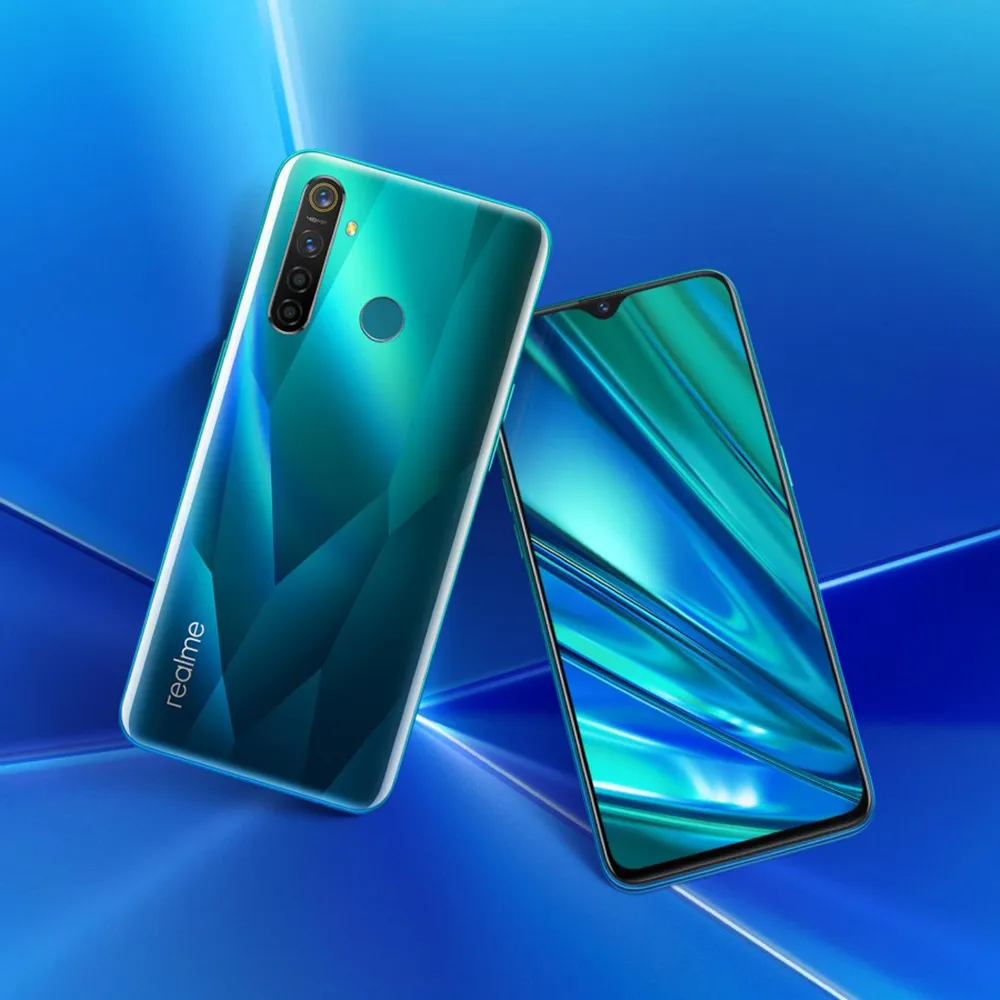
  • Realme 5 PRO received Pixel Experience custom ROM

    Realme 5 PRO received Pixel Experience custom ROM

    Warning Disclaimer: Droid Tools is not responsible for any damage or loss caused to your device.

    Droid Tools

    Realme launched Realme 5 Pro to India with Android 9 Pie in tow. The handset later became known in China as Realme Q. Remember that the handset received Android 10-based Reame UI 1.0 during this week. While the brand new app of Realme comes with a host of new features like dual earphone link, animated wallpapers, customizable icon design, new charging animation, Realme Share and more. The firm is promising a close-to-vanilla Android approach with Realme UI, but we all know this isn’t exactly the case.

    Although Realme UI is designed to provide an Android experience close to stock, it still feels like ColorOS. There’s good news for you in case you want to enjoy a real pixel like Android experience on your 5 Pro. The Realme 5 Pro finally gets official support for Pixel Experience (based on Android 10). If you are not aware, Pixel Experience is a custom ROM that brings to the supported smartphones all the Pixel features, sounds, boot animations. If you like Realme 5 Pro hardware but aren’t a software fan, now is the time to enjoy a true Android vanilla experience.

    To flash a custom ROM, users will need to unlock the bootloader of their devices. Then, the next step is to flash a custom recovery. Worth noting that flashing a custom ROM does not affect the warranty of the Realme devices. After all, the company is very friendly to Custom ROM developers

    Whats working:

    • Wifi
    • RIL
    • Mobile data
    • GPS
    • Camera
    • Flashlight
    • Camcorder
    • Bluetooth
    • FMRadio

    No reported bugs until.

    Flash Pixel Experience on Realme 5 PRO

    1. Unlock bootloader.
    2. Flash recovery over fastboot mode. Follow this guide here
    3. Download rom and copy it into sdcard (not internal memory).
    4. Put your device into recovery mode.
    5. Flash rom from sdcard
    6. Format data (factory reset).
    7. Come back fastboot mode and flash vbmeta.img
    8. Reboot system.