Tag: new

  • 5 One UI 7 features that you should now + sweet deals

    5 One UI 7 features that you should now + sweet deals

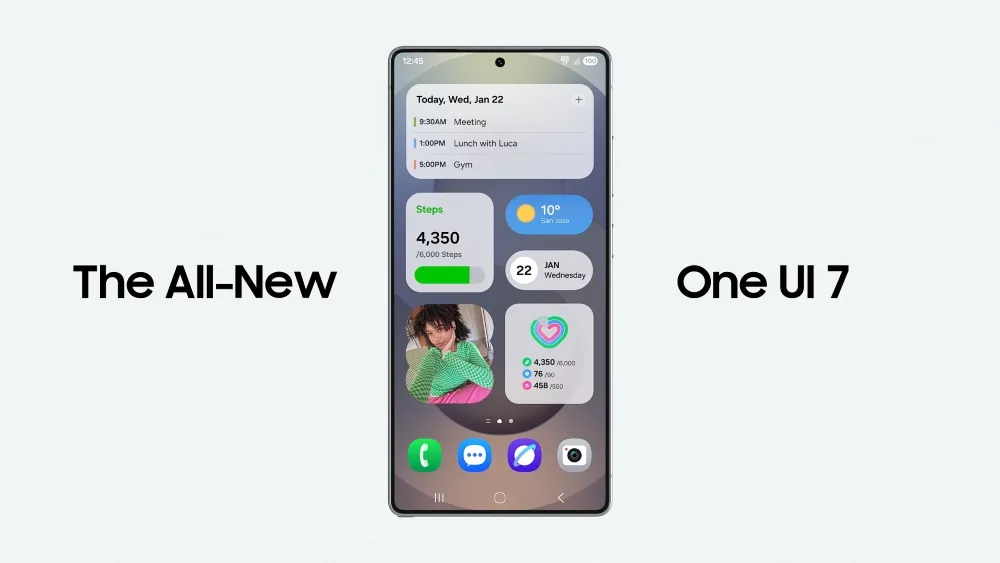
    There is no sugarcoating it. Samsung botched the deployment of One UI 7 on the top Galaxy phones. Still, it is one of the most significant redesigns in One UI history, adding an unmatched level of polish to the company’s appearance. You have surely heard about the Now Bar and the huge Galaxy AI improvements in One UI 7, but here are several tiny, underappreciated updates you might have overlooked.

    Double-tap playback controls in AOD

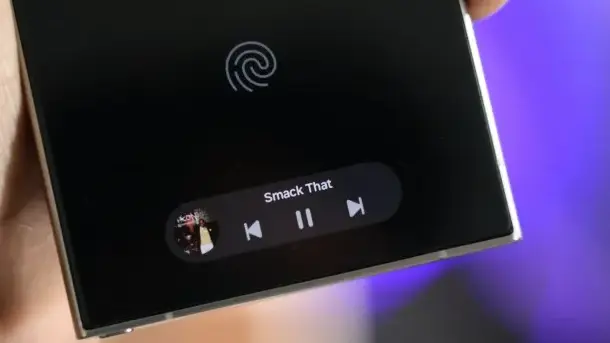
    Now Bar is one of the significant new features in One UI 7, promising to provide relevant information at the right time. It also works with Always-on Display, displaying softly at the bottom. This is not the only way Samsung enhanced the Always-on Display with One UI 7. You may now control media playback via the Always On Display (AOD).
    Double-tap playback controls in AOD one ui7

    If you lock your Galaxy phone running One UI 7 while media is playing, the playback controls show at the bottom of the Now Bar. A single tap does nothing, but double tapping the playback controls will play, pause, or skip the current song or movie.

    When you double-tap the album art, an expanded view of the media player appears, complete with larger controls and the ability to adjust media output.

    Vertical app drawer

    One UI 7 introduces a vertical app drawer to the One UI launcher. The option was included in One UI 5 and earlier releases, however it was deleted with Samsung’s Android 14-based One UI 5 update. The business promised to bring back the vertical app drawer with One UI 6.1.1, however this never happened.

    If you have hundreds of apps installed on your Galaxy phone, a vertical app drawer will help you to easily swipe through them. In true Samsung form, there is an anomaly in how the feature was implemented.

    one ui 7 Vertical app drawer

    Samsung does not specifically refer to it as a vertical app drawer. Instead, open the app drawer, hit the overflow menu button in the lower-left corner of the search bar, and choose Sort, then Alphabetical order. This converts the app drawer to a vertical style and organizes apps by name. You cannot move apps in this view, but you may position them within folders. Folders are located at the top, followed by applications and games.

    A useful feature of the vertical app drawer is the addition of a fast-scroll bar on the right, which allows you to swiftly skim through and jump to any portion of your app list. The Home Up Good Lock module, which was updated with One UI 7, allows for more customisation of the home screen and app drawer.

    Quick switch between the notification panel and Quick Settings

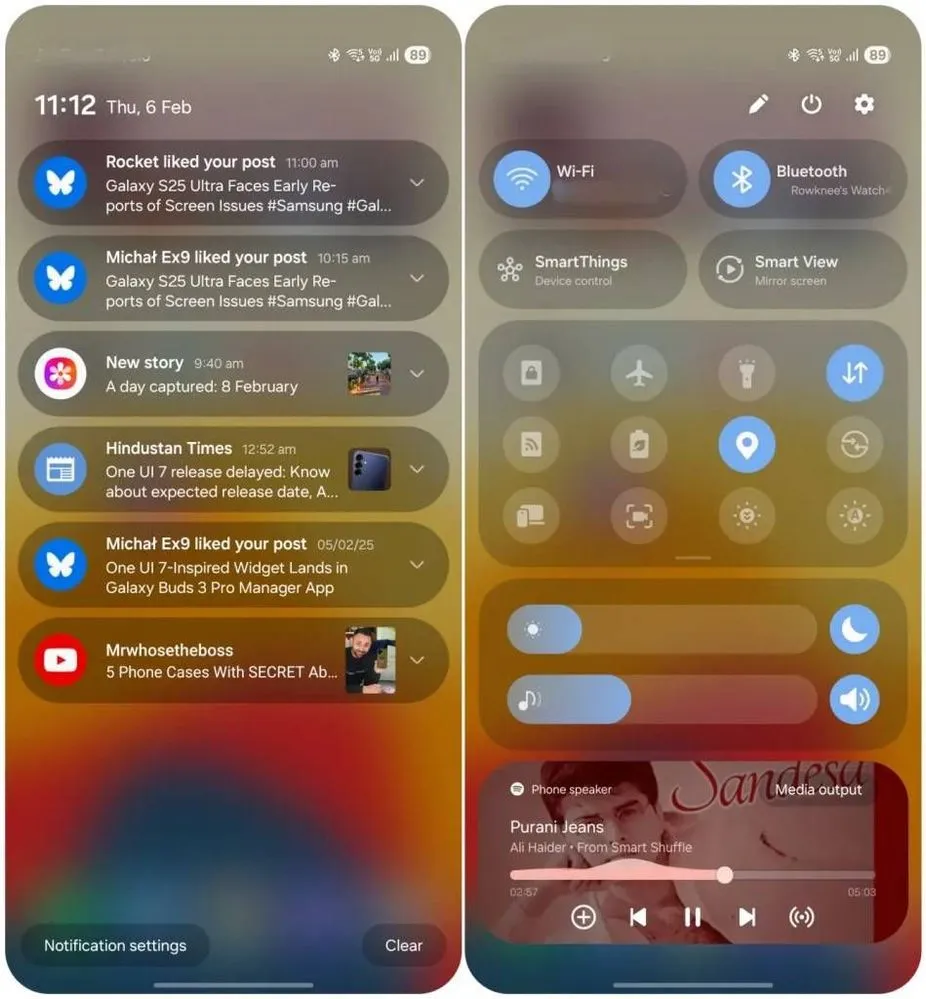
    Samsung used an iOS-like approach with One UI 7, separating the notification panel and Quick Settings into two sections. You can return to the former One UI 6-like layout, but sample this adjustment for a few days before making a decision.
    Quick switch between the notification panel and Quick Settings

    Compared to Apple’s distinct Quick Settings and notification panel design, Samsung’s method has one significant advantage. Swiping between the Quick Settings panel and the notification shade allows you to rapidly move between them. The same is true for phones from Xiaomi, Oppo, and OnePlus, all of which have long used separate Quick Settings and notification panels.

    Although Samsung was not the first to market with the idea, it made care to include a helpful change in One UI 7.

    Minimized pop-up apps group together
    Minimized pop-up apps group together one ui7

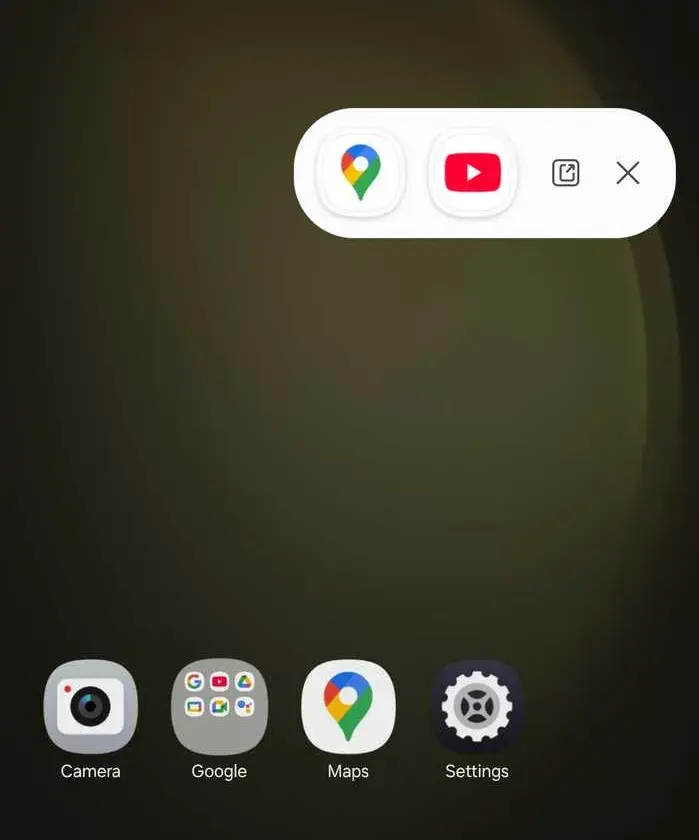
    Samsung’s Android skin includes a variety of useful multitasking capabilities, including the option to run programs in a pop-up view. This allows you to run many programs simultaneously and minimize them into a floating shortcut. When you minimize numerous apps in pop-up mode, your Galaxy phone’s display may appear cluttered.

    One UI 7 solves this problem by grouping the floating shortcuts of all minimized programs. Even better, there is a shortcut for launching all minimized apps at once. If you do not frequently utilize pop-up view multitasking on your Galaxy phone, you may disregard this as a minor modification. If you rely significantly on it, you will benefit from this modification.

    New charging animation

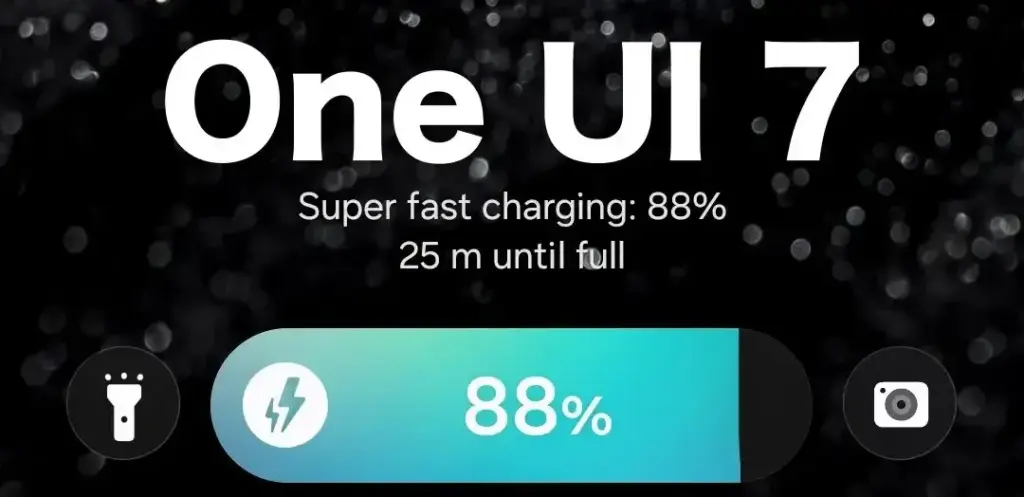
    Samsung’s work with One UI 7 is evident, from the smooth system animations to the general fluidity. The experience rivals iOS in polish and feels substantially better than other Android skins. You will not encounter sporadic lags or stutters. The new charging animation demonstrates Samsung’s attention to detail in One UI 7.
    One UI 7 Charging animation

    If you put in your Galaxy phone to charge when the display is turned off, a charging pill with a slick animation appears at the bottom, where the Now Bar resides. It does not appear in extreme brightness, but rather in a dimmed state. When you are in a dark room, the phone automatically adjusts the brightness to make it even darker. The charging information can be displayed even when the screen is turned off.

    One UI 7 is really improved

    Samsung’s Android skin offers a feature-rich experience, including useful multitasking options. Still, it felt like One UI lacked the polish and attention to detail that Pixel UI and iOS possessed.

    With One UI 7, Samsung steps up, demonstrating that when it wants to, it can create a professional and well-rounded Android experience while correcting some of its long-standing faults. So it is sad that the focus on One UI 7 is primarily on its rollout delays, rather than the polish and enhancements it delivers.
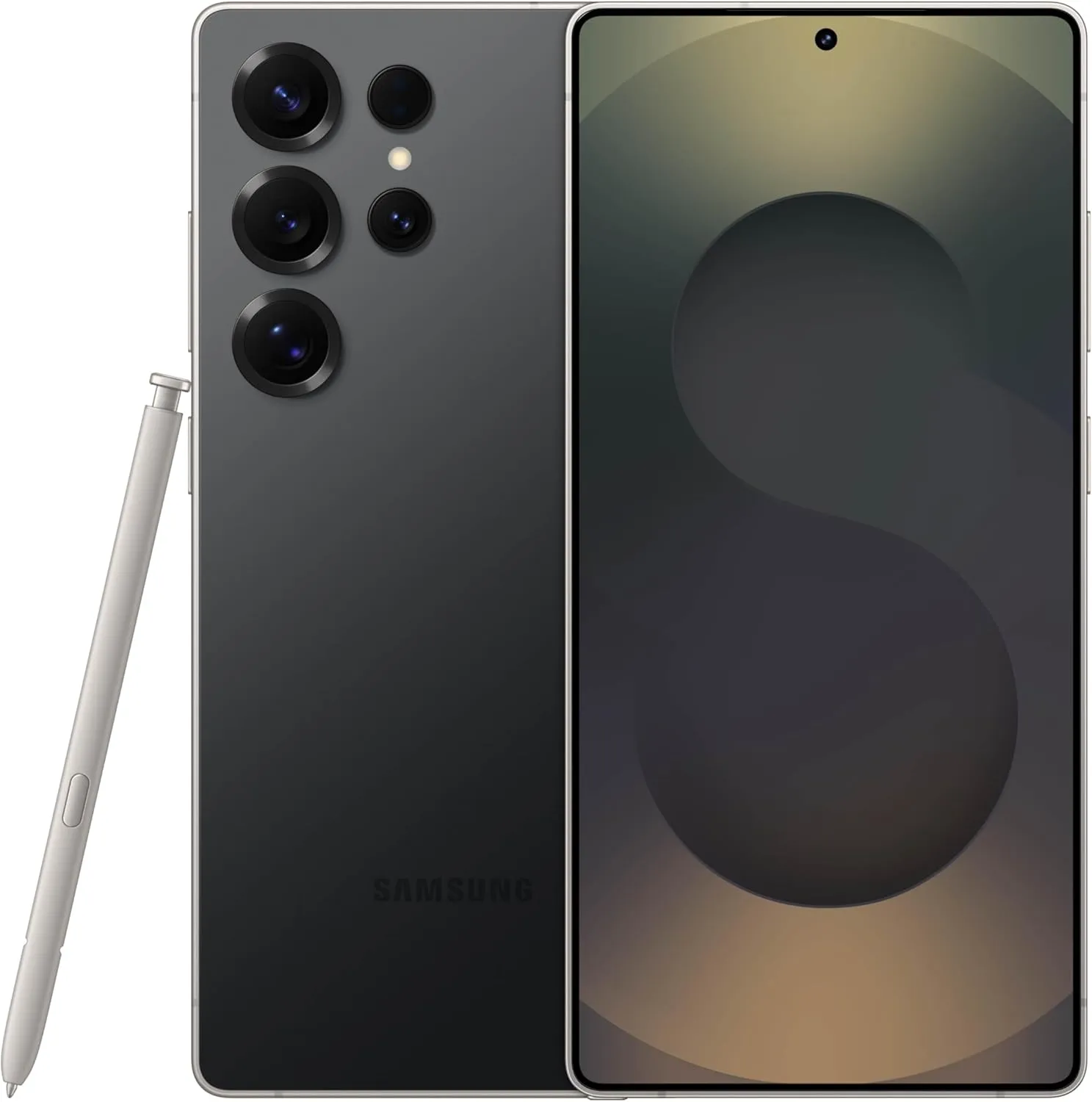
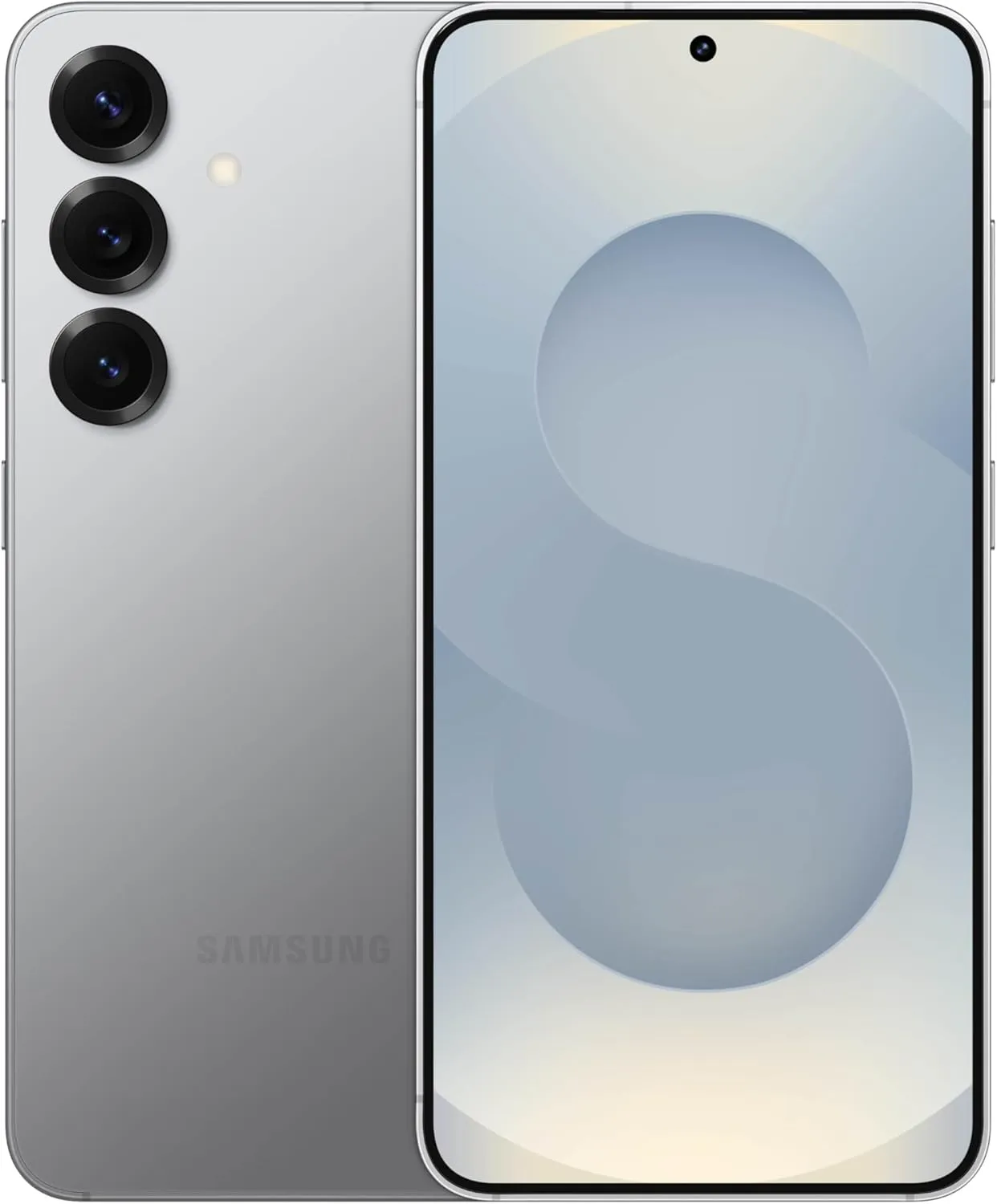
    SAMSUNG Galaxy S25 Ultra
    $1,299.99$1,067.99Amazon
    SAMSUNG Galaxy S24 FE
    $709.99$559.99Amazon
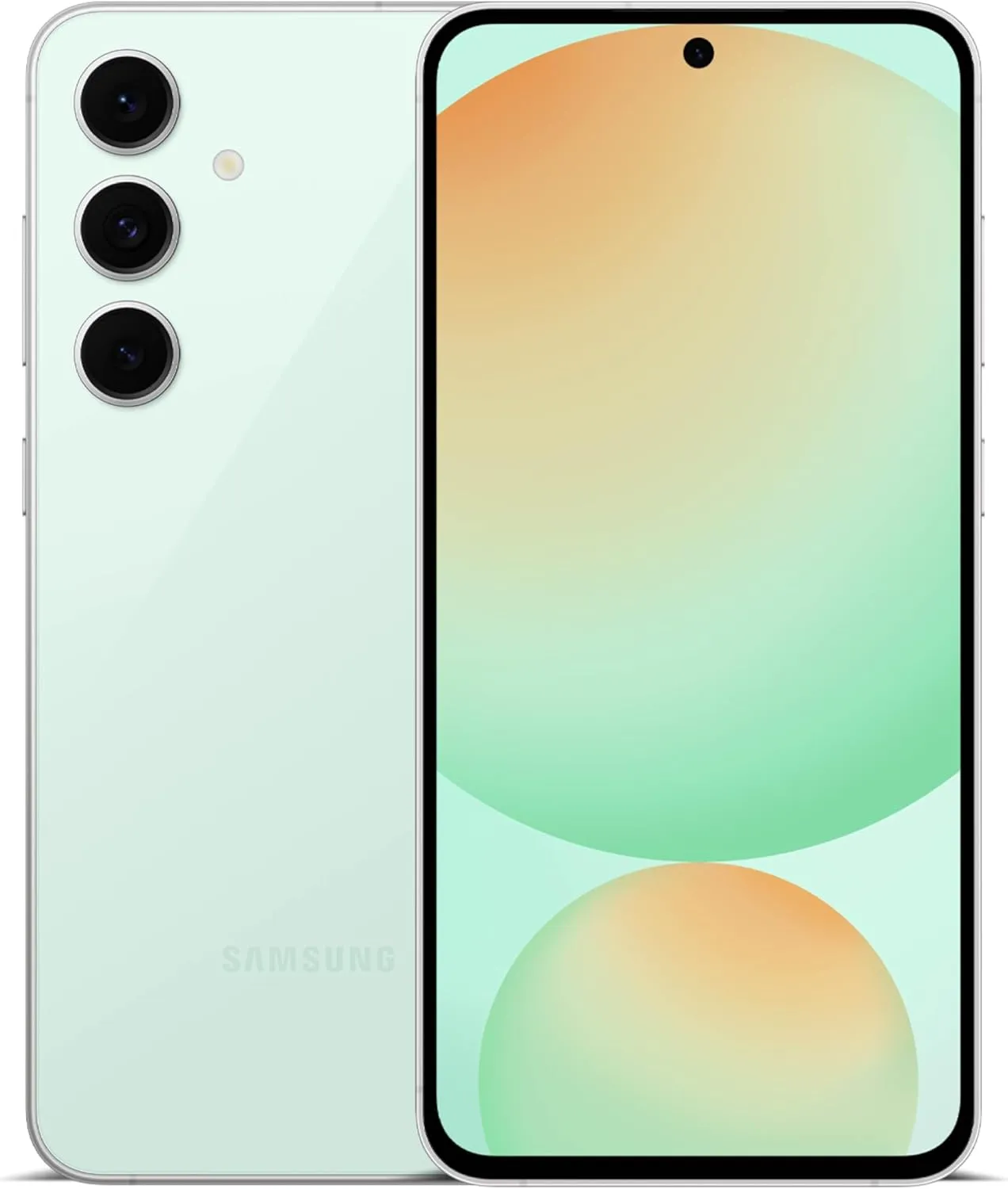
    SAMSUNG Galaxy S25
    $799.99$717.99Amazon
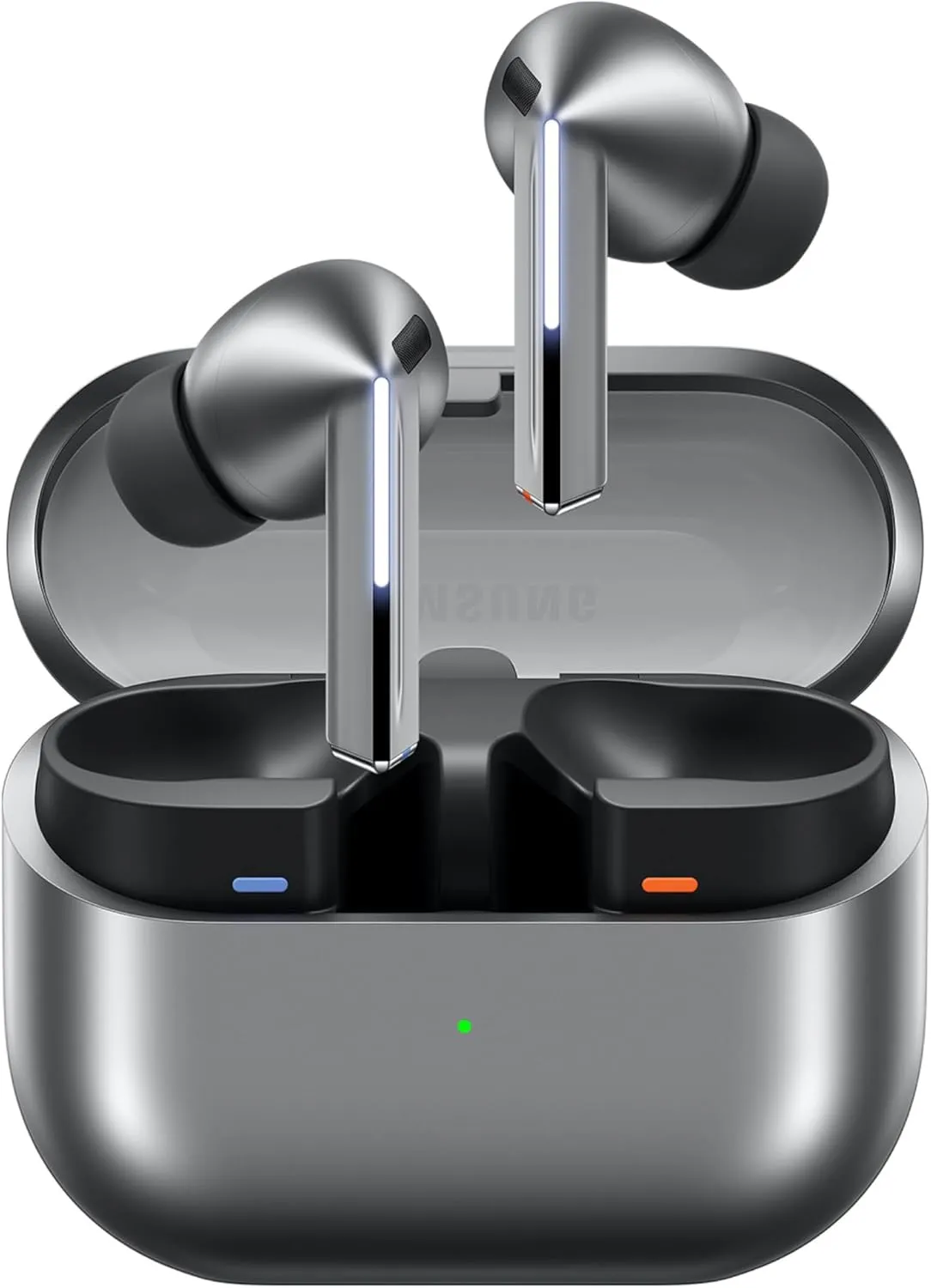
    SAMSUNG Galaxy Buds 3 Pro AI
    $249.99 $199.99Amazon
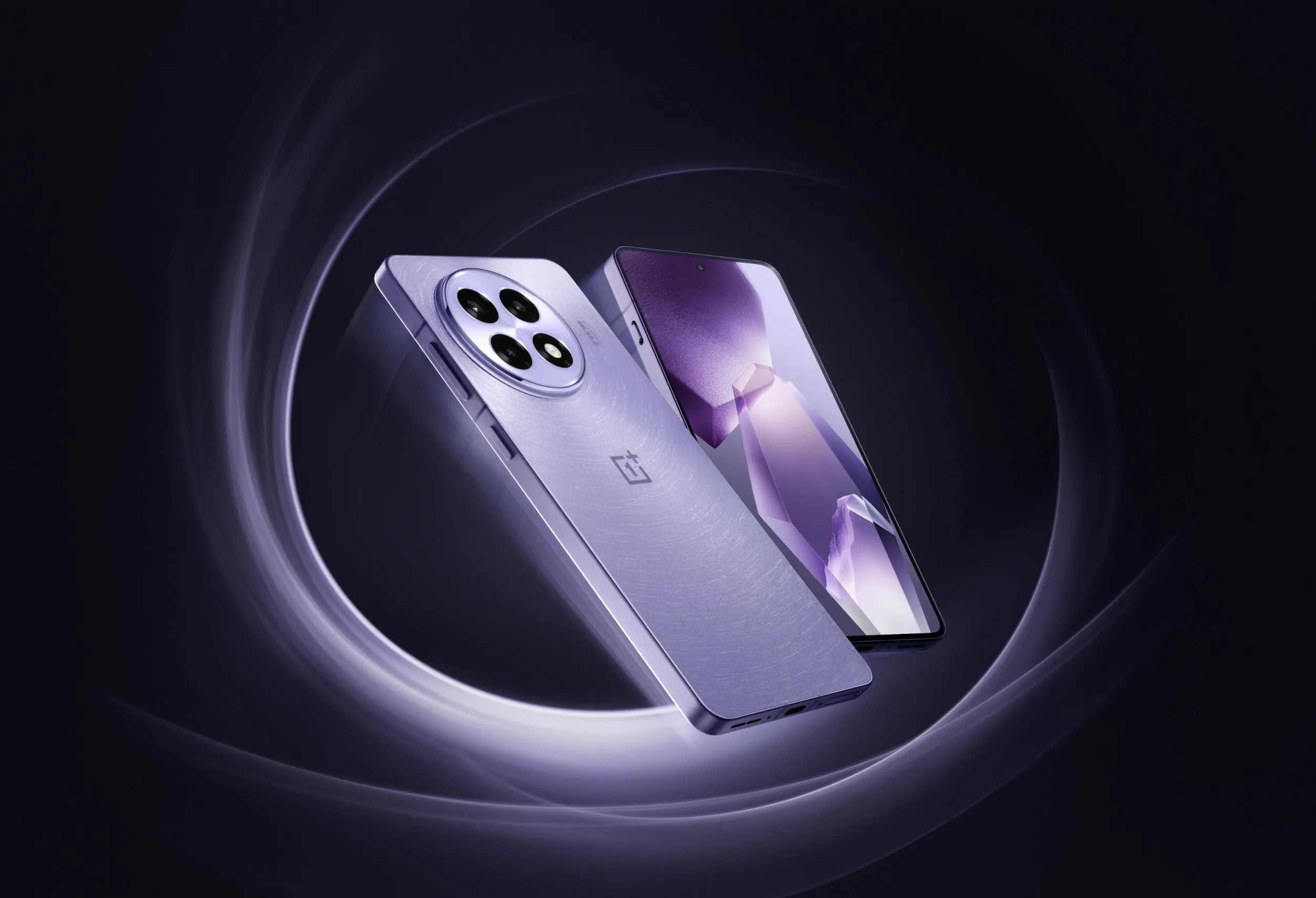
  • New OnePlus device coming, 6.83″ screen and Dimensity 9400+ chipset – OnePlus Ace 5V

    New OnePlus device coming, 6.83″ screen and Dimensity 9400+ chipset – OnePlus Ace 5V

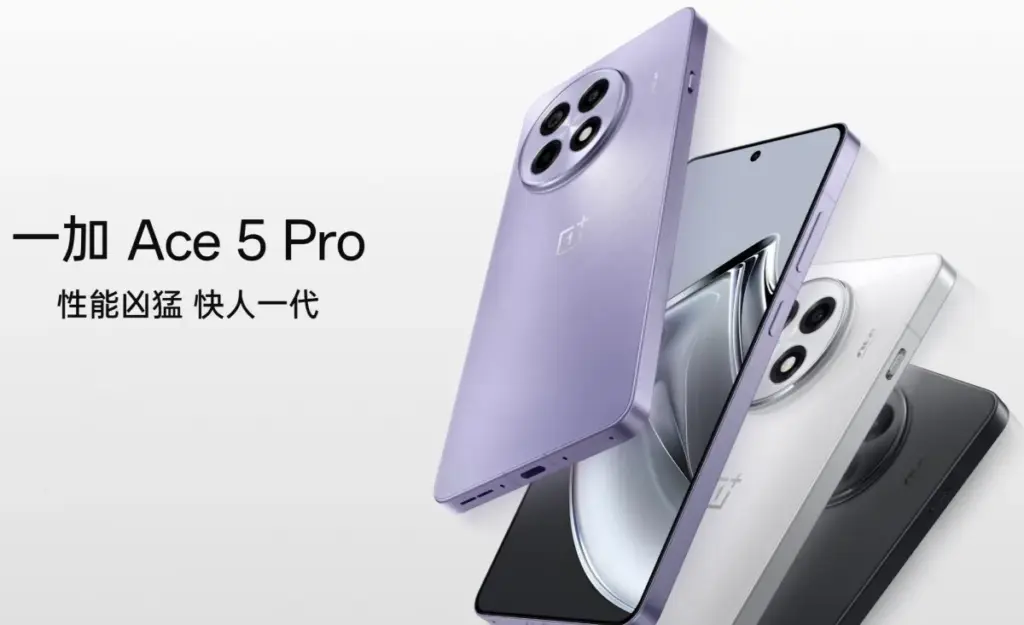
    A new upper-midrange phone with a flagship chipset – a “flagship killer,” if you will – is presently under development by OnePlus. Although the exact name is yet unknown, OnePlus Ace 5V and Ace 5S appear to be the two possibilities. In any case, it will be the replacement for the Ace 3V, which was released in March of last year.

    The new gadget is expected to be powered by MediaTek’s forthcoming Dimensity 9400+ SoC and have a 6.83-inch “1.5K” LTPS OLED flat panel with a refresh rate of 120 Hz. It will sport a 50 MP primary camera instead of a telephoto on the rear.

    onplus ace5 pro photos OnePlus Ace 5v

    The device will come with OnePlus’ new button, which replaces the Alert Slider, and have a “simple design” on the back, whatever that means. The battery’s capacity has not yet been determined, although it may be 7,500 mAh when plugged at 80W or approximately 7,000 mAh when charging at 100W. OnePlus is presumably still undecided on whether to favor a larger battery or faster charging.

    Although the exact date of the phone’s official release is unknown, we believe it will not be more than a few weeks, especially considering that the predecessor is rapidly approaching its one-year anniversary.

  • Android 14 preview to test drive the new features on Pixels

    Android 14 preview to test drive the new features on Pixels

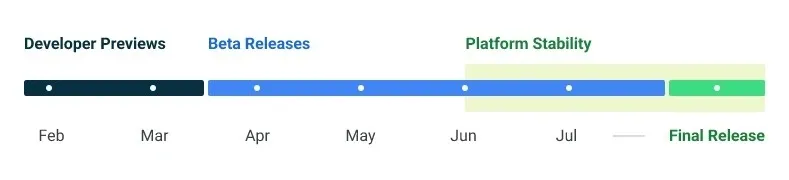
    Google made the Android 14 Developer Preview (DP) available for testing on devices from the Pixel 7, Pixel 6, and Pixel 5 series, even the rudimentary Pixel 4a. A new DP edition is expected to be published in March, followed by a few beta releases until the summer, when more stable and feature-rich versions will be issued, and finally the final Android 14 release in the fall.

    android 14 release calendar

    New Android 14 features

    Speaking of new Android 14 features, as usual in the Developer Preview stage, there aren’t many user-facing ones, but rather deep under-the-hood changes that bring interface speed and power-draw optimizations, as well as security and privacy upgrades. Still, there is one biggie one it comes to new Android 14 feature that you will immediately notice.

    System fonts

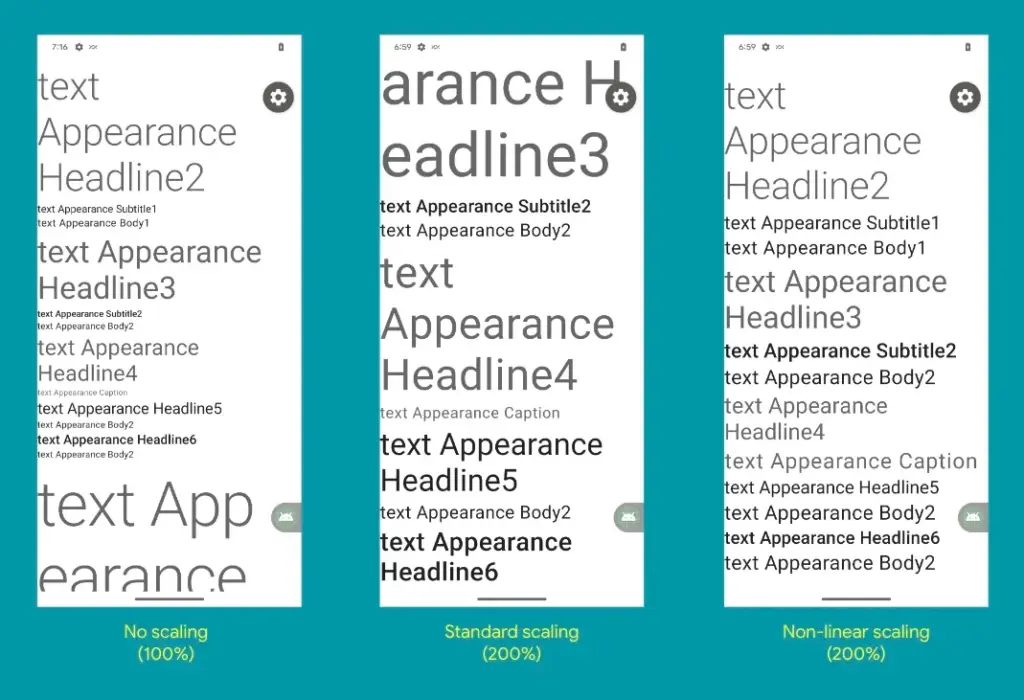
    Bigger fonts with non-linear scaling is exactly what Google refers it as this new Android 14 option as. Instead of the current 130% threshold, Android phone owners will be able to increase the size of the system fonts by two times.

    It makes sense considering that screens are growing bigger and bigger—we now have foldables with screens north of 7 inches diagonal and difficult-to-read small print. Without a doubt, Google uses “non-linear” scaling to raise text in fonts that are already sufficiently large compared to the smaller text that receives a size increase, rather than simply increasing the font size of Android 14 in a way that is deserving of the list of the best phones for seniors.

    android 14 new features font

    Performance and battery life

    Android 14 will optimize the speed of the mobile OS system overall and offer less of a power pull from unnecessary activities thanks to a clever combination of background process optimization and presenting actionable requests to apps only when they are out of a cached state.

    Additionally, without the user’s express consent, apps that don’t need a strict timing schedule, such clocks or calendars, won’t be able to continuously probe for resources by setting precise alarms.

    Adapting to foreign language 

    With Android 14, a number of foreign language optimizations address the accessibility issues of the device by modifying the text to reflect the peculiarities of non-English speakers, such as tailored translations that take into account the different grammatical genders used in various languages.

    The ability to dynamically update the list of foreign languages in an app’s settings to reflect the location and even alter the keyboard based on the interface language that the app is displaying in is another fantastic locale adaption improvement in Android 14.

    Security and privacy

    Down on the system level, Android 14 will include several new malware-fighting features that plug known exploits by blocking app installations or only allow them if they meet certain criteria. 

    Dynamically loaded applications that can be changed by injecting code in the process will be marked to be read-only in Android 14 in order to close another door for the installation of malware and various exploits.

    Android 14 release date

    • Android 14 Beta: April 2023
    • Final Android 14 release build: October-November 2023

    How to install Android 14 Developer Preview on Pixel phones

  • Vivo V25 series announcement live

    Vivo V25 series announcement live

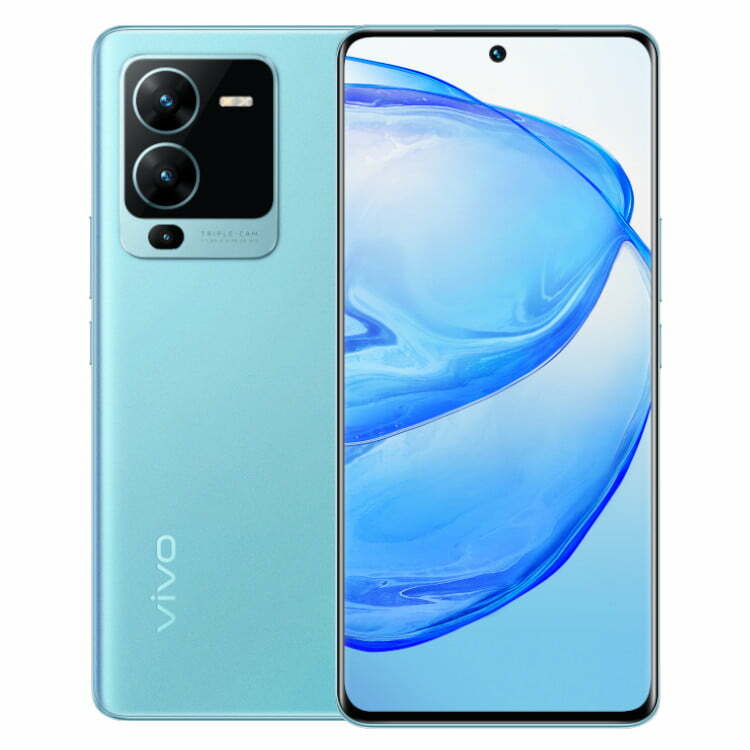
    Today is the scheduled release date for the vivo V25 series. The company will broadcast the ceremony live on YouTube at 12 PM Indian time (6:30 UTC) on the scheduled launch day. The live stream footage is embedded below.

    https://www.youtube.com/embed/d-yltRt4TkU

    The color-changing function that the vivo V23’s predecessor established will be maintained in the new series, but we do anticipate seeing some new colorways. Teasers also allude to a triple-cam configuration with a 64 MP primary camera.

    A large battery with 66W rapid charging, a Dimensity 1300 chip in at least one of the vivo V25 phones, and 8 GB Extended RAM, most likely for the most powerful memory option, are among the other specifications that are known.

    Stay tuned because as soon as all the information is revealed, we’ll have the announcement news ready.

  • The most popular Android version in 2021 is … old!

    The most popular Android version in 2021 is … old!

    Google has started disclosing Android fragmentation statistics on a yearly basis since 2018. The official Android OS distribution list was just posted as we near the end of 2021.

    The story is the same every time: Since its formal debut, iOS 15 has been installed on the majority of iPhones, but Android 12 is only on 0.1 percent of Android phones. The update procedure, on the other hand, is somewhat different. After all, Apple is in charge of both hardware and software development, in contrast to Android, where each manufacturer develops their own bespoke software and hardware.

    That doesn’t make looking at Google’s operating system’s distribution stats any less painful. Previously, the corporation published this information on a monthly basis, but since 2018, the list has been updated only once a year. Only versions with a distribution of more than 0.1 percent appear in it. Furthermore, the data is based on the number of Android devices that entered the Google Play Store in the previous month’s seven days.

    So it is possible that there are thousands of Android devices running older versions than Android 4.1, but these have a share of less than 0.1% and did not make it into this list. Also, it is worth mentioning that since September 27, Google started preventing logins on older versions of Android. This change affected versions before 2.3.7.

    Android versionAPI levelDistribution
    Android 4.1 Jelly Bean160.2%
    Android 4.2 Jelly Bean170.3%
    Android 4.3 Jelly Bean180.1%
    Android 4.4 KitKat191.4%
    Android 5.0 Lollipop210.7%
    Android 5.1 Lollipop223.2%
    Android 6.0 Marshmallow235.1%
    Android 7.0 Nougat243.4%
    Android 7.1 Nougat252.9%
    Android 8.0 Oreo264.0%
    Android 8.1 Oreo279.7%
    Android 9 Pie2818.2%
    Android 10 Q2926.5%
    Android 11 R3024.3%
    Android 12 Snow cone31

    The most popular official version of Google’s OS, as seen above, is Android 10 Q, which was released in 2019 and looks to be installed on 26.5 percent of active Android devices. Then there’s Android 11 R, which will be available in 2020 and is already used by 24.3 percent of active phones. Meanwhile, Android 9 Pie, which was released in 2018, is in third place with an 18.2 percent share, followed by Android 8.1 Oreo, which was released in 2017 and has a 9.7 percent share. My trusty calculator informs me that Android 9 or older is installed on 49.2% of all Android phones. In 2018, Pie was released.

    Even after months of testing, the most recent version of the operating system, in this case, Android 12, has yet to arrive on a significant number of handsets.

    Unfortunately, Android fragmentation has long been the Achilles heel of the world’s most popular mobile operating system. Google’s initiatives, on the other hand, appear to be making an impact. Previously, much older versions were the ones who got the biggest piece of the fragmentation cake. Most devices today, at least, run on newer versions.

    Also, security patches offer a longer life for phones bought more than three years ago, which makes Android 10’s high distribution less surprising. The same, however, cannot be said for the 5.1% share of Android 6.0 Marshmallow, announced in 2015!