The Xiaomi 15T and 15T Pro, the company’s upcoming T-series phones, are about to go on sale. The standard 15T model is expected to start at €649, while the Pro model would cost €799, according to rumors circulating about both devices.
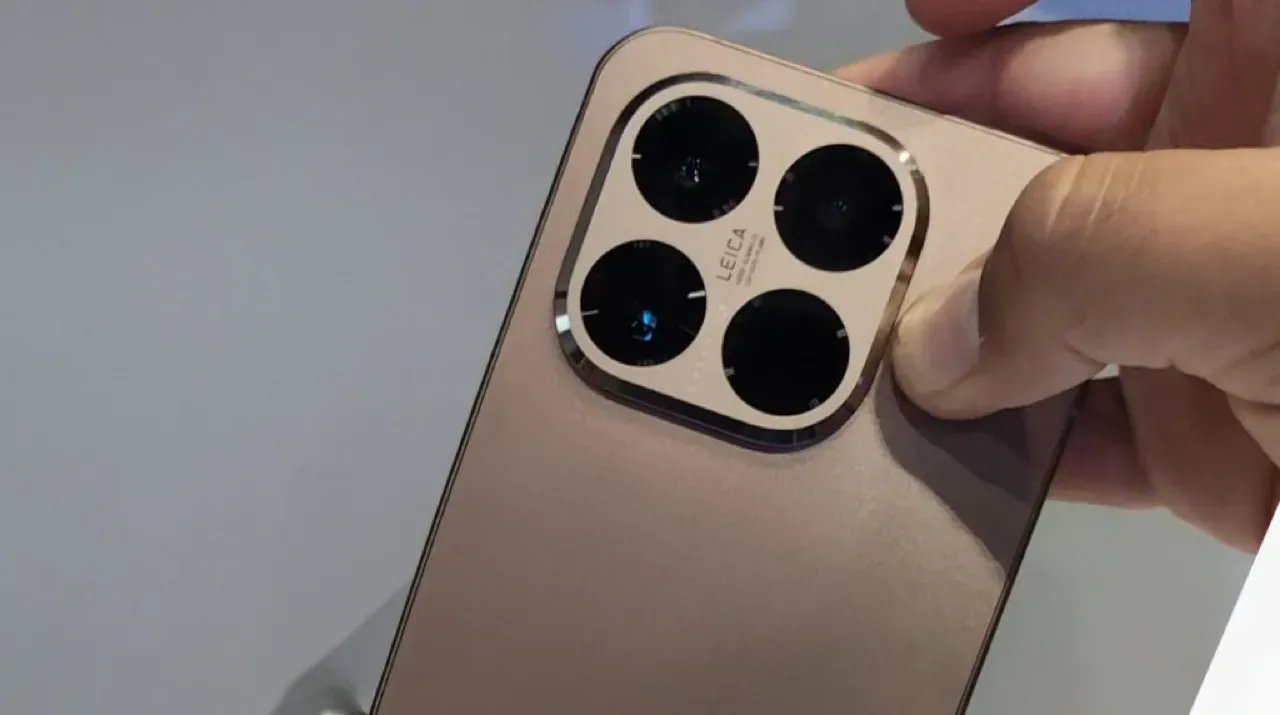
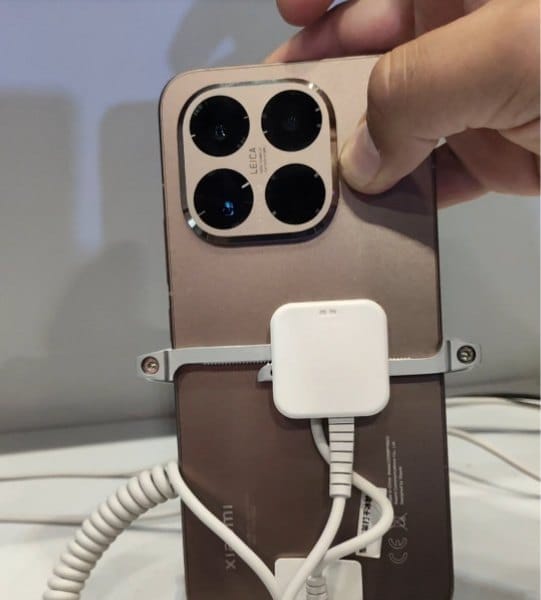
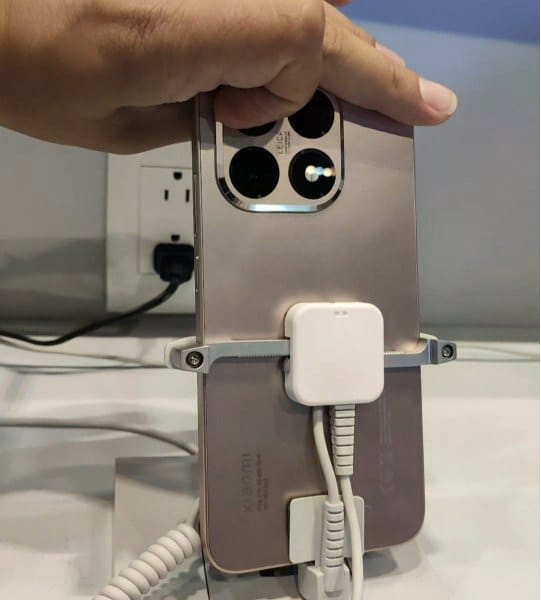
We are now seeing the hardware for the first time. Recently, a TikTok user shared a video showcasing the 15T Pro’s front and back, showcasing the rear panel’s copper-like appearance.
It should come as no surprise that the camera island, which is situated in the upper left corner, is formed like a rounded square with beveled edges and has Leica branding in the center.
What to expect?
According to rumors, the phone will have a 50-megapixel Samsung JN5 telephoto camera, a 13-megapixel ultra-wide lens, and a 50-megapixel OmniVision OVX9100 primary camera. It might have a Samsung S5KKDS selfie sensor on the front.
The tablet may have a MediaTek Dimensity 9400+ chipset on the inside, along with 12GB of RAM and 128GB or 256GB of storage. According to reports, the 128GB variant costs €799, and the 256GB model would cost €899. The Pro model’s storage specifications are consistent with our earlier findings, and a 1TB version may even be available in some markets.
Multiple certification databases have already included both phones, indicating that an official launch is imminent. Hopefully, Xiaomi won’t hold off on revealing all the information for very long.
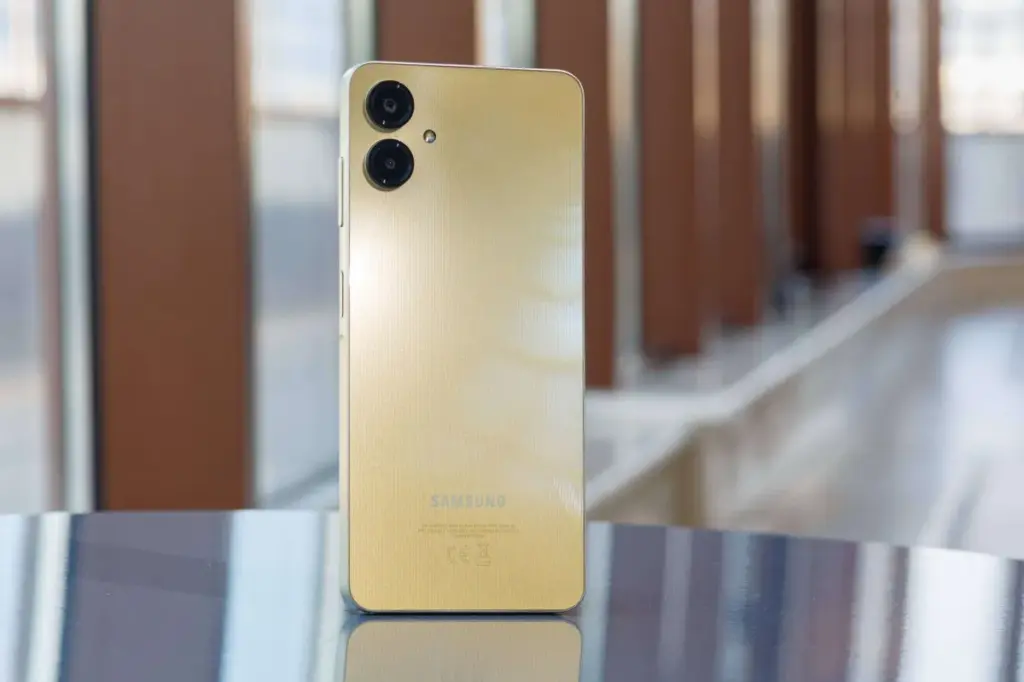
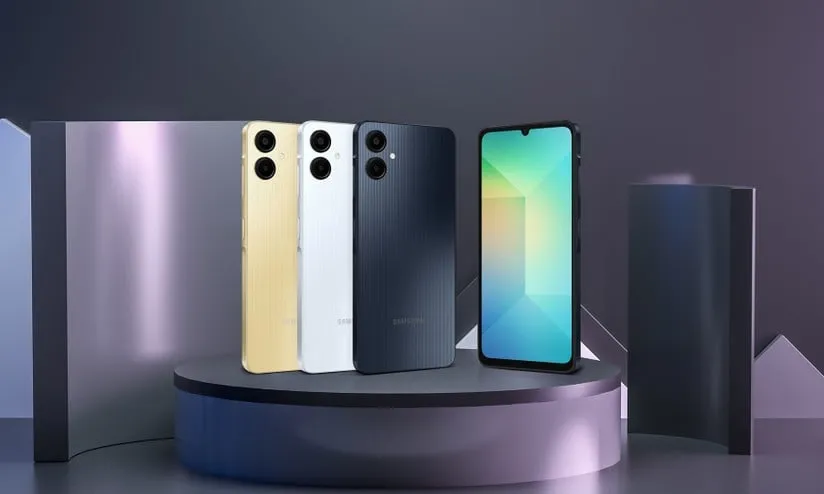
People are anticipating further gadgets in addition to Samsung’s most current Galaxy A mid-range smartphones, which were recently distributed to other nations. The Galaxy A07, the replacement for the well-liked entry-level Galaxy A06, is anticipated to launch shortly. Official listings have recently released information about its stronger specifications, which might make it competitive with its more expensive siblings.
Since the Galaxy A06 made its debut in August of last year, it is not surprise that rumors and leaks about its replacement are beginning to circulate. The gadget has now been seen on Google’s Play Console after first appearing on Samsung’s official website, where the SM-A075F model number was disclosed.
A Much Faster Processor in Samsung’s Galaxy A07
Samsung’s upcoming entry-level phone’s model number is confirmed by the listing, but more intriguingly, it provides information on the device’s main features and design, which seem to get minor to significant enhancements.
The Galaxy A07’s internal chipset is designated MT6789. It’s another moniker for MediaTek‘s 6 nm Helio G99 SoC, which is used in a lot of older mid-range handsets, if that sounds familiar. Its configuration includes an octa-core processor with six Cortex-A55 cores clocked at up to 2.0 GHz and two Cortex-A76 cores running at 2.2 GHz.
The Mali-G57 MP2 GPU processor falls into the lower end of the mid-range mobile silicon spectrum by today’s standards. It does, however, provide a promising improvement over the Galaxy A06’s Helio G85 SoC.
The Helio G99 is roughly 77% quicker in single-thread GeekBench benchmarks, and the multi-thread scores demonstrate an average performance increase of 40%. These numbers show a considerable increase and may result in notable improvements in the device’s real performance.
This is further aided by the Galaxy A07’s substantial 6 GB of RAM, which seems like a lot for a low-cost phone, though the exact amount varies by location.
New Design for Samsung’s Galaxy A07
Since the chip doesn’t support 5G, there might be another 5G version in the pipeline. Newer Bluetooth connectivity and faster LTE speed are to be expected, though.
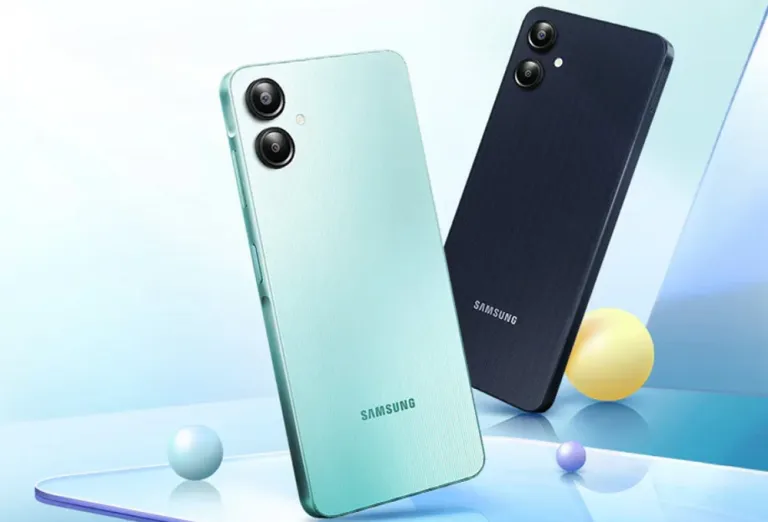
An HD display will be one among the Galaxy A07‘s other features. The render also indicates that it will extend to the thick bezels and waterdrop notch. On the back panel, however, the floating lens design has been abandoned in favor of an elliptical camera module with two primary snappers. Additionally, the low-cost phone runs Samsung’s skinned version of Android 15, One UI 7.
Samsung Galaxy A07 Price
There’s no word yet on the exact release date of the Galaxy A07, but we should see the announcement with a less grand affair. At the same time, it’s unknown how much it will cost. All we know is that the Galaxy A06 with a 4GB/64GB setup was priced at about $110 in the USA.
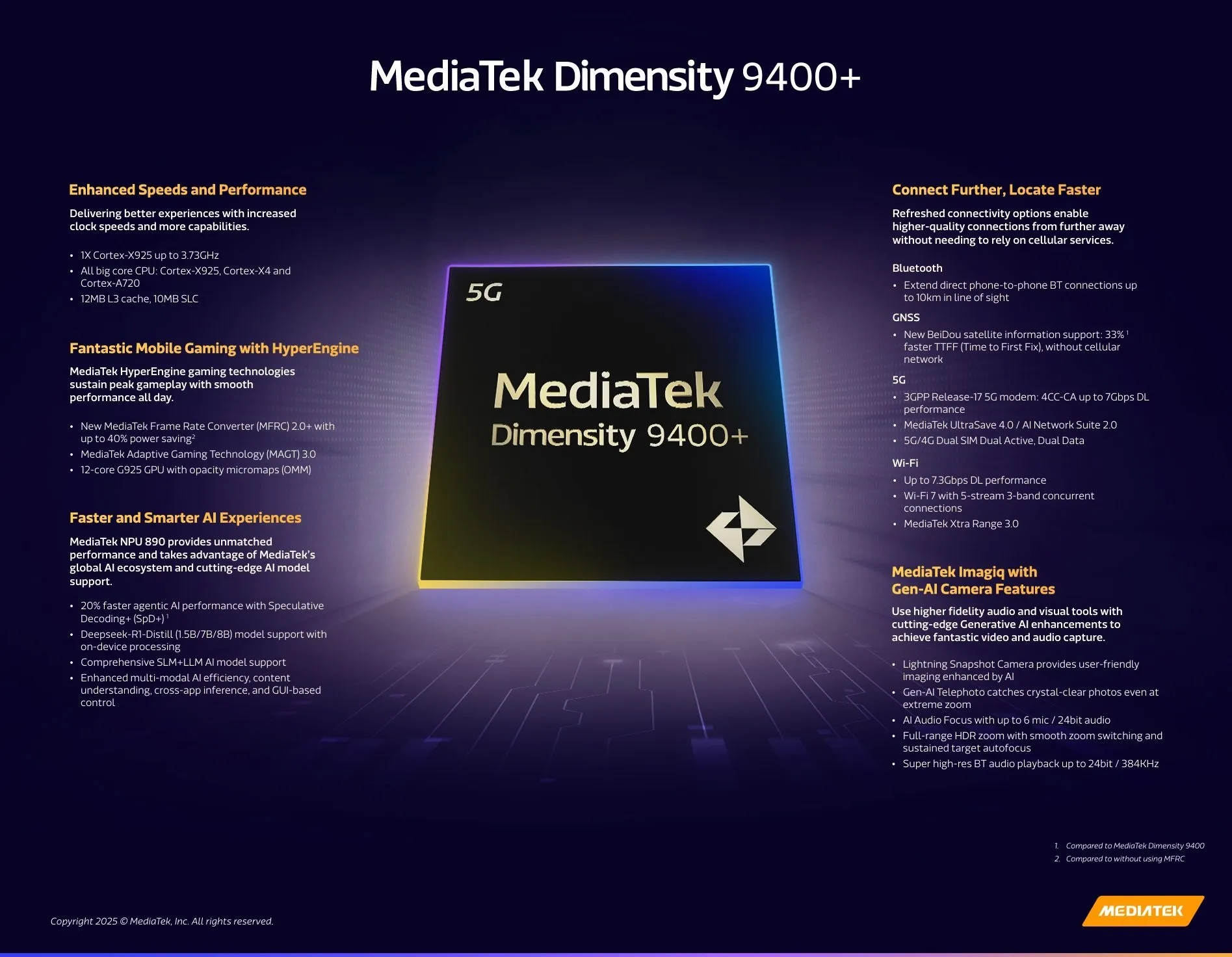
The flagship chipset, the Dimensity 9400+, was revealed in April as the replacement for the Dimensity 9400 from the previous year. It is constructed with TSMC’s state-of-the-art 3nm technology and has a powerful CPU and GPU that guarantee seamless operation even under demanding conditions.
To discover how the flagship-grade MediaTek Dimensity 9400+ chipset compares to its rivals, we’ll be examining its benchmark scores here.
Note: The Vivo X200s (powered by MediaTek Dimensity 9400+) underwent the following benchmark testing.
MediaTek Dimensity 9400+ AnTuTu score
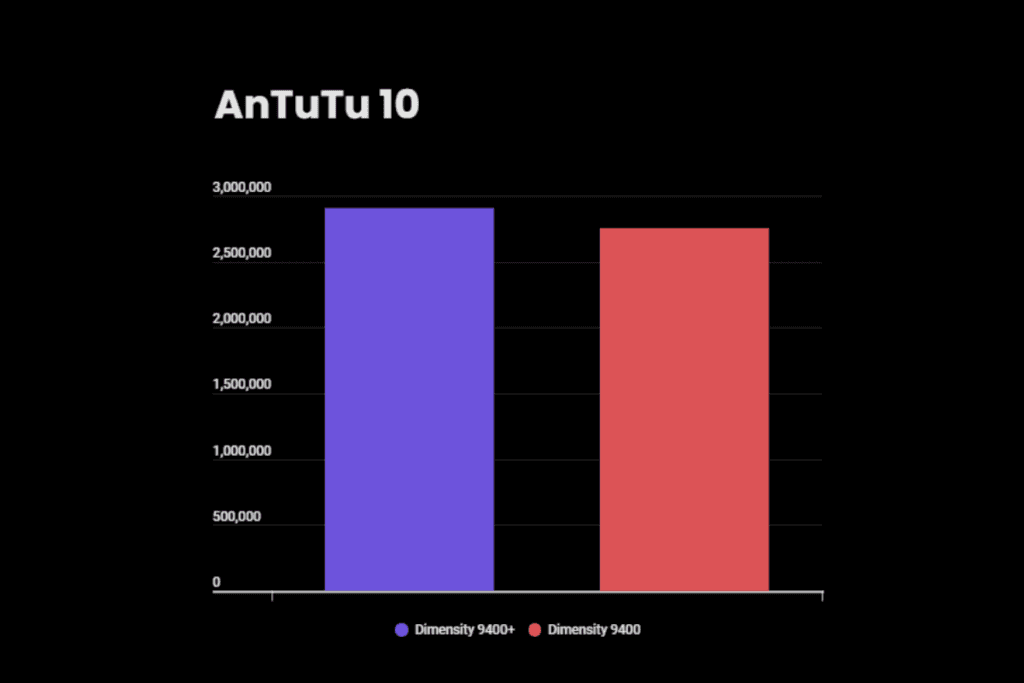
The Dimensity 9400+ receives more than 2.9 million points overall on AnTuTu v10. According to the breakdown, the CPU receives 625K points, the GPU receives 1.3 million, the memory receives 509K, and the user interface receives 459K.
In contrast, the Oppo Find X8, which is powered by the Dimensity 9400, has an overall AnTuTu score of about 2.7 million. There isn’t much of a difference between the two AnTuTu scores for the more recent chip.
Dimensity 9400+
Dimensity 9400
AnTuTu score
2,907,358
2,754,825
CPU
625,811
622,149
GPU
1,312,632
1,220,751
Memory
509,570
489,110
UX
459,344
422,815
Dimensity 9400+ Geekbench score
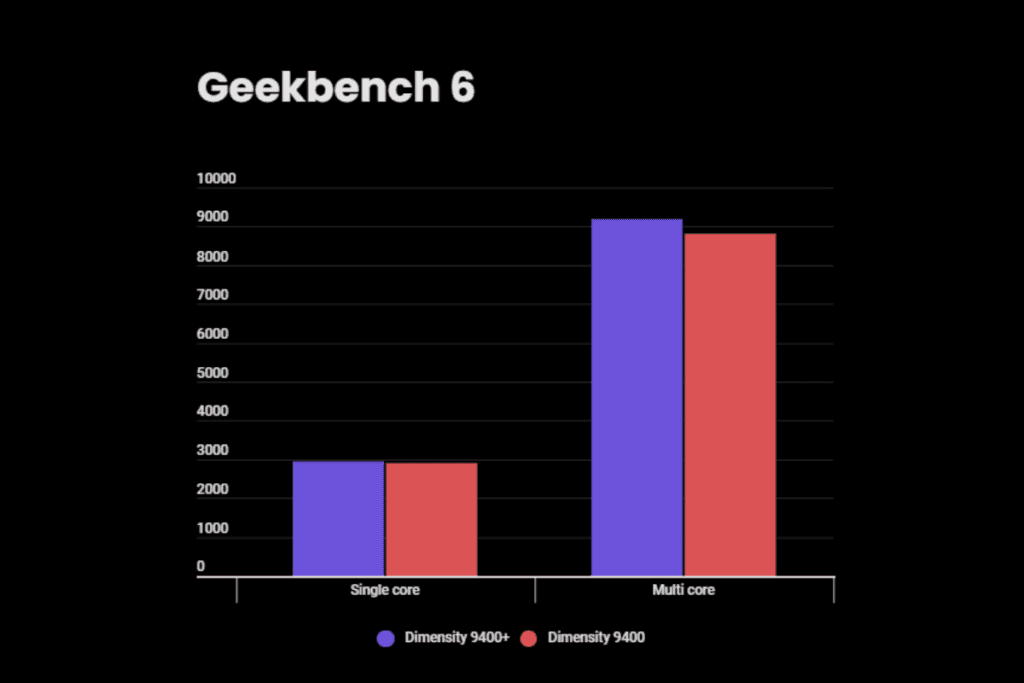
The Dimensity 9400+ receives 2,945 single-core and 9,184 multi-core marks in Geekbench 6. Once more, the Dimensity 9400, which boasts 2,904 single-core and 8,812 multi-core scores, is not a much better processor.
Dimensity 9400+
Dimensity 9400
Single core
2,945
2,904
Multi core
9,184
8,812
MediaTek Dimensity 9400+
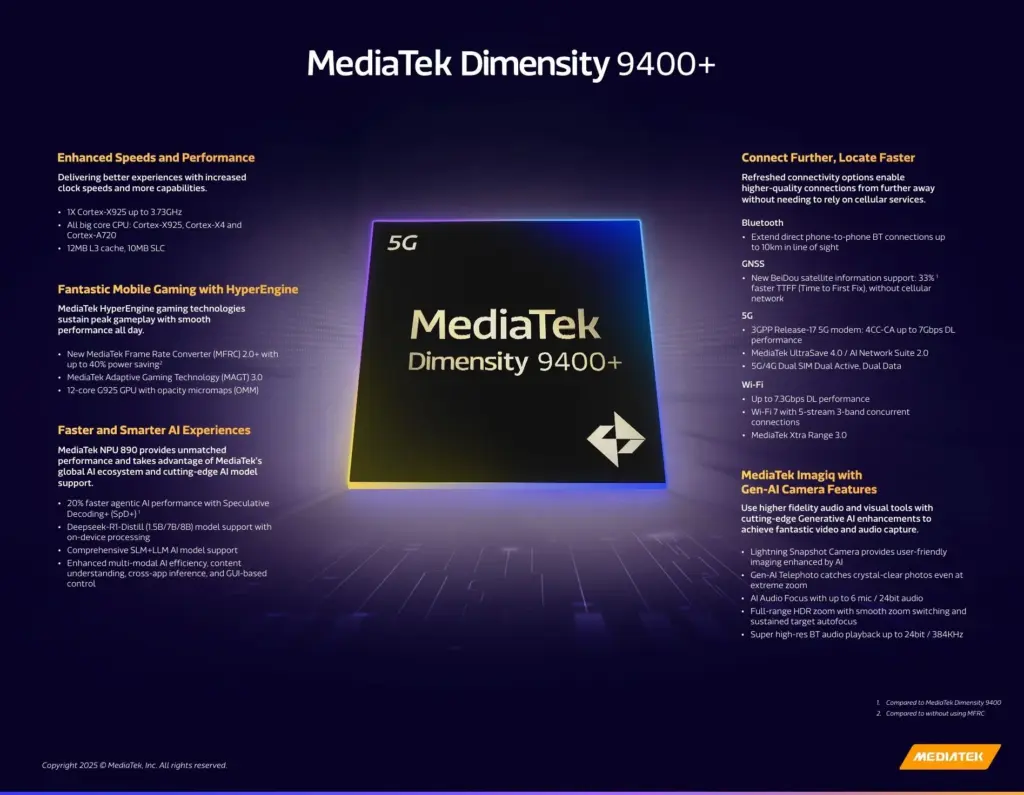
Compared to the Dimensity 9400, the Dimensity 9400+ isn’t much better. With the exception of a little boost in CPU speed for the big core, it still makes use of the same set of CPU cores—one Cortex-X925, three Cortex-X4, and four Cortex-A720. The manufacturing node (TSMC’s 4nm) and instruction set (ARMv9.2-A) remain unchanged.
The Mali-G9125 Immortalis MP12, which is based on ARM’s fifth-generation GPU architecture, offers no improvements at all. The MediaTek Frame Rate Converter tool has been improved, though not significantly. In well-known games, the updated version can provide twice the effective frame rate while also increasing power efficiency by up to 40%.
MediaTek would undoubtedly not miss out on the widespread use of agentic AI, as the Dimensity 9400+ offers a 20% quicker agentic AI performance than its predecessor with Speculative Decoding (SpD+). With on-device processing, the chip fully supports the DeepSeek-R1-Distill (1.5B/7B/8B) model.
With the exception of the newer Dimensity 9400+ chip, which increases phone-to-phone Bluetooth connections from 1.5km to 10km, connectivity isn’t getting any major changes. Everything else is the same, so it has a 3GPP Release-17 5G modem, Bluetooth 6.0, and Wi-Fi 7 (peak speed 7.3Gbps).
Dimensity 9400
Info
Announced
April 2025
Process node
3nm (TSMC)
CPU
1 x Cortex-X925 — 3.73GHz 3 x Cortex-X4 — 3.3GHz 4 x Cortex-A720 — 2.4GHz
GPU
Arm Immortalis-G925 MC12 MediaTek HyperEngine Gaming Ray tracing support
NPU
MediaTek NPU 890
Camera
MediaTek Imagiq 1090 ISP Up to 320MP single camera Up to 8K/60fp video recording Features: Gen-AI Telephoto, Full range HDR zoom, real-time AI segmentation in video
Stay connected with the latest from Droid Tools—follow us on X @droid_tools, like our page on Facebook, check out our updates on Instagram, and follow us on Google News for real-time news, device tips, and mobile tech insights.
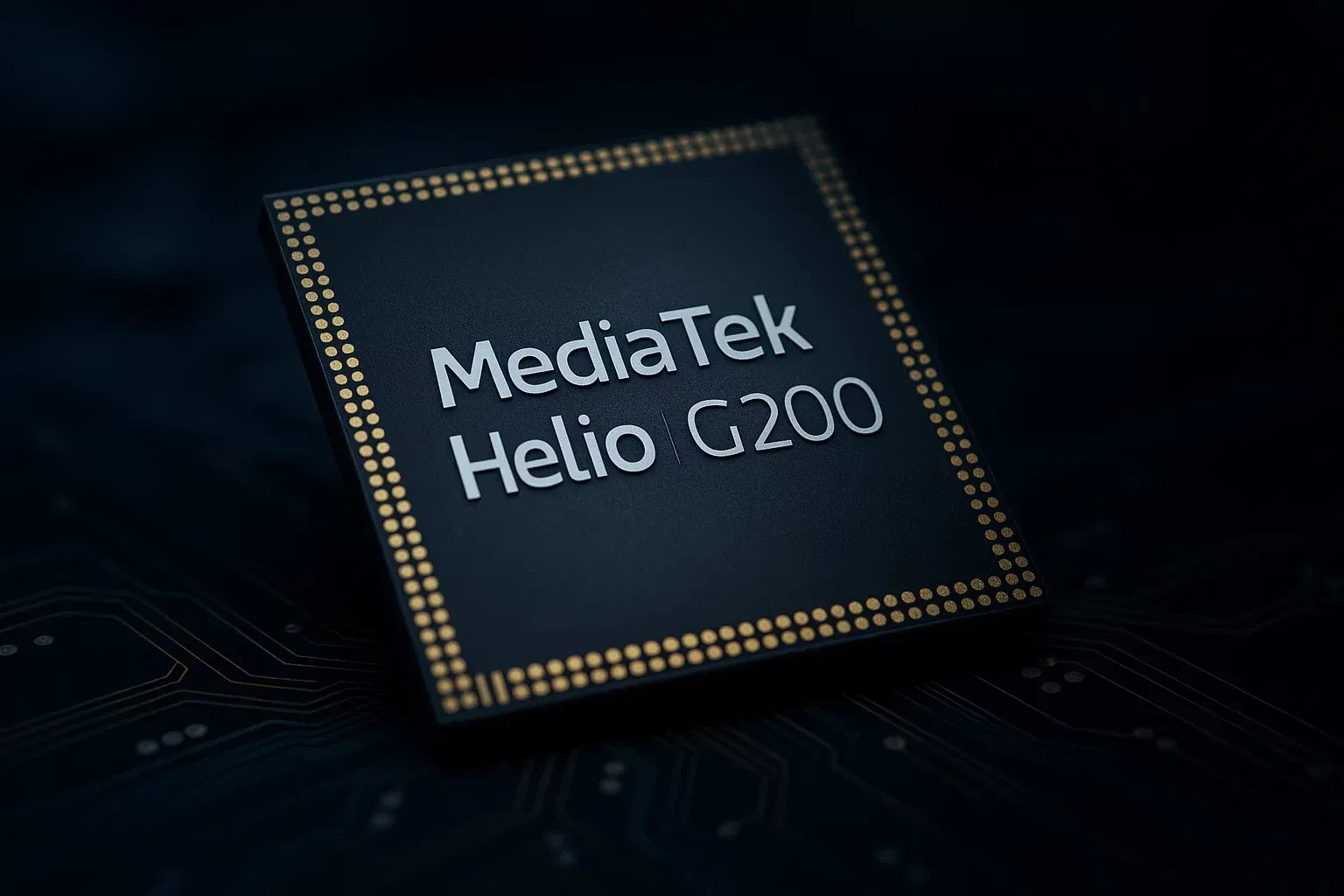
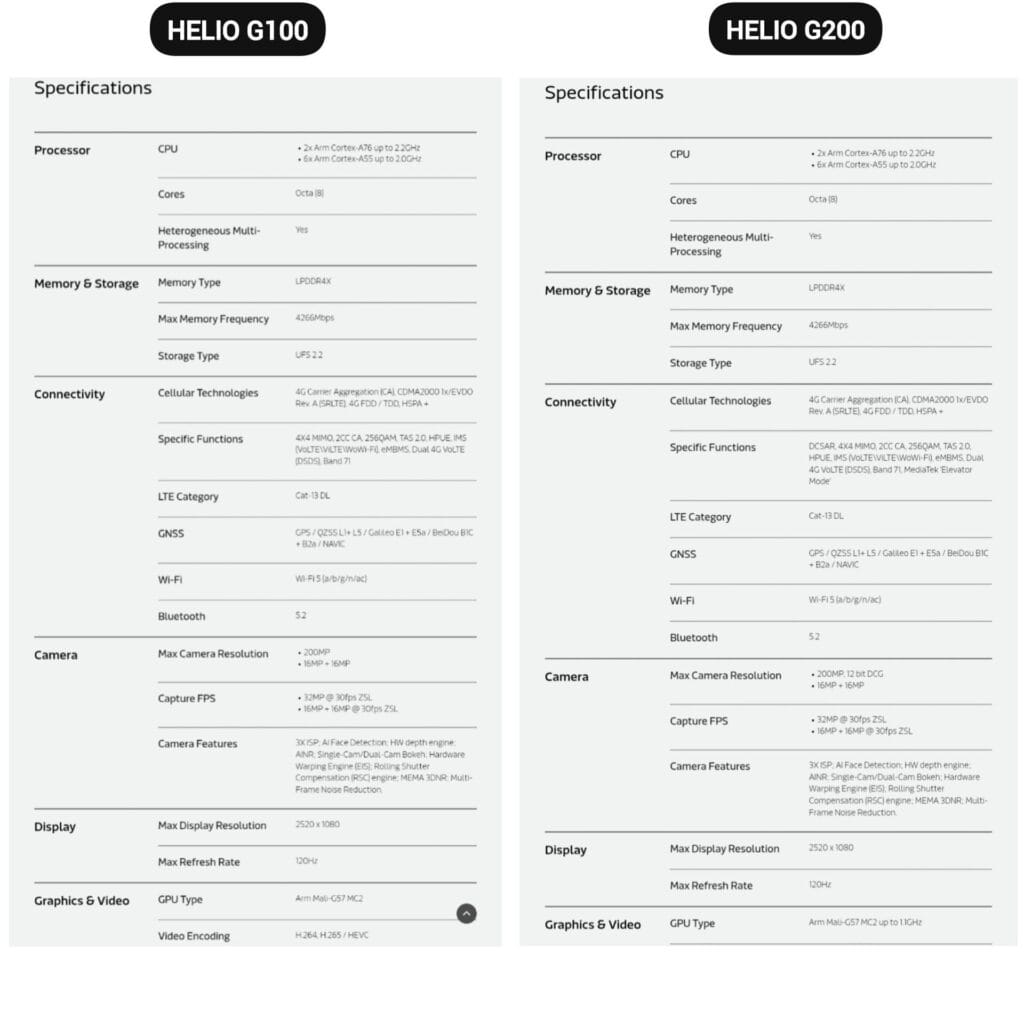
The Helio G200, MediaTek’s newest chipset, was formally announced. It significantly improves the low-cost phone lineup, which is dominated by Xiaomi phones. Utilizing the advancements of its predecessor, the Helio G100, which powered the well-liked Redmi Note 14 Pro 4G, this new chip delivers significant improvements to networking and camera management.
The G200 is a component of MediaTek’s continuous effort to offer premium features at reasonable costs, which is exactly in line with Xiaomi’s own strategy in the smartphone market.
Better Performance
The MediaTek Helio G200 features the same core architecture as the previous one but with several significant upgrades:
Octa-core CPU setup (6x Arm Cortex-A55 at 2.0GHz + 2x Arm Cortex-A76 at 2.2GHz)
Mali-G57 MC2 GPU now at 1.1GHz for enhanced gaming performance
Support for LPDDR4X memory with speeds of up to 4266Mbps
Compatibility with UFS 2.2 storage for quick data access
MediaTek’s HyperEngine technology, which adjusts the network connections, display settings, and touch input while gaming, further strengthens the processor’s gaming capabilities.
Improved camera capabilities
One of the greatest advancements in the G200 is in its imaging abilities:
Support for camera sensors with as much as 200MP with 12-bit DCG
Triple ISP architecture for quicker image processing
Advanced AI noise reduction technology
Hardware-accelerated depth engine for enhanced portrait shots
Both single and dual camera bokeh effects are supported
Because of these enhancements, the G200 is a desirable option for smartphone manufacturers looking to offer exceptional photography capabilities in mid-range devices.
Features
The Helio G200 features several new connectivity features not available in the G100:
Optimized signal reception through DCSAR technology
MEDIATEK introduces new “Elevator Mode” for preserving connectivity in difficult situations
We should expect Xiaomi’s upcoming mid-range smartphones to employ this new G200 chip, as the Redmi Note 14 Pro 4G uses the Helio G100. Better gaming performance, better photography, and more reliable connectivity would all be supported by the updated specifications without significantly increasing the devices‘ price.
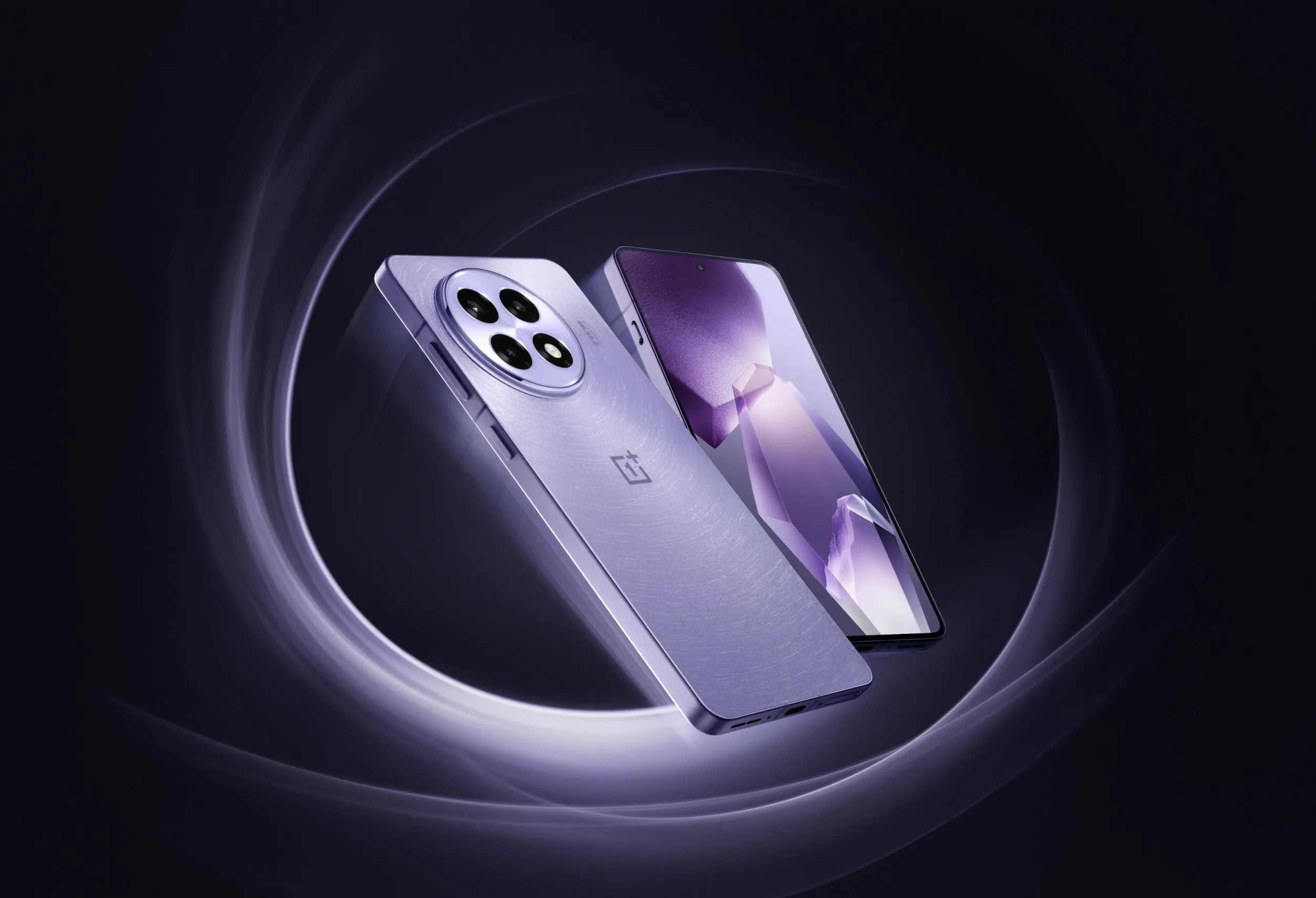
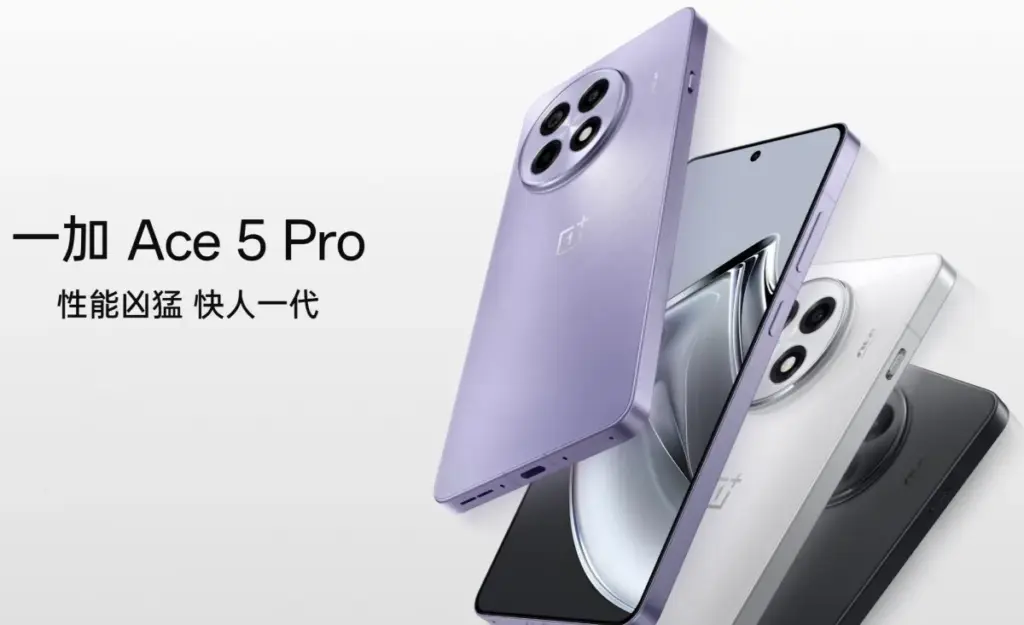
A new upper-midrange phone with a flagship chipset – a “flagship killer,” if you will – is presently under development by OnePlus. Although the exact name is yet unknown, OnePlus Ace 5V and Ace 5S appear to be the two possibilities. In any case, it will be the replacement for the Ace 3V, which was released in March of last year.
The new gadget is expected to be powered by MediaTek’s forthcoming Dimensity 9400+ SoC and have a 6.83-inch “1.5K” LTPS OLED flat panel with a refresh rate of 120 Hz. It will sport a 50 MP primary camera instead of a telephoto on the rear.
The device will come with OnePlus’ new button, which replaces the Alert Slider, and have a “simple design” on the back, whatever that means. The battery’s capacity has not yet been determined, although it may be 7,500 mAh when plugged at 80W or approximately 7,000 mAh when charging at 100W. OnePlus is presumably still undecided on whether to favor a larger battery or faster charging.
Although the exact date of the phone’s official release is unknown, we believe it will not be more than a few weeks, especially considering that the predecessor is rapidly approaching its one-year anniversary.
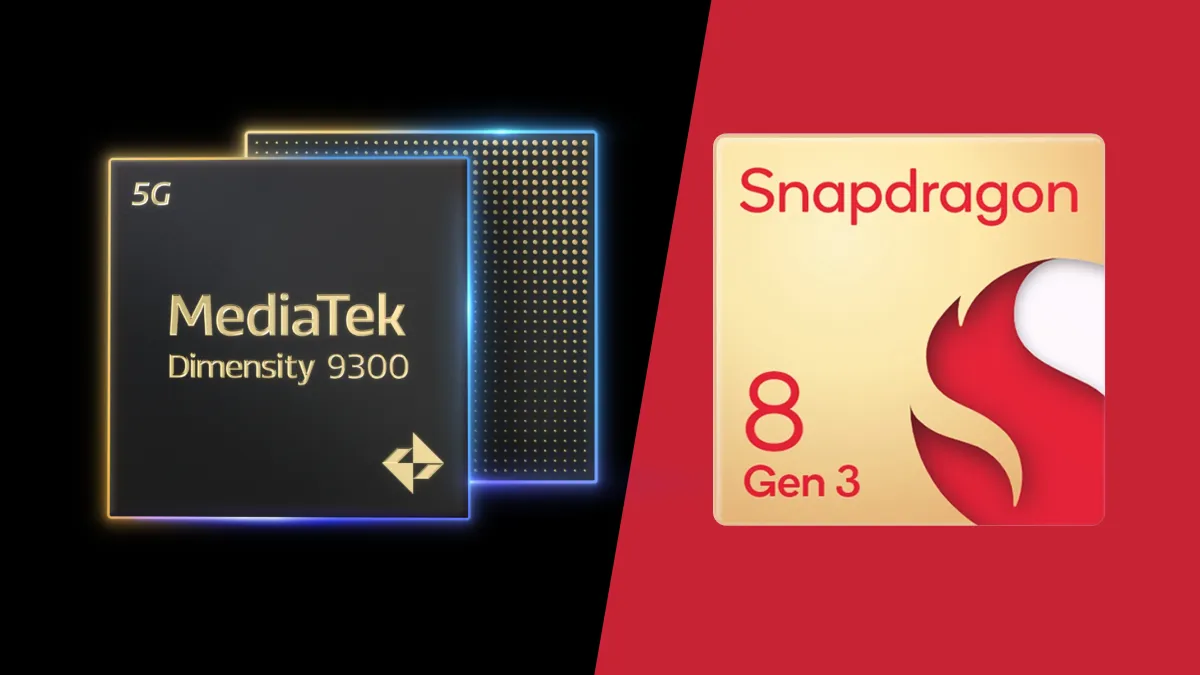
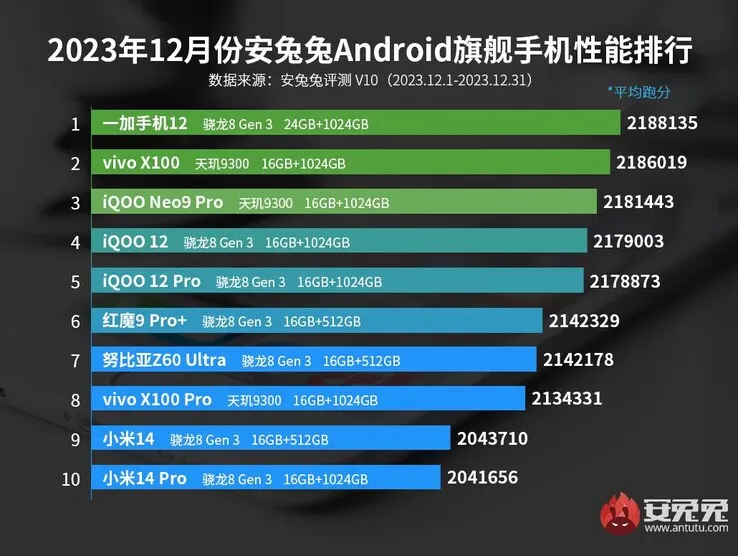
The two main flagship chipsets for Android this year are expected to be MediaTek’s Dimensity 9300 and Qualcomm’s Snapdragon 8 Gen 3. Both chipsets seem to deliver comparable performance, but AnTuTu’s most recent results suggest that the Dimensity 9300 in the new Vivo X100 has a slight advantage over the OnePlus 12 and its Snapdragon 8 Gen 3.
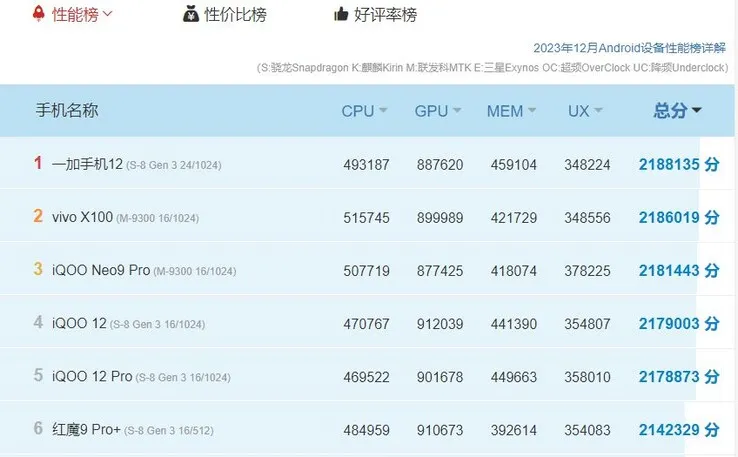
A closer look at the numbers reveals that the Dimensity 9300 outperforms the Snapdragon 8 Gen 3, with the MediaTek chipset scoring higher in the CPU and GPU tests. At first glance, the reverse seems to be true, with the OnePlus 12 ranking first with a total score of 2,188,135. The Vivo X100 comes in second with a score of 2,186,019.
The OnePlus 12 scores 493,187, whereas the Vivo X100 and its Dimensity 9300 register 515,745, indicating a roughly 5% CPU advantage for the MediaTek chipset. The difference is less pronounced in the GPU category, where the Vivo X100 scores 899,989, while the OnePlus 12 scores 887,620. Nevertheless, other Snapdragon 8 Gen 3-powered devices, such as the iQOO 12 duo, marginally outperform the Vivo X100 in this regard.
Evidently, the Dimensity 9300 edges over the Snapdragon 8 Gen 3 in both the CPU and GPU tests. The OnePlus 12 having the higher AnTuTu total score is completely down to it having superior memory, with the reported 24 GB of RAM earning it a higher score in the memory test than the Vivo X100’s 16 GB of RAM.
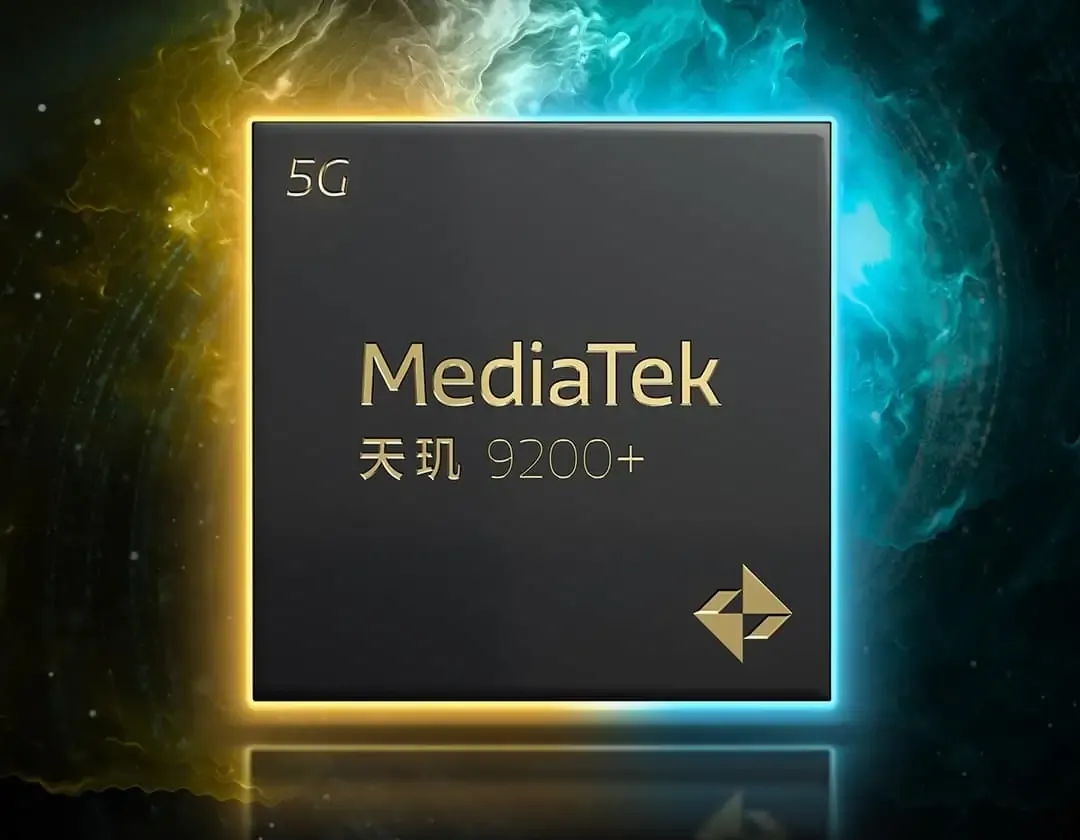
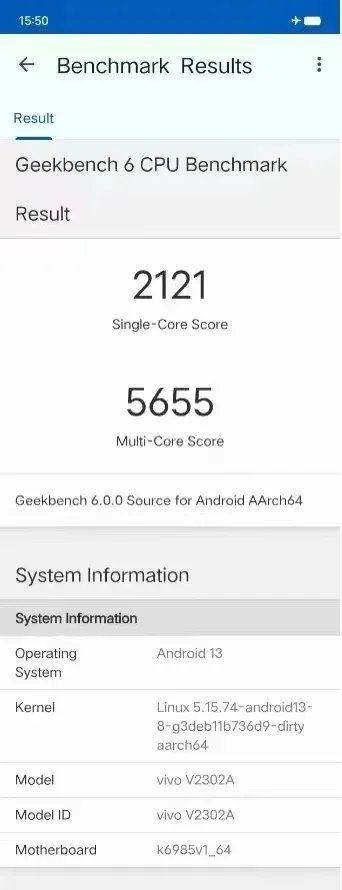
Recently, the much awaited Dimensity 9200+ processor has been in the news for its ground-breaking performance on Geekbench V6. The Dimensity 9200+ reportedly broke all existing Android CPU performance records with a single-core score of 2121 points and a multi-core score of 5655 points.
Rumored specifications
The Dimensity 9200+ has cemented its reputation as a potent chipset thanks to this amazing result and the Dimensity 9200+’s superb AnTuTu performance. The Dimensity 9200+ has an octa-core architecture with four A510 small cores, three 3.0GHz A175 big cores, and a 3.35GHz Cortex-X3 super large core. Additionally, it has a GPU with an immortalis-G715MC11 core. One of the factors contributing to the processor’s potent performance is the big core’s 3.0GHz clock speed.
The official release from MediaTek states that the Dimensity 9200+ will go on sale on May 10. The “strength depends on flagship+” poster indicates that the Dimensity 9200+ has performed admirably. Furthermore, the flagship smartphone market is about to heat up again given MediaTek’s trend of releasing “Plus” versions of its flagship processors every six months. The iQOO Neo 8 Pro is anticipated to be the first smartphone to use the Dimensity 9200+ chipset, according to benchmark listings.
New CPUs are being developed by Qualcomm and other significant industry players. The next Snapdragon Gen 3 from Qualcomm is anticipated to have a new architecture and a potent 3.7GHz prime core, which could potentially perform better than the Dimensity 9200+.
How these two processors compare and which one wins out will be interesting to observe. Nevertheless, the Dimensity 9200+ is positioned to compete fiercely in the high-end smartphone market thanks to its impressive benchmark results and promised performance capabilities.
After reading the post’s heading you may wonder. What is Mediatek, then? MediaTek isn’t really a smartphone company, personally. It is a term for a business manufacturing world-famous chips. Taiwan-based MediaTek Inc. offers chips for smartphones, televisions, laptops, navigation systems and much more. If you are using a Mediatek chipset-powered smartphone, you download Mtk droid tool to perform some Android OS-related tasks. Since the company officially releases the tool exclusively for Mediatek devices, it can be used efficiently by all the users.
Download and install USB drivers for the device – download from Droid Tools
Download the latest MTK droid tool
Windows PC
Recommended USB cable
Before you start:
Make a complete back up of your Mediatek device
Enable USB debugging mode on your device
Connect your device to the computer
Launch the application as administrator
MTK Droid tool will detect your device automatically and display information about your device
Now, click the “Root” button at the bottom of Window and Next, click “OK”
The process of the task will be displayed by a progress bar
It should be noted that this application is compatible only with Android smartphones powered by MediaTek chipsets and is not compatible with other models.
Knowing about this MTK USB All Driver is advantageous for any device operator. Software operators who already know about it profit from its advantages. This is why we show it to you, too, we want you to benefit from that.
This driver lets users attach their gadget to the windows of your computer. It lets them attach their tool to the desired machine, since they want to attach to the system for flashing stock firmware or other important reasons.
There are many important items to connect your device, such as flashing IMEI, flashing stock firmware and connecting it to the machine to move data from the tool. Read on and learn more information about this car, including both the new and old models.
All-Purpose Linking the Device: The tool helps you to connect to the windows computer with your media system and to relay data from the gadget to the computer or from the computer to the gadget in question. All you need to do is make sure you have enabled USB debugging on your gadget before attaching the device to the computer.
IMEI Flashing: MTK USB all driver aids users by helping the windows computer monitor their device.
Flashing Firmware: It is effortless for you to use in flashing your device. If you have Boot loop on your device or if your device is not turning on, you can use the MTK USB all driver to flash the stock firmware and also fix the boot loop on your device. After using it, your device will turn on easily, and you will easily connect your device to the computer.
The majority of users of smartphones use Android devices that have different chipsets. You have smartphone users amongst them only, who also use MediaTek chipset devices. Despite the fact that MediaTek chipset devices are a bit different from others.
MTK Droid tool is only designed to work with MediaTek models. It is compatible with just the same. Remember, though, that other chipset devices may not work well. MTK Droid Tool includes a Files > pwn malware that is present. This file isn’t harming your computer or phone, however.
If you own a MediaTek smartphone and want to use the latest version of MTK Droid Tool to root or flash it, then I have to assume that you fell to the exact location you should be. In this post, I listed the download links of different versions of MTK Droid Tool as well as a full guide on how to root your MediaTek computer using MTK Droid Tool. There are some of the basics and functions with that, too. Continue reading on for more.
Flashing or rooting through this tool or anyhow can void the warranty of your device. There exists a chance of getting your device bricked as well. But that is not the case every time. So whatever you choose, choose it wisely.
Your warranty will be void. Droid Tools is not responsible for bricked devices, dead SD cards etc…
MTK Droid Root & Tools Features
1) Supports All MediaTek Devices: If you are using
an Android device with MediaTek device then you can use this tool for
creating scatter files, creating stock firmware backup’s, etc. This
tools supports all devices with MediaTek chipset.
2) Create Scatter File:
Using this tool, you can easily create a scatter file of your firmware.
You can use this scatter file to flash stock firmware on your corrupted
and bricked device.
3) Backup Stock Firmware:
MTK Droid Root & Tools lets you to take backup of your device’s
stock ROM firmware. This is the best Windows tool for creating backup of
MediaTek device’s stock firmware.
4) Backup Stock Recovery:
Apart from backing up stock firmware, you can use this tool for taking
backup of you device’s stock recovery. You can also restore the same
using this tool.
5) Backup & Restore IMEI:
Using MTK droid tools, you can take a backup of your IMEI number. After
flashing stock firmware or custom ROM firmware, you can restore the IMEI
using this tool.
What you need to use this tool
MediaTek Device.
Good, compatible and working USB Cable for the device.
Step 1. To begin with, the process of rooting, Go to Settings> Developer> Click on USB Debugging option.
Step 2. Now connect your MediaTek device with your PC through an appropriate USB Cable.
Step 3. You will now receive a message saying- “Drivers Successfully installed” at the time of completion of the installation process.
Step 4. Now you will need to run the Tool as Administrator. For which you will have to right click first and then select ‘Run as Administrator’.
Step 5. At the left side of the tool detects and displays device information.
Step 6.
Then at the bottom of the screen, click on the Root option and if any
window pops up asking permission or on mobile you receive any
notification, click OK on it.
Step 7. Soon a progress bar will appear on the screen that will gradually turn yellow to green.
Step 8. Before rooting, click on the Backup Option and create a backup.
Step 9. Once the back up is finished, click on- To prepare blocks for flash tool.
Step 10. Now follow the instructions that show on the display and MDK Droid Tool will soon start rooting your MediaTek device.
And your job is done here! All you got to do now is wait. Soon the rooting process will be finished.