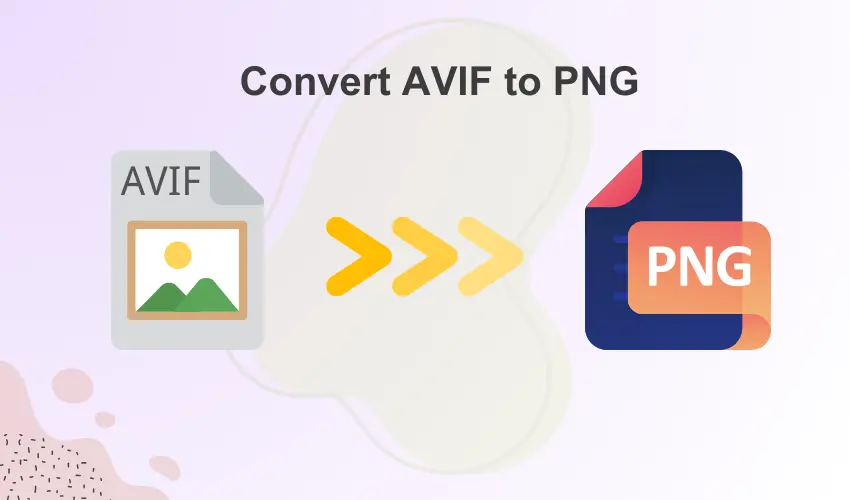
AVIF and PNG are the two most popular image formats, but both serve different functions. AVIF is developed primarily for excellent compression, which is superb for use on the Internet. PNG, on the other hand, is a conventional image format highly admired for its compatibility and transparency.
You may need to transform AVIF to PNG in specific cases, especially to gain support in old editing software. Transforming AVIF to PNG is also required to maintain transparency in applications that do not fully support it.
But how can you bridge the gap between the two? This is exactly what we will cover in this blog post. We will explore some of the best ways to convert AVIF to PNG using multiple tools and software.
Whether you need to convert your images one-by-one, or you need them in batch conversions, this blog will have you covered.
The Whys of AVIF to PNG
What makes AVIF stand out compared to other image formats is that it is a next-gen image format, offering superb compression and photo quality compared with PNGs.
But, there are other reasons why you need to change from AVIF to PNG.
- Compatibility: AVIF is like a cool new kid in the image neighbourhood, due to which many old browsers and applications do not fully support it.
PNG, on the other hand, is also known as a universal image format that is recognized and supported in almost all devices and software.
- Support for Transparency: The PNG image format is broadly used for its high transparency.
Although AVIF also supports transparency still some applications may not be able to render it properly.
- Editing Purposes: Many old image-editing tools do not have native support for AVIF. Therefore, you need to convert AVIF to PNG for editing purposes.
The Basics of AVIF and PNG Image Formats
Both AVIF and PNG are highly popular image formats, but they differ in their purposes.
AVIF
In simple terms, AVIF stands for AV1 Image File Format, a new image format created for the Internet. This image format supports exceptionally high image quality at the lowest file sizes. It makes AVIF one of the most ideal for fast and data-efficient web pages.
AVIF also supports HDR and Wide Color Gamut, which gives images life-like visuals. These features give AVIF a perfect balance of compression, quality, and versatility.
PNG
PNG is a universally used lossless image format that is ideal for preserving image fidelity. The full form of PNG is Portable Network Graphics, which is the most efficient for compatibility. They are also great for making icons and logos with transparent backgrounds.
However, the biggest disadvantage of the PNG format is that they do not support advanced compression abilities. This makes a PNG image higher in file size.
Easy Ways to Convert AVIF to PNG
There are multiple ways in which you can convert AVIF to PNG, ranging from online tools to editing software. In this section, we will take a closer look at some of the easiest ways to do so.
Online Image Converters
If you want a fast and hassle-free way of converting AVIF to PNG, then online image converters are your best bet. You just need an active internet connection to work with these tools.
Some popular and efficient image converters are listed below.
1. RabbitLoader Image Converter: RabbitLoader’s image converter is a fast and easy-to-use tool for converting your AVIF images to PNG format. Visit the tool from your browser and follow the instructions to unlock hassle-free conversions in minutes.
2. Convertio: It is a great tool for fast and reliable image conversion from AVIF to PNG. This image converter boasts a highly user-friendly interface, which makes it easy to use. Convertio also offers a cloud space for easy storage of your images.
3. Zamzar: Zamzar is a highly popular online file converter admired for its efficiency and simplicity. The tool offers a quick and simple way to convert your AVIF images to PNG. All you need to do is visit the platform and select your output type, and initiate the conversion.
Software Tools
Those who want more control over the image conversion process can opt for editing software tools.
Some of the most famous software tools for photo editing are summarized below.
1. GIMP: To save your image in PNG format from an AVIF file, you should first open the file in the GIMP software. Then, you need to navigate to “File” and “Save As” and then choose “Select File Type.” PNG must be the output format, and lastly, click on the “Export” button.
2. XnConvert: This software is a free and user-friendly batch image converter. It supports all other types of image formats, except AVIF and PNG. You can use this software for simple and advanced compression tasks.
Bulk Conversion of AVIF to PNG
If you have many images in AVIF format and want them converted to PNGs, batch conversion is the most reliable and fastest way to do so. Instead of converting your images individually, batch conversion converts all your images at once.
The best way to batch convert your images from AVIF to PNG is by using RabbitLoader’s website optimization plugin. The plugin is primarily designed for WordPress websites, but site owners in WooCommerce and Shopify can also use RabbitLoader.
Installing RabbitLoader and connecting it with your website will leave you worry-free about handling hectic image conversions. RabbitLoader takes responsibility for converting your large-sized PNG or other conventional image formats to fast and efficient next-gen formats like AVIF and WebP.
The image optimization process in RabbitLoader is automatic. Apart from seamless image optimizations, RabbitLoader’s all-in-one optimization tool also offers advanced optimization techniques like lazy loading, minification, and caching to upgrade your website’s speed to a whole new level.