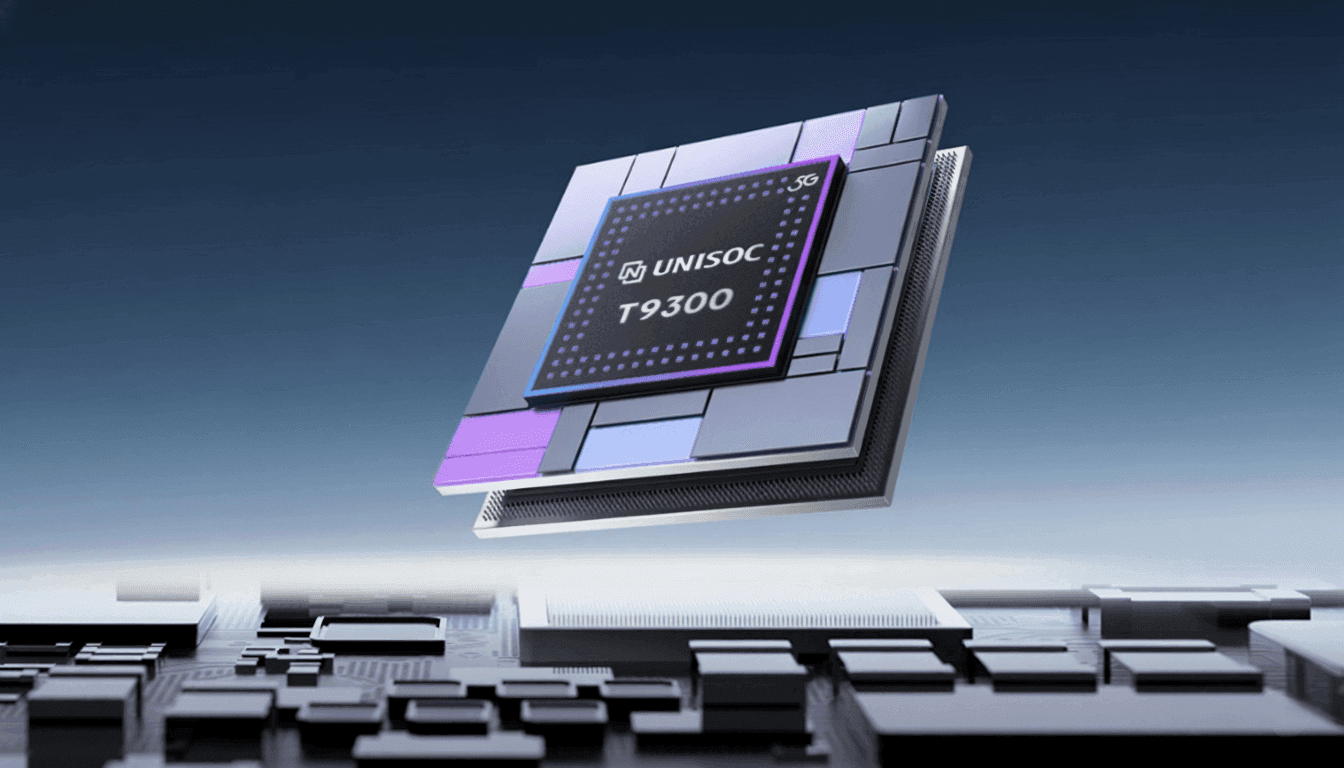
The new Unisoc T9300 5G mobile chipset for smartphones has been discreetly introduced. According to the business, the chip is a high-performance 5G SoC intended to provide improved gaming and video experiences. To find out more specific information about the new chipset, keep reading.
Unisoc T9300 specs
The high-performance 5G SoC Unisoc T9300 is intended to improve gaming and photography. It has an octa-core CPU with two Cortex A78 cores operating at 2.4GHz and six Cortex A55 cores operating at 2.2GHz, all built on a 6nm technology.
According to Unisoc, efficiency has increased by about 38% over the preceding generation. The Mali G57 dual-core GPU handles graphics, and UFS 2.2 flash and LPDDR4X RAM are supported for storage. According to reports, benchmark scores on AnTuTu V10 approach 550,000.
3GPP Release 17 support, the integration of 5G NR NTN satellite communication, and 5G MBS broadcast significantly improve connectivity. In typical 5G scenarios, the chipset has enhanced power efficiency and AI-driven network management. Dual VoNR, VoWiFi, SA and NSA modes, and full multi-band compatibility from 2G to 5G are all supported.
With a quad-core ISP, support for up to 200-megapixel sensors, 32-megapixel at 25 frames per second ZSL output, and 20-megapixel dual camera combinations, the T9300 unveils the seventh-generation Vivimagic imaging engine. Along with enhanced portrait segmentation and HDR photography, it also features enhanced multi-frame and time domain noise reduction, improved 3A algorithms, and AI-backed night mode.
Advanced noise reduction, improved echo control, improved stereo playback, and HiFi-grade output driven by a dedicated DSP are among the audio features. In addition to VRR and other eye protection settings, display support includes FHD+ at 144Hz, 1.5K at 90Hz, HDR10+, and Netflix certification.
The Unisoc Miracle Gaming engine, which emphasizes frame stability, network optimization, and improved visual processing with AI codec support for increased voice clarity in bad network conditions, enhances the gaming experience.
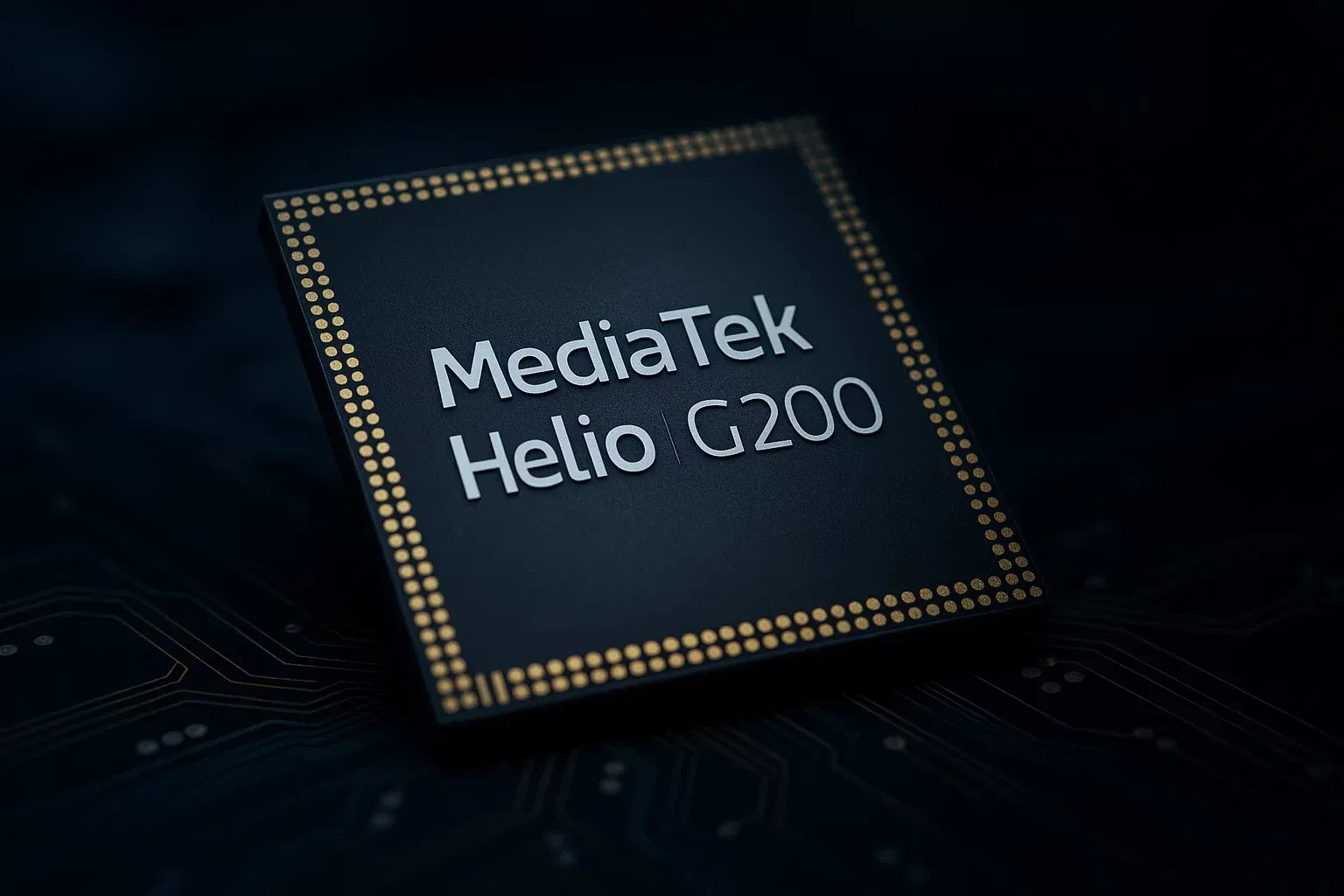
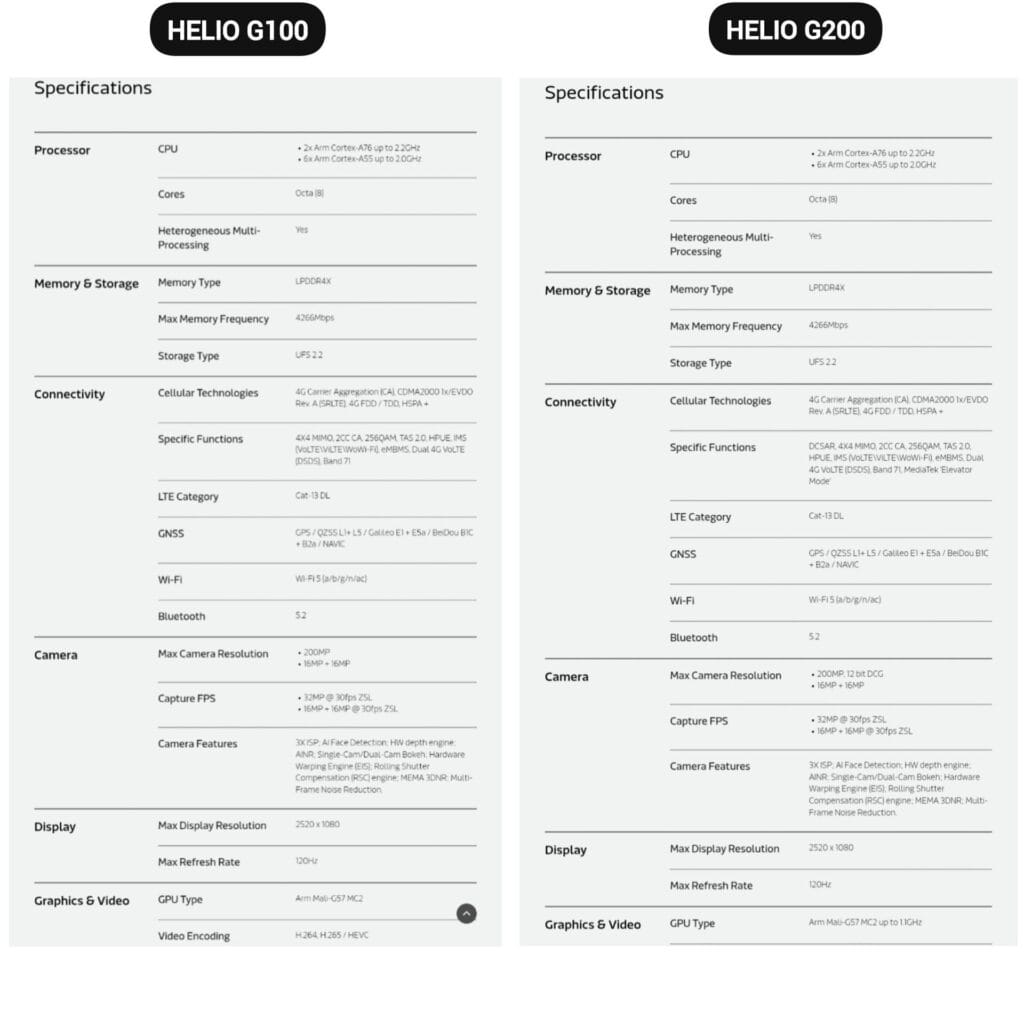
The Helio G200, MediaTek’s newest chipset, was formally announced. It significantly improves the low-cost phone lineup, which is dominated by Xiaomi phones. Utilizing the advancements of its predecessor, the Helio G100, which powered the well-liked Redmi Note 14 Pro 4G, this new chip delivers significant improvements to networking and camera management.
The G200 is a component of MediaTek’s continuous effort to offer premium features at reasonable costs, which is exactly in line with Xiaomi’s own strategy in the smartphone market.
Better Performance
The MediaTek Helio G200 features the same core architecture as the previous one but with several significant upgrades:
Octa-core CPU setup (6x Arm Cortex-A55 at 2.0GHz + 2x Arm Cortex-A76 at 2.2GHz)
Mali-G57 MC2 GPU now at 1.1GHz for enhanced gaming performance
Support for LPDDR4X memory with speeds of up to 4266Mbps
Compatibility with UFS 2.2 storage for quick data access
MediaTek’s HyperEngine technology, which adjusts the network connections, display settings, and touch input while gaming, further strengthens the processor’s gaming capabilities.
Improved camera capabilities
One of the greatest advancements in the G200 is in its imaging abilities:
Support for camera sensors with as much as 200MP with 12-bit DCG
Triple ISP architecture for quicker image processing
Advanced AI noise reduction technology
Hardware-accelerated depth engine for enhanced portrait shots
Both single and dual camera bokeh effects are supported
Because of these enhancements, the G200 is a desirable option for smartphone manufacturers looking to offer exceptional photography capabilities in mid-range devices.
Features
The Helio G200 features several new connectivity features not available in the G100:
Optimized signal reception through DCSAR technology
MEDIATEK introduces new “Elevator Mode” for preserving connectivity in difficult situations
We should expect Xiaomi’s upcoming mid-range smartphones to employ this new G200 chip, as the Redmi Note 14 Pro 4G uses the Helio G100. Better gaming performance, better photography, and more reliable connectivity would all be supported by the updated specifications without significantly increasing the devices‘ price.
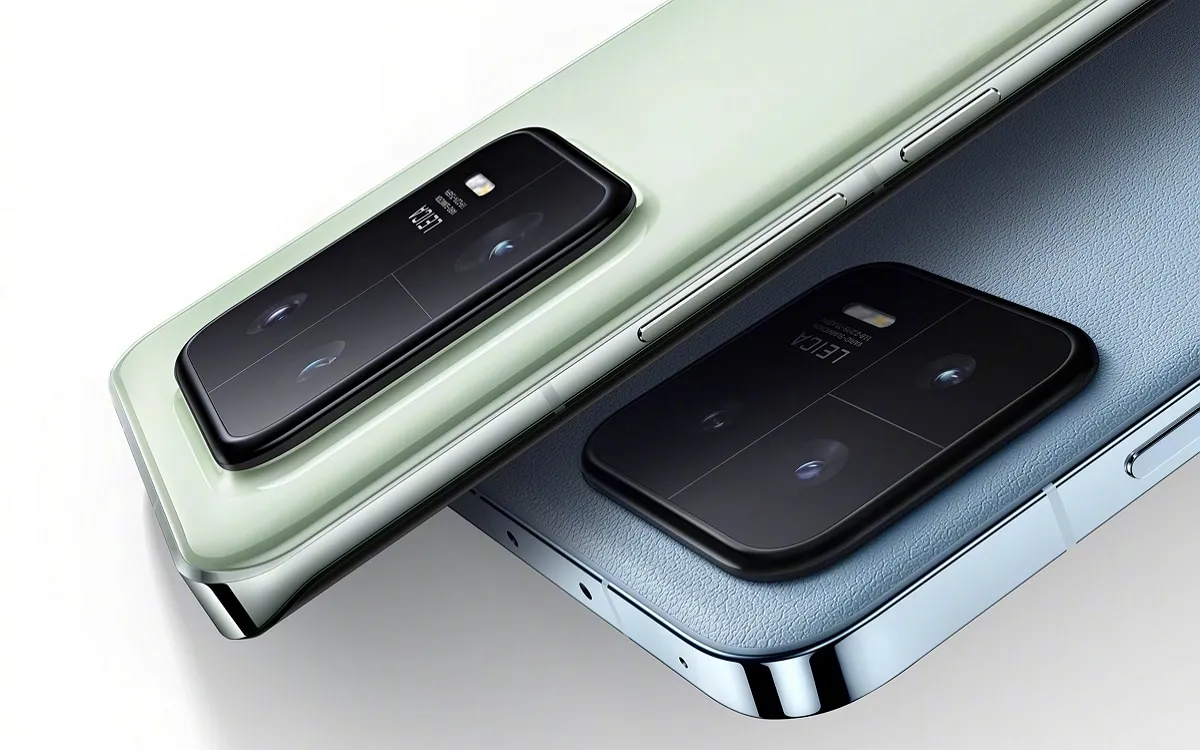
After making its debut in November, the new Snapdragon 8 Gen 2 is now slowly making its way into the market. The new Xiaomi 13 series is powered by the company’s flagship processor, and the Xiaomi 13 Pro has just been put to the test in a competitive gaming environment.
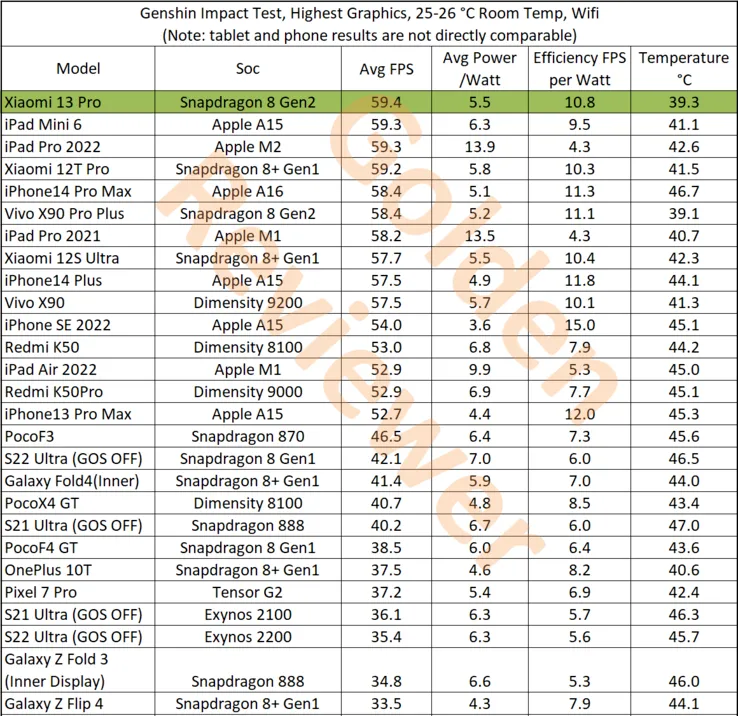
This test, conducted by Golden Reviewer on the well-known game Genshin Impact, demonstrates the Snapdragon 8 Gen 2 in the Xiaomi 13 Pro’s performance, which easily exceeds all competitors. The Xiaomi 13 Pro has the highest tested raw performance, averaging 59.4 frames per second (FPS). Comparatively, the Dimensity 9200 on the Vivo X90 achieves 57.5 FPS while the iPhone 14 Pro Max and its A16 Bionic accomplish 58.4 FPS.
With higher efficiency scores and lower power consumption than the Dimensity 9200, the Xiaomi 13 Pro and Snapdragon 8 Gen 2 also outperform it in terms of efficiency. However, the iPhone 14 Pro Max does have a slight edge in some areas. Most impressively, though, is that the Xiaomi 13 Pro achieves these performance benchmarks while remaining cooler than every other tested tablet. It only reaches a maximum temperature of 39.3°C. In contrast, the iPhone 14 Pro Max achieves a maximum temperature of 46.7°C, while a tablet like the iPad Pro 2022 only hits 42.6°C.
Every year it appears as though Asus has regained its position as the ruler of gaming smartphones, and this year is no different. The flagship ROG Phone 6 Pro for gamers offers the best mobile gaming experience, but it also costs €1,299 (about $1,300 with taxes in the States). Is this astronomical price justified? In this comprehensive examination of the Asus ROG Phone 6 Pro, I offer you my assessment.
On July 5, 2022, the Asus ROG Phone 6 Pro was introduced in France, and pre-orders for the device began on August 1. It is available in a single 18/512 GB version that costs about $1,300 (plus taxes, of course).
We concur that your wallet will suffer as a result. With the same storage, it is less expensive than the Samsung Galaxy S22 Ultra ($1,400) and the iPhone 13 Pro Max ($1,690).
I don’t think it’s wise to get a smartphone that pricey and specialized. On the other hand, the ROG Phone 6 Pro unquestionably provides the industry’s greatest gaming experience in 2022. And when you take into account that many of its features and advantages are present on the entry-level ROG Phone 6, which begins at
Design
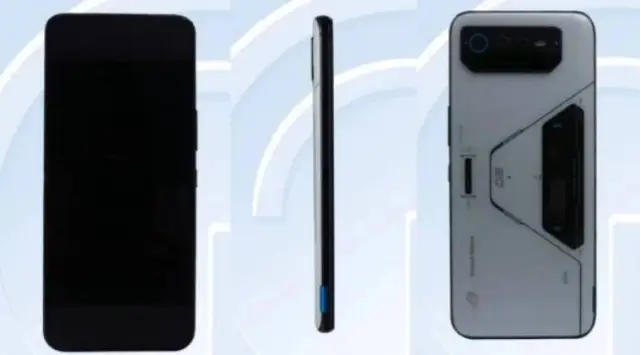
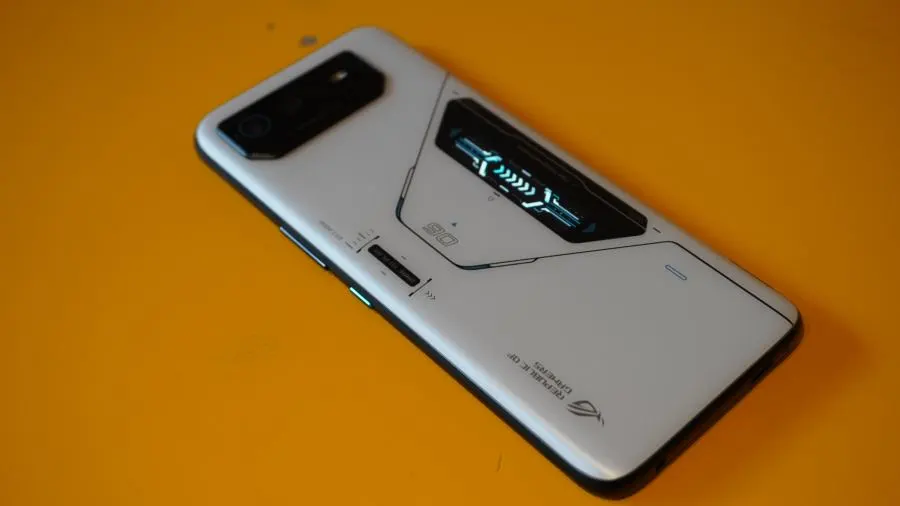
The Asus ROG Phone 6 Pro has a futuristic design evoking the fuselage of a spaceship. It features backlit LEDs as well as a small PMOLED add-on display on the back.
Pro:
Great Storm White color scheme with matte finish.
The small screen ROG Vision is a nice gimmick.
3.5 mm jack and finally an IPX4 rating.
The haptic triggers are always so responsive.
Cons:
Massive form factor and bulky weight.
No microSD port.
Storm White is the only shade of white available for the Asus ROG Phone 6 Pro. Black and light blue metallic screen prints contrast with the matte glass surface, which is very pleasant to the touch. The words “Dare to play” are written on a small backlit LED that is located on the rear. The tiny ROG Vision PMOLED display, which is located directly beneath, shows 60 contextual animations (time, notifications, etc). It’s gimmicky, but cool nonetheless, and that’s all that counts.
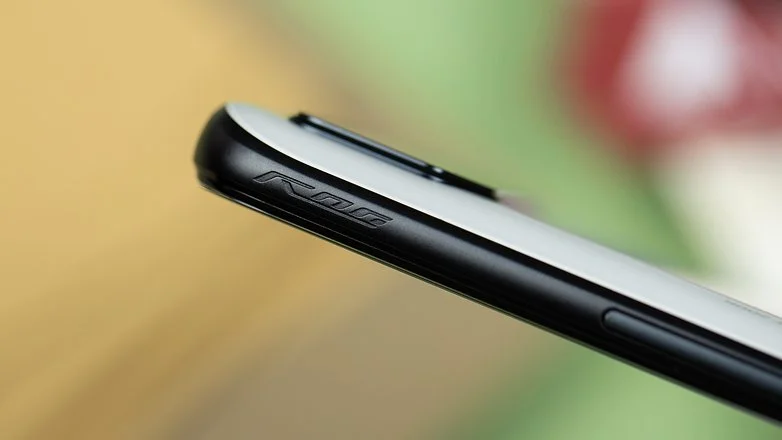
You can of course disable all of this to preserve your battery. The camera module is slightly off-center on the left but remains centered enough while not sticking out too much to prevent the smartphone from feeling wobbly when laid flat. The screen of the ROG Phone 6 Pro is quite flat with 2.5D edges and the grip is frankly good despite its massive dimensions of 173 x 77 x 10.3 mm and its weight of 239 g.
The ROG Phone 6 Pro boasts an IPX4 grade for water and dust protection for the first time. A 3.5 mm jack is also included, which is always a delight. To increase the storage, however, there is no microSD connector. The Corning Gorilla Glass Victus on the front and Gorilla Glass 3 on the rear of the ROG Phone 6 Pro provide protection.
Asus is also one of the few manufacturers that understands that a USB-C cable is the enemy of mobile gamers because it hinders the grip when holding the smartphone in landscape mode. That’s why the manufacturer offers two USB-C ports, one on the bottom cross slice (USB 2.0) and one on the left side slice, at the bottom in landscape mode (USB 3.1).
Finally, we find the classic haptic triggers (called Air Triggers) that are still as responsive and offer more possibilities for your touch controls.
Screen
he Asus ROG Phone 6 Pro packs a 6.78-inch Amoled display with a Full HD+ resolution of 2400 x 1080p with a variable refresh rate of up to 165 Hz, a touch sampling rate of 720 Hz and a maximum brightness of 1200 nits.
Pro:
The refresh rate goes up to 165 Hz.
Colorimetry well calibrated by default.
Response time of 1 ms and touch latency of 23 ms.
Cons:
The refresh rate not adaptive enough.
The 720 Hz touch sampling rate is a bit weak compared to some competitors.
The ROG Phone 6 Pro’s Amoled screen is ideal for gaming and multimedia use. To the unaided eye, the standard colorimetry is extremely accurate. The display has a 1ms response time (the time it takes for a pixel to change color) and a very low touch latency of 23ms. It is also HDR 10+ certified. This delay, when coupled with the 720Hz touch sampling rate, enables extremely responsive touch controls.
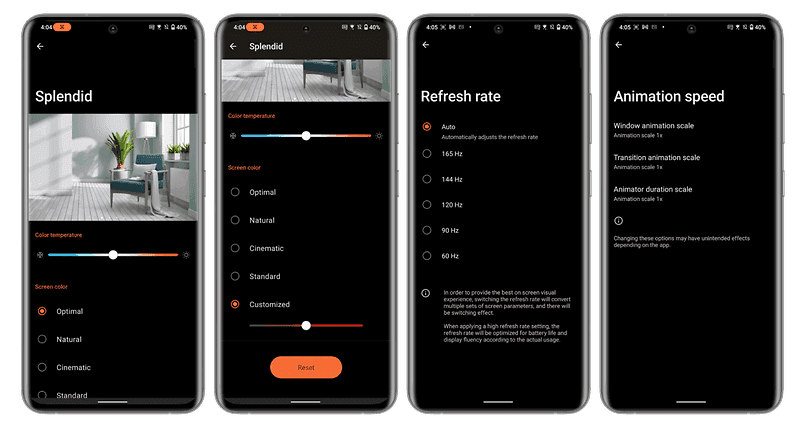
The refresh rate is adaptive, but Asus has not integrated the LTPO 2.0 technology. So it doesn’t vary much according to the different usage scenarios you can subject it to. By default, I was stuck at 120 Hz in the interface, even when I wasn’t touching the screen. On YouTube, I never went above 60 Hz, no matter what the framerate of the video in question was. And in games, I had to activate the X mode to go from 120 to 144 Hz.
By the way, oddly enough, I could only force the settings to 165 Hz by turning off auto refresh rate. Stranger still, when I turned on the X mode, which is supposed to improve performance, I automatically dropped back to 144 Hz.
In fact, Asus seems to voluntarily block the refresh rate at 144 Hz with the X mode. Maybe the manufacturer thinks that 165 Hz is not very useful since no game runs at 165 FPS and it is better to keep performance to allocate to other tasks. But this is quite counterintuitive.
UI – based on Android 12 and X mode
The Asus ROG Phone 6 Pro runs on the ROG UI overlay, a gaming version of ZenUI, Asus’ Android 12-based interface, and the manufacturer promises a fairly limited update policy.
Pro:
ZenUI and ROG UI are lightweight Android interfaces.
Android 12 features are well implemented.
The Armoury Crate menu is as complete as ever.
The ability to switch between ROG UI (gaming design) and ZenUI (more sober design) very easily.
Cons:
The too limited update policy.
Some bloatware (Facebook, Instagram, Messenger, Netflix).
The ROG UI is a customized and gaming-oriented version of ZenUI, Asus’ overlay based on Android 12. This interface is basically very light and close to stock Android. Asus has implemented the dynamic themes of Android 12 as well as the Privacy Dashboard.
And, apart from a few typically gaming stylistic effects on the icons and wallpapers, ROG UI does not push the envelope too far and remains quite sober.
Asus also offers a very basic update policy, guaranteeing only two major Android versions and at least two years of security updates.
The highlight of ROG UI is still the Armoury Crate menu, which allows you to manage the different performance modes: X mode, balanced mode and ultra durable mode. The X mode is the one that allows you to boost all the performance to concentrate the computing power of the CPU and GPU, the allocation of RAM, and your network to the game.
The Game Genie pop-up pane lets you control the refresh rate, enable haptics, control the strength of the external fan, and display specific information like the phone’s temperature or framerate in real time. It also lets you rapidly access many in-game settings.
Nothing very groundbreaking, but this menu is still pretty comprehensive. And the ability to separately create presets for each of your games is really nice. Additionally, you may turn on several filters and features to enhance graphics and, in particular, alter the thermal throttling threshold to push the smartphone as far as you want.
Asus really wants to give the user a level of control and performance customization that comes close, admittedly, to what you can do on a PC. And I think that’s great.
Performance
The Qualcomm Snapdragon 8+ Gen 1 SoC and Adreno 730 GPU, along with 512GB of UFS 3.1 storage and 18GB of LPDDR5 RAM, power the Asus ROG Phone 6 Pro. Additionally, Asus updated its GameCool cooling system.
Pro:
X mode really works and really boosts performance.
Zero overheating in real use.
The hyperefficient external fan.
Cons:
Overheating on a 20-minute benchmark with X mode enabled.
Since the ROG Phone 6 Pro is among the first smartphones to be released in Europe with the premium Snapdragon 8+ Gen 1 SoC, some benchmarks will naturally take some time to adjust. Because of this, 3D Mark’s results on the Wild Life benchmark, which simulates one minute of intensive use, weren’t very informative. The ROG Phone 6 Pro was merely flagged as being overly powerful by 3D Mark at the end of the test, despite the fact that the smartphone did not at all overheat.
However, what is intriguing are the outcomes with the well-known X mode, which improves performance. On the 3D Mark Wild Life Stress Test benchmark, this was accurate (simulating intense gaming use for 20 minutes). A considerable improvement in raw performance is visible. However, the smartphone was actually on fire.
However, the smartphone maintained its steadiness, hovering about 70%. To put it another way, the X mode only lowers the point at which the smartphone will begin thermal throttling. There is little to no throttling present if the smartphone heats up yet the framerate stays constant.
In real-world use, you will be able to run your games without any graphic concession. Even Apex Legends Mobile, a game that is not 100% optimized, runs full speed at 60 FPS with graphics and framerate at maximum. I didn’t experience any slowdowns and above all, no overheating in real conditions, even when I left the X mode on for several hours.
I’ve put a short excerpt of gameplay for you to see. This demonstration of my talent was recorded in 1080p at 120 FPS (the screen recorder settings do not allow more).
Camera
The Asus ROG Phone 6 Pro features a triple camera module on the back, with the well-known Sony IMX766 sensor for the main 50 MP lens, a 13 MP ultra-wide angle lens and a 5 MP macro lens. As for the selfie camera, it offers a 12 MP resolution.
Pro:
The Sony IMX766 which has proven itself both day and night.
The light photo processing and the natural colorimetry.
Cons:
Exactly the same ultrawide angle and macro lenses as the ROG Phone 5.
No dedicated telephoto lens, digital zoom too limited.
Average selfies.
I’m really going to skim over the photo part because Asus has absolutely not messed around this year. It’s exactly the same photo module as on last year’s ROG Phone 5.
It has proven itself and offers a very good level of detail overall, with shots rich in sharpness—a good dynamic range in short—I feel like I wrote the same thing in 5 other different tests.
The ultrawide angle images are a little underwhelming because they lack detail and are quite bland. It should come as no surprise that the digital zoom is constrained after the magnification multiplier reaches x2. The macro sensor, too? It is a macro sensor, I suppose. I don’t really care if I have 2 or 5 MP.
Overall, I think Asus’ software processing is pretty minimal, which results in a colorimetry that feels quite natural. However, occasionally, when there isn’t enough light, the images can be a little too plain for my tastes. Simply said, I have zero enthusiasm for this photo module. And I recognize that a gamer may not necessarily be searching for an advanced photo smartphone.
But the photo remains one, or maybe THE, essential purchase criteria for many users. It’s a shame to see Asus neglect this part when you know that with the computing power of the ROG Phone 6 Pro, there would be plenty to do.
In video, the ROG Phone 6 Pro can record up to 8K at 24 FPS with its main rear lens. The ultrawide angle is limited to 4K at 30 FPS maximum. As for the selfie camera, it can produce videos in 1080p at 60 FPS. I’ll leave you the clips below to get an idea.
Battery
A 6000 mAh battery on the ROG Phone 6 Pro enables 67 watts of wireless charging. There you have it, and it is more than enough.
The dual-cell battery in the ROG Phone 6 Pro charges utilizing the MMT (mid-mid-top) protocol. In essence, the cells don’t charge linearly from one end to the other; instead, they charge from the centre to the ends. Most manufacturers have perfected this technique.
Pro:
Big ass 6000 mAh double cell
67W fast charging does the job
Excellent battery life
USB-C charger included in the box
Cons:
–
On our PC Mark benchmark with the display set to an auto refresh rate and brightness set to 200 nits, the ROG Phone 6 Pro took 19:17 to drop below 20% remaining battery life. That’s an excellent score. Personally, I consider that a battery life is very good from 15 to 16 hours minimum. Here, the ROG Phone 6 Pro does very well when you consider that it powers a very greedy SoC, a large 6.78-inch AMOLED screen and all the LEDs as well as its auxiliary screen.
With a wattage of 67 watts, quick charging is more conventional. The bundled USB-C charger has the advantage of working with Qualcomm’s Quick Charge 5 standard as well as USB PD 3.0 and PPS. It works with the majority of your gadgets.
The ROG Phone 6 Pro, on the other hand, does not support wireless or reverse wireless charging. I was able to charge this large 6000 mAh battery completely in less than 45 minutes overall. And in any case, the ROG Phone 6 Pro’s edge-mounted USB-C connector enables you to play peacefully by connecting it to the power source without being bothered by the
So if the ROG Phone 6 Pro seduced you after this test but, like me, you are not ready to drop $1,300 dollars, then go for the ROG Phone 6. And if you can afford it, if you’re blowing your nose in 100’s of dollars, then PLEASE buy the ROG Phone 6 Pro, the best gaming smartphone of the year.
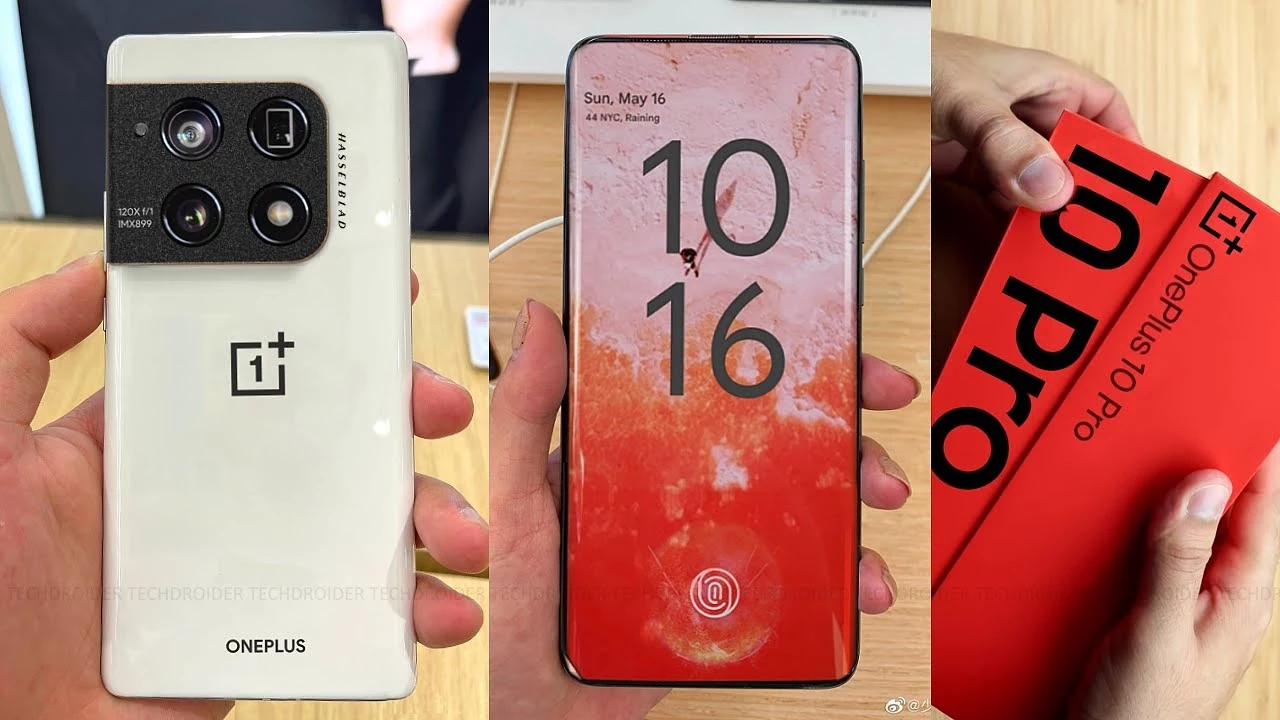
The OnePlus 10 Pro, which will successor the OnePlus 9 Pro, will be one of the most interesting Android phones of next year. Many of the device’s internal specifications have now been revealed by rumors, allowing us to adjust our expectations accordingly.
The OnePlus 10 Pro is up against some stiff competition. The device’s expectations have been raised by its predecessor’s exceptional performance, which currently holds the title of “best gaming android phone” in our rankings.
This is an incredible achievement, given that the Android device competes with niche gaming smartphones such as the ASUS ROG Phone 5 and yet manages to win, owing to its low price and well-balanced collection of features. According to the fresh information released by OnLeaks (via 91mobiles), we can already envisage what the future battle for flagship supremacy will look like.
The OnePlus 10 Pro that is expected to launch globally by April, is going to feature a wide set of specs that already place it at the top of the phone food chain. According to the leak the device is coming with a huge, 5000mAh battery, a Snapdragon 8 Gen1 by Qualcomm, and a high refresh rate, QHD+ 120Hz screen at 6.7 inches.
According to reports, the device will be available in two memory/storage configurations: 8GB/128GB and 12GB/256GB. The memory will be combined with the Qualcomm Snapdragon 8 Gen1 processor, which will be released soon (on November 30th) and marks a significant shift in Qualcomm’s naming strategy.
Speculating further, the OnePlus 10 Pro is said to have a 48MP primary shooter, a 50MP ultra-wide and, an 8MP telephoto with 3.3x zoom on a square camera bump. On the selfie side, we expect to see a 32MP camera inside the typical punch-hole cutout that we have been seeing for a few years now on devices.
Some extra information points to a 125W charging capacity, but details about the fast charging capabilities are not yet known, but the OnePlus 10 Pro will be IP68 rated for that provides a little extra protection for this massive battery.
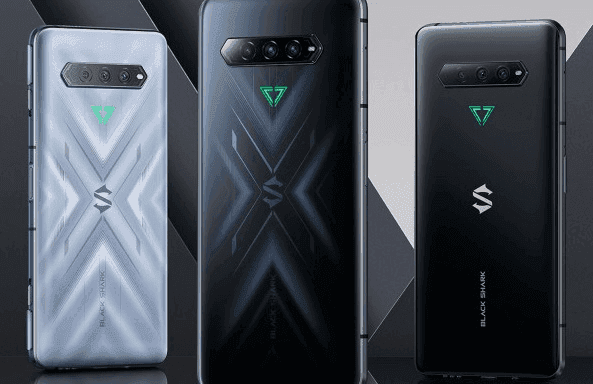
Gaming phones are becoming increasingly common, and Xiaomi is keeping up with its Black Shark series. The Black Shark 4 and 4 Pro, the most recent version, have appeared on the Chinese market. You can pre-order one today, and the phones will be available in China on Thursday, November 25th. An international release date has yet to be determined.
Black Shark 4 Pro
The no-holds-barred Black Shark 4 Pro is operated by Qualcomm’s largest and baddest processor, the Snapdragon 888. It’s paired with either 8GB or 12GB of ultra-fast LPDDR5 RAM, and both versions have 256GB of storage. But those aren’t exactly difficult to come by these days. The dedicated mechanical shoulder buttons on the side are the more obvious giveaway that this is a gaming phone: slide the locks away to allow them to pop-up. They, like the Black Shark 3’s shoulder buttons, can be bound to touch areas on the screen for incorporation with virtually any game.
The 4 Pro has a 6.67-inch AMOLED 1080p screen with a maximum refresh rate of 144Hz, which outperforms most gaming phones. It also has two pressure response zones (as in the amount of pressure applied, not just touch sensitivity), allowing for more integration into games that can accommodate it. Its battery capacity is 4500mAh, which is fairly standard for a phone of this size, but it supports quick charging at a totally insane 120 watts (with the charger included in the box). Xiaomi claims that it can charge the battery to 90% in just over 30 minutes.
Cameras on the Pro are respectable: 64MP main shooter, 8MP ultrawide, and 5MP macro, with a 20MP centered front camera. In terms of style, the flat black version actually looks fairly button-down—if you don’t notice the side buttons (and the LED triangle logo on the back stays unlit), you’d have a hard time telling it’s a gaming phone. Of course that goes out the window if you get the “So Empty Black” version (that’s auto-translated, so we’re unsure if that’s the official name). Its layered, semi-transparent glass shifts around as you look at it, in a much more flashy but not unappealing way.
The phone is 9.9mm thick, which is enough to accommodate a headphone jack and a side-mounted fingerprint reader. The dual-SIM radio supports 5G, and for the most intense sessions, you can attach the sold-separately cooling module. The Black Shark 4 Pro starts at $4000 for the base edition, which is only available in black, and goes up to $4500 for the 12GB RAM version. That works out to $615 and $690, respectively.
Black Shark 4
What about the non-Pro? The standard Black Shark 4 ditches the pricey Snapdragon 888 for an 870, basically a refreshed version of last year’s go-to flagship chip. It has an identical body, screen, and battery with 120 watt fast charging, but the base model goes down to just 6GB/128GB. Upgrades all the way to 12GB/256GB are available.
You lose that dual-zone pressure sensitive screen and drop the main camera down to “just” 48 megapixels, but the Black Shark 4 keeps those signature shoulder buttons and most of the rest of the hardware. It costs between ¥2500 and ¥3000, depending on your RAM and storage choices.
Both phones are running JoyUI, based on Xiaomi’s MIUI, which has been generally well-received. The phones are launching in China only for the moment, but previous models were made available globally as unlocked devices. With a current boom in gaming phones, it seems likely that the 4 will follow.
Corvus OS is another Android custom ROM with many customization.
First, it’s inspired by Dirty Unicorns, but developers picked many other features too. Their objectives are a stable and feature ROM that can be enjoyed by many devices.
Developers won’t say that Corvus is better ROM than others, but we always try to give you the best.
CorvusOS v9 changelog (2020.09.12)
Merged September Security Patch
Bumped to the EndGame 9.0
Added More QS Tile Styles (OOS, Divided & Cosmos)
Added toggle for carrier group visibility
Updated QS tile icons (Airplane Mode, Dark Mode, Data Saver, Flashlight & Mobile Data)
Added some new Headers (One-piece Anime pack, Hunter x Hunter, Shingeki no Kyojin, Kimetsu no Yaiba, My Hero Academia)
Added Mi 10 Ultra FOD animations
Beautify airplane & mobile data icons
Imported back arrow from OOS
Added Option to use linear scale in BrightnessController
Redesign some drawables in Settings
Fixed crash when uninstalling apps with fragile data
Fingerprint: fix client was canceled by service by mistake
Corvus operating system is fantastic ROM with many customizations. First, Dirty Unicorns inspired it (thanks to Alex Cruz), but then we picked many other features too. Our goals are a secure, feature ROM that many devices will enjoy. We ‘re not going to say Corvus is better than others but we’re still trying to give you the best.
Next level customisation
If you thought that the best customizable ROM ever available for Android was CyanogenMod, then you’re in for a treat. Havoc-OS will bring customisation to the next level. When it comes to customisation the custom ROM is a beast. Quick something you can alter on your mobile. This is customisable if it exists.
Battery Saving
Nearly all phones have a battery saver feature that will automatically be disabled if the battery drops below 15-20 per cent or you can even turn it on manually. But at Havoc, you get to do that with multiple features. One such feature is ‘Sensor block per packet.’ You can then turn it on manually. What this feature does is that it effectively blocks access to certain sensors on your phone for certain applications, and saves power. Another feature is ‘Alarm blocker’ which prevents you from waking up your phone when you receive notifications from certain apps. Sometimes using these power saving tools, you can get a huge increase in screen-on times.
Quick Settings
Quick settings can be accessed by pulling the notification shade further down. Most Android skins allow you some basic quick settings including Wi-Fi, Bluetooth, Mobile data toggles, etc. Havoc-OS, on the other hand, can offer you multiple quick setting toggles, and even some features that wouldn’t previously exist on your device like screen recording (which can be accessed from the quick settings).
Latest changelog – Corvus ROM
* Gaming Mode v2 -Now with roblox support-
* Fixes for QS detailed view
* Advanced location enabled
* Added support for Pixel stand
* Updated some boost framework stuff
* Adding cutout force full screen
* Shishu Launcher Free with a premium upgrade added
* Added LiveDisplay
* Force powersave on system apps
* New intro for new devices
* Moving net indicator to expanded statusbar header
* Fixes for Q clock strings
* Long screenshot
* Internal Audio recording
* New launcher quickspace stuff: Adding now playing -even though it's not fully compatible-, Personality (taken from lawnchair) and a new UI, more minimalistic
* Fixed the inverted navbar layout
* People actually fell off thinking that Shishu Launcher Premium was a thing, so we reverted that joke on our changelog
* Switched to Lineage Fingerprint on Display code
* Added support for sliders for OP devices
* Added some goofy stuff: like The Drill and Developer mode insulter
* Updated our APNs
* Fixed dialer dark numbers on numpad
* Misc fixes
* Removed Roblox as system app
Corvus features
Statusbar:
Statusbar clock customizations
Network Traffic Activity
Hiding Statusbar on lockscreen
VoLTE Icon customizations

Quick settings:
Togglable blur behind QS
Hide gradient behind QS
New tiles
OP Screen Recorder Tile

Themes:
Awesome wallpaper
Pixel Theme Picker
Good minimalistic bootanimation

Hardware Buttons:
Power Menu Customizations
Disabled Annoying Emergency button in power menu

Navigation:
Navigation bar layour invertion
Togglable hide pill in full gesturl nav mode

Gestures:
3-finger screenshot gesture

Screenshot:
Extended screenshot feature from OOS

Settings:
Added package name to installed app details
Maintainer and device codename strings

Miscellaneous:
Regular OTA Updates
Moved battery icon to QS header


Much More As Source keeps updating So HArd to keep all updated.