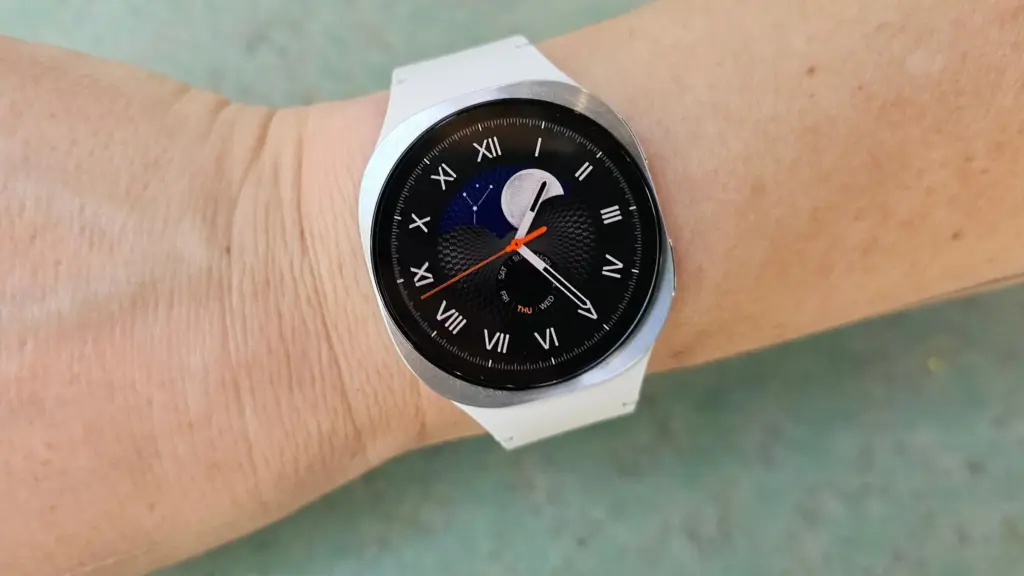
Your Galaxy Watch has a lot in common with a cluttered desk. The longer you use it – jumping between apps, running things in the background, switching modes – the more it accumulates invisible junk that slows everything down. Frozen screens, laggy responses, battery that drains faster than it should. Sound familiar?
The good news: you almost certainly don’t need a new watch. Nine times out of ten, the culprit is a bloated cache, and clearing it is one of the easiest things you can do.
What’s a cache, and why does it matter?
Your watch stores temporary data – bits of information from apps and processes – to help things run faster in the moment. Over time, that pile grows. What was meant to speed things up starts doing the opposite, and your watch starts feeling like it’s running through mud.
Samsung says the Galaxy Watch handles memory optimization automatically in the background, but that doesn’t mean you can’t give it a nudge yourself. Sometimes it needs one.
How to clear your Galaxy Watch cache
Clear your recent apps
Swipe up from the watch face and tap the Recent apps icon. Hit Close all to shut everything down at once.
If you want to be more selective, open Recent apps again and tap Active in background. You’ll see which apps are running silently and can close whichever ones you don’t need.
Clean up the watch’s memory
Go to Settings > Device Care > Memory, then tap Clean Now. That’s it – your watch will free up whatever space it can.
Do both of these and you’ll likely notice a difference right away. Faster app launches, smoother navigation, better battery life. If your watch has been frustrating you lately, start here before assuming it’s time to upgrade. It usually isn’t.
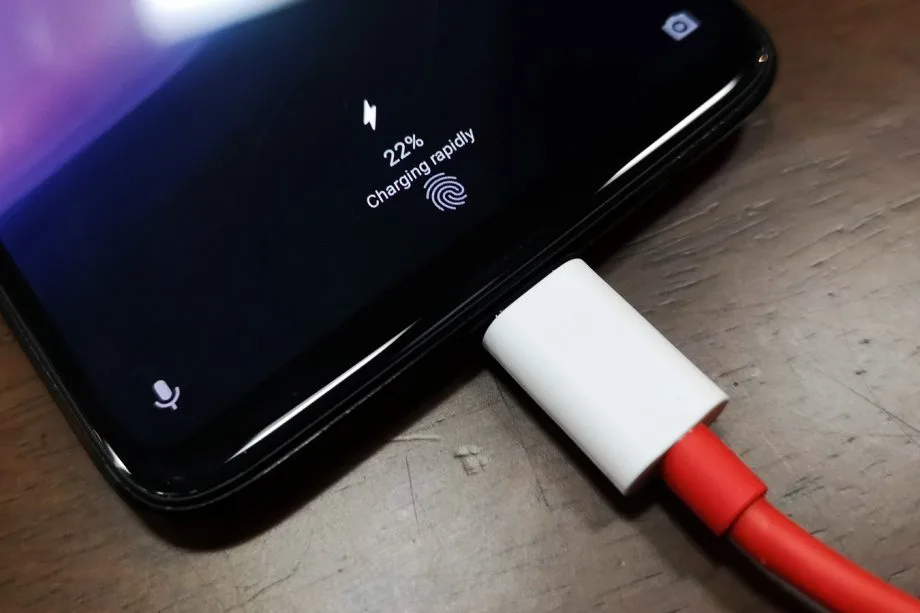
30 minutes to fully charge the battery? A growing number of cellphones can be fully charged in less than an hour. Does this rapid charging, however, harm the battery? This has been examined in an experiment, which yields an unexpected result.
30 minutes to fully charge the battery? A growing number of cellphones can be fully charged in less than an hour. Does this rapid charging, however, harm the battery? This has been examined in an experiment, which yields an unexpected result.
A Chinese do-it-yourself team called HTX Studio looked into this precise subject. After purchasing ten identical iPhones and ten Android devices, the do-it-yourselfers split them up into groups. A fast-charging power supply unit was used to charge one group, while a slow charger was used for the other. We finally have a response after 500 full charges and six months.
How did they do it?
Two groups of iPhones were created. Apple’s 40-watt power supply was used to charge three gadgets, while the outdated 5-watt power supply was used for the remaining three. To ascertain the typical aging of the battery over time, a second iPhone was left completely uncharged as a control group.
For the Android cellphones, the configuration was the same. The iQOO7, which is unavailable in this nation, was utilized twice: once with 18 watts and once with the maximum power of 120 watts.
The smartphones are fully charged by self-programmed software, which then uses up the battery once again until it is only five percent. After that, the charging procedure resumes. In this way, 500 charging cycles were carried out over a few months.
Is fast charging bad for your phone’s battery?
The enthusiasts looked at the batteries both before and after the experiment. This is due to the fact that not all smartphones have the same battery capacity when they are manufactured. There may be slight variations of less than one percent. The batteries were inspected once more after 500 cycles, and the amount of capacity they had lost was calculated:
iPhone (slow charge): 11.8%
iPhone (fast charge): 12.3%
Android (slow charge): 8.8%
Android (fast charge): 8.5%
The outcomes are unexpected. Faster charging caused the batteries in iPhones to lose 0.5 percent of their capacity, but the batteries in Android cellphones even lost 0.3 percent. Only in a lab can these variations be quantified. Therefore, the service life of your battery is essentially unaffected by fast charging.
How to take care of your battery
For the longest potential service life, batteries should be kept between 30 and 80 percent charged, according to another battery myth. For mobile cellphones, some manufacturers even include an 80 percent charge cap.
In order to test this notion, the Baster team charged another set of cellphones to 80% capacity before draining the battery to 30%. The experiment was repeated 1000 times because this was only half of a charging cycle.
iPhone (30-80 percent): 8.3%
Android (30-80 percent): 6.0%
Therefore, you are actually doing your smartphone’s battery a favor if you never charge it to more than 80%. However, the difference in day-to-day living is negligible even here. Therefore, the experiment demonstrates that you should just charge your smartphone whenever it is most convenient for you rather to spending a lot of time and effort doing so.
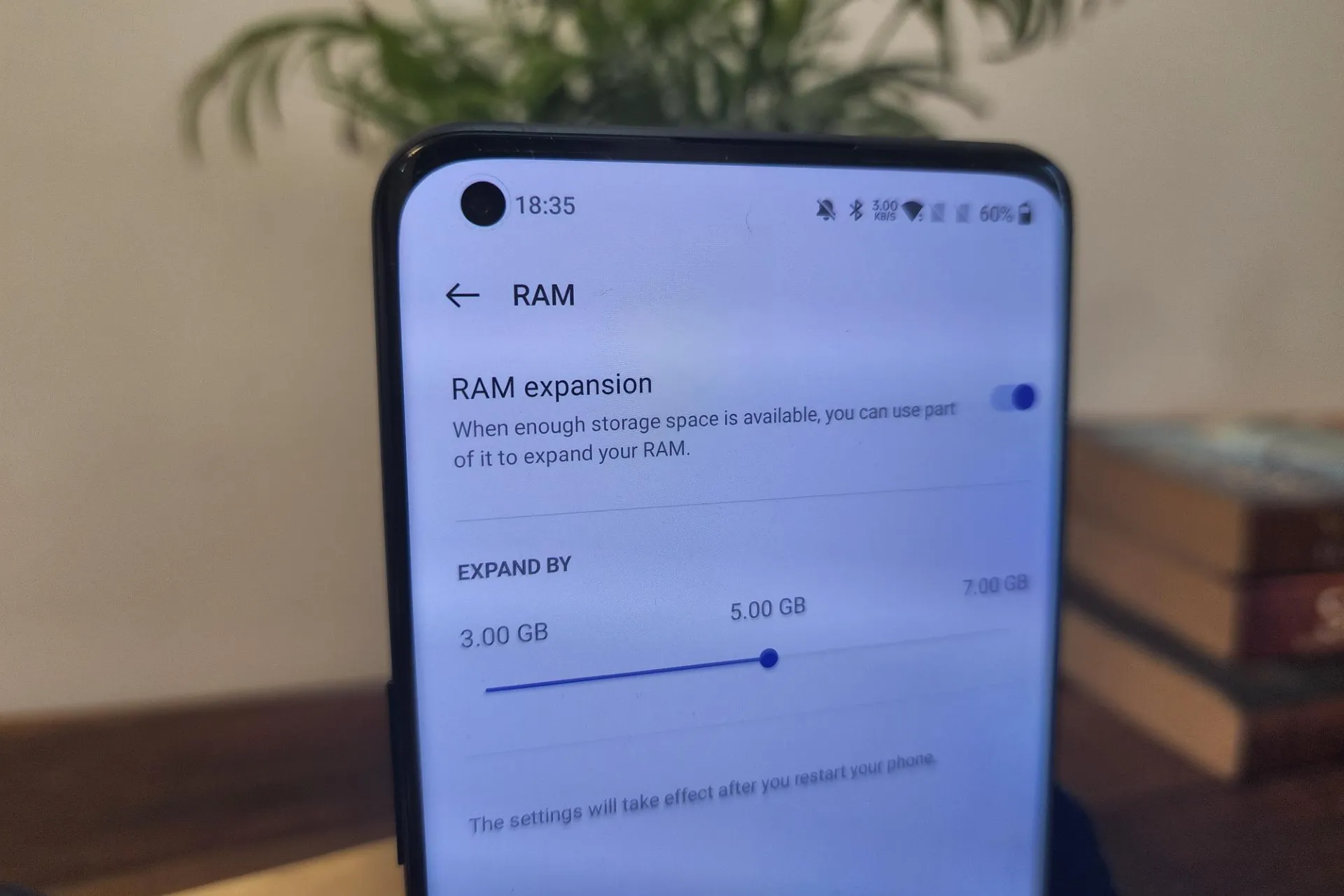
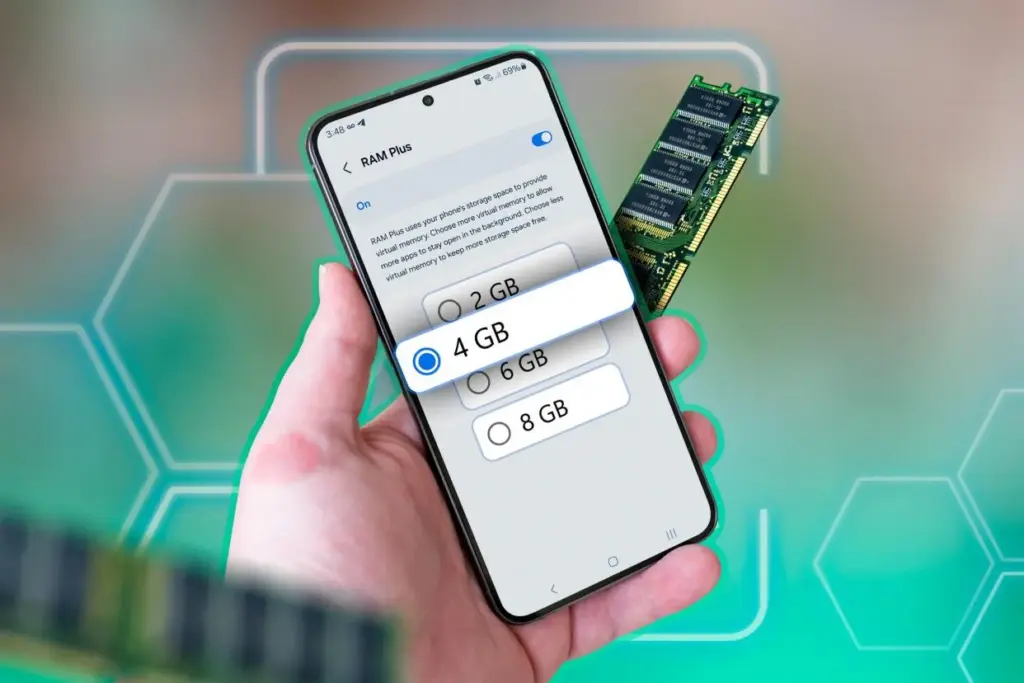
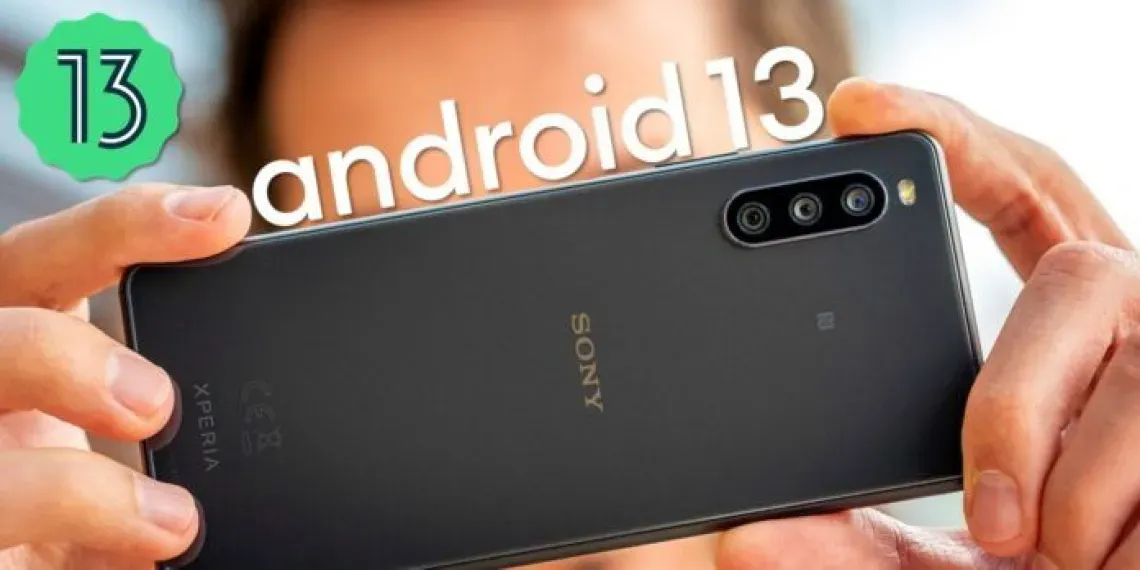
Modern Android phones have powerful hardware, but even with high-end components, your handset may slow down while multitasking or gaming. To help with this, Android 13 added virtual RAM, sometimes known as “RAM Plus.” This function enables your device to use a portion of its internal storage as additional RAM, which improves performance in memory-intensive operations.
This guide explains what virtual memory is, how it works on Android 13+, and how to enable or adjust it.
What is virtual RAM and how does it work
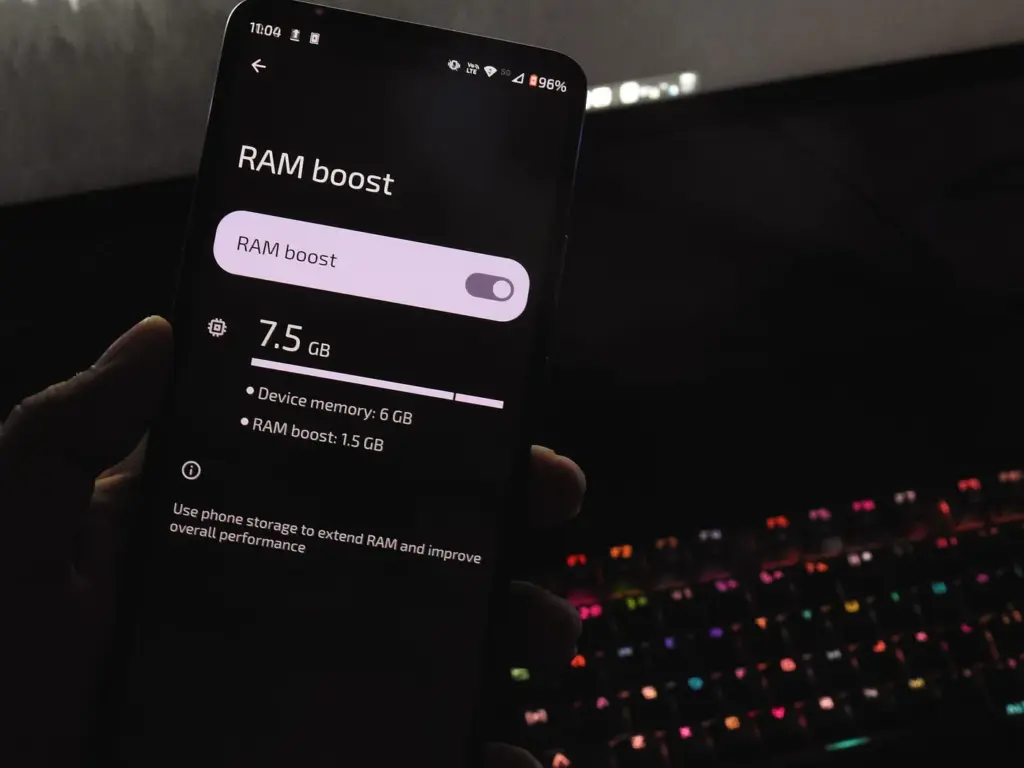
Virtual RAM, also known as virtual memory or swap space, is a technology that allows some of your phone’s internal storage to be used as RAM. While this memory is slower than physical RAM, it allows the system to manage more background processes, keep apps open for longer periods of time, and minimize app reloads.
In Android 13, many manufacturers added a user-accessible option known as “RAM Plus” or “Memory Expansion.” This feature is particularly handy on phones with 4GB to 6GB of RAM, as multitasking frequently exceeds physical RAM limits.
How to check if your device supports RAM Plus
Not every Android smartphone supports RAM increase. It is up to the manufacturer to incorporate the capability in their version of Android 13 or later. Here is how to check:
Go to Settings.
Scroll down and tap Battery & device care or About phone (varies by brand).
Look for an option called RAM Plus, Memory Expansion, or similar.
If it’s available, you’ll be able to view and configure it from here.
Samsung, Xiaomi, Oppo, Realme, and Vivo are among the brands that offer this feature.
Enable RAM Plus on Samsung devices
Samsung phones running One UI 4.1 or later (based on Android 13) come with RAM Plus built-in. Here’s how to enable or adjust it:
Open the Settings app.
Scroll to Battery and device care.
Tap Memory.
Select RAM Plus.
Choose the amount of virtual RAM to allocate (2GB, 4GB, 6GB, or 8GB).
Restart your phone if prompted.
Samsung doesn’t let you disable RAM Plus entirely but allows you to choose the allocation size.
Enable virtual RAM on Xiaomi/Redmi/POCO phones
Devices with MIUI 13+ (Android 13-based) often support memory extension:
Open Settings.
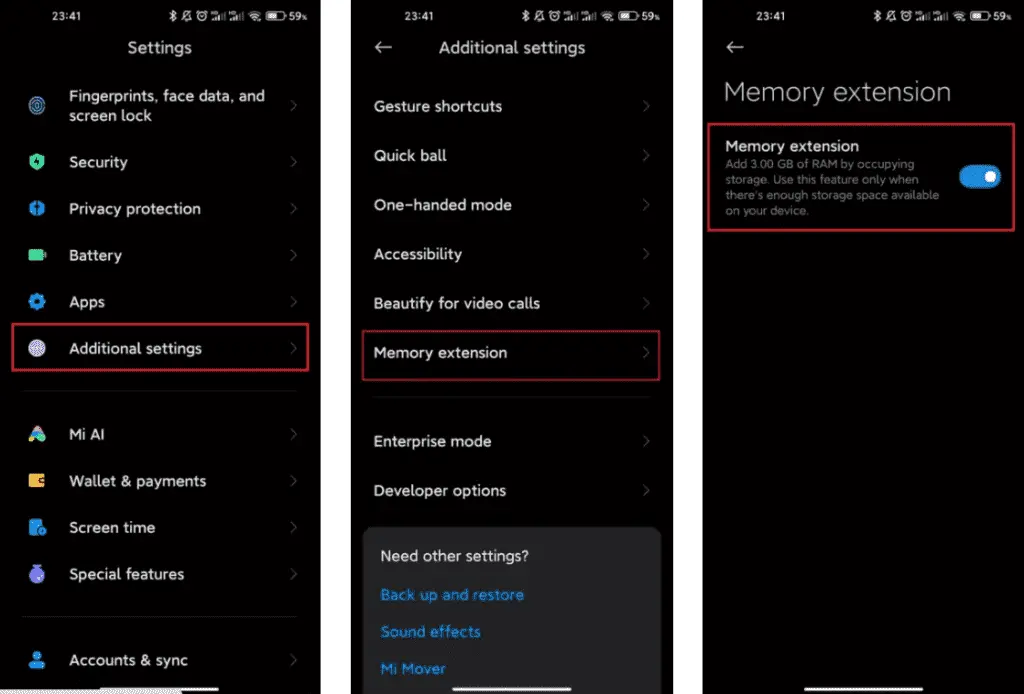
Tap Additional settings.
Look for Memory Extension.
Toggle it on and allocate additional storage as virtual RAM.
Restart your phone for changes to take effect.
The memory extension size is usually fixed depending on the device—commonly 2GB or 3GB.
Enable virtual RAM on Realme, Oppo, and Vivo devices
These brands typically offer memory expansion as well:
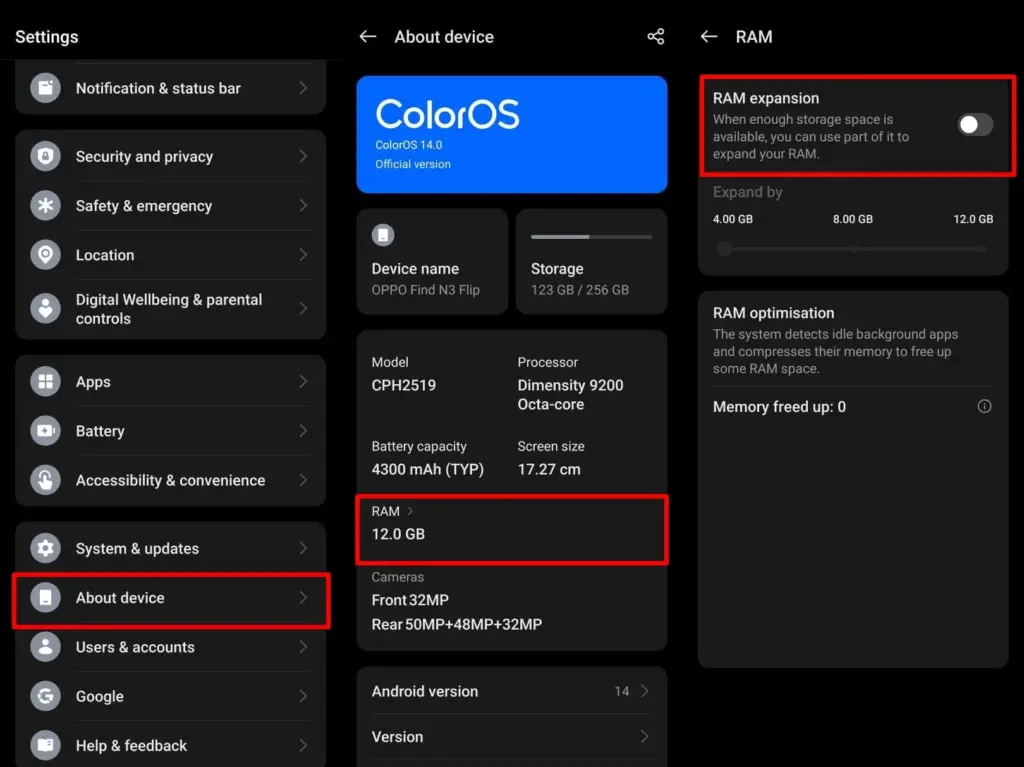
Realme UI/ColorOS:
Open Settings.
Tap About Phone > RAM.
Enable RAM Expansion and select a size.
Restart when prompted.
Vivo Funtouch OS:
Open Settings.
Tap RAM and storage space.
Tap RAM Expansion.
Turn on and choose the RAM boost size.
If you can’t find this feature, ensure your phone is running the latest version of Android 13 or consult the manufacturer’s support site.
Does virtual RAM actually improve performance
Virtual RAM helps in specific scenarios, especially on phones with less physical RAM (4GB or 6GB). Benefits include:
Reduced app reloads
Smoother multitasking
Better background app retention
Less lag during memory-heavy tasks
However, it will not transform an affordable phone into a premium gadget. Because internal storage is slower than actual RAM, the benefit is minimal yet visible during heavy multitasking.
If your phone has at least 128GB of storage and you multitask often, you can allocate 4GB–6GB.
If your storage is nearly full, avoid setting high values to prevent system lag.
On 64GB devices, 2GB–3GB is usually safe.
You can experiment to determine what works best, but keep some open storage space to avoid overall slowdowns.
Virtual RAM is an excellent technique to increase your phone’s memory capacity without updating the hardware. While it is not a miracle cure, allowing RAM expansion can boost your Android device’s performance and multitasking abilities. If your phone supports it, give it a shot—just do not use up all of your storage space.
There are much more entry-level cellphones than flagships on the market. Because of the low-end specifications of these cellphones, it is highly typical for them to have poor speeds. Even tiny apps can cause the smartphone to hang on low-end hardware. Furthermore, many web pages may take a long time to load. If you have a Xiaomi entry-level smartphone, though, you’re in luck. There are a few basic things you can do to boost the speed of your smartphone. Xiaomi’s most popular smartphones are entry-level models. As a result, they come with insufficient hardware, which may cause them to slow while under strain. You can make the MIUI UI run faster and prevent these smartphones from hanging or freezing.
Boost MIUI speed
1. Extend your memory
Xiaomi, a Chinese company, has added a feature to its devices that may be of assistance. This is where the RAM expansion feature comes in. This capability has been available for the company’s smartphones since last year. This feature frees up RAM by using internal storage to create SWAP storage space. If you can activate this option, you’ll be able to boost the MIUI system’s speed. Although it is not as fast as physical RAM, it is a significant improvement.
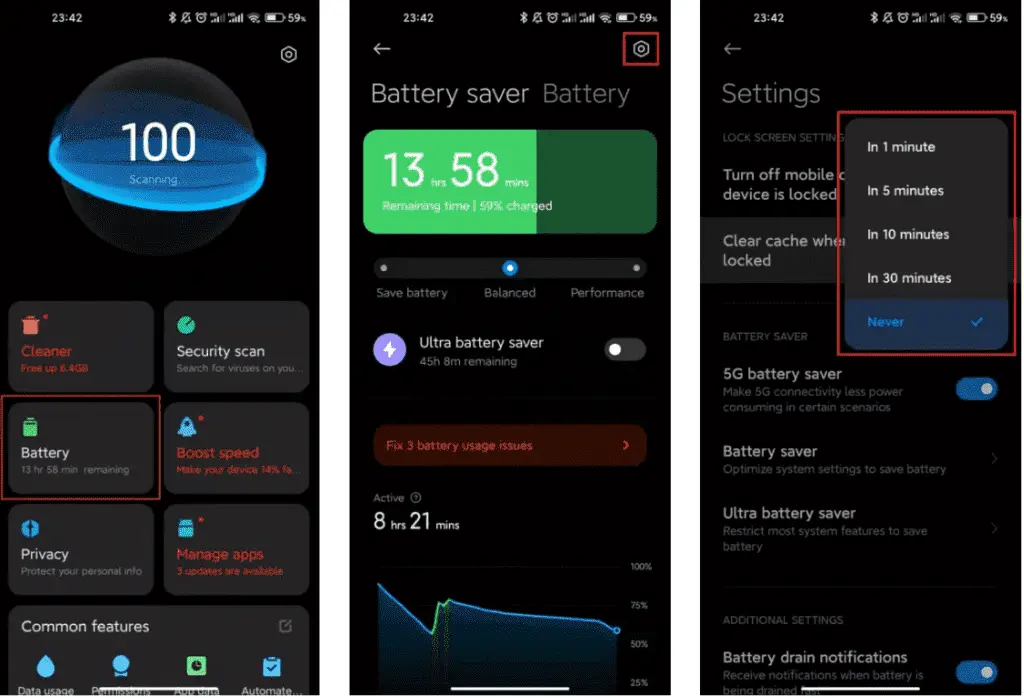
2. Clean cache
Whethere its a smartphone, tablet or even a desktop, clearing cache is very good for operation. When the cache storage is too heavy, it could cause the device to lag. The rate at which your cache storage fills up depends on how you use your device. With the automatic cache clearing feature, it is now very easy to clear cache. You no longer need to clear the cache via recovery mode.
Xiaomi MIUI automatic cache cleaning feature ensures that your cache is always clear. Whenever you lock your smartphone screen, this feature clears the cache. Furthermore, you can manually set this feature to clear the cache at intervals. Thus, whether your hardware is insufficient, clearing the cache will ensure that all its limited resources are spent on relevant operations.
3. Disable system apps and ads
You may have noticed that the MIUI system app has in-built advertisements when you run it. It’s vital to realize that these adverts consume some hardware resources. This means that it has the potential to slow down the smartphone. They can create delays in the opening of some functionalities since they require system resources. Xiaomi makes it optional to see these advertising because they might be quite unpleasant.
You may quickly disable advertising that you don’t want to see, and they won’t appear again. All you need to do is set up a private DNS server. In the private DNS provider, type “dns.adguard.com.” Then, just to be sure, look to see if these adverts are still visible. This will free up some hardware resources while also speeding up the MIUI system.
4. Disable system animations
This solution is compatible with any smartphone operating system. For entry-level cellphones, some functions are a great luxury. One of these features is system animation. Deactivating this feature is a common technique for making the operating system run faster. Make certain that the animation scales are set to 0 or 0.5. These animations will be faster than before, and MIUI itself will speed up.
5. Keep the storage clean
Obviously, filling your storage with “crap” is a recipe for disaster. This is because the storage capacity of your smartphone has a big impact on its use. This is also not unique to MIUI devices, but rather to all gadgets.
The pace of the smartphone slows down when the internal storage is full. You may notice minor latency and the device freezing at this stage. This can be avoided by keeping storage as basic as possible.
The Find X series from Oppo is the company’s most premium smartphone brand, with previous models including the groundbreaking Oppo Find X with pop-up cameras, followed by the more basic but still impressive Find X2 and Find X3. Every year around March, Oppo refreshes the Find X series. That’s still a ways off, but we already have our first reliable leak (via GSMArena) about a potential Find X4 function. The next Oppo Find X4 could have the fastest charging of any smartphone, according to Digital Chat Station, a well-known Weibo tipster.
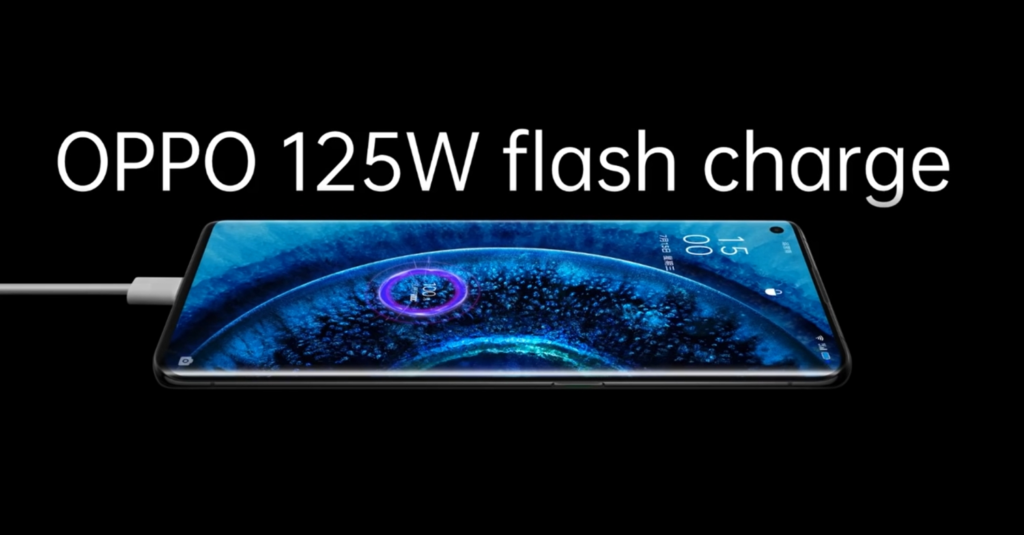
While a few companies have demonstrated 125W rapid charging, we have yet to see it in a consumer device. Unless another manufacturer releases a phone with a 125W fast charging capability sooner, Oppo will be the first to provide this incredible charging speed. With 120W wired charging support, the Xiaomi 11T Pro is now the market leader.
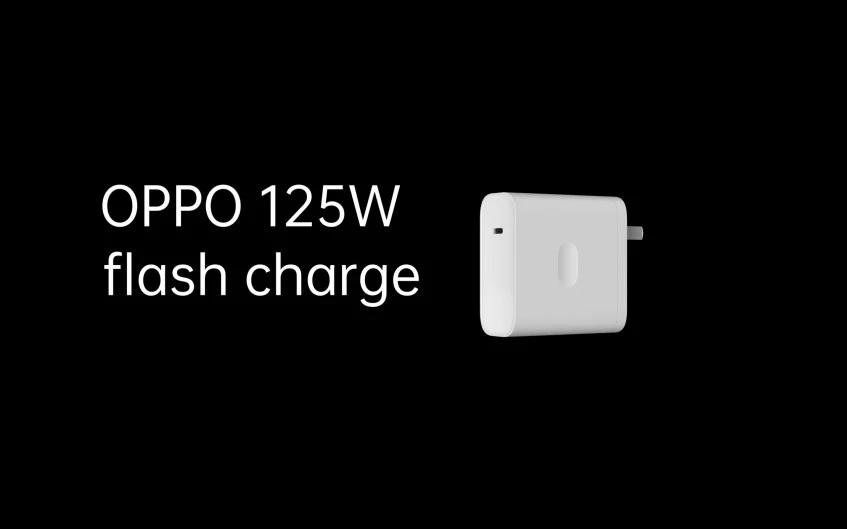
Oppo announced the 125W charger a few months ago, along with a 50W wall charger, a 65W AirVOOC wireless pad, and a 110W compact flash charger. To deliver the 125W, the 125W full-size flash charger that Oppo showed us earlier this year supplies 20V and 6.25A to the phone. The phone will be able to charge from 0% to 100% in just 20 minutes using this charger (for a 4,000mAh battery).
Oppo’s Find X3 series supports 65W fast charging, so the company is clearly seeking to up the ante with its next-generation handset. Apart from the rumored charging speed of the Oppo Find X4, there is currently no other information, but we can expect the device to feature the latest Qualcomm chipset. Oppo seemingly has a plan to follow in the footsteps of Samsung, Huawei, Google, and Apple by designing its own processors, though production isn’t tipped until 2023 at the earliest.