An Android phone stands apart in the market thanks to customization and the freedom to do anything with it. You can replace the phone’s stock UI with a custom ROM if you don’t like it. Once more, if your manufacturer has stopped providing updates for your phone, you can try out custom ROMs that are powered by the newest version of Android. You therefore have significant customization options and control over your smartphone in both situations.
However, a developer of a modified ROM must register the ROM with Google. The device will not be able to use any Google services, including Google apps and services, if it is not registered with Google.
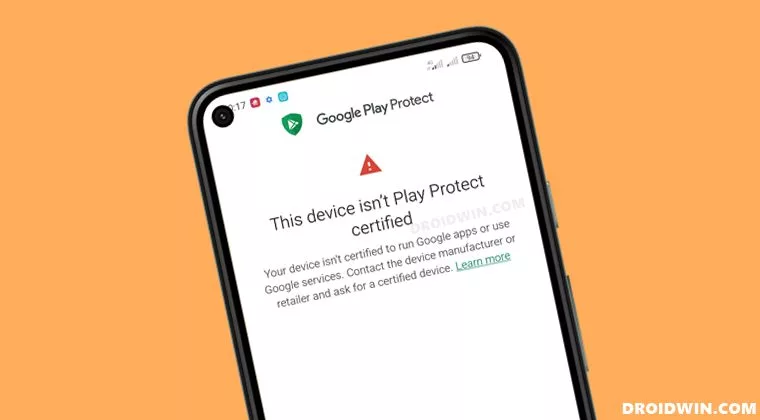
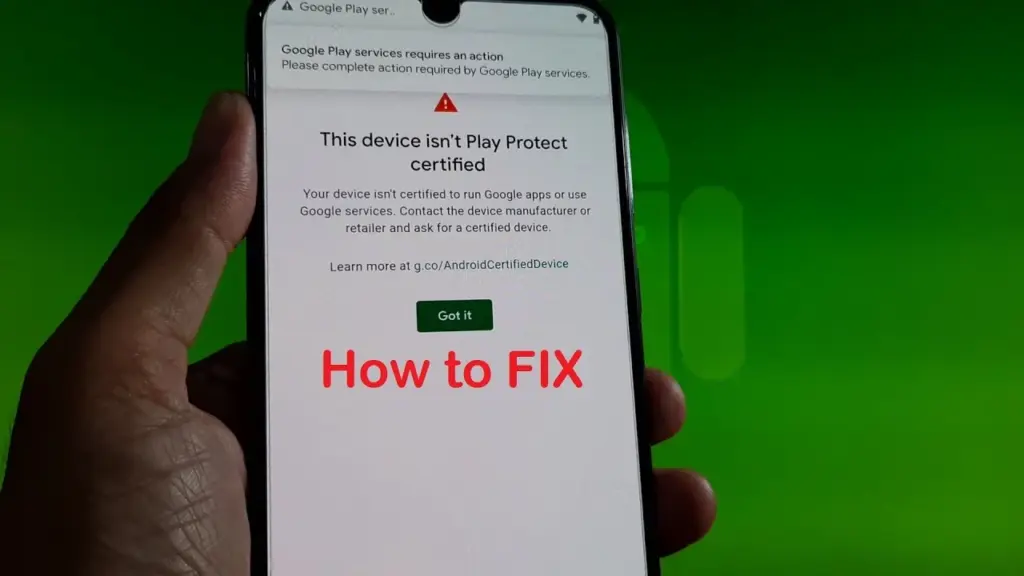
When a device has an unregistered custom ROM installed, they get the “This Device Isn’t Play Protect Certified” error. Now, if you are one of those struggling with such an error message, this article will help you. Here, we have listed how you can fix this. So without any further ado, let’s get into this.
You need to follow the steps for this in a systematic manner. It is exactly as we have mentioned below here. Do not skip any of these steps, and ensure one step is complete before moving to the next one.
How to fix This Device Isn’t Play Protect Certified Error On Custom ROMs?
Install Android SDK:
Download and extract the Android SDK Platform Tools on your PC. Depending on your PC’s OS, download it for Windows, Mac, or Linux. It will be a zip file. Once you have it, extract it in any preferred location. Now, you need to enable USB debugging on your smartphone for that.
Enable USB Debugging:
This step is essential if you want your PC to recognize your device when connecting it via USB in ADB mode.
Open up the settings menu on your phone.
Navigate to About Phone > Build Number. You need to tap on the Build number 7 times. You will see a pop-up on your screen that reads, “You are now a developer.”
Now go back to Settings and Open up System.
Navigate to Advanced > Developer Options > Enable USB Debugging.
And that’s it. Your smartphone is now ready to take in ADB shell commands.
Find Device ID:
Obtaining the device ID used to be a challenging task; users would frequently need to root their phones in order to obtain this data. But that is no longer the case. The Google Play Store offers a program called Device ID that you can download. When you launch it after installation, the device ID details will be visible. After noting the device ID, proceed on to the following action.
Register Your Custom ROM:
You must visit the Google Device registration page for the final registration process.
Click on this link to go to Google’s Device registration page.
Sign in to your account here.
Now type in the device ID under the “Google Service Framework Android ID” section.
Verify the captcha and then click on the Register button below it.
Wait for an hour, and your device should be registered successfully.
Once the registration is complete, your Custom ROM will also be registered, and you won’t see the “This Device Isn’t Play Protect Certified” error on your screen anymore. If you have any questions or queries about this article, comment below, and we will get back to you.
Google and the community have been playing a cat and mouse game for a long time over evading SafetyNet. The community enjoys tinkering with the software on their phones, which usually starts with bootloader unlocking. However, this trips SafetyNet, causing a number of popular apps to cease working on the phone, some of which are justifiably so because they rely on a tamper-proof environment for execution.
SafetyNet is aimed at app creators, but they can choose whether or not to use it. However, as an ordinary end user, you have two options: give up on Android’s modding potential and pass the SafetyNet compatibility tests, or risk being blacklisted by software publishers. This guide should let you pass SafetyNet even if you’ve rooted or installed a custom ROM on your smartphone.
What is SafetyNet?
Android is built to run without granting the end user any privileged access to the underlying subsystems. If a person with administrative (a.k.a. “superuser”) capabilities on an Android device has similar access to administrative (a.k.a. “root”) permissions on a Linux machine, they can virtually change or replace Android system applications and settings. From the standpoint of an app developer, this means that the device on which their program is operating may be compromised. Some form of abuse detection mechanism should be in place to check the device’s software and hardware surroundings and reassure app developers that everything is fine. This is when SafetyNet enters the picture.
While modding is an important component of the Android ecosystem, security standards sometimes necessitate a high level of rigor in the operating system. The Google Play Services include a set of abuse-detection APIs called SafetyNet. Third-party applications can use the SafetyNet Attestation API to see if the device’s software environment has been tampered with in any way. The API compares the current state of the target Android device and verifies the integrity of the environment against a known’safe’ value on the server-side by checking for things like bootloader unlock status, signs of superuser binaries, and more.
SafetyNet tripping and its consequences
SafetyNet tripping is caused by a series of events that differ from the factory setup of an Android device. Even if you simply unlock your phone’s bootloader and leave the factory-installed OS alone, the SafetyNet check may fail due to a “CTS profile mismatch” (where CTS stands for the Compatibility Test Suite) issue. You’ll almost certainly wind up with a SafetyNet failed status if you root your Android device or replace the base firmware with a custom ROM. As a result, you won’t be able to utilize apps or games on the device that use SafetyNet validation. This is particularly true for banking and other financial apps like Google Pay, which rely solely on the SafetyNet Attestation result and will not accept anything else.
When it comes to games, developers use SafetyNet for assessing the device’s integrity so that they can prevent rogue players from cheating or modifying in-game variables for unfair advantages. Last but not least, you can also come across examples where publishers are simply misusing Google’s tamper detection mechanism for no practical reason, which is why power users want to evade the detection routines.
In a nutshell, the modding community will have to choose between having access to root/custom ROMs/kernels/etc. or their preferred apps and games. This might sound like the end of aftermarket development on Android, but there is hope.
Pass SafetyNet attestation
There is no true universal solution to avoid the inspections because Google modifies the backbone of the SafetyNet Attestation API on a regular basis. Because the limits are based on a variety of criteria, you may be able to get around SafetyNet in a modified environment by faking the most important characteristics on legacy devices, but the same approach may not work on later phones. Because of the ever-changing nature of the anti-abuse API, the aftermarket development community has come up with a number of approaches for passing the SafetyNet tests. However, keep in mind that a general implementation isn’t viable. This is a cat-and-mouse game; one day you’ll be ahead, the next day you won’t.
Google is depending on the security of the phone’s Trusted Execution Environment (TEE) or dedicated hardware security module (HSM) for tamper detection as it moves toward a hardware attestation method. Finding a serious security flaw in a device’s isolated secure environment and exploiting it to spoof SafetyNet’s client-side response isn’t a viable strategy, but there are alternative options.
1. Restoring the original firmware and relocking the bootloader
This is perhaps the simplest way to pass SafetyNet, but it has its own merits and demerits. All you need to do is find the correct firmware for your Android device, flash it, and finally re-lock the bootloader. Of course, you’ll lose most of the bells and whistles of Android modding, but it actually makes sense when you need to use your device in a managed environment with strict security policies or you’re trying to sell your device.
2. Using Magisk
If you own a legacy Android smartphone, Magisk is your best bet to pass SafetyNet without much hassle. Even though the current Canary channel of Magisk doesn’t feature MagiskHide anymore, you can still stick to last stable release (v23.0) and utilize MagiskHide to hide root status from apps. Furthermore, you can install Magisk modules like MagiskHide Props Config to change the device fingerprint in order to pass SafetyNet.
Talking about the Canary channel, the new “DenyList” feature of Magisk is an interesting development, which allows users to assign a list of processes where Magisk denies further modifications and reverts all changes it had done. With an appropriate configuration, it can also be used to pass SafetyNet in some scenarios.
Lastly, there’s Shamiko — a work-in-progress module written on top of Zygisk (Magisk in the zygote process). It reads the list of apps to hide from Magisk’s denylist to hide Magisk root, Zygisk itself, and Zygisk modules to circumvent SafetyNet. However, Shamiko can only work after disabling the DenyList feature.
3. Using Universal SafetyNet Fix
Bypassing Google’s hardware-backed SafetyNet attestation technique is a tad bit difficult, but it’s not entirely impossible. The Universal SafetyNet Fix project by XDA Senior Member kdrag0n cleverly accomplishes this feat by forcing the basic attestation over the hardware-backed checks.
Notably, Universal SafetyNet Fix has a dependency on Magisk when it comes to passing the basic attestation part. The developer offers two different builds of the fix: The Zygisk variant for Magisk Canary and the Riru variant for stable Magisk.
In case you don’t want to rely on Magisk to pass SafetyNet attestation, you can try out an experimental add-on named ih8sn. After applying, it can spoof a plethora of prop values in order to circumvent SafetyNet checks like the MagiskHide Props Config module, but there’s no dependency on Magisk in the first place.
The ih8sn tool is maintained by several LineageOS developers, but the LineageOS project doesn’t officially endorse it yet. To know more, take a look at its codebase by following the link below.
After applying one of the aforementioned SafetyNet passing methods, you may wish to verify the result. The Magisk app comes with an option to initiate the SafetyNet checking routine right from its main menu, which is really handy. You can also opt for an open source app named YASNAC (short for Yet Another SafetyNet Attestation Checker) to check the status and (optionally) examine the JSON response.
That’s how you can use your phone to pass SafetyNet. With a little effort and care, you can restore Android’s true modding capability without having to worry about SafetyNet Attestation failures. We’ll be adding more SafetyNet passing ways to this guide in the future, so check back!
Samsung offers 2 years of software support for their smartphones, which includes two big Android OS updates. The Samsung Galaxy S8, S8 Plus, and Note 8 have been on the market for well over two years and will never see Android 10. The same is true for the Galaxy S9 and Note 9 series, which have received the latest Android 10 update. Although the devices will continue to receive security patch updates for another year, this is unjust to the most successful Samsung flagship to date. So, here are some of the best custom ROMs based on Android 10 for the Samsung Galaxy S8, S8+, and Note 8.
We’ve compiled a list of the most recent and reliable custom ROMs for the Galaxy S8 and Note 8 series right now. Lineage OS 17.1 and other common ROMs such as Havoc OS, Pixel Experience, and Corvus OS 10 have just been made official with Android 10. However, because of the design of Samsung Galaxy phones, official support for custom ROMs is difficult to come by. As a result, some custom ROMs based on Android 10 for the Samsung Galaxy S8, S8+, and Note 8 are still unofficial beta ports.
Furthermore, the majority of custom ROMs are only for Exynos models. This is due to the fact that the Snapdragon Galaxy S8, S8+, and Note 8 variants’ bootloaders cannot be unlocked. So you cant install TWRP recovery, and hence, can’t flash a custom ROM.
1. Havoc OS
Havoc OS is currently one of the most stable Android 10 custom ROMs for Samsung Galaxy smartphones. In comparison to the other choices, users of the Galaxy S8 and Note 8 series strongly suggest the Havoc OS custom ROM. Most notably, it has recently been updated to Havoc OS 3.7, which means that it is based on Android 10 and incorporates some Android 11 features such as Material design 2.0, Dark Theme Support for AOSP apps, Android R Style screen record dialog, Rounded UI, Face Unlock support, built-in Gapps, Font Customisation, Pixel Lockscreen weather, and many more.
Moreover, it also supports Face Unlock, HD/VoLTE toggle, 4G/LTE Icon toggle, 90 Hz refresh rate toggle, Themes styles and wallpapers support from the Pixel 4, and much more. Checkout the images from below and also see the complete screenshot repository from below.
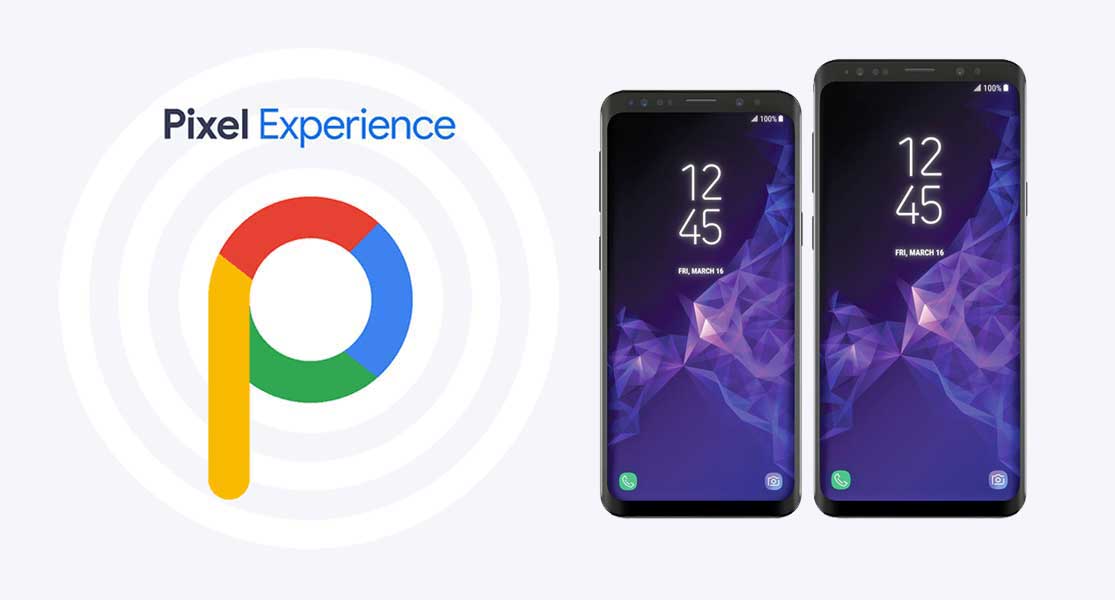
When it comes to having stock Google experience on your Android phone, Pixel Experience is everyone’s choice. It includes all of the Pixel 4’s functionality, the most recent Google UI, the most recent Google Assistant app, Digital Wellbeing, and support for the most recent Google products and services. As a result, you can receive the most recent Pixel Launcher, themes and style apps, wallpapers app, ringtones, icons, and everything else that is currently available on the Google Pixel 4 (XL) with Android 10.
Wifi, RIL, Mobile data, GPS, Camera, Flashlight, Camcorder, Bluetooth, Fingerprint reader, NFC, Lights, Sound / vibration all work with Pixel Experience. However, some features, such as Volte, cast, and, according to some sources, even the face unlock feature, may not work.
Pixel Experience Plus is an AOSP based ROM, included with Google apps and all the Google Pixel goodies like launcher, wallpapers, icons, fonts, bootanimation.
Download Pixel Experience for Galaxy S8, S8+, and Note 8
Corvus OS is getting very popular lately among custom ROM flashers. The developers have also been very active in the development and supporting a large number of Android devices. Many have recommended Corvus OS over the past months as it is quite stable for its initial release. Covrus OS also brings Android 10 to the plate for Galaxy S8 series and Note 8.
Corvus OS is inspired by Dirty Unicorn ROM and has many of its features. The ROM is full of customization options and has a dedicated section for each section including Themes, Notifications, Display, Lock Screen, and more. Stability is great with this one. It also gives stock AOSP experience making it light weight and fast. The ROM also includes some Google features like latest Pixel Launcher, Accent picker, Theme backup, Theme styles, wallpapers app, ringtones, icons, and more.
Lineage OS is one of the most popular custom ROMS out there. It supports a wide range of Android devices. Right from the obsolete phones from years ago to the most recent flagships. Lineage OS 17.1 is based on Android 10 and now supports Samsung Galaxy S8, S8+, and Note 8 unofficially.
Download Lineage OS 17.1 for Galaxy S8, S8+, and Note 8
Lineage OS 17.1 for Galaxy S8 dreamlte (s8) (mega link)
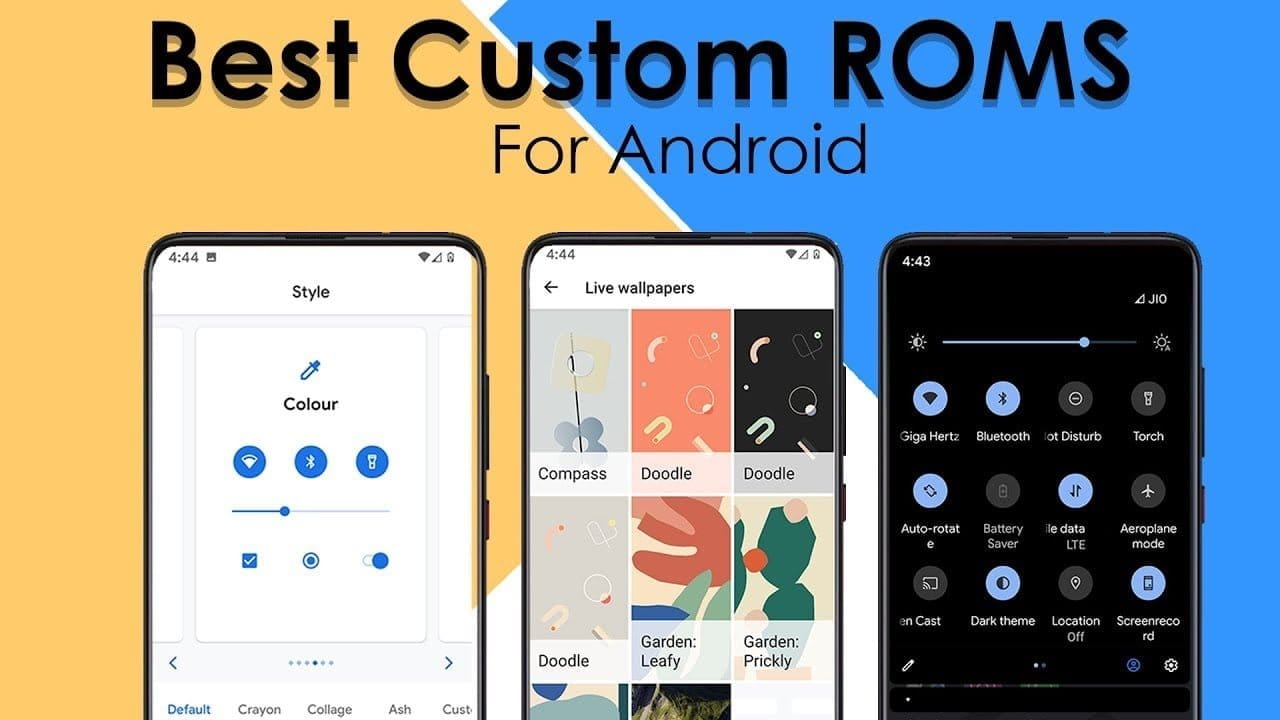
So, you have an Android smartphone, and the same old UI has begun to bore you. So, it’s time to dive into the world of custom ROMs. Installing Custom ROMs is one of the easiest ways to deal with overdue OEM updates and introduce a plethora of new features to your Android smartphone. Let’s take a look at the best Android Custom ROMs for 2021 that you can try.
Since Android OS is open-source, the overly enthusiastic community-at-large is constantly working on their own versions of the OS, which is why Android is so popular. However, flashing a custom ROM necessitates unlocking the bootloader and installing a custom recovery, so be sure to read our article on the topic.
Custom ROMs:
1. LineageOS 18.1 (LOS ROM)
You’ll not find a custom ROM list on the internet that doesn’t include LineagOS. LineageOS is the new age successor of the CyanogenMod ROM. Following CyanogenMod discontinuation in 2016, LineageOS took center stage and has not looked back since. This most popular custom ROM for Android cements its reputation purely on the sheer number of users and downloads that it has gotten over the years.
Above all, LineageOS is the base of most of the other custom ROMs in the community (Example: Resurrection Remix). Stability is a stronghold, with the UI presenting itself as akin to Google’s very own Stock Android.
It doesn’t provide a lot of customization options but, in the Android community, personalization isn’t everything. Nevertheless, it does play a huge role when it comes to the Android Custom ROM world and still remains one of the best Android custom ROMs for 2021.Download LineageOS Custom ROM
2. Paranoid Android (PA ROM)
Paranoid Android ROM is one of everyone’s personal favorites when it comes to Custom Firmware. Being one of the oldest ROMs available, AOSPA has come a long way. While being one of the few ROMs based on CAF, PA packs a punch in terms of stability, security, and performance.
Additionally, Ambient Display first made an appearance as part of PA Custom ROM with a feature name called Peek and was later ported into an APK. Certainly, the fact that even tech giants have looked up to this project to inspire innovation speaks for itself. Download Paranoid Android Custom ROM
3. crDroid
Based on LineageOs, crDroid is one of the very few feature-rich yet stable custom ROMs that you’ll find today. The ROM gains new features with every update and the security patches and main updates are also rolled out pretty quick
The latest crDroid release (7) is supported on more than 63 devices from 12 manufacturers. Out of all the OEMs, Xiaomi/Redmi and OnePlus devices are the most loved devices in the crDroid community. The last time I installed crDroid was on my OG OnePlus 3T and I quite liked the stability and customizations that it bought to the table. Download crDroid Custom ROM
4. Havoc OS
Havoc OS has been pretty popular since the release of Android Oreo. This custom ROM is known for its all-around performance but, one area where it stands out is in the battery performance. Havoc OS is no slouch when it comes to customization options. Unlike other OSes that compromise one thing for the other, Havoc OS is a no-compromise ROM best suited for everyday usage.
Initially, the Havoc team concentrated on providing the best of all worlds, tailoring a pleasant experience for the user. Now, things are very much different as the Havoc OS project is bringing new features that are attracting other developers in the Custom ROM realm.Download Havoc OS Custom ROM
5. Pixel Extended
As the name suggests, Pixel Extended ROM is a derivative of Pixel Experience ROM which you’ll read about later in the article. It aims at solving the lack of customizations in the Pixel Experience ROM and, it does that very well with fewer caveats/compromises in areas like stability.
While it doesn’t offer a lot of customizations compared to other contenders on this list like MSM-Xtended, it does strike a great balance of providing Pixel-exclusive features and significant customizations than the stock Pixel Experience ROM.Download Pixel Extended Custom ROM
6. Corvus OS
Corvus is yet another AOSP-based custom ROM that takes heavy inspiration from the OG Dirty Unicorns ROM. It comes with a lot of customization options and is best suited for people who value customizations more than anything else. As of writing this article, more than 42 devices are officially supported. The ROM has been downloaded over 300000 times.
It is also one of the best ROMs when it comes to performance. Hence, if you’re looking for a Custom ROM for gaming, flash CorvusOS without any second thoughts.
7. ArrowOS
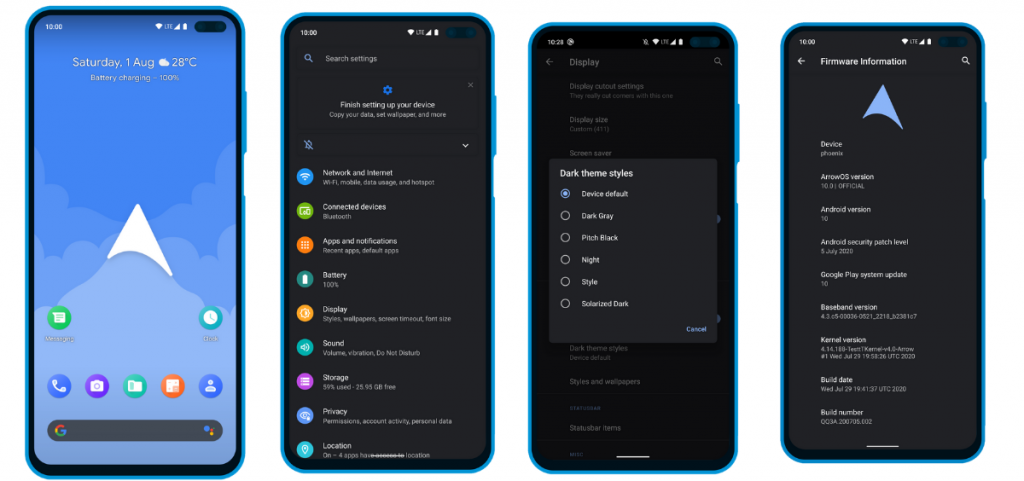
In contrast to all the Custom ROMs mentioned in the list, Arrow OS provides less customization. As a result, this AOSP-based ROM is heavily oriented towards stability and battery life while offering a buttery smooth experience as a whole. Still, less doesn’t necessarily mean it’s bad. This ROM targets users that prefer better battery life and stability than overwhelming customization options.
Apart from that, this ROM also gets timely security updates and OS updates. The device support is also pretty broad.Download ArrowOS Custom ROM
8. Pixel Experience
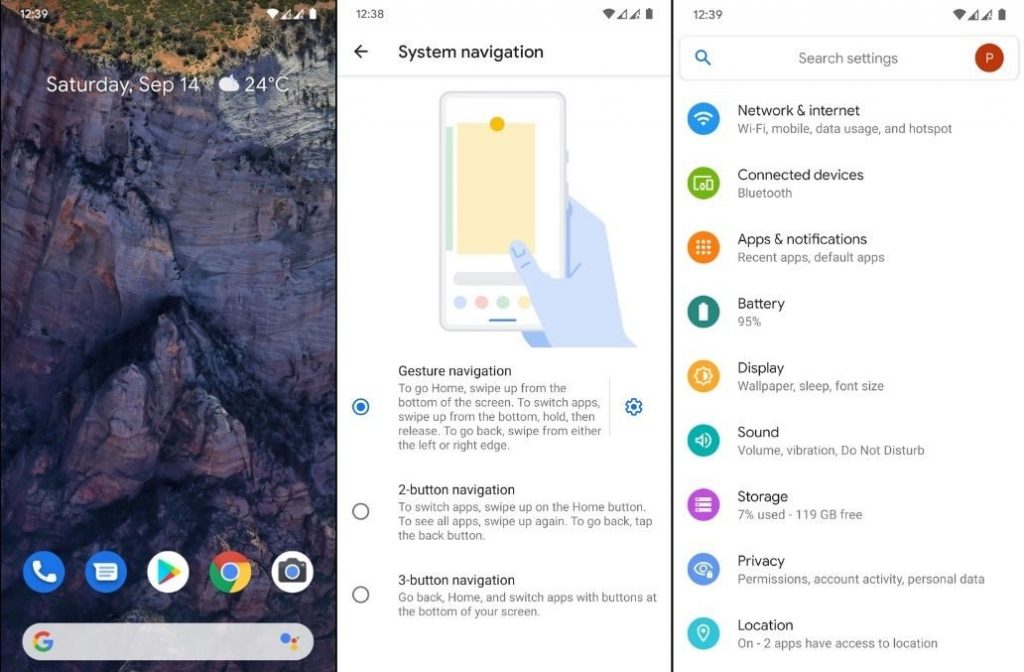
Say hello to one of the most simple and cleanest ROMs in the community, the Pixel Experience ROM. Derived from Google’s stock ROM on its Pixel devices, it delivers Pixel features right out of the box. Unlike the other ROMs in the list and precisely as the name suggests, the main purpose of the inception of this fantastic ROM is to provide a stable and secure Pixel-like experience rather than focusing on the area of customizability.
Although the Pixel Experience ROM holds some of the basic tweaks you would expect, tailoring every aspect of your device is not its goal. Another unique feature of the ROM is that it is CAF-based. For starters, a CAF-based ROM is an AOSP-based ROM that the chipset manufacturer Qualcomm uses to test their particular chipsets. CAF ROMs are tailored to offer incredible stability.Download POSP Custom ROM
9. POSP (Potato Open Sauce Project)
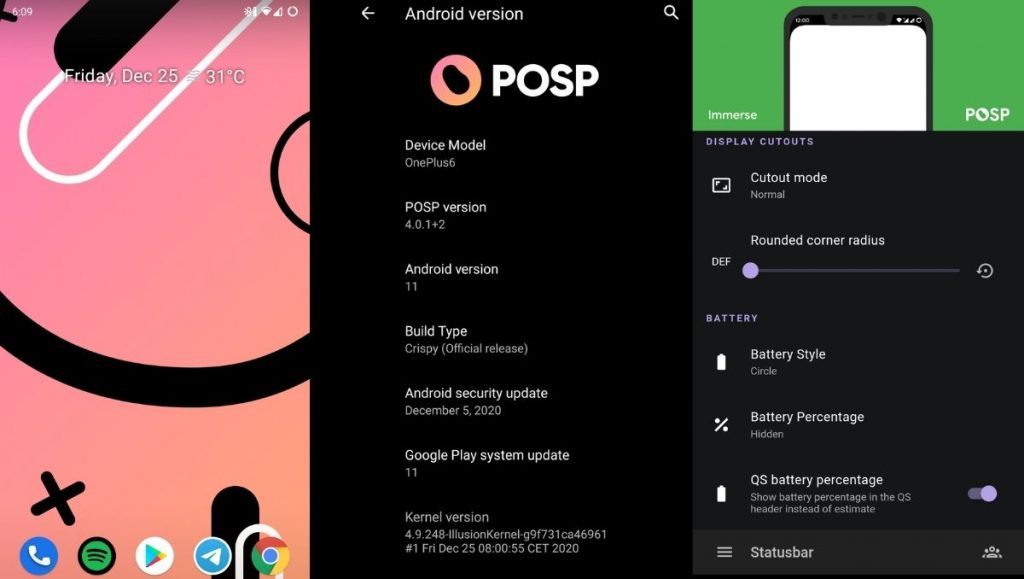
Yup. You read that right. Certainly, Custom ROM developers can’t go wrong with crunchy names, right? Well, that holds true, at least in the case of POSP as many of the users might agree. Serving up a delicious-looking website with a cheerful undertone, this brilliant Custom Rom serves its purpose quite well.
This Popular Custom ROM provides ample choices for tweaking your device in the manner of your choice. Furthermore, the POSP Custom ROM now supports a wide variety of devices. Recently, the developers launched v4 adding several new features to the custom ROM. Finally, like it or hate it, these potatoes rock!Download POSP Custom ROM
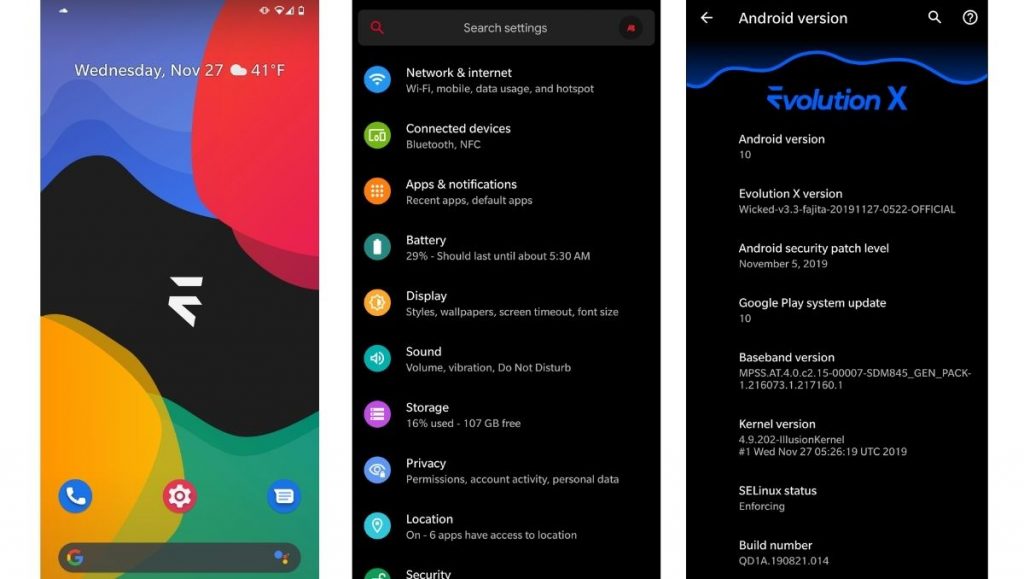
10. EvolutionX
EvolutionX is yet another custom ROM based on vanilla AOSP, similar to Pixel Experience. It is one of the most customizable custom ROMs in the Android community.
Developers rolled out EvolutionX ROM based on Android 11 as soon as the official Android 11 came out. The custom ROM is especially popular due to its performance and stability and is preferred by users who don’t often hop custom ROMs. Be it CPU-intensive tasks or GPU-intensive, EvolutionX nails it in every aspect.
Sure the customizations are less than other custom ROMs like HavocOS but, it strikes a perfect balance between performance and simplicity via stock Android experience.
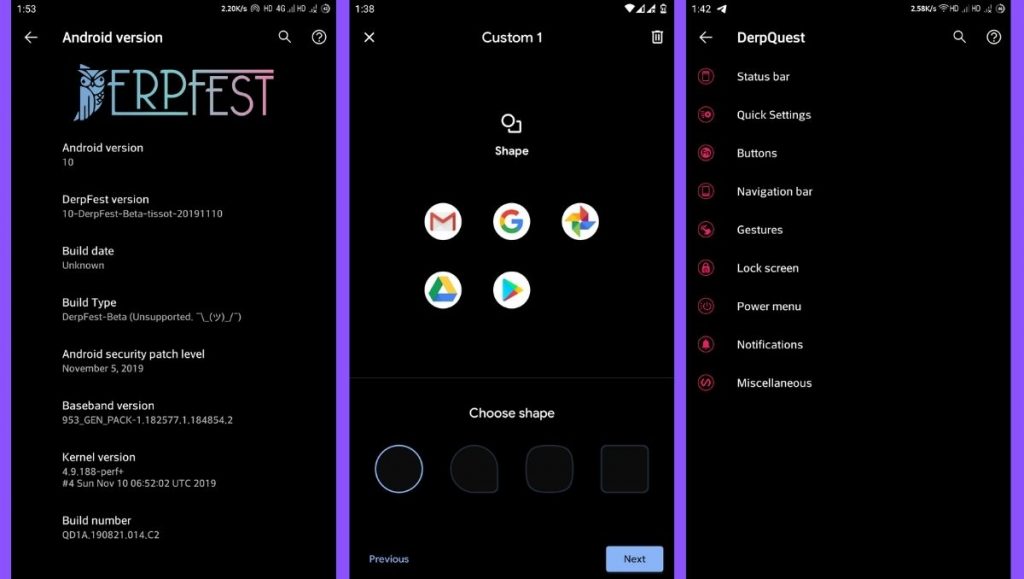
AOSIP (Android Open-Source Illusion Project) is hands down one of my favorite custom ROMs when it comes to delivering a Pixel-like experience and a lot of miscellaneous features. Based on AOSP with Pixel Experience as a base, it delivers a lot of features and, at the same time, keeps the experience simple.
Derpfest is an unofficial, community ROM based on AOSIP. Apart from a few added features here and there, there’s not much of a difference between the two. Everything from the monthly security patches to receiving new version updates is also quick on AOSIP.Download AOSIPDownload Derpfest Custom ROMs
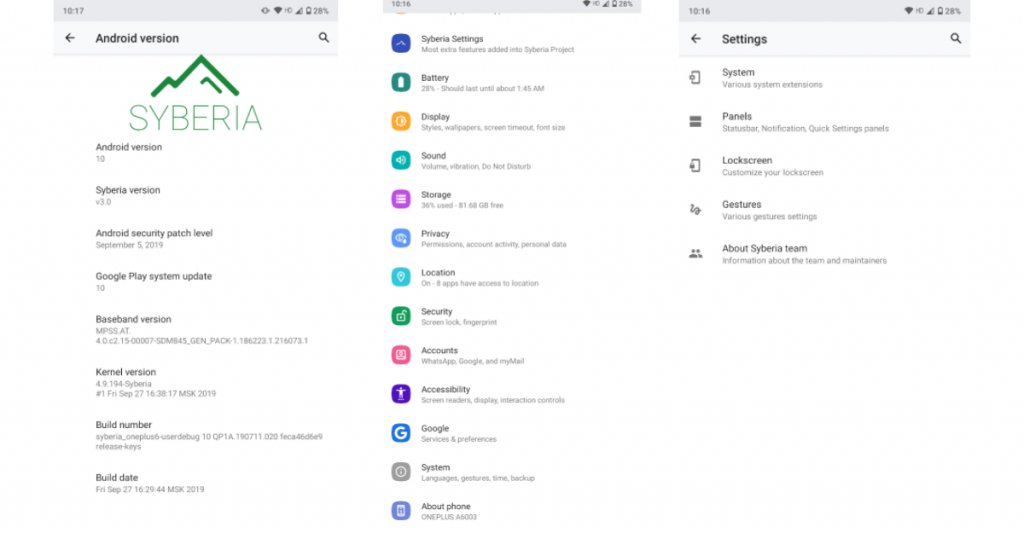
12. Syberia Project
Syberia ROM is yet another AOSP and CAF-based custom ROM known for its stability, customization features, and timely updates. A week that I spent with this ROM (Android 10.0) on my OnePlus 6, felt pretty great for daily usage.
Apart from the Pixel experience and customization, what blew me away was how stable the ROM was. The Syberia OS community loves Xiaomi devices so, there’s a high chance that your Xiaomi device is/will be supported.Download Syberia Custom ROM
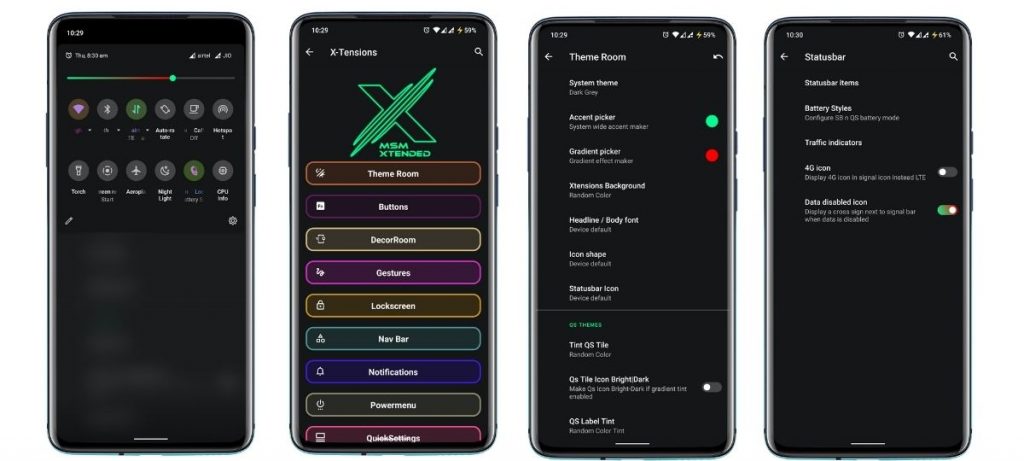
13. MSM-Xtended
Are you searching for a custom ROM that helps tweak every last bit of your Android experience? Meet MSM-Xtended – A highly customizable, yet another AOSP-based custom ROM whose tweaking abilities are off the charts.
I tried it on my older Xiaomi Mi A1 and honestly, I think the customizations are a serious overkill here. Nonetheless, I know there are a lot of people who want just that. Apart from that, it was pretty stable and always stayed up-to-date. Hence, it is one of the best android custom ROMs for 2021 for customizations.Download MSM-Xtended Custom ROM
Wich one is the best?
Before you start yelling at me for not having your favorite custom ROM on this list, please understand that this is a very subjective list. These custom ROMs are just the tip of the proverbial proverbial iceberg.
Finally, it is strongly advised to peruse the XDA Forums to keep track of what works and user input. Certainly, the developers and maintainers of ROMs for your particular devices play a significant role. Get some fun blinking.
Realme1 is a legendary device which disrupted the market with its performance to price ratio back in 2018. Today also this old gun can compete any budget device in terms of performance. Since the official support has ended months ago I wanted you guys to be aware of the Custom ROM developments going on. So below is a list some the custom ROMs designed for Realme 1. A huge thanks to all hardworking developers behind these ROMs .
Installation process
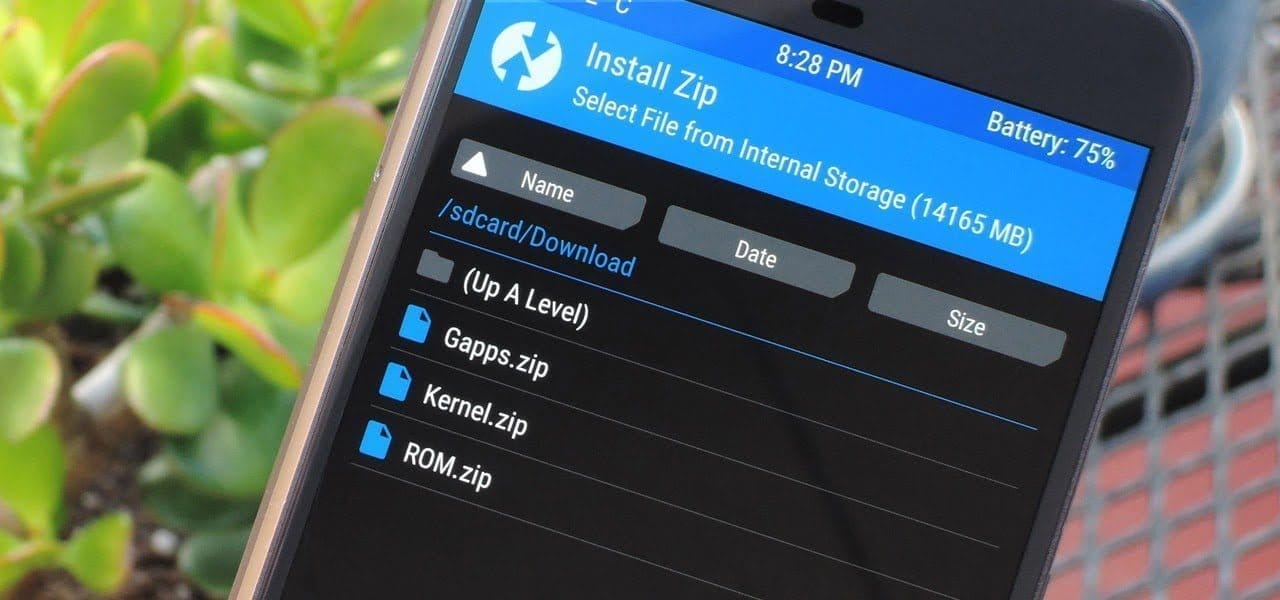
Please familiarize yourself with flashing and custom rom use before attempting to flash the rom. Please make sure you download the correct version of ROMs for your specific device. Make sure you have TWRP installed.
➼Download the latest Rom & the latest GApps package
➼Boot into recovery
➼Backup your current ROM (optional)
➼Perform a FULL factory wipe and wipe /system and dalvik cache as a precaution
➼First boot may take up to 10 minutes. This is due to Gapps and root optimization.
BlissRoms based on Android 10
Bliss ROMs comes with a wide selection of customization options from around the Android community as well as unique options developed by our team. With so many options available, you’ll find it hard not to enjoy the Blissful experience.
????BUGS????
➼SELinux is permissive
➼VoLTE
➼Video codec issues in all Chromium-based browsers.
Project Sakura is a custom ROM built around Lineage OS 17.1, It tries to remain true to it while also providing some more functionality and UI changes.
????BUGS????
➼SELinux is permissive
➼VoLTE
➼Video codec issues in all Chromium-based browsers.
LineageOS is a free and open-source operating system for set-top boxes, smartphones and tablet computers, based on the Android mobile platform. It is the successor to the custom ROM CyanogenMod.
????BUGS????
➼ Selinux is permissive.
➼ Video codec issues in all Chromium based browser.
AOSP Extended is an AOSP based ROM which provides stock UI/UX experience with useful customizations. Being based on AOSP it provides a smooth experience. We have added useful customizations from various other open-source projects and have tried to keep our things simple. A ROM by a user, for a user. #BeExtended
????BUGS????
➼ Selinux is permissive.
➼ VoLTE.
➼ Video codec issues in all Chromium based browser.
As you might well be aware by now, Android 11 ‘s stable version has now been released to the public. Google’s Pixel phone series and a handful of Xiaomi devices have entered the upgrade train so far, while official beta builds are available for the OnePlus 8 lineup, the Samsung Galaxy S20 series, and many other smartphones from various OEM’s.
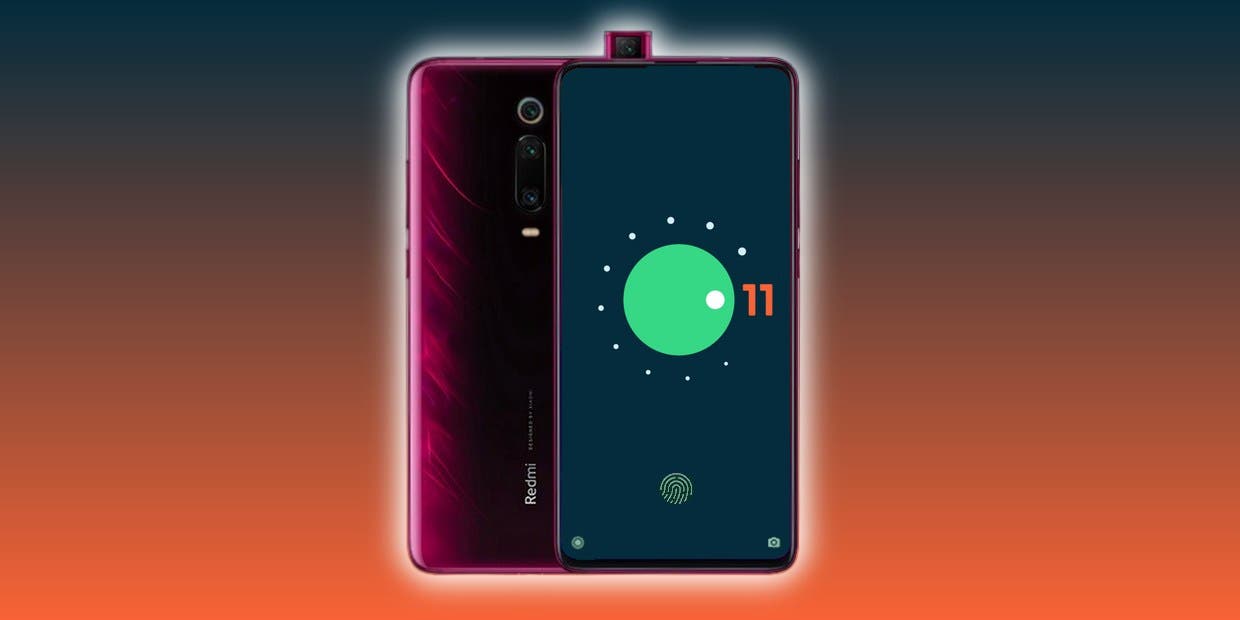
The source code for the newest Android version is also available on AOSP, which is undeniably a critical ingredient for compiling custom ROMs based on Android 11. In reality, the Redmi K20 Pro / Xiaomi Mi 9 T Pro has already been given a fairly functional AOSP 11 ROM for vanilla.
Now, more Android 10 custom ROMs have begun popping up in our forums for devices like the Xiaomi POCO F1, OnePlus 5/5T, Essential Phone, and the ASUS ZenFone Max Pro M1; and we expect even more to come along the way in the coming weeks. We’ll add and update this list with some of the first set of Android 11 builds and custom ROMs for a wide range of devices!
Apart from the above mentioned ROMs, we will see a lot of custom Android 11 builds released in the weeks to come. Not all custom ROMs ship with Google apps pre-installed though. If you’re looking for an acceptable delivery of GApps, then you’ll be pleased to know that Nikhil, XDA Senior Member, has stepped up and launched an updated version of the NikGapps kit.
The SetupWizard module within this Gapps distribution is known to be problematic, but you can remedy this by skipping the module using nikgapps.config or flashing the variant without SetupWizard.
Corvus OS is another Android custom ROM with many customization.
First, it’s inspired by Dirty Unicorns, but developers picked many other features too. Their objectives are a stable and feature ROM that can be enjoyed by many devices.
Developers won’t say that Corvus is better ROM than others, but we always try to give you the best.
CorvusOS v9 changelog (2020.09.12)
Merged September Security Patch
Bumped to the EndGame 9.0
Added More QS Tile Styles (OOS, Divided & Cosmos)
Added toggle for carrier group visibility
Updated QS tile icons (Airplane Mode, Dark Mode, Data Saver, Flashlight & Mobile Data)
Added some new Headers (One-piece Anime pack, Hunter x Hunter, Shingeki no Kyojin, Kimetsu no Yaiba, My Hero Academia)
Added Mi 10 Ultra FOD animations
Beautify airplane & mobile data icons
Imported back arrow from OOS
Added Option to use linear scale in BrightnessController
Redesign some drawables in Settings
Fixed crash when uninstalling apps with fragile data
Fingerprint: fix client was canceled by service by mistake
PixelExperience is an AOSP based ROM, with Google apps included and all Pixel goodies (launcher, wallpapers, icons, fonts, bootanimation).
Their mission is to offer the maximum possible stability and security, along with essential and useful features for the proper functioning of the device.
The new Android 10 brings new system UI, new gesture navigation, improved privacy and location control. The update also offers enhanced app permissions, foldable display support, security features, system-wide dark mode, etc.
The Android 10 also offers built-in call screening, multi-camera API, smart replies in the notification panel, 5G support, improved call quality, bubble feature, live caption, and more. While the latest version also improves battery life, Focus mode which is similar to the Do Not Disturb mode, etc. Apart from that Android 10 also features 65 new emojis. It also comes with direct audio streaming support to hearing aid devices.
It has all the features and applications which comes out of the box with Google Pixel smartphone. Now you can experience the real Pixel Smartphone with this ROM. With this ROM, you can enjoy
Everyone is aware of the fact that because of its customization feature, Android is one of the users’ most favored operating system, setting it apart from iOS and other operating systems. Android OS allows users to make a personalized version of Android depending on their taste and interests and that’s where personalized ROMs come in.
A custom Rom is essentially a firmware based on the source code provided by the Google app. These custom roms give you the opportunity to explore exciting features and learn about the latest design you can use to customize your Android app to your needs. One positive thing about Android custom ROMs is that they are free of bloatware, while offering strong customizations at the same time.
So, if you’re a guy who loves to customize and want to personalize your computer. So get ready to learn about some of the best Custom ROMs you can try right now and these ROMs can help you get the most out of your Android device.
Pre-requisites:
Unlock Boot loader
TWRP Recovery
Before installing a custom rom in your device make sure that you have an unlocked bootloader and a custom recovery like TWRP or CWM installed.
DerpFest OS – custom ROM
After initially booting the Rom. Unlike other Custom Roms that use Pixel ‘s stock Launcher, DerpFest uses a third-party launcher named Lawnchair, when you unlock the screen it will take you to the new launcher.
This launcher is highly customizable and you can adjust any part of your user interface and home screen believe me. By using Icon Packs, Colors, Grid Styles & More, you can change the Gui feel.
Now let’s think about the user interface improvements in the Center. This ROM creates a blur effect on the different UI components. If you look at the notification bar, you can see a beautiful blur effect on the background whenever you visit the Notification Center that differentiates how it looks from the stock edition.
If you’re a guy who loves Google phones and can’t afford to buy expensive smartphones then you can install Pixel Experience ROM in your device to get a pixel screen look to yourself. This custom ROM will turn your smartphone from icon to widget into a Google app with all of the scintillating functionality.
When you get a pure look of Google computer through this ROM you don’t want more than that. It’s quite identical with the original Google Rom so it’s able to give you a large number of customizations with all the ingredients you need to customize your computer.
Many users face stability issues in custom ROMs but this problem is solved by lineage rom which is a successor of cyanogen mod rom. Lineage OS has become the most common rom among users after cyanogen discontinued.
Lineage has been able to induce a large number of users to download their ROM which in a sense cemented the position of this rom in the market.
This ROM was also the key source of development for all the other Roms, since most of the Roms out there follow the lineage rom ‘s footsteps. Lineage rom offers some better personalization than others. You may wonder why lineage rom has not been able to make it to top of the list of most custom roms after such a strong reputation in custom roms.
In fact, lineage rom is not entirely based on customization, rather it gives due importance to all the factors required for a good custom rom such as reliability , performance, battery life, etc. and to cover this broad spectrum of user needs, these roms are doing their utmost and have managed to make their mark among the custom ROMs.
Resurrection Remix
In this list, Resurrection Remix grabbed third place. This rom is also an old market player, and started its development in the early days of Android 4.0. The key highlight about RR is its feature packed menu of settings loaded with attractive customization options which captured the users’ eye ball.
Resurrection Remix ROM has managed to remain a step ahead of them in a cut throat market as all the Roms have been innovating by upgrading the rom with exciting features. In addition to architecture, looks and configuration, the RR ROM development team is continuing to incorporate fresh improvements in rom to make it an exciting experience for users.
One limiting feature about RR is that it has jam packed stuff which can disturb the harmony of your device and you may face some stability problems.
As mentioned earlier in the preconditions pages, after installing some of the roms, you’ll need to flash your computer, which may be a concern for some of you, but don’t worry we’ve got a solution to all of your problems. If you want to save your computer from any unnecessary problem when flashing your app, AOSP is one of the best custom Roms.
I ‘m saying this because I’ve been flashing the custom roms of AospExtended for some time now, but I haven’t faced any kind of problem so far. From the rom ‘s name you can assume that it has lots of AOSP extensions.
Statistics are an exciting aspect for this ROM, and since its release it has over 1.3 million downloads, and as the number suggests, this has been the users’ favorite choice.
This rom is a combination of all the necessities of a custom rom, from navbar modifications to gestures, presentation designs combined with smooth buttery UI and exotic themes. Stability of this could bother you but overall it’s one of the best custom roms you’ve got to try.
Function plus reliability, you may be waiting for these items to be merged on the list so we’re with OmniROM here. It is one of the best custom roms that has managed to retain stability across all its updates.
There are two thrilling omni highlights which are open delta and free turn. This rom was used as a model for several of the custom rom designs, too. Elegant wallpapers, simple user interface and flexible features makes this a go for the users.
Paranoid Android
Paranoid android is one of the series that you might have seen all about once in your life. This rom is famous for its feature built in house, but after release of KitKat-based AOSPA.
This has slowed down compared. This has continued to be the best Custom ROMs in the game for quite a long time now, given the slow down.
Corvus operating system is fantastic ROM with many customizations. First, Dirty Unicorns inspired it (thanks to Alex Cruz), but then we picked many other features too. Our goals are a secure, feature ROM that many devices will enjoy. We ‘re not going to say Corvus is better than others but we’re still trying to give you the best.
Next level customisation
If you thought that the best customizable ROM ever available for Android was CyanogenMod, then you’re in for a treat. Havoc-OS will bring customisation to the next level. When it comes to customisation the custom ROM is a beast. Quick something you can alter on your mobile. This is customisable if it exists.
Battery Saving
Nearly all phones have a battery saver feature that will automatically be disabled if the battery drops below 15-20 per cent or you can even turn it on manually. But at Havoc, you get to do that with multiple features. One such feature is ‘Sensor block per packet.’ You can then turn it on manually. What this feature does is that it effectively blocks access to certain sensors on your phone for certain applications, and saves power. Another feature is ‘Alarm blocker’ which prevents you from waking up your phone when you receive notifications from certain apps. Sometimes using these power saving tools, you can get a huge increase in screen-on times.
Quick Settings
Quick settings can be accessed by pulling the notification shade further down. Most Android skins allow you some basic quick settings including Wi-Fi, Bluetooth, Mobile data toggles, etc. Havoc-OS, on the other hand, can offer you multiple quick setting toggles, and even some features that wouldn’t previously exist on your device like screen recording (which can be accessed from the quick settings).
Latest changelog – Corvus ROM
* Gaming Mode v2 -Now with roblox support-
* Fixes for QS detailed view
* Advanced location enabled
* Added support for Pixel stand
* Updated some boost framework stuff
* Adding cutout force full screen
* Shishu Launcher Free with a premium upgrade added
* Added LiveDisplay
* Force powersave on system apps
* New intro for new devices
* Moving net indicator to expanded statusbar header
* Fixes for Q clock strings
* Long screenshot
* Internal Audio recording
* New launcher quickspace stuff: Adding now playing -even though it's not fully compatible-, Personality (taken from lawnchair) and a new UI, more minimalistic
* Fixed the inverted navbar layout
* People actually fell off thinking that Shishu Launcher Premium was a thing, so we reverted that joke on our changelog
* Switched to Lineage Fingerprint on Display code
* Added support for sliders for OP devices
* Added some goofy stuff: like The Drill and Developer mode insulter
* Updated our APNs
* Fixed dialer dark numbers on numpad
* Misc fixes
* Removed Roblox as system app
Corvus features
Statusbar:
Statusbar clock customizations
Network Traffic Activity
Hiding Statusbar on lockscreen
VoLTE Icon customizations

Quick settings:
Togglable blur behind QS
Hide gradient behind QS
New tiles
OP Screen Recorder Tile

Themes:
Awesome wallpaper
Pixel Theme Picker
Good minimalistic bootanimation

Hardware Buttons:
Power Menu Customizations
Disabled Annoying Emergency button in power menu

Navigation:
Navigation bar layour invertion
Togglable hide pill in full gesturl nav mode

Gestures:
3-finger screenshot gesture

Screenshot:
Extended screenshot feature from OOS

Settings:
Added package name to installed app details
Maintainer and device codename strings

Miscellaneous:
Regular OTA Updates
Moved battery icon to QS header


Much More As Source keeps updating So HArd to keep all updated.