Tag: carrier

  • Xiaomi HyperOS secret codes: uncover hidden features and more

    Xiaomi HyperOS secret codes: uncover hidden features and more

    For users of Xiaomi smartphones running the Xiaomi HyperOS operating system, there are hidden codes that can unlock additional features and settings, providing a deeper level of customization and control. In this article, we’ll explore some of these secret codes and the functionalities they offer to enhance your Xiaomi HyperOS experience.

    *#06# – IMEI

    Need to check your device’s International Mobile Equipment Identity (IMEI) number? Dial *#06# to quickly access this information.

    *#*#*54638#*#* – Enable/Disable 5G Carrier Check

    Toggle the 5G carrier check with this code, giving you control over your network settings and the ability to enable or disable 5G functionality.
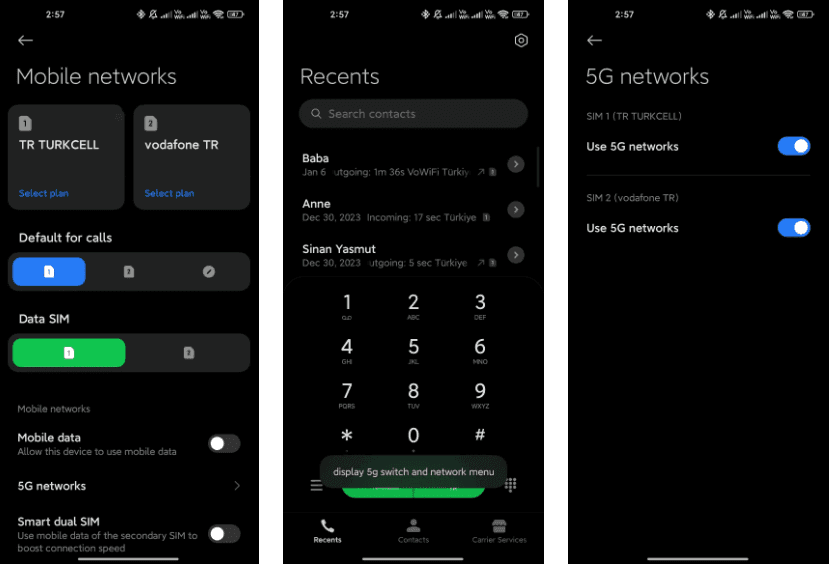
    5g switch

    *#*#726633#*#* – Enable/Disable 5G SA Option on HyperOS

    Unlock the 5G Standalone (SA) option on your network settings using this code, providing more control over your device’s connectivity.
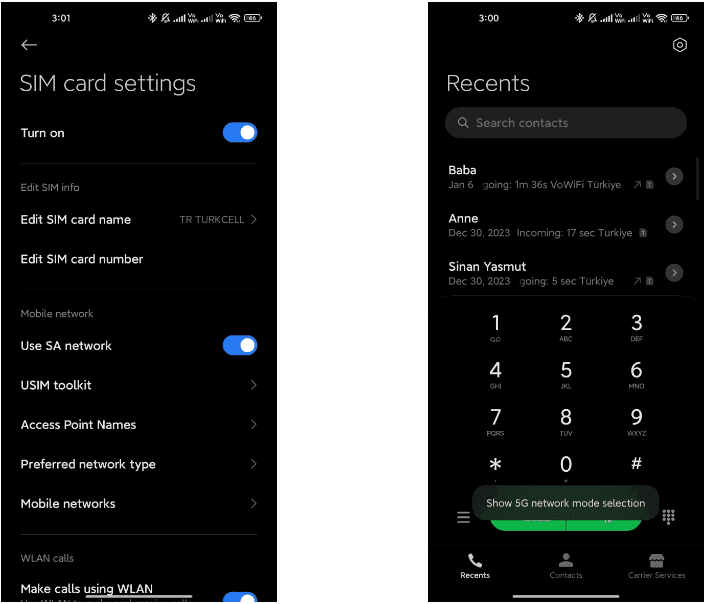
    5g sa

    *#*#6484#*#* – Xiaomi Factory Test Menu (CIT)

    Explore the Xiaomi Factory Test Menu for advanced testing and configuration options.
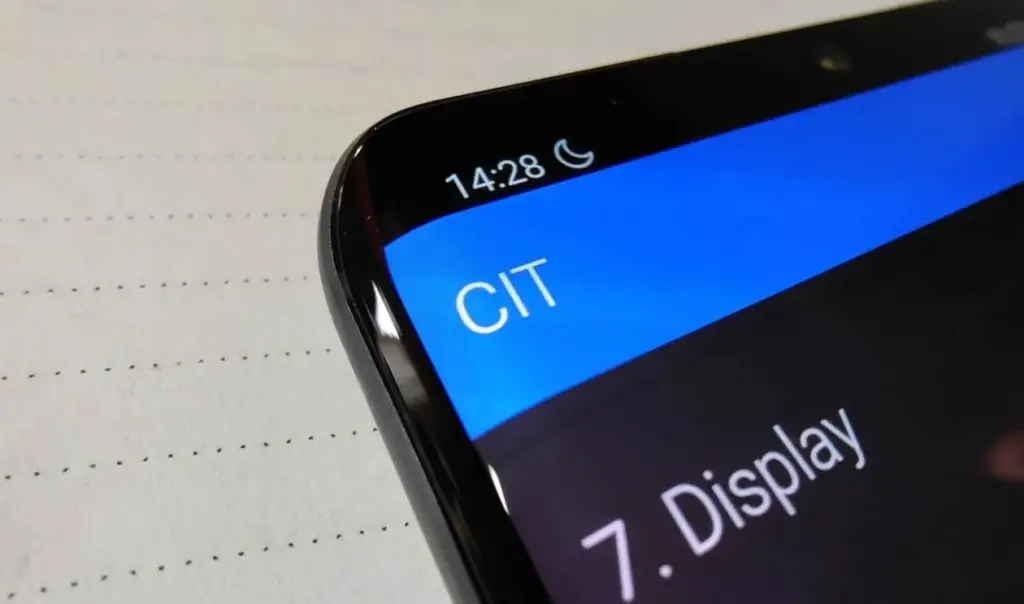
    xiaomi cit menu

    *#*#86583#*#* –  Enable/Disable VoLTE Carrier Check

    Toggle the VoLTE (Voice over LTE) carrier check to customize your network settings and enable or disable this feature.
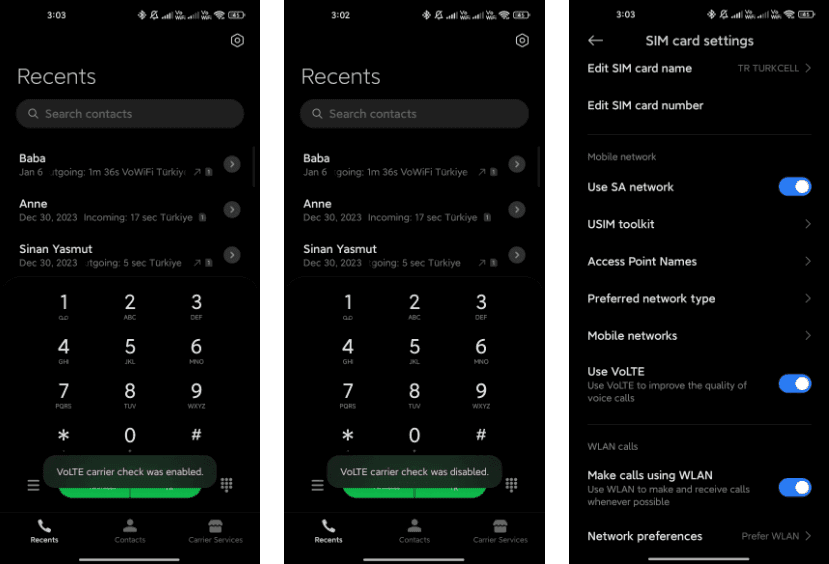
    volte carier check

    *#*#869434#*#* –  Enable/Disable VoWi-Fi Carrier Check

    Take control of your Voice over Wi-Fi (VoWi-Fi) settings by using this code to enable or disable the carrier check.
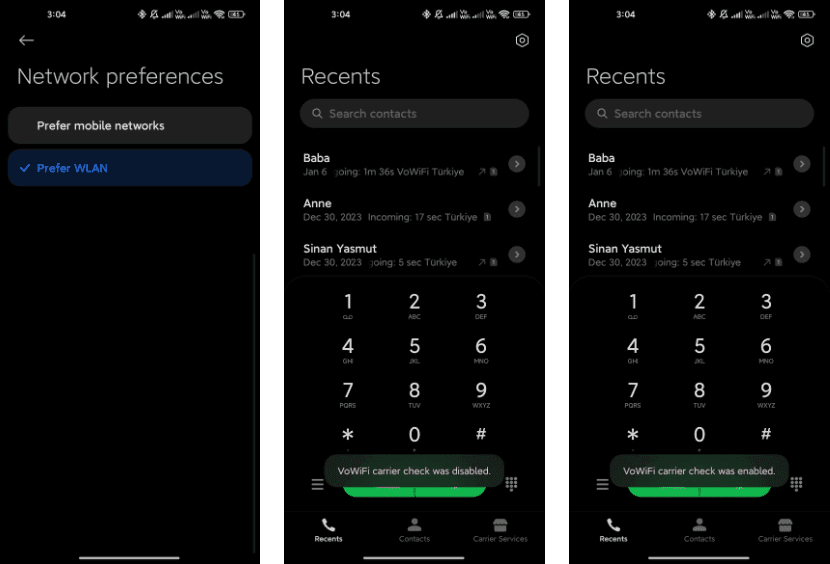
    wofi

    *#*#8667#*#* – Enable/Disable VoNR

    Manage Voice over New Radio (VoNR) settings with this code, providing more options for your device’s voice capabilities.
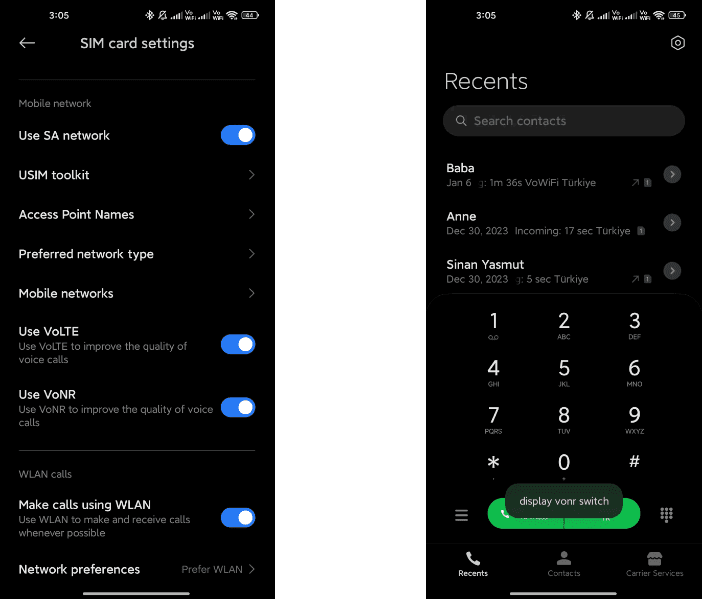
    vonr

    *#*#4636#*#* – Network Information

    Access detailed network information to check your device’s status and connection details.

    *#*#6485#*#* – Battery Information

    Get insights into your device’s battery, including cycle information, actual and original capacity, charging status, temperature, health status, and charging protocol type.

    6485.jpg

    *#*#284#*#* – Capture System Log

    Generate a BUG report to capture system logs, providing valuable information for debugging purposes. The report is saved in the MIUI\debug-log\ folder.
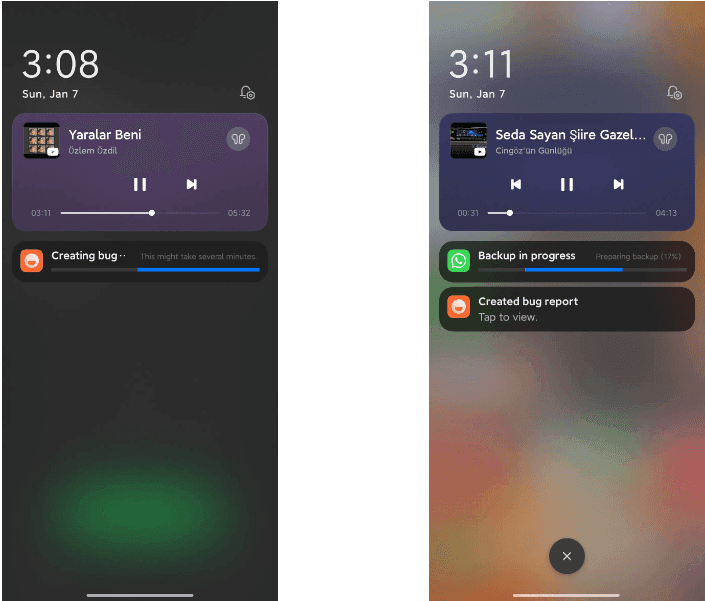
    system log

    *#*#76937#*#* – Disable Thermal Check

    Turn off thermal checking with this code, potentially preventing your device from throttling performance due to high temperatures.

    *#*#3223#*#* – Turn on DC DIMMING Option

    Activate the DC DIMMING option using this code, allowing you to adjust the display settings for a more comfortable viewing experience.

    Unlock the full potential of your Xiaomi device with these secret codes, and improve your Xiaomi HyperOS experience. These hidden codes offer Xiaomi HyperOS users a range of functionalities, from network customization to battery insights and advanced testing options. Users should exercise caution and be mindful of potential impacts on device settings while exploring these codes.
  • August 2022 security patch from Samsung makes a late appearance on the Verizon Galaxy Tab S7 series

    August 2022 security patch from Samsung makes a late appearance on the Verizon Galaxy Tab S7 series

    When it comes to upgrades, carrier-locked phones typically lag behind their unlocked counterparts since carriers enjoy taking the time to customize stock firmware. While this is true for many phones in the US, Samsung’s experience is unique. US carrier-locked variants of the Galaxy S22 series are now receiving the same treatment as the unlocked ones, following the August security patch’s international rollout to the company’s newest flagships late last month.

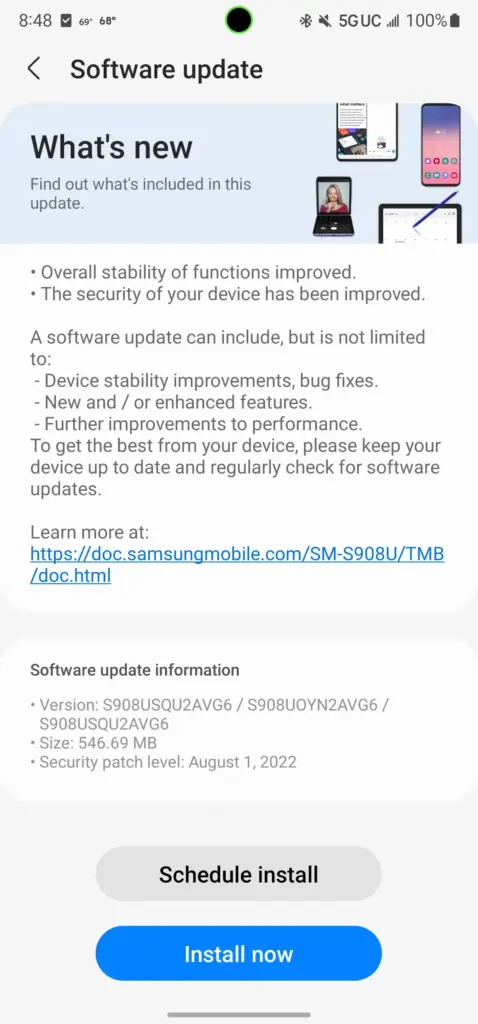
    With this month’s security patch, Samsung began distributing software version S908USQU2AVG6 to carrier-locked models of the Galaxy S22, S22+, and S22 Ultra in the US yesterday. According to SamMobile, the three have joined their Russian, Korean, and Latin American counterparts in utilizing the August security patch, leaving only the unlocked variations in the US and Asian regional models.

    samsung update

    The firmware for the carrier-locked models appears to be a simple security patch, similar to the last update that went out to these devices globally. However, Samsung claims in the changelog that the “overall stability of functions” has been improved, so expect updates to the system apps or other undocumented changes along with it.

    As always, we’ll keep this article updated as more Samsung devices get the August 2022 security patch in the US.

    Galaxy S10 series

    • Verizon
      • Galaxy S10e: SP1A.210812.016.G970USQU6IVH2, released August 31st
      • Galaxy S10: SP1A.210812.016.G973USQU6IVH2, released September 2nd
      • Galaxy S10+: SP1A.210812.016.G975USQU6IVH2, released September 2nd
      • Galaxy S10 5G: SP1A.210812.016.G977UVRU8HVH1, released August 31st

    Galaxy S20 series

    Galaxy S21 series

    Galaxy S22 series

    Galaxy Note 10 series

    Galaxy Note 20 series

    Galaxy Z series

    Galaxy A series

    • AT&T
      • Galaxy A53: A536U1UEU3AVH2, released August 25th
    • Comcast
      • Galaxy A53: A536U1UEU3AVH2, released August 25th
    • T-Mobile
      • Galaxy A53: A536U1UEU3AVH2, released August 25th
    • Verizon
      • Galaxy A01: RP1A.200720.012.A015VVRS8BVH1, released August 23rd
      • Galaxy A11: RP1A.200720.012.A115USQS7BVG4, released August 23rd
      • Galaxy A42 5G: SP1A.210812.016.A426USQU4CVH1, released September 13th
      • Galaxy A53: A536U1UEU3AVH2, released August 25th
      • Galaxy A71 5G: SP1A.210812.016.A716VSQS5EVI2, released October 7th
    • Xfinity
      • Galaxy A53: A536U1UEU3AVH2, released August 25th

    Galaxy Tablets