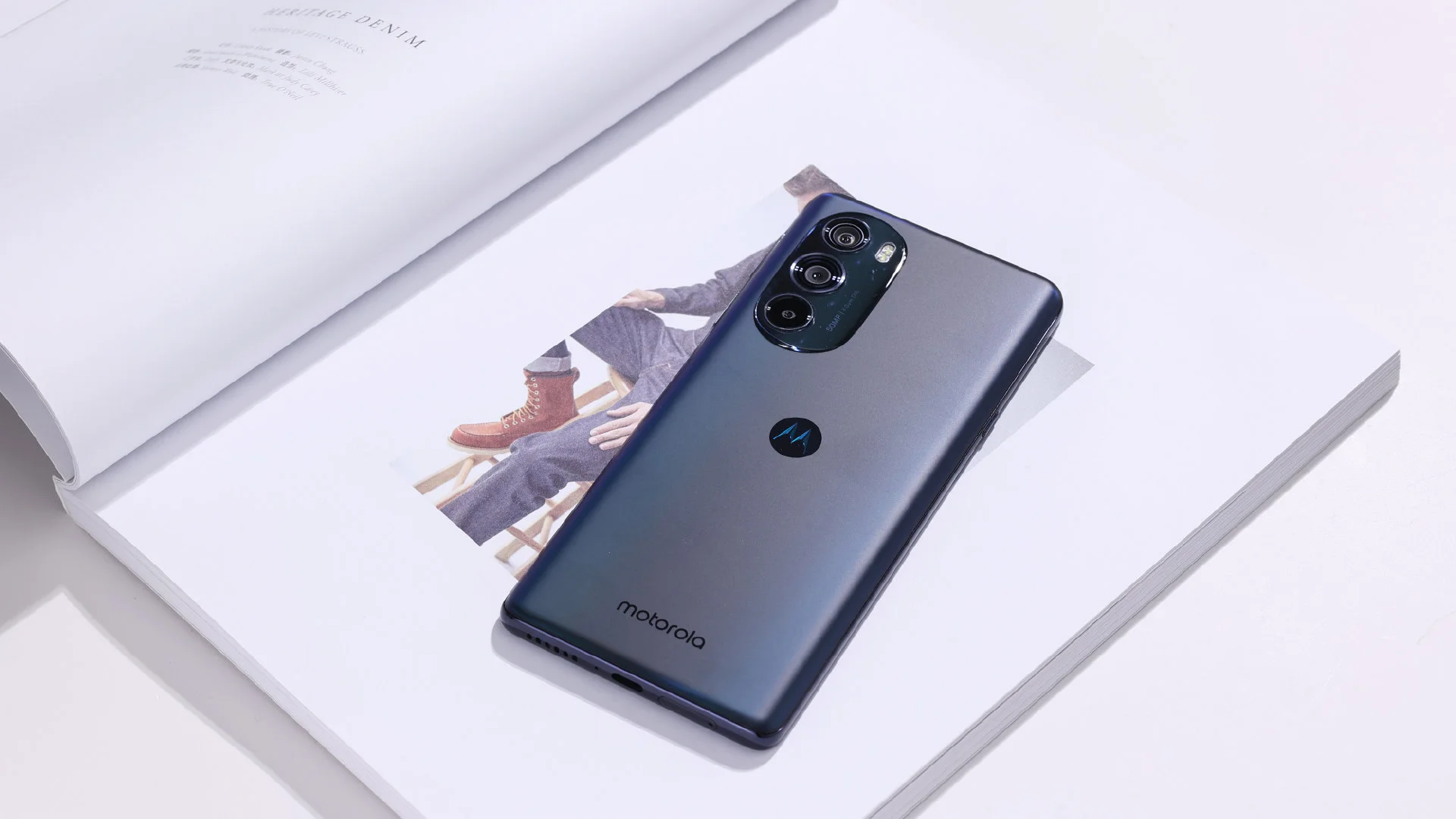
Motorola unveiled the Moto Edge X30 flagship smartphone a few months ago in December 2021, which also happens to be the world’s first smartphone to be powered by the Qualcomm Snapdragon 8 Gen 1 SoC.
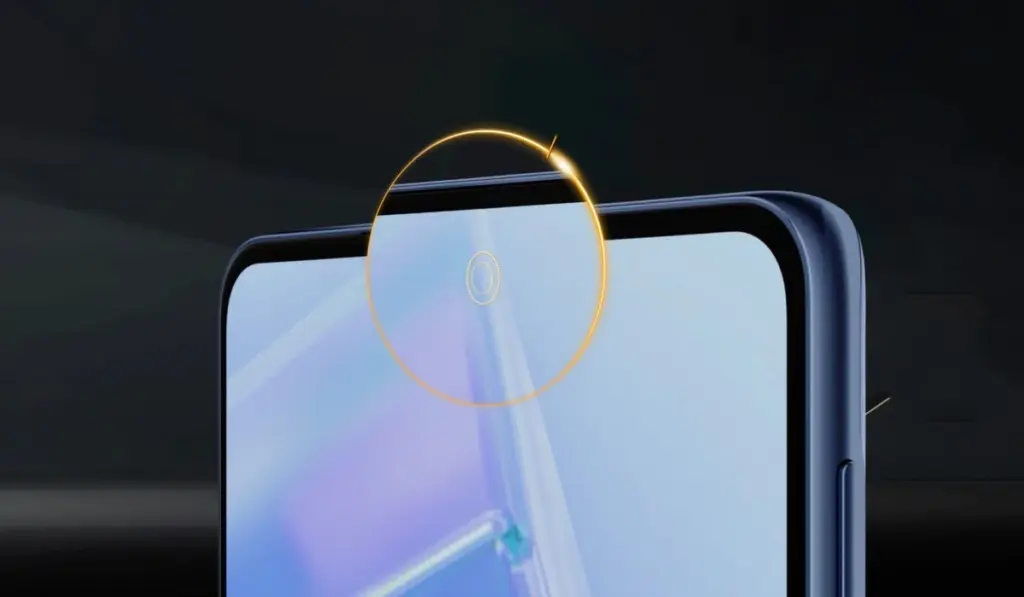
Now, the business is preparing to release a new Moto Edge X30 Under Screen Edition smartphone, which, as the name suggests, includes an under-display camera sensor. The phone is expected to be released in the spring, according to the manufacturer.
The Moto Edge X30 Under Screen Edition will be released in the Chinese market in March, according to Chen Jin, General Manager of Lenovo China’s Mobile Phone Business department. However, no exact date has been announced.
Apart from the arrangement and sensor of the front-facing camera, we expect practically all of the characteristics of this new forthcoming smartphone to be identical to the conventional variant now on the market.
A 6.7-inch OLED Full-HD+ display with a 144Hz refresh rate and a 576Hz touch sampling rate is expected on the phone. It will have a DCI P3 color gamut of 100 percent, HDR10+, and an in-display fingerprint sensor.
The Snapdragon 8 Gen 1 SoC will power the smartphone, which will be paired with up to 12GB of RAM and 256GB of internal storage.
It will most likely include a triple-camera configuration with a 50-megapixel primary sensor in the photography area. The phone will run the Android 12 operating system and be backed by a 5,000mAh battery with quick charging capabilities.
Google Camera and its post-processing algorithms have unquestionably altered the game in terms of what we expect from smartphone cameras, lifting the Google Pixels to some of the best Android phones for photography. That is precisely why Google Camera ports for non-Google devices are in such great demand. You may use Google’s improved HDR+ enhancement and Portrait Mode on practically any smartphone that supports the Camera2API with the appropriate ported Google Camera app.
Besides the Camera2 API, Google Camera also requires Google Play Services to run. The app will crash if you try to run it on a phone without Google Apps. You can, however, use MicroG or Gcam Services Provider to spoof Google’s proprietary libraries.
Download the most compatible APK file of the ported Google Camera from the next section and install it.
Either use one of the suggested versions for your device or pick one of the generic mods.
You may need to install additional XML configuration files.
Restart the app.
Success!
Devices with working Google Camera Ports
This article contains a list of devices with at least one working Google Camera Port from various OEMs. We looked for the most stable and user-recommended versions. There may be “better” versions available, but for the most part, the ports described here should suffice.
Please keep in mind that the devices listed below are arranged alphabetically by name. It’s possible that some of the linked threads aren’t from the device forum. This isn’t an oversight, as many of the ports are compatible with multiple devices. We just provided a link to a forum where you may get the APK.
A smartphone makes it easy to snap photos in your daily life. However, some of those moments are fleeting. We’ll show you the fastest way to launch the camera on your Android phone. Never miss a shot again.
Most people put the camera app shortcut in an easy spot for quick launching from the home screen. This is a good practice, but your Android phone probably has two methods for launching the camera even faster.
Launch from the Lock Screen
We’ll start with the slightly faster method. A lot of Android devices have a shortcut to the camera directly on the lock screen. You can launch straight to the camera without fully unlocking the device.
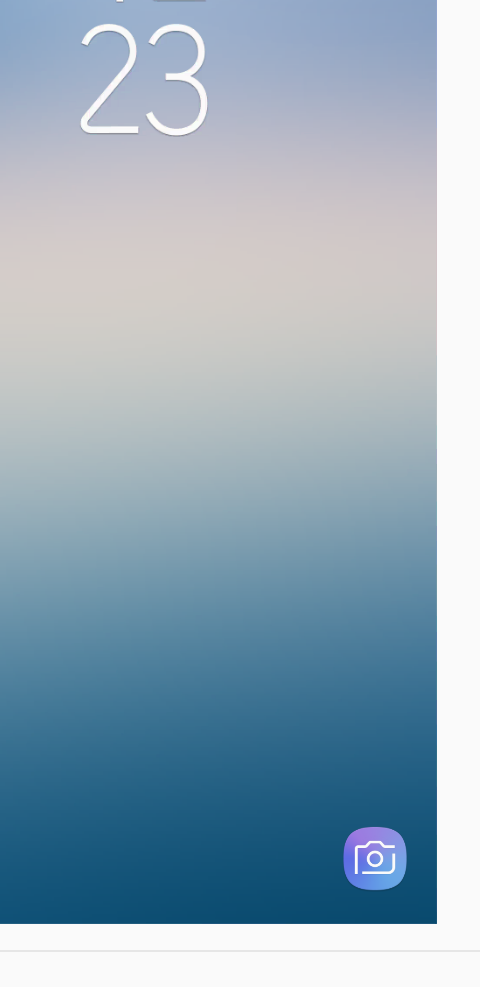
For example, here’s what it looks like on a Samsung Galaxy smartphone. The camera shortcut is in the bottom-right corner.
Simply slide the camera icon to the left, and the camera app will fly in from the right side.
That’s it! You can skip the step of unlocking and get to the camera a little faster.
Launch with the Power Button
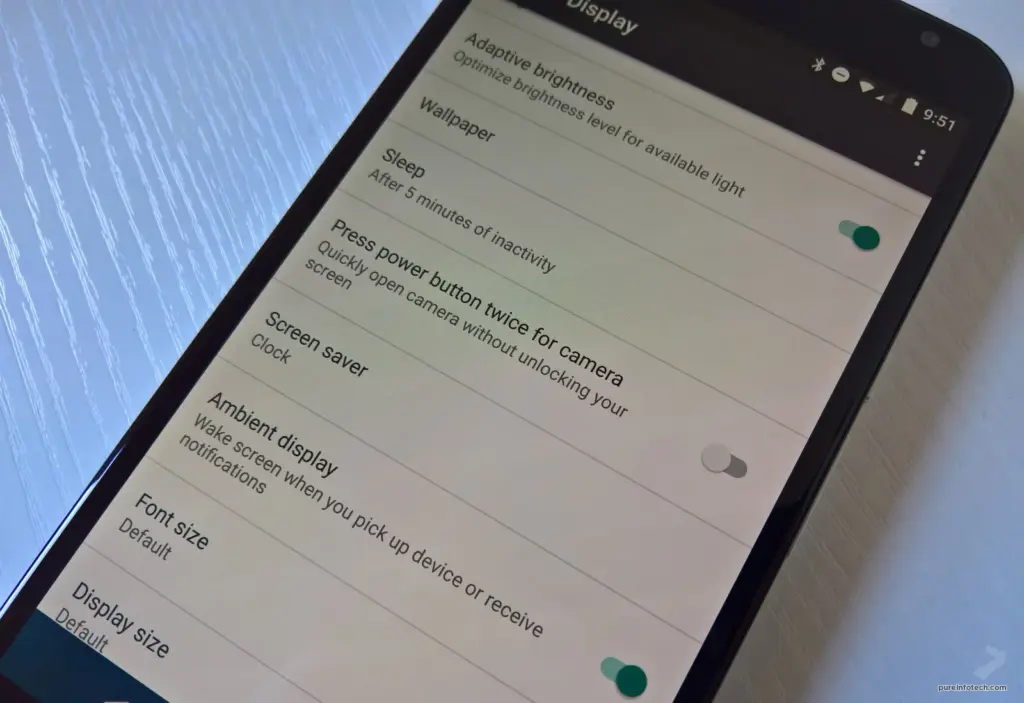
This works from anywhere. You can be using a different app, or it can be locked in your pocket. Just double-press the power button and the camera will launch. Simple as that.
There’s nothing worse than missing a moment because you couldn’t get your camera out fast enough. Hopefully, these tips can help you be faster and never miss capturing a special shot again.
If you enjoy mobile photography, particularly on Android devices, you should be aware of the GCam app. The Google Camera (GCam) app does not require any introduction because it is one of the best third-party camera apps for a non-Pixel Android device. Whether you have a mid-range or flagship Android device with a better camera, most images will lack crisp details and color accuracy if you don’t have the Google Camera app. We’ve included a link to download Gcam for all Samsung Exynos devices [GCam ZCam APK] below.
If you don’t know, you might be wondering why Samsung Exynos? Because the majority of Samsung devices (global) use Exynos processors, users are unable to find a compatible or stable Gcam app for those specific models. While Snapdragon-powered devices are more developer-friendly than Exynos variants. As a result, you will receive GCam ported APK files for the majority of Snapdragon Samsung Galaxy devices. However, you can download a ZCam ported APK file of GCam for the Samsung Galaxy Exynos variant from the link provided below.
We all know that Samsung Galaxy smartphones have excellent cameras with a variety of modes and features such as Portrait mode, Slow-Motion mode, Panorama mode, improved hybrid zooming capability, and more. While newer Samsung Galaxy devices also include super steady video recording, night mode, sharp daylight images, up to 8K video recording, up to 100x hybrid zoom, and other features. However, when it comes to the Google Camera app, no other stock camera apps stand out from the crowd.
With the help of powerful software development, the Gcam app delivers a stunning color contrast ratio with a better dynamic range, exposure level, etc. It features a simple camera interface with loads of advanced settings, Google Lens integration, Night Sight mode, Portrait mode with focus slider, Slow-Motion, HDR+, HDR+ Enhanced, Playground (AR Stickers), Lens Blur, PhotoSphere, RAW image option, improved video stabilization, etc.
The GCam app also provides better edge detection in portrait shots, nice shadow & depth in low lighting conditions, and color levels that are close to reality, all of which contribute to capturing a better image. At the time of writing, ZGCam Exynos had shared ZGCam 692. (latest version). This developer deserves all of the credit. Now, without further ado, let’s get to the download link and installation instructions.
Now, enable Unknown Sources options from the device Settings > Security or Privacy.
Tap on the GCam APK file again to install it.
Launch the GCam app and give all the required permissions.
You’re done.
We hope you’ve found this article useful and you can now use the GCam ported app on any of your Samsung Galaxy Exynos variant devices. Feel free to ask in the comments below for any queries.
One of the best apps for Android smartphones out there is Google Camera from the Pixel line up. A brand new Google Camera 8.0 APK with stunning features was launched by the search engine giant with the launch of Pixel 5G and Pixel 4a 5G. While you might not be able to mount the original Google Camera on third-party phones, all from Pixel 5, here is the newest Gcam 8.0 Mod for all Android smartphones by renowned developer Arnova.
Ultrawide lens support or Google Cameras, Cinematic Pan for images, Night Sight in Portrait Mode, Portrait Light, New Google Photos Editor, and many more are some of the main features of Google Camera 8.0 as mentioned in our previous article. New features in the Pixel 5 camera app include
We already detailed the original Google Camera 8.0 in our previous post, along with a Gcam 8.0 Mod by the developer cstark. Here is the universal GCAM 8.0 Mod by Arnova that can work with many modern smartphones running Android 11, 10, 9 Pie, or even older. The app has been tested working on the following Android devices from Google’s Pixel lineup to many third-party OEM smartphones from Samsung, OnePlus, Xiaomi, Huawei, Asus, Moto, Nokia, and more.
Download Latest GCAM 8.0 MOD APK For All Android Smartphones
Here is the first stable Gcam 8.0 mod for all Android devices by the renowned developer Arnova. The stable Gcam 8.0 mod by BSG (or MSG) is also listed. It has been tested on 44 Android smartphones. The latest Gcam supports Android 11, 10, or even older 9 Pie. As for the Pixel smartphones, you can install the Google camera app by developer cstark.
Google has just launched two new Pixel 5 and 4a 5 G smartphones. The two phones have just launched with intriguing specifications for hardware and software. Although the Pixel 5 is not the flagship phone with the highest hardware configuration, the Snapdragon 700 SoC series still supports 5G. As for the applications, out of the box, both the devices feature Android 11 and some exclusive Pixel apps and services such as the camera app. The stock of older Pixel 4 (XL), 3 (XL), 2 (XL) and 4a and 3a cameras have all been updated to the new Google v7.6 APK camera.
Sadly, Google has not mentioned what’s new in the latest version of the camera, including v7.6.
The Play Store listing only mentions the age-old changelog of dual exposure controls to adjust brightness and HDR of your photo, added Astrophotography feature to Night Sight mode for the Pixel 3, 3a, and 4. Top Shot photos feature with touch and hold on the shutter button to capture. Here is the complete changelog from the Play Store listing:
Added dual exposure controls to adjust brightness and HDR of your photo (Pixel 4).
Added Astrophotography to Night Sight to allow you take a picture of the Milky Way with one tap (Pixel 3, 3a, and 4).
Added Frequent Faces to help you capture Top Shot photos where the people you photograph most are smiling and not blinking (Pixel 4).
We do, however, have a list of features from previous versions of the Pixel camera, such as the Gcam 7.5. “Audio zoom” allows you to capture audio / sound from the microphone in a particular direction with a motion blur effect that provides DSLR-like quality for images of moving objects. The flash intensity allows you to change the flash intensity at will. The video sharing feature now also applies to videos. In Google camera 7.6, we should expect all these features as well.
On the other hand, Pixel 5 and 4a 5G feature new Google Camera 8.0 out of the box. This camera update didn’t come to the older Pixel series yet. However, you can still install it using our Gcam 8.0 post from here alongside your original camera app. You can expect some of Google camera 8.0 features into the Gcam 7.6 as well. Check out all the Pixel 5 and 4a camera features here.
Moreover, previous Google Camera 7.4 enables 8X camera zoom for video recording on the current flagships Pixel 4 and 4XL. It also brings a new toggle for changing resolution while video recording in the dropdown menu on the viewfinder. Later, Google released a newer stable Google Camera 7.4.200 APK as well.
Download Google Camera 7.6 APK
Here is the latest Google Camera 7.6.008.327100377 original APK available for download for older Pixel series phones including Pixel 4 (XL), Pixel 3 (XL), 2 (XL), OG Pixel 1 (XL). So if you have an older Pixel device and do not see the newest update on the Play Store, then download the APK and simply install it as a normal app. It will only support Android 11 or later.
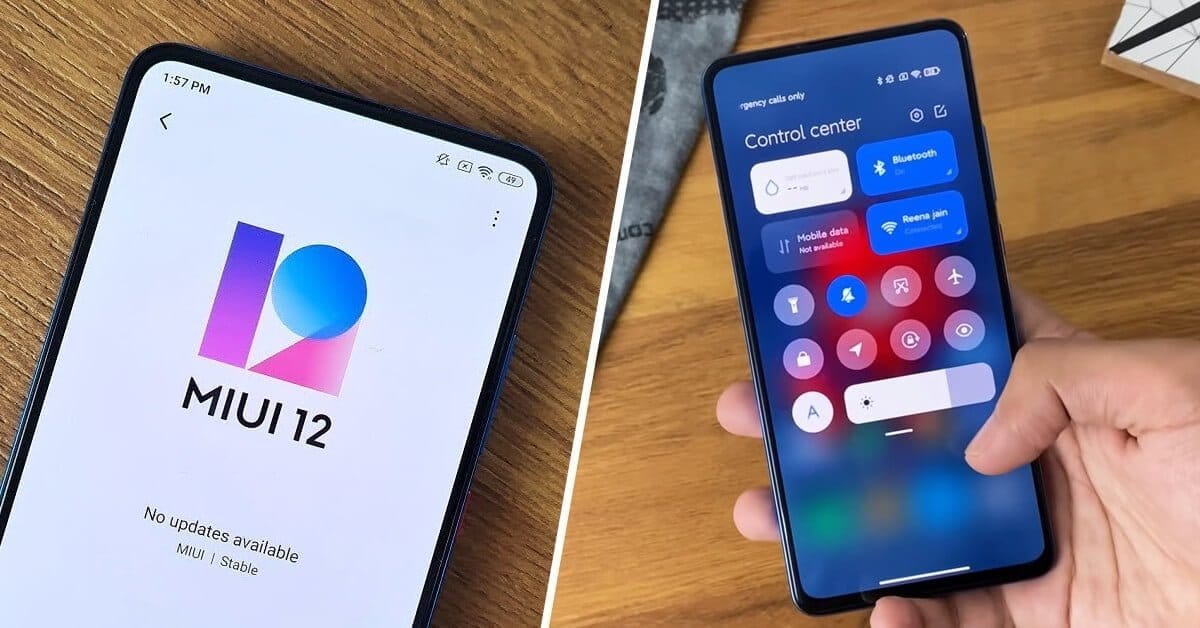
Back in April, Xiaomi released their new system program, MIUI 12. That’s set to bring users a ton of neat features like enhanced privacy controls, navigation gesture support, and a more modern UI overhaul. Now it looks as if the company might also have some new camera capabilities, in the form of an astrophotography mode.
The feature will allow users to take pictures of objects that are normally difficult to capture with a smartphone camera, such as moonlit night skies and breathtaking star trails. It sounds like Google’s long-exposure mode with the Pixel 4, along with the need for a tripod to produce the best performance.
This new mode has already been spotted in the MIUI 12 beta build for the Poco F2 Pro, as Telegram user @hardziol shared screenshots with XDA showing off the interface.
With the introduction of Pixel 3 in 2018 , Google introduced Night Sight into the market. OnePlus soon after introduced a Nightscape app, and in 2019, Samsung followed suit with its own photography capabilities for the Night Mode. These days, smartphone manufacturers are becoming extremely competitive when it comes to photography, but hardware can only go that far; as companies like Google and Apple have shown, computational photography is where the real magic happens. Time will say if the efforts of Xiaomi would prove as successful as they were.
Google’s Pixel portfolio has raised the bar when it comes to mobile image manipulation the past few years, but the company has struggled to offer a comparable experience when it comes to filming images. The 2018 Pixel 3 suffered from a bad audio recording problem and last year’s Pixel 4 entered the market with 4 K video capture which was limited at 30fps while most other 2019 flagship smartphones were capable of 4 K video capture at 60fps.
Once the Pixel 4 was introduced, Google said that the feature was not incorporated solely because 4 K video capturing on smartphones wasn’t nearly as commonplace as 1080p. This may certainly be accurate, but a later study showed that the Pixel 4 actually didn’t have enough bandwidth to handle simultaneous 4 K 60fps feeds from the phone’s two rear cameras. Other manufacturers have gotten around this issue by limiting 4K/60 video capture to just one camera or reducing the bit rate slightly.
Since the Pixel 4 just receive a feature drop this past week, if Google doesn’t figure out a way to implement 4K/60 video capture on the Pixel 4, don’t expect it to show up until later this spring. If the feature is only made available on the Pixel 4a, Google will have some explaining to do.
One of the wonders of Android devices is the Google Phone. It is Google Pixel smartphones ‘ holy grail. After all, while other companies rely on multiple-cameras to produce high quality images, powerful software supports Google Pixels. This technology has blessed pixel smartphones making them some of the best smartphones in the photography industry. They have official support for advanced features such as portrait and astrophotography mode. Recently Google rolled out the Google Camera App v7.3 with several new features and enhancements. The group is strong and now all Android smartphones have Gcam 7.3 app.
Gcam?
In short, Gcam is a plugin aimed at bringing the Google Camera app to multiple smartphones and ensuring all features work with them. There are several variations of Gcam. Some are intended for multiple Android devices, while others are specifically designed for a single smartphone. Multiple developers are working on Gcam and we have today an active community of users using the Mod.
Gcam 7.3 features:
Automatic DND mode while using video-recording.
Re-arranged settings UI.
24FPS video recording.
Exposure controls to adjust brightness and HDR of your photo.
Astrophotography implemented to Night Sight.
Received Frequent Faces to help you capture Top Shot photos.
Touch and Hold shortcut in the shutter button to capture Top Shot photos.