
Tag: boot

  • Critical Snapdragon Exploit Takes Over Devices in Just 5 Minutes – What You Need to Know

    Critical Snapdragon Exploit Takes Over Devices in Just 5 Minutes – What You Need to Know

    Kaspersky ICS CERT has publicly detailed a critical hardware vulnerability hitting a wide array of Qualcomm Snapdragon chipsets. The exploit, presented at Black Hat Asia 2026 on April 23 and tracked as CVE-2026-25262, has rattled the security community. First confirmed by Qualcomm in April 2025, full technical details are now available, exposing a backdoor capable of total device takeover and data destruction.

    snapdragon exploit takes over device

    The Sahara Protocol and BootROM Flaw

    The issue lies deep in the BootROM, the silicon-hardcoded firmware that runs first when a device powers up. Because this code is etched into the hardware itself, standard OTA software updates can’t touch it, making patches nearly impossible.

    Researchers uncovered a major weakness in Qualcomm‘s Sahara protocol handling. For those who work with device flashing, Sahara manages low-level communication in Emergency Download (EDL) mode to load critical software before the main OS starts.

    With just a few minutes of physical access, attackers can exploit this to sidestep the entire secure boot chain. Once inside the application processor, they gain the ability to:

    • Install persistent backdoors that survive reboots.
    • Pull sensitive data like passwords, files, contacts, and real-time location.
    • Take over device sensors for covert camera and microphone access.

    The malware even fakes a system reboot to throw off users. Clearing the infection often requires draining the battery completely to wipe volatile memory, and detection remains extremely challenging.

    Affected Chipsets and Devices

    While newer flagships like Snapdragon 8 Elite have stronger defenses, this flaw hits many older and mid-range chips still in widespread use.

    Vulnerable Qualcomm Chipsets:

    • MSM8916 (Snapdragon 410) (Xiaomi REDMI 2)
    • SDX50 (Xiaomi Mi MIX 3 5G and Mi 9 Pro 5G)
    • MDM9x07
    • MDM9x45 (Xiaomi Mi 5, Mi 5s, Mi 5s Plus, Mi Note 2, Mi MIX)
    • MDM9x65
    • MSM8909
    • MSM8952

    Real-World Impact

    Physical access requirements limit mass remote attacks, but the risk to supply chains, repair shops, and targeted users remains severe. Compromised devices turn into perfect surveillance tools. With hardware deployed across consumer REDMI phones to industrial IoT systems, the potential fallout spans far beyond typical mobile threats.

    Source: Kaspersky
  • Boot into recovery – Android

    Boot into recovery – Android

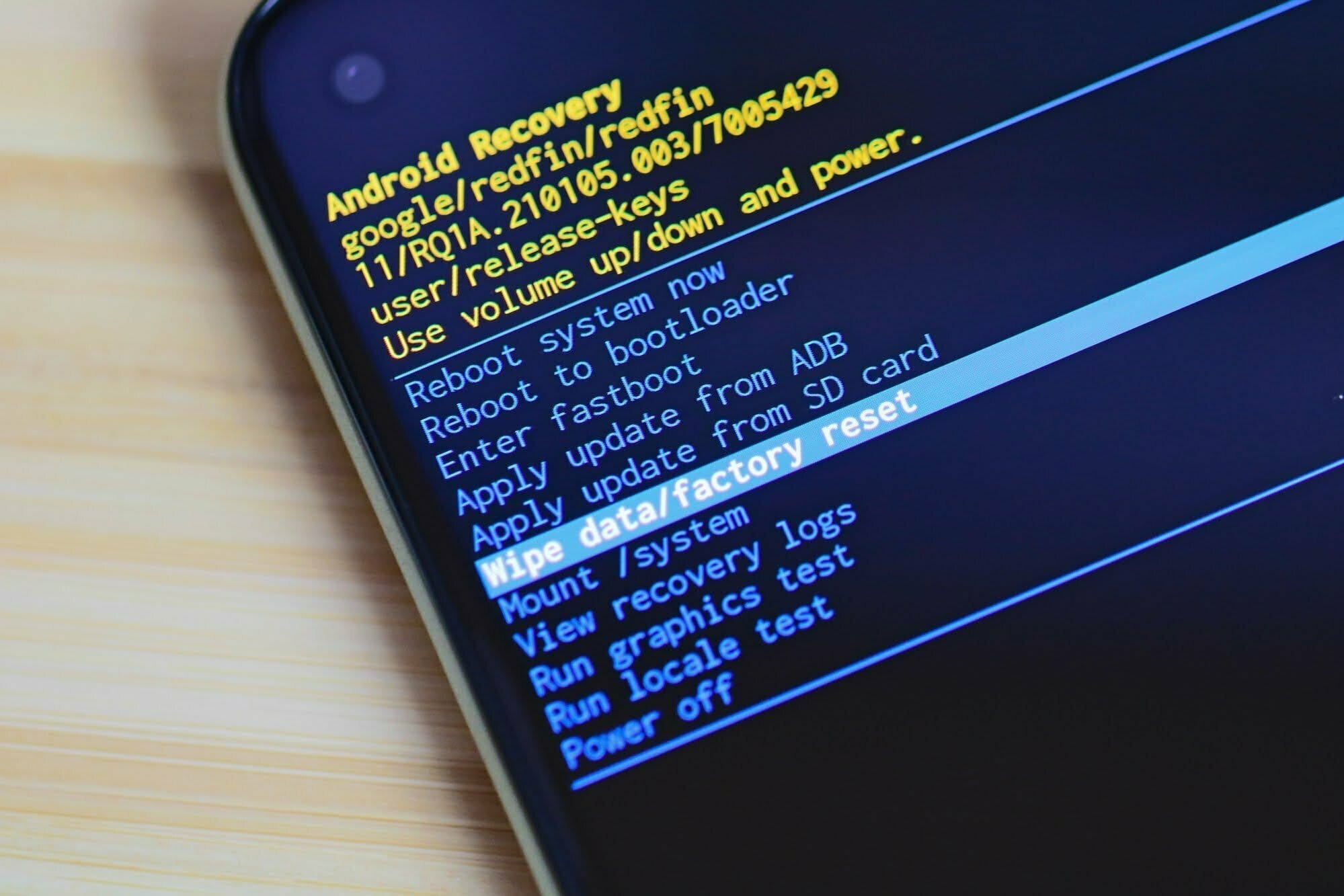
    Recovery in Android refers to the dedicated, bootable partition which has mounted the recovery console. A combination of key presses (or command line instructions) will boot your phone back to recovery, where you will find tools to help patch (recover) your computer and install official OS updates. Since Android is open and has the source code available for recovery, it’s also fairly easy to build a customized version with more and different choices.

    You can access your phone’s recovery, and perform a number of different functions that are useful to troubleshoot your phone. You can do a factory reset, clear cache, and run system updates with the stock recovery. You can also do system backups and flash. ZIP files like those that will modify your ROM or make big changes to your system if you have a custom recovery.

    To begin you need to power off your device

    Each device have a specific method by which you can enter the recovery on your phone, please see below.

    Samsung GalaxyPress and hold on both the volume up and Bixby buttons (the button just beneath the volume rocker), then press and hold the power button.
    GoogleStep 1: Long press the power button and volume down button at same time until screen turns on
    Step 2: Press the volume down button until Recovery mode show
    Step 3: Press the Power button to enter your Google Pixel 4 XL into recovery mode
    OnePlusHold down Volume Down + Power key
    XiaomiPress and hold Volume Up key and Power key simultaneously.
    HTCNavigate to Settings> Battery> Uncheck FASTBOOT.
    Power phone off
    Hold VOLUME DOWN + POWER for 5 seconds
    Release POWER but continue to hold VOLUME DOWN
    Once you are in the bootloader, use the VOLUME buttons to navigate to RECOVERY
    Press POWER to select and enter recovery
    LGPOWER + VOLUME DOWN Hold until the LG Logo appears
    Release and immediately press POWER + VOLUME DOWN again until you see the Reset Menu
    Press the POWER button to hard reset, then you will reboot into recovery