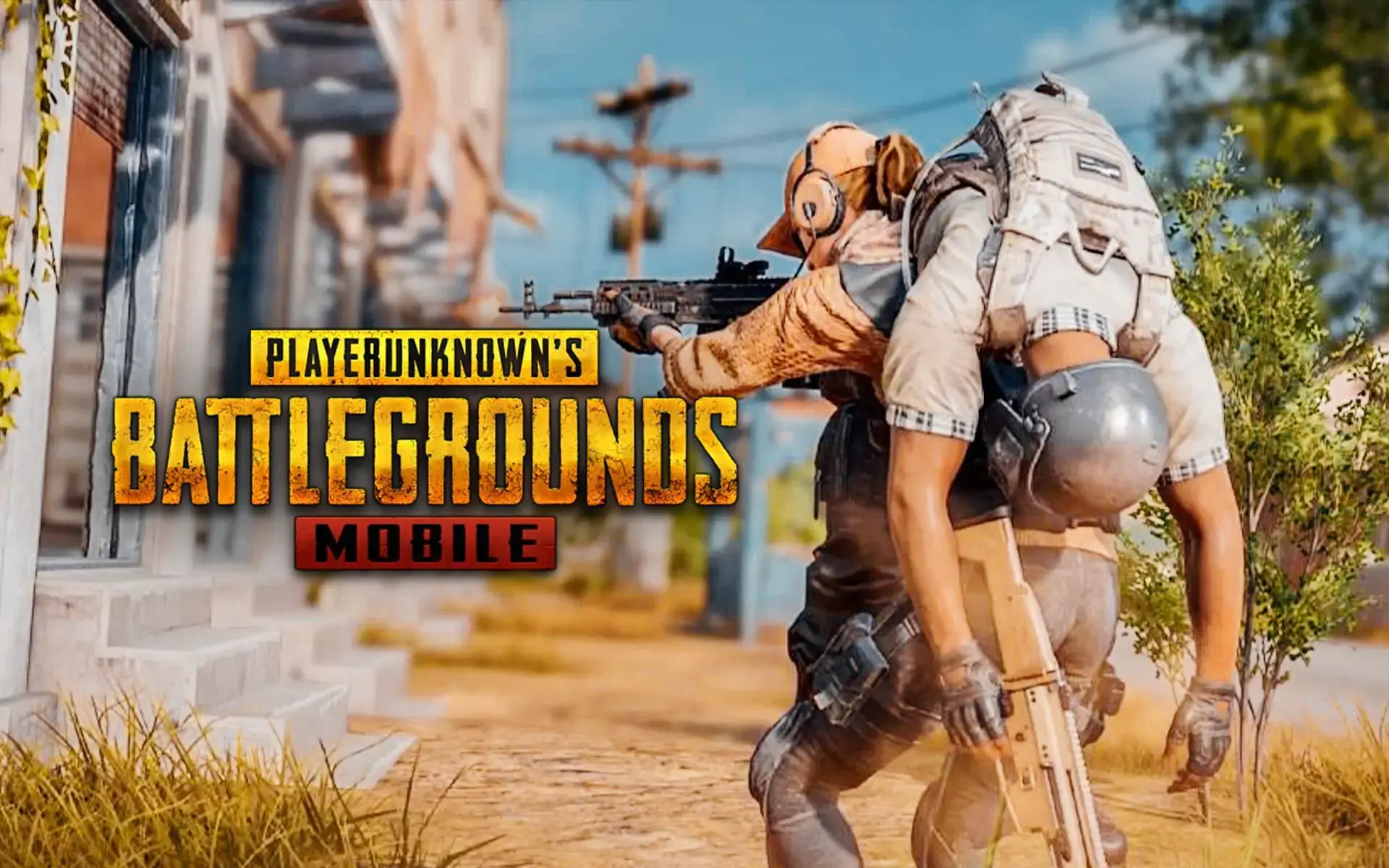
PUBG is one of the most popular online shooter games in recent years, and it has had a significant impact on both the desktop and mobile gaming scenes. PUBG is credited with popularizing the online multiplayer battle royale genre, in addition to fueling competitive e-sports. Following PUBG’s success, a slew of other franchises have put their toes in the genre. PUBG’s untimely prohibition in India also left a gap in the market, which others quickly filled before PUBG could respond. PUBG’s creators have now filed a lawsuit against Free Fire’s creators, as well as Apple, Google, and YouTube, alleging IP infringement.
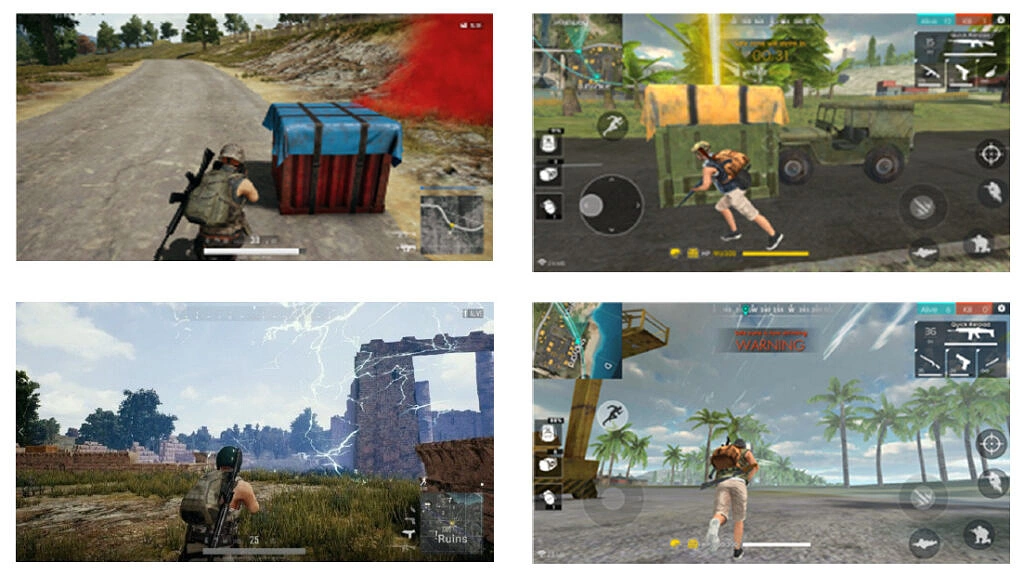
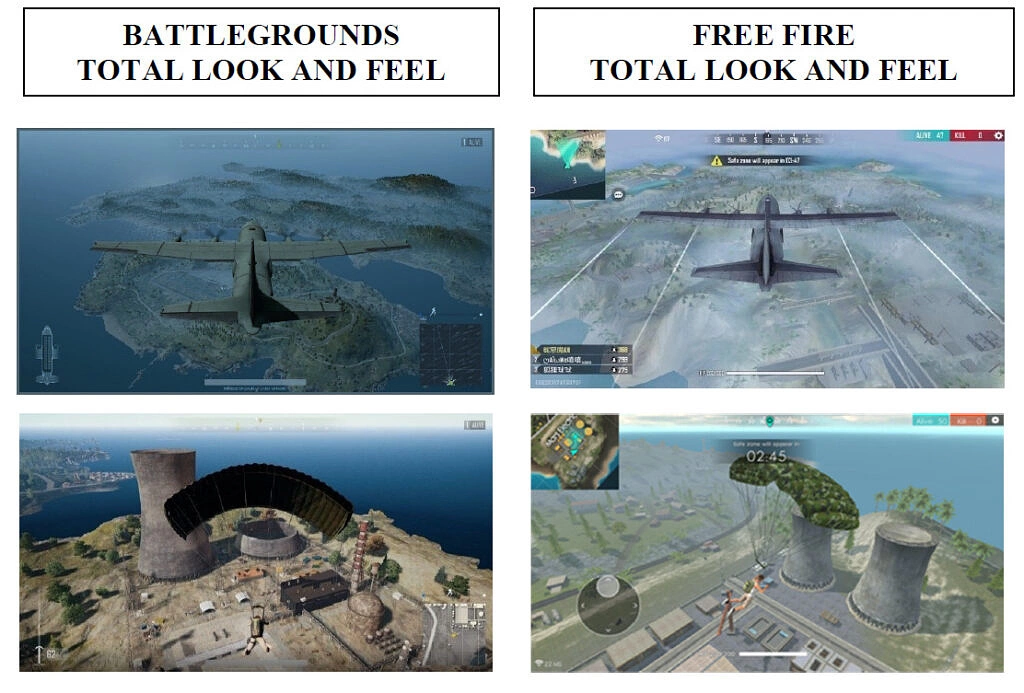
As Reuters reports, PUBG developer Krafton Inc has filed a lawsuit in the Central District Court of California, alleging that Garena Online’s Free Fire and Free Fire Max games copy several copyrighted aspects of PUBG: Battlegrounds, including its game structure, in-game items, equipment, and locations.
Free Fire and Free Fire Max extensively copy numerous aspects of Battlegrounds, both individually and in combination, including Battlegrounds’ copyrighted unique game opening “air drop” feature, the game structure and play, the combination and selection of weapons, armor, and unique objects, locations, and the overall choice of color schemes, materials, and textures.
Apple, Google, and YouTube are also named as defendants in the lawsuit: Apple and Google distribute Free Fire through their own app stores, and it’s been reported that Free Fire sales in the United States generated millions of dollars in income in the first three months of 2021. Meanwhile, Free Fire gameplay footage and a Chinese film Biubiubiu, which is supposed to be a live-action portrayal of the game, are allegedly available on YouTube. According to the lawsuit, Krafton ordered Garena to stop “exploiting Free Fire and Free Fire Max,” but Garena refused. Apple and Google have been ordered to stop distributing the games, and YouTube has been urged to remove footage, both of which have yet to be done.
Krafton consequently had to file the lawsuit, requesting the court to block the distribution and sales of the Free Fire games, the infringing videos, in addition to requesting damages that include the companies’ profits from Free Fire sales. It remains to be seen how this plays out in court.
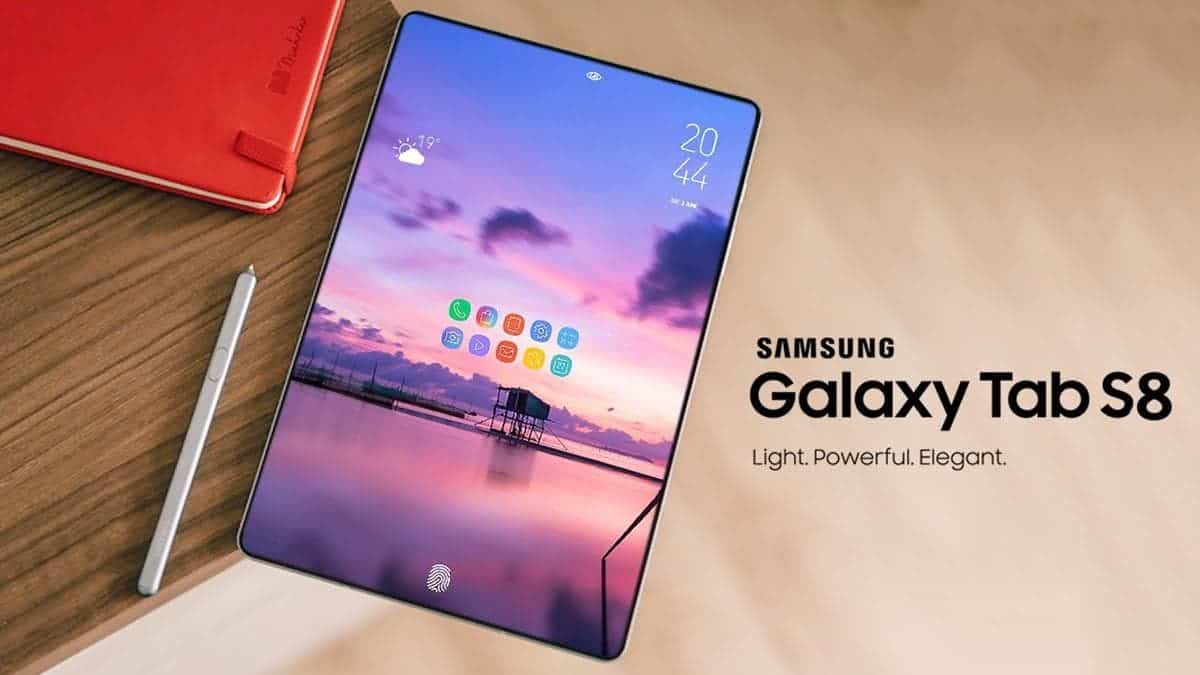
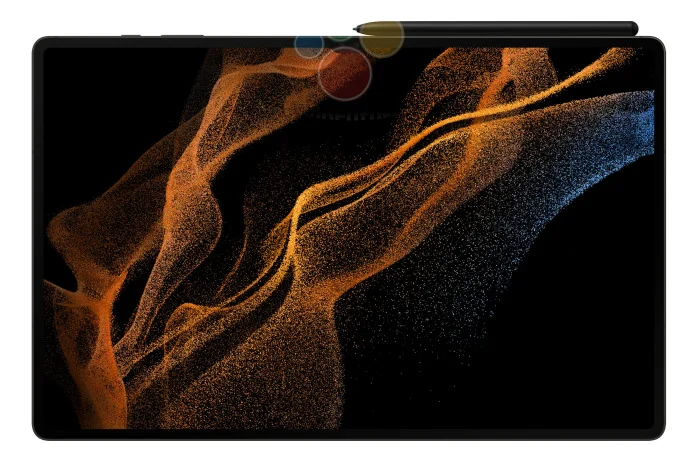
Samsung, with its Galaxy Tab S series, is one of the few manufacturers interested in selling high-end Android tablets. The forthcoming Tab S8 series has been leaked a few times in recent months, due to regulatory filings and numerous renders, but thanks to a fresh revelation from WinFuture, we may finally know everything there is to know about the tablets.
The Galaxy Tab S8 series includes precise specifications and a few press renders, according to WinFuture. Samsung appears to be sticking with three variants this year, as previously reported via leaks: the Tab S8, Tab S8 Plus, and Tab S8 Ultra (there was no Ultra for the Tab S7). According to reports, all three tablets will come with a Snapdragon 8 Gen 1 processor, dual rear cameras (12MP primary and 6MP ultra-wide), Wi-Fi 6, a microSD card slot, Bluetooth 5.2, optional 5G, USB Type-C 3.2 Gen 1, fingerprint readers, Android 12 with One UI 4.1, and a S Pen.
The screen size is the most significant distinction between each tablet. The Tab S8 will reportedly have an 11-inch LCD screen with a resolution of 2800 x 1752, while the Tab S8 Plus will have a 12.7-inch AMOLED screen with a resolution of 2800 x 1752. The Tab S8 Ultra will boast a gigantic 14.6-inch AMOLED display with a resolution of 2960 x 1848 pixels, whereas Apple’s iPad Pro series only goes up to 12.9 inches. The Tab S8 Ultra, on the other hand, will have a notch at the top (in landscape mode) that houses two 12MP cameras, which seems ridiculous.
Pricing information is not yet known for any of the tablets, but the base Galaxy Tab S7 was $649.99 at release in the United States, and the Tab S7 Plus with a 12.4-inch screen was $849.99 at launch. If the prices are similar this year, it might be best to wait for a sale — even with Samsung’s custom DeX interface, there just aren’t as many tablet-optimized apps available on Android compared to. iPadOS.
The holidays may be over, but we still have some awesome sales to share with everyone, including some excellent standouts. First up is SpongeBob SquarePants: Battle for Bikini Bottom, a fantastic port of the PS2 action game. Next, I have Peace Death, a quirky arcade simulator that’s perfect for killing time. Last but not least is Doom & Destiny Advanced, an enjoyable turn-based RPG that doesn’t take itself too seriously. As always, I’ve highlighted all of the interesting titles in bold in order to make discovery easier. So without further ado, here are the best temporarily free and on-sale apps and games for the beginning of the week.
The subject of launchers can be downright tribal. You become so accustomed to the way your apps are presented that even the tiniest variation in the formula is tremendously disturbing. Even as smartphones have evolved, I’ve kept with the same launcher approach for years. My current homescreen layout can be traced all the way back to 2011, and it’s no longer a tradition; it’s simply a bad habit. But, thanks to folding phones, I’ve had to reconsider everything, and the typical launcher style isn’t suitable to an expanding or tall display – but Niagara Launcher is.
Some of you may notice that I’m a little late to the party, but Android Police employees like Prasham Parikh have been enjoying it for almost a year. But, like many of our readers, I simply had a preferred method of doing things and didn’t want to change it. Lawnchair Launcher copies the lovely Pixel Launcher while also adding its own useful capabilities to any device, and I’ve had a layout that I’ve used since before I started blogging. And, on the majority of phones, I believe it is the best of the traditional launcher styles. But forcing myself to continue using my phone in the same manner hasn’t worked out. Sticking to the icons-on-a-grid formula wasn’t going to work with my Z Fold3.
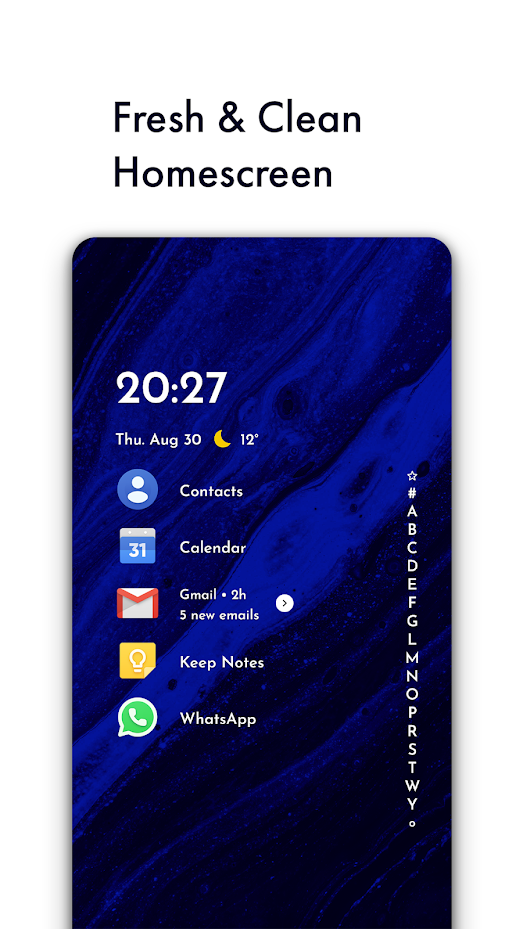
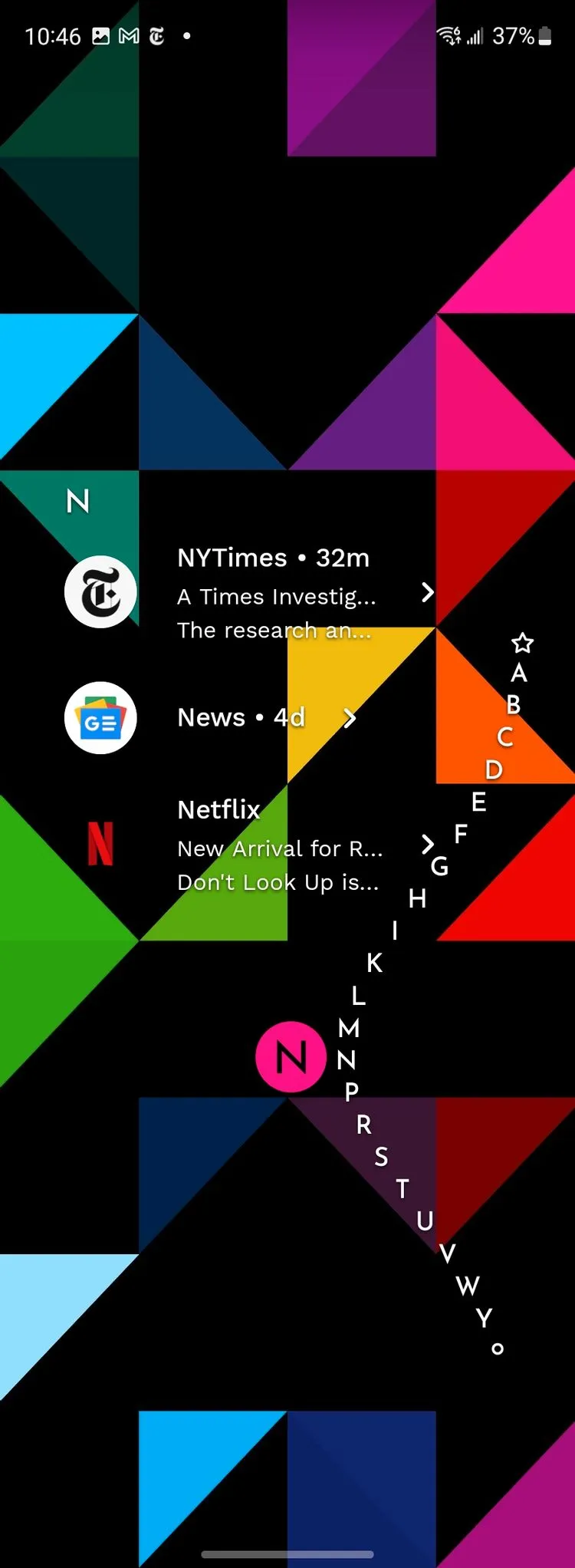
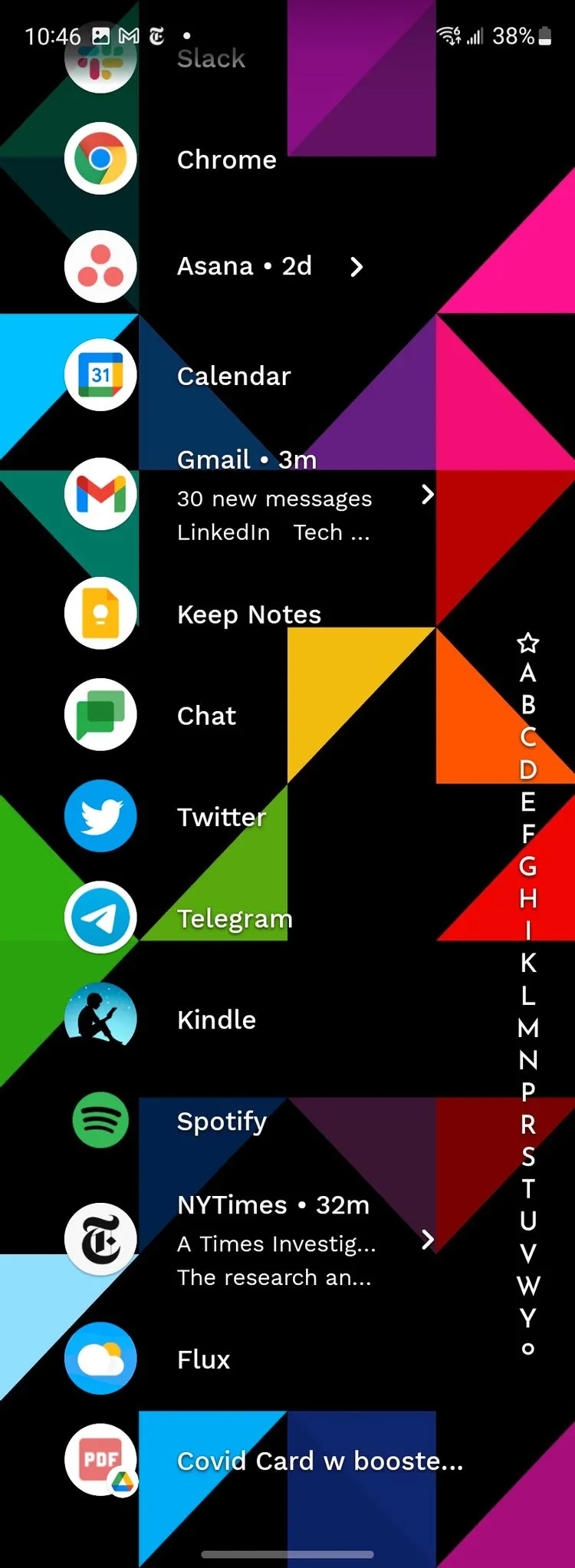
The problem is two-fold (tee hee), and it affects a number of different phones. To begin with, Samsung’s “cover display” is so tall and narrow that standard icons are rendered useless. It can be a little annoying reaching up to the top of that tall-but-skinny display to hit a little target, just as it is difficult to type on such a thin screen. Sure, you can physically pack a lot of items in there, but reading the descriptions on those icons or actually tapping them can be a pain. However, Niagara easily resolves the problem: In a vertical list, all of your apps display.
You can scroll effortlessly through an alphabetized app drawer, available at any time on the screen’s edge, and you have a set of favorites that appear by default (nine works best on the Z Fold3’s cover display, but you can do more). If you have an Artem-level list of apps loaded, you can also hide the ones you don’t use very frequently from that scrollable list — they’ll still show up in search, but they won’t slow things down. Niagara even has its own conceptual take on the At-a-glance widget, with the ability to show the time, date, weather, and even forthcoming events, with an expanding agenda view, with a single swipe.
Although the style isn’t quite Material, it’s similar enough and works well with most modern interfaces, including those found on Samsung phones. Because it’s a single column view, you won’t have any trouble sifting through the incomprehensibly little icons on a field. It took about a week of genuinely forcing myself to use it (and hating every minute of it) for me to warm up to it, and now I’m stuck with it. This is the finest launcher for a display that is quite tall and thin. And, strangely enough, that translates to a very wide screen.
Because of its column-based technique, two side-by-side columns can easily fit on the inside folding display. Yes, you’ll have fewer apps on your home screen, but it will be lot more usable. It also enables “basic” foldable features such as different backgrounds for the cover and inner displays. It even has its own dynamic theming technology, allowing the program to use the wallpaper’s colors for its own accents. While the Galaxy Z Fold3 may not have access to that aspect of the Material You experience, you may fill in the gaps and enjoy a portion of it without it.
Your favorites list does not convert well between the folded and unfolded experiences, and your designated favorites persist between the two layouts. Niagara recommends having only enough favorites set so the list doesn’t have to scroll, but the dual-column layout has a lot more space than the single column on the cover display. So, while 14 app favorites fits nicely when unfurled, if you have more than nine, you’ll have to scroll down the cover display. It’s not ideal, but I think it’s still preferable to the sea of icons.
The traditional smartphone homescreen experience with a grid of icons dates all the way back to the iPhone — and before that, nearly time immemorial in desktop computing. It’s a tried and true, super-intuitive method, but it does break down when it comes to usability a little depending on screen size. Niagara Launcher brings a different approach. I’m not afraid to say: I don’t like it on a “normal” phone. But it’s perfect on foldables. And though there is a pretty rough acclimation period, It’s worth it if you can stick it out.
Niagara Launcher ‧ fresh/clean
The traditional home screen we know was made more than a decade ago, where phone screens were smaller than your credit card. Smartphones keep growing, but not your fingers. The minimalist Niagara Launcher makes everything accessible with one hand and lets you focus on what matters.
Christmas may have passed, but we’re still counting down to New Year’s Eve, which means there are still plenty of deals to be had, with today being the biggest day of app and game sales so far this year. We have a total of 163 bargains and discounts to look through, including a few standouts. Slayaway Camp is the first game on the list, and it’s one of the best Sokoban games out there, with an awesome horror theme. Then there’s Quell Reflect+, a peaceful puzzle game with some seriously chill soundtrack. Last but not least, there’s Old Man’s Journey, a stunning adventure game with stunning graphics and a touching plot. As usual, I’ve bolded all of the fascinating titles to make it simpler for you to find them. So, without further ado, here are the finest holiday apps and games on sale.
With over 2 billion monthly users, Meta’s WhatsApp is one of the most popular messaging platforms on the planet. We occasionally need to send messages on WhatsApp, but in order for our contacts to appear in the list, we must first sync them.
Despite the fact that WhatsApp does not have this capability, there is a way to message any number without saving it to your device’s contact list. Please bear with us. Follow the simple actions outlined here.
We’ll go over the best methods for sending a messages without preserving your phone number in your contacts.
You won’t have to install or do anything additional with this, and it’s the best method to have a brief chat with anyone who has an active WhatsApp account. Let’s have a look at it now, without further ado.
Open your internet browser on your device.
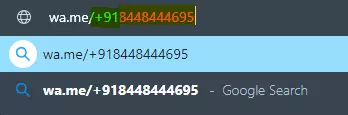
Then, in the browser’s address bar, type wa.me/phone number (phone number includes mobile number beginning with country/region code).
E.g., wa.me/+91xxxxxxxxx (+91 is a country/region code for India. (Use your code before entering the contact number.) | Find your country code here...
Hit enter, and it will show Continue the chat with the number.
Click on the green button, and from there you can chat, call, or check the details.
You can perform this on any platform. It doesn’t matter if it’s on Android, iOS, Windows, or Linux. All you need for this is to have the app installed on your device and active internet connectivity. The recipient should have an active WhatsApp Mobile number.
How is this possible, and is there any thread while using this method?
No, there isn’t a problem because wa.me is a short-link that the app API uses to start a WhatsApp conversation. The same API is used to integrate WhatsApp Direct Messages, and you may find that this isn’t always the case. To talk or contact someone on WhatsApp, click here. It’s one of the references in the book.
There are no threads to be concerned about. They’re perfectly safe and have always been wa.me. This is a short WhatsApp link. G.co for Google, youtu.be for YouTube, and fb.com for Facebook are examples of short links.
Hopefully, this instruction was useful to you and you were able to send WhatsApp messages successfully. Thank you for joining us. We’d like to hear your thoughts and suggestions. If you have any questions, please leave them in the comments area below.
Amazon has fixed an issue that prevented users with Android 12 phones from using apps downloaded from the company’s Appstore. “We’ve released a remedy for an issue that’s affecting app launches for Amazon Appstore customers who’ve upgraded to Android 12 on their mobile devices,” an Amazon spokeswoman told Engadget on Friday. “We are contacting customers with steps to update their Appstore experience. We are sorry for any disruption this has caused.”
In late October, reports of apps from the Appstore not operating on Android 12 began to surface online. Users of the Google Pixel 6 and Samsung Galaxy S21 discovered that none of the applications they had previously downloaded from the Appstore would work on their devices. There have also been instances of no apps appearing in the app store. While the problem didn’t affect many individuals, it took Amazon nearly a month to officially disclose it. The business did not specify what prompted the glitch on Friday. There was suspicion when it originally arose that it was caused by a conflict between Amazon’s built-in DRM and Android 12.
Not only is there a boatload of sales available today, but I also have a few standouts worth highlighting. First up is Hook, a fantastic minimal puzzler that’s currently free. Next, I have Peace Death, a quirky arcade simulator that’s perfect for killing time. Last but not least is Slaughter 2: Prison Assault, a slick shooter that offers fantastic graphics. As always, I’ve highlighted all of the interesting titles in bold in order to make discovery easier. So without further ado, here are temporarily free and on-sale apps and games for the beginning of the week.
We have a plump list of sales today, including some noteworthy games. First up is Florence, a well-reviewed casual story-rich adventure game. Next, I have 911 Operator, a popular 911 simulation game where you fill the role of a 911 operator. Last but not least is Dungeon Warfare, an older but still enjoyable tower defense game. As always, I’ve highlighted all of the interesting titles in bold in order to make discovery easier. So without further ado, here are 26 temporarily free and 52 on-sale apps and games for the beginning of the week.
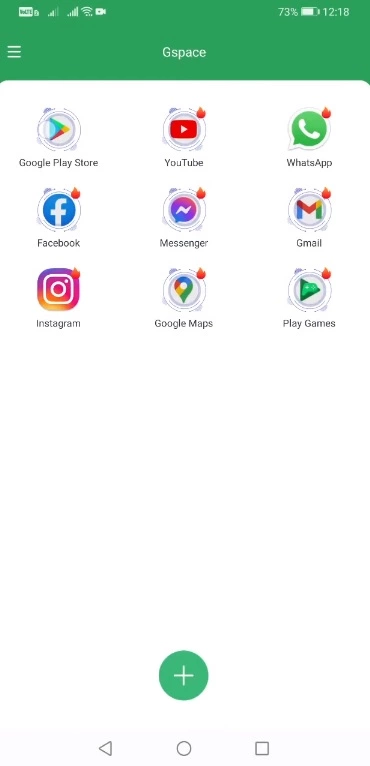
A new way to get Google Play on Huawei HMS phones has just been released. This new solution makes use of the Google Space app. Fortunately, this solution appears to work on all Huawei phones launched to date. This contains Huawei’s newest Mate 40 smartphone, as well as a few forthcoming Huawei devices. So, in this method, I’ll show you how to download Google Play on Huawei HMS phones right now using Google Space. Before I show you the processes, let me give you a brief history of Google’s love-hate relationship with Huawei.
Google Play Store and Huawei phones
Huawei was blacklisted by the US a few years ago for having ties to the Chinese government. Since then, Huawei has encountered numerous roadblocks, including the termination of Google’s services on Huawei’s devices, US penalties on Huawei’s network equipment, multiple platforms that had to say goodbye to Huawei, and the famed chipmaker ARM being barred from working with Huawei. Huawei is not authorized to make any new chips with support manufacturers from the United States or the United Kingdom as of January 2021.
Huawei has long abandoned Google’s architecture, but the App Gallery, Huawei’s own version of the Play Store, is still in its infancy. In fact, the App Gallery still has millions of typical programs that aren’t available. App installation through the App Gallery is also a little challenging. It even includes APKs from untrustworthy third-party sources, which has piqued the interest of many Huawei users. Despite Huawei’s best attempts to eliminate its reliance on Google Apps, a large percentage of Huawei smartphone owners still desire the Google Play Store to run on their handsets.
In the last 2 years, there have been over a dozen methods allowing the installation of Google Apps on Huawei phones, but these methods keep getting patched. We have had the solutions like the GMS Installer, the GMSanzhuangqi App, the backup-restore method, and many other such tricks. The only problem with these tricks is that sooner or later, they come to an end leaving Huawei consumers in a street with a dead end.
If you’ve been looking for a new method and have found yourself on this website, first and foremost, I’d want to congratulate you on your discovery of a new method. Let’s look at how to download Google Play Store on Huawei phones in 2021 in the simplest, fastest, and quickest way possible.
Download and install Google Play on Huawei HMS devices
On your Huawei handset, open the App Gallery.
In the App Gallery’s search, type “Google Space”.
As you find the Google Space App, install it.
Once installed, click on “Open” at the bottom of Google Space
Now click on “Google Play” and launch it.
Log into Google Play using your Google Account.
All done, install any app you want and enjoy the Play Store!