Tag: android 11

  • The most popular Android version in 2021 is … old!

    The most popular Android version in 2021 is … old!

    Google has started disclosing Android fragmentation statistics on a yearly basis since 2018. The official Android OS distribution list was just posted as we near the end of 2021.

    The story is the same every time: Since its formal debut, iOS 15 has been installed on the majority of iPhones, but Android 12 is only on 0.1 percent of Android phones. The update procedure, on the other hand, is somewhat different. After all, Apple is in charge of both hardware and software development, in contrast to Android, where each manufacturer develops their own bespoke software and hardware.

    That doesn’t make looking at Google’s operating system’s distribution stats any less painful. Previously, the corporation published this information on a monthly basis, but since 2018, the list has been updated only once a year. Only versions with a distribution of more than 0.1 percent appear in it. Furthermore, the data is based on the number of Android devices that entered the Google Play Store in the previous month’s seven days.

    So it is possible that there are thousands of Android devices running older versions than Android 4.1, but these have a share of less than 0.1% and did not make it into this list. Also, it is worth mentioning that since September 27, Google started preventing logins on older versions of Android. This change affected versions before 2.3.7.

    Android versionAPI levelDistribution
    Android 4.1 Jelly Bean160.2%
    Android 4.2 Jelly Bean170.3%
    Android 4.3 Jelly Bean180.1%
    Android 4.4 KitKat191.4%
    Android 5.0 Lollipop210.7%
    Android 5.1 Lollipop223.2%
    Android 6.0 Marshmallow235.1%
    Android 7.0 Nougat243.4%
    Android 7.1 Nougat252.9%
    Android 8.0 Oreo264.0%
    Android 8.1 Oreo279.7%
    Android 9 Pie2818.2%
    Android 10 Q2926.5%
    Android 11 R3024.3%
    Android 12 Snow cone31

    The most popular official version of Google’s OS, as seen above, is Android 10 Q, which was released in 2019 and looks to be installed on 26.5 percent of active Android devices. Then there’s Android 11 R, which will be available in 2020 and is already used by 24.3 percent of active phones. Meanwhile, Android 9 Pie, which was released in 2018, is in third place with an 18.2 percent share, followed by Android 8.1 Oreo, which was released in 2017 and has a 9.7 percent share. My trusty calculator informs me that Android 9 or older is installed on 49.2% of all Android phones. In 2018, Pie was released.

    Even after months of testing, the most recent version of the operating system, in this case, Android 12, has yet to arrive on a significant number of handsets.

    Unfortunately, Android fragmentation has long been the Achilles heel of the world’s most popular mobile operating system. Google’s initiatives, on the other hand, appear to be making an impact. Previously, much older versions were the ones who got the biggest piece of the fragmentation cake. Most devices today, at least, run on newer versions.

    Also, security patches offer a longer life for phones bought more than three years ago, which makes Android 10’s high distribution less surprising. The same, however, cannot be said for the 5.1% share of Android 6.0 Marshmallow, announced in 2015!
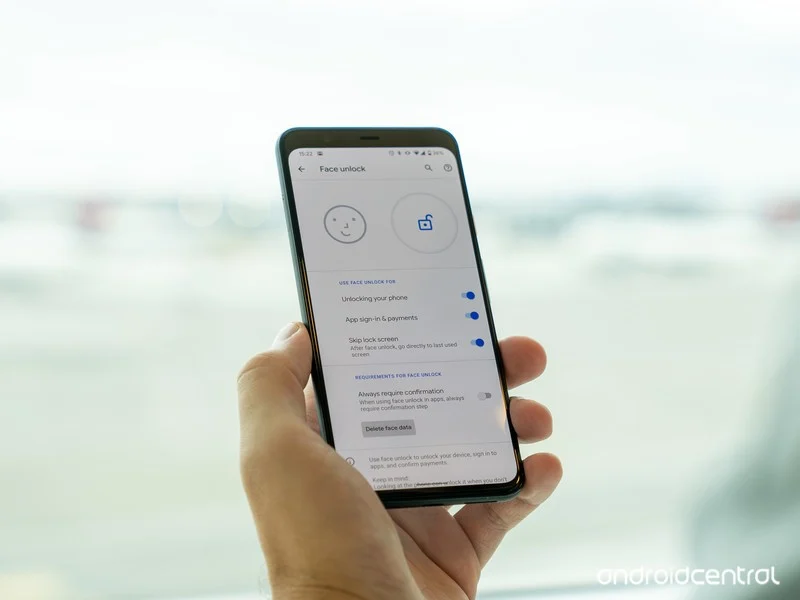
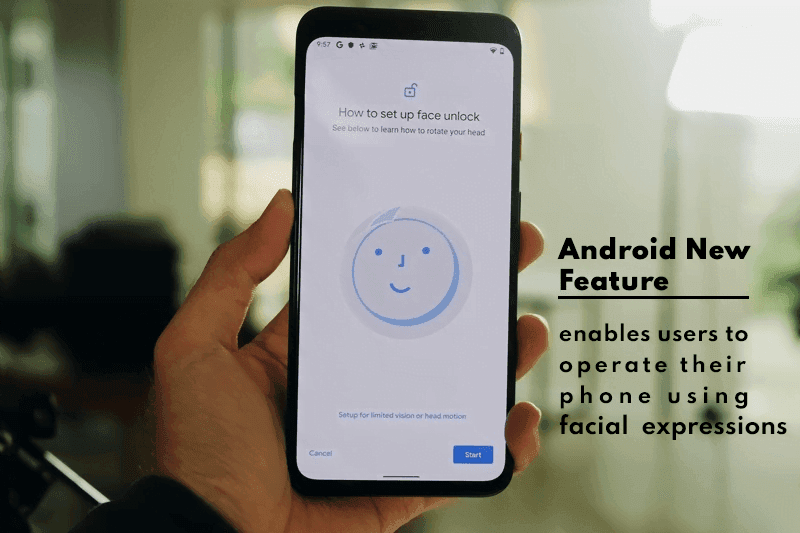
  • Android New Feature enables users to operate their phone using facial expressions

    Android New Feature enables users to operate their phone using facial expressions

    Google is one of the world’s most powerful technology companies. It has a wide ecosystem of products that can meet almost every technical need. Because it is always updated to provide the best experience to its consumers, the Silicon Valley-based corporation is usually at the top.

    The tech juggernaut has been adding new features to Android lately. Google aims to maximize the use of AI; its latest feature will enables users to operate their phone using facial expressions

    Latest Accessibility Feature

    Though it isn’t always used for that purpose, Android has long offered an Accessibility API that allows developers to create apps and experiences that aid people with disabilities. Screen readers, switch-based input systems, and voice-based input systems are among the categories that Google envisions for apps that use the Accessibility API.

    The company’s own “Android Accessibility Suite” software provides, as the name suggests, a set of accessibility capabilities to help people with disabilities use their devices. The Android Accessibility Suite’s most recent release provides a new option for users to control their devices: “Camera Switches.

    android

    The Android Accessibility Suite application was included in the fourth Android 12 beta release, which was pushed out to Pixel phones a few days ago, as beta version 12.0.0. Switch Access, one of the accessibility services included in the Android Accessibility Suite app, now has “Camera Switches.” Switch Access is a collection of tools that allow you to interact with your Android device without having to use the touchscreen.

    You can use Switch Access to select objects, scroll, type, and more by connecting an external device through USB or Bluetooth. Users can now control their device with nothing more than their face thanks to “Camera Switches.”

    Camera Switches now allows you to assign a few gestures to a few controllers, though this list may expand in the future. For example, you can have the app recognize when you wave your hand and then connect that to opening the notifications window. You may also have it detect when your brows are raised and then return the phone to the home screen.

    In Other News

    We noticed an intriguing pattern while looking through the Google Playstore recently. There appears to be a significant increase in utility apps, such as phone clone apps. The COVID-19 epidemic is most likely to blame for the rise in such apps. People have been forced to stay at home due to the pandemic, and as it continues to spread, they are turning to apps for help.

    People are looking for more convenient solutions to address their problems because almost every monotonous work has shifted to the virtual realm. We’ll have to see if this trend persists or if it’s just a passing craze.

  • Download stock firmware for Samsung Galaxy A80 SM-A8050/F/N Android 11

    Download stock firmware for Samsung Galaxy A80 SM-A8050/F/N Android 11

    As Full-Screen Display becomes popular, Samsung must release a product to compete with other companies. As a result, they launched the A80 with a Pop-Up camera. The A80 was released with Android Pie 9.0 and later upgraded to Android 10. Samsung has already released One UI 3.0, which is based on Android 11. In certain countries, the Samsung Galaxy A80 now runs Android 11. The update will be rolled out to all regions soon. When you’re on stock firmware, you can experiment with OTA. If you are using custom ROMs or are having problems with the standard software update process, you can use the manual method described below.

    Since Samsung uses a custom skin OS, they have to work much harder than stock Android models. In comparison to the initial release of One UI, Successor versions had a plethora of useful features. You can keep your phone up to date by using the OTA Software update feature in settings. However, if you are unable to do so, you can use this ODIN-based manual form.

    This method can also be used to unbrick your phone. Android 11 has a plethora of new functionality. Some notable features of the Android 11 version include direct Google Play Store security patch updates, enhanced privacy, and improved gestures.

    When you have root access on your mobile, You should follow a unique method to flash the firmware. If you follow below ODIN method, you will lose root access.

    How to update

    Official OTA Method

    If you want to update a security patch to the current month, don’t go for the manual method. Try this Automatic method.

    The process is straightforward and simple:

    • Go to your device setting menu and scroll down to the bottom.
    • Tap on “Software Update”
    • You may have to refresh the page to start the OTA upgrade process.

    Manual Method (SM-A8050, SM-A805F, SM-A805N)

    • Check Your Device Mobile No. If you flash a Different model number, you will lose some features based on your region.
    • Battery Percentage Above 50.
    • Backup Your Device.

    Using ODIN Method

    • Enable USB Debugging Mode and OEM Unlock; you’ll find these options at Settings >>> Developer options. If you didn’t see the developer options on your settings menu, then go to about >>> build number; click on the “Build Number” row about ten times regularly to activate “Developer Option” on your device.
    • Download the Samsung USB driver and install it on your PC.
    • We are using third-party software flashing. Download ODIN and install this also on your PC. In the version, select the latest version ODIN.
    • Download Firmware From the below links, For Samsung Galaxy A80 Official Firmware.
    • SM-A8050
    • SM-A805F
    • SM-A805N
    • Select recent firmware. When selecting firmware, refer- How to choose the correct firmware.
    • If the above mirror is not working, try the secondary mirror.
    • Switch off your Mobile. Enter into Download mode->Volume Down+ Volume Up Button and Connect Your Mobile To PC via USB Cable; after Samsung Logo Appear, Release all keys.
    • After entering into Download Mode, it will say Warning; press the Volume Up button to continue.
    • Launch Odin Application.
    • It Will Show the message added.
    • If you did not get this message, Repeat the above steps.
    • After Getting Added Message Select, AP/PDA Button, Browse for the Firmware file selects it. Tick the Auto-Reboot.
    • Press Start wait for the tasks to complete. It will automatically reboot after the process ends.

    Check Firmware

    You can Check the Firmware Details->Settings->About->Version.

    samsung firmware

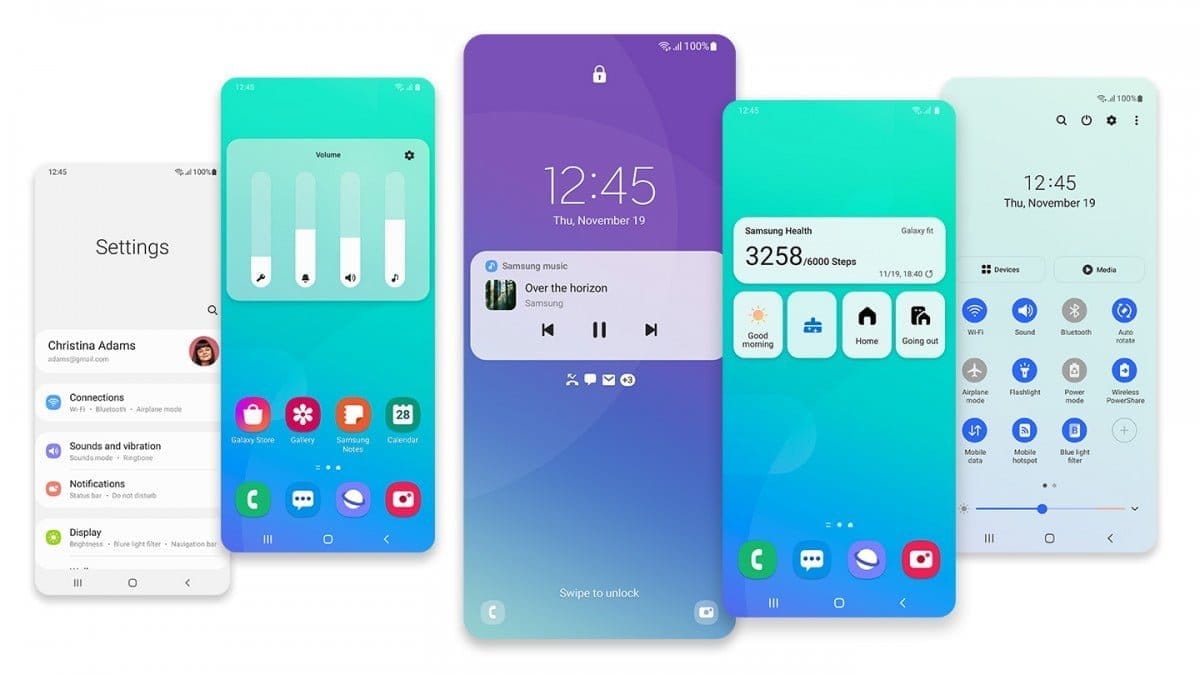
    Samsung Galaxy A80 Android 11 One UI 3.0 Features

    samsung one ui 3

    One UI 3.0 is created based on Android 11. Samsung Always Add extra features to the OS. I listed Both Regular Android 11 Features and Some Exclusive One UI Features. We already covered Exclusive One UI 2.0 features that only available in Samsung Devices.

    Customization

    • With new image categories, we can setup up 5 different types in the Dynamic Lock Screen.
    • With newly added features, Now you can Pin or Reorder Samsung Internet tabs.
    • Enhanced Bixby Routines features are available.
    • Based on our routines, We can arrange the New icons and Lock screen widgets.
    • Now you can add some limited widgets like usage time in the Lock screen.
    • Interactive preview available when setting a wallpaper.
    • You can adjust the Always On Display, and Lock screen easier compares with the Android 10 slide.
    • We can add a call background to see a picture or video when we make or receive a call.
    • We can use two different Digital Wellbeing for personal and work profiles.

    Home screen and Lock screen

    • Like Tap on, You can Turn off the screen by double-tapping on a Home or Lock screen space. To enable this feature go to Settings > Advanced features > Motions and gestures.
    • Now you don’t have to search the available widget in Home Screen. You can create widgets by long-press the app and move the widget to the home screen.
    • On the Lock screen, tap the clock area to see additional widgets like calendar, weather, and music.

    Calls and chats

    • With the recent update, we can see individual contact conversations separately in the notification panel. Currently, it works with Messages and your favorite chat apps.
    • The identification and Remove duplicate contacts stored in the same account in Contacts. The storage period for deleted contacts has been extended from 15 days to 30 days.
    • Now you can edit multiple linked contacts from a single screen.
    • Trash folder is added in Messages so that recently deleted messages are stored for 30 days.

    Pictures and videos

    • With improved autofocus and auto exposure, you can take pictures quicker.
    • The Basic Edit feature is added within Gallery. Now, You can view, edit, and share pictures and videos more easily from the Gallery.
    • With new search features and categories in the Gallery, You can find pictures and videos quicker.
    • Now you can reverse the editing of photos even if you save the current settings.

    One UI 3 Settings

    one ui settings
    • Settings are optimized as per the user’s feedback. It has a new, more straightforward look and feels. Your Samsung account is shown at the top, and Home screen settings are now easier to access.
    • With the enhanced Search feature in the settings, you can find more easily with new Search features. You’ll get better results for synonyms and common misspellings, and you can tap on tags to see groups of related settings.
    • With Quick settings, buttons have been reduced to provide only the most commonly used features. You can also add buttons to create your own customized quick panel.

    Samsung Keyboard

    • I Improved the keyboard layout with identified input to provide a larger space bar when entering web and email addresses.
    • You can reorganize Keyboard settings so it’s easier to access frequently used settings.
    • Now Samsung Keyboard can support up to 370 input languages.
    • Samsung Keyboard can now detect where to paste the copied images and texts based on the cursor position.
    • Now when you use a text-based emoticon, Your mobile will suggest the correct Emojis.

    Productivity

    • Based on your daily life and usage patterns, Bixby will recommend new routines. When you don’t like new habits, Bixby Routines provide a setting to return everything to the way it was before the routine ran.
    • We can hide the status and navigation bars for a more immersive experience during webpages translation in the Internet apps and quickly translate webpages.
    • When your mobile finds you are dealing with too many pop-ups or notifications, It will prompt you to block websites.
    • Now you don’t have to separate cloud storage apps to access your file. You can browse and select cloud drive files from the file selection screen in My Files.
    • You can now delete cache files in My Files without a separate app to quickly free up storage space.
    • Instead of showing separate tab or box for the same Events with the same start time are displayed together in the month and list views in Calendar.
    • You can use your phone or tablet app icon layout in Samsung DeX, so you know where everything is.
    • You can open the touchpad from the navigation bar on your phone or tablet, along with the navigation keys.

    Media and device control

    one ui 3 media control
    • Now you can see the full media controls and change the playback device from the Notification bar.
    • Identify and improve your digital habits.
    • Along with Improved Digital Well-being features, you can get weekly reports based on your activity.

    Accessibility for everyone

    • The enhanced Accessibility feature can give you loud feedback for your inputs even if Talkback is turned off. So, You can get feedback for pre-installed settings; You can get the dynamic response for your keyboard inputs.

    Stronger privacy protection

    • When the app doesn’t use the particular permission for a long time, Your mobile will revoke it.

    Additional improvements

    • Like ancient times, In Clock, you can hear the alarm’s time and preset name read aloud when an alarm rings.
    • Some apps will need to be updated separately after the One UI 3.0 update to get the latest features.
    • To adequately share the SD storage permission, select the Gallery or My Files, tap Share, and then select the app copy.
    • Wi-Fi Direct is no longer available. You can use Nearby Share instead. You can still receive files using Wi-Fi Direct.
    • We can’t use Chromecast using Smart View. We have to use Google Home instead.

    Summing up all

    The most important step in this process is to choose the right firmware. Select the firmware based on your country or territory. It is an ODIN manual process; you can flash the most recent edition. However, if you use the sideload form, you must flash the latest version of your mobile firmware or risk bricking your computer. There are several new features. One of the best aspects of this edition is the improved movements.

    If you can’t find your region, you can flash the Samsung Galaxy A80 Android 11 firmware from a nearby region. However, it should be within the same model number range. Following the light, you should contact your mobile operator to customize your network settings. There is an explanation why Custom skin OS manufacturers do not perform routine patch updates. According to company statistics, only a small number of people are concerned with software upgrades. In comparison to One UI 2.5, Samsung only introduced a few new features. If you already have a Custom ROM, try this new OS for a few weeks. It will undoubtedly provide you with a one-of-a-kind experience.

  • Funtouch OS based on Android 11 – when Vivo will roll out?

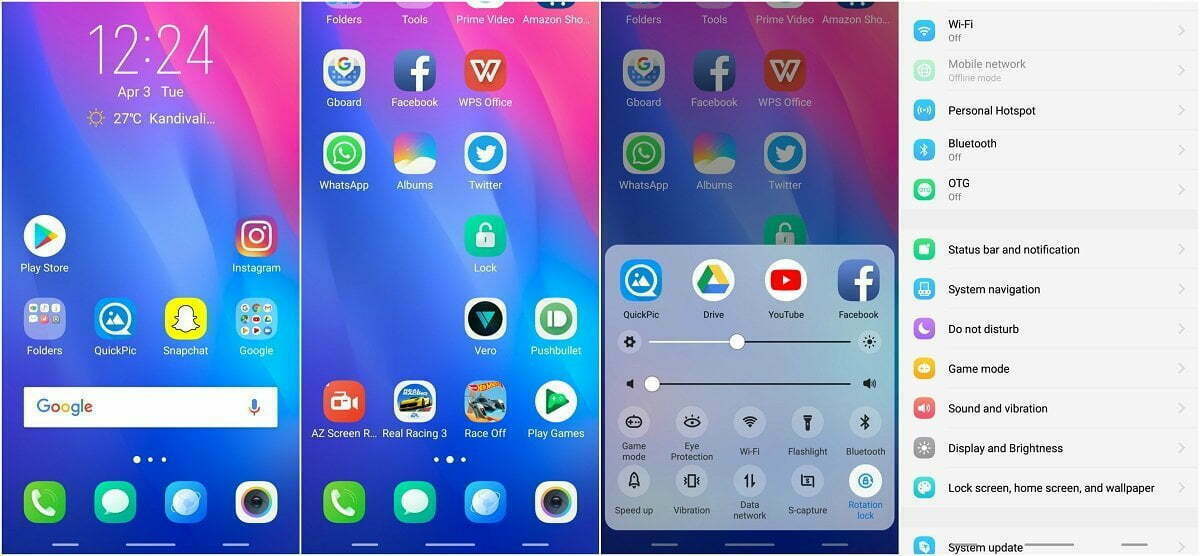
    Funtouch OS based on Android 11 – when Vivo will roll out?

    funtouch os android 11

    While Google’s latest Pixel devices are typically the first to be launched with Android’s latest flavor, Chinese OEM Vivo hit Google with its Vivo V20 last year. The device was the first new smartphone to launch Android 11 out of the box, hitting the new Pixel 5 and Pixel 4a 5G by just a few hours. Since then, Vivo has launched a few other devices running the latest Funtouch OS-based Android 11 flavor, but the company has yet to release updates to older devices.

    Although Vivo has previously released a Funtouch OS 11 beta for the Nex 3S 5G and the iQOO 3 4G/5G, the company hasn’t shared an update timeline for other devices in its portfolio. That changes today, as Vivo has now shared a Funtouch OS beta roll-out plan on Twitter. According to the tweet, Vivo has already started rolling out the Funtouch OS 11 beta to the X50 Pro last month. The Vivo V19 and X50 should start receiving their first beta releases by the end of this month.

    Older devices, like the Vivo V17, V17 Pro, V15 Pro, and S1, will start receiving the first Funtouch OS 11 beta by the end of March 2021. The Vivo S1 Pro, Z1x, and Z1 Pro will follow soon thereafter by the end of April 2021. And finally, the Vivo V15 will receive its first Android 11 beta by the end of June 2021. The beta releases for all the aforementioned devices will roll out in a staggered fashion, with users receiving the update in small batches. Once Vivo ensures that the beta release doesn’t have any critical bugs, the devices should receive the stable version of Funtouch OS 11 based on Android 11. As of now, the company hasn’t shared a release timeline for the stable update.

    It’s worth noting that Vivo has already launched a new Android skin called OriginOS, which is expected to replace Funtouch OS in the future. But, for the time being, the company hasn’t clarified exactly when the new Android skin will land on its devices. Currently, Vivo X60 and X60 Pro are the only devices in its portfolio to run OriginOS 1.0 based on Android 11.

  • Eligible Devices for MIUI 12.5 Update – new features and more

    Eligible Devices for MIUI 12.5 Update – new features and more

    MIUI, one of the world’s most common mobile operating systems, is Xiaomi’s favorite. Although the news about MIUI 13 has recently been published, MIUI 12 has not been forgotten. Xiaomi is creating MIUI 12.5 pursuant to the announcement made today. This update contains big developments and optimizations and prepares MIUI 13 for Xiaomi users.

    (adsbygoogle = window.adsbygoogle || []).push({});

    Tests for MIUI 12.5 commenced today, according to the announcement made by Xiaomi. The closed Beta version will be suspended for a time starting from 12.14 in order for engineers to better concentrate on this update.

    New features in MIUI 12.5

    Approximate location

    MIUI 12.5 will protect your location privacy better. With the new feature added, you can notify the application of your approximate location, not your exact location. In this way, the application cannot follow you.

    miui 12.5 approximate location
    (adsbygoogle = window.adsbygoogle || []).push({});

    Redesigned volume controller and power menu

    MIUI 12.5 would give the volume controller, which has not changed for a long time, a much more elegant look. It hasn’t introduced a new feature, but it has new animations and a new look.

    At power menu there are no new functions or features, the design has been improved.

    miui 12.5 volume redesign

    New animations

    The animation when folder and extracting the app has been improved.

    (adsbygoogle = window.adsbygoogle || []).push({});

    Convert photo to PDF

    You can quickly convert any photo to PDF in your gallery.

    miui 12.5 convert to pdf

    New recents

    The latest app style that changed with MIUI 10 is now customizable with MIUI 12.5! With the new update, you can revert to MIUI 9 style. With this feature, the foundation of a structure that allows you to fully interfere with MIUI was laid. With MIUI 12.5, you can use recent apps horizontally.

    miui 12.5 recents
    (adsbygoogle = window.adsbygoogle || []).push({});

    New camera interface

    Is the camera application with new features added every day getting complicated? With MIUI 12.5, this complexity has been replaced by a plain interface.

    new camera interface

    Cleaner interface

    The cleaner app’s interface got a little more serious.

    miui 12.5 clean interface
    (adsbygoogle = window.adsbygoogle || []).push({});

    New notification center design

    With MIUI 12.5, the notification window has been brought closer to the Android 11 view. Notifications, messages and silent notifications are parsed.

    miui 12.5 notification design

    Others

    • New Fingerprint Animations
    • Bubble notification support (Android 11)
    • Super resolution
    • Voice control
    • New QR Code interface
    • New Icon styles
    • And More!

    The MIUI 12.5 update will likely be released in February. After the MIUI 12.5 update, MIUI 13 and MI 11 will be introduced. One of the first devices to use MIUI 12.5 might be the MI 11.

    (adsbygoogle = window.adsbygoogle || []).push({});

    MIUI 12.5 Eligible Devices

    • Redmi 7A
    • Redmi 8A
    • Redmi 8A Dual / Pro
    • Redmi 8
    • Redmi 9A
    • Redmi 9AT
    • Redmi 9i
    • Redmi 9C
    • Redmi 9C NFC
    • Redmi 9
    • Redmi 9 (India)
    • Redmi 9 Prime
    • Redmi 10X 4G
    • Redmi 10X 5G
    • Redmi 10X Pro
    • Redmi Note 7
    • Redmi Note 7S
    • Redmi Note 7 Pro
    • Redmi Note 8
    • Redmi Note 8T
    • Redmi Note 8 Pro
    • Redmi Note 9
    • Redmi Note 9S
    • Redmi Note 9 Pro (India)
    • Redmi Note 9 Pro (Global)
    • Redmi Note 9 Pro Max
    • Redmi Note 9 4G (CN)
    • Redmi Note 9 5G
    • Redmi Note 9 Ultra
    • Redmi K20
    • Redmi K20 Pro
    • Redmi K20 Pro Premium Edition
    • Redmi K30
    • Redmi K30 5G
    • Redmi K30 5G Racing Edition
    • Redmi K30i 5G
    • Redmi K30 Pro
    • Redmi K30 Pro Zoom Edition
    • Redmi K30 Ultra
    • Redmi K30S Ultra
    • POCO F1
    • POCO F2 Pro
    • POCO X2
    • POCO X3
    • POCO X3 NFC
    • POCO M2 Pro
    • POCO M2
    • POCO C3
    • POCO M3
    • Mi 8
    • Mi 8 Pro
    • Mi 8 Under Display Edition
    • Mi 8 Explorer Edition
    • Mi 8 SE
    • Mi 8 Lite
    • Mi 9
    • Mi 9 Pro
    • Mi 9 Pro 5G
    • Mi 9 Explorer Edition
    • Mi 9 Lite
    • Mi 9 SE
    • Mi 10
    • Mi 10 Pro
    • Mi 10 Ultra
    • Mi 10 Lite
    • Mi 10 Youth Edition
    • Mi Note 10
    • Mi Note 10 Pro
    • Mi Note 10 Lite
    • Mi CC9e
    • Mi CC9
    • Mi CC9 Pro
    • Mi 9T
    • Mi 9T Pro
    • Mi 10T
    • Mi 10T Pro
    • Mi 10T Lite
    • Mi Mix 2S
    • Mi Mix 3
    • Blackshark 2
    • Blackshark 2 Pro
    • Blackshark 3
    • Blackshark 3 Pro
    • Blackshark 3S

    Stay updated, join us @droidtool

  • Android 11 on MIUI 12: when your Xiaomi, Redmi, or POCO phone will get it

    Android 11 on MIUI 12: when your Xiaomi, Redmi, or POCO phone will get it

    Earlier this year, MIUI 12 made its debut, and Xiaomi has completed rolling out the stable update to most devices in its portfolio. The new skin of Xiaomi offers a variety of new features, including an enhanced dark device-wide mode, AI-assisted calling features, Interactive Always-on Display, new visual interface, system animation tweaks, and much-needed privacy updates.

    miui 12

    Xiaomi is shifting its focus to the update to Android 11 now. MIUI 12 based on Android 11 is beginning to roll out, with the stable upgrade now rolling out to the Redmi Note 9 Pro and Mi 10. Some of the best cheap Android phones are produced by Xiaomi, and it is good to see the manufacturer carrying out the update to Android 11 earlier than normal.

    Android 11 on MIUI 12 update: rolling out to Redmi Note 9 and Mi 10

    The stable MIUI 12-based Android 11 update is now rolling out in India for the Mi 10 and Redmi Note 9. Once we have more info on an update timeline, we’ll update the story, but now with the stable build for the Redmi Note 9 series, it shouldn’t be too long before Xiaomi starts delivering Android 11 to its older smartphones.

    For now, these are the Xiaomi, POCO, and Redmi phones that are slated to pick up the MIUI 12 update based on Android 11:

    • Xiaomi Mi 10
    • Xiaomi Mi 10 Pro
    • Xiaomi Mi 10 Youth Edition
    • Xiaomi Mi Note 10
    • Xiaomi Mi Note 10 Pro
    • Xiaomi Mi Note 10 Lite
    • Xiaomi Mi 9
    • Xiaomi Mi 9 Pro 5G
    • Xiaomi Mi 9 SE
    • Xiaomi Mi 9 Lite
    • Xiaomi Mi 9T
    • Xiaomi Mi 9T Pro
    • Xiaomi Mi A3
    • Redmi K30 Pro
    • Redmi K30
    • Redmi K30 5G
    • Redmi K30i 5G
    • Redmi K20 Pro
    • Redmi K20
    • Redmi Note 9
    • Redmi Note 9 Pro
    • Redmi Note 9 Pro Max
    • Redmi 10X Pro
    • Redmi 10X 5G
    • Redmi 9
    • Redmi 9C
    • Redmi 9A
    • POCO F2 Pro
    • POCO X2
    • POCO M2 Pro

    These phones are already on MIUI 12

    Xiaomi has finished rolling out the MIUI 12 update to most of the phones in the list below. So if you are using any of the devices in the list, head to your phone’s settings to manually download MIUI 12:

    • Xiaomi Mi 10 Pro
    • Xiaomi Mi 10
    • Xiaomi Mi Note 10 Lite
    • Xiaomi Mi 9
    • Xiaomi Mi 9 Pro 5G
    • Xiaomi Mi 9T
    • Xiaomi Mi 9T Pro
    • Redmi K30
    • Redmi K30 5G
    • Redmi K30 Pro
    • Redmi K20
    • Redmi K20 Pro
    • Redmi Note 9
    • Redmi Note 8 Pro
    • POCO F2 Pro
    • POCO X2
    • Xiaomi Mi Mix 3
    • Xiaomi Mi Mix 2S
    • Xiaomi Mi 9 SE
    • Xiaomi Mi 8 Explorer Edition
    • Xiaomi Mi 8
    • Xiaomi Mi 8 UD
    • Xiaomi Mi CC9
    • Xiaomi Mi CC9 Pro
    • Xiaomi Mi CC9 Meitu Edition
    • Redmi Note 8 Pro
    • Redmi Note 7 Pro
    • Redmi Note 7
    • Redmi 10X Pro 5G
    • Redmi 10X 5G
    • Redmi 10X 4G

    MIUI 12 global update: Full list of eligible phones

    For devices sold outside of China or India, Xiaomi has a standalone ROM, and these global units have their own release timetable. As of now there is no indication of when these phones will begin receiving the Android 11 update, but Xiaomi has finished rolling out the Android 10-based MIUI 12 release to all of these devices:

    • Xiaomi Mi 9
    • Xiaomi Mi 9T
    • Xiaomi Mi 9T Pro
    • Redmi K20
    • Redmi K20 Pro
    • Xiaomi Mi 10 Pro
    • Xiaomi Mi 10
    • Xiaomi Mi 10 Lite
    • Xiaomi Mi Note 10
    • Xiaomi Mi Note 10 Lite
    • Xiaomi Mi Note 3
    • Xiaomi Mi 8
    • Xiaomi Mi 8 Pro
    • Xiaomi Mi 9 SE
    • Xiaomi Mi 9 Lite
    • Xiaomi Mi 8 Lite
    • Xiaomi Mi Mix 3
    • Xiaomi Mi Mix 2S
    • Xiaomi Mi Mix 2
    • Xiaomi Mi Max 3
    • POCO F1
    • POCO X2
    • POCO F2 Pro
    • Redmi Note 9 Pro
    • Redmi Note 9 Pro Max
    • Redmi Note 9
    • Redmi Note 9s
    • Redmi Note 8 Pro
    • Redmi Note 8
    • Redmi Note 8T
    • Redmi Note 7
    • Redmi Note 7 Pro
    • Redmi Note 7S
    • Redmi Note 6 Pro
    • Redmi Note 5
    • Redmi Note 5 Pro
    • Redmi 8
    • Redmi 8A
    • Redmi 8A Dual
    • Redmi 7
    • Redmi 7A
    • Redmi 6 Pro
    • Redmi 6A
    • Redmi 6
    • Redmi Y3
    • Redmi Y2
    • Redmi S2

    MIUI 12 comes with a lot of interesting features, so while you’re waiting for the OTA to download on your phone, be sure to take a look at all the new additions in our feature breakdown.

  • Android 11 – november security patch fixes

    Android 11 – november security patch fixes

    The Android November security patch has just begun rolling out, and for Pixel users afflicted by a bug that silenced their starred contacts in Do Not Disturb (DND), it has something fantastic in tow. The issue should now be solved. When it’s necessary, no more missed calls from your loved ones. Make sure you go to your device settings and hit the update button if you have encountered the issue.

    android 11

    A few Pixel owners took to the Google support forum following the initial Android 11 update. They complained that their phones didn’t ring for starred contacts anymore, even though they set up the feature that way on Android 10. That had serious consequences: One affected person reported that their elderly mother couldn’t reach them while she was lying on the floor with a broken ankle.

    There were a few troubleshooting tips, such as ensuring that via your volume rocker menu you haven’t switched off all warning sounds and some elaborate workarounds that included activating repeat callers. You can get into the specifics in the following paragraphs if you’re interested, but you really should just click your Pixel update button to get rid of the issue once and for all.

    Solution 1: allow repeat callers

    Many people could remedy the problems with a workaround posted by forum user Frank Longest. He writes that starred contacts could ring his Pixel 4 again after he turned on “allow repeat callers.” You can find that option by searching your phone settings for that term or by going to Sound -> Do Not Disturb -> People -> Calls. This will also allow non-starred contacts to reach you when they call twice within 15 minutes, so it’s not ideal.

    Solution 2: tweak Phone notifications

    If that doesn’t do the trick, forum user Titusz Rónai reports that you might also have to go to the Phone app info (tap and hold the icon in your launcher and look for the circled i symbol), and then Notifications -> Incoming Calls -> Advanced -> Override Do Not Disturb. However, this might cause the Phone app to always ring, regardless of who calls you.

    Solution 3: factory reset

    You can also have to reset your phone in the factory if none of these steps help, but this is the most drastic and time-consuming path. Make sure you’ve backed up all of your data in the cloud or on another computer to do so. Then, look for “factory reset” in the settings of your Pixel phone. Because we don’t know exactly what the culprit is, after resetting and restoring your phone from an Android backup, it’s entirely possible that the issue continues, so you may even have to start from scrap entirely. Your last resort really ought to be this solution.

  • Android 11 upgrade timeline for Nokia

    Android 11 upgrade timeline for Nokia

    Most Nokia phones will have to wait until 2021

    Nokia phones from HMD Global come with some of the cleanest Android builds around, but that still does not make it the quickest company to upgrade its smartphones. As the company posted and then removed a roadmap on when we can expect the new software to reach the Nokia lineup, with the last phones expected to get the update in Q2 2021, it looks like the same will be true for the Android 11 launch.

    (adsbygoogle = window.adsbygoogle || []).push({});

    Fortunately, the tweet was saved by Neowin, who first came forward with the news that would otherwise have gone unnoticed. It looks like phones from the last two years are on board, as with recent Android update updates, which is the cut-off date that Nokia normally promises with newly launched phones.

    nokia update
    (adsbygoogle = window.adsbygoogle || []).push({});

    First in for the update are the Nokia 8.3 5G, the 2.2, the 5.3, and the 8.1, slated to receive the update in Q4 2020. They’re followed by the 1.3, the 4.2, the 2.4, the 2.3, and the 3.4 in Q1 2021. The Nokia 3.2, 7.2, and 6.2 are supposed to get the update a little later, between Q1 and Q2 2021. You’ll find the Nokia 1 Plus and the 9 Pureview last in line with a Q2 2021 estimate. The 2018 flagship Nokia 8 Sirocco is nowhere to be seen, unfortunately — it launched with Android 8 back in the day and got updated to Android 10 this year.

    It’s unclear why HMD Global decided to pull the tweet, as nothing further has been communicated by the company. That’s why you’ll need to take this timeline with a grain of salt — we don’t know if the plans have changed in the meantime. In a worst-case scenario, it’s possible that fewer phones will see the update than stated in the tweet, but the dates might also be incorrect. Either way, the timeline still gives us a rough idea of when to expect which updates.

    (adsbygoogle = window.adsbygoogle || []).push({});
  • Super-limited closed beta for OnePlus Nord’s is now open — apply now

    Super-limited closed beta for OnePlus Nord’s is now open — apply now

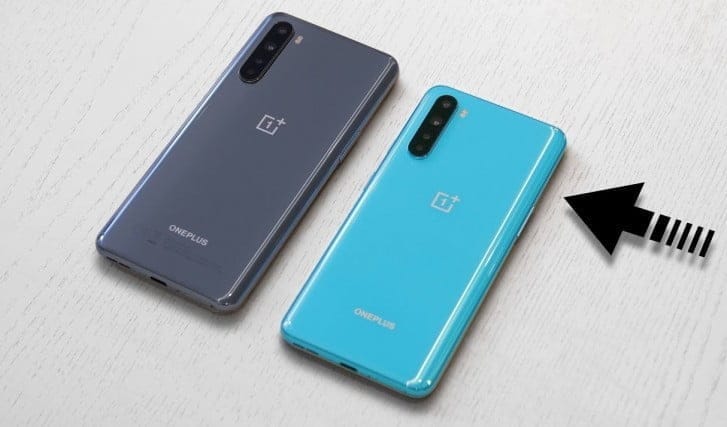
    one plus nord

    OnePlus runs one of the most public-facing app testing activities among the handset manufacturers we cover at Android Police and it is not shocking to see another beta testing community launch, this time for its newest handset, the Nord.

    (adsbygoogle = window.adsbygoogle || []).push({});

    The company invites up to 200 Nord owners who are willing to provide timely input through a OnePlus Slack channel on features on future OxygenOS builds for the Nord. Ideally, already involved and vibrant, prospective participants would need to have a OnePlus Forum account and need to be comfortable with backing up their data for occasional picture flashing. They would also need to sign a contract for non-disclosure.

    This survey can be filled out by those who are involved. Setting up the closed beta community would pave the way for more secure open beta photos that can be flashed on their own by any user.

    It’s very odd to see such a commonly available beta structure for a €300 handset, regardless of the fact that we are dealing with OnePlus here.

    Source: OnePlus

  • Amazing – Unofficial Android 11 Custom ROM are here

    Amazing – Unofficial Android 11 Custom ROM are here

    Android 11 custom ROM

    As you might well be aware by now, Android 11 ‘s stable version has now been released to the public. Google’s Pixel phone series and a handful of Xiaomi devices have entered the upgrade train so far, while official beta builds are available for the OnePlus 8 lineup, the Samsung Galaxy S20 series, and many other smartphones from various OEM’s.

    The source code for the newest Android version is also available on AOSP, which is undeniably a critical ingredient for compiling custom ROMs based on Android 11. In reality, the Redmi K20 Pro / Xiaomi Mi 9 T Pro has already been given a fairly functional AOSP 11 ROM for vanilla.

    Now, more Android 10 custom ROMs have begun popping up in our forums for devices like the Xiaomi POCO F1, OnePlus 5/5T, Essential Phone, and the ASUS ZenFone Max Pro M1; and we expect even more to come along the way in the coming weeks. We’ll add and update this list with some of the first set of Android 11 builds and custom ROMs for a wide range of devices!

    Android 11 Custom ROMs from XDA:

    1. ASUS:
      1. ASUS ZenFone Max Pro M1
    2. Essential
      1. Essential Phone
    3. Lenovo:
      1. Lenovo Z6 Pro
    4. Motorola
      1. Moto G7 Power
    5. Nokia:
      1. Nokia 6.1 Plus
    6. OnePlus:
      1. OnePlus 5 and OnePlus 5T
      2. OnePlus 6
    7. Xiaomi:
      1. POCO F1
      2. Redmi Note 9S/9 Pro India, Redmi Note 9 Pro Max, and POCO M2 Pro
      3. Xiaomi Mi A2
      4. Xiaomi Mi 8
      5. Redmi K20 Pro/Mi 9T Pro
      6. Redmi Note 8 and Redmi Note 8T
      7. Redmi Note 5/Redmi Note 5 Pro

    Android 11 Google Apps

    Apart from the above mentioned ROMs, we will see a lot of custom Android 11 builds released in the weeks to come. Not all custom ROMs ship with Google apps pre-installed though. If you’re looking for an acceptable delivery of GApps, then you’ll be pleased to know that Nikhil, XDA Senior Member, has stepped up and launched an updated version of the NikGapps kit.

    The SetupWizard module within this Gapps distribution is known to be problematic, but you can remedy this by skipping the module using nikgapps.config or flashing the variant without SetupWizard.