Author: Robert Haba

  • BadBox 2.0 more than 1 million Android devices infected – how to stay safe

    BadBox 2.0 more than 1 million Android devices infected – how to stay safe

    Together with Google, Trend Micro, The Shadowserver Foundation, and other partners, researchers from HUMAN’s Satori Threat Intelligence team were able to take down BadBox 2.0, the biggest network of compromised connected TV sets.

    The BadBox malware typically comes pre-installed on TV streaming boxes, smart TVs, tablets, digital projectors, or smartphones, and it infects a botnet of off-brand Android devices. As a backup backdoor distribution method, threat actors in this instance also ran hundreds of versions of well-known programs. Thankfully, 24 malicious “evil twin” apps that were distributing this virus were found and taken down from the Google Play Store by HUMAN’s researchers.

    They were successful in sink-holing communications to the malicious domains used by the hackers behind this effort, disrupting the botnet on more than 500,000 Android devices in total. In order to stop the compromised devices from contacting the command-and-control (C2) servers that the hackers have set up, the researchers have taken control of thousands of these BadBox 2.0 domains. This allows them to keep an eye on the connections and collect information on the botnet.
    badbox malware

    What is BadBox 2.0?

    BadBox 2.0 is a malware-based botnet that commits fraud and other criminal activities using less expensive, off-brand Android handsets. In October 2023, the original BadBox virus was disabled or rendered dormant, having infected 74,000 devices.

    This new version, BadBox 2.0, has infected more than 1 million devices according to HUMAN. The majority of the infections appear to be focused on Brazil (37.6%), followed by the U.S. (18.2%), Mexico (6.3%) and Argentina (5.3%).

    The compromised devices, which include, among other things, video projectors, smartphones, tablets, smart TVs, and Android TV streaming boxes, frequently come with malware pre-installed by the manufacturer. Alternatively, malicious “evil twin” software or firmware downloads infect them and add them to the botnet. “The infected devices are Android Open Source Project devices, not Android TV OS devices or Play Protect certified Android devices,” HUMAN said in a blog post.

    How to protect yourself from BadBox 2.0

    Google has already established a Play Protect enforcement rule to alert users and prevent the installation of apps linked to BadBox 2.0 on any certified Android devices, as well as deleted the dangerous apps found by HUMAN’s researchers from the Play Store.

    BadBox cannot be completely removed, though, because the search engine behemoth is unable to disinfect Android devices that are not Play Protect. The very bottom of Human’s report, which is mentioned above, has a list of devices that are known to be impacted by the current version of BadBox. It is unlikely that you will be able to upgrade your gadget with clean firmware if it is on that list. Disconnecting that gadget from the internet or, better yet, switching it out for a certified device from a reliable manufacturer is your safest course of action.

    “If a device isn’t Play Protect certified, Google doesn’t have a record of security and compatibility test results.” a Google spokesperson explained in a statement to BleepingComputer. “Play Protect certified Android devices undergo extensive testing to ensure quality and user safety. Users should ensure Google Play Protect, Android’s malware protection that is one by default on devices with Google Play Services, is enabled.”

    Avoid purchasing AOSP-based Android devices, such as off-brand TV boxes, that do not officially support Google Play Services if you want to be safe. Additionally, on whatever top streaming device you are using right now, always be sure to keep your firmware updated and apply the most recent security updates as soon as they are released.

    Additionally, you should only use apps from the Google Play Store and other official app shops and refrain from sideloading them. Similarly, while not in use, Android TV devices can be made offline by disabling their remote access functions. If your devices have unintentionally joined a botnet, this might offer an additional layer of protection to safeguard your data and equipment.

    Investing in one of the top mesh Wi-Fi systems with integrated security software or one of the best Wi-Fi routers may also be worthwhile.
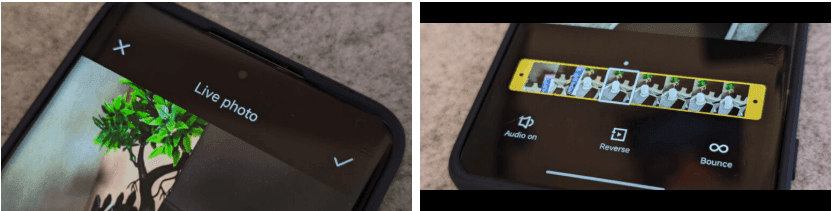
  • More devices may now use live photos thanks to Xiaomi HyperOS 2.

    More devices may now use live photos thanks to Xiaomi HyperOS 2.

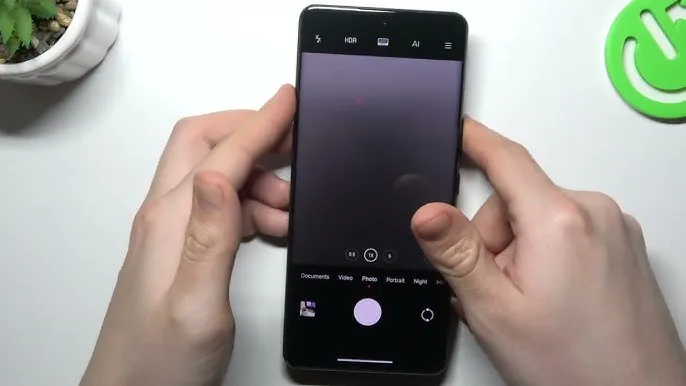
    The cross-ecosystem LivePhoto transmission compatibility of HyperOS 2 was formally revealed by Xiaomi, enabling smooth live photo sharing between Xiaomi phones, Xiaomi Pads, iPhones, and iPads. Grayscale mode is supported, and the feature is progressively being made available in batches.

    The enhancement is one of the actions Xiaomi is taking to create a comprehensive ecosystem that will provide a more seamless experience across devices. For optimal compatibility, users who are interested in the functionality should update their smartphones to the most recent versions of Xiaomi Photo Album and Xiaomi Share.Xiaomi HyperOS is always evolving, providing consumers with fresh and creative features to enhance their convenience.

    LivePhoto Cross-Ecosystem Support Details

    Sharing dynamic pics in the LivePhoto format while maintaining their motion effects is now possible with Xiaomi HyperOS 2. Users can now share and enjoy LivePhotos on both Xiaomi and Apple devices with ease thanks to the latest update, which was revealed in the official Q&A (Episode 8) for Xiaomi HyperOS on March 7.

    How to use live photo transfer

    For successful transmission of LivePhotos, users must meet the following requirements:

    • Both devices must be on the same wireless LAN – The sending and receiving devices need to be on the same wireless local area network.
    • The applications must be upgraded to certain versions – Apple and Xiaomi devices must have the latest software upgrades to be able to support this.
    xiaomi live photos

    App Versions Required

    • Xiaomi Phones and Pads:
      • Xiaomi Share3.6.2 and later
      • Xiaomi Photo Album: Version 4.2.0.8 and above
    • Apple Devices (iPhone and iPad):
      • Xiaomi Internet Service: Version 1.3 and later

    The Xiaomi ecosystem is greatly improved by this function, which allows users to find and share LivePhotos on several platforms without compromising motion effects. It is easier than ever to switch between devices and share memories with pals via an iPhone. In the days ahead, customers may anticipate even more cross-platform interoperability capabilities as Xiaomi develops HyperOS 2. Keep an eye out for additional information regarding Xiaomi HyperOS 2 and its ongoing feature additions.

  • When will Android 15-based One UI 7 be available on your Samsung Galaxy device?

    When will Android 15-based One UI 7 be available on your Samsung Galaxy device?

    The big One UI 7 upgrade, which is based on Android 15, is keenly anticipated by Samsung Galaxy customers. Samsung, one of the largest companies in the Android ecosystem, is lagging behind as Google and other manufacturers have already released the most recent OS.

    This year, Samsung’s upgrade procedure has not gone smoothly. In late 2024, the business first launched a One UI 7 beta program. Samsung now plans to release a stable upgrade beginning in April 2025 after experiencing setbacks. Here is what we currently know about the schedule and what to anticipate.

    one ui 7 android 15

    One UI 7 Beta Rollout Timeline:

    Beta Launch: Starting with the Galaxy S24 series (S24, S24+, and S24 Ultra) in a few countries, including the US, UK, Germany, South Korea, Poland, and India, the One UI 7 beta program got underway on December 5, 2024. This was the initial wave, which qualified users may access through the Samsung Members app.

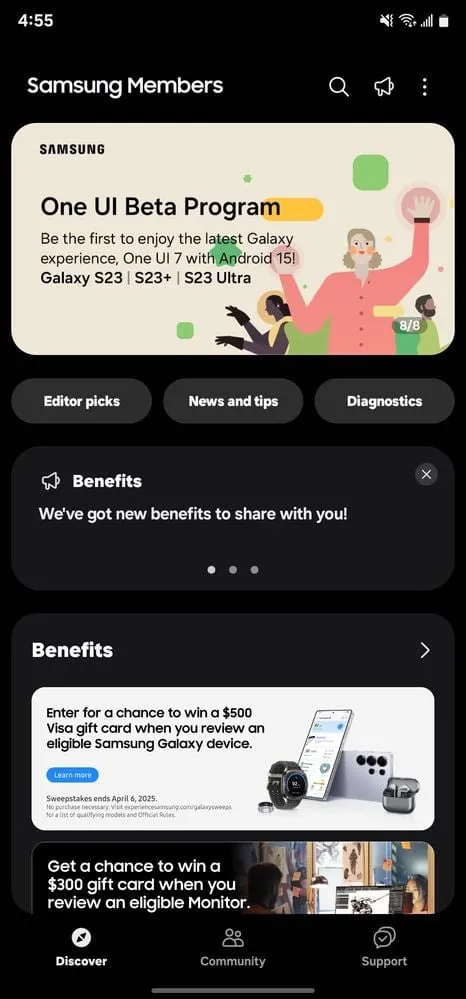
    Beta Expansion: (March 2025): On March 5, 2025, Samsung officially expanded the beta program to additional devices. The Galaxy Z Fold6 and Z Flip6 joined the beta in countries like India, Korea, the UK, and the US starting that week. Later in March 2025, the beta will be extended to the Galaxy S23 series (S23, S23+, S23 Ultra), Galaxy Tab S10 series, and Galaxy A55.

    There are several beta builds available for the Galaxy S24 series: The company published other betas following the initial one on December 5th; see below for details.

    • Beta 2: December 16, 2024
    • Beta 3: January 6, 2025
    • Beta 4: February 19, 2025 (followed by a hotfix on February 21, 2025)

    The beta period, which will last from December 2024 to at least March 2025, has been noticeably extended as Samsung fixes faults and refines the update, which includes major UI improvements.

    One UI 7 Stable Rollout Timeline:

    • Initial Stable Release: The stable version of One UI 7 debuted with the Galaxy S25 series (S25, S25+, S25 Ultra) on January 22, 2025, unveiled at the Galaxy Unpacked event. These devices shipped with One UI 7 pre-installed, marking the official launch.
    • Stable Rollout Start: Samsung confirmed on March 5, 2025, that the stable One UI 7 rollout for existing devices will begin in April 2025. No exact date was specified, but April is the official starting point.
    • First Wave (April 2025): The Galaxy S24 series is expected to be the first to receive a stable update in April 2025, given its extensive beta testing (four builds by February 2025). The Galaxy Z Fold6 and Z Flip6 are also likely candidates for early April, following their beta inclusion.
    • Second Wave (May 2025): The Galaxy S23 series, Galaxy Tab S10 series, and Galaxy A55, which joined the beta in March, are slated for a stable update shortly after the S24 series, likely in early May 2025.
    • Broader Rollout: Older flagships (e.g., Galaxy S22, S21 series, Z Fold5, Z Flip5, and eligible foldable) and additional mid-range devices (e.g., Galaxy A54, A34) are anticipated to receive the stable update gradually through Q2 2025 (May–June), though exact dates remain unconfirmed. Budget models may extend into Q3 2025.

    A leaked timeline from a Samsung Romania workshop added to the above schedule by speculating on specific dates such as April 18 for the S24 series and May 23 for the S21 series. It is speculative, though, as Samsung has not formally verified (refuted by the official moderator).

    The end is finally in sight for Samsung Galaxy users who have been patient—or not so patient—waiting for One UI 7. Samsung’s major Android 15 update is expected to give millions of devices a smooth, updated experience as beta testing comes to an end and the stable distribution begins in April 2025. Although the delays have caused Samsung to lag behind rivals such as Google, the additional time may result in a One UI 7 that is more feature-rich and seamless.

  • Tensor G5: still an underwhelming performer

    Tensor G5: still an underwhelming performer

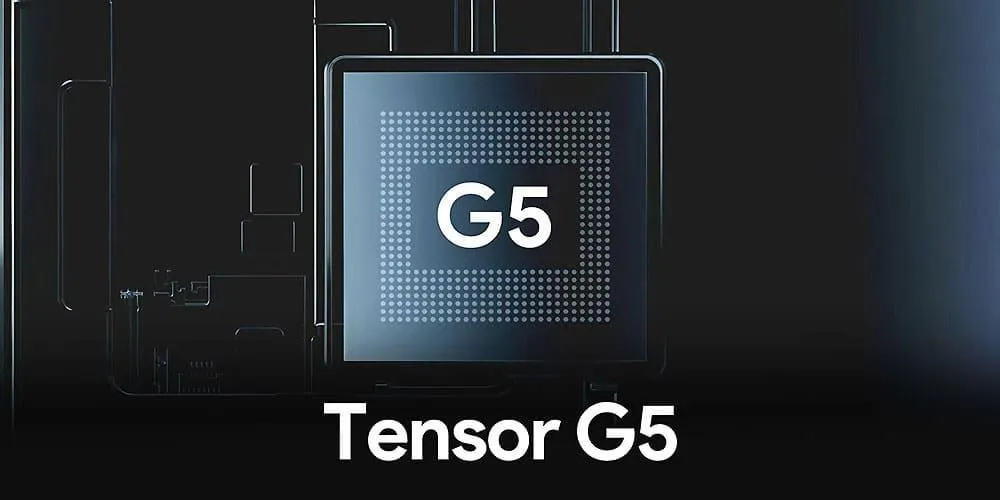
    Later this year, Google plans to release the Pixel 10 series. The Tensor G5, the first chipset in the range to be manufactured by TSMC rather than Samsung, will power the phones. Although some would anticipate significant performance improvements, rumors suggest otherwise.

    The designs of Google’s next flagship phones are now visible thanks to the leak of renders of the Pixel 10, Pixel 10 Pro, and Pixel 10 Pro XL. Although Google’s next-generation Tensor G5 is one of the anticipated advancements for the Pixel 10 series, it now looks like the chipset could not be much of an improvement in practice.

    Following four generations of Tensor chipsets made by Samsung, Google has reportedly hired TSMC to produce the Tensor G5 on its 3nm node. Although that would typically give rise to expectations of much better performance from the G5, the next-generation chipset is currently predicted to be exactly the same as the SoC from the previous year. According to leaker Chunvn8888, fans of the Pixel series can anticipate that the Tensor G5 will function similarly to the Tensor G4, with the sole distinction being a transition to TSMC’s methodology.

    The claim is also not unfounded—last year, purported Tensor G5 benchmarks appeared with scores comparable to those of the Tensor G4. Even though such tests were probably conducted on an early prototype, it does not seem likely that the finished product would have much more power. It is rumored that the Tensor G5 would only support UFS 3.1 storage, even outside of benchmarks. This is surprising because even the Snapdragon 8 Gen 3 from 2023 already provided compatibility for UFS 4.0.

    In any case, as Google markets the range for its real-world performance, fans of the series are unlikely to worry much that the G5 is the most recent model to lag considerably behind the competition. Customers of the Pixel 10 series may appreciate efficiency and long-term performance more now that TSMC’s 3nm node is being used.

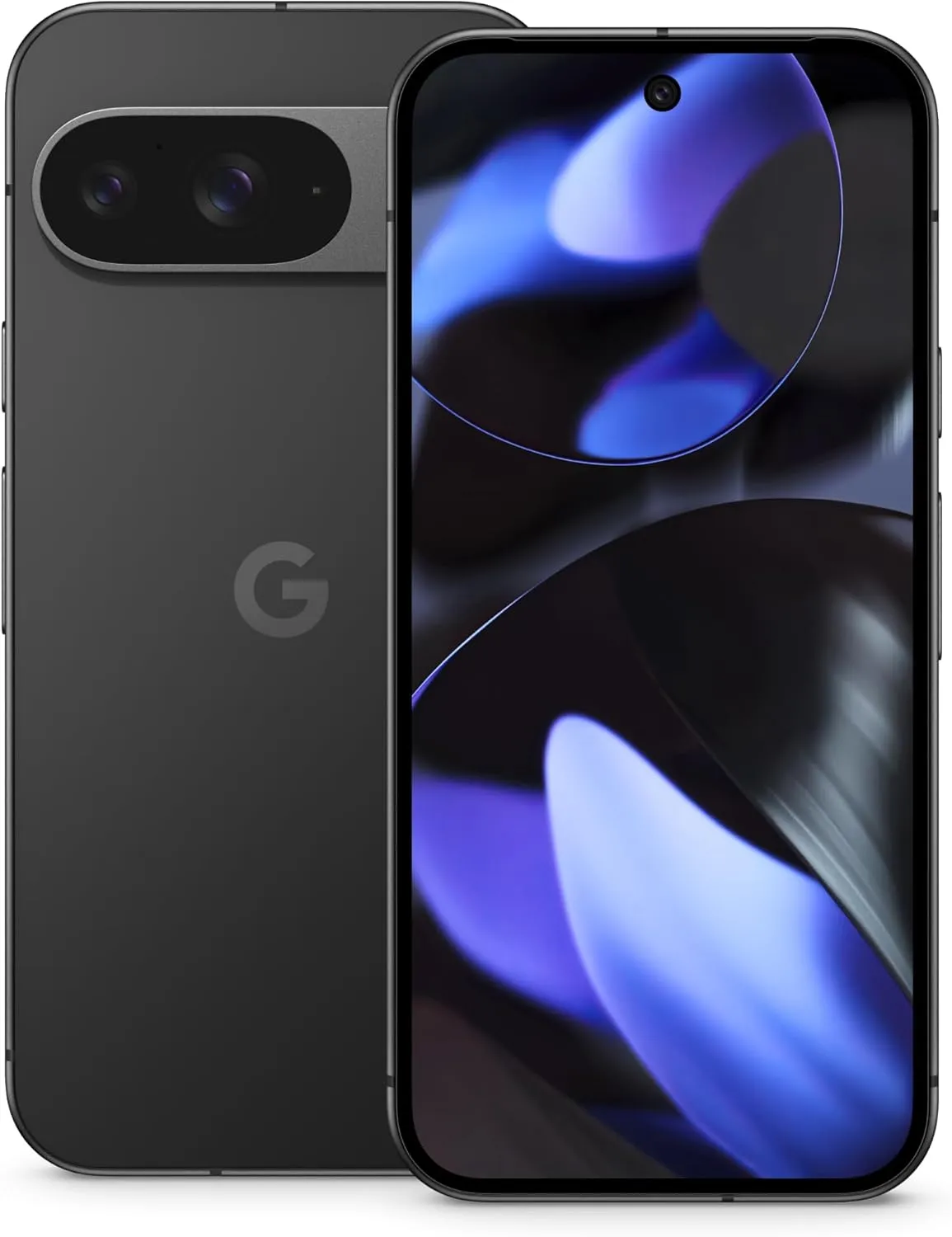
    google pixel 9 black

    Google Pixel 9 Pro

    Pixel 9 Pro with Gemini is the most powerful Pixel yet, and now comes in two sizes; it has a pro-level camera and it’s engineered by Google, so it gets the best of Google AI first

    Best choice
  • Samsung Galaxy S23 series receive One UI 7 and Android 15 in US

    Samsung Galaxy S23 series receive One UI 7 and Android 15 in US

    After Korea and India, Samsung has extended the One UI 7 Beta Program for the Galaxy S23 series to the United States. Before the official release, users can try One UI 7 features with this program.

    The One UI 7 Beta update is now available for installation in the United States for users of the Galaxy S23, Galaxy S23 Plus, and Galaxy S23 Ultra. All T-Mobile (locked) and unlocked phones in this series can get the update.

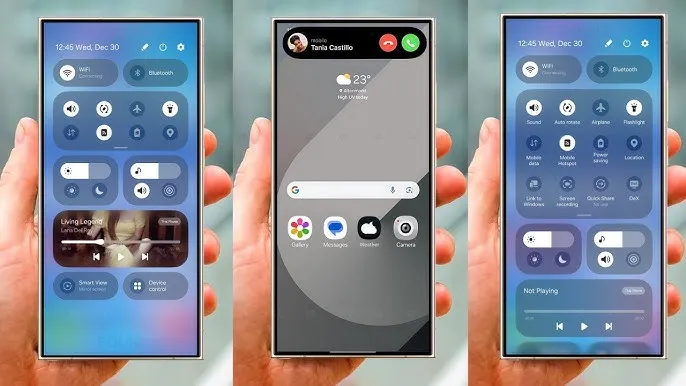
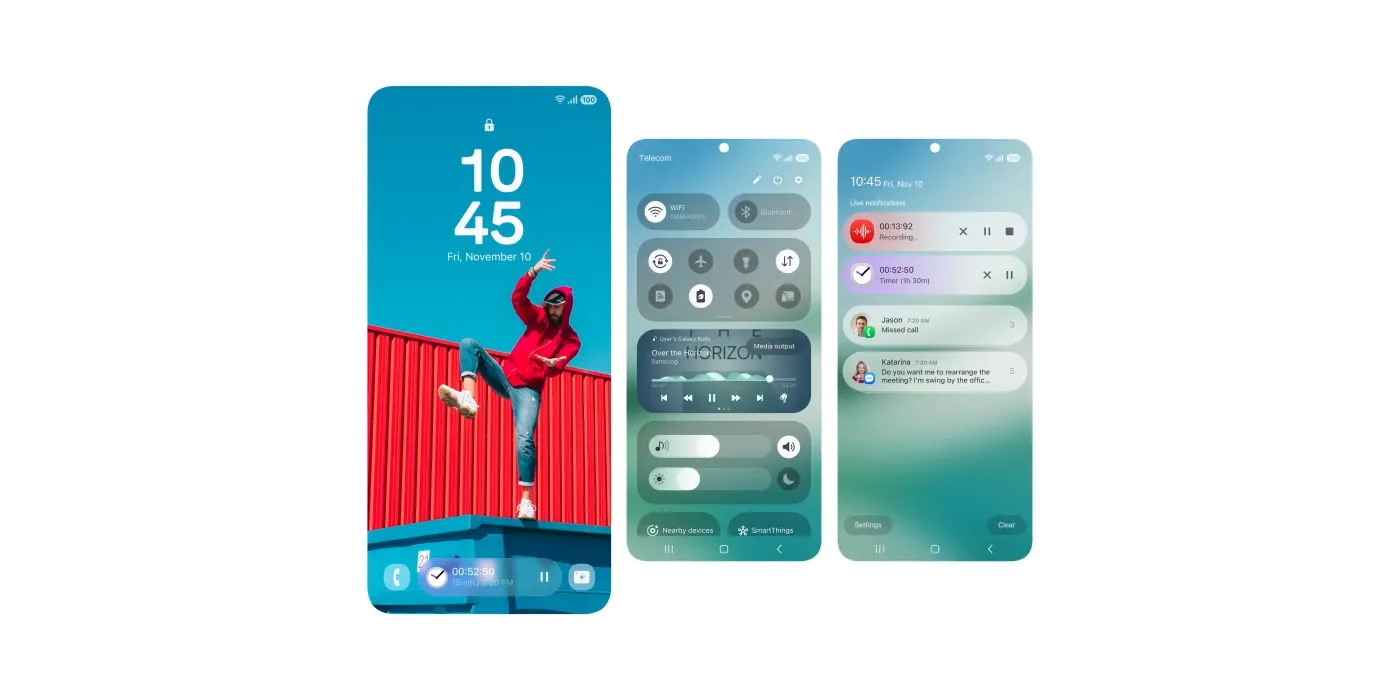
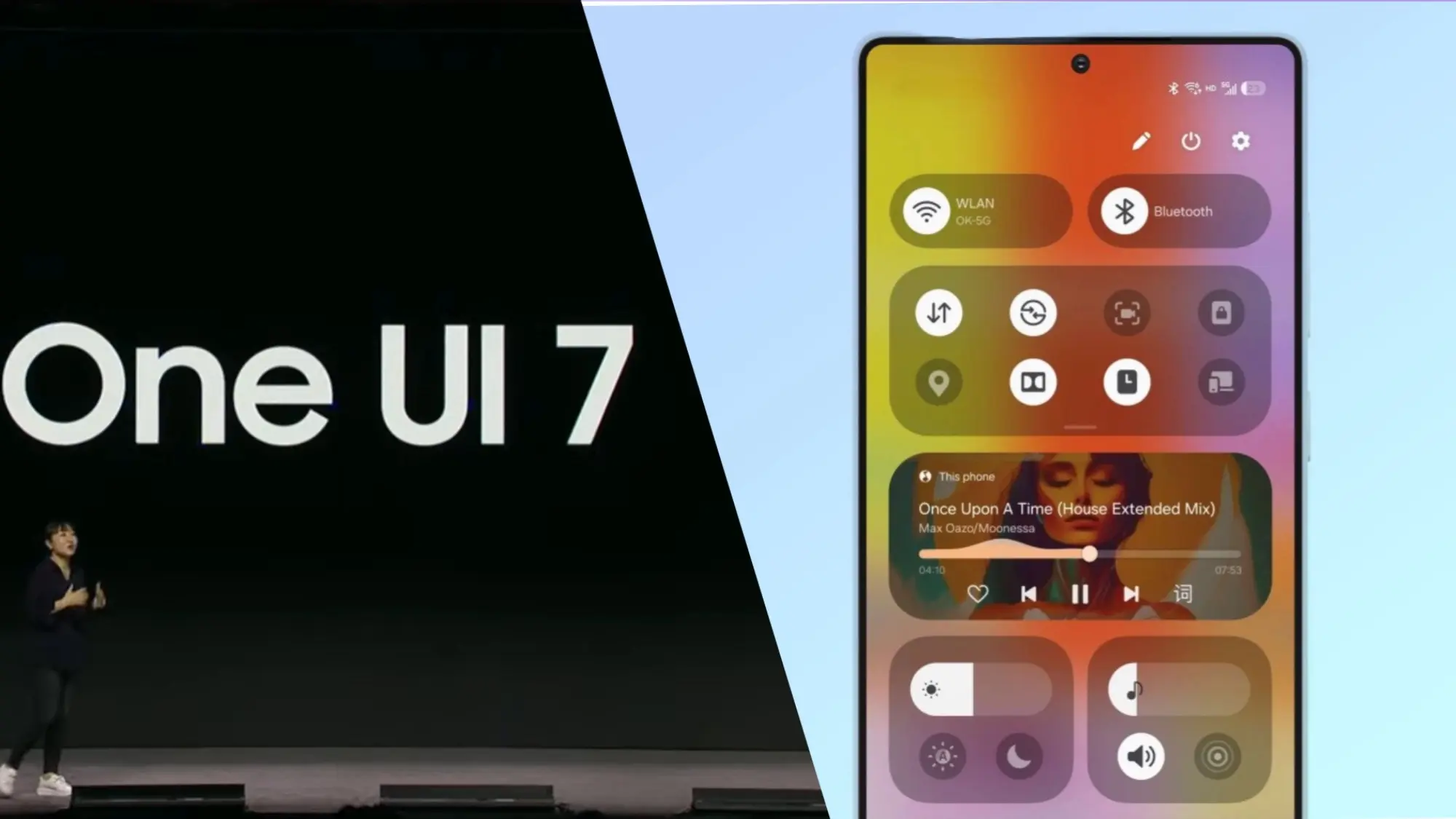
    Based on Android 15, the One UI 7 Beta upgrade offers exciting new features and enhancements to improve the user experience. It features a new Now Bar for convenient access to key information, a revised interface with new icons, and a separate quick settings panel for speedier alterations.

    One UI 7

    To provide an alternative method of app organization, the app drawer is now vertical. You can also add additional widgets to your home screen. More customization options are now available on the lock screen and home screen, and the camera app has been updated with new capabilities to enhance your experience taking pictures and videos. Several AI elements are included in One UI 7 to increase the intelligence of your device.

    You can participate in the Beta Program to test these features before others do if you own a Galaxy S23. Just launch the Samsung Members app, sign in using your Samsung Account, and adhere to the guidelines in the Beta section to enlist. Download the update by going to Settings >> Software Update >> after enrolling. Install after downloading.

  • Great #deal for Chipolo One tracker – 20% off

    Great #deal for Chipolo One tracker – 20% off

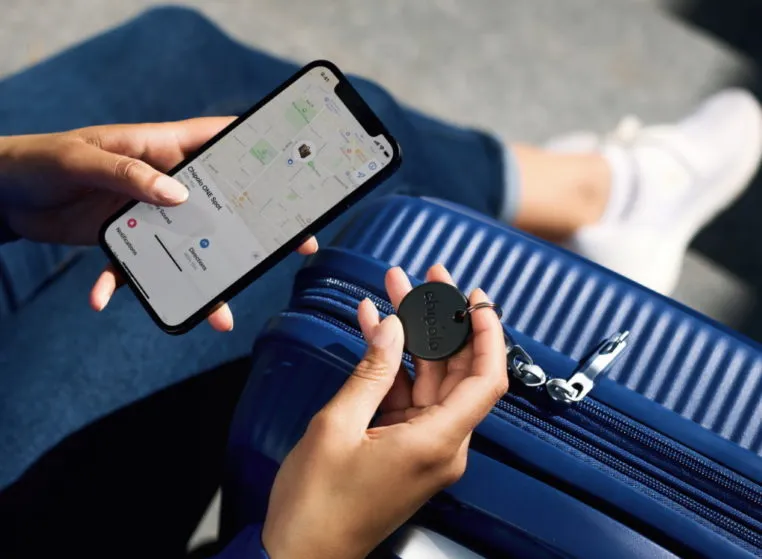
    If you ask me, there are far too many small details that each of us must keep track of on a daily basis. We have our phones, keys, wallets, and so on, and it is difficult to keep them all secure. So it is good to have a bargain on Bluetooth trackers that can perform the hard work for you. The Chipolo One Point Bluetooth tracker is currently available for $20, a 20% savings from its original price of $25.

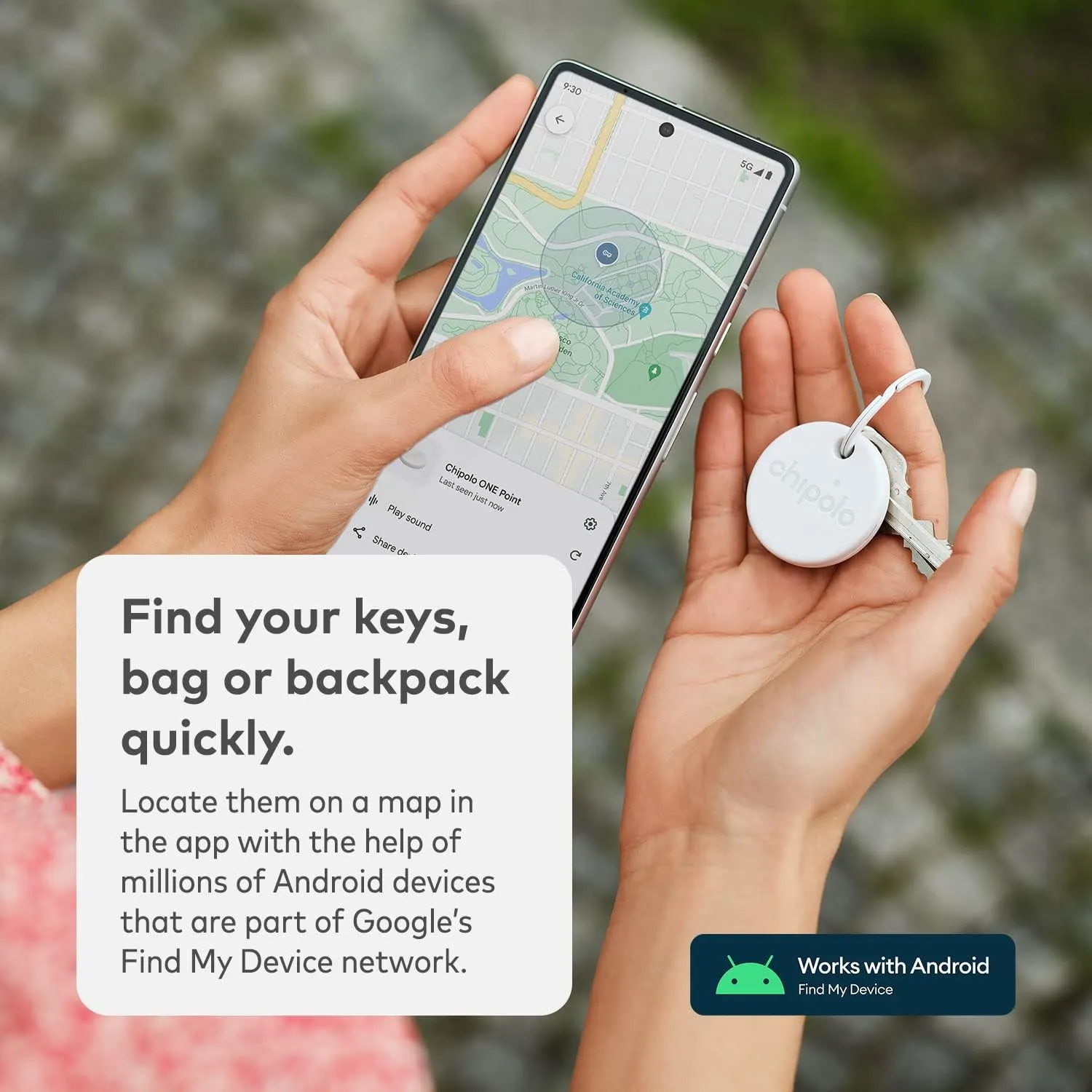
    The Chipolo One is our pick for the finest Bluetooth tracker in 2025. This variant is exclusively available for Android users and is compatible with Google’s Find My Device network. The tracker’s battery should last a year and is water resistant. Plus, it rings really loudly, so you do not have to worry about hearing it over background noise. Unlike Apple’s AirTag, it also has a hole for easy attachment to your keys.

    chipolo tracker deal

    Chipolo ONE Point

    Key Finder, Bluetooth Tracker for Keys, Bag – Works with Google’s Find My Device app (Android only)

    The Chipolo Card Point is also on sale, down from $35 to $24, representing a 31% reduction. It is an excellent Bluetooth tracker for flat goods such as a wallet, passport holder, or pocketbook. It also supports Google‘s Find My Device network and has similar features such as water resistant and a pleasantly loud ring.

  • Xiaomi accidentally discloses the release date for HyperOS 2.2.

    Xiaomi accidentally discloses the release date for HyperOS 2.2.

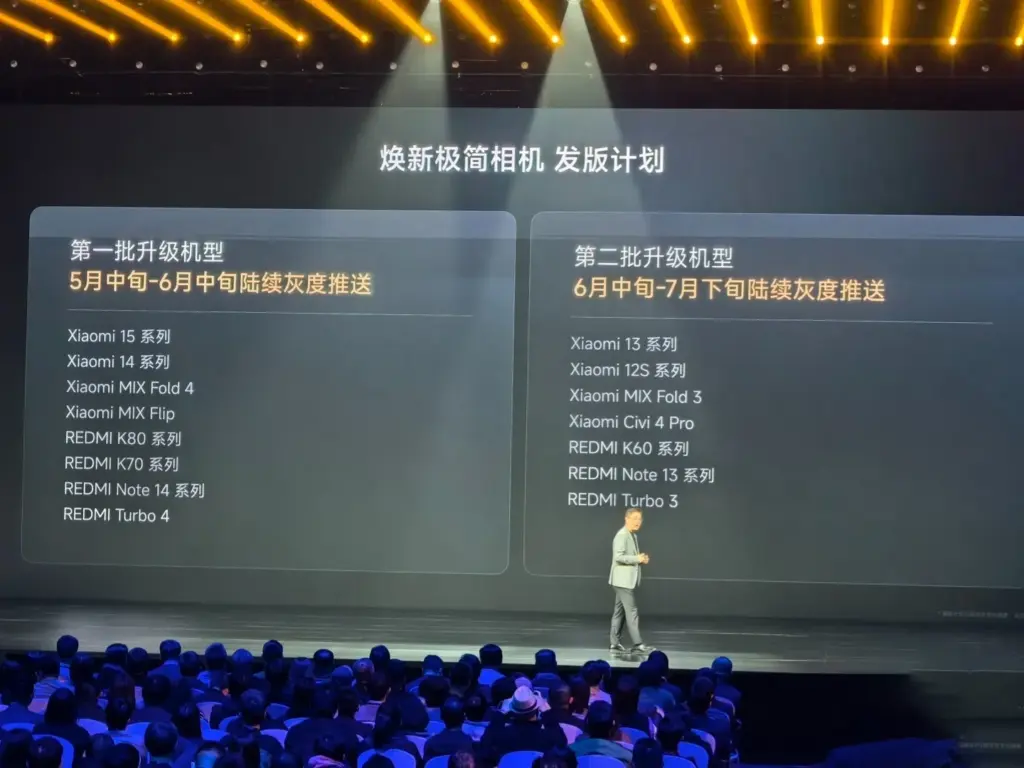
    Although Xiaomi has been working on HyperOS 2.2 in the background, the release date may have been unintentionally disclosed. Xiaomi just released a description of how it plans to roll out its new, minimalist camera app, which debuted alongside the Xiaomi 15 Ultra. However, a closer examination of the camera update’s deployment schedule suggests that HyperOS 2.2 might be released earlier than anticipated.

    HyperOS 2.2 launch date

    HyperOS 2.2 development is underway

    Based on Xiaomi’s standard rollout plan, the following can be expected:

    • Late April 2025: Mi Pilot releases of HyperOS 2.2
    • Early May 2025:  Stable releases of Mi Pilot
    • Mid-May 2025: Flagship devices stable release rollout
    • Jun–Jul 2025: Wider rollout to other models

    This is in line with Xiaomi’s previous actions. For instance, the new Game Turbo capabilities were introduced with the REDMI K80 series and were available on all HyperOS 2.1-compatible devices. The new simple camera app, which will come pre-installed on HyperOS 2.2, will experience the same thing.

    image 1

    Mid-May to Mid-June 2025

    • Xiaomi 15 Series
    • Xiaomi 14 Series
    • Mi Mix Fold 4
    • Mi MIX Flip
    • Redmi K80 Series
    • Redmi K70 Series
    • Redmi Note 14 Series
    • Redmi Turbo 4

    Mid-June through Late July, 2025

    • Xiaomi 13 Series
    • Xiaomi 12S Series
    • Xiaomi MIX Fold 3
    • Xiaomi Civi 4 Pro / Xiaomi 14 CIVI
    • Redmi K60 series
    • Redmi Note 13 series
    • Redmi Turbo 3 / POCO F6 series

    What to Expect in HyperOS 2.2

    Xiaomi has not yet formally confirmed all of the new features, but the following are some anticipated additions:

    • Simplified Camera UI – An overhauled interface with enhanced user experience
    • New AI Features – More sophisticated photo and video processing
    • Optimized Performance – Better efficiency and enhanced handling of memory
    • Enhanced Game Turbo 6.1 – More mobile gaming improvements
    • System-wide UI Adjustments – Slight design improvements and smoother animations

    In the near future, Xiaomi customers may anticipate some amazing new features as version 2.2 is a significant update.

  • ArkUI and other improvements available in Huawei HarmonyOS 5.0.3 Beta 2

    ArkUI and other improvements available in Huawei HarmonyOS 5.0.3 Beta 2

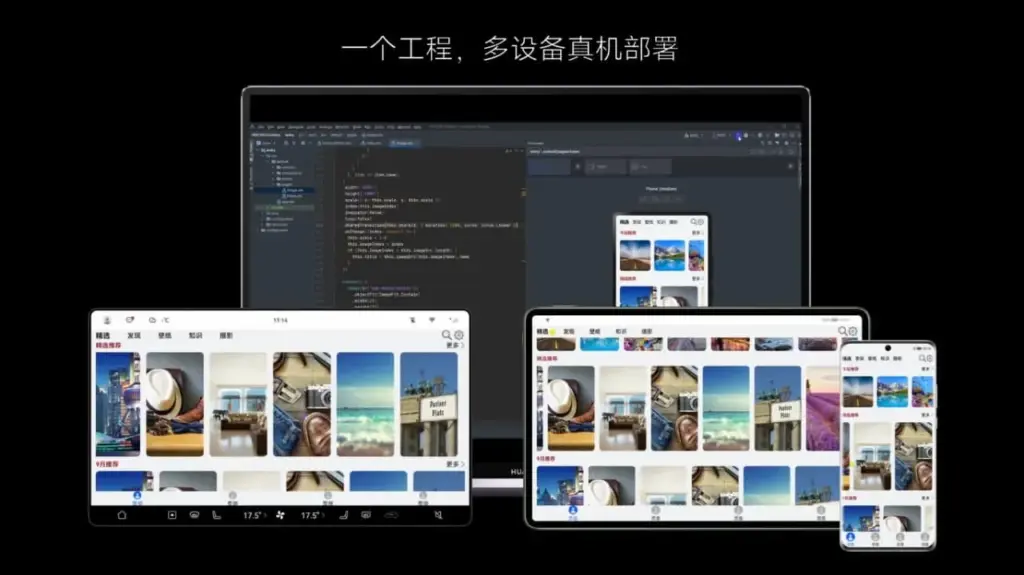
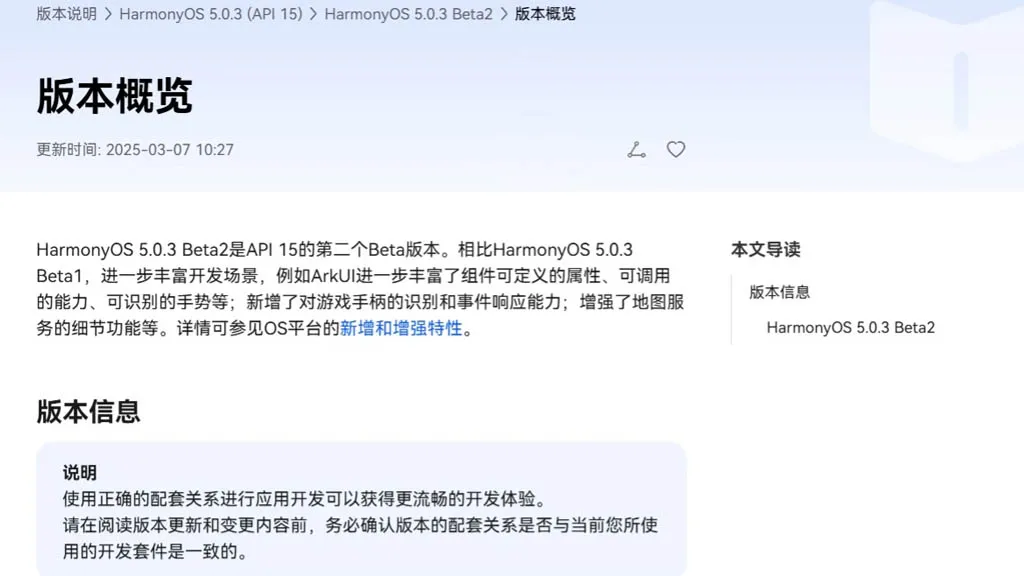
    With an extensive list of new features and improvements, Huawei has made the HarmonyOS 5.0.3 beta 2 rollout available to developers. Numerous areas have been enhanced by the company, such as ArkData, ArkUI, AppGallery Kit, Camera Kit, Core File Kit, and more.

    Also, it has expanded these segments’ capabilities to improve internal management and developers’ overall experience. The new HarmonyOS 5.0.3 Beta 2 was created by the Chinese phone manufacturer using API 15. In comparison to the previous edition, it significantly redesigns the development scenarios.

    harmonyos with arkui framework

    Mainly ArkUI improves the responsiveness, callable capabilities, and customizable attributes for map services and game controllers. Only because of its graphical repercussions for the development of HarmonyOS 5.0.3 have we brought up the ArkUI in the vast changelog. The complete changelog is available at the source link below.

    harmonyos 5.0.3 Beta2

    HarmonyOS 5.0.3 Beta 2: ArkUI Changes

    • The basic component now supports the ability to insert text at a specified location in the edited text and delete the content in a specified area.
    • The focus axis event has been added to the general events to support responses to game controller axis events. The C API also supports obtaining the value of the operation type of the current axis event.
    • The pattern password lock component now supports setting whether unselected grid dots are automatically selected when the password path passes through them.
    • Window Management A new C API for window management is defined, which is mainly used to set and get the properties of a specified window, as well as to set the status bar style and navigation bar style of a specified window.
    • The Image component now supports color filling that can overwrite the original color. This feature is only available for image sources in SVG format.
    • The Image component now supports automatic transformation based on the image matrix, providing automatic transformation optimization when presenting grid-type thumbnails in scenes similar to galleries.
    • The Tabs component and Swiper component now support setting the mouse wheel page turning mode.
    • NavDestination adds support for callbacks when events return, which is used to pass parameters when events return.
    • The TextPicker component now supports configuring the text style of each selection item.
    • The Progress component adds a new C API to support the setting of the linear progress bar style.
    • The folding screen state enumeration in the screen property module adds multiple state definitions for the folding axis 2.
    • The Node attribute style of the C API adds the background blur effect attribute NODE_BACKDROP_BLUR.
    • FrameNode now supports cross-language capabilities.
    • FrameNode now supports the expansion mode of child nodes when traversing nodes.
    • Size settings now support setting width and height to adapt to the parent component layout.
    • Text components now support shortcut key tips (labelInfo) in TextMenuItem.
    • The three types of pop-up components now support setting the pop-up display level and related properties and effects (levelMode, levelUniqueId, immersiveMode).
    • BindSheet adds support for the radius property, which is used to set the radius of the semi-modal page corners, and adds support for the detentSelection property, which is used to set the non-gesture switching position.
    • Added a new navigation point component, providing two navigation point styles: dot navigation point and digital navigation point.
    • The Swiper and Tabs components now support animated transitions.
    • The Swiper component now supports sliding behavior interception events, which can determine whether sliding behavior is allowed. The C API controls this through a property named NODE_SWIPER_EVENT_ON_CONTENT_WILL_SCROLL.
    • Third-party platforms have added support for finding the previous or next focus (ARKUI_ACCESSIBILITY_NATIVE_ACTION_TYPE_NEXT_HTML_ITEM, ARKUI_ACCESSIBILITY_NATIVE_ACTION_TYPE_PREVIOUS_HTML_ITEM) when they are connected to the ArkUI accessibility framework.
    • The third-party platform is connected to the ArkUI accessibility framework to add support for multi-instance scenarios.
    • The NavDestination component information of the ohos.arkui.observer module adds the NavDestination type and uniqueId.
    • Added support for C API screenshot capability.
    • UIContext now supports getting screenshots of loaded components by unique Id.
    • UIContext now supports the ability to obtain the layout information of the meta-service menu bar relative to the window.
    • New C API for common events supports obtaining the ID of the current touch event trigger.
    • A new interface with the same name has been added to the window for 2-in-1 devices to set application window size limits.
    • A new interface of the same name is added to the window for specifying the position of the mouse within the window and moving the window.
    • The window adds an asynchronous callback for the window close event monitoring of 2-in-1 devices.
    • The window now supports enabling the monitoring of picture-in-picture window size change events.
    • The window now supports dynamically setting the title of the window title bar.
    • The window now supports setting the main window’s support modes (full screen, floating window, split screen, etc.).
    • NavDestination now supports setting whether to hide the back button in the title bar.
    • Added C API support for controlling focus and handling focus events.
    • Added C API to support forwarding of clone events.
    • The Popup component adds the keyboardAvoidMode property to set whether the Popup bubble avoids the soft keyboard.
    • The pop-up window now supports setting the distance to avoid the keyboard. The ArkTS API is provided as attributes. You can search for the keyword keyboardAvoidDistance in the table pointed to by the link.
    • The attribute string now supports the settings of ResourceStr type images.
    • The attributed string image object now supports obtaining the attributed string image color filter effect (colorFilter).
    • The drag capability now supports obtaining the drag data of the drag progress bar.
    • The component screenshot capability now supports defining component screenshot areas.
    • The Tabs component adds component parameters to support setting the tab position of the Tabs.
    • Text components now support triggering callbacks when the text content is about to change.
    • Added support for obtaining whether touch-related events come from the left or right hand, involving multiple modules: the event module added relevant C API, the gesture binding method added a hand attribute to the FingerInfo object, the touch event TouchObject object added a hand attribute, and the click event clickevent object added a hand attribute.
    • Added support for checking the number of fingers touching the screen, involving multiple modules: NDK added related C APIs, and components added the property isFingerCountLimited to set whether to check the number of fingers touching the screen. This property can be viewed in the reference page of each component.
    • Added support for setting the priority of key event processing and the ability to redistribute. Involved: NDK added a C API for setting the priority of key event processing, NDK added NODE_DISPATCH_KEY_EVENT to the ArkUI_NodeEventType enumeration, indicating the component key event redispatching event (C API), UIContext added an ArkTS API for setting the priority of key event processing, and UIContext added an ArkTS API for distributing key events to specified components.
    • The C API adds support for NODE_CHECKBOX_GROUP-related capabilities. You can search for this keyword in the API reference.
  • Samsung One UI 7 officially rolling up in April

    Samsung One UI 7 officially rolling up in April

    The release date of Samsung’s upcoming major software upgrade, One UI 7.0, for Galaxy customers has finally been revealed. Early April 2025 is when the Android 15-based update is expected to launch, most likely with the Galaxy S24 series before moving on to previous flagships and a few mid-range devices.

    You are not the only one who has been anticipating this update; Samsung has been testing One UI 7.0 through its beta program for months in order to improve the user experience prior to its official release. What specifically does this upgrade offer, though? Let us dissect it.

    Rollout Plan for One UI 7.0

    Multiple beta updates have been released since Samsung launched its One UI 7.0 beta program with the Galaxy S24 series in December 2024. Samsung is now anticipated to deliver a few more beta upgrades prior to the final deployment, with the stable version approaching.

    The Galaxy S24 series should be the first to get the update, followed by: Galaxy S23 series Galaxy Z Flip 6 Galaxy Z Fold 6 Galaxy A55

    Galaxy S23 series

    Galaxy Z Flip 6

    Galaxy Z Fold 6

    Galaxy A55

    In order to provide tablets a preview of the new software prior to its official release, Samsung is also extending the One UI 7.0 Beta Program to additional devices, such as the Galaxy Tab S10 series.

    What’s New in One UI 7.0?

    New in One UI 7.0

    One UI 7.0 is not just another small update; it also brings a new look and a number of usability and performance enhancements. What is noteworthy is this:

    Redesigned Quick Panel – A cleaner, more intuitive way to access essential settings.

    Smoother Animations & Transitions – Lighter, faster, and designed to improve the overall experience.

    Updated Iconography – A new look for system icons to match the refreshed design language.

    Now Bar – A persistent status bar that shows ongoing activities at a glance.

    Revamped Camera App – Controls are now easier to reach for one-handed use.

    New Battery Icon & Charging Animations – A subtle but noticeable visual upgrade.

    AI Features & Performance Optimizations

    The software’s AI-powered capabilities may be one of the reasons Samsung has taken its time with One UI 7.0. Samsung is probably striving to make sure its infrastructure can support these AI features across its wide range of devices, as some of them may need cloud processing.

    You will not have to wait long for One UI 7.0 if you are using a high-end mid-range mobile or a recent Samsung flagship. This version aims to provide a more sophisticated user experience than a mere refresh thanks to a revamped UI, smoother animations, and AI-driven optimizations.

    Samsung still has a few beta updates to go, but by April, Galaxy users should finally get the stable version.

  • Xiaomi HyperAI & HyperOS 2.0 global rollout scheduled

    Xiaomi HyperAI & HyperOS 2.0 global rollout scheduled

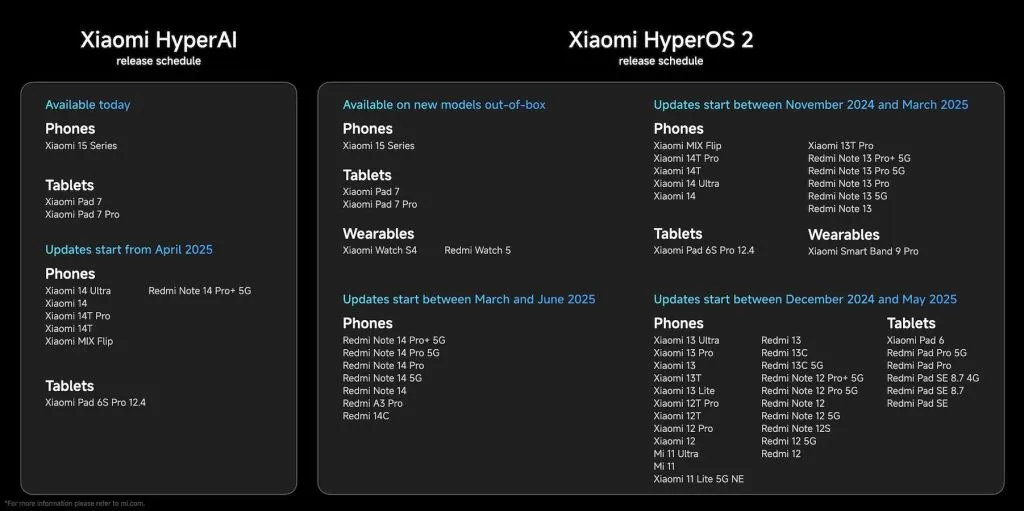
    At the worldwide launch event for the Xiaomi 15 series, Xiaomi revealed the timeline for the release of Xiaomi HyperAI and HyperOS 2.0, which are based on Android 15. These changes offer a more seamless, integrated user experience along with AI-powered improvements. The official upgrade schedule and a list of the new software’s key features are provided below.

    Xiaomi HyperOS 2.0 global update schedule for 2025

    TimeModels
    Available TodayPhones: Xiaomi 15 Series
    Tablets: Xiaomi Pad 7, Xiaomi Pad 7 Pro
    Updates Starting from April 2025Phones: Xiaomi 14 Ultra, Xiaomi 14, Xiaomi 14T Pro, Xiaomi 14T, Xiaomi MIX Flip, Redmi Note 14 Pro+ 5G
    Tablets: Xiaomi Pad 6S Pro 12.4

    Xiaomi HyperAI Update Schedule

    DateModels
    Pre-installed on New ModelsPhones: Xiaomi 15 Series
    Tablets: Xiaomi Pad 7, Xiaomi Pad 7 Pro
    Wearables: Xiaomi Watch S4, Redmi Watch 5
    Updates Starting Between November 2024 – March 2025Phones: Xiaomi MIX Flip, Xiaomi 14T Pro, Xiaomi 14T, Xiaomi 14 Ultra, Xiaomi 14, Xiaomi 13T Pro, Redmi Note 13 Pro+ 5G, Redmi Note 13 Pro 5G, Redmi Note 13 Pro, Redmi Note 13 5G, Redmi Note 13
    Tablets: Xiaomi Pad 6S Pro 12.4
    Wearables: Xiaomi Smart Band 9 Pro
    Updates Starting Between December 2024 – May 2025Phones: Xiaomi 13 Ultra, Xiaomi 13 Pro, Xiaomi 13, Xiaomi 13T, Xiaomi 13 Lite, Xiaomi 12T Pro, Xiaomi 12T, Xiaomi 12 Pro, Xiaomi 12, Xiaomi 12S Ultra, Xiaomi 12S Pro, Xiaomi 12S, Xiaomi 12X, Redmi 13, Redmi 13C, Redmi 13C 5G, Redmi Note 12 Pro+ 5G, Redmi Note 12 Pro 5G, Redmi Note 12 5G, Redmi Note 12S, Redmi Note 12, Mi 11, Mi 11 Lite 5G NE
    Tablets: Xiaomi Pad 6, Redmi Pad Pro 5G, Redmi Pad Pro, Redmi Pad SE 8.7 4G, Redmi Pad SE 8.7, Redmi Pad SE
    Updates Starting Between March – June 2025Phones: Redmi Note 14 Pro+ 5G, Redmi Note 14 Pro 5G, Redmi Note 14 Pro, Redmi Note 14 5G, Redmi Note 14, Redmi A3 Pro, Redmi 14C
    xiaomi hyperos and hyper ai launch scheduel

    Key Features

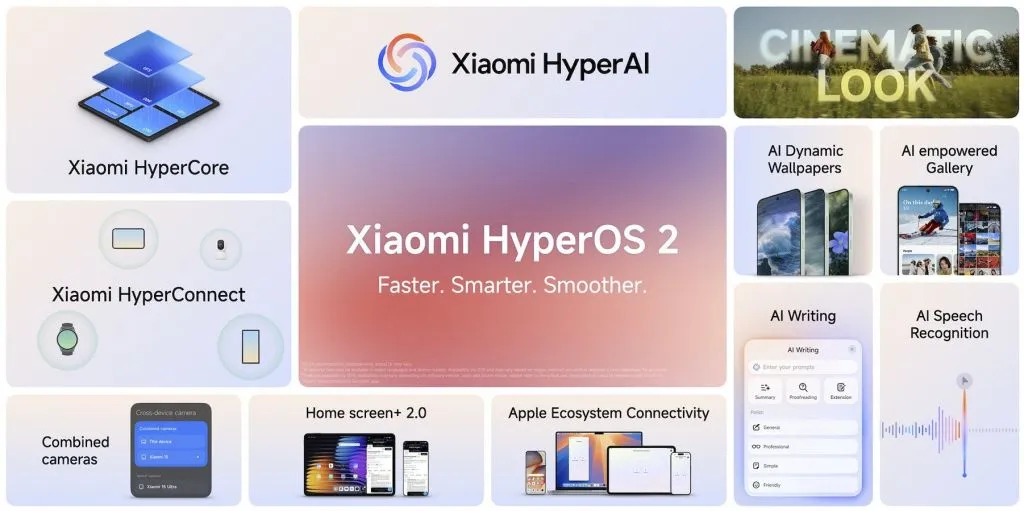
    A potent new system engine called Xiaomi HyperCore was created to improve efficiency and performance. With quicker app launches and longer battery life, it ensures a more seamless user experience by optimizing resource management.

    All Xiaomi devices can connect seamlessly thanks to Xiaomi HyperConnect. It makes it easier for users to switch between smartphones, tablets, wearables, and other smart devices in the Xiaomi ecosystem by improving multi-device synchronization.

    With Cinematic Look’s sophisticated image and video processing features, users may take pictures and films with a professional-caliber touch. This function produces visually spectacular content by improving lighting, sharpness, and color grading.

    AI Dynamic Wallpapers & AI Gallery customizes the user experience by utilizing artificial intelligence. The AI Gallery cleverly classifies and arranges images for convenient access and administration, while AI-powered wallpapers constantly adjust to user preferences.

    xiaomi hyperos launch event

    AI Speech Recognition and AI Writing offer more intelligent input techniques that improve communication. While AI Speech Recognition allows precise voice commands and real-time transcription, AI Writing assists with text summarizing, proofreading, and tone correction.

    Cross-device Camera & Home Screen 2.0 enhances multitasking and ecosystem integration. With improved app categorization and interactive widgets, the new home screen layout improves usability, and users may use cameras from various devices interchangeably.

    Better cross-platform compatibility is ensured by Apple Ecosystem Connectivity, which makes it possible for Xiaomi smartphones to function more effectively with Apple goods. Data exchange, notifications, and device synchronization across several operating systems are made easier by this functionality.

    With a planned deployment strategy that guarantees a smooth transition between devices, Xiaomi HyperAI and HyperOS 2.0 want to provide customers with a quicker, smarter, and more seamless experience.