Tag: widgets

  • Honor’s lock screen widgets are here — these devices get them first

    Honor’s lock screen widgets are here — these devices get them first

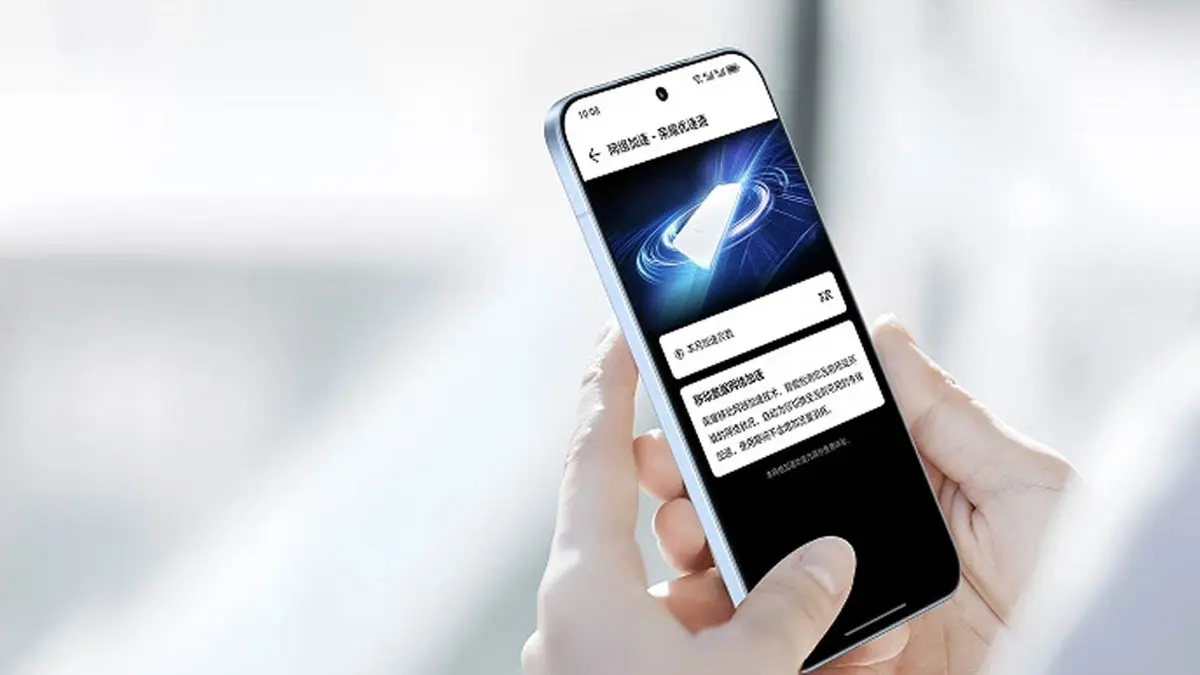
    For the initial batch of devices, Honor will start distributing new lock screen widgets today. The company has formally declared that a new version of the MagicOS smartphones would have intriguing additions and modifications in the near future.

    The business will release new lock screen widgets for Honor devices running MagicOS 10.0.0.150, according to official information. The MagicOS 10.0.0126 build version will provide customers of Magic V6 foldables with the most recent improvements.

    According to the business, the new lock screen widgets will be installed on the initial batch of devices on April 1st. Later on, the new modifications will be applied to the other devices.
    Honor's lock screen widgets are here

    Honor described the new rollout as follows:

    “First of all, thank you for your continued attention to the lock screen widgets. This feature will be supported in MagicOS version 10.0.0.150 in April and will be rolled out to everyone gradually. We will answer your questions in advance.”

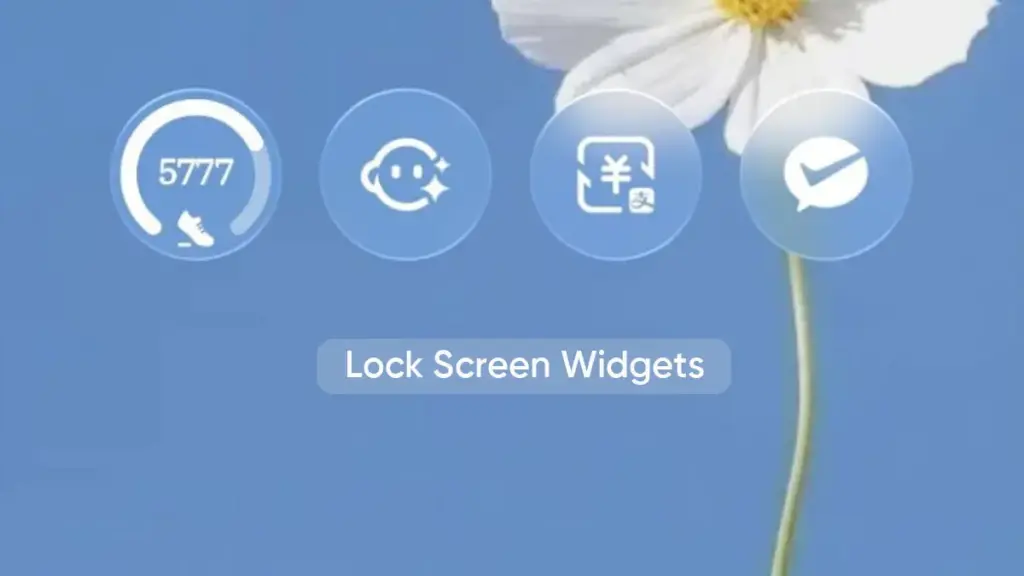
    Additional information indicates that more than 20 lock screen widgets will be supported by the initial batch of smartphones. Real-time weather, air quality, UV index, timetable, alarm clock, YOYO (a fitness app), battery level, WeChat, and Alipay capabilities are all included in the list.
    honor lockscreen widgets

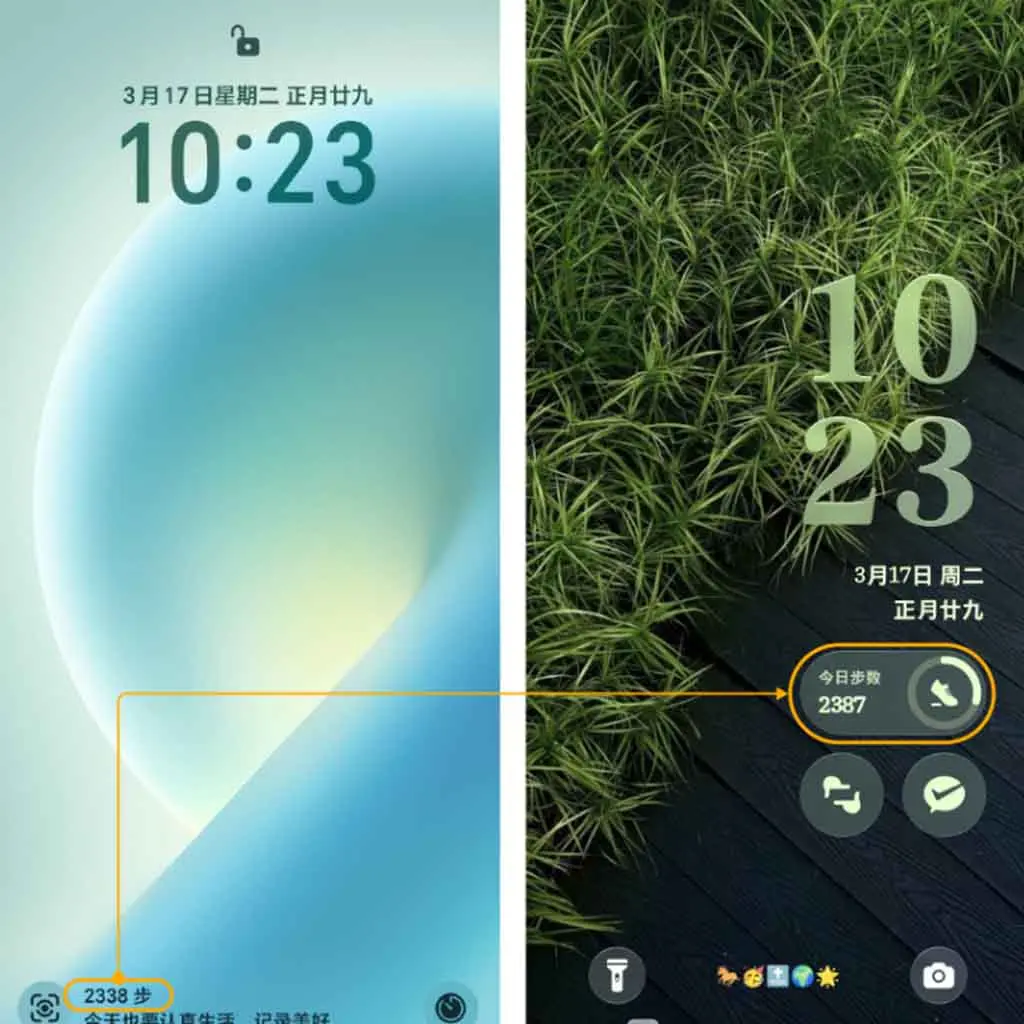
    Users can try upgrading the relevant app, such as the clock, weather, and others, if a widget is absent from the settings or widget panel. Additionally, the lower left corner of the screen displays the step count statistics and other health-related information.

    According to Honor, the official software team moved the lock screen step count to a unique step count widget and improved the overall visual appeal.

    The business also stated that it will keep considering user input and offer more crucial widgets in the future. Currently, Honor Music, Notes, Calculator, Voice Recorder, Timer, and Stopwatch are among the widgets being developed. Third-party widgets might soon be added to the lock screen as well.
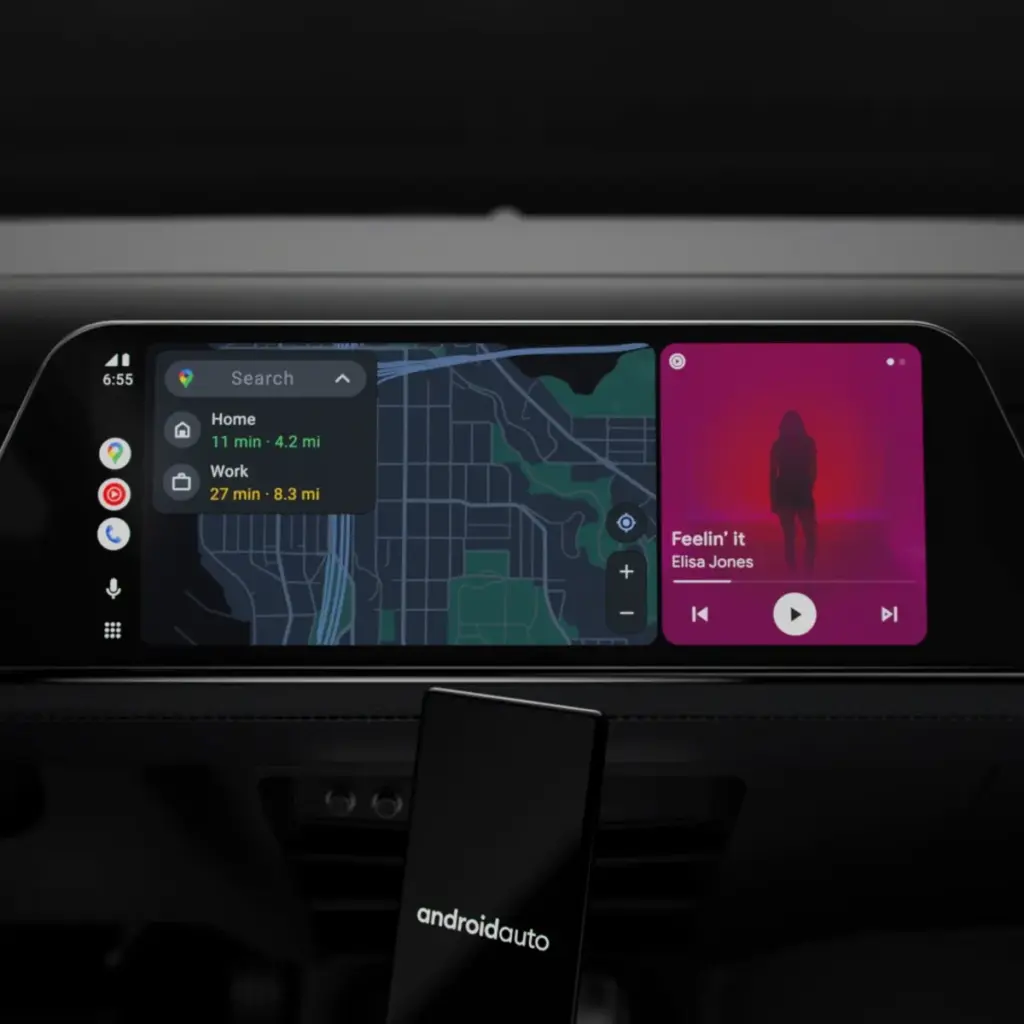
  • Android Auto update 15.4 quietly rolls out: bug fixes, Gemini AI groundwork & more

    Android Auto update 15.4 quietly rolls out: bug fixes, Gemini AI groundwork & more

    Google will bring the most recent Android Auto 15.4 update during November, although the company hasn’t spoken anything about it. The most recent version, which was discovered by autoevolution, stands out for remaining in beta for more than a week, which is unusual for Google. The new version is starting to roll out, and sideloading choices are available, but the corporation isn’t offering an explanation.

    The addition of bug fixes that enable Google Pixel 10 devices to connect to Android Auto correctly is one of the most significant changes in 15.4, making this version helpful for people who did not previously have access. Additionally, it seems that this release is aiming toward more significant changes within Android Auto, such as the company’s AI assistant Gemini taking the place of Google Assistant. Following a recent Gemini update that brings some very significant AI features, Google has also been testing new features for Google Maps, including some new color options for users.

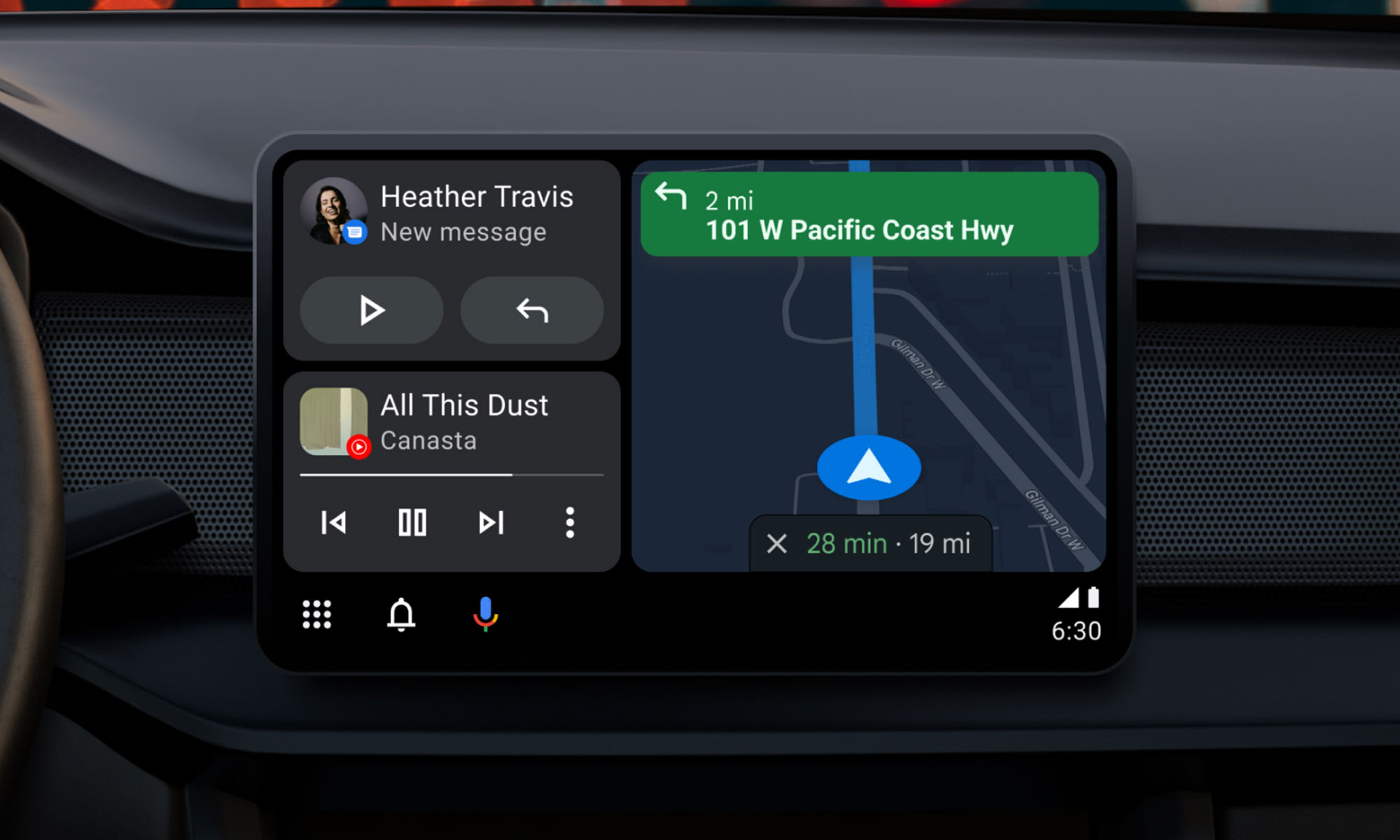
    Users will still be awaiting the new Widgets feature, which borrows from Apple CarPlay by enabling users to install application widgets straight to their infotainment screen, even after the new version arrives. It’s also important to note that this update is released prior to Google preventing some Android phones from getting Android Auto updates.

    Android Auto update

    What to expect in Android Auto 15.4

    Android Auto 15.4 is currently gradually making its way to all Android users after launching in Google’s beta program in October. The APK is available to anyone who is prepared to upgrade manually, but the new update is coming in waves for those who can’t wait. On an Android device, just download the APK from APKMirror, choose the file, and then allow it to install.

    By the end of November, Android Auto 15.4 will be available to individuals who are prepared to wait for the latest version. Unfortunately, Google no longer provides release notes for Android Auto, so we are left in the dark about what’s new. The removal of Google Assistant for the AI assistant Gemini—which is already taking place in some GM cars as the company discontinues CarPlay and Android Auto—as well as the addition of new call notes and a new call screen are among the changes anticipated to occur this year, according to autoevolution.

    There are numerous bug improvements in Android Auto 15.4 for devices that are experiencing trouble connecting to Android Auto, particularly the Google Pixel 10. Additionally, the update enables users to apply the accent colors from their phone’s wallpaper on their infotainment screen. Google Maps allows users with smaller infotainment screens to report on traffic, something that was previously exclusive to users with larger panels. Users can report information about construction, traffic accidents, and speed traps, just like with the well-known Waze app.

  • How to customize your home screen: a step-by-step guide for Android and iOS

    How to customize your home screen: a step-by-step guide for Android and iOS

    The home screen of your smartphone serves as the entryway to your digital life, and you may personalize it to improve its usability, functionality, and aesthetic appeal. This article explains how to customize your home screen for a genuinely one-of-a-kind experience, from altering the background to adding widgets and arranging apps.

    Change wallpaper

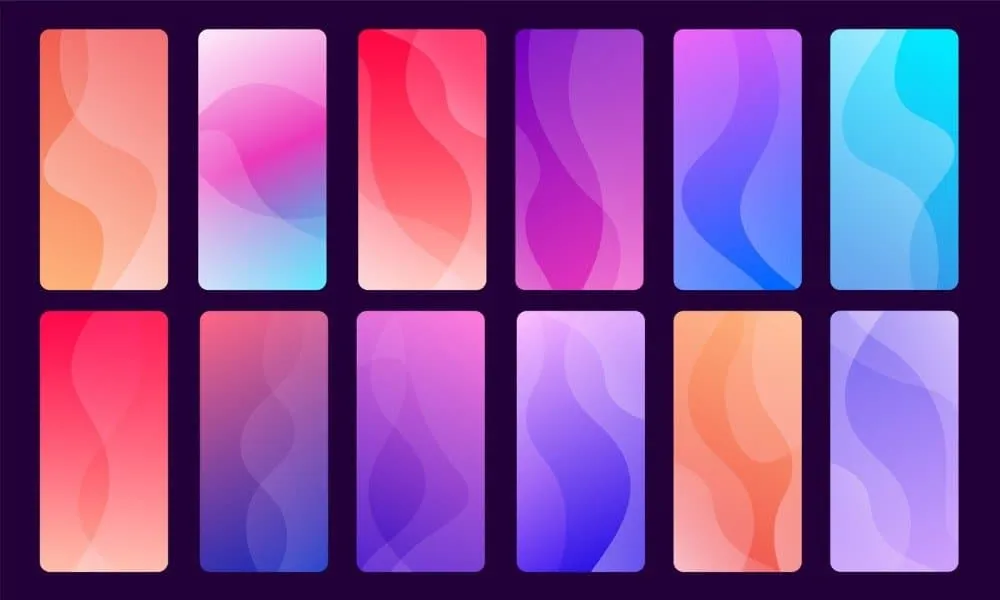
    The aesthetic tone of your smartphone is established by your wallpaper. Changing your wallpaper is easy, regardless of your preference for abstract art, beautiful landscapes, or intimate portraits.

    On Android:

    1. Long-press an empty space on the home screen.
    2. Select Wallpaper or Wallpaper & style from the pop-up menu.
    3. Choose a pre-installed wallpaper or select an image from your gallery.
    4. Adjust the image as needed and tap Set wallpaper.
    5. Decide whether to apply it to the Home screenLock screen, or both
    customize your home screen android

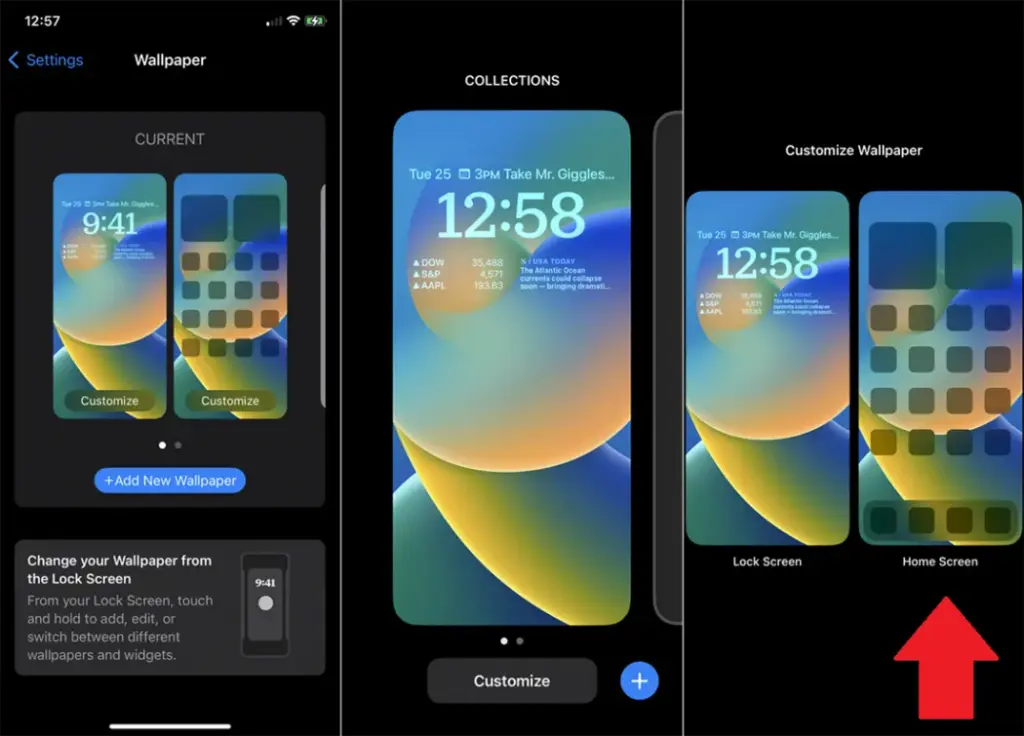
    On iOS:

    1. Open Settings > Wallpaper > Choose a New Wallpaper.
    2. Select an image from Apple’s preloaded options or your photo library.
    3. Adjust and tap Set to apply it to the Home screen, Lock screen, or both9
    customize your home screen ios

    Add widgets for quick access

    Without opening apps, widgets offer functionality and information at a glance.

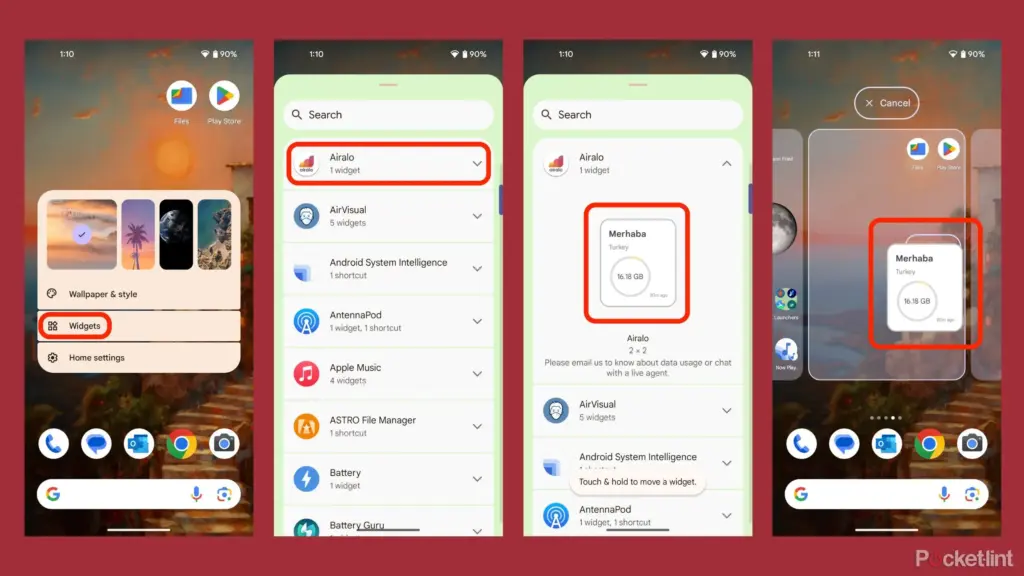
    On Android:

    1. Long-press an empty area on the home screen and tap Widgets.
    2. Browse through available widgets (e.g., clock, weather, calendar).
    3. Select a widget and drag it to your desired location on the screen.
    how to add widgets to your andro

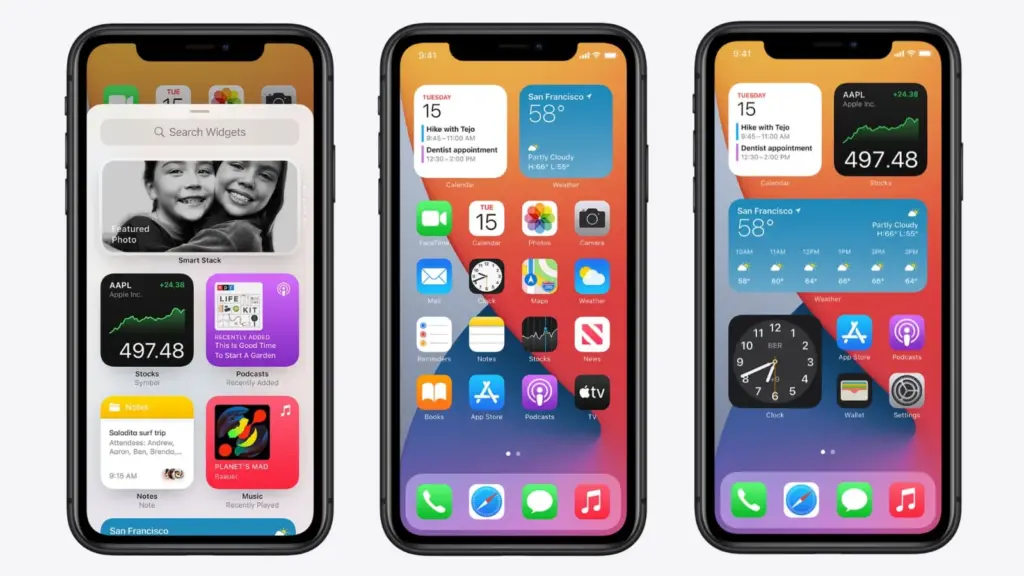
    On iOS:

    1. Touch and hold the Home Screen background until apps jiggle.
    2. Tap the “+” icon in the upper-left corner.
    3. Choose a widget from the list and select its size (small, medium, large).
    4. Tap Add Widget, then drag it into place
    ios14 widgets guide

    Organize apps

    A clutter-free home screen improves usability and makes navigation faster.

    Create Folders:

    • Drag one app icon onto another to create a folder.
    • Add more apps by dragging them into the folder.
    • Rename folders by tapping on them and selecting the name field.

    Arrange Apps:

    • Move frequently used apps to the first page of your home screen for quick access.
    • Drag icons to different pages or positions by holding and moving them.

    Advanced Organization Tips:

    • Use themed rows (e.g., “Work,” “Social,” “Entertainment”).
    • Sort apps by frequency of use or color coding for visual appeal.

    Use customization apps

    Download specialized home screen customization programs like WidgetClub or Nova Launcher for more sophisticated customization choices including unique icons, fonts, and themes.

    Benefits:

    • Access all-in-one themes that include wallpapers, widgets, and icons.
    • Customize grid layouts for app placement flexibility