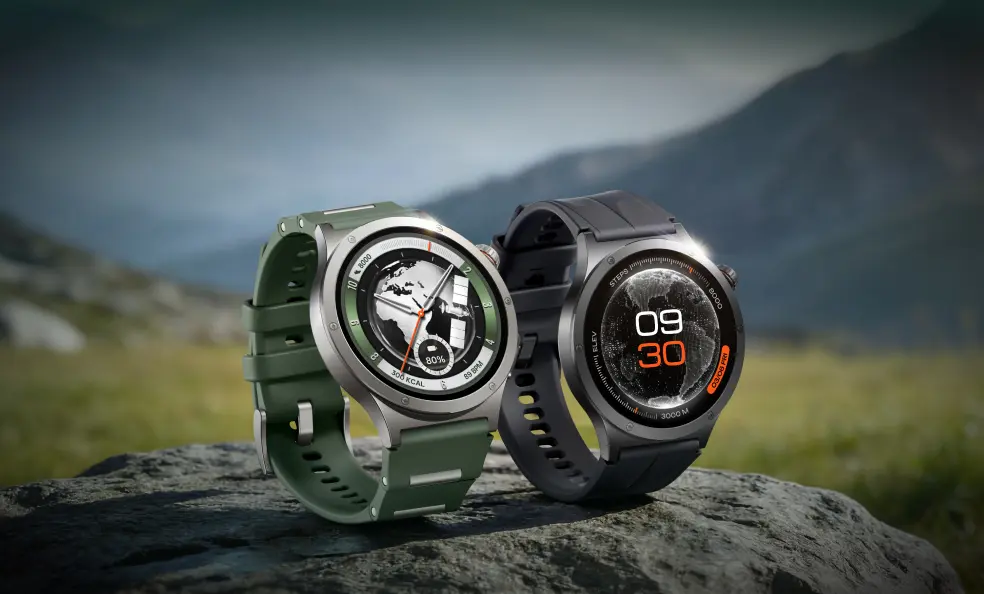
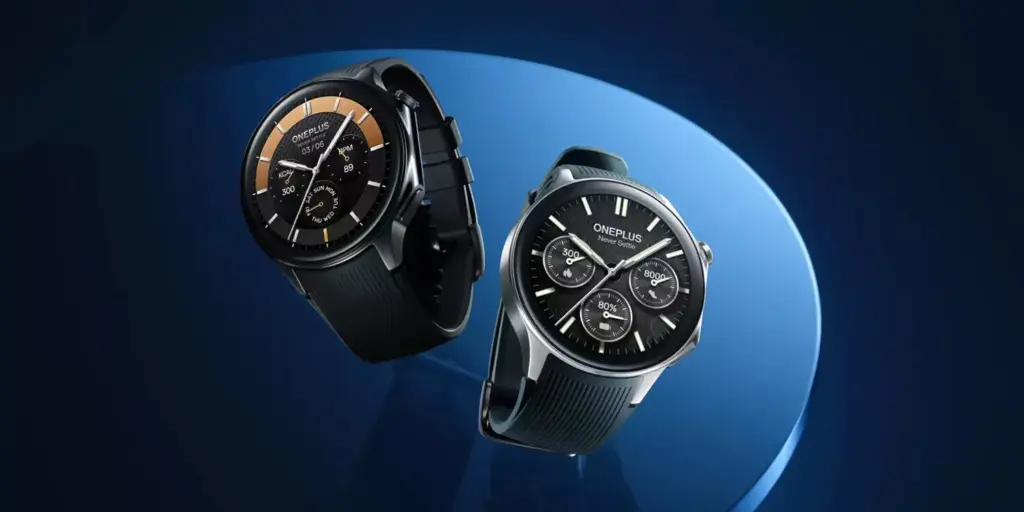
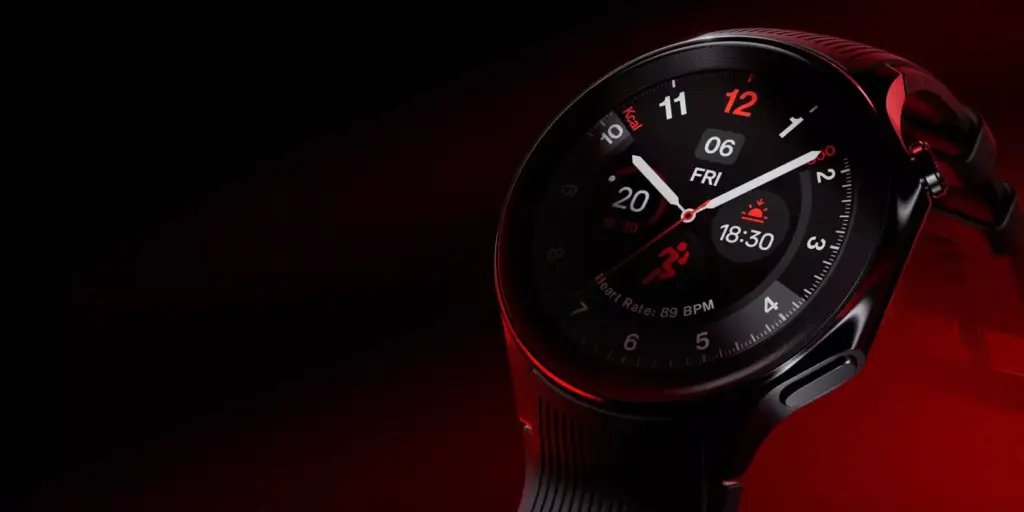
A new OnePlus smartwatch has cleared Google certification ahead of its official debut. The OnePlus Watch 4 is expected to launch soon and will come in two colour options — though owners of the Watch 3 may find the hardware underneath very familiar.
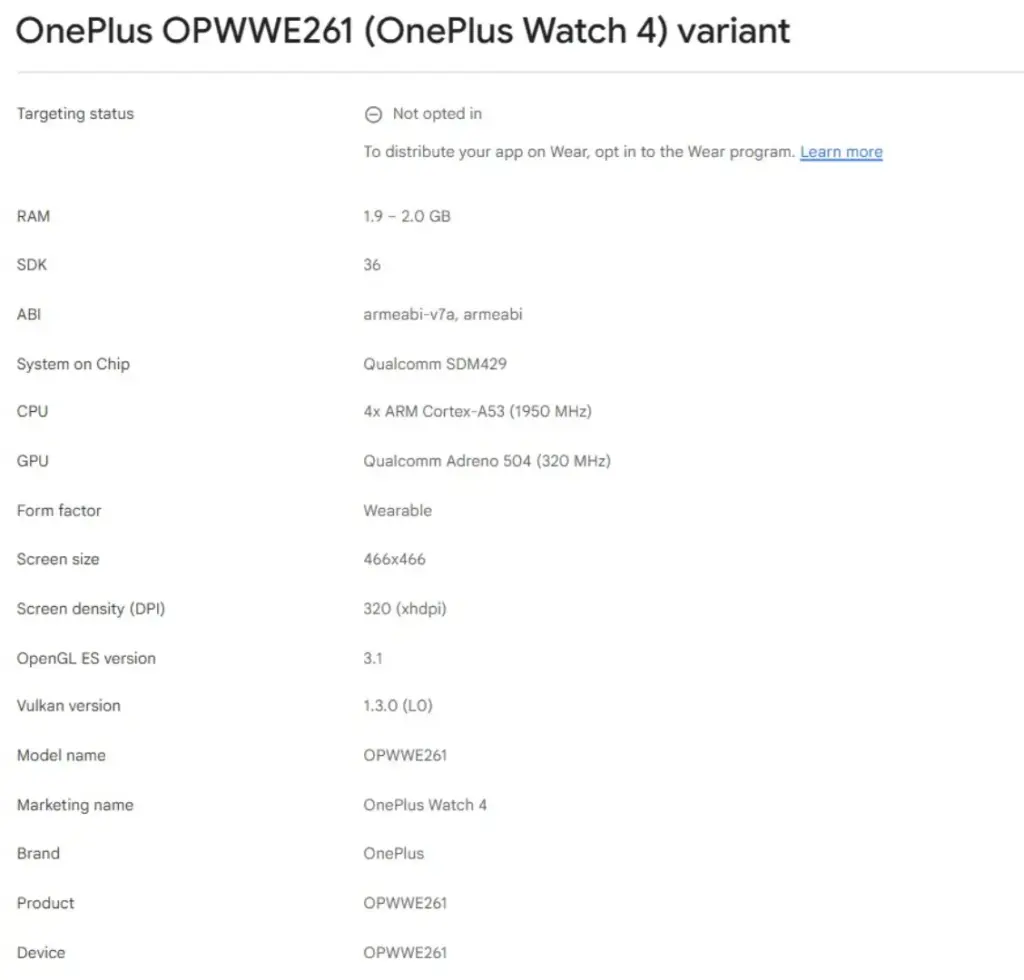
OnePlus spent last week teasing the Pad 4 tablet, a high-end release confirmed for India so far. Around the same time, early details about the company’s next smartwatch began circulating on X. Now, that same device has shown up on the Google Play Console, carrying the identical model number and retail name from last week’s leak. The listing doesn’t pin down a release date, but it does shed light on several key specifications before any official announcement.
The news isn’t particularly exciting for Watch 3 owners hoping for a hardware leap. As earlier rumors suggested, OnePlus appears to have carried over the internal components largely unchanged. The Google Play Console listing confirms the Watch 4 pairs 2GB of RAM with Qualcomm’s Snapdragon W5 Gen 1 chipset — not the newer Snapdragon Wear Elite that some had hoped to see.
The display situation follows the same pattern. The Watch 4 is listed with a 466 x 466-pixel resolution at 320 DPI, matching the Watch 3’s screen specs exactly, which points to a 1.5-inch panel once again. Taken together, the Watch 4 is shaping up to look a lot like a rebranded Oppo Watch X3 — a device Oppo is set to launch in the Eurozone on April 21 for €379 (approximately $449). The OnePlus Watch 3, for reference, is currently available on Amazon for $249.99, so it’ll be interesting to see where OnePlus prices its successor given the minimal spec changes.
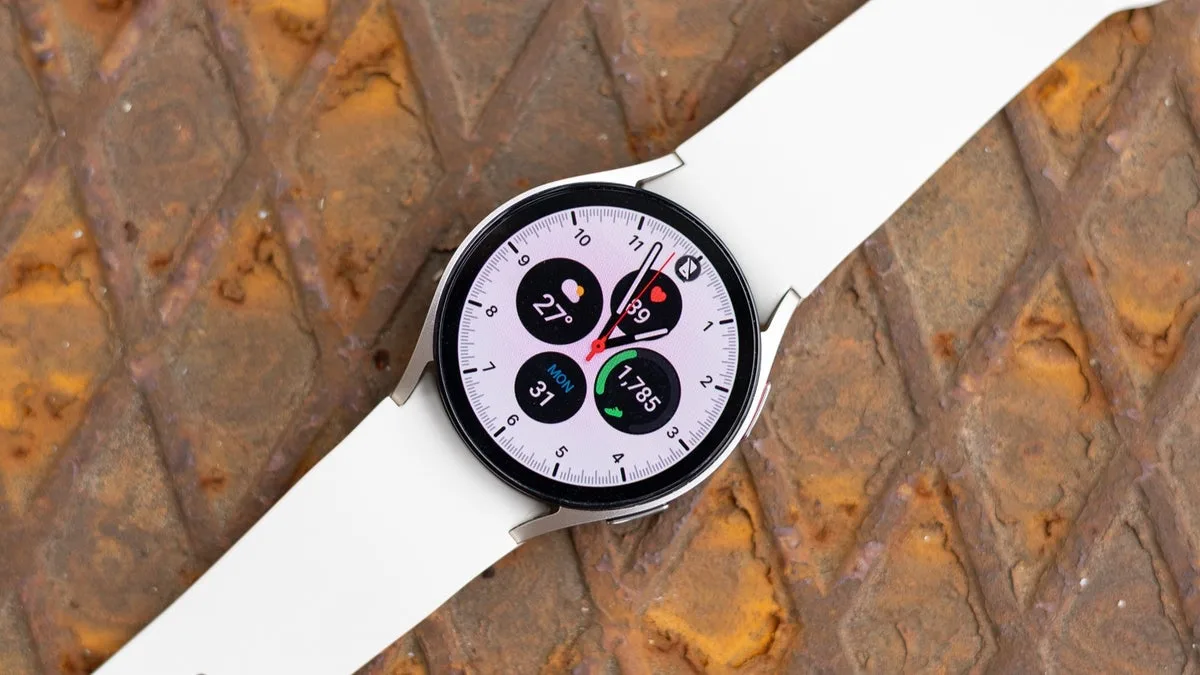
Your Galaxy Watch has a lot in common with a cluttered desk. The longer you use it – jumping between apps, running things in the background, switching modes – the more it accumulates invisible junk that slows everything down. Frozen screens, laggy responses, battery that drains faster than it should. Sound familiar?
The good news: you almost certainly don’t need a new watch. Nine times out of ten, the culprit is a bloated cache, and clearing it is one of the easiest things you can do.
What’s a cache, and why does it matter?
Your watch stores temporary data – bits of information from apps and processes – to help things run faster in the moment. Over time, that pile grows. What was meant to speed things up starts doing the opposite, and your watch starts feeling like it’s running through mud.
Samsung says the Galaxy Watch handles memory optimization automatically in the background, but that doesn’t mean you can’t give it a nudge yourself. Sometimes it needs one.
How to clear your Galaxy Watch cache
Clear your recent apps
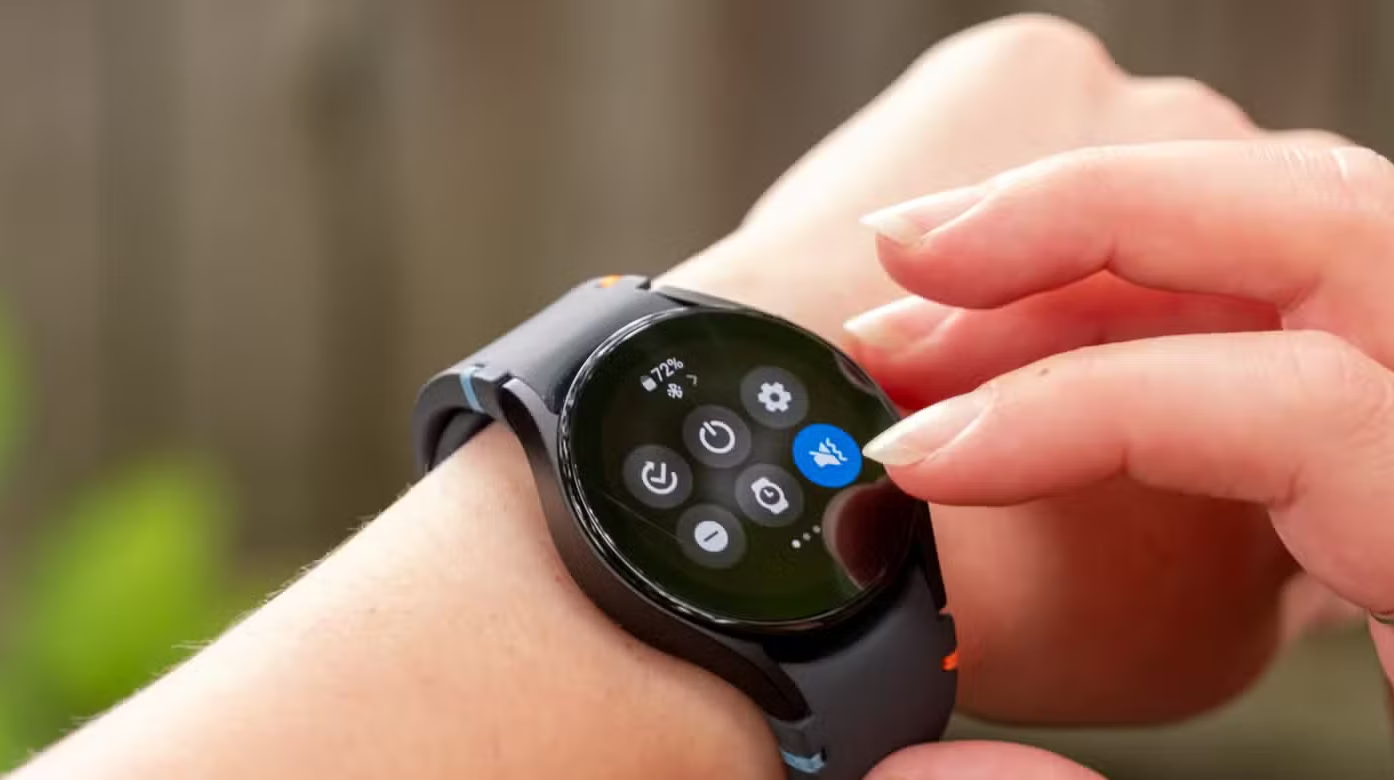
Swipe up from the watch face and tap the Recent apps icon. Hit Close all to shut everything down at once.
If you want to be more selective, open Recent apps again and tap Active in background. You’ll see which apps are running silently and can close whichever ones you don’t need.
Clean up the watch’s memory
Go to Settings > Device Care > Memory, then tap Clean Now. That’s it – your watch will free up whatever space it can.
Do both of these and you’ll likely notice a difference right away. Faster app launches, smoother navigation, better battery life. If your watch has been frustrating you lately, start here before assuming it’s time to upgrade. It usually isn’t.
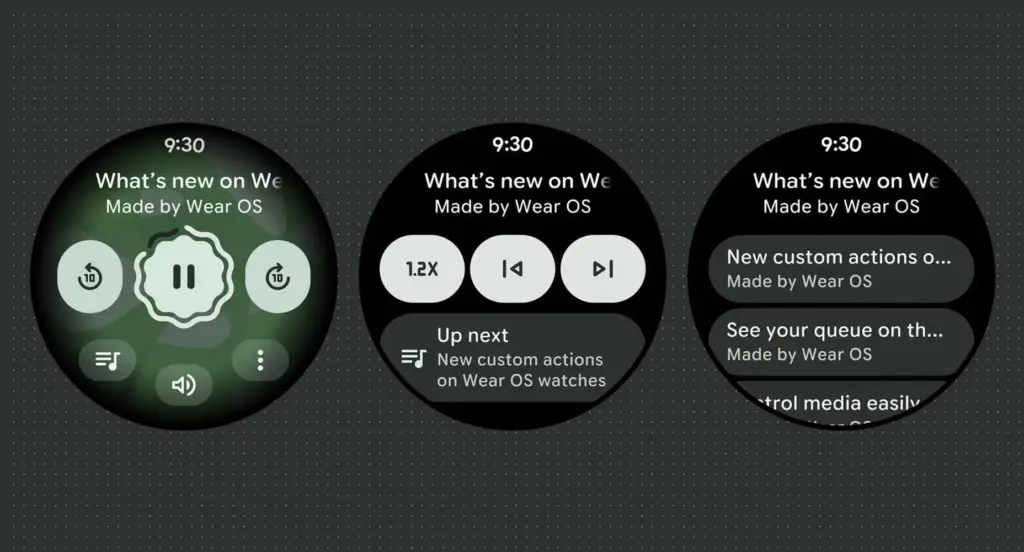
Google has launched Wear OS 6.1, based on Android 16’s second Quarterly Platform Release (QPR2) — specifically API level 36.1 — which first dropped in December as a minor SDK update. The last comparable release was Wear OS 5.1 in November 2024, which brought a significant jump from Android 14 to 15.
Google has confirmed that this update introduces no behavior changes for app developers, making it a relatively smooth transition on the development side.
What’s new for users in the new Wear OS
The headline addition is automatic time zone adjustment based on physical location. The feature keeps device time accurate as users move between regions, and it works even without a network connection. Users can manage the setting under Settings > Date & Time > Use Location (or on Pixel Watch: Settings > System > Date & Time > Use Location).
Improvements for kids and supervised accounts
Wear OS 6.1 also brings a handful of refinements aimed at younger users and family setups:
Kids graduation: When a supervised user reaches the age of consent, they can transition their device to a standard Wear OS experience. This removes parental controls and unlocks full access to device settings — no factory reset required.
Improved reauthentication: If a user’s credentials are invalidated — say, after a password change — they can now re-verify their Google Account directly on the watch or via the companion app, again without needing a factory reset.
Developer availability
Build BP4A.250916.026.E2 is now available through the Android Studio emulator.
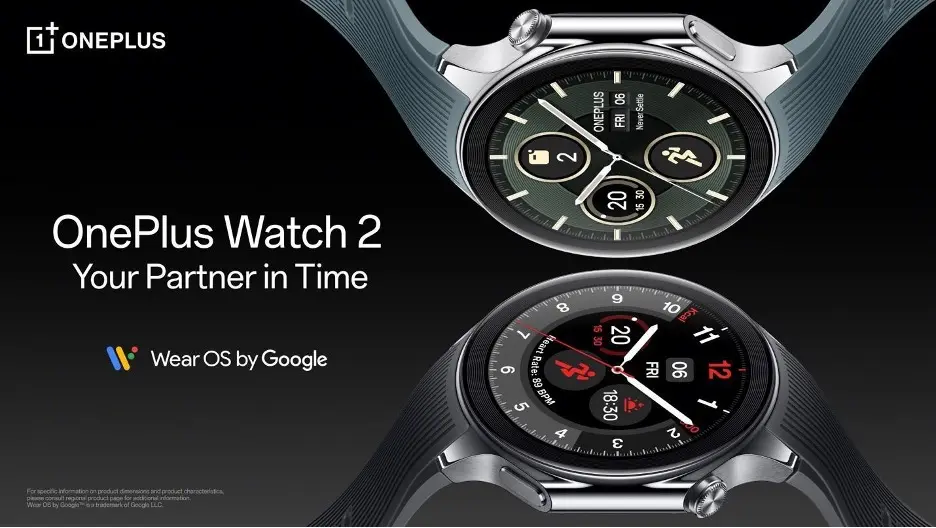
OnePlus released its Wear OS 5 update to certain OnePlus Watch 2 and 2R customers on December 29, slipping past its self-imposed end-of-year deadline, much like a college student faxing their assignment to the professor at 11:59 p.m. This last-minute update has caused issues ever since, as you could anticipate.
Wear OS 5 was originally scheduled to be released between July and September 2025 for the OnePlus Watch 2 and Watch 2R, which were both released in 2024 running Wear OS 4. The company merely stated that the upgrade would arrive “in the near future” after Android Authority inquired about the delay in October.
Some owners of OnePlus Watches have now received the update, but not all of them; my OnePlus Watch 2R, which is located in the United States, still displays the May 2025 security update and Wear OS 4. But considering the impact of the update, this could be a blessing in disguise.
The upgrade is seriously depleting the battery, according to this Reddit thread and other OnePlus forum postings. Before the upgrade, the Watch 2 and 2R often lasted three days in smart mode; however, some customers claim that even after attempting factory resets and other solutions, it won’t last a full day.One user states, “I’m completely heartbroken and frustrated with the severe battery drain issue impacting my OnePlus Watch 2 with the Wear OS 5 update.” “On light usage, my OnePlus Watch 2 now drops from full battery at 1:00 PM to a crucial 10% by 11:00 PM.”
Another customer comments, “I used to get 2.5 days easily with most settings on (at least 2 days)… Now I hardly get 1 day.” In response, someone said that while his drain wasn’t quite as bad, it was now “a strict 2 days” instead of the previous 3–4 days.
Many customers identify particular apps—such as the Weather app, Play Store, or “Wear OS” itself—as the source of the drain, but the diversity indicates that this is a system-wide problem rather than a single app.
The fact that stock Wear OS 5 is (A) a very modest upgrade with few notable changes and (B) meant to make Wear OS work more efficiently, as it did on Pixel and Galaxy Watches, is what makes this update particularly annoying to users. This unoptimized upgrade for last-generation phones is frustrating because the OnePlus Watch 3 has been running this version since April without any problems.
Any company can release a flawed update, but I would have expected OnePlus to either pull it back or provide an update schedule after two weeks. Instead, based from what we’ve seen, OnePlus hasn’t made any formal announcements. A few days ago, my colleague contacted OnePlus on the update, but we haven’t heard anything yet.
This upgrade greatly worries me because I have suggested the OnePlus Watch 2R as my top choice for an inexpensive Android smartwatch, mostly due to its long battery life. OnePlus must demonstrate that it will appropriately support these watches and that its pledge of two Wear OS updates and three years of security updates is more than just platitudes.
As it stands, the new OnePlus Watch Lite used a proprietary RTOS similar to the previous OnePlus Watch, completely eschewing Wear OS.
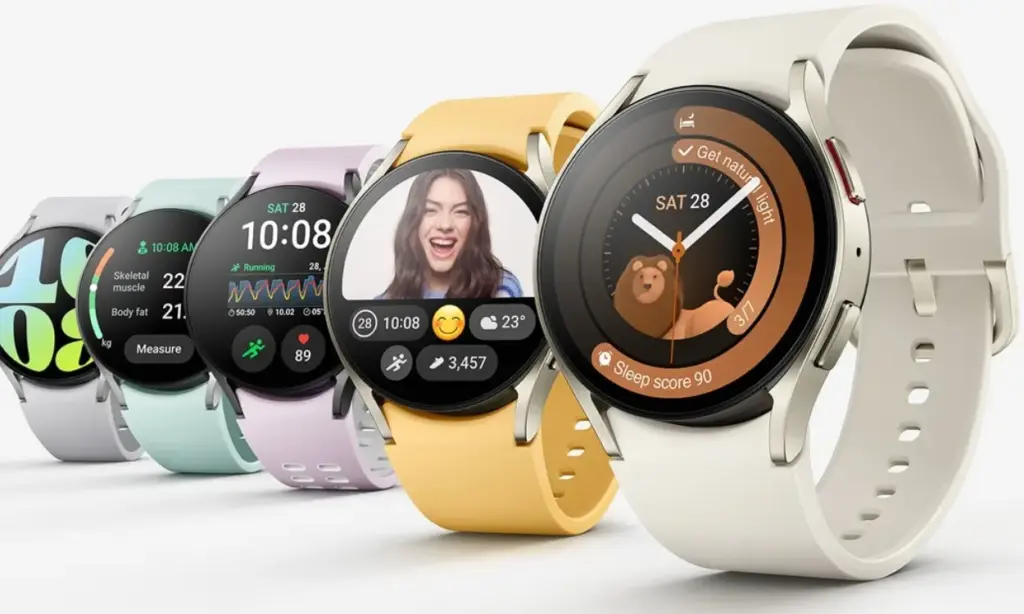
Less than a month ago, Samsung released another beta update for the Galaxy Watch 6, which perhaps caused some people to question when the full build would be released. With Samsung releasing One UI 8 based on Wear OS 6 for the Galaxy Watch 6 series, it seems like it will happen sooner rather than later.
In Korea, Samsung’s initial One UI 8 upgrade for the Galaxy Watch 6 and 6 Classic is presently being released (via GSMArena). The US should soon follow suit, adding more regions to the list as similar updates usually do.
The UI and fitness features of the Galaxy Watch 6 and 6 Classic will evolve as more regions become accessible. In particular, One UI 8 Watch introduces a new stacked tile feature for improved widget access, which is much appreciated.
Wear OS 6 is coming
If Samsung is sticking to the same schedule as it did with the Watch 6 series, the Galaxy Watch 5 is scheduled for another beta upgrade in the near future. Although Samsung hasn’t given any timeframe information, it is anticipated that the Galaxy Watch 5 will have access to a final build of Wear OS 6.
Instead of using the Members app, you can download the update using the Galaxy Wearables app. Go to the settings and search for the software update page after that.
The battery life would be the main justification for purchasing a Pixel Watch 4. Yes, this device has many useful features, but since I reviewed it, the battery life has improved, and I’ve seen a lot of positive reviews for Google’s newest wristwatch.
Referring back to my evaluation from early October, I found that the Pixel Watch 4‘s battery life (on the 45mm variant) was as good as Google had promised, with some days being shockingly long. Thus, we’re talking about using the always-on display for around 40 hours and turning it off for about 48 hours. However, there were a few crazy days when I used the watch extensively—5.5 hours of exercise and complete sleep tracking—and it lasted more than 48 hours.
As I said in my review, the moment I switched on the “Raise to talk” feature, which activates Gemini, the battery life dropped from that high. I subsequently reduced the sensitivity significantly before turning it off entirely. Both of those have been beneficial. I’m not sure if I’m back to that degree of battery madness, but I’ve noticed that I think about battery life far less and that the watch is on the charger much less frequently each week.
Google Pixel Watch 4
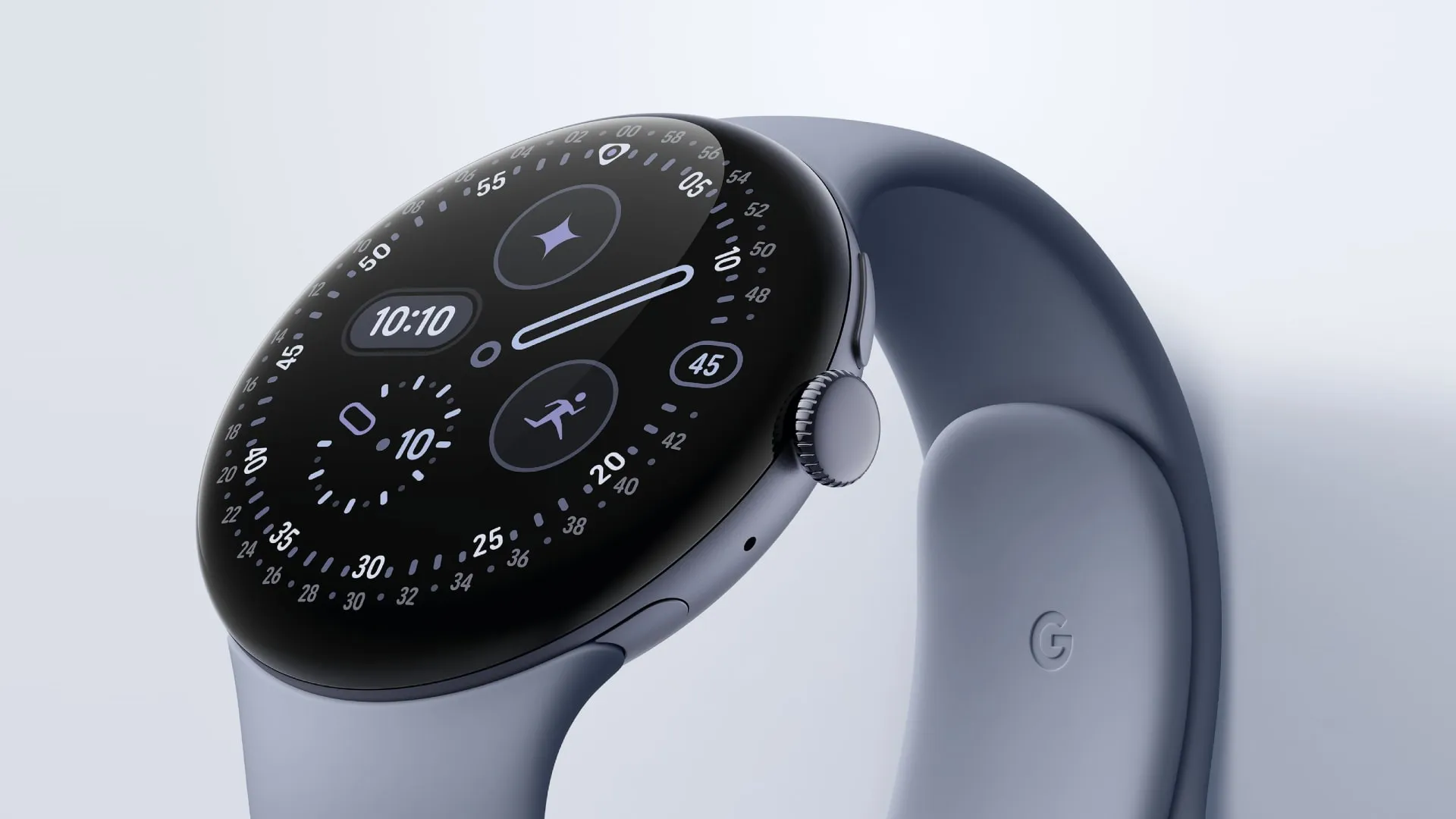
The Google Pixel Watch 4 is a stunning display of precision craftsmanship, with Gemini, your built-in AI assistant, Google’s longest-lasting battery, and comprehensive tools for next-level health and fitness performance
I’m not by myself either. A user displayed a 76% battery left status in a Reddit discussion after 16 hours without a charger and with AOD activated. Some were dubious, but after looking at my own stats in the last few weeks, I think it’s true. In same discussion, another user attested to the fact that their usage was either comparable to or significantly less than that of the Pixel Watch 3.
One user described battery life as “amazing” in another discussion before praising the excellent charging conditions. I also discussed that in my review. Compared to earlier Pixel Watch versions, nearly all of which took more than an hour to fully charge, I was able to charge from 20% to 100% in about 40 minutes. According to a different Redditor, they tested the charger twice between 0 and 100% and essentially reached the 40-minute threshold. Additionally, the innovative magnetic charger transforms your tiny watch into a little desk or bedside clock and is incredibly easy to use.
Since Google is on its fourth generation of the Pixel Watch, time flies, if you will, and smartwatches are an essential component of our everyday digital environment.
Even though Google has been producing wearable software for a long time, it took some time to enter the market, but the Pixel Watch soon became one of the top substitutes for the Apple Watch.
Although the Pixel Watch 4 and the previous model may look very similar, this is not a bad thing because Google has made a number of changes and improvements that are difficult to notice at first sight.
The Pixel Watch 4 may be the greatest Wear OS smartwatch of the year, as Samsung’s Galaxy Watch 8 series has been somewhat of a letdown. To discover out, I’ve been using it for almost three weeks.
Design
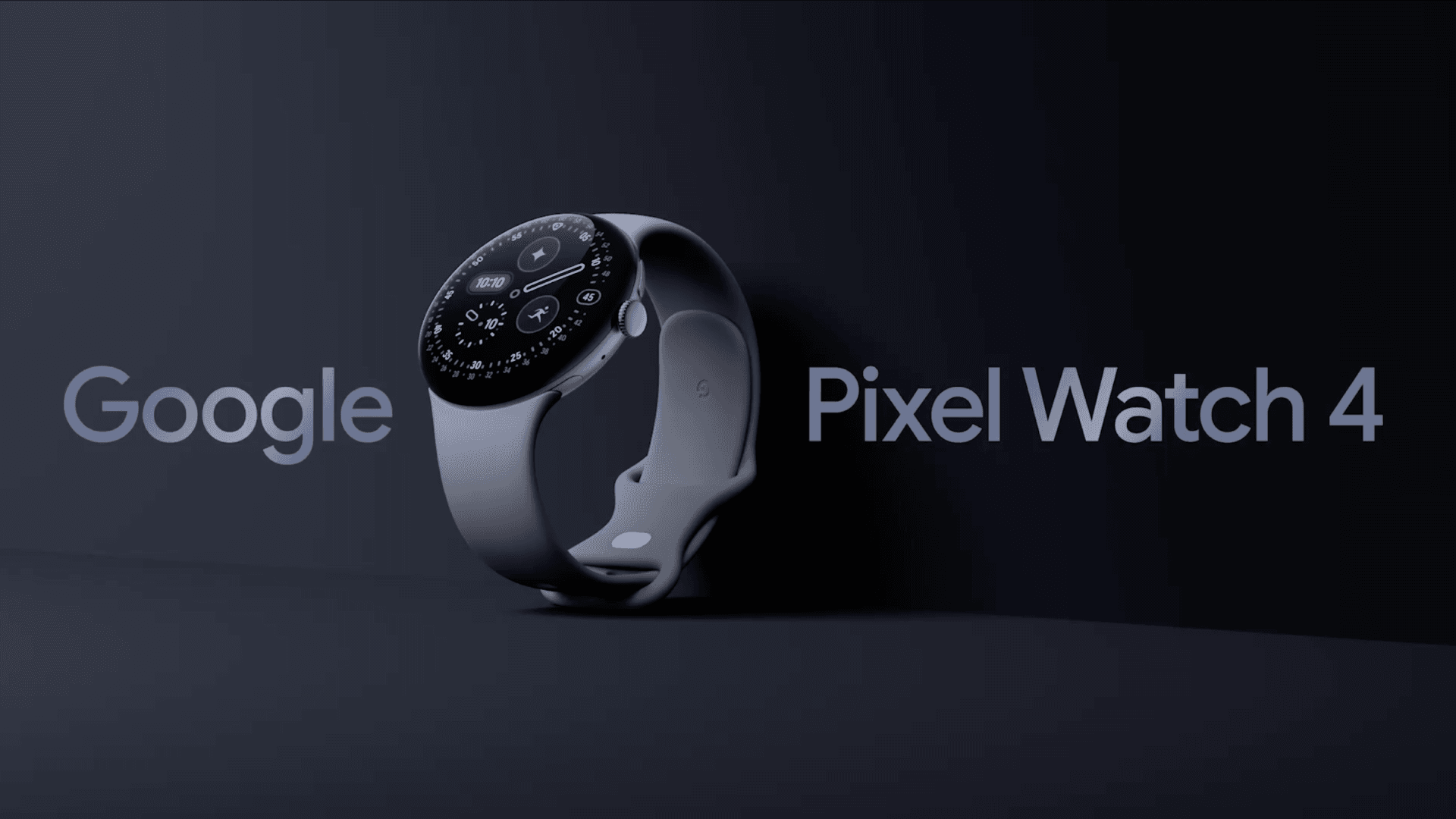
The Pixel Watch 4 bears a striking resemblance to the original, as well as to the Pixel Watch 3. We frequently demand design overhauls as tech reviewers, but in this instance, I don’t believe one is presently necessary.
Google rectified a significant issue and released a bigger size last year. You can choose between 41- or 45mm models this year, and we are testing the larger one here in the new Moonstone design, which I think has a smart yet simple appearance that appeals to both genders.
If you choose the correct model, you might be able to match this color, along with some of the other colors, with the Pixel 10 phones. However, because Champagne Gold is only available in 41mm and Moonstone is only available in 45mm, it’s not that simple.
The Pixel Watch 4 is quite comfy to wear all the time. The aluminum body, which weighs only 37g for the larger version, and its sleek design are a match made in heaven.
You have the digital crown on the side to access your apps and scroll, as normal. There is also a button above it to view your recently used apps, however I never seem to utilize it.
Before we continue, there are two more design components to discuss, and the first one turns out to be better in person than anticipated.
In order to accommodate a new dock, Google has shifted the charging pin connectors to the side. These appeared to have been deliberately excluded from pictures of the watch. Many people, myself included, were concerned that they might appear rather unattractive as a result, but thankfully they don’t.
Since Google redesigned the device to be repairable, even though it still looks roughly the same, the other design element is unseen as such.
Fans have requested that, and now the Pixel Watch 4’s screen and battery may be swapped out if necessary. If you have an accident or want to replace the battery to prolong the device’s life, that’s fantastic news. You could even do it yourself.
The Pixel Watch 4 can now be fixed at home because it is fastened together with screws rather than glue. Even its IP68 water and dust resistance need be maintained.
It even received a 9 out of 10 for repairability from Ifixit, which referred to it as “the best repairable smartwatch on the market.”
Although you probably won’t need this feature anytime soon, it’s important to note that the Pixel Watch 4 has Gorilla Glass 5 rather than sapphire glass like some of its competitors.
As a result, it is less scratch-resistant, but it should withstand drops and impacts better. We haven’t experienced any issues with watches that have been in use for a year or longer, and the same glass has been used in watches from earlier generations.
Google Pixel Watch 4
he Google Pixel Watch 4 is a stunning display of precision craftsmanship, with Gemini, your built-in AI assistant, Google’s longest-lasting battery, and comprehensive tools for next-level health and fitness performance
You wouldn’t notice the Pixel Watch 4’s new screen beneath the glass front, showing how well it conceals its improvements. The Actua 360 AMOLED screen has a domed display and is referred to by Google as the “first-of-its-kind.”
It truly differs significantly from both its predecessors and others. You can see what’s available from the side thanks to its slight fish-eye vision, which is similar to what you get from glass beer pumps at bars.
It’s not so spectacular, but the experience is enjoyable and the “active area” is bigger than it was previously.
The resolution and dynamic refresh rate of 1–60 Hz are among the specifications that are essentially the same everywhere. At 3000 nits, the new peak brightness is comparable to several “Ultra” category smartwatches.
While I’ve been testing the Pixel Watch 4, the weather has been not that sunny, but on one particularly sunny day outside, I used it without any problems.
The Pixel Watch 4’s left-side speaker is respectable and more than capable of picking up Gemini’s responses. If you would like, you can also use it to make a phone call.
Google Pixel Watch 4
he Google Pixel Watch 4 is a stunning display of precision craftsmanship, with Gemini, your built-in AI assistant, Google’s longest-lasting battery, and comprehensive tools for next-level health and fitness performance
The Pixel Watch 4 features a the new operating system, WearOS 6 in addition to a new processor, Qualcomm’s Snapdragon W5 Gen 2.
Sometimes things don’t happen quickly. It may take a moment or two to load certain apps, like Spotify, and call out Gemini, but this usually happens on the first time. You’ll also need to exercise patience if you’re connecting to a Nest camera’s live stream.
Similar to Pixel phones, the Pixel Watch 4 features Google’s Material 3 Expressive design language and the most basic version of Wear OS 6 (Samsung, for instance, puts One UI 8 Watch over the top).
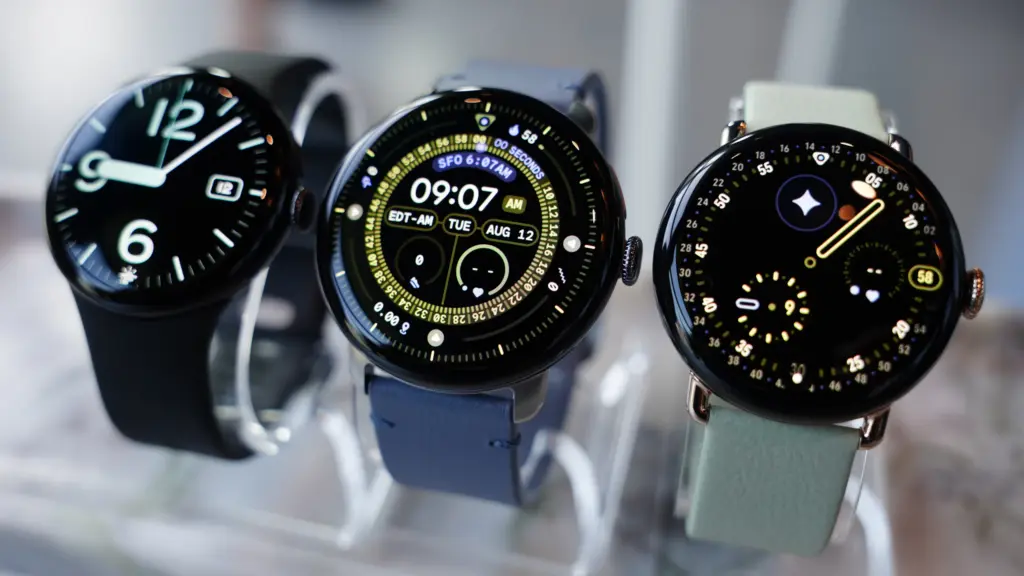
With optimized designs, animations, vibrant colors, and more, it performs incredibly well on the smartwatch. In my view, part of it appears too young on phones, yet it feels more modern. A dozen watch faces are pre-installed, but adding additional is simple.
Once more, the tiles on either side of the watch face – which are effectively widgets – provide instant access to features and information and may be tailored to your specific needs.
The experience is further improved by a new haptic feedback engine, which makes everything from scrolling to notifications clear and responsive.
On the Pixel Watch 4, Gemini takes the role of Google Assistant (the AI bot is being implemented on all devices). If you’d like, you can even configure it to wake up with a wake-to-wake command.
Although I’ve seen that I use the watch much more than my phone, it can be challenging to understand its limitations. Naturally, it can respond to requests, but this option is only a shortcut to my current heart rate, even though the welcome guide that came with it stated that it could “inform you about your heart rate.”
Additionally, there are AI capabilities like Smart Replies that try to provide tailored recommendations based on your writing style. When someone asks what coffee they would like, the Google Store example shows a selection of two coffees.
I’m lucky that this works with WhatsApp, which is where I send all of my messages, but it doesn’t seem to know me well. I was given three different ways to request a black coffee, which is the only type of coffee I don’t consume, in response to the coffee question. All it said in a group chat was “hahaha.”
It’s also important to note that Smart Replies only function on Pixel phones.
Some safety features include fall detection, loss of pulse detection, check-in, crash detection, and emergency SOS, but I haven’t required any of them. Please take note that satellite connectivity requires the LTE models.
Google Pixel Watch 4
he Google Pixel Watch 4 is a stunning display of precision craftsmanship, with Gemini, your built-in AI assistant, Google’s longest-lasting battery, and comprehensive tools for next-level health and fitness performance
It performs all the functions you would anticipate from a top smartwatch, but Google hasn’t improved the tracking sensors from the Pixel Watch 3.
The default watch face displays the steps, calories, floors, and other metrics along the border of the larger 45mm screen. The Fitbit app, which is due to undergo a major revamp, also includes information on skin temperature, heart rate, blood oxygen levels, and other aspects of exercise.
Google Pixel Watch 4
he Google Pixel Watch 4 is a stunning display of precision craftsmanship, with Gemini, your built-in AI assistant, Google’s longest-lasting battery, and comprehensive tools for next-level health and fitness performance
You may explore many areas on the Pixel Watch 4 and the Fitbit app on your phone, which provides you with a comprehensive picture of your activities. Everything in my testing, including sleep tracking, which provides you with a score and a summary of your night, is correct.
To get “advanced insights, personalised recommendations, and energizing workouts,” you will need Fitbit Premium, which costs £7.99/$9.99 per month or £79.99/$79.99 per year. One of the best features of Fitbit Premium is the Readiness score, which considers all the data to determine how much you should take that day.
Fitbit Premium is available for free for six months with the Pixel Watch 4, so you can at least give it a try before determining if it’s worth the money. Morning Brief, which provides you with a summary of your calendar, sleep patterns, and weather, won’t require it.
Via Fitbit, Google does a great job of presenting all the information and helping you achieve your goals.
You may focus more on things like the Cardio Load metric and the Fitbit phone app, which offers a plethora of workout videos and a running coach (though I haven’t been able to try the AI personal health coach because it’s only available in the US), if you’re more of a fitness enthusiast than I am.
If fitness is a top priority for you, you can choose a Garmin or something similar, but for a more popular wristwatch, I think the Pixel Watch 4 performs admirably.
It can automatically track several of the 52 sports that are available for activity tracking. The selection is a little odd given that pickleball (whatever it is) is right there and boxing is AWOL, but other watches can do many more, frequently much over 100.
Dual-band GPS is now available for more precise tracking during walks, runs, and other activities. I discovered that it picked up a signal in a matter of seconds. It recorded my walks around the neighborhood with a good degree of precision, even though I don’t live in a dense forest where technology has a greater influence.
The bodily reactions feature (as well as equivalent features on competing watches) that tracks your emotional state hasn’t convinced me yet. This still looks basic, though, as it seems to identify an elevated heart rate—which might be caused by nearly anything.
Along with the ability to record your mood—whether it be joyful or anxious, for instance—you will receive a message. The few “feelings” I could choose from meant that I was rarely able to choose how I truly felt, and when I could recall what I was doing at the time, it was usually something routine like getting my kid ready to leave the house.
Google Pixel Watch 4
he Google Pixel Watch 4 is a stunning display of precision craftsmanship, with Gemini, your built-in AI assistant, Google’s longest-lasting battery, and comprehensive tools for next-level health and fitness performance
You can use the Pixel Watch 4 for up to 30 or 40 hours (41 and 45 mm, respectively) with the display always on thanks to Google’s ability to squeeze a little larger battery into both sizes.
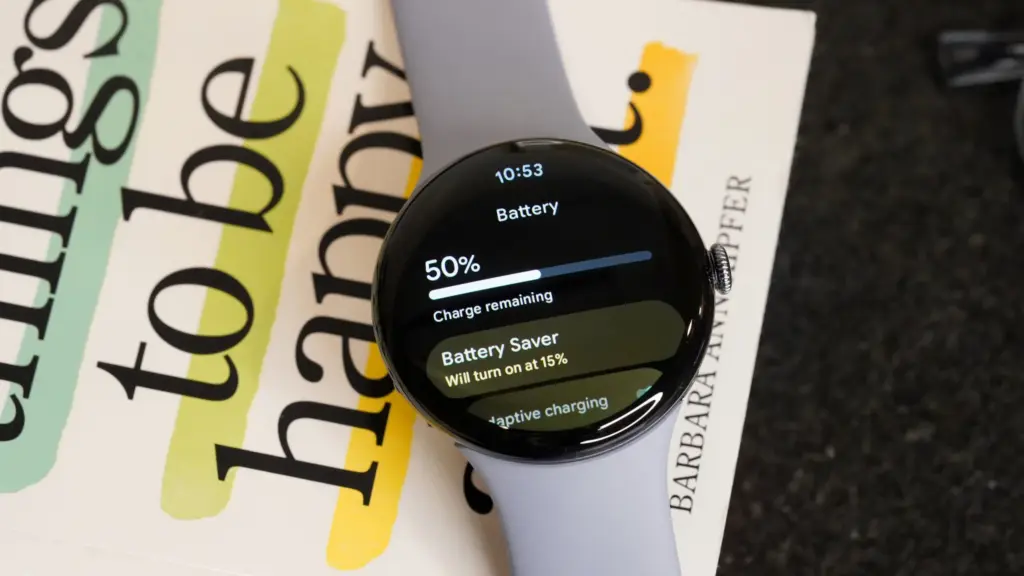
With Battery Saver enabled, this lasts for 48 or 72 hours, although you should avoid using the watch in that mode unless absolutely necessary.
The purpose of your smartwatch will determine how long its battery lasts. We’ve been testing the 45mm model, and with less use, we can get two days and nights on a single charge, sometimes even more.
Regular charging is necessary for users who use GPS to track intense exercises every day, use the screen in direct sunlight, and use other battery-draining features.
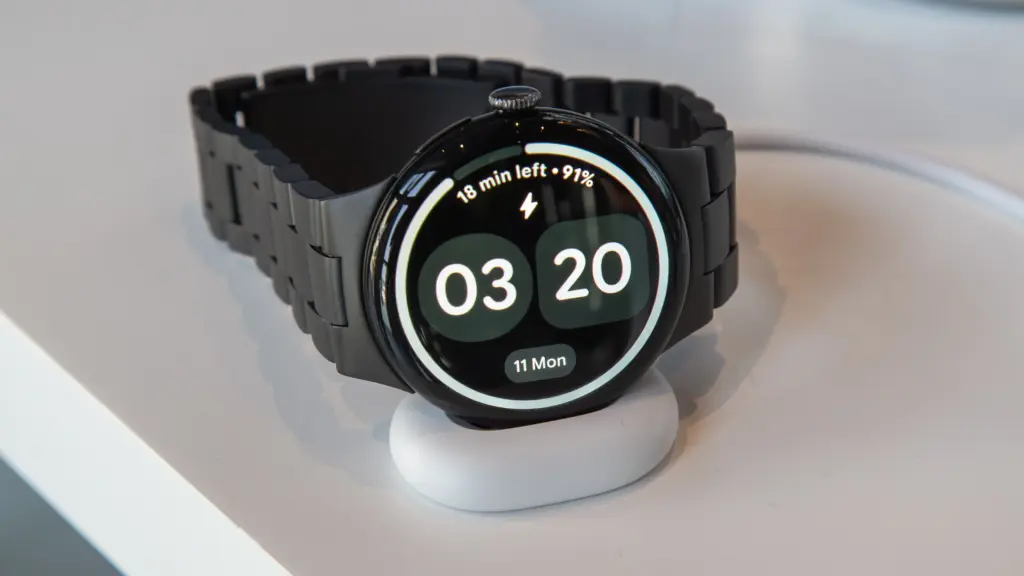
When you do, though, it’s incredibly quick, and Google’s new Quick Charge Dock is a lot more stylish option than the earlier chargers.
Although the dock is modest and might use some weight to maintain its flatness (cable management is crucial in this situation), I still greatly like it over the prior version or other competitors. The screen will indicate whether the other end of the cable is plugged in or whether the contacts are not perfectly aligned. It will also display the time and remaining battery life when charging.
Even for the 45mm with a larger battery, charging is remarkably fast (25% faster than the Pixel Watch 3); our testing even surpass Google’s claims in this regard. I watched it go from completely dead to 50% in 15 minutes and 89% in 30 minutes.
One important aspect of the Pixel Watch 4 is that the battery can be changed, as stated in the design section. You might even feel comfortable doing it at home. If you want the item to endure many more years before you need to upgrade, this could be essential.
Google Pixel Watch 4
he Google Pixel Watch 4 is a stunning display of precision craftsmanship, with Gemini, your built-in AI assistant, Google’s longest-lasting battery, and comprehensive tools for next-level health and fitness performance
The Pixel Watch 4 is priced at £349/$349.99, which is the same as its predecessor despite the numerous improvements.
Naturally, that will result in the WiFi/Bluetooth model’s smaller 41mm size; hence, it will cost more to add LTE connectivity or go with the larger 45mm.
Pixel Watch 4 (41mm Wi-Fi) – £349/$349/€399
Pixel Watch 4 (41mm LTE) – £449/$449/€499
Pixel Watch 4 (45mm Wi-Fi) – £399/$399/€449
Pixel Watch 4 (45mm LTE) – £499/$499/€549
In spite of Google, you can get it via US retailers like Amazon, Argos, Currys, Very, John Lewis, and Best Buy.
It’s fairly priced, falling between the Samsung Galaxy Watch 8 (£319/$349.99) and the Apple Watch Series 11 (£369/$399). To get the most out of Fitbit, you may need to purchase Fitbit Premium, as previously suggested.
Google Pixel Watch 4
he Google Pixel Watch 4 is a stunning display of precision craftsmanship, with Gemini, your built-in AI assistant, Google’s longest-lasting battery, and comprehensive tools for next-level health and fitness performance
With just a few minor problems, the Pixel Watch 4 is, in our opinion, the greatest Wear OS watch available.
Although you may disagree, it’s the most attractive watch, and Google did a fantastic job of making it repairable so you can change the screen or battery – possibly at home.
The interface looks and functions fantastic, the new Quick Charge Dock is a blessing, the domed screen is a treat, the performance is generally smooth, and there are many smartwatch, fitness, and health capabilities.
Gemini still needs more improvement, and Smart Replies are limited. In addition, the OnePlus Watch 3 offers a more durable smartwatch at a lower cost.
However, if you’re searching for a flagship smartwatch that does almost everything well, the Pixel Watch 4 is a great all-arounder and comes highly recommended.
All specs
Wear OS 6
41 or 45mm
Actua 360 display, AMOLED, 1-60Hz, 3000 nits peak
Snapdragon W5 Gen 2
2GB RAM
32GB storage
Heart rate monitor
SpO2
ECG
Skin temperature
Microphone
Speaker
Wi-Fi 6
Bluetooth 6.0
Satellite SOS (LTE models)
Ultra Wideband
Dual-band GPS
eSIM
NFC
325/455mAh battery
Quick Charge Dock
Gorilla Glass 5
IP68/5ATM
31/37g
Google Pixel Watch 4
he Google Pixel Watch 4 is a stunning display of precision craftsmanship, with Gemini, your built-in AI assistant, Google’s longest-lasting battery, and comprehensive tools for next-level health and fitness performance
Since Google’s Wear OS is, in my opinion, the greatest wearable experience, I’ve been alternating between different Google and Samsung Galaxy Watch models for the past few years to pair with my Android. Long-lasting batteries are a characteristic I’ve grown to value in smartwatches, and the Mobvoi TicWatch Pro 5 Enduro is among the finest in that regard.
My biggest complaint about Wear OS smartwatches has been resolved by the TicWatch Pro 5 Enduro‘s marathon battery life, which has allowed me to run, row, bike, and sleep with it for months.
Ticwatch Pro 5 Enduro
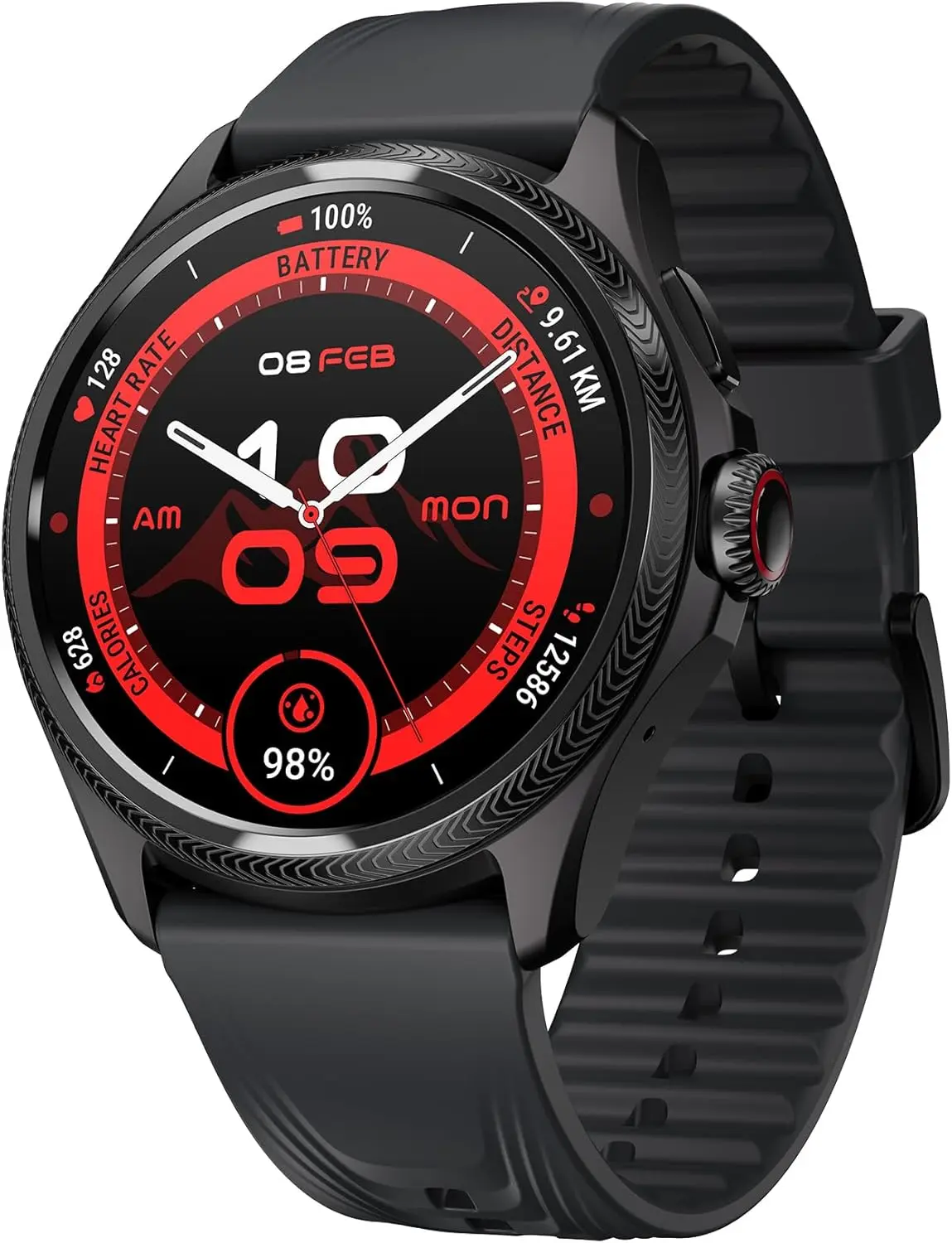
eaturing a stylish and functional 1.43-inch OLED screen (466*466 high-resolution) with auto-adjustable brightness and Sapphire Crystal Glass. The interchangeable 24mm strap is made of durable and sweat-proof Fluororubber material.
The smartwatch that lasts all week: once-weekly charging made real
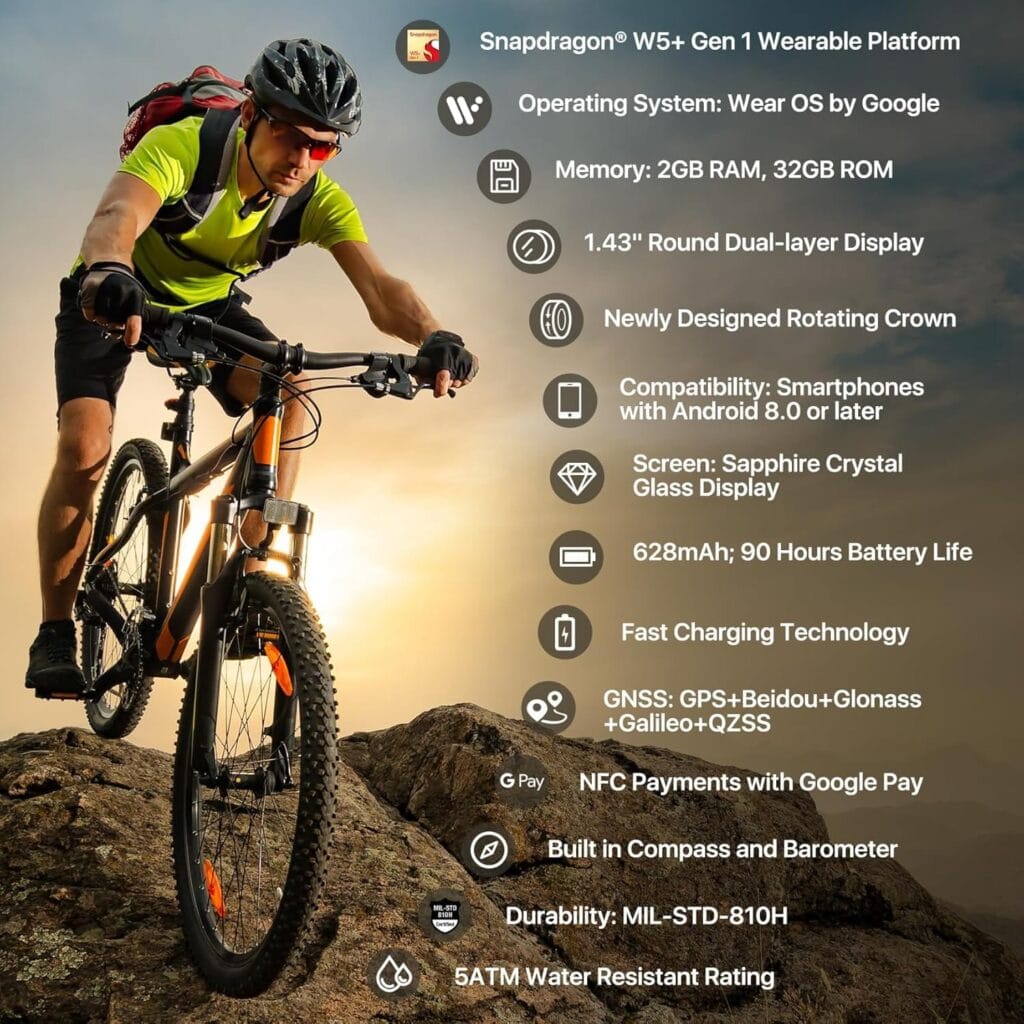
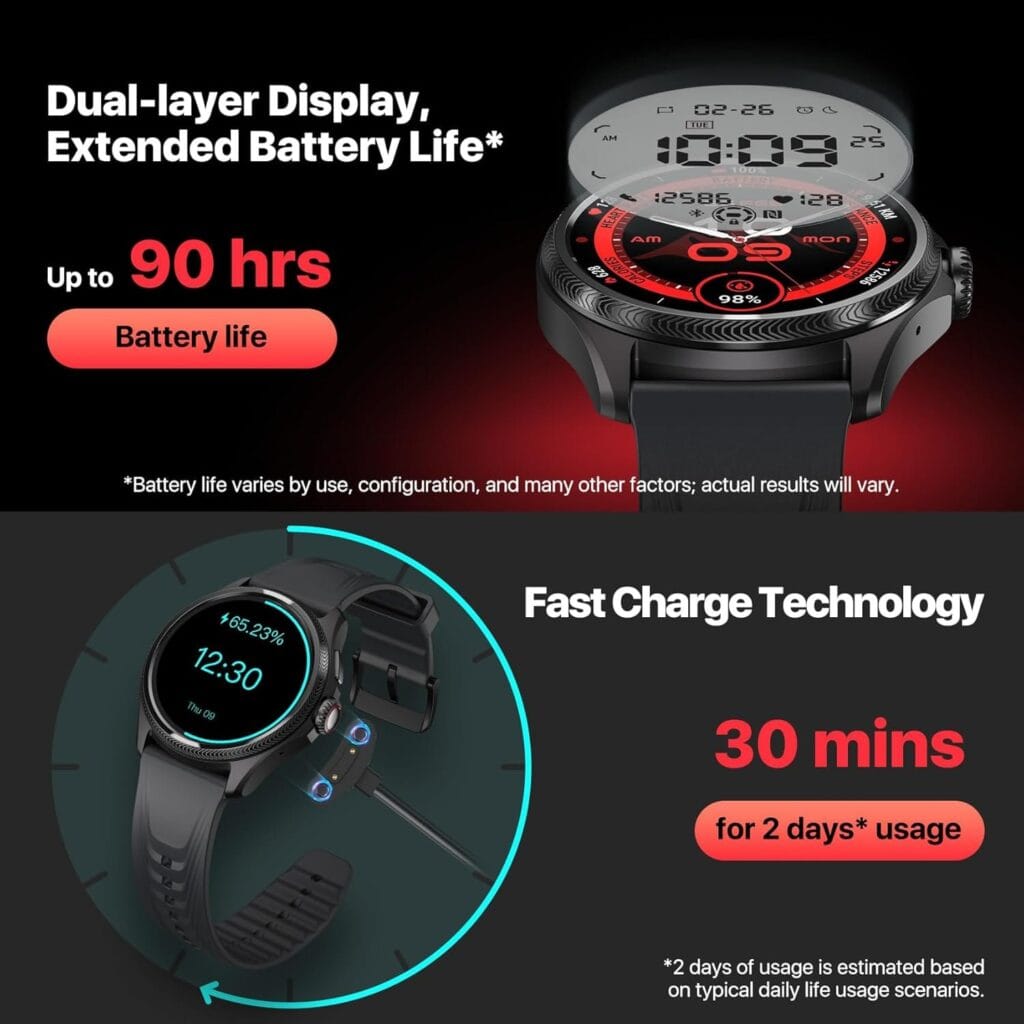
For low-power standby use, its enormous 628mAh battery features a distinctive dual display architecture. This corresponds to a claimed battery life of up to 45 days in Essential Mode and 90 hours, or almost four days, in Smart Mode. Even better, the battery can last up to two days with just 30 minutes of quick charging.
I use the outdoor running mode with GPS tracking on while I run outside, and based on my consumption calculations, the Pro 5 Enduro should be able to follow my location for up to 15 hours. Wearing the watch to measure my 24/7 activity and sleep, I usually row on the Hydrow a couple of times and run a couple of times a week (30 to 45 minutes each time).
The four days or 90 hours of usual usage seem correct to me because I’ve been charging the watch once a week with this usage pattern.
In contrast, the Samsung Galaxy Watch 5 Pro will last me into the third day before dying, whilst the Google Pixel Watch 3 dies on me on the second day. If a long-lasting battery is your first priority, I highly recommend the TicWatch Pro 5 Enduro. It is the undisputed leader in battery life.
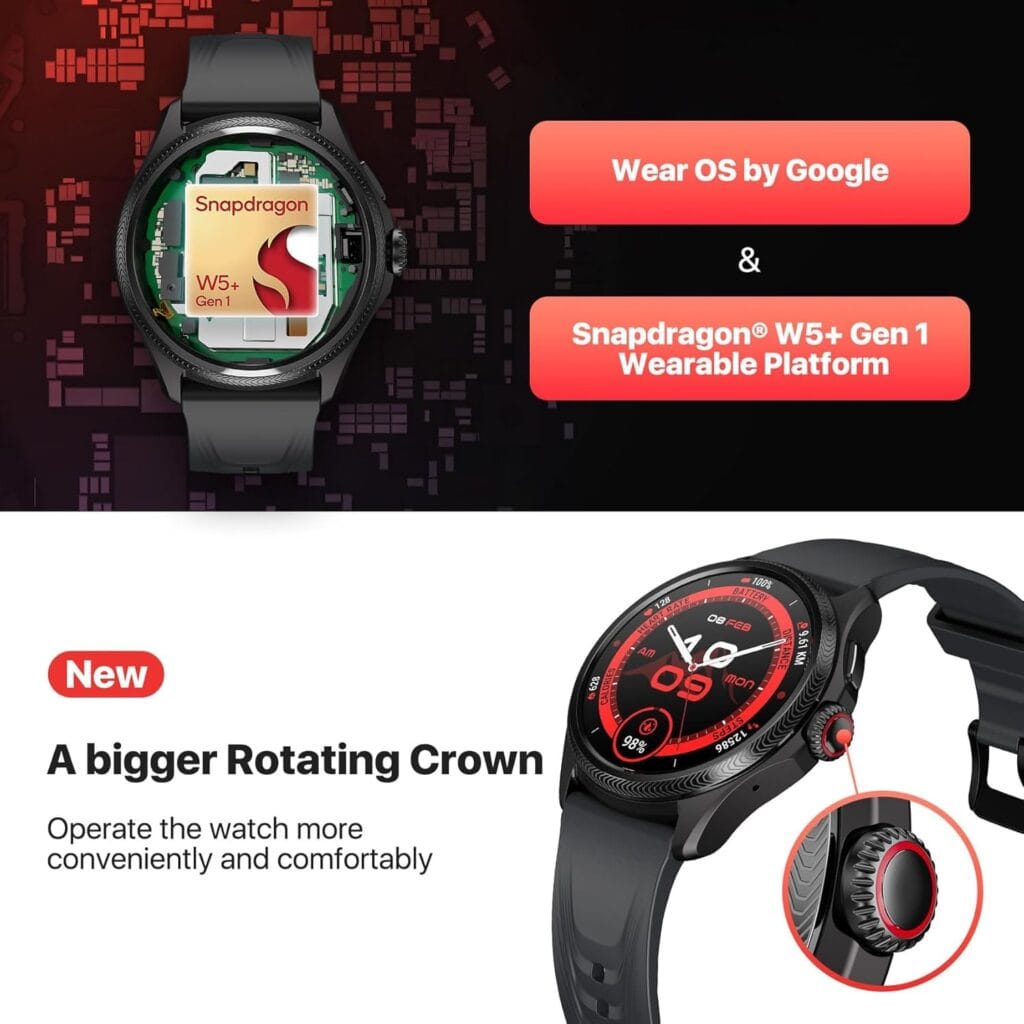
Although it is presently running Wear OS 3.5, the Snapdragon W5 Plus Gen 1 Wearable Platform helps to provide the remarkable battery life and will facilitate a future update to Wear OS 4. This warning is important to remember because Mobvoi hasn’t demonstrated a history of providing timely updates. Given that Wear OS was first made available in the fall of 2023, this new model ought to have come pre-installed with Wear OS 4, let alone Wear OS 5.
All about battery life
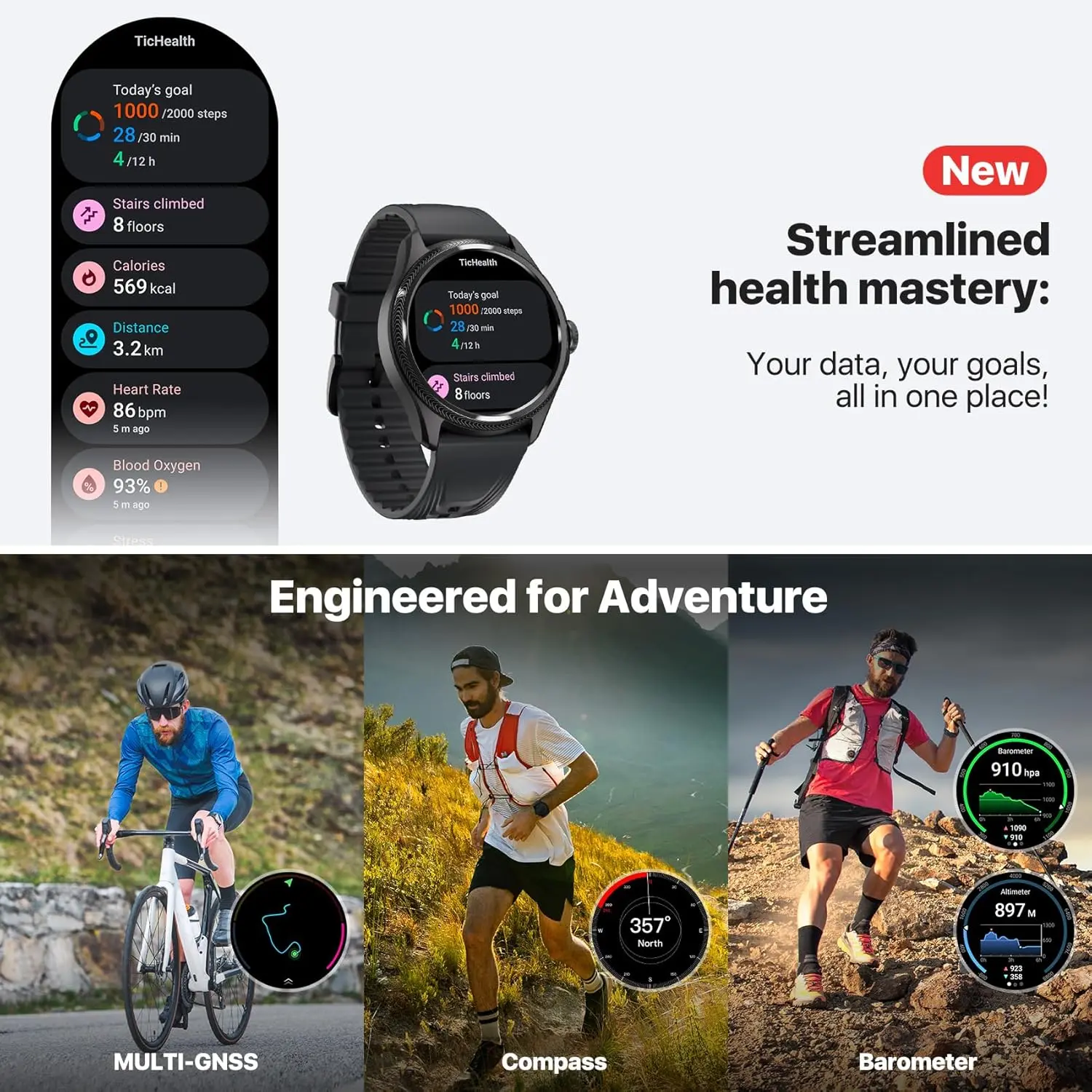
Extremely helpful is the dual-display technology with interactive and adaptable ultra-low-power display options. The always-on display, which is located on the top layer of the watch and provides important metrics like the number of steps taken, heart rate, battery life, time, and date, may be highlighted with any of 18 background colors.
A full-display heart rate measurement, blood oxygen level, and compass heading are displayed when the huge rotating crown button is spun in this dual-display mode.
This ultra-low power display layer will illuminate in six colors that correspond to your current heart rate zone while you’re exercising. In the middle of a workout, this feature is quite helpful for quickly determining which zone you’re in without having to concentrate on tiny numbers. Additionally, this mode links the ultra-low power display with third-party apps like Strava and Nike Run Club to display information like elevation, pace, and heart rate.
More than 100 workout options are available on the TicExercise app, along with stats like speed, VO2 Max, GPS tracking, and recuperation time. Regretfully, the data screens for the different workouts cannot be altered. For casual athletes, this might be acceptable, but I would want to see some basic adjustment to give priority to the most crucial information. Fortunately, you can download third-party services like Strava to get the most of your experience because this watch has Wear OS.
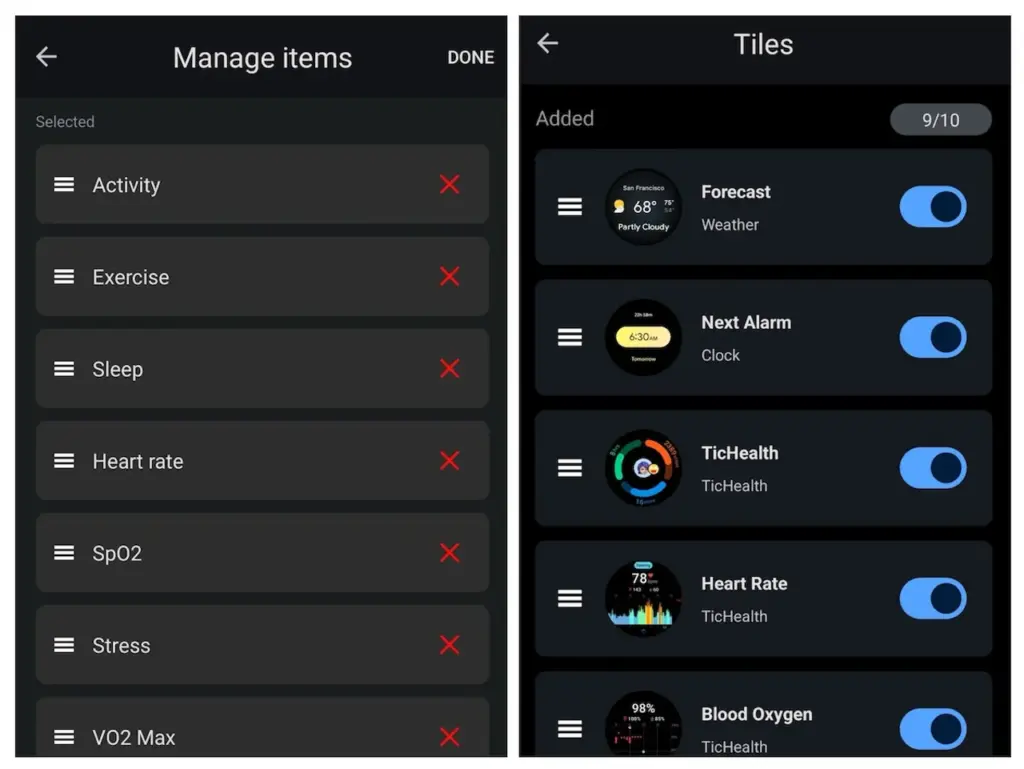
Following your workout, the TicHealth app offers comprehensive information on your health and performance indicators, including your heart rate history, sleep patterns, daily and weekly goals, and much more. One of the key improvements to this watch over the TicWatch Pro 5 model, which was introduced in late 2023, is TicHealth.
Ticwatch Pro 5 Enduro
eaturing a stylish and functional 1.43-inch OLED screen (466*466 high-resolution) with auto-adjustable brightness and Sapphire Crystal Glass. The interchangeable 24mm strap is made of durable and sweat-proof Fluororubber material.
A larger and sharper user interface display, a redesigned rotary knob, sapphire crystal glass on the display rather than Gorilla Glass, and additional third-party interaction with the ultra-low-power display are some of the other enhancements made to the Enduro model over the Pro 5 model.
More than 7,000 watch faces are also available for the TicWatch Pro 5 Enduro, and you can change the face every day if you use the TimeShow app. All Wear OS apps, including Google Maps, Messages, Wallet, Keep Notes, and many more, are compatible with the sizable 1.43-inch display. Messages and phone calls run well on a linked phone, and the voice-to-text feature works perfectly as well.
With its 7000 series aluminum and fiberglass nylon case, the Pro 5 Enduro weighs only 44.7 grams and has dimensions of 50.15 x 48 x 11.95 mm. With its convenient quick-release pins, the 24mm watch band is incredibly comfortable, and the sapphire crystal display is scratch-resistant. With a 5 ATM rating and MIL-STD-810H certification, the watch is also very robust.
For precise tracking, the device has a global navigation satellite system (GNSS), and Wi-Fi and Bluetooth 5.2 make it simple to connect to your network and phone. Nevertheless, the watch itself lacks cellular functionality.
Ticwatch Pro 5 Enduro
eaturing a stylish and functional 1.43-inch OLED screen (466*466 high-resolution) with auto-adjustable brightness and Sapphire Crystal Glass. The interchangeable 24mm strap is made of durable and sweat-proof Fluororubber material.
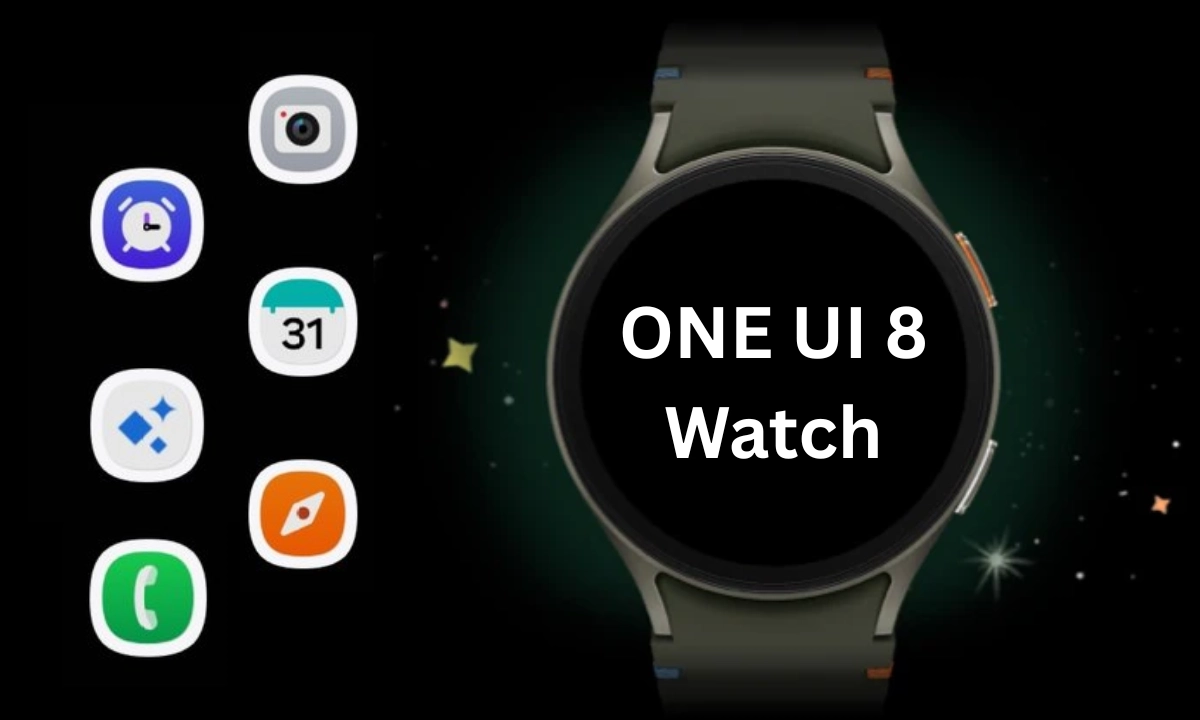
The OneUI 8 Watch upgrade, which was unveiled alongside the Galaxy Watch 8 and Watch Ultra (2025), represents a significant feature advancement for the Galaxy Watch. Samsung surprised us by releasing the major Wear OS 6-based software, with the original Watch Ultra getting first dibs, even though it was anticipated that it would arrive later for earlier Watch models.
It was first believed that the new Galaxy Watch 8 would have a brief exclusivity period with the new operating system, so the release of OneUI 8 Watch is rather unexpected. Samsung has now formally said that the OneUI 8 Watch would be released before the Galaxy Watch Ultra from last year.
Numerous users – including those with carrier-tied and unlocked models – confirmed receiving the update. With a size of roughly 1.9 GB, the OTA update is quite large, however it may differ depending on the watch model. A patch will be sent to beta participants at the same time to move them to the stable version.
Regarding the changes and new features, OneUI 8 Watch seems to be a noteworthy turning point. As part of Samsung Health, it does offer a new generation of wellness and health tracking tools.
New smart features and customizations
The Now Bar from OneUI 8 is one of the many UI improvements and refinements that OneUI 8 Watch offers in addition to the new tracking tools. It functions with the majority of first-party apps and workouts and shows the current tasks as a widget at the bottom of the watch face.
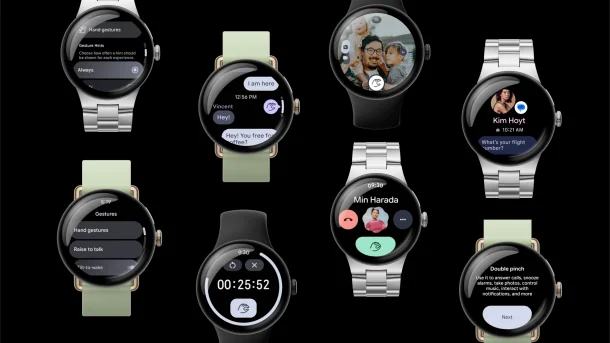
Additionally, the update allows users to receive personalized watch face recommendations and merge numerous app tiles into one. Now, the double pinch gesture can be used to take a picture, dismiss notifications, and control music.
Vital Sleep Tracking Tools
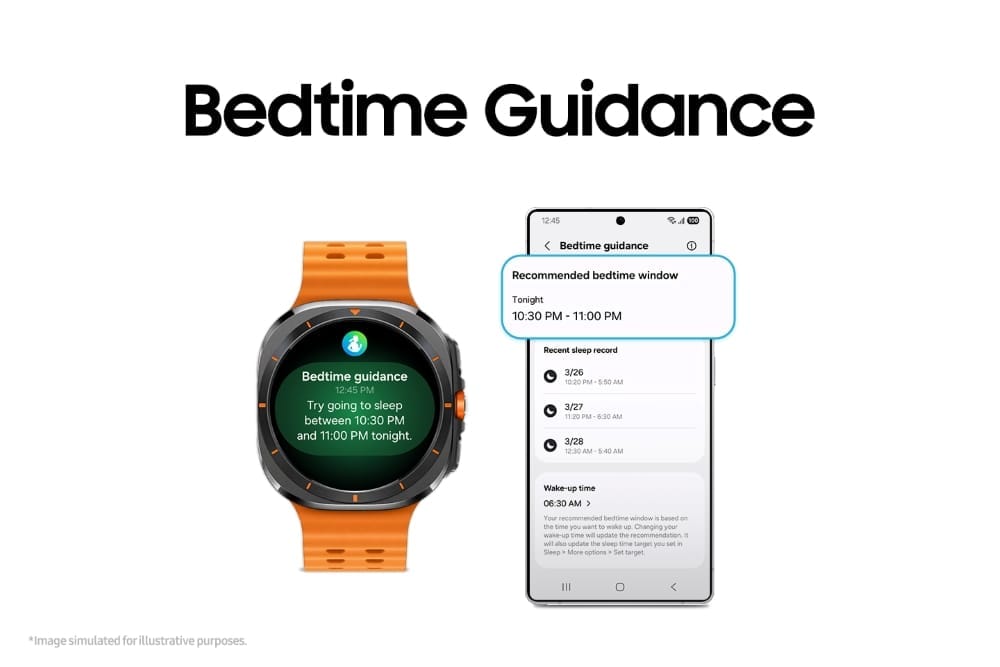
“Bedtime Guidance” is a new feature in the update that, as the name implies, offers tailored bedtime recommendations based on a user’s activities and sleep habits. To assist users in addressing irregular sleep patterns and improving their quality of sleep, it is integrated with sleep coaching.
Another sleep-related tracking tool is Vascular Load. This gauges the vascular system’s circulatory stress as you sleep, which is a crucial sign of your general health.
Running coach and mindfulness
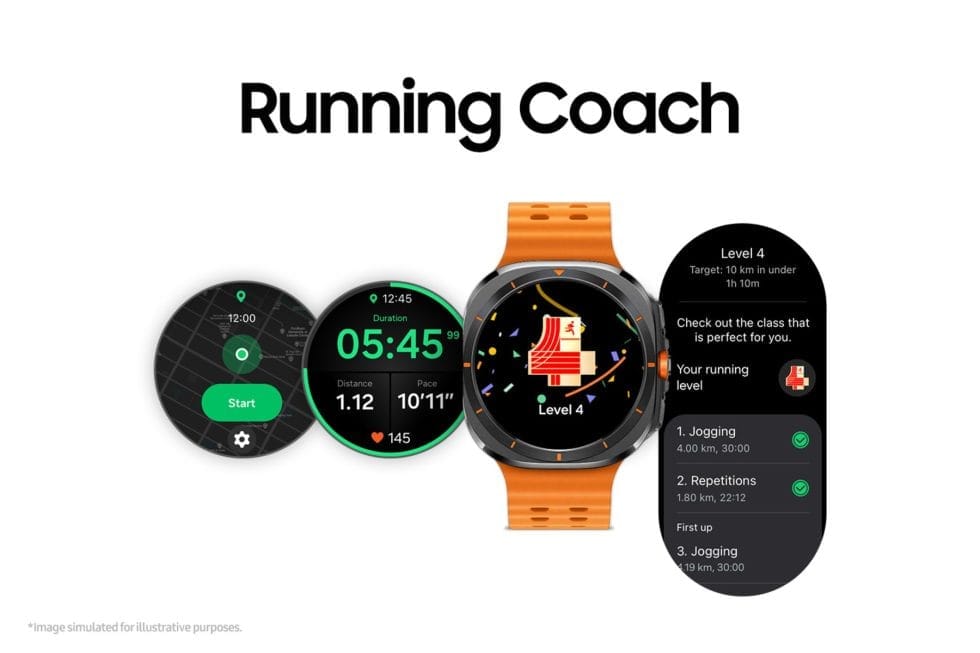
Athletes and runners would also profit from OneUI 8 Watch’s new Running Coach feature. Personalized training programs are offered by this fitness gadget according to users’ fitness levels and objectives. In order to analyze a runner’s level of fitness and generate a performance analysis, they must essentially complete a 12-minute test. During runs, real-time coaching is also available.
Mindfulness, a well-known function that is new to the Galaxy Watch, is a technique for stress and anxiety management. It includes breathing techniques to help lower stress levels.
Antioxidant Index
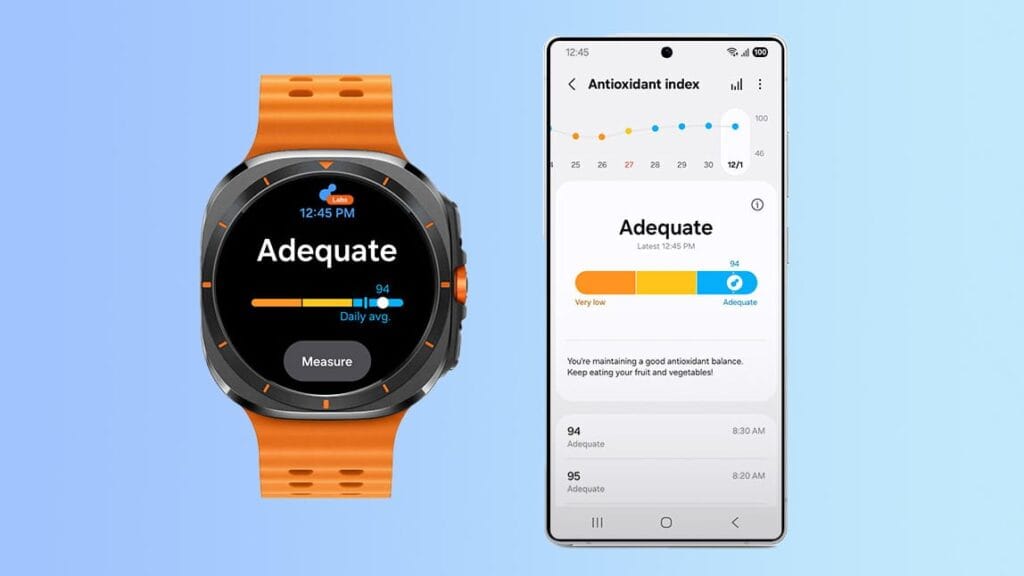
One of these new features is the Antioxidant Index, which measures the antioxidant-producing carotenoids in a user’s skin using a non-invasive technique. To determine the antioxidant level, users must press their finger against the Galaxy Watch’s BioActive sensor for five seconds. A score ranging from 0 to 100 is displayed for the outcome, with 100 being the highest and most suitable.
As usual, a person’s level of antioxidants reflects their overall health. The tool also suggests ways to improve carotenoid levels, such as eating more fruits and vegetables.
Samsung Galaxy Watch 8
Advanced health and sleep tracking features. A lighter, more snug design for all day comfort. Improved user interface. Personal AI assistant for hands free help
Additionally, the upgrade allows users to receive personalized watch face recommendations and merge numerous app tiles into one. Additionally, the double pinch gesture may now be used to take a picture, dismiss notifications, and control music.
Given that it has the same sensor and processor as the Galaxy Watch Ultra, the majority of these capabilities are also intended for the Galaxy Watch 7, though we are unsure of when the update will be available for that wristwatch. Additionally, there is no timeline for previous Galaxy Watch models.
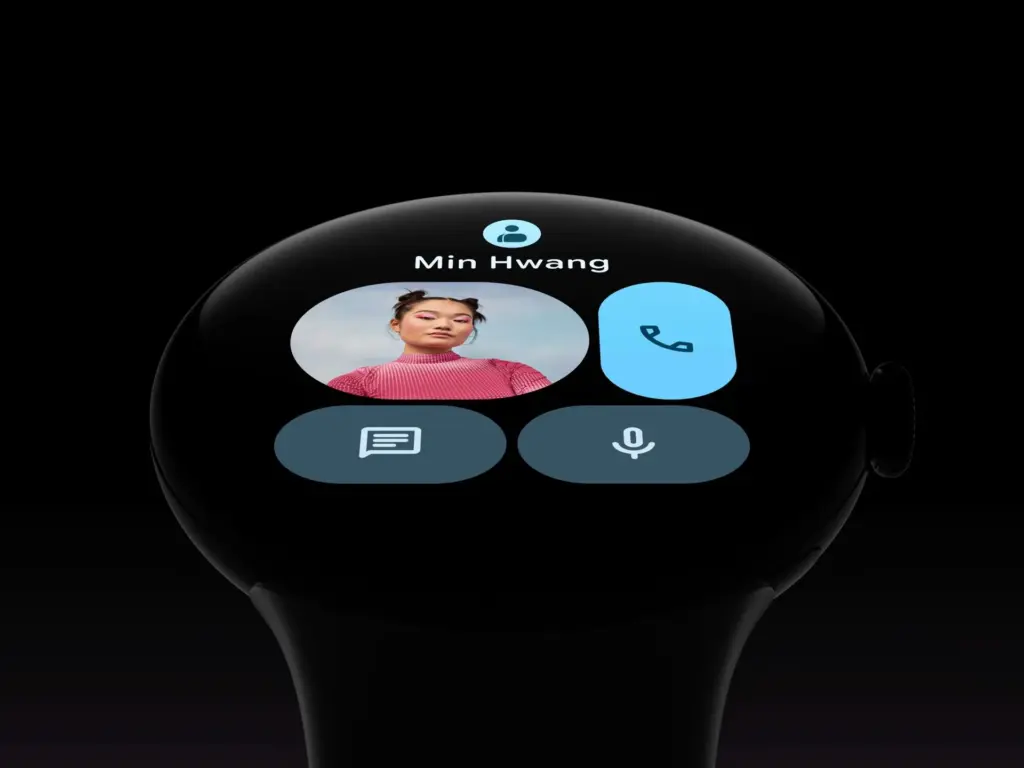
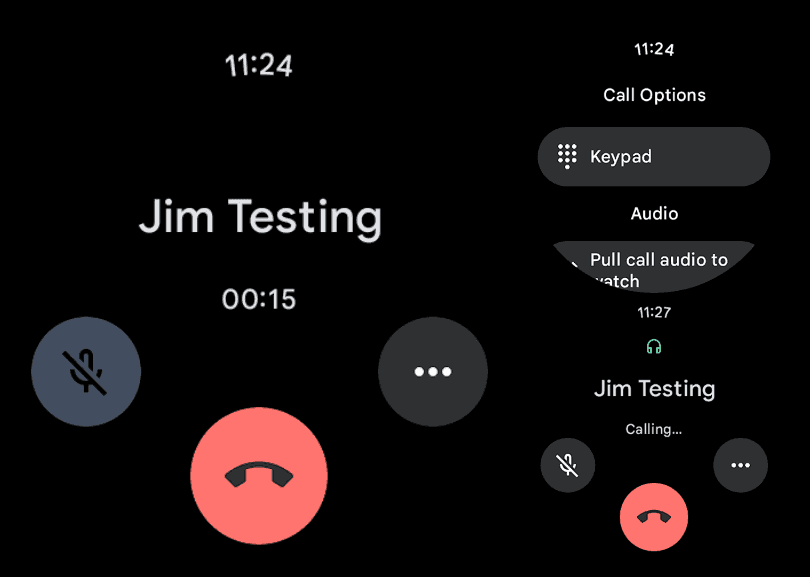
The Phone by Google app is receiving an M3 Expressive overhaul on WearOS, much like it does on Android.
The in-call screen has been updated for users to see. The end call button clings to the display’s lower border. For a larger touch target that is useful on this small screen, it is larger than the current circle.
The call duration appears at the center of the same line, while the mute and three-dot overflow buttons are positioned farther up the screen.
Similar updates occur when you dial a number. Presumably, M3 Expressive will also be added to the Google Phone Wear OS homescreen. On the watches we looked at today, this is not currently generally available.
These are minor updates that match the phone’s redesigned in-call screen. Although it is no longer a grid, the “More” menu is now a list similar to Call Assist. The incoming call screen, which allows users to choose between a left/right slide or buttons to answer calls, is the most significant improvement.
While some beta users already have the Home, Keypad, and Voicemail bottom bar, others have Material 3 Expressive’s complete redesign.
Google Pixel Watch 3
The Google Pixel Watch 3 is designed for performance, with advanced fitness from Fitbit; the 45mm screen is twice as bright and 40% larger than before, making it easier to see your stats and info
Stay connected with the latest from Droid Tools—follow us on X @droid_tools, like our page on Facebook, check out our updates on Instagram, and follow us on Google News for real-time news, device tips, and mobile tech insights.