The introduction of Qualcomm’s upcoming flagship system on a chip (SoC) is about to be announced; it is anticipated to take place during the company’s event in November. Although the Snapdragon 8 Gen 2 has been anticipated for some time, there is a speculation that a surprise version of the chipset may be on the horizon.
The rumor was passed along via informant Digital Chat Station. According to a post on the Chinese social media platform Weibo, Qualcomm may be getting ready to introduce two different Snapdragon 8 Gen 2 processor models.
According to reports, this variant would have a microprocessor with an ultra-high frequency that significantly increases clock rates. One of the chipsets would be your typical chipset, while the ultra-high frequency processor may operate at 3.4 to 3.5GHz, according to Digital Chat Station. Snapdragon 8 Gen 1 currently operates at 3.19GHz as a point of comparison.
Even while everything seems thrilling, you should treat this rumor with a lot of skepticism. The likelihood of this rumor being true is remote. The rumor is that Qualcomm will release two chipsets simultaneously, which wouldn’t make much sense.
The informant also highlighted Mediatek’s future Dimensity chip in addition to the Snapdragon 8 Gen 2 chip. They assert that Mediatek’s upcoming chip could significantly boost CPU performance. Check out the comparisons here to see how the Dimensity 9000 and the current Snapdragon 8 Gen 1 stack up against one another.
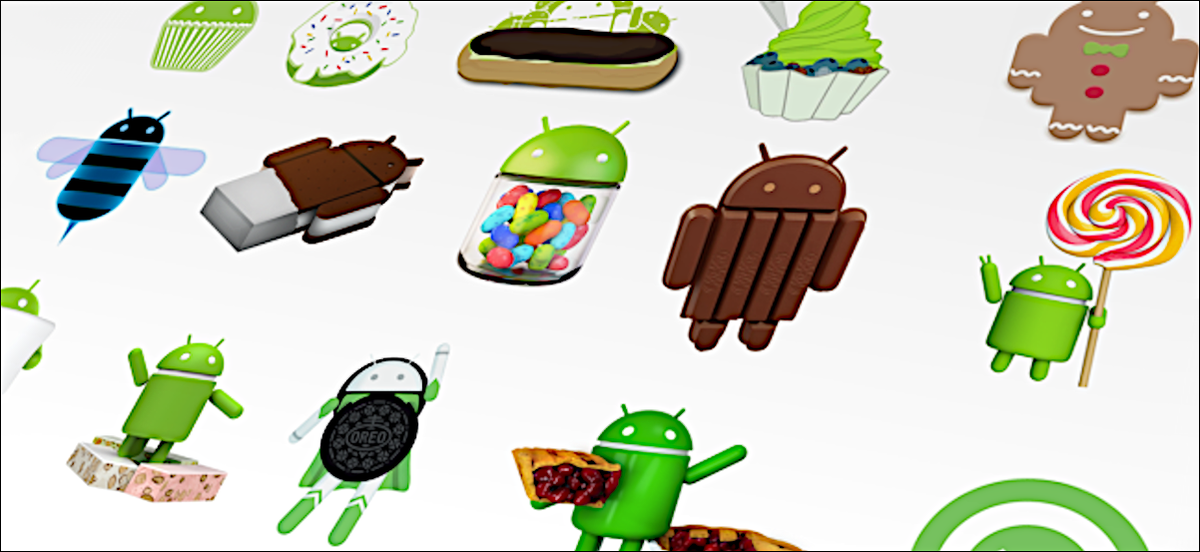
Google has started disclosing Android fragmentation statistics on a yearly basis since 2018. The official Android OS distribution list was just posted as we near the end of 2021.
The story is the same every time: Since its formal debut, iOS 15 has been installed on the majority of iPhones, but Android 12 is only on 0.1 percent of Android phones. The update procedure, on the other hand, is somewhat different. After all, Apple is in charge of both hardware and software development, in contrast to Android, where each manufacturer develops their own bespoke software and hardware.
That doesn’t make looking at Google’s operating system’s distribution stats any less painful. Previously, the corporation published this information on a monthly basis, but since 2018, the list has been updated only once a year. Only versions with a distribution of more than 0.1 percent appear in it. Furthermore, the data is based on the number of Android devices that entered the Google Play Store in the previous month’s seven days.
So it is possible that there are thousands of Android devices running older versions than Android 4.1, but these have a share of less than 0.1% and did not make it into this list. Also, it is worth mentioning that since September 27, Google started preventing logins on older versions of Android. This change affected versions before 2.3.7.
Android version
API level
Distribution
Android 4.1 Jelly Bean
16
0.2%
Android 4.2 Jelly Bean
17
0.3%
Android 4.3 Jelly Bean
18
0.1%
Android 4.4 KitKat
19
1.4%
Android 5.0 Lollipop
21
0.7%
Android 5.1 Lollipop
22
3.2%
Android 6.0 Marshmallow
23
5.1%
Android 7.0 Nougat
24
3.4%
Android 7.1 Nougat
25
2.9%
Android 8.0 Oreo
26
4.0%
Android 8.1 Oreo
27
9.7%
Android 9 Pie
28
18.2%
Android 10 Q
29
26.5%
Android 11 R
30
24.3%
Android 12 Snow cone
31
–
The most popular official version of Google’s OS, as seen above, is Android 10 Q, which was released in 2019 and looks to be installed on 26.5 percent of active Android devices. Then there’s Android 11 R, which will be available in 2020 and is already used by 24.3 percent of active phones. Meanwhile, Android 9 Pie, which was released in 2018, is in third place with an 18.2 percent share, followed by Android 8.1 Oreo, which was released in 2017 and has a 9.7 percent share. My trusty calculator informs me that Android 9 or older is installed on 49.2% of all Android phones. In 2018, Pie was released.
Even after months of testing, the most recent version of the operating system, in this case, Android 12, has yet to arrive on a significant number of handsets.
Unfortunately, Android fragmentation has long been the Achilles heel of the world’s most popular mobile operating system. Google’s initiatives, on the other hand, appear to be making an impact. Previously, much older versions were the ones who got the biggest piece of the fragmentation cake. Most devices today, at least, run on newer versions.
Also, security patches offer a longer life for phones bought more than three years ago, which makes Android 10’s high distribution less surprising. The same, however, cannot be said for the 5.1% share of Android 6.0 Marshmallow, announced in 2015!
Native screen recording: Google has been toying around with adding a built-in screen recorder to Android, and Android 11 pretty much confirms the feature will launch this year. You could use the screen recorder in the first Android 11 preview but it is much more refined in DP2. In the second beta, capturing device audio is now supported, all but assuring us that the stable release will include this long-awaited feature.
Increase touch sensitivity: Those who use screen protectors will love this feature. Google added an “increase touch sensitivity” option to the settings menu that lets you, well, increase the sensitivity of your touchscreen. If you use a screen protector, this should result in fewer missed taps and scrolls.
Notification History: Android doesn’t make it easy for you to see previously dismissed notifications, with Android 10’s Notification Log basically hidden for users. Android 11 DP1 hinted at a Notification History option and DP2 basically confirmed it. The new feature looks like it will be pretty useful.
Auto revoke app permissions: Android 11 DP3 has introduced a new option to automatically revoke permissions such as camera, location, and more, from apps that haven’t been used for a while. This new setting can be turned on if you think you’re not going to be actively using an app after a few months. You can read more about it here.
Easter egg: What would a new version of Android be without the traditional Easter egg? The third beta finally brought us the latest secret addition to the operating system. You can see it in full action here.
Exposure Notification API: Google and Apple worked together in a rare form of solidarity to create the Exposure Notification API. This system allows official health organizations to make contact tracing applications to help stem the spread of COVID-19. In Android 11, the Exposure Notification API is incorporated and turned on automatically.
Updated or revamped features
Revamped power menu: Android 11 will have a wildly revamped power menu that gives you quick access to smart home controls, your Google Wallet cards, and (obviously) power options.
Update: This new feature was slightly refined in the latest Android 11 beta 2. Check out the subtle differences here.
Screenshot markup interface tweaks: If you take a screenshot on your Android phone, there’s a native way for you to mark it up with notes or scribbles. However, there’s no way to delete the screenshot from that interface. That will change in Android 11.
Revamped overview menu, screenshot shortcuts: In Android 11 Developer Preview 3, Google revamped the overview menu (recent apps screen) to show larger cards as well as two new screenshot shortcuts. However, it also removed the ability to access the app drawer from the overview menu.
New text selection mode in overview menu: In the fourth Android 11 Developer Preview, Google added a “Select” button to the overview menu. Tapping it allows you to quickly select text inside an app and paste it into another app.
Undoing recently cleared apps: Speaking of the revamped overview menu, you can now also undo an accidentally cleared app by quickly swiping down on the screen.
Update: With the fourth Android 11 Developer Preview, Google removed the ability to undo recently cleared apps in the multitasking menu.
Media players now head to quick settings: If you’re listening to music on your phone, you’re used to finding a media player in your notification shade. In Android 11, the player will move to the quick settings area and get a few more tools, including the ability to easily pick an output device. If you are playing two forms of media at once (music and a podcast, for example), you’ll be able to swipe the notification to swap between the different players.
Ability to dismiss persistent app notifications: If you’ve ever used Android, you’ve probably run into a persistent notification (one that you can’t easily swipe away). In Android 11 Developer Preview 3, Google lets you clear all notifications. Don’t worry — you can quickly bring persistent notifications back if you swiped them away by accident.
Update: This feature was removed in Android 11 Developer Preview 4.
More granular back gesture tweaking: The back gesture can be a little frustrating at times, as you perform a similar gesture to activate hamburger menus. Fortunately, Android 11 has two sliders to let you control the sensitivity of the back gesture — one for the left side of the screen and one for the right. This is a welcome change from the single sensitivity slider in Android 10.
Airplane mode doesn’t kill Bluetooth: Previously, turning on airplane mode would also kill Bluetooth on your phone, which doesn’t make much sense. People who use airplane mode might have Bluetooth headphones connected, resulting in having to turn on Bluetooth again. In Android 11, Bluetooth stays on when airplane mode is activated.
Pixel Themes gets clock tweaks: In the Pixel theming section of Settings, you will likely be able to customize how your clock looks on the AOD and lock screen. However, in the first beta, there is only one clock option available.
Update: This feature was removed in the second beta release.
New Motion Sense option for Pixel 4: We’ve been complaining for a few months that Google seems to be neglecting Motion Sense on the Pixel 4. In Android 11, the company is adding a new way to control your phone without touching it. In Android 11, you can tap the air above the phone to pause your music.
Pixel 4 Face Unlock will require you to open your eyes: Speaking of the Pixel 4, it looks like Android 11 will offer users the ability to require their eyes be open for Face Unlock to work. This might make unlocks less efficient, but it will certainly make your phone more secure.
App pinning in the share menu: Android used to let you pin your most frequently used apps to the share sheet, but that option was removed in Android 10. Now it’s back and there will even be a little pin icon next to the apps you’ve pinned so you know what’s up.
Enhanced notification shade conversations: When you get a text, you can see the most recent message in your notification shade under a new Conversations tab. Not only will you be able to see more of the thread but you’ll also have richer ways to compose messages, including a way to send picture messages right from the notification. Notifications will also look a lot more organized thanks to a revamp of how they look.
Upgraded Voice Access capabilities: Previously, Android’s Voice Access labeled all the actions on the screen with a number, allowing you to call out the number to perform said action. Now, Android 11 can read what’s on your screen and let you say the action instead, being a rather cool accessibility upgrade. An example shown by The Verge‘s Dieter Bohn includes saying “Instagram” to launch the app rather than saying the corresponding number.