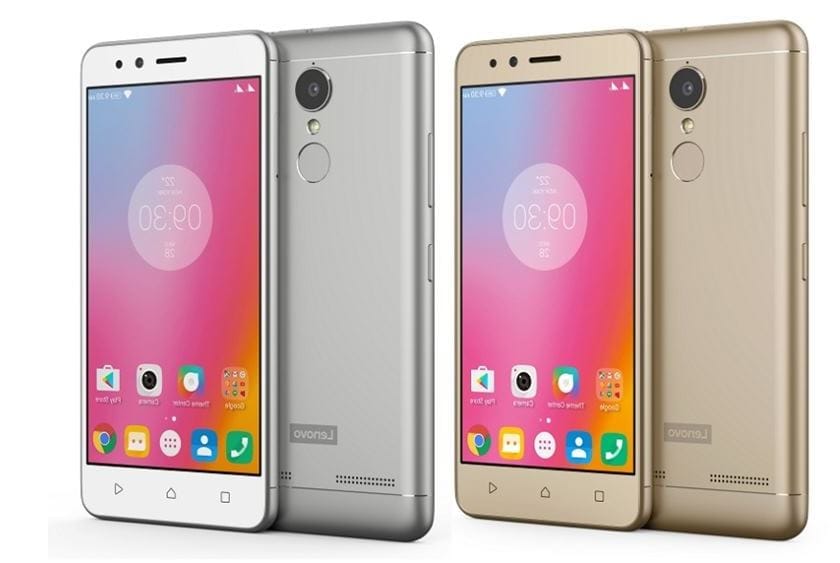
Lenovo K6/K6 Power features a 5” 1080P IPS LCD display, giving a pixel density of ~441 PPI. Under the hood sits a Qualcomm Snapdragon 430 SoC, which utilises a 1.4 GHz octa-core CPU, an Adreno 505 GPU and 2 or 3 GB of RAM.

The 16 GB internal storage version packs 2 GB of system RAM, the 32 GB, has 3 GB. The primary camera is capable of capturing images at 13 MP, the secondary at 8 MP. The whole 145g package is powered by a non-removable 4000mAh battery.
*Your Warranty will be void after unlocking bootloader*
What you will need:
- A Laptop / PC
- ADB Drivers
- TWRP recovery
- Some Patience
Unlocking Your Bootloader
- First of all Install ADB drivers In Your Laptop/PC , Link is Here
- Now Go to Settings of Your Phone , Scroll Down and go to About Phone And Click on Build Number Until Your Developer Options Is enabled .
- Now go to the Developer Options and turn on USB debugging and OEM unlocking.
- Connect Your Mobile To your Pc through a USB cable.
- Open ADB folder on Your Pc ( It will be in Local Disk C on your My files ) .
- Right click + Press Shift in Adb folder , a popup will open , choose open command window here .
- Write Commands
adb reboot bootloaderfastboot -i 0x17ef oem unlock-goThis will unlock your bootloader and it will wipe your internal storage so better to backup first
Flash custom recovery
- Download the twrp for Lenovo k6/k6 power (karate) from official twrp site.
- Place it in the adb folder and rename it to recovery.img .
- Now run these command
adb reboot bootloaderfastboot -i 0x17ef flash recovery recovery.imgfastboot flash recovery recovery.imgYou have now a custom recovery on your device.
For rooting your device with Magisk follow our guide: https://api.droid.tools/install-magisk-root-android-any-device/