From strong, integrated security features like Samsung Knox to optional anti-theft settings that you must manually activate, Samsung phones come with an extensive array of security safeguards. It can be difficult to find and activate all of these security toggles, but the upcoming major One UI update offers a simpler method to increase the security of your device.
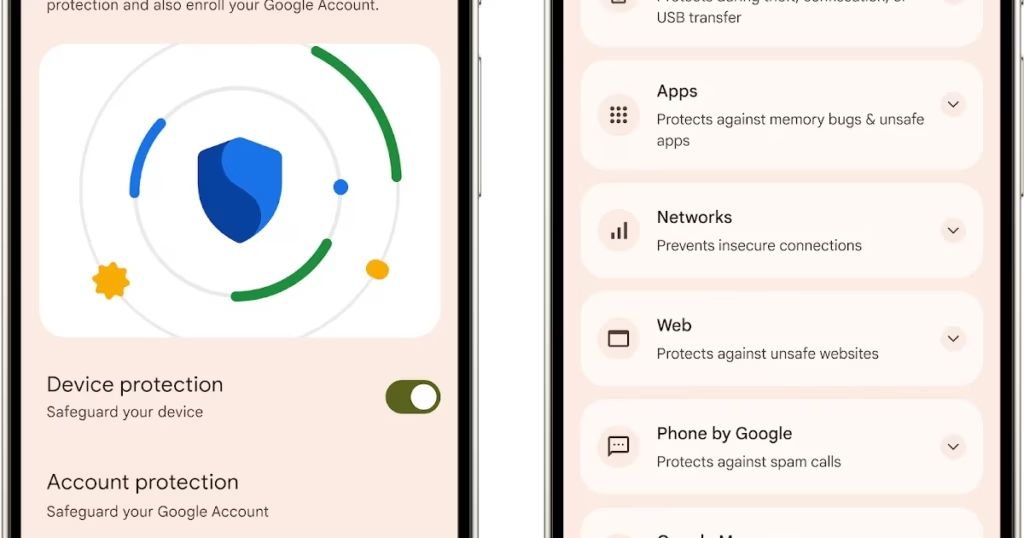
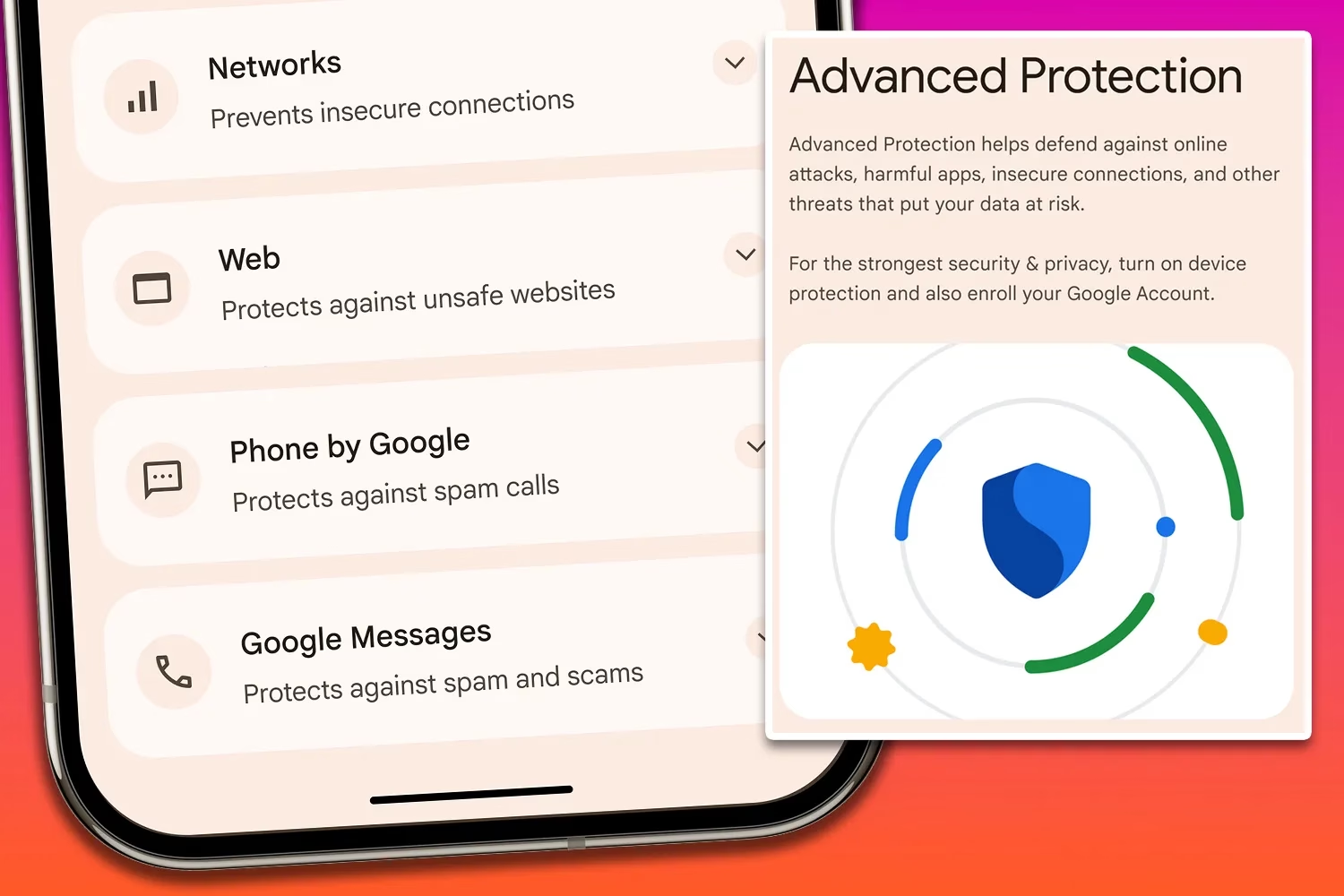
An optional Advanced Protection security mode, a one-click toggle that turns on a number of system and app-level security protections, will be included in the One UI 8 update. It permits, for instance, USB data protection, 2G network protection, and sideloading protection. Advanced Protection is available to anyone who want to better protect their data, even though it is intended for high-risk customers who might be the target of skilled attackers.
Advanced Protection feature comes in Android16
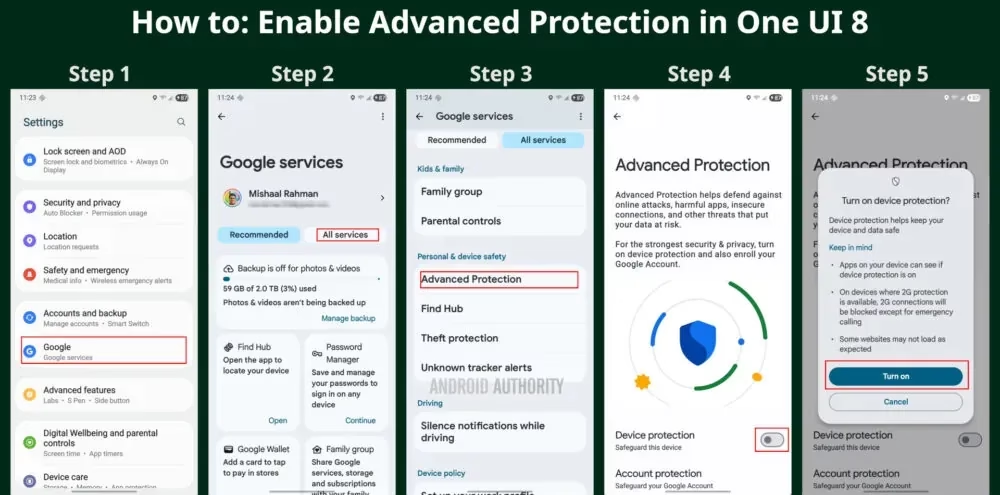
To turn on Advanced Protection, follow these steps on your Samsung phone running One UI 8:
- Open Settings and select Google
- Tap the All services tab
- Scroll down to the Personal & device safety category and open Advanced Protection
- Toggle “Device protection”
- Tap Turn on
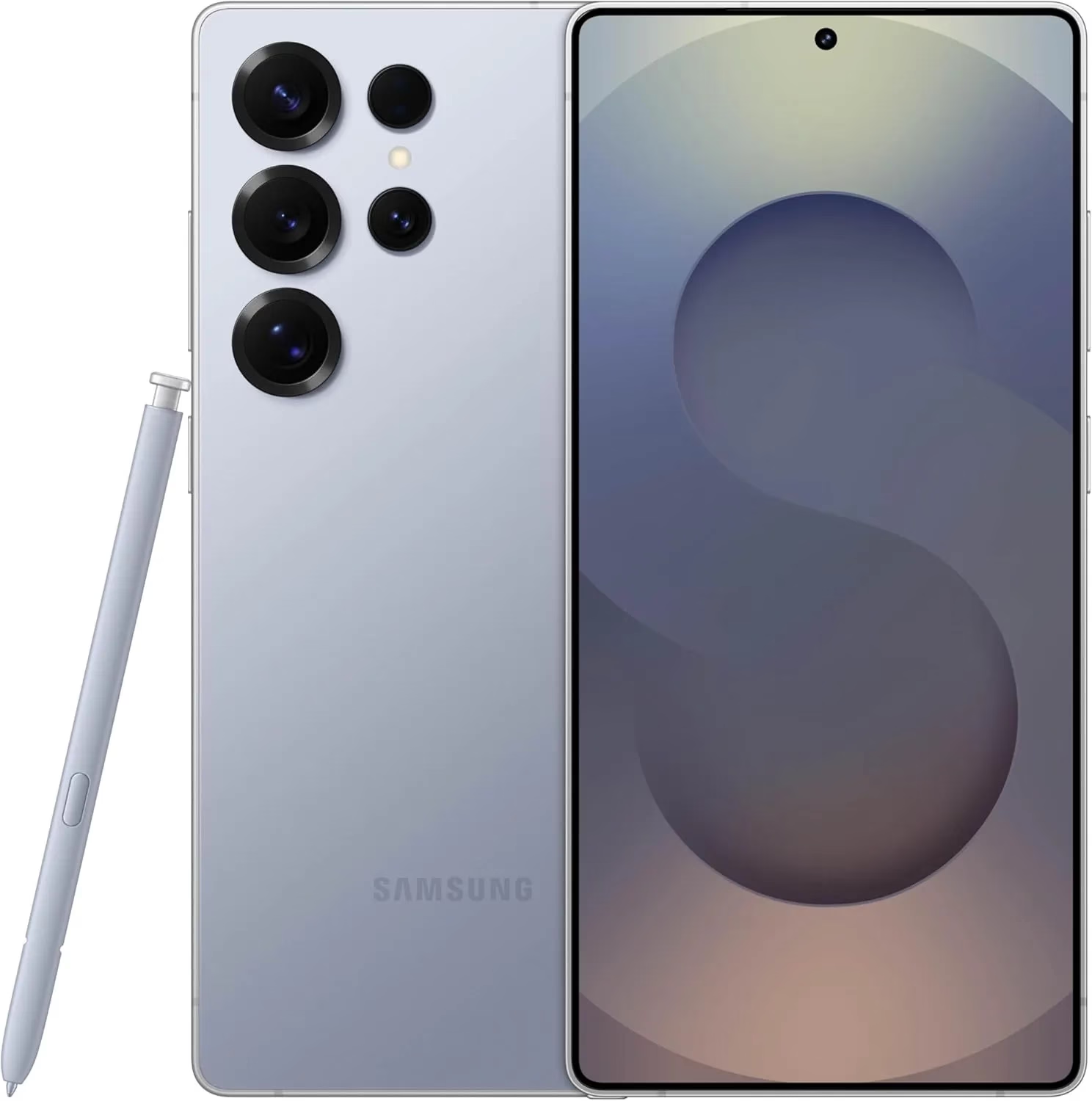
Samsung Galaxy S25 Ultra, 512GB
Streamline your day with an assistant that gets you. Ask it to Google search for a pet-friendly vegan restaurant nearby and text it to your friend— your Galaxy S25 Ultra handles multiple tasks with a single ask.
Building on Google’s Advanced Protection Program, which offers further protections against unwanted account access for high-risk users, this new mode is a feature of Android 16. While Advanced Protection does not yet handle any of Samsung’s unique security settings, it does activate the functions stated on its page. That might alter, though, if Samsung incorporates the Advanced Protection API, which enables third-party services and apps to verify whether the mode is enabled and activate their own security features.
Stay connected with the latest from Droid Tools—follow us on X @droid_tools, like our page on Facebook, check out our updates on Instagram, and follow us on Google News for real-time news, device tips, and mobile tech insights.