Tag: review

  • Amazfit Active 3 Premium Review: A Surprisingly Capable Budget Running Watch

    Amazfit Active 3 Premium Review: A Surprisingly Capable Budget Running Watch

    When most people picture a serious running watch, brands like Garmin and Coros tend to come to mind. Amazfit, not so much. That perception may be shifting, though. The Chinese brand’s latest release — the Amazfit Active 3 Premium — is sleek, solidly built, and loaded with tracking features, all for $169.99.

    This is a budget fitness tracker, and it doesn’t pretend otherwise. According to Amazfit, the Active 3 Premium was designed primarily for fitness beginners and casual exercisers “working towards their first clear goal.” That means it’s built around simple, actionable insights rather than the dense, data-heavy analysis that defines Garmin’s ecosystem and other high-end platforms. That said, it brings enough to the table — including offline maps and up to 12 days of battery life — to hold its own against wearables that cost two or three times as much. With that in mind, it was put through a thorough review.

    Design

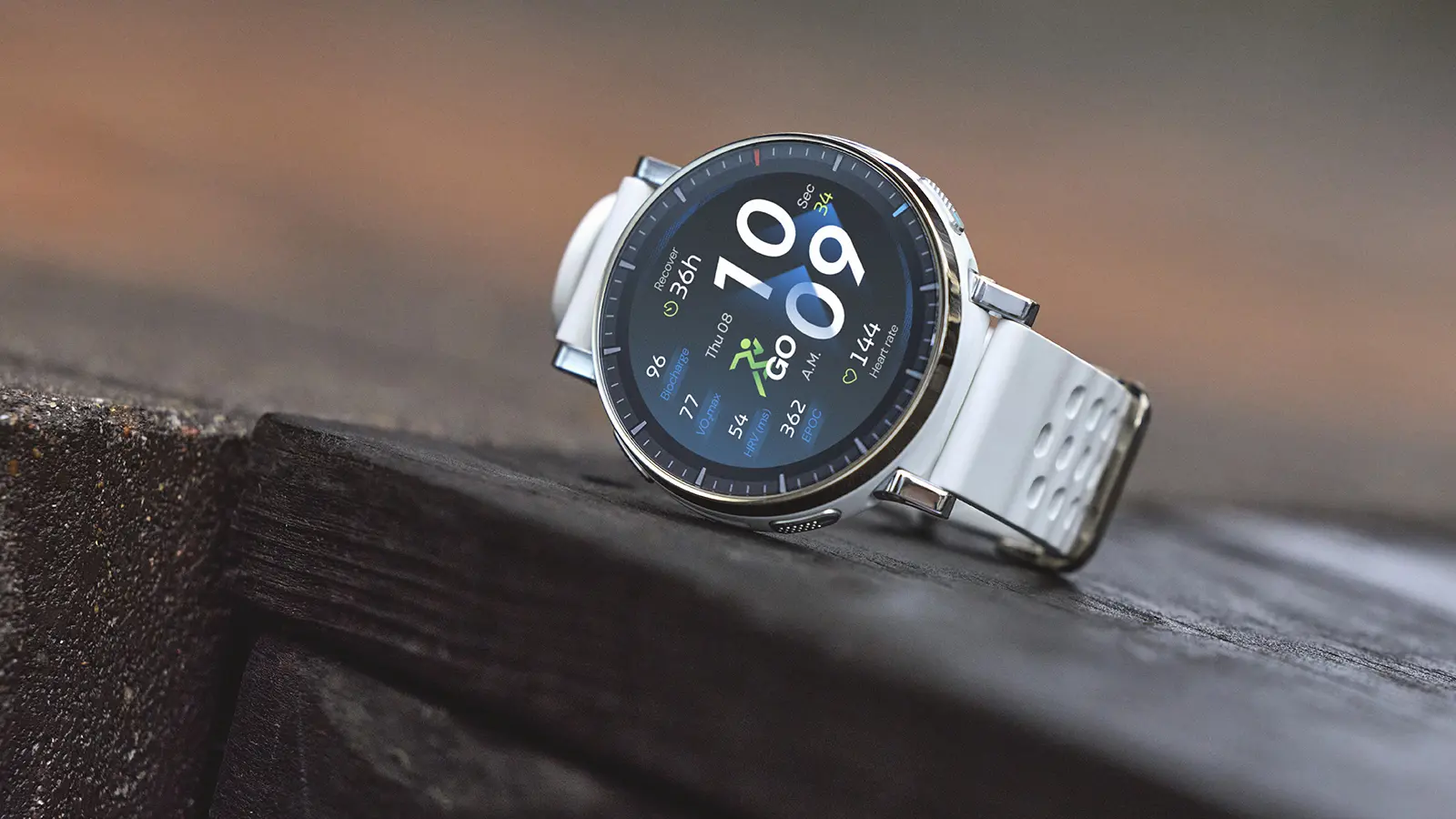
    At first glance, the Amazfit Active 3 Premium bears a strong resemblance to the Amazfit Active Max tested a couple of months ago. Both are compact and unobtrusive, look sharp on the wrist, and share detachable silicone straps alongside engraved-style tick markers on a round bezel. Look closer, though, and the differences become clear.

    The Active 3 Premium carries a slightly smaller AMOLED display than the Active Max – 1.32 inches versus 1.5 inches – which gives it a sleeker, more everyday-watch appearance. It also has four side buttons compared to the Active Max’s two, a practical design choice that makes mid-workout control far easier when hands are sweaty or gloved.
    Amazfit Active 3 Premium design

    Durability is another area where the Active 3 Premium pulls ahead. Its bezel is stainless steel rather than aluminium alloy, offering better resistance to shocks, corrosion, and heat. The screen is protected by scratch-resistant Sapphire glass, while the Active Max has no display protection at all. Both share a 5 ATM waterproof rating, meaning they can handle surface-level swimming and shallow-water activities but aren’t rated for deep dives or high-pressure water exposure.

    Wearing the Amazfit Active 3 Premium was a genuinely pleasant experience. It’s light, comfortable, and easy to forget about entirely – and it transitions well between activewear and casual clothing without looking out of place. Anyone fatigued by bulky, rugged-looking fitness wearables will find it a refreshing alternative. One caveat: the compact size won’t suit everyone’s taste, and those who prefer a larger watch face may find it a touch too small.

    The display held up well throughout testing – bright, vibrant, and readable in direct sunlight, with no lag or freezing during demanding tasks. The one minor gripe is fingerprint smudging, which accumulates more visibly than on other running watches tested at this price point. It’s not a serious issue, particularly since the watch can be fully operated using the physical buttons, but it’s worth mentioning.
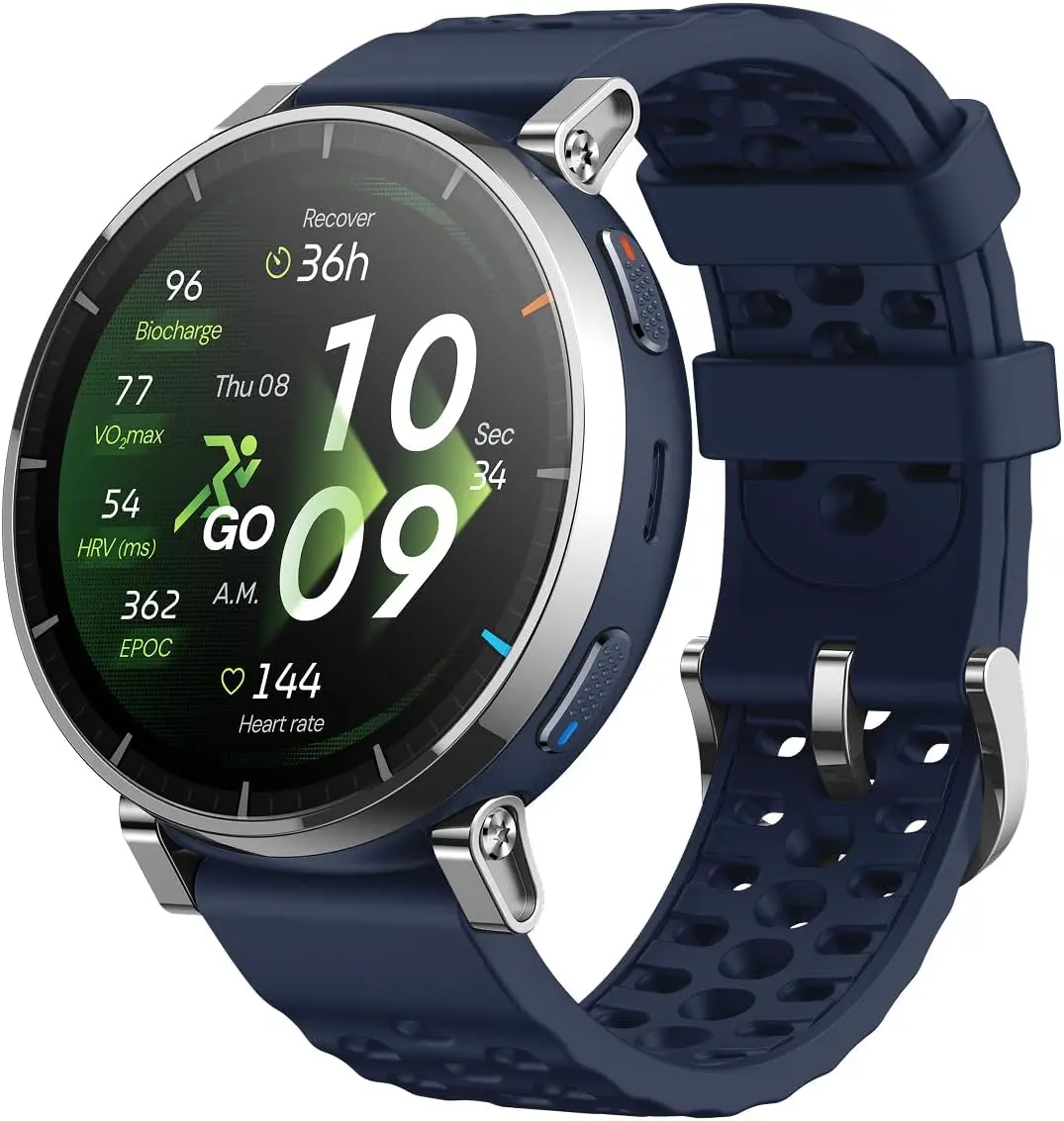
    61MHW8rFw6L. AC SL1500

    Amazfit Active 3 Premium

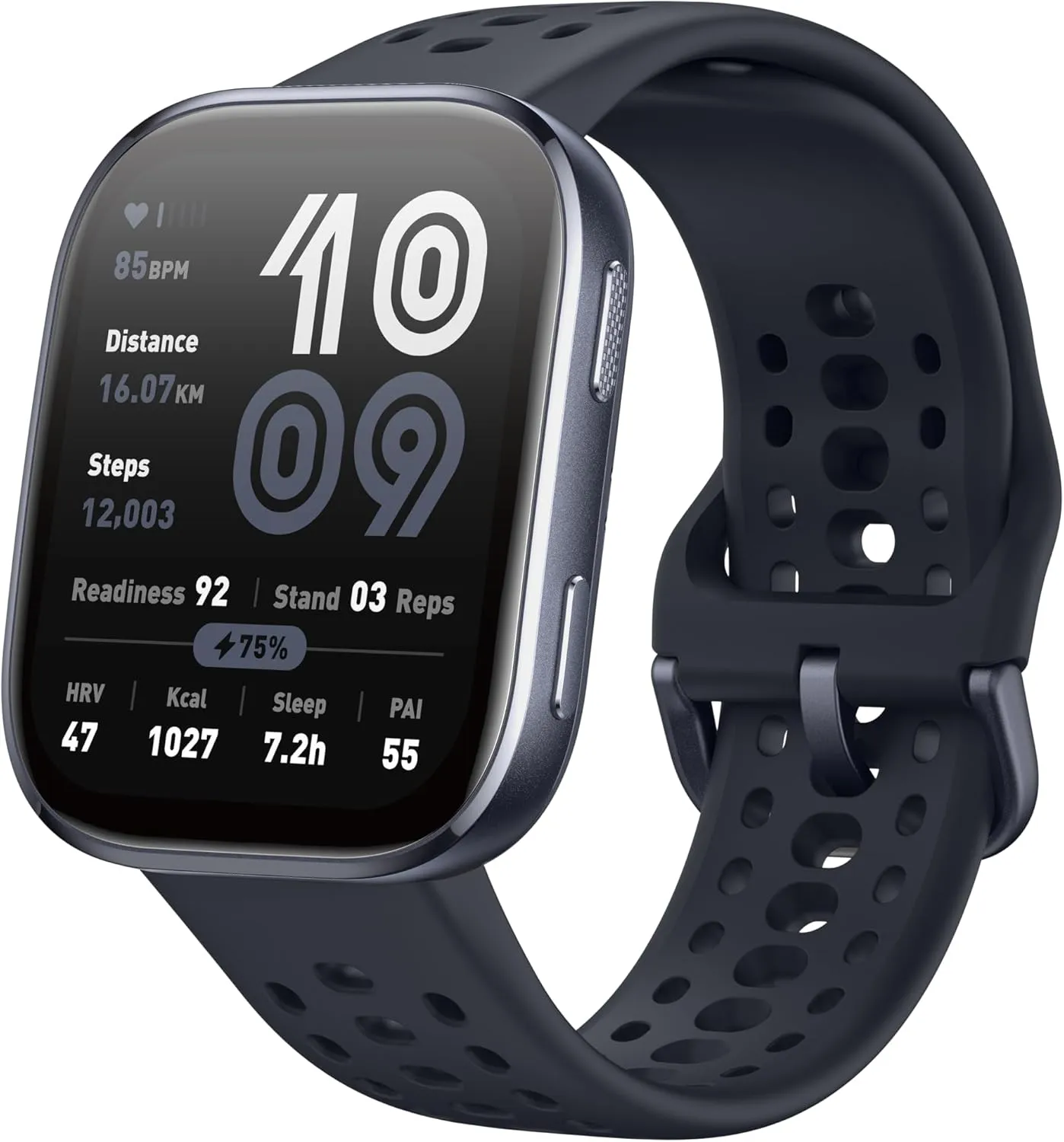
    Built for Runners. Features a durable stainless steel frame, sapphire glass, and a lightweight build. The vibrant 1.32″ AMOLED display ensures your data and maps are easy to read, even under bright sunlight.

    $169.99Amazon

    Features

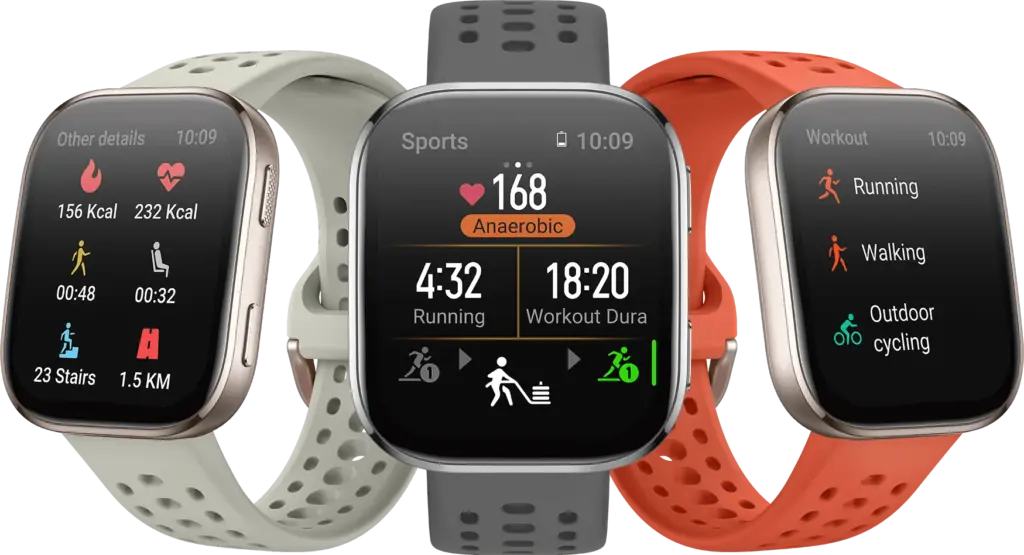
    The Amazfit Active 3 Premium is built around fitness tracking, and that focus shows. Smartwatch features are present – Bluetooth calls, music control, NFC payments via Zepp Pay, and calendar notifications all make the cut – but the emphasis is firmly on workout measurement and analysis rather than general lifestyle functions. The result is an interface that feels purposeful rather than cluttered with widgets nobody uses.

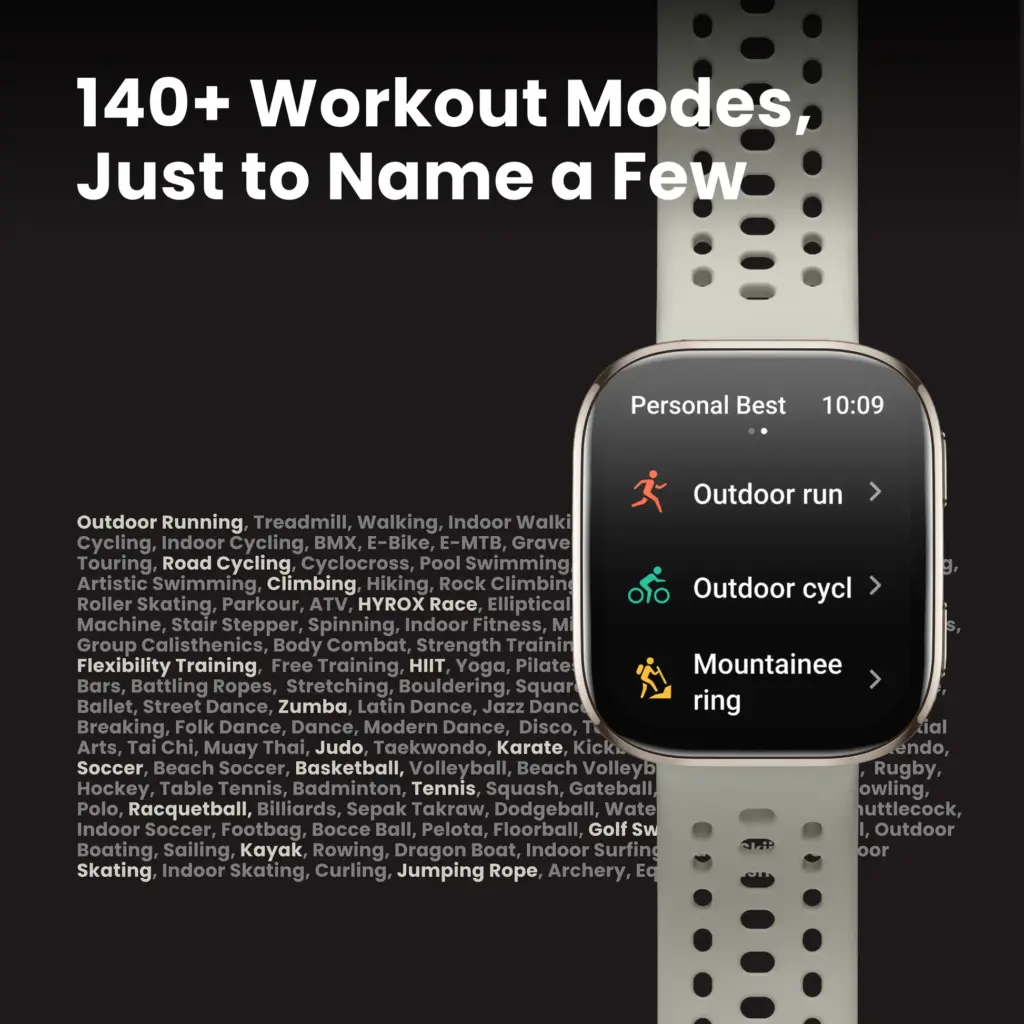
    The watch supports more than 170 activities but is clearly optimized for runners and race walkers. The running metrics on offer are notably advanced for the price bracket, including posture monitoring (detecting overstriding, hunching, or improper head position), lactate threshold assessment, ground contact balance tracking (measuring symmetry between left and right foot contact time), and running rhythm analysis that evaluates whether breathing, foot strikes, and body movements are properly synchronized. These are the kinds of data points typically reserved for premium athletic wearables.
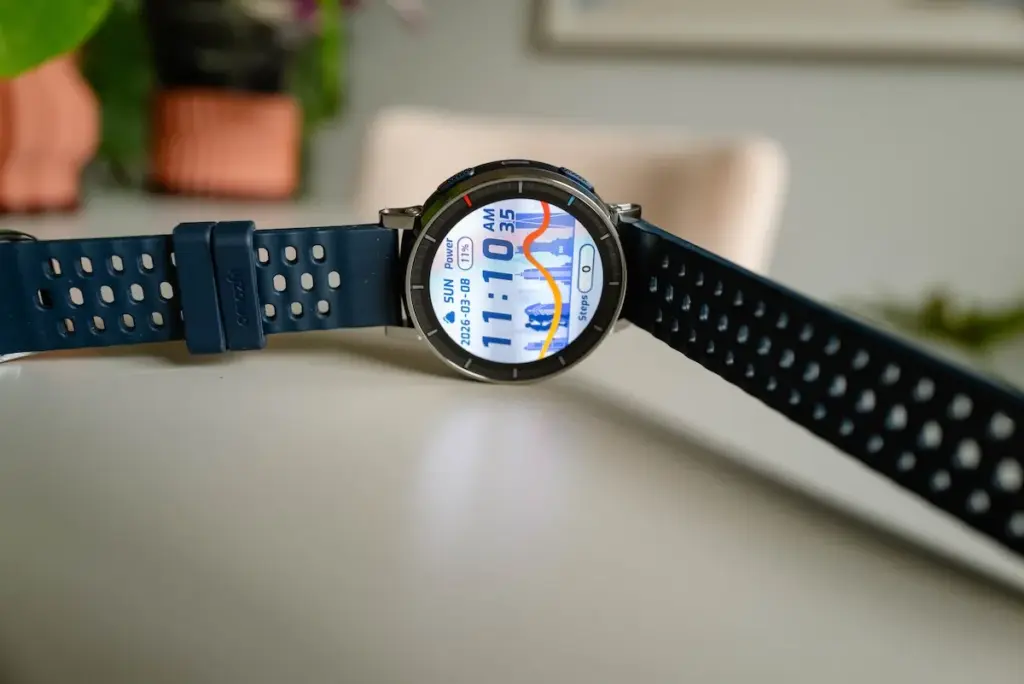
    Amazfit Active 3 Premium

    Despite that depth, the Active 3 Premium remains approachable for beginners. It offers a range of structured running workouts and adaptive training plans, presented without overwhelming jargon or an excessive focus on constant progress metrics – a criticism frequently leveled at Garmin’s platforms. The overall effect is something like a compact running coach: providing feedback to improve form, reduce injury risk, and share achievements with others.
    71fl9gnrE4L. AC SL1500

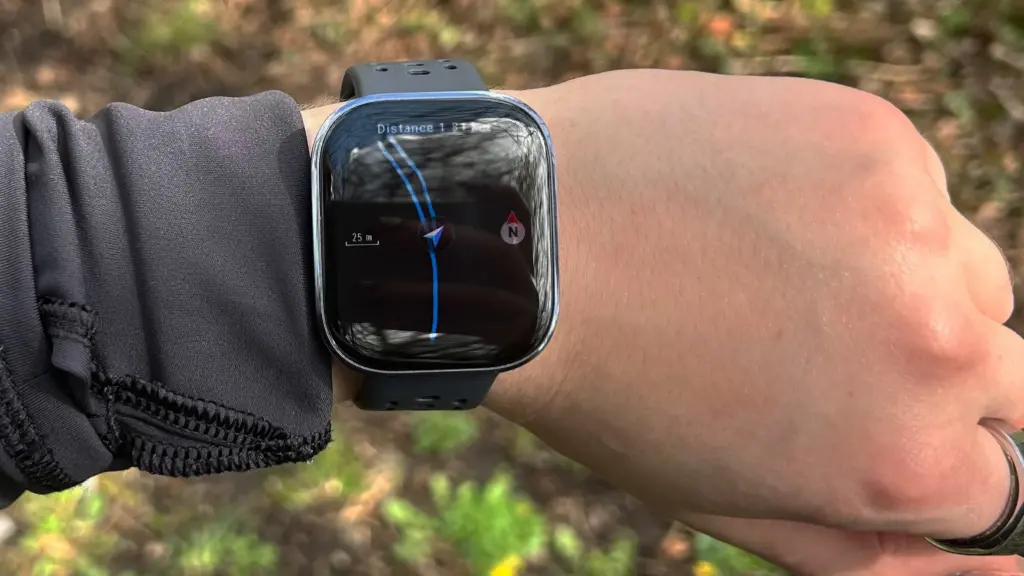
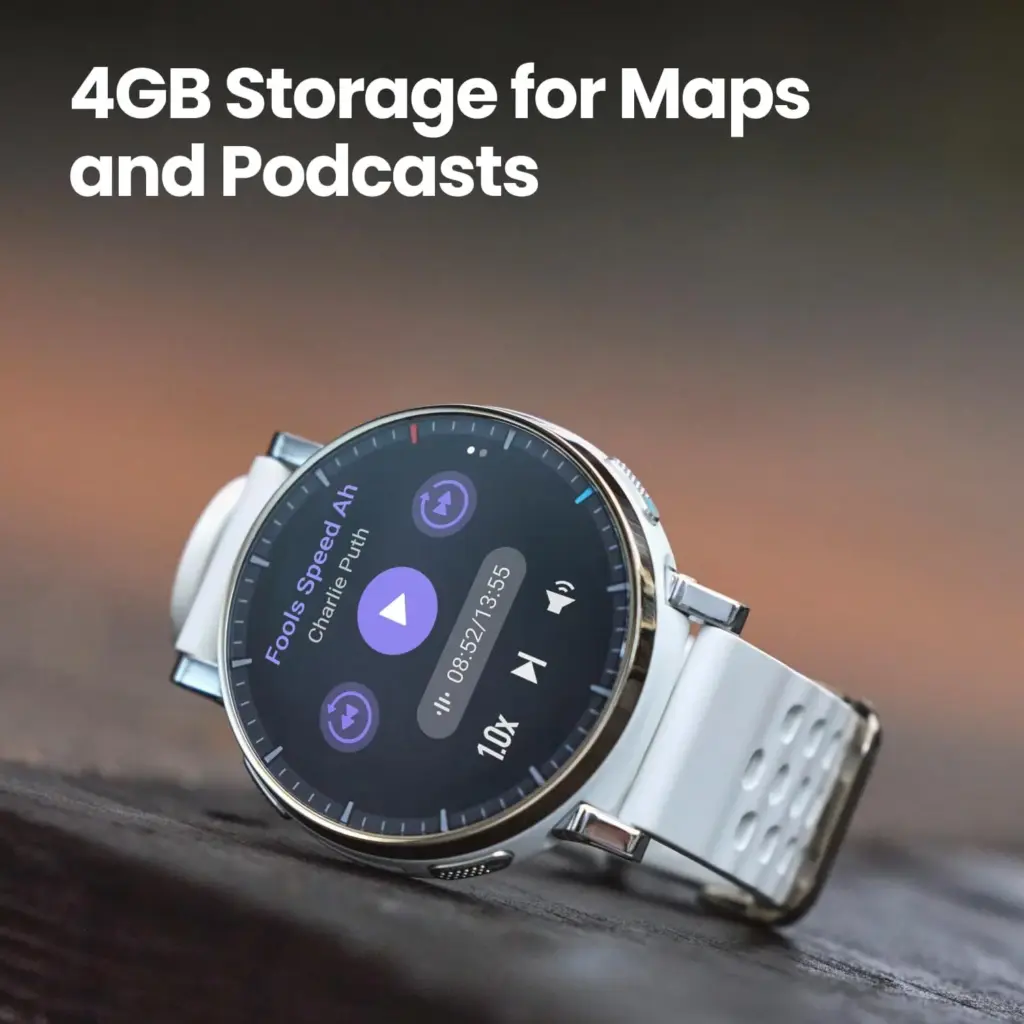
    GPS is built in, with offline maps, turn-by-turn navigation, automatic rerouting, and point-to-point route planning. These features don’t match the depth and precision of what Garmin or Suunto deliver, but they’re more than adequate for basic navigation and phone-free outdoor sessions.

    61MHW8rFw6L. AC SL1500

    Amazfit Active 3 Premium

    Built for Runners. Features a durable stainless steel frame, sapphire glass, and a lightweight build. The vibrant 1.32″ AMOLED display ensures your data and maps are easy to read, even under bright sunlight.

    $169.99Amazon

    Performance

    Amazfit rates the Active 3 Premium at up to 12 days of battery life under typical use, dropping to around 7 days with heavy use and 24 hours in continuous GPS mode. Real-world testing – wearing the watch day and night, tracking at least four workouts per week, and using GPS during outdoor sessions – landed around 10 days per charge, which aligns closely with those claims.

    Outdoor tracking performed reasonably well. Testing across two full-day hikes through dense Welsh woodland and regular park runs produced location estimates accurate enough to serve as a reliable workout companion. That said, the Active 3 Premium uses single-band GPS rather than dual-band, which can limit signal strength in more complex, obstructed environments. Professional trail runners or those venturing into demanding terrain may find the GPS less dependable than they’d like.

    Heart rate data was compared against readings from the Whoop MG screenless tracker, the Oura Ring Gen 4 smart ring, and the Polar H9 chest strap heart rate monitor. The results accurately reflected workout intensity and training load across most conditions. Accuracy dropped slightly during high-intensity efforts above 150 bpm, though that’s a common limitation across budget fitness trackers rather than a specific failing of this watch. Sleep and stress tracking both performed well.

    Step counting and upper-body movement tracking were less reliable. The watch tended to underestimate steps and consistently struggled with exercises like indoor rowing, where stroke rate detection was noticeably off. Strength training tracking also left something to be desired. These shortcomings didn’t significantly affect the overall experience, and at this price point, they’re largely expected trade-offs rather than dealbreakers.

    Should You Buy the Amazfit Active 3 Premium?

    The Amazfit Active 3 Premium earns its place as one of the better budget smartwatches available for novice runners and casual exercisers. It’s durable, comfortable, reasonably accurate, and packs a genuinely impressive set of workout-tracking tools alongside beginner-friendly training guidance. The design holds up well across contexts, and the battery life is hard to fault. GPS and mapping fall short of premium standards, and the screen smudges faster than it should – but neither is a realistic expectation at $169.99.
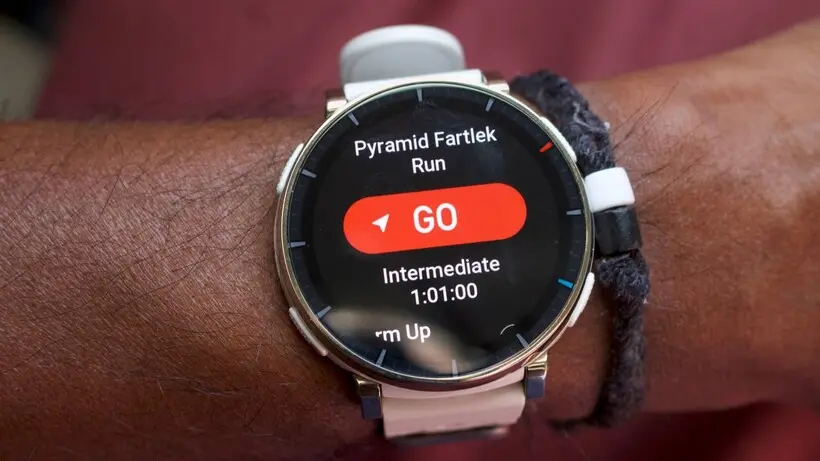
    Amazfit Active 3 Premium navigation

    Buy it if: You’re a beginner or casual runner looking for a sleek, reliable smartwatch without spending a fortune.

    Don’t buy it if: You’re an experienced runner who needs advanced GPS accuracy and detailed mapping capabilities from a premium wearable.

    61MHW8rFw6L. AC SL1500

    Amazfit Active 3 Premium

    Built for Runners. Features a durable stainless steel frame, sapphire glass, and a lightweight build. The vibrant 1.32″ AMOLED display ensures your data and maps are easy to read, even under bright sunlight.
    $169.99Amazon
  • Honor Magic 8 Pro hands-on: premium design, powerful performance

    Honor Magic 8 Pro hands-on: premium design, powerful performance

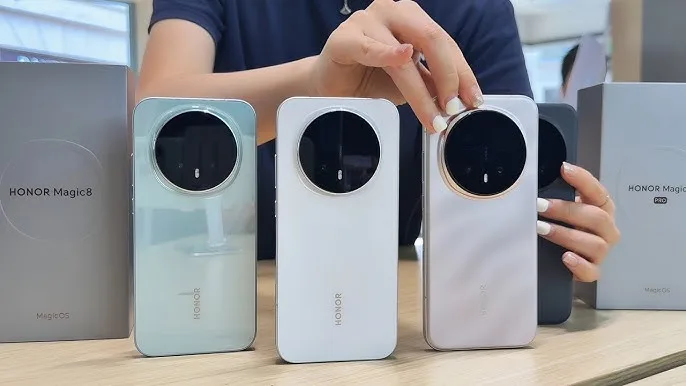
    Honor isn’t spending any time getting its new Magic 8 Pro ready for its domestic China launch this month, even if it’s hard to believe that new flagship phone season has already begun again. My firsthand impressions are based on the pre-production unit that Honor supplied me prior to the launch.

    Honor’s Magic OS 10 software, which is based on Android 16, is installed on this China model. It has Qualcomm’s latest Snapdragon 8 Elite Gen 5 hardware, a state-of-the-art camera system, a beautiful, elegant design that is lighter than before, and the largest battery I’ve ever seen in a flagship phone – despite the weight decrease.

    Specs and availability

    Before making its way to other regions, such as Europe, later this year in Sunrise Gold, Sky Cyan, and Black hues, the Honor Magic 8 Pro will make its debut in China in October 2025.

    At launch, the phone comes with a 7,200mAh battery and a single SKU with 12GB RAM and 512GB storage. Because of European battery size constraints, the European model will come with a 6,270mAh battery.

    Honor comes with a clear TPU case, a USB cable, a 100W charger, and a film screen protector already fitted on the phone. Very good deal when compared to other flagships!

    CategoryHonor Magic 8 Pro
    Display6.71-inch 120Hz LTPO OLED, native 10-bit, 2808 x 1256, 6000 nits
    Eye careDC-dimming and 3840/4320Hz PWM dimming, hardware blue light filtering, defocus myopia prevention, custom contrast and color
    Rear camera 150MP main, f/1.6, 1/1.3”, OIS, 4-in-1 2.4μm large pixel output
    Rear camera 2200MP tele, f/2.6, 1/1.4”, 3.7X optical zoom, OIS
    Rear camera 350MP ultrawide, f/2.0, 122-degree wide angle, 2.5cm Macro Photography
    Front camera50MP f/2.0
    SecurityUltrasonic in-display fingerprint scanner, 3D depth front camera for face recognition
    Battery7100mAh (China) or 6270mAh (Europe) Silicon-carbon battery
    Charging100W wired, 80W wireless
    DurabilityIP68, IP69, IP69k
    ProcessorQualcomm Snapdragon 8 Elite Gen 5
    RAM12GB
    Storage512GB
    Dimensions161.15mm x 75mm x 8.4mm
    Weight213g
    ColorsSunrise Gold, Sky Cyan, Black
    honor magic 8 pro color variants

    New designa and a huge battery

    I could sense the difference from the previous year as soon as I took the Honor Magic 8 Pro out of the package. In addition to being smoother than before (in a non-slippery fashion, strange as that sounds), the phone’s soft, brushed metal sides also organically curve into the front and rear of the chassis, offering remarkable weight alleviation over the previous model.

    Honor appears to have found a good mix between the flat side trend and a more pleasant set of curves, which is something I dislike about most phones with flat edges. Only the extreme margins of the corners are pushed into a curve, making the display flatter than before.

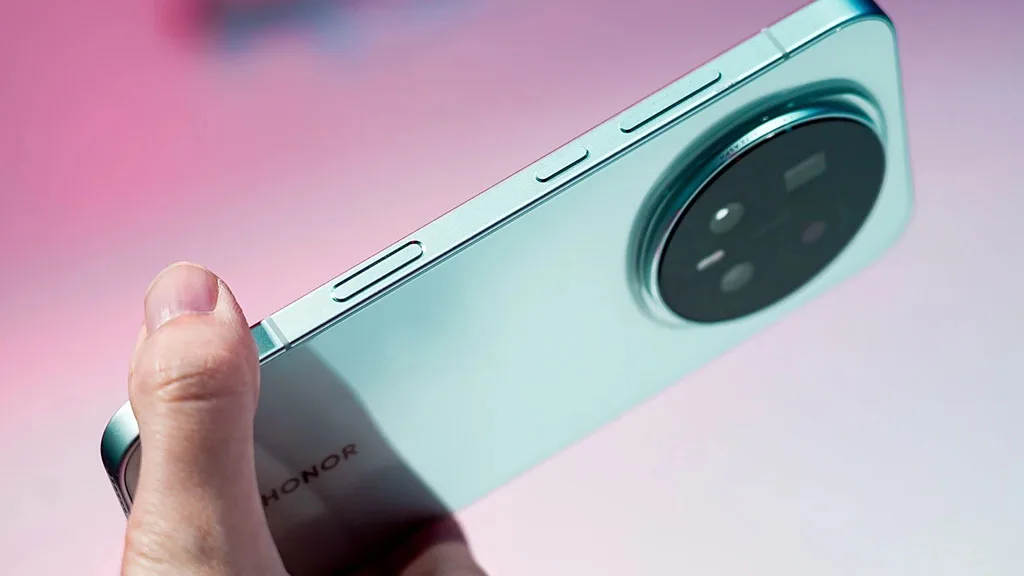
    The new design’s touted feature is a new AI button, which is situated around two-thirds of the way down the phone’s right side. Although it may also be used as a camera control button with swipe-to-zoom capabilities, this long button, which is flush with the frame, is primarily used as an AI button right out of the box.

    Honor Magic 8 Pro news leak snapdragon 8 elite gen 5 android 16 1

    In China, YOYO video AI can be accessed by long-pressing the button; this capability at least somewhat resembles Gemini Live. Honor hasn’t officially disclosed their plans, but it’s probable that international versions will include this feature with Gemini rather than YOYO.

    Additionally, you can personalize a single or double press of this button to take a screenshot for AI memories, start the camera, or open the AI memories center.

    I really enjoyed this final feature since it made it simple for me to keep track of facts throughout the day. For instance, I came across a local post about a Harry Potter event that was taking place at the end of the month while perusing Instagram. The screenshot of this incident was saved in my AI memories when I tapped the AI button, and I can locate it by searching for “Harry Potter” in the AI memories app.

    These days, my preferred method of finding information is this kind of context-sensitive information searching, which is comparable to the Pixel Screenshots app. You can even request that YOYO “find all my screenshots and eliminate the fuzzy ones” for the Chinese models. If you choose not to utilize it, the implementation is totally ignorable and doesn’t feel intrusive at all.

    You will care about the improved battery even if you don’t give a damn about the new AI button. With Honor’s latest silicon-carbon battery technology, which has an incredible 7,100mAh capacity, the Magic 8 Pro has the largest battery I’ve ever seen in a typical flagship phone. Despite this, the phone weighs less than the one from the previous year.

    The Honor Magic V5 also featured a comparable capacity increase and this battery technology. This isn’t “empty capacity” or anything because, at the beginning of the third day of my testing, I had barely less than 20% remaining after going two full days without charging. It’s authentic.

    honor magic 8 pro

    About the camera

    Every shot I took with the Honor Magic 8 Pro impressed me on a pleasant fall day. As I’ve come to anticipate from Honor phones, this one performs especially well in motion capture, portrait mode, and with the telephoto camera. It’s not surprising to see that upgraded here with even better sensors because even Honor’s more reasonably priced phones capture beautiful portrait mode photos.

    6HiZyejpYChfBe7CoWETog 970 80.jpg

    Images captured using the viewfinder’s 2x, 3.7x, or 10x presets are outstanding. The camera performed well in every situation I tested it in, and I doubt I could ask for more from any camera with a zoom of less than 10x.

    Honor also emphasizes the phone’s capacity to capture images in difficult lighting conditions, an area where other phones frequently falter. One such moment is The Blue Hour, which occurs immediately before the sun sets.

    In addition to the fact that color is typically difficult to capture at this time, longer exposure times are frequently required to obtain sharp images. Comparing the Magic 8 Pro to the Pixel 10 Pro XL, the former passed this test with flying colors.

    84pJasPcdDZ2hKVCrRxn8i 970 80.jpg

    Furthermore, all of the exciting new toys are buried in the AI processing, even though the telephoto camera has some amazing new stability and low-light characteristics as well as improved dynamic range.

    Viewing your images in context is no longer the only use for motion photos. With only two taps, you can add motion trails, turn any motion snapshot into a slow-motion video, or make an amazing stop-motion animation with the Magic 8 Pro’s new AI editing features.

    Additionally, Honor is introducing some cool new AI-based recoloring modes, including as Warm Sunset, Golden Autumn, and Romantic Blue, to give your old photographs a fresh look.

    Honor Magic 8 Pro – raw power, AI and photography

    As the international debut draws nearer, we’ll be discussing the many interesting and fresh announcements regarding this phone. As of right now, Honor’s most recent products are receiving great reviews, and the business is consistently improving both the hardware and software designs, such as the new MagicOS 10 that runs on Android 16.

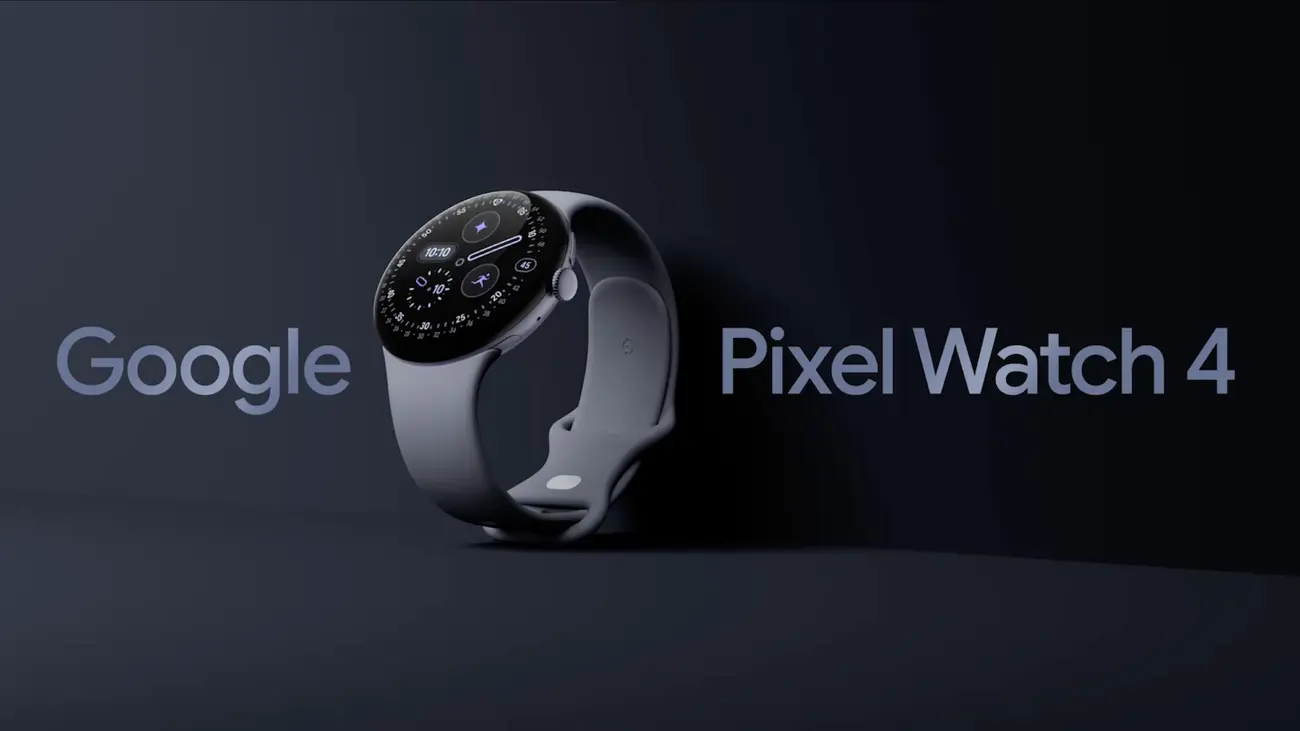
  • Google Pixel Watch 4 review – perfect pebble

    Google Pixel Watch 4 review – perfect pebble

    Since Google is on its fourth generation of the Pixel Watch, time flies, if you will, and smartwatches are an essential component of our everyday digital environment.

    Even though Google has been producing wearable software for a long time, it took some time to enter the market, but the Pixel Watch soon became one of the top substitutes for the Apple Watch.

    Although the Pixel Watch 4 and the previous model may look very similar, this is not a bad thing because Google has made a number of changes and improvements that are difficult to notice at first sight.

    The Pixel Watch 4 may be the greatest Wear OS smartwatch of the year, as Samsung’s Galaxy Watch 8 series has been somewhat of a letdown. To discover out, I’ve been using it for almost three weeks.

    Design

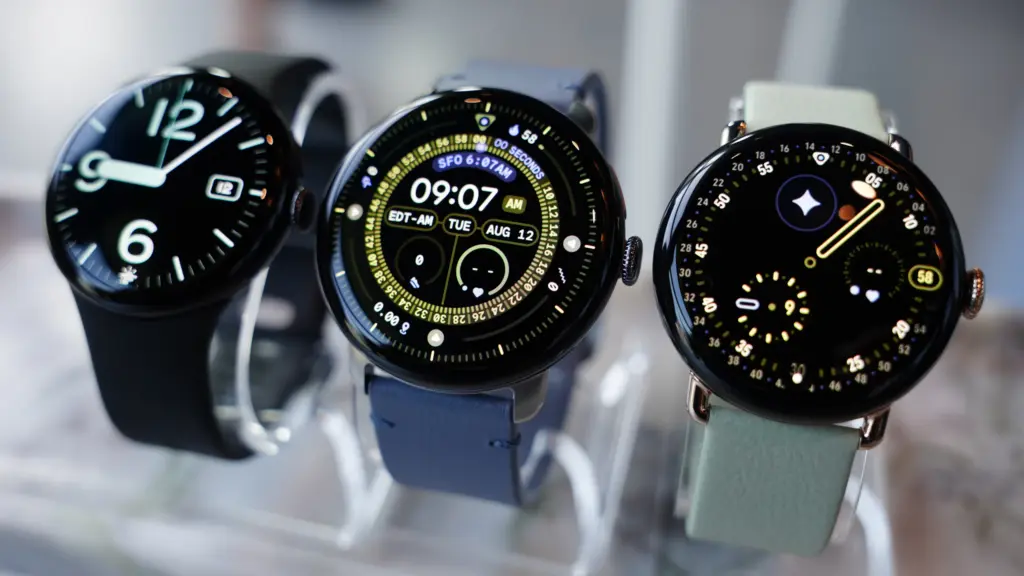
    google pixel watch 4 design changes

    The Pixel Watch 4 bears a striking resemblance to the original, as well as to the Pixel Watch 3. We frequently demand design overhauls as tech reviewers, but in this instance, I don’t believe one is presently necessary.

    Google rectified a significant issue and released a bigger size last year. You can choose between 41- or 45mm models this year, and we are testing the larger one here in the new Moonstone design, which I think has a smart yet simple appearance that appeals to both genders.

    If you choose the correct model, you might be able to match this color, along with some of the other colors, with the Pixel 10 phones. However, because Champagne Gold is only available in 41mm and Moonstone is only available in 45mm, it’s not that simple.

    The Pixel Watch 4 is quite comfy to wear all the time. The aluminum body, which weighs only 37g for the larger version, and its sleek design are a match made in heaven.

    You have the digital crown on the side to access your apps and scroll, as normal. There is also a button above it to view your recently used apps, however I never seem to utilize it.

    Before we continue, there are two more design components to discuss, and the first one turns out to be better in person than anticipated.

    In order to accommodate a new dock, Google has shifted the charging pin connectors to the side. These appeared to have been deliberately excluded from pictures of the watch. Many people, myself included, were concerned that they might appear rather unattractive as a result, but thankfully they don’t.

    Since Google redesigned the device to be repairable, even though it still looks roughly the same, the other design element is unseen as such.

    Fans have requested that, and now the Pixel Watch 4’s screen and battery may be swapped out if necessary. If you have an accident or want to replace the battery to prolong the device’s life, that’s fantastic news. You could even do it yourself.

    The Pixel Watch 4 can now be fixed at home because it is fastened together with screws rather than glue. Even its IP68 water and dust resistance need be maintained.

    It even received a 9 out of 10 for repairability from Ifixit, which referred to it as “the best repairable smartwatch on the market.”

    Although you probably won’t need this feature anytime soon, it’s important to note that the Pixel Watch 4 has Gorilla Glass 5 rather than sapphire glass like some of its competitors.

    As a result, it is less scratch-resistant, but it should withstand drops and impacts better. We haven’t experienced any issues with watches that have been in use for a year or longer, and the same glass has been used in watches from earlier generations.

    pixel watch

    Google Pixel Watch 4

    he Google Pixel Watch 4 is a stunning display of precision craftsmanship, with Gemini, your built-in AI assistant, Google’s longest-lasting battery, and comprehensive tools for next-level health and fitness performance

    Best WearOS smartwatch
    $399.99Amazon

    Display and audio

    google pixel watch 4 display

    You wouldn’t notice the Pixel Watch 4’s new screen beneath the glass front, showing how well it conceals its improvements. The Actua 360 AMOLED screen has a domed display and is referred to by Google as the “first-of-its-kind.”

    It truly differs significantly from both its predecessors and others. You can see what’s available from the side thanks to its slight fish-eye vision, which is similar to what you get from glass beer pumps at bars.

    It’s not so spectacular, but the experience is enjoyable and the “active area” is bigger than it was previously.

    The resolution and dynamic refresh rate of 1–60 Hz are among the specifications that are essentially the same everywhere. At 3000 nits, the new peak brightness is comparable to several “Ultra” category smartwatches.

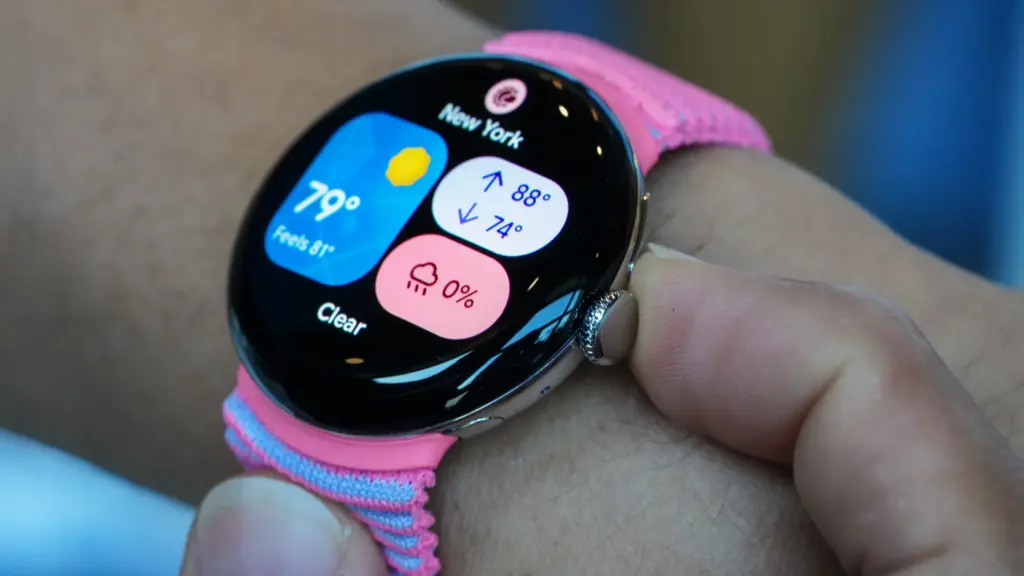
    While I’ve been testing the Pixel Watch 4, the weather has been not that sunny, but on one particularly sunny day outside, I used it without any problems.

    The Pixel Watch 4’s left-side speaker is respectable and more than capable of picking up Gemini’s responses. If you would like, you can also use it to make a phone call.

    pixel watch

    Google Pixel Watch 4

    he Google Pixel Watch 4 is a stunning display of precision craftsmanship, with Gemini, your built-in AI assistant, Google’s longest-lasting battery, and comprehensive tools for next-level health and fitness performance

    Best WearOS smartwatch
    $399.99Amazon

    Performance and OS

    google pixel watch 4 Material 3 Expressive

    The Pixel Watch 4 features a the new operating system, WearOS 6 in addition to a new processor, Qualcomm’s Snapdragon W5 Gen 2.

    Sometimes things don’t happen quickly. It may take a moment or two to load certain apps, like Spotify, and call out Gemini, but this usually happens on the first time. You’ll also need to exercise patience if you’re connecting to a Nest camera’s live stream.

    Similar to Pixel phones, the Pixel Watch 4 features Google’s Material 3 Expressive design language and the most basic version of Wear OS 6 (Samsung, for instance, puts One UI 8 Watch over the top).

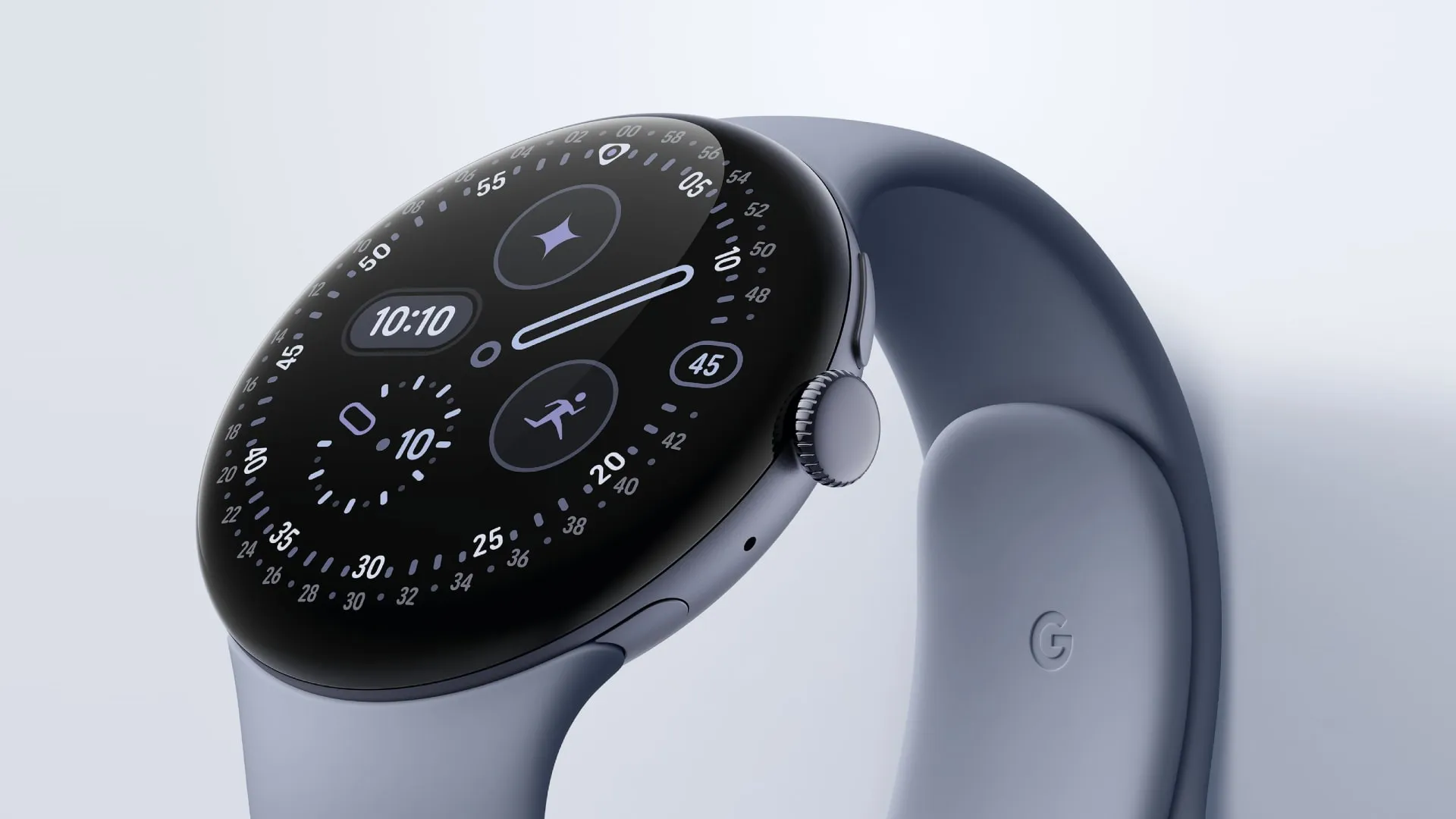
    With optimized designs, animations, vibrant colors, and more, it performs incredibly well on the smartwatch. In my view, part of it appears too young on phones, yet it feels more modern. A dozen watch faces are pre-installed, but adding additional is simple.

    Once more, the tiles on either side of the watch face – which are effectively widgets – provide instant access to features and information and may be tailored to your specific needs.

    The experience is further improved by a new haptic feedback engine, which makes everything from scrolling to notifications clear and responsive.

    On the Pixel Watch 4, Gemini takes the role of Google Assistant (the AI bot is being implemented on all devices). If you’d like, you can even configure it to wake up with a wake-to-wake command.

    Although I’ve seen that I use the watch much more than my phone, it can be challenging to understand its limitations. Naturally, it can respond to requests, but this option is only a shortcut to my current heart rate, even though the welcome guide that came with it stated that it could “inform you about your heart rate.”

    Additionally, there are AI capabilities like Smart Replies that try to provide tailored recommendations based on your writing style. When someone asks what coffee they would like, the Google Store example shows a selection of two coffees.

    I’m lucky that this works with WhatsApp, which is where I send all of my messages, but it doesn’t seem to know me well. I was given three different ways to request a black coffee, which is the only type of coffee I don’t consume, in response to the coffee question. All it said in a group chat was “hahaha.”

    It’s also important to note that Smart Replies only function on Pixel phones.

    Some safety features include fall detection, loss of pulse detection, check-in, crash detection, and emergency SOS, but I haven’t required any of them. Please take note that satellite connectivity requires the LTE models.

    pixel watch

    Google Pixel Watch 4

    he Google Pixel Watch 4 is a stunning display of precision craftsmanship, with Gemini, your built-in AI assistant, Google’s longest-lasting battery, and comprehensive tools for next-level health and fitness performance

    Best WearOS smartwatch
    $399.99Amazon

    Health & Tracking

    Google's Material 3 Expressive fit bit

    It performs all the functions you would anticipate from a top smartwatch, but Google hasn’t improved the tracking sensors from the Pixel Watch 3.

    The default watch face displays the steps, calories, floors, and other metrics along the border of the larger 45mm screen. The Fitbit app, which is due to undergo a major revamp, also includes information on skin temperature, heart rate, blood oxygen levels, and other aspects of exercise.

    pixel watch

    Google Pixel Watch 4

    he Google Pixel Watch 4 is a stunning display of precision craftsmanship, with Gemini, your built-in AI assistant, Google’s longest-lasting battery, and comprehensive tools for next-level health and fitness performance

    Best WearOS smartwatch
    $399.99Amazon

    You may explore many areas on the Pixel Watch 4 and the Fitbit app on your phone, which provides you with a comprehensive picture of your activities. Everything in my testing, including sleep tracking, which provides you with a score and a summary of your night, is correct.

    To get “advanced insights, personalised recommendations, and energizing workouts,” you will need Fitbit Premium, which costs £7.99/$9.99 per month or £79.99/$79.99 per year. One of the best features of Fitbit Premium is the Readiness score, which considers all the data to determine how much you should take that day.

    Fitbit Premium is available for free for six months with the Pixel Watch 4, so you can at least give it a try before determining if it’s worth the money. Morning Brief, which provides you with a summary of your calendar, sleep patterns, and weather, won’t require it.

    Via Fitbit, Google does a great job of presenting all the information and helping you achieve your goals.

    You may focus more on things like the Cardio Load metric and the Fitbit phone app, which offers a plethora of workout videos and a running coach (though I haven’t been able to try the AI personal health coach because it’s only available in the US), if you’re more of a fitness enthusiast than I am.

    If fitness is a top priority for you, you can choose a Garmin or something similar, but for a more popular wristwatch, I think the Pixel Watch 4 performs admirably.

    It can automatically track several of the 52 sports that are available for activity tracking. The selection is a little odd given that pickleball (whatever it is) is right there and boxing is AWOL, but other watches can do many more, frequently much over 100.

    Dual-band GPS is now available for more precise tracking during walks, runs, and other activities. I discovered that it picked up a signal in a matter of seconds. It recorded my walks around the neighborhood with a good degree of precision, even though I don’t live in a dense forest where technology has a greater influence.

    The bodily reactions feature (as well as equivalent features on competing watches) that tracks your emotional state hasn’t convinced me yet. This still looks basic, though, as it seems to identify an elevated heart rate—which might be caused by nearly anything.

    Along with the ability to record your mood—whether it be joyful or anxious, for instance—you will receive a message. The few “feelings” I could choose from meant that I was rarely able to choose how I truly felt, and when I could recall what I was doing at the time, it was usually something routine like getting my kid ready to leave the house.

    pixel watch

    Google Pixel Watch 4

    he Google Pixel Watch 4 is a stunning display of precision craftsmanship, with Gemini, your built-in AI assistant, Google’s longest-lasting battery, and comprehensive tools for next-level health and fitness performance

    Best WearOS smartwatch
    $399.99Amazon

    Battery

    google pixel watch 4 on charging dock

    You can use the Pixel Watch 4 for up to 30 or 40 hours (41 and 45 mm, respectively) with the display always on thanks to Google’s ability to squeeze a little larger battery into both sizes.

    With Battery Saver enabled, this lasts for 48 or 72 hours, although you should avoid using the watch in that mode unless absolutely necessary.

    The purpose of your smartwatch will determine how long its battery lasts. We’ve been testing the 45mm model, and with less use, we can get two days and nights on a single charge, sometimes even more.

    Regular charging is necessary for users who use GPS to track intense exercises every day, use the screen in direct sunlight, and use other battery-draining features.

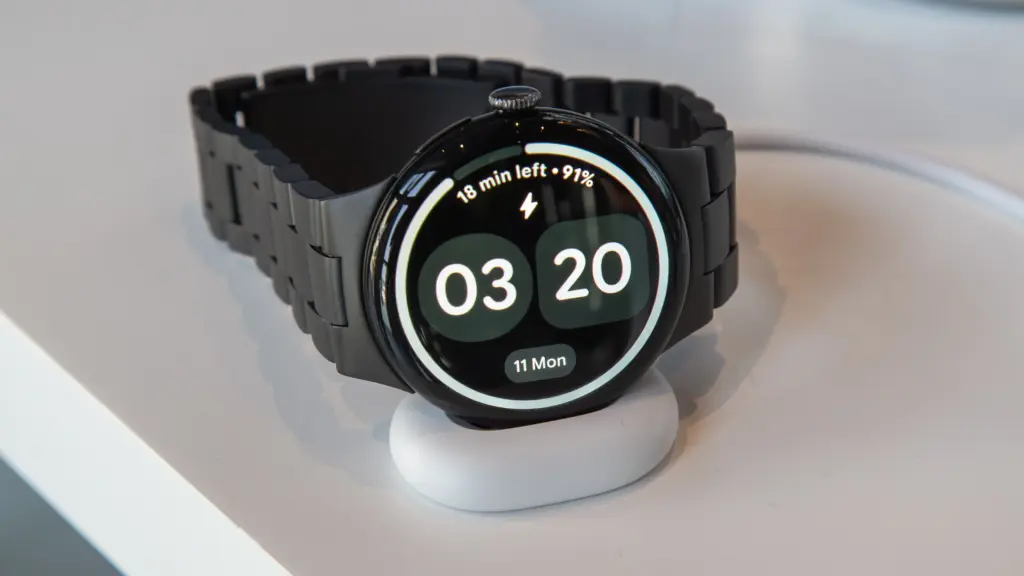
    When you do, though, it’s incredibly quick, and Google’s new Quick Charge Dock is a lot more stylish option than the earlier chargers.

    Although the dock is modest and might use some weight to maintain its flatness (cable management is crucial in this situation), I still greatly like it over the prior version or other competitors. The screen will indicate whether the other end of the cable is plugged in or whether the contacts are not perfectly aligned. It will also display the time and remaining battery life when charging.

    Even for the 45mm with a larger battery, charging is remarkably fast (25% faster than the Pixel Watch 3); our testing even surpass Google’s claims in this regard. I watched it go from completely dead to 50% in 15 minutes and 89% in 30 minutes.

    One important aspect of the Pixel Watch 4 is that the battery can be changed, as stated in the design section. You might even feel comfortable doing it at home. If you want the item to endure many more years before you need to upgrade, this could be essential.

    pixel watch

    Google Pixel Watch 4

    he Google Pixel Watch 4 is a stunning display of precision craftsmanship, with Gemini, your built-in AI assistant, Google’s longest-lasting battery, and comprehensive tools for next-level health and fitness performance

    Best WearOS smartwatch
    $399.99Amazon

    Price

    The Pixel Watch 4 is priced at £349/$349.99, which is the same as its predecessor despite the numerous improvements.

    Naturally, that will result in the WiFi/Bluetooth model’s smaller 41mm size; hence, it will cost more to add LTE connectivity or go with the larger 45mm.

    • Pixel Watch 4 (41mm Wi-Fi) – £349/$349/€399
    • Pixel Watch 4 (41mm LTE) – £449/$449/€499
    • Pixel Watch 4 (45mm Wi-Fi) – £399/$399/€449
    • Pixel Watch 4 (45mm LTE) – £499/$499/€549

    In spite of Google, you can get it via US retailers like Amazon, Argos, Currys, Very, John Lewis, and Best Buy.

    It’s fairly priced, falling between the Samsung Galaxy Watch 8 (£319/$349.99) and the Apple Watch Series 11 (£369/$399). To get the most out of Fitbit, you may need to purchase Fitbit Premium, as previously suggested.

    pixel watch

    Google Pixel Watch 4

    he Google Pixel Watch 4 is a stunning display of precision craftsmanship, with Gemini, your built-in AI assistant, Google’s longest-lasting battery, and comprehensive tools for next-level health and fitness performance

    Best WearOS smartwatch
    $399.99Amazon

    Is Google Pixel Watch 4 worth the money? 

    With just a few minor problems, the Pixel Watch 4 is, in our opinion, the greatest Wear OS watch available.

    Although you may disagree, it’s the most attractive watch, and Google did a fantastic job of making it repairable so you can change the screen or battery – possibly at home.

    The interface looks and functions fantastic, the new Quick Charge Dock is a blessing, the domed screen is a treat, the performance is generally smooth, and there are many smartwatch, fitness, and health capabilities.

    Gemini still needs more improvement, and Smart Replies are limited. In addition, the OnePlus Watch 3 offers a more durable smartwatch at a lower cost.

    However, if you’re searching for a flagship smartwatch that does almost everything well, the Pixel Watch 4 is a great all-arounder and comes highly recommended.

    All specs

    • Wear OS 6
    • 41 or 45mm
    • Actua 360 display, AMOLED, 1-60Hz, 3000 nits peak
    • Snapdragon W5 Gen 2
    • 2GB RAM
    • 32GB storage
    • Heart rate monitor
    • SpO2
    • ECG
    • Skin temperature
    • Microphone
    • Speaker
    • Wi-Fi 6
    • Bluetooth 6.0
    • Satellite SOS (LTE models)
    • Ultra Wideband
    • Dual-band GPS
    • eSIM
    • NFC
    • 325/455mAh battery
    • Quick Charge Dock
    • Gorilla Glass 5
    • IP68/5ATM
    • 31/37g
    pixel watch

    Google Pixel Watch 4

    he Google Pixel Watch 4 is a stunning display of precision craftsmanship, with Gemini, your built-in AI assistant, Google’s longest-lasting battery, and comprehensive tools for next-level health and fitness performance

    Best WearOS smartwatch
    $399.99Amazon
  • Amazfit Bip 6 – an amazing smartwatch with a even better price – review

    Amazfit Bip 6 – an amazing smartwatch with a even better price – review

    Admittedly, I made a snap judgment about the Amazfit Bip 6 based on its affordable price. I didn’t think it would compete with more expensive smartwatch rivals, much less hold its own at $80. I can tell, however, that it’s more than simply a terrific deal after a couple days of testing.

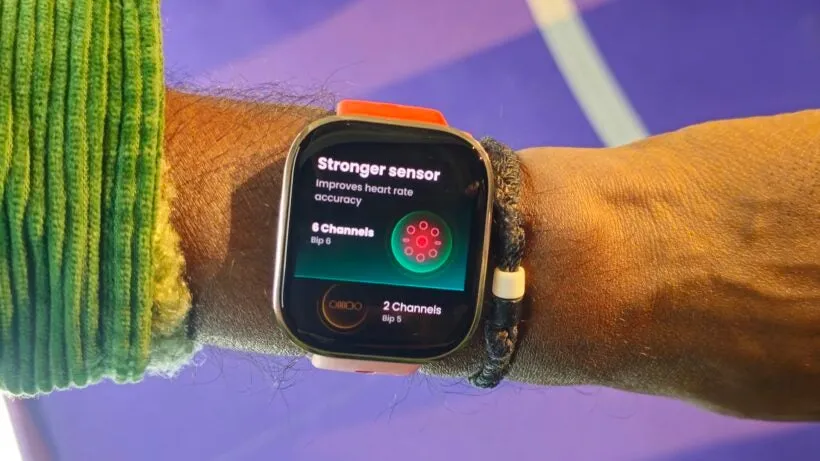
    The Bip 6 is unique in a time when the majority of smartwatches cost hundreds of dollars since it does more than just the basics. During my testing of the Amazfit Bip 6, I discovered that the battery life lasted more than a week on a single charge, the fitness monitoring was reliable, and the advanced health indicators were accurate. One of the few smartwatches under $100 that is truly worth your time is this one, especially when you consider that it is compatible with both Android and iPhone.

    It’s hardly the most sophisticated timepiece available. Compared to more expensive models, the Amazfit Bip 6’s design and navigation feel clumsy, but overall, it seems like a minor price to pay for everything else it offers.

    The watch isn’t the most sophisticated one available. Comparing the Amazfit Bip 6 to more expensive models, the design and navigation feel clumsy, but this seems like a minor price to pay for all the other features it offers.

    For those who prioritize functionality above style, the Amazfit Bip 6 offers a simple and cost-effective way to get started with smartwatches. It’s perfect for first-time smartwatch purchasers who want to experiment with fitness and health tracking without breaking the bank. iPhone users who are interested in smartwatches but aren’t ready to commit to an Apple Watch will find it especially enticing.

    Design

    Although it feels light, the 44mm watch looks bulky on my medium-sized wrist (6.5 inches), and it doesn’t come in any other size. The Amazfit Bip 6’s design is straightforward and practical; it has the boxy, flat appearance of an old Pebble Watch, with a slight curve to the screen and a metal trim that gives it a bit of polish. The 1.97-inch AMOLED display (390×450 pixels) looks bright and crisp indoors, but I have trouble seeing what’s on screen in direct sunlight.

    Amazfit Bip 6 design

    All of the bands tend toward the sporty side of the design spectrum, and unless you choose an alternate band from Amazon, there isn’t really any way to dress it up. The black sport band that came with my review device is also available in charcoal, stone, and red (which I might have preferred).

    Software and UI

    The Amazfit Bip 6 doesn’t provide the most seamless onboarding experience right out of the box, and I had to do some tweaking to get the watch configured the way I wanted it. There isn’t a real always-on display, so I changed the watch face that came with it, changed the battery settings to keep the screen on when working out, and changed which fitness metrics I wanted to see while running. Determining the true functions of the physical button and other swiping movements also required some trial and error.

    Although it’s not as user-friendly as other smartwatches like the Apple Watch or Galaxy, you should be able to figure it out if you delve deeply enough into the settings.

    Amazfit Bip 6 software

    It’s not as user-friendly as other smartwatches like the Apple Watch or Galaxy, but if you dig deep enough into the settings, you should be able to figure it out. The Amazfit Bip 6 doesn’t offer the most seamless onboarding experience right out of the box, and I had to do some tweaking to get the watch configured the way I wanted it. There isn’t a real always-on display, so I changed the watch face that came with it, changed the battery settings to keep the screen on while working out, and changed which fitness metrics I wanted to see while running.

    Thankfully, Android phone users can respond to texts using a keypad or voice recognition, but iPhone consumers are stuck without a remedy unless they use a third-party app. The fact that Flow functionality is dependent on the phone and that the Bluetooth range is excruciatingly limited (at least with an iPhone) doesn’t help either. When my phone was only a room away, I frequently lost connectivity. If you rely on Find My Phone as a lifeline to find your phone, this renders the feature essentially worthless.

    Amazfit Bip 6 Smart Watch

    Amazfit Bip 6

    Stylish Design, Vibrant Display: The lightweight aluminum build blends effortless style with workout durability, while the vivid 1.97″ AMOLED display keeps your data easy to read, even under bright sunlight.
    A good choice
    $79.99Amazon

    Battery life

    One of the best things about the Amazfit Bip 6 is undoubtedly its battery life. I tested it with several GPS workouts, heart rate monitoring, and running with the always-on display, and it still lasted more than a week—eight days, to be precise—between charges.

    The manufacturer claims a two-week guarantee, which I probably would have achieved if I had been more cautious with the settings. After a day and a half, more expensive competitors like the Apple Watch, Galaxy Watch, and Pixel Watch require charging. The battery life of even the more costly Apple Watch Ultras with bigger batteries is only three days.

    However, there isn’t a fast-charging option that I’m aware of, and it will take roughly two hours to go from zero to full when you eventually need to return for a charge. I’d rather leave it charging overnight once a week than have to find a time throughout the day to recharge it again, even though I’ll pick longer lasting battery life over faster charging any day.

    Additionally, as the box only comes with a magnetic charging puck that must be plugged in, you will need to provide your own USB-C charging cable (and brick). The charging brick is no longer included with the majority of modern watches, such as the Apple Watch and Pixel Watch, although the charging cable is still included.

    Fitness features

    It would be an understatement to claim that the watch covers the fundamentals of fitness tracking. Along with detailed analytics for runners and other popular sports, it offers every workout you could possibly need. Since running is my major method of exercise, I primarily tested the running exercises.

    amazfit bip 6 Fitness features

    At first, using the Amazfit Bip 6 to track a run feels unsteady because it takes around ten seconds to lock onto a GPS signal, which can be a deal-breaker when you’re ready to go. It’s off to the races after it locks in, though. Even without my phone, the GPS functioned consistently across several runs. Surprisingly, heart rate monitoring, including zone breakdowns, held up well. I utilized the Polar chest strap HR monitor, the industry standard for consumer heart rate tracking, to test smartwatches, and the results was comparable.

    Amazfit Bip 6 Smart Watch

    Amazfit Bip 6

    Stylish Design, Vibrant Display: The lightweight aluminum build blends effortless style with workout durability, while the vivid 1.97″ AMOLED display keeps your data easy to read, even under bright sunlight.

    A good choice
    $79.99Amazon

    It monitors strength training during indoor exercises and even makes an effort to determine which muscle groups are being used. Accuracy is still unknown because I didn’t perform a conventional strength training session, but during a Pilates practice that I had designated as strength training for testing purposes, it accurately identified arm muscles.

    Health and wellness

    Amazfit Bip 6 awarded me around an hour’s worth of sleep “bonus credit” on weekend nights when I was fully awake since it had trouble detecting the difference between when I was sleeping and when I was watching White Lotus. Notably, the Apple Watch has previously made the same error, which raises doubts about my level of consciousness at the end of the day while I’m dozing off on the couch.

    Amazfit Bip 6 43030d 820x461 1

    However, the actual measurements are quite useful because they monitor breathing quality, sleep stages, and changes in temperature and heart rate. Like the vitals check on other wearables like the Apple Watch and Oura ring, this might help indicate the onset of diseases.

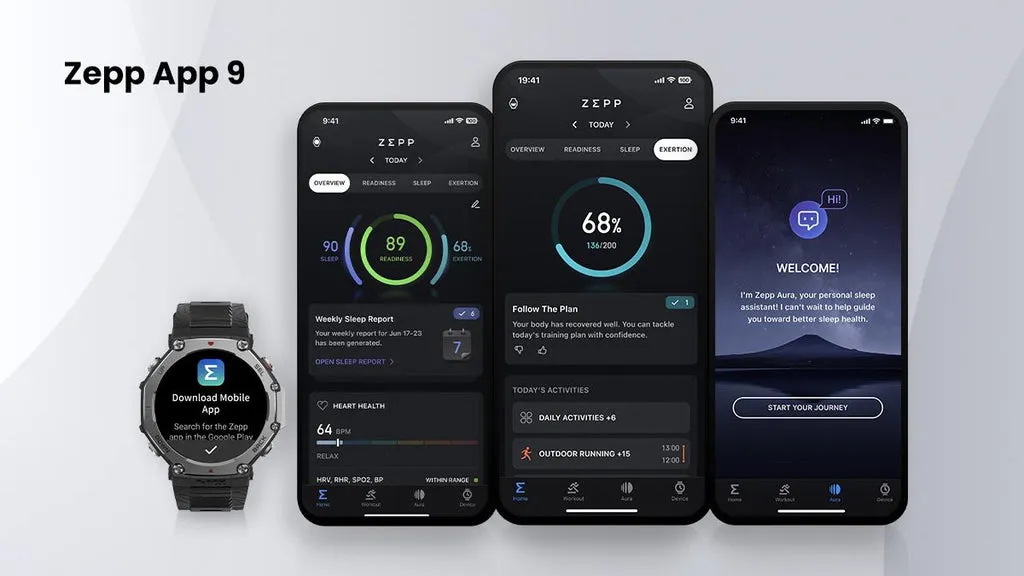
    Zepp Aura add-on, which includes sophisticated sleep analysis, AI-powered coaching, and tools to help identify issues like sleep apnea and insomnia, is also available if you really want to go into your health and sleep data. It generally costs $150 a year, but right now it’s only $60.

    Additionally, I had some issues turning off notifications while I slept, and I had to manually configure the “do not disturb” option because it didn’t match what I had configured on my phone.

    Zepp App for Amazfit Bip 6

    All of this health data has the flaw of having little to no context. There is no instruction on what the statistics imply, what is deemed normal, or how to act based on them, whether you’re looking at the watch’s instant results or the Zepp app’s long-term health trends. I didn’t test the Aura premium option for this evaluation, but perhaps it helps make sense of everything.

    Amazfit’s own Zepp OS powers the watch, and the Zepp app on your phone controls all of your data and settings. It manages the app and watch face stores in addition to system settings and health metrics. The Zepp app’s layout is confusing and has multiple tabs, so good luck locating what you need.

    Zepp OS zepp app for amazfit bip 6

    The data itself is frequently difficult to grasp, even if you are able to locate the necessary tab. I consider myself well-versed in fitness jargon, having reviewed smartwatches and fitness trackers for over ten years, yet even I had doubts about the meaning of several of these numbers.

    An AI-powered food journal that automatically enters nutritional data and calories from a barcode or photo is an additional bonus function. I used a homemade cheese sandwich to test it, and I was surprised by how accurately it calculated the number of calories. I then compared the results with the real nutritional data for each ingredient. I can see this as a useful tool for those who prefer to monitor their intake in order to manage their weight, but have not kept long-term logs for a thorough examination of this feature.

    Amazfit Bip 6 Smart Watch

    Amazfit Bip 6

    Stylish Design, Vibrant Display: The lightweight aluminum build blends effortless style with workout durability, while the vivid 1.97″ AMOLED display keeps your data easy to read, even under bright sunlight.

    A good choice
    $79.99Amazon

    Although it won’t impress you right away, the Amazfit Bip 6 is a powerful, discreet tracker that constantly goes above and beyond where it matters most. Easily the greatest option we’ve tested in its price category, it’s the kind of uncommon find you don’t expect to find in the world of smartwatches under $100.

  • Nothing Phone 2 – #Nothing

    Nothing Phone 2 – #Nothing

    The UK, Europe, Japan, and India all had access to Nothing’s initial phone, which was appropriately dubbed Nothing Phone 1. I felt envious as a tech nerd from the US. Beyond its distinctive style, Nothing’s first phone was universally praised as a good gadget at a fair price. Nevertheless, the competition in the Android market isn’t quite as diversified here as it is in the locations where you can readily buy the Phone 1. We felt as though we were being left out.

    I’m happy that the Nothing Phone 2, the company’s second phone, is now available in the US. It retains the general vibe of the Phone 1, but in a larger, more robust package. After using the phone for a few weeks, I’m a fan, but even at its $599 starting price, the Phone 2 won’t appeal to many Android aficionados due to its shaky 4G compatibility on Verizon and average camera quality.

    It was shipped in a high quality carboard box, known as cutie carton in some places.

    Network and availability

    On the business website, you may order the Nothing Phone 2 right now. The entry-level model with 8 GB of Memory and 128 GB of storage costs $599 in the US. For $699 or $799, you may increase to 12 gigabytes of Memory and 256 GB of storage. Although the $599 version with eight GB of Memory is only available in gray, it is available in either white or gray.

    The Phone 2 is approved for use on both AT&T and T-Mobile, however it is only currently offered directly from Nothing. It lacks network certification for Verizon. It’s still compatible with Verizon, and sub-6 5G connectivity will be great. Nevertheless, the LTE band 13 capability needed for Verizon’s 4G connectivity is absent from the Nothing Phone 2. The Nothing Phone 2 won’t likely function for you if you’re on Verizon (or an MVNO that uses its network) and rely on 4G connectivity.

    Nothing Phone design and display

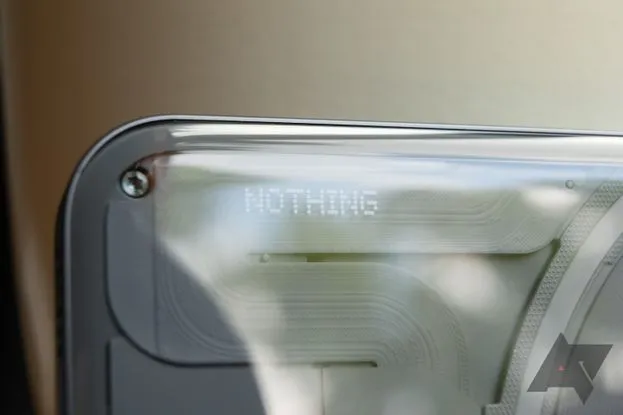
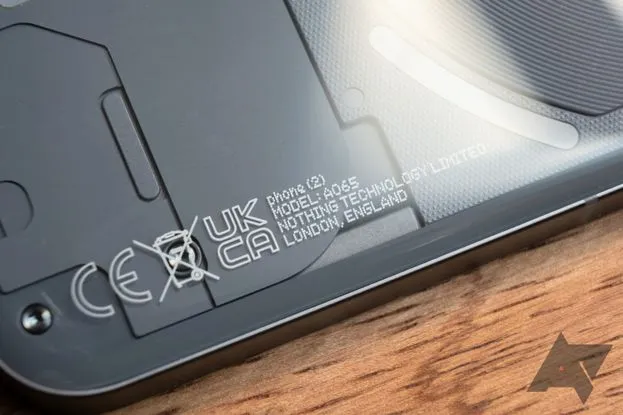
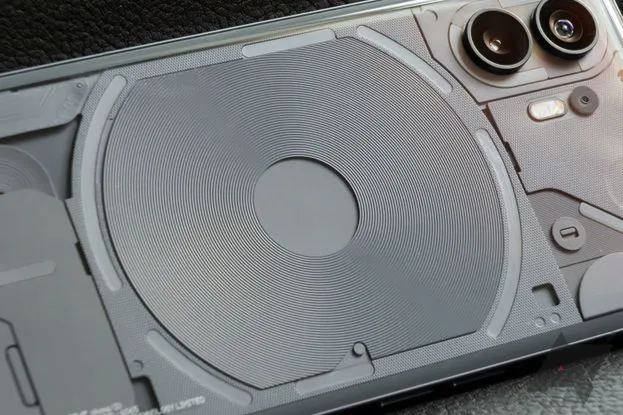
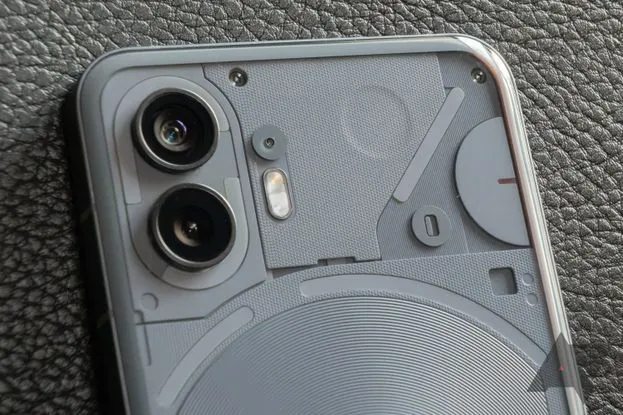
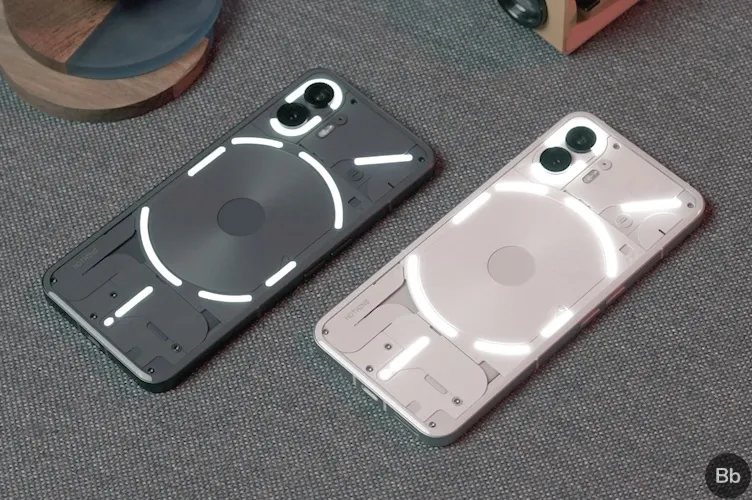
    The translucent rear of the Nothing Phone 2 mimics that of the Phone 1, revealing some swanky internals and Nothing’s distinctive Glyph user interface. The biggest variations between one version and the next are the size (the Phone 2 has a 6.7″ display, which is somewhat larger than the Phone 1’s 6.55″ panel) and color selections. The Phone 2 is available in white and the type of smokey gray you can see in the photographs, as opposed to the Phone 1, which was only available in white or black.

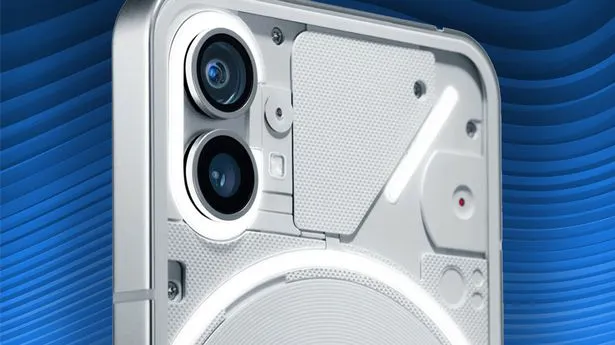
    The components inside the transparent back panel have more roughness than they did in the Phone 1, which makes the Phone 2 even more aesthetically pleasing. Light plays on the tiny bumps and ridges in intriguing ways, highlighting another new detail that is highlighted by the gray hue. The Phone 2’s rear panel curves slightly at the edges to meet the flat metal frame, in contrast to the Phone 1, which had flat glass on the back (nothing refers to it as “pillowed glass”). Personally, I believe the flat rear of the Phone 1 had a cleaner appearance.

    This time around, the Glyph lights on the phone’s back have a slightly modified layout and more independently configurable zones than the Nothing Phone 1 did. Even so, they still only emit one color of light; these are not tiny RGB strips.

    Except from those variations, this design is extremely similar to the Nothing Phone 1. Nothing suggests this was done on purpose; the business wants to establish a strong, recognisable visual identity that can be carried over to upcoming gadget generations. There, I am powerless to gripe. Nothing’s design language is still distinctive and eye-catching in comparison to the majority of other phones available today, even though it hasn’t changed significantly year over year.

    phone 2 pdp os header desktop

    The hardware feels quality, too: there’s no creaking or flexing, the buttons are clicky, and the haptics are nice and firm, if a little loud. The phone is IP54 rated, so it’s splashproof, but you still try not to submerge it in water.

    There’s an optical fingerprint sensor near the bottom of the screen. The scanner is just a touch lower in the display than I’d like, but it’s a good one: it’s faster and more reliable than the sensors in Google’s Pixel 7 phones, though not quite as quick as the ultrasonic scanners Samsung uses in its flagships.

    Software and performance

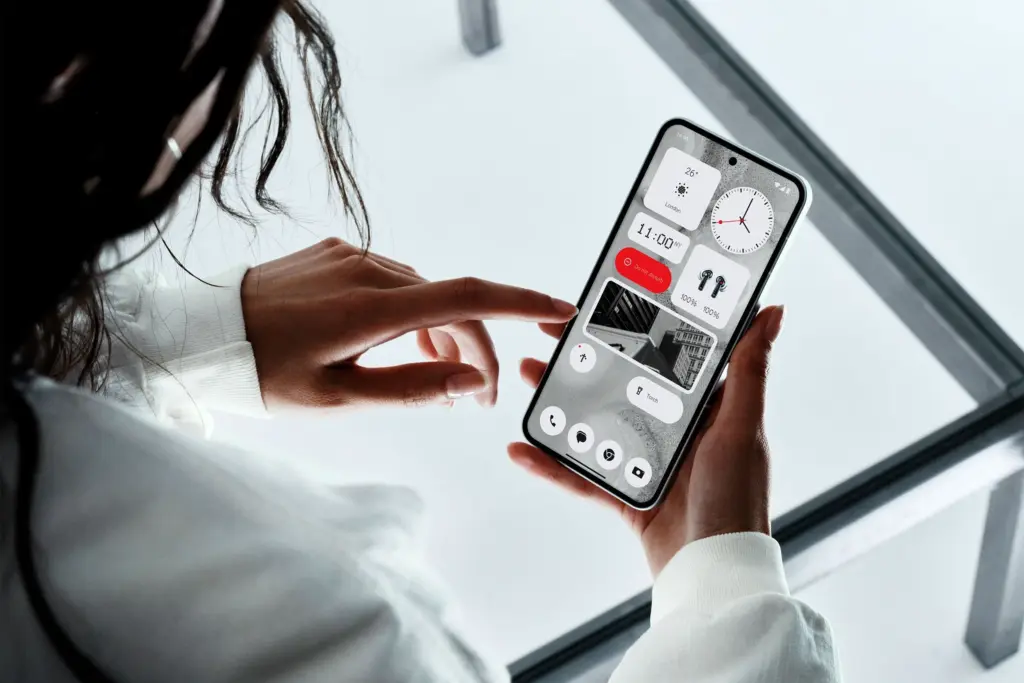
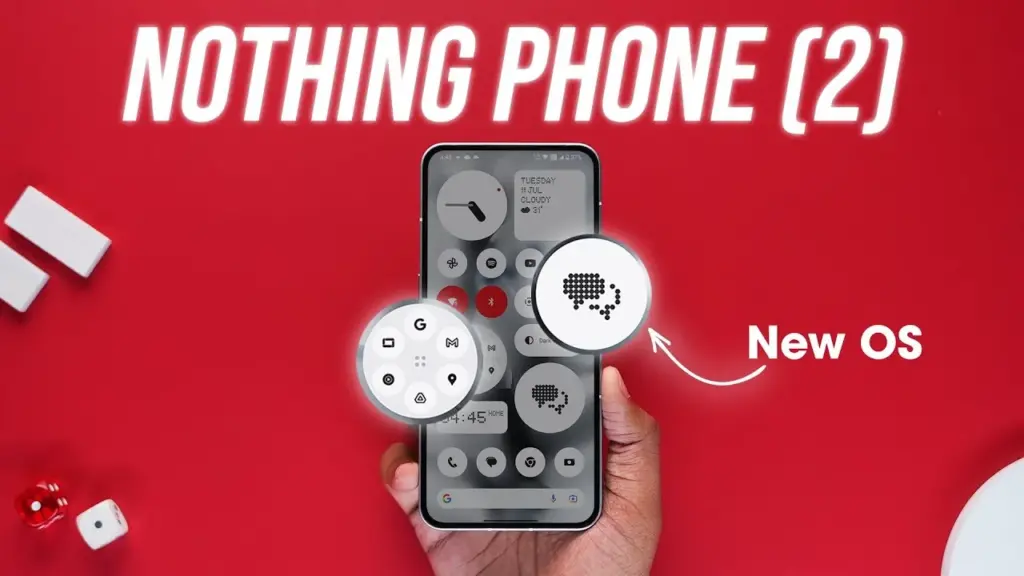
    In the Phone 2, nothing’s software basically looks the same as it did on the Phone 1. The UI here feels a lot like Google’s version of Android because the firm gave Android 13 the same light touch of customization that it gave Android 12. If you still find that to be too strange for you, you can initially set up the phone with stock Android rather than Nothing OS.

    maxresdefault 8

    Nonetheless, I enjoy Nothing OS since none of the modifications it makes are intrusive or feel forced. The Phone 2 primarily uses Google’s system apps, including Phone, Messaging, Calculator, Clock, and others, however there are a few widgets with the Nothing brand and a few apps with Nothing’s distinctive dot-matrix design. Thankfully, there is no bloat, such as pre-installed social networking or games, or programs that perform two functions at once (looking at you, Samsung).

    You have the choice to add Nothing’s widgets on your lock screen, but I’m not sure any of them are worthwhile enough to trade notification space for them. I also wish it wasn’t just limited to Nothing’s widgets. On your home screen, you can also choose to enlarge specific app and folder icons so that they take up four instead of one space. Moreover, Nothing’s launcher features a feature that can force all of your program icons to appear in monochrome, even if they don’t yet support dynamic themes. Standard icons, appropriate Material You theming, and unique icon packs from the Play Market are also options.

    Nothing guarantees four years of bimonthly security updates and three years of Android updates, which will cover the Phone 2 through Android 16. But, Nothing has only been a company since 2020, and just last year did it release its first phone, making it difficult to anticipate how long-term support will be. But, the Phone 1 hasn’t yet fallen behind in upgrades, so I’m optimistic Nothing will succeed.

    The Nothing Phone 2 is powered by a Snapdragon 8+ Gen 1 chipset and either eight or 12 gigs of RAM. The 8+ Gen 1 was Qualcomm’s 2022 flagship CPU, found in devices like the Samsung Galaxy Z Fold 4 and the OnePlus 10T. It’s not as powerful as this year’s Snapdragon 8 Gen 2, but the Phone 2 is still a remarkably snappy device. Apps don’t feel remotely slow to open, multitasking works great, and gaming performance is reliably smooth.

    My review unit is the $699 model that comes with 12 GB of RAM, but I don’t think most people would miss those four extra gigs. If you happen to need more than 128 gigabytes of storage, the added RAM is nice headroom to have, but otherwise, you should be safe with the $599 base model.

    Glyph interface

    The Phone 2 features the Glyph interface from Nothing. The fundamental idea is the same: LED strips are hidden beneath the clear rear glass. They glow when you receive a notice. With Nothing’s Glyph Composer function, you can assign various notifications different light patterns and make your own ringtone/Glyph combinations. When you place the Nothing Phone 2 face down, the Flip to Glyph function from the Phone 1 makes a comeback as well. Your notifications are hushed, allowing the Glyph lights to take over.

    nothing phone 2 glyph interface

    But, there are a few useful new additions. Any app’s notification channels can be set up as Essential Notifications, which causes one of the Glyph strips to illuminate and remain illuminated until you view or dismiss the notifications. The Glyph lights become far more practical for this reason alone; you can keep your phone face down and still determine, at a look, whether it requires your attention.

    There is a new Glyph Timer feature that, interestingly, only works with timers that are set from a specific widget or the phone’s settings and not through the Clock app. It uses one of the Glyph strips as a type of progress bar for timers. Moreover, Nothing has developed an experimental function for the Uber app that uses the Glyph interface to display the status of your ride. Although I haven’t had the opportunity to try it, I assume I would still be closely monitoring the screen of my phone if I were waiting for a ride.

    In all, the Glyph lights don’t add a ton of utility; a single notification LED on the back of the phone would more or less accomplish the same thing. But they look cool, and they don’t detract from any other aspect of the phone. It might be a gimmick, but at least it’s a harmless one.

    Cameras

    The Nothing Phone 2 has two 50-megapixel rear cameras: one primary at f/1.9 and one ultrawide at f/2.2. Photo performance is mixed.

    In good light, the Phone 2 typically takes good pictures. Colors look natural, detail is sharp, and shadows are refreshingly dark — while many smartphone cameras aggressively brighten darker areas in photos, the Phone 2 is content to let them fall to near-black a lot of the time. I appreciate that.

    0 nothing

    In increasingly difficult lighting situations, things become a little trickier. Nothing’s picture processing may use improvement, despite the Phone 2’s use of tried-and-true camera hardware (the primary shooter utilizes the same sensor as the OnePlus 11). It’s common to lose detail in both highlights and shadows in settings with strong contrast.

    In low-light conditions, the cameras also frequently employ unnecessarily lengthy exposures. The fact that a longer exposure results in a brighter image is sort of advantageous. But, I’ve seen single exposure shutter speeds as slow as 1/5. Even with optical image stabilization, it can be challenging to take a crisp handheld photo at such slow speeds.

    Another sporadic issue is shutter lag. The Phone 2 frequently takes a second or more to really capture a picture once you hit the shutter button, even in somewhat good light. Although it’s not often a problem, I have occasionally lost images of moving objects due to an unanticipated gap of half a second before the phone shot the picture.

    Battery and charging

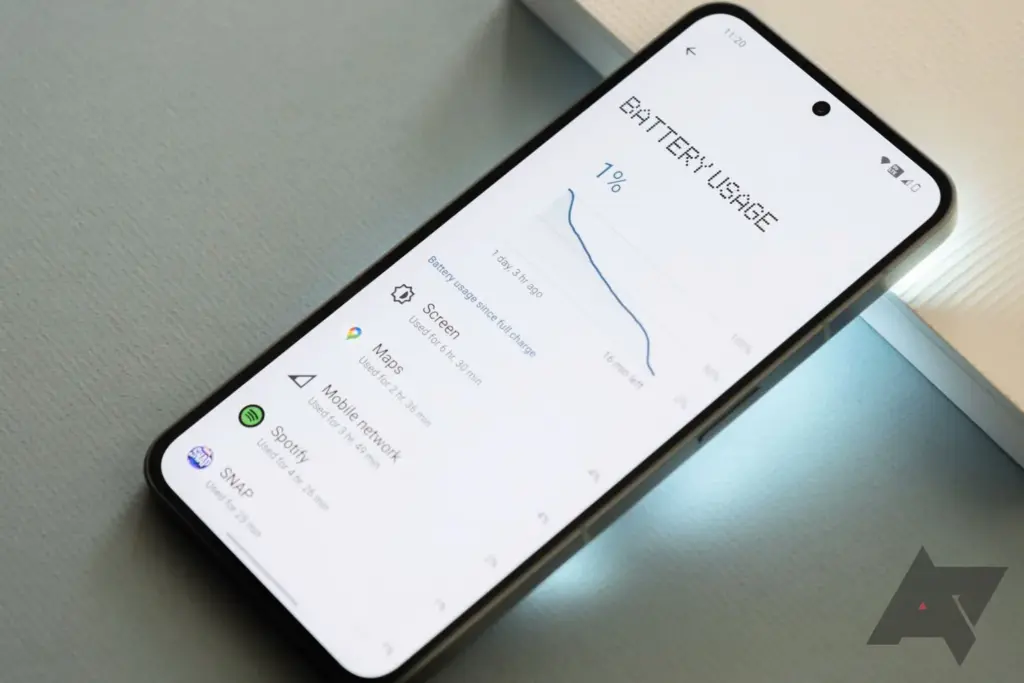
    The 4,700mAh battery that powers the Nothing Phone 2 easily lasts me for at least a full day of use. I regularly get six or more hours of screen time over the course of 24 or more hours without a charger. This number holds true even when battery-intensive activities like gaming and Google Maps navigation are included. I wouldn’t be at all surprised if the Phone 2 could go for a full 48 hours between charges with moderate use.

    nothing phone 2 battery stats

    Nobody claims that the Phone 2’s 45-watt fast charging system can charge the battery from 0% to 100% in less than an hour. Nevertheless, to achieve that speed, a PPS charger must be able to produce power at 2.25 amps, which not all can. The maximum charging current at 5A is 15 watts. At 15 watts, a full charge takes roughly one hour and fifteen minutes. The Phone 2 also features reverse wireless charging at up to five watts and wireless charging up to 15 watts.

    Conclusion

    Given the Nothing Phone 2’s excellent performance, reasonable price, and generally respectable cameras, it’s simple to draw comparisons with the smartphones OnePlus produced during its “flagship killer” era, which was later led by Nothing founder Carl Pei. The same enthusiast customers who like OnePlus’s early phones will likely be attracted to this one, in my opinion: those looking for a reasonable, fascinating alternative to more mainstream options. I’m curious to see how the Phone 2’s general availability in the US will effect the upper-midrange market it is competing in because it will expose it to a larger group of these aficionados than the Nothing Phone 1 did.

    Like Nothing, you should always pack your parcels like a pro with quality boxes secured with tape or benzi adezive.

  • Google in-app review API – android rate app snippet

    Google in-app review API – android rate app snippet

    App ratings and reviews are critical factors in driving more downloads after your app is live on the Play Store. To do this, we typically ask users to rate the app by displaying a popup with a few buttons and referring them to the Google Play Store. With this user experience, there’s a potential the user won’t return to our app after being redirected to the Play Store. It’s also tough for a new user to rank the app on Google Play.

    Luckly google provided an API called In-App Review to show the rating widget in the app itself without user leaving the app.

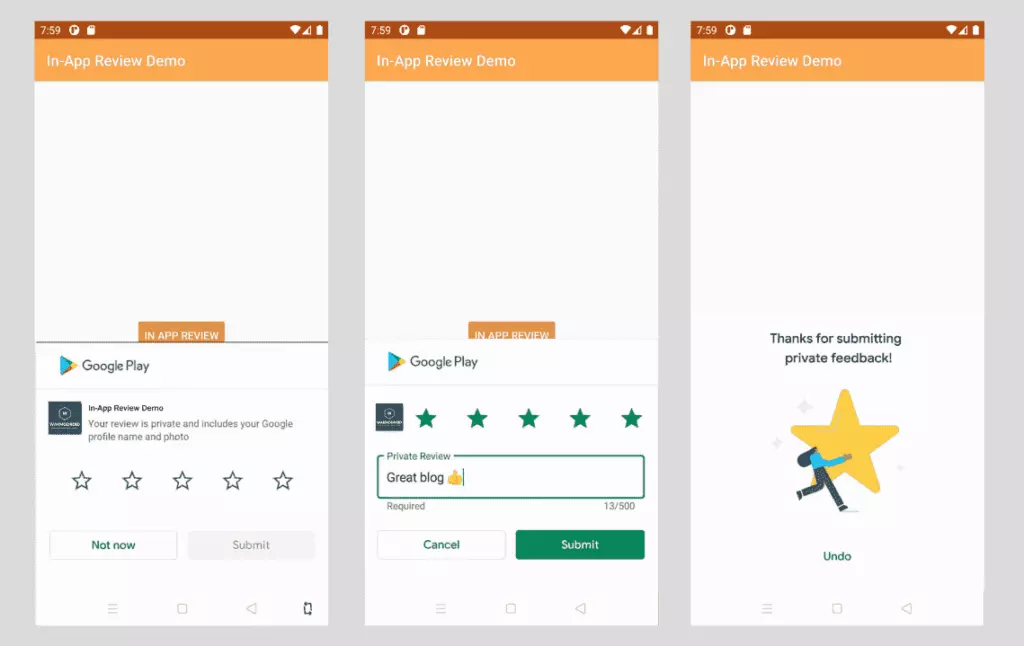
    The In-App Review is part of play core library. Once the widget is integrated, we can see the rating widget displayed in the same app in a bottom sheet.

    in app review snippet

    Good to know

    • In-app review works only on android devices running Android 5.0 (API level 21) or higher that have the Google Play Store installed.
    • The in-app review API is subject to quotas. The API decides how often the review widget should be shown to user. We shouldn’t call this API frequently as once user quota is reached, the widget won’t be shown to user which can break the user experience. You can read more about Quotas here.
    • The review flow will be controlled by API itself. We shouldn’t try to alter the design or place approrpiate content on top of the widget. You can read more about Design Guidelines here
    • The review flow doesn’t indicate whether user has reviewed the app or not, even it won’t tell us whether the widget has shown to user or not.

    Integrate in-app review API

    Integrating In-App review is very simple. It can be achived with very minimal code. Let’s see how to integrate it.

    The In-App review API is part of Play Core API, so you have to include the library in your app’s build.gradle. Here I am adding material library as well as I want to show fallback rating dialog if there is any error in in-app review API.

    app/build.gradle
    // Play core library
    implementation "com.google.android.play:core:1.8.0"
     
    // optional material library to show the fallback rate us dialog
    implementation "com.google.android.material:material:1.3.0-alpha02"

    The next step is creating the instance of ReviewManager interface. This class provides necessary methods to start the review flow.

    • Once the new instance is created, we need to call requestReviewFlow() task which returns the ReviewInfo object upon on successful completion.
    • Using the ReviewInfo object, we need to call launchReviewFlow() method to start the review flow.
    • For some reason, if the requestReviewFlow fails, we can launch the usual Rate App dialog that redirects user to playstore app.
    • Below, showRateApp() method starts the in-app review flow. The showRateAppFallbackDialog() method acts as fallback method if requestReviewFlow throws an error. This fallback method shows usual material dialog with three buttons to redirect user to playstore app.

    Here is the complete code required for in-app review flow.

    MainActivity.java
    import android.os.Bundle;
    import androidx.appcompat.app.AppCompatActivity;
    import com.google.android.material.dialog.MaterialAlertDialogBuilder;
    import com.google.android.play.core.review.ReviewInfo;
    import com.google.android.play.core.review.ReviewManager;
    import com.google.android.play.core.review.ReviewManagerFactory;
    import com.google.android.play.core.tasks.Task;
     
    public class MainActivity extends AppCompatActivity {
     
        private ReviewManager reviewManager;
     
        @Override
        protected void onCreate(Bundle savedInstanceState) {
            super.onCreate(savedInstanceState);
            setContentView(R.layout.activity_main);
     
            init();
        }
     
        private void init() {
            reviewManager = ReviewManagerFactory.create(this);
     
            findViewById(R.id.btn_rate_app).setOnClickListener(view -> showRateApp());
        }
     
        /**
         * Shows rate app bottom sheet using In-App review API
         * The bottom sheet might or might not shown depending on the Quotas and limitations
         * https://developer.android.com/guide/playcore/in-app-review#quotas
         * We show fallback dialog if there is any error
         */
        public void showRateApp() {
            Task<ReviewInfo> request = reviewManager.requestReviewFlow();
            request.addOnCompleteListener(task -> {
                if (task.isSuccessful()) {
                    // We can get the ReviewInfo object
                    ReviewInfo reviewInfo = task.getResult();
     
                    Task<Void> flow = reviewManager.launchReviewFlow(this, reviewInfo);
                    flow.addOnCompleteListener(task1 -> {
                        // The flow has finished. The API does not indicate whether the user
                        // reviewed or not, or even whether the review dialog was shown. Thus, no
                        // matter the result, we continue our app flow.
                    });
                } else {
                    // There was some problem, continue regardless of the result.
                    // show native rate app dialog on error
                    showRateAppFallbackDialog();
                }
            });
        }
     
        /**
         * Showing native dialog with three buttons to review the app
         * Redirect user to playstore to review the app
         */
        private void showRateAppFallbackDialog() {
            new MaterialAlertDialogBuilder(this)
                    .setTitle(R.string.rate_app_title)
                    .setMessage(R.string.rate_app_message)
                    .setPositiveButton(R.string.rate_btn_pos, (dialog, which) -> {
     
                    })
                    .setNegativeButton(R.string.rate_btn_neg,
                            (dialog, which) -> {
                            })
                    .setNeutralButton(R.string.rate_btn_nut,
                            (dialog, which) -> {
                            })
                    .setOnDismissListener(dialog -> {
                    })
                    .show();
        }
    }

    Testing

    To test the in-app review flow, you should have the app approved already on PlayStore. This doesn’t mean the app should be available to public. At least you should have the account ready for Internal Testing or Internal App Sharing.

    • You can use Internal Test Track to release the app and test the in-app review flow.
    • You can use Internal App Sharing to test the in-app review flow.