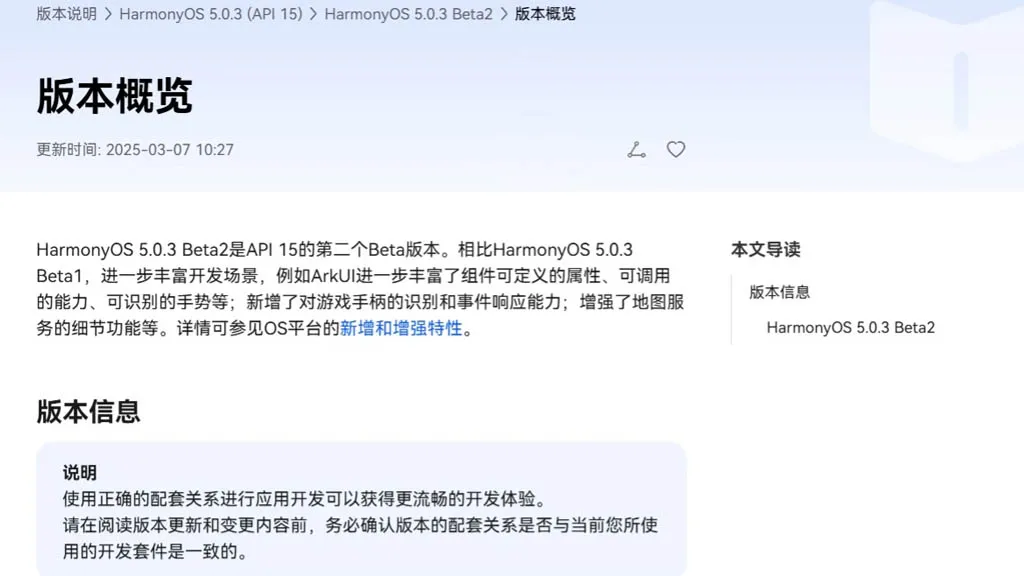
With an extensive list of new features and improvements, Huawei has made the HarmonyOS 5.0.3 beta 2 rollout available to developers. Numerous areas have been enhanced by the company, such as ArkData, ArkUI, AppGallery Kit, Camera Kit, Core File Kit, and more.
Also, it has expanded these segments’ capabilities to improve internal management and developers’ overall experience. The new HarmonyOS 5.0.3 Beta 2 was created by the Chinese phone manufacturer using API 15. In comparison to the previous edition, it significantly redesigns the development scenarios.
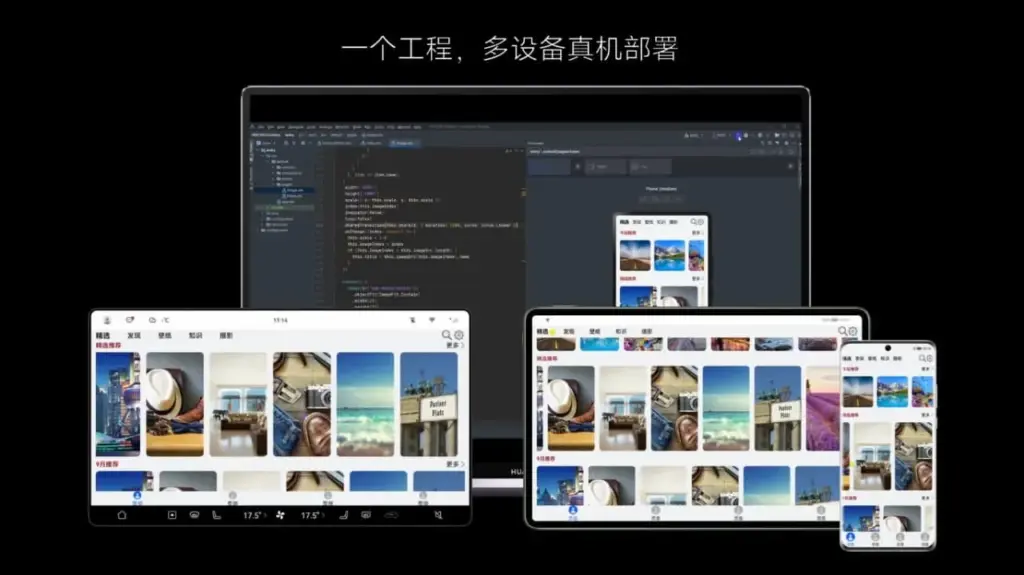
Mainly ArkUI improves the responsiveness, callable capabilities, and customizable attributes for map services and game controllers. Only because of its graphical repercussions for the development of HarmonyOS 5.0.3 have we brought up the ArkUI in the vast changelog. The complete changelog is available at the source link below.
HarmonyOS 5.0.3 Beta 2: ArkUI Changes
- The basic component now supports the ability to insert text at a specified location in the edited text and delete the content in a specified area.
- The focus axis event has been added to the general events to support responses to game controller axis events. The C API also supports obtaining the value of the operation type of the current axis event.
- The pattern password lock component now supports setting whether unselected grid dots are automatically selected when the password path passes through them.
- Window Management A new C API for window management is defined, which is mainly used to set and get the properties of a specified window, as well as to set the status bar style and navigation bar style of a specified window.
- The Image component now supports color filling that can overwrite the original color. This feature is only available for image sources in SVG format.
- The Image component now supports automatic transformation based on the image matrix, providing automatic transformation optimization when presenting grid-type thumbnails in scenes similar to galleries.
- The Tabs component and Swiper component now support setting the mouse wheel page turning mode.
- NavDestination adds support for callbacks when events return, which is used to pass parameters when events return.
- The TextPicker component now supports configuring the text style of each selection item.
- The Progress component adds a new C API to support the setting of the linear progress bar style.
- The folding screen state enumeration in the screen property module adds multiple state definitions for the folding axis 2.
- The Node attribute style of the C API adds the background blur effect attribute NODE_BACKDROP_BLUR.
- FrameNode now supports cross-language capabilities.
- FrameNode now supports the expansion mode of child nodes when traversing nodes.
- Size settings now support setting width and height to adapt to the parent component layout.
- Text components now support shortcut key tips (labelInfo) in TextMenuItem.
- The three types of pop-up components now support setting the pop-up display level and related properties and effects (levelMode, levelUniqueId, immersiveMode).
- BindSheet adds support for the radius property, which is used to set the radius of the semi-modal page corners, and adds support for the detentSelection property, which is used to set the non-gesture switching position.
- Added a new navigation point component, providing two navigation point styles: dot navigation point and digital navigation point.
- The Swiper and Tabs components now support animated transitions.
- The Swiper component now supports sliding behavior interception events, which can determine whether sliding behavior is allowed. The C API controls this through a property named NODE_SWIPER_EVENT_ON_CONTENT_WILL_SCROLL.
- Third-party platforms have added support for finding the previous or next focus (ARKUI_ACCESSIBILITY_NATIVE_ACTION_TYPE_NEXT_HTML_ITEM, ARKUI_ACCESSIBILITY_NATIVE_ACTION_TYPE_PREVIOUS_HTML_ITEM) when they are connected to the ArkUI accessibility framework.
- The third-party platform is connected to the ArkUI accessibility framework to add support for multi-instance scenarios.
- The NavDestination component information of the ohos.arkui.observer module adds the NavDestination type and uniqueId.
- Added support for C API screenshot capability.
- UIContext now supports getting screenshots of loaded components by unique Id.
- UIContext now supports the ability to obtain the layout information of the meta-service menu bar relative to the window.
- New C API for common events supports obtaining the ID of the current touch event trigger.
- A new interface with the same name has been added to the window for 2-in-1 devices to set application window size limits.
- A new interface of the same name is added to the window for specifying the position of the mouse within the window and moving the window.
- The window adds an asynchronous callback for the window close event monitoring of 2-in-1 devices.
- The window now supports enabling the monitoring of picture-in-picture window size change events.
- The window now supports dynamically setting the title of the window title bar.
- The window now supports setting the main window’s support modes (full screen, floating window, split screen, etc.).
- NavDestination now supports setting whether to hide the back button in the title bar.
- Added C API support for controlling focus and handling focus events.
- Added C API to support forwarding of clone events.
- The Popup component adds the keyboardAvoidMode property to set whether the Popup bubble avoids the soft keyboard.
- The pop-up window now supports setting the distance to avoid the keyboard. The ArkTS API is provided as attributes. You can search for the keyword keyboardAvoidDistance in the table pointed to by the link.
- The attribute string now supports the settings of ResourceStr type images.
- The attributed string image object now supports obtaining the attributed string image color filter effect (colorFilter).
- The drag capability now supports obtaining the drag data of the drag progress bar.
- The component screenshot capability now supports defining component screenshot areas.
- The Tabs component adds component parameters to support setting the tab position of the Tabs.
- Text components now support triggering callbacks when the text content is about to change.
- Added support for obtaining whether touch-related events come from the left or right hand, involving multiple modules: the event module added relevant C API, the gesture binding method added a hand attribute to the FingerInfo object, the touch event TouchObject object added a hand attribute, and the click event clickevent object added a hand attribute.
- Added support for checking the number of fingers touching the screen, involving multiple modules: NDK added related C APIs, and components added the property isFingerCountLimited to set whether to check the number of fingers touching the screen. This property can be viewed in the reference page of each component.
- Added support for setting the priority of key event processing and the ability to redistribute. Involved: NDK added a C API for setting the priority of key event processing, NDK added NODE_DISPATCH_KEY_EVENT to the ArkUI_NodeEventType enumeration, indicating the component key event redispatching event (C API), UIContext added an ArkTS API for setting the priority of key event processing, and UIContext added an ArkTS API for distributing key events to specified components.
- The C API adds support for NODE_CHECKBOX_GROUP-related capabilities. You can search for this keyword in the API reference.