Tag: miui

  • Xiaomi 12 series will launch next week alongside MIUI 13

    Xiaomi 12 series will launch next week alongside MIUI 13

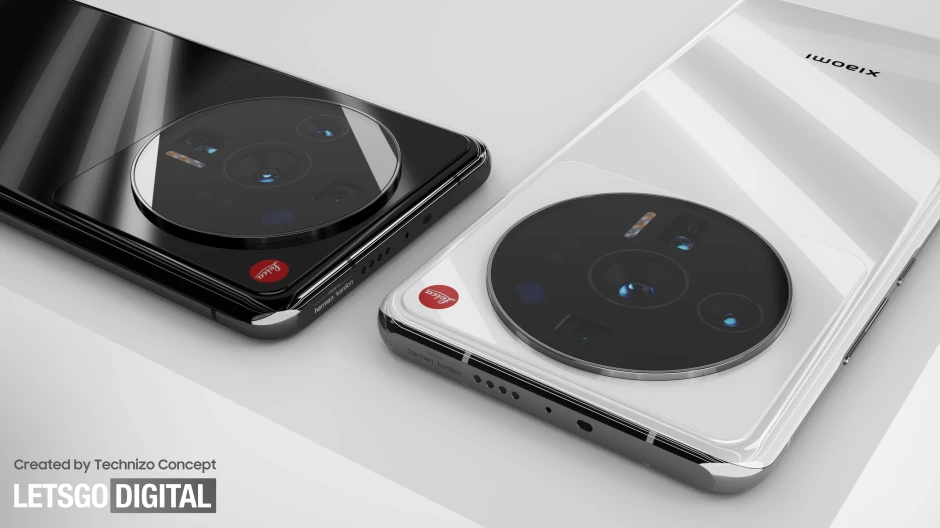
    We’ve already heard a lot about the Xiaomi 12 series, with leaks revealing the 12 Ultra’s large camera module and renders giving us an idea of how the normal 12 will look. Xiaomi is now preparing to make these phones public, as the firm announced on Weibo (via XDA Developers) that its new flagship series will be available in China on December 28.
    xiaomi 12

    Initially, the series will consist of at least two phones, the Xiaomi 12 and the Xiaomi 12 Ultra, but if previous lineups are any indication, a few additional models, such as a more cheap Xiaomi 12X, may be released in the near future. The series will premiere alongside MIUI 13, Xiaomi’s latest generation of its own skin on top of Android, according to the company’s CEO Lei June.

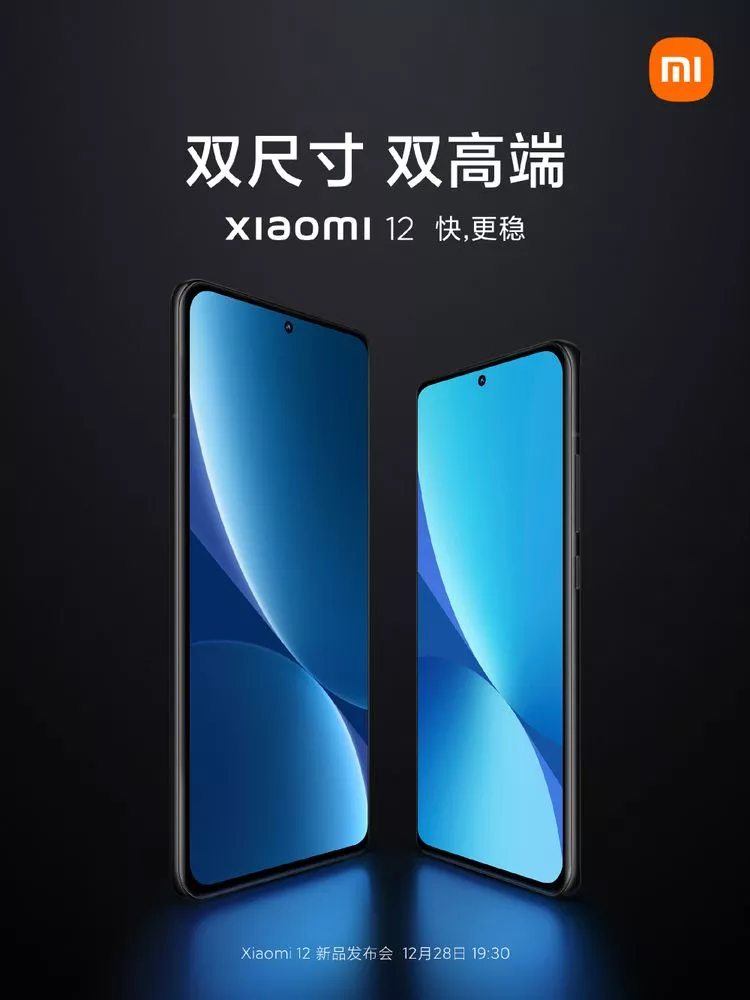
    Aside from that, we haven’t heard much about the new flagship series from the company. Only Qualcomm’s latest Snapdragon 8 Gen 1 chip will power the flagships, and the graphic hints that one of the phones, most likely the 12 Ultra, would be substantially larger than the other.

    A few more significant details have surfaced as a result of rumors and leaks. The Xiaomi 12 is said to have a 50MP camera, an OLED display with a high refresh rate, and 100W fast charging. The enormous camera array on the 12 Ultra reminds us of a washing machine, and it’ll reportedly have technology comparable to its smaller sister, including a QHD+ high-refresh rate screen, 120W fast charging, and a 5,000mAh battery.

    xiaomi 12 poster

    Aside from that, we haven’t heard much about the new flagship series from the company. Only Qualcomm’s latest Snapdragon 8 Gen 1 chip will power the flagships, and the graphic hints that one of the phones, most likely the 12 Ultra, would be substantially larger than the other.

    A few more significant details have surfaced as a result of rumors and leaks. The Xiaomi 12 is said to have a 50MP camera, an OLED display with a high refresh rate, and 100W fast charging. The enormous camera array on the 12 Ultra reminds us of a washing machine, and it’ll reportedly have technology comparable to its smaller sister, including a QHD+ high-refresh rate screen, 120W fast charging, and a 5,000mAh battery.

    We won’t have to wait long to learn everything there is to know about the smartphones when Xiaomi launches them in China on December 28. After that, the 12 series will make its way across the world.
  • MIUI 13 – stable system with multiple changes

    MIUI 13 – stable system with multiple changes

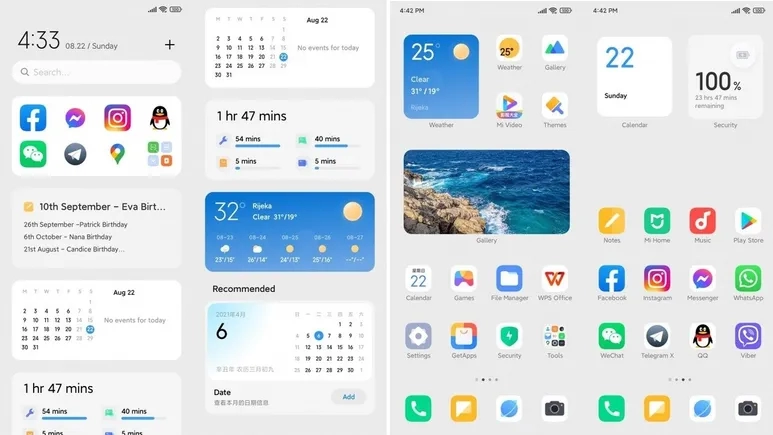
    Xiaomi is actively developing MIUI 13, its upcoming Android skin. Remember that the MIUI 12 system was notoriously buggy, and the business had to cope with a slew of issues. In fact, Xiaomi will have to release an improved version of MIUI 12.5 to address the majority of the flaws. As it optimizes the MIUI 13 system, the Chinese maker keeps this in mind. Despite its flaws, MIUI is still one of the greatest Android skins created by Chinese manufacturers. MIUI is making every effort to improve and will undoubtedly perform better,” Xiaomi CEO Lei Jun said.

    Furthermore, Lu Weibing, general manager of the Redmi brand, credits MIUI’s work with the Redmi Note 11 Pro’s exceptional battery performance. The Redmi Note 11 Pro battery, he claims, gets people more excited about the MIUI system. These remarks from Xiaomi executives have sparked suspicion that the MIUI 13 operating system may include a slew of new features. Of course, it’s reasonable to expect a significant number of changes in MIUI 13. This is due to the fact that its predecessor did not do much, so it will have a lot to deal with.

    Furthermore, popular Weibo leakster, @DCS claims that the MIUI 13 comes with tons of changes. He further claims that many of the system interfaces have new UX. This Android skin will be based on Android 11 as well as Android 12.

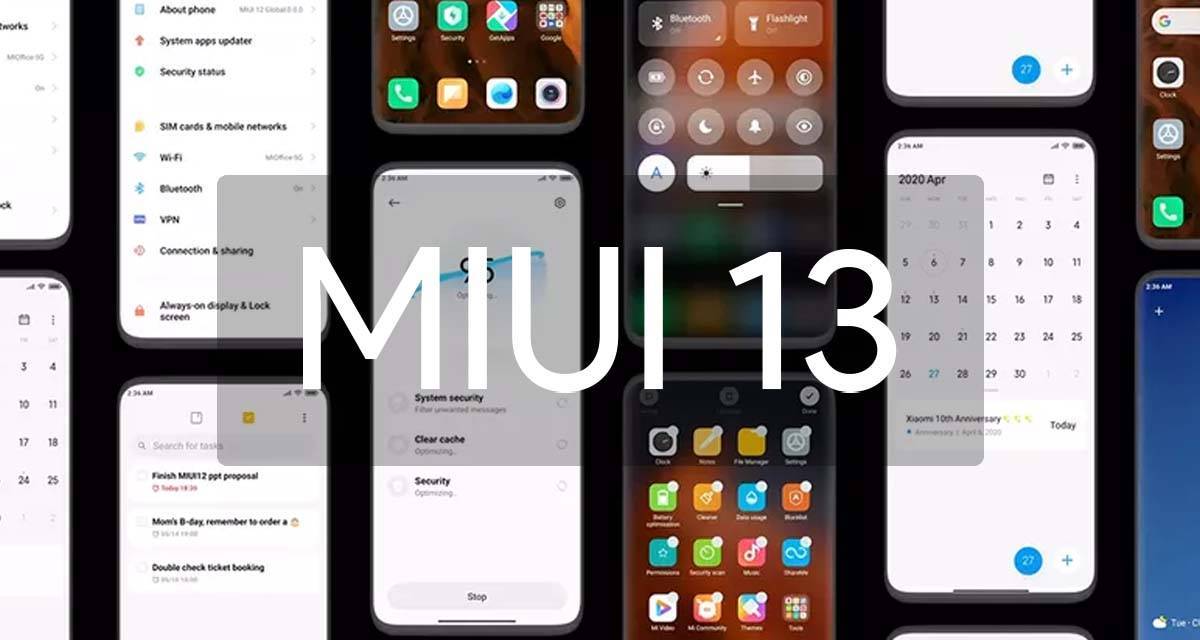
    miui 13 1

    MIUI 13 – launch at the end of the year

    Not long ago, the Xiaomi MIUI team set up a pioneer team to fix various bugs and complaints coming from users. According to many user feedbacks, with the efforts of the MIUI pioneer team for several weeks, the current lagging and issues of many models have significantly reduced. The fluency and stability of the system are now gradually increasing.

  • MIUI 13 update – features, device list, release date and everything else we know so far

    MIUI 13 update – features, device list, release date and everything else we know so far

    If you own a Xiaomi phone, you likely use MIUI – it’s the company’s Android overlay that changes the software’s appearance and adds a few new features. MIUI 13 is the next version, and rumors abound that it’s coming pretty soon.

    Currently, the company’s newest phones like the Xiaomi Mi 11 and Mi 11 Ultra use MIUI 12; launched in May 2020, its new features included an app drawer, improved dark mode and an Ultra Battery Saver Mode, amongst other things, so it was a fairly big improvement.

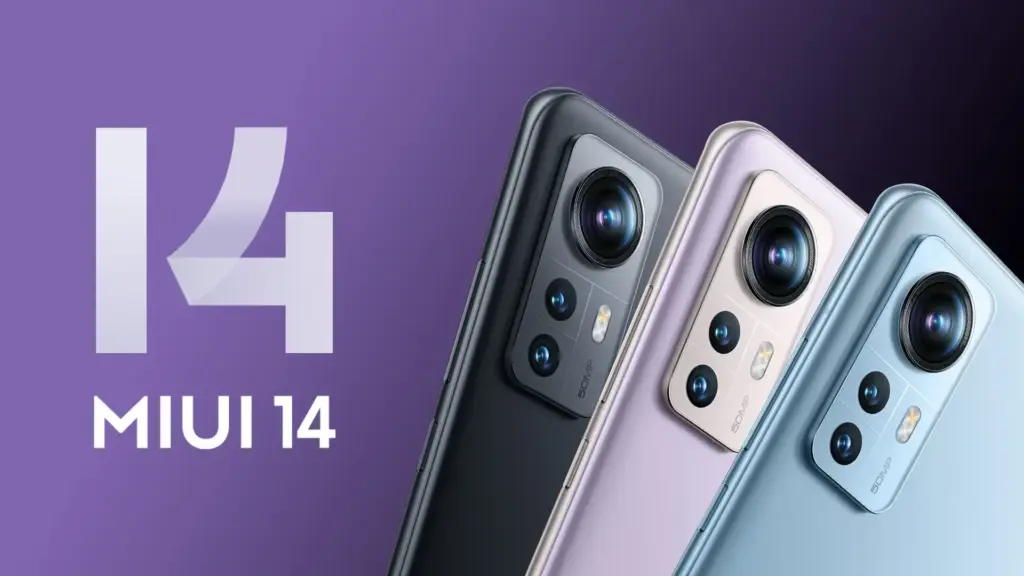
    Xiaomi 12 MIUI 14

    Even though MIUI 12.5 is still being pushed to Xiaomi smartphones, the MIUI 13 features, release date, download, and qualifying devices list have begun to circulate the internet. The upcoming custom Android skin, which will replace last year’s MIUI 12.5, is currently in the works. The Xiaomi MIUI 13 update is scheduled to be released in the second quarter, as have previous versions, and will be compatible with phones manufactured in 2019 or later. In terms of MIUI 13 functionality, it is expected to include optimized animations, new themes, wallpapers, and a slew of security enhancements, among other items.

    HIGHLIGHTS

    • Release date is tipped to be June 25th
    • The new custom skin is expected to come with a handful of improvements over last year’s MIUI 12.5
    • Features may include optimised animations, new themes, wallpapers, and plenty of security improvements 

    MIUI 13 release date

    The MIUI 13 release date is apparently set for June 25th, according to reports. The update is likely to be announced in China first, followed by other regions including India. There is no word on MIUI 13 release date in India yet, obviously. However, looking at Xiaomi’s past track record, the update could take around 2-3 months to reach India. MIUI 12, to recall, was originally announced in May but was only made available in the country in August.

    MIUI 13 update and download

    The MIUI 13 update will be released in stages, as is customary. The brand will initially distribute the beta version of the update to a small number of consumers, followed by the stable version for all compatible devices. The timetable for the MIUI 13 update release is currently unknown.

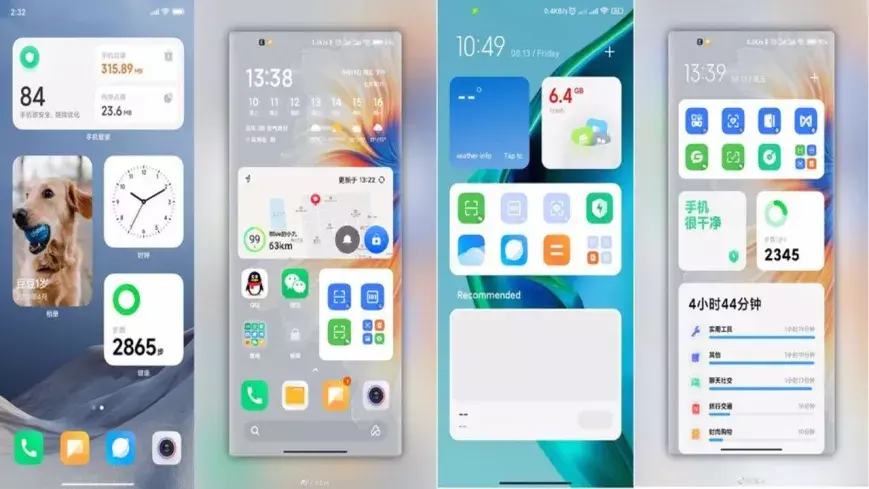
    miui 13

    Features

    Features list is too short at the moment to tell whether the update be a major upgrade or just an iterative of last year’s custom skin. Among the few that are rumoured so far include optimised animations to improve the overall experience of the new custom Android skin from Xiaomi. The update is also expected to come with design changes, enhanced touch sensitivity, advanced privacy options, native screen recording support, improved battery performance, new gestures, and enhanced notifications panel, among other things.

    MIUI 13 features (rumoured)

    • Improved in User Interface
    • Optimised Animations
    • Enhanced Touch sensitivity
    • Improved Scrolling screenshot
    • Native screen recording support
    • New Theme designs and improved gestures
    • Enhanced Always on Display
    • Scheduling option for Airplane mode 
    • Improved Notification panel for Social media apps for faster Reply and enhanced experience
    • More flexible storage experience
    • Fast charging improvements
    • New power saving mode to improve battery performance
    • Enhanced Notification system for managing older and newer notifications

    MIUI 13 could also bring Android 12 features such as Media Transcoding, new unified API, and wallpaper-based theming, to compatible Xiaomi mobile phones. Click here to know about the upcoming Android 12 features.

    MIUI 13: eligible devices

    The rumoured MIUI 13 eligible device list so far includes:

    • Mi 11 series
    • Mi 10 series
    • Mi Fold
    • Redmi Note 10 series
    • Redmi Note 9 series
    • Mi MIX Alpha
    • Redmi K40 series
    • Redmi K30 series
    • Redmi K20 series
    • Redmi 9 series
    • Redmi 10X series
    • POCO X3 series
    • POCO X2
    • POCO M2 series
    • POCO X2 Pro/ POCO X2 Pro
    • Black Shark 3 series
    • Black Shark 2 series

    While Xiaomi is known to roll out a new software update to devices as old as four years, rumours are rife that it has decided to skip MIUI 13 for its 2019’s flagships Mi 9 and Mi MIX 3, as well as last year’s mid-rangers like the Redmi Note 8 series and the Redmi 8 lineup.

  • Eligible Devices for MIUI 12.5 Update – new features and more

    Eligible Devices for MIUI 12.5 Update – new features and more

    MIUI, one of the world’s most common mobile operating systems, is Xiaomi’s favorite. Although the news about MIUI 13 has recently been published, MIUI 12 has not been forgotten. Xiaomi is creating MIUI 12.5 pursuant to the announcement made today. This update contains big developments and optimizations and prepares MIUI 13 for Xiaomi users.

    (adsbygoogle = window.adsbygoogle || []).push({});

    Tests for MIUI 12.5 commenced today, according to the announcement made by Xiaomi. The closed Beta version will be suspended for a time starting from 12.14 in order for engineers to better concentrate on this update.

    New features in MIUI 12.5

    Approximate location

    MIUI 12.5 will protect your location privacy better. With the new feature added, you can notify the application of your approximate location, not your exact location. In this way, the application cannot follow you.

    miui 12.5 approximate location
    (adsbygoogle = window.adsbygoogle || []).push({});

    Redesigned volume controller and power menu

    MIUI 12.5 would give the volume controller, which has not changed for a long time, a much more elegant look. It hasn’t introduced a new feature, but it has new animations and a new look.

    At power menu there are no new functions or features, the design has been improved.

    miui 12.5 volume redesign

    New animations

    The animation when folder and extracting the app has been improved.

    (adsbygoogle = window.adsbygoogle || []).push({});

    Convert photo to PDF

    You can quickly convert any photo to PDF in your gallery.

    miui 12.5 convert to pdf

    New recents

    The latest app style that changed with MIUI 10 is now customizable with MIUI 12.5! With the new update, you can revert to MIUI 9 style. With this feature, the foundation of a structure that allows you to fully interfere with MIUI was laid. With MIUI 12.5, you can use recent apps horizontally.

    miui 12.5 recents
    (adsbygoogle = window.adsbygoogle || []).push({});

    New camera interface

    Is the camera application with new features added every day getting complicated? With MIUI 12.5, this complexity has been replaced by a plain interface.

    new camera interface

    Cleaner interface

    The cleaner app’s interface got a little more serious.

    miui 12.5 clean interface
    (adsbygoogle = window.adsbygoogle || []).push({});

    New notification center design

    With MIUI 12.5, the notification window has been brought closer to the Android 11 view. Notifications, messages and silent notifications are parsed.

    miui 12.5 notification design

    Others

    • New Fingerprint Animations
    • Bubble notification support (Android 11)
    • Super resolution
    • Voice control
    • New QR Code interface
    • New Icon styles
    • And More!

    The MIUI 12.5 update will likely be released in February. After the MIUI 12.5 update, MIUI 13 and MI 11 will be introduced. One of the first devices to use MIUI 12.5 might be the MI 11.

    (adsbygoogle = window.adsbygoogle || []).push({});

    MIUI 12.5 Eligible Devices

    • Redmi 7A
    • Redmi 8A
    • Redmi 8A Dual / Pro
    • Redmi 8
    • Redmi 9A
    • Redmi 9AT
    • Redmi 9i
    • Redmi 9C
    • Redmi 9C NFC
    • Redmi 9
    • Redmi 9 (India)
    • Redmi 9 Prime
    • Redmi 10X 4G
    • Redmi 10X 5G
    • Redmi 10X Pro
    • Redmi Note 7
    • Redmi Note 7S
    • Redmi Note 7 Pro
    • Redmi Note 8
    • Redmi Note 8T
    • Redmi Note 8 Pro
    • Redmi Note 9
    • Redmi Note 9S
    • Redmi Note 9 Pro (India)
    • Redmi Note 9 Pro (Global)
    • Redmi Note 9 Pro Max
    • Redmi Note 9 4G (CN)
    • Redmi Note 9 5G
    • Redmi Note 9 Ultra
    • Redmi K20
    • Redmi K20 Pro
    • Redmi K20 Pro Premium Edition
    • Redmi K30
    • Redmi K30 5G
    • Redmi K30 5G Racing Edition
    • Redmi K30i 5G
    • Redmi K30 Pro
    • Redmi K30 Pro Zoom Edition
    • Redmi K30 Ultra
    • Redmi K30S Ultra
    • POCO F1
    • POCO F2 Pro
    • POCO X2
    • POCO X3
    • POCO X3 NFC
    • POCO M2 Pro
    • POCO M2
    • POCO C3
    • POCO M3
    • Mi 8
    • Mi 8 Pro
    • Mi 8 Under Display Edition
    • Mi 8 Explorer Edition
    • Mi 8 SE
    • Mi 8 Lite
    • Mi 9
    • Mi 9 Pro
    • Mi 9 Pro 5G
    • Mi 9 Explorer Edition
    • Mi 9 Lite
    • Mi 9 SE
    • Mi 10
    • Mi 10 Pro
    • Mi 10 Ultra
    • Mi 10 Lite
    • Mi 10 Youth Edition
    • Mi Note 10
    • Mi Note 10 Pro
    • Mi Note 10 Lite
    • Mi CC9e
    • Mi CC9
    • Mi CC9 Pro
    • Mi 9T
    • Mi 9T Pro
    • Mi 10T
    • Mi 10T Pro
    • Mi 10T Lite
    • Mi Mix 2S
    • Mi Mix 3
    • Blackshark 2
    • Blackshark 2 Pro
    • Blackshark 3
    • Blackshark 3 Pro
    • Blackshark 3S

    Stay updated, join us @droidtool

  • Android 11 on MIUI 12: when your Xiaomi, Redmi, or POCO phone will get it

    Android 11 on MIUI 12: when your Xiaomi, Redmi, or POCO phone will get it

    Earlier this year, MIUI 12 made its debut, and Xiaomi has completed rolling out the stable update to most devices in its portfolio. The new skin of Xiaomi offers a variety of new features, including an enhanced dark device-wide mode, AI-assisted calling features, Interactive Always-on Display, new visual interface, system animation tweaks, and much-needed privacy updates.

    miui 12

    Xiaomi is shifting its focus to the update to Android 11 now. MIUI 12 based on Android 11 is beginning to roll out, with the stable upgrade now rolling out to the Redmi Note 9 Pro and Mi 10. Some of the best cheap Android phones are produced by Xiaomi, and it is good to see the manufacturer carrying out the update to Android 11 earlier than normal.

    Android 11 on MIUI 12 update: rolling out to Redmi Note 9 and Mi 10

    The stable MIUI 12-based Android 11 update is now rolling out in India for the Mi 10 and Redmi Note 9. Once we have more info on an update timeline, we’ll update the story, but now with the stable build for the Redmi Note 9 series, it shouldn’t be too long before Xiaomi starts delivering Android 11 to its older smartphones.

    For now, these are the Xiaomi, POCO, and Redmi phones that are slated to pick up the MIUI 12 update based on Android 11:

    • Xiaomi Mi 10
    • Xiaomi Mi 10 Pro
    • Xiaomi Mi 10 Youth Edition
    • Xiaomi Mi Note 10
    • Xiaomi Mi Note 10 Pro
    • Xiaomi Mi Note 10 Lite
    • Xiaomi Mi 9
    • Xiaomi Mi 9 Pro 5G
    • Xiaomi Mi 9 SE
    • Xiaomi Mi 9 Lite
    • Xiaomi Mi 9T
    • Xiaomi Mi 9T Pro
    • Xiaomi Mi A3
    • Redmi K30 Pro
    • Redmi K30
    • Redmi K30 5G
    • Redmi K30i 5G
    • Redmi K20 Pro
    • Redmi K20
    • Redmi Note 9
    • Redmi Note 9 Pro
    • Redmi Note 9 Pro Max
    • Redmi 10X Pro
    • Redmi 10X 5G
    • Redmi 9
    • Redmi 9C
    • Redmi 9A
    • POCO F2 Pro
    • POCO X2
    • POCO M2 Pro

    These phones are already on MIUI 12

    Xiaomi has finished rolling out the MIUI 12 update to most of the phones in the list below. So if you are using any of the devices in the list, head to your phone’s settings to manually download MIUI 12:

    • Xiaomi Mi 10 Pro
    • Xiaomi Mi 10
    • Xiaomi Mi Note 10 Lite
    • Xiaomi Mi 9
    • Xiaomi Mi 9 Pro 5G
    • Xiaomi Mi 9T
    • Xiaomi Mi 9T Pro
    • Redmi K30
    • Redmi K30 5G
    • Redmi K30 Pro
    • Redmi K20
    • Redmi K20 Pro
    • Redmi Note 9
    • Redmi Note 8 Pro
    • POCO F2 Pro
    • POCO X2
    • Xiaomi Mi Mix 3
    • Xiaomi Mi Mix 2S
    • Xiaomi Mi 9 SE
    • Xiaomi Mi 8 Explorer Edition
    • Xiaomi Mi 8
    • Xiaomi Mi 8 UD
    • Xiaomi Mi CC9
    • Xiaomi Mi CC9 Pro
    • Xiaomi Mi CC9 Meitu Edition
    • Redmi Note 8 Pro
    • Redmi Note 7 Pro
    • Redmi Note 7
    • Redmi 10X Pro 5G
    • Redmi 10X 5G
    • Redmi 10X 4G

    MIUI 12 global update: Full list of eligible phones

    For devices sold outside of China or India, Xiaomi has a standalone ROM, and these global units have their own release timetable. As of now there is no indication of when these phones will begin receiving the Android 11 update, but Xiaomi has finished rolling out the Android 10-based MIUI 12 release to all of these devices:

    • Xiaomi Mi 9
    • Xiaomi Mi 9T
    • Xiaomi Mi 9T Pro
    • Redmi K20
    • Redmi K20 Pro
    • Xiaomi Mi 10 Pro
    • Xiaomi Mi 10
    • Xiaomi Mi 10 Lite
    • Xiaomi Mi Note 10
    • Xiaomi Mi Note 10 Lite
    • Xiaomi Mi Note 3
    • Xiaomi Mi 8
    • Xiaomi Mi 8 Pro
    • Xiaomi Mi 9 SE
    • Xiaomi Mi 9 Lite
    • Xiaomi Mi 8 Lite
    • Xiaomi Mi Mix 3
    • Xiaomi Mi Mix 2S
    • Xiaomi Mi Mix 2
    • Xiaomi Mi Max 3
    • POCO F1
    • POCO X2
    • POCO F2 Pro
    • Redmi Note 9 Pro
    • Redmi Note 9 Pro Max
    • Redmi Note 9
    • Redmi Note 9s
    • Redmi Note 8 Pro
    • Redmi Note 8
    • Redmi Note 8T
    • Redmi Note 7
    • Redmi Note 7 Pro
    • Redmi Note 7S
    • Redmi Note 6 Pro
    • Redmi Note 5
    • Redmi Note 5 Pro
    • Redmi 8
    • Redmi 8A
    • Redmi 8A Dual
    • Redmi 7
    • Redmi 7A
    • Redmi 6 Pro
    • Redmi 6A
    • Redmi 6
    • Redmi Y3
    • Redmi Y2
    • Redmi S2

    MIUI 12 comes with a lot of interesting features, so while you’re waiting for the OTA to download on your phone, be sure to take a look at all the new additions in our feature breakdown.

  • Update is coming – MIUI 12.1 with refreshed interface

    Update is coming – MIUI 12.1 with refreshed interface

    Xiaomi, one of the smartphone market’s most significant manufacturers, regularly upgrades its MIUI firmware and introduces new features. It introduced many technologies and significant characteristics to Xiaomi and Redmi phones with MIUI 12 and continues to add new ones. New features are not open to everyone. These features, provided to some users on the Chinese forum of MIUI, will be open to all in the future.

    (adsbygoogle = window.adsbygoogle || []).push({});

    Dark Mode

    With the new update coming to MIUI 12, it is now easier to change themes. 2 large boxes were placed at the top, light and dark. There are many options such as timing just below.

    (adsbygoogle = window.adsbygoogle || []).push({});

    Power Menu

    Although some sites also write this as the MIUI 13 feature, this will be an MIUI 12 update. It is too early to leak about MIUI 13. A style that makes it easy to use with one hand is preferred. You can use the options by swiping up or down.

    (adsbygoogle = window.adsbygoogle || []).push({});

    Messages

    Messages application is now much more functional. While there are no big changes, it sure does make things easier. New settings received:

    • Show Profile Photo
    • Assign contact photo
    • Notifications Group

    Settings

    When connected to the computer, the interface of the options has been renewed. It’s a not big change but functional.

    (adsbygoogle = window.adsbygoogle || []).push({});
    miu 12.1 connect settings

    Notification settings

    MIUI 12 offers you an option to return to the old style if you like the notification style of MIUI 11 more. This choice can, however, be hard to find. Finding this setting is a lot simpler with the latest update. Renewed the interface for modifying the notification window.

    (adsbygoogle = window.adsbygoogle || []).push({});

    Gallery

    Many new styles of filters have been added to the gallery application. You can now customize your photos even more.

    miui 12.1 new filters
    (adsbygoogle = window.adsbygoogle || []).push({});

    Notes

    We can say that the Notes application has revolutionary features. With the new update, objects such as brushes and pens have been added. You can now draw a picture.

    miui 12.1 notes
    (adsbygoogle = window.adsbygoogle || []).push({});
  • Disable Ads in MIUI 12 with a single toggle

    Disable Ads in MIUI 12 with a single toggle

    MIUI advertisements are commonplace. They are pervasive, invasive, and the user experience is labelled. For this exact cause, some folks walk away from Xiaomi phones. Still, since it is the key source of Xiaomi ‘s income, MIUI is married to advertising.

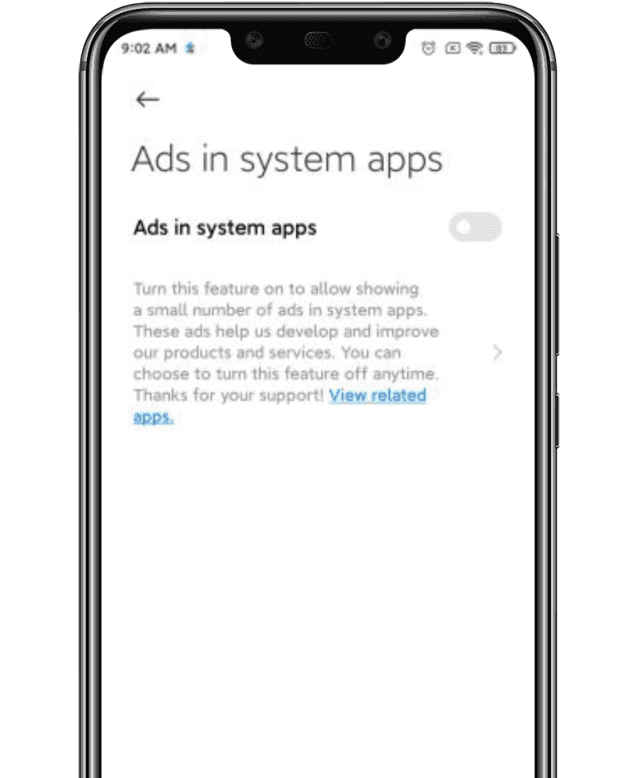
    Lei Jun, the company’s CEO, announced last year that MIUI would clamp down on advertising , especially lewd ones. Well, we finally have a function for getting rid of the ads in the new MIUI 12. Today , the new version is being released internationally. In a swarm of functionality, the one that many of us are excited about is the latest ad treatment.

    Now, you just have to follow these three simple steps to get the same thing done:

    1. Open the Settings page and click on the account option, followed by Privacy Policy.

    2. Within Privacy Policy, you’ll see an option called “System Ads”.

    3. Toggle off that option to disable the ads.

    disable ads in miui
    Disable Ads

    You had to opt-out of the User Interface Program in earlier MIUI models, reject automated diagnostic data transfer, and turn off recommended / personalized content settings on all Mi apps. The measures are now truncated to just three.

  • MIUI devices that will receive Android 11

    MIUI devices that will receive Android 11

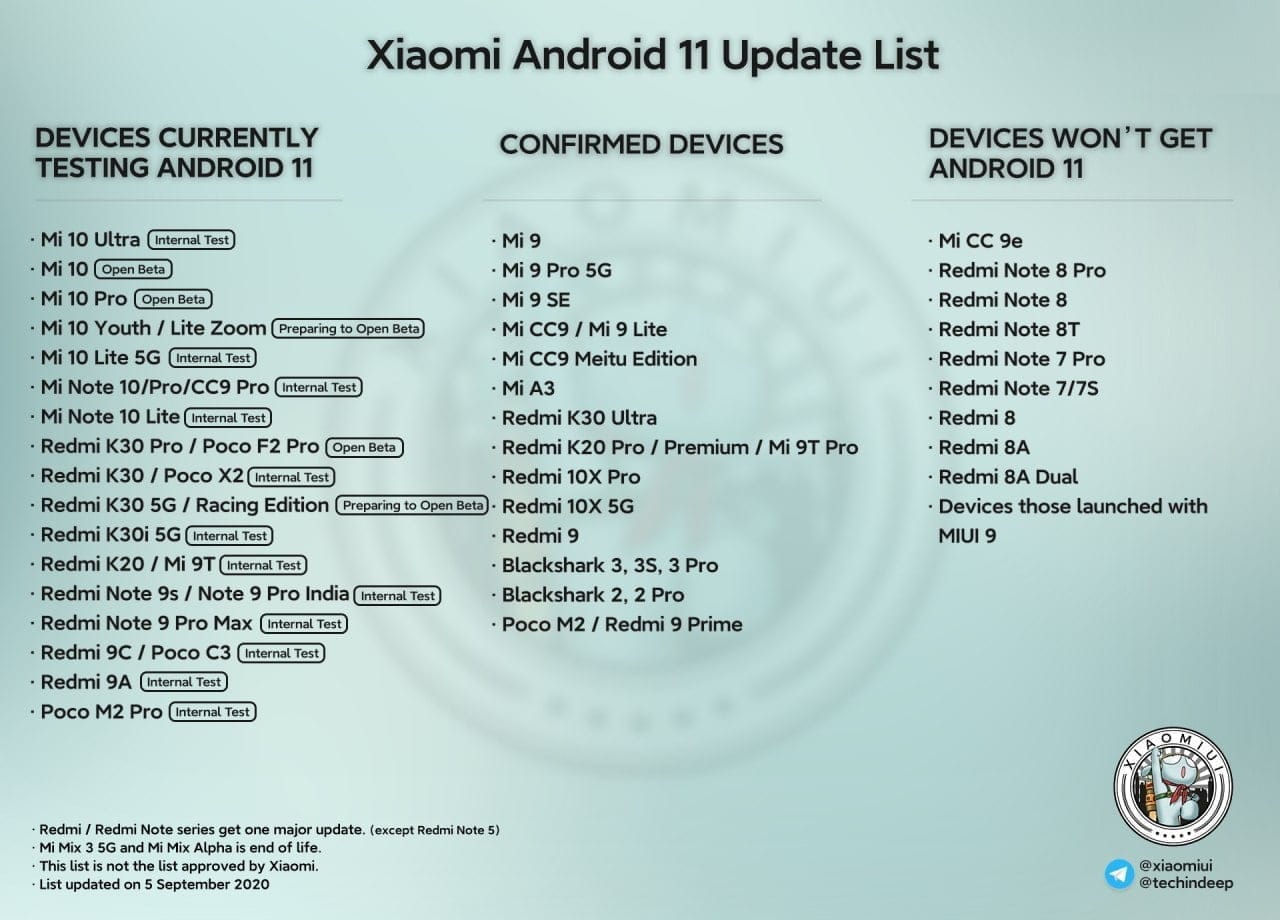
    List of devices that will receive Android 11

    This list updated on 5 September 2020.

    Xiaomi redmices that receive Android 11

    What to expect with MIUI on Android 11

    New features

    • Native screen recording: Google has been toying around with adding a built-in screen recorder to Android, and Android 11 pretty much confirms the feature will launch this year. You could use the screen recorder in the first Android 11 preview but it is much more refined in DP2. In the second beta, capturing device audio is now supported, all but assuring us that the stable release will include this long-awaited feature.
    • Muting notifications during video: Don’t you hate when you’re filming your dog or your kid and you get a notification? That’s super annoying. Android 11 will let you mute notifications while you’re recording video.
    • Increase touch sensitivity: Those who use screen protectors will love this feature. Google added an “increase touch sensitivity” option to the settings menu that lets you, well, increase the sensitivity of your touchscreen. If you use a screen protector, this should result in fewer missed taps and scrolls.
    • Notification History: Android doesn’t make it easy for you to see previously dismissed notifications, with Android 10’s Notification Log basically hidden for users. Android 11 DP1 hinted at a Notification History option and DP2 basically confirmed it. The new feature looks like it will be pretty useful.
    • Auto revoke app permissions: Android 11 DP3 has introduced a new option to automatically revoke permissions such as camera, location, and more, from apps that haven’t been used for a while. This new setting can be turned on if you think you’re not going to be actively using an app after a few months. You can read more about it here.
    • Easter egg: What would a new version of Android be without the traditional Easter egg? The third beta finally brought us the latest secret addition to the operating system. You can see it in full action here.
    • Exposure Notification API: Google and Apple worked together in a rare form of solidarity to create the Exposure Notification API. This system allows official health organizations to make contact tracing applications to help stem the spread of COVID-19. In Android 11, the Exposure Notification API is incorporated and turned on automatically.

    Updated or revamped features

    • Revamped power menu: Android 11 will have a wildly revamped power menu that gives you quick access to smart home controls, your Google Wallet cards, and (obviously) power options.
      • Update: This new feature was slightly refined in the latest Android 11 beta 2. Check out the subtle differences here.
    • Screenshot markup interface tweaks: If you take a screenshot on your Android phone, there’s a native way for you to mark it up with notes or scribbles. However, there’s no way to delete the screenshot from that interface. That will change in Android 11.
    • Revamped overview menu, screenshot shortcuts: In Android 11 Developer Preview 3, Google revamped the overview menu (recent apps screen) to show larger cards as well as two new screenshot shortcuts. However, it also removed the ability to access the app drawer from the overview menu.
    • New text selection mode in overview menu: In the fourth Android 11 Developer Preview, Google added a “Select” button to the overview menu. Tapping it allows you to quickly select text inside an app and paste it into another app.
    • Undoing recently cleared apps: Speaking of the revamped overview menu, you can now also undo an accidentally cleared app by quickly swiping down on the screen.
      • Update: With the fourth Android 11 Developer Preview, Google removed the ability to undo recently cleared apps in the multitasking menu.
    • Media players now head to quick settings: If you’re listening to music on your phone, you’re used to finding a media player in your notification shade. In Android 11, the player will move to the quick settings area and get a few more tools, including the ability to easily pick an output device. If you are playing two forms of media at once (music and a podcast, for example), you’ll be able to swipe the notification to swap between the different players.
    • Ability to dismiss persistent app notifications: If you’ve ever used Android, you’ve probably run into a persistent notification (one that you can’t easily swipe away). In Android 11 Developer Preview 3, Google lets you clear all notifications. Don’t worry — you can quickly bring persistent notifications back if you swiped them away by accident.
      • Update: This feature was removed in Android 11 Developer Preview 4.
    • More granular back gesture tweaking: The back gesture can be a little frustrating at times, as you perform a similar gesture to activate hamburger menus. Fortunately, Android 11 has two sliders to let you control the sensitivity of the back gesture — one for the left side of the screen and one for the right. This is a welcome change from the single sensitivity slider in Android 10.
    • Airplane mode doesn’t kill Bluetooth: Previously, turning on airplane mode would also kill Bluetooth on your phone, which doesn’t make much sense. People who use airplane mode might have Bluetooth headphones connected, resulting in having to turn on Bluetooth again. In Android 11, Bluetooth stays on when airplane mode is activated.
    • Pixel Themes gets clock tweaks: In the Pixel theming section of Settings, you will likely be able to customize how your clock looks on the AOD and lock screen. However, in the first beta, there is only one clock option available.
      • Update: This feature was removed in the second beta release.
    • New Motion Sense option for Pixel 4: We’ve been complaining for a few months that Google seems to be neglecting Motion Sense on the Pixel 4. In Android 11, the company is adding a new way to control your phone without touching it. In Android 11, you can tap the air above the phone to pause your music.
    • Pixel 4 Face Unlock will require you to open your eyes: Speaking of the Pixel 4, it looks like Android 11 will offer users the ability to require their eyes be open for Face Unlock to work. This might make unlocks less efficient, but it will certainly make your phone more secure.
    • App pinning in the share menu: Android used to let you pin your most frequently used apps to the share sheet, but that option was removed in Android 10. Now it’s back and there will even be a little pin icon next to the apps you’ve pinned so you know what’s up.
    • Enhanced notification shade conversations: When you get a text, you can see the most recent message in your notification shade under a new Conversations tab. Not only will you be able to see more of the thread but you’ll also have richer ways to compose messages, including a way to send picture messages right from the notification. Notifications will also look a lot more organized thanks to a revamp of how they look.
    • Upgraded Voice Access capabilities: Previously, Android’s Voice Access labeled all the actions on the screen with a number, allowing you to call out the number to perform said action. Now, Android 11 can read what’s on your screen and let you say the action instead, being a rather cool accessibility upgrade. An example shown by The Verge‘s Dieter Bohn includes saying “Instagram” to launch the app rather than saying the corresponding number.

  • Mi Control Center – iOS design quick settings panel app

    Mi Control Center – iOS design quick settings panel app

    control center

    Android may be more practical than iOS when it comes to updates for most users, but you have to admit that Apple’s panel and control center has a degree of polished elegance. Some users can also prefer the translucent interface and separate alerts, as well as fast pages change. If you’re one of those men, or just interested in trying out iOS on your Android device, Treydev’s new app might be worth a look at.

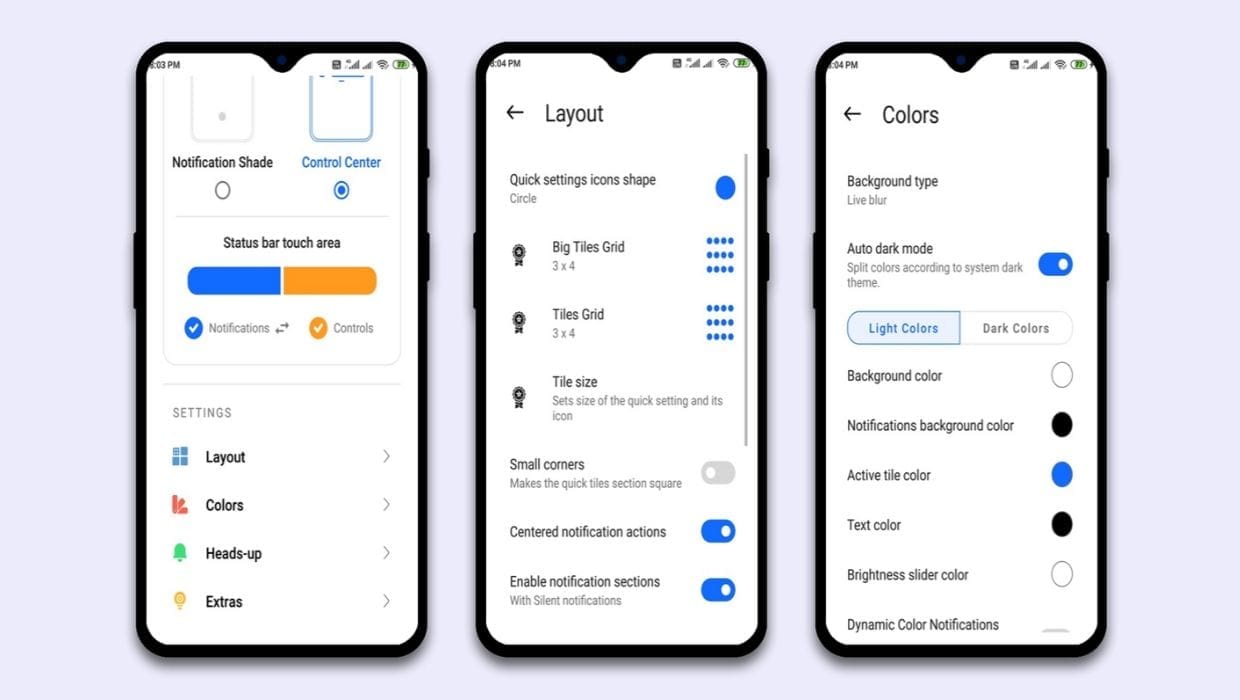
    Mi Control Center: Notifications and Quick Actions is an app that allows an iOS / MIUI-style makeover for your notification and fast settings pages, including some cool animations that make it more fun to swipe down and access all of this.

    mi control center
    mi control center

    The app defaults to separating the notification shade and quick settings into two panels that can be pulled up by swiping on different halves of the screen. If you’re not into that, the software can be set to show quick toggles on top of the notification shade just like stock Android. There’s plenty of customizations to play with, like setting an image as the background of the panels or changing the shape of the quick settings toggles.

    Android and iOS in terms of usability and design have never been similar and this app helps make the difference even narrower. If you’re envious of iOS 14 and you want to get a tiny taste of what flipping will be like, give Mi Control Center definitely one try. Downloading from Google Play or APK Mirror is free, although some of the advanced customization options require a buy in-app.

    How to install MIUI 12 Control Center Apk Perfectly on your device ?

    Here, we are going to show you, how you can setup MIUI 12 Control Center on your device without any error or lag issue. Make sure you follow all this simple steps to avoid any such issue and the Control Center app will run perfectly on your device like a charm.

    • Download and install the latest app from the app store.
    • Open the App and give all the permission it requires.
    • Click on Accessibility > More services > select Mi Control Center > enable Accessibility
    • Now go back and select Write option > enable Allow modify system settings
    • Go back and select Other permissions > Pop-up in background option and enable all option here.
    • Select Notifications option > enable Mi Conter Center: show custom notifications

    Avoid the Mi Control Center app from closing.

    • Open your Recent Menu (By pressing the Recent Key)
    • Tap and hold on Mi Control Center App.
    • You will see a Lock option. Lock the app so that it can keep running even if you clean the recents.

    How to get Blur Background in Mi Control Center ?

    • Open the Mi Control Center app.
    • Select the Colors option.
    • Now select the Background type => Live Blur option and click on OK.
    • Now you will have exactly same Control Center as MIUI 12 have.
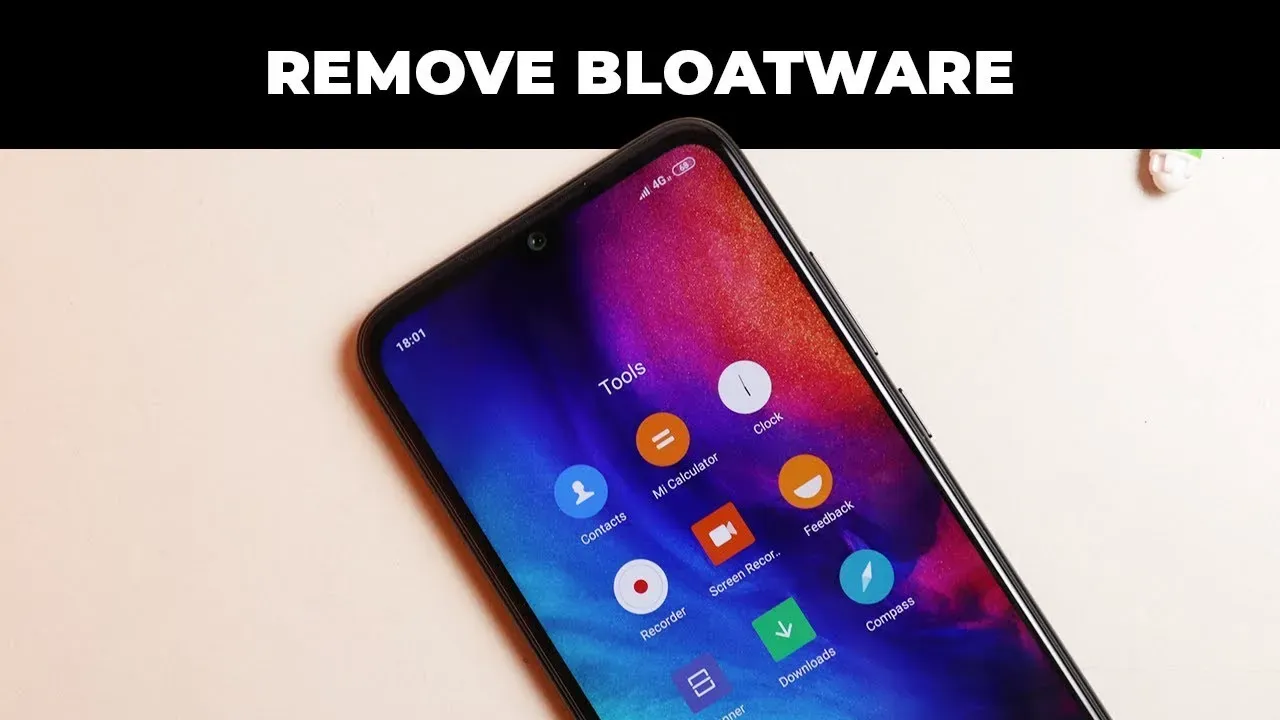
  • Remove Bloatware From Your MIUI – Xiaomi and Redmi Devices (non-root)

    Remove Bloatware From Your MIUI – Xiaomi and Redmi Devices (non-root)

    MI User Interface, abbreviated MIUI is an Android-based operating system for smartphones and tablet computers developed by Chinese electronics manufacturer Xiaomi. It is powered by the Android Operating System. MIUI includes various features such as theme support.

    Xiaomi’s budget devices are good at taking over the smartphone world.

    The company, dominating on the Indian and Chinese markets, manages to deliver low priced smartphones coupled with some high end device specs.

    Bloatware on Xiaomi Devices?

    The word Bloatware is used for smartphone apps which the vendor locks. Some known vendors include Samsung, Xiaomi, HTC and so on. Developers are using this irksome tactic of locking apps on the phone to make the device’s user interface exclusive.

    Uninstall/Disable MIUI Apps in Xiaomi/Redmi Devices Without Rooting

    1. MIUI Hidden Settings

    The MIUI app Hidden Settings make it easy for developers to perform previously complex tasks in just a few taps. You can, for example, view the Notification log, which has been difficult to get into before.

    With the help of MIUI hidden features, you can get rid of some (not all) pre-installed app(You can also uninstall the Google apps).

    miui hidden settings bloatware
    MIUI Hidden Settings app
    • Open the MIUI Hidden Settings app.
    • Choose the Android version.
    • Tap on the Manage Applications.
    • Scroll over and tap on whichever app you want to remove from your device.Open the MIUI Hidden Settings app.
    • Choose the Android version.
    • Tap on the Manage Applications.
    • Scroll over and tap on whichever app you want to remove from your device.
    • Tap on the “Disable” or “Uninstall” option.
    • Then tap on the “Disable app” button in the pop-up.

    Now you can get rid of most of the unused apps which were earlier impossible to remove.

    2. ADB and Fastboot

    Bloatware removal using ADB and Fastboot is a simple method and works with just about any device powered by Android.

    This method is a little more complicated and you need a P.C. and ADB installed. You need to follow the steps accurately.

    You need to enable USB debugging by going to Settings > About Phone > Tap 7-10 times on MIUI Version. A popout will appear telling you that you have activated Developer Settings.

    Then go to Additional Settings and pap on Developer Options, scroll down and activate USB debugging and press OK.

    On your PC go to ADB installation folder and type cmd in the adress bar. A command prompt windows will appear.

    Now once you have device connected via USB, run adb devices command in terminal to see if your device is connected via ADB.

    adb devices command prompt

    Now copy and run the commands from below list for the app which you want to remove.

    The command is adb shell pm uninstall -k --user 0 package.name

    adb shell pm uninstall -k --user 0 com.google.android.apps.docs # Google Drive
    adb shell pm uninstall -k --user 0 com.google.android.apps.maps # Google Maps
    adb shell pm uninstall -k --user 0 com.google.android.apps.photos # Google Photos
    adb shell pm uninstall -k --user 0 com.google.android.apps.tachyon # Google Duo
    adb shell pm uninstall -k --user 0 com.google.android.googlequicksearchbox # Google App
    adb shell pm uninstall -k --user 0 com.google.android.music # Google Music
    adb shell pm uninstall -k --user 0 com.google.android.videos # Play Movies
    adb shell pm uninstall -k --user 0 com.android.browser # Mi Browser
    adb shell pm uninstall -k --user 0 com.miui.bugreport # Mi Feedback
    adb shell pm uninstall -k --user 0 com.miui.compass # Mi Compass
    adb shell pm uninstall -k --user 0 com.miui.notes # Mi Notes
    adb shell pm uninstall -k --user 0 com.miui.screenrecorder # Mi Screen Recorder
    adb shell pm uninstall -k --user 0 com.miui.videoplayer # Mi Video
    adb shell pm uninstall -k --user 0 com.miui.player # Mi Music
    adb shell pm uninstall -k --user 0 com.xiaomi.midrop # Mi Drop
    adb shell pm uninstall -k --user 0 com.xiaomi.mipicks # Mi Apps
    adb shell pm uninstall -k --user 0 com.xiaomi.scanner # Mi Scanner

    So if you mess something up, do factory reset to get out of trouble.