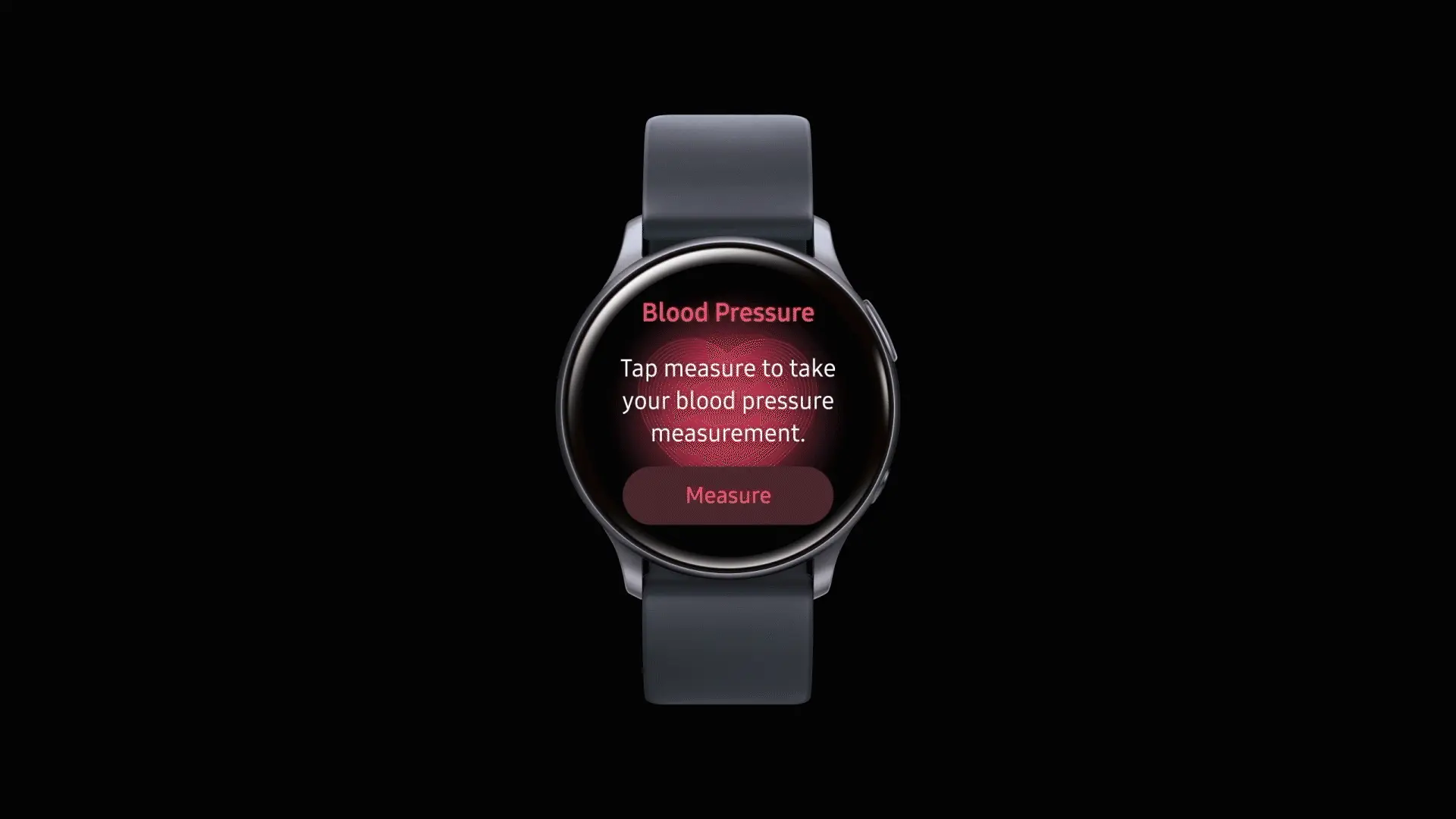
After being regionally limited for years, blood pressure tracking will now be available to Galaxy Watch users in the United States. Users in the US will be able to get blood pressure monitoring, but it requires a Galaxy phone to function.
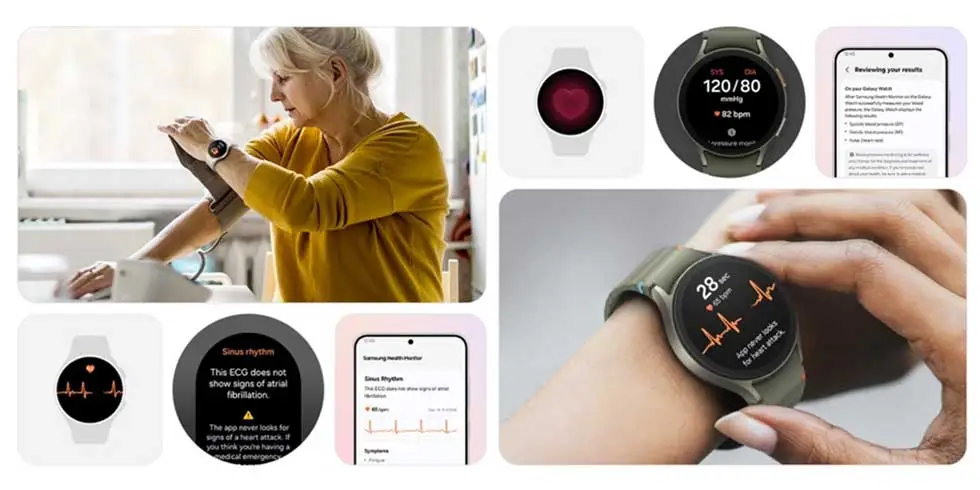
As with ECG readings, customers in the US will have access to blood pressure monitoring via the Samsung Health Monitor app. This is a gain for the Galaxy Watch 4 and later, all the way up to the Galaxy Watch 8, as the rollout won’t be restricted to any particular Galaxy Watch model.
According to Samsung, blood pressure data should be used to supplement general health metrics rather than to prevent or diagnose excessive blood pressure. Similar to an ECG exam, wearers of Galaxy Watches must start a reading. Once finished, the watch will display blood pressure and heart rate readings, which will be saved in the companion app.
Official use will be restricted to watches coupled with Galaxy phones due to the tool’s reliance on the Samsung Health Monitor app. Additionally, it appears that the feature requires calibration with a conventional upper arm cuff. Calibration will be required every 28 days, according to the press release.
To ensure accuracy, users are required to calibrate their Galaxy watch using an upper arm cuff (sold separately) every 28 days. Compatible Galaxy Watches measure systolic and diastolic blood pressure along with your heart rate using the internal heart rate monitoring sensors.
Since its debut on the Galaxy Watch Active 2 in 2020, blood pressure monitoring has notably been excluded from the Galaxy Watch’s feature set in the United States, whereas other regions have benefited from both the feature and a more comprehensive set of health monitoring capabilities. With this information, it appears that US restrictions have changed, allowing Samsung to start releasing previously restricted tools.
Galaxy Watch users should start seeing availability with the linked Samsung Health Monitor app as an update starts to roll out today.
The integration of artificial intelligence into healthcare software has transformed patient care, administrative workflows, and diagnostic procedures. As medical institutions seek to leverage data-driven insights, AI-powered solutions offer unparalleled accuracy, efficiency, and personalization. From predictive risk assessment to automated imaging analysis, these technologies redefine the standards of modern healthcare delivery, bridging gaps between clinicians and patients while optimizing operational costs.
Enhancing Diagnostic Accuracy with AI Technologies
Advancements in deep learning algorithms and neural networks have significantly improved diagnostic precision across various medical fields. By analyzing vast datasets of patient histories, lab results, and imaging scans, AI systems can identify subtle patterns that may elude human observation. This diagnostic accuracy not only accelerates clinical decision-making but also reduces the likelihood of misdiagnosis and subsequent treatment delays.
Furthermore, real-time integration of AI tools into electronic health record (EHR) platforms enables clinicians to receive instant, data-backed recommendations. The synergy between human expertise and machine-led analysis fosters a collaborative approach, ensuring that critical conditions are detected early. As a result, medical teams gain confidence in their assessments, translating into better patient outcomes and enhanced trust in healthcare technology.
AI-Powered Patient Monitoring and Management
Continuous tracking of vital signs and patient behavior through wearables and in-hospital sensors exemplifies the power of remote patient monitoring. Such systems alert clinical staff to anomalies—ranging from heart rate fluctuations to irregular glucose levels—before they escalate. Businesses can partner with itcraftapps.com/healthcare/ for Healthcare Software Development to implement robust monitoring systems that adapt to individual patient needs, ensuring timely interventions and reducing hospital readmissions.
By aggregating and analyzing longitudinal data, AI platforms support the creation of continuous data-driven care plans. Automated alerts, medication reminders, and personalized health insights enhance patient engagement while reducing manual oversight. The result is a comprehensive management ecosystem that promotes adherence, minimizes complications, and empowers individuals to take an active role in their healthcare journey.
Streamlining Administrative Tasks in Healthcare
Implementing AI solutions in administrative domains relieves staff from repetitive and error-prone tasks. From patient intake to billing reconciliation, intelligent automation improves accuracy and turnaround time. Key areas of impact include:
Appointment scheduling optimization through predictive slot allocation
Medical billing verification with automated claim audits
Electronic health records management via natural language processing
Automation also enhances cost efficiency by reducing manual labor and administrative overhead. Real-time dashboards and reporting tools powered by AI streamline compliance tracking, ensuring that healthcare providers meet regulatory standards without sacrificing productivity. As a result, financial resources can be redirected toward core clinical activities, elevating the overall quality of care.
Personalized Treatment Plans Driven by AI
The era of precision medicine is fueled by AI-enabled analysis of genetic, lifestyle, and environmental data. By leveraging genomic data analysis, software platforms can recommend targeted therapies tailored to a patient’s unique profile. This level of personalization enhances treatment efficacy and minimizes adverse effects, marking a shift from one-size-fits-all protocols to individualized care pathways.
Advanced machine learning models continuously refine treatment recommendations based on patient responses and emerging research findings. Clinicians can adjust dosages, modify drug combinations, or explore novel interventions with confidence, knowing that AI insights are grounded in real-world evidence. Such dynamic care strategies pave the way for more resilient and adaptive healthcare systems.
Predictive Analytics for Disease Prevention
Predictive analytics harnesses historical and real-time data to forecast health trends and anticipate potential outbreaks. Utilizing risk prediction algorithms, healthcare organizations can stratify populations according to susceptibility, enabling focused preventive measures. Early identification of high-risk individuals leads to proactive screening and lifestyle interventions that halt disease progression.
Integrated population health platforms powered by AI support the development of preventive care programs that address chronic conditions such as diabetes, cardiovascular disease, and respiratory disorders. By correlating social determinants of health with clinical metrics, providers design community-centric initiatives that yield measurable improvements in public health outcomes.
Improving Medical Imaging through Artificial Intelligence
AI-driven solutions in radiology have revolutionized image interpretation through enhanced image segmentation and feature extraction. Convolutional neural networks excel at detecting anomalies—such as tumors or lesions—within X-rays, CT scans, and MRIs, often achieving accuracy rates comparable to expert radiologists. This augmented analysis accelerates diagnostic workflows and reduces the burden on imaging departments.
The fusion of AI and computer vision not only streamlines routine examinations but also uncovers subtle indicators of disease at earlier stages. Automated anomaly detection systems flag suspicious regions for further review, allowing radiologists to focus on high-impact cases. Consequently, healthcare institutions deliver faster, more reliable imaging services, strengthening both patient trust and clinical performance.
It’s likely that you carry an Android phone in your pocket if you’re not using an iPhone. Google’s mobile operating system, Android, powers a variety of phones, including the Google Pixel and Samsung Galaxy. The lithium-ion battery is a feature shared by almost all Android phones. Only when these batteries are in good health can they be strong and effective. Your phone may start to drain more quickly, take longer to charge, or even shut down without warning as it ages or wears out. Because of this, monitoring the condition of your battery is more crucial than you may imagine.
You can check the condition of your Android phone’s battery in two major ways. You can access your phone’s diagnostics by dialing a code. But not every phone can use this dial code. You can also utilize a third-party or internal app, such as Samsung’s Members app, to keep an eye on the condition of your phone’s battery.
Using a dial code to check the battery health
A dial code is a string of characters and digits that you enter as though you were making a phone call. You can access an automated system that gives you a summary of your phone’s diagnostics by dialing a code on compatible phones. This will cover the temperature and condition of the battery.
Enter ##4636## on the dial screen of your phone. After that, access your battery health diagnostics by navigating through the menu. In the menu, this is typically called Battery Information. Depending on the phone kind you own, the options could change.
Regretfully, not all Android smartphones are compatible with this code. Some are in favor of it, while others are not. You can determine whether the model of your phone supports this dial code in advance if you still have the manual or can get it online. However, just dialing it and seeing what happens might be quicker.
Using an app to check the battery health
To check the health of the battery, several Android phones offer a personal app option. The Samsung Members app is available from Samsung. You navigate to Support and then Phone Diagnostics using that app. From there, you can test the phone’s battery and other systems.
AccuBattery
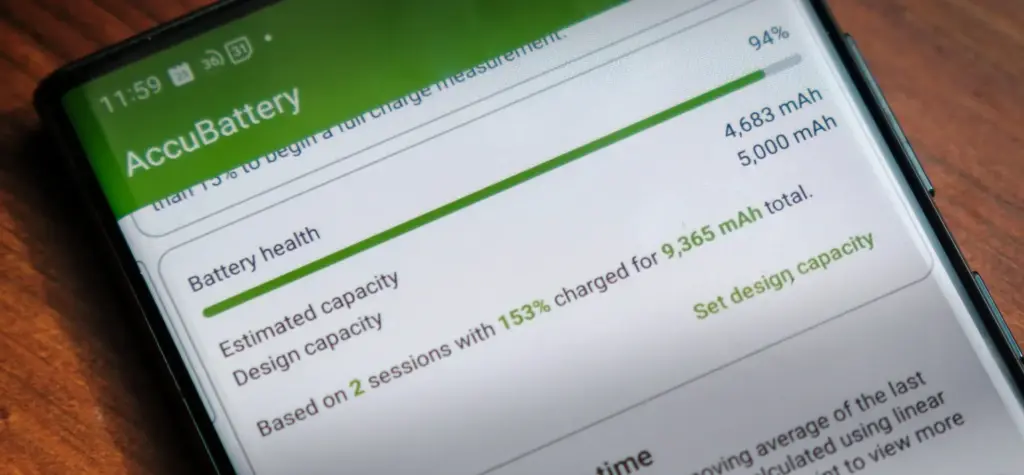
AccuBattery displays battery usage information, and measures battery capacity (mAh) based on science.
Another option is to use a third-party app, such as AccuBattery. AccuBattery can be downloaded from the Google Play Store. To demonstrate how well the battery is charging, it has a health monitor. Additionally, it offers up-to-date information about the battery life of your phone. This can help you maximize the battery’s performance and extend its lifespan.
Maintaining the health of your Android’s battery is essential to its long-term functionality. The dial code is a fast way to check the battery, but not all phones can use it. By downloading an app, you can keep an eye on the condition of your battery and receive real-time reports to improve battery performance. With these resources at your disposal, you can properly care for your phone.
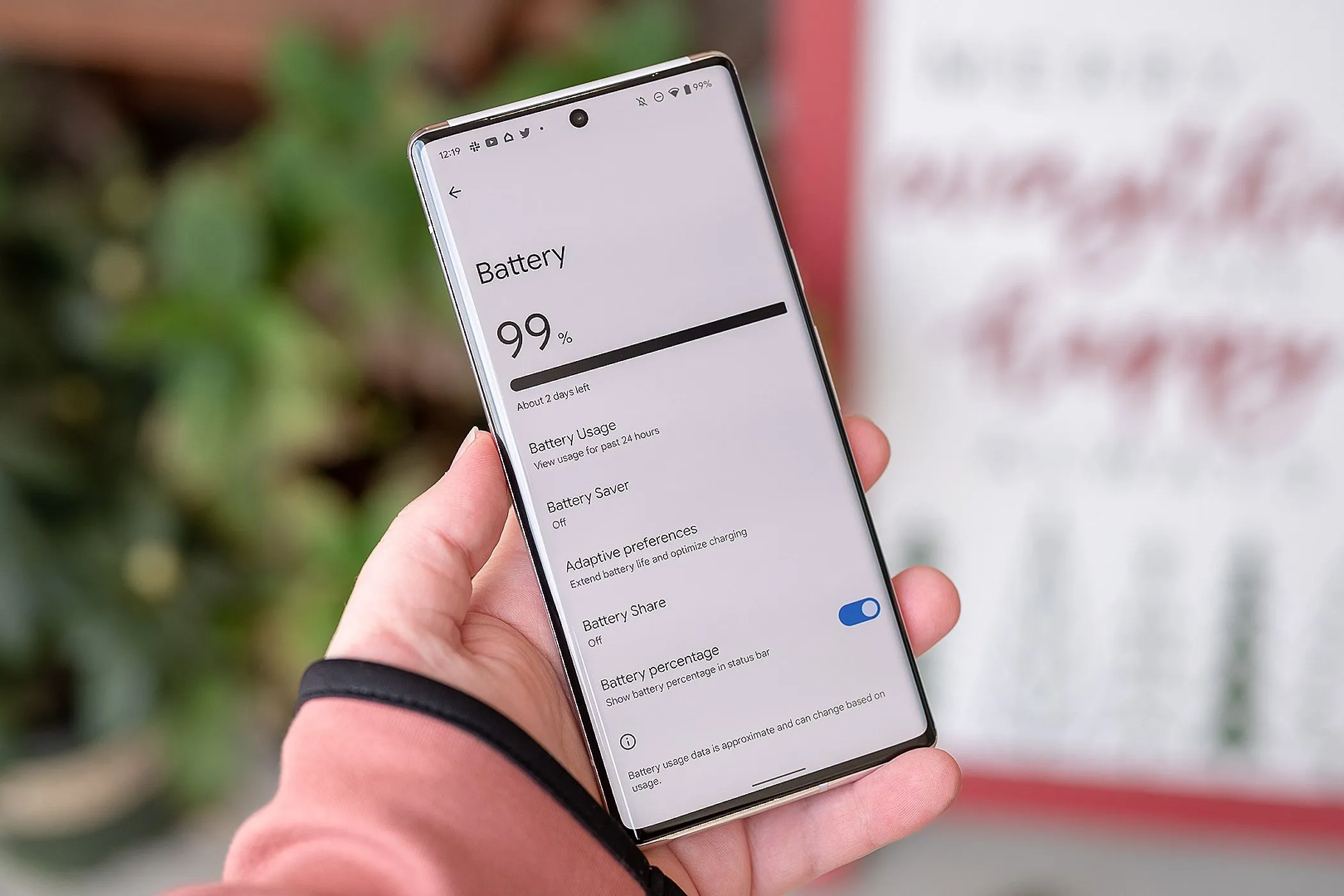
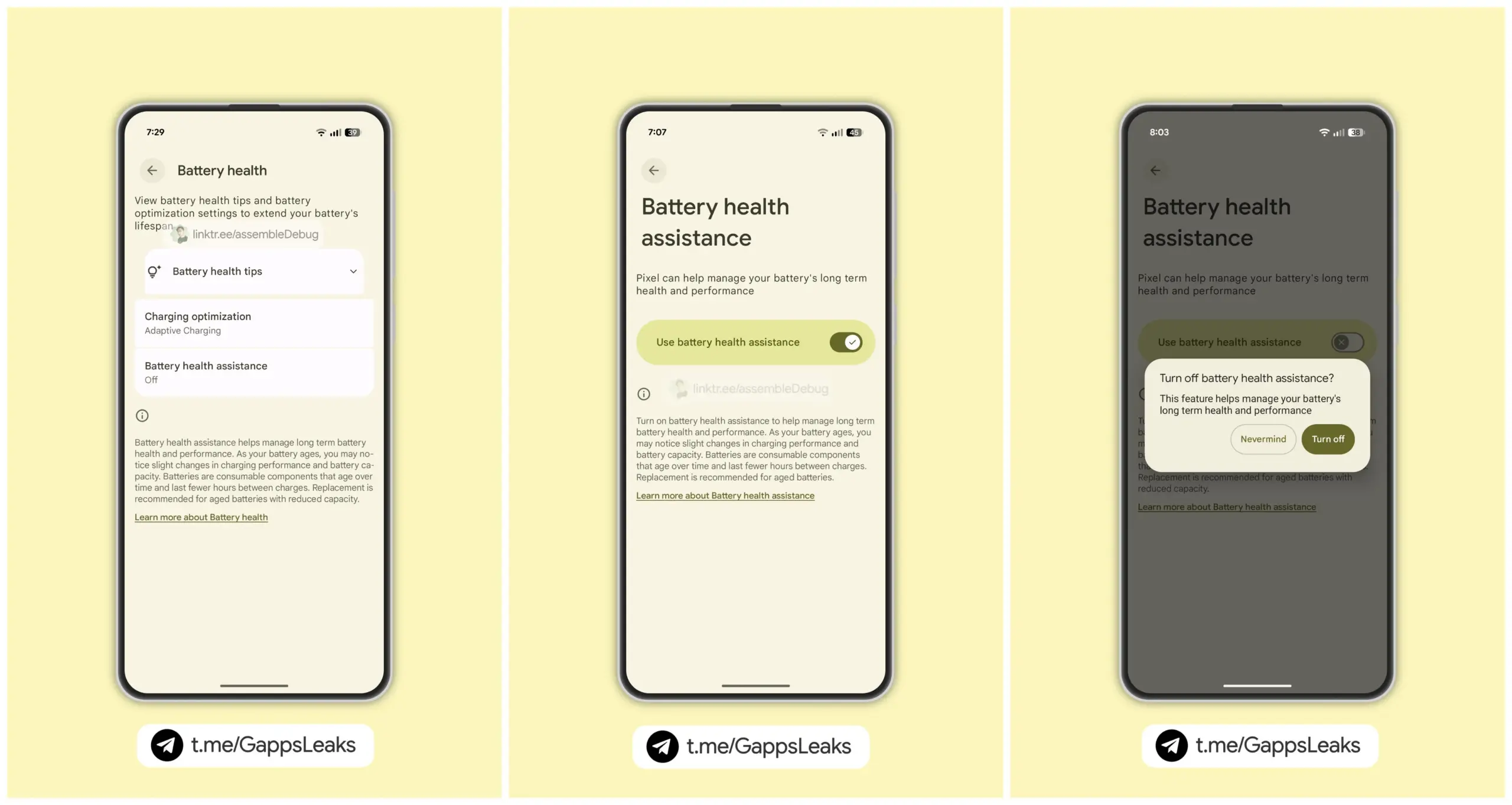
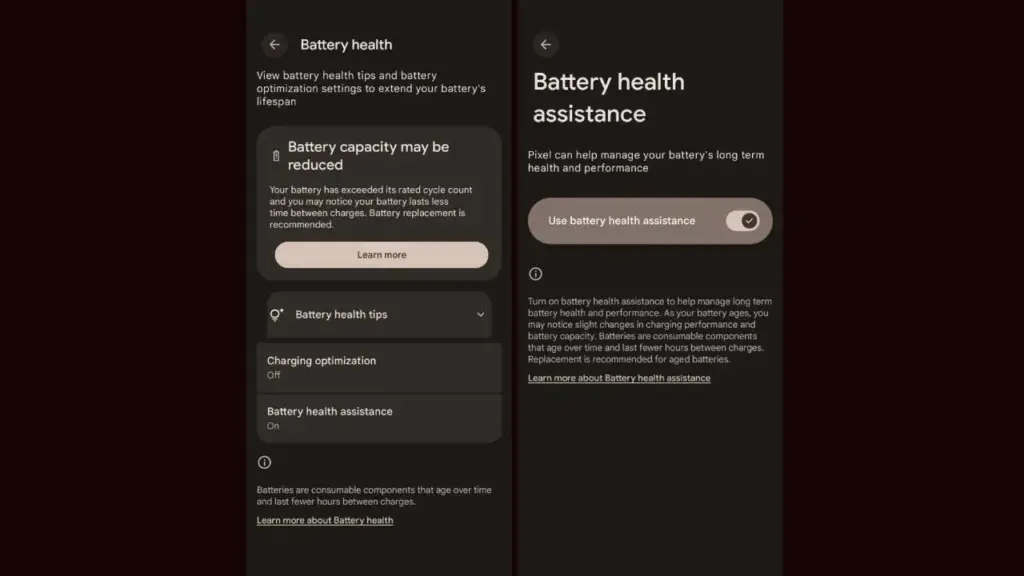
As seen by the Android 16 QPR1 Beta 2 update, the company is getting ready to expand the Battery Health Assistance function, which made its debut with the Pixel 9a, to additional Pixel devices. Serious problems including battery overheating and even melting during charging have recently been reported with certain Pixel phones. The tech giant is working hard to stop this, though.
Android 16 beta update brings ‘Battery Health Assistance’ feature
For those who are unaware, early this year, Google released the Pixel 9a with Battery Health Assistance, a charge management tool. This feature cannot be manually disabled because it is enabled by default.
Google’s support page states that Battery Health Assistance aids in controlling the long-term performance and health of a phone’s battery. Serious problems like battery deterioration, overheating, and even melting when charging can be avoided with its assistance.
After applying the Android 16 QPR1 Beta 2 update on their phones, a few users became aware of the new feature. To put it briefly, Google intends to eventually extend this feature to older Pixel models.
Google defines the feature as follows; ”Lithium-ion batteries are consumable components that eventually require replacement. As your battery ages, Battery health assistance helps manage its long-term health and performance. This software adjusts the battery’s maximum voltage in stages. It starts at 200 charge cycles and continues gradually until 1000 charge cycles. This helps stabilize battery performance and aging.”
Images posted by customers who have tested Battery Health Assistance indicate that, unlike the Pixel 9a, the feature won’t be required. In other words, if you want to, you can turn it off. Google advises, however, that you keep it enabled at all times to preserve the functionality and health of your battery.
It’s crucial to have this feature to keep your battery from dying too soon.
On Pixel phones, the Battery Health Assistance feature may somewhat shorten battery life and charging speed. In the long run, nevertheless, it is really useful and protects the battery. This might stop the recent battery problems that some Pixel variants have been having.
Many stories of earlier Pixel models burning and even melting their batteries after charging have surfaced in recent months. Arielle, a user, even complained last week that her Google Pixel 6a melted and caught fire while charging. It is noteworthy that she was utilizing a third-party, non-OEM charger.
Google Pixel 9a with Gemini
Google Pixel 9a is engineered by Google with more than you expect, for less than you think; like Gemini, your built-in AI assistant, the incredible Pixel Camera, and an all-day battery and durable design
Stay connected with the latest from Droid Tools—follow us on X @droid_tools, like our page on Facebook, check out our updates on Instagram, and follow us on Google News for real-time news, device tips, and mobile tech insights.
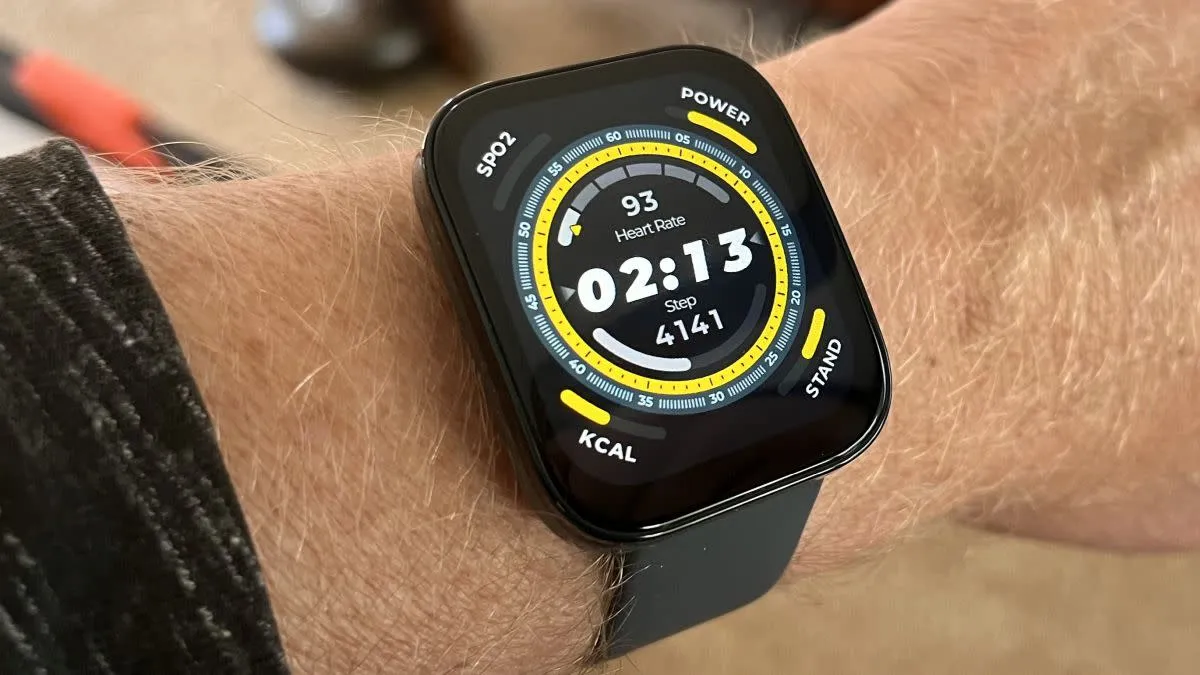
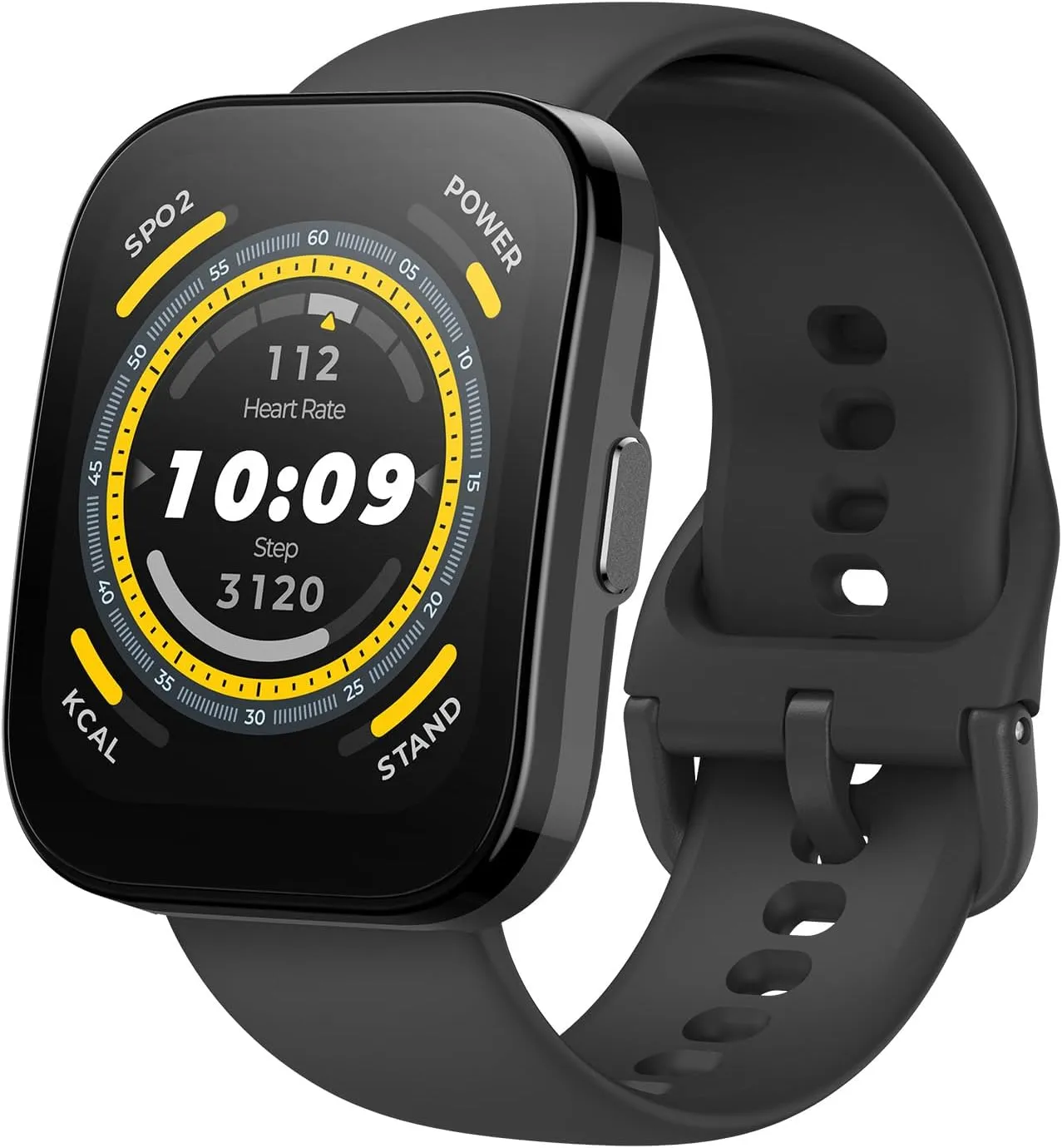
Amazfit BIP 5 is a low-cost smartwatch that uses the Zepp app to provide a wealth of health data in a crowded market of pricey models. The pricing range of Amazfit is smartwatches spans from the Balance to the newly launched T-Rex 3, with the BIP 5 being the most affordable model.
What does a $75 smartwatch bring you, then? A portion of what you might anticipate from an inexpensive gadget, but with some pleasant surprises as well. Based on the Amazfit range, the Amazfit BIP 5 is powered by Zepp, the all-inclusive software that functions nearly identically on all of the company’s smartwatches.
I used the BIP for two weeks straight, wearing it to the gym on a regular basis and on a trip to Europe. I found this watch to be a reliable companion for my workouts. The Zepp app offers a plenty of metrics and customization, making up for the watch’s lackluster hardware.
Amazfit Bip 5
Amazfit Bip 5 Smart Watch 46mm, GPS, Alexa Built-in, Bluetooth Calling, 10-Day Battery, Heart-Rate & VO2 Max, Sleep Health Monitoring, AI Fitness App, 120+ Sports Modes, for Android & iPhone, Black
I will start by saying that this watch has an excellent battery. When I went to Europe for six days, I did not even think to bring the charger, and I did not need to. I have been able to charge it once a week or so without any problems.
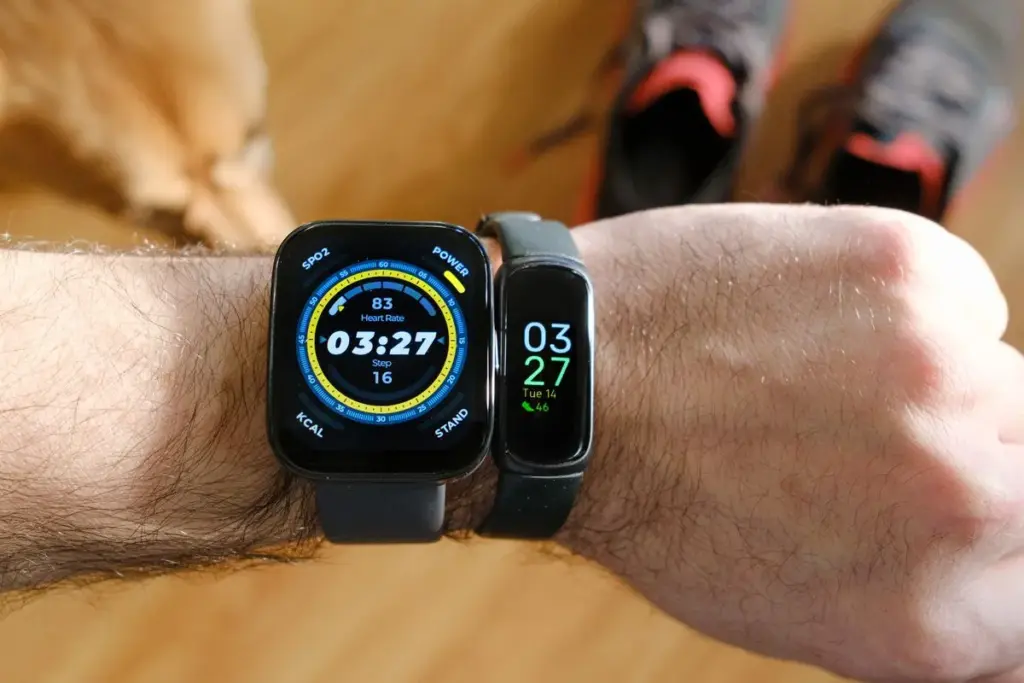
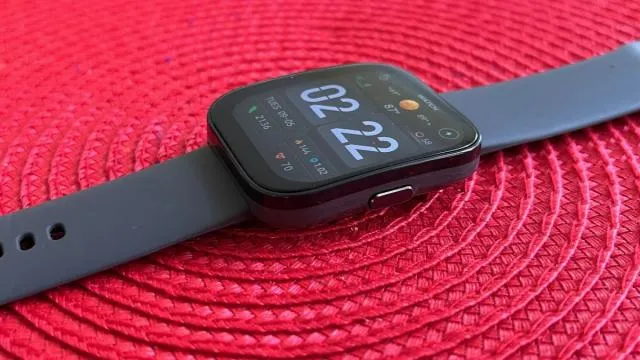
The second obvious feature that makes this watch stand out is its physical form. It does not necessarily look bad for a smartwatch that costs less than $100. The bracelet is simple and the 1.9-inch face is chunky, but at least it can be customized. While it is not as good as the expensive AMOLED screens on rival smartwatches, the display is nonetheless dependable and stutter-free.
In the end, it is a discreet-looking watch that does not draw attention to itself, and given that other smartwatches are determined to market themselves as fashion accessories, that feature deserves some consideration.
This is not a watch you want to wear in the shower or in the pool due to its lack of durability. It is not waterproof, however, it is splashproof thanks to its IP68 rating. I enjoy the outdoors, but I am not someone you will find running in the rain because I reside in New York. Rather, I want a smartwatch with accurate fitness metrics for the gym and reliable sleep monitoring.
Regarding the Amazfit BIP 5’s fitness tracking, I got mixed results. I discovered that the “exercise mode” on the watch is not actually functional for me when I took it to the gym. In this mode, the app will notify you to continue moving when your heart rate falls too low and will encourage you to maintain it elevated within a specific range.
My experience has shown that the heart rate monitor’s accuracy is not perfect. I was in the middle of a stride on the treadmill or a mid-squat on the rack, but the device kept telling me that my heart rate was too low and that I should “keep moving.”
If you do not change the parameters, it might be too intrusive for athletes who are accustomed to working out at the gym, but I can see this being helpful for someone who is focused on high-intensity interval circuit training.
Besides, it is not always clear to the device whether I am standing or sitting. I spend at least half of the day standing because I use a standing desk both at work and at home, but the BIP does not always pick it up.
I could not possibly attempt every one of the more than 120 sport measurement modes available on the BIP, but the ones I did try, like rowing, were beneficial but not particularly game-changing.
Nevertheless, the watch uses Zepp’s PAI score to measure a variety of variables. With the aim of reaching a weekly total of 100, the “personal activity indicator” is a statistic that gives you points each day based on cardiorespiratory measures from all sources (not just specified workouts).
Amazfit Bip 5
Amazfit Bip 5 Smart Watch 46mm, GPS, Alexa Built-in, Bluetooth Calling, 10-Day Battery, Heart-Rate & VO2 Max, Sleep Health Monitoring, AI Fitness App, 120+ Sports Modes, for Android & iPhone, Black
Personally, I think Zepp’s PAI method is great and it makes sense to assess your fitness and health via a variety of lenses rather to just ad hoc measures. The integrated GPS is another feature that runners will adore.
It can provide maps of your routes and a variety of stats related to your training, including statistics, achievement projections to track your progress, and workout templates.
There are not many unique connectivity features on the Amazfit BIP 5 because its primary functions are health-related, but the ones that are present are at least helpful. For instance, you can use the watch to control music playback when it is on your phone.
It also supports Alexa, so if you have a smart home setup, you can use the watch to provide orders. When it comes to its sleep-tracking features, the Zepp app—which is extensive and data-rich—carries the BIP 5. Because of this, it is a fantastic low-cost choice for those who wish to track their sleep but do not really need a fitness watch.
Zepp generates a progress report with a grade every morning, along with longer narrative reports created by AI that provide further meaning for your sleeping patterns. The measurements are not entirely correct, though.
Zepp frequently assumes that I am asleep when I am not, and on occasion, he even claims that my sleep was worse than it was. Zepp places a strong emphasis on regular sleep and wake hours, and even if you get a restful night’s sleep, it can still be very critical of deviations from this pattern.
On certain evenings, even when it was the weekend or I felt like I had gotten enough sleep, it would give me a 75–80 score rating and admonish me for deviating from my sleep routine.
Even if you are not aware of it, the gadget performs a decent job of identifying objects that interfere with your sleep.
For instance, after having a late-night cocktail, I was asked, “Hey, I observed your heart rate took a while to decrease last night,” when I woke up. “Did you consume booze before bed or eat late?” Cracked. Since it did interfere with my sleep in this instance, this level of insight—an overall theme to the watch’s capabilities—was unexpected and clever.
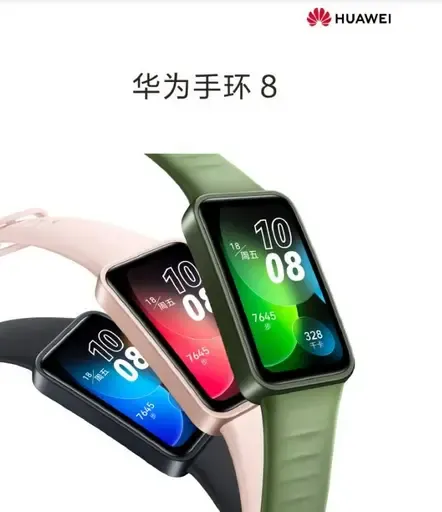
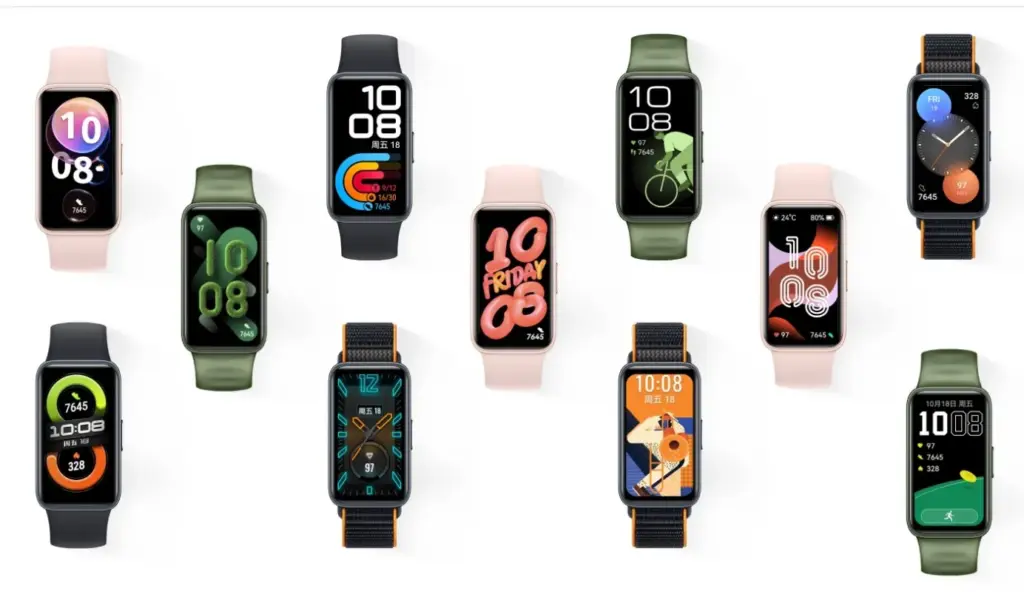
The Huawei Band 8 is the newest fitness tracker that Huawei has unveiled in China. The item was unveiled alongside the Huawei Enjoy X mid-range phone, the Nova 11 line of smartphones, and the Matebook D 14 and MateBook D 16 notebooks for 2023. Below are a complete list of the Band 8’s features, specifications, and cost.
Huawei Band 8 specifications and features
The company’s lightest and smallest large-screen fitness tracker is the Huawei Band 8. The device has an 8.99mm thickness and weighs only 14 grams, making it somewhat lighter than the previous model. Due to its small bezels, it has a 1.47-inch AMOLED screen with a 368 x 194-pixel resolution, a screen-to-body ratio of 65 percent, and a 2.5D high-quality curved glass screen that gives it a beautiful aesthetic. There are more than 10,000 different watch face designs for the Band 8 fitness tracker.
Fast charging is supported by the Huawei Band 8; a full charge takes 45 minutes and 5 minutes of charging gives 2 days’ worth of usage. Any worries about the Band 8’s battery life are put to rest by the fact that a fully charged battery can last up to 14 days. It is the first Huawei fitness band that have HarmonyOS 3.1 installed.
Huawei’s TruSleep 3.0 sleep tracking technology, which is included with the Band 8, has a 10% increase in accuracy over earlier versions. The enhanced algorithm offers users expert and credible sleep advice. In addition, the business has introduced the “Smart Sleep Improvement Plan” in partnership with the China Sleep Research Association to provide users with sleep issues with systematic and individualized sleep interpretation and improvement programs.
With HUAWEI TruSeen 5.0 heart rate monitoring technology, the Band 8 has also gotten an upgrade to its heart rate algorithm, increasing accuracy by 10%. It has a function called “7-day resting heart rate” that plots the user’s resting heart rate over the last seven days. In addition to supporting automatic blood oxygen detection, heart health research, women’s health management, and 24/7 stress monitoring, Band 8 has professional health management capabilities.
It is also the first fitness tracker made by Huawei to use a smart negative screen. Users can access smart scene information such as timetables, hotels, airlines, and trains by swiping the screen to the right, which brings up the negative screen. The gadget can quickly morph from a “smart travel secretary” and into an access control card, traffic card, and smart flash card.
Huawei Band 8 price and availability
The standard version of the Huawei Band 8 is priced at only 269 Yuan (~$39), and the NFC version is priced at 309 Yuan (~$45). It will be available for purchase starting April 26 on Huawei Mall, major e-commerce platforms, and authorized experience stores. It comes in four colours: Magic Night Black, Cherry Pink, Emerald Green, and Vibrant Orange.