Tag: evolutionx

  • Evolution X 7.9 for the Google Pixel 6, 6 Pro & 6a – oriole – raven – bluejay

    Evolution X 7.9 for the Google Pixel 6, 6 Pro & 6a – oriole – raven – bluejay

    Modified versions of the Android operating system known as “custom ROMs” are produced by independent developers or communities. Beyond what is offered by the software from the original manufacturer, these ROMs provide a distinctive and personalized user experience.

    What is a custom ROM

    Custom ROMs are frequently used by users to enhance performance, unlock new features, or prolong the life of their devices.

    The ability to alter a device’s design and functionality is one of the main reasons people prefer custom ROMs. Themes, user interfaces, and the installation of custom kernels and changes to improve performance and battery life are all examples of customization possibilities. These ROMs frequently provide more device control, enabling users to customize their experiences to suit their preferences.

    The flexibility custom ROMs offer in terms of software upgrades is another important benefit. Official updates for older or less well-liked devices are occasionally delayed or completely abandoned by manufacturers and carriers.

    On the other side, custom ROM developers keep supporting these devices, giving customers the most recent versions of Android long after the official support stops. Users can now take advantage of new features and security updates that they wouldn’t otherwise have access to.
    evolution x

    Evolution X

    Popular custom ROM Evolution X, which is based on the Android operating system, strives to offer a distinctive and feature-rich user experience. Evolution X, created by a passionate community of enthusiasts, offers a wide range of customization options, performance upgrades, and an easy-to-use interface, all while adhering to the fundamental values of stability and dependability.

    Evolution X is fundamentally based on the most recent Android releases, featuring Google’s most recent features and security updates. By doing this, customers are guaranteed access to the most recent features and security measures provided by the Android ecosystem. Even if official manufacturer updates are no longer available, customers can still benefit from a new operating system on their compatible devices with Evolution X.

    Another trait of Evolution X is performance optimizations. The ROM includes a number of adjustments and improvements meant to increase the device’s responsiveness, speed, and battery life. Users can fine-tune the performance of their device to suit their preferences by using sophisticated performance settings like undervolting or overclocking. Additionally, Evolution X makes the most of system resources to guarantee fluid animations and seamless multitasking.

    Evolution X also places a strong emphasis on privacy and security. The ROM includes built-in privacy features, such as advanced permission controls and privacy settings, to give users more control over their data and app permissions. Furthermore, Evolution X incorporates the latest security patches and updates to protect users from potential vulnerabilities and ensure a secure browsing and app experience.

    Features lists

    Themes
    
    - Theming Settings (Style, Color Source, Accent Color, Accent Background, Background Color, Luminance, Chroma, Tint Background)
    - Custom Themes (Black, Clear, Vivid, Paint In The Snow, Espresso)
    - Dark Theme Schedules
    - Lock screen Clock Fonts (16 Fonts)
    - Headline/Body Fonts (53 Fonts)
    - SB Icon Packs (10 Styles)
    - SB Signal Icon Packs (14 Styles)
    - SB WiFi Icon Packs (10 Styles)
    - System Icon Shape Packs (16 Styles)
    - 3 Button Navbar Styles (10 Styles)
    
    Status bar
    
    - Status Bar Lyrics
    - Clock Styles (Right, Center, Left)
    - Clock & Date Configs (Auto Hide, Hide Duration, Show Duration, Seconds, AM/PM, Font Size, Date Position/Case/Format)
    - SB Logo Pack (20 Styles, Right/Left)
    - Network Traffic Indicators
    - Battery Icon Styles (19 Styles)
    - Battery Percent (Hidden, Inside Icon, Next To Icon)
    - Battery Bar (Thickness, Alignment, Blend Colors, Reverse Direction, Colors, Animation)
    - System SB UI Tuner
    - Data Disabled Icon (On/Off)
    - Old Style Mobile Data
    - 4G Instead Of LTE
    - Roaming Indicator
    - WiFi Type Icon
    - Colored Icons
    - Notification Count
    - Bluetooth Battery Status
    - Mic/Camera Privacy Indicator
    - Location Privacy Indicator
    - Media Projection Privacy Indicator
    
    Notifications
    
    - ReTicker
    - App Colored Background For Reticker
    - Heads Up (Time Out, Importance Threshold, Less Boring, Stoplist/BlockList)
    - Force Expand Notifications
    - Notification Sound If Active
    - Kill App Button
    - Blink Flashlight For Incoming Call (When Ringing, When Silent, When Entierly Silent, Always)
    - Blink Flashlight For Notifications
    - In-Call-Vibrations (Connect, Waiting, Disconnect)
    
    Quick Settings
    
    - Clock
    - Clock Font Size
    - Date
    - Battery Style (15 Styles)
    - Battery Percent Location (Hidden, Inside Icon, Next To Icon)
    - Battery Estimates
    - Secure QS Tiles Requires Unlocking
    - Quick QS Pulldown (Disabled, Right, Left, Always)
    - Brightness Slider (Never, Expanded, Always)
    - Brightness Slider Position (Top, Bottom)
    - Auto Brightness Icon
    - Hide Labels
    - Label Text Size
    - Smart Pulldown
    - Vertical Layout
    - Columns In Portrait (2-5)
    - Columns In Landscape (2-6)
    - QS Tile Animation Style (3 Styles)
    - QS Tile Animation Druations (3 Speeds)
    - QS Tile Animation Interpolator (8 Styles)
    - Vibration On Touch
    - Vibration On Touch Duration
    - QS Footer Warnings
    - Show Data Usage
    - User Account Icon
    - Edit Icon
    - Power Menu Shortcut
    - Running Services Shortcut
    - Settings Shortcut
    - Clear All Button (10 Styles, 5 Backgrounds)
    
    Power Menu
    
    - System Settings (Hold PWR Assistant + Hold Duration)
    - Disable Power Menu On LS
    - Power
    - Restart
    - Advanced Reboot Options
    - Screenshot
    - On-The-Go Mode
    - Settings
    - Lock Down
    - Emergency
    - Device Controls
    - Users
    - Logout
    - Bug Report
    
    Gestures
    
    - System Settings
    - Quick Tap
    - Volume Button Playback Control
    - Swipe To Screenshot
    - Brightness Control
    - PWR Button Torch
    - Double Tap To Sleep Status Bar
    - Double Tap To Sleep Lock screen
    - AOSP Gestures
    - Pill Length
    - Pill Radius
    - Hide IME Button Space
    - Back Gesture Animation
    
    Lock screen
    
    - Edge Light
    - Always On Fingerprint
    - UDFPS Icon Picker (55 Styles)
    - UDFPS Animation Picker (38 Styles)
    - Lock screen Charging Info
    - Hide Status Bar
    - Hide QS During Secure Lock screen
    - Media Cover Art (5 Filters)
    - Ripple Effect
    - Fingerprint Authentication Vibration
    - Fingerprint Error Vibration
    
    Buttons
    
    - Navigation Bar
    - Compact Layout
    - Invert Layout
    - Show Vol Panel On Left
    - Per App Vol Control
    - On-Screen NavBar
    - Reorient Volume
    - Volume Rocker Wake
    - Keyboard Cursor Control
    - Alert Slider Notifications
    - Alert Slider Pulse
    - Block Alert Slider In Pocket Mode
    - Click To Partial Screenshot
    
    Animations
    
    - Screen Off Animation (3 Styles)
    - Power Menu Animations (11 Styles)
    - Android P Animation Style
    
    Miscellaneous
    
    - AOD Display Schedule
    - Google Services
    - Game Space
    - Smart Pixels
    - App Lock
    - Launch Music App On Headset Connection
    - Unlimited Photos Storage
    - Unlock Higher FPS In Games
    - Netflix Spoof
    - Pulse Music Visualizer (Navbar, LS, Ambient)
    - Volume Panel Timeout
    - Jitter Test
    - Ignore Secure Window Flags
    - Show CPU Info
    - Toast App Icon
    - Sensor Block Per Package
    - Wakelock Blocker
    - Alarm Blocker
    - Default USB Configuration
    - Radio Info

    First Time Install

    • 1. Download vendor_boot & rom for your device from here
    • 2. Reboot to bootloader
    • 3. fastboot flash vendor_boot vendor_boot.img fastboot reboot recovery
    • 4. While in recovery navigate to Factory reset -> Format data/factory reset and confim to format the device.
    • 5. When done formatting, go back to the main menu and then navigate to Apply update -> Apply from ADB
    • 6. adb sideload rom.zip (replace “rom” with actual filename)
    • 7 (optional). Reboot to recovery to sideload any add-ons (e.g magisk)
    • 8. Reboot to system & #KeepEvolving

    Update

    • 1. Reboot to recovery
    • 2. While in recovery, navigate to Apply update -> Apply from ADB
    • 3. adb sideload rom.zip (replace “rom” with actual filename)
    • 4 (optional). Reboot to recovery to sideload any add-ons (e.g magisk)
    • 5. Reboot to system & #KeepEvolving

    OTA

    • 1. Check for update. If available, select “Download and install” (approx 10-15 min)
    • 2. Reboot & #KeepEvolving
  • Great custom ROMs in 2021

    Great custom ROMs in 2021

    So, you have an Android smartphone, and the same old UI has begun to bore you. So, it’s time to dive into the world of custom ROMs. Installing Custom ROMs is one of the easiest ways to deal with overdue OEM updates and introduce a plethora of new features to your Android smartphone. Let’s take a look at the best Android Custom ROMs for 2021 that you can try.

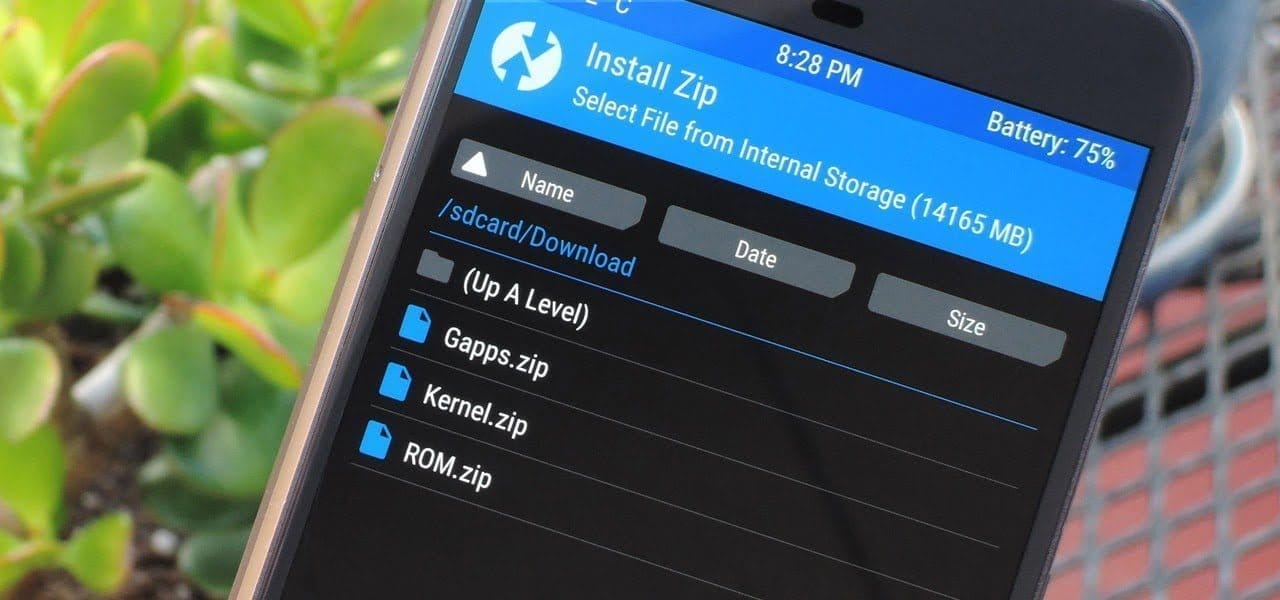
    Since Android OS is open-source, the overly enthusiastic community-at-large is constantly working on their own versions of the OS, which is why Android is so popular. However, flashing a custom ROM necessitates unlocking the bootloader and installing a custom recovery, so be sure to read our article on the topic.

    Custom ROMs:

    1. LineageOS 18.1 (LOS ROM)

    You’ll not find a custom ROM list on the internet that doesn’t include LineagOS. LineageOS is the new age successor of the CyanogenMod ROM. Following CyanogenMod discontinuation in 2016, LineageOS took center stage and has not looked back since. This most popular custom ROM for Android cements its reputation purely on the sheer number of users and downloads that it has gotten over the years.

    LineageOS 18.1 custom rom

    Above all, LineageOS is the base of most of the other custom ROMs in the community (Example: Resurrection Remix). Stability is a stronghold, with the UI presenting itself as akin to Google’s very own Stock Android.

    It doesn’t provide a lot of customization options but, in the Android community, personalization isn’t everything. Nevertheless, it does play a huge role when it comes to the Android Custom ROM world and still remains one of the best Android custom ROMs for 2021.Download LineageOS Custom ROM

    2. Paranoid Android (PA ROM)

    Paranoid Android ROM is one of everyone’s personal favorites when it comes to Custom Firmware. Being one of the oldest ROMs available, AOSPA has come a long way. While being one of the few ROMs based on CAF, PA packs a punch in terms of stability, security, and performance.

    paranoid android custom rom

    Additionally, Ambient Display first made an appearance as part of PA Custom ROM with a feature name called Peek and was later ported into an APK. Certainly, the fact that even tech giants have looked up to this project to inspire innovation speaks for itself. Download Paranoid Android Custom ROM

    3. crDroid

    Based on LineageOs, crDroid is one of the very few feature-rich yet stable custom ROMs that you’ll find today. The ROM gains new features with every update and the security patches and main updates are also rolled out pretty quick

    crDroid rom

    The latest crDroid release (7) is supported on more than 63 devices from 12 manufacturers. Out of all the OEMs, Xiaomi/Redmi and OnePlus devices are the most loved devices in the crDroid community. The last time I installed crDroid was on my OG OnePlus 3T and I quite liked the stability and customizations that it bought to the table. Download crDroid Custom ROM

    4. Havoc OS

    havoc os

    Havoc OS has been pretty popular since the release of Android Oreo. This custom ROM is known for its all-around performance but, one area where it stands out is in the battery performance. Havoc OS is no slouch when it comes to customization options. Unlike other OSes that compromise one thing for the other, Havoc OS is a no-compromise ROM best suited for everyday usage.

    Initially, the Havoc team concentrated on providing the best of all worlds, tailoring a pleasant experience for the user. Now, things are very much different as the Havoc OS project is bringing new features that are attracting other developers in the Custom ROM realm.Download Havoc OS Custom ROM

    5. Pixel Extended

    pixel extended

    As the name suggests, Pixel Extended ROM is a derivative of Pixel Experience ROM which you’ll read about later in the article. It aims at solving the lack of customizations in the Pixel Experience ROM and, it does that very well with fewer caveats/compromises in areas like stability.

    While it doesn’t offer a lot of customizations compared to other contenders on this list like MSM-Xtended, it does strike a great balance of providing Pixel-exclusive features and significant customizations than the stock Pixel Experience ROM.Download Pixel Extended Custom ROM

    6. Corvus OS

    corvus os 1

    Corvus is yet another AOSP-based custom ROM that takes heavy inspiration from the OG Dirty Unicorns ROM. It comes with a lot of customization options and is best suited for people who value customizations more than anything else. As of writing this article, more than 42 devices are officially supported. The ROM has been downloaded over 300000 times.

    It is also one of the best ROMs when it comes to performance. Hence, if you’re looking for a Custom ROM for gaming, flash CorvusOS without any second thoughts.

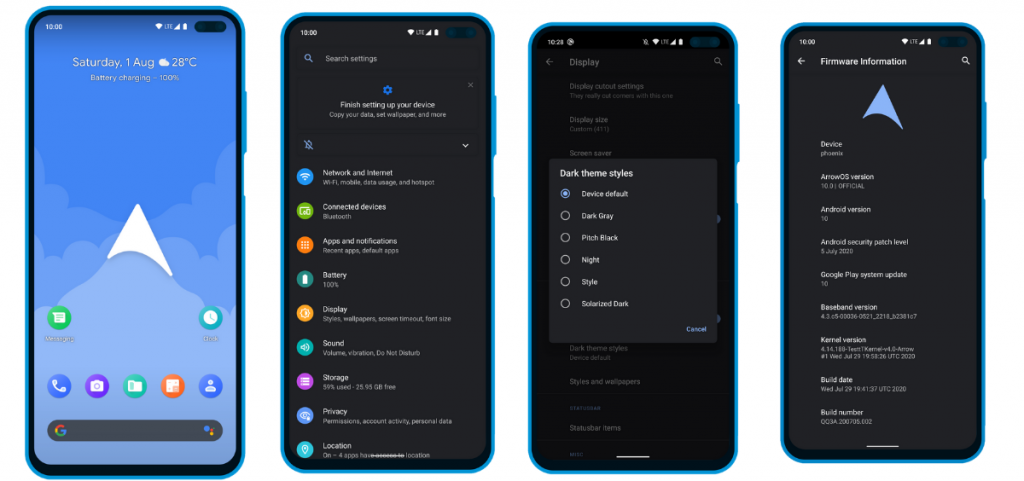
    7. ArrowOS

    In contrast to all the Custom ROMs mentioned in the list, Arrow OS provides less customization. As a result, this AOSP-based ROM is heavily oriented towards stability and battery life while offering a buttery smooth experience as a whole. Still, less doesn’t necessarily mean it’s bad. This ROM targets users that prefer better battery life and stability than overwhelming customization options.

    ArrowOS screenshots

    Apart from that, this ROM also gets timely security updates and OS updates. The device support is also pretty broad.Download ArrowOS Custom ROM

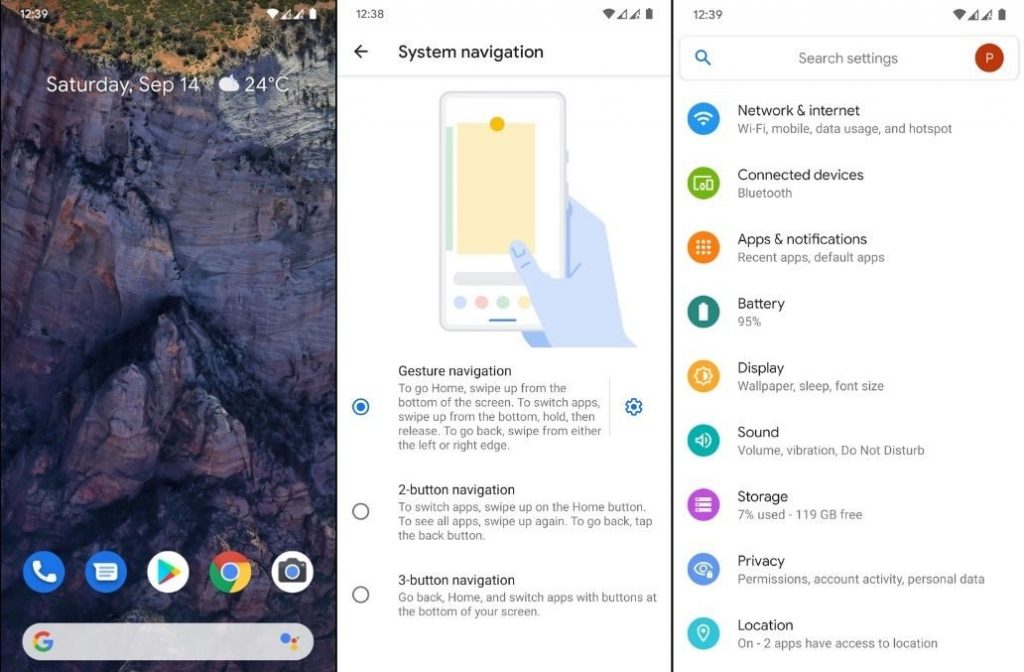
    8. Pixel Experience

    Say hello to one of the most simple and cleanest ROMs in the community, the Pixel Experience ROM. Derived from Google’s stock ROM on its Pixel devices, it delivers Pixel features right out of the box. Unlike the other ROMs in the list and precisely as the name suggests, the main purpose of the inception of this fantastic ROM is to provide a stable and secure Pixel-like experience rather than focusing on the area of customizability.

    pixel experience screenshots

    Although the Pixel Experience ROM holds some of the basic tweaks you would expect, tailoring every aspect of your device is not its goal. Another unique feature of the ROM is that it is CAF-based. For starters, a CAF-based ROM is an AOSP-based ROM that the chipset manufacturer Qualcomm uses to test their particular chipsets. CAF ROMs are tailored to offer incredible stability.Download POSP Custom ROM

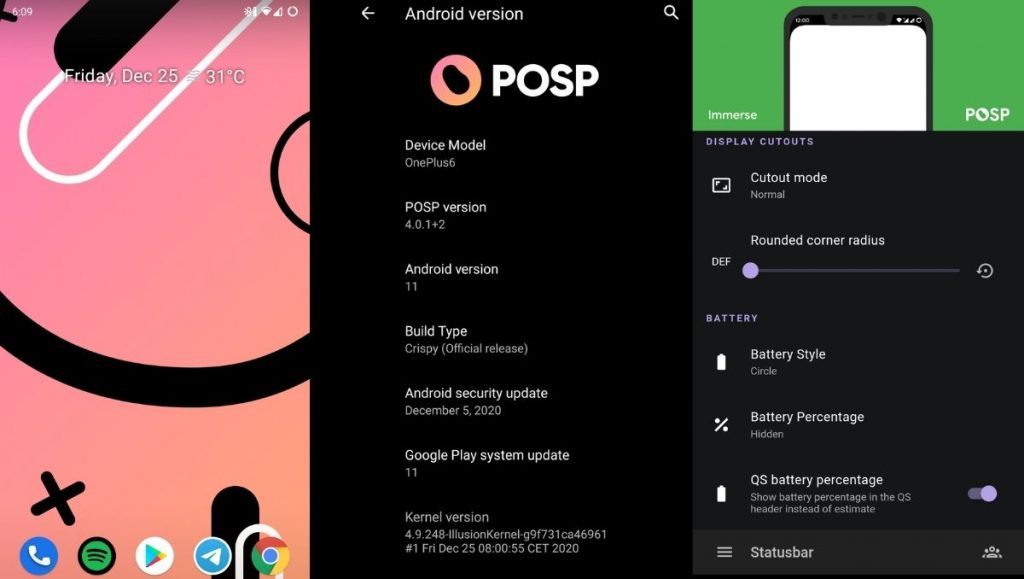
    9. POSP (Potato Open Sauce Project)

    Yup. You read that right. Certainly, Custom ROM developers can’t go wrong with crunchy names, right? Well, that holds true, at least in the case of POSP as many of the users might agree. Serving up a delicious-looking website with a cheerful undertone, this brilliant Custom Rom serves its purpose quite well.

    posp screenshots - best android custom ROMs for 2021

    This Popular Custom ROM provides ample choices for tweaking your device in the manner of your choice. Furthermore, the POSP Custom ROM now supports a wide variety of devices. Recently, the developers launched v4 adding several new features to the custom ROM. Finally, like it or hate it, these potatoes rock!Download POSP Custom ROM

    10. EvolutionX

    EvolutionX is yet another custom ROM based on vanilla AOSP, similar to Pixel Experience. It is one of the most customizable custom ROMs in the Android community.

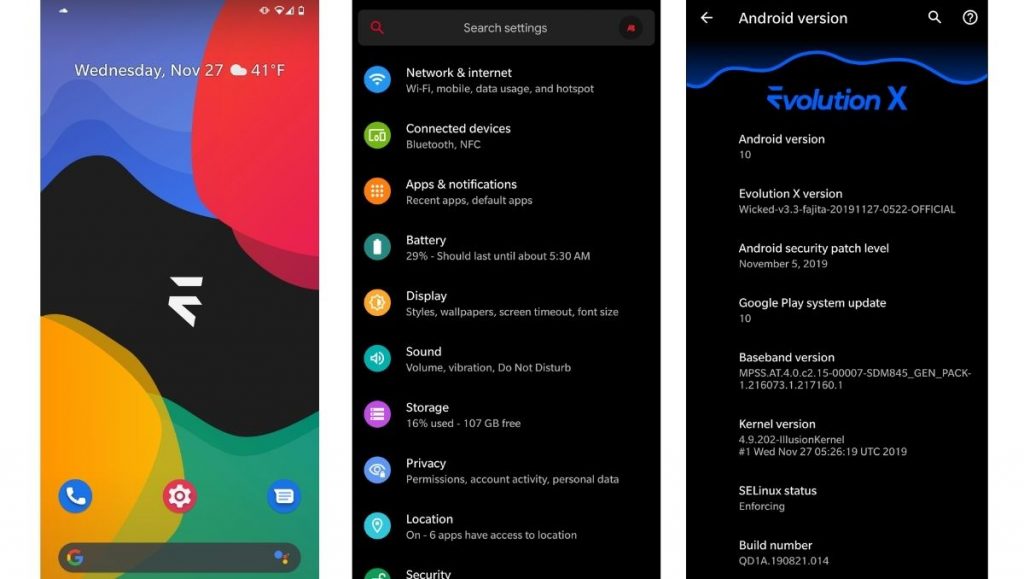
    evolutionx screenshots - best android custom ROMs for 2021

    Developers rolled out EvolutionX ROM based on Android 11 as soon as the official Android 11 came out. The custom ROM is especially popular due to its performance and stability and is preferred by users who don’t often hop custom ROMs. Be it CPU-intensive tasks or GPU-intensive, EvolutionX nails it in every aspect.

    Sure the customizations are less than other custom ROMs like HavocOS but, it strikes a perfect balance between performance and simplicity via stock Android experience.

    Download EvolutionX Custom ROMDownload EvolutionX Custom ROM

    11. AOSIP/Derpfest

    AOSIP (Android Open-Source Illusion Project) is hands down one of my favorite custom ROMs when it comes to delivering a Pixel-like experience and a lot of miscellaneous features. Based on AOSP with Pixel Experience as a base, it delivers a lot of features and, at the same time, keeps the experience simple.

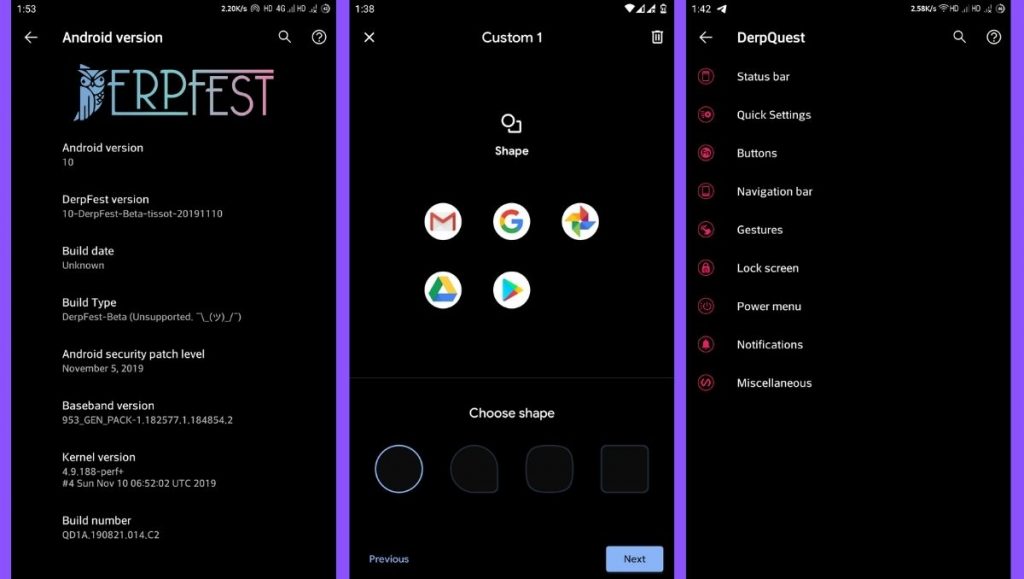
    aosip screenshots - best custom roms for 2021

    Derpfest is an unofficial, community ROM based on AOSIP. Apart from a few added features here and there, there’s not much of a difference between the two. Everything from the monthly security patches to receiving new version updates is also quick on AOSIP.Download AOSIPDownload Derpfest Custom ROMs

    12. Syberia Project

    Syberia ROM is yet another AOSP and CAF-based custom ROM known for its stability, customization features, and timely updates. A week that I spent with this ROM (Android 10.0) on my OnePlus 6, felt pretty great for daily usage.

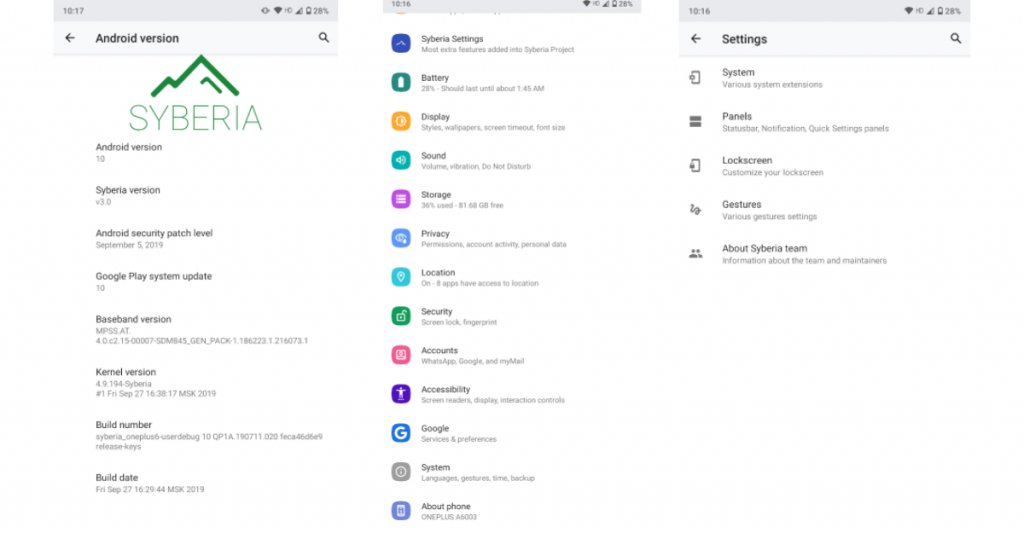
    syberia os

    Apart from the Pixel experience and customization, what blew me away was how stable the ROM was. The Syberia OS community loves Xiaomi devices so, there’s a high chance that your Xiaomi device is/will be supported.Download Syberia Custom ROM

    13. MSM-Xtended

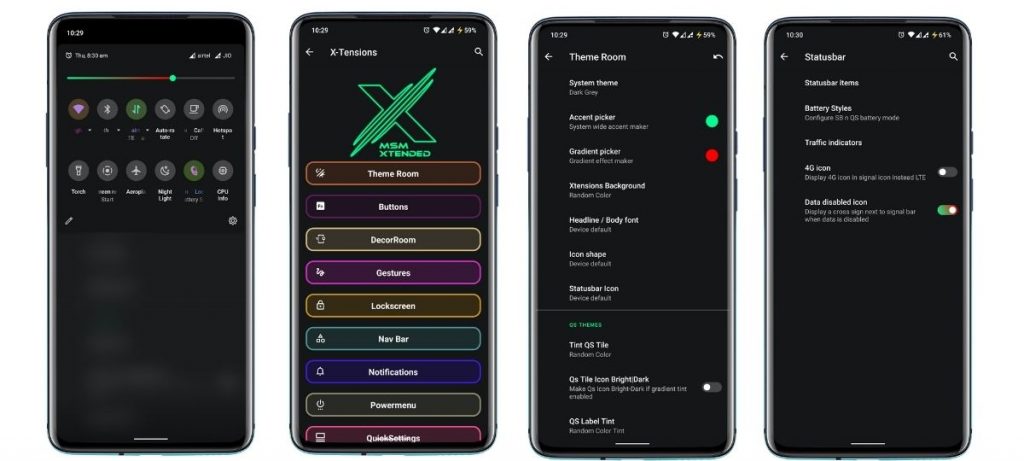
    Are you searching for a custom ROM that helps tweak every last bit of your Android experience? Meet MSM-Xtended – A highly customizable, yet another AOSP-based custom ROM whose tweaking abilities are off the charts.

    MSM-Xtended - best android custom roms for 2021

    I tried it on my older Xiaomi Mi A1 and honestly, I think the customizations are a serious overkill here. Nonetheless, I know there are a lot of people who want just that. Apart from that, it was pretty stable and always stayed up-to-date. Hence, it is one of the best android custom ROMs for 2021 for customizations.Download MSM-Xtended Custom ROM

    Wich one is the best?

    Before you start yelling at me for not having your favorite custom ROM on this list, please understand that this is a very subjective list. These custom ROMs are just the tip of the proverbial proverbial iceberg.

    Finally, it is strongly advised to peruse the XDA Forums to keep track of what works and user input. Certainly, the developers and maintainers of ROMs for your particular devices play a significant role. Get some fun blinking.

  • #evolutionX for Xiaomi MI9T Pro / Redmi K20 PRO

    Your warranty will be void.
    Droid Tools is not responsible for bricked devices, dead SD cards etc...

    Evolution X is a Custom ROM to bring a true Pixel feel to Android Devices at first glance, with many additional options at your disposal. Evolution X aim to provide frequent builds with monthly security patches from the latest AOSP sources.

    Main Features

    • Pixel goodies
    • Android Q UI
    • Navbar Customization
    • HW keys customization
    • Status bar customization
    • Timely updates

    First Time Install / Clean Flash

    1. Reboot to Recovery
    2. Download the proper flashable ZIP for your device
    3. Wipe Data/Cache/System when coming from non-AOSP ROMs
    4 Flash MIUI 11 vendor/firmware for your device variant
    5. Flash the ROM
    6. Reboot to System
    7. Reboot to Recovery
    8. Flash Magisk (Optional)
    9. Reboot to System and #KeepEvolving

    Update / Dirty Flash

    1. Reboot to Recovery
    2. Download the proper ZIP for your device
    3. Flash the ROM
    4. Reboot to System and #KeepEvolving

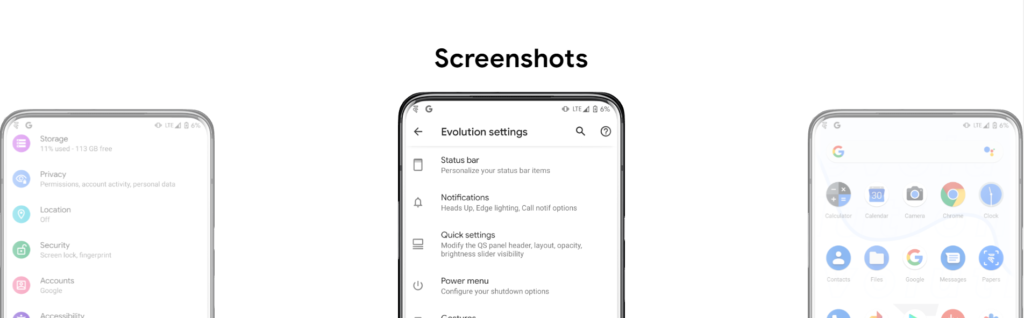
    Screenshots