Tag: encrypt

  • Apple Brings End-to-End Encrypted RCS Messaging to iPhone and Android with iOS 26.5

    Apple Brings End-to-End Encrypted RCS Messaging to iPhone and Android with iOS 26.5

    Nearly 18 months after the FBI warned Americans about the security risks of texting between iPhones and Android devices, Apple has introduced end-to-end encrypted cross-platform messaging through iOS 26.5, according to Forbes.

    The update enables encrypted RCS messaging between iPhone and Android users for the first time – though Apple has noted that the feature “is not available to all.” Availability depends on both device compatibility and carrier support, meaning some users may not gain immediate access to secure RCS messaging even after installing the update.

    The carrier dependency is a key distinction from platforms like WhatsApp, where end-to-end encryption is always active because the app controls both sides of any conversation. Apple’s and Google’s implementation of encrypted RCS, by contrast, relies on carrier infrastructure – which introduces variability depending on the networks connected to both devices at any given moment.
    Apple Brings End-to-End Encrypted RCS Messaging to iPhone and Android

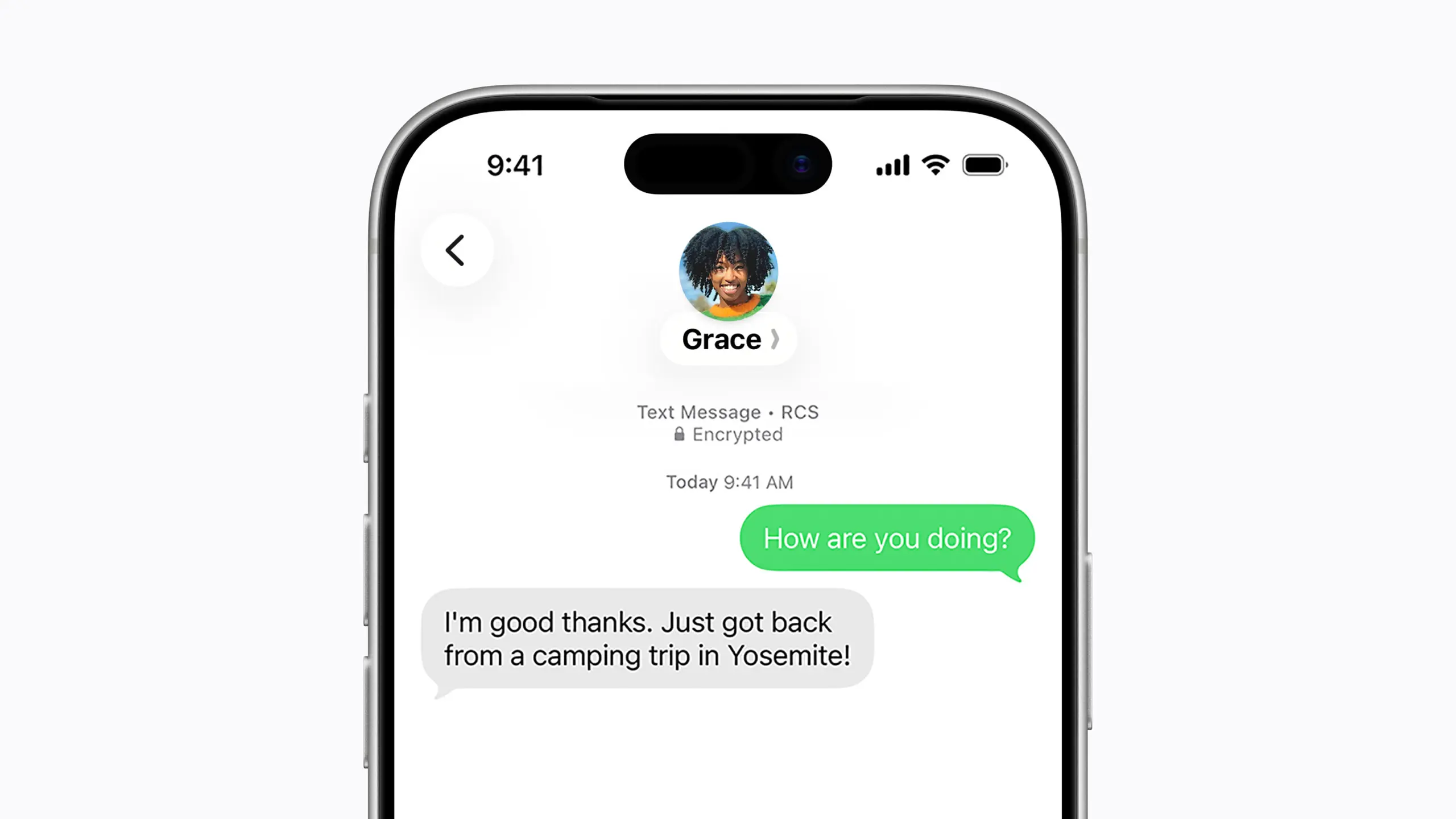
    For context, Apple’s iMessage has long offered fully encrypted communication between Apple devices, identifiable by the familiar blue chat bubbles. Messages sent outside that ecosystem — the green bubble conversations – fall back on SMS or RCS protocols. With Google Messages, encrypted RCS has been available when all participants are using updated versions of the app, though users need to verify whether encryption is actually active in any given chat.

    Encryped RCS messaging to follow

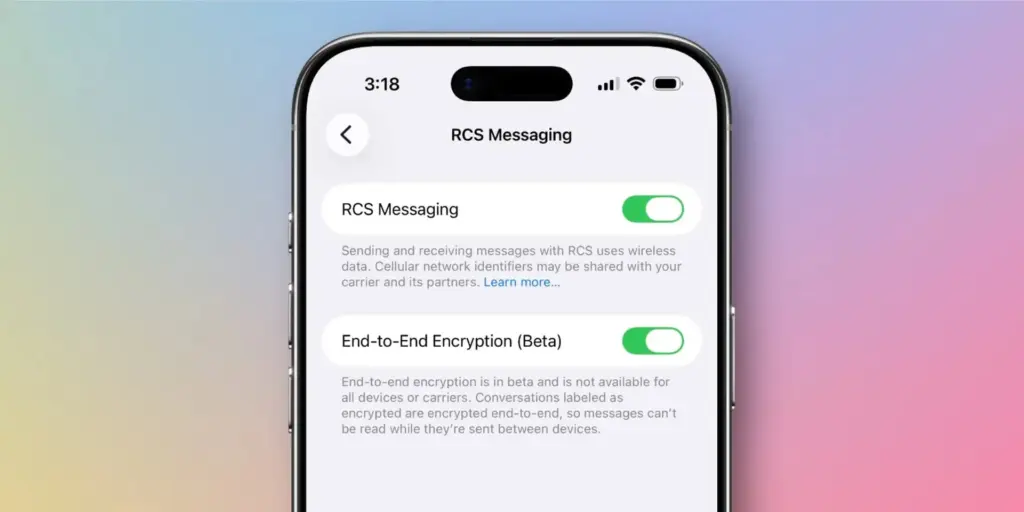
    In its release notes ahead of the update, Apple stated that “end-to-end encrypted RCS messaging (beta) in Messages is available with supported carriers and will roll out over time,” adding that a list of supported carriers would be published on its messaging support page.

    Given the carrier dependency, Apple and Android users looking for consistent, reliable encryption may still find services like WhatsApp or Signal more dependable, or simply stay within their respective ecosystems where encryption is guaranteed.

    Industry observers had anticipated iOS 26.5 would arrive this week, bringing encrypted RCS alongside broader improvements to performance, battery life, and system stability. German technology outlet Born City reported that Apple’s upcoming iOS updates are partly a response to longstanding criticism of the closed iMessage ecosystem, growing demand for AI features, and rising regulatory pressure. India-based publication Eastern Herald framed the RCS rollout as part of a wider industry effort to reconcile privacy with cross-platform interoperability.

    Apple officially launched the encrypted RCS feature in beta on May 11, describing it as a joint initiative with Google aimed at making RCS – the modern successor to SMS – more secure across platforms.

    “Starting today,” Apple said, “end-to-end encrypted RCS messaging begins rolling out in beta for iPhone users running iOS 26.5 with supported carriers and Android users on the latest version of Google Messages.”

    Users on supported carriers will see a lock icon appear in RCS conversations when encryption is active. Apple confirmed that encryption is enabled by default and will gradually extend to both new and existing RCS conversations over time.

    The move represents one of the most significant shifts in text messaging in decades, potentially closing much of the gap between standard cross-platform texting and the kind of security that encrypted messaging apps have offered for years. Analysts, however, point out that it remains to be seen how quickly carriers around the world will adopt the protocol, and whether the change will meaningfully challenge WhatsApp’s grip in markets where it dominates.

    What’s clear is that the rollout directly addresses the U.S. government’s earlier concerns about unencrypted cross-platform communication – and delivers what many users have been waiting a long time for.
  • 6 Useful Tips to Secure Your Android Device

    6 Useful Tips to Secure Your Android Device

    Russia has been invading Ukraine for over a month, and concerns about cybersecurity are growing. Even before the invasion, US officials blamed Russia for cyberattacks on Ukraine’s Ministry of Defense and two banks.

    While the US Cybersecurity and Infrastructure Security Agency has stated that there are no particular or credible cyberthreats aimed at the US, it has also stated that hypothetical cyberattacks are more likely to target infrastructure. CISA advises that everyone be ready in case something goes wrong. When it comes to cyberdefense, safeguarding your mobile device is a smart place to start. Here are six things Android users may do to keep their data safe.

    android secutiry 1

    Always update you OS

    Updating your operating system can resolve issues and repair known security risks. If you don’t update to the current version, you and your device are vulnerable to security weaknesses that could expose sensitive information to unscrupulous actors. Some individuals put off updating their operating system to avoid dealing with early glitches, but waiting too long can destroy your PC. Here’s all you need to know about Android 12.

    Use two-factor authentication

    In the event that your password is compromised, two-factor authentication, or 2FA, adds a second layer of security to your Android account. When you use 2FA, a second message is sent to another device after you enter your password, requesting you to confirm that you are trying to log in. It takes a little longer to log in, but the added degree of protection is well worth it. Here’s how to enable two-factor authentication.

    Password manager

    A password manager can assist you if you’re having problems remembering several passwords and creating unique passwords for each account. These tools can be used in conjunction with 2FA to securely store passwords and fill login pages automatically. They can also protect you from phishing schemes, which ask you to input your password on a phony website. Check out CNET’s reviews of password managers Bitwarden, LastPass, and 1Password for additional information.

    Encrypt your device

    Beginning in 2015, Google mandated that all Android smartphones be encrypted out of the box. After your device has been encrypted, every data saved on it is protected by a PIN number, fingerprint, pattern, or password that only the owner knows. Even Google won’t be able to unlock your device without the key. You may learn how to encrypt your phone here.

    Remove data from Google

    Because Android is a Google product, unencrypted device data may end up on a Google server. You can check with Google to see what data it has about you and request that it be deleted. It’ll take some time, but it’ll be worth it because your information can’t be stolen if it’s not in the system to begin with. Here’s how you ask Google to remove your data, but keep in mind that Google does not guarantee that it will comply with your request.

    Last option – reset/delete your phone

    You can remotely wipe your phone if you lose it or it is stolen. If you need to do this, our Android settings guide includes a walkthrough. Because this deletes all data from your phone, you should make a habit of backing it up on a second device if you have anything important on it.


    For more information on securing your phone, check out these eight apps to protect your phone’s privacy, what information digital security experts wish you knew and how to stop your phone from tracking you.