
Tag: developer tools

  • Extensions, better macOS & Flutter support, Personalization beta, more for Firebase

    Extensions, better macOS & Flutter support, Personalization beta, more for Firebase

    During the annual Firebase Summit, Google revealed more simple extensions and improved support for macOS and Flutter apps, as well as the beta launch of Firebase Personalization.

    If you’re unfamiliar with Firebase, it’s a set of cloud-based app development tools from Google that provide developers access to things like a database, storage, hosting, crash analytics, and more.

    Google launched “Extensions” for Firebase in 2019, allowing developers to simplify common use cases and potentially connect their Firebase project to other services. Building on the previously implemented Algolia extension, an Elastic App Search extension has been created to make your database searchable. There are also new extensions for adding Google Pay and/or Stripe payments to your app.

    firebase

    Flutter developers can start experimenting with Firebase APIs right now without having to install anything. You can now test Firebase code in Flutter Web projects directly from your web browser using the DartPad web app, and the same code will work in Flutter Android and iOS applications as well.

    Firebase is also increasing its reach into Apple’s ecosystem today, with support for macOS and tvOS coming in Beta, the stage Google considers ready for production apps. The ability to use several of Firebase’s C++ libraries in Apple TV apps is also part of the new tvOS beta support, with Google recommending it for usage with Apple Arcade games.

    Developers can alter how certain aspects of their apps function without having to push a new update to the Play Store or App Store using the long-standing Firebase Remote Config. The options of Remote Config can now be picked automatically in a fashion that’s personalized to each individual user, thanks to “Personalization,” which is available in Beta today. While Firebase Personalization can be used in a variety of ways, Fruit Ninja creator Halfbrick found it to be effective in increasing ad revenue from one of their games without increasing negative ratings.

    For Android developers, Firebase is also releasing new documentation about the privacy disclosures necessary for each of Firebase’s tools. These are going to be especially helpful for the new “Data safety” section coming to the Play Store, which is set to become a requirement by April of next year.
    To get more details about what’s new in Firebase, like real-time alerts from Firebase Performance Monitoring, be sure to check out the Firebase Blog or watch the full Firebase Summit stream.
  • Unlock powerful hidden tools in Android 12 developer options

    Unlock powerful hidden tools in Android 12 developer options

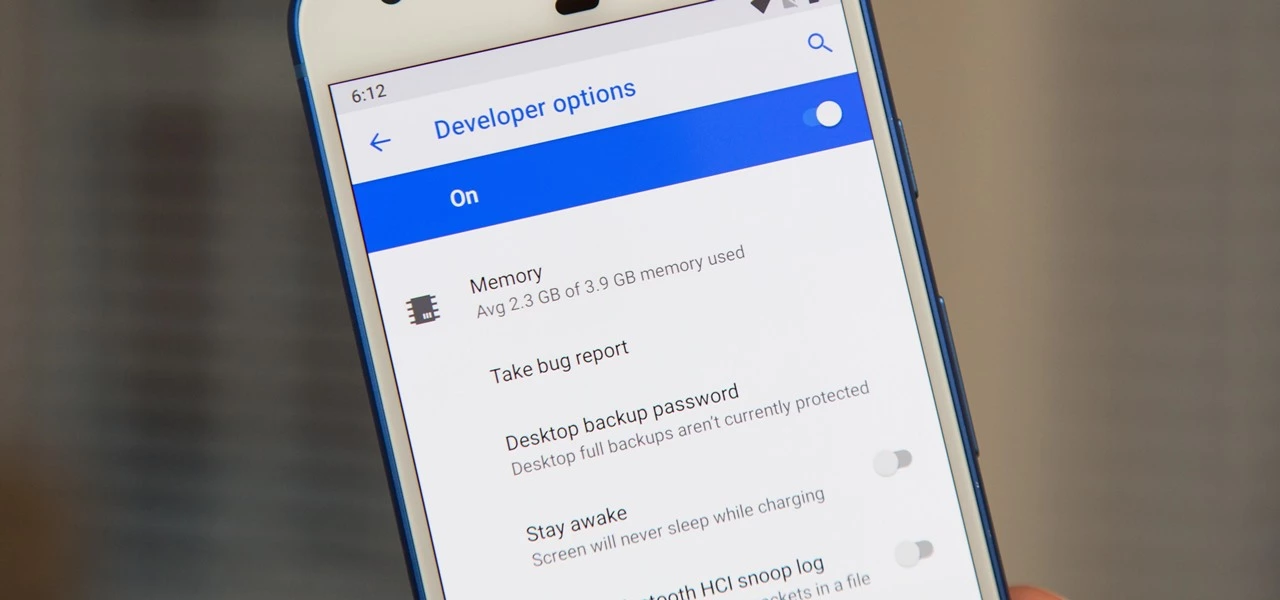
    One of the first things you should do when you get your new Google Pixel 6 or 6 Pro is open the hidden “Developer options” menu. Don’t be put off by the word “developer” because this hidden Android 12 menu contains functionality that any Android user can use.

    If you don’t have a Pixel 6 or 6 Pro, you can still access the “Developer options” menu on any other Pixel model, as well as devices from other OEMs such as Samsung. If you haven’t updated your system or purchased a Pixel 6 or 6 Pro, I’ll teach you how to accomplish it on Android 12. If you haven’t updated your system or purchased a Pixel 6 or 6 Pro, the process is basically the same on older Android versions.

    android developer tools

    Enable developer options in Android 12

    Open up your Settings app and tap “About phone” from the list. To get to this menu even faster, use the new search tool in Android 12 from your app library (swipe up on the home screen), search for “about,” and select “About phone” from the results.

    After that, scroll down to “Build number.” This is the backdoor to revealing the “Developer options” menu. Simply tap “Build number” at least seven times in a row, then confirm you want to unlock the menu by entering your PIN. (The PIN interface is concealed in screenshots, as shown below.)

    For a few moment, you should see “You are now a developer!” appear to let you know it worked. You’ve already unlocked the menu if it reads, “No need, you’re already a developer.”

    Newly unlocked developer options

    Return to your Settings app’s main menu, hit “System,” and then select “Developer options” from the bottom of the list. Unlike “About phone,” you can’t search for “developer” in your app library’s search bar to get there right away, but you can locate it in Settings’ search bar.

    In “Developer options,” there are plenty of things to explore. While there are plenty of reasons to unlock “Developer options” on your Pixel in Android 12, some quick ones to note include keeping your screen awake while charging, starting the process for unlocking your bootloader, making software updates install themselves when your device restarts, and showing a dot on the screen for each tap you make.

    USB debugging is another popular setting that lets you use ADB to talk to and issue commands to your Android device from your computer.

    Reset the developer options

    Let’s say you suspect that something you enabled in “Developer settings” is causing your Pixel to malfunction or produce unexpected results, but you have no idea what the issue is. In that situation, you may quickly restore the developer menu to its previous state.

    To do so, open the menu and untick the “Developer options” checkbox at the top. Then, on the “Allow development settings” prompt, toggle it back on and tap “OK.” Everything you changed in the menu earlier will be reset to their settings on Android.

    Hide the developer options

    You can hide the “Developer options” menu if you no longer want to utilize it. Toggle off the “Developer options” switch at the top of the menu by opening it. You won’t be able to get back into the menu unless you repeat Step 1 above.
    If you later re-enable “Developer options,” it will revert to its default settings, so any tools and preferences you specified before will have to be redone.