Tag: bootloader

  • Bypass SafetyNet hardware attestation with an unlocked bootloader

    Bypass SafetyNet hardware attestation with an unlocked bootloader

    Over the last few years, the challenge of bypassing SafetyNet Attestation has evolved from a simple cat and mouse game between Google and the modding community to a burgeoning battle full of obscure barriers. Thanks to the rise of hardware-backed certification techniques, it is very difficult to bypass the boot image integrity verification routine and hide root access. Installing Magisk on its own would not be enough to circumvent the latest update to SafetyNet, especially on newer devices. This is where the Universal SafetyNet Fix Magisk module comes in.

    While legacy device owners, as well as custom ROM users, often use modules such as MagiskHide Props Config to spoof the CTS profile to pass basic certification, as long as the method in question relies on a valid combination of device and model names, fingerprint building, and security patch levels, there is no guarantee that the root hiding trick will remain useful in the future. This is due to the fact that Google Play Services is starting to use CTS profile validation hardware certification in many cases, even when a basic certificate is selected.

    In case you have an Android device that has an unlocked bootloader (or locked using custom verified boot keys) and thus doesn’t pass hardware attestation, then the Universal SafetyNet Fix Magisk module may fix that. Created by Danny Lin AKA XDA Senior Member kdrag0n, the module works by taking advantage of the opportunistic nature of the hardware attestation routine. Quoting the developer:

    … it (hardware attestation) falls back to basic attestation if key attestation fails to run — and prevent GMS from using key attestation at the framework level. This causes it to gracefully fall back to basic attestation and pass SafetyNet with an unlocked bootloader.

    The “not implemented” error code from Keymaster is used to simulate the most realistic failure condition to evade detection, i.e. an old device that lacks support for key attestation.

    The workaround is already available pre-integrated on the ProtonAOSP ROM from the same developer, which lets you pass SafetyNet without Magisk on fairly modern devices such as the Google Pixel 5. If you are a custom ROM maintainer and you wish to integrate this method with your build, you can do so by cherry-picking the necessary patches from this repository. On the other hand, the latest version of the ready-to-flash Magisk Module variant can be found here. Note that MagiskHide is still required if the target device is rooted.

    Universal SafetyNet Fix: XDA Thread ||| GitHub Repo
  • Detailed guide to unlock the bootloader on Xiaomi devices

    Detailed guide to unlock the bootloader on Xiaomi devices

    Many are asking about to update/upgrade to MIUI 12 ROM from MIUI 11 or want to downgrade ROM from MIUI 12 to MIUI 11, but will have issue with unlocking the bootloader.


    After you unlock the device, it will become less secure. Your personal data might be leaked or lost. So we do not advise and encourage you to Unlock your device. So please proceed at your own risk, and you are held responsible for your own device.


    miui bootloader

    Visit http://en.miui.com/unlock and apply for unlocking your device.  

    Download Mi Unlock tool to your PC & Extract it.

    mi unlock tooldirect download link

    Go to Setting > About Phone > All Specs and tap on MIUI Version 7 times

     Enable Enable USB Debugging and Enable OEM Unlocking. Go to Setting > Additional Setting > Developer Options > Enable USB Debugging and Enable OEM Unlocking.

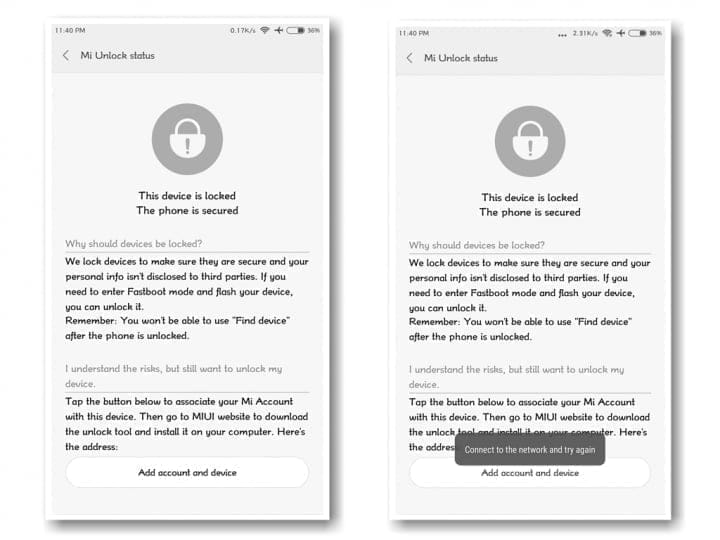
    Now from Developer Option  add your account to “Mi Unlock status”. Disable Wi-Fi connection and bind your account.

    bf58c16d 3ef0 4068 9cc3 7f5545314007

    After, reboot your device into fastboot , for this just restart your device and keep push volume down ( – ) button. Then connect the device to the Windows PC/laptop via a micro USB cable.

    Launch Mi Unlock Tool via run as administrator.

    mi accound unlock

    Follow the steps from the app and unlock your bootloader.

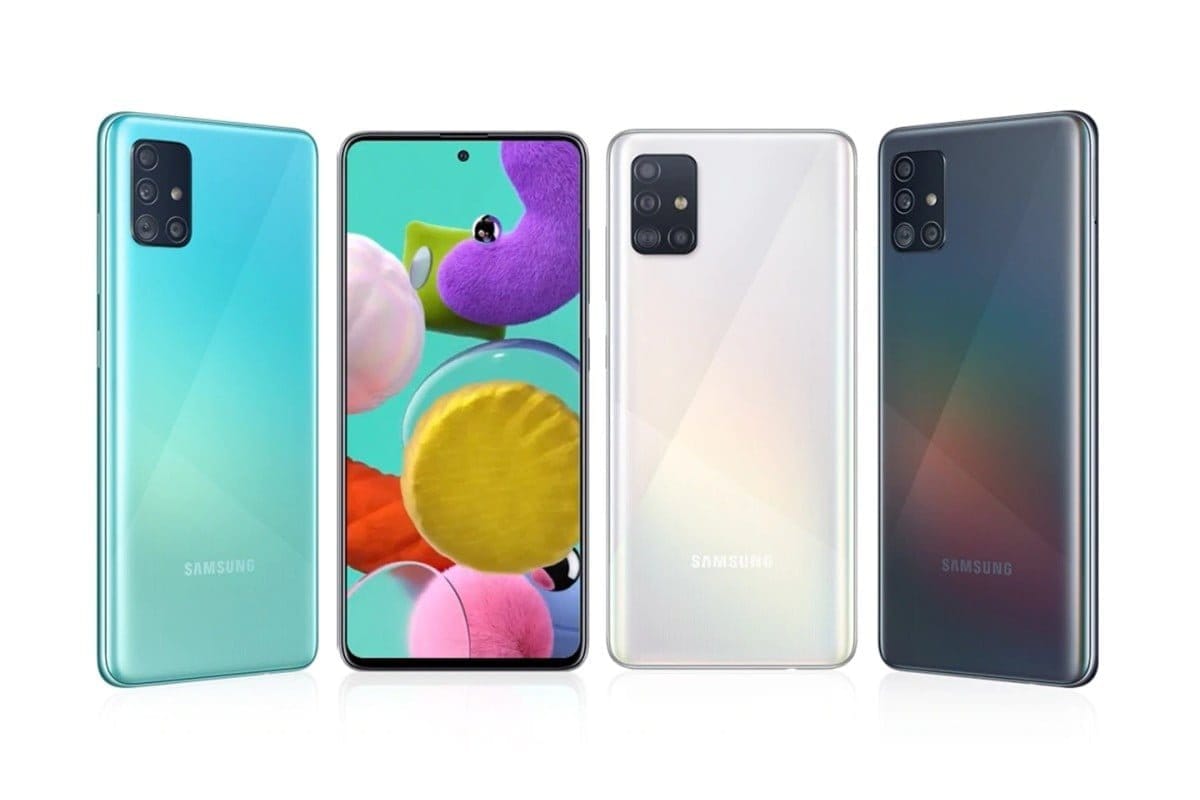
  • Samsung A51 unlock bootloader

    Samsung A51 unlock bootloader

    Unlocking your Android phone’s bootloader is the first step to rooting and flashing custom ROMs. And, contrary to popular belief, it’s actually fully supported on many phones. Here’s how to unlock your bootloader the official way.

    Requirements:

    Download latest firmware for you model directly from official servers using https://samfirmtool.com/samfirm-v0-4-1 or
    https://github.com/wssyncmldm/frija/releases

    Download and install following packages Microsoft Visual C++ 2010 Redistributable Package and Microsoft Visual C++ 2008 Redistributable Package:

    Open Frija and type in your model (ex. SM-A515F) and your CSC : ex. LUX).

    You can check all CSC’s and models on Samfrew: https://samfrew.com/model/SM-A515F/

    After download is complete extract SM-A515XX_1_00000000000000_xxxxxxxxxx_fac.zip

    On device:

    • Go to Settings then to About phone and find your build number.
    • Tap on your build number 6 times until you see “You’re now a developer”.
    • Go in Developer options > enable OEM unlocking.
    • Connect the device to your PC.
    • Power off your device with POWER and volume DOWN and directly hold volume UP and DOWN together
    • Device will boot in DOWNLOAD MODE.
    • Long press volume UP to unlock the bootloader

    This will wipe your data and automatically reboot your device!

  • Unlock bootloader on Samsung Galaxy Series

    Bootloader?

    A device bootloader is a code which packs in an operating system to run every time we turn on our device. It basically tells the operating system and kernel to whether run recovery mode or initiate the boot process.

    Because Android is open-source, it’s quite easy to unlock the bootloader. By unlocking it, you will be able to flash any third-party Custom ROM, Root, Mod files, Custom Recovery,etc ….

    This is a simple access to you to tweak your device. Don`t worry, you can even lock the bootloader again.

    PreRequisite

    • PC / Laptop / Mac.
    • charged phone.
    • working USB cable.
    • download and install ADB Fastboot Tools.

    Before you proceed to unlock the bootloader of your device, you should do a complete back-up of the system. The unlocking process will sweep all the data of Android. So it is important to backup any photos, videos, app data or other files on your device to a computer, an SD card or the online cloud. Backup everything you want to keep, then continue to the next step.

    Let`s unlock!

    Enable Developer options and OEM Unlock at first on your handset.

    samsung

    Then you need to enable the USB Debugging as well from the Developer options to connect with your PC.

    enable usb debugging samsung

    Connect your phone to the PC via the USB cable

    Once the device is connected, switch off your phone and open the fastboot mode. You can do this by opening the command prompt pressing Shift Key + Right Mouse Click on a blank area in the ADB & Fastboot folder on your PC and typing: “adb devices” and then “adb reboot bootloader” (without quotes).

    You may get a pop up to allow USB Debugging on your phone. Just tap on OK button.

    Please Note: this will delete all the device data completely.

    Once your phone is recognized follow the next command: fastboot oem unlock

    You’re done. To reboot your device into the main system, type the following command and hit enter button: fastboot reboot

    Your phone will reboot into the system. Wait for the complete boot process and enjoy.